

Intimate partner violence is a problem for 1 in 4 women and 1 in 10 men. If you’re a victim, we hope this provides you with some practical tools for how to protect yourself from unwanted surveillance.
Spyware is software that enables a user to obtain information about another’s computer activities by transmitting data covertly from their hard drive.
To keep on top of what’s happening in your phone it’s a good idea to check out the apps installed on your phone every once in a while. On Android, it’s the Apps menu in Settings. On iOS, you can go to General then Apps to see what’s installed. Then, use a quick web search to look up anything you don’t recognize or remember installing.
By its very nature, stalkerware is designed to be well-hidden and hard to detect. However, it’s also difficult for something to stay on your laptop or smartphone for long if you’re specifically looking for it.
Below are the best steps to getting as much spyware off of your phone. Do note that the only way to really get your phone to be free from spyware is to do a factory reset.
Remove spy software from Android
If you want to check spying tools on an Android device, go to the Settings and proceed to Applications. Then, go to Running Services and see what services are currently running. If you find any unknown service, tap it and uninstall it after clearing the cache.
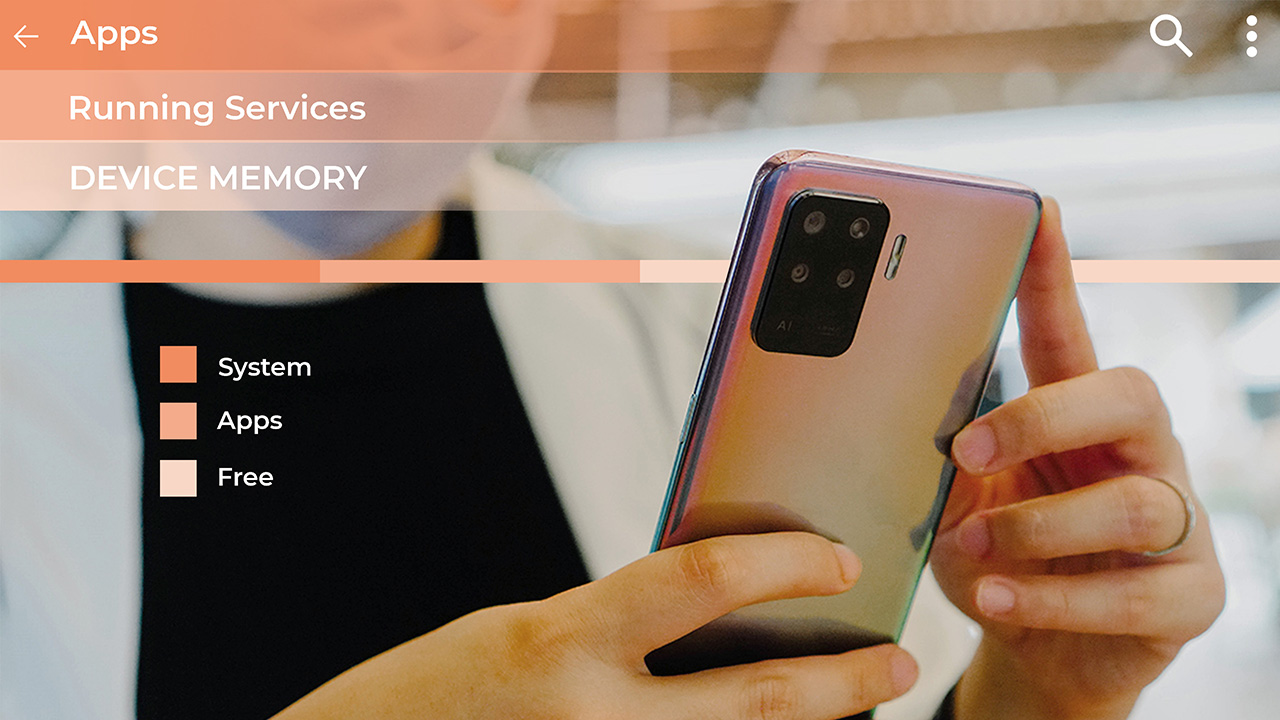
You can also check for spying software in the Manage Application screen and follow the same process if you come across any malicious tool.
Again, the best chance you have of being spyware free is to do a factory reset.
Remove spy software from iPhone
The simplest way of removing spyware from an Apple mobile device is to simply do a software update. If you’ve jailbroken your phone, you’ll want to restore it to the original operating system.
Jailbroken phones are actually much less secure. The vast majority of commercially available iPhone spyware requires the device to be jailbroken in order to function. Jailbreaking is the process of un-restricting the device so that third party applications that have not been approved by Apple, like spyware, can be installed.

Installing the latest iOS update removes the jailbreak, thus causing any spyware installed on the device to no longer function.
On the device:
1. Go to “Settings”
2. Tap “General”
3. Then tap “Software Update”
OR
On your computer:
1. Open iTunes on your PC or Mac
2. Connect your iOS device
3. Select your iPhone or iPad when it appears on iTunes
4. In the summary pane click “Check for Update”
To be extra safe, perform a factory reset
This is a more thorough removal method. This erases all data from the device and installs the latest iOS software, returning it to its original ‘factory’ state. You should perform a backup of your device using iTunes or iCloud before doing a factory reset so that you can restore all of your personal data again when finished.
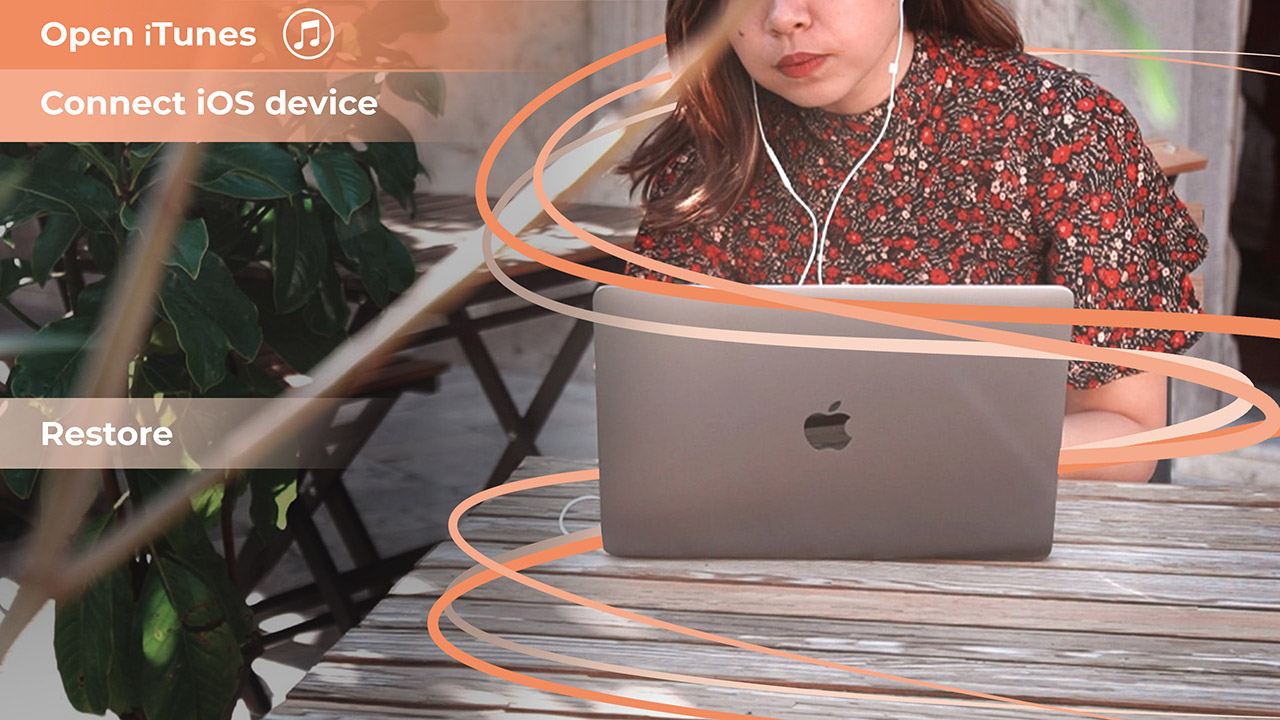
1. Open iTunes on your PC or Mac
2. Connect your iOS device
3. Select your iPhone or iPad when it appears in iTunes
4. In the summary pane click “Restore iPhone” or “Restore iPad” depending on your device
5. Click “Restore” again to confirm
6. The device will then restore to factory settings and restart, this may take several minutes to complete
7. When completed you will have the option to restore from a backup to restore all of your personal data to the device
Parental monitoring
There are many other products that are similar to spyware, such as parental monitoring programs. Unlike spyware, most parental monitoring programs are visible on the phone. This means that you can see that some type of monitoring service is running on the phone.
Go through your phone to see if an app was installed without your knowledge. There are some parental monitoring programs that are hidden and can’t be seen by scrolling through the phone’s apps. In this case, resetting the phone to factory setting should also remove the parental monitoring program.
When a factory reset is not enough
While the best chance you have of removing spyware is to do a factory reset, this isn’t a guarantee either. From my time in China, some friend of mine would just get a new phone when they figured out my device had spyware on it.
If you’re dealing with sensitive information, I know many executives that have a secondary phone for travel to countries where spyware is a greater risk.
How do I preserve evidence of mobile spyware?
If you’re a victim of intimate partner abuse you may want preserve evidence. It is illegal to install spyware on devices for the purpose of spying or stalking another person. If you choose to remove the spyware, it will also remove the evidence.
If your goal is to preserve the phone for evidence, it is important to work with local police, who may have a specific process on analyzing mobile phones for evidence purposes. Until you speak to the police, it is best to put the phone in airplane mode and keep the phone’s battery charged.
This article also appears on Mobile Geeks in German







Apps
Turn conversations into completed work: Zoom launches ZoomMate
Agentic AI work surface to help people move from conversation to execution


Zoom has officially announced ZoomMate, an agentic AI work surface to help people move from workplace conversations to execution without losing context along the way.
It will be offered in ZoomMate Basic (free) and ZoomMate which is priced starting at US$ 16.67 per month.
Unlike AI tools that solely rely on prompts or manual context, ZoomMate understands what was discussed to generate grounded, relevant outputs directly from meeting context.
The feature connects live conversational context to agentic search, workflow execution, custom agents, and AI content creation. It helps users overcome the friction introduced by fragmented tools and incomplete workflow by surfacing information across Zoom and connected business systems.
This creates deliverables from meeting and enterprise context, like presentations, documents, and spreadsheets. It also coordinates follow-though across workflows without switching tools.
ZoomMate capabilities
ZoomMate introduces advanced agentic AI capabilities that help teams move from insight to completion.
Agentic Search
With agentic search, it brings enterprise knowledge to every conversation. ZoomMate can search across Zoom, the web, and third-party systems to find the most relevant information for a project, account, ticket, policy, or business question.
Connecting to data sources such as ServiceNow, Salesforce, and Workday, and indexing across users’ integrated enterprise systems allows for surfacing information from enterprise files.
This includes customer records, open issues, service tickets, knowledge articles, project updates, files, and other business content.
Moreover, relevant context from Zoom Meetings, Phone, Chat, and other connected platforms, including Google and Microsoft, can be directly integrated into the flow of work.
Orchestrate
The next step is ZoomMate’s agentic layer enables proactive coordination and execution across systems, combining AI workflows with intelligent agents that can act, learn, and adapt within enterprise environments.
Agents can monitor ongoing projects, identify steps from meeting context, and automatically initiate follow-up actions for continuity.
Aside from that, ZoomMate can coordinate real-time task execution and can schedule events across Google Calendar or Microsoft Outlook.
Moreover, it updates records, creates follow-up tasks, drafts customer communications, and triggers onboarding or support workflows.
Complete
Lastly, ZoomMate turns meetings into finished work. It automatically creates presentations, documents, spreadsheets, reports, and project plans from meeting conversations and enterprise context so teams can move from discussion to execution faster.
It leverages Zoom’s AI Productivity Suite to update deliverables as decisions evolve, keeping plans, documents, and other outputs current in real time without manual syncing.
Apps
GCash rolls out in-app OTPs via push notifications to fight scams
SMS-based codes will be phased out by June 22
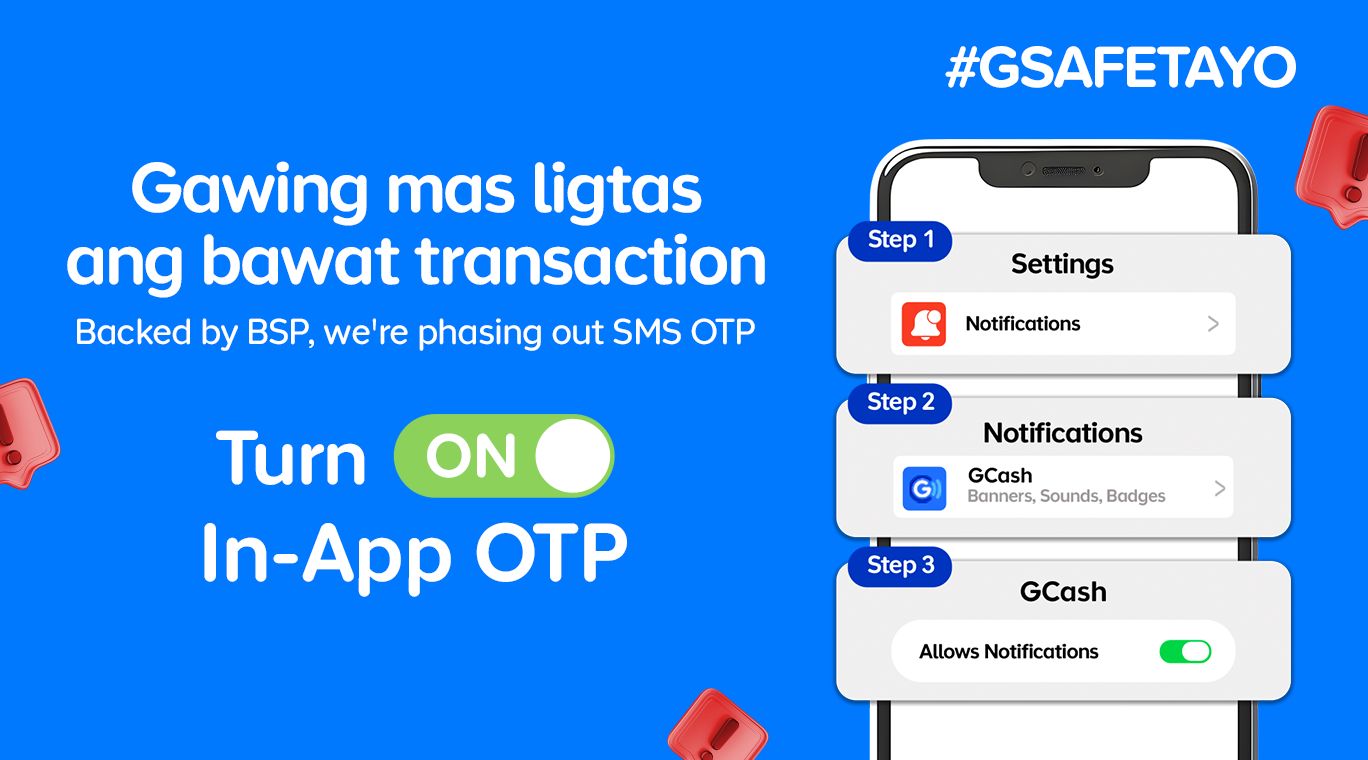
GCash is completely changing how users secure their accounts by rolling out in-app OTPs by June 22.
This fully replaces traditional SMS-based authentication as part of heightened cybersecurity measures against phishing scams and financial fraud.
With this security upgrade, users will no longer receive their OTPs via text messages. Instead, the codes will be sent through secure push notifications directly inside the GCash app.
This provides a much safer verification experiences. The migration to internal authentication is a direct response to a directive from the Bangko Sentral ng Pilipinas (BSP) to phase out SMS-based OTPs by June 2026.
Furthermore, the shift aligns with the country’s Anti-Financial Account Scamming Act (AFASA), which mandates stricter safeguards to curb digital fraud.
For years, cybercriminals have targeted SMS-based verification codes through various spoofing and phishing tactics to gain unauthorized access to accounts.
By routing OTP requests directly through the user’s authenticated GCash app, the platform ensures that only the rightful account owner can receive and use the unique codes.
Beyond security, the switch brings some much-needed convenience. The instant, one-tap authentication removes the annoying hurdle of switching between apps, copying codes, or waiting for delayed text messages to arrive in areas with poor cellular signal.
To get in-app OTPs on the GCash app, simply turn on Push Notifications on your iOS or Android device.
Apps
The No-Nonsense guide to mid-year shopping
Let AI do the heavy lifting for you this Lazada 6.6 Super WOW Sale


The mid-year sale season is here, but the days of mindless impulse buying are over.
Shoppers are shifting toward intentional, value-driven decisions, focusing on quality, authenticity, and actual utility over flashy, low-quality gimmicks.
From 8:00 PM on June 5 until 11:59 PM on June 8, 2026, the Lazada 6.6 Super WOW Sale is dropping major discounts. But the real win is using the platform’s tools to maximize your budget.
Lock in the baseline discounts

Before diving into specific items, map out how to stack the core offers.
You can stretch your money by hunting down LazFlash Deals for up to 90% off, collecting up to PhP 3,000 in stackable vouchers, and ensuring every order qualifies for the free shipping offers available throughout the event.
True value comes from combining these three layers of savings on things you already need.

Jisulife: One of the participating, trusted brands you can get from LazMall
Filter for authentic value
Shopping smart means avoiding the trap of “too good to be true” counterfeits that end up in the trash.
Data shows a massive consumer shift toward trusted quality, with LazMall growth vastly outperforming standard listings during major sales.

To ensure your money goes toward genuine products with real warranties, restrict your browsing to official, brand-certified stores.
If you are upgrading your tech, parenting gear, or wardrobe, look to trusted names anchoring the sale like UGREEN, JisuLife, ANTA, Maserati Watches, Momcozy, and O.TWO.O.
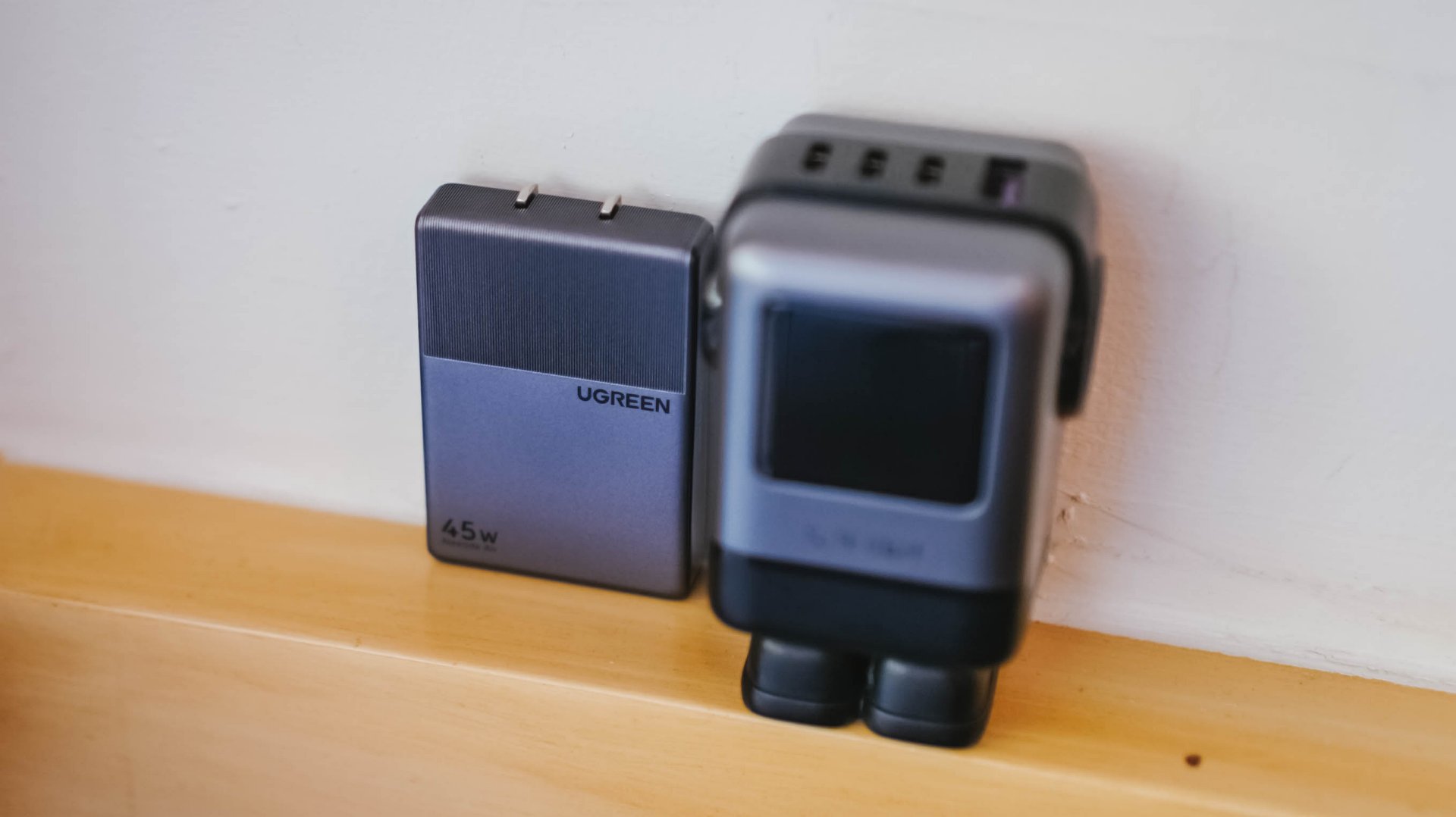
UGREEN: One of the participating, trusted brands you can get from LazMall
Outsmart the noise with built-in tech
Don’t waste hours scrolling through endless listings or guessing which product is better.
The smartest way to navigate a massive mid-year event is to let the platform’s built-in features cut through choice paralysis.

Tools like AI Lazzie and AI Picks allow you to instantly compare similar items, analyze prices, and get personalized recommendations based on actual data rather than generic marketing hype.
Smart Shopper Tip: True value is a mix of the right price, verified authenticity, and a seamless return policy. Use this sale period to stock up on everyday essentials and high-quality upgrades rather than panic-buying items you’ll regret later.


HONOR Magic V6 review: The best version of a book-style foldable?
Little left to sacrifice


Close without crossing: A Xiaomi 17T Pro photo essay
Distance and closeness are not always opposites.


Spring reset: Growing more at home with Auk Mini
From kitchen counter experiment to everyday habit

Lenovo introduces the immersive Referee View for the World Cup

Kodak Charmera gets seven Y2K-inspired designs

Gundam Rogue Orbit coming to consoles, PC in 2027

Turn conversations into completed work: Zoom launches ZoomMate

K-pop Idol Stories: Road to Debut lets you become a K-pop group’s manager

The Infinix GT 50 Pro has the most inspired design for a gaming phone

TECNO’s POVA 8 5G is both futuristic and future-ready
Spring reset: Growing more at home with Auk Mini

UGREEN MagFlow Air review: Airy Yet Mighty
Close without crossing: A Xiaomi 17T Pro photo essay


-
 India7 days ago
TECNO’s POVA 8 5G is both futuristic and future-ready
-

 News2 weeks ago
realme launches P4 Series 5G, including Power with 10,001mAh battery
-

 Buyer's Guide1 week ago
Buyer’s Guide: Xiaomi Pad 8 Series
-
Reviews1 week ago
HONOR Magic V6 review: The best version of a book-style foldable?
-

 Gaming7 days ago
Kingdom Hearts IV gets new trailer, confirms Switch 2 release
-

 Gaming2 weeks ago
Final Fantasy VII Revelation arrives in Spring 2027
-

 Gaming7 days ago
Final Fantasy fans have two big reasons to look forward to 2026
-

 Smartphones7 days ago
Upcoming realme C100 series to feature 8,000mAh battery