


44 years ago, cars were still boxy, the Apple II was just two years into introducing personal computers inside homes, and the word ‘phone’ meant the landline phone inside your house. It was 1979, personal technology wasn’t a thing yet. Until Sony introduced the very first model of the Walkman, the TPS-L2.
More widely recognized in the mainstream now as “Star-Lord’s ancient iPod”, it revolutionized the music industry back then by putting a cassette player in everyone’s pocket, allowing anyone (well, anyone who had the equivalent of US$ 600 at the time) to listen to music anywhere, anytime they wanted.
Fast forward to 2023, we see Sony has updated the Walkman line to fit in with modern standards. The Sony Walkman NW-ZX707 no longer uses an analog Cassette. It’s now a high-fidelity digital music player.
Gone are its plastic and metal body held together by screws, it’s now a glass and metal sandwich like modern smartphones. It has physically changed to the point of being unrecognizable, but the important thing has stayed the same– It’s probably still the most fun music player you can get with your money.
It’s not a phone, it just looks like one

Like its great granddaddy the Walkman TPS-L2, the Walkman NW-ZX707 is built to last. It continues the time-honored traditions of the Walkman line– namely its metal build, external music control buttons on one side, and the audio jack at the top.
But everything else about the build feels like a mix of old smartphone design cues, just updated to 2023. Upon first look, the NW-ZX707 looks like a weirdly small, thick, and heavy smartphone with sharp edges and two headphone jacks in an age where even midrange phones are ditching it.
It’s got a 5-inch 9:16 LCD display with huge bezels straight out of 2017. It’s even got a soft-touch vegan leather back that we haven’t seen in smartphones for years. With that said, ergonomic considerations kind of start and stop with the external music control buttons.
The overall design is boxy, the edges are sharp, the corners are angular, and the screen is flat as they come. Coming in at 157g, it lets you know that it’s in your pocket.
Could’ve used 5G?
In more ways than one, it only looks like a smartphone, but under its metal exterior, the differences are much more obvious. So while it is running near-stock Android 12, you can’t actually use it as a phone, because it doesn’t have a SIM tray (Which I find kind of weird? Like, I think that with high-fidelity music streaming apps available, that would work well with a 5G SIM for on-the-go hi-fi).
While it boasts some of the best audio chips available on any music player today, it doesn’t have a speaker. And while you can expand its 64GB storage with a microSD card, it’s almost exclusively for your music files, because the screen is too small for media viewing and too slow for even light gaming. And there are no cameras on the device.
But it sometimes tries to function like one
The software on the Sony Walkman NW-ZX707 is where things start to get dicey for me. While I appreciate that it’s built on top of Android 12, a very secure, stable, and customizable platform, I feel like Sony could’ve customized the software a bit more to streamline the experience.
Take for example the experience immediately after setup. Since the ZX707 is linked as an android device to your Gmail account, and there is no special designation in the Android system that it’s a dedicated music player, it’s inevitably going to receive email and other non-music related notifications.
It can be fine for power users, but I don’t think receiving the same notifications as your phone in the middle of music listening is conducive to the hi-fi Walkman experience. Take it from me, spend that extra 15 minutes of deep-diving into your settings to either log out of your Gmail account or turn off notifications for any non-music-related apps and services.
The tide hasn’t come in yet
Speaking of apps and services, a big miss for the ZX707 here in the Philippines is the lack of support for hi-fi streaming apps like Tidal and Qobuz. They’re just straight-up not available in the country. So, if you’re planning on getting the new Walkman, your best bet in filling it up is either manually ripping your CDs or Purchasing hi-fi master tracks in either FLAC, PCM, or DSD.
The digital does its best to be analog

Pre-installed software is limited mostly to the Sony Walkman music player app and its customization software, which is generally fine since it leaves so much space for all your high-resolution music on the internal 64GB storage. And for the entirety of the Walkman NW-ZX707 experience, this is where you’re going to get the most value out.
The music player is pretty standard fare, save for the fact that it has support for extremely high-resolution audio formats like FLAC, PCM, and DSD– it even has a separate section dedicated to all your high-res files. There is no visualization option, but you do get a little Cassette animation when the device is idling– a nice touch. And if you’re looking to have better synergy between your Sony headphones / IEMs, there’s the Sony Headphones Connect app where you can choose your headphone model from a list, and the app will automatically change its sound signature via profiles to give you the best listening experience.
But in the great chance that you’re not using Sony headphones to plug into the ZX707, you’ve got a great range of sound customization via the Sound Adjustment app. And let me tell you, this customization app is the bee’s knees. It’s got properly staged equalizer settings, giving you control from sub-bass 31Hz frequencies, all the way up to cymbal-rattling 16KHz highs in 0.5db increments. It’s a great EQ fine-tuning utility, and super responsive.
Music streaming

There is also a whole slew of sound improvement utilities built-in with the sound adjustment app. There’s the DSEE Ultimate toggle– It’s a new feature from Sony that apparently increases the dynamic range of sub-hi-fi tracks like MP3 and CD formats using AI technology.
I found it somewhat effective, but not to the MP3 files on the device– it worked better when it was post-up-sampling non-hi-fi streaming apps like Youtube Music and Deezer.
There is also a DSD Remastering feature, which converts all PCM signals to DSD. In theory this should increase the signal resolution of sub-hi-fi recordings like MP3, low-quality FLAC rips, and of course, low-bitrate PCM files, but it should be of little value for audiophiles looking to load up the ZX707 with higher-quality 24-bit 117.6KHz PCM files. Do note that PCM and DSD are both quantized signals, so while they’re some of the most high-resolution signal formats a music player can put out, they are still (losslessly) compressed to some degree.
Sound emulation

Lastly, the ZX707 also features sound emulation/simulation features if you ever want to introduce some analog qualities to your hyper-clean modern digital recordings. There is a DC Phase Linearizer which somewhat emulates the natural warmth of an analog amplifier, and a vinyl processor, which simulates the sound signature of hearing your songs through a vinyl record player.
I feel that this is something you might want to turn on based on the kind of files that you’re listening to. There are certain genres that benefit greatly from the warmth and texture of Vinyl simulation like classic rock and electronica. Also, remember to turn this off if your music conversions are from Vinyl like my library. It doubles the Vinyl noise and kind of overdoes the warmth of the track.
Good thing that with all of these settings, there is a toggle for direct output so you can A-B your sound settings really fast anytime.
With a little help from my (Hi-Fi) friends
But enough about all of the intricacies that happen outside of the play button. I called the Sony Walkman NW-ZX707 earlier in this article “probably still the most fun music player you can get with your money.”, so that begs the question– how does it sound?
Well, let me get this out of the way for all you audiophiles first: it’s not a ‘flat’ music player. It’s not a reference device, nor does it advertise itself to be one. It’s high-resolution, sure– but it’s not neutral. And that, to me, just sounds like a good time on paper.
In my two weeks with the NW-ZX707 I was able to try it out with three of my most used audio gear:
- For the budget on-the-go side, the KZ x CRN ZEX Pros
- For hi-fi home listening, a modded pair of Beyerdynamic DT770 Pros
- On the weird-but-fun side, the Sony MDR-XB700 Extra Bass.
And with that lineup, one might assume that the ZX707 would be picky with showing its audio brilliance– not really. It sounded great on everything.
KZ x CRN ZEX Pros

Pairing the ZX707 with the somewhat-neutral KZ x CRN ZEX Pros brought out a good tandem. The ZX707’s sound signature at stock is somewhat warm with a moderate emphasis on midbass and lower mids. The ZEX Pros are somewhat known to have a fair bit of sibilance, but I’m glad to report that because of the Sony Walkman ZX707’s laid-back presentation, there wasn’t much harshness in the highs. Detail suffered a bit, especially on busier tracks, but that was more of the limitation of the ZEX Pro’s limited drivers than through any other factor. The stand-out track for this setup was Silversun Pickups’ “Bloody Mary (Nerve Endings)”.
Beyerdynamic DT770 Pros

The duo of the ZX707 and Beyerdynamic DT770 Pros was probably my most used setup during my review period. They just complement each other very nicely. And since I’ve modded the DT770 Pros to have a 4.4mm Balanced input, I was able to leverage the higher power output capabilities of the Walkman– I paid for the whole 250 Ohms, I’m going to use the whole 250 Ohms.
The DT770 Pros are known for their surgically neutral and flat response with a slight prominence in the low-bass. It’s that kind of sound signature that I found pairs the best with the ZX707, as it will ‘convert’ the headphones from ‘mixing ready’ to ‘party ready’. It’s like having a smoothening filter applied to all frequencies, but it doesn’t reduce any of the texture and detail. For that pairing, I turned on the DSEE, the DC Phase Linearizer, and the Vinyl Processor.
It was able to inject a lot of warmth and texture to my songs– coupled with the very forward vocal presentation of both the ZX707 and the DT770 Pros, vocal-centric music like ballads, soft rock, and even ‘00s rap sounded amazing. There are a few times when the bass would sometimes start getting bloated, but it wasn’t something a few adjustments to the EQ couldn’t handle. The stand-out track for this setup was Barenaked Ladies’ “New Disaster”.
Sony MDR-XB700 Extra Bass
Lastly, we’ve got the crazy pair of Sony MDR-XB700s. The midrange of Sony’s classic Extra Bass line, it’s a deceptive pair of headphones– regular music players can make it sound okay, but only the best music players and amplifiers that have exceptional bass and sub-bass processing can make it sound the way it should. And for the ZX707, it was no problem at all.
Having a big hump of sub-bass all the way up to midbass in the EQ was the only way I can listen to the XB700s. Even at almost maximum volume, there was almost no distortion and no significant dynamics compression. It just powers through the songs cleanly and never lets any of the frequencies stray too far from their comfortable thresholds.
Presentation is always smooth and warm, with a big emphasis on vocal presence, and highs are much more relaxed but with a lot of texture. The highs don’t go too far up so listeners of borderline-sibilant textured tracks might have to EQ their highs in, or you might want to look at other ways to improve the high-frequency response on the ZX707. The stand-out track for this setup was Dutch Uncles’ “Flexxin”.
Battery life
To round off my playback performance findings on the Sony Walkman NW-ZX707, it was able to sustain two (2) days of almost constant playback before needing a charge. I attribute this to fine volume and power control. The granularity in the volume adjustment is incredibly accurate and is always a requirement for any hi-fi music player.
Is the Sony Walkman NW-ZX707 your GadgetMatch?

There’s an air of being carefree with the ZX707– it knows it’s not a reference device, nor does it try to be. It plays on its strengths of being a solid, high-power, high-resolution music player that you can take anywhere and plug anything into, and it’ll just slowly fade into the background. Present enough that you’re going to enjoy your music, but never stepping in to interrupt you from dancing to ‘Come Get Your Love’ on a distant alien planet.
Coming in at around PhP 45,000 or US$ 600, the Sony Walkman NW-ZX707 not only invokes memories of the original but also the (frankly) prohibitive price as well. Let me make this clear– this is not an entry-level audiophile PMP, it’s somewhat reserved for intermediates and experts who can leverage its non-neutral presentation to improve their on-the-go listening setups.
But as far as audiophile PMPs go, this is certainly one of the most fun ones I’ve tried so far. Check your gear first– it synergizes well with forward-sounding headphones/earphones with great highs presentation. If you’ve got one, I suggest going for the ZX707. If not, you might have to look somewhere else for your on-the-go hi-fi fix.





Accessories
Samsung joins the clip-on earbud trend with the Galaxy Buds On
But it’s exclusive to South Korea for now.

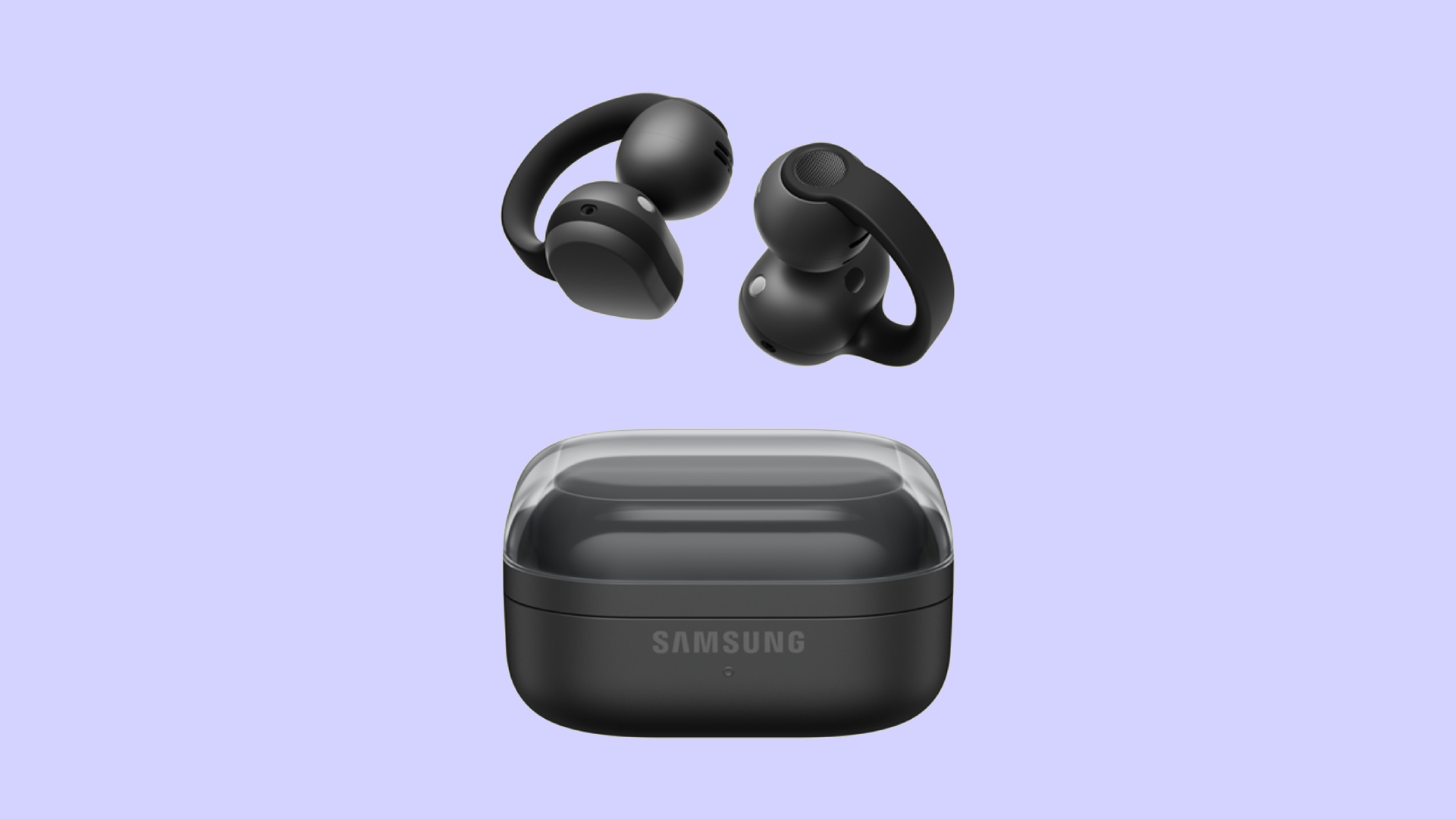
Audio wearables have been getting makeovers as of late. Besides the traditional form factors, the segment is experimenting with bone conduction and clip-on headphones. Today, Samsung is joining that trend with the Galaxy Buds On.
Debuting in South Korea, the Galaxy Buds On is Samsung’s first-ever clip-on earbuds. You’re likely familiar with how these earbuds look like, having seen them grace the ears of many a passerby today. Instead of plugging right into your ear canals, they actually do clip onto your earlobes. Samsung’s take, however, is a little bit heftier, which the brand claims gives it a wider surface area to balance the weight for your ears.
Additionally, the new earbuds has a TwinBoost speaker system. While the system adds better bass to the earbuds, it also adds automatic voice adjustments to better attune the sound according to your environment. It also has an Audio Leakage Reduction feature, so others won’t be able to hear what you’re listening to.
The Galaxy Buds On has a charging case almost identical to the Galaxy Buds4 case. Powered by the Snapdragon S7 Gen 1 Sound Platform, the earbuds can reportedly last up to 9.5 hours on a single charge.
Right now, the wearable is exclusive to South Korea, but Samsung says that a global rollout will happen in the future. In South Korea, the Galaxy Buds On costs KRW 299,000 (or approximately US$ 220).
SEE ALSO: Galaxy Buds4 Pro review: I thought I was done with in-ears


Between YouTube, travel, work, and marathon training, life gets chaotic.
So THE Michael Josh tried the Nori AI Family Hub to see if it could actually help him stay organized.
He let a digital calendar manage his schedules, marathon training, and daily tasks.
Check out @Nori-family and see how it can simplify your everyday life too.
* Visit https://go.heynori.com/Gadget23 and use code Gadget23 to get the best deal possible.
Accessories
UGREEN Nexode Pro 160W review: One mighty brick with a powerful trick
All the speed you need in one charging brick

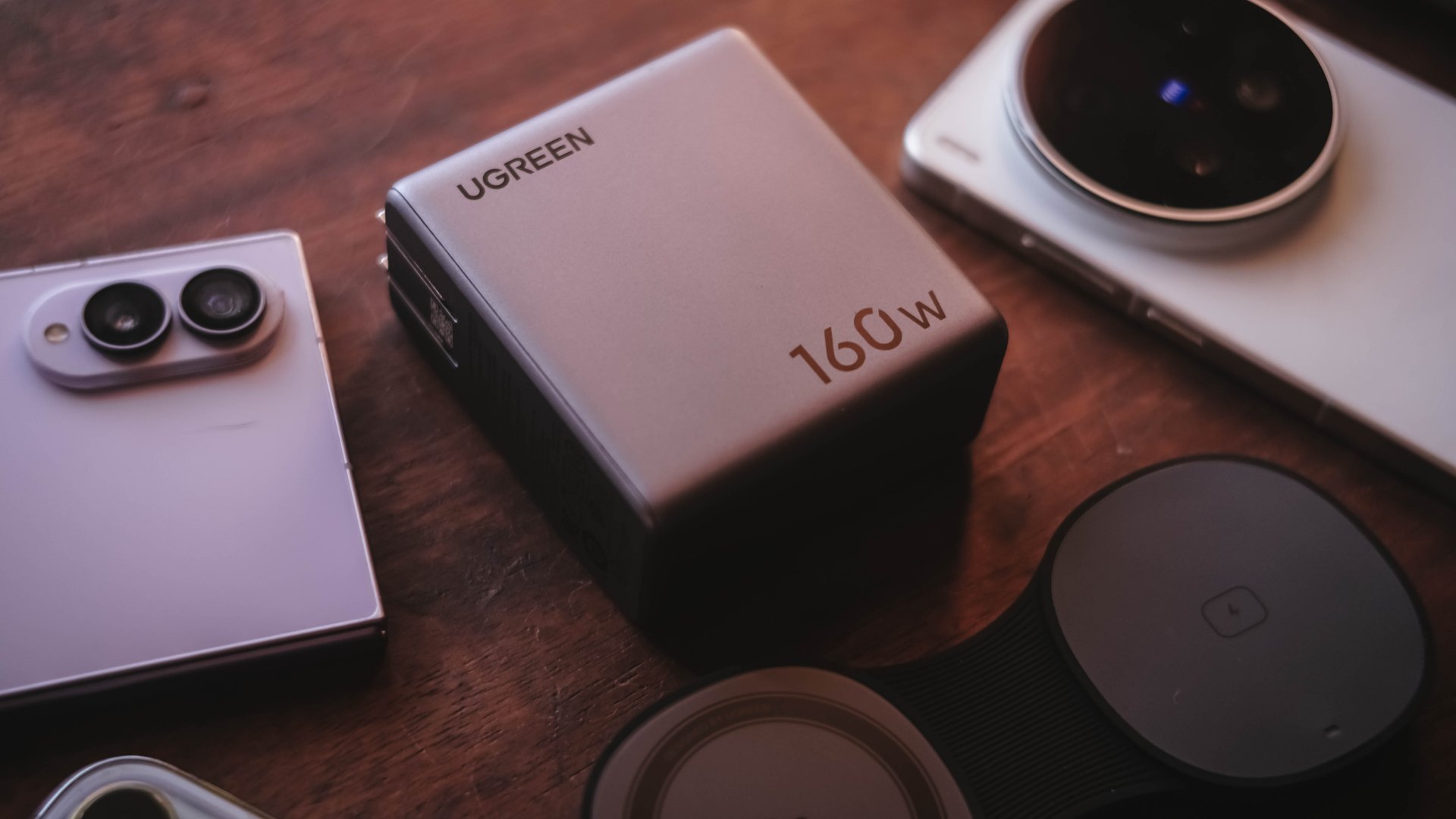
Chargers aren’t just tiny bricks we plug into the wall anymore.
As our everyday gadgets become hungrier in power, chargers have gotten mightier, too.
More wattage, more ports, and apparently, more brains. The UGREEN Nexode Pro 160W takes all of those in one thicc body.
A heavy charger with plenty of power
Let’s address the elephant in the room — literally and figuratively. The UGREEN Nexode Pro 160W is one CHONKY charger.
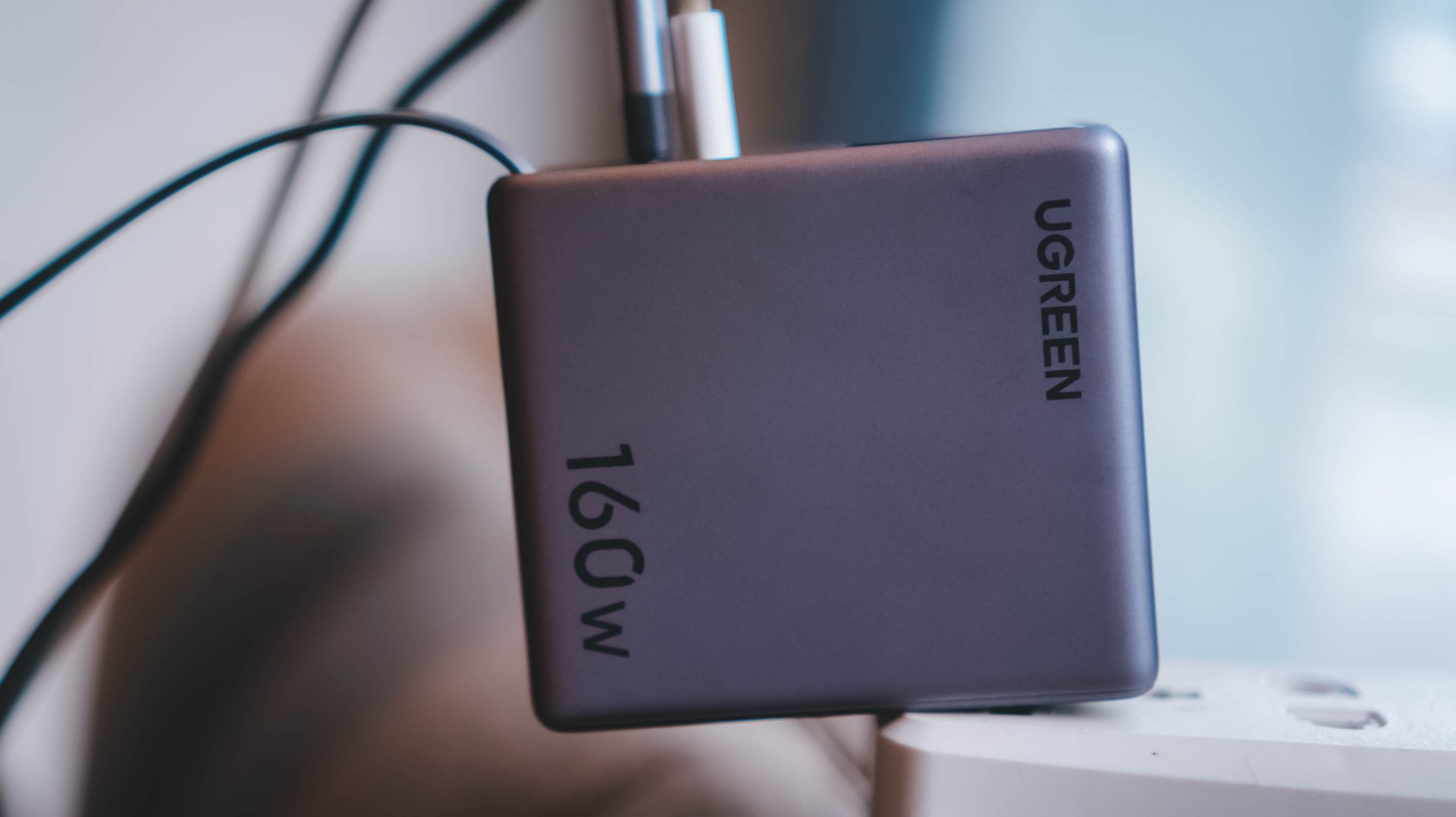
The US version weighs 310 grams, which is heavier than usual charging bricks you’d bring with you.
Visual comparison alone, this is how it tries to dwarf its 100W Uno cousin.
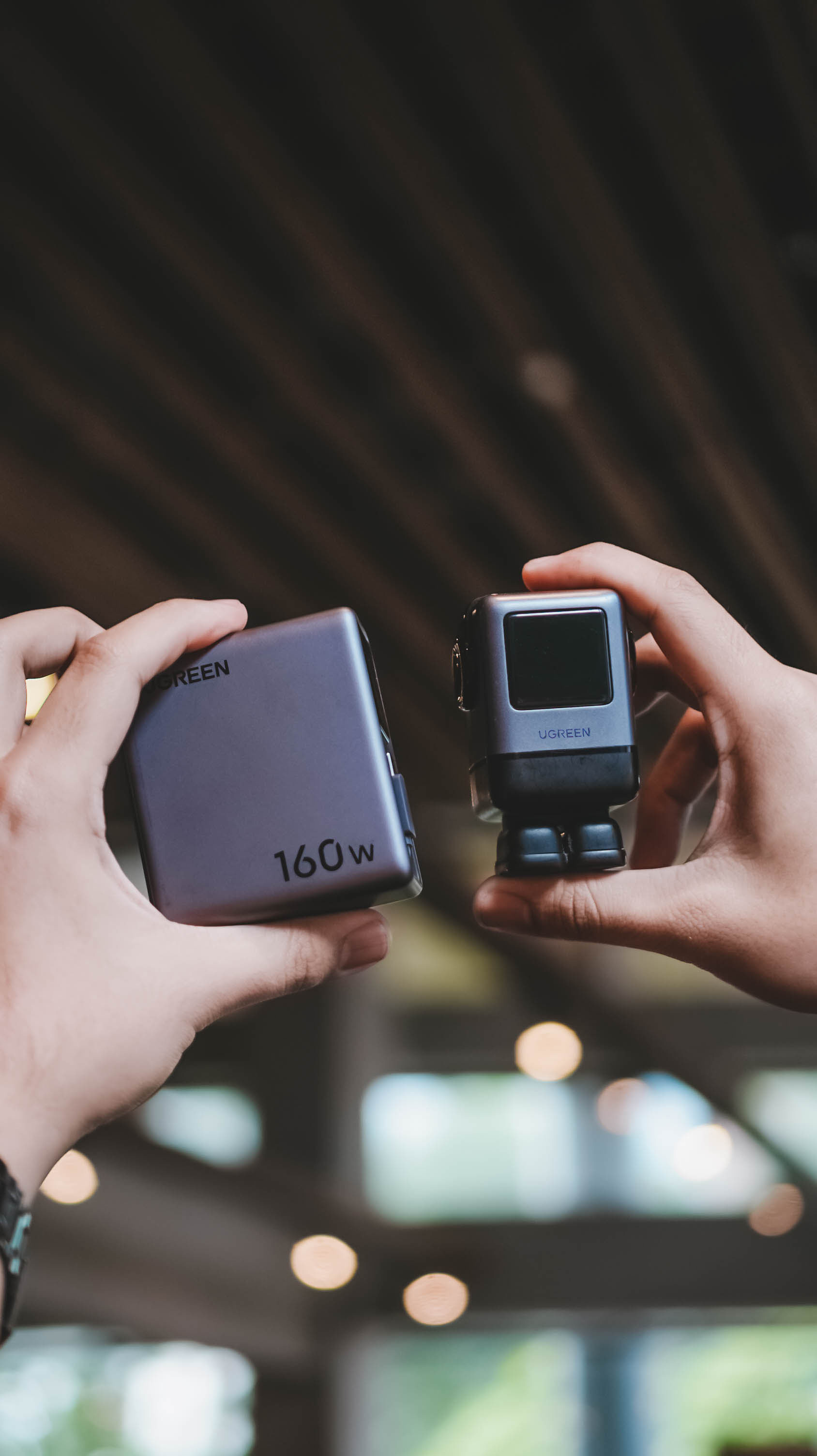
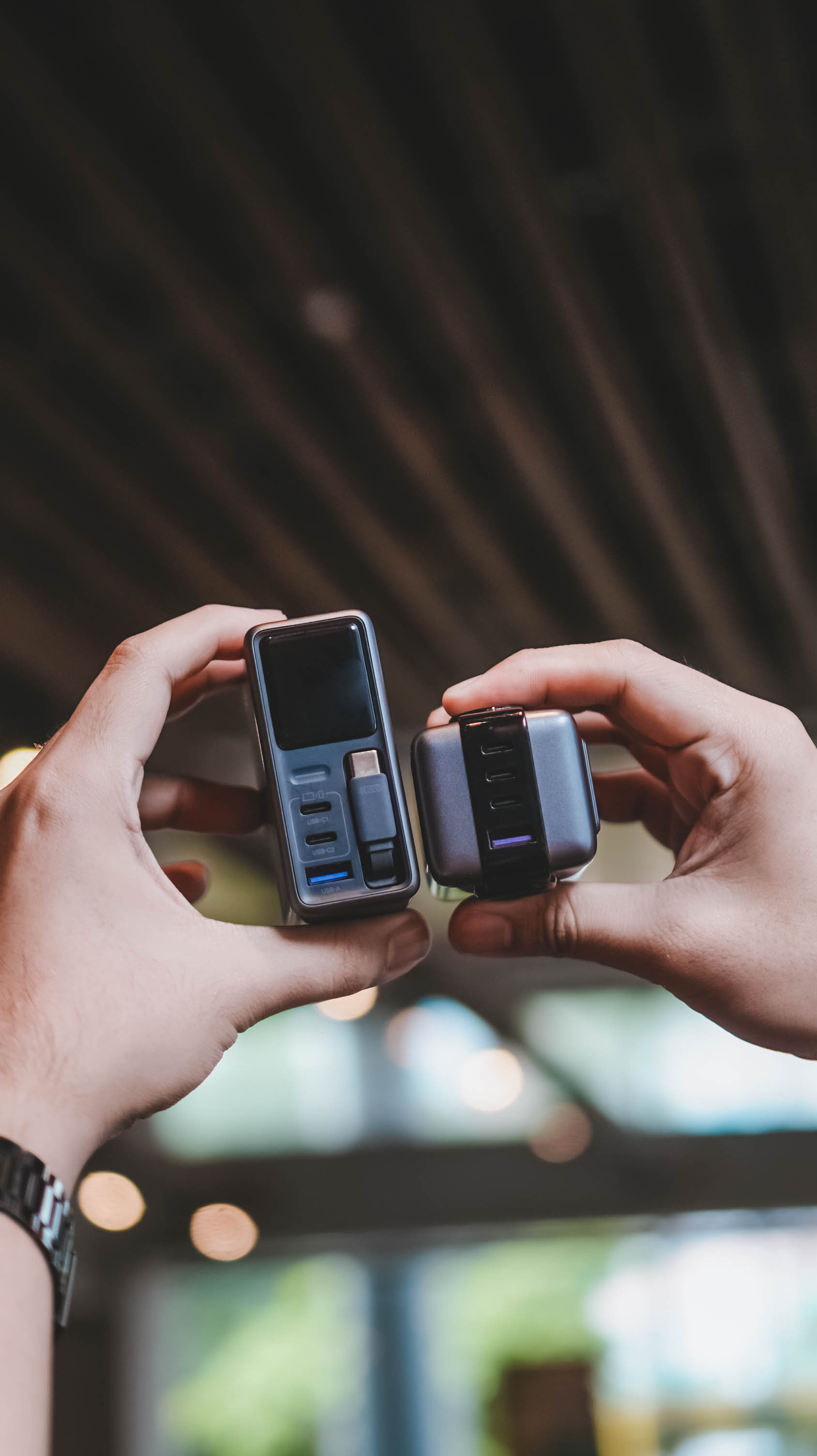
Then again, UGREEN’s Nexode Pro isn’t your conventional charger. And by that, it boasts a total output of 160W — though not saying every port gives a 160W output.
The first USB-C port (C1) is capable of delivering up to 140W. Meanwhile, USB-C2 supports up to 100W, while the lonesome USB-A port can supply up to 22.5W.
To make it even crazier, it also has a retractable USB-C cable — more on that later.
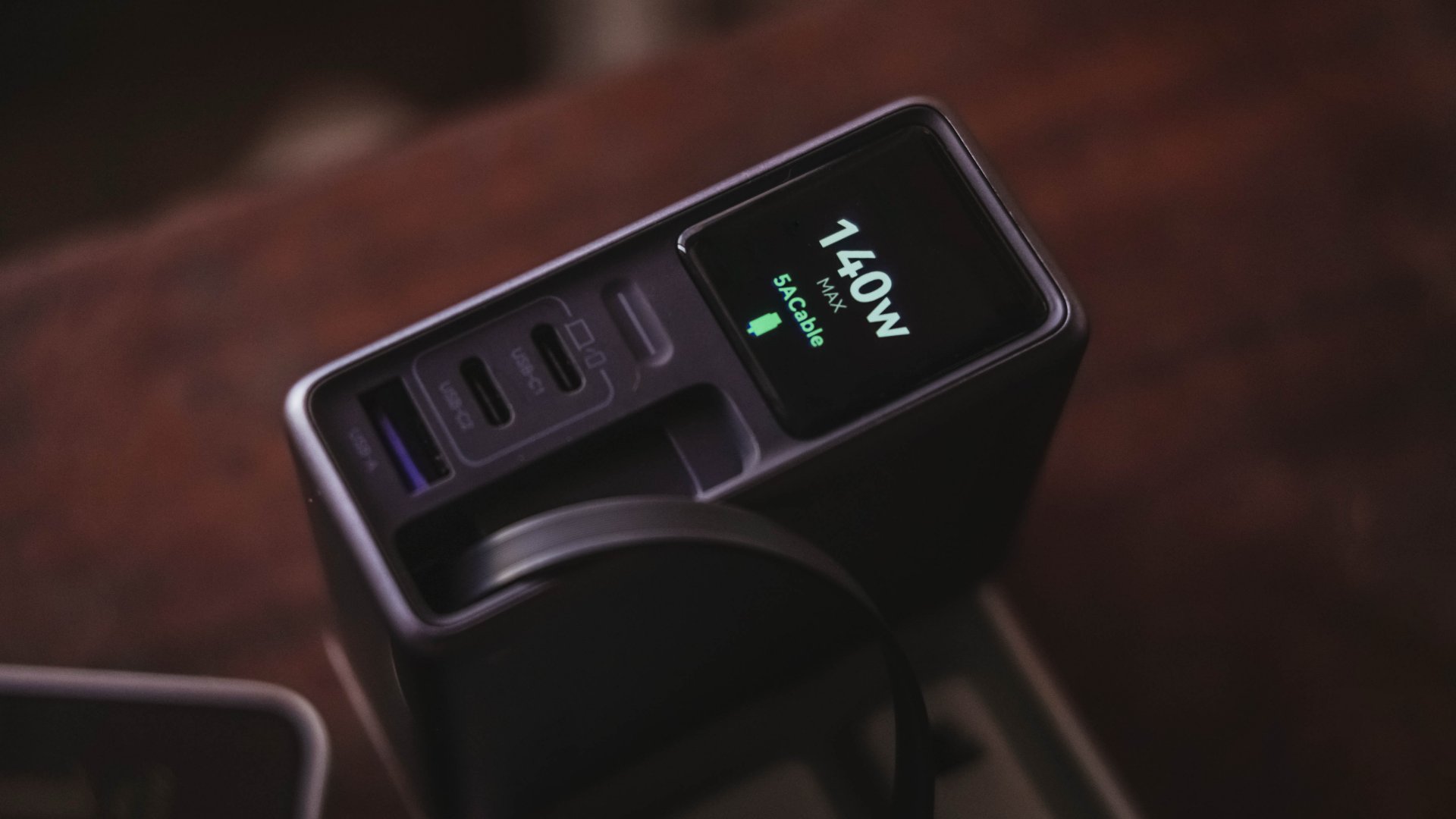
These all mean I can plug in my MacBook Pro, high-end Android flagship, iPhone, and other accessories without ever bringing separate charging bricks for each one.
And honestly, when there’s so much power inside one brick, I’ll generously accept that added heft.
Watt you see is watt you get
One trick up in Nexode Pro 160W’s sleeves is that, it has a front display.
With a touch capacitive button above the USB-C1 port, the display can show not just the general (or combined) charging wattage. It can also show real-time speeds in watts (W), voltage (V), and even ampere (A).
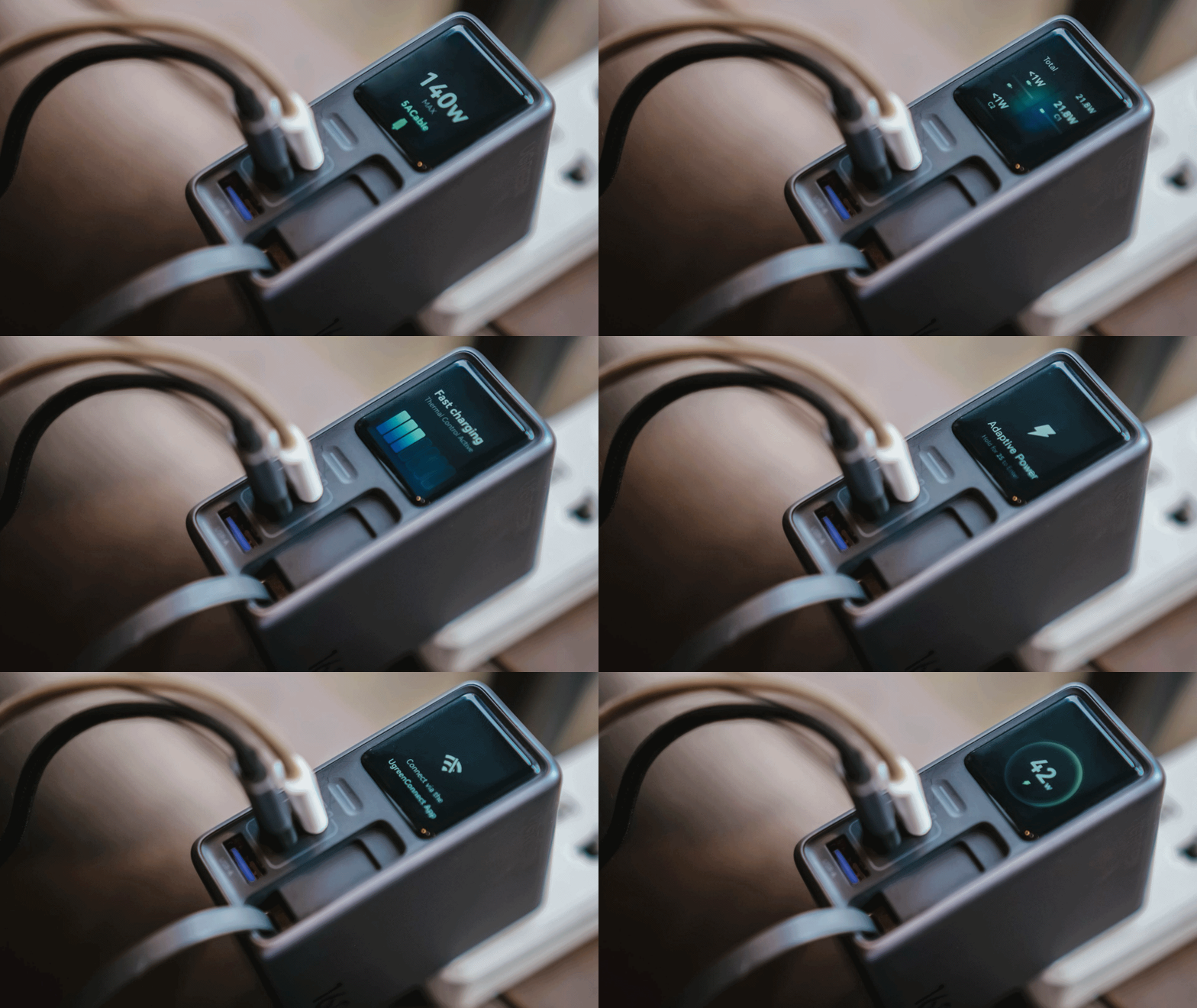
For regular users, it’s probably something you’ll glance at occasionally. For stats nerds? It’s eye candy. For a gadget reviewer like me? A charge test companion.
Seeing real-time charging data gives me a better idea if I have the best charging cable possible for each device. More so, if those devices actually get the charging speeds they require.
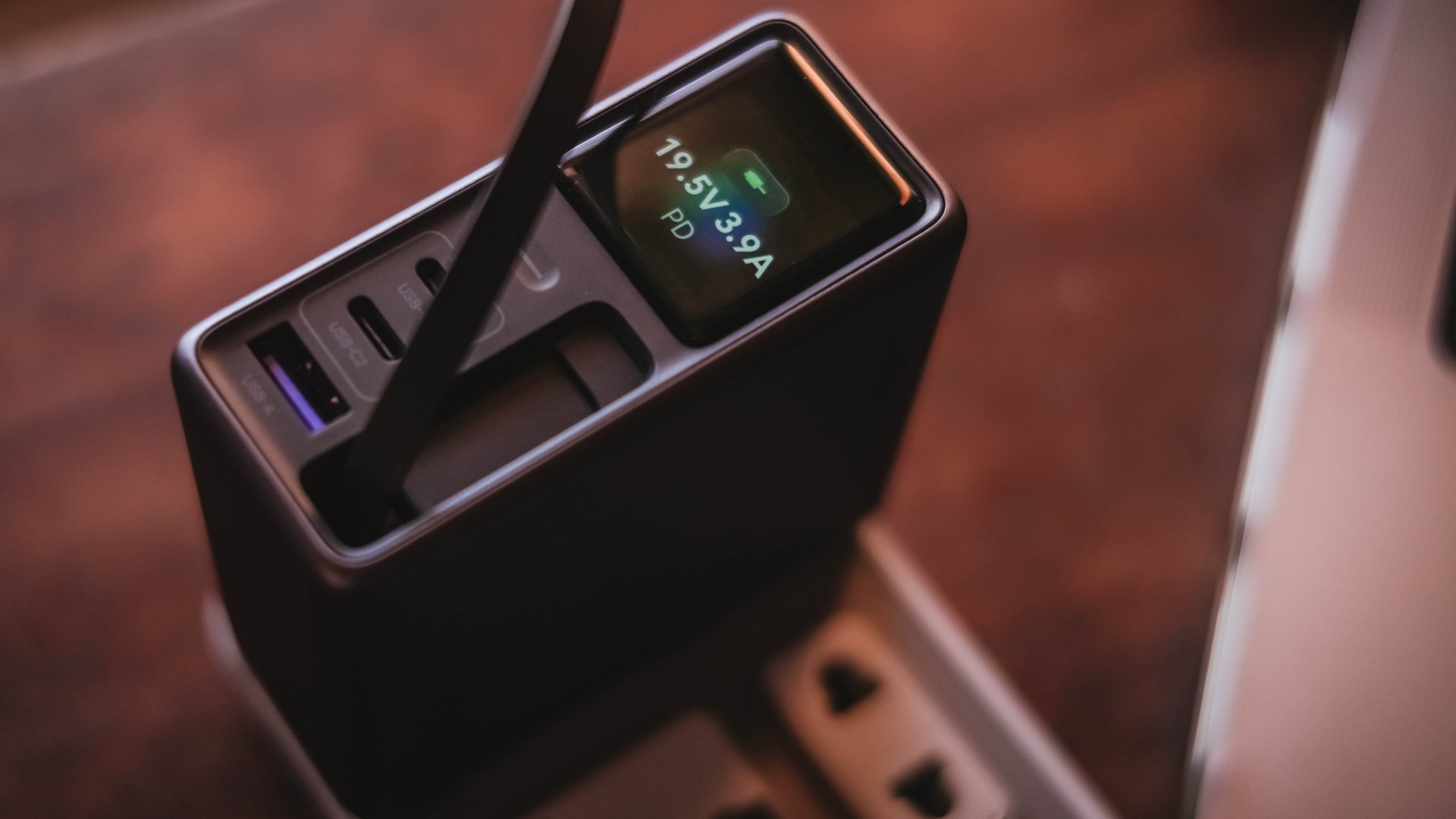
And, if something suddenly starts charging slower than usual, those numbers can help me determine whether the device, charger, or cable might be the culprit.
I can only have my sigh of relief when I see it’s pulling the amount of power I expect.
Even if I always say numbers aren’t everything, the real-time charging data I see with my two eyes is more believable than just relying on that “Fast Charging” indicator.
So, watt did I even get?
Of course, I couldn’t just take that 160W figure just at its face value.
In a not-so-typical GadgetMatch Charge Test, I tried and tested the charger by occupying all ports with the devices I regularly use and watched the numbers fly.
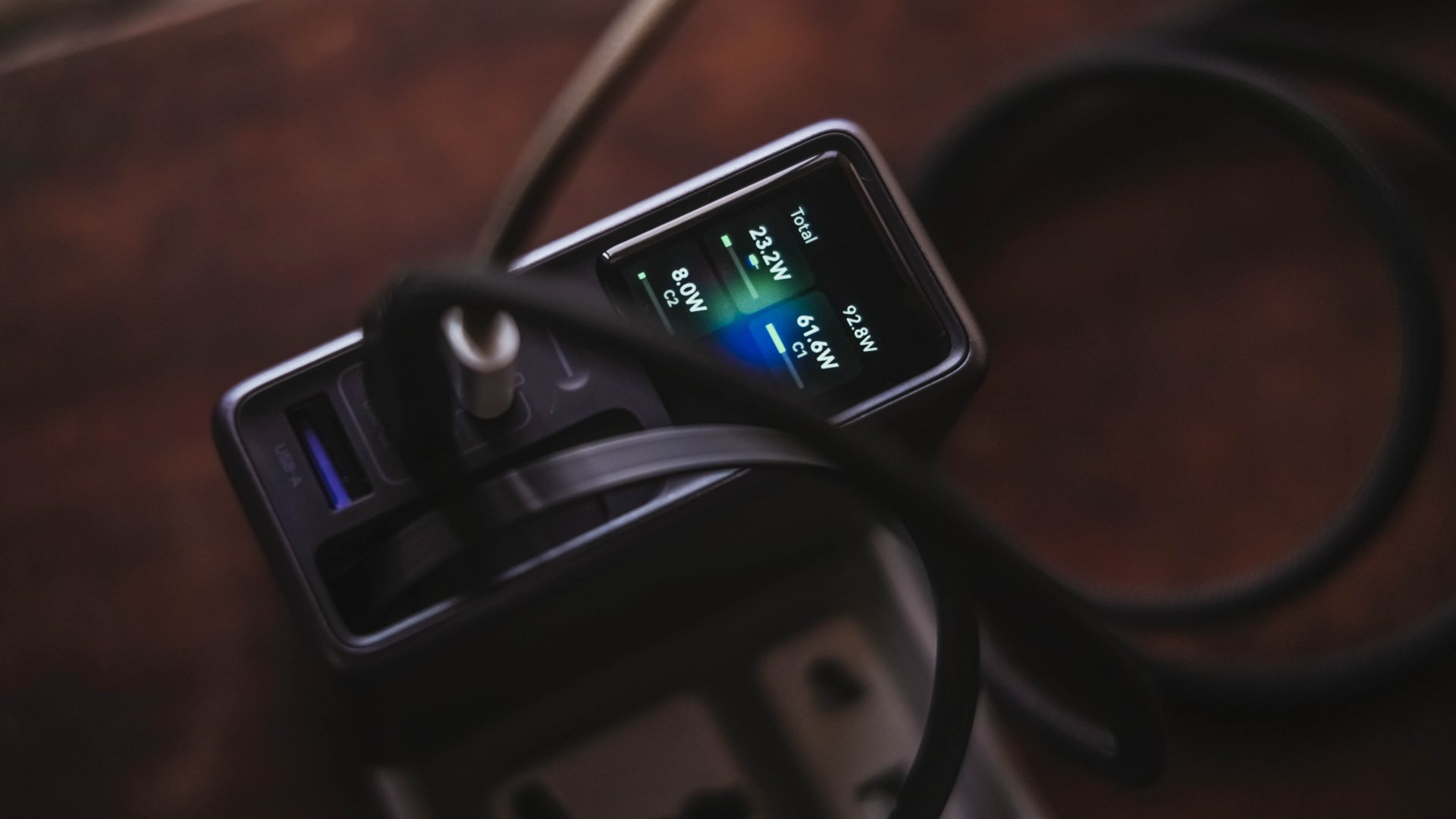
Mind you, I tried my best to make them as equal as possible by draining every device down to 0%. Just so the actual charge test starts at the very base.
From a lengthy documentations in my Notes app, I tried simplifying the results into these table instead:
| Port | Device | Cable Type | 10-minute charge | 30-minute charge | 1-hour charge |
| USB-C1 | 14” M2 Max MacBook Pro | Apple MagSafe 3 to USB-C | 15% | 45% | 84% |
| USB-C2 | Apple iPhone 13 Pro Max | USB-C to Lightning | 7% | 21% | 42% |
| Retractable USB-C | vivo X300 Ultra* *wireless charging |
USB-C to UGREEN MagFlow 2-in-1 Foldable Magnetic Wireless Charger | 2% | 3% | 7% |
| USB-A | HONOR Watch 5 Ultra | USB-A to wireless charging base | 18% | 58% | 76% |
Aside from the charger itself, there are more factors that contribute to a device’s charging output.
One is basically how many devices are connected. Another would be the type of cable used (standard 3A cable or faster yet thicker 5A or 6A cord).
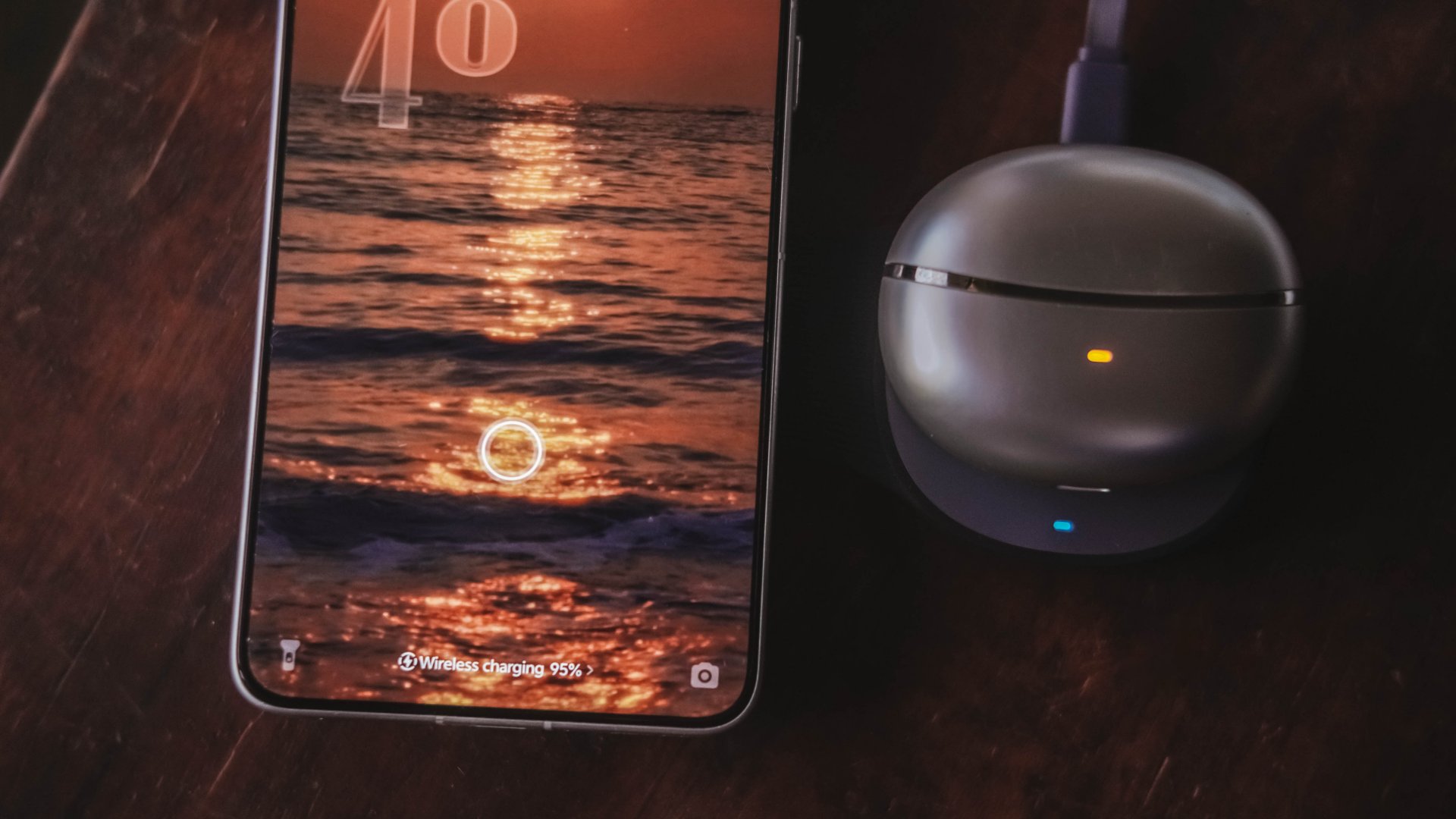
More so, if the best charging mode is used. Even actual room and device temperatures matter, too.
In easier words, a charger boasting 160W power doesn’t mean every device gets its maximum charging speeds simultaneously.
The charger still has to distribute its available power between everything connected.
Pull it, use it, and never lose it
Perhaps its most “secretive” trick is hidden within.
UGREEN has managed to fit a 70cm retractable USB-C cable in its squarish body. Pull it whenever you need it and retract it back inside once you’re done.
It’s incredibly handy when I don’t want to dig through my big and messy backpack.
Worst case scenario? Whenever I forget to bring a cable — which already happened numerous times as an aging young adult who keeps being unnecessarily forgetful.
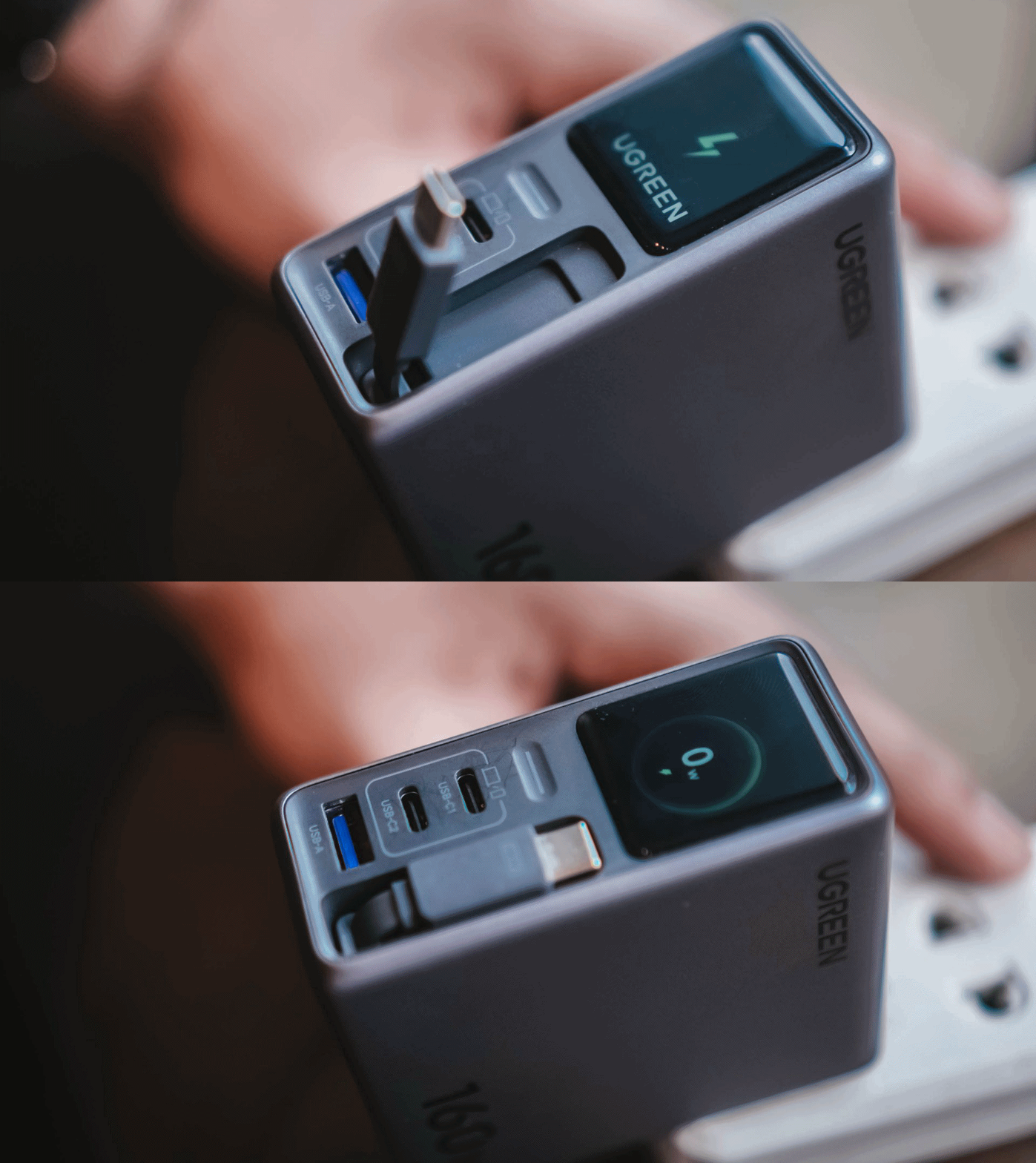
Vincenz’s two cents? He would NOT always rely on using it.
For one, there’s the matter of longevity.
A regular USB-C cable eventually breaks? Replace it. A retractable cable permanently attached to your charger? That’s a different story.
Another would be all about its actual charging speed output. Not every device behaves the same way with that built-in cable.
| Device | Max Charging | Observed Power | 30-minute charge | 1-hour charge |
| 14” M2 Max MacBook Pro | 96W | 68.6W | 53% | 87% |
| vivo X500 Pro Max | 90W | 20.2W~23.6W | 34% | 62% |
| vivo X300 Ultra | 100W | 9.6W~12.9W | 26% | 52% |
| HONOR 600 Pro | 80W | 16.5W | 35% | 64% |
| Samsung Galaxy Z Fold8 | 45W | 17.8W | 41% | 74% |
For instance, my vivo X300 Ultra supports 90W FlashCharge speeds. Yet, I observed only around below a 13W output during one test. Thus, only achieving 26% in thirty minutes.
Even the shiny new vivo X500 Pro Max wasn’t exempted in the list with only being able to achieve 34% in the same time frame.
For added context, using their bundled FlashCharge adapters would have already filled the phones way past the 60% mark.
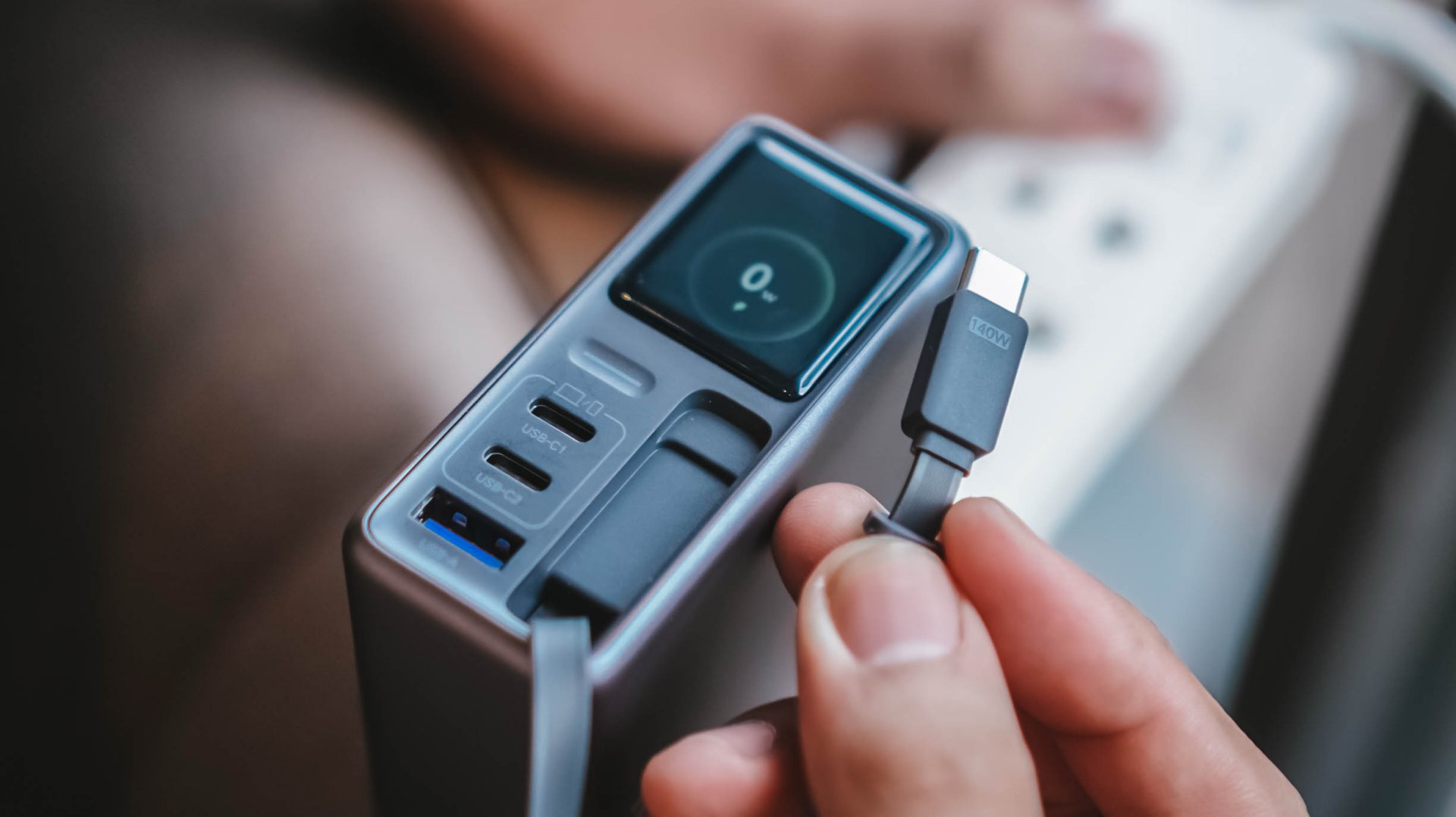
This doesn’t necessarily mean the built-in cable is bad. It just means you shouldn’t expect every proprietary charging standard to hit its advertised maximum just with the cable alone.
So while it’s one of my favorite conveniences here, I still see it as a handy backup rather than the only cable one would ever need.
Connect to inspect
I can’t believe I’m saying this. A charger can now be connected via an app.
Just like me, you’re probably scratching your head the moment you are reading this. Well, after much use, it actually made sense to me.
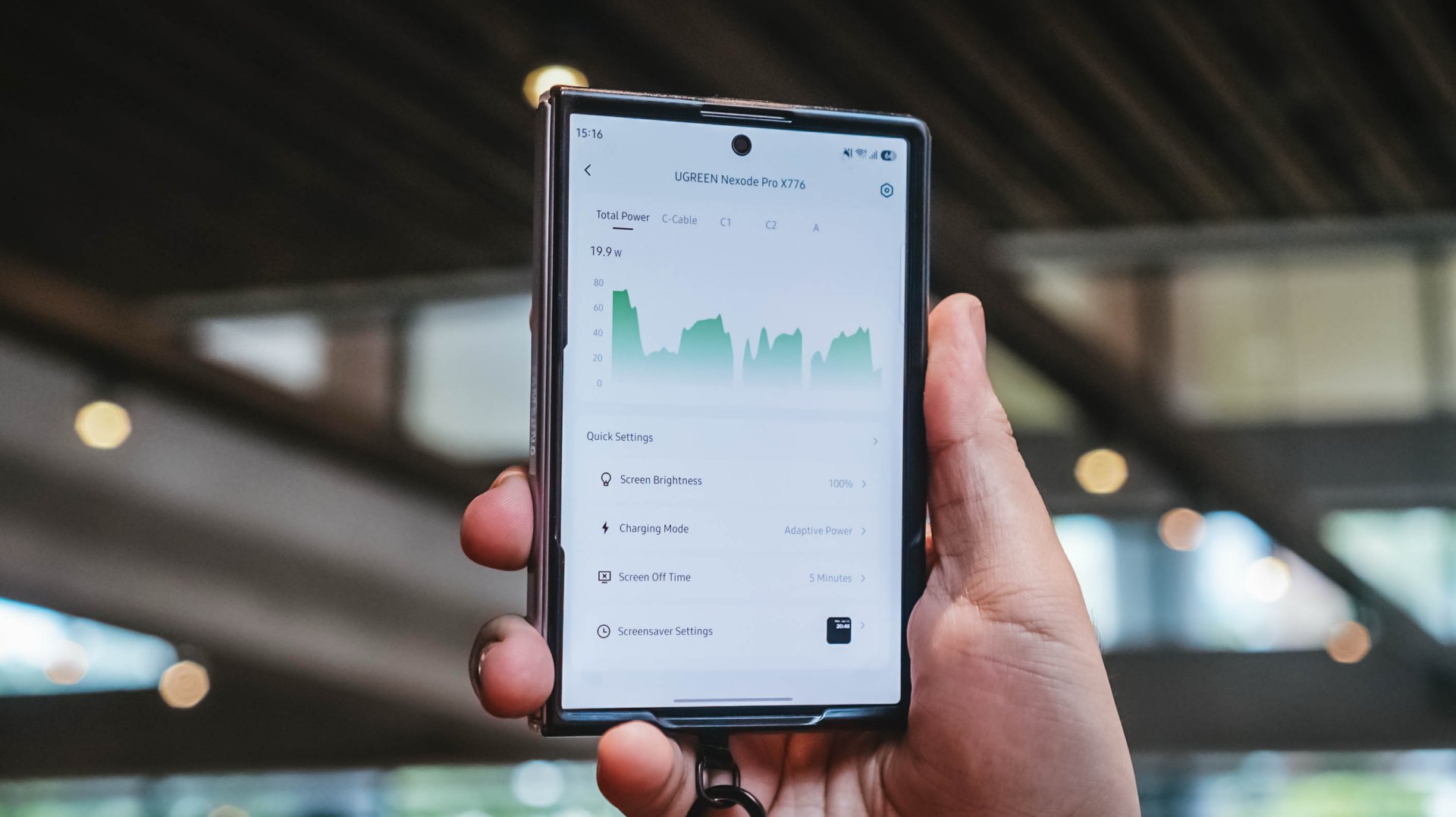
With their new and very own UgreenConnect app, not only you can see and capture charging stats, UGREEN lets you switch between charging modes as well depending on your charging needs.
Heck! You can even turn off ports individually without affecting other devices being charged.
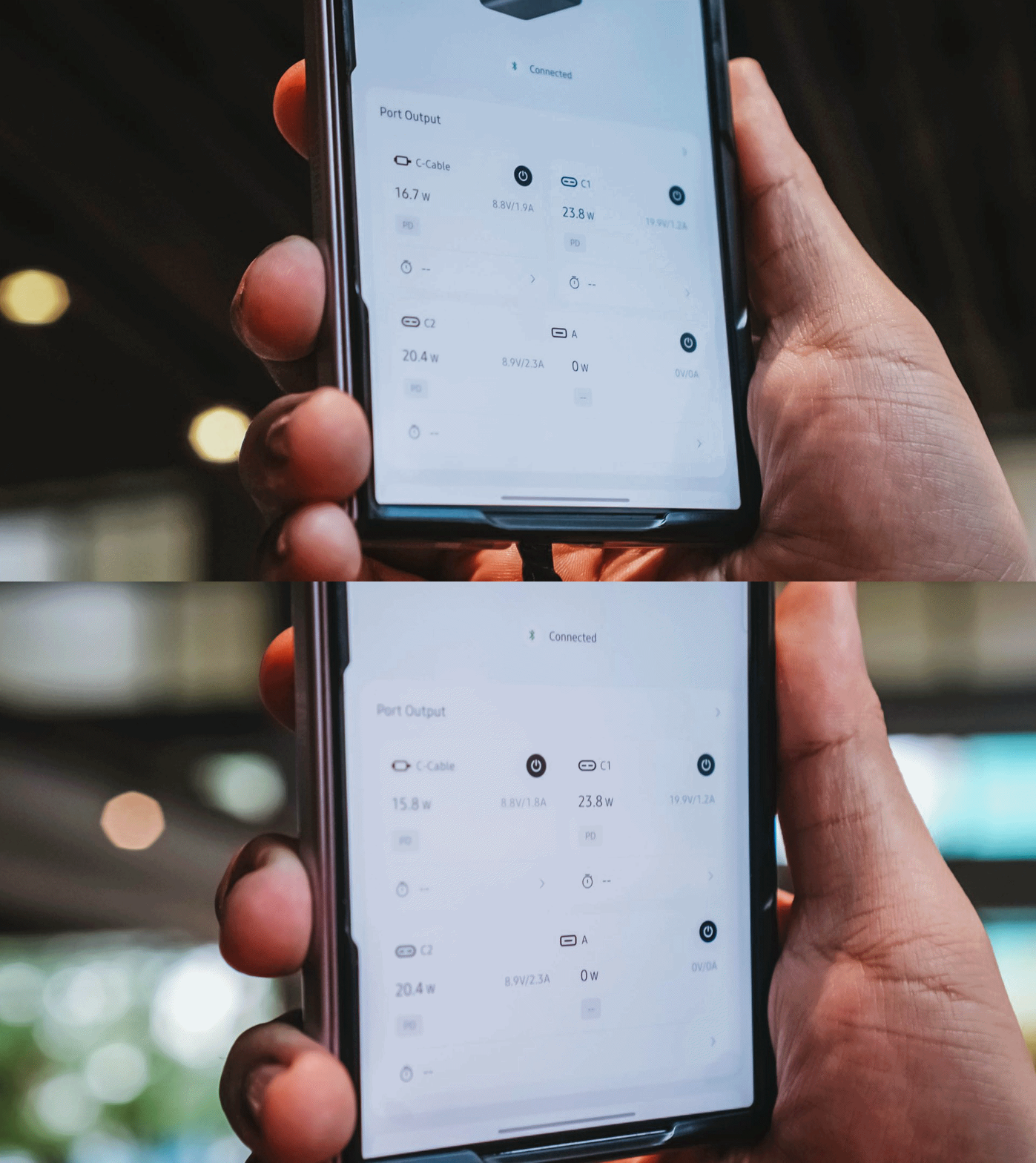
Furthermore, you can also change the display’s brightness and sleep time, customize wallpapers. The Nexode Pro 160W also supports OTA updates.
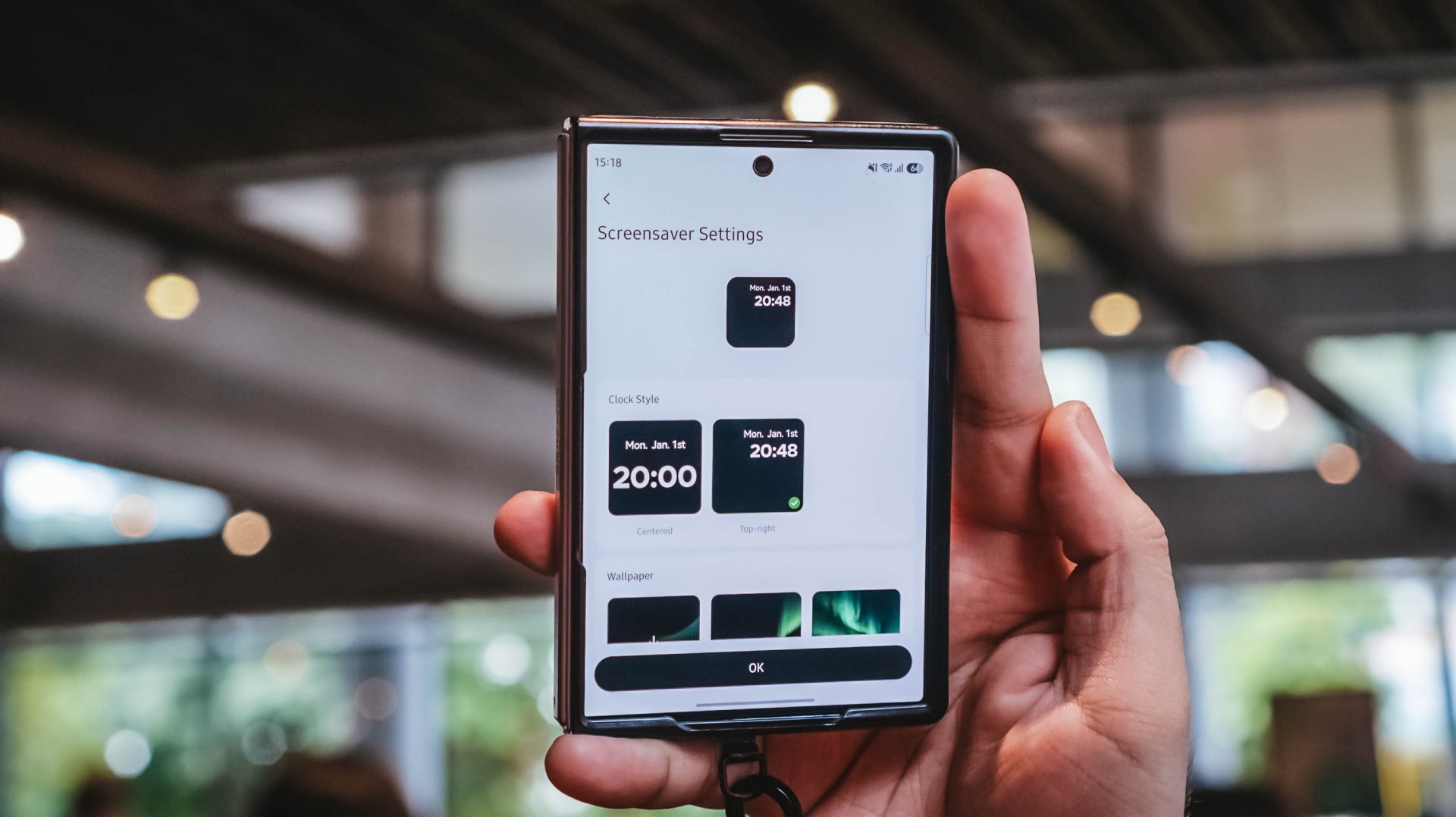
Again, it’s mostly nerdy. But that’s precisely why I like this charger more than what I already have and use.
Feel the heat, keep it neat
The Nexode Pro gets warm. Quite warm, actually.
But, with a charger this large and powerful, that’s hardly surprising given all the charging components packed inside.
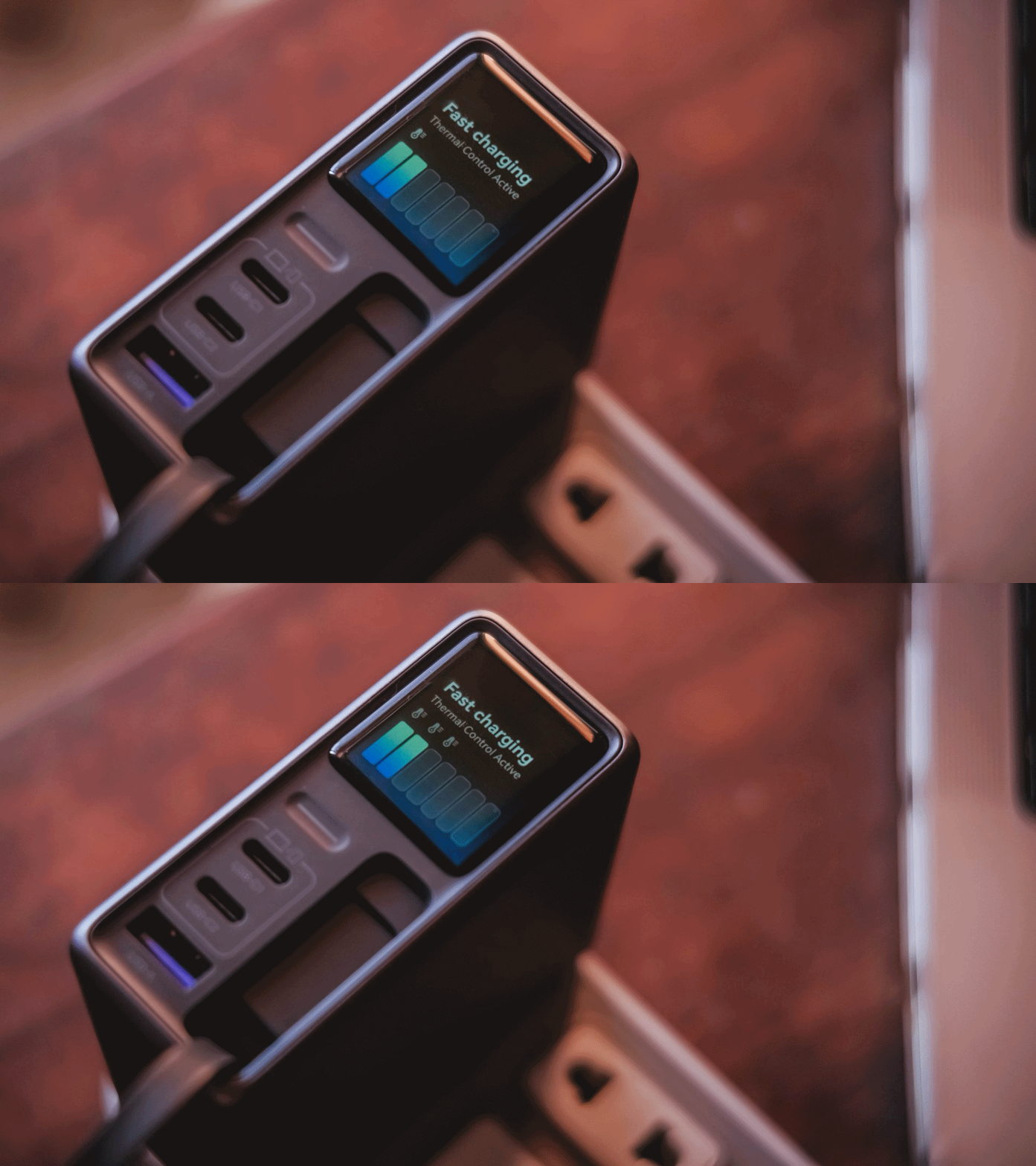
Thankfully, the temperature remained manageable throughout my use. UGREEN also lists Thermal Guard Temperature Control alongside GaN Infinity technology and SmartCharge power distribution.
The different charging modes can also help manage and lessen that heat further.
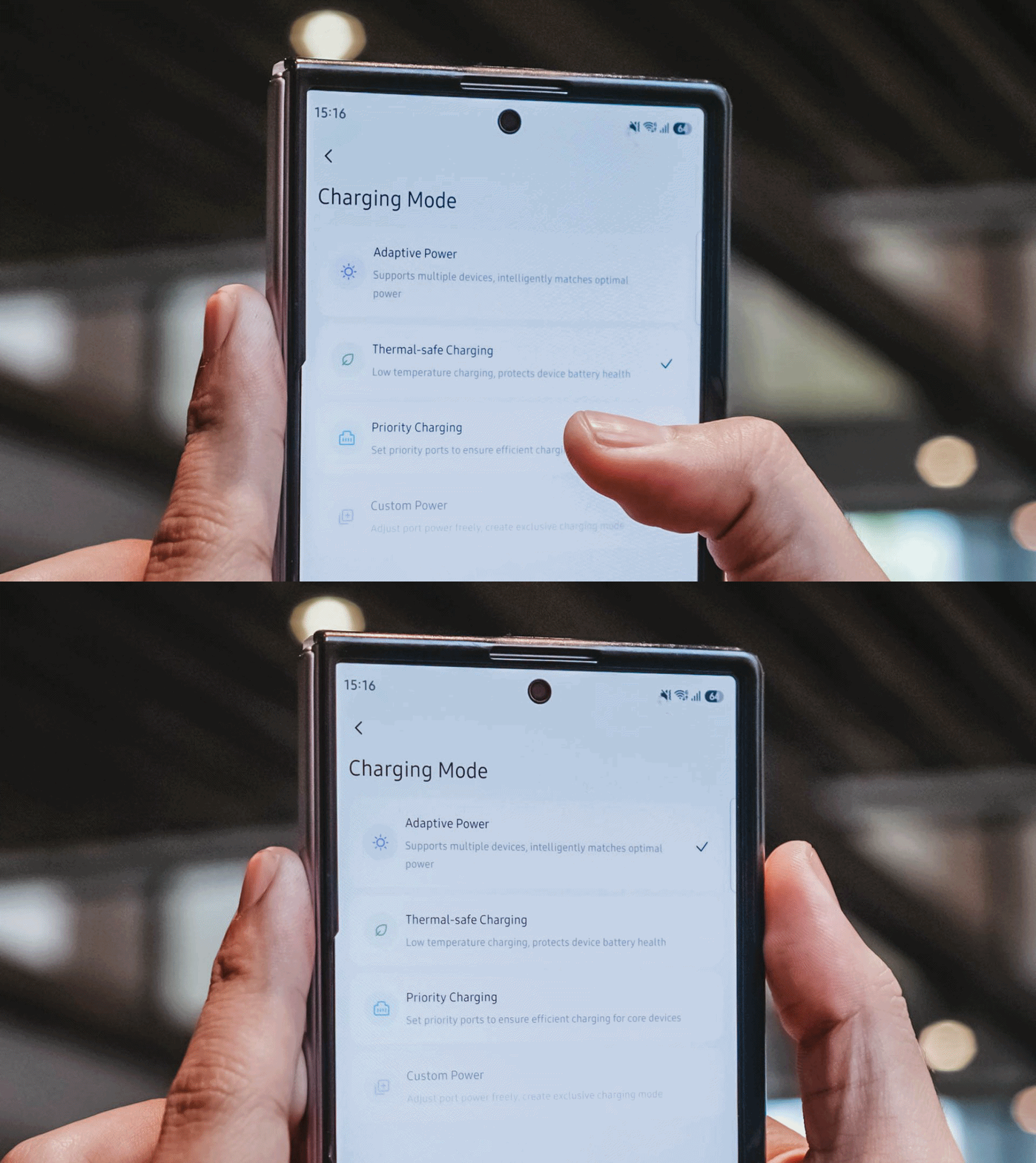
If I don’t need something charged immediately, I can opt for smarter or lower-temperature Thermal-safe charging instead of constantly pushing as much power as possible. Power when I need it. Less heat when I don’t.
Although for my day-to-day use-case, Priority Charging makes the most sense.
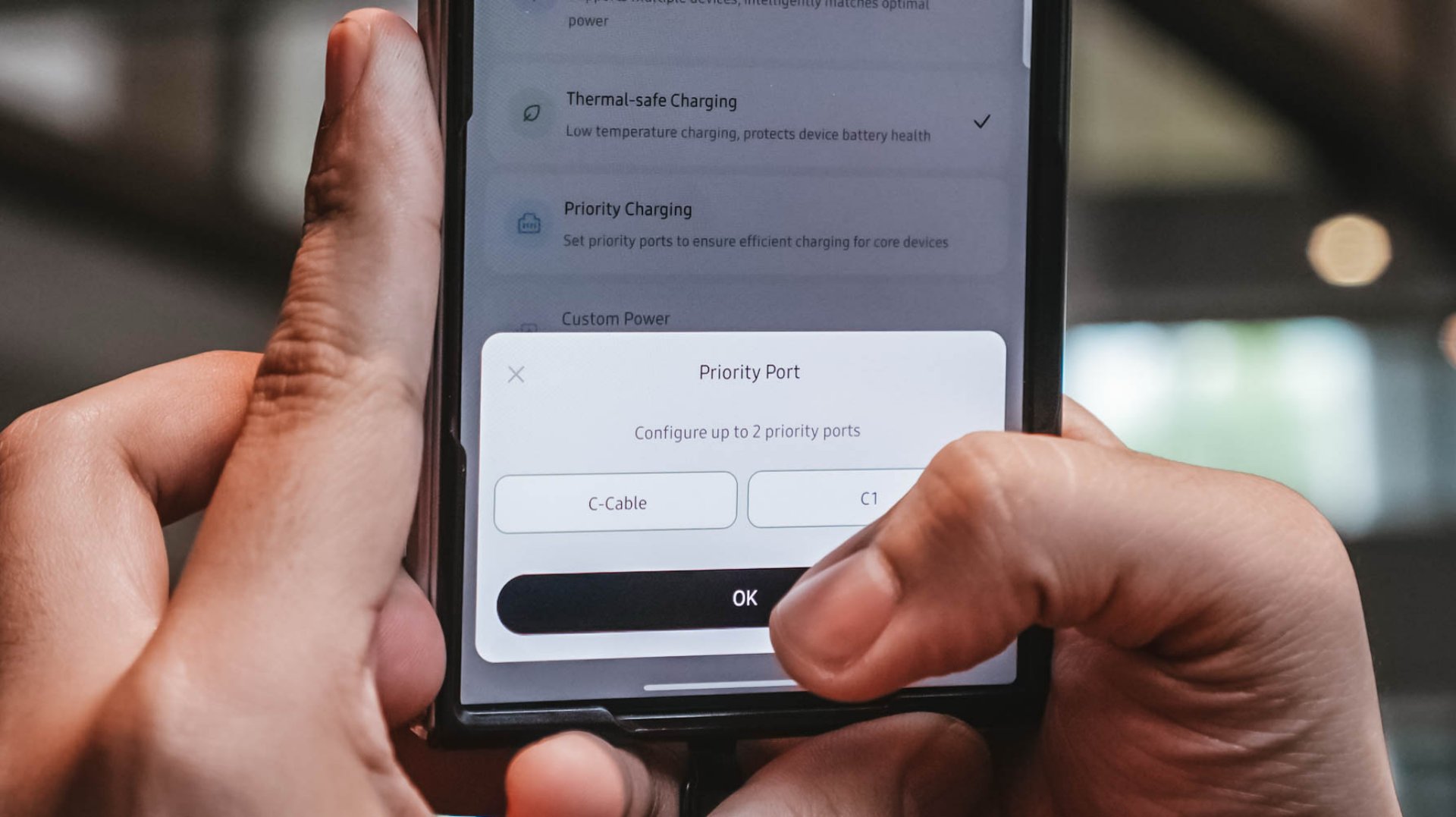
Case in point: I tested this with the vivo X300 Ultra I’m dilly dallying.
| vivo X300 Ultra | Adaptive Charging | Priority Charging |
| Charging Output | 9.6W ~ 12.9W 8.1V / 1.6A |
26.8W ~ 27.2W 7.9V / 3.5A |
| START TIME (from 0%) | 9:11PM | 12:31AM |
| 3 minutes | 4% | 6% |
| 5 minutes | 5% | 8% |
| 10 minutes | 9% | 16% |
| 15 minutes | 13% | 21% |
| 30 minutes | 26% | 42% |
| 45 minutes | 39% | 61% |
| 1 hour | 52% | 80% |
Adaptive Charging obviously charged it slower than ever. But when I enabled Priority Charging, it initially pulled around 30.8W to 31.2W for the first two minutes before settling around 26.8W to 27.2W. That’s still higher than the output through Adaptive Mode.
More so, it was able to reach 42% after 30 minutes and 80% after an hour in contrast to the 26% and 52% level of the former.
My MacBook Pro and flagship Android phones need significantly more power than smaller accessories. So, instead of letting everything fight equally for those watts, I can prioritize whichever device actually needs the extra juice.
Is the UGREEN Nexode Pro 160W your GadgetMatch?
At PhP 4999 / SG$ 140 / MYR 419, the UGREEN Nexode Pro 160W might sound like an overkill if all you need is something to charge your phone every night.
But, if you’re someone like me who owns lots of gadgets and constantly switches between a laptop, several smartphones, at least one tablet, a smartwatch, wireless headphones, and many other gadget ever imaginable, owning this charger quickly makes sense.
That’s most especially for the ultimate convenience it brings by only using one socket and fits right inside your bag’s tight pocket. I can fully rely on one brick instead of carrying multiple clunky chargers around.
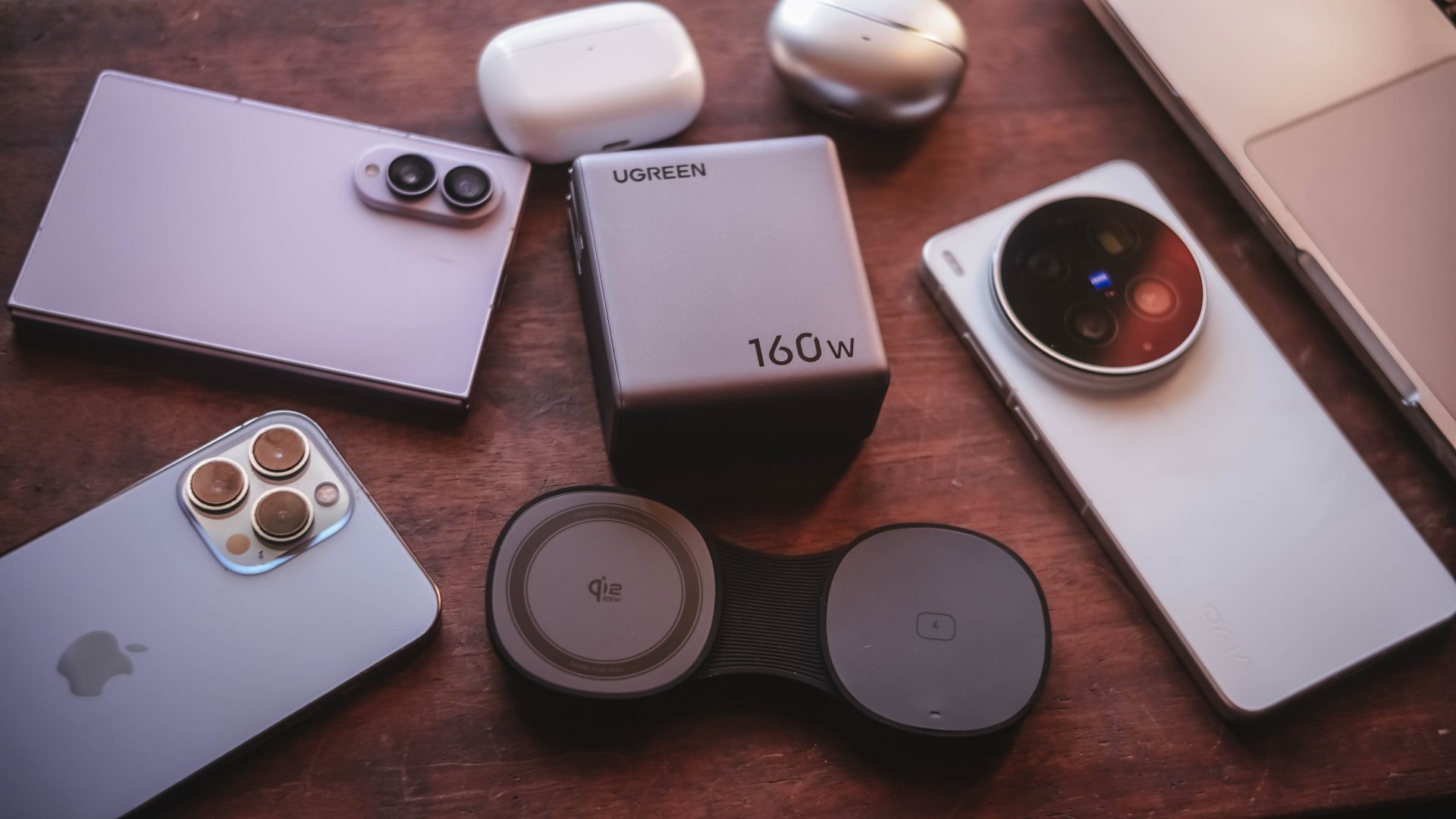
Additives include its display that lets me see stats while doubling as a useful review tool to legitimize the charge tests in the reviews I do.
Charging modes lets me decide which power-hungry device deserves more juice. Priority when I see one getting slow. Thermal-charging if I sense that it’s getting warmer than the usual.
That retractable cable? It’s a real wonder as it will truly save me whenever I forget one in another unintentional scenario.
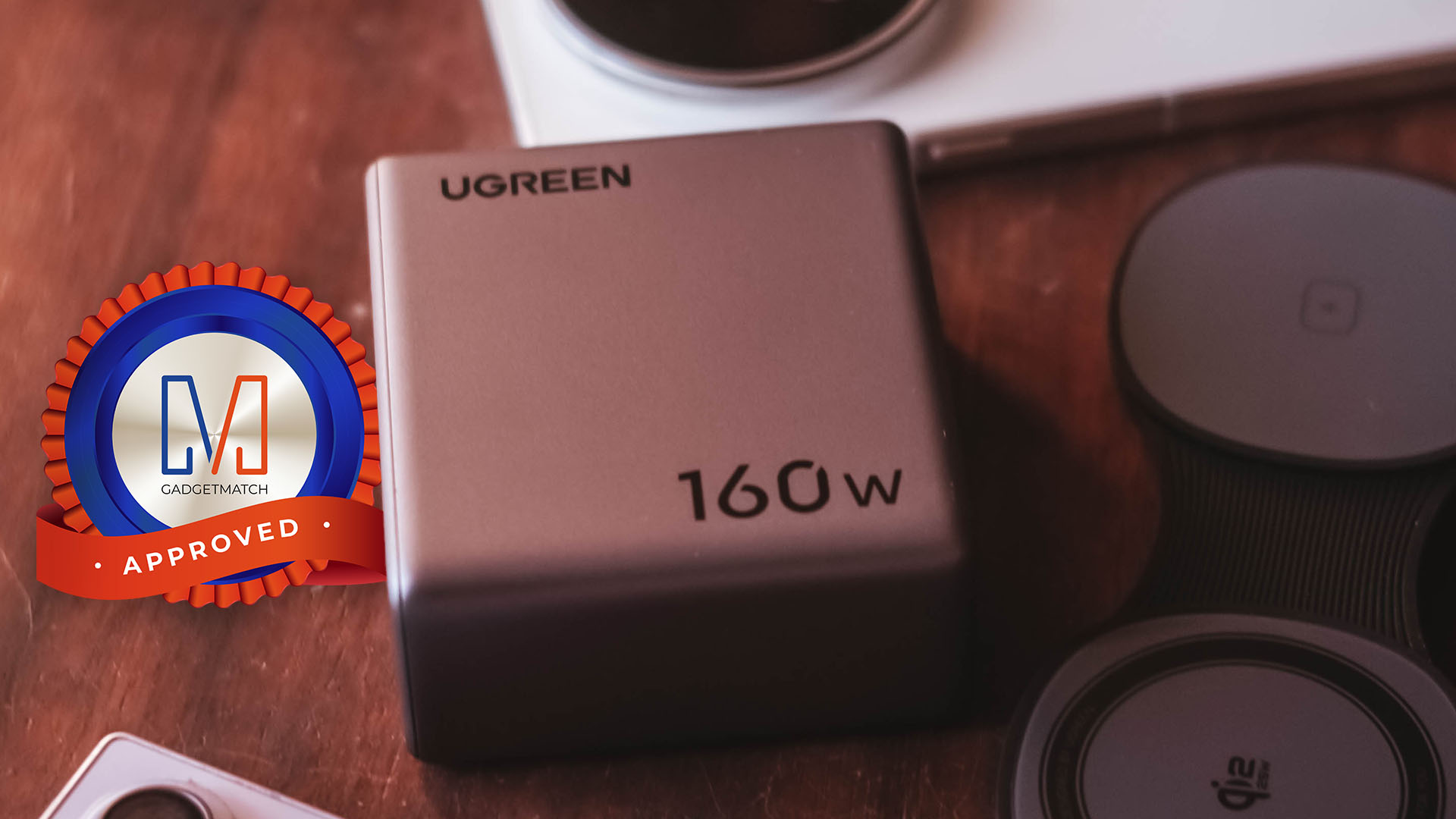
The UGREEN Nexode Pro 160W now has a permanent spot in my charging arsenal. It is a Swipe Right, Super Swipe, and definitely a worthy recipient of the GadgetMatch Seal of Approval.




OPPO Find X10 Series launches globally October 21

Amazon launches new Alexa+ tablets with full Google Play access

Psst! You can test drive BYD and DENZA EVs for free this week, but not for long

FFVII Revelation: 11 things you missed

Sony teams up with Hello Kitty for exclusive limited-edition collection

iPhone 18 Pro series: Price, availability in the Philippines

vivo X500 Series launches with major imaging upgrades

iPhone 18 Pro series: Price, availability in Singapore

OPPO Find X10 Pro Max is the first phone with a triple 200MP camera system

BYD says that way better EV batteries are coming next year


-
 Automotive2 weeks ago
BYD says that way better EV batteries are coming next year
-

 Philippines1 week ago
TECNO CAMON Slim 5G: Price, availability in the Philippines
-
 News2 weeks ago
HONOR Magic9 Pro Max launches in China with ARRI-powered imaging
-
 Reviews1 week ago
TECNO CAMON Slim 5G review: Slim on size, big on surprise
-

 Smartphones2 weeks ago
TECNO CAMON Slim 5G teases an ultra-slim design ahead of launch
-
 Reviews2 weeks ago
TECNO POVA 8 Pro Tonino Lamborghini review
-
 Smartphones2 weeks ago
When TECNO-logy meets Tonino Lamborghini legacy
-

 News1 week ago
Apple wants to release new iPhones more regularly