


Steelseries is a popular option for competitively-priced gaming audio products. In many online groups, their headsets are often top recommendations. Now they’ve taken all they know about gaming audio and put it in a smaller package – the Steelseries Arctis Gamebuds.
On paper, it has all the bells and whistles of any TWS earbuds worth your time. Among them are 360 Spatial Audio, Active Noise Cancellation (ANC), a companion app, and more.
SteelSeries Sound

The SteelSeries Arctis Gamebuds is my second listening-type audio device from the brand. With that, I think I have a better understanding now of what to expect from them in terms of sound.
For context, my preferred sound tuning tends to be full, rich, and round. I’m not exactly sure how to explain that last one, but sometimes I hear things and associate them to shapes. Anyway, I mostly get that type of sound from Sony’s WH series of headphones. For earbuds, it’s the Samsung Galaxy Buds3 Pro that delivered this type of sound for me. To a lesser extent, there’s also the OnePlus Buds Pro 2 from a couple of years ago.
In contrast, the SteelSeries Sound feels sharper. Instead of full, rich, and round. It’s more spacy, airy, and sharp. I understand I’m describing them way too differently from each other. In practice, they do sound close, but I feel like it’s something you can only really tell if you’ve listened to both.
That’s not to say the SteelSeries Sound is bad. It’s just a different type of good. And this is true whether you’re listening to it straight out of the box or after tweaking the equalizer from the companion Arctis App.
Phenomenal for play
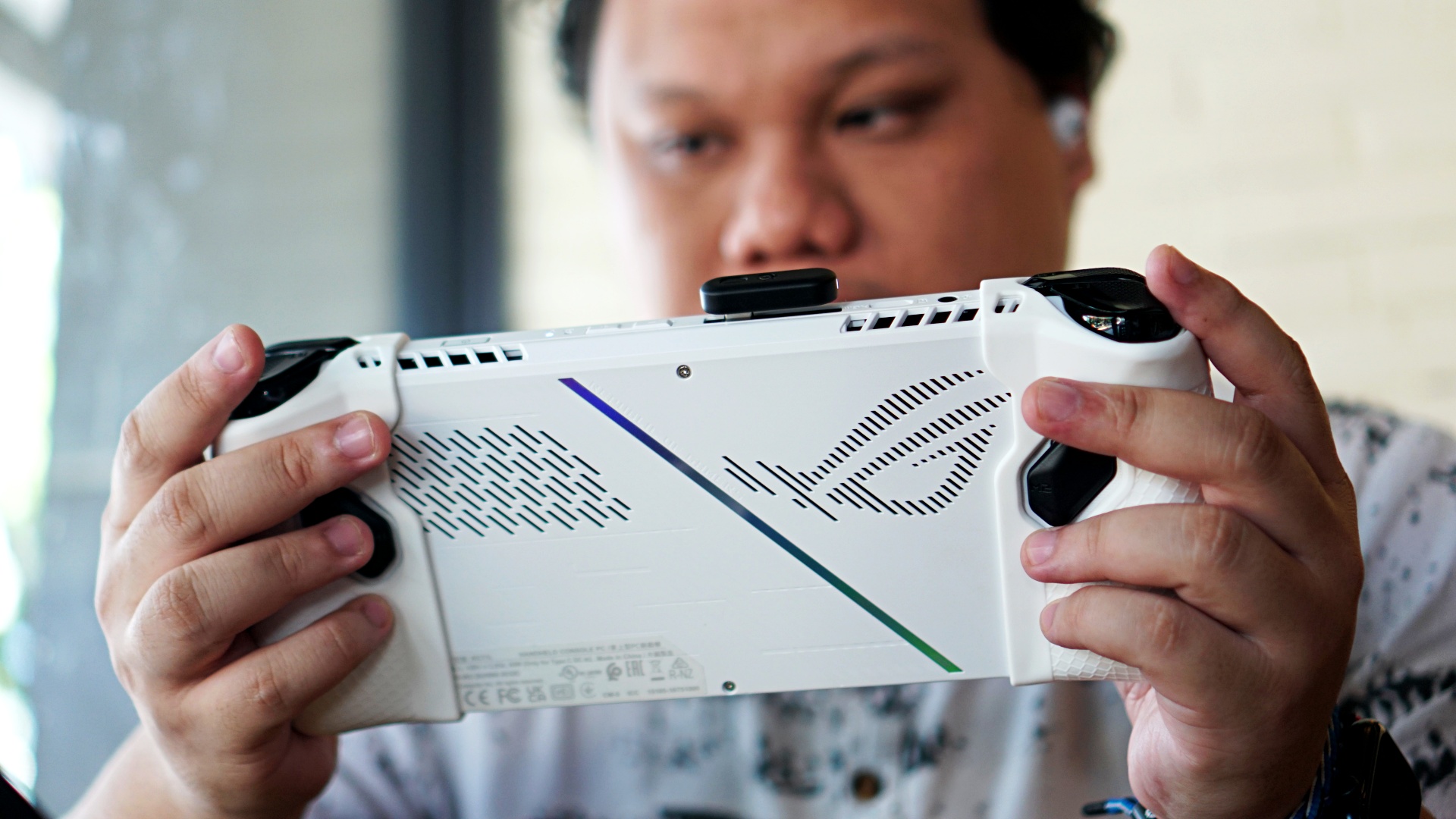
Connected via dongle on an ROG Ally. For visualization only. We mostly played while it’s connected to a PlayStation 5.
Where it shines the most is the tuning for each game. Much like the SteelSeries Arctis Nova 5, the Arctis Gamebuds has access to a wide selection of pre-tuned equalizers for specific games.
The best part is you have recently released games like Call of Duty: Black Ops 6, Black Myth Wukong, Final Fantasy VII Rebirth, and the list goes on and on.
The 360 Spatial Audio really comes into play with games like Call of Duty: Black Ops 6. With the Arctis Gamebuds on, the feeling of immersion goes up a few notches. The sounds rattle off in and around your head feels as if you’re actually in the game environment.
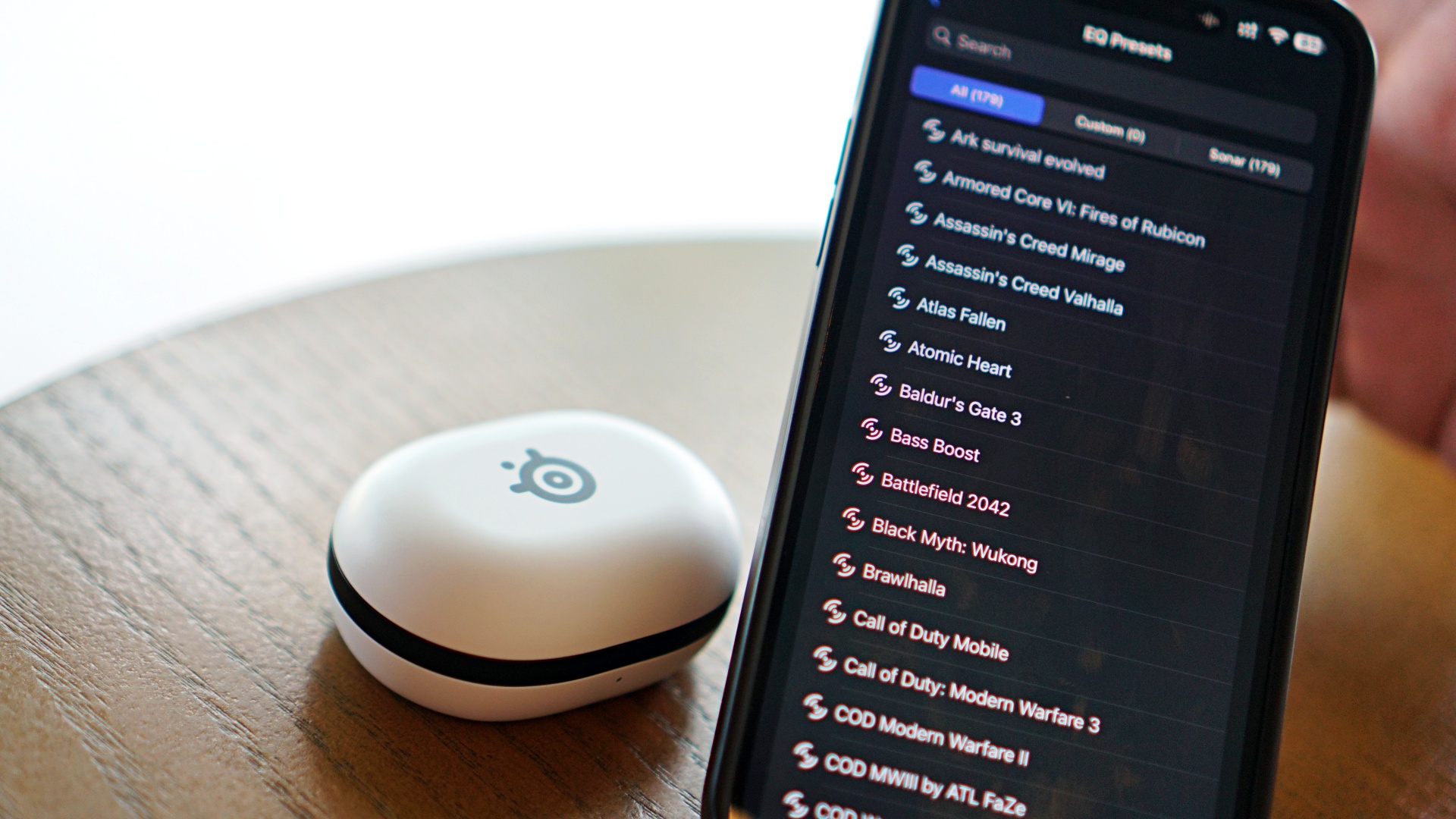
It also elevates the experience for games like Final Fantasy VII Rebirth – a game that features a wide variety of tracks that shape the mood of each encounter, gameplay, and scene. The game is a treasure trove of tracks that will have you bopping or feeling somber. And having the Arctis Gamebuds on delivers these sounds flawlessly.
In NBA 2K25, I had fun with it by turning off the commentator audio. With these on and with in-arena, crowd, and on-court volume blaring, it almost feels like you’re watching a live NBA game. It’s a fun way to experience 2K.
If the specific game you’re playing isn’t available on the app. Simply select a similar genre or a title in the same franchise or series. Chances are, those are bound to perform just as well as if it was pre-tuned for your chosen game.
Skip the Music Presets
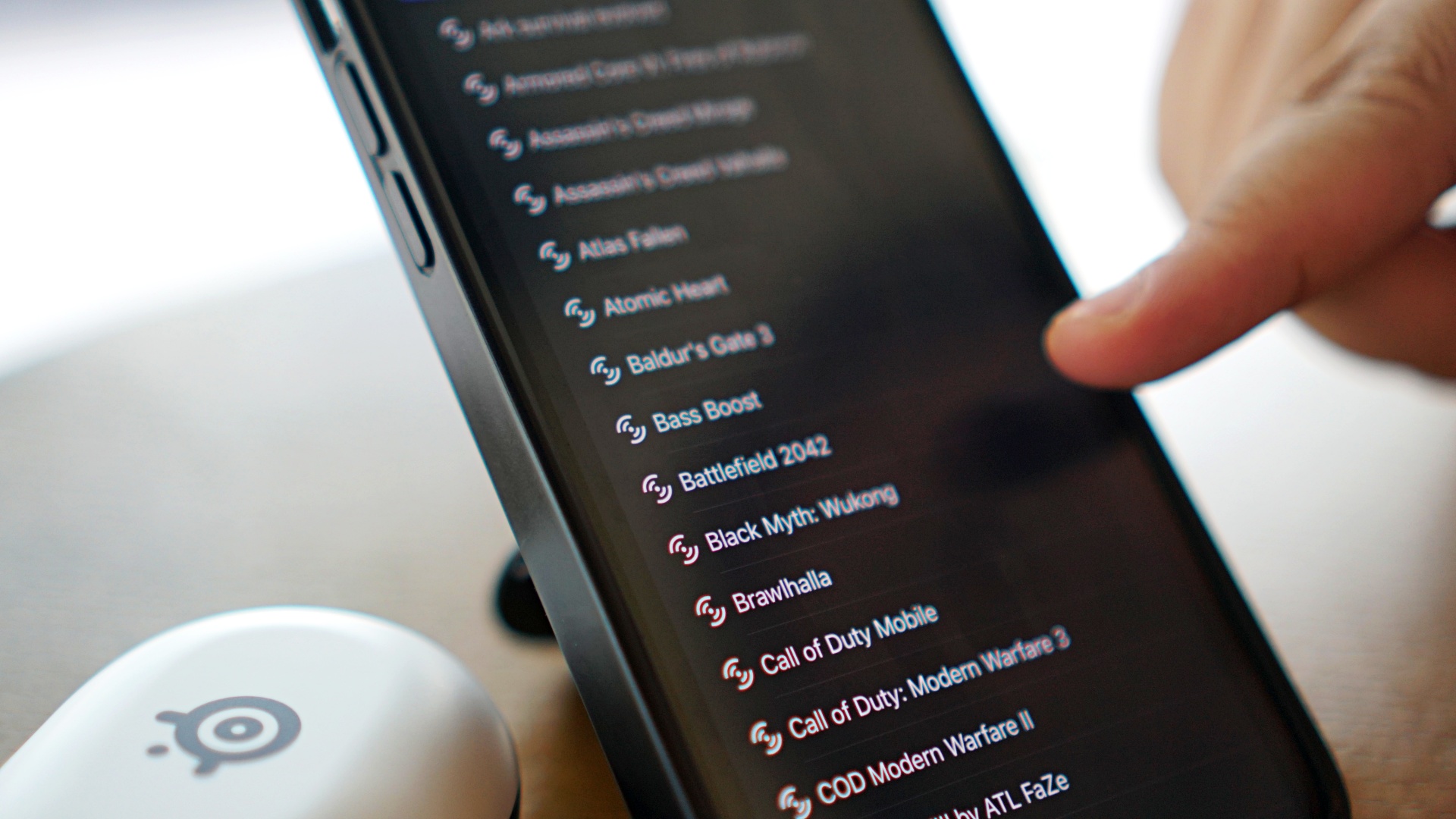
I found the existing Music presets to be a little lacking. Flat is a little too flat, Bright almost takes out the lows too much, and Deep Bass threads the line to sounding muffled. You get the picture.
For a while I stuck with the Punchy preset and I was okay with it for the most part. But what unlocked things quite a bit for me is when I stuck with the Final Fantasy VII Rebirth preset. It was a glass-break moment when I opted for it as my main equalizer.
The way the variety of music and sound that the game delivered translated nicely into music listening. I had a blast playing on repeat TWICE’s 14th Mini Album Strategy which you should totally check because it’s a banger.
I haven’t gone through the entire equalizer list — cause there’s literally so many of them. But I reckon you’d find a game preset that will match your music listening sensibilities.
Connectivity and control

Like the Arctis Nova 5, the Arctis Gamebuds can connect in a couple of ways – via direct Bluetooth 5.3 or through the included 2.4Ghz dongle. It’s also easy to switch between the two. That means you can have the dongle inserted to your gaming device of choice and then have the Bluetooth paired to your phone.
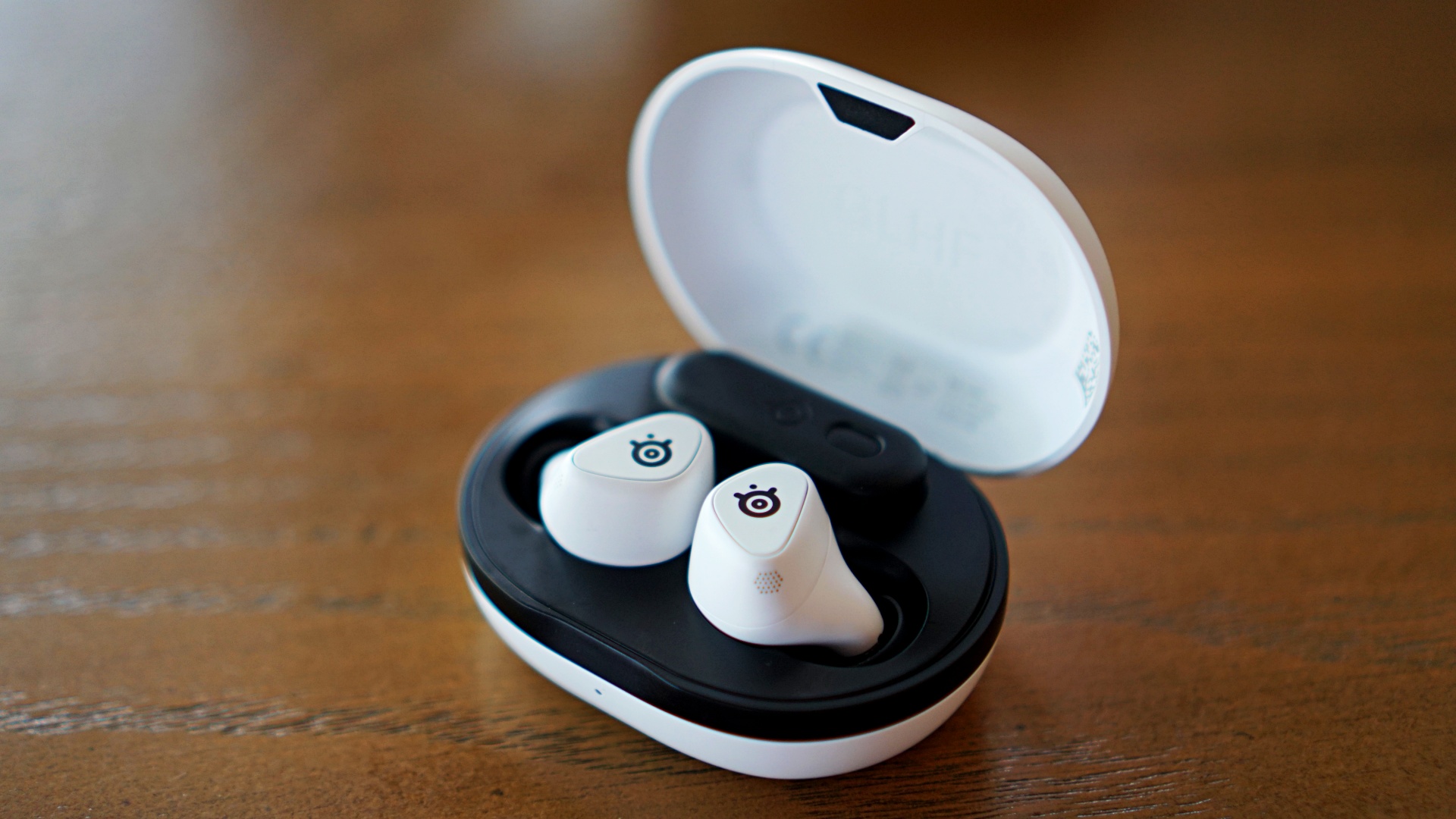
The dongle also having a slot on the charging case is a great touch. Too often, headphones and earbuds that have a similar dongle in the package don’t have a way to adequately carry the dongle making it easily misplaceable. I know I’ve lost more than my fair share.

Another really nice touch is that the area on the buds where you see the SteelSeries logo is actually pressable. They are real, tactile buttons. How they managed to include that mechanism in such a tiny body is a marvel.
It’s a nice change of pace from most other earbuds out in the market today who rely on different sensors for touch, tap, and pinch gestures that don’t always connect. This makes the controls on the Arctis Gamebuds extremely easy to manage.
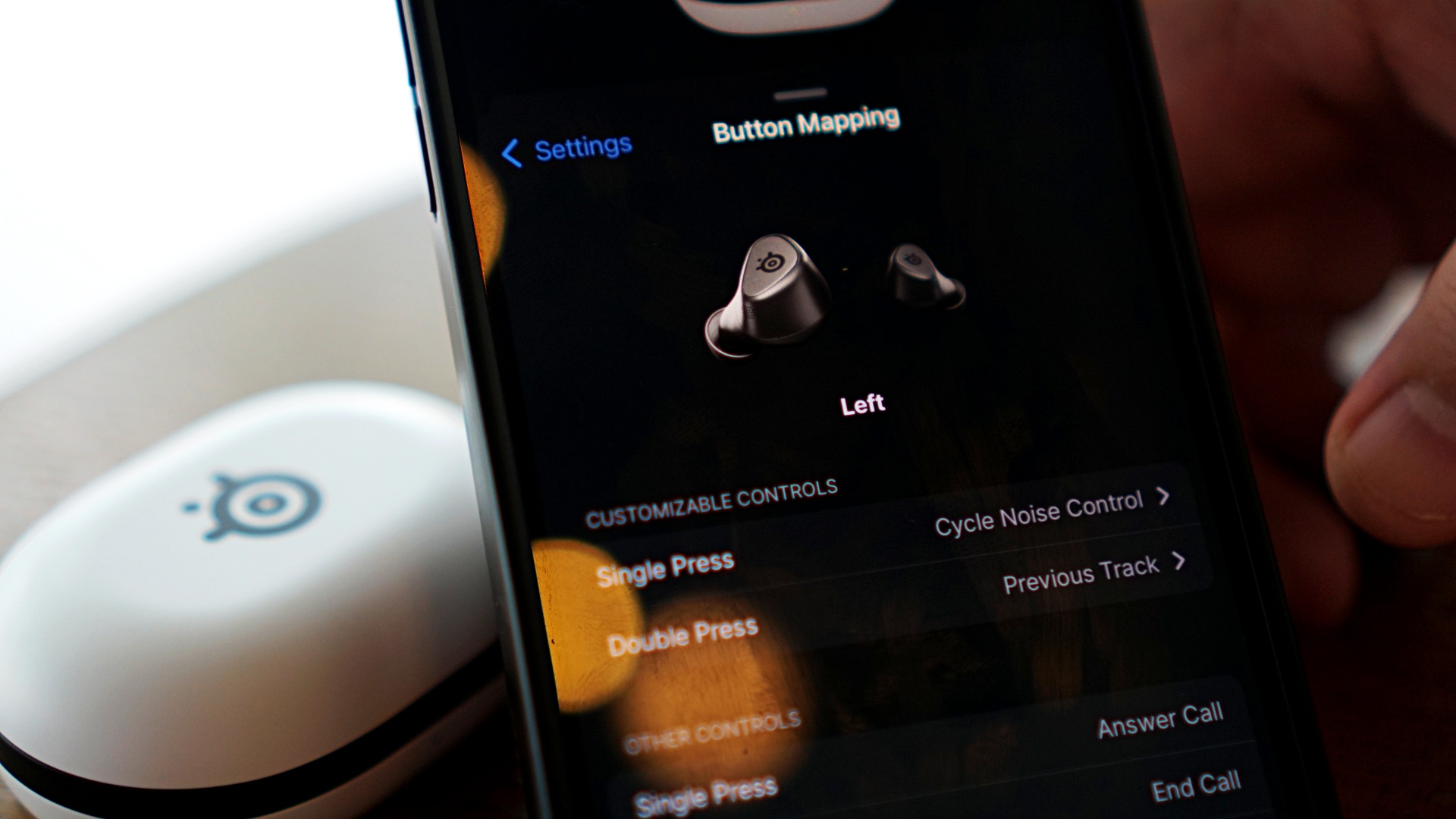
The gestures include single press, double press, triple press, short hold, single press then press hold, 3-second-hold in case, and 3-second hold. That’s a wide gamut of actions and you can program a different one for each earbud. It gives you granular, customizable control.
The default settings also already make sense and feel intuitive. Previous and Next tracks are mapped as double presses on the left and right earbuds respectively. A single press on the right earbuds is for play/pause while the left one has ANC/Noise Control.

You can charge the Arctis Earbuds wirelessly
This is a great addition and something I hope more brands will try to emulate or apply in their own earbuds products.
Is this your GadgetMatch?

As great as it is, we can’t say the SteelSeries isn’t for everyone. It also comes at a price range that might turn some off. It’s available at SteelSeries.com and at select retailers in the Philippines starting at PhP 10,458.00. In the US, it’s priced at USD 169.99.
But let’s break it down.
Swipe Left if you’re not a gamer. The product is very clearly a gaming lifestyle device. It’s squarely aimed at gamers who are willing to spend a bit for quality audio. If you’re only after good audio quality for music/podcast listening, you’re better off looking elsewhere.
Swipe Right if you’re a multi-platform gamer. PlayStation, PC, and mobile gamers will have a field day with the Arctis Gamebuds. Even if you only really game on a couple of devices, you’ll still get the most out of it. If it’s outside your budget, our advice is to hold and save up a little more. It’s worth it.
Super Swipe if money is no object or if it’s within your budget and you play on multiple platforms, then this is a no-brainer pick-up. Even if you prefer headphones, it’s always nice to have an in-ear option that you can easily and discreetly carry.
If you’re dead-set on getting one, just make sure you get the right version. If you play on Xbox, then make sure to get that version as it has drivers specifically made for Microsoft’s gaming console. But if you’re mostly on PlayStation, PC, Switch, or gaming handhelds, then you should be fine with the non-Xbox variant. The black & white color combo looks cooler too in our humble opinion.

The Arctis Gamebuds is a dream in-ear headphones for multi-platform gamers. It sounds phenomenal for play and more than adequate for other listening activities. The customization and control capabilities are cherries on top that make this deserving of the GadgetMatch Seal of Approval.




Accessories
Apple is reportedly working on its own gaming controllers
It might launch under the Beats brand.

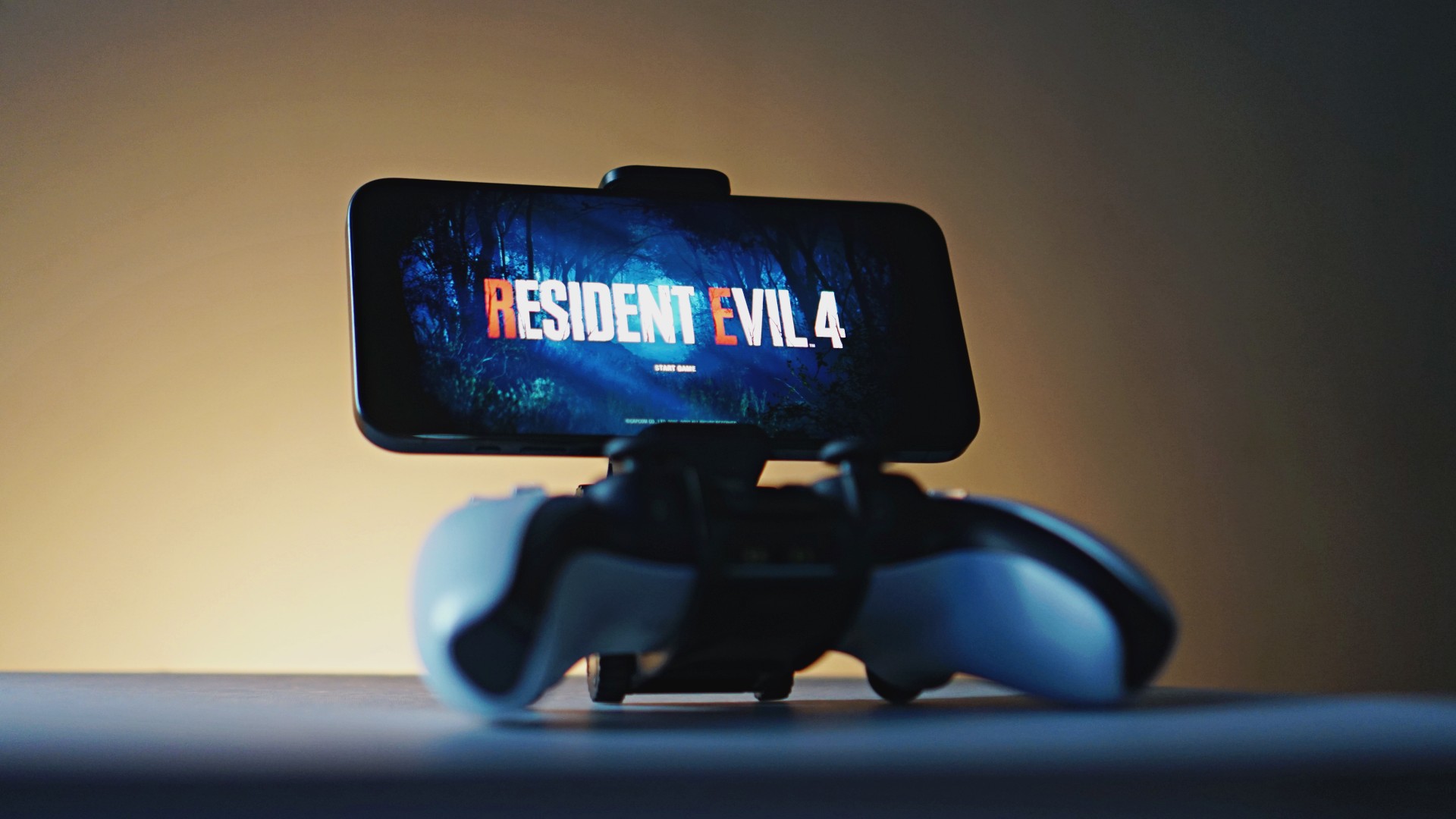
Last week, the iPhone Duo changed how you look at the ubiquitous smartphone. Foldables are in, and Apple is right there with it. But the company isn’t stopping with the foldable segment. Apple is reportedly working on its own branded game controllers.
According to Bloomberg, Apple has been working on a controller since last year. Further, a piece of code linked to macOS 27.4, spotted by MacRumors, includes references to two unknown gaming controllers.
Because Apple just concluded its huge event this month, it will likely be a while before we see confirmation of this controller. And it could be anything. Of course, because the Duo is fresh on our minds, the easiest answer is a mobile controller than can maximize the foldable’s ability to stand by itself. It could also use Apple’s larger screens like the iPad, the MacBook, or the Mac. Some even speculate that this could be Apple’s stronger push into the gaming market.
Outside of the actual hardware, the reports are also claiming that the controller will arrive by way of Beats, rather than from Apple itself. At first, the branding comes off as a surprise, but then again, Beats hasn’t really evolved past an audio brand in a long, long time. Is it time to revitalize Beats as something more than just a peddler of headphones?
SEE ALSO: First Look: Apple iPhone Duo
Accessories
New AGON gaming monitor features up to 1000Hz refresh rate
New level of speed, flexibility for competitive gaming


AGON by AOC has released the new AGON Pro AGP277QK dual-mode gaming monitor for the competitive segment.
This new offering features up to 1000Hz refresh rate at HD and 540Hz at QHD so gamers have the flexibility to prioritize either clarity or speed.
The 27-inch IPS gaming monitor comes with NVIDIA G-SYNC, synchronizing the monitor’s refresh rate with the GPU to help minimize screen tearing, stuttering, and input lag.
This is combined with 0.3ms MPRT and 1ms GtG response times for fast-moving action that is sharp and responsive, giving competitive players a clear visual advantage.
Moreover, the AGON Pro AGP277QK features VESA DisplayHDR 400 certification for enhanced contrast and more vivid, lifelike visuals.
Delta E < 1 color accuracy also provides precise color reproduction not just for gaming but even other scenarios like content creation.
For even smoother high frame-rate gameplay, MBR Sync combines motion blur reduction with variable refresh rate (VRR) technology. This helps maintain clarity during rapid movements.
The monitor also includes Low Input Lag, customizable Light FX ambient RGB lighting, Gaming Mode presets, and Shadow Control.
The display comes with HDMI 2.1 and DisplayPort 2.1 connectivity, along with a height-adjustable stand and G-Menu support.
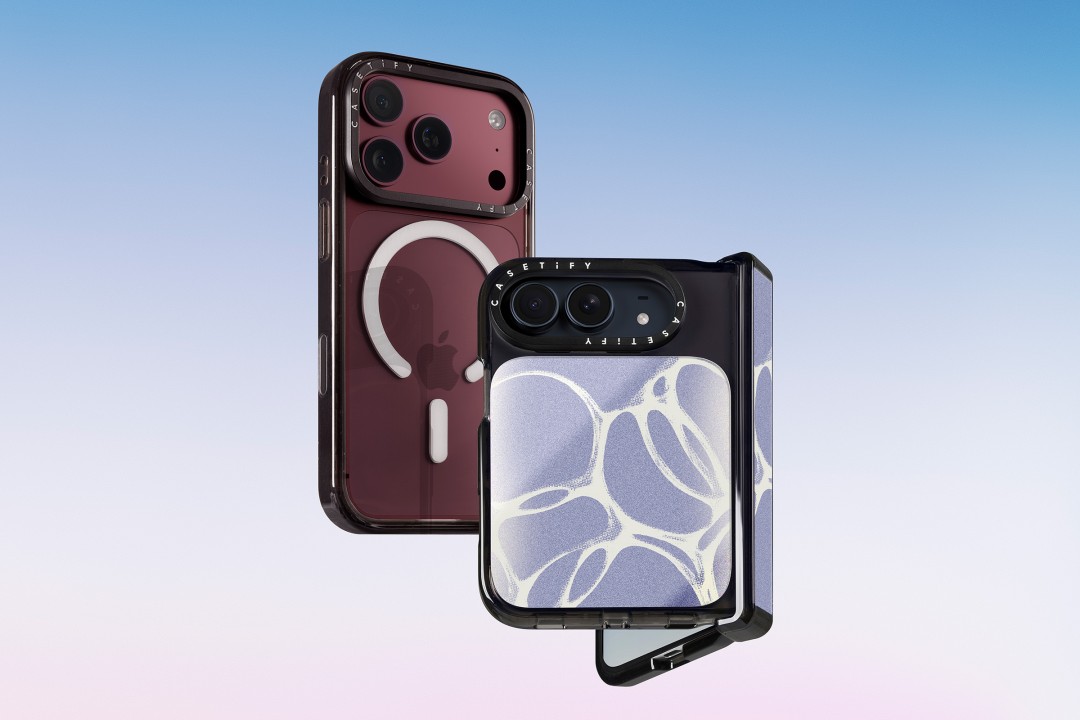
CASETiFY is launching a new collection of cases and accessories for the iPhone 18 series, updating some of its most popular designs with refined finishes, new protection features, and expanded customization options.
Impact Case
The collection is led by the Impact Case, CASETiFY’s best-selling case with more than 19 million units sold worldwide. It uses an internal EcoShock™ design and Duo-Lock by CASETiFY™ bonding for impact absorption and dispersion. The case is tested for drops of up to 8.2 feet and 4x Military Standard 810G. It also features a scratch-resistant Glaze finish, raised bezel, precision-engineered camera control button, and MagSafe and wireless charging compatibility.
The Ultra Impact Case builds on the same family with redesigned, more rounded corners and reinforced structures with internal air cells. It is tested for drops of up to 11.5 feet and 6x Military Standard 810G. It also has a slimmer profile, multiple design options, and MagSafe compatibility.
Both cases are available in Ring Stand variants. These feature a built-in metal camera ring stand that adjusts up to 150 degrees, with a screwless hinge designed for durability and stable hands-free viewing. Select models are also available with Glitter and Mirror finishes.
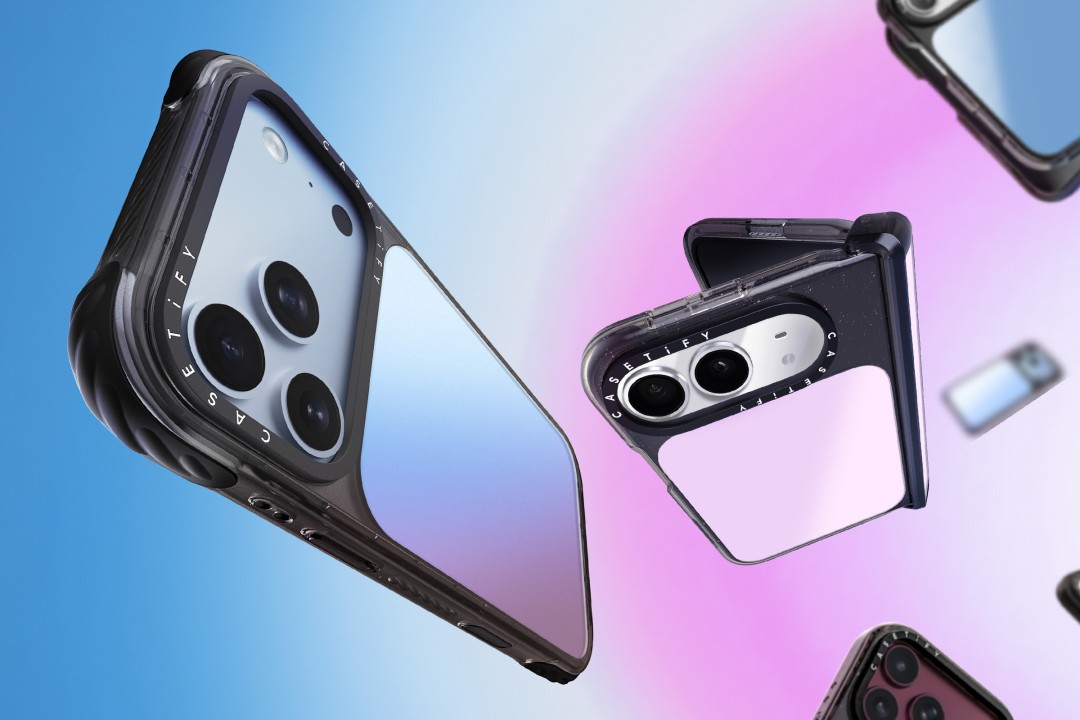
Ripple Case
CASETiFY is also bringing its Ripple Case to the iPhone 18 lineup. The soft-touch silicone case features rippled edges and puffed corners, with protection tested for drops of up to 6.6 feet and 3x Military Standard 810G. New colorways include Banana, Dusty Blue, Blush Pink, and Fig, alongside Black and White.
For users who want more protection, the Bounce Case offers CASETiFY’s highest level of drop protection in the collection. Its Expanded Bounce Corners, TesseLock™ design, and enhanced Duo-Lock bonding support drop protection of up to 21.3 feet and 7x Military Standard 810G.
Alloy Ripple Case
The lineup also includes the Alloy Ripple Case, which reworks the Ripple’s sculptural design in aluminum with an EcoShock™ design and Duo-Lock bonding. It is tested for drops of up to 8.2 feet and 4x Military Standard 810G. The Cloud Case uses a quilted soft-touch design with pillowy bumpers and up to 6.6 feet of drop protection.
Beyond cases, CASETiFY is expanding its accessories with the Ripple Wallet, Grip Stands, Loop Grips, Jelly Wristlets, Bow Charm Wristlets, and other charm-compatible straps. The iPhone 18 cases range from USD 50 to USD 90 , while accessories range from USD 25 to $USD 45.
The collection is available beginning September 10 through CASETiFY. The company is also preparing a case lineup for the upcoming iPhone Duo, with its waitlist already live.


DJI Lito X1 review: Is this the best lightweight drone for creators?
Making a strong case as a travel companion and a capable B-cam!


REDMI Note 17 Pro Max review: A new breed born from AI greed
Welcome to the new normal


Marvel’s Wolverine review: When the claws come out
A brutal, cinematic superhero adventure

SEGA, Netflix announce Crazy Taxi film adaptation

Smart launches LiveSmart App for exclusive deals
DJI Lito X1 review: Is this the best lightweight drone for creators?

Now Playing: Resident Evil

HONOR, Fidesmo partner for contactless payments across Europe, Middle East

TECNO MEGAPAD 2 review: Eyes on the size

realme 16T 5G with 8000mAh battery, IP69 Pro rating launches in PH

HUAWEI Pura X View is 2026’s first WIDE slab-type smartphone

REDMI reveals the refreshed Note 17 and Note 17 Pro series

REDMI Note 17 Series: Price, availability in Singapore


-
 News2 weeks ago
HUAWEI Pura X View is 2026’s first WIDE slab-type smartphone
-

 News2 weeks ago
The CAMON Slim 5G is TECNO’s latest ultra-slim smartphone
-

 News1 week ago
iPhone 18 Pro series: Price, availability in the Philippines
-

 Automotive2 weeks ago
Ford’s new Everest lineup brings V6 engine to the top, tech down the line
-
 Singapore1 week ago
iPhone 18 Pro series: Price, availability in Singapore
-

 Philippines2 weeks ago
Smart cuts 5G Home WiFi price
-
 News1 week ago
iPhone Duo: Price, availability in the Philippines
-
 IFA 20262 weeks ago
XGIMI announces AURA 3 Series 4K 120Hz UST projectors