
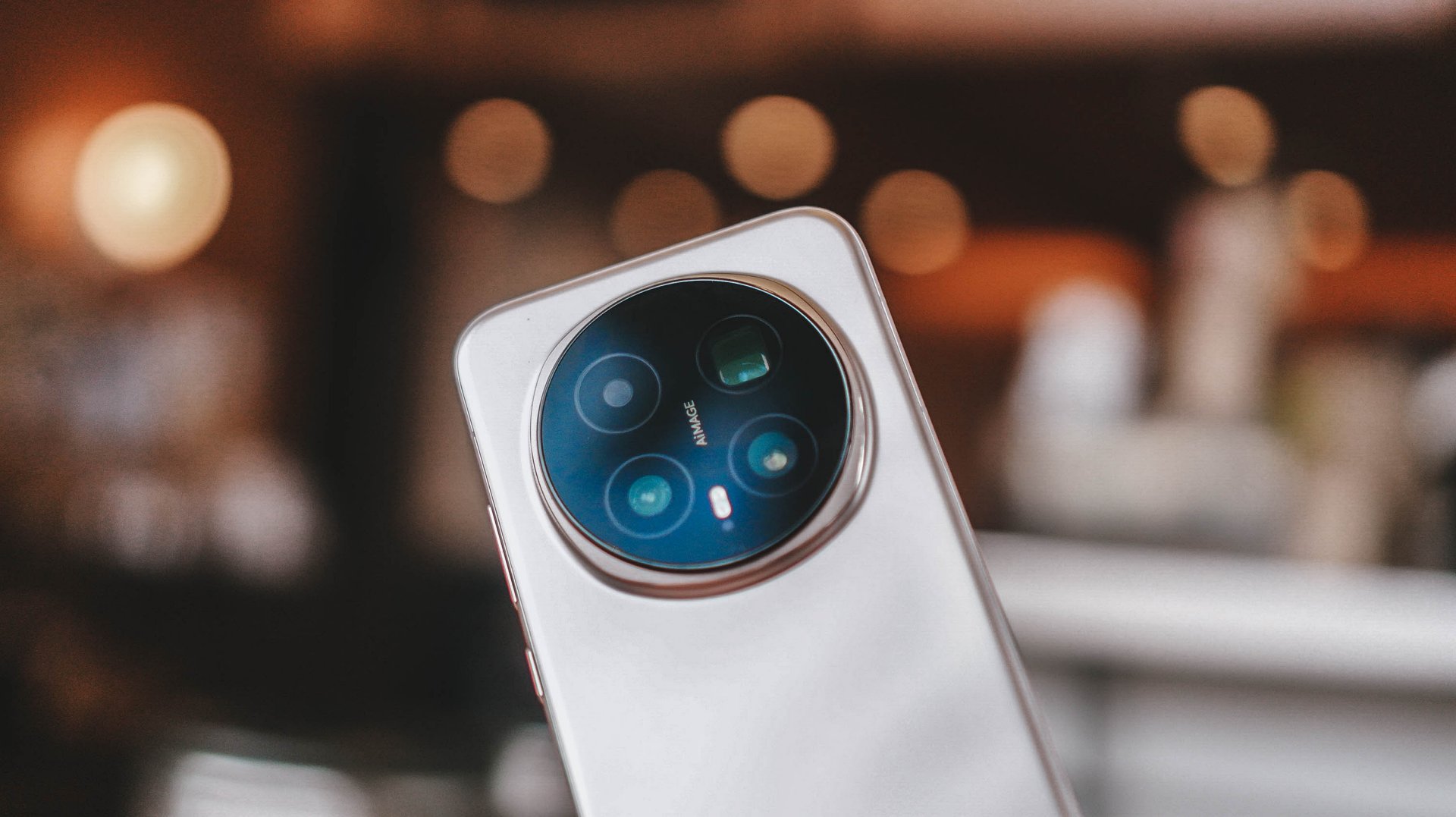
Reviews
HONOR Magic8 Pro review: What sorcery is this?
Looks incremental on paper. Feels like magic in real life.

There are phones that feel like upgrades because the spec sheet says so. Then there are phones like the HONOR Magic8 Pro — where the longer you use it, the more you start asking, “Wait, what kind of sorcery is happening here?” Because on paper this feels incremental. In real life, it feels like HONOR finally clicked.
Coming from the Magic7 Pro, the feeling was immediate. This is just better overall. Not loudly. Not showy. It’s one of those “the whole is greater than the sum of its parts” situations where individual improvements don’t scream at you, but together they create something that feels confident, smooth, and genuinely premium. Not “premium for HONOR.” Premium, full stop.
HONOR may still be playing catch-up in reputation, but with a phone like this, they’ve stopped chasing in experience. They’re executing — and sometimes, it really does work like magic.
This is for the person who wants out of the usual rotation — who doesn’t want yet another iPhone or Samsung — but doesn’t want to feel like they’re experimenting. It’s different. But familiar enough that you don’t feel like you’re learning a new ecosystem from scratch.
Design and hand feel: lighter, friendlier, easier to live with
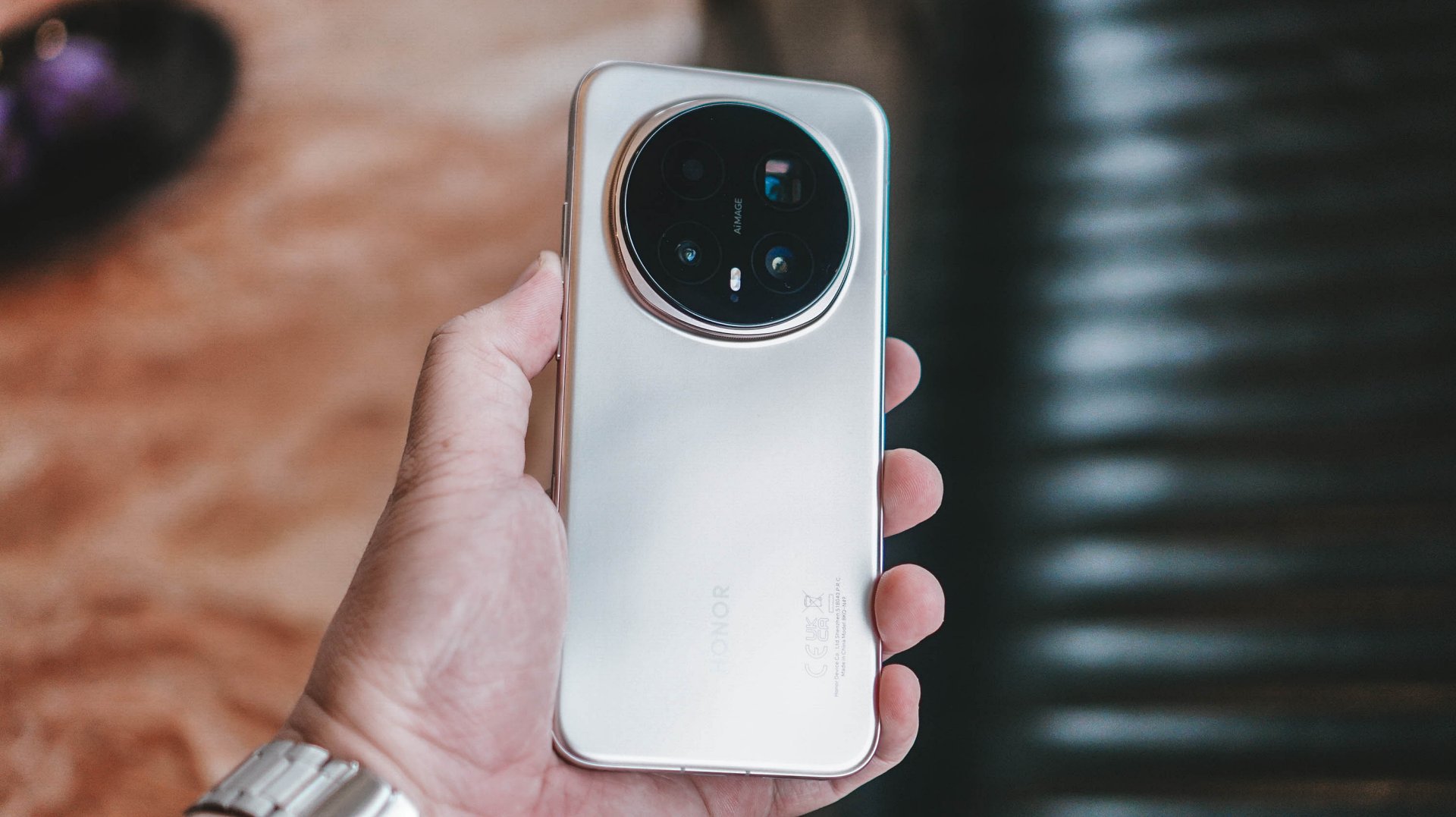
First impression: this feels better in the hand. Lighter. More balanced. More like something you’ll mindlessly hold even when you don’t need to. HONOR’s quad micro-curved screen plays a big part in that. It melts into your palm in a way that disappears after a few days — which is exactly the point.
I wasn’t immediately in love with the design or color options. They didn’t hit me the way some aggressively styled flagships do. But like many good decisions in life, it grew on me. Over time, you realize it’s not designed to impress in photos. It’s designed to feel right while you live with it.
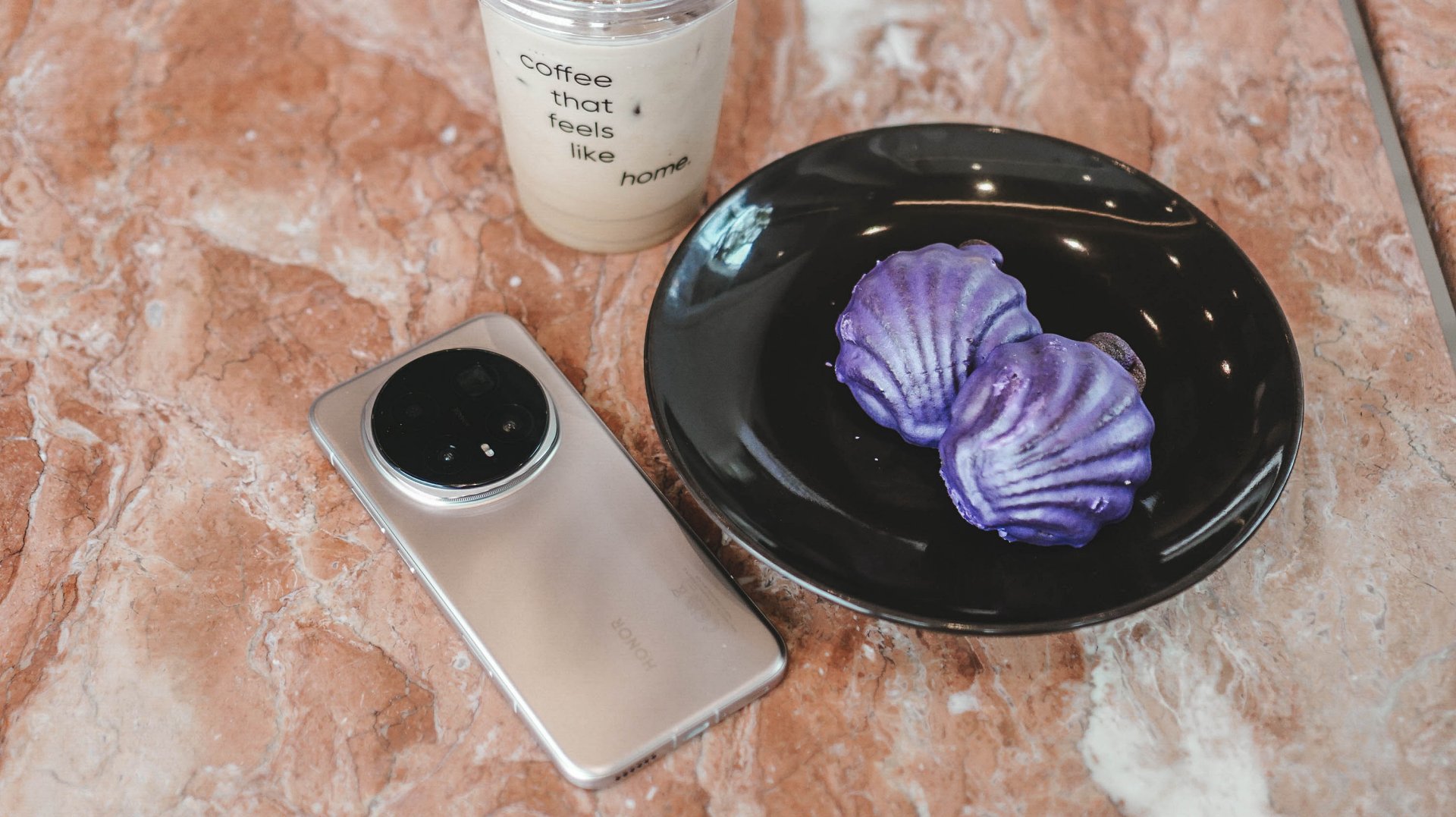
NanoCrystal Shield? IP rating? I forgot they existed. And that’s a compliment. These are silent guardians — not features you constantly think about.
What surprised me most is how right the size and shape feel. HONOR didn’t go flashy. They went comfortable. And comfort wins long-term.
Display and eye comfort: the “oh right, real flagships exist” moment

The first true “wow” moment wasn’t dramatic. It was simply turning the phone on.
I came from a device that proudly wore the “flagship killer” label. Good display. Good everything. But the Magic8 Pro reminded me that “flagship killer” is still not the same as “flagship.” Real flagships feel different — and this one does from the first second.
Brightness when it needs to punch. Warm and easy when the lights go down. It’s the kind of display that never calls attention to itself, but you notice how relaxed your eyes feel after hours of use.
Late nights? This is still my favorite kind of HONOR device to use. I watched a lot of Surely Tomorrow on Prime Video — yes, partly because of Won Ji-an — but mostly because watching on this screen is simply satisfying.

Won Ji-An as Seo Ji Woo in “Surely Tomorrow”
Eye comfort has been consistently good across HONOR Magic devices, and that continues here. And while we’re talking consumption: the speakers are excellent. Not “good enough.” Excellent.
Outdoor visibility? Never squinted. Never fought the brightness slider. Just worked.
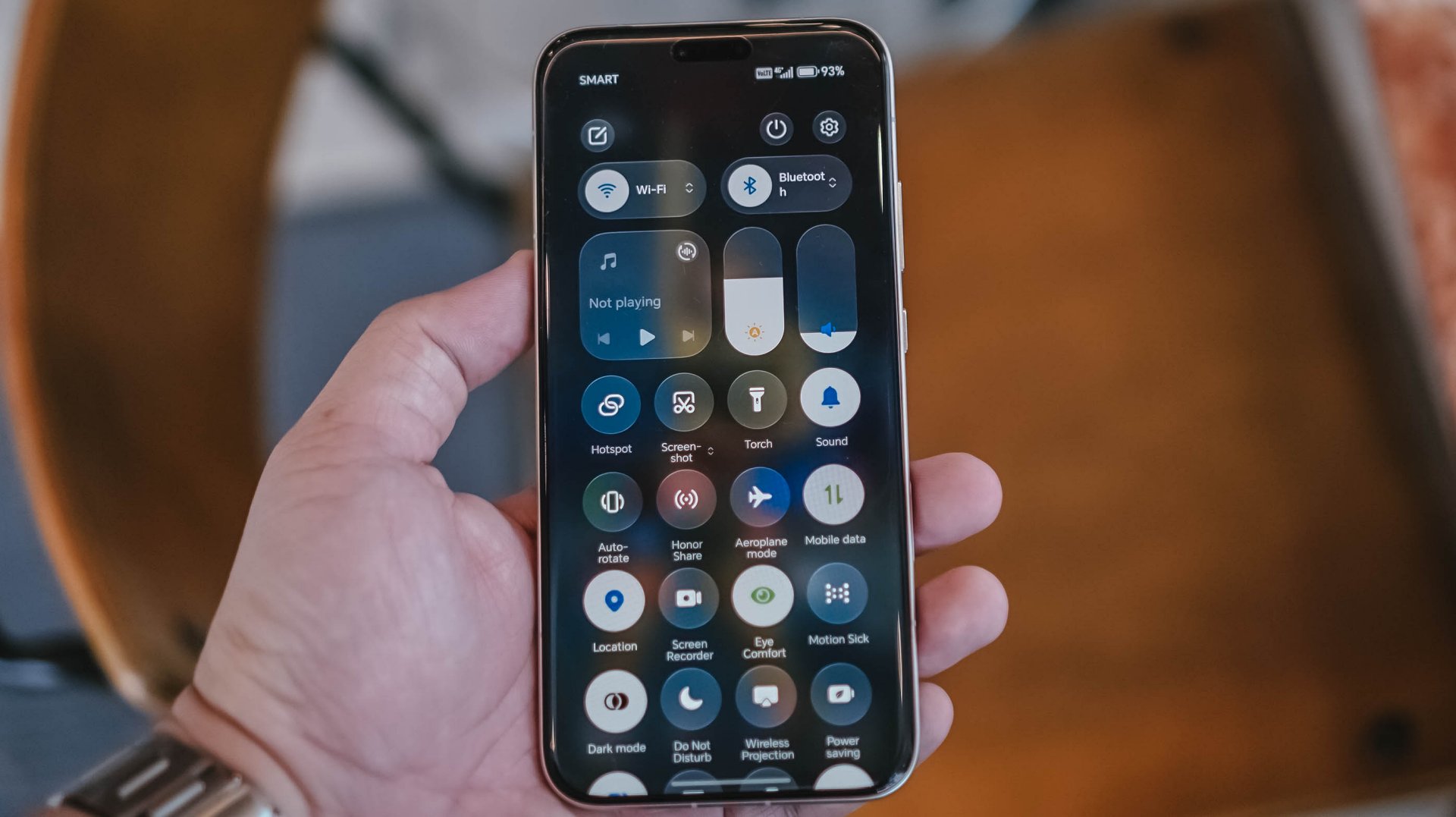
MagicOS’s translucent visuals sit quietly in the background. They’re there. They add polish. But they don’t steal attention. Think liquid glass aesthetic. Familiar, but still HONOR.
Camera: confidence at night, honesty in tone, and just… fun

The first thing I checked? Stage mode. Because I was planning to bring this to a concert. It was there, it worked, and I ended up writing an entirely different story about it. That should tell you how confident I felt about the camera system early.

Outside of that? I didn’t “test” the camera. I just used it. Food. My mom’s cats. Street moments. CES 2026 in Las Vegas. Normal life. Which is the highest compliment — I wasn’t thinking about whether the camera could keep up. I trusted it to.
















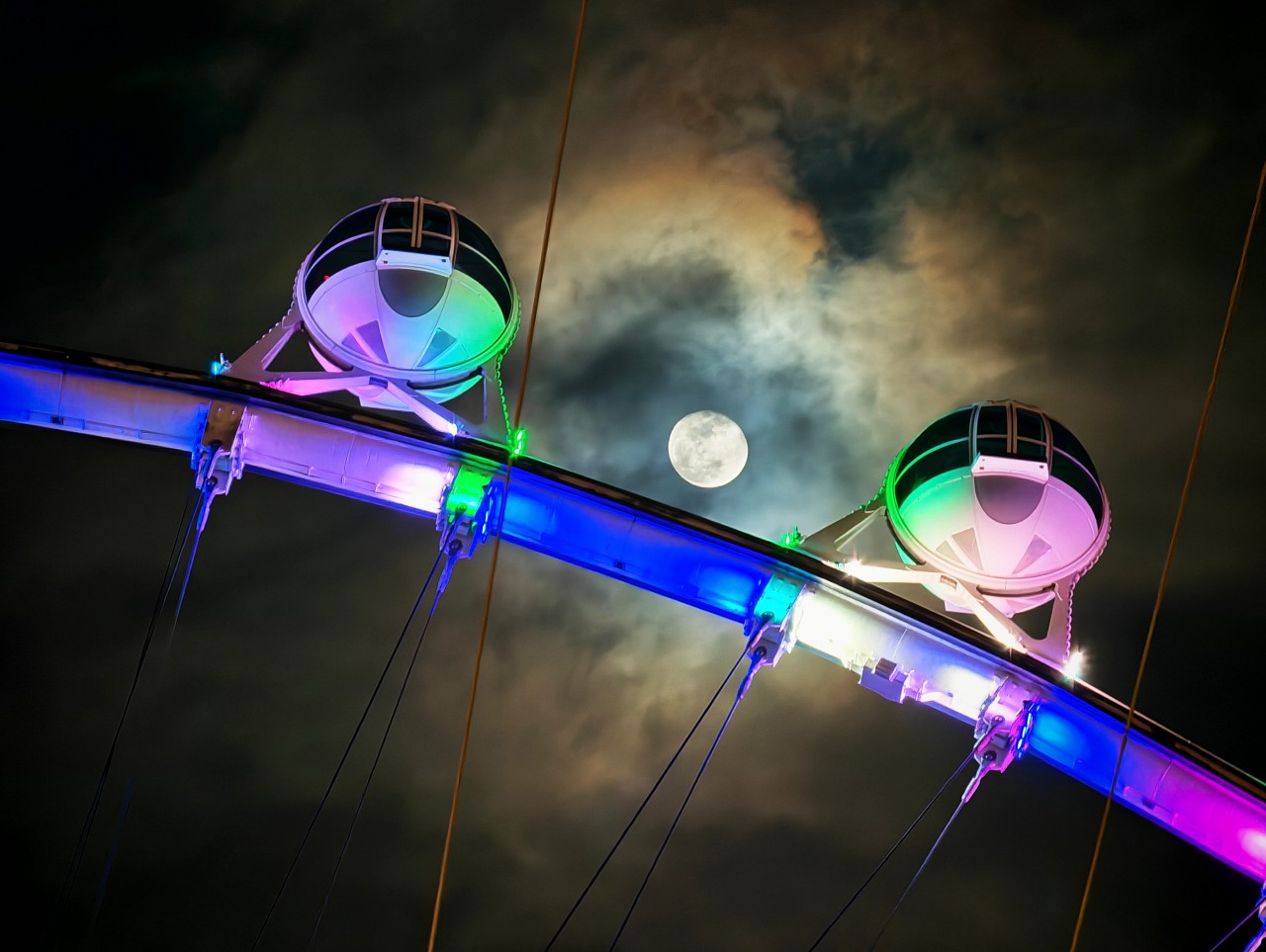
















At 10x and beyond, I’ll be honest — I didn’t trust it before reviewing shots. Then I checked. And I was pleasantly surprised. There’s definitely processing going on, especially at night. But the results are consistently usable, and more importantly, they look good.
View this post on Instagram
Blue hour? Beautiful. Cinematic without feeling fake. My default has always been the Authentic preset — warm, moody, emotional images that still feel real.

Skin tones behaved well even under chaotic neon and mixed street lights. That matters. HONOR’s camera finally feels like something I want to shoot with, not just something I can rely on.
And yes, handheld night shooting absolutely feels more confident than before. I enjoyed shooting on the Magic8 Pro. Simple as that.
Magic Color: not a gimmick — just early
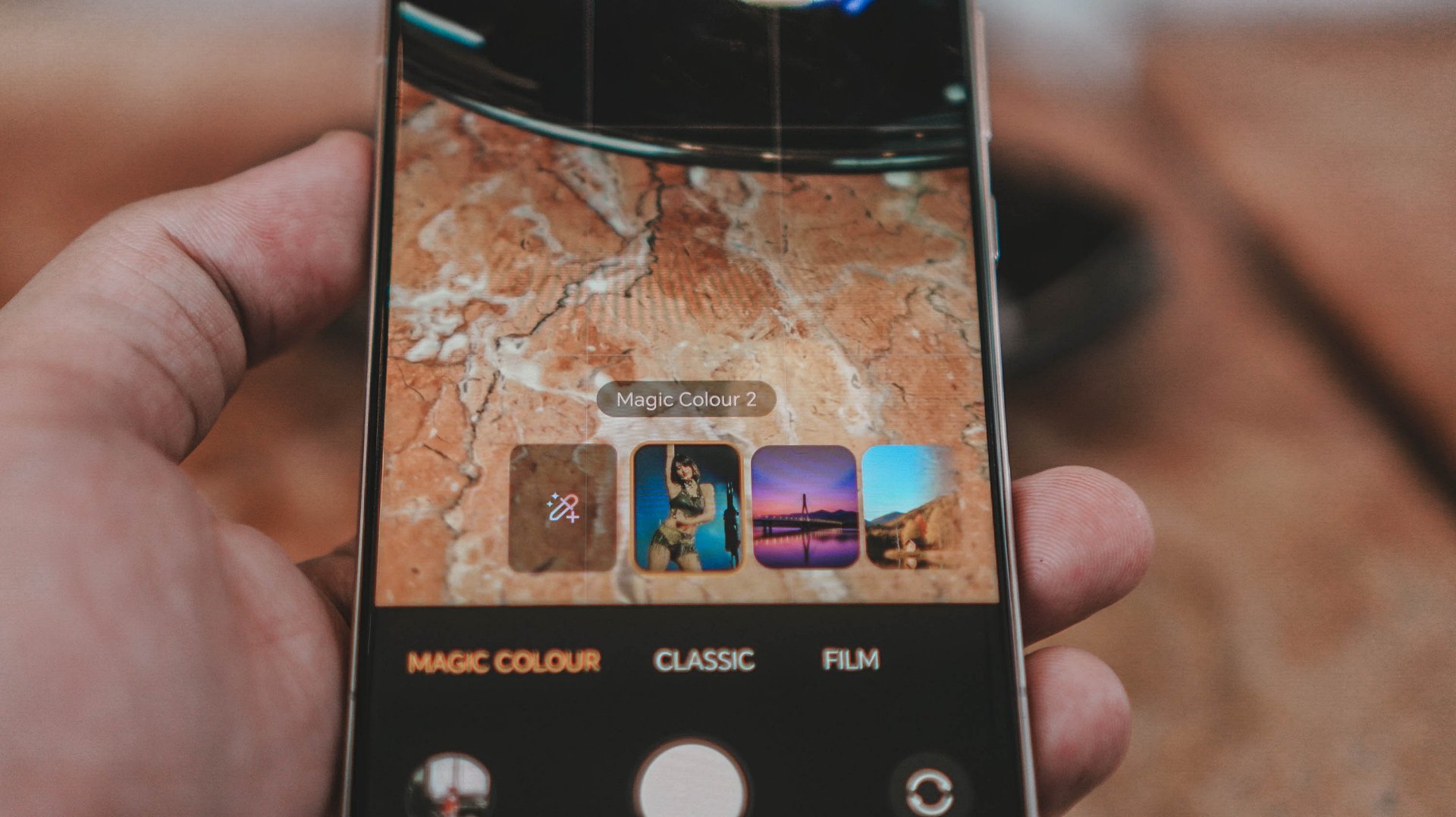
Magic Color sits somewhere between “interesting toy” and “future essential.” In the right hands, it’s powerful — letting people create their own color identity without going into full editing mode. For me? It didn’t completely replace editing, but it did speed things up.
More often than not, I was already happy with the output. Especially in fast-paced shooting. This has potential to evolve into something truly meaningful over time.
AI Button and AI features: helpful… but not yet instinctive
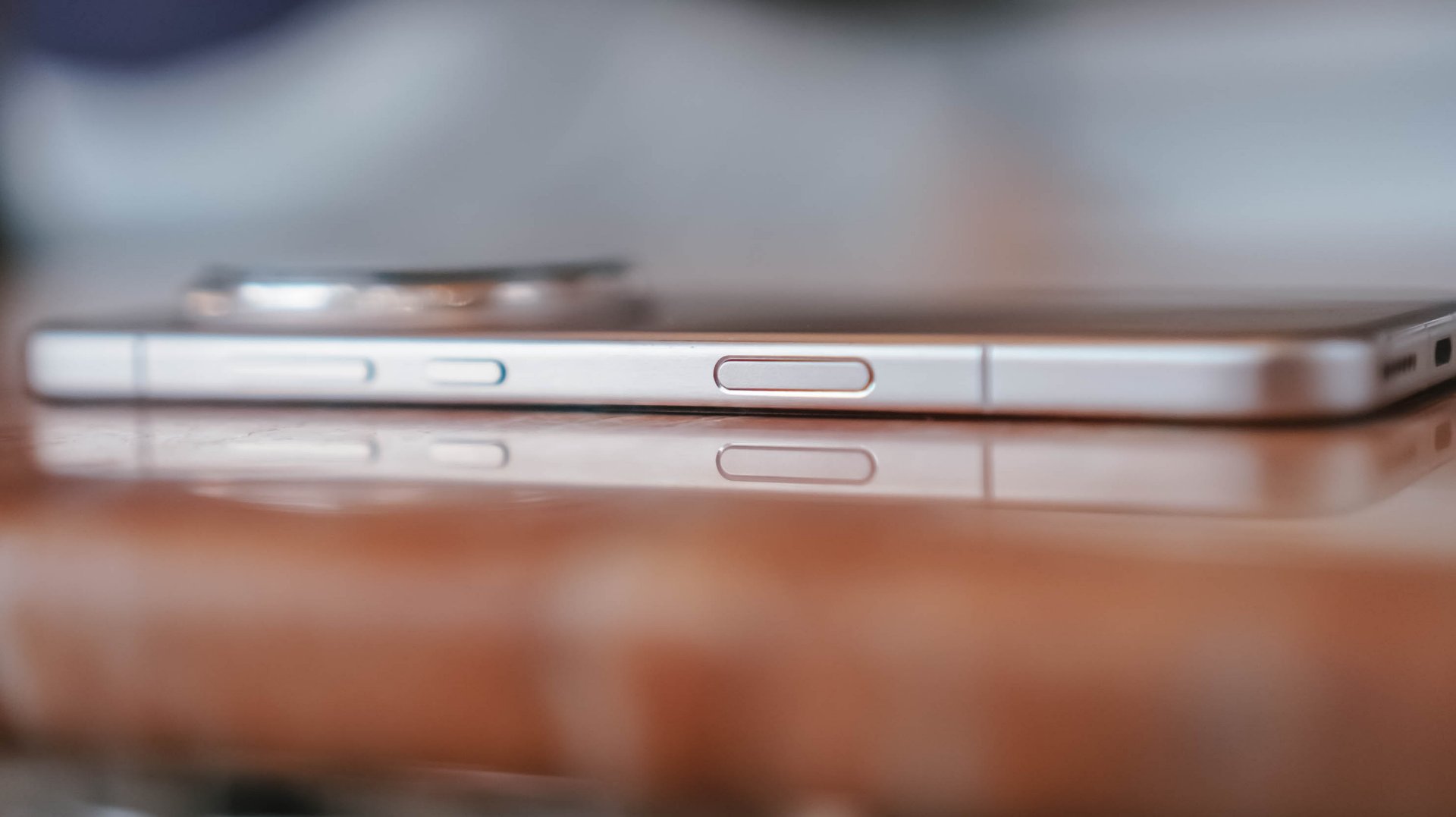
HONOR really wants the AI Button to matter. I… almost forgot it existed.
Not because it’s useless. But because habits take time to rewire. I kept it on default, rarely reached for it, and never felt disrupted by it. It’s neutral for now — useful eventually, but not yet muscle memory.
Where AI did help: setup and daily flow. The AI Settings Agent organizing my apps? Loved that. Anything that saves time in review cycles is a win. AI suggestions sometimes felt smart, sometimes like they needed more maturity. But HONOR is on the right track.
Gemini remains my primary AI tool on Android — translate and circle-to-search will always be two of my most-used features. HONOR AI and Gemini don’t clash. They coexist.
AI Safety features? Good to have. Haven’t had to use them. Hopefully never will.
Performance, gaming, and heat
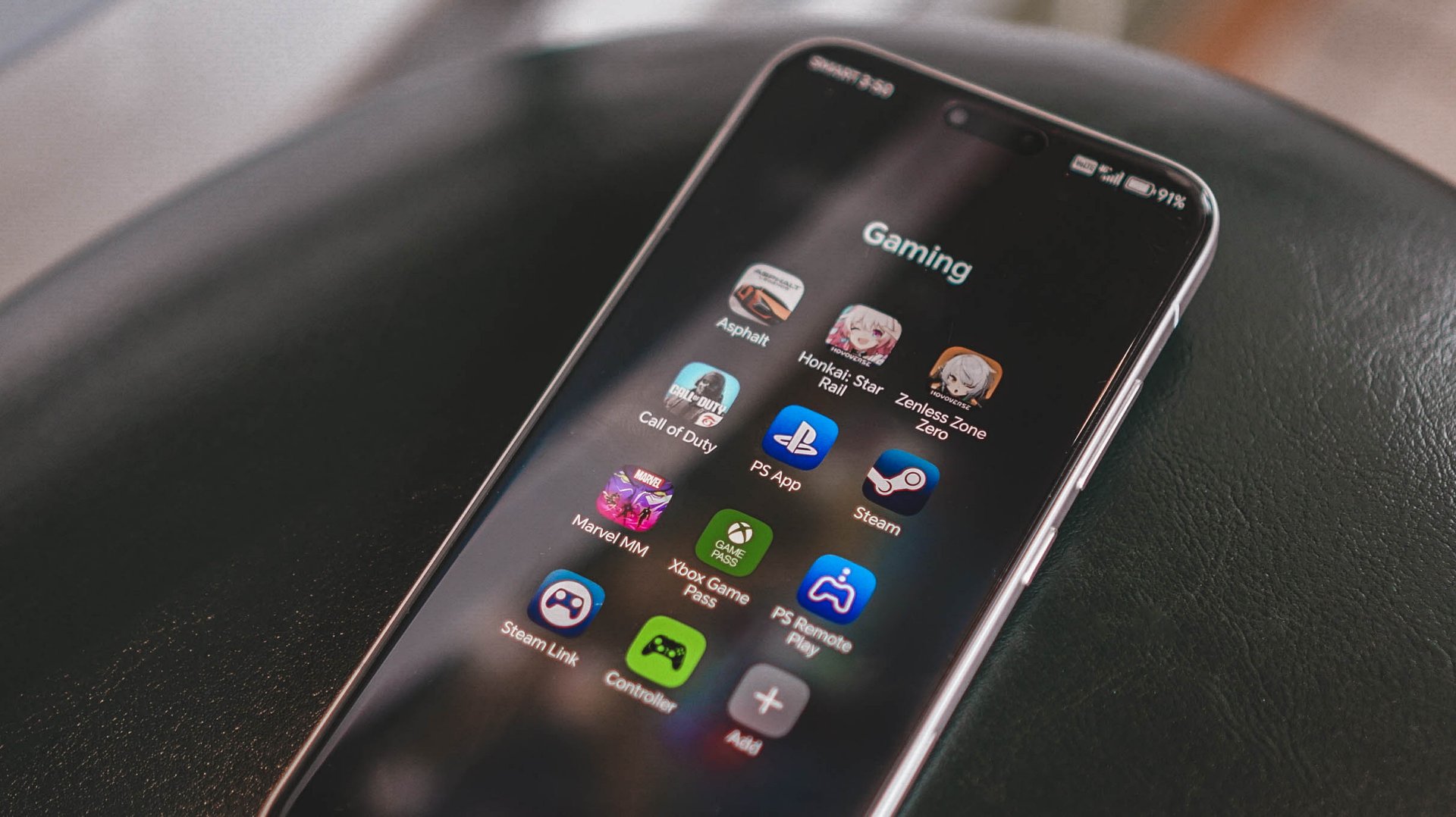
Zenless Zone Zero ran well. Frames felt stable. Movement felt crisp. The phone does heat up faster than I’d like — not uncomfortable, but noticeable. You can feel it working hard.
Oddly enough, screen brightness and audio probably impacted my gaming enjoyment more than raw horsepower. And honestly, that matters more in real use.
Battery and charging: genuinely excellent
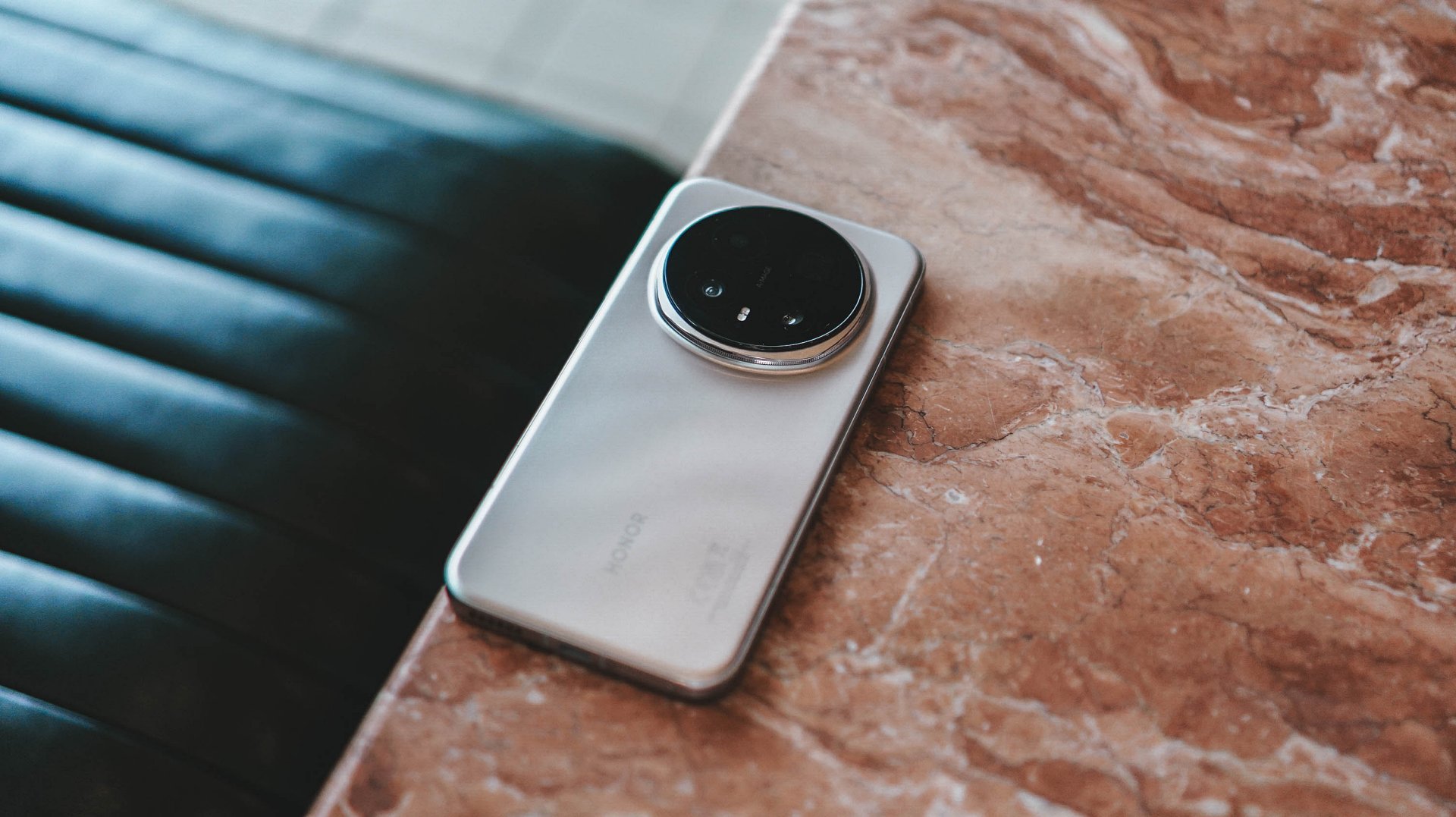
This might be the most boringly excellent part of the Magic8 Pro. Full day? Absolutely. Even during heavy usage days — like concerts with constant video recording — I never felt anxious.
Charging feels like cheating. Blink, and you’re basically back. Wireless charging? Actually useful. Not just “nice to have.”
Battery here feels dependable. Quietly elite.
MagicOS 10 and day-to-day life

MagicOS 10 feels like a helpful salesperson at a store. Mostly out of sight. Never pushing. But always there when you need help. Feature-packed without feeling like it’s shouting for attention.
It fades into the background the right way. Just letting you live.
Cross-device life
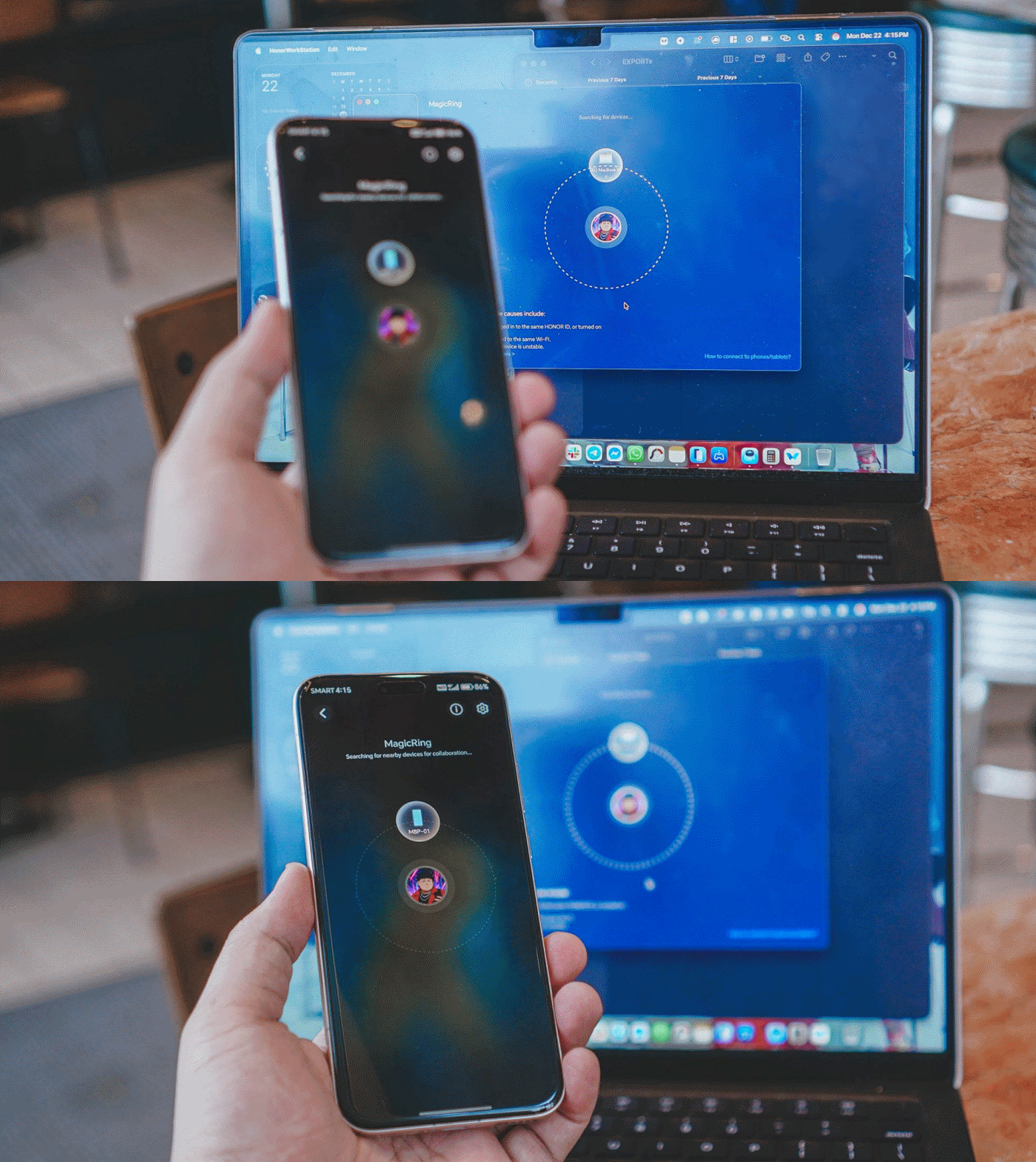
This needs work.
I primarily use a MacBook Pro M4. Connecting wasn’t smooth. Sharing sits somewhere between “fine” and “needs work.” If you’re deep in Apple’s ecosystem, this will be the hesitation point.
But also? I switched from an older iPhone. And yes — I’d still recommend that switch.
Is the HONOR Magic8 Pro your GadgetMatch?
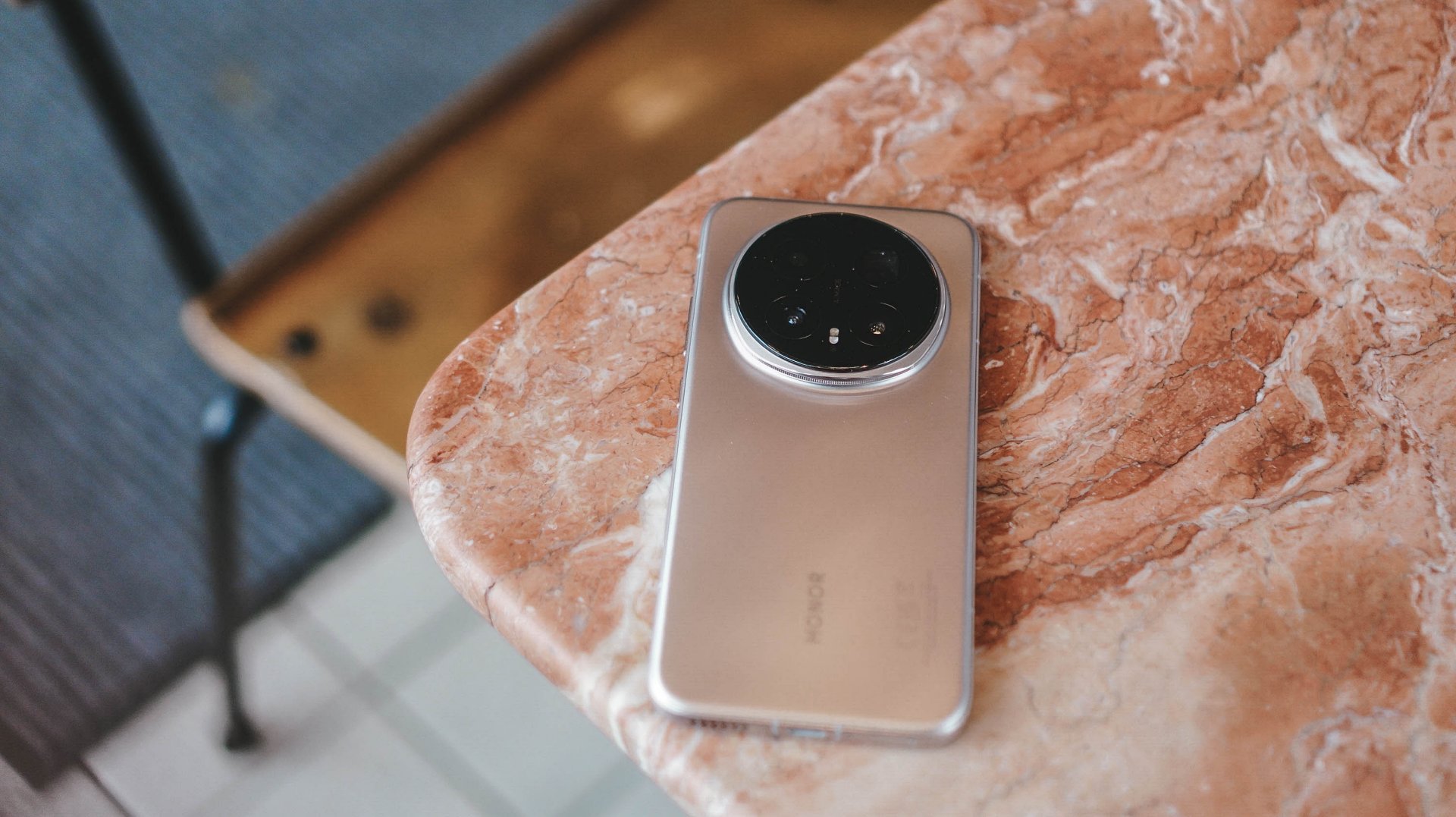
Compared to the Magic7 Pro? No hesitation — upgrade.
Is this HONOR’s strongest non-folding flagship so far? Absolutely.
This feels like the year HONOR quietly cracked the code. Not because of a single headline feature, but because everything finally works together — display, performance, battery life, cameras, and all the little quality-of-life details that make a phone feel reliable, capable, and genuinely exciting to use.
If you want a phone that feels different without feeling risky, swipe up.
If you shoot a lot at night and want photos that simply work, swipe up.
If you want a device that feels confident without trying too hard to impress you, swipe up.
Hesitate only if you’re deeply tied to Apple’s ecosystem and that cross-device life matters more than anything else.
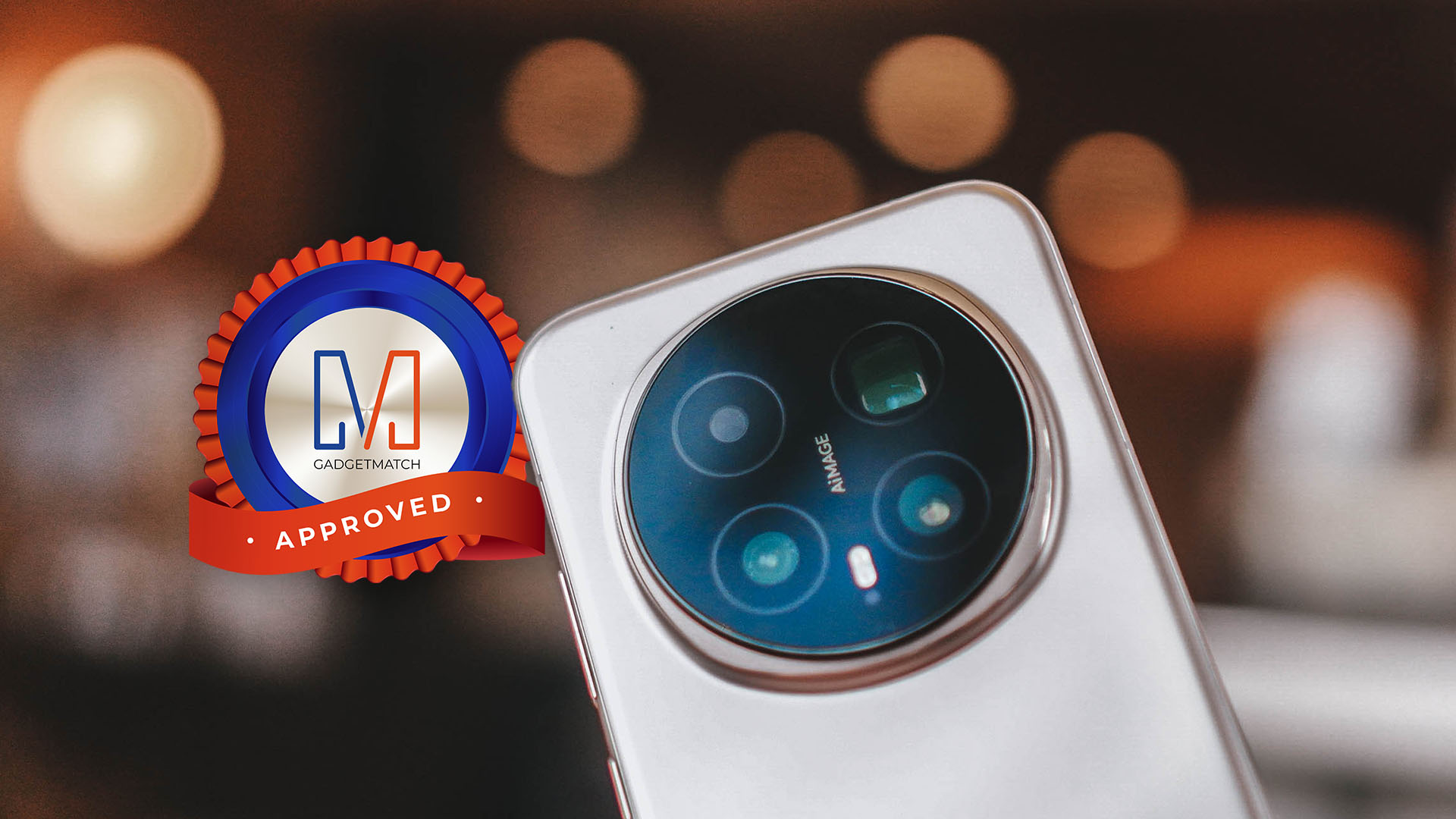
Otherwise? The HONOR Magic8 Pro is HONOR at its most polished, most confident, and most magical yet — the kind of phone that looks incremental on paper but feels like sorcery in real life. A no-brainer recommendation, and absolutely worthy of the GadgetMatch Seal of Approval.
SEE ALSO:



Accessories
UGREEN Nexode Pro 160W review: One mighty brick with a powerful trick
All the speed you need in one charging brick

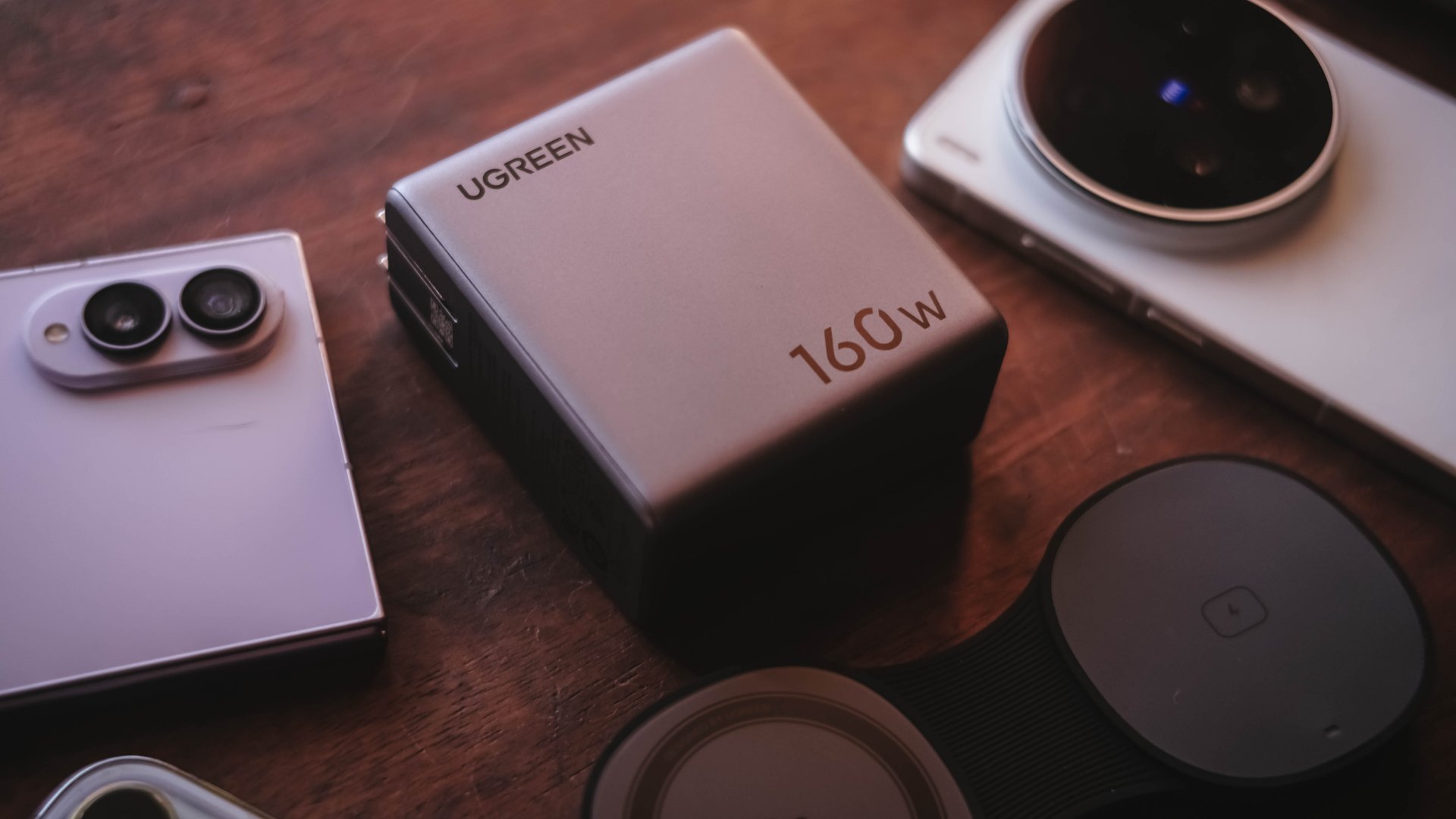
Chargers aren’t just tiny bricks we plug into the wall anymore.
As our everyday gadgets become hungrier in power, chargers have gotten mightier, too.
More wattage, more ports, and apparently, more brains. The UGREEN Nexode Pro 160W takes all of those in one thicc body.
A heavy charger with plenty of power
Let’s address the elephant in the room — literally and figuratively. The UGREEN Nexode Pro 160W is one CHONKY charger.
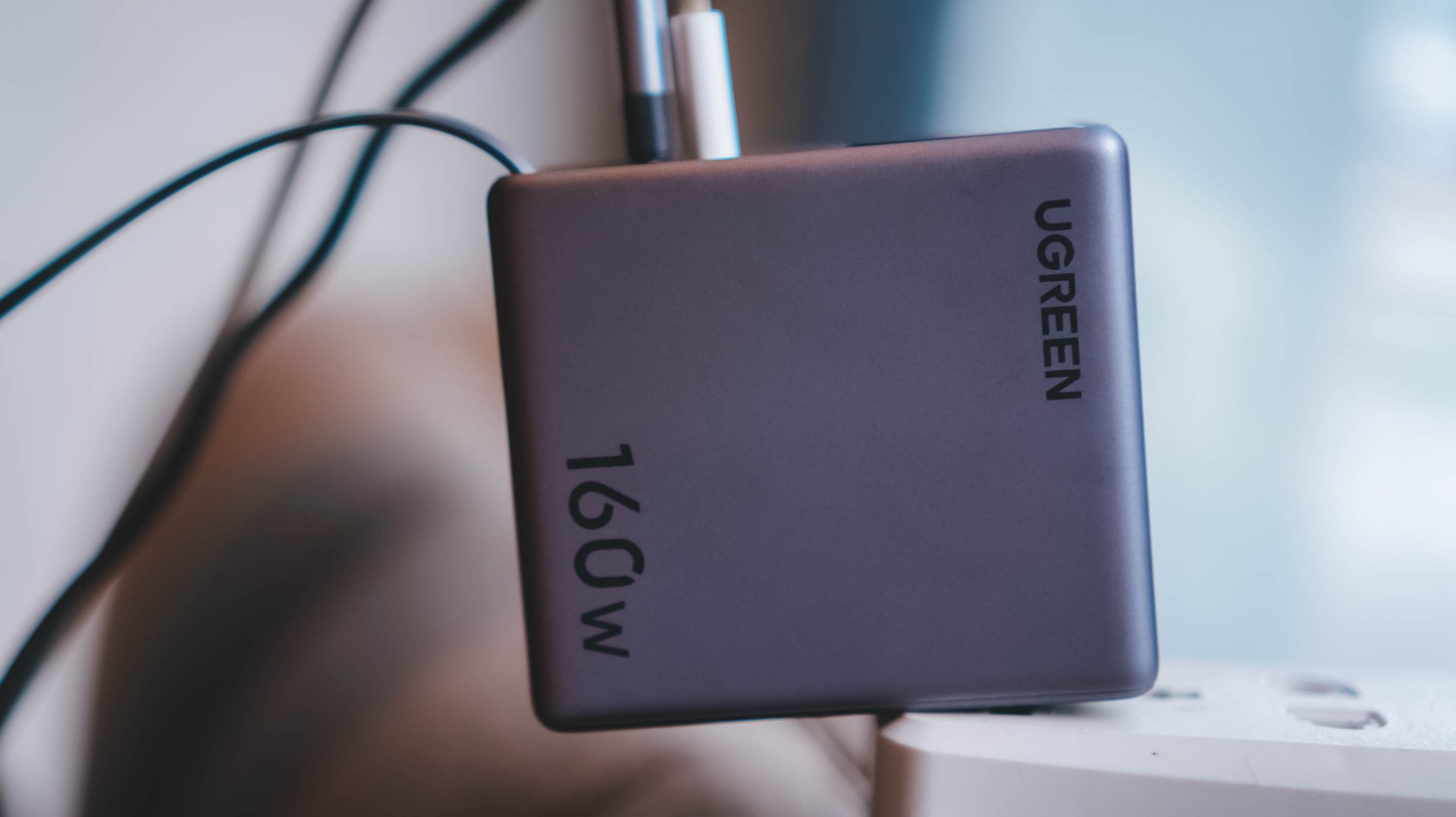
The US version weighs 310 grams, which is heavier than usual charging bricks you’d bring with you.
Visual comparison alone, this is how it tries to dwarf its 100W Uno cousin.
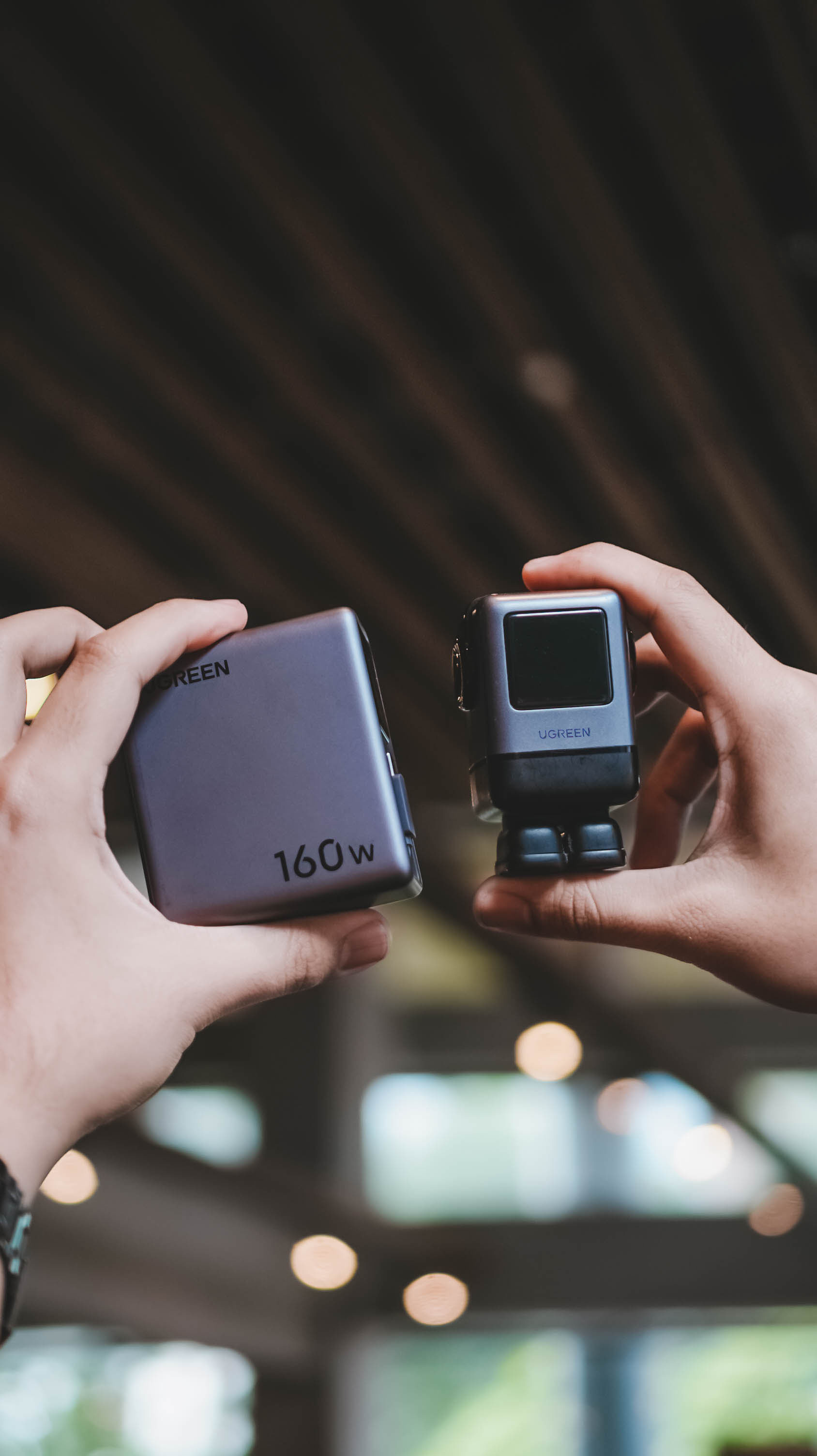
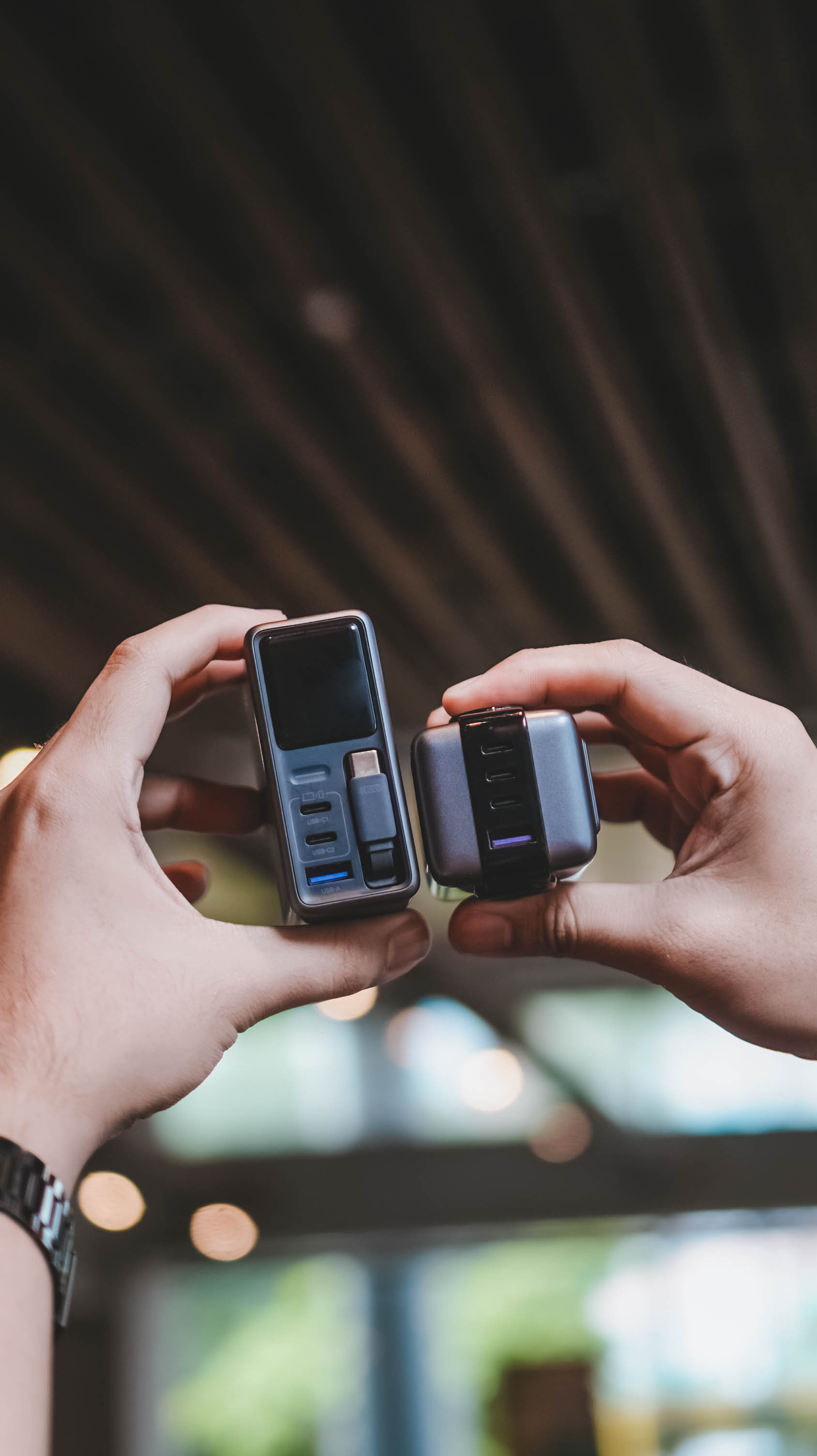
Then again, UGREEN’s Nexode Pro isn’t your conventional charger. And by that, it boasts a total output of 160W — though not saying every port gives a 160W output.
The first USB-C port (C1) is capable of delivering up to 140W. Meanwhile, USB-C2 supports up to 100W, while the lonesome USB-A port can supply up to 22.5W.
To make it even crazier, it also has a retractable USB-C cable — more on that later.
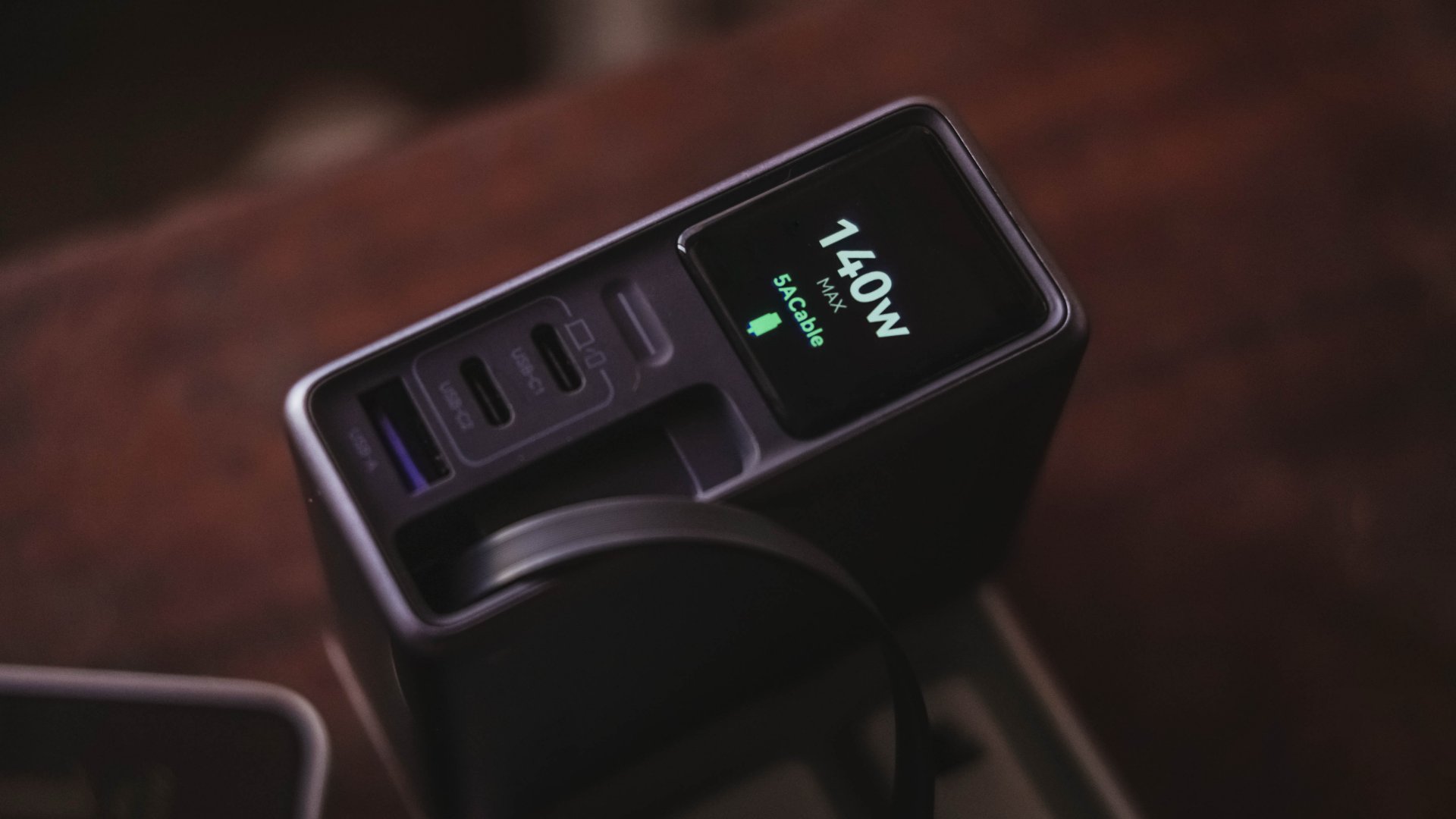
These all mean I can plug in my MacBook Pro, high-end Android flagship, iPhone, and other accessories without ever bringing separate charging bricks for each one.
And honestly, when there’s so much power inside one brick, I’ll generously accept that added heft.
Watt you see is watt you get
One trick up in Nexode Pro 160W’s sleeves is that, it has a front display.
With a touch capacitive button above the USB-C1 port, the display can show not just the general (or combined) charging wattage. It can also show real-time speeds in watts (W), voltage (V), and even ampere (A).
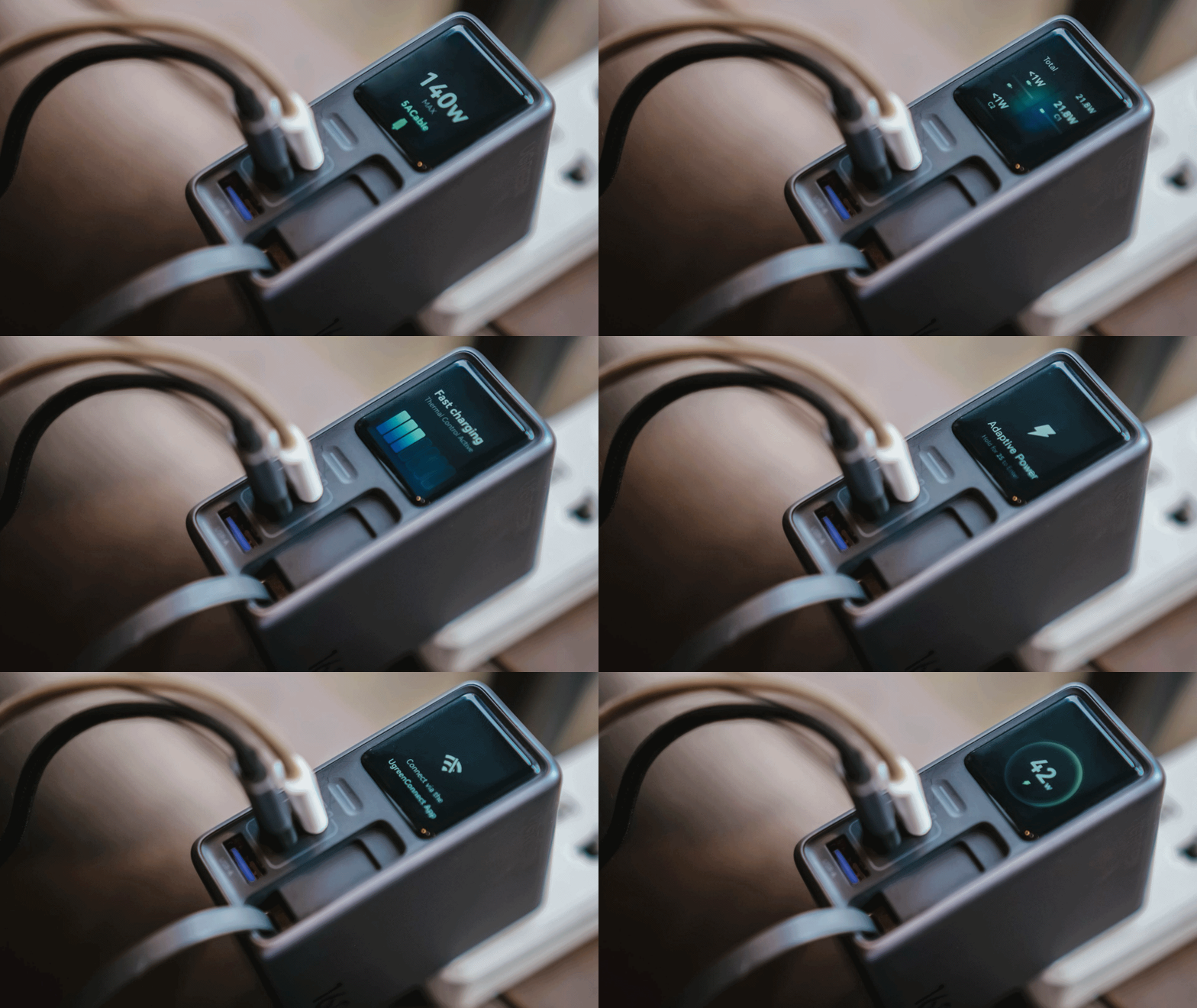
For regular users, it’s probably something you’ll glance at occasionally. For stats nerds? It’s eye candy. For a gadget reviewer like me? A charge test companion.
Seeing real-time charging data gives me a better idea if I have the best charging cable possible for each device. More so, if those devices actually get the charging speeds they require.
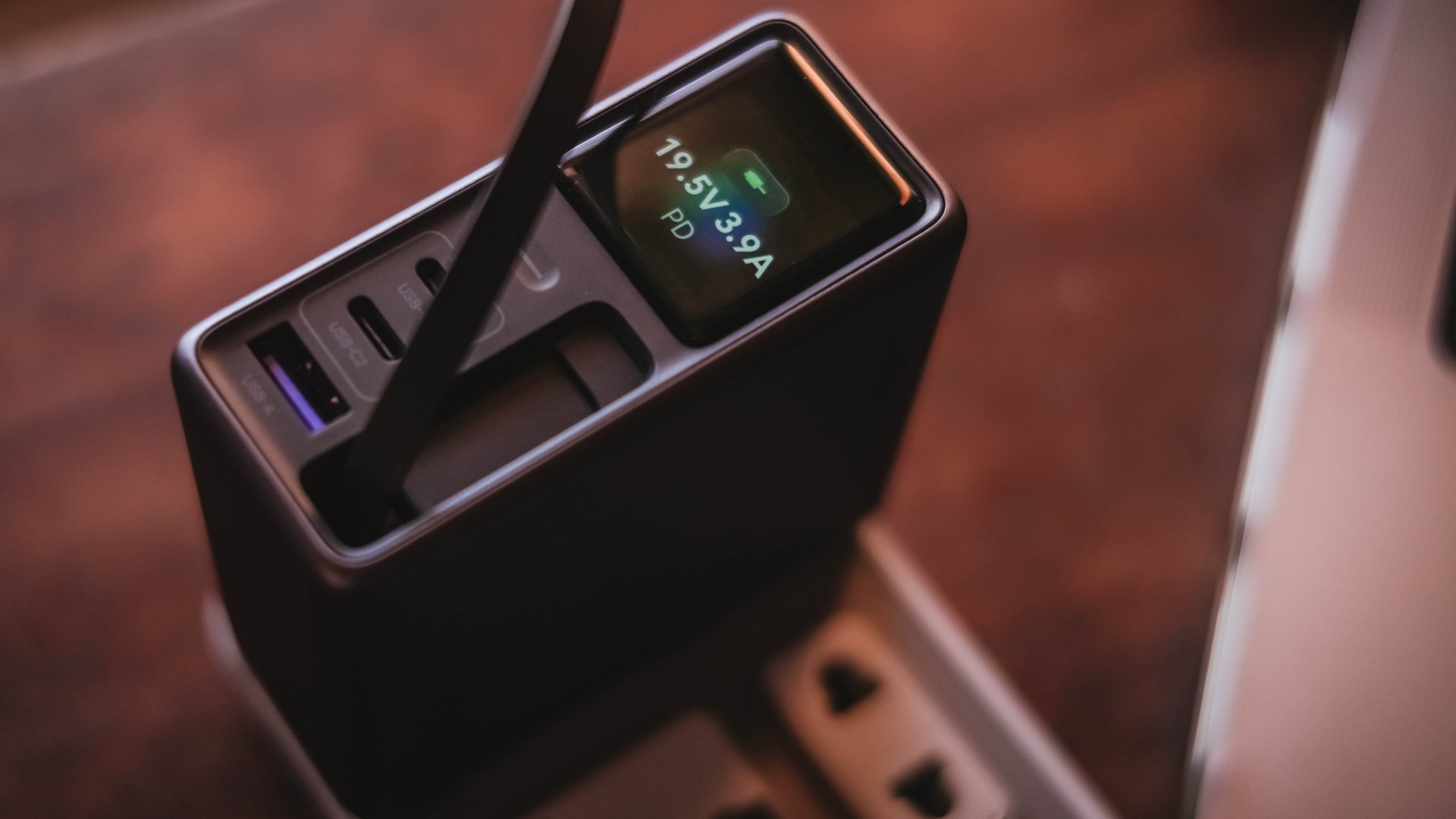
And, if something suddenly starts charging slower than usual, those numbers can help me determine whether the device, charger, or cable might be the culprit.
I can only have my sigh of relief when I see it’s pulling the amount of power I expect.
Even if I always say numbers aren’t everything, the real-time charging data I see with my two eyes is more believable than just relying on that “Fast Charging” indicator.
So, watt did I even get?
Of course, I couldn’t just take that 160W figure just at its face value.
In a not-so-typical GadgetMatch Charge Test, I tried and tested the charger by occupying all ports with the devices I regularly use and watched the numbers fly.
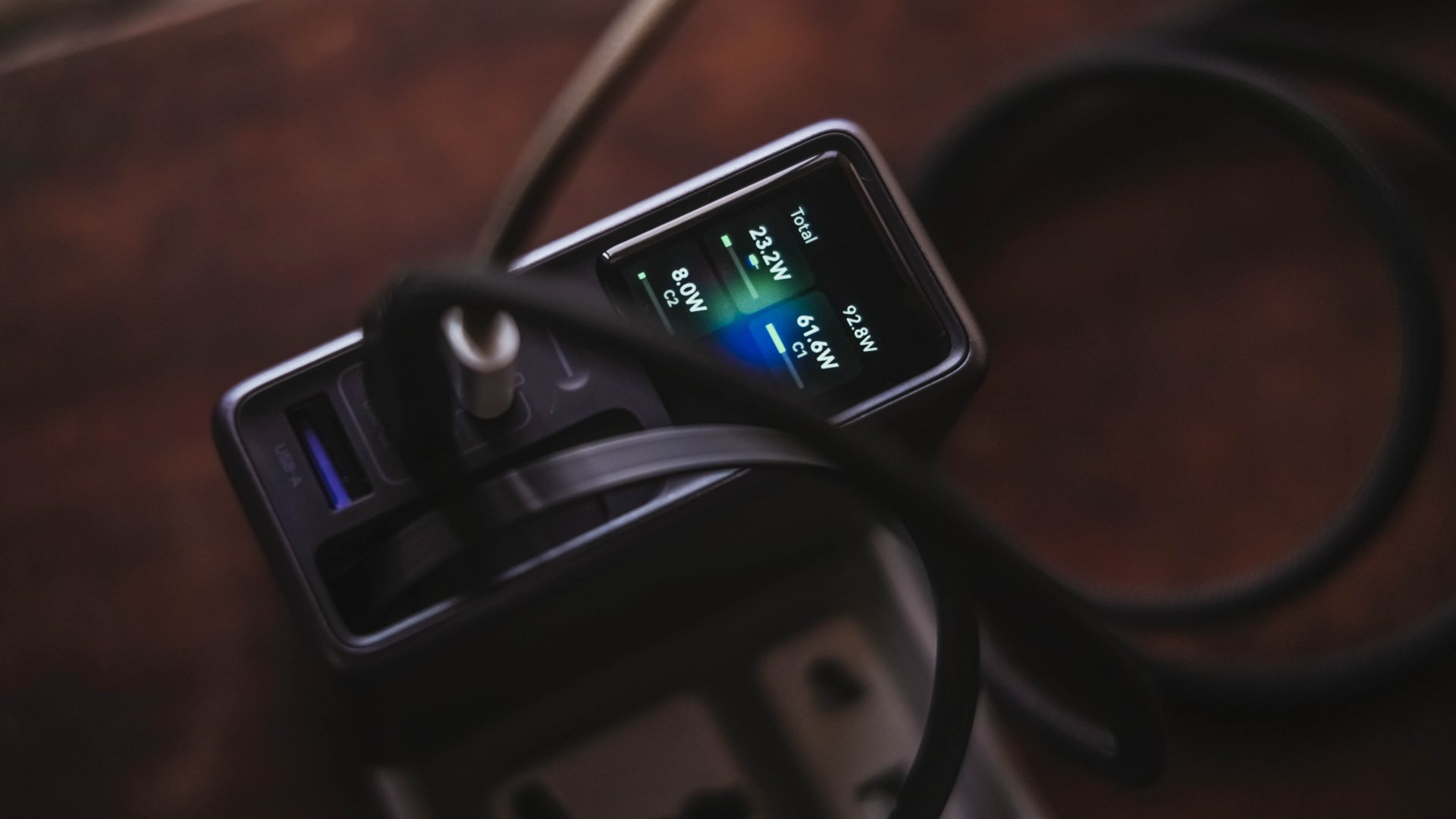
Mind you, I tried my best to make them as equal as possible by draining every device down to 0%. Just so the actual charge test starts at the very base.
From a lengthy documentations in my Notes app, I tried simplifying the results into these table instead:
| Port | Device | Cable Type | 10-minute charge | 30-minute charge | 1-hour charge |
| USB-C1 | 14” M2 Max MacBook Pro | Apple MagSafe 3 to USB-C | 15% | 45% | 84% |
| USB-C2 | Apple iPhone 13 Pro Max | USB-C to Lightning | 7% | 21% | 42% |
| Retractable USB-C | vivo X300 Ultra* *wireless charging |
USB-C to UGREEN MagFlow 2-in-1 Foldable Magnetic Wireless Charger | 2% | 3% | 7% |
| USB-A | HONOR Watch 5 Ultra | USB-A to wireless charging base | 18% | 58% | 76% |
Aside from the charger itself, there are more factors that contribute to a device’s charging output.
One is basically how many devices are connected. Another would be the type of cable used (standard 3A cable or faster yet thicker 5A or 6A cord).
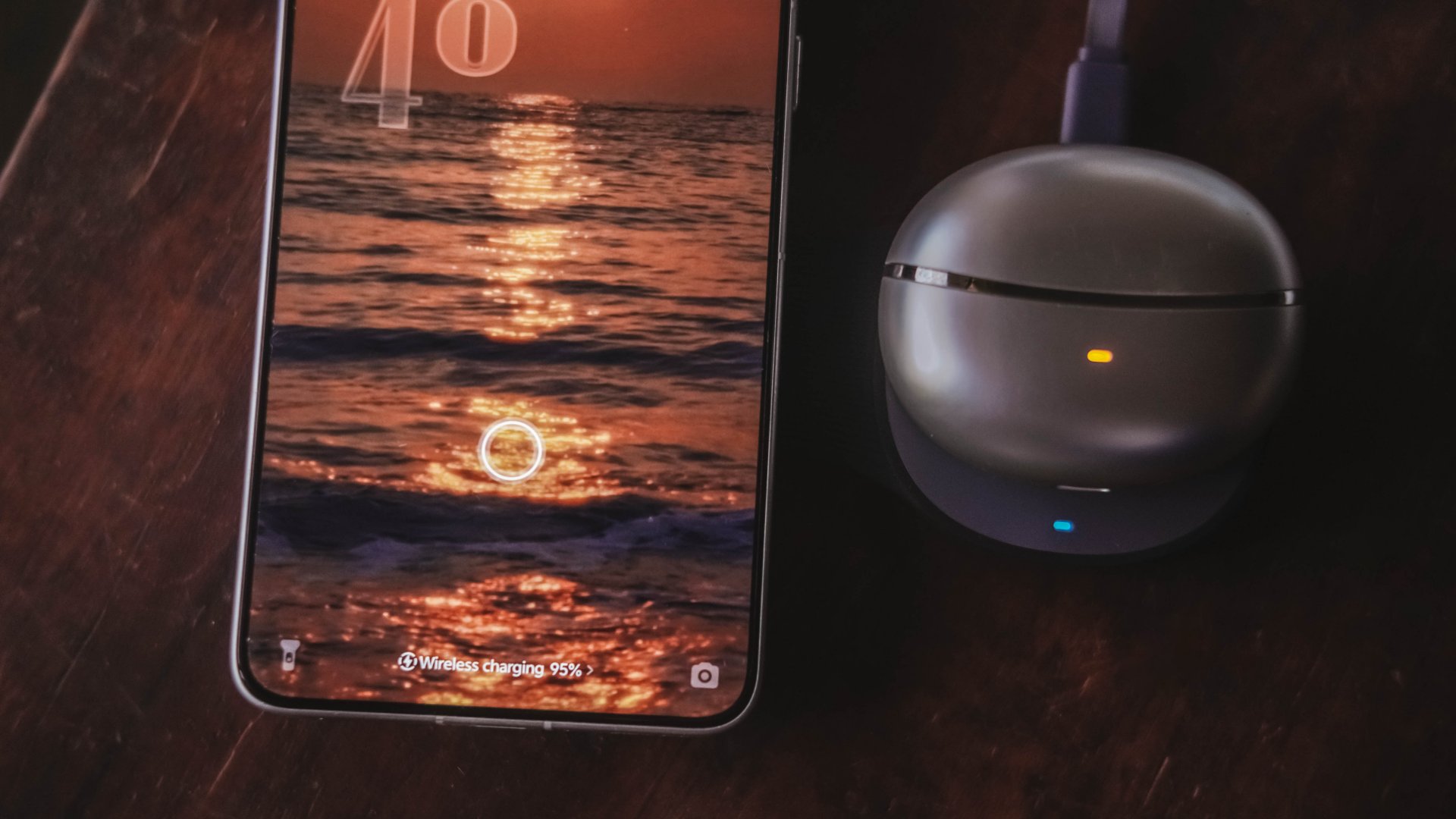
More so, if the best charging mode is used. Even actual room and device temperatures matter, too.
In easier words, a charger boasting 160W power doesn’t mean every device gets its maximum charging speeds simultaneously.
The charger still has to distribute its available power between everything connected.
Pull it, use it, and never lose it
Perhaps its most “secretive” trick is hidden within.
UGREEN has managed to fit a 70cm retractable USB-C cable in its squarish body. Pull it whenever you need it and retract it back inside once you’re done.
It’s incredibly handy when I don’t want to dig through my big and messy backpack.
Worst case scenario? Whenever I forget to bring a cable — which already happened numerous times as an aging young adult who keeps being unnecessarily forgetful.
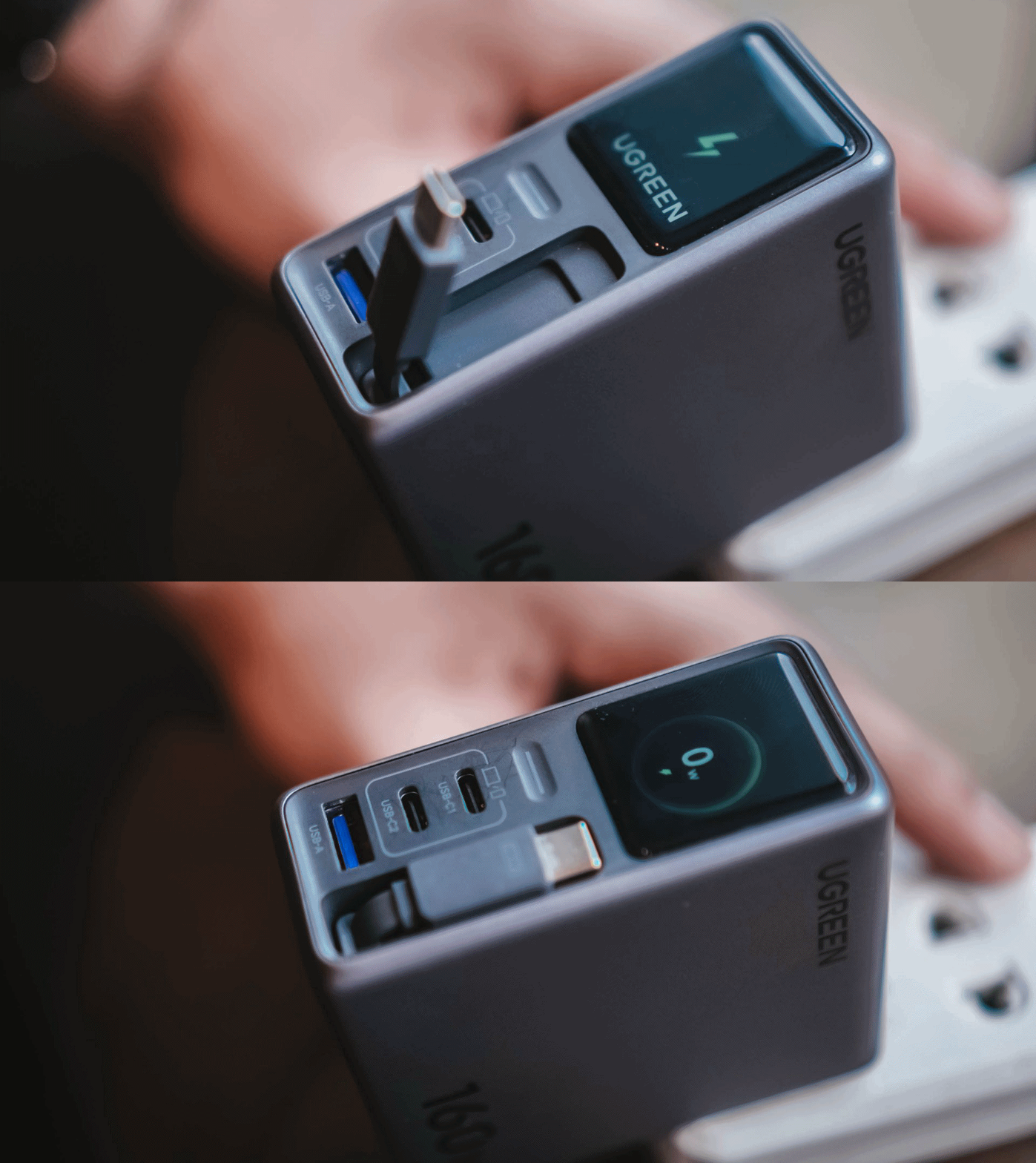
Vincenz’s two cents? He would NOT always rely on using it.
For one, there’s the matter of longevity.
A regular USB-C cable eventually breaks? Replace it. A retractable cable permanently attached to your charger? That’s a different story.
Another would be all about its actual charging speed output. Not every device behaves the same way with that built-in cable.
| Device | Max Charging | Observed Power | 30-minute charge | 1-hour charge |
| 14” M2 Max MacBook Pro | 96W | 68.6W | 53% | 87% |
| vivo X500 Pro Max | 90W | 20.2W~23.6W | 34% | 62% |
| vivo X300 Ultra | 100W | 9.6W~12.9W | 26% | 52% |
| HONOR 600 Pro | 80W | 16.5W | 35% | 64% |
| Samsung Galaxy Z Fold8 | 45W | 17.8W | 41% | 74% |
For instance, my vivo X300 Ultra supports 90W FlashCharge speeds. Yet, I observed only around below a 13W output during one test. Thus, only achieving 26% in thirty minutes.
Even the shiny new vivo X500 Pro Max wasn’t exempted in the list with only being able to achieve 34% in the same time frame.
For added context, using their bundled FlashCharge adapters would have already filled the phones way past the 60% mark.
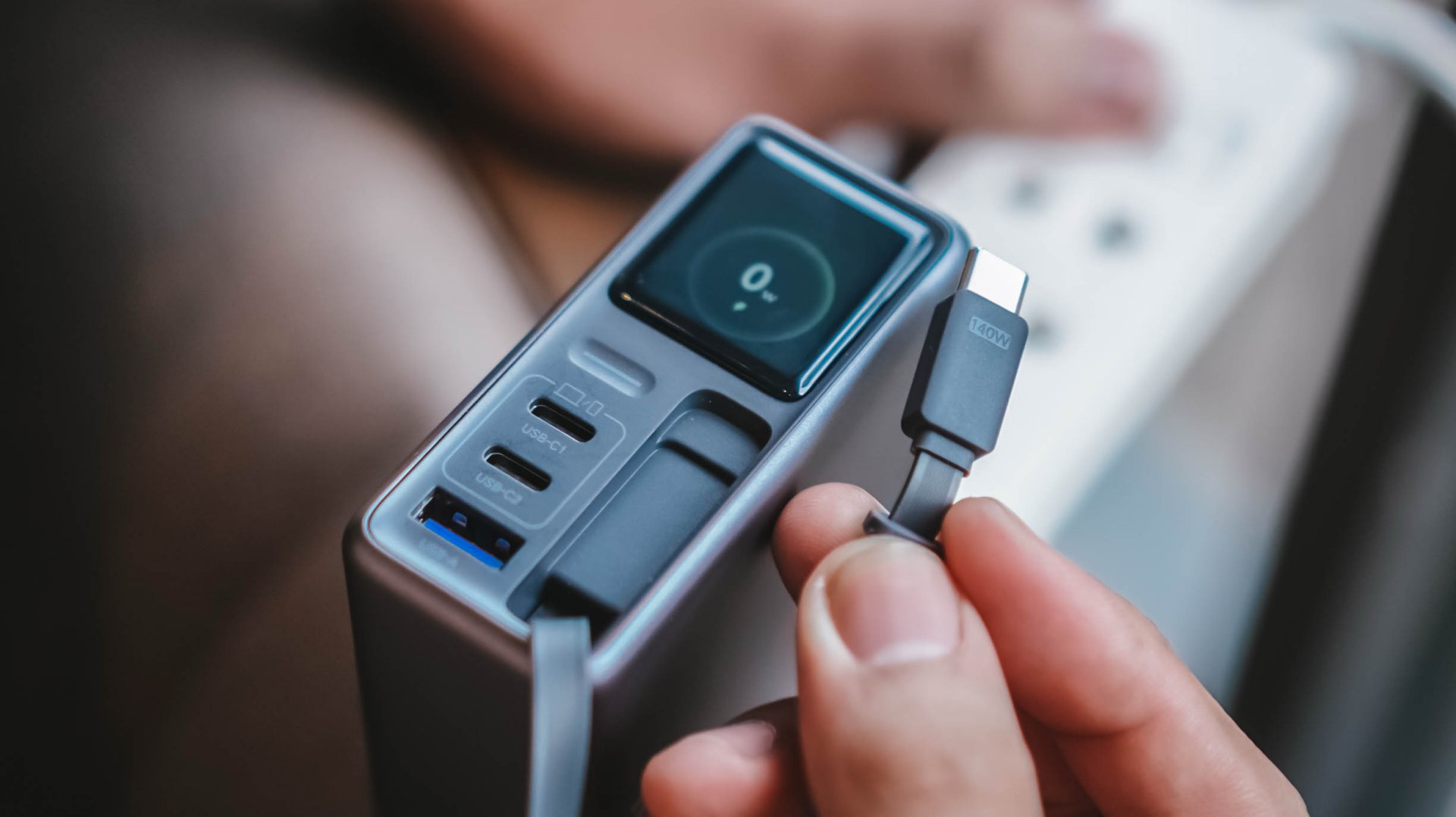
This doesn’t necessarily mean the built-in cable is bad. It just means you shouldn’t expect every proprietary charging standard to hit its advertised maximum just with the cable alone.
So while it’s one of my favorite conveniences here, I still see it as a handy backup rather than the only cable one would ever need.
Connect to inspect
I can’t believe I’m saying this. A charger can now be connected via an app.
Just like me, you’re probably scratching your head the moment you are reading this. Well, after much use, it actually made sense to me.
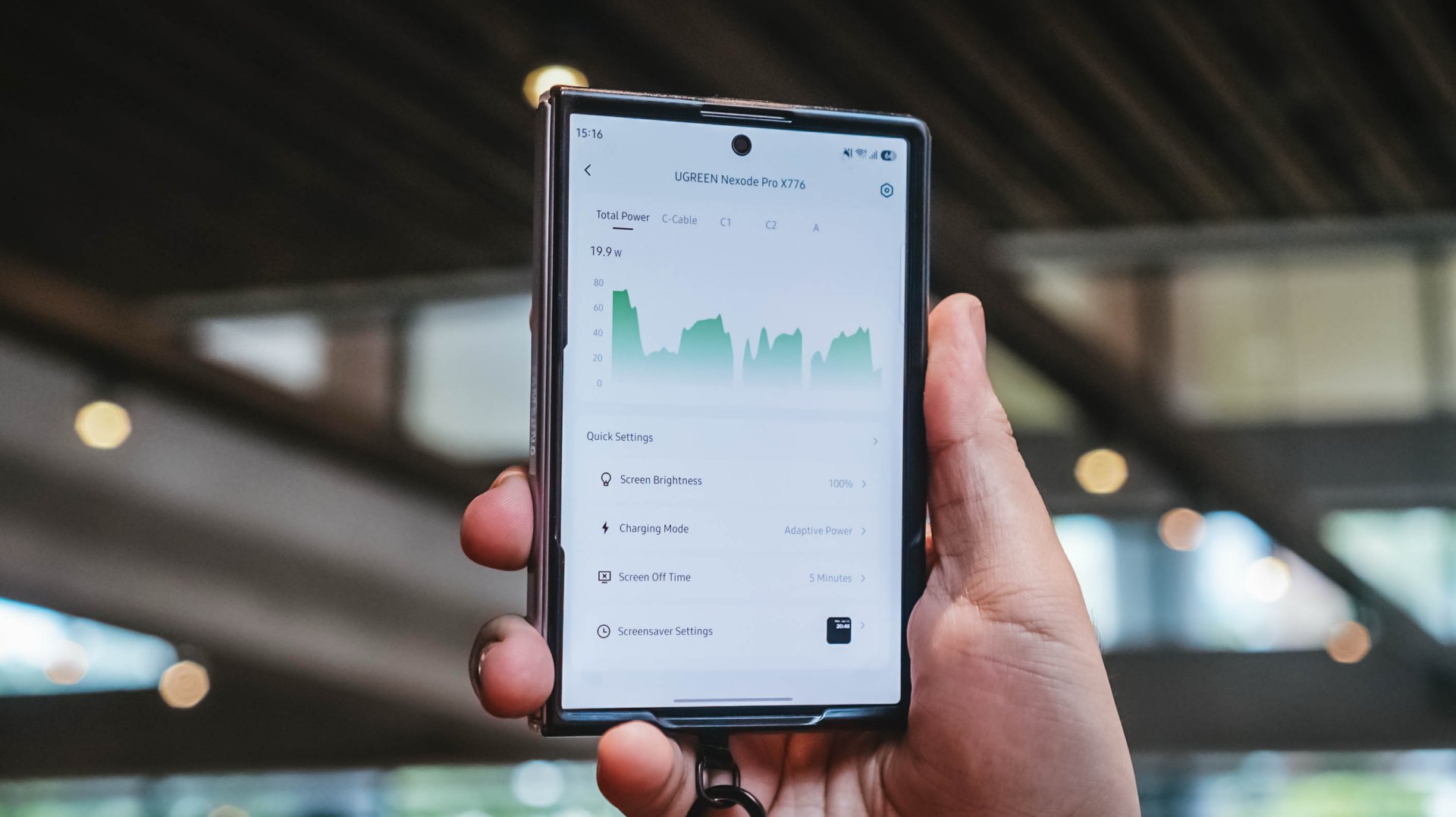
With their new and very own UgreenConnect app, not only you can see and capture charging stats, UGREEN lets you switch between charging modes as well depending on your charging needs.
Heck! You can even turn off ports individually without affecting other devices being charged.
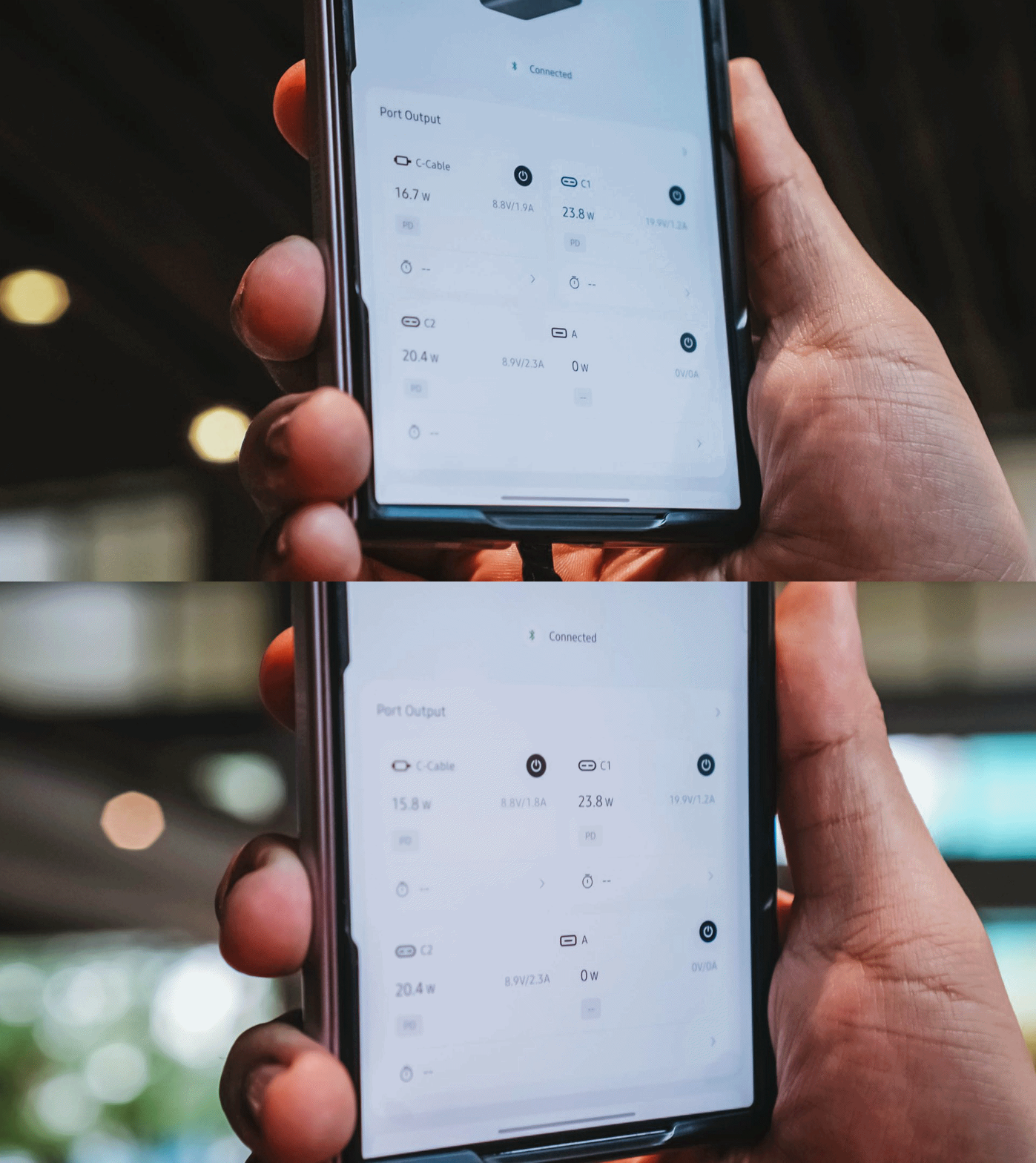
Furthermore, you can also change the display’s brightness and sleep time, customize wallpapers. The Nexode Pro 160W also supports OTA updates.
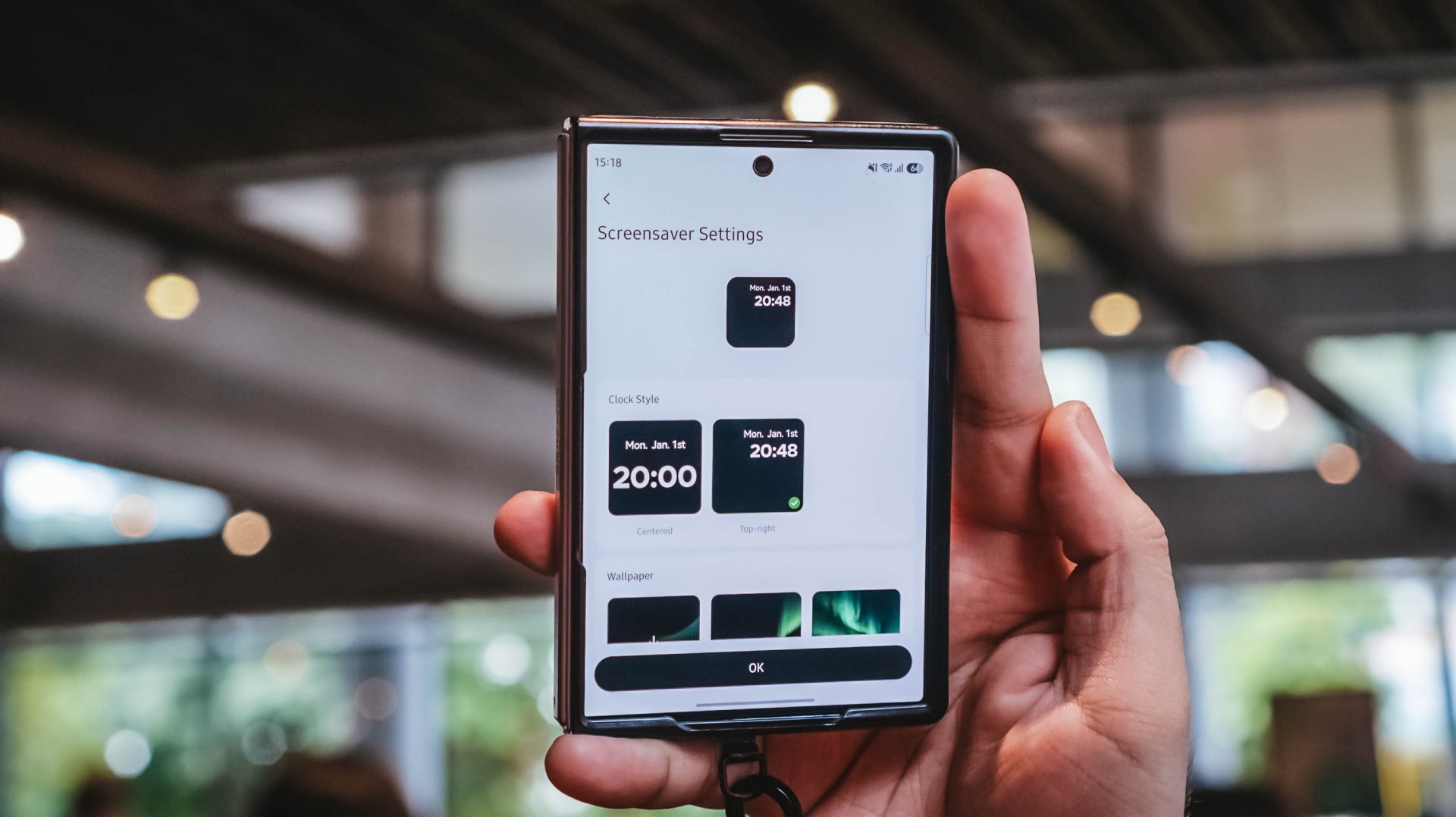
Again, it’s mostly nerdy. But that’s precisely why I like this charger more than what I already have and use.
Feel the heat, keep it neat
The Nexode Pro gets warm. Quite warm, actually.
But, with a charger this large and powerful, that’s hardly surprising given all the charging components packed inside.
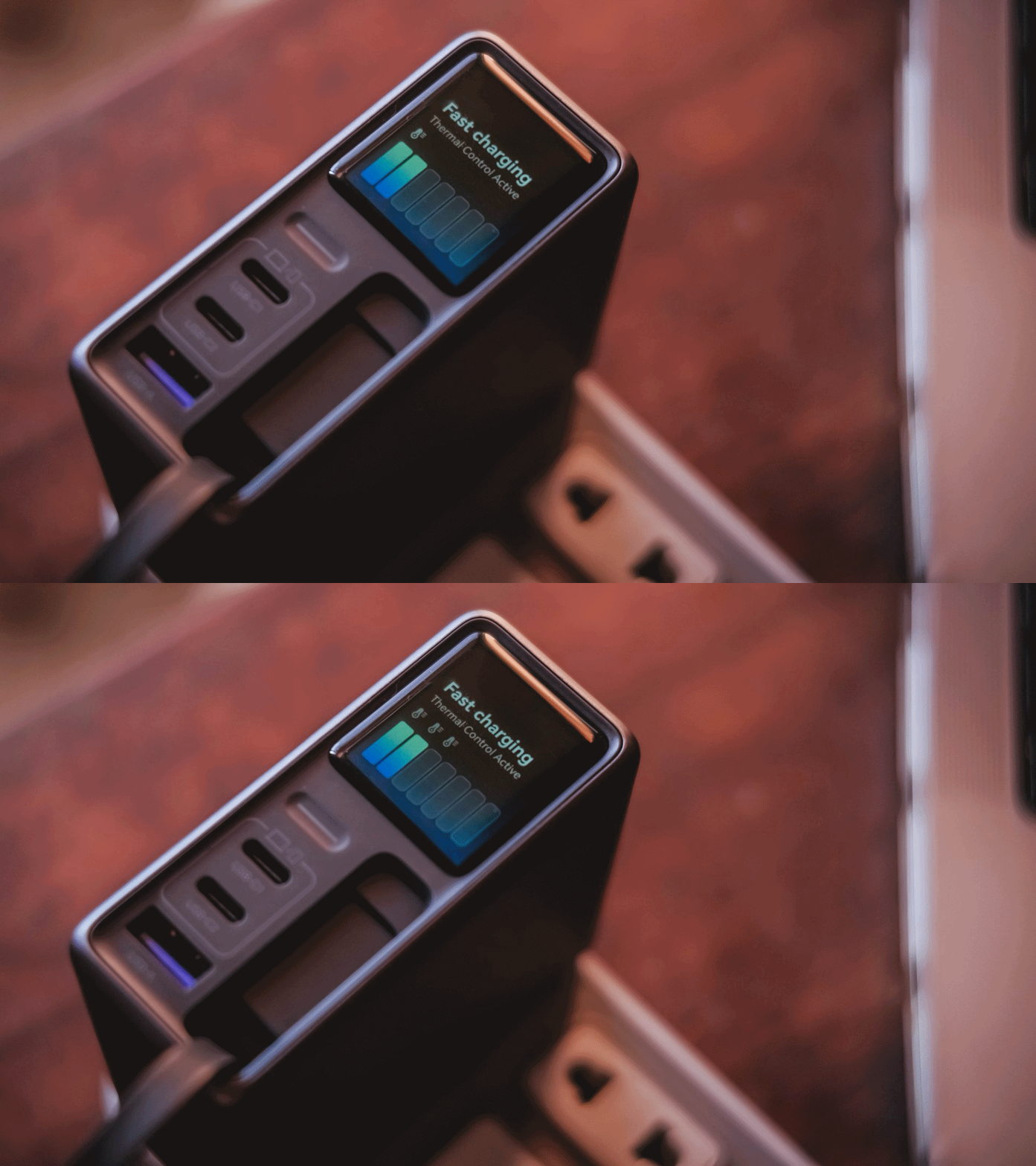
Thankfully, the temperature remained manageable throughout my use. UGREEN also lists Thermal Guard Temperature Control alongside GaN Infinity technology and SmartCharge power distribution.
The different charging modes can also help manage and lessen that heat further.
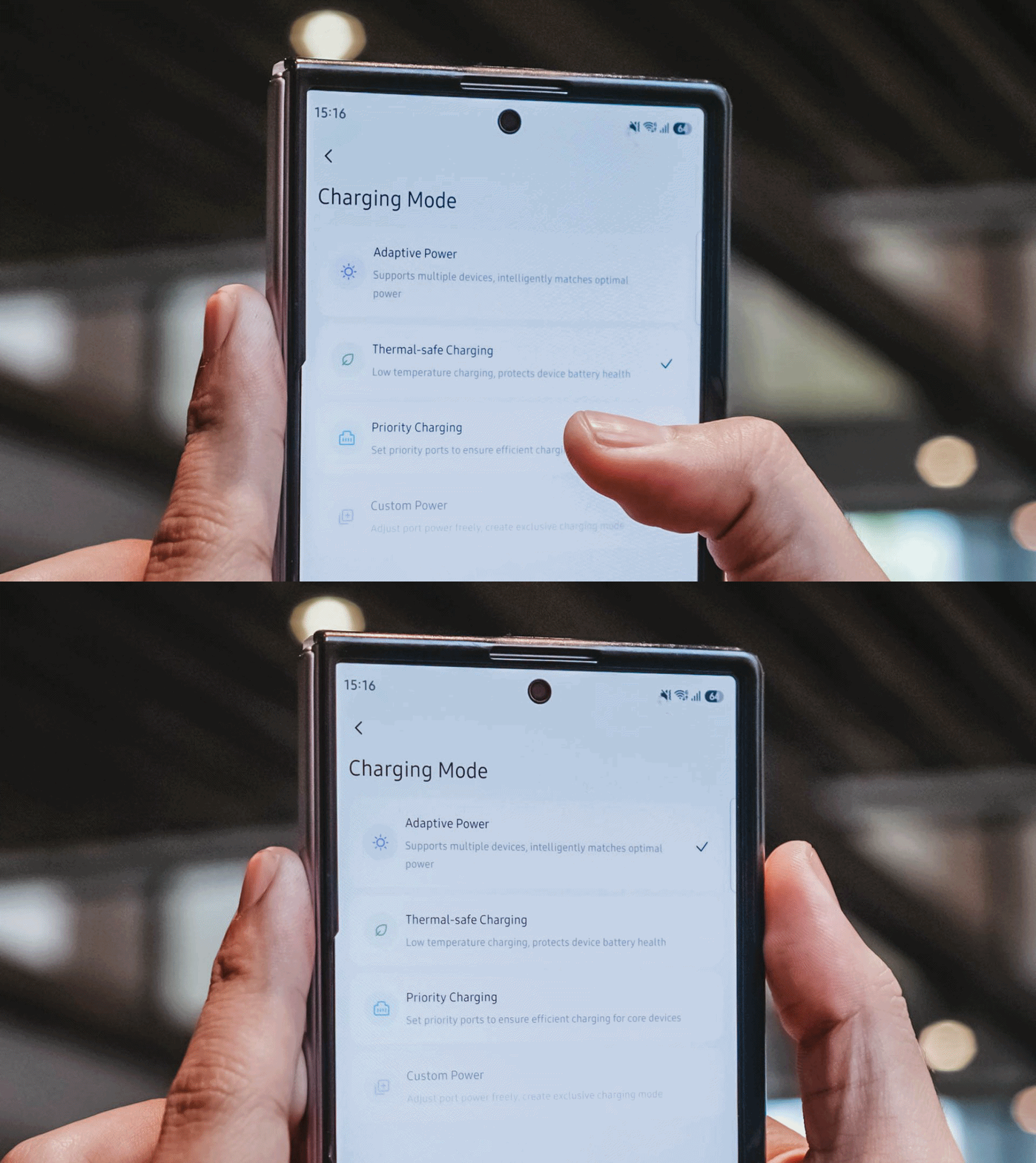
If I don’t need something charged immediately, I can opt for smarter or lower-temperature Thermal-safe charging instead of constantly pushing as much power as possible. Power when I need it. Less heat when I don’t.
Although for my day-to-day use-case, Priority Charging makes the most sense.
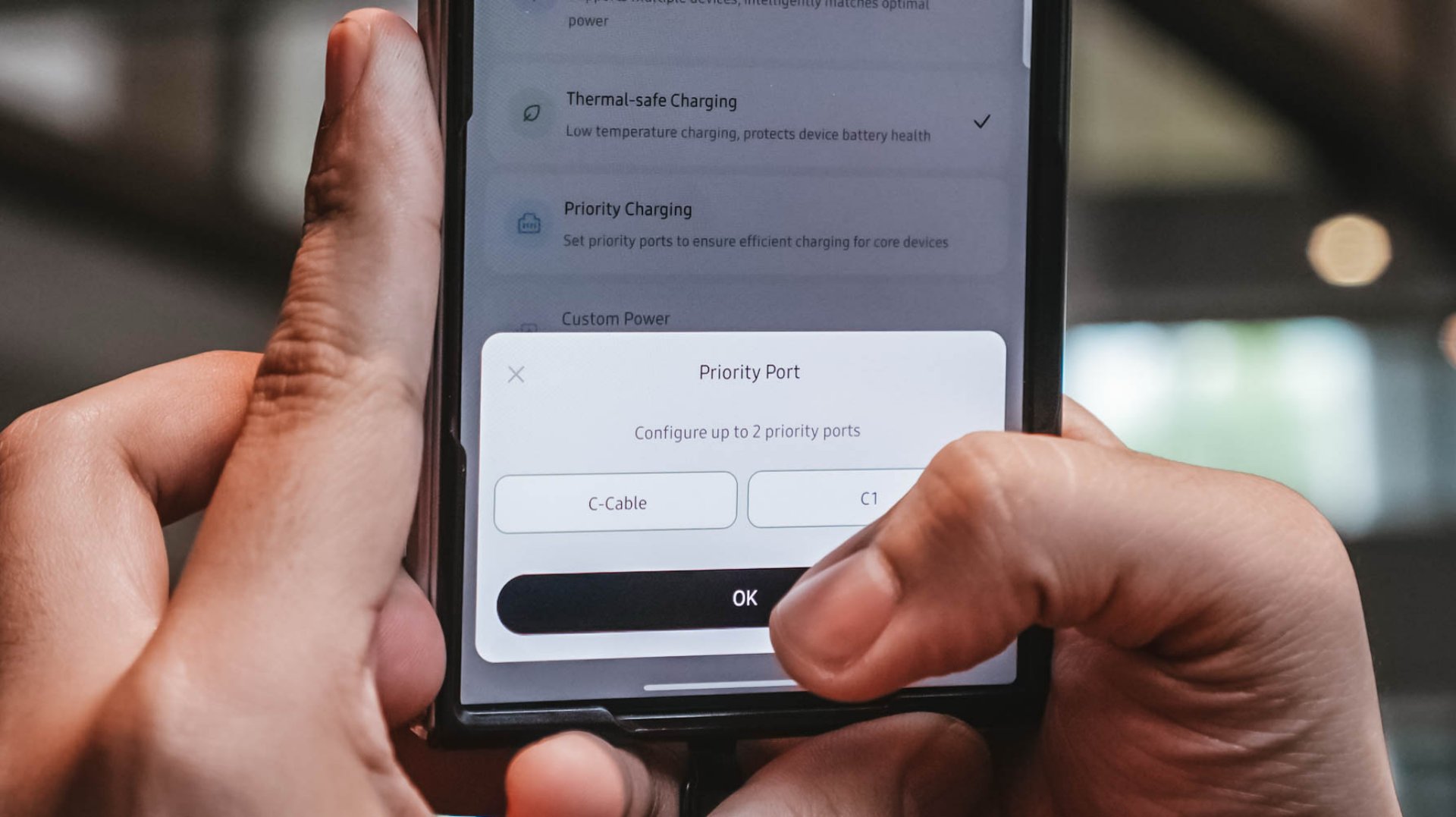
Case in point: I tested this with the vivo X300 Ultra I’m dilly dallying.
| vivo X300 Ultra | Adaptive Charging | Priority Charging |
| Charging Output | 9.6W ~ 12.9W 8.1V / 1.6A |
26.8W ~ 27.2W 7.9V / 3.5A |
| START TIME (from 0%) | 9:11PM | 12:31AM |
| 3 minutes | 4% | 6% |
| 5 minutes | 5% | 8% |
| 10 minutes | 9% | 16% |
| 15 minutes | 13% | 21% |
| 30 minutes | 26% | 42% |
| 45 minutes | 39% | 61% |
| 1 hour | 52% | 80% |
Adaptive Charging obviously charged it slower than ever. But when I enabled Priority Charging, it initially pulled around 30.8W to 31.2W for the first two minutes before settling around 26.8W to 27.2W. That’s still higher than the output through Adaptive Mode.
More so, it was able to reach 42% after 30 minutes and 80% after an hour in contrast to the 26% and 52% level of the former.
My MacBook Pro and flagship Android phones need significantly more power than smaller accessories. So, instead of letting everything fight equally for those watts, I can prioritize whichever device actually needs the extra juice.
Is the UGREEN Nexode Pro 160W your GadgetMatch?
At PhP 4999 / SG$ 140 / MYR 419, the UGREEN Nexode Pro 160W might sound like an overkill if all you need is something to charge your phone every night.
But, if you’re someone like me who owns lots of gadgets and constantly switches between a laptop, several smartphones, at least one tablet, a smartwatch, wireless headphones, and many other gadget ever imaginable, owning this charger quickly makes sense.
That’s most especially for the ultimate convenience it brings by only using one socket and fits right inside your bag’s tight pocket. I can fully rely on one brick instead of carrying multiple clunky chargers around.
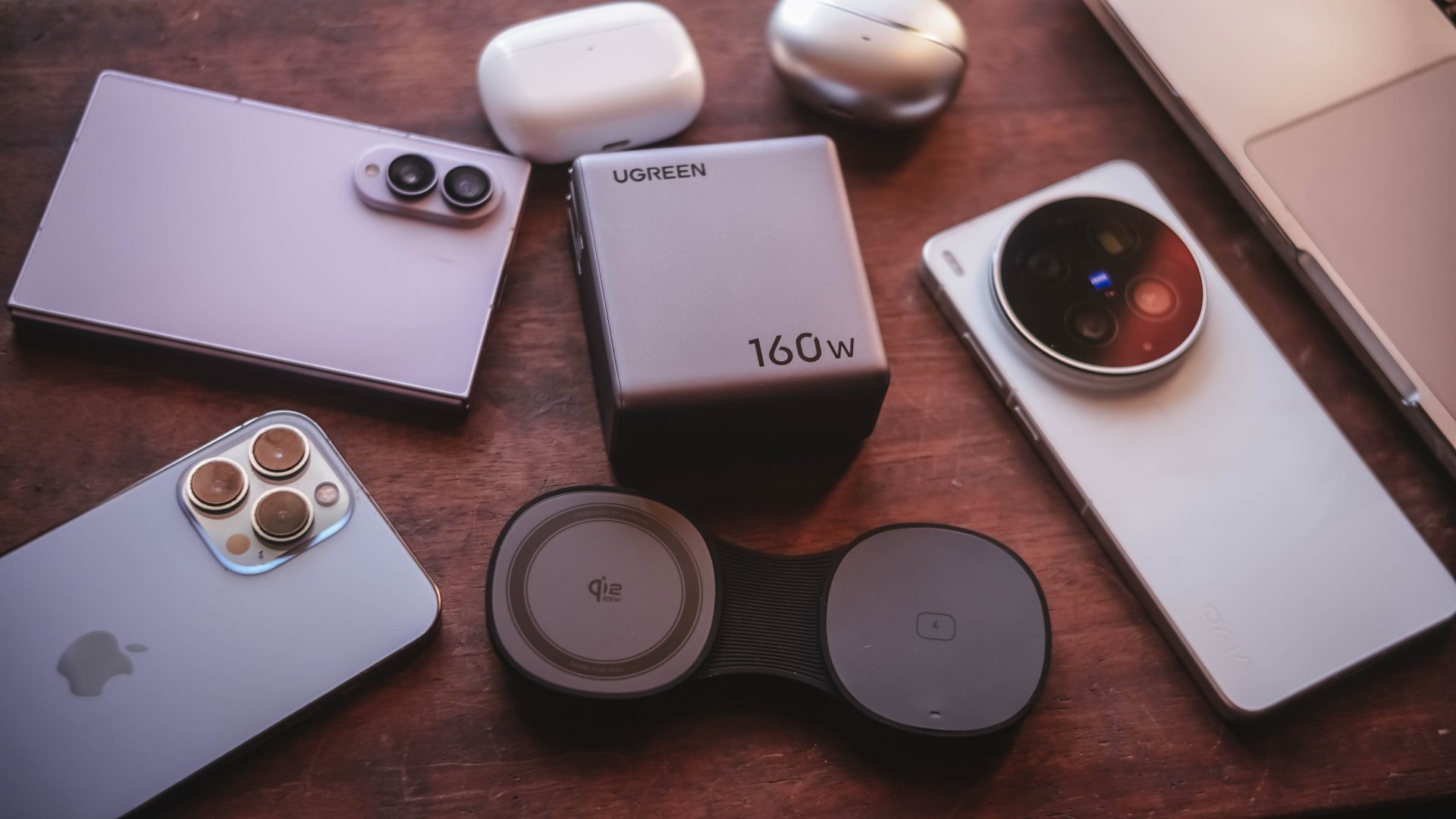
Additives include its display that lets me see stats while doubling as a useful review tool to legitimize the charge tests in the reviews I do.
Charging modes lets me decide which power-hungry device deserves more juice. Priority when I see one getting slow. Thermal-charging if I sense that it’s getting warmer than the usual.
That retractable cable? It’s a real wonder as it will truly save me whenever I forget one in another unintentional scenario.
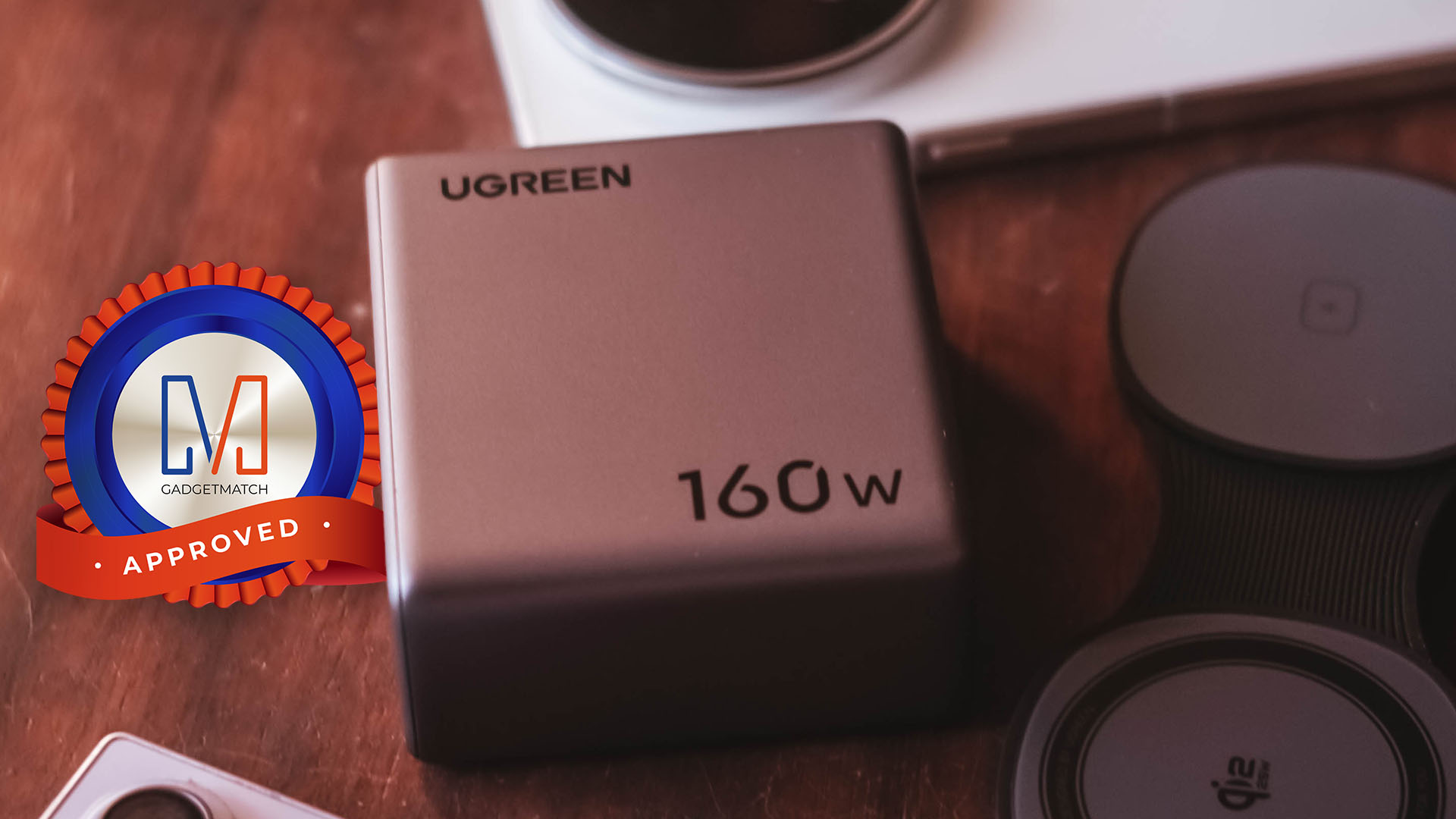
The UGREEN Nexode Pro 160W now has a permanent spot in my charging arsenal. It is a Swipe Right, Super Swipe, and definitely a worthy recipient of the GadgetMatch Seal of Approval.

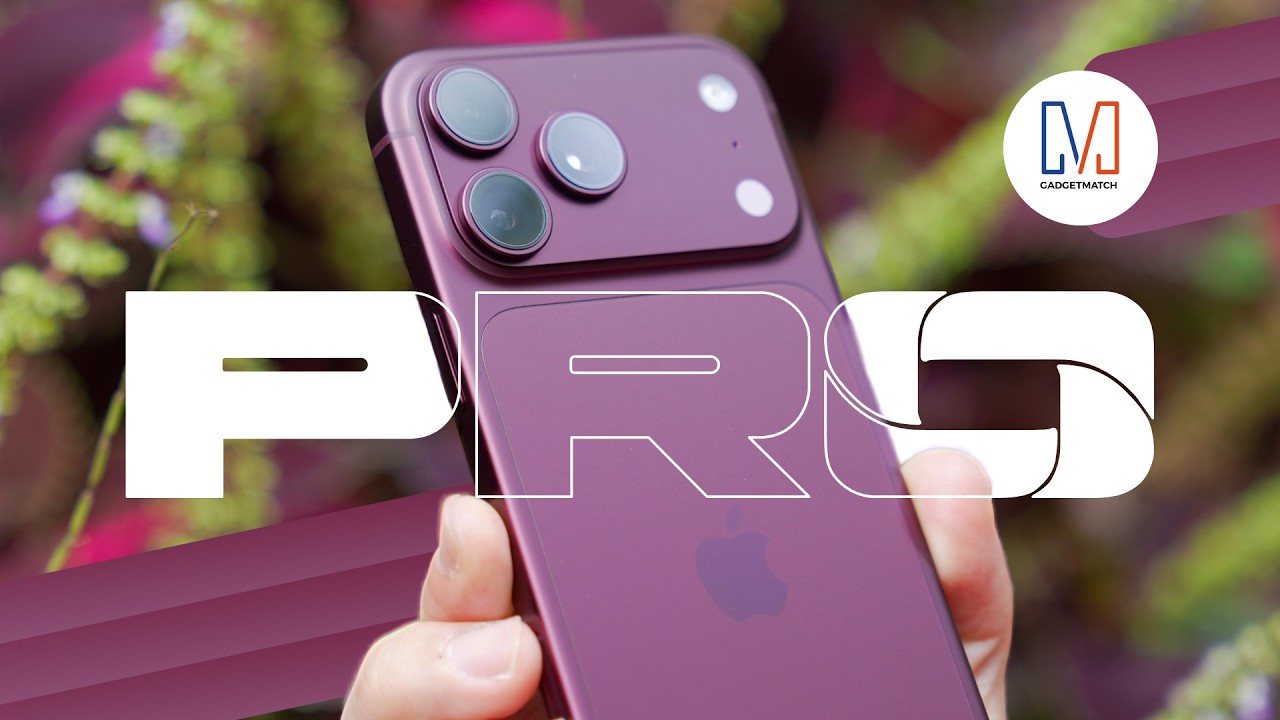
It’s been over two weeks since the Apple iPhone 18 Pro and Pro Max hit the shelves. And after daily real-world testing, the hype around the new variable aperture camera is only half the story.
In this iPhone 18 Pro review, we go beyond the spec sheet to test the massive battery life upgrades. More so, the A20 Pro chip’s improved thermal cooling and the game-changing iOS 27 Pro camera controls.
While others are obsessing over the new black titanium and the mechanical six-blade aperture that creates real starbursts, the actual reason your photos will look better is much simpler.
We put the new lens to the test in low light, bright sun, and high-motion video using Cinematic Mode and the new Focus Lock.
Should you upgrade from the iPhone 17 Pro, wait for the rumored spring iPhone 18, or save up for the foldable iPhone Duo?
We’ll help you decide if the iPhone 18 Pro is your GadgetMatch.

I came into ACE Combat 8: Wings of Theve completely blind.
I knew very little about the franchise outside of the fact that it’s a fighter plane game. My entire exposure was limited to a handful of press releases from Bandai Namco and, of course, the noise the pink-haired character made on social media when she was first revealed.
So, I had no idea what to expect when I climbed into the cockpit.
What surprised me most wasn’t the flying. It was everything that happened outside of it.
A surprisingly beautiful presentation

I was floored by the story segments of the game, particularly the visuals and presentation.
A lot of these scenes are presented from a first-person perspective. The characters and environments you interact with are beautifully rendered, and there’s an impressive level of detail to the world around you.
It looks like a AAA game. It just doesn’t move like your typical AAA action game or RPG. That threw me off a bit.

There’s something intentionally different about how ACE Combat 8 presents its story and world. You’re not controlling a character running around a beautifully rendered environment. Instead, you’re mostly observing the world from a grounded first-person perspective before getting back into the cockpit.
It’s an unusual approach, but one I found myself appreciating.
Learning how to fly


The bigger adjustment was actually flying the plane.
I had trouble getting used to the controls and the structure of the missions. I failed the first one quite a few times because I couldn’t fully understand the radar or the environment I was flying in.
It took plenty of getting used to on my part.
Even after a few hours of play, I can’t say I got fully used to it.
The game offers STANDARD and EXPERT control schemes. STANDARD is designed to be more intuitive, while EXPERT gives you more control over the aircraft through traditional roll-and-pitch inputs.
I still had plenty to learn regardless of the control scheme. There’s a lot of information to process at once: your aircraft’s position, altitude, speed, radar, targets, incoming missiles, objectives, and everything happening around you.
It takes time to develop a feel for how everything moves.
Missions aren’t just about shooting everything

The mission structure is quite specific.
You have to do things a certain way in each mission. It’s not just “blast everything in your path.”
That offered a lot of variety and made the game more engaging.
Some missions asked you to maintain a certain altitude to avoid detection. Others demanded expert flying. Some also felt like full-on aerial combat.
Objectives can range from destroying targets and protecting allies to earning a certain number of points, with some missions changing objectives while you’re already in the air.
That keeps the campaign from feeling like a series of identical dogfights.
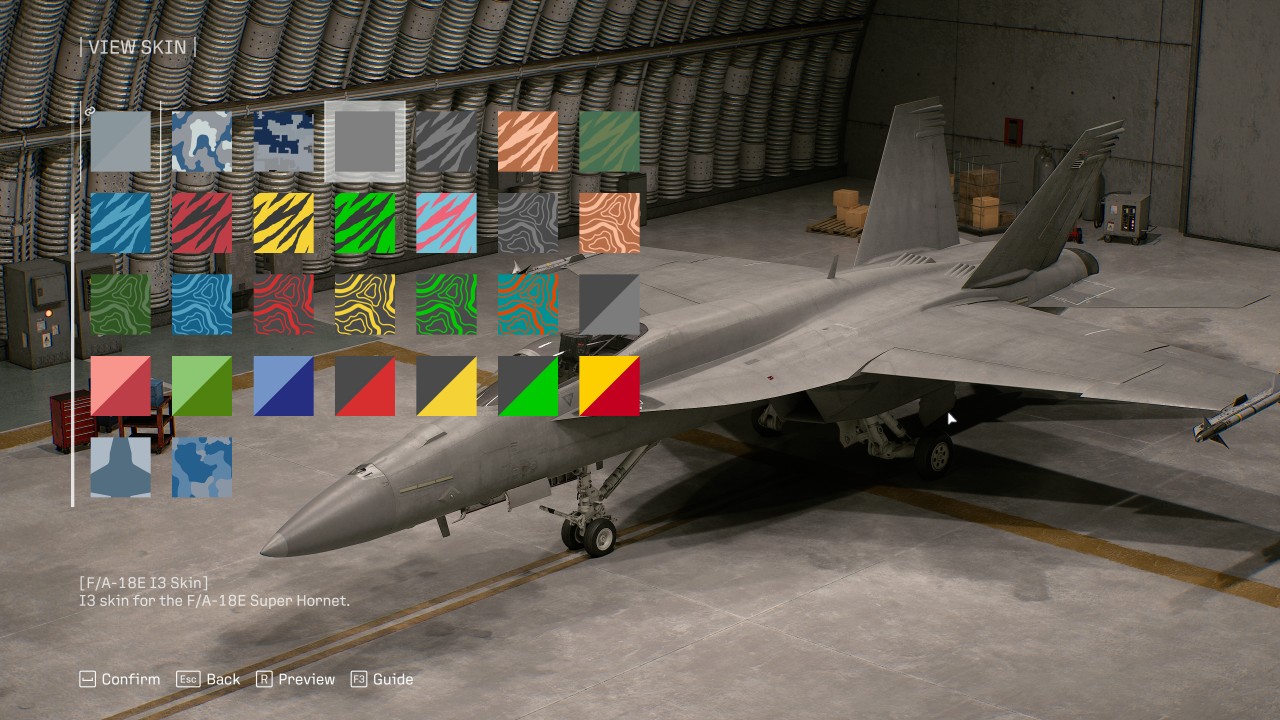
There’s also a progression system built around different aircraft types, including fighters, attackers, multirole aircraft, and electronic warfare planes. More than 30 aircraft are available, with new planes, upgrades, and special weapons unlocked through the Aircraft Tree.
Your choice of aircraft and weapons can also change how you approach a mission. A fighter makes sense when the skies are packed with enemies, while an attacker can be better suited to ground targets. Multirole aircraft offer a middle ground when you’re unsure what you’ll encounter.
Wingman commands add another layer to combat. You can order your pilots to attack, spread out, provide support, or use their special weapons.
The result is a game that asks you to pay attention to what’s happening instead of simply holding down the trigger.
A story worth sticking with

The story I’ve encountered so far isn’t something to write home about.
Its presentation, however, is engaging enough that I feel a lot of people can easily soldier on to see it through to the end.
The first-person story segments, radio chatter, briefings, and events that unfold during missions give the campaign more personality than simply jumping from one dogfight to another.
There’s clearly a larger conflict unfolding, and the game does a good job of making its missions feel like part of something bigger.
The presentation does a lot of the heavy lifting here.
Is ACE COMBAT 8: Wings of Theve your Play Match?

The campaign has 30 missions that run at around 15 minutes each, give or take. Your mileage, naturally, will vary.
For me, those first few hours took longer because I was still trying to figure out how to move, where to look, and what the game actually wanted me to do.
ACE Combat 8 isn’t immediately intuitive if you’re coming into it completely blind like I did. The game does give you training options for practicing flight controls and special weapons, which can help you get comfortable before throwing yourself into tougher missions.
Once things start clicking, though, the experience becomes quite distinct from the type of game most people gravitate towards.
Overall, ACE Combat 8: Wings of Theve feels like a nice break from the usual games where you control a single character and go through linear levels or an open world.
It’s the perfect palette cleanser.

I didn’t expect to spend my first few hours struggling with radar, movement, altitude, and mission objectives. Those struggles also made the moments when I finally understood what I was supposed to do feel more rewarding.
I’m still not fully comfortable in the cockpit.
I’m also ready for another sortie.
Verdict: Swipe Right.



UGREEN Nexode Pro 160W review: One mighty brick with a powerful trick

Samsung unveils Galaxy Tab S12 series for work, creativity, and life on the go

JBL brings a soundtrack to every room

Apple iPhone 18 Pro Series review

UGREEN launches new MagFlow and Nexode Pro charging accessories to Southeast Asia

HUAWEI Pura X View is 2026’s first WIDE slab-type smartphone

The CAMON Slim 5G is TECNO’s latest ultra-slim smartphone

iPhone 18 Pro series: Price, availability in the Philippines

DJI Osmo 360 II review: Going all-in on the ecosystem

iPhone 18 Pro series: Price, availability in Singapore


-

 News1 week ago
vivo X500 Series launches with major imaging upgrades
-

 News1 week ago
OPPO Find X10 Pro Max is the first phone with a triple 200MP camera system
-
 Automotive3 days ago
BYD says that way better EV batteries are coming next year
-

 Singapore2 weeks ago
Epson Lifestudio Grand Plus EH-LS970B with 4K projection, more launches
-

 Drones2 weeks ago
DJI Lito X1 review: Is this the best lightweight drone for creators?
-

 News1 week ago
vivo introduces OriginOS 7 with smarter multitasking and AI features
-
 News3 days ago
HONOR Magic9 Pro Max launches in China with ARRI-powered imaging
-
 Smartphones4 days ago
When TECNO-logy meets Tonino Lamborghini legacy