


For years, people have grown accustomed to using USB ports for almost all of their devices. Whether you need to charge your phone using your computer or use a controller to play games, you can always count on a USB port to be readily available for you. But 2018 was the year of change and innovation, and the USB port you know and love welcomed change in a big way.
Introducing: USB Type-C, the newest port added to the family. Its round shape brought many new uses and functionalities to your ports. But, how different is it from its much older brothers? How have companies revolutionized its use in mainstream devices?
What is this USB Type-C port?
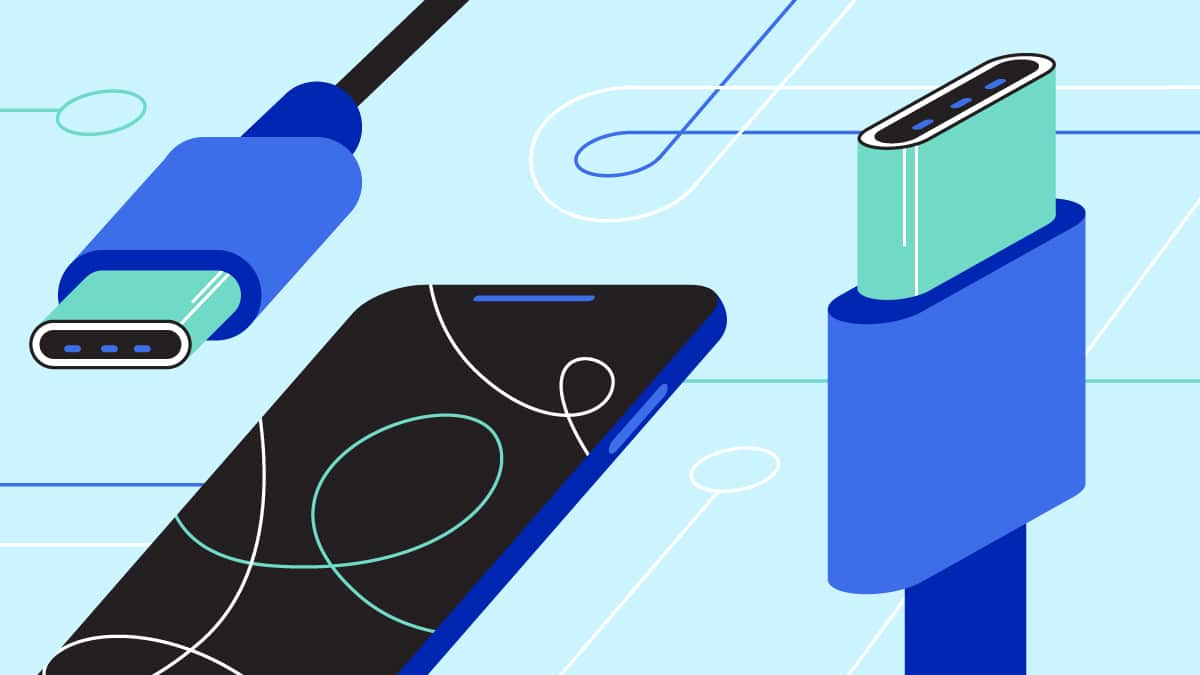
The USB Type-C (USB-C) port is a not-so-recent discovery in the world of tech. The USB Implementers Forum (USB-IF) developed this USB port back in 2013, and launched it into mass production the following year. The connector is a reversible oval shape, much different from the usual rectangular shape of the previous generation. Its reversibility allows any orientation of the cable for transferring files or charging your device.
USB-IF developed USB-C following the USB 3.1 standard. Such a standard was particularly used because of its faster transfer speeds and charging capabilities. With a USB-C port, you can transfer an hour-long movie in less than 30 seconds, provided you have the appropriate connector for it.
Computer and smartphone manufacturers have incorporated the USB-C port in most of their devices. One of the early adopters of the new technology was Apple, with their redesigned 12-inch MacBook in 2015. Other computer manufacturers followed in the later years, especially with the release of the Thunderbolt 3 technology used for gaming machines.
It’s the younger, faster and more all-around sibling
USB-C has been around for the past four years, and it has gradually developed into an all-around port for users. Alongside Thunderbolt 3, the USB-C port posts the highest data transfer speed across all the available USB connections in existence. Not only that, USB-C ports these days can now connect your devices to external GPUs and displays, and charge your devices. Most USB-C ports even support fast charging for smartphones.

While the technology behind it is supported by a USB 3.1 standard, it’s still very much different from other USB ports that use the USB 3.1 protocol. For starters, the USB 3.1 standard found in USB-C ports are USB 3.1 Gen 2 ports, which offer twice as much performance in data transfer as USB 3.1 Gen 1 ports. Most of the Gen 1 ports also use an older USB Type-A standard, which works for most of your gadgets and peripherals today. However, you would need more adapters for other functionalities, like displaying to a monitor.
But the USB-C port is a far cry from the old USB 2.0 and 3.0 protocols, which have been in existence for 14 years (and counting). Data transfer speeds for those two protocols are significantly slower compared to the USB-C port. An hour-long movie would ideally take around one to two minutes on a USB 2.0 port. Also, older USB protocols don’t really allow you to power up devices that need more electricity. So, charging devices on them might not be as fast.
Supercharged with Thunderbolt 3
So, you’re probably wondering what really makes a USB-C port just that fast. It’s not so much that it’s round, or that it’s new; rather, it’s the technology inside it. Late 2015 saw the arrival of the new Thunderbolt 3 standard specifically for USB-C ports. It first started out in most Windows laptops before making it to the 2016 MacBook Pro and several gaming motherboards.
What Thunderbolt 3 does for USB-C ports is to significantly increase its capacity and capabilities by a mile. We’re talking faster file transfer, heightened gaming experiences, and being able to plug in 4K displays for clearer images. Thunderbolt 3 also allows much bigger devices to be charged at a controlled rate. This is mostly evident with the MacBook Pro, several high-end Ultrabooks, and most recently, the 2018 iPad Pro.

The charging capacity brought about by Thunderbolt 3 deals with a tweak to how USB power delivery works. USB power delivery standards state that each USB standard has specific conditions that must be met to power up devices. Early versions of USB ports only allow a small amount of electricity (2.5W) for delivery, while USB-C allows for the full 100W. Basically, you went from just powering up your mouse and keyboard to charging your entire laptop.
What’s to come for USB-C?
At this point in time, you’re already living in the future that the USB-C port hopes to achieve. Suddenly, you can simply bring a USB-C cable around, plug it into a powerbank, and you can already charge your expensive MacBook. More and more devices are starting to adopt USB-C because of its potential to enhance your tech experience as a whole.

However, people still find it difficult to switch to USB-C, and for good reason. Most devices continue to use a USB Type-A or micro-USB connector, especially gaming controllers and peripherals. Also, they can argue that the old ports are more accessible. In a not-so-distant future, using a USB-C port could potentially replace a phone’s headphone jack.
The future of USB-C is still uncertain. Companies will iron out the new technology more so it can become mainstream for the future. Let’s just hope that by the time that happens, there won’t be a USB Type-D yet.






Accessories
Going ‘back to school’ as an adult with the HP Smart Tank 580
Cost-efficient, high-performance printer for tangible memories

Make memories, keep them
I’ll be completely honest: I can’t recall the last time I held art materials for a creative workshop. Living in a digital world today, it’s been quite a while for sure.
I do write greeting cards for my partner every month — a habit I’ve had from way back and a way of keeping the old school tradition alive at the same time.
So HP inviting us for a hands-on workshop proved to be a welcome “throwback” as it brought us “back to school” for an afternoon arts-and-crafts session.
The HP INKredible Learning Day collaborated with visual artist and storyteller Geloy Concepcion, a photographer known for expressing thoughts through the creative use of images and other elements.

HP Smart Tank 580
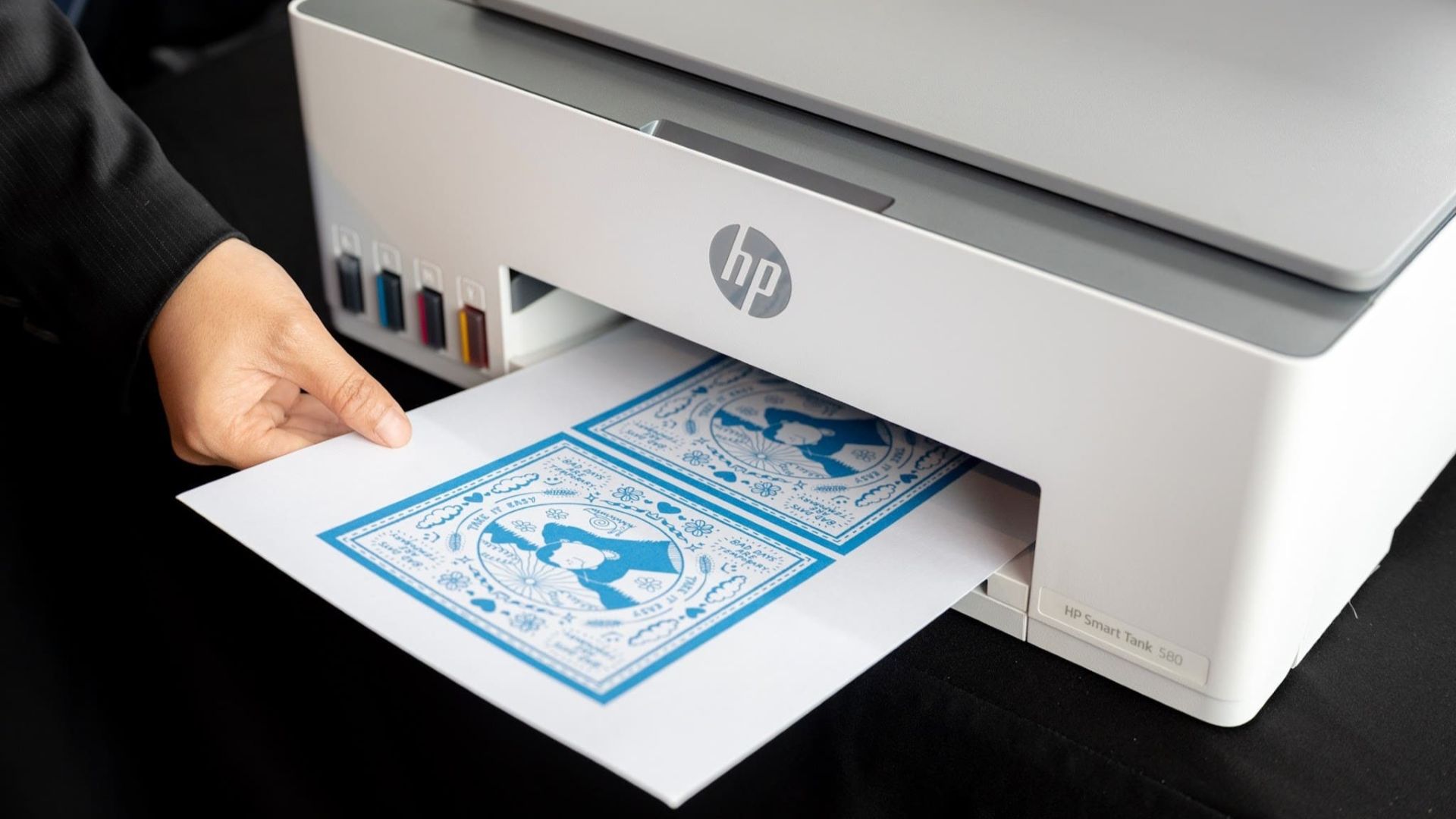
At the heart of the event is the HP Smart Tank 580 printer, which helped reproduce high-quality HP Printables made exclusively available for the participants during the day.
Think of these as activity sheets, as if I really went back to school for art class. Coincidentally, I was part of my elementary school’s art club about two decades ago. DIY-ing stuff for journals, diaries, or just for displaying on a desk has been my thing.
Funny enough, we were handed out these plastic envelopes with sheets of paper, crayons, and more materials. It’s like completely going back to the first day of school and making sure all your stuff is complete.
Anyway, the four sheets each had a theme: To-Do List, My Family, How Are You Feeling, and Concepcion’s “Bad Days Are Temporary” artwork.
The cost-efficient, high-performance printer quickly prints the sheets, and users are assured of high-quality detail. That’s as the Smart Tank 580 is designed for such purposes and even small businesses that require high-volume printing.
I personally think they’re a great fit for schools for reproducing quizzes or short activities especially for the lower levels.
With crayons and colored markers, participants all had their take on the sheets, adding life and their own personal identities on each.

Make memories, keep them
With the right devices at home, you can definitely turn digital memories and even just everyday creative ideas into tangible forms.
Especially in this era, it’s easy to overlook photos that we have on our phones. Ironically, our handsets’ storage spaces fill up fast, but after a few years or so, we usually either lose such media.
So what Concepcion is also trying to get across is if there is the opportunity to turn these moments into tangible print-outs we can always look back at, then that would be better. It’s how the world has been anyway since the invention of the camera.
We all brought home the sheets, some art materials, and even a personalized postcard only available for those in attendance.

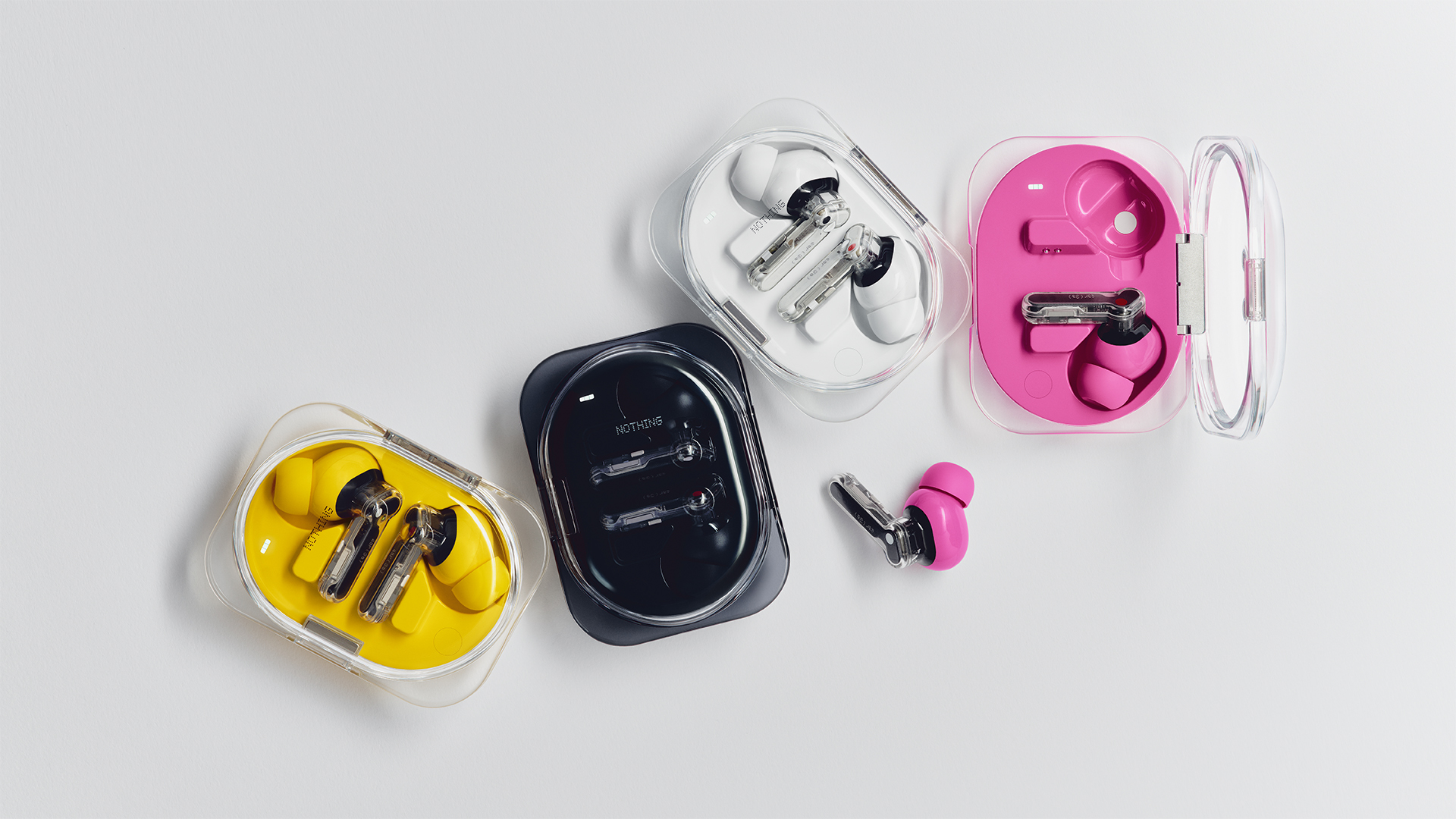
Today, Nothing launched the Phone (4b). The new smartphone isn’t the only star sharing the spotlight, though. The iconic brand has also launched the Ear (3a).
A follow up to the brand’s earbuds lineup, the Ear (3a) packs in a lot of features in so small a device. For one, the earbuds have a bigger 12mm custom driver. Nothing says that this results in a punchier bass and a unique sound signature. Naturally, it supports Hi-Res audio playback.
For noise cancellation, the Ear (3a) comes with three mics to filter out background noise. It can reach up to 45dB of active noise cancellation. Additionally, it can amplify your voice for much clearer calls.
The Ear (3a) adds the same functionalities as the Essential Button. A pinch on the stem lets the earbuds record up to 32MB of audio natively. Plus, the new Audio Snapshot can rewind and clip up to 30 seconds of media. Finally, you can record up to two hours of a single phone call.
For its battery, the earbuds tout up to 42 hours of playback on a single charge. Plus, a five-minute charge is enough to power the earbuds by up to an hour.
Connectivity is also seamless with Bluetooth 6.0 support. The earbuds can keep themselves connected even in crowded locations.
Finally, the earbuds also boast durability with IP54 water and dust resistance. Nothing also tested the case by opening and closing it 20,000 times.
The Ear (3a) comes in black, white, pink, and yellow. It retails for US$ 99.

Most brand collaborations usually lean on one thing: aesthetics.
That’s not necessarily a bad thing. If you’re already a fan of the franchise, seeing your favorite character on something you use every day is reason enough to pick it up.
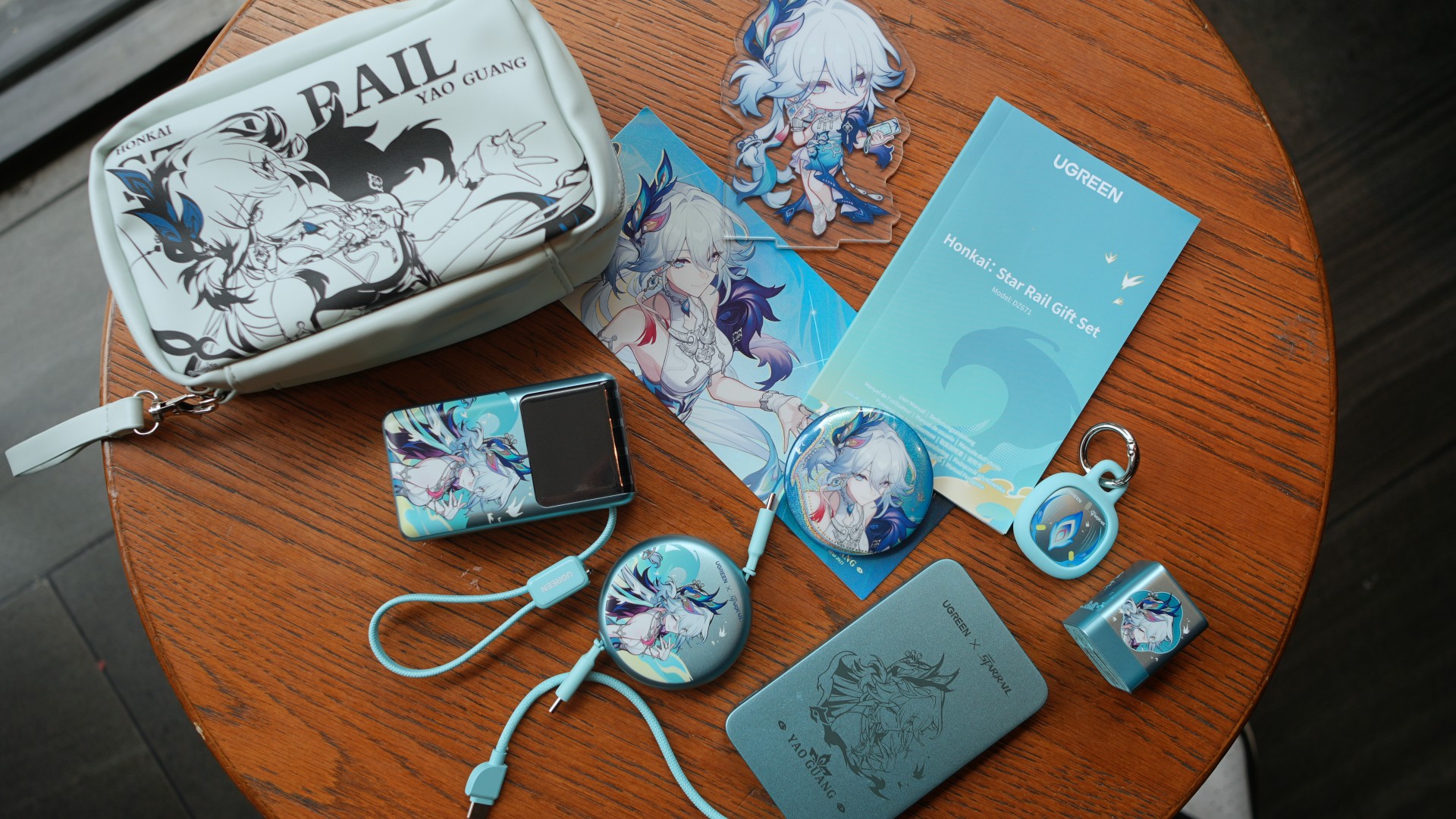
The UGREEN x Honkai: Star Rail collection certainly delivers on that front. Inspired by Yao Guang, each accessory gets a distinct look without sacrificing the clean, minimalist design UGREEN is known for.
After spending some time with the collection, however, another idea stood out.
Rather than treating each accessory as a standalone product, the lineup makes the most sense as a complete charging kit.
Built around everyday carry
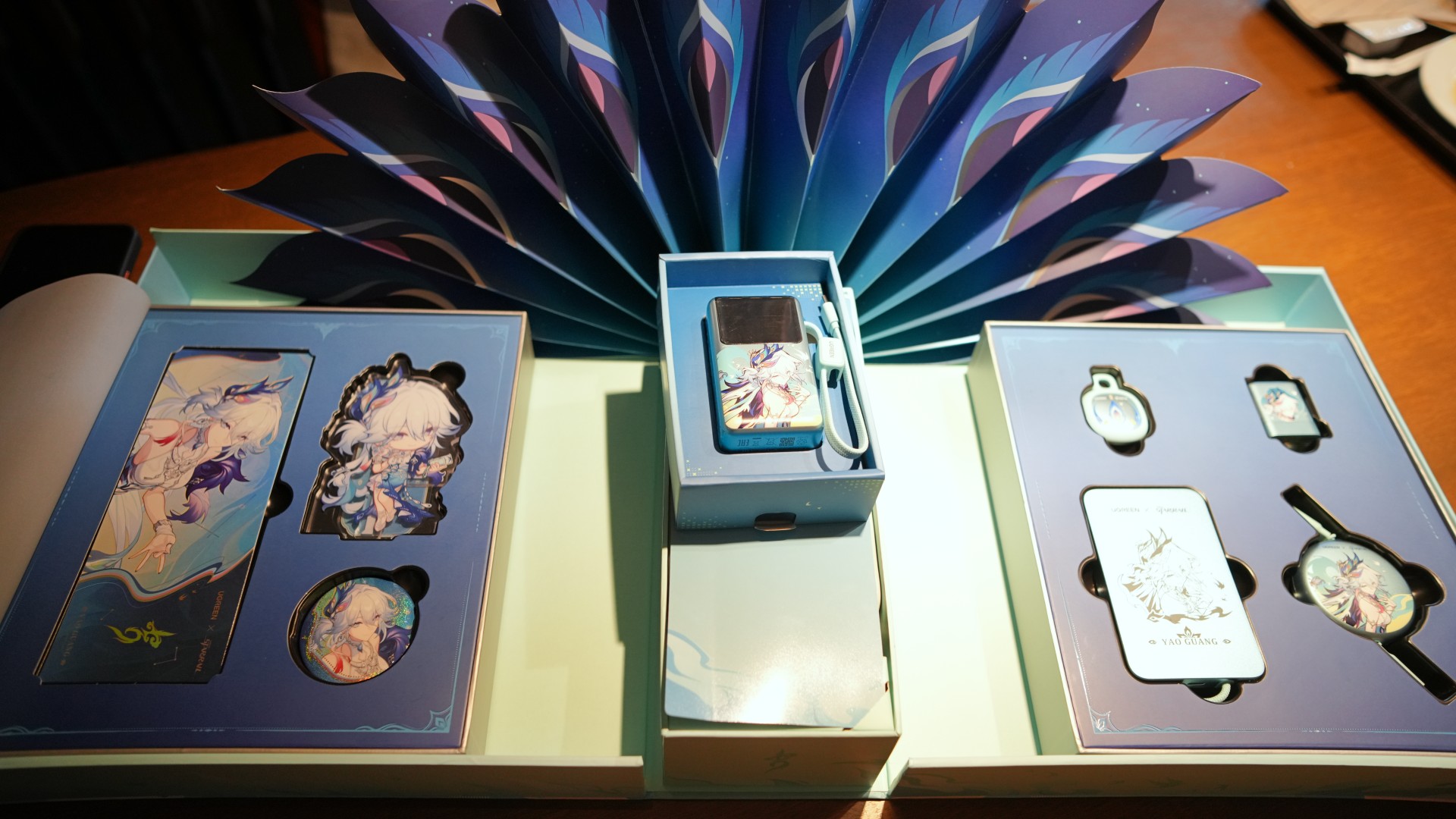
Inside the limited-edition gift box are four of UGREEN’s everyday essentials: the MagFlow Air Magnetic Power Bank, Nexode Air 65W Charger, Nexode Retractable USB-C Cable, and FineTrack Mini 2 tracker. The package also comes with exclusive Yao Guang collectibles, including an acrylic stand, badge, holographic ticket, and a matching pouch.
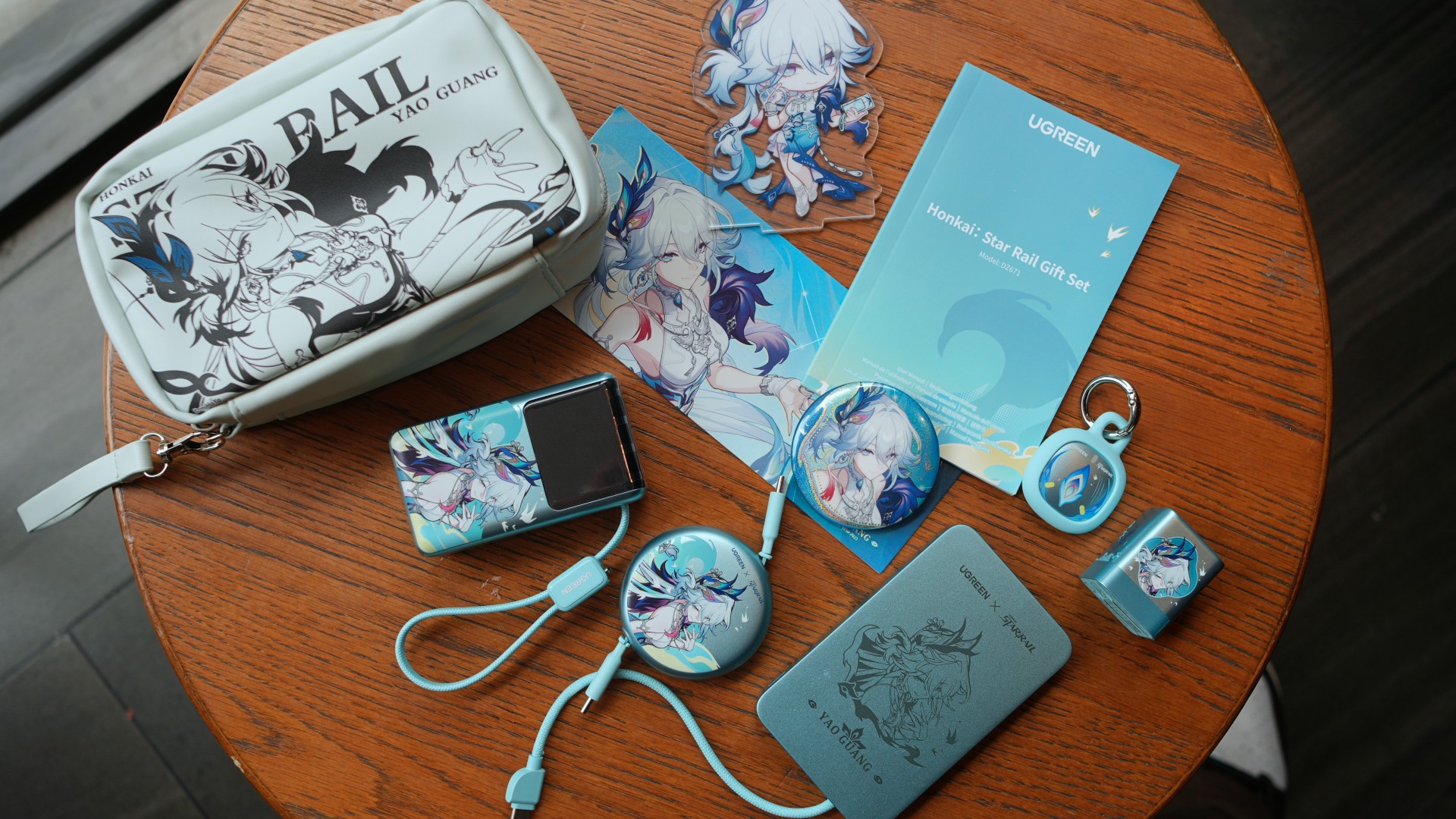
UGREEN also sent over the Nexode Pro Power Bank Honkai: Star Rail Edition. While it isn’t included in the collector’s gift box, it naturally rounds out the entire collection. Its built-in USB-C cable, compact size, and smart display make it feel like it belongs alongside the rest of the lineup.
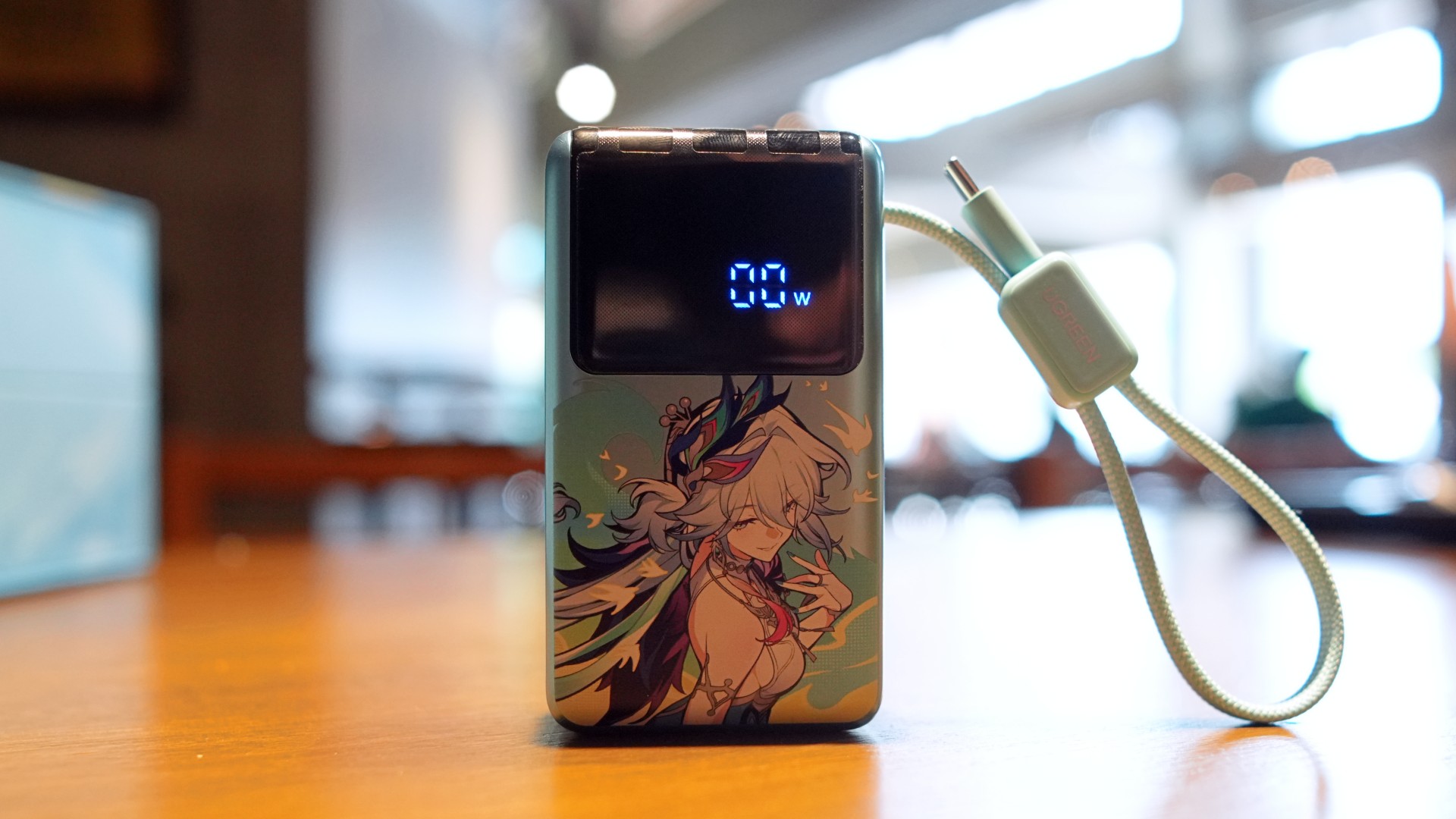
Looking at everything together, the collection already covers most everyday charging needs.
There’s a compact GaN wall charger for laptops and tablets. Two power banks for different situations. A retractable USB-C cable that cuts down on cable clutter. And a tracker for bags, keys, or anything else you don’t want to misplace.
It’s a practical combination before the collaboration artwork even enters the conversation.
Familiar products with fresh personalities
That familiarity is also part of what makes this collaboration work.
We’ve already spent time with the standard versions of both the Nexode Air Charger 65W and the MagFlow Air Power Bank. Their biggest strengths weren’t flashy gimmicks. They were reliable accessories that earned a place in an everyday carry setup.
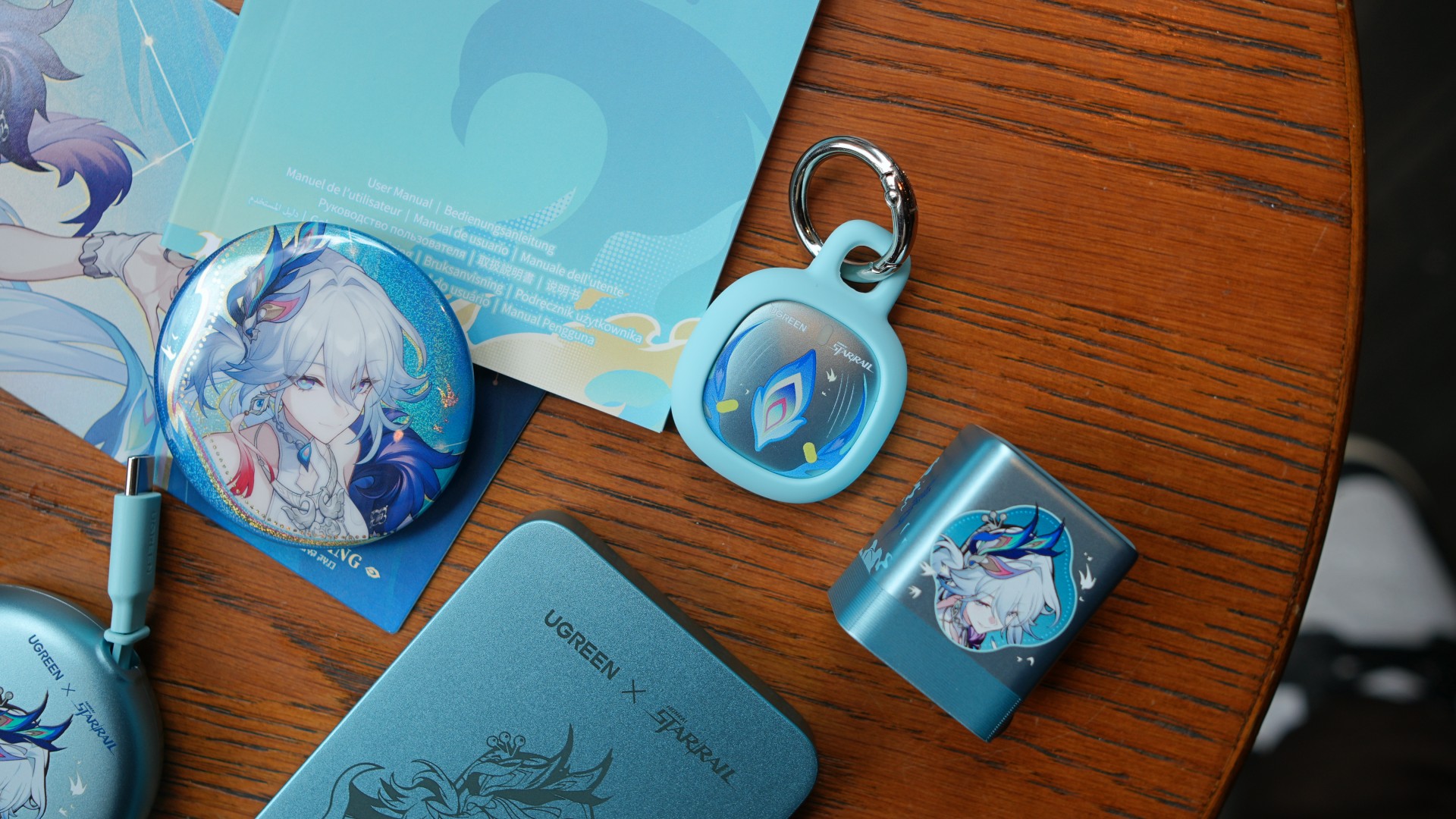
That doesn’t change here.
The Nexode Air remains a compact 65W GaN charger that’s easy to slip into a backpack or travel pouch. Meanwhile, the MagFlow Air continues to offer the flexibility of wired and wireless charging in a compact package.
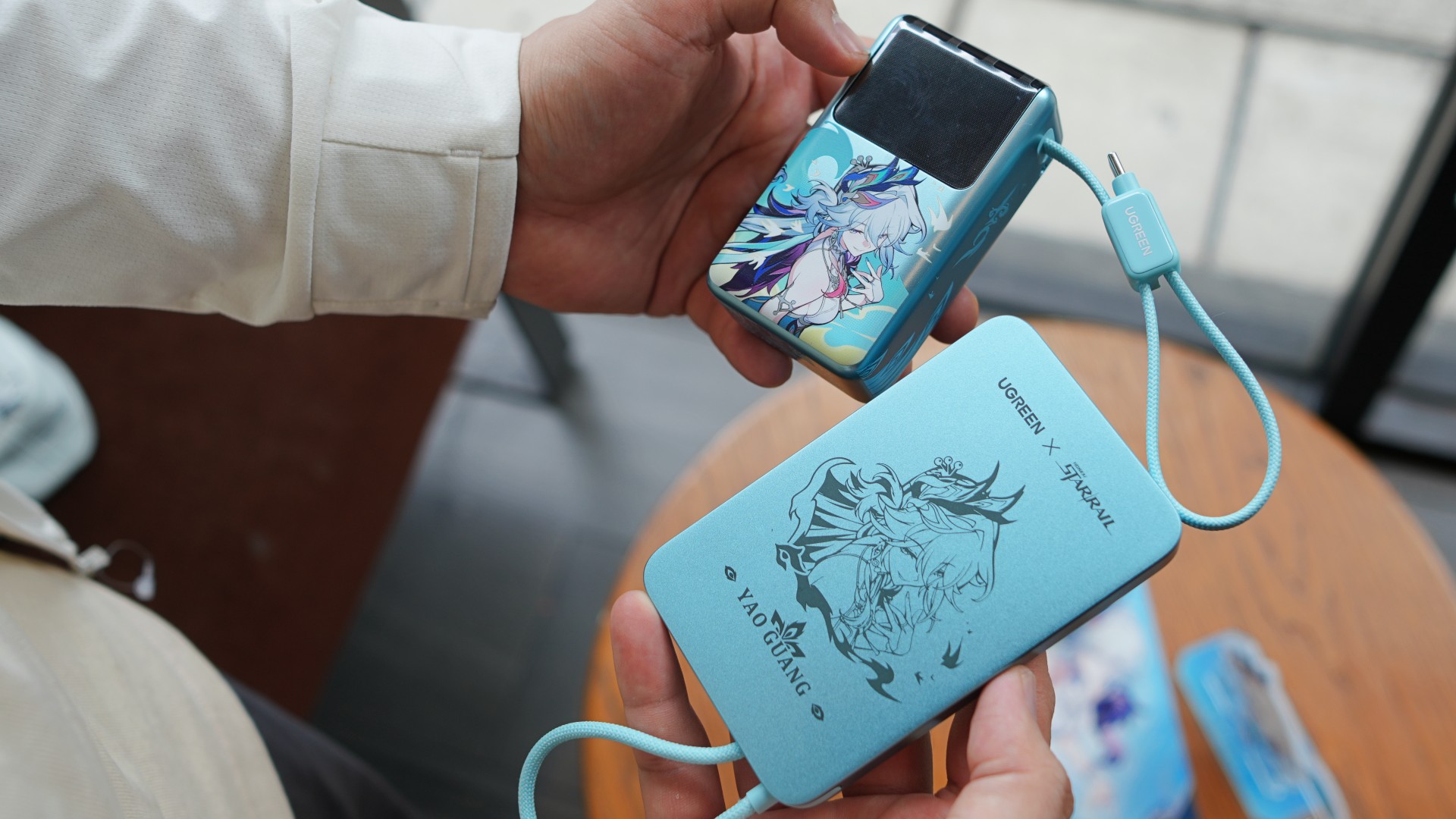
Instead of reinventing the hardware, UGREEN simply gave the products a little more personality.
For Honkai: Star Rail fans, that’s probably exactly what they’re looking for.
The little things make a difference
Another pleasant surprise is how cohesive everything feels.
The included pouch makes it easy to keep most of the essentials together, whether they’re headed into a backpack, messenger bag, or carry-on luggage.

Even the color ended up being more practical than expected.
Most chargers, cables, and power banks tend to disappear into a sea of black accessories inside a bag. The light blue finish used throughout this collection makes each item surprisingly easy to spot at a glance.
They’re small details.
But they’re the kinds of conveniences that make these accessories feel like they’re meant to be used every day instead of staying inside the collector’s box.
More than a collector’s item
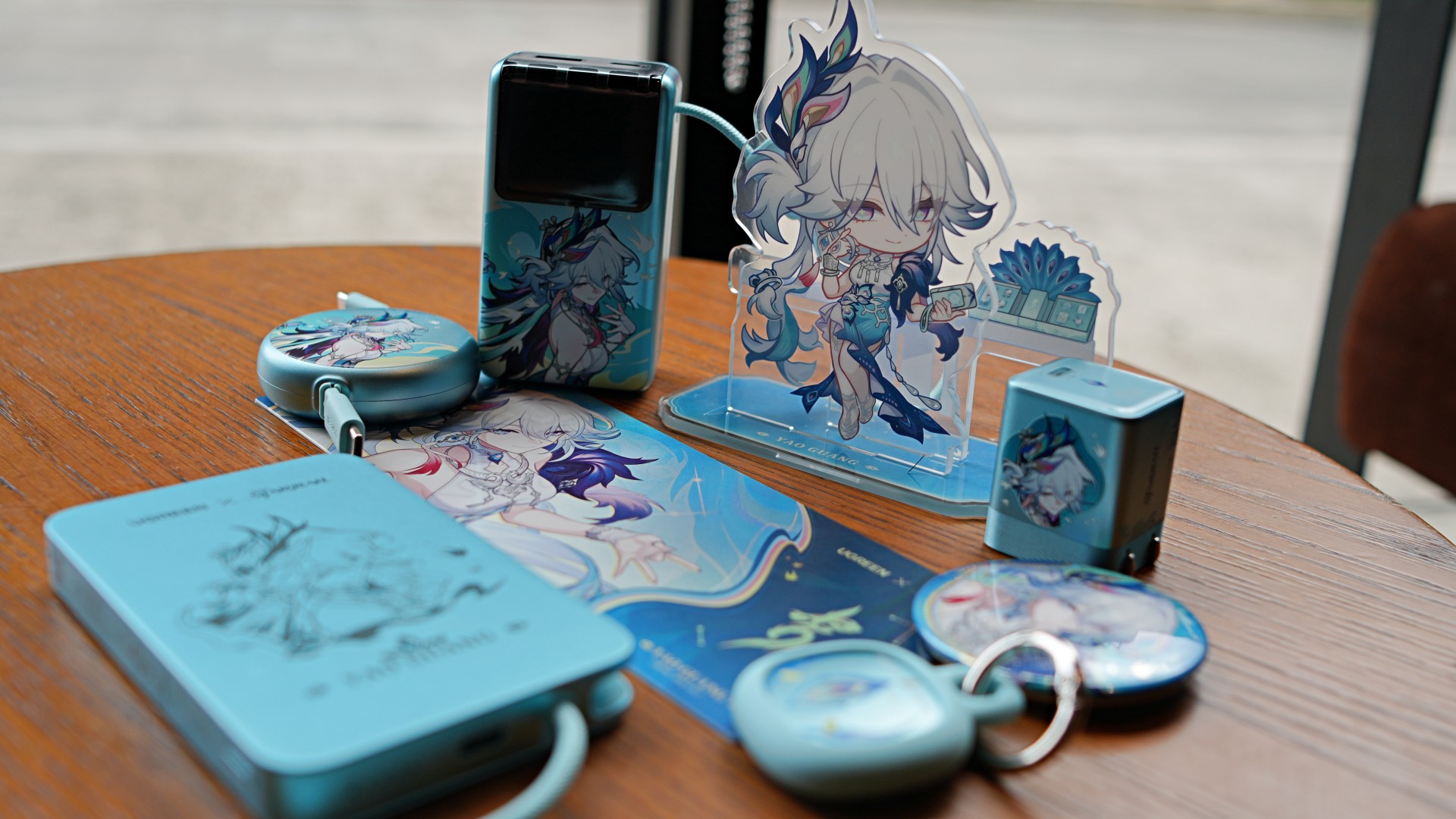
There’s no question that Honkai: Star Rail fans are the primary audience here.
The artwork alone gives the collection plenty of appeal.
What makes it interesting, though, is that the collaboration doesn’t rely on aesthetics alone.
Instead of creating a single themed accessory, UGREEN assembled products that naturally complement one another. Whether it’s charging a laptop, topping up a phone during the day, carrying a single cable, or keeping track of everyday essentials, each product has a clear role within the lineup.

That’s what ultimately makes this collection stand out.
The Honkai: Star Rail collaboration gives the accessories their personality. The complete charging kit gives them lasting value.
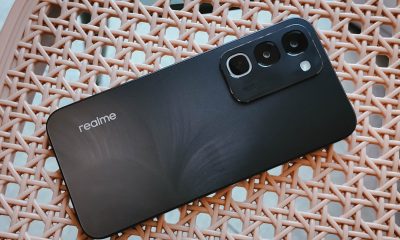

realme C100: Enduring and durable in spite of entry-level realities
Enough power but needs more agility


The ASUS ExpertBook Ultra wins you over
The laptop sneaks up on you


Nexal Watch Sport review: A rugged watch for small budgets
I couldn't believe that watches this good could come for this cheap.

Mercedes-Benz celebrates 140th anniversary at the Presidential Car Museum

Street Fighter 6’s first Filipina fighter arrives August 3

Samsung releases teaser with Spider-Man: Brand New Day Easter eggs

iOS 27 public beta gives us our first taste of Siri AI

The case for traveling without a plan

New York becomes first state to ban smart glasses

vivo X300 Ultra review: A “Whole Different Animal”

DJI Osmo Pocket 4P launches with dual lenses and a 1-inch sensor

Lenovo says RAM prices are not coming back down again

realme P4 Power: realme’s midrange power play?


-
 News1 week ago
New York becomes first state to ban smart glasses
-
 Singapore1 week ago
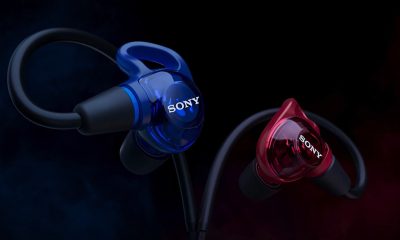
Sony launches IER-M500 in-ear monitors
-

 Gaming1 week ago
Microsoft dictates that a new Fallout game is coming
-

 Computers1 week ago
GIGABYTE releases new AORUS RTX 5080 INFINITY graphics cards
-

 Gaming1 week ago
HoYo FEST 2026 details announced; tickets on sale from July 16
-

 Gaming1 week ago
Assassin’s Creed Black Flag Resynced available worldwide now
-
Reviews1 week ago
realme C100: Enduring and durable in spite of entry-level realities
-

 Automotive2 weeks ago
The Kia Carnival Hybrid is a gentle giant