

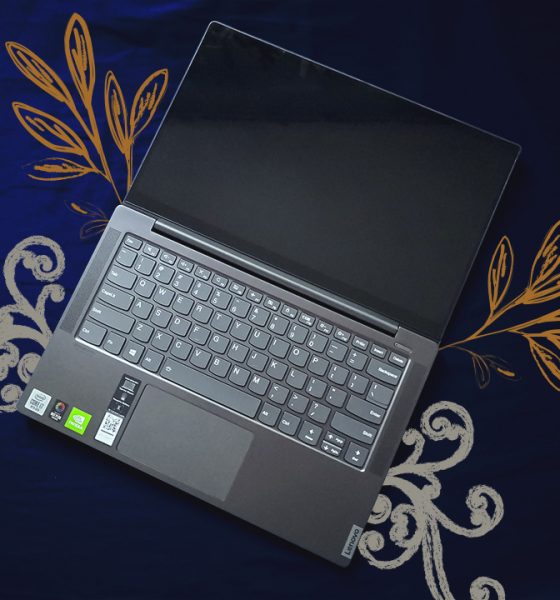

Being stuck under quarantine meant that I had to work from the comfort of my own room. With the amount of tasks I had to accomplish within the 8.5 hours, I wanted a laptop that could help me accomplish these faster and more efficiently. Naturally, I had my work laptop with me but I decided to give another laptop a try during my work from home saga.
Luckily, before this quarantine started, I got my hands on the Lenovo Yoga S740 in a very beautiful package. The company pegs this as a creative mind’s laptop, doubling down on hardware pieces fit for photo and video work. When you’re not using it for Photoshop or Premiere Pro, it’s supposedly an excellent work laptop.
So, maybe it won’t be too bad to give this laptop a shot — even with my work laptop in full reach. Here’s what the Lenovo Yoga S740 brings to the table:
It has a 14-inch IPS glossy display that flips 180 degrees

It has an NVIDIA MX250 discrete GPU inside
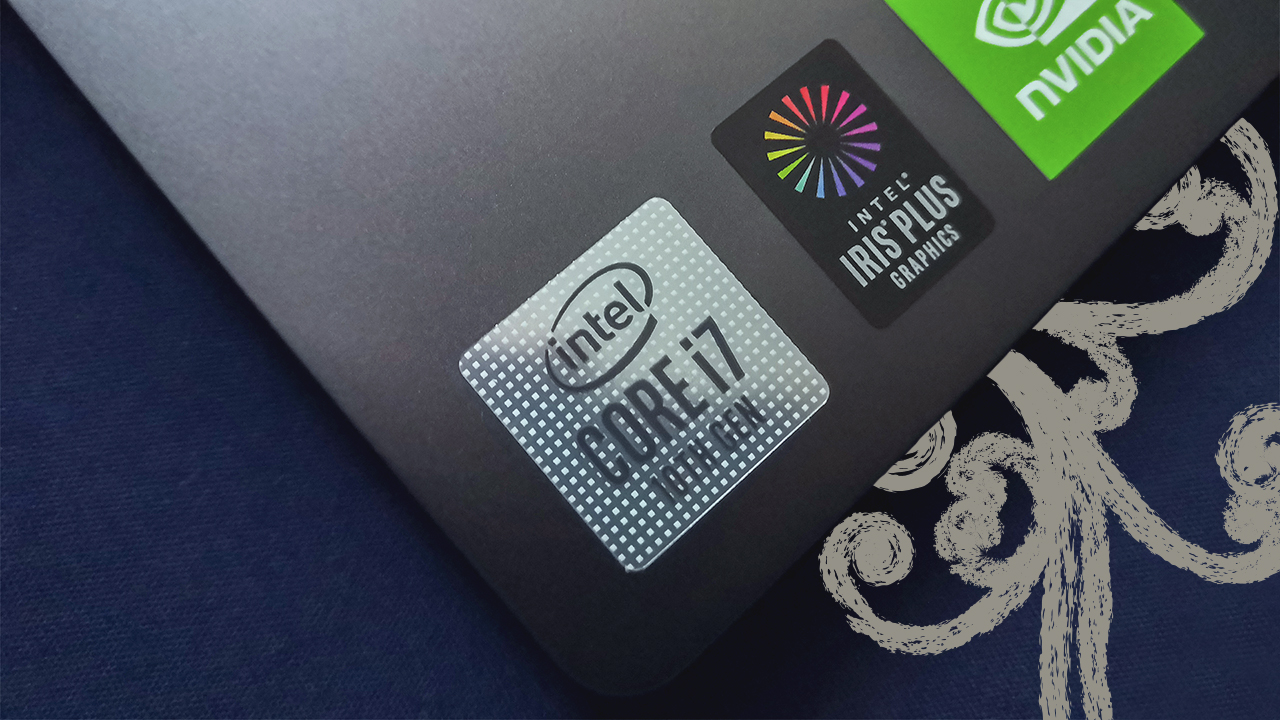
It comes in a thin and light chassis, in the Iron Grey color
Masterful performance for its intended use
The Lenovo Yoga S740 comes with premium hardware fit for professional work laptops out there. The 10th generation Intel Core i7-1065G7 chip they put inside this device provides more than enough power for most of the tasks I did. From making tons of spreadsheets to doing some video editing, this device clearly holds its own against all of it.
It didn’t even take that long to boot up the laptop thanks to the 512GB M.2 SSD inside. Load times for most applications are what you’d expect from a new processor and 16GB of RAM inside. It’s almost like this laptop sets the standard for how work laptops should be based on the hardware.
With the NVIDIA MX250 inside, you can play games at a fairly decent frame rate. In my experience however, I don’t recommend it as part of your main activities with the device. Apart from playable frame rates of 30-40 FPS, the device warms up pretty fast and its thermals are not exactly built for that.
Solid battery life across the board
Lenovo claims the device can last up to 14 hours provided you just use it for most everyday tasks. On my end, I got about 10 to 11 hours all while using it strictly for work-related tasks like writing reports and processing data. When using the device along with social media, Netflix, and a little bit of gaming, it’s around 8 to 9 hours, which is pretty decent.

The device doesn’t take too long to charge either, as it took two and a half hours to fully charge it. If you decide to charge the device using the Thunderbolt 3 USB Type-C port, it takes about three hours for a full charge. I found out that you can use any USB-C charger you have lying around, whether it’s for your phone or for your Nintendo Switch.
The way the thermals work confuses me
For me, it’s important to keep any portable device well ventilated. I’ve had experiences both with phones and laptops that just heat up real fast, then take a long while before cooling down. The Lenovo Yoga S740 proved to be no exception to this, but it also manages to do it a little worse than most laptops I’ve had — and I don’t know why.
For starters, the device has rubber feet that elevate it a little bit when placed on any surface. Ideally, this gives the laptop room to exhaust hot air through its ventilation grills underneath, which it was able to do on regular use. However, when you’re doing a lot of tasks at the same time (not necessarily gaming-heavy), the fans get loud and the hot air can’t get out properly. I say that mostly because I feel the warmth on the keyboard when this happens.
Another thing I observed was that even in sleep mode, this device pumps the fans up. Ideally, it shouldn’t pump out as much air as it should when you’re actively using it. However, when I decided to just put it to sleep by closing the lid shut, it still pumped out a lot of hot air. I thought closing the lid shut also means the device would be put in a low power state, but that doesn’t seem to be the case here.
Other features that deserve your attention
There were a bunch of other features that you should look at before even thinking of getting this device. First, the overall design is pretty great for any use case. The FHD IPS display folds up to 180 degrees, and honestly best used when you’re typing something while lying down. The speakers are found just beside the keyboard, and are pretty decent when you’re watching movies.

Second, the 720p IR camera is just, well bad. I didn’t run into any problems setting it up for Windows Hello’s facial recognition, which makes up for a lack of a fingerprint sensor. But the moment you start using the webcam on its own, it’s not promising at all. The images show obvious grain, not much attention to even sharpening the details a bit. If you ever need to do a conference call, this camera won’t help you.
And lastly, there are some ports that this device had to sacrifice but these were not good sacrifices. For most creative professionals, having an HDMI port also helps — apart from the Thunderbolt 3 port. Most external displays readily available still use an HDMI port, so there’s a missed opportunity there. Also, the lack of an SD card reader will have you sacrificing one of your two USB Type-A ports — especially for photographers.
Is this your GadgetMatch?
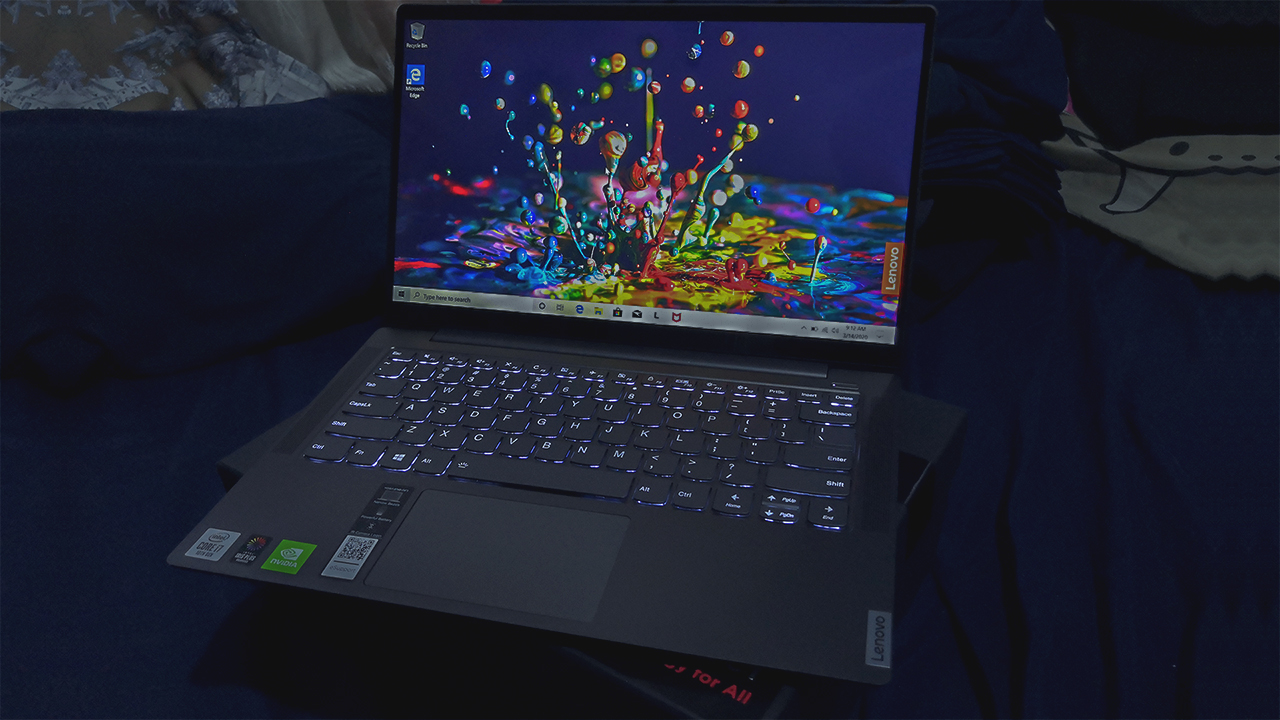
At PhP 74,995, the Lenovo Yoga S740 is one great on-the-go work device. The hardware inside is great for most work and creative tasks. Plus, it lasts pretty long provided you use it just for work or creativity purposes. You can game on it a little, but don’t expect mind-boggling frame rates unless you get the unit with the NVIDIA GTX 1650 inside.
There are some things that do deserve a second opinion before you get this device. The lack of substantial ports, a grainy 720p camera, and the hard pumping thermals leave a lot to be desired. But, if you feel that you can manage with these, then this device is great on its own.
Overall, I think that this is a great alternative to most work laptops I have. When I’m not using it for work, it’s also great for most past times I have. If I were a creative professional, I’d highly consider getting this, but maybe once the quarantine is over.
SEE ALSO: Why the Lenovo Yoga S940 makes for a perfect business travel companion







Editors' Choice
GadgetMatch Awards: Best of IFA 2026
Xiaomi 18 Fold, Govee, XGIMI, ARZOPA, Cuktech and more!


We’re back at IFA 2026 in Berlin, checking out some of the coolest and most interesting tech on the show floor.
From smart home lighting and portable displays to projectors, power solutions, foldables, and more, these are some of the products and brands that caught our attention this year.
In this video, we take a look at:
- AI Lighting https://bit.ly/4xmY342
- Z3FC Portable Monitor https://bit.ly/4gRk7wD
- D14 Digital Photo Frame https://bit.ly/4qYlRJ6
- 30 Ultra Desktop Charging Station https://s.whaee.com/tXBornw
- 10 Ultra Charger https://s.whaee.com/UsWT4U2
** Use code CUKTECH09, valid until September 30
XGIMI
ASUS x NVIDIA RTX SPARK
- ProArt P16: https://asus.click/h7607_gm
- ProArt P14: https://asus.click/h7407_gm
- ProArt GR1X
Watch until the end for our favorite finds from IFA 2026!
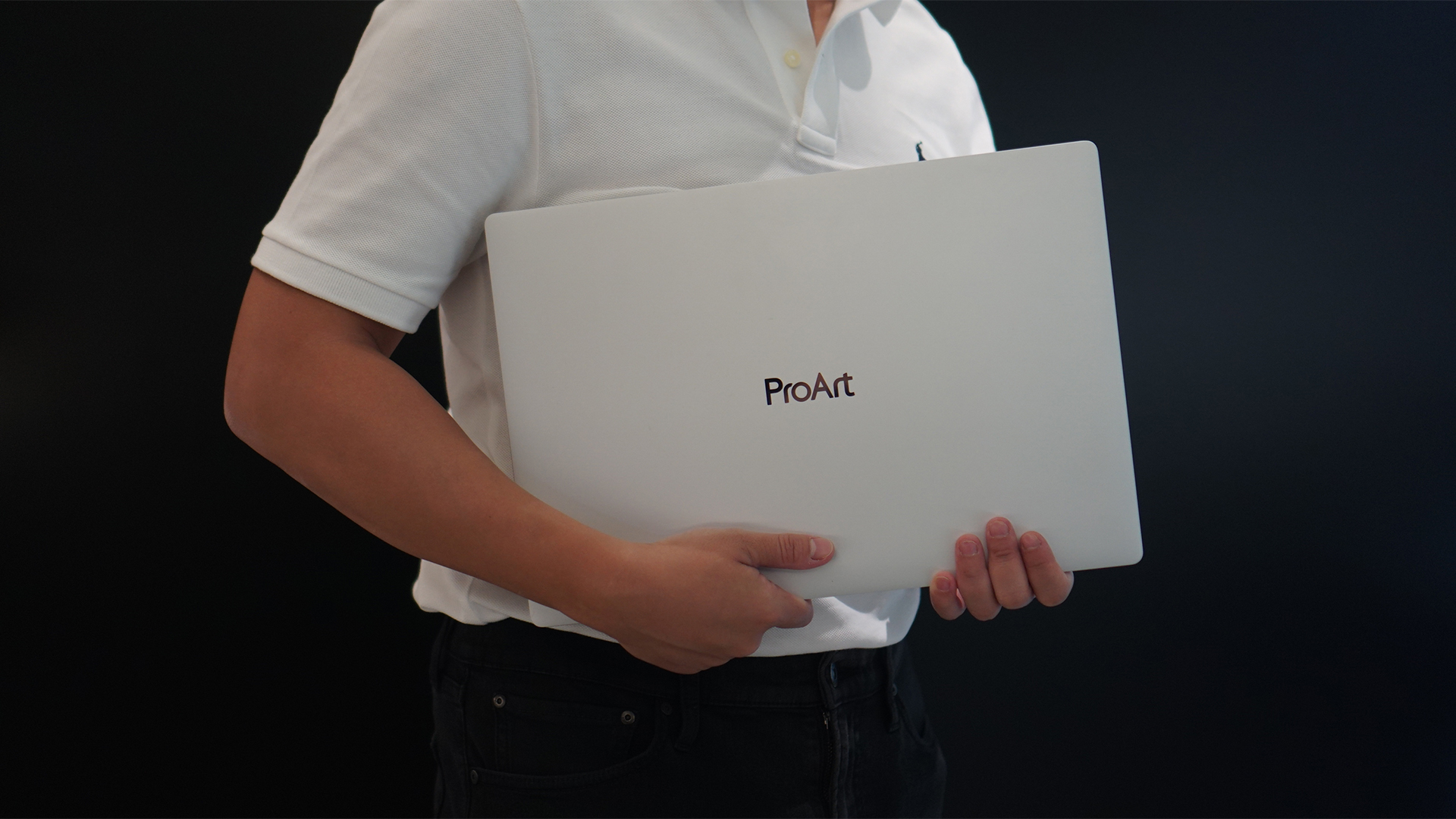
Select ASUS and ROG laptops now come with three months of Google AI Pro or Google AI Plus at no extra cost. The offer starts September 7 and covers eligible models from the 2025, 2026, and upcoming 2027 lineups.
Google AI Pro includes 5TB of cloud storage, while Google AI Plus comes with 400GB. Both plans also provide access to a range of Google’s AI-powered tools and features.
More Google AI on ASUS laptops
Eligible customers can use the Google Gemini app, Deep Research, Google Flow, Gemini in Google apps, and Gemini Notebook, among other features. Availability varies depending on the Google AI plan and supported features.
Google AI Pro offers higher usage limits and expanded access to Google’s more capable Gemini models. It also includes additional developer and agentic tools such as Google Antigravity, Jules, and AI Studio, subject to availability and plan terms.
Google AI Plus provides elevated access to Google’s AI tools alongside features for creative generation and productivity.
The offer covers more than just AI features. Google AI Pro’s 5TB of cloud storage and Google AI Plus’ 400GB give users additional space for documents, photos, videos, research, and other projects.
Available across select ASUS models
The one-year program starts September 7 and applies to selected ASUS and ROG laptops in supported markets. Eligible models span the ROG, TUF Gaming, ProArt, Zenbook, and Vivobook families, including select 2025 and 2026 models and upcoming 2027 devices.
Customers can redeem the offer exclusively through the MyASUS app. ASUS has published the full list of eligible models and the offer’s terms and conditions on its website.
Check the full list of eligible ASUS laptops
ASUS is also running its No. 1 Quality, School-Ready Deals promotion until September 15, 2026. The promo offers additional deals for students, gamers, and professionals buying select ASUS and ROG devices.
The company’s No. 1 Quality and Service package also includes up to three years of international and local warranty, service access across more than 90 countries, and over 100 ASUS Service Centers and Drop-Off Points in the Philippines. Eligible laptops also come with one year of Local Accidental Damage Protection and up to six free device cleaning claims.

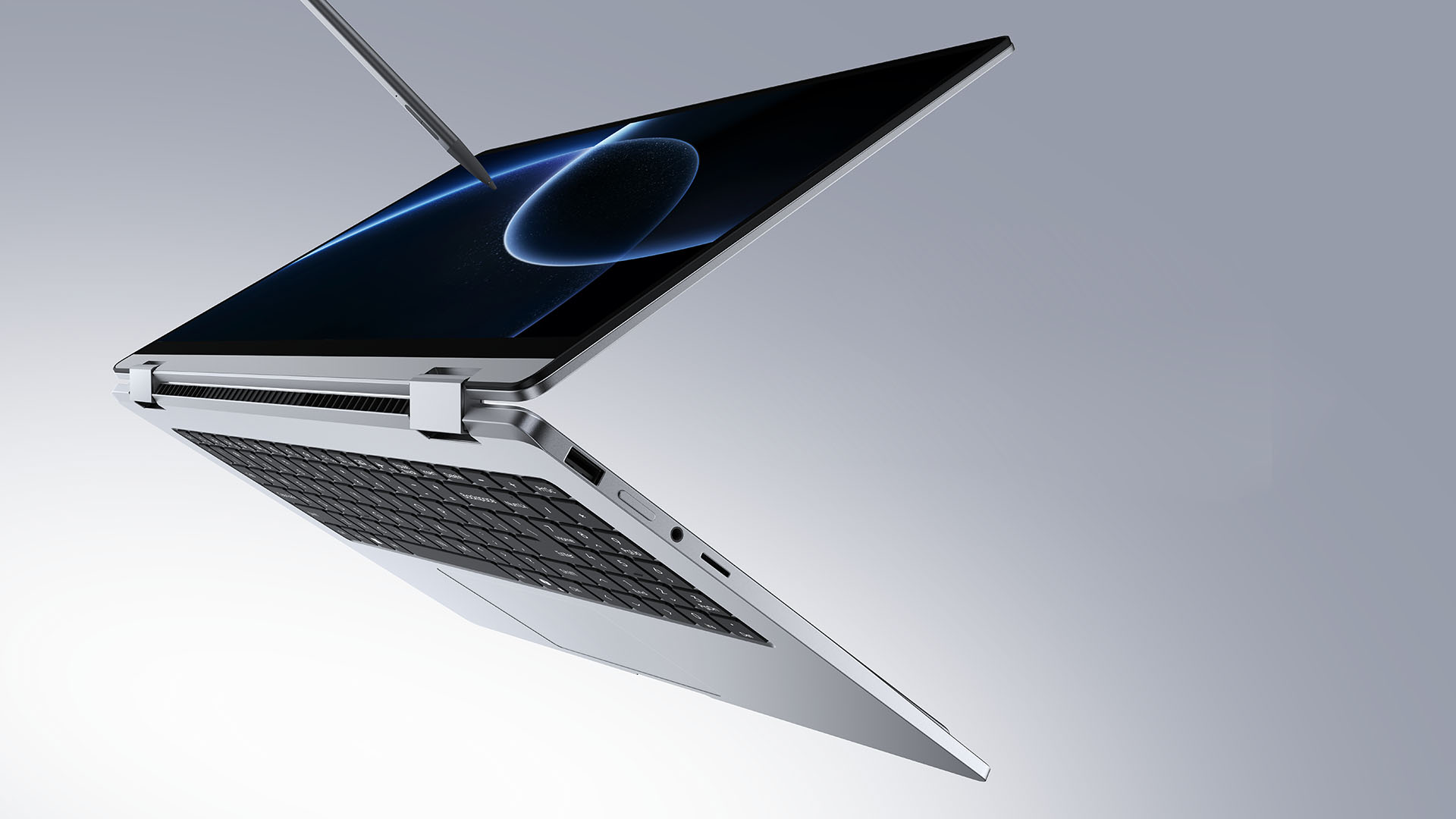
TECNO is making its MEGABOOK lineup a little more flexible.
At IFA ShowStoppers 2026, the uprising tech brand unveils the MEGABOOK T15 360 with two more laptops and three phones tagging along.
One laptop, four modes
The MEGABOOK T15 360 series is the brand’s first laptop lineup with a 360-degree hinge and touchscreen display.
By that, it’s more than just a conventional laptop. It can also be a tablet or a portable display via Tent mode or Stand mode. This added feat makes everything more versatile as TECNO’s existing laptops are only limited to the clamshell form factor.
Both models feature a 15.6-inch screen with the standard 16:9 aspect ratio. As alluded earlier, it’s a touchscreen laptop consisting of 10-point multitouch points. There’s also optional MPP 2.0 active pen support if you want to write or draw directly on the display.
So what’s the difference?
Well, the regular T15 360 gets a Full HD 60Hz panel with 320 nits brightness.
Meanwhile, the Pro version takes it up a notch with a faster 120Hz refresh rate, sharper 2.5K display resolution, full 100% sRGB coverage, and higher 350 nits brightness.
Both laptops come in an all-metal chassis made using CNC machining. The convertible design doesn’t come at the expense of a more conventional laptop build.
Performance uncompromised
TECNO isn’t treating the T15 360 as a lightweight convertible that has to compromise on performance.
You can get up to an Intel Core Ultra 9 185H processor, paired with an LPDDR5X RAM. The storage is based from PCIe M.2 2280 SSD — with select models having a secondary M.2 slot for utmost expansion.
There’s also a 70Wh battery plus support for a speedy 65W PD GaN charger. Connectivity includes up to Wi-Fi 6E and Bluetooth 5.4, alongside seven built-in ports.
Practical stuff were neither forgotten. There’s a backlit keyboard with a dedicated number pad, a fingerprint reader underneath its power button, dual speakers with DTS Ultra, a webcam, and dual digital microphones.
TECNO’s OneLeap feature also rounds things out by letting the MEGABOOK work with other TECNO’s smartphones, tablets, and other PCs for cross-device collaboration.
Two more MEGABOOKs
TECNO also brought two other MEGABOOKs to IFA.
The MEGABOOK K15S WCL is the more straightforward option. It uses Intel’s newer Wildcat Lake platform with a 16:10 display, a 70Wh battery, and 65W GaN charging — all in a premium, all-metal body.
Then there’s the MEGABOOK T17 Ultra. Ultra by its name, it goes big with a massive 17.3-inch 16:9 display. It can be configured with up to an Intel Core Ultra 9 processor and LPDDR5X memory. It also features a massive 99.99Wh battery and speedy 100W GaN PD fast charging.
Wait! There’s even more…
Beyond laptops, TECNO reveals the true form of its Next-Gen Bezelless Concept Phone at IFA 2026.
As announced more than a month ago, this concept uses a redesigned display architecture, internal stacking, structural engineering, and screen packaging to eliminate the physical black border around the display, resulting in what TECNO calls a true 0mm display border.

Beside a phone prototype, there are two consumer-ready products as well.
The POVA 8 Pro 5G Tonino Lamborghini Limited Edition combines the POVA series’ performance-focused approach with Tonino Lamborghini’s design language.
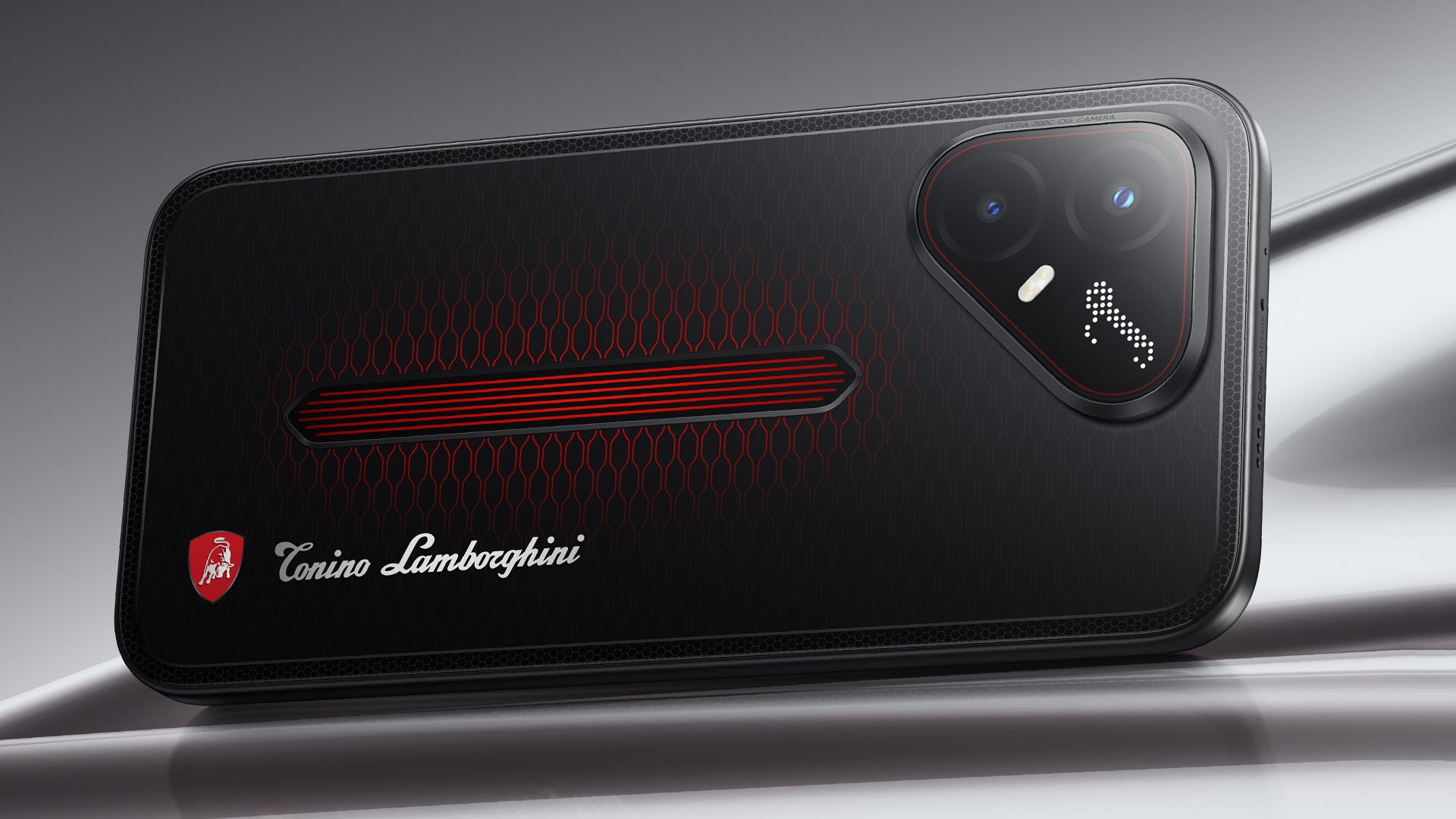
It uses a MediaTek Dimensity 7400 Ultimate 5G chipset alongside TECNO’s custom-made P1 Graphic Chip and a 5K IceShield vapor chamber cooling system. Specific details will be announced on September 4, 2026.
Meanwhile, the CAMON Slim 5G focuses on a thinner form factor, measuring just 6.39mm thick.
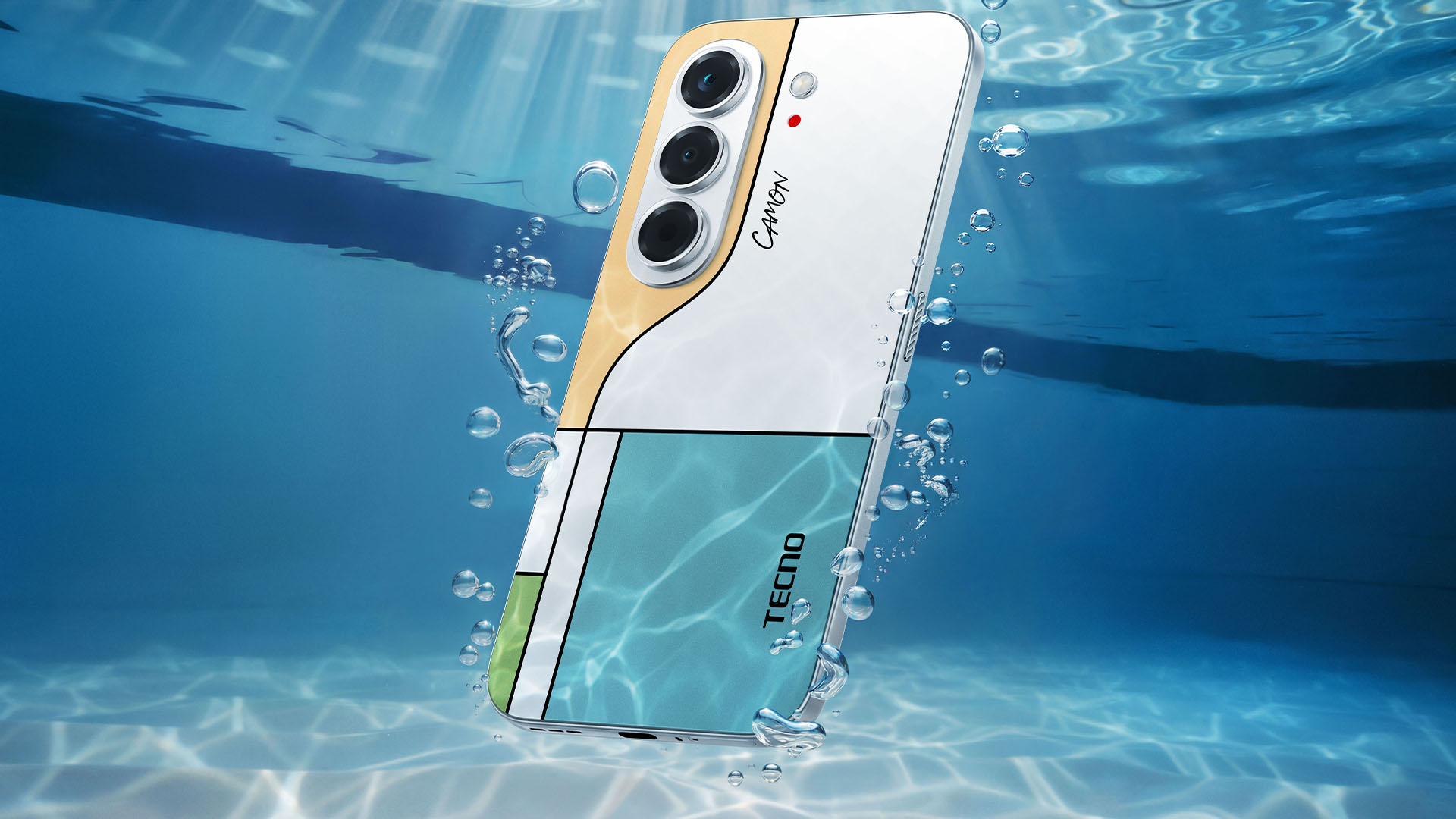
TECNO says it combines the CAMON line’s imaging features with AI capabilities and artistic colorways. More specifications will be revealed on September 7.
Pricing and Availability
The MEGABOOK T15 360 Series is expected to arrive in Europe by Q4 2026.
Depending on the configuration choice, the MEGABOOK T15 360 will start between EUR 899 ~ EUR 999. The MEGABOOK T15 360 Pro will cost as much as EUR 1099.
No pricing info were announced for the other MEGABOOKs and two phones as of writing.


Marvel’s Wolverine review: When the claws come out
A brutal, cinematic superhero adventure


Setting your bedsheets ablaze with the Lovense Solace Pro
The closest proxy I could find where I'm guilty as sin


Now Playing: Elden Ring Tarnished Edition
Is the Switch 2 port worth the price?

First Look: Apple iPhone Duo

Xbox saves Kojima’s PHYSINT after PlayStation drops support
Marvel’s Wolverine review: When the claws come out

PH to celebrate 1st ever National Cinema Day; movies start at less than $2

New AGON gaming monitor features up to 1000Hz refresh rate

TECNO MEGAPAD 2 review: Eyes on the size

realme 16T 5G with 8000mAh battery, IP69 Pro rating launches in PH

HUAWEI Pura X View is 2026’s first WIDE slab-type smartphone

REDMI reveals the refreshed Note 17 and Note 17 Pro series

REDMI Note 17 Series focuses on long-term reliability


-
 News6 days ago
HUAWEI Pura X View is 2026’s first WIDE slab-type smartphone
-

 News6 days ago
The CAMON Slim 5G is TECNO’s latest ultra-slim smartphone
-

 Cameras2 weeks ago
DJI Osmo 360 II review: Going all-in on the ecosystem
-

 IFA 20261 week ago
TECNO MEGABOOK T15 360 unveiled at IFA 2026
-

 Gaming1 week ago
NBA 2K27 review: A two-way All-Star
-
 Reviews2 weeks ago
Samsung Galaxy Z Fold8 Ultra review: It’s time to get a foldable
-

 News4 days ago
iPhone 18 Pro series: Price, availability in the Philippines
-

 IFA 20261 week ago
TECNO’s POVA 8 Pro gets a stealthy makeover