


The Coronavirus pandemic has forced people to be more creative with their income flows. Several industries were hit, leaving plenty jobless. This has led some to reinvent themselves as content creators. For those that are looking to level up the audio on their content, the AKG Lyra USB mic might be the solution.
USB mics are pretty straightforward. They’re all literally plug and play. The same is true for the AKG Lyra. So, what you’ll be looking out for mostly are sound quality along with build and design.
Build and Design
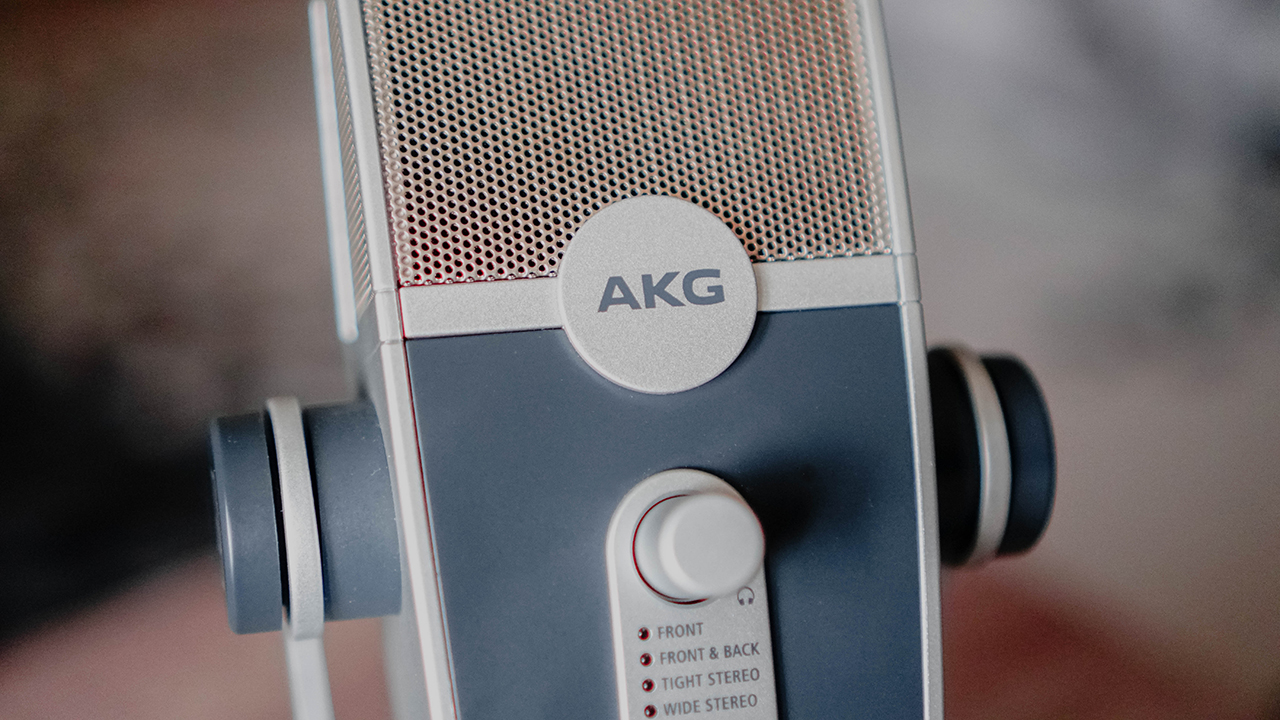
The AKG Lyra unmistakably looks like a mic. Up front you’ll see the AKG logo, and the knobs and ports are pretty straight forward too.
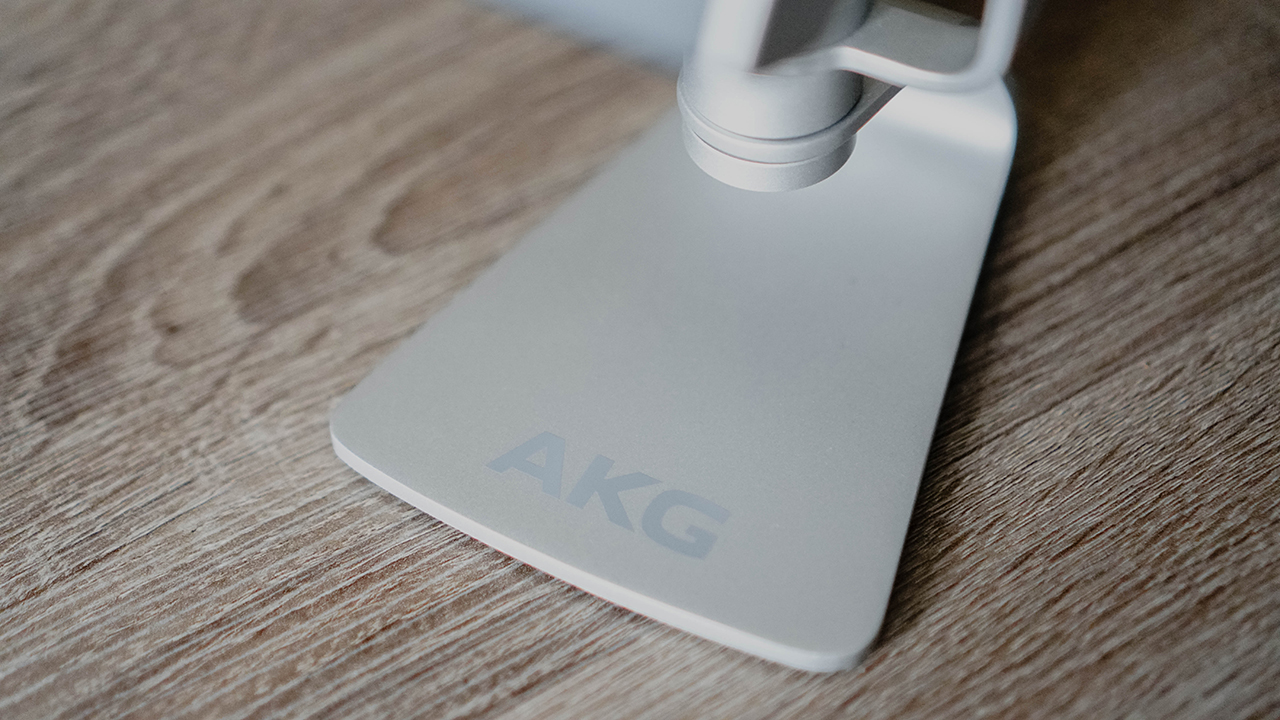
The base is pretty heavy and sturdy so you know it’ll stay in place on your desk or wherever you place it.
The front panel has the volume and mute controls. It also has the LED light indicators to let you know what mode it’s currently on.

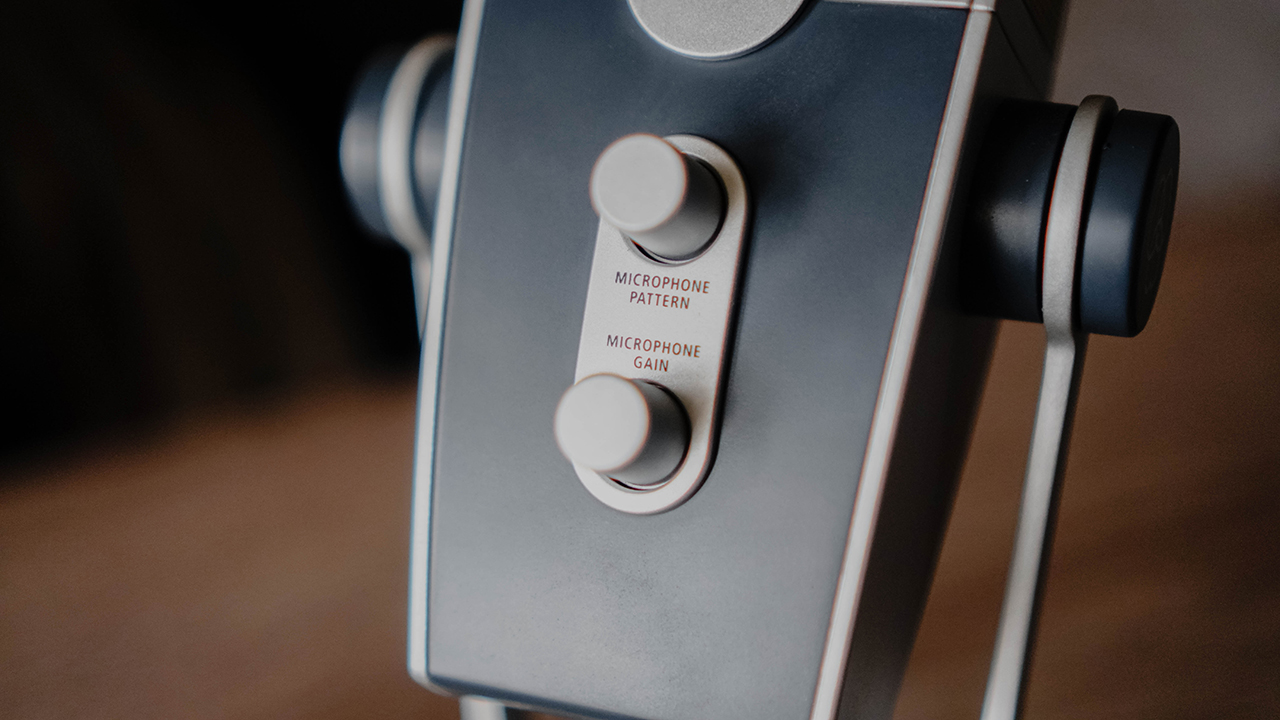
Flipping over to the back, you’ll see two knobs: One to control the mode, and the other to control gain. The latter is key to determining how much of the background noise is captured by the mic. More on this later.
On the bottom are its two ports: One USB-C out to that connects to the USB device where you’ll be recording, and the other is a 3.5mm jack that functions as an input so you hear yourself and the sound on the computer.

Here’s how it looks with a USB-C cable and headset plugged in.

You can also do away with the stand and connect it with any standard or boom mic stand. AKG made sure it can have versatile mounting options.
Sound quality
I used the mic for voice calls, video calls, and presenting during zoom events. In all of the activities mentioned, the people on the other line said I came off very crisp and clear.
Of course, you don’t have to just take my word for it. I recorded very quick sample clips to illustrate the differences between no mic, with a lapel mic, and with the AKG Lyra. There were supposed to be more but I had unfortunately lost most of the recordings along with a few other treasured files while migrating from one review device to another. I digress. Here are the samples:
No mic:
With USB-C lapel mic:
With AKG Lyra:
I also tried recording with a guitar and on Tight Stereo mode:
No mic:
With USB-C lapel mic:
With AKG Lyra:
I wanted to do even a snippet of a song but my overall singing and playing isn’t up to snuff right now so these will have to do. Getting the obvious out of the way, the audio quality is very similar to what you can get with what I think is its closest competitor — the Blue Yeti.
View this post on Instagram
This track below was recorded (with some post processing) on the Blue Yeti and I’m pretty confident you can get the same quality with the AKG Lyra.
One thing I would say the AKG Lyra has over the Blue Yeti is the USB-C connection. I’m unsure if there’s now a USB-C version of the Blue Yeti but making the port USB-C makes it more useful if you happen to lose the cable packaged with the device. It’s just easier to look for USB-C cables now versus the micro USB Type-B on the Blue Yeti.
I’m also trying to retrieve a recording of the quick presentation I had during a product launch. I’ll include the clip here if retrieval is successful.
I had a grand time using the AKG Lyra as the pleasantly surprised reactions I got clearly showed that the device was doing its job of providing better audio. Of course, you’ll have to adjust a few settings to get things right. These were pretty easy to do thanks to how the AKG Lyra was built and designed.
Different recording options
The AKG Lyra is pretty versatile with its multiple recording modes or patterns. Here’s a quick breakdown of what each one does.

Front — Easily the most commonly used recording pattern. In this mode, the AKG Lyra captures anything from the front of the mic. This mode also reduces the sound captured from the back and the sides. It’s great for voice overs, podcasts, vlogs, gaming livestreamers, vocalists, acoustic instruments, or even just voice and video calls.
Front and Back — This is great for one-on-one interviews where you’re directly facing the person you’re interviewing. The mode captures the front and back of the microphone while reducing sound from the back. It also works for recording music where one person could be singing in front while the guitar player sits on the opposite side.
Tight Stereo — This mode uses the two microphone capsules to capture sound. AKG says it’s ideal for recording instruments with stereo spread. It’s best for when the performers are situated alongside each other.
Wide Stereo — This mode utilizes all of the microphone capsules on the AKG Lyra. This is great for ambient recording. It provides better stereo separation compared to Tight Stereo.
Is the AKG Lyra your GadgetMatch?
As of writing, it’s currently priced at PhP 7,199 on onward.ph and US$ 149 on the official AKG website. That’s quite a price for a very specific tool. But if you find yourself needing to produce better audio, this is a gadget that will surely up the quality of your content.
For solo live streamers, this can certainly be of help but you might be better off with mics that are cheaper and don’t have the other extra recording modes. But if you do require something versatile that you can pull out during quick sit down interviews or perhaps a quick jam session, this most certainly fills that role.

If you happen to be dealing with a lot of recording or live presentations, though, this is a worthy investment. Sound quality is superb and, with the right cables, will work with most computers and smartphones you likely own and currently use.
For more great products and accessories like the AKG Lyra, visit OnWardPH or follow them through their Facebook and Instagram accounts (@OnWardPH) for you to keep posted.

Accessories
Fujifilm Philippines introduces instax Mini Evo Cinema, Mini Link+
It’s time to enter your film+ era and hold onto your favorite moments

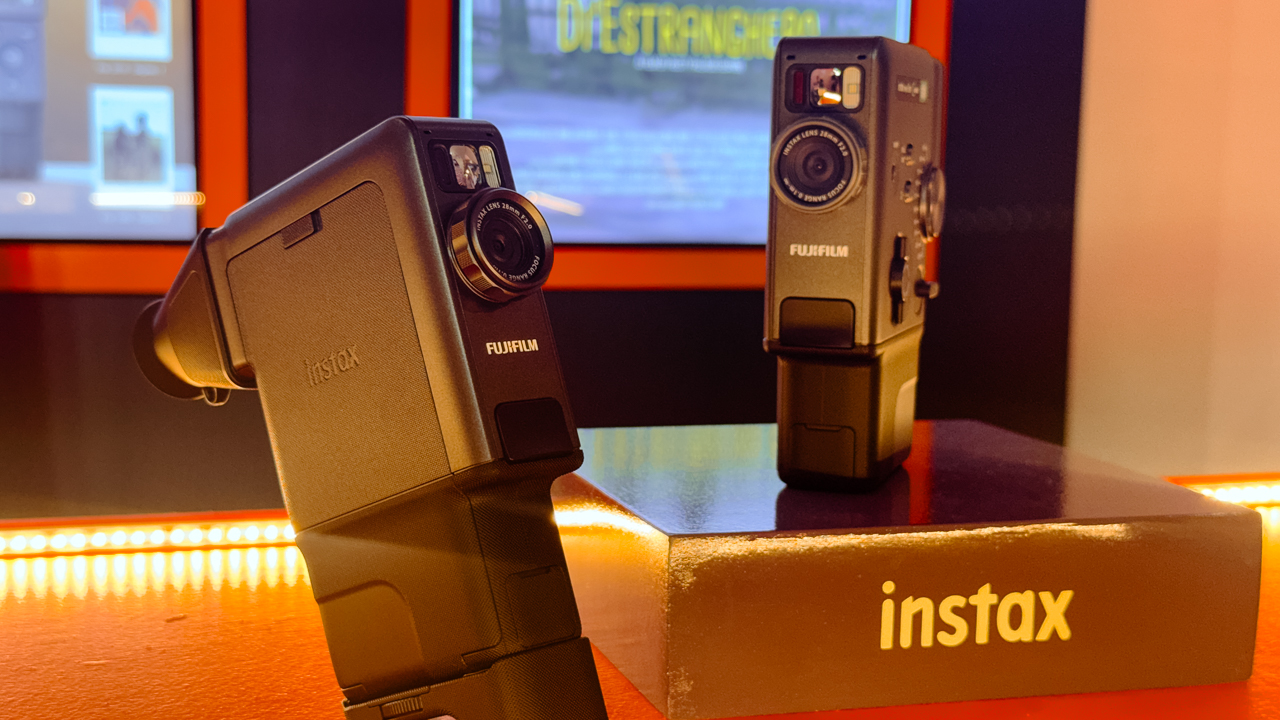
The digital scroll is fine, but Fujifilm Philippines is making a strong case for the tangible.
For a weekend, the Open House World in Makati transformed into a nostalgic playground for the “In Our Film+ Era” pop-up.
The mission was simple: proving that memories feel better when you can actually hold them.
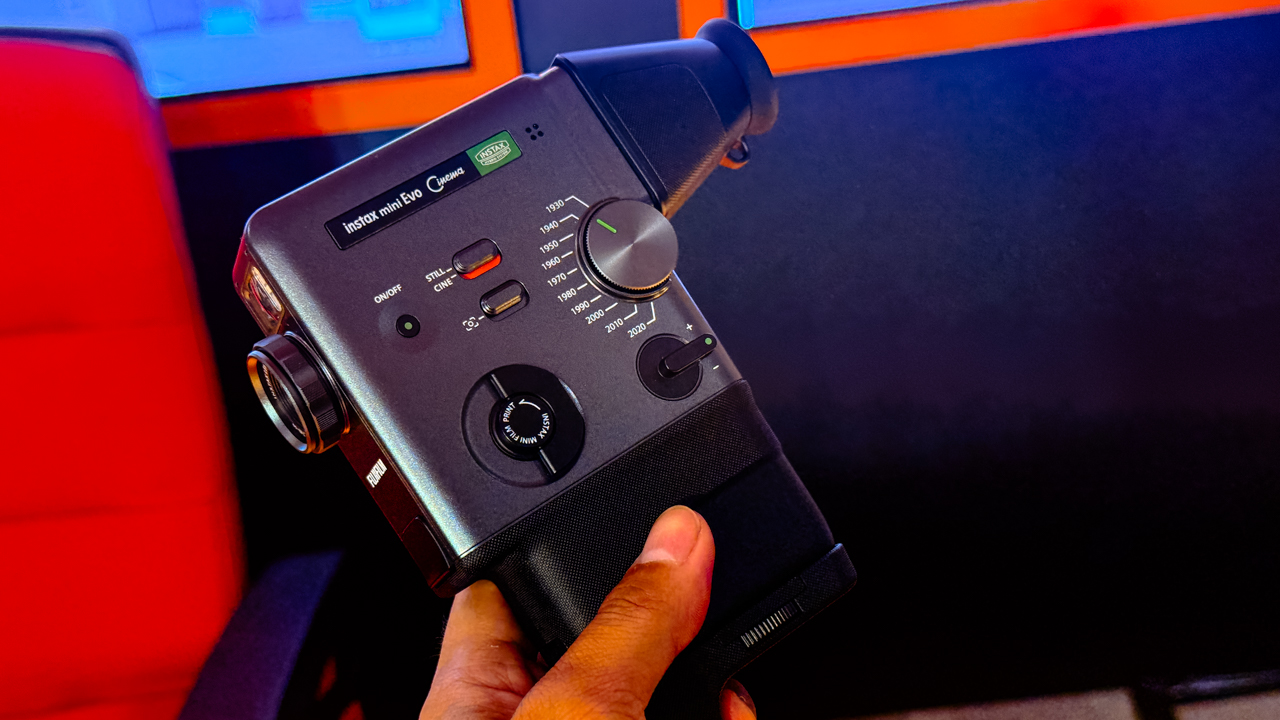
The stars of the show were the new instax Mini Evo Cinema and the instax Mini Link+, two gadgets designed for the artsy geek who wants their life to look as good on paper as it does on a Pinterest board.
Retro meets technology
The instax Mini Evo Cinema, priced at PhP 22,599, is a total vibe-shifter. With its 10 Eras Dial effects, you can toggle through a hundred different creative combinations.
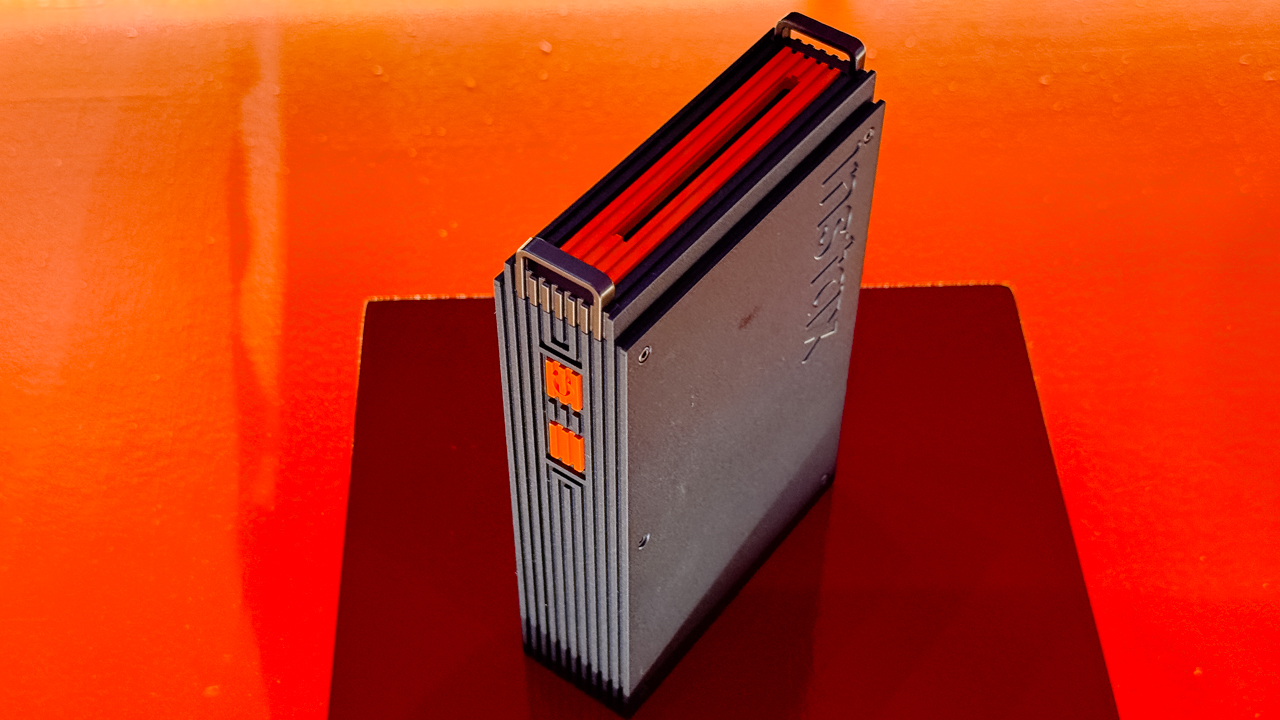
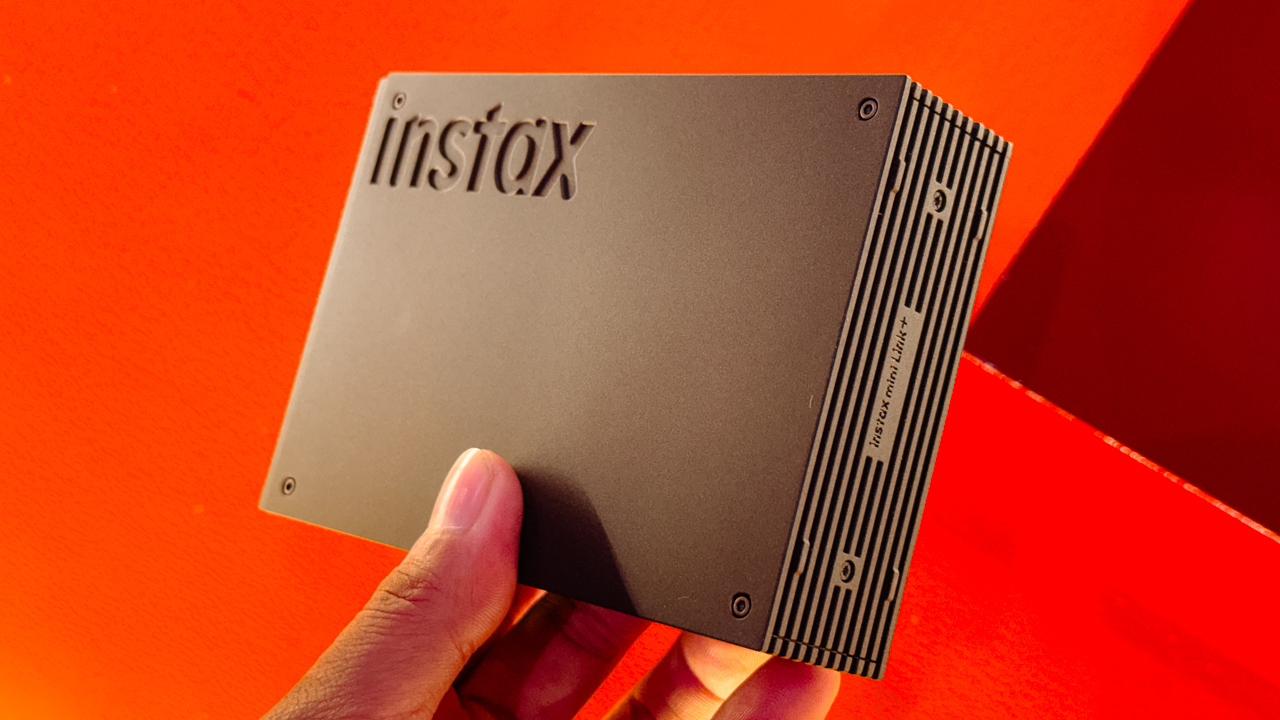
Then there is the instax Mini Link+ for PhP 8,999, built for the maximalists who refuse to let their best shots die in the camera roll.
This smartphone printer adds AR effects and custom designs, turning digital snapshots into high-aesthetic physical keepsakes.
As Masahiro Uehara, President of FUJIFILM Philippines, put it, the goal is to reimagine how people connect with their memories by blending innovation with raw emotion.
More than just a photo op
The weekend functioned as a masterclass in creativity rather than just a product demo.
On the first day, filmmaker Elyandre Dagli showed the crowd how the Mini Evo works as a powerhouse for documentation and storytelling.
The energy continued the next day with Nica Cosio, who led a session on rubber stamp carving and journaling. Cosio showed how the Mini Link+ bridges the gap between digital tech and old-school scrapbooking.
Artists like Soleil Ignacio, Bryan Sochayseng, and Jill Arteche also dropped by to share how these tools fit into their professional creative workflows, proving that “instant” doesn’t have to mean disposable.
Ready to enter your Film+ era?
If you missed the pop-up, you haven’t missed the tech. The instax Mini Evo Cinema and instax Mini Link+ are officially hitting authorized FUJIFILM dealers nationwide right now.
It’s time to stop scrolling and start collecting.
For the latest updates, you can follow Team Instax on Facebook and Instagram.
Accessories
Razer sharpens its competitive edge with Viper V4 Pro and Gigantus V2 Pro
Ultra-light. Ultra-tuned.

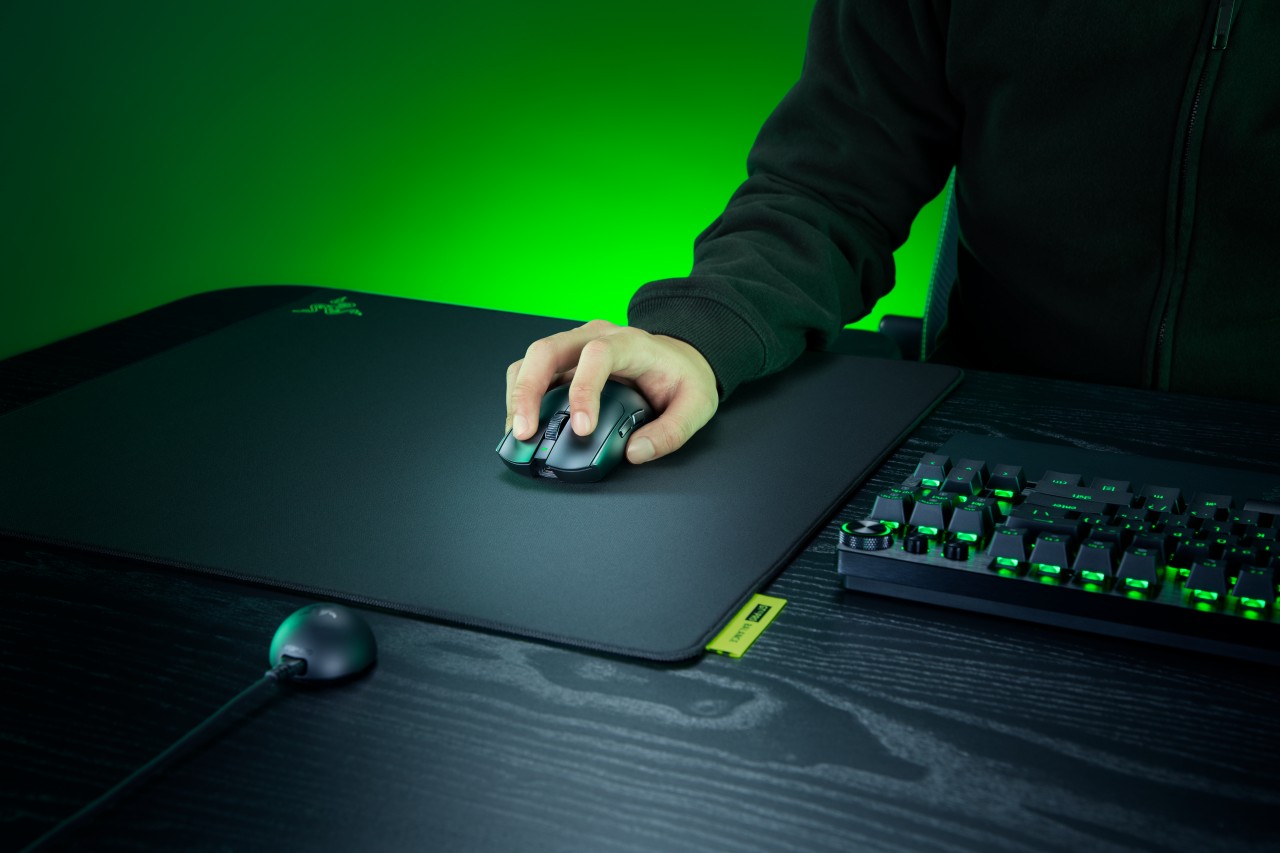
Razer expands its pro-grade lineup with a lightweight mouse and a highly customizable mouse mat built for different playstyles. The Razer Viper V4 Pro focuses on speed, precision, and responsiveness, while the Razer Gigantus V2 Pro brings tailored surface options that adapt to how players move.
Lighter, faster, and built for control
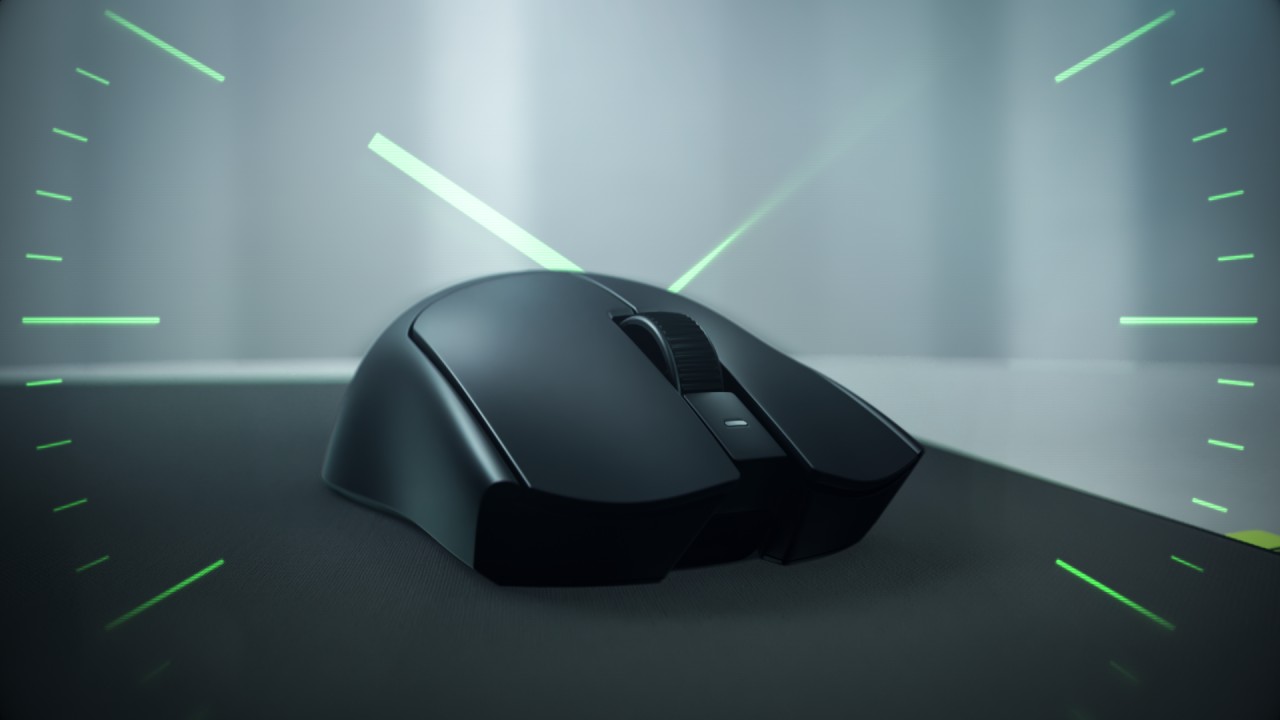
The Viper V4 Pro weighs approximately 49g in Black and 50g in White, making it around nine percent lighter than its predecessor. Razer achieves this through mechanical refinements like a thinner shell and a more compact PCB, without compromising durability. The structure still feels solid in hand, even with the aggressive weight reduction.
This balance matters in competitive play. A lighter mouse reduces fatigue and allows quicker adjustments, but stability keeps movements consistent. The Viper V4 Pro aims to deliver both.
Plug in, tweak, and play instantly
Razer also streamlines setup and tuning. The optimized hemispherical dongle maintains stable connectivity while providing quick status updates through LED indicators.
Players can adjust settings without installing software using Razer Synapse Web, enabling browser-based customization. Onboard controls allow quick DPI and polling rate changes mid-match, so adjustments happen without breaking focus.
A mouse mat that adapts to your play style
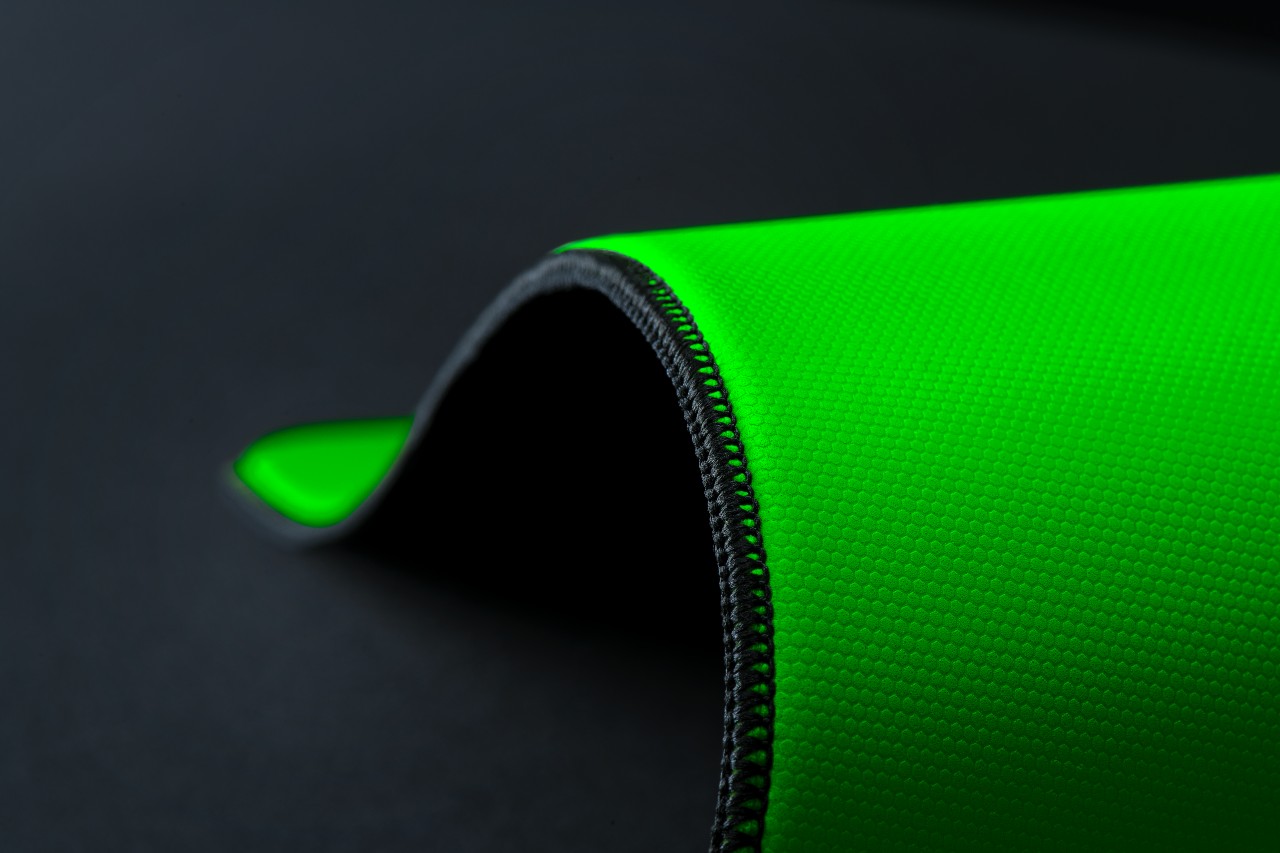
The Gigantus V2 Pro evolves Razer’s mouse mat lineup by introducing five distinct speed ratings paired with corresponding foam firmness. Instead of a one-size-fits-all surface, players can now choose based on how they aim and move.
Developed with esports pros like Nikola “NiKo” Kovač, Faker, and Zellsis, each variant reflects real competitive needs across different roles and playstyles.
The five surface options include:
- Max Control for ultra-high friction and precise flicks
- Control for consistent micro-adjustments
- Balance for a mix of speed and stopping power
- Speed for quicker swipes
- Max Speed for the fastest possible movements
Each surface is paired with Razer’s GlideCore foam, tuned to match the friction profile. Softer variants provide more stopping power, while firmer ones prioritize speed and responsiveness.
Built for consistency across every match
Razer ensures the Gigantus V2 Pro works seamlessly with modern optical sensors. Lab testing guarantees consistent tracking, whether for fine adjustments or wide flicks.
The mat is also designed for competitive environments. It features stitched edges to prevent fraying, an anti-slip base for stability, and a rollable build that makes it easy to bring to tournaments.
A complete competitive setup
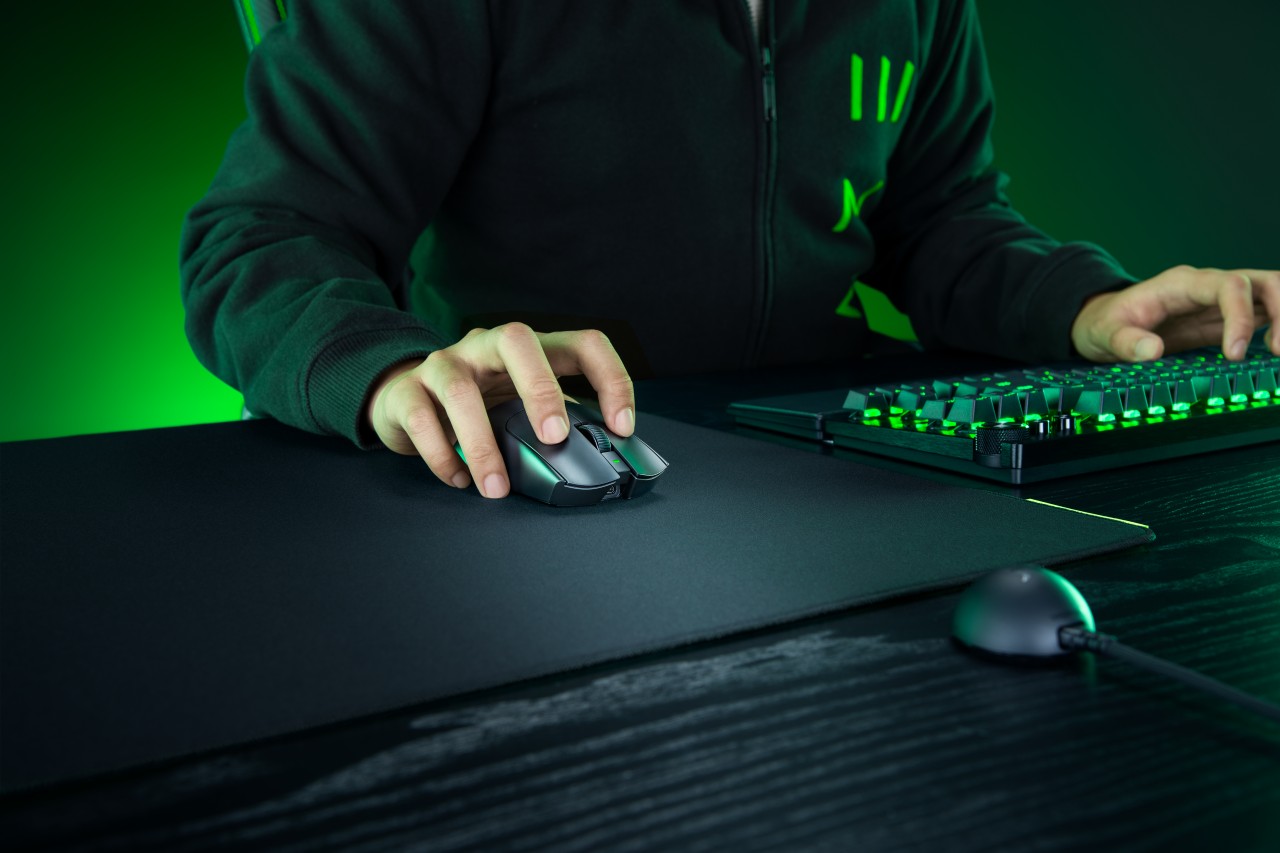
Together, the Viper V4 Pro and Gigantus V2 Pro form a cohesive setup that covers both input and surface. The mouse emphasizes low latency, precision tracking, and a shape validated by pros. The mouse mat complements it with clear, playstyle-based options.
Rather than focusing on a single standout feature, Razer builds a system. One that supports consistent performance, adapts to player preference, and helps turn practice into results when it matters most.
Accessories
Logitech G debuts PRO X2 SUPERSTRIKE with faster click tech
Faster clicks, deeper control
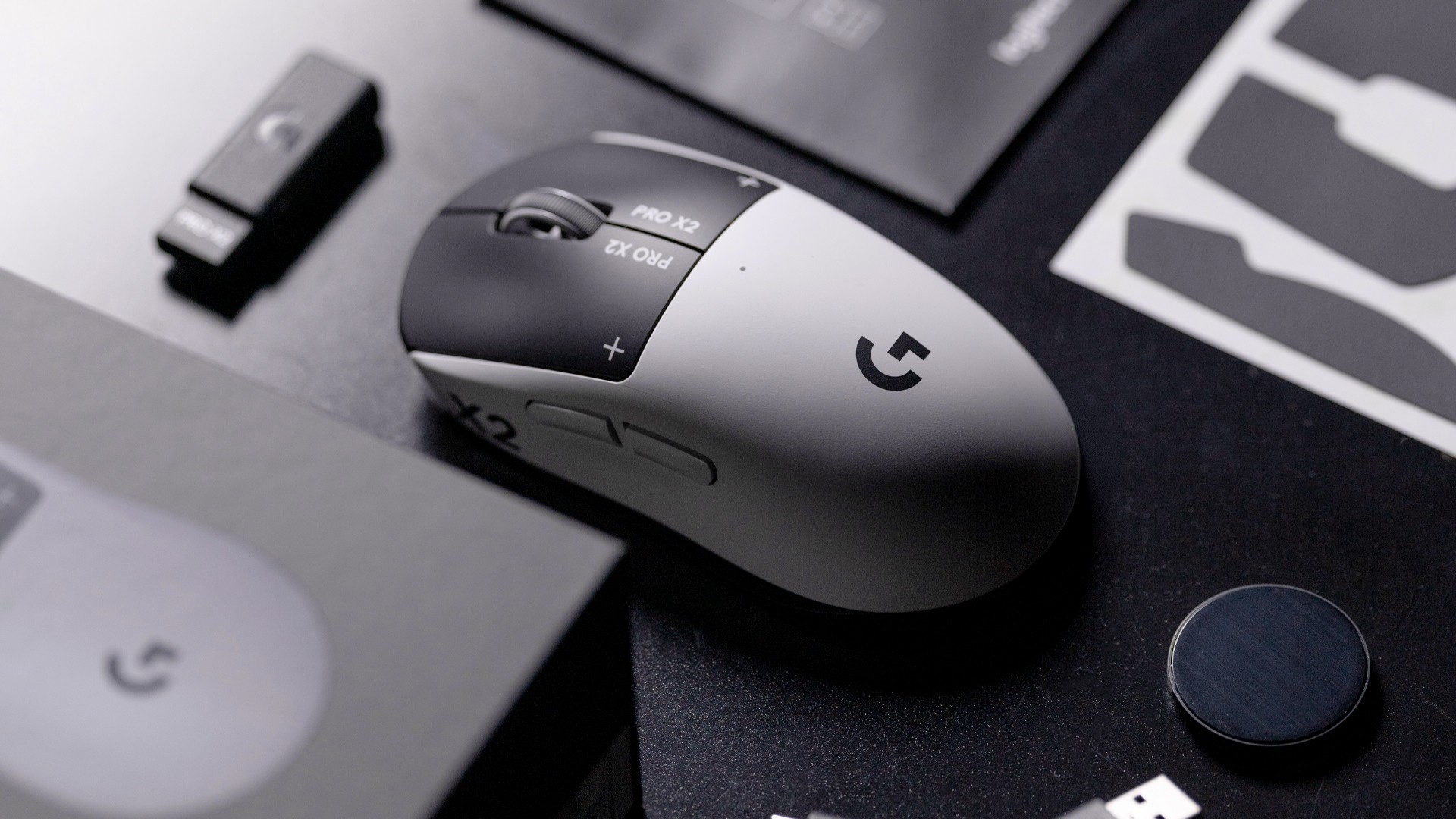
Logitech G is pushing competitive gaming performance further with the launch of the PRO X2 SUPERSTRIKE. It’s a next-generation wireless mouse built around a new click system designed for speed and control.
At the center of the PRO X2 is its patent-pending SUPERSTRIKE technology. It reduces the travel distance needed to register a click, cutting latency by up to 30 milliseconds based on internal testing. The result is faster inputs that can make a difference in high-stakes, split-second moments.
The mouse also introduces the Haptic Inductive Trigger System (HITS), replacing traditional mechanical microswitches. Instead of relying on physical contact, it delivers tactile feedback the moment a click signal is sent, helping players feel each input in real time.
Customizable clicks for competitive play
Developed with esports teams like G2 Esports, NAVI, and BLG, the PRO X2 SUPERSTRIKE focuses on precision and consistency. It supports 10 selectable actuation levels, allowing users to fine-tune how deep a click needs to be before it registers.
These adjustments can be made through Logitech G HUB, giving players the flexibility to match their setup to different games, roles, or playstyles without interrupting gameplay.
The mouse also uses Logitech’s LIGHTSPEED wireless technology with up to an 8kHz polling rate. This ensures fast and stable performance without the limitations of a wired connection.
Precision tracking and lightweight build
Powering the PRO X2 is Logitech’s HERO 2 sensor. It supports up to 44,000 DPI, 888 IPS tracking speed, and over 88G acceleration. Logitech says tracking remains free of smoothing, acceleration, or filtering, allowing for more consistent and direct input.
Despite its performance-focused internals, the mouse keeps a lightweight build at 61 grams. Logitech says this supports faster movements and reduces fatigue during long sessions.
Battery life is rated at up to 90 hours on a single charge, letting players stay in the game longer without interruptions.
Price and availability
The Logitech G PRO X2 SUPERSTRIKE is priced at PhP 11,945. It is available in the Philippines via Shopee and authorized Logitech retailers.


Infinix NOTE 60 Ultra: Not bad for a flagship push
It's definitely got the looks, though.


JBL Sense Pro review
My daily driver met a loud and capable rival in this quest for a superior training companion.
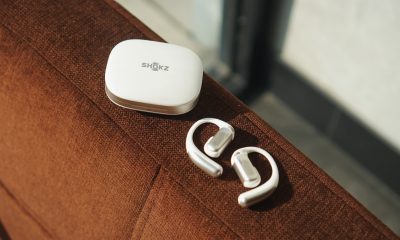

Shokz OpenFit Pro: Somewhere between awareness and focus
Find your balance

Match Pulse: TECNO SPARK 50 5G
Infinix NOTE 60 Ultra: Not bad for a flagship push
JBL Sense Pro review

LE SSERAFIM Chaewon flexes Galaxy S26 Ultra Privacy Display

Power Mac Center opens 1st branch in Boracay


-

 Philippines2 weeks ago
The HONOR X8d is serviceable
-

 Gaming1 week ago
WWE 2K26 lets you live out all the fantasy matches you could want
-

 Reviews1 week ago
Galaxy Buds4 Pro review: I thought I was done with in-ears
-

 Smartphones2 weeks ago
Spotlight: OPPO Find N6
-

 Gaming2 weeks ago
The hunt begins: The Witcher in Concert hits Manila with surprises in tow
-

 Gaming2 weeks ago
Monopoly: Star Wars Heroes vs. Villains launching on June 11
-

 Automotive1 week ago
How the Ford Ranger is powering community resilience
-

 News2 weeks ago
nubia to launch new Neo 5 series gaming phones on March 28