
Laptops
ASUS ExpertBook B5 review: Stay on top of your business
It surely keeps up with your busy mind and hectic life

I’ve always been on-the-go for the past few months, juggling life as a journalist, an athlete, an entrepreneur, and a sports event organizer. I’ve been used to working remotely ages ago, making my laptop my entire life.
This entire ordeal had me depending on bulky machines when I was younger. I’ve always held a belief that for heavy work, I’ll need a big laptop that weighs too much for my back.
Such belief contributed to my poor posture, added stress in my body, and various inconveniences when working remotely. Fast forward to today, I’m grateful for business laptops made for people who are constantly on the go.
Like the ASUS ExpertBook B5, these business laptops are thin, ultra-portable, yet packs a punch while keeping your data secure.
Strong, durable, but light enough to bring wherever you go
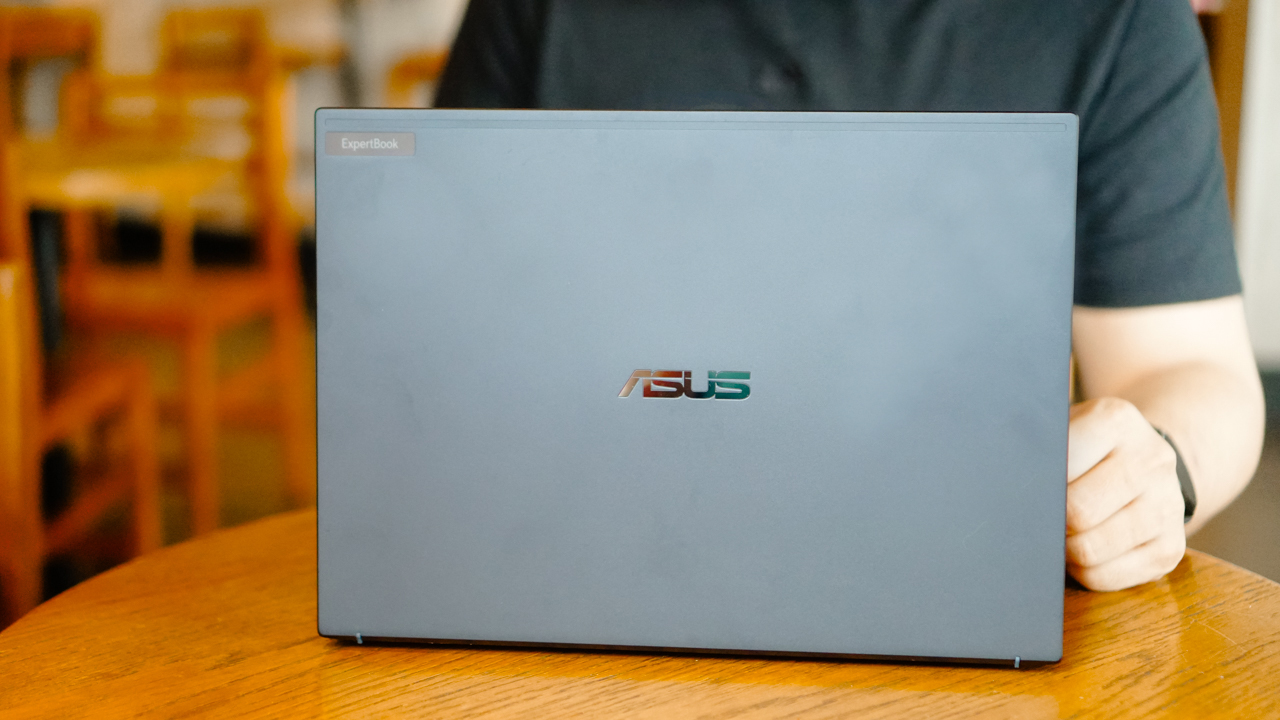
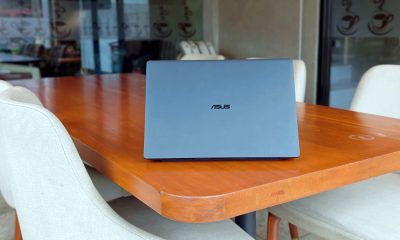
The ExpertBook B5 uses an all-metal chassis, and still keeping it thin at 1.89cm and weighing only 1.29kg. In addition, it has a military-grade durability (rated MIL-STD 810H) which meant it underwent intense panel-pressure, shock, and drop test.

For someone who’s always on-the-go, a military-grade laptop is a feature I always consider. The added safety for my machine, which basically has everything in my working life, is something I wouldn’t take a compromise with.
Most likely, you came across hilarious videos on TikTok where most remote workers work under intense situations. For instance, typing inside trikes, continuously working even when walking–at the airport or at the beach–or just having a call inside a ferry or speedboat. Yes, that’s how I look like on most of my trips.

Thankfully, the ExpertBook B5 came with a luxurious design and light build, even for a business notebook. I don’t have any qualms carrying it wherever I go.
Staying secure
My work in media, communications, and events gave me insurmountable confidential projects. If you travel a lot, you’d know how unsafe most public WiFis are, especially in hotels and airports.
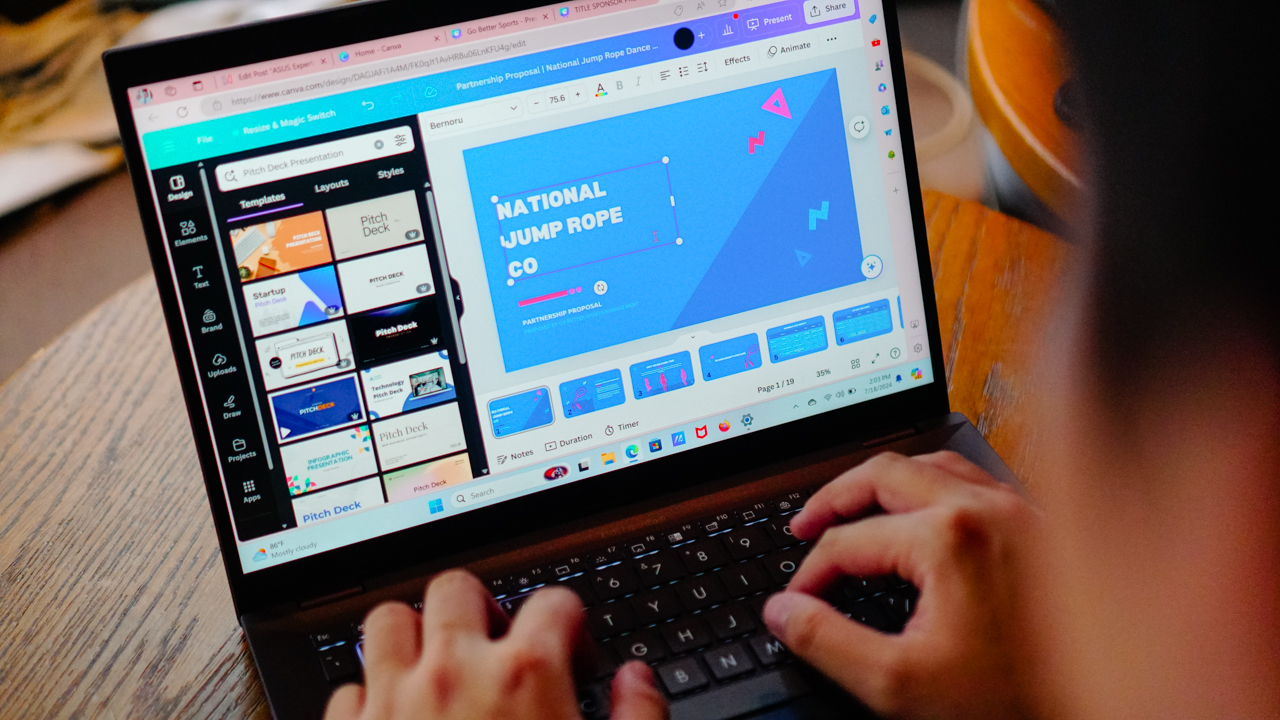
On certain occasions, my mobile data hotspot would fail on me and I have to connect my laptop to an accessible network. This opens up my device to possible attacks.
But when you have enterprise-grade security, you can calm down for a bit. Inside-out, the ExpertBook B5 is heavily protected and guarded.
A minimum for ASUS laptops, for instance, is having a trusted platform module. The ExpertBook B5 uses TPM 2.0, which helps store essential and critical information–safely and securely.

The sensitive information is kept behind a hardware barrier, protecting it from external attacks.
Most data breaches also come from stolen or lost, unprotected devices. Having the Kensington Nano Security Slot ensures that you can lock your device down whether you anchor it to a device, to a desk, or another fixed object.
With all these sophisticated security features, you get to enjoy working remotely, especially when the place uses WiFi 6E or even better, WiFi 7, which the ExpertBook B5 supports.
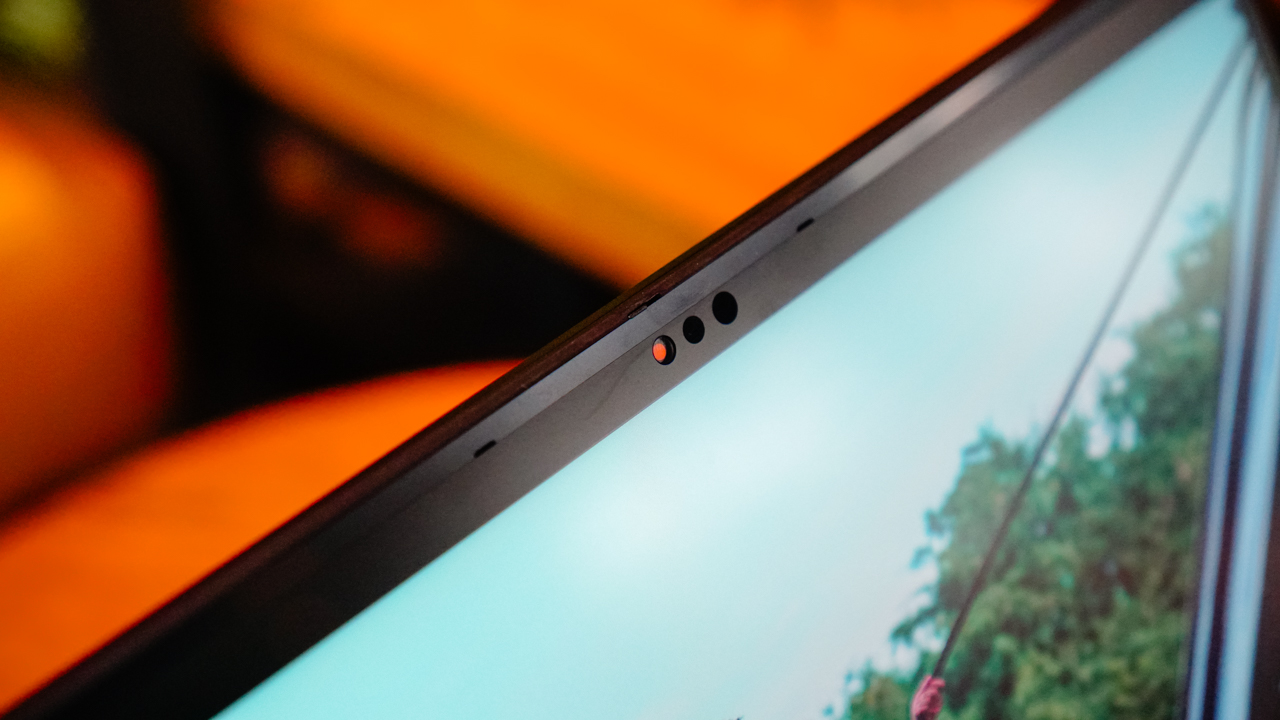
Aside from making sure your data is safe and secure, there’s also something within your control. The ExpertBook B5 uses a webcam shield, so you can be assured that your webcam doesn’t record without your knowledge.
Keeps up with your multiple tabs
There came a time when I had more than 20 tabs open. I was reading various sources for an article, updating a proposal, responding to emails and chats, having an audio meeting, and reviewing video submissions.
I’m not saying I did all of that at once, it would be absurd. But I’ve been known to multitask and juggle all my responsibilities like a mad man, and still able to deliver.
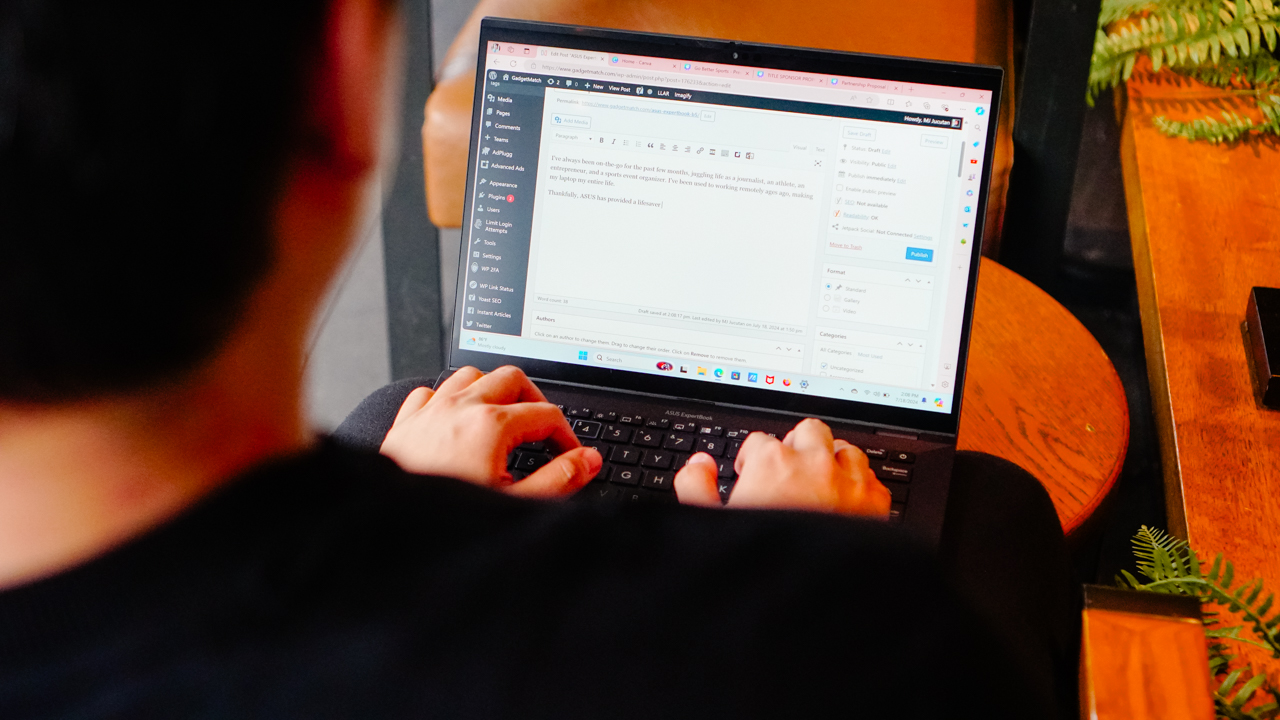
My attention span might be shorter than a goldfish’s, but that’s just how my brain is wired. It’s probably built to thrive in dysfunction.
With the way I use my laptop just like how my mind works, the ExpertBook B5 surely kept up. It came to a point when my brain lagged and froze first than the machine I was using.
Thanks to the ExpertBook B5’s configurations, I was able to keep going without needing for a pause. My unit sports an Intel i7-1360P for its chipset, and comes with a 1TB SSD storage, and powered by a 16GB DDR5 RAM.

It maybe an overkill if your tasks involved drafting proposals, signing documents, reading and writing articles, and managing your businesses remotely.
But if having an overpowered machine enables me to keep going wherever I am without overheating and freezing, I will take it in a heartbeat.
Smart and Intelligent working
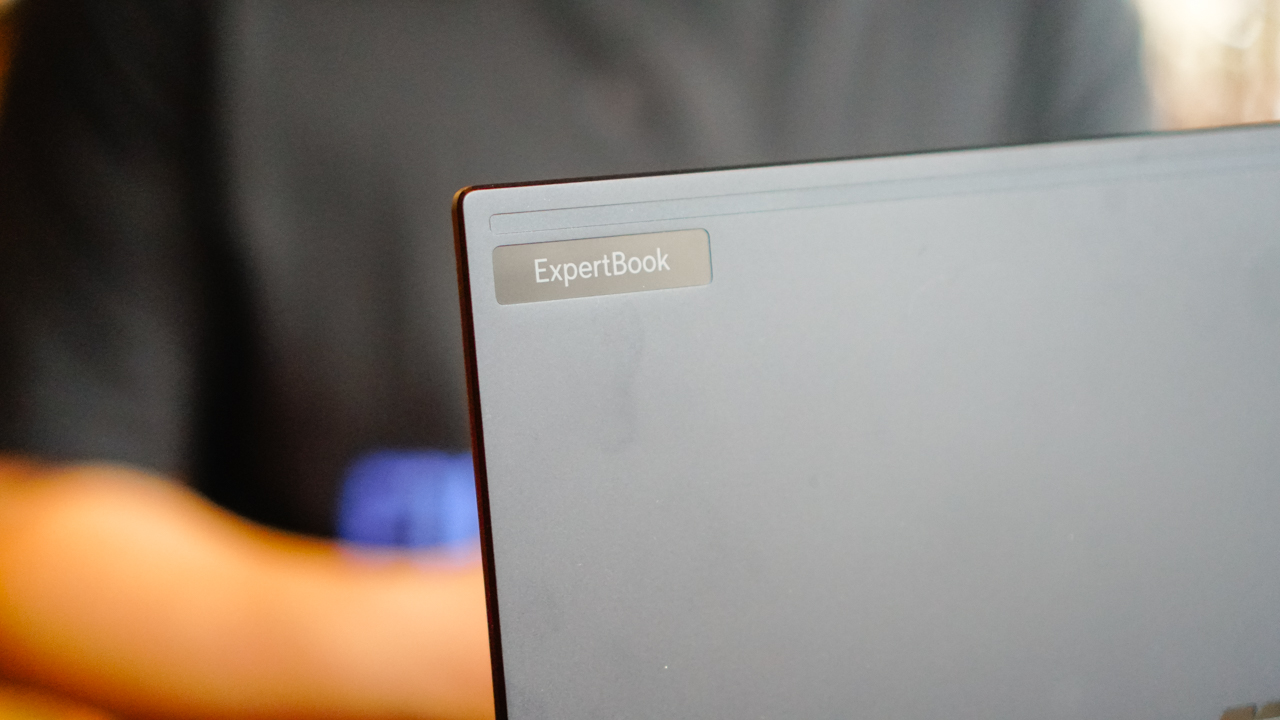
The ExpertBook B5 is designed as a business laptop, no doubt. Beside the ExpertBook logo on its top cover, sometimes, it indicates your status like glowing up when you’re on a call. This wards off anyone from disturbing you since it signals being in an important meeting.
Speaking of meetings, the ExpertBook B5 levels up the way you do your conference calls. It uses AI-powered noise cancellation, isolating unwanted noise picked up around you.
This helped me deliver clear speech even when inside crowded and noisy coffee shops.

I also got to enjoy a stellar video quality during my virtual meetings with clients and sponsors. When waiting for other people to join the meeting, I enjoyed staring at myself — that’s just how good the video quality is.
The ExpertBook B5’s AI-powered camera comes with motion-tracking technology, so it keeps my face centered and adjusts its focus on my eyes.
It also adjusts the image quality and brightness, depending on your lighting condition.

Moreover, there’s a dedicated Copilot key so you can improve your productivity. Now, I’m not a fan of having AI assist me in my day-to-day tasks since that’s another learning curve and I already have a lot on my plate. But for some people, I’m certain that this feature is a godsend.
Connected, always
As someone who juggles with various hard drives for different workloads, the ExpertBook B5 came with a handful of ports.
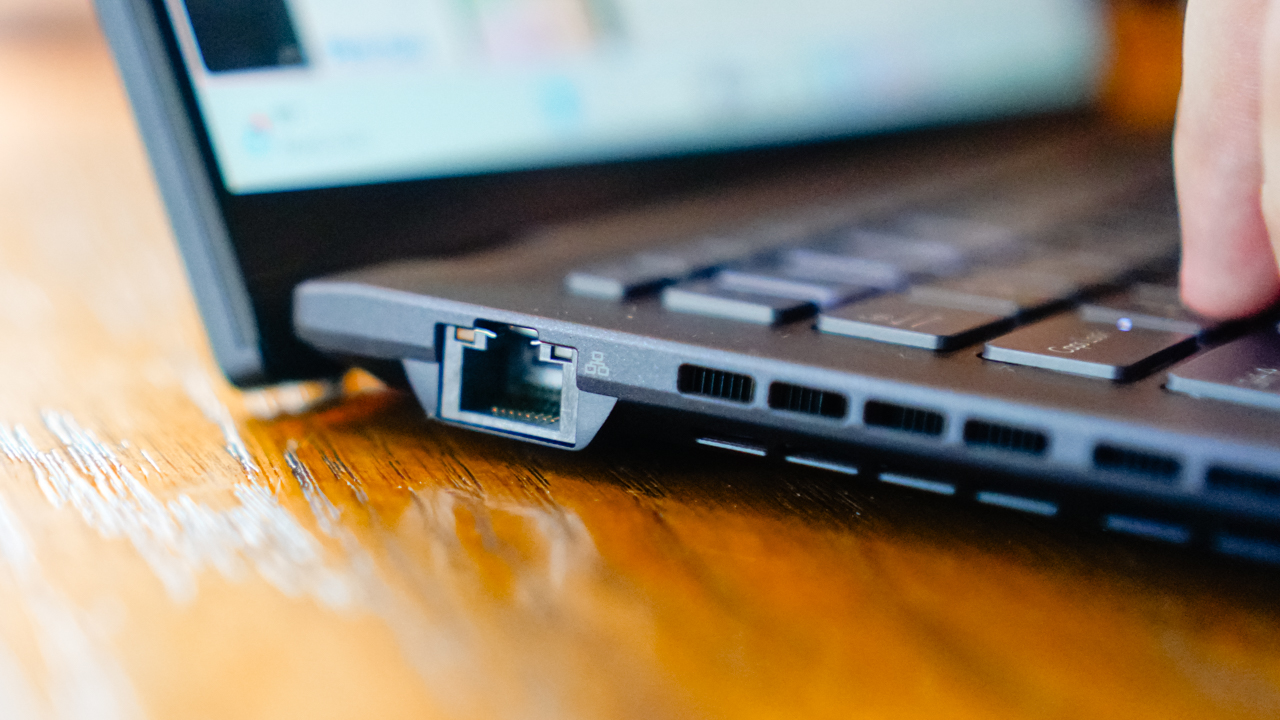
It has two (2) ThunderBolt 4 Type-C ports which you can use for charging and data transfer, and two (2) USB 3.2 Type-A ports. There’s also an HDMI 2.1 slot, and even a smart card reader and nano SIM slot option.

I already use Anker’s 7-in-1 dongle to cover all my other needs, which enables me to use various cables and connect with my laptop on other ports. Honestly, it’s got a lot of ports enough to keep me stationed in a desk and do my work for long hours.
Is this your GadgetMatch?
The ASUS ExpertBook B5 demonstrates how business laptops should be. It’s smart, strong, powerful, keeps up with how fast your mind and thought process change, and enables you to show up the best way you should in the world you live in.

It sounds like I’m describing the ideal partner for an entrepreneur, an achiever, and the goal-driven individuals out there, but it’s really true. What you want out of a partner may have the same qualities, traits, and features as your laptop.
If you want to stay on top of every commitment you have, you just need a machine–or a companion–that would help you achieve every goals you set. Like the ASUS ExpertBook B5.
Learn more about the ASUS ExpertBook B5 via www.asus.com/ph/business/.





Editors' Choice
GadgetMatch Awards: Best of IFA 2026
Xiaomi 18 Fold, Govee, XGIMI, ARZOPA, Cuktech and more!


We’re back at IFA 2026 in Berlin, checking out some of the coolest and most interesting tech on the show floor.
From smart home lighting and portable displays to projectors, power solutions, foldables, and more, these are some of the products and brands that caught our attention this year.
In this video, we take a look at:
- AI Lighting https://bit.ly/4xmY342
- Z3FC Portable Monitor https://bit.ly/4gRk7wD
- D14 Digital Photo Frame https://bit.ly/4qYlRJ6
- 30 Ultra Desktop Charging Station https://s.whaee.com/tXBornw
- 10 Ultra Charger https://s.whaee.com/UsWT4U2
** Use code CUKTECH09, valid until September 30
XGIMI
ASUS x NVIDIA RTX SPARK
- ProArt P16: https://asus.click/h7607_gm
- ProArt P14: https://asus.click/h7407_gm
- ProArt GR1X
Watch until the end for our favorite finds from IFA 2026!
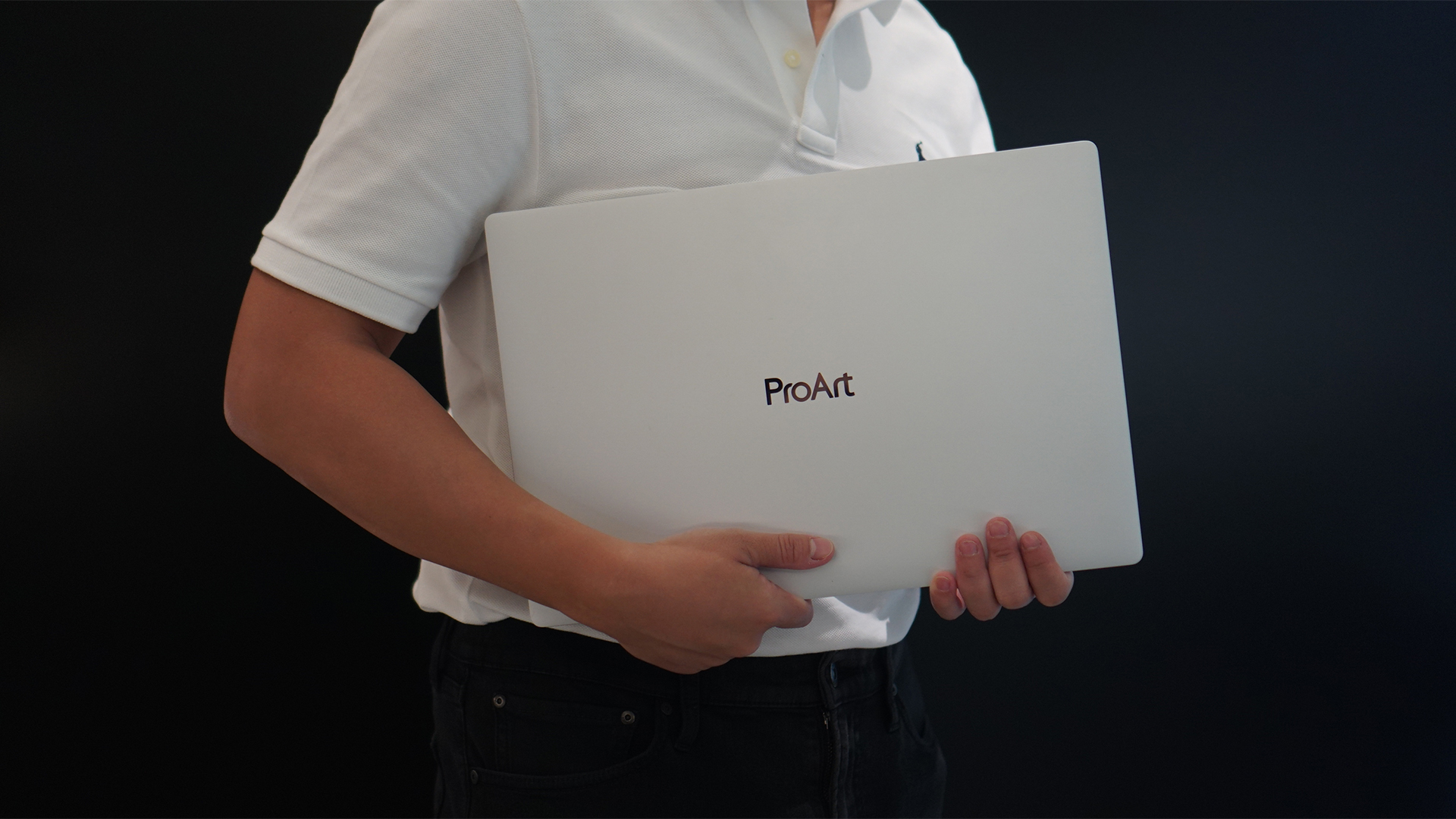
Select ASUS and ROG laptops now come with three months of Google AI Pro or Google AI Plus at no extra cost. The offer starts September 7 and covers eligible models from the 2025, 2026, and upcoming 2027 lineups.
Google AI Pro includes 5TB of cloud storage, while Google AI Plus comes with 400GB. Both plans also provide access to a range of Google’s AI-powered tools and features.
More Google AI on ASUS laptops
Eligible customers can use the Google Gemini app, Deep Research, Google Flow, Gemini in Google apps, and Gemini Notebook, among other features. Availability varies depending on the Google AI plan and supported features.
Google AI Pro offers higher usage limits and expanded access to Google’s more capable Gemini models. It also includes additional developer and agentic tools such as Google Antigravity, Jules, and AI Studio, subject to availability and plan terms.
Google AI Plus provides elevated access to Google’s AI tools alongside features for creative generation and productivity.
The offer covers more than just AI features. Google AI Pro’s 5TB of cloud storage and Google AI Plus’ 400GB give users additional space for documents, photos, videos, research, and other projects.
Available across select ASUS models
The one-year program starts September 7 and applies to selected ASUS and ROG laptops in supported markets. Eligible models span the ROG, TUF Gaming, ProArt, Zenbook, and Vivobook families, including select 2025 and 2026 models and upcoming 2027 devices.
Customers can redeem the offer exclusively through the MyASUS app. ASUS has published the full list of eligible models and the offer’s terms and conditions on its website.
Check the full list of eligible ASUS laptops
ASUS is also running its No. 1 Quality, School-Ready Deals promotion until September 15, 2026. The promo offers additional deals for students, gamers, and professionals buying select ASUS and ROG devices.
The company’s No. 1 Quality and Service package also includes up to three years of international and local warranty, service access across more than 90 countries, and over 100 ASUS Service Centers and Drop-Off Points in the Philippines. Eligible laptops also come with one year of Local Accidental Damage Protection and up to six free device cleaning claims.

TECNO is making its MEGABOOK lineup a little more flexible.
At IFA ShowStoppers 2026, the uprising tech brand unveils the MEGABOOK T15 360 with two more laptops and three phones tagging along.
One laptop, four modes
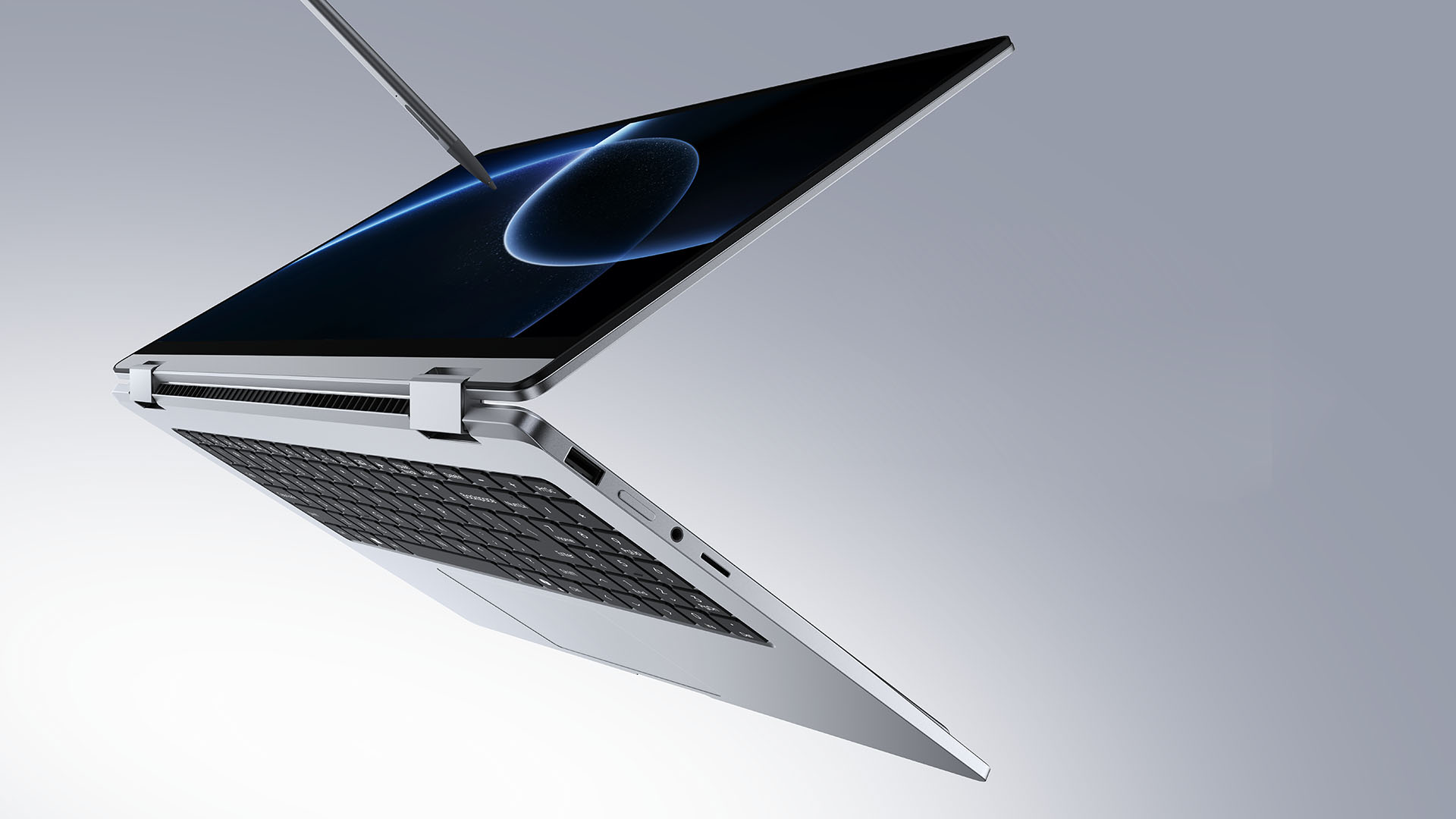
The MEGABOOK T15 360 series is the brand’s first laptop lineup with a 360-degree hinge and touchscreen display.
By that, it’s more than just a conventional laptop. It can also be a tablet or a portable display via Tent mode or Stand mode. This added feat makes everything more versatile as TECNO’s existing laptops are only limited to the clamshell form factor.
Both models feature a 15.6-inch screen with the standard 16:9 aspect ratio. As alluded earlier, it’s a touchscreen laptop consisting of 10-point multitouch points. There’s also optional MPP 2.0 active pen support if you want to write or draw directly on the display.
So what’s the difference?
Well, the regular T15 360 gets a Full HD 60Hz panel with 320 nits brightness.
Meanwhile, the Pro version takes it up a notch with a faster 120Hz refresh rate, sharper 2.5K display resolution, full 100% sRGB coverage, and higher 350 nits brightness.
Both laptops come in an all-metal chassis made using CNC machining. The convertible design doesn’t come at the expense of a more conventional laptop build.
Performance uncompromised
TECNO isn’t treating the T15 360 as a lightweight convertible that has to compromise on performance.
You can get up to an Intel Core Ultra 9 185H processor, paired with an LPDDR5X RAM. The storage is based from PCIe M.2 2280 SSD — with select models having a secondary M.2 slot for utmost expansion.
There’s also a 70Wh battery plus support for a speedy 65W PD GaN charger. Connectivity includes up to Wi-Fi 6E and Bluetooth 5.4, alongside seven built-in ports.
Practical stuff were neither forgotten. There’s a backlit keyboard with a dedicated number pad, a fingerprint reader underneath its power button, dual speakers with DTS Ultra, a webcam, and dual digital microphones.
TECNO’s OneLeap feature also rounds things out by letting the MEGABOOK work with other TECNO’s smartphones, tablets, and other PCs for cross-device collaboration.
Two more MEGABOOKs
TECNO also brought two other MEGABOOKs to IFA.
The MEGABOOK K15S WCL is the more straightforward option. It uses Intel’s newer Wildcat Lake platform with a 16:10 display, a 70Wh battery, and 65W GaN charging — all in a premium, all-metal body.
Then there’s the MEGABOOK T17 Ultra. Ultra by its name, it goes big with a massive 17.3-inch 16:9 display. It can be configured with up to an Intel Core Ultra 9 processor and LPDDR5X memory. It also features a massive 99.99Wh battery and speedy 100W GaN PD fast charging.
Wait! There’s even more…
Beyond laptops, TECNO reveals the true form of its Next-Gen Bezelless Concept Phone at IFA 2026.
As announced more than a month ago, this concept uses a redesigned display architecture, internal stacking, structural engineering, and screen packaging to eliminate the physical black border around the display, resulting in what TECNO calls a true 0mm display border.

Beside a phone prototype, there are two consumer-ready products as well.
The POVA 8 Pro 5G Tonino Lamborghini Limited Edition combines the POVA series’ performance-focused approach with Tonino Lamborghini’s design language.
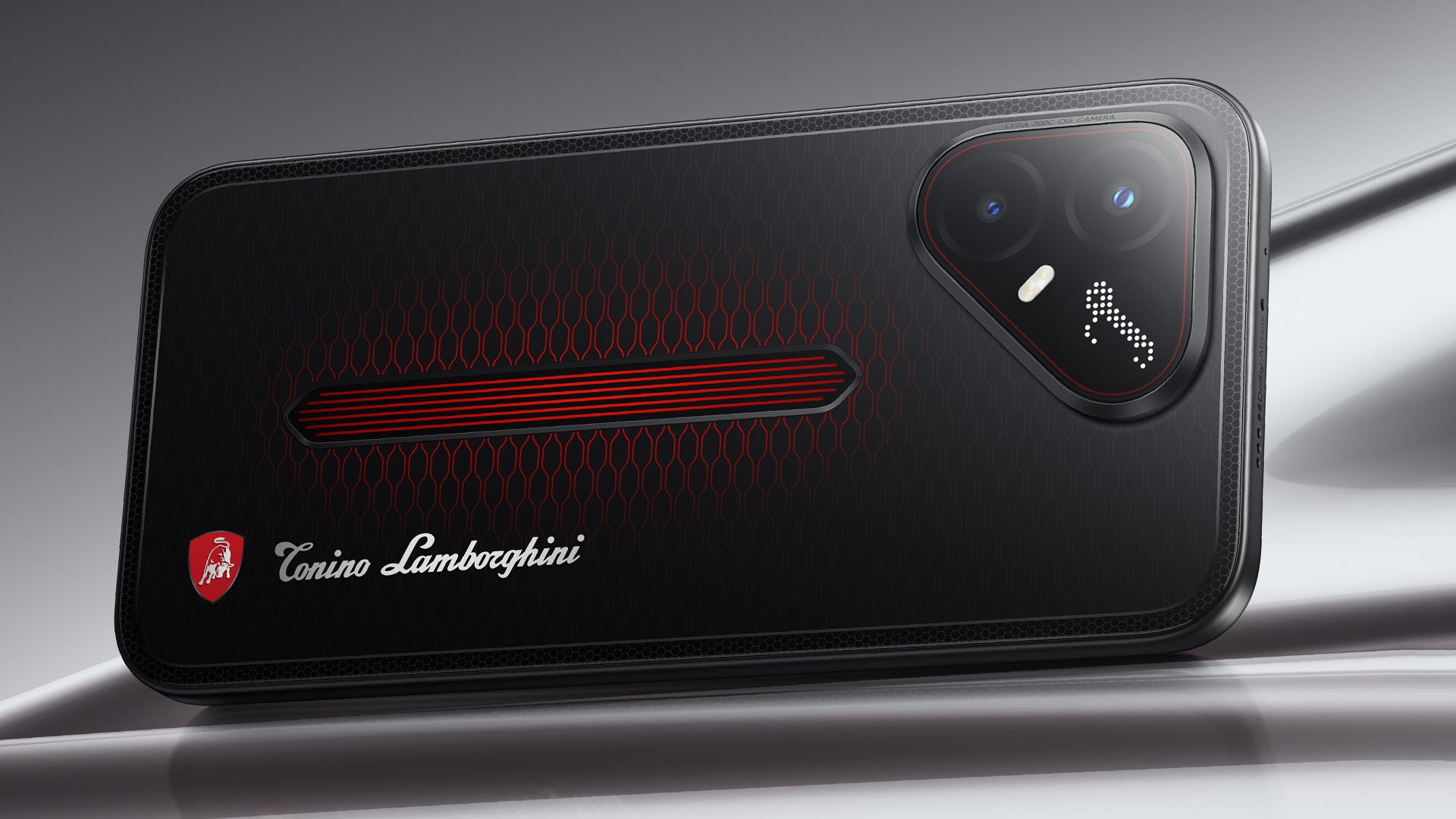
It uses a MediaTek Dimensity 7400 Ultimate 5G chipset alongside TECNO’s custom-made P1 Graphic Chip and a 5K IceShield vapor chamber cooling system. Specific details will be announced on September 4, 2026.
Meanwhile, the CAMON Slim 5G focuses on a thinner form factor, measuring just 6.39mm thick.
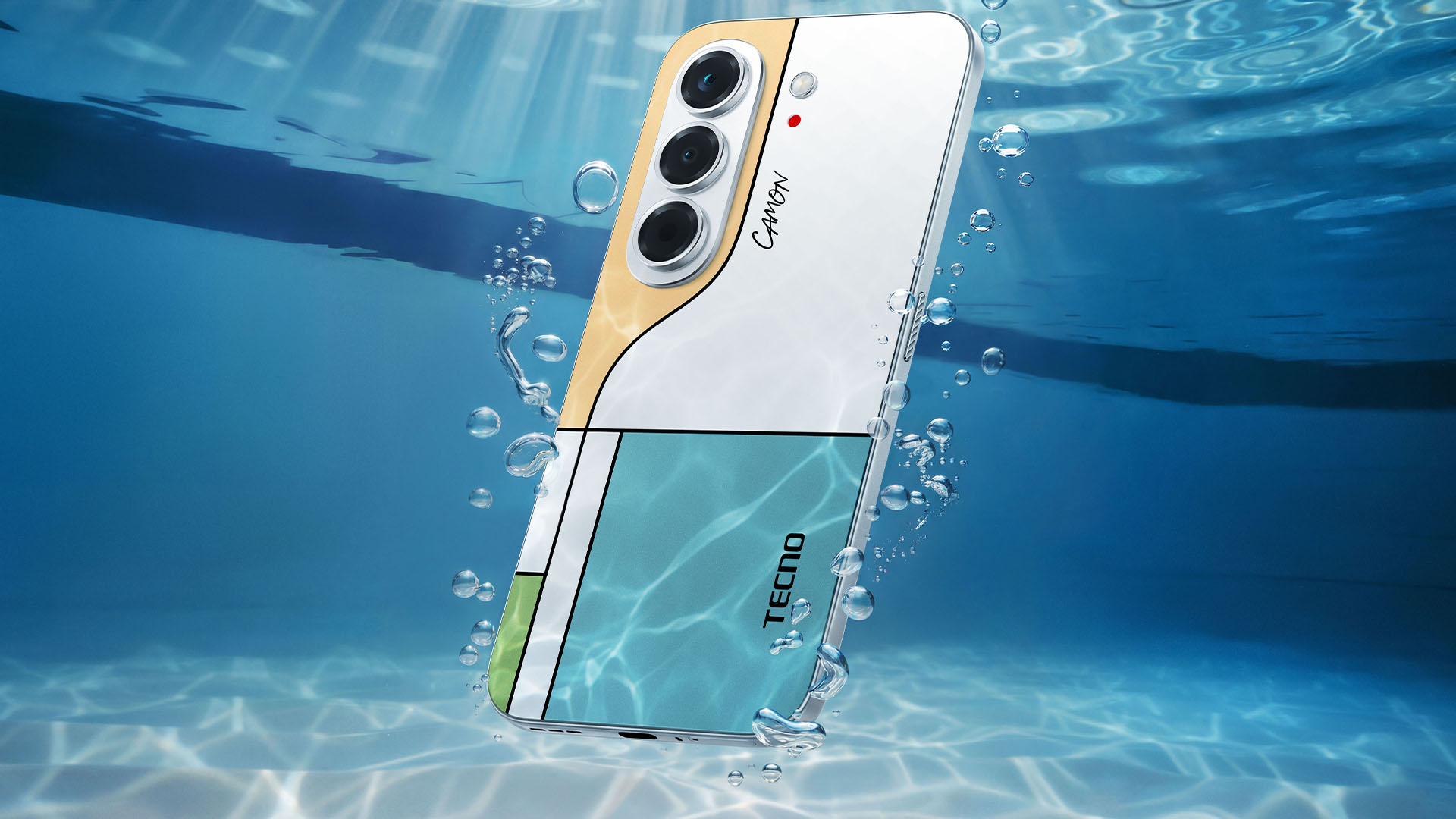
TECNO says it combines the CAMON line’s imaging features with AI capabilities and artistic colorways. More specifications will be revealed on September 7.
Pricing and Availability
The MEGABOOK T15 360 Series is expected to arrive in Europe by Q4 2026.
Depending on the configuration choice, the MEGABOOK T15 360 will start between EUR 899 ~ EUR 999. The MEGABOOK T15 360 Pro will cost as much as EUR 1099.
No pricing info were announced for the other MEGABOOKs and two phones as of writing.


Marvel’s Wolverine review: When the claws come out
A brutal, cinematic superhero adventure

Setting your bedsheets ablaze with the Lovense Solace Pro
The closest proxy I could find where I'm guilty as sin


Now Playing: Elden Ring Tarnished Edition
Is the Switch 2 port worth the price?

Apple iPhone 18 Pro Series Hands-on

Spotlight: Hisense UR8 + RGB MiniLED Explained

First Look: Apple iPhone Duo

Xbox saves Kojima’s PHYSINT after PlayStation drops support
Marvel’s Wolverine review: When the claws come out

TECNO MEGAPAD 2 review: Eyes on the size

realme 16T 5G with 8000mAh battery, IP69 Pro rating launches in PH

HUAWEI Pura X View is 2026’s first WIDE slab-type smartphone

REDMI reveals the refreshed Note 17 and Note 17 Pro series

REDMI Note 17 Series focuses on long-term reliability


-
 News6 days ago
HUAWEI Pura X View is 2026’s first WIDE slab-type smartphone
-

 News7 days ago
The CAMON Slim 5G is TECNO’s latest ultra-slim smartphone
-

 Cameras2 weeks ago
DJI Osmo 360 II review: Going all-in on the ecosystem
-
 IFA 20261 week ago
TECNO MEGABOOK T15 360 unveiled at IFA 2026
-

 Gaming1 week ago
NBA 2K27 review: A two-way All-Star
-
 Reviews2 weeks ago
Samsung Galaxy Z Fold8 Ultra review: It’s time to get a foldable
-

 News4 days ago
iPhone 18 Pro series: Price, availability in the Philippines
-

 IFA 20261 week ago
TECNO’s POVA 8 Pro gets a stealthy makeover