


Gaming
ASUS ROG Flow X16 review: Great on its own
No additional accessories needed for good performance

ASUS ROG exits 2022 and enters 2023 with a renewed lineup of gaming laptops that will bring the power into the new year. As they continually bring the firepower every year, their ROG Flow series adds another powerful device to the lineup for everyone to experience. With this one, however, it feels like it can stand on its own for what it brings to the table.
The newest addition to the Flow series is the ASUS ROG Flow X16, a 2-in-1 machine rocking powerful hardware and a myriad of possibilities. Essentially, what you have here is an all-rounder of a device fit for the creative professionals and the competitive gamers. It even comes with some nifty accessories, although not the one you usually expect with this series.
So, is the ROG Flow X16 for 2022 something worth bringing into the new year?
Well-built and well-processed
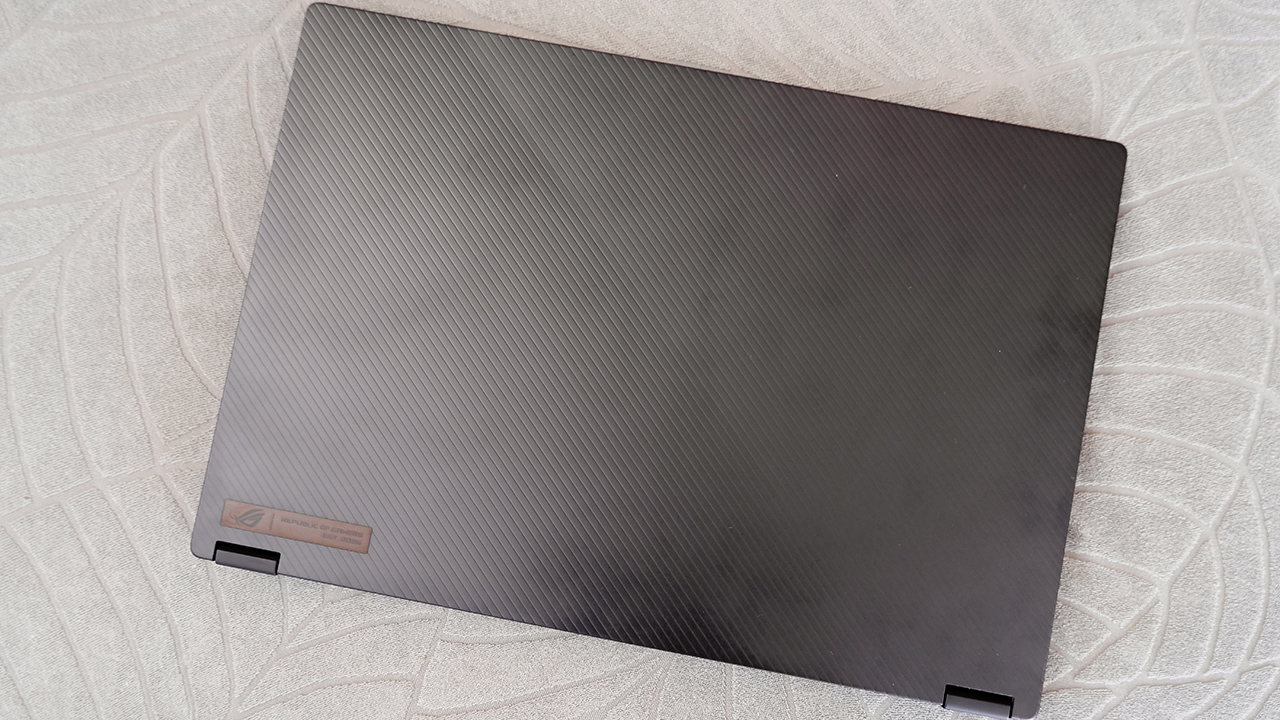
From the inside and out, the ASUS ROG Flow X16 is just built different as a gaming machine. Inside, the device comes with an AMD Ryzen 9 CPU and an RTX 3060 — a decent combination of hardware that produces great performance across the board. Whether it’s for a ton of data analytics or gaming VOD recording and reviews, this machine can handle it all.

What also helps its case is that 16:10 WQHD anti-glare display that helps you house multiple windows on a single screen. In essence, multitasking would be a total breeze, especially when you have reports to finish or gaming streams to watch while you work. Plus, it has a refresh rate of 165Hz which is great for a lot of things, but let’s get into that later on.

Overall, the ROG Flow X16 boasts fantastic hardware fit for both the casual and competitive gamer. Also, if you’re more of a work in the day type of person, this device definitely gives you more than everything you need to get through, on paper.
For the uber competitive ones
It wouldn’t be an ASUS ROG machine if this laptop was not tailor-fit for gaming at a high level. For starters, the RTX 3060 inside the ROG Flow X16 provides great frame rates for most competitive titles out there, especially when under the proper settings. If you want to turn up the detail just a little bit, the GPU can also handle that with ease — no eGPU needed,

As per usual, RTX-powered mobile machines still can’t produce a balance of stellar graphics at stellar frame rates for games that support ray-tracing. Such is the case for the ROG Flow X16, although at least games like Fortnite and Cyberpunk 2077 managed to hit a stable 40 FPS reading. Details were great, and performance was a bit more stable than other GPUs, but again, it’s more for an overall aesthetic look.

Also, going back to the 165Hz refresh rate display, the ROG Flow X16 makes a case for the more ideal on-the-go competitive gaming machine. The 16:10 display gives more screen space to look around in-game, and the 1ms response rate allows you to quickly react to elements in a blink of an eye.
To make beautiful art with
One detail we haven’t mentioned too much yet about the ROG Flow X16 is that, well, it’s also a 2-in-1 device with a touch display. As a staple with all other Flow models, this machine works a ton of wonders for those who like handwritten notes during meetings or doodle as their productive time. Along with a touch display, the ROG Flow X16 comes with a dedicated ASUS Pen for you to do all of these.
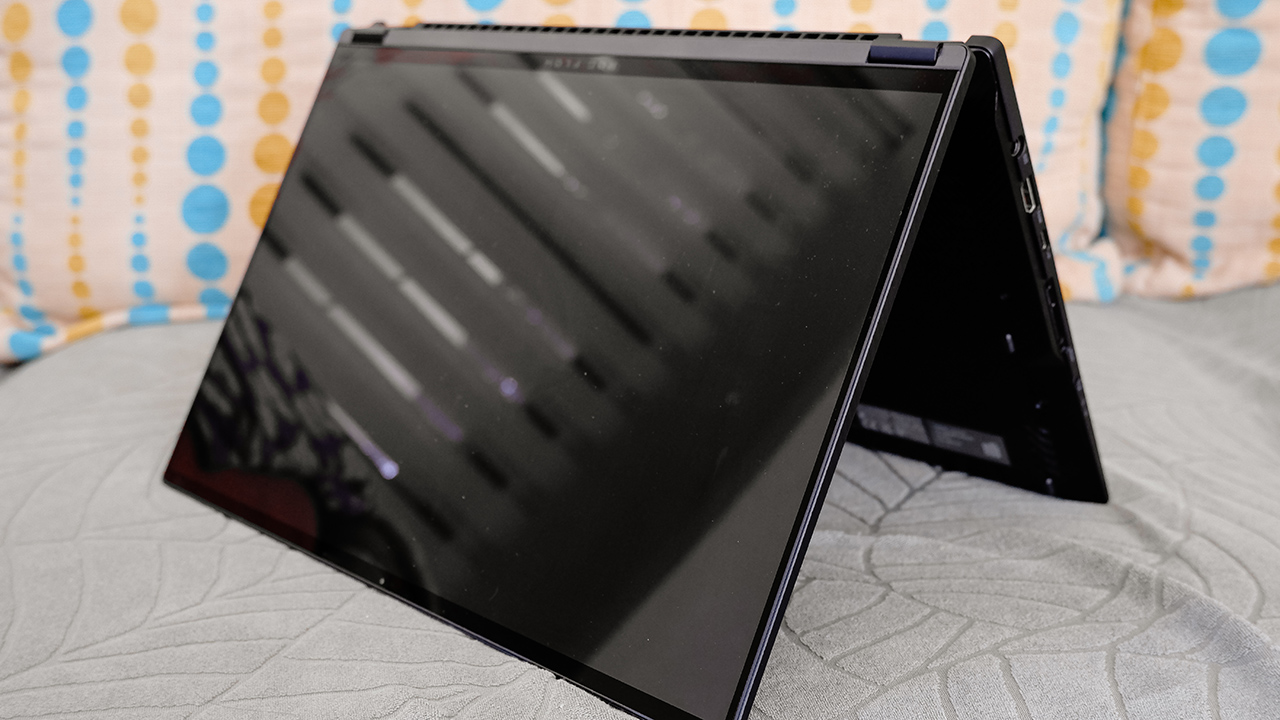
The display doesn’t show any signs of being hypersensitive to unnecessary touches from the wrist, which is good when used with the pen. This way, all your sketches and notes will look relatively organized without any unnecessary strokes in the way. Also, this is even helpful when you’re dabbling with photo and video editing.
With the 165Hz refresh rate for this display, you’ll be able to observe and act on any frames you may have missed out in your editing process. Whether it’s the mouse or ASUS Pen, your choice of input will allow you to be as pixel-perfect as possible when creating your masterpiece.
Just a few hygiene checks in there
Like most gaming laptops, the ROG Flow X16 comes with a decent battery in terms of lifespan and charge time. On average, the device lasts for about 8-9 hours on a single charge with regular use, which is pretty standard. Charging time back to 100 percent with the 280W charging brick takes about two hours at least.
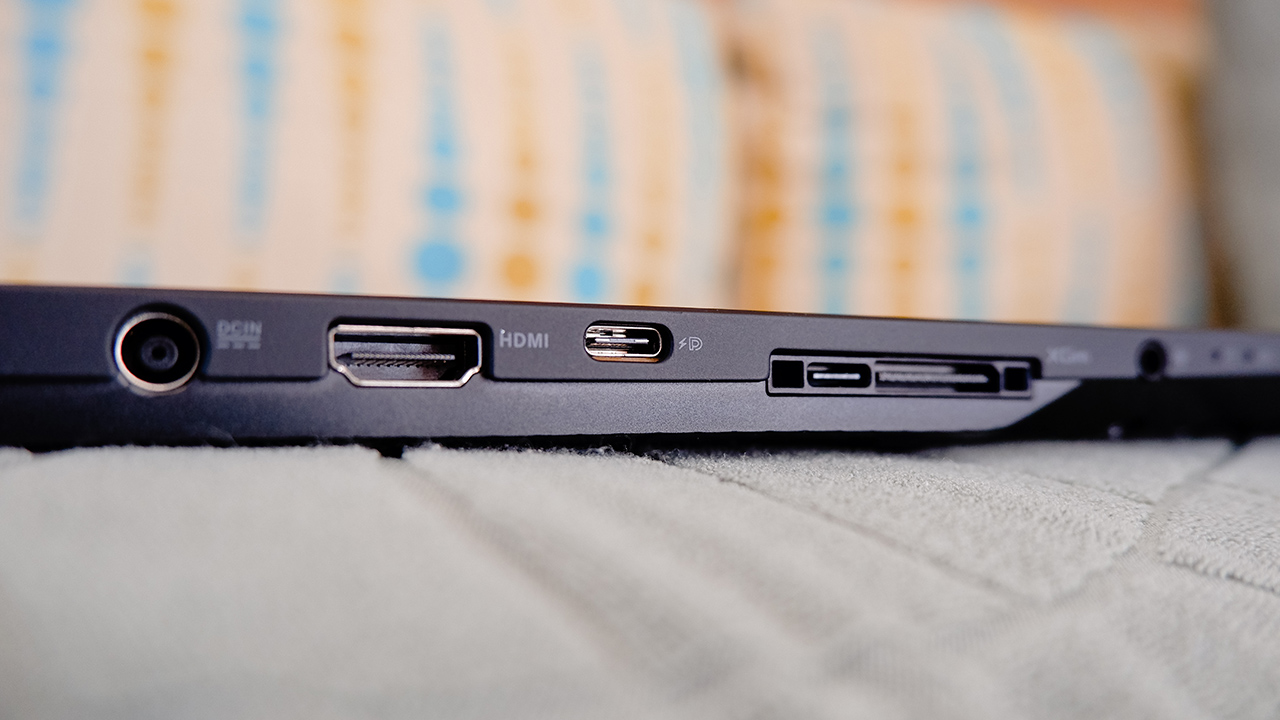
Port selection on this device is great, with the inclusion of the dedicated port for the eGPU but they’re mostly placed on the left hand side. Although it seems like a good substitute over having the ports at the rear, it might not be for everyone. Also, some of the USB Type-A ports are on the right, so you’ll need to adjust your wired peripherals if you play a certain way.

This device also comes with an HD camera nestled at the top of the screen and under the display. In terms of photo and video quality, it’s decent for most video conferences and a bit of a grainy selfie for a wallpaper. If for streaming though, you’re better off getting the ROG Eye with this laptop.
Is the ROG Flow X16 your GadgetMatch?

At PhP 149,995, the ASUS ROG Flow X16 is a great 2-in-1 device that holds its own with nothing extra needed. With powerful hardware embedded inside a relatively slim form factor, it has everything you need for work and play. Whether you’re a competitive gamer or a content creator at heart, you won’t go wrong with this as an option.

Granted, you can upgrade the ROG Flow X16 into a gaming powerhouse with all the extra peripherals ASUS has to offer. From the ROG Eye to their own dedicated eGPU, to achieve the best, you will simply want a lot more added to the table. However, even when these aren’t in your budget, the device performs well enough to not need them anyway.

Even with a hefty price tag, this 2-in-1 laptop only provides the best performance possible with minimal sacrifices. It’s portable and powerful enough for you to work hard and play even harder wherever you go!








It’s finally locked in. Marvel’s Wolverine is launching on September 15, 2026, exclusively for the PlayStation 5.
The release date was shared by Insomniac Games and PlayStation across their official social media channels, giving fans a concrete target after years of anticipation.
First announced in 2021, Marvel’s Wolverine is being developed in collaboration with Sony Interactive Entertainment and Marvel Games. The studio is crafting an original story centered on Logan, promising a darker and more brutal tone compared to its Spider-Man titles.
Players can expect savage, close-quarters combat built around Wolverine’s adamantium claws, along with a narrative that explores the character’s violent past. The game is designed exclusively for PS5, leveraging the hardware for cinematic set pieces and fast, ferocious action.
With a firm September 16, 2026 release date now confirmed, the wait for Logan’s next chapter officially has an end in sight.
This is the first major update since the trailer released back in September 2025.
Visceral Combat
Combat looks as savage as fans expect. Wolverine’s adamantium claws slice through foes with fast, fluid techniques. Momentum builds as his berserker rage takes over, turning him into a relentless force on the battlefield.
Dismemberment, brutal takedowns, and close-quarters combat define his style. Wolverine is a reluctant hero, but once the claws come out, there’s no holding back. He doesn’t fight nice. He fights to survive.
The trailer also teased Logan’s wider world. Players will face the elusive Mystique, the monstrous Omega Red, and an army of Reavers. Some characters may help him, others will try to break him.

The footage closes with a prototype of a towering purple robot—an unmistakable nod to the Sentinels. The adventure spans the neon-lit streets of Madripoor, the frozen wilderness of Canada, and the alleys of Tokyo. Each location sets the stage for bloody, destructive action.
Events
Capcom to hold Resident Evil Requiem launch event in Jakarta
Cosplays, demos, meet-and-greet, prizes, more

Capcom will hold a special two-day Resident Evil Requiem launch event in Jakarta, Indonesia next week.
Throughout the event, there will be a booth open from 10:00 AM to 10:00 PM from February 28 to March 1 at the Mini Atrium (LG) of Gandaria City Mall.
Visitors will have multiple ways to experience the world of survival horror through the latest title. There will be cosplays, demos, lots of exciting prizes, and more themed activities inspired by the iconic video game franchise.
Of course, there will be a playable demo of the game at dedicated kiosks so mallgoers can experience the survival horror up close. Those who complete a session will also receive a sticker set.
On the other hand, the booth will also have a themed fun shooting range inspired by the Resident Evil Requiem universe. Here, visitors will take down zombies to win exclusive prizes, including:
- Umbrella Corporation Enamel Pin
- Raccoon City Welcome Sign Acrylic Keychain
- Resident Evil Requiem Edition Lanyard
Moreover, there will be a recreated corner of Raccoon City which is perfect for taking photos and videos.
Sharing it on social media with the hashtag #RE9LaunchJakarta2026 and taging @capcomsg will also entitle fans to a sticker set.
For those who want to take home more memorabilia, the event will likewise feature these merchandise:
- Resident Evil Requiem Physical Standard Edition (PS5)
- Resident Evil Requiem Standard Edition with Steelbook Code in Box (PC)
- 30th Anniversary Tote Bag
- 30th Anniversary Character Acrylic Stand Collection
- 30th Anniversary Character Metallic Bookmark
- RER Sticker Pack
Stage highlights
The programs on both days will be hosted by Aldo from The Lazy Monday and Yudha (a.k.a. RESILOREID).
Fans who are unable to attend in person can still catch part of the Saturday stage segment via Capcom Asia’s and The Lazy Monday’s official YouTube channels.
Other highlights include a Live Quiz and Cosplay Walk on both days. Specifically, Larissa Rochefort will grace March 1’s festivities with a meet-and-greet session.
Resident Evil Requiem is launching on February 27 on modern consoles and PC.
Gaming
Pokémon FireRed and LeafGreen are coming to the Switch
Both games will be available starting February 27.


Millennials, prepare to have your nostalgia get hit right in the feels. Nintendo has officially announced that Pokémon FireRed and LeafGreen are coming to the Switch.
This year, the Pokémon franchise is celebrating its 30th anniversary. Naturally, with Pokémon Day coming up, it’s only right to celebrate the event with something huge. Finally, two of the most prolific titles in the series are coming to a modern console.
Originally released in 2004, Pokémon FireRed and Pokémon LeafGreen were remakes of the original Pokémon Red and Pokémon Blue. At the time, the two titles reimagined the older games for the Game Boy Advance. Additionally, they introduced new post-game content set in the Sevii Islands, where Ho-Oh, Lugia, and Deoxys reside in the Kanto region.
Based on the short teaser trailer, the upcoming Switch versions will feature all of both games’ content. It will likely be remastered for the Switch’s larger screen.
To showcase more of the Switch version, Nintendo is hosting a Pokémon Presents on February 27. The brand has not mentioned anything about a potential physical version yet. However, they do promise that both games will be available on the Nintendo eShop as soon as next week’s Pokémon Presents concludes. Each game will cost US$ 19.99.
SEE ALSO: A Pokémon leak reveals an MMO-style remake of Hoenn, Sinnoh


Now Playing: Iron Lung
The premise will leave you wanting for more.


Infinix NOTE Edge: Stellar at street photography
Despite trailing in other specs, the Infinix NOTE Edge was built for point-and-shoot photography.


OPPO Reno15 Pro: Camera Review
Why is this even considered a "Reno"?

Smart opens pre-orders for Samsung Galaxy S26 series
Now Playing: Iron Lung

TECNO resurrects modular phones with this new concept

Privacy Display | Galaxy S26 Ultra

Audio Eraser now works on third-party apps | Galaxy S26 Ultra

Breaking up with Adobe Photoshop after 20 years

TECNO will showcase the CAMON 50 and POVA 8 series at MWC 2026

PlayStation, LE SSERAFIM Chaewon team for the ‘Love of Play’ campaign

VinFast updates battery subscription policy for large upfront savings

Xiaomi SU7 Ultra makes Gran Turismo 7 debut


-

 Reviews2 weeks ago
The art of being in and behind the frame
-

 Gaming2 weeks ago
God of War Greek trilogy remake in development, Sons of Sparta out now
-

 India2 weeks ago
TECNO POVA Curve 2 5G packs an 8000mAh battery
-

 Gaming2 weeks ago
New Resident Evil Requiem trailer teases a return to the RPD
-

 Accessories2 weeks ago
Apple AirTag 2 Review
-

 Gaming2 weeks ago
John Wick, Kena sequel, more new games showcased at State of Play
-

 First Look1 week ago
Match Pulse: Infinix NOTE 60 Pro
-

 Cameras1 week ago
Osmo Pocket 4 makes a surprising appearance in public