


Laptops
ASUS VivoBook S15 Review: Mixing style and function
Also a lesson about love and relationships

Finding the right laptop is tricky if you want it to tailor to your preference and personality. If you want a laptop you can show-off that can also perform, the ASUS VivoBook S15 S531FL might be the one you’re looking for.
A bit of history: the new VivoBook S15 was launched earlier at Computex 2019. ASUS paraded a colorful lineup that would certainly grab anyone’s attention: Moss Green, Punk Pink, Cobalt Blue, Transparent Silver, and Gun Metal. Luckily, I was able to try this new laptop in Cobalt Blue. Not a lot of people would be enthralled with such bold and striking colors, but I beg to differ.
Made for the bold type
Growing up, I love being at the center of attention. Whether it was because of a new toy or the latest gadget, I love it when people gather around with amazement in their eyes, just because I brought something to the table. Their awe was enough of a reward for me; as if I did something extraordinary. The high from being validated was enough to keep the people around me excited and mesmerized.
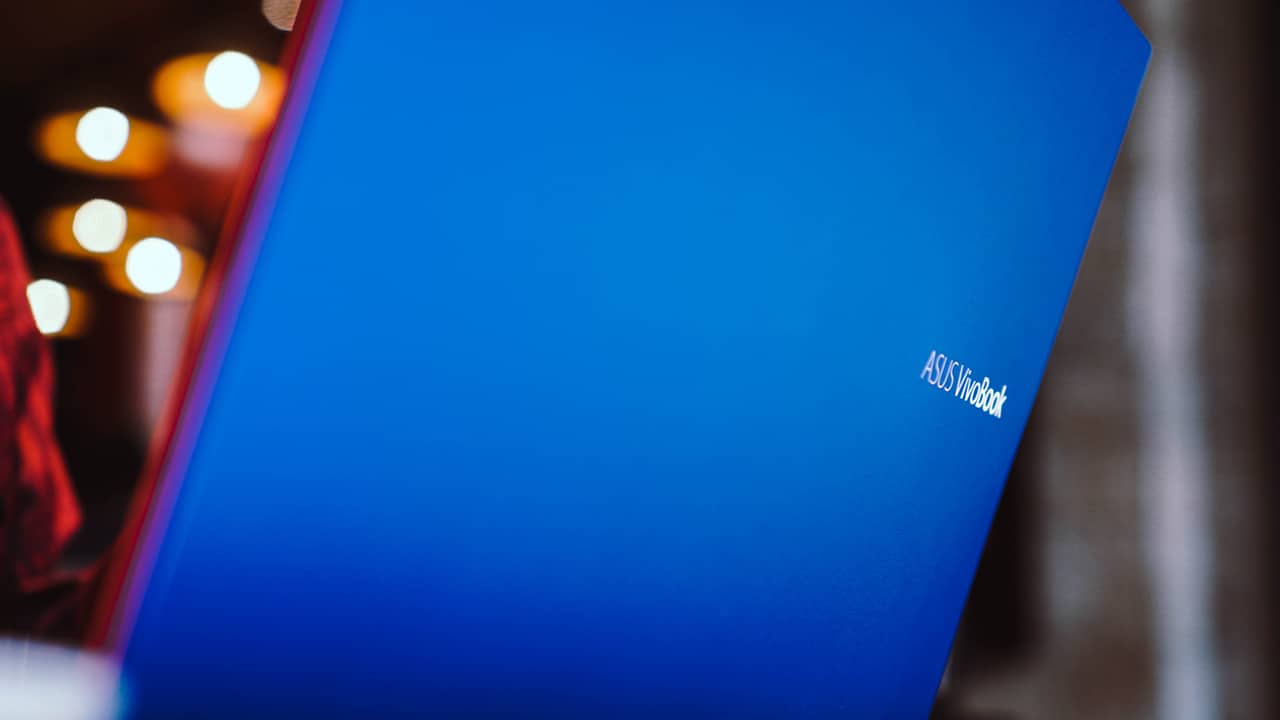
That same feeling was what I felt when I used the VivoBook S15. While I was fixated on my screen, I felt everyone’s gaze as my laptop grabbed their attention. It’s a definite head-turner.

I mean, who wouldn’t be captivated by its looks? It stands out with its sleek, metal frame in vivid Cobalt Blue. It’s also adorned by Neon Red accents (which looks orange to me) giving it a sophisticated vibe even at a glance. Moreover, a blue and red combination — in its most striking hue — is alluring to people fascinated with futuristic style.
Touch that lingers
The VivoBook S15 doesn’t just look good, but it feels upscale, too. Both the lid and body are made of fine aluminum, with the former having a textured finish. The embossed name also gives a subtle touch of class.
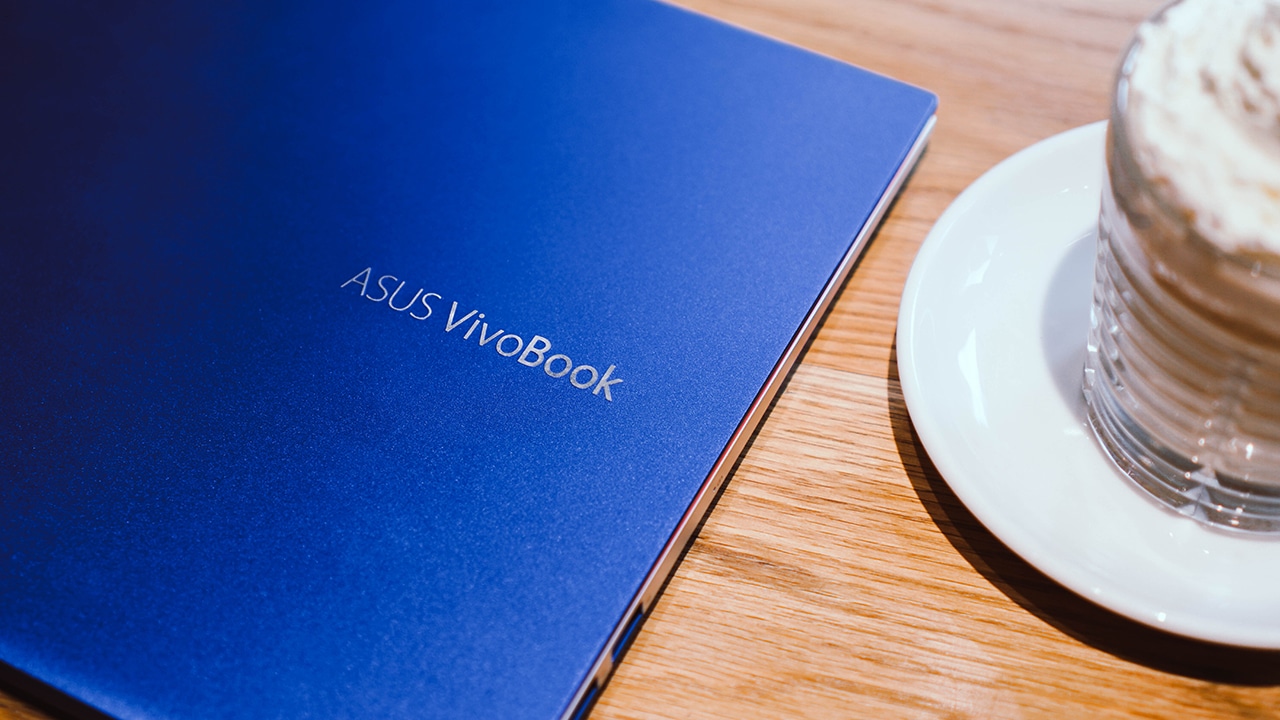
The body, on the other hand, was painted with a transparent silver color which glosses when there’s a substantial light shining over.

Back then, I kept on caressing the laptop as if my fingertips were running through a Burberry trench coat (or even Marc Jacobs underwear). I felt awestruck, especially with its trackpad which is fairly on point on its touch sensitivity. It’s decent compared to the previous laptop I used.

The keyboard was comfortable to type on. Most of its keys are large and evenly spaced, except for the arrow keys which are a lot smaller. Additionally, it’s light, soft and has a backlit design to let you work even in the dark.
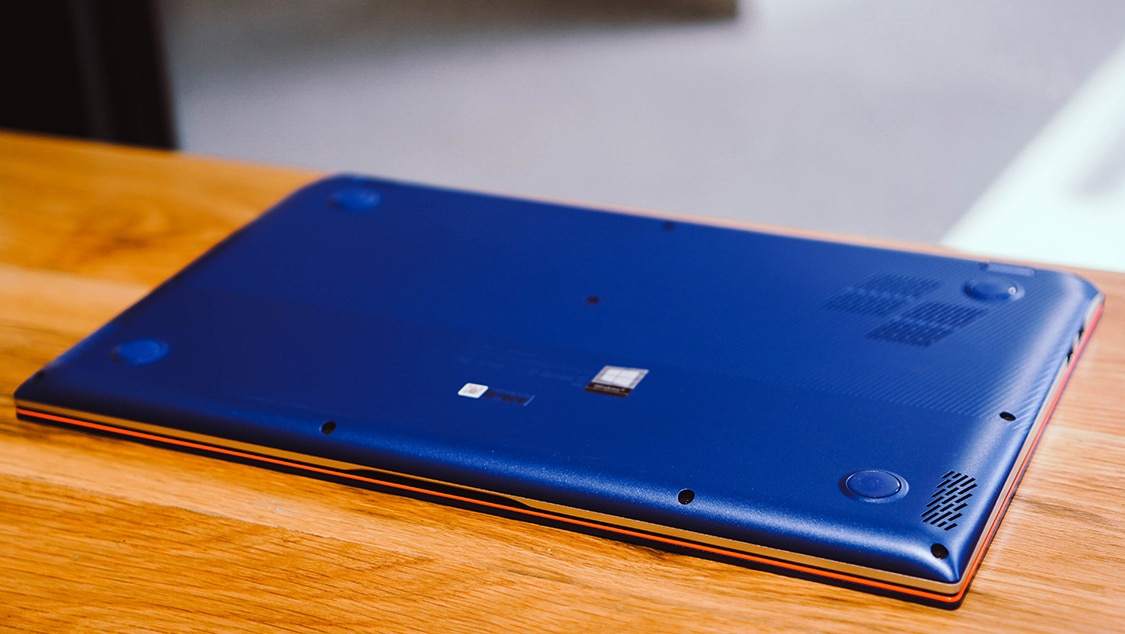
Unfortunately, its bottom was made of plastic. To compensate, the laptop exhibits similar cuts on the base and perforations to look and feel better, especially when you hold it in your hands. The mix of aluminum and plastic offer the right amount of weight, making this combination common in most laptops nowadays. Honestly, it’s the perfect choice for frail people looking for a portable yet sturdy laptop.
Not just for show
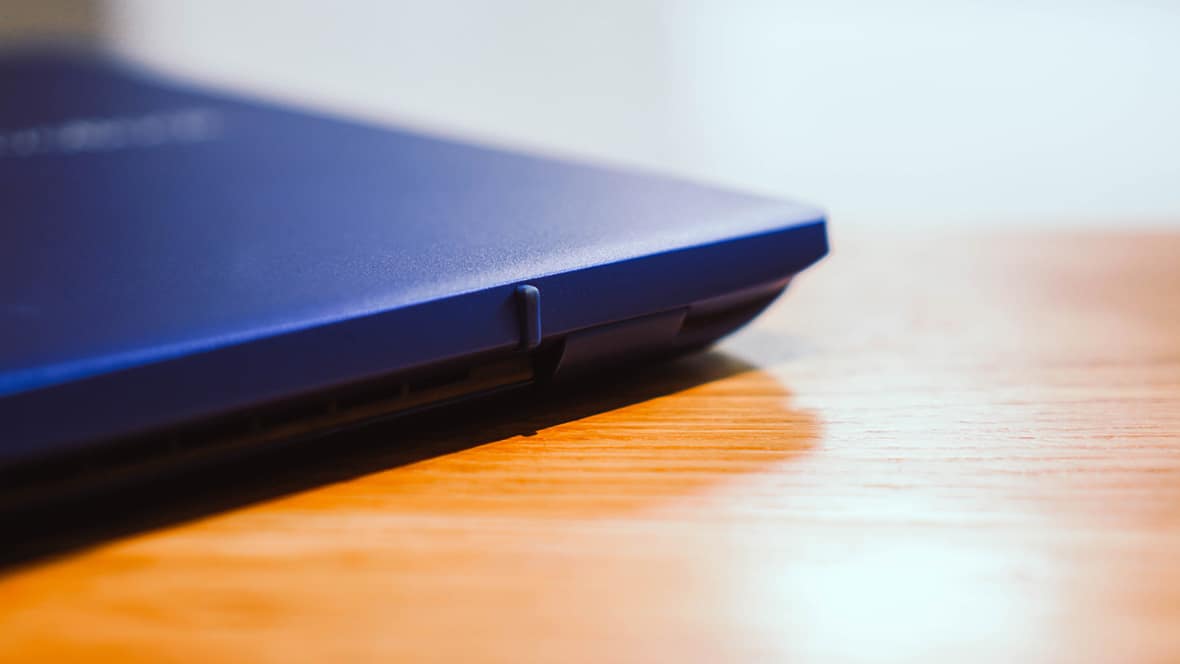
In case you’re wondering, this laptop isn’t just for show. Even though it’s flamboyant and stylish, function is still at the core of its design language. Evident is ASUS’ ErgoLift hinge, which tilts the laptop to have an inclined position. This makes working on this laptop more comfortable on the wrists.

Productivity is one of its focus, considering all the ports available on each side. On the right, you can find the power input, a standard HDMI port, two USB 3.1 ports; one Type-A and one Type-C, an audio jack, and a microSD card reader.

On the left side, you can find two USB 2.0 ports which most people might find to be outdated since it’s already 2019. Most laptops nowadays come with USB-C ports instead. Nonetheless, I hate the dongle life and laptops carrying multiple ports are still better until every other device supports USB-C. This would pass, but I do hope that the next version would come with USB 4 ports, or at least USB 3.1.
The problem with just “looking good”
With its enormous size, it’s hard not to be drawn to the VivoBook S15. Its screen boasts a 15.6″ FHD panel bordered by thin bezels on every side, thanks to its NanoEdge design giving an almost-frameless look. Found on top is an IR HD camera, which isn’t as visible unless you put it under proper light.

I hate to rain on ASUS’ parade, but I honestly believe the display could’ve been better. The company is a braggart when it comes to their display, but let’s be real here: we don’t need something beautiful if it doesn’t provide what we need.
Consumers are looking for the very essence of a product’s feature, hence, the display should not be lackluster. It’s not bright and vibrant enough, and it has poor color reproduction. Moreover, it has a limited viewing angle and I experienced a lot of glare contrary to its claims.

It’s just like when you buy a fleece coat and a cashmere scarf, only to be duped when you find out it was mostly acrylic or polyester and it failed to provide the primary reason for buying it: to protect you from the cold during winter. The VivoBook S15 failed to give us the bright side of its display, but it’s one thing you can compromise if you already fell in love with its look.
Don’t have high hopes
While this laptop failed me in the display department, I wouldn’t let a single moment pass by to watch my favorite sitcom Brooklyn Nine-Nine. Despite all the disappointments I encountered, I still had high hopes for its audio performance since it was tuned by Harman Kardon.

However, don’t be fooled by its branding. Even though it has the Harman Kardon signature, the VivoBook S15 provides below average audio quality befitting a non-flagship laptop like this. The speakers are also stuck in the bottom, along with the fan perforations which can result in subdued sound quality especially when it’s placed on a flat surface.

I know, both the display and audio department have failed miserably yet I still found the whole experience with the laptop enjoyable. After all, comedies have taken a bulk on my watch list which guarantees I’ll be happy whatever I watch, wherever it may be. Yet as a person who sees a glass half-full, I honestly believe the VivoBook S15 is more than enough to most users.
My nitpicking is based on my impeccable — and irrationally — high standards, born out of using premium and flagship laptops first-hand. If I didn’t have any point of comparison, I would have opted for this one already.
But since I know we all deserve better, I still encourage you to look for the best you can find; unless this is the one that fits your preference, personality, and of course, budget. If that’s the case, then by all means, go ahead and continue reading.
Sometimes, it’s more than enough
The whole affair with the VivoBook S15 is like a dating adventure. I was hooked at first glance, and I admired its look and style, and I dived right in to feel it. One by one, I see red flags, and I still hold on to the tiny things that I might discover, hoping to make the affair with this “perfect” match going on.

In an attempt to hold on longer, I clung to one of the reasons why I chose this laptop. I looked back and remembered why I enjoyed every moment I was using it. The truth is this laptop provides more than what I need.
The VivoBook S15 is powered by an 8th-Gen Intel i7-8565U processor, running an NVIDIA GeForce MX250 graphics card. It also has an 8GB RAM, 512GB SSD, and 1TB HDD storage.
Yes, I’m a designer and I occasionally delve into multimedia work. If we’re going to talk about how I’m going to use this laptop in my everyday life, I’d say it’s more than enough. A confidante once affirmed that with the right person, you are enough.

Truly, the VivoBook S15 packs power more than what we need. It can let us browse the internet, open multiple tabs and multitask, and run Spotify, Netflix, Google Chrome, and Adobe Photoshop all at once in the background. Do note that these apps are some of the most power-consuming apps but the VivoBook S15 can handle everything without hiccups.

I also didn’t have qualms working on my post-processing sessions on Adobe Photoshop. On some occasions, I was able to handle illustrations through Adobe Illustrator and edit photos batch-by-batch in Adobe Lightroom. For those who do video editing, this laptop can handle a bit of editing, but I would look elsewhere.
Then again, I wouldn’t push a laptop beyond its limits, especially with a task it’s not meant to handle. Such examples are heavy multimedia works, or worse, playing graphics-intensive games. Sure it can do it albeit only to a certain extent.
Is this your GadgetMatch?
I may have said a mix of praise and brutally honest complaints about this laptop, and it might have confused some of you. Frankly, the ASUS VivoBook S15 has a lot of shortcomings, especially for a laptop in 2019. Yet despite its imperfection, it still proved to be more than capable, especially for everyday users.
This laptop will surely do you wonders, increase your productivity, and let your creativity thrive. For PhP 60,995 (US$ 1206), the ASUS VivoBook S15 S531FL can be rivaled by other laptops out there, but they probably look tacky. None of them can compete with how ASUS packaged this beaut into something stylish yet functional to complement one’s lifestyle. This laptop is something worth bringing and showing-off while you do your work.

Even though I noticed a lot of flaws, I still chose to see the good in it. I have learned that if you want to make a thing last, you have to choose it. Just like in love, you have to choose it every single day. Sure, there’ll be drawbacks and a lot of disappointments along the way, but some can be glossed over, understood and accepted. We’ll always have unreasonable demands, but we only need to take a step back and see the reason why we choose this thing (or someone) in the first place. Sometimes, they are enough.







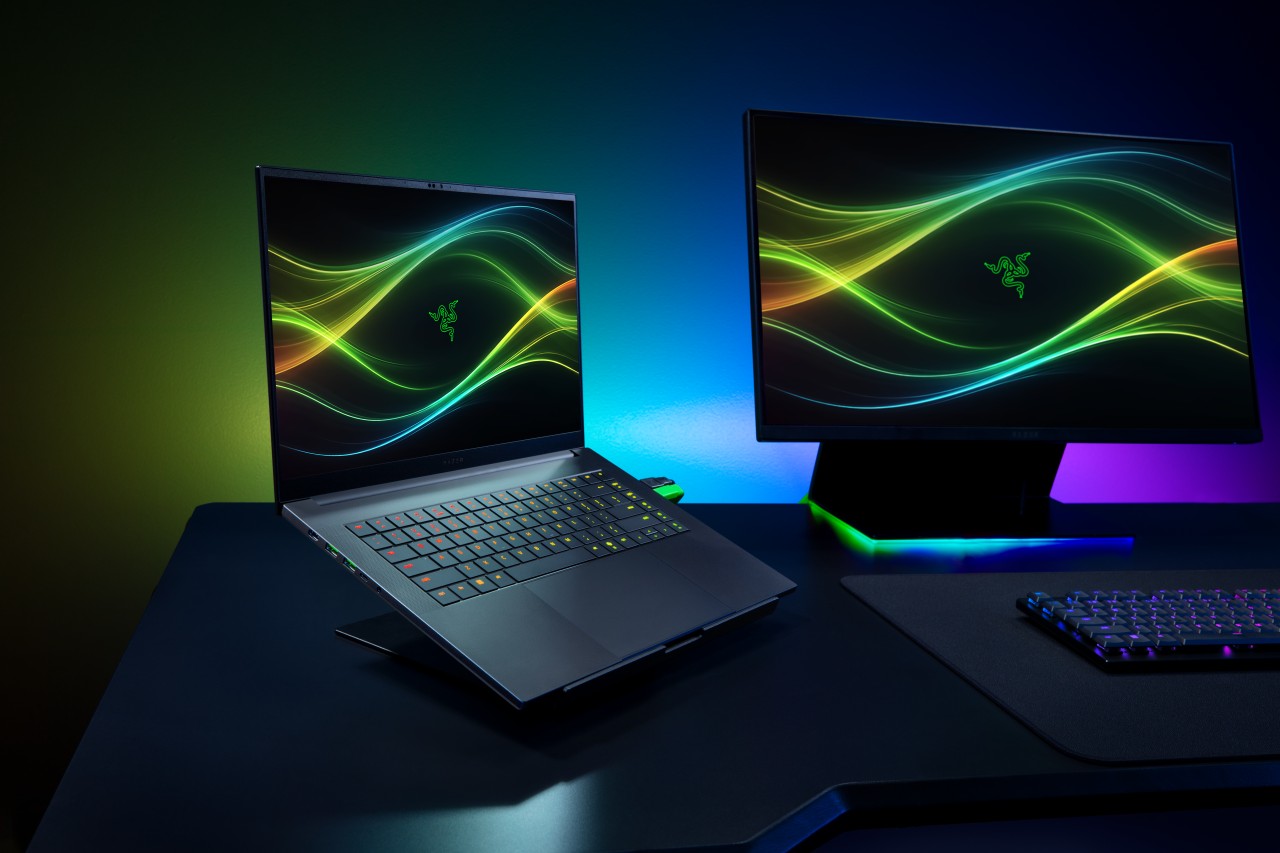
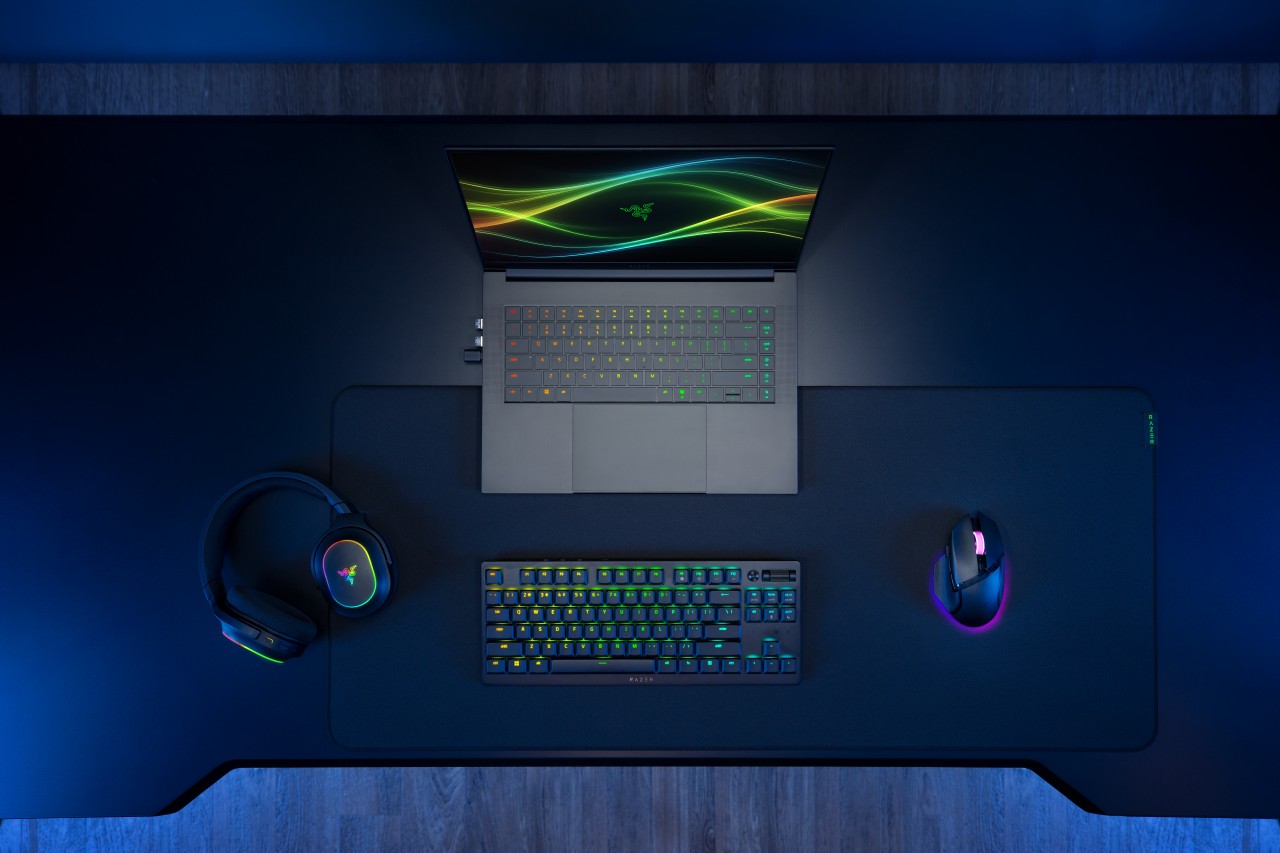
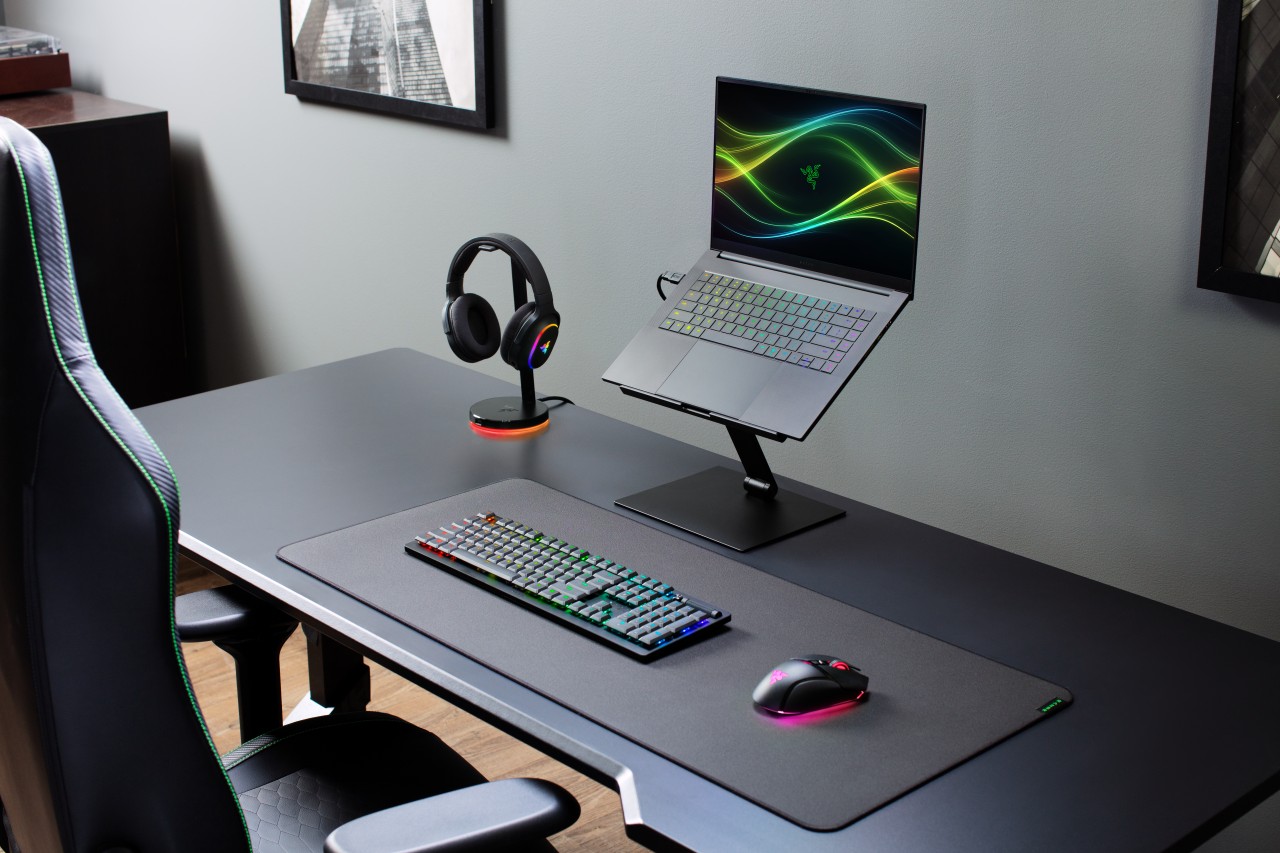
Razer has officially unveiled the 2026 version of its Blade 16, doubling down on what it does best: squeezing high-end performance into an ultra-slim chassis.
This year’s refresh focuses on meaningful internal upgrades. That includes a new Intel Core Ultra 9 processor, faster LPDDR5X memory, and NVIDIA’s latest RTX 50 Series laptop GPUs — all while keeping the Blade 16 as the thinnest gaming laptop in Razer’s lineup.
Performance gets a serious bump
At the core of the new Blade 16 is the Intel Core Ultra 9 386H, featuring 16 cores and up to 4.9GHz boost clock. Razer claims a 33% increase in core count versus the previous generation, translating to stronger performance across gaming, content creation, and AI workloads.
There’s also an integrated NPU capable of up to 50 TOPS, enabling faster on-device AI tasks like image generation and live translation.
Memory gets a notable upgrade too. The Blade 16 now supports up to 64GB of LPDDR5X-9600MHz RAM, which Razer positions as the fastest available in a laptop today. The result: quicker responsiveness for heavy multitasking, creative apps, and AI-assisted workflows.
On the graphics side, NVIDIA’s GeForce RTX 50 Series (Blackwell architecture) brings DLSS 4 and enhanced AI capabilities for both gaming and creator use cases.
Display and design stay premium
Razer isn’t fixing what isn’t broken. The Blade 16 retains its signature CNC-milled aluminum chassis, measuring just 14.9mm thick and weighing around 2.14kg.
The display remains a highlight. You get a 16-inch QHD+ OLED panel with a 240Hz refresh rate, now brighter and certified for VESA DisplayHDR TrueBlack 1000. It supports full DCI-P3 coverage, Calman calibration, and NVIDIA G-SYNC, making it just as suited for creators as it is for competitive gaming.
Battery life and efficiency improve
Despite the performance gains, Razer is also pushing efficiency. Thanks to Intel’s newer architecture and system-level optimizations, the Blade 16 can hit up to 13 hours of productivity use and up to 15 hours of video playback under ideal conditions.
That’s a notable improvement for a machine in this class, especially given its slim form factor.
Connectivity and audio step up
The 2026 Blade 16 gets a future-ready connectivity suite, including Thunderbolt 5, Wi-Fi 7, and Bluetooth 6.0. There’s also a full set of ports, from USB-A to HDMI 2.1 and an SD card reader.
Audio gets an upgrade too. The six-speaker system now supports THX Spatial Audio+ with virtual 7.1.4 surround, aiming to deliver more immersive sound both on speakers and headphones.
Price and availability
The Razer Blade 16 configured with an NVIDIA GeForce RTX 5080 (16GB VRAM) and 32GB LPDDR5X-9600MHz RAM is priced at US$3,499.99 / €3,599.99 MSRP.
It is available now, exclusively via Razer.com and select RazerStores worldwide.
Still the Blade, just sharper
At a glance, the 2026 Blade 16 doesn’t reinvent the formula. But under the hood, it pushes performance, memory speed, and efficiency forward in ways that matter.
It’s still the same idea: a no-compromise gaming laptop that looks like it belongs in a minimalist workspace — just faster, smarter, and a bit more future-proof this time around.
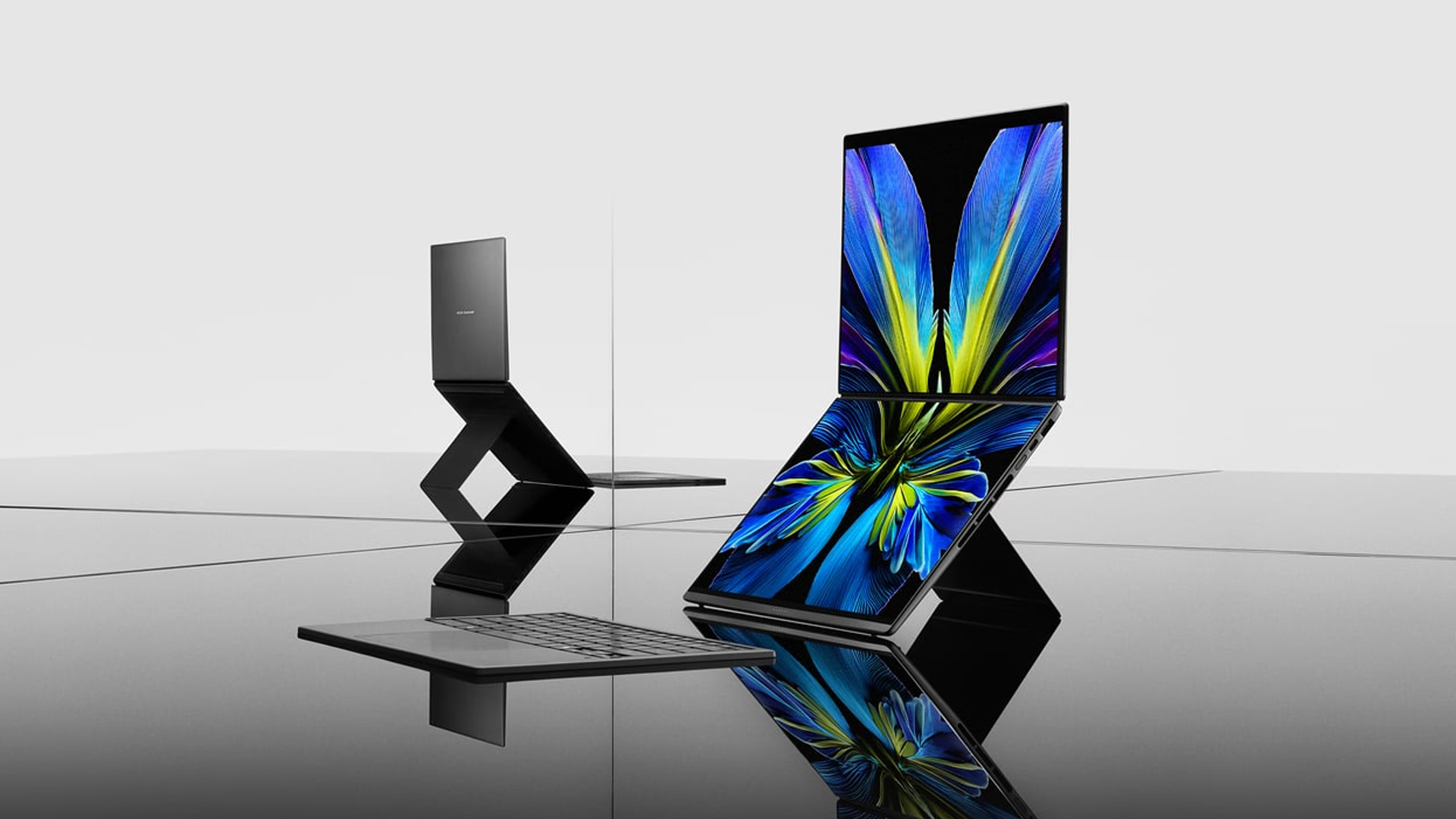
At CES 2026, ASUS unveiled an exciting lineup of notebooks headed for launch throughout the year. Earlier this month, the brand finally launched the latest Zenbooks built for maximum portability. Now, ASUS has released the new Zenbook S16 and S14, plus the new Zenbook DUO, in the Philippines.
Zenbook S16, S14
Much like its predecessor, the latest Zenbook S16 is designed for ultra portability. In terms of thinness, the notebook measures only 1.1 centimeters. Plus, it weighs only 1.5 kilograms, making it a perfect addition to your daily kit. The Zenbook S14, on the other hand, weighs only 1.1 kilograms.
As is always expected from the Zenbook S lineup, both laptops will have a tactile Ceraluminum lid, bolstered by an EasyLift hinge for ease of use. It will also have an ErgoSense keyboard with dished keycaps.
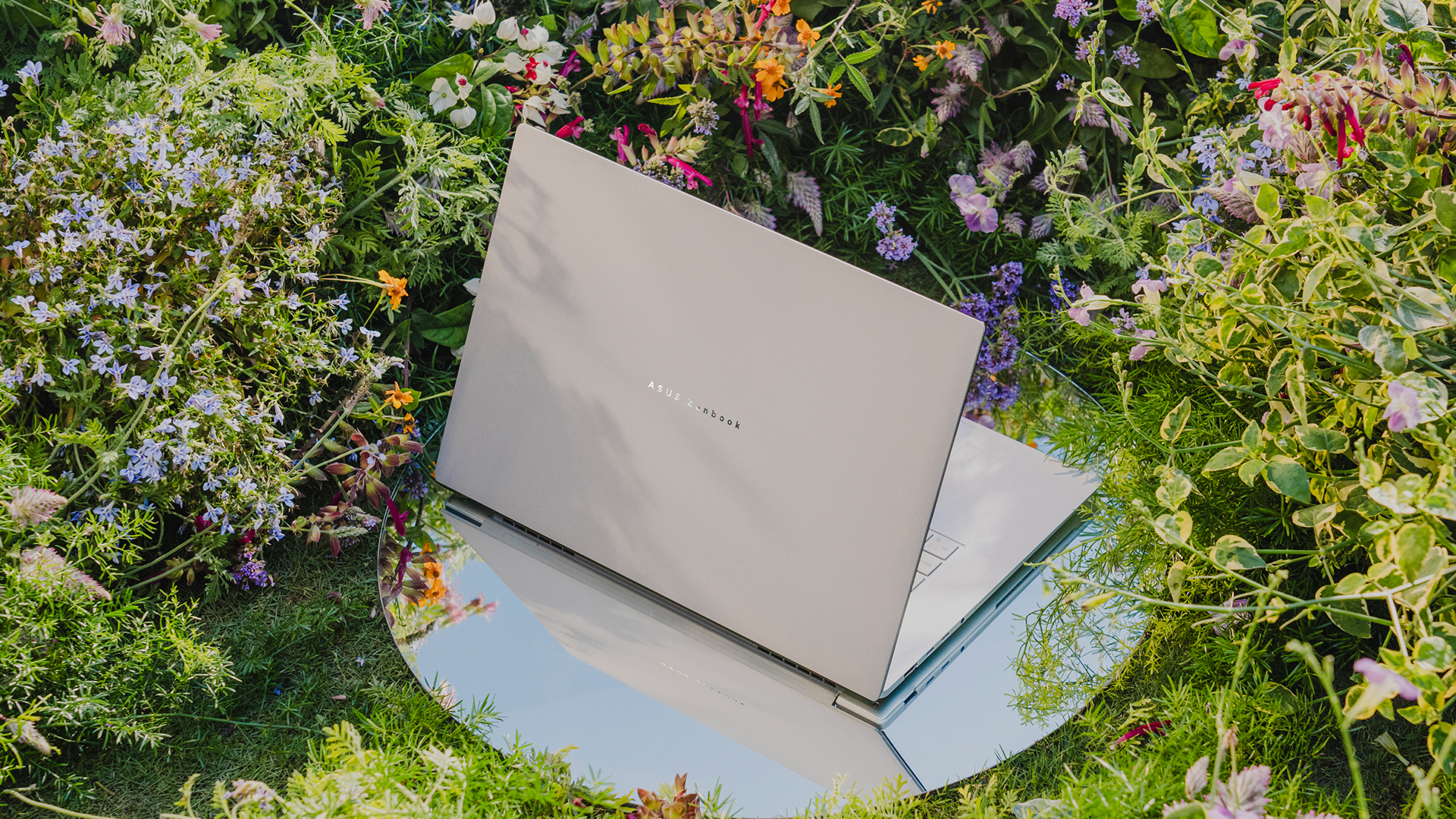
The 16- and 14-inch 3K ASUS Lumina OLED screen has touchscreen capabilities and a refresh rate of 120Hz. For audio, the S16 has a six-speaker Dolby Atmos system, including four front-firing tweeters and dual woofers. The S14 has four speakers.
Under the hood, the Zenbook S16 will sport an AMD Ryzen AI 9 465 chipset, while the Zenbook S14 has an Intel Core Ultra 9 Series 3 processor.
For battery, the S16 will have an 83 Wh battery, which can reportedly last over 21 hours, and the S14 has a 77 Wh battery.
Zenbook DUO
If portability isn’t your main focus, the new Zenbook DUO packs in two screens in one device. Though it packs a bit more punch the Zenbook S series, the dual-screen notebook still weighs only 1.65 kilograms.
The Zenbook DUO features the newest Intel Core Ultra 9 Series 3 processor, up to 32GB of memory, and up to 1TB of internal storage. This time, both screens have anti-reflective coating for a better viewing experience.
As with the previous generations of the DUO, this iteration comes with a detachable keyboard and a four different use cases including dual screen, laptop, desktop, and sharing modes.
Powering the beast is a huge 99Wh battery. ASUS says that this is the most they can pack inside without getting users in trouble at the airport.
Zenbook 14
To be clear, this is different from the Zenbook S14, but it bears a striking resemblance to that previous notebook, both in terms of design and hardware. For one, the new Zenbook 14 is 14.9mm thin and only 1.2kg light.
The 14-inch screen carries a WUXGA ASUS Lumina OLED display, putting out images in a 16:10 aspect ratio. The notebook also has an Ergosense keyboard and touchpad for more comfortable typing and more precise controls.
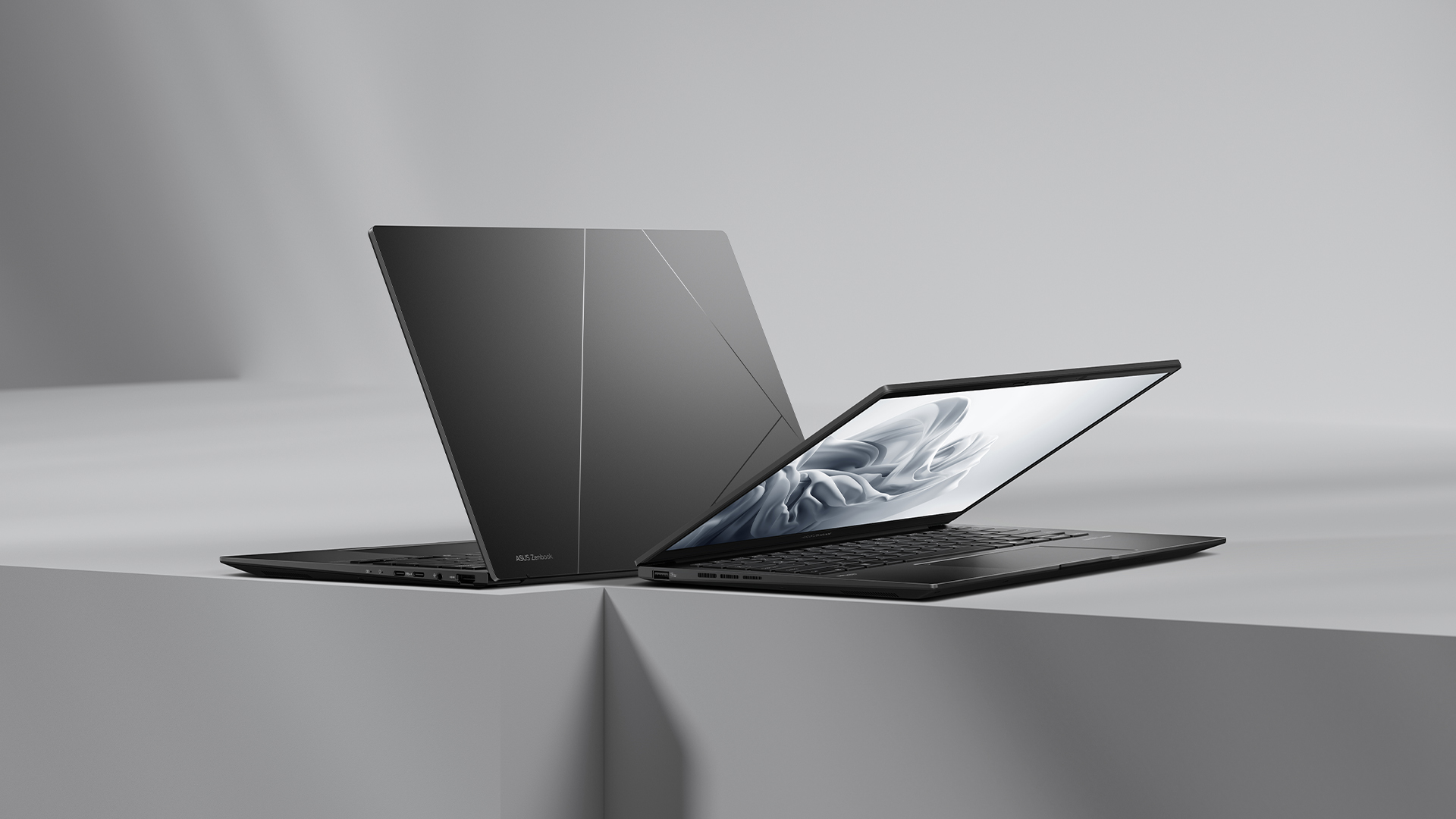
Under the hood, the Zenbook 14 trades the S14’s Intel chip for an AMD Ryzen AI 7 445 processor, capable of up to 50 TOPS. It will also have 16GB of RAM and 1TB of storage.
For battery, the notebook will have a 75 Wh battery, reportedly capable of lasting over 15 hours of unplugged use.
Zenbook A16
Embodying the spirit of “if it ain’t broke, don’t fix it,” the brand is also introducing a modest upgrade to the Zenbook A series.
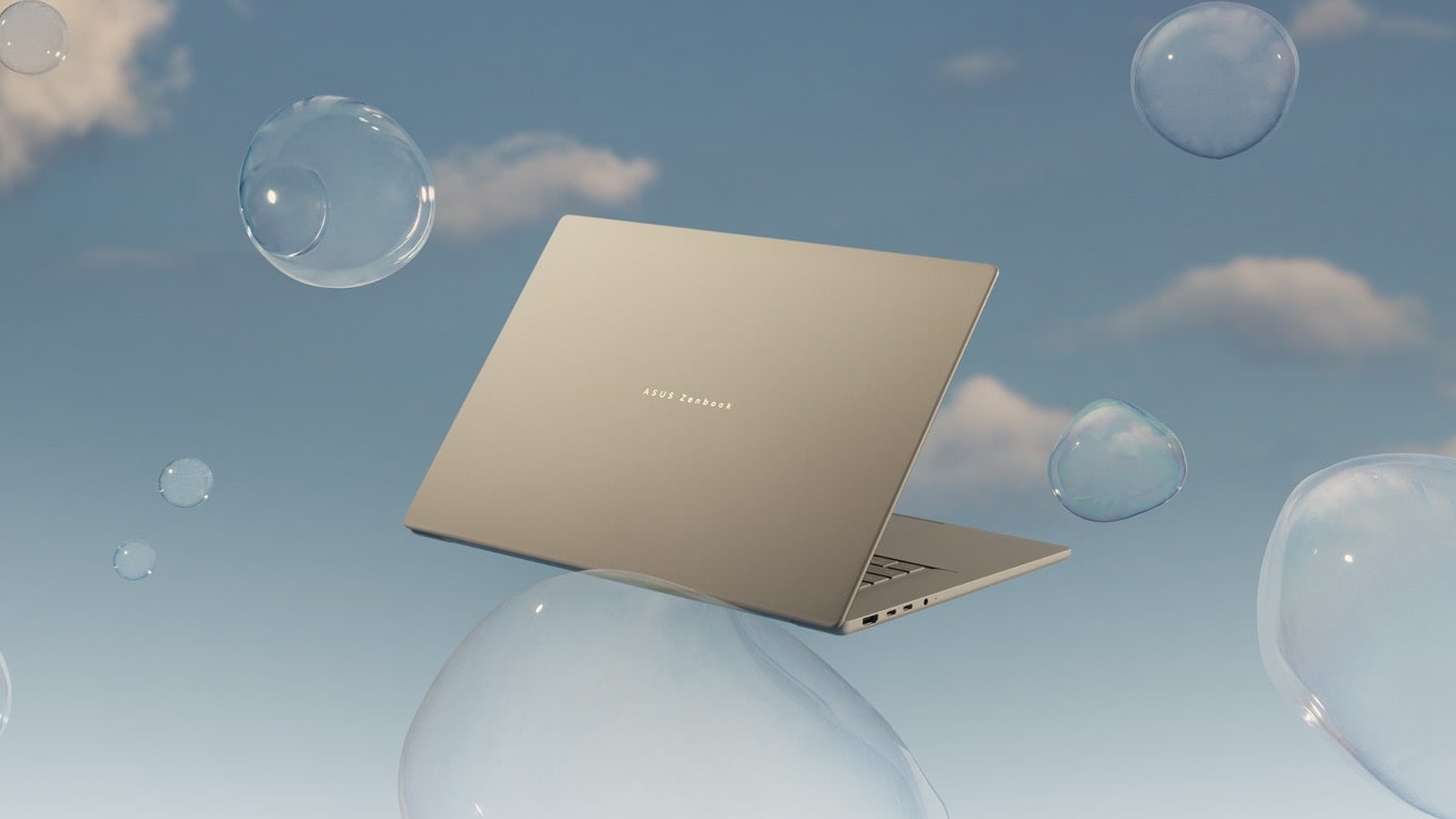
The new Zenbook A16 is only 1.2 kilograms in weight. Plus, with a 70Wh battery, the notebook can remain unplugged and outside for an entire day. The A16 comes with a 16-inch 3K 120Hz OLED screen and the Snapdragon X2 Elite Extreme.
Price, availability in the Philippines
The Zenbook S16 comes in Scandinavian White and starts at PhP 134,995. Meanwhile, the Zenbook S14 comes in Antrim Gray and sells for PhP 129,995.
The Zenbook DUO comes in Moher Gray and starts at PhP 179,995.
Meanwhile, the Zenbook 14 comes in Jade Black and sells for PhP 79,995.
Finally, the Zenbook A16 is coming soon.
Laptops
Alienware celebrates 30th anniversary with new Area-51 laptops
The series features Alienware 30, an all-new design language.

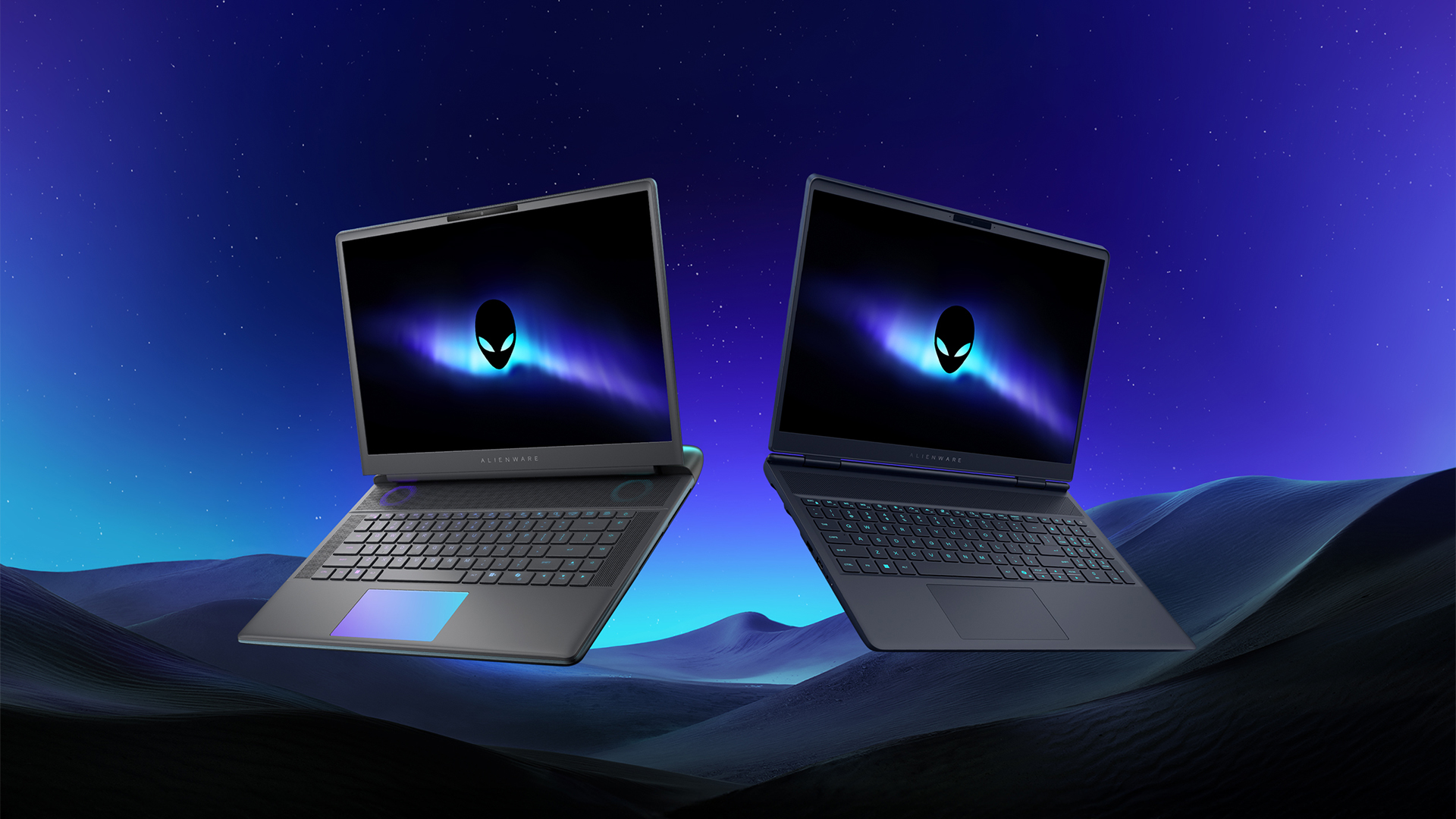
Despite the rise of more gaming brands, Alienware is still one of the most recognizable names for gamers who want dedicated hardware. This year, the brand is celebrating its 30th anniversary. To commemorate the milestone, Alienware has launched the new Area-51 and Aurora notebooks.
Alienware Area-51
Alienware’s Area-51 lineup is the brand’s flagship line of notebooks, packing in the best of the best from the industry. This time is no different.
First of all, the new series will rock Alienware 30, a new design philosophy made especially for the 30th anniversary. On the outside, the laptops have fluid contours, emphasizing curves opposed to the industry’s more angular contemporaries. It also has a Zero Hinge, which hides the laptop’s hinge from view. Finally, it has pillowed palm rests to make usage easy for long gaming sessions.
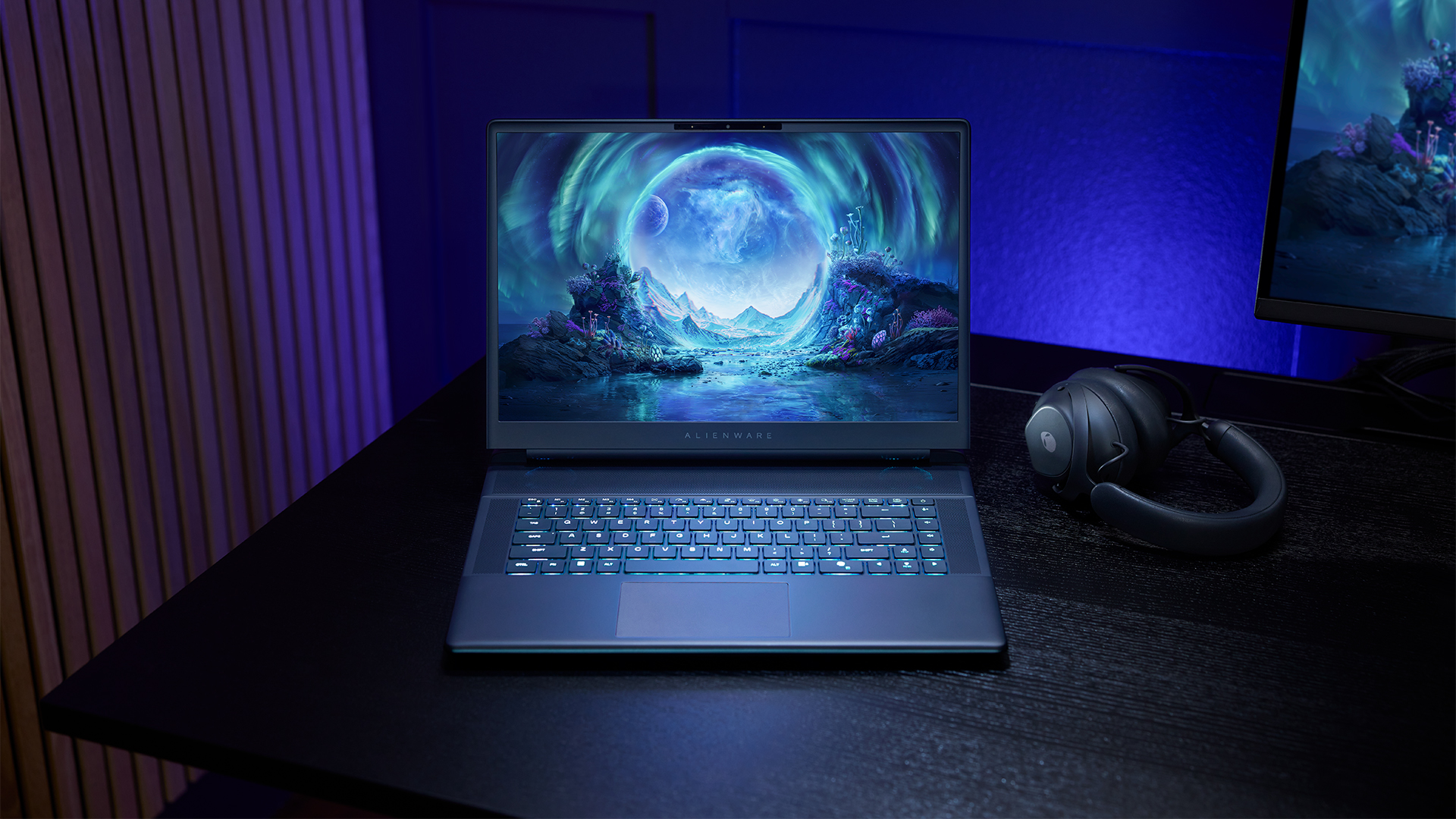
The 16-inch model can rock up to a WQXGA Anti-Glare OLED screen, featuring 240Hz refresh rate and 620 peak HDR nits. It will also have an LCD option. Alternatively, the 18-inch model has a WQXGA screen, featuring 300Hz refresh rate and 500 nits of brightness.
Inside, the Alienware Area-51 boasts up to an Intel Core Ultra 9 290HX processor and up to an NVIDIA GeForce RTX 5090 24GB GPU. For memory, gamers can enjoy up to 64GB Dual-Channel DDR5. Finally, for storage, the series can rock up to 2TB SSD natively but can support up to 3 slots, allowing for up to 12TB of internal storage.
The series will have a sizable 96Whr battery. This is complemented by a 280W adapter and the brand’s largest fans by volume to keep things cool.
Alienware 16X Aurora
For those who portability over raw power, the new Alienware 16X Aurora fits inside any day-to-day kit. For example, it ditches the thermal shelf typical of most gaming notebooks today to increase portability. It has rounded edges to make it easier to grasp and to create a slightly pillowed palm rest, similar to its flagship counterpart.
The 16-inch WQXGA OLED panel touts 240Hz refresh rate, 0.2ms response time, and 620 nits HDR peak brightness.
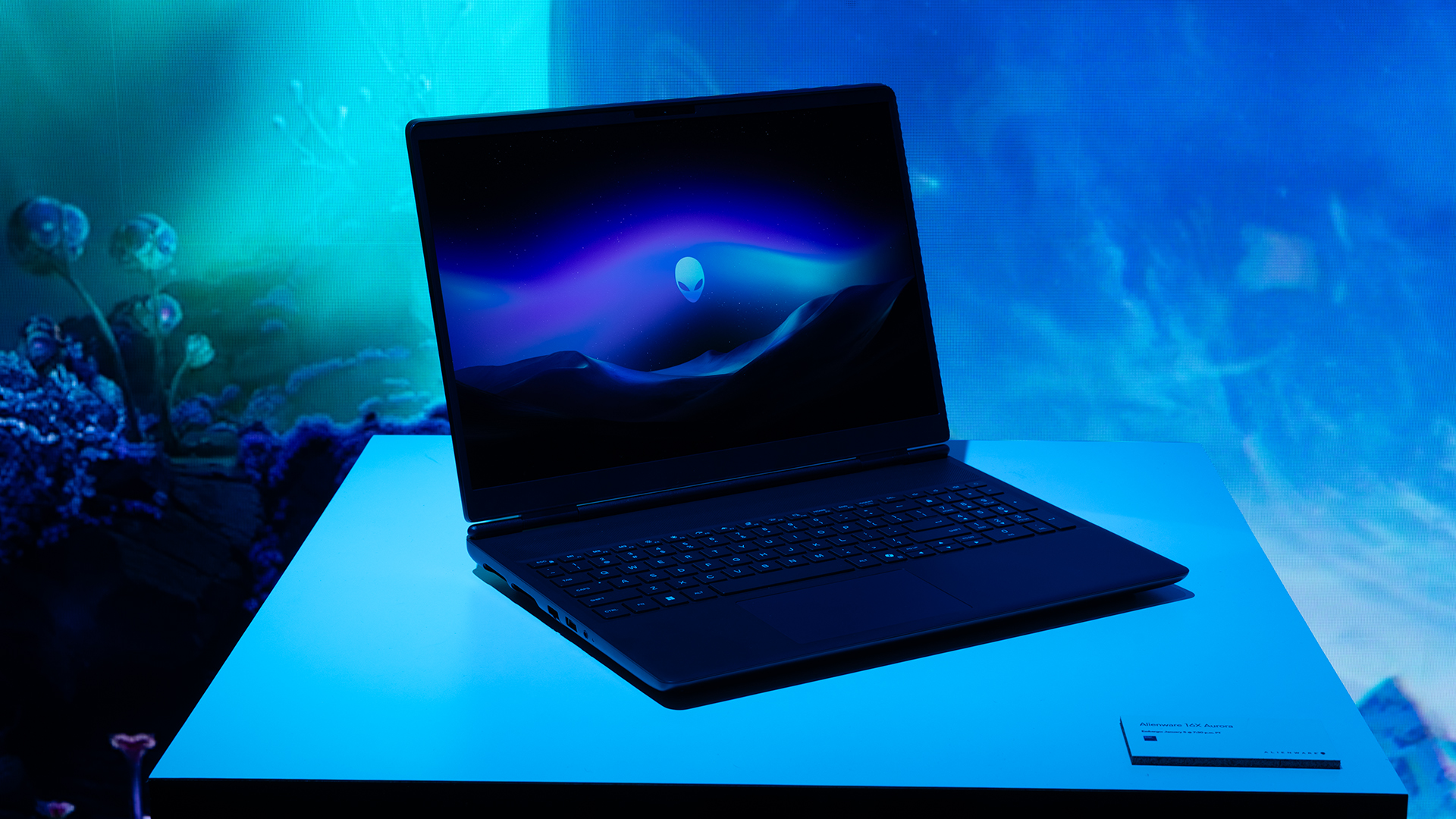
Inside, the notebook has up to an Intel Core Ultra 9 275HX processor and up to an NVIDIA GeForce RTX 5070 Ti GPU. These specs are paired with up to 64GB Dual-Channel DDR5 memory and up to 2TB SSD.
Finally, the Alienware 16X Aurora will have a 90Whr battery. This is supported by up to a 280W charger (for the RTX 5070 variant).
Price, availability
Both series are available starting today, March 17.


Galaxy Buds4 Pro review: I thought I was done with in-ears
This Buds4 you


WWE 2K26 lets you live out all the fantasy matches you could want
But you have to play for hours and hours to unlock everyone.


The HONOR X8d is serviceable
Steady but slow?

Life is Strange: Reunion now available on consoles and PC

Why this AI-powered eye health exam is the only reading you need this season

DJI officially launches the Avata 360 with 8K immersive imaging

The Changan Eado Plus officially lands in the Philippines

PLDT Home, Samsung team up for exclusive entertainment deals


-

 Reviews1 week ago
POCO X8 Pro Max review: A new beast from the far east
-

 News1 week ago
POCO X8 Pro Series: Price, availability in the Philippines
-

 Reviews1 week ago
POCO X8 Pro Iron Man Edition review: Midrange phone in superhero armor
-

 Automotive1 week ago
VinFast extends free unlimited charging in 3 markets amid rising fuel prices
-

 Reviews2 weeks ago
Samsung Galaxy S26 Ultra review: A phone you live with
-

 News1 week ago
POCO introduces X8 Pro Series with Dimensity 9500s
-
Philippines1 week ago
The HONOR X8d is serviceable
-

 Gaming1 week ago
NVIDIA’s DLSS 5 can turn your favorite AAA game into AI slop