
Features
From Curve, Bold to Priv: 10 of the most memorable BlackBerry devices


BlackBerry, as we had earlier reported, announced today it was getting out of the smartphone business to focus on creating software for mobile devices, finally making official the news that many had expected for a while.
Let us repeat: BlackBerry — one of the most recognizable names in the phone industry — is done designing and making, um, phones. Sort of. We’ll still see BlackBerry-branded phones in the future through licensing deals, but the company won’t have a hand in creating the said handsets.
Which is a shame because the company formerly known as RIM was responsible for some of the most memorable mobile devices ever produced. Here’s a look at 10 of them.
Via GigaOM
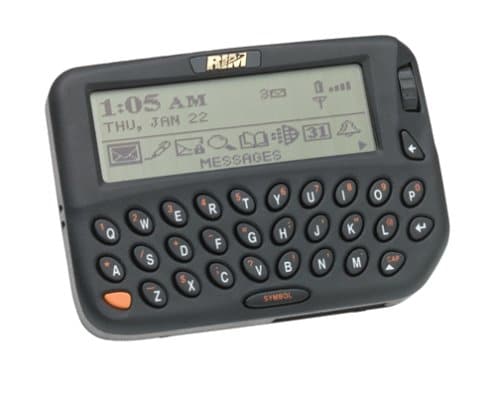
1. BlackBerry 850 (1999)
Say hello to the original. The 850 was the first device to carry the BlackBerry name. It was introduced as a two-way pager in 1999, and it had a thumb keyboard and a thumbwheel for scrolling.

Via Engadget
2. BlackBerry 5810 (2002)
The BlackBerry 5810, although technically a Java-based communicator or personal digital assistant, was essentially the company’s first handset. It had no built-in mic or speaker so to make or receive a voice call, you needed to plug in a headset. It featured a monochrome display and was limited to 2G networks. And you thought your phone was all shades of bad?

Via FastGSM
3. BlackBerry 7100 (2004)
The 7100 series comprised several handsets that had one thing in common: a modified QWERTY keypad that appealed to the text-crazed public. It was also the first batch of BlackBerrys targeted at the average user, not at suit-wearing business types. It was light on multimedia features — no built-in media player, no camera — but it had a colored display and Bluetooth connectivity.

Via Bootic
4. BlackBerry Curve 8300 (2007)
The Curve arrived in 2007, the same year the first iPhone came out. But it wasn’t as smart as Apple’s phone, wasn’t as smart as the BlackBerry Bold. It was meant for chatting and quickly typing out messages. More importantly, it was cheap and had mass appeal.
Via Gizmodo
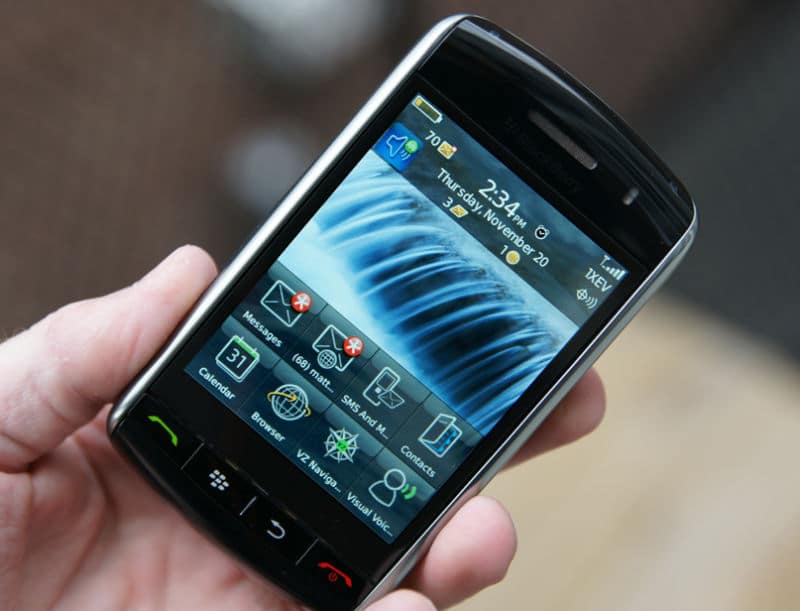
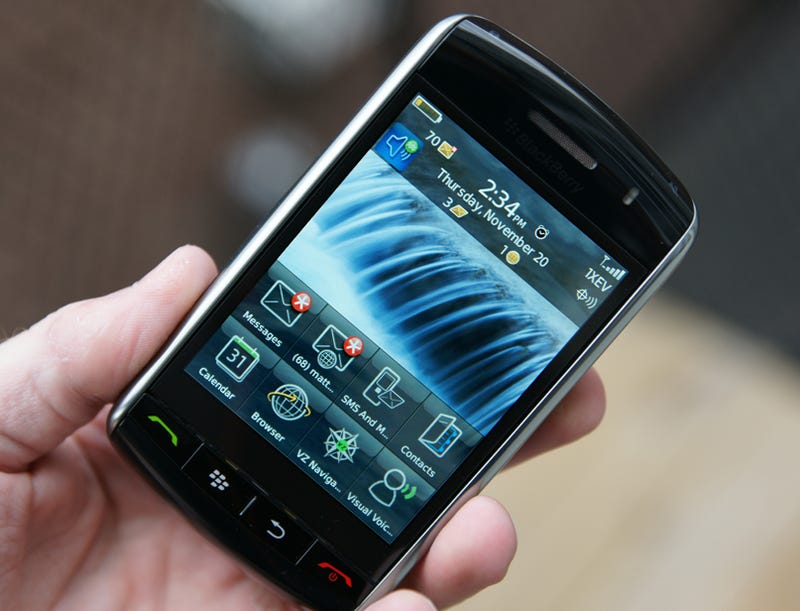
5. BlackBerry Storm (2008)
Released in 2008 and touted as the company’s best hope to rival the iPhone, BlackBerry’s first full-touchscreen device was a bold, promising product — notwithstanding the absence of WiFi. It sold well during its first year on Verizon’s shelves, but the carrier eventually had to replace all of the one million Storm phones sold in 2008 after customers complained about its iffy touch navigation.

Via PCMag
6. BlackBerry Bold 9000 (2008)
The Bold was responsive; it could connect to 3G and WiFi networks and GPS satellites; it had good-sounding stereo speakers; it had one of the best displays of any smartphone you could buy at the time. Further still, it looked the part of a handset that appealed to mobile professionals.
Via Zimbio
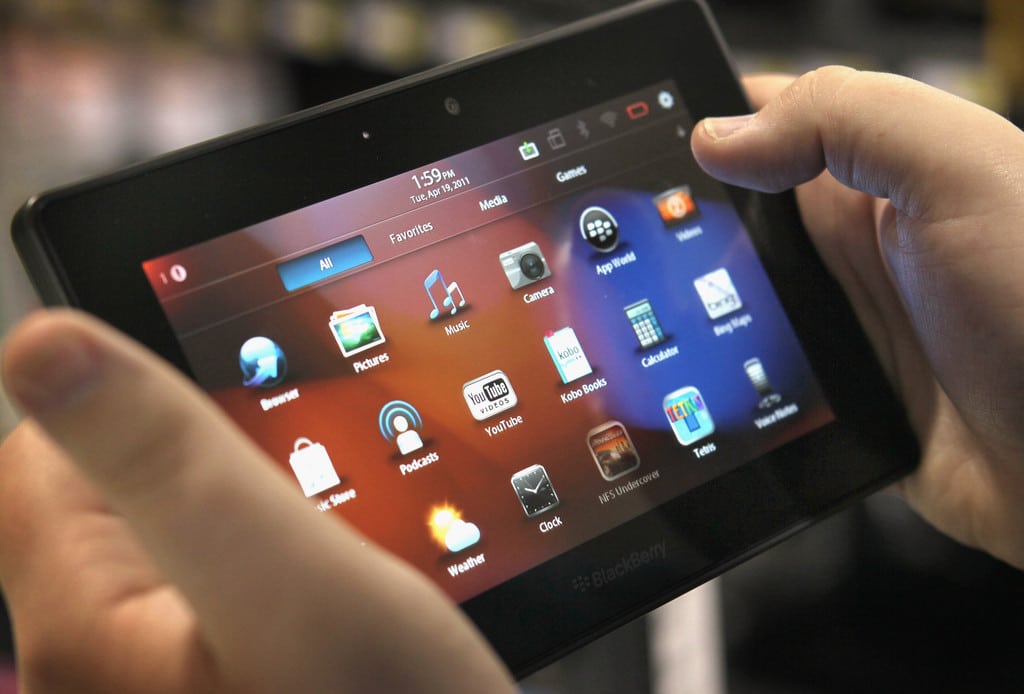
7. BlackBerry PlayBook (2011)
BlackBerry’s first foray into tablet territory received mixed reviews at launch, though conversation around the PlayBook got more favorable after a software update ironed out most of the kinks and added apps — BlackBerry’s and Android’s — that made it function more like a standalone device. A hefty price cut that brought it down to $199 also made it a more viable competitor to the Kindle Fire, and the iPad if price was a roadblock.

Via CrackBerry
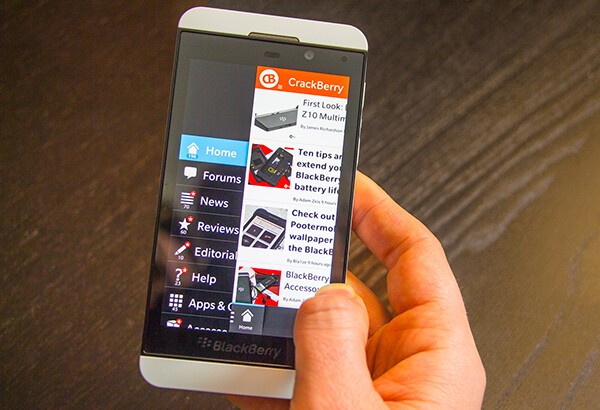
8. BlackBerry Z10 (2013)
The Z10 was the first phone to run BB10. It did pretty much everything one would expect from a high-end BlackBerry except it didn’t have access to the breadth of apps Android and iOS devices had. Its battery life also left us wanting more. Which was unfortunate because we kind of liked the Z10.
Via BlackBerry
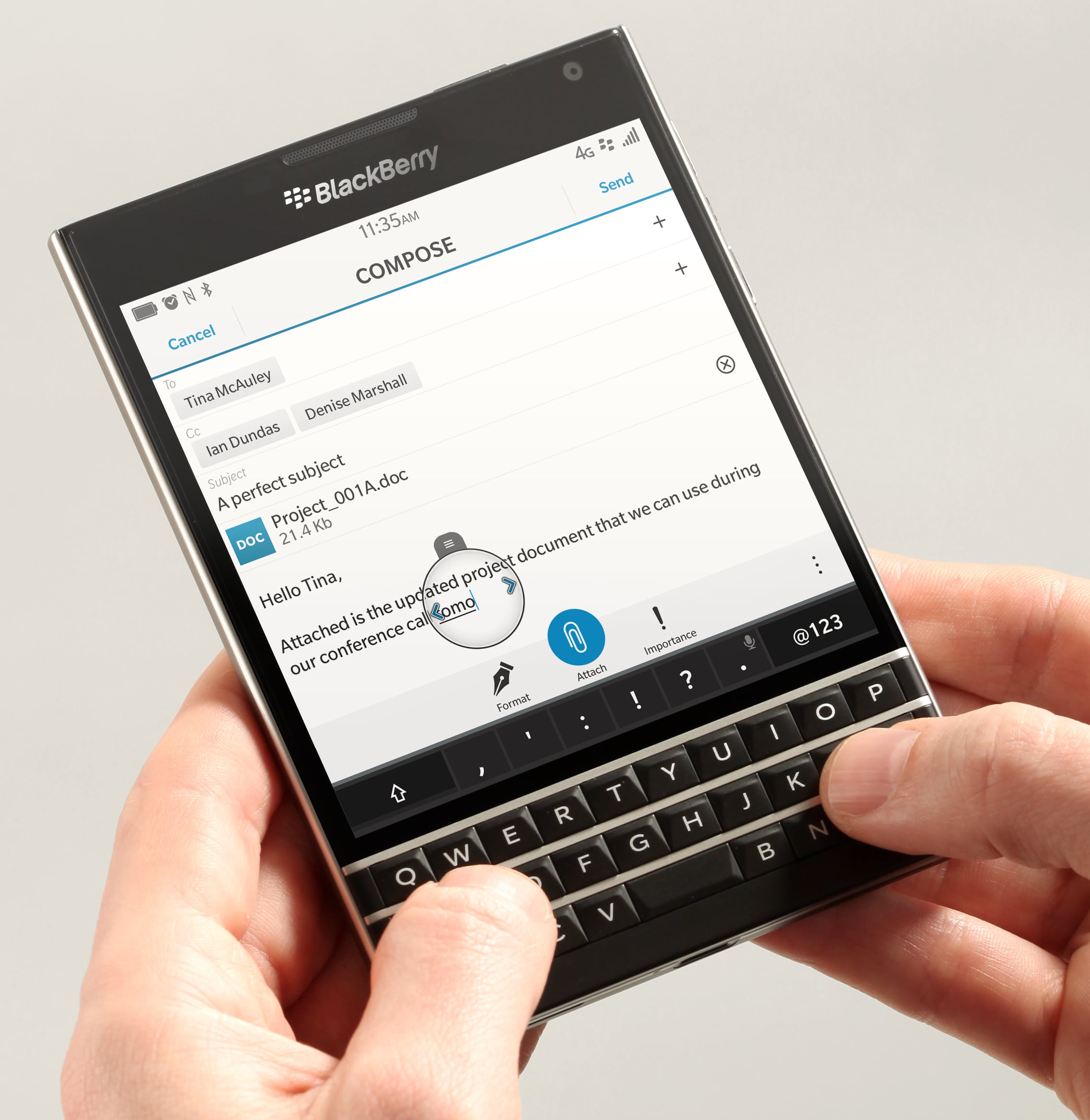
9. BlackBerry Passport (2014)
The Passport was a curious device. It was weird-looking — with its big square screen and tiny rectangular keyboard; it ran BB10, BlackBerry’s struggling operating system; and even though it brought together many of BlackBerry’s best technologies, it divided critics and fans alike. But one thing most people agreed on was it should have shipped with Android.

Via Pocketnow
10. BlackBerry Priv (2015)
The Priv was BlackBerry’s first Android device. It had a curved touch display and a slide-out QWERTY keyboard. Critics thought it was decent; fans loved it. But it had one major asterisk: a $700 launch price that proved too steep, too ambitious. BlackBerry eventually dropped the Priv’s price, but by then it was already too late. Consumers had made up their minds.
[irp posts=”10945″ name=”KEYone is BlackBerry’s first phone in two years”]
Image credit: Pocket-lint




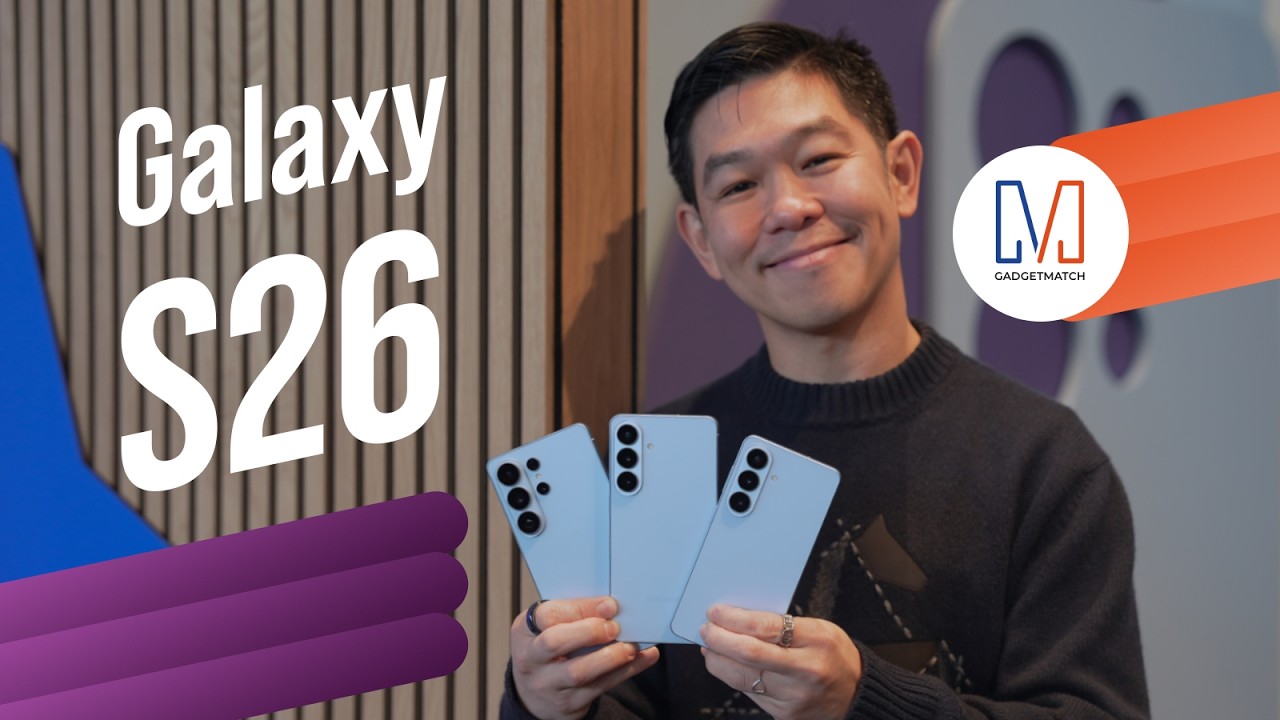
Did Samsung push forward or play it safe with the Samsung Galaxy S26 Series? Well, it’s a little bit of both.
Here’s our Hands-on with the new Samsung Galaxy S26 series to find out.
PRE-ORDER and SAVE up to $900 with enhanced trade-in credit:

“Our philosophy has never been about chasing specs.”
That line from Samsung’s presentation captures the Galaxy S26 Series better than any spec table.
This isn’t a year of radical hardware shifts. Battery capacities remain unchanged. Megapixel counts are familiar. The design language evolves rather than transforms.
But incremental doesn’t automatically mean irrelevant.
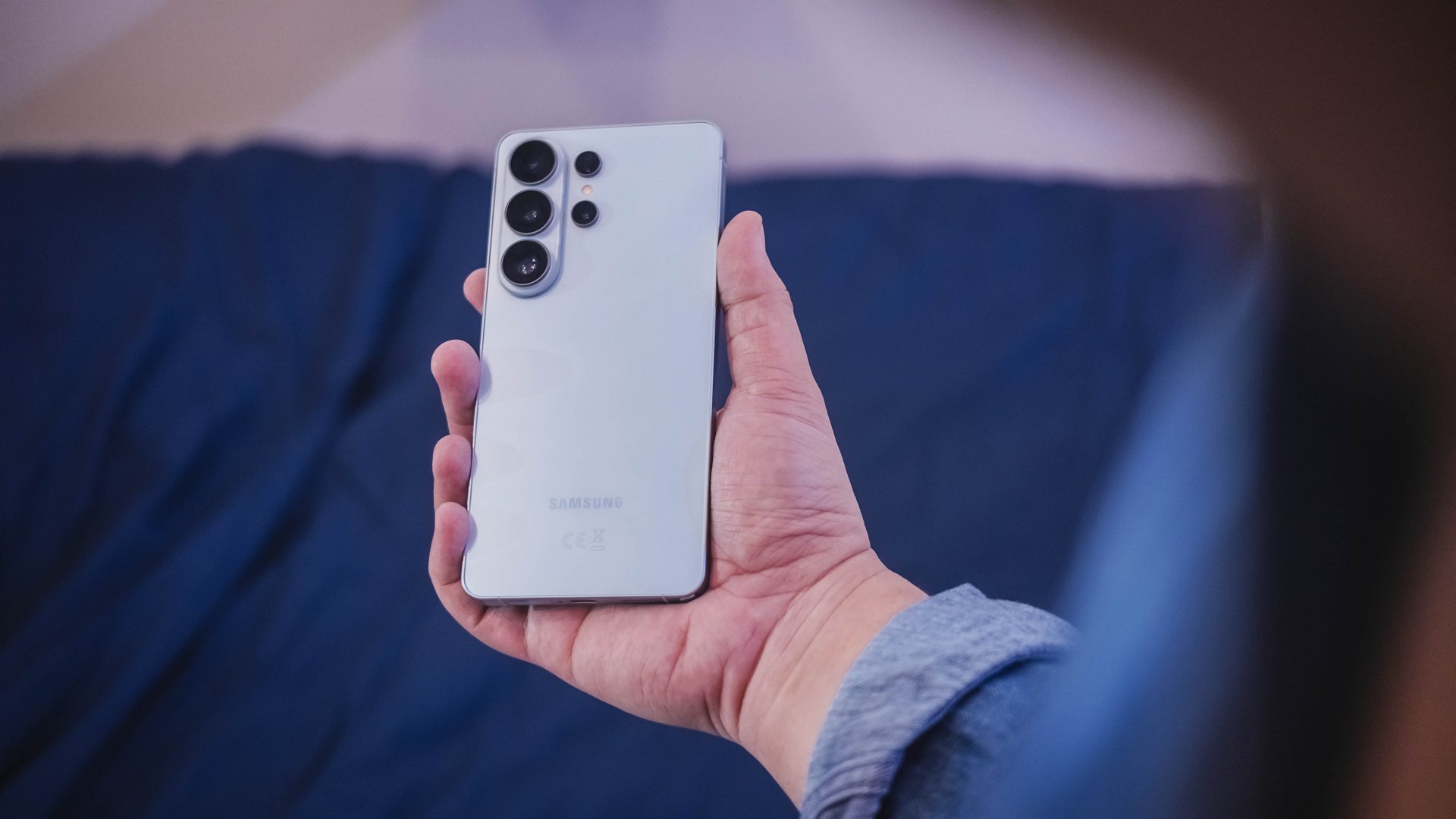
The S26 Ultra feels like Samsung refining its priorities — usability, privacy, and AI integration — instead of pursuing headline-grabbing numbers.
Hardware refinement, not reinvention
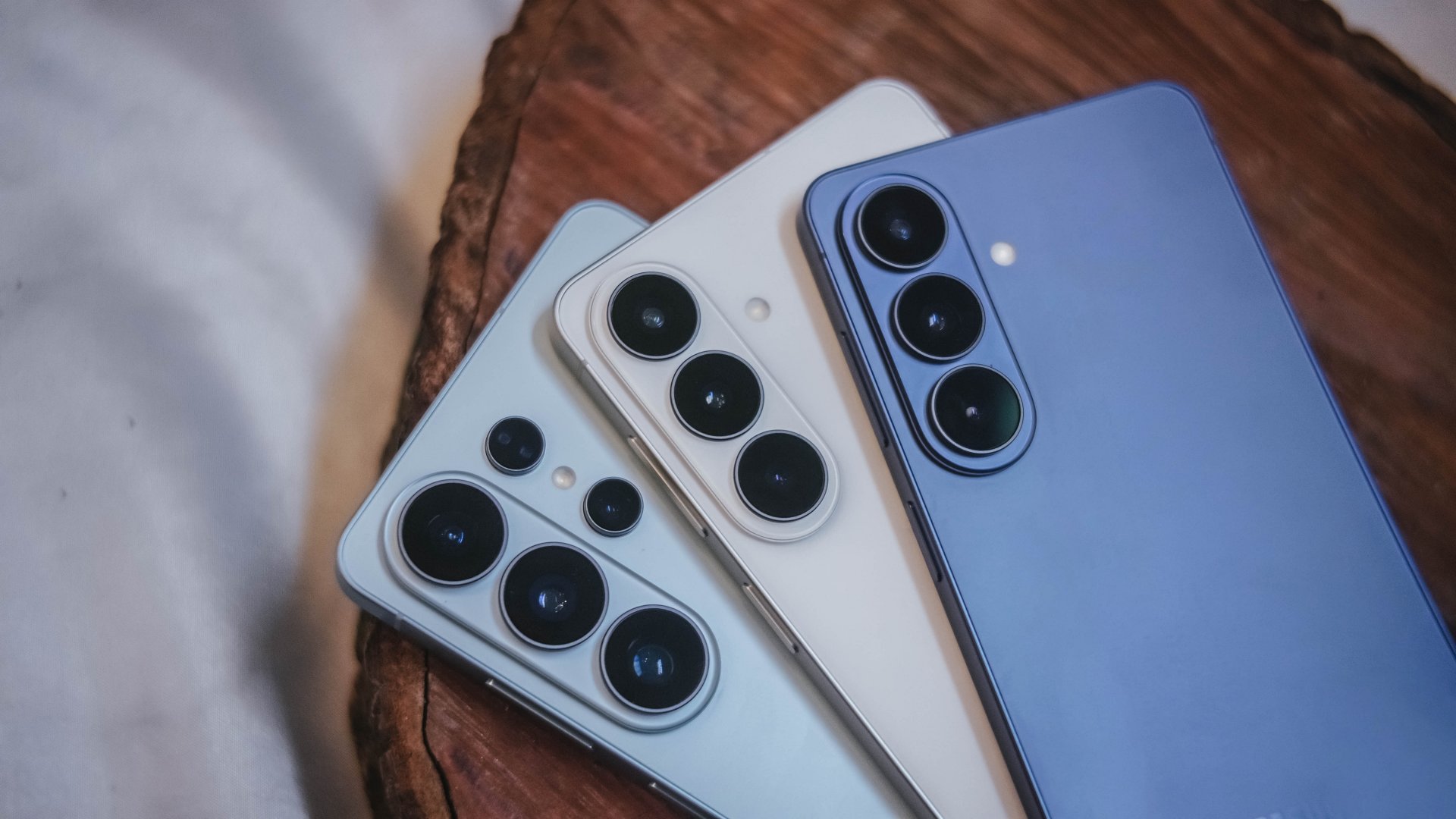
The Galaxy S26 series looks more unified. All three models now share the same corner radius, creating a consistent visual identity. The Ultra no longer stands apart with sharper edges. It’s a small change, but it makes the lineup feel cohesive.
The camera module sits on a more defined island rather than blending into the rear panel. It’s subtle, but noticeable in person.
Samsung also trimmed weight and thickness on the Ultra. At 7.9mm and 214 grams, it handles slightly better than last year’s model. The company switched to Light Armor Aluminum, which it claims improves heat dissipation and weight. The difference in hand isn’t dramatic, but it’s appreciated during extended use.
Charging finally moves forward. The Ultra supports 60W wired charging, up from 45W. Samsung says you can reach 75 percent in around 30 minutes. That’s a meaningful improvement for quick top-ups.
However, 60W isn’t industry-leading in 2026. Competing brands have offered similar or faster speeds for years. This feels less like Samsung setting a new benchmark and more like closing a gap.
Battery capacity remains 5,000mAh. That’s consistent with previous models. While fast charging helps daily convenience, endurance gains will depend on software optimization and real-world usage.
AI and software remain the headline
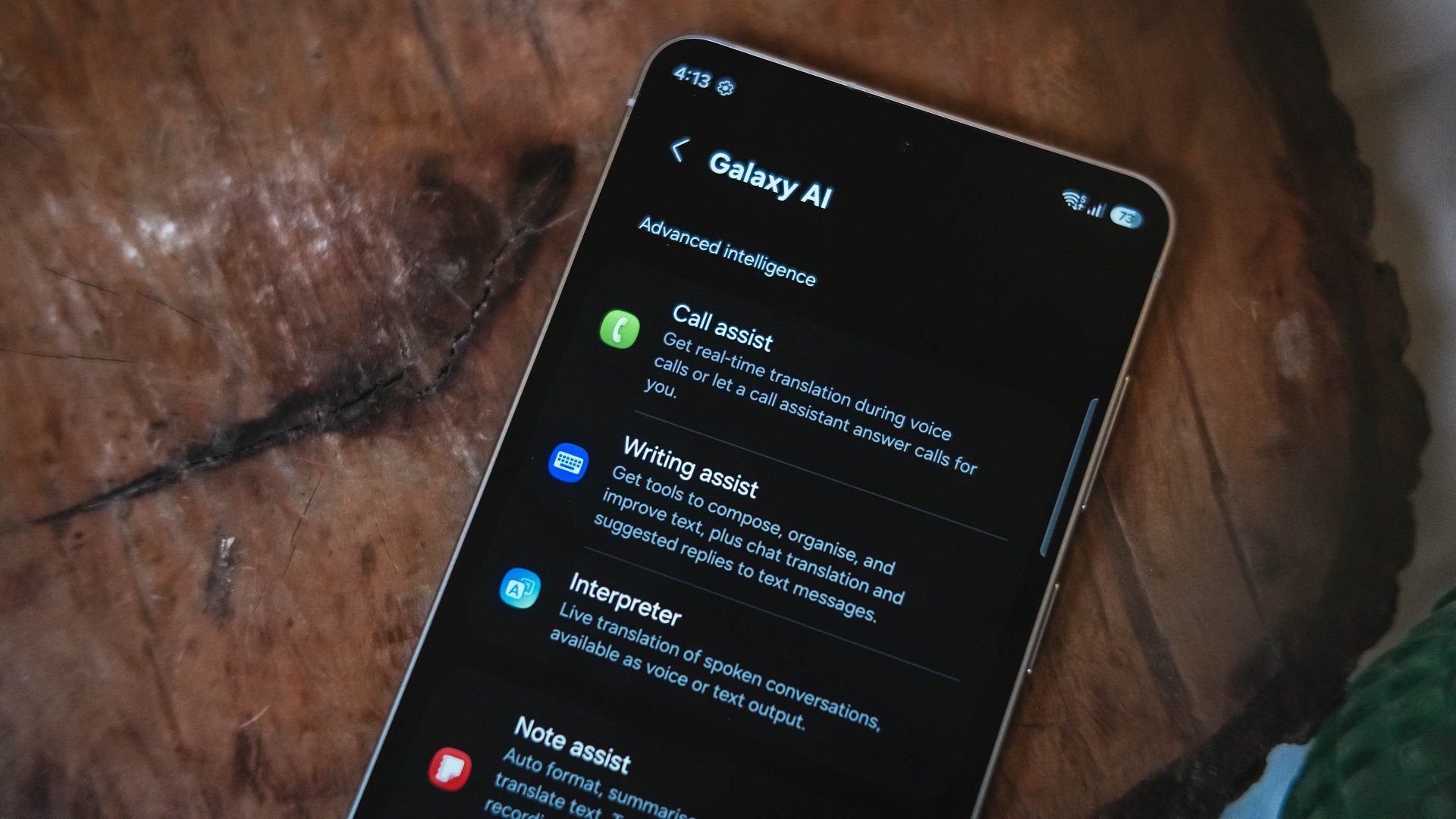
Like recent Galaxy generations, the S26 Series leans heavily on software features.
Privacy Display is one of the more practical additions. It restricts viewing angles at the pixel level, functioning like a built-in privacy filter. If you’re using your phone in public spaces, people nearby will struggle to see what’s on screen.
You can toggle the feature or enable it only for specific apps. That flexibility matters. It allows privacy protection for sensitive apps while keeping general use unaffected.
This addresses a real-world problem. Public screens are inherently visible. Privacy Display doesn’t eliminate that risk, but it reduces casual glances and unwanted observation.
Audio Eraser also gets an upgrade. It now works across third-party apps. We tested it on a noisy K-pop fancam from YouTube, and the background noise reduction was noticeable without destroying audio quality.
It’s not perfect. Overprocessing can occur in extreme cases. But for cleaning up shared videos or reducing ambient noise, it proves useful.
AI Photo Assist introduces text-prompt editing directly inside the Gallery app. Users can describe edits in natural language — remove objects, expand backgrounds, or modify elements — without exporting images to external tools.
This isn’t groundbreaking technology. Similar generative edits exist in other AI platforms. The difference is integration.
By embedding generative tools inside the Gallery, Samsung turns them into part of the default workflow. Photo editing becomes more accessible rather than requiring specialized knowledge or separate apps.
That shift is meaningful. It signals that generative AI editing is becoming a standard smartphone feature rather than an experimental add-on.
Cameras: computational evolution
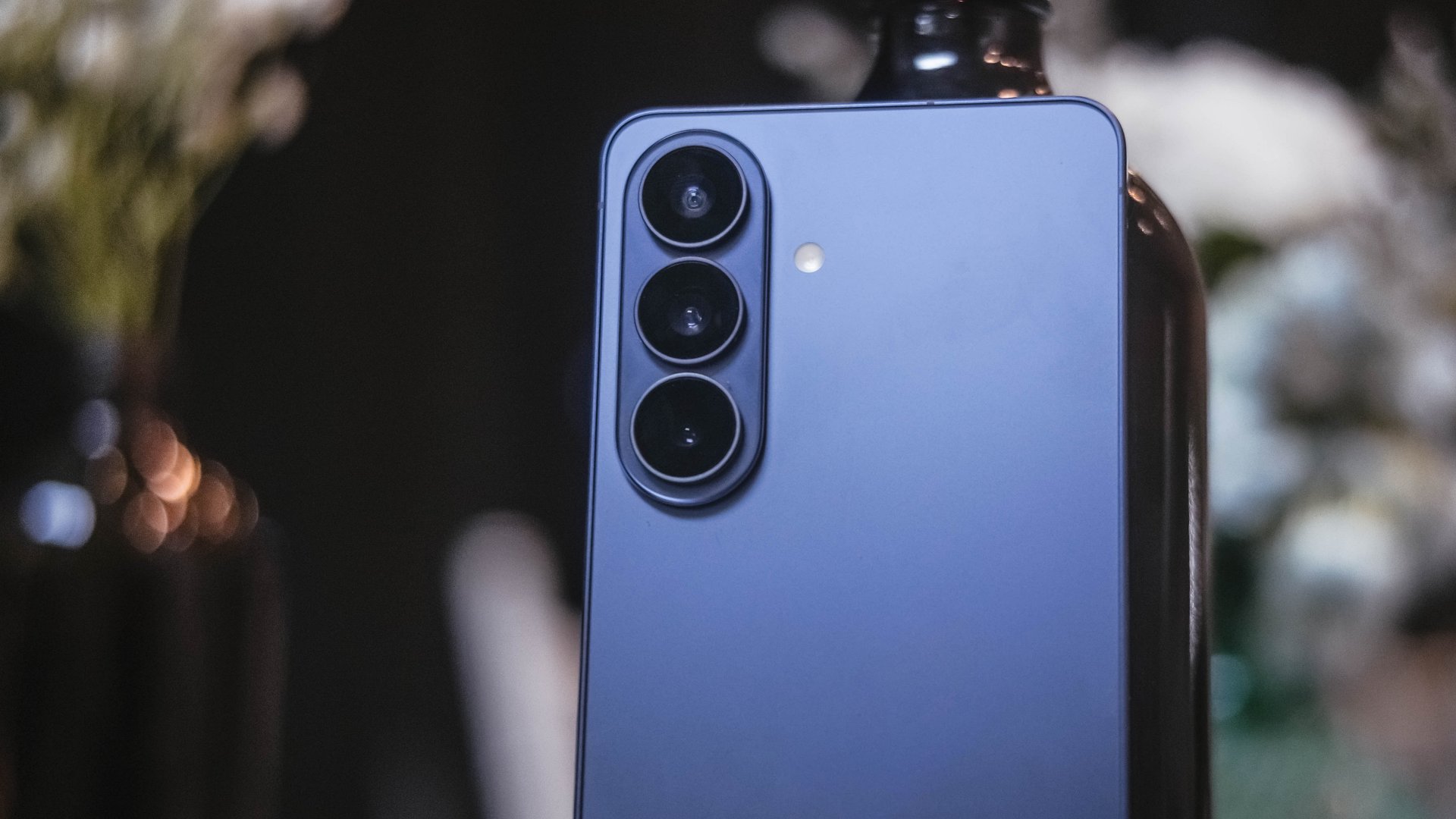
The camera hardware remains familiar. The Ultra continues with a 200MP main sensor and telephoto configurations similar to last year.
Improvements focus on computational photography.
Samsung widened apertures to allow more light. Stabilization has been refined. AI sharpening and Nightography processing aim to produce cleaner images with reduced noise.
From samples shown during the presentation, low-light shots appear brighter and cleaner. However, the processing can feel aggressive. Details sometimes look overly smoothed, and textures can appear artificial.
This reflects Samsung’s long-standing approach — prioritize computational enhancements over megapixel increases. The S26 continues that philosophy.
For video creators, APV (Advanced Professional Video) enables 8K recording with minimal quality degradation during edits. Super Steady Video also improves handheld stabilization.
These features cater to content creation workflows rather than casual snapshots.
Incremental but intentional

The Galaxy S26 Ultra doesn’t try to shock. It doesn’t reinvent Samsung’s design language or introduce dramatic hardware leaps.
Instead, it refines existing ideas.
Privacy Display addresses public visibility concerns. Audio Eraser improves real-world video cleanup. AI Photo Assist integrates generative editing into everyday photo workflows. Charging speeds improve without industry-leading ambitions.
Even the design changes — unified corner radii, a defined camera island, lighter materials — emphasize cohesion.
This strategy resembles the broader shift in the smartphone industry. Hardware innovation has slowed. Software and usability improvements drive differentiation.
Samsung appears comfortable with that reality.
Of course, first impressions only tell part of the story. We still need extended testing for battery life, thermal performance, camera consistency, and AI reliability.
The S26 Ultra may not represent a revolution. But refinement can matter — especially when it targets usability and practical features.
Samsung will have to make significant hardware upgrades eventually. But for now, it feels like the company is doubling down on incremental progress. Not flashy. Not radical. But purposeful.
Whether that strategy resonates will depend on real-world performance.
Samsung Galaxy S26 Series – Specs
| Feature | Galaxy S26 Ultra | Galaxy S26+ | Galaxy S26 |
| Display | 6.9″ Dynamic AMOLED 2X
|
6.7″ Dynamic AMOLED 2X
|
6.3″ Dynamic AMOLED 2X
|
| Rear Camera: Ultra Wide | 50MP, F1.9, 0.7 µm | 12MP, F2.2, 1.4 µm | 12MP, F2.2, 1.4 µm |
| Rear Camera: Wide | 200MP, F1.4, 0.6 µm | 50MP, F1.8, 1.0 µm | 50MP, F1.8, 1.0 µm |
| Optical Quality 2x | |||
| Rear Camera: Telephoto 1 | 10MP, F2.4, 1.12 µm | 10MP, F2.4, 1.0 µm | 10MP, F2.4, 1.0 µm |
| 3x optical zoom | |||
| Rear Camera: Telephoto 2 | 50MP, F2.9, 0.7 µm
|
— | — |
| Front Camera | 12MP, F2.2, 1.12 µm | 12MP, F2.2, 1.12 µm | 12MP, F2.2, 1.12 µm |
| Processor | Snapdragon® 8 Elite Gen 5 for Galaxy (3 nm) | Exynos 2600 (2 nm)* | Exynos 2600 (2 nm)* |
| Memory (RAM) | 12GB / 16GB | 12GB | 12GB |
| Storage | 256GB / 512GB / 1TB | 256GB / 512GB | 128GB / 256GB / 512GB |
| (Micro SD: N/A) | |||
| Battery | 5,000 mAh | 4,900 mAh | 4,300 mAh |
|
|||
| Dimensions | 78.1 x 163.6 x 7.9 mm
214 g (Sub6/mmWave) |
75.8 x 158.4 x 7.3 mm
190 g (Sub6/mmWave) |
71.7 x 149.6 x 7.2 mm
167 g (Sub6) |
| Colors | Standard: Cobalt Violet (Hero), Sky Blue, Black, White
Online: Silver Shadow, Pink Gold |
Standard: Cobalt Violet (Hero), Sky Blue, Black, White
Online: Silver Shadow, Pink Gold |
Standard: Cobalt Violet (Hero), Sky Blue, Black, White
Online: Silver Shadow, Pink Gold |






Apple unveils Studio Display and all-new Studio Display XDR

Apple unveils MacBook Pro with M5 Pro and M5 Max

Apple debuts M5 Pro, M5 Max to supercharge pro workflows

Apple introduces MacBook Air with M5

TECNO CAMON 50 Ultra review: End of an era?

Xiaomi 17 Ultra is now available outside China

TECNO will showcase the CAMON 50 and POVA 8 series at MWC 2026

PlayStation, LE SSERAFIM Chaewon team for the ‘Love of Play’ campaign

The art of being in and behind the frame

HUAWEI MatePad 11.5 S 2026: The better-than-ever 4-in-1 productivity tablet




-
 News3 days ago
Xiaomi 17 Ultra is now available outside China
-

 Camera Walkthrough2 weeks ago
OPPO Reno15 Pro: Camera Review
-
 First Look2 weeks ago
Match Pulse: Infinix NOTE 60 Pro
-

 Cameras2 weeks ago
Osmo Pocket 4 makes a surprising appearance in public
-
 Gaming2 weeks ago
LG unveils UltraGear evo, redefines 5K gaming with AI Upscaling
-
 Gaming2 weeks ago
PlayStation 6 reportedly delayed to 2029 because of RAM shortage
-

 News2 weeks ago
iPhone 17 Pro Max is somehow the most traded-in phone today
-

 News2 weeks ago
HUAWEI launches Mate X7, MatePad 11.5 S 2026, FreeClip 2