


Looking back at technological trends of the yesteryears, there are certain patterns that we can see. One example is how devices have a tendency to become smaller and smaller over time — having better functionality in smaller packages.
During the 90s, cellphones were as large as walkie-talkies and later on shrunk when the likes of the Nokia 8210 came about. Fast forward to now, and not much has changed.
Stabilizers for professional cameras started out as huge rigs and were worn around the entire body. The size got reduced for DSLRs, then smaller for smartphones, and now, a full-blown three-axis gimbal with its own 4K camera can now be held and operated single-handedly.

This is the DJI Osmo Pocket. As its name suggests, it’s built for portability and ease of use since it easily slips inside the pocket. We’ve seen it coming, though. All DJI had to do was to take its camera-mounted stabilizer from its consumer drones and turn it into a handheld standalone product.
Having a stabilized camera for video shooting is the main reason you’d want to buy this. Although, there’s more to it than just capturing footage smoother than with your smartphone. For this review, we tested out its features, saw what works and what doesn’t, and compared it to another big name in the portable camera category: GoPro’s Hero 7 Black.
It has a candy bar-sized body

Makes it easy to put away and take out
No built-in storage
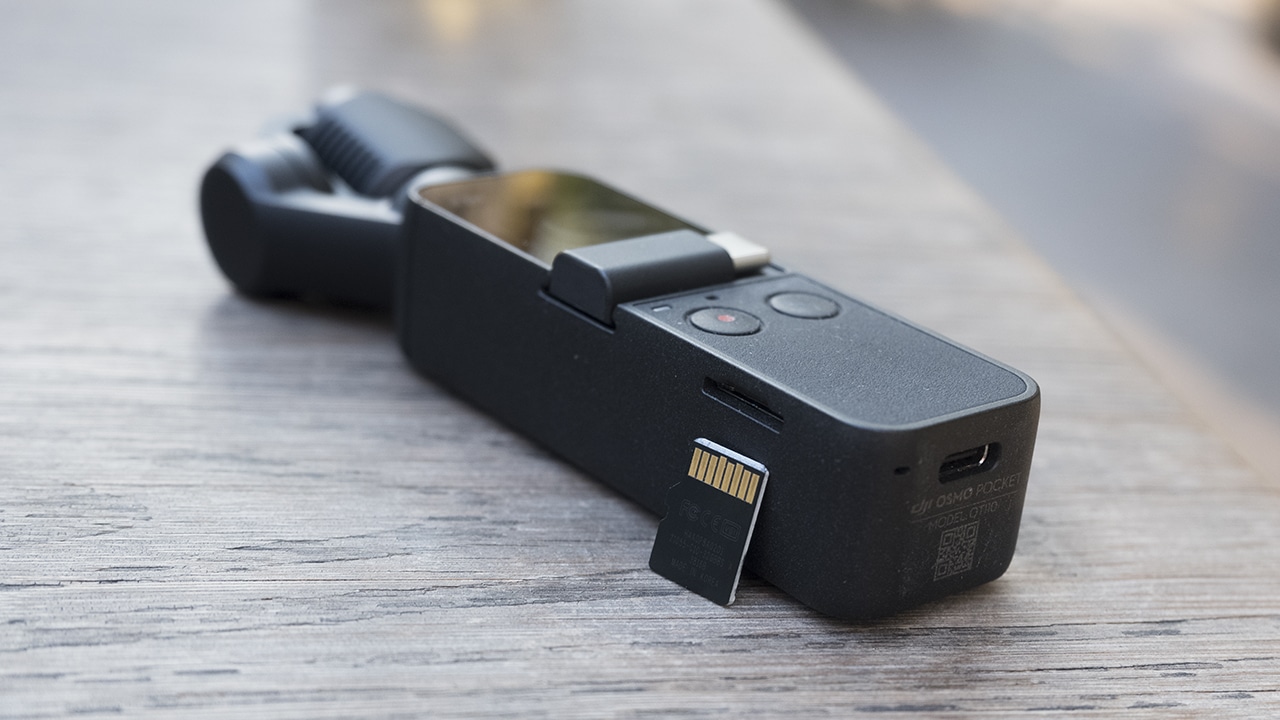
Although it readily accepts a microSD card up to 256GB
USB-C port to keep with the times

For speedier file transfers and charging times
Universal Port allows for additional connectivity

Comes with adapters to connect to a smartphone and DJI’s app
Built-in preview screen
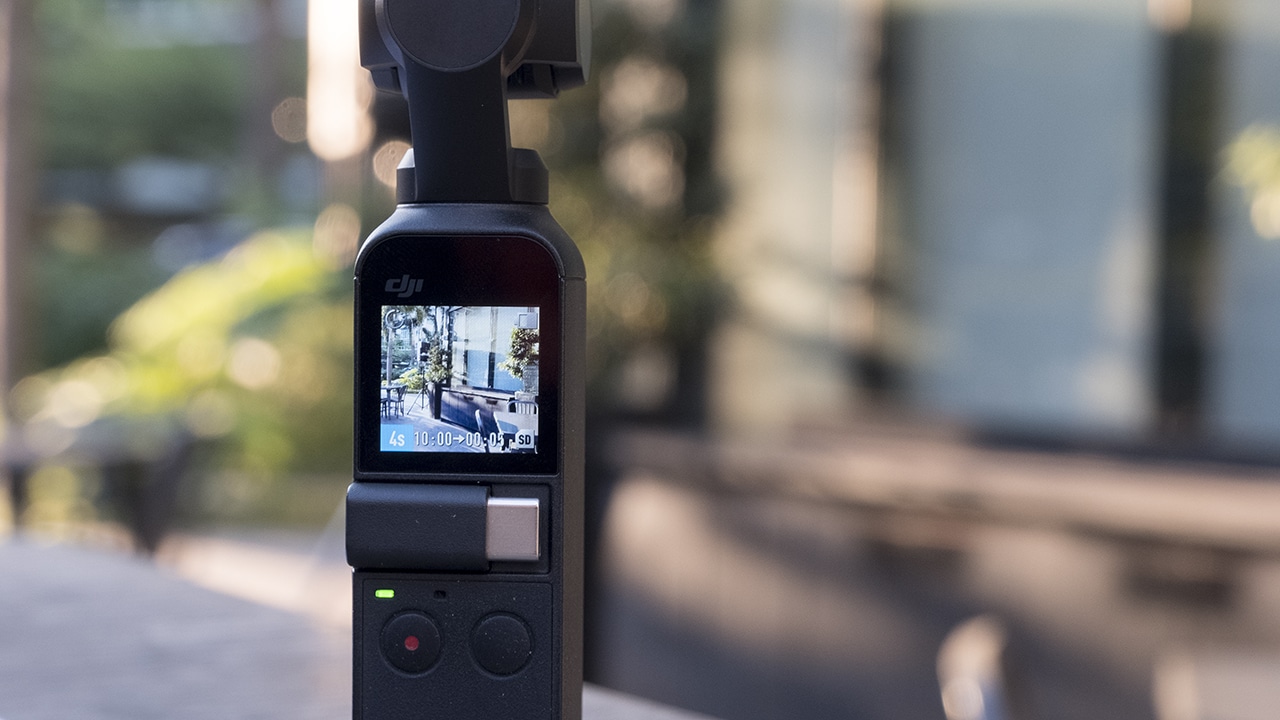
There’s a small touch display to tweak settings and preview shots
Guaranteed stabilization
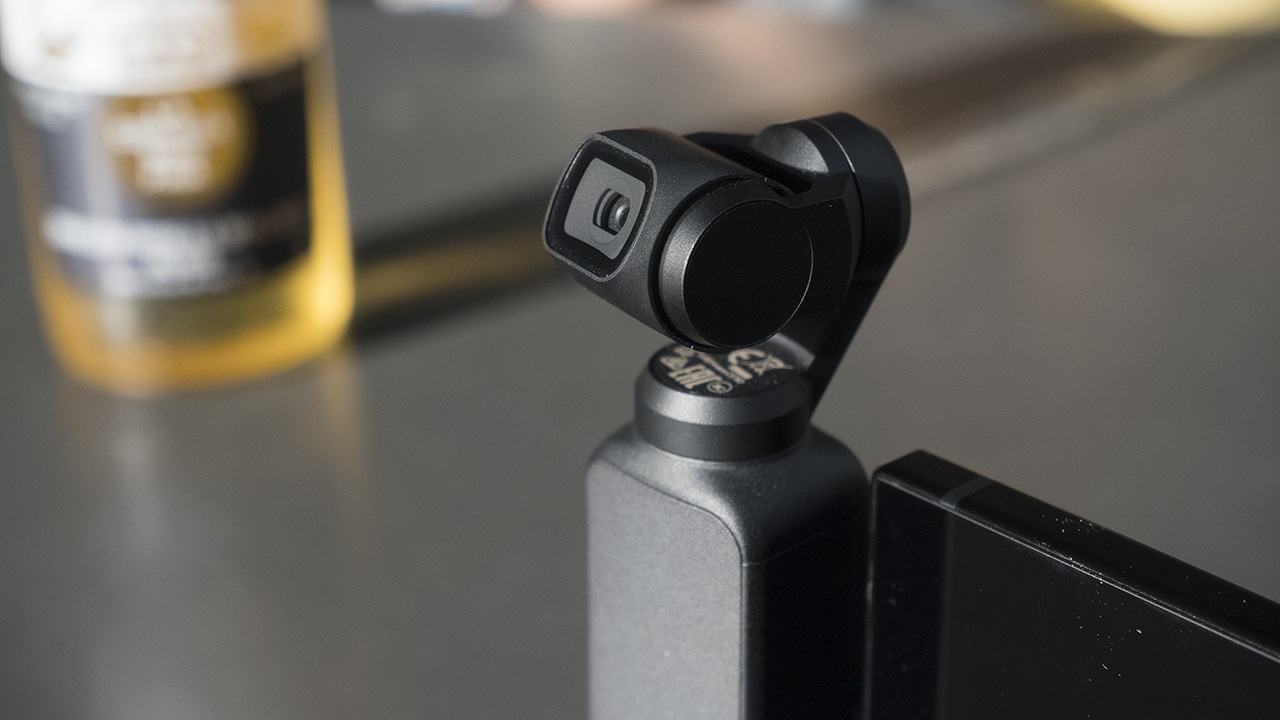
The three-axis gimbal promises stable footage
Feature-packed
DJI has pretty much polished the accompanying app for its drones and once again, they only needed to make a specific app for the Osmo Pocket. Called DJI Mimo, it’s made for this handheld device as an all-in-one software for shooting in Professional Mode and editing clips to produce a short video.
Those who have tried flying the company’s drones through the DJI Go app will feel at home using DJI Mimo. The layout is familiar, even with how the settings are lined up. Through this app, it’s easier to go for the Pro Mode that lets you have control over your settings. Remember: It’s always better to be able to tweak separate values the way you want to so you can achieve the shots you have in mind.
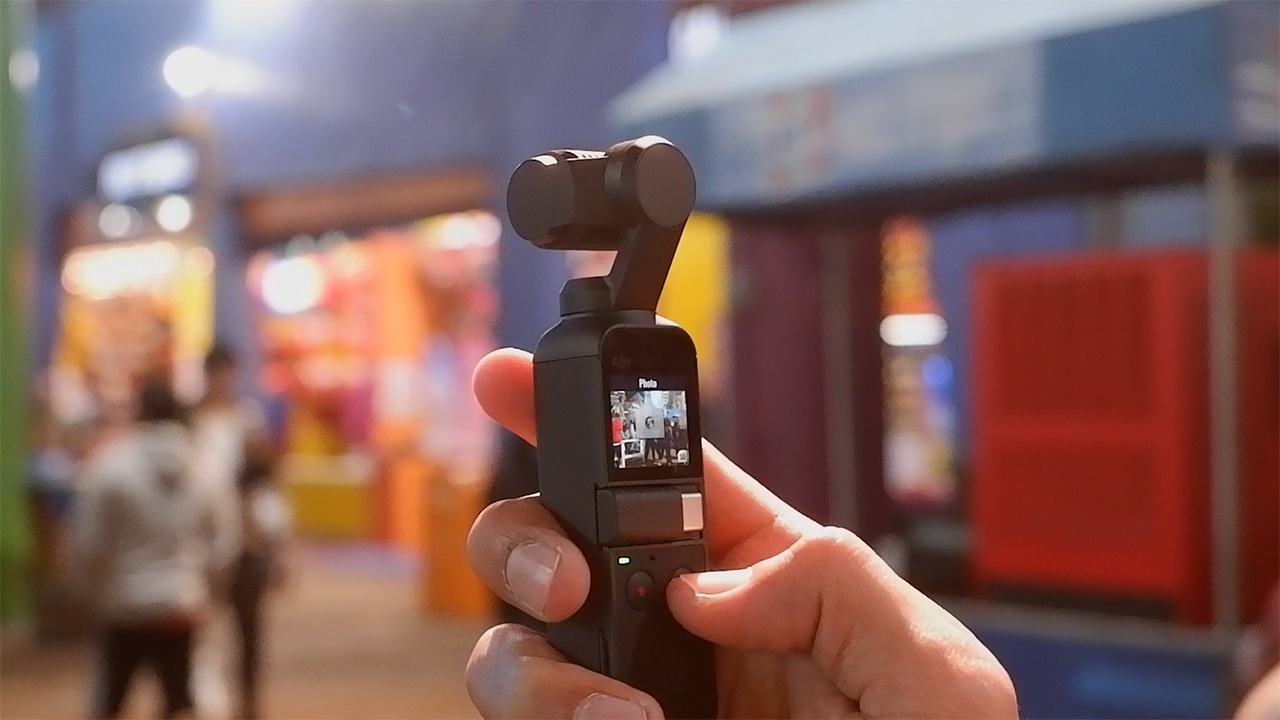
The sensor shoots 12MP photos and videos can go up to 4K at 60fps. You can also choose to go for a high frame rate of 120fps to achieve smooth slow-motion shots. Other features include First Person View mode, Active Track, and Motionlapse. We made a short video showcasing these shooting modes.
Image quality vs GoPro’s?
With its 1/2.3-inch camera, the Osmo Pocket has the same sensor as the first Mavic Pro. And, together with its RAW photo capturing and D-Cinelike color profile, you can turn your photos and footage into a cinematic piece good enough for professional use. Details are sharp during the day, and digital noise — although still present — is kept at a minimum when shooting at night. Recording videos at Full HD resolution is enough for your usual social media posts, although you can always go for 4K if you need a little wiggling room in manual post-production.
When you talk about a compact camera that would do great for travels, GoPro’s name almost always comes to mind. I personally have a lot of friends asking me which to go for between these two. I don’t blame them since it’s pretty common to see them as an alternative to the other.
If you simply want a handheld camera that shoots good photos and stabilizes your video clips, then I guess you can compare and choose between the two. For a quick shootout, we took side-by-side shots of a few scenes on both cameras. These were shot in standard mode and some samples were captured in GoPro’s wide mode to show the difference in field of view.














Now that you have an idea of their image quality, it’s worth noting that these two cameras are not so alike. Sure, they both have great video stabilization and offer a compact form factor, but a GoPro is more for adventure and sports with its wide selection of mounts and accessories. The accessories for the Osmo, since the product is still fairly new, are mostly sold out or not available in stores. Either way, these do not provide the same flexibility of use the GoPro mounts offer.
Another major difference is that the Osmo Pocket is not water- and dust-proof, unlike the Hero series that always has water resistance as part of its offerings. You could say the target market for these two cameras could be represented as a Venn diagram showing two different devices that slightly overlap with one another.
So who is it made for?
If the Osmo Pocket isn’t direct competition for GoPro, to whom does DJI target this device? To answer that, let’s first see where the Osmo Pocket delivers.
It’s very handy and easy to use. I went on an interstate trip in the US with the Osmo Pocket just in my… well, pocket, and taking it out and powering it up when I needed it was easy. Because of that, I’d say it’s definitely made for sightseeing during out-of-town trips.
Battery life is also satisfactory. During my travels, I made sure that the camera was fully charged before leaving the house. This would usually last me an entire day’s stroll — shooting photos and videos of the new places I visited.
Although, I’d still recommend bringing a dedicated powerbank since the battery isn’t removable like GoPro’s. And the battery understandably drains a lot faster when you shoot hyperlapse and other special modes.
Switching its camera from forward-facing to selfie mode happens in one swipe plus a tap, so it should be easy for vloggers to shoot while talking and even walking. Do take note, though, that audio reception through its built-in microphones can get tricky at times since it’s easy to cover the pinholes for the mic when you grip the entire body.
The company has already rolled out a firmware update that lets you access Pro Mode on the device itself without needing a smartphone to attach. This is an appreciated update since it’s not all the time you can afford to connect an extra smartphone just to go to the advanced settings.
However, having two ways to shoot would be a lot easier whenever you want to take your time and perfect your shot. This makes the Osmo Pocket a good tool for cinematic videography, as well.
Is this your GadgetMatch?
If you require more robust and flexible shooting equipment, you might want to look at GoPro’s selection. But if you find yourself doing the things mentioned above, the Osmo Pocket would fit your needs, undoubtedly.
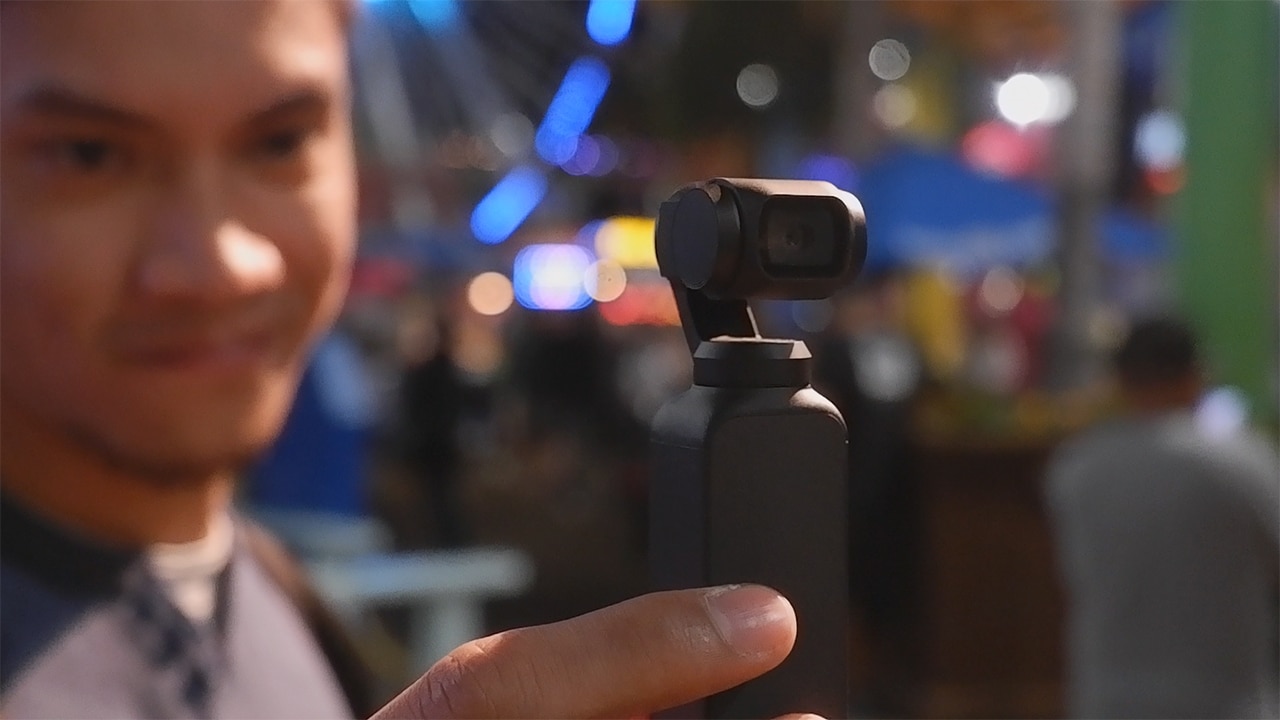
I had a Hero 7 Black with me during the same trip and I only brought it out whenever I needed a wider shot or when I used a specific mount to capture a timelapse from a compromising spot.
The DJI Osmo Pocket is available internationally for US$ 349, but you can get one from Philippine retailers for around PhP 23,000.




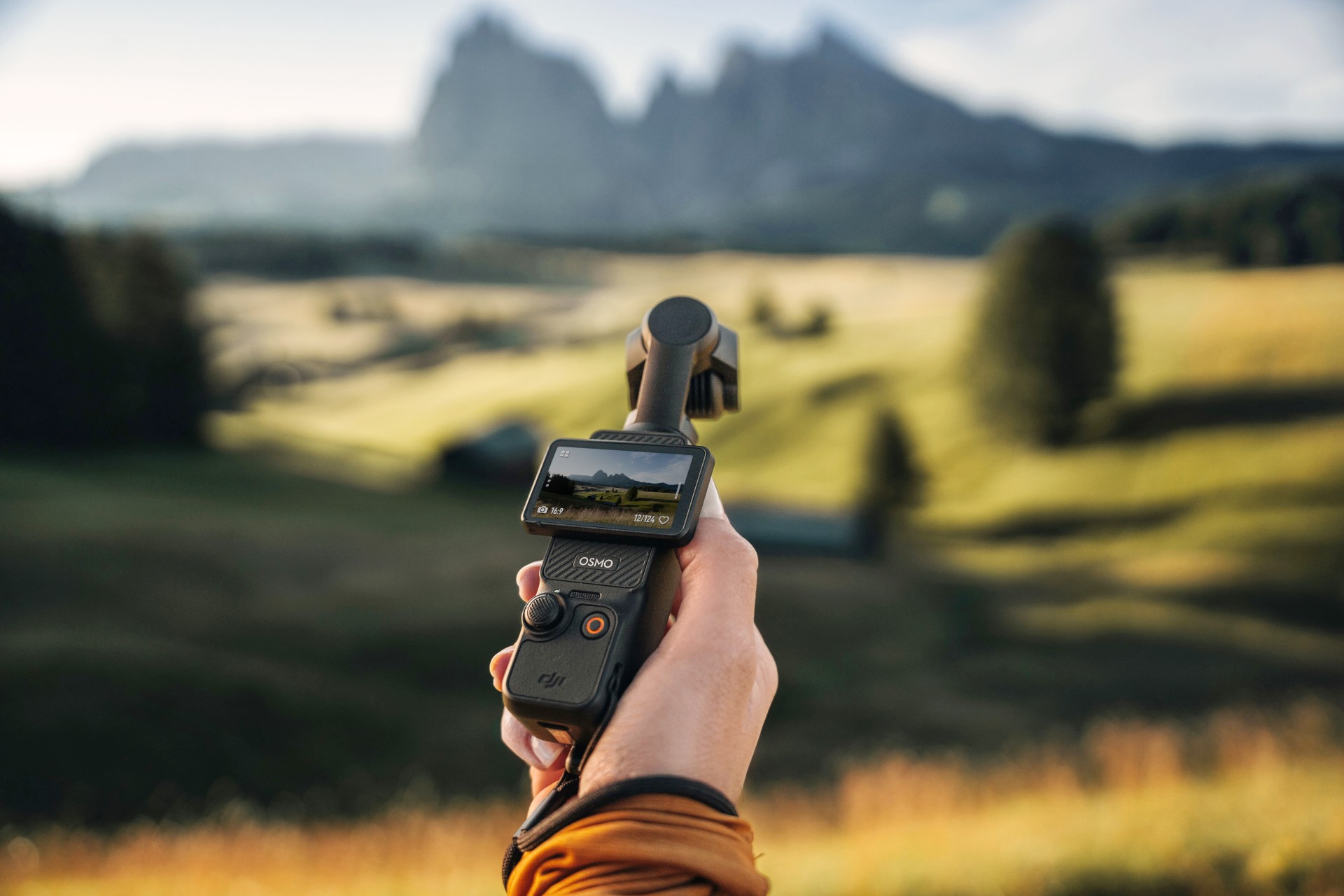
The DJI Osmo Pocket 3 might be the most popular camera in recent history. The tiny action camera constantly sells out, thanks to creators and would-be vloggers. Because of the current generation’s popularity, everyone is looking forward to the next-generation Osmo Pocket 4. Though it’s still unannounced, the new camera has suddenly made a surprising appearance out in the wild.
The leak shockingly comes from an authorized DJI retailer in Kuala Lumpur. Supposedly, a customer entered the store with what they claimed was an Osmo Pocket 4. The store, DronesKaki, even shot a now-deleted video of the unannounced camera, rescued by New Camera.
Based solely on the short video, the Osmo Pocket 4 looks and feels very familiar to those who’ve already used the Pocket 3. The three-axis gimbal system still keeps shots in place for taking videos while on the move. The 2-inch rotating screen looks identical to the current one, especially because of intuitive settings and controls.
However, the biggest standout is the built-in LED light sitting atop the camera. Despite how convenient and easy to use it is, the Pocket 3 doesn’t exactly shine in low-light conditions, prompting users to always bring an external flash. If the leak is true, the Osmo Pocket 4 cures this issue to some extent. (Built-in flashes aren’t usually standout solutions, but they can work in a pinch.)
Still, take the leak with a grain of salt. Though the store could have deleted the video because of a request from DJI, they could have also deleted it because it’s not the Osmo Pocket 4. At this point, we won’t know, but current rumors speculate that the camera is launching soon.
SEE ALSO: DJI Osmo Action 6 review: An adventurer’s best friend
Cameras
Canon PhotoMarathon returns, introduces video, open categories
Happening on April 18 in BGC, Taguig

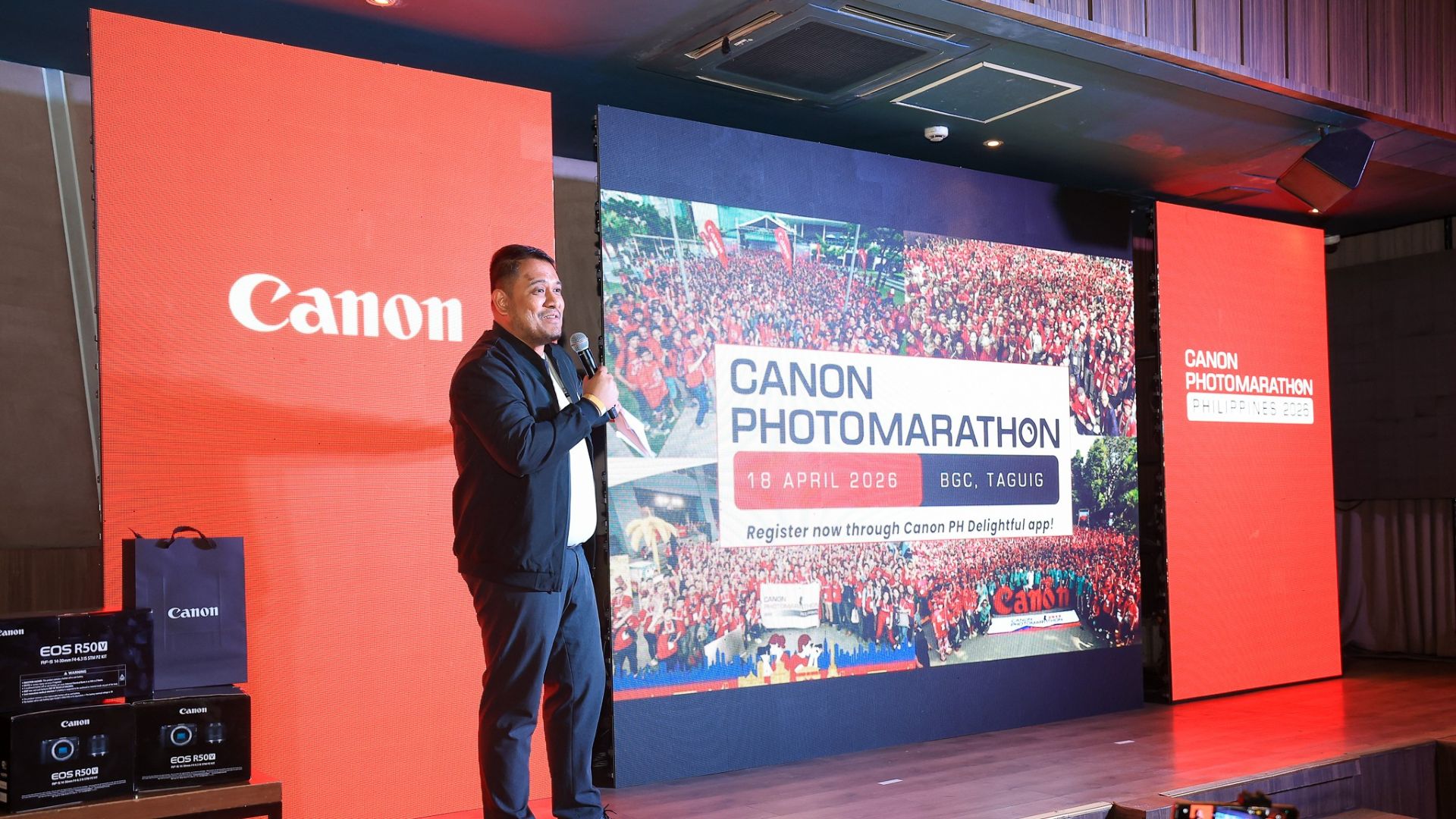
The Canon PhotoMarathon is officially returning this year and is introducing more categories for enthusiasts to join in.
The 2026 edition, the 19th in the Philippines, will happen on April 18 at the BGC Amphitheater in Taguig City.
For the first time, Canon is opening the competition to non-Canon users. Even those with just smartphones can register. The brand has also added a video category.
Here’s a quick breakdown of the contest categories and their corresponding prizes:
Main Category (Photo)
- Open to Canon users only
- Prize: Canon EOS R6 Mark III with RF24-105mm f/4-7.1 IS STM
Open Category (Photo)
- Open to all camera brands
- Prize: Canon EOS R8 with 24-50mm
Video Category
- Open to all camera brands
- Canon Prize winner: Canon EOS R50 V
- Non-Canon Prize winner: Canon Powershot V1
The full mechanics will be announced on the day of the competition itself to make it even more challenging for those taking part.
To join, simply download the Canon PH Delightful app, create an account, go to the Events tab and select the Canon PhotoMarathon banner. Registration is already open.
To build up hype for the upcoming event, Canon will host photowalks, school tours, and regional tours leading up to the PhotoMarathon.
These are designed to engage photographers at every skill level. Admission is free and open to all digital camera users.
Cameras
Canon EOS C50 cinema camera price in the Philippines
Smallest, lightest cinema camera made for today’s filmmakers, creators

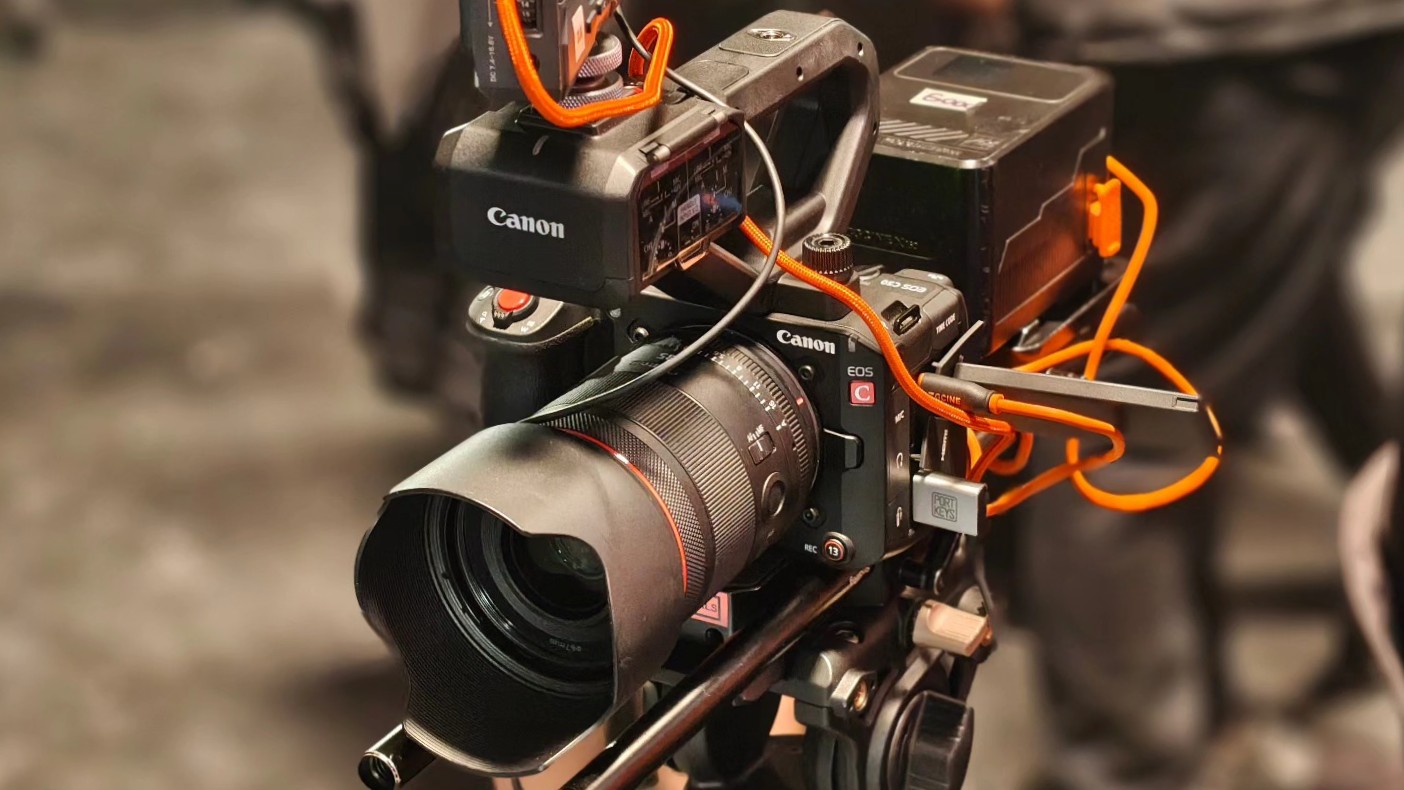
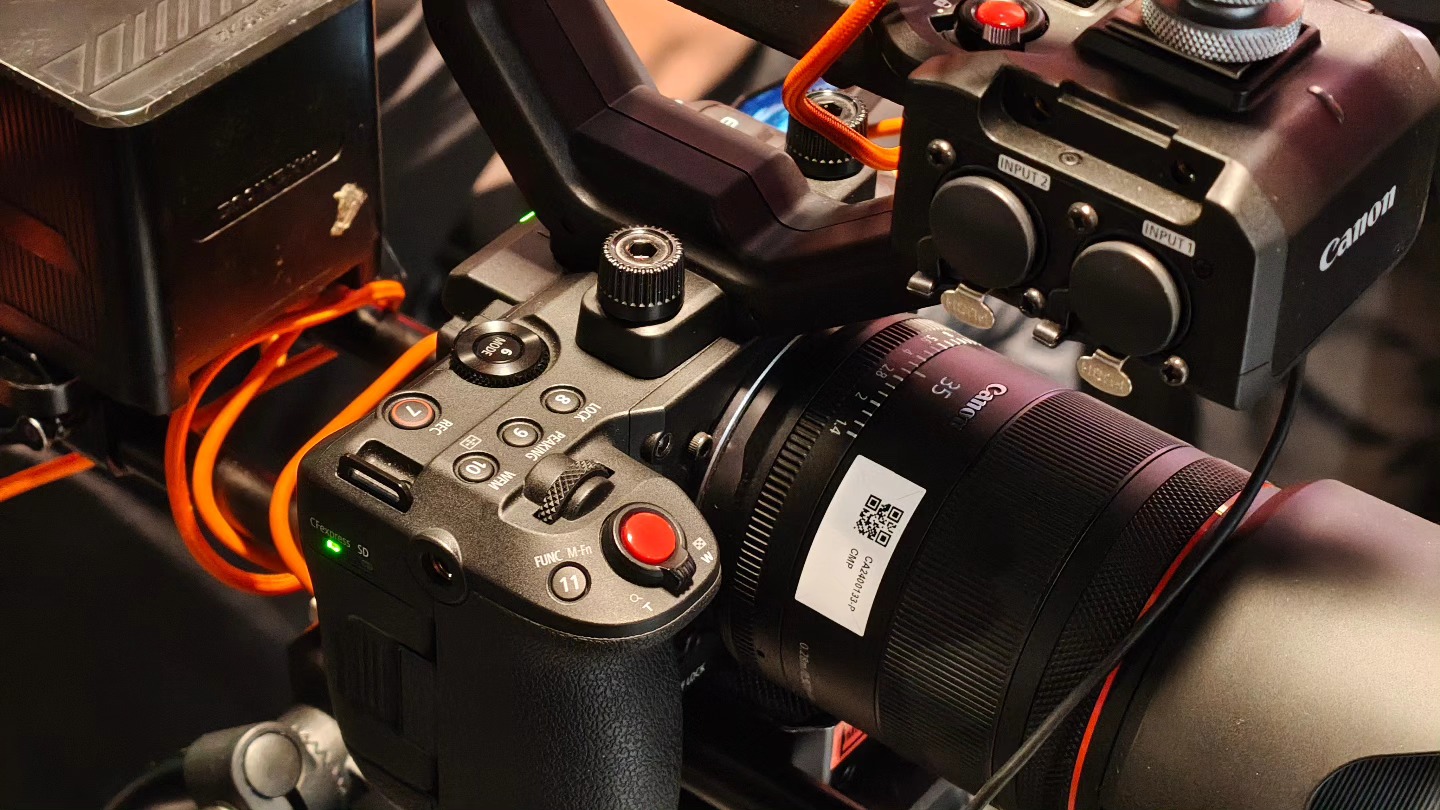
Canon Philippines is capping the year strong with the release of the Canon EOS C50 in the market. The cinema camera is priced at PhP 189,998 for the body along with an XLR handle.
The Canon EOS C50 is designed for both filmmakers and creators who need mobility and professional-grade quality.
It has the same 3:2 Open Gate recording feature also on the EOS R6 Mark III, which gives users flexibility for post-production.
Creators can extract full 4K footage along with cropped 2K vertical or square versions from the same capture with the Simultaneous Crop Recording feature.
This is ideal for producing multi-platform content, like 16:9 landscape videos for YouTube then vertical shortform videos for social media.
Also, an added edge is the up to 7K 60p RAW recording capability on the C50, compared to just 7K 30p for the Mark III.
Filmmakers can also record at up to 4K 120fps should they need high frame rate captures. Recording in 4:2:2 10-bit is also available for rich color and flexibility in post-production.
In addition, the EOS C50 features dual CFexpress and SD card slots. 7K RAW can be saved to CFexpress while other formats can be saved to the SD card.
Different format, resolutions, and color sampling can be assigned for backup, distribution, or quicker edit-ready files.
Photo performance
For stills, users can take advantage of the 32MP CMOS sensor for capturing up to 40 shots per second (with electronic shutter).
The camera also supports pre-continuous shooting and AF performance improvements with its Dual Pixel CMOS AF II.
Enhancements include Auto setting, animals, vehicle priority, and eye AF, as well as the new left/right priority.
Moreover, the camera features Dual-Base ISO with Auto Selection, automatically switching between ISO 400 and ISO 3200 depending on the scene.
This ensures the highest signal-to-noise ratio while maintaining a wide dynamic range. Users can also manual select the ISO to match lighting conditions.
Professional interface
Onto its controls, the EOS C50 has a TIME CODE terminal, which is perfect for seamless multi-camera setups. It also features two XLR terminals and a handy control dial for professional audio input.
There are 14 assignable buttons, each thoughtfully positioned for quick, instinctive access while filming. There are about 100 customizable functions available so the camera can match a user’s workflow.
During the launch event, Canon Philippines demonstrated a wide range of scenarios for the EOS C50, including multi-angle live broadcasts with just one camera.



IQOS x Isabel Santos turns heated tech into a cool, design statement

Neon Genesis Evangelion is getting another anime series

Nothing releases first look at Phone (4a)

Dyson PencilWash makes wet cleaning feel effortless

Jackery portable power solutions makes appearance at Doraemon Run

Breaking up with Adobe Photoshop after 20 years

TECNO will showcase the CAMON 50 and POVA 8 series at MWC 2026

PlayStation, LE SSERAFIM Chaewon team for the ‘Love of Play’ campaign

New DRAGON BALL game project “AGE 1000” for 2027 announced

VinFast updates battery subscription policy for large upfront savings


-

 Reviews2 weeks ago
The art of being in and behind the frame
-

 Gaming2 weeks ago
God of War Greek trilogy remake in development, Sons of Sparta out now
-
 India2 weeks ago
TECNO POVA Curve 2 5G packs an 8000mAh battery
-
 First Look2 weeks ago
Match Pulse: OPPO Reno15 Pro
-

 Accessories2 weeks ago
Sony WF-1000XM6 is out now: Price, availability
-

 Gaming2 weeks ago
New Resident Evil Requiem trailer teases a return to the RPD
-

 Accessories1 week ago
Apple AirTag 2 Review
-

 Gaming2 weeks ago
John Wick, Kena sequel, more new games showcased at State of Play