

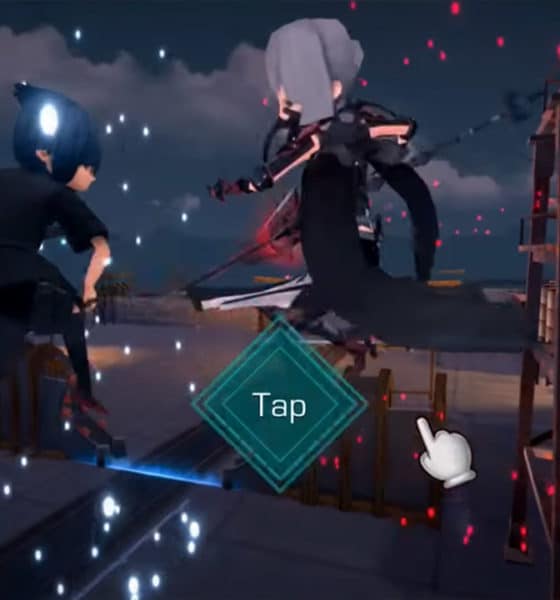

I’ve owned the first three generations of the PlayStation, having only skipped the PS4 knowing that most of its games are also available on Windows. Well, emphasis on most since there were some great titles I missed out on that weren’t ported to PC.
For a while, one of those AAA games was Final Fantasy XV. Only recently had it been brought over to Windows — more than a year after the original release on consoles. This drought left me without my once consistent dose of Final Fantasy. (My last one was Final Fantasy XIII way back in 2009!)
But even with FFXV now installed on my beloved gaming rig, there’s another obstacle I have to deal with: finding time to actually play it. This installment in the series is an open-world role-playing game, meaning you get to play at your own pace by going on side quests and exploring vast plains outside of the main story, which also means this takes dozens of hours to complete.
So, how can I enjoy the rich story while still finding time for everything else in my life? There’s Final Fantasy XV: Pocket Edition for that.

If it isn’t obvious, this is the mobile version of the game, available on both Android and iOS. But don’t think for a second that this is some spin-off with mild references to the full-fledged title. You’re getting the full story on your smartphone — without all the extra fluff.
You could call this the abridged tale of FFXV. The main storyline — from main hero Noctis and his all-male crew riding in a fancy car to saving the world — is intact. You can finish the game and get the entire story like I did. You lose out on a lot of the fun side quests and open-world exploration of the original, but the developers managed to squeeze in as many mini-quests as they could to keep things interesting.

Playing the abridged version before the full game felt like a throwback to high school when I would read up on summaries of novels to save time for actually writing the book reports. It felt wrong during my entire playthrough, but it was either play the pocket edition or wait another ten years for the next FF to release.
FFXV: PE (let this be its name from here on) is divided into ten chapters; each one takes about an hour to finish. Since you’re stuck within the realm of the main plot progression, you’re at the mercy of the game’s own pace. Done with this area? Move on with the story. Want to check out another town? Tough luck.

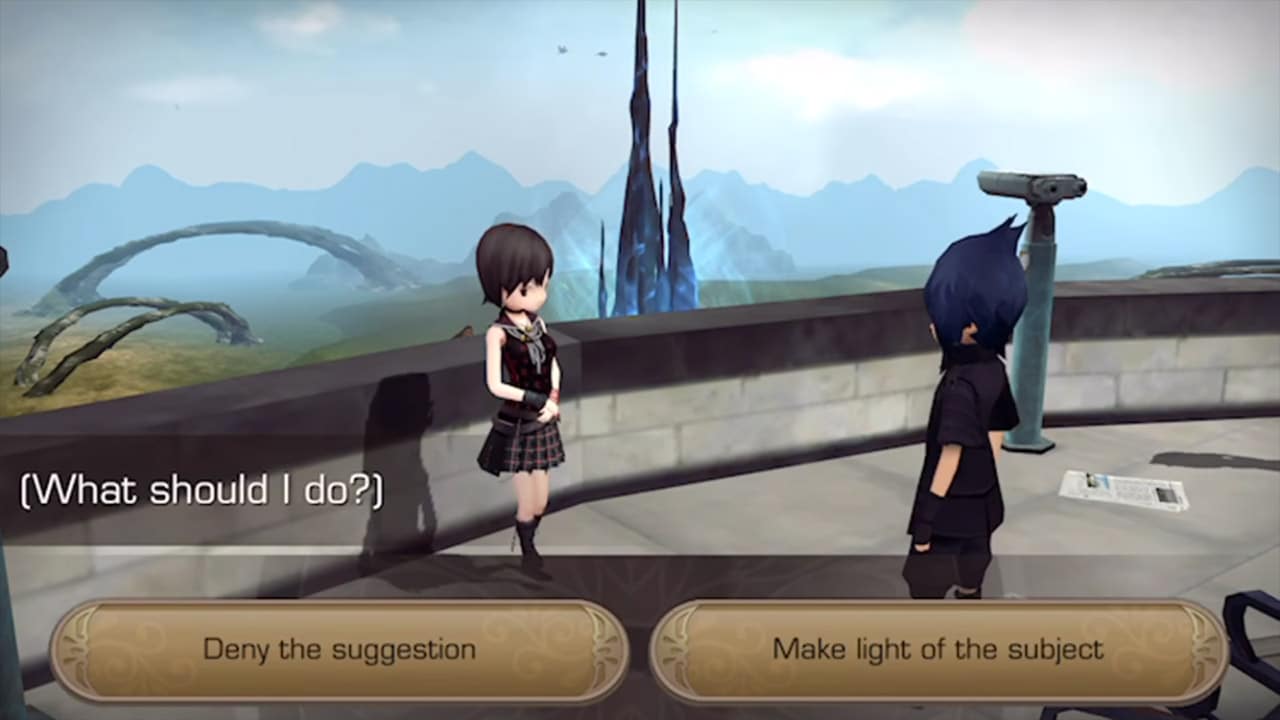
The game still gives you access to maps, menus for equipping your characters with new gear, items to consume, and a grid for unlocking character-specific skills using Ability Points. All these, however, are parts of an illusion that make you think there’s more depth than there actually is.
You see, because you’re bound to a linear path, there aren’t many ways to play FFXV: PE (this abbreviation still feels too long). The items and equipment I end up with at the end of the game are likely to be near-identical to what you or a random friend of mine would have. Still, it’s nice to have some control than none at all. Acquiring a new weapon and seeing your stats go up is still as satisfying as on the original game.
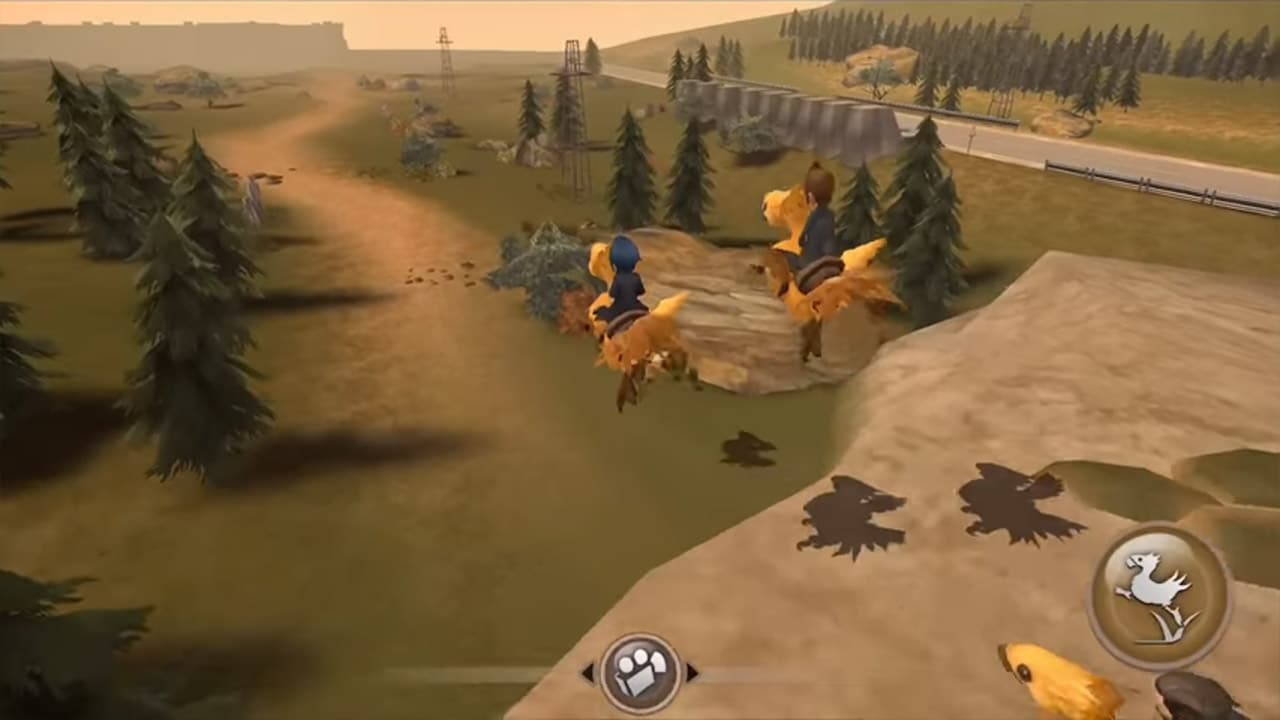
The controls themselves are as simple as can be: tap or hold the spot you want to run to, swipe during battle to roll around, and choose from a selection of special attacks to end fights in style. The standard attacks are done automatically and your party members are on auto mode the whole time, so the play style here is to relax most of the time and enjoy the scenery.
Hold on… scenery? For a mobile game, the graphics are splendid. Having grown up with Final Fantasy VII, VIII, and IX on the first PlayStation, seeing this style of visuals is a welcome change of pace from the non-stop hyper-realism we’re forced to endure on practically all new AAA titles. With the exception of facial expressions being frozen in place, not once did I feel the graphics were unsatisfying.
You’re going to need a powerful handset, though. I tried FFXV: PE on a range of smartphones and it wasn’t smooth sailing for all. It was only on the Snapdragon 835- and 845-powered devices that I could max out graphics settings. To be specific, I could run the game on the highest settings with the Essential Phone, Samsung Galaxy S9, and Google Pixel 2. The game itself is well-optimized for all aspect ratios, no matter how wide or tall the screen happens to be.
In case you’re wondering: Yes, the original music and voice acting are all there, making this by far the best audio experience you can get out of a mobile title. Your merry crew will banter while running around fields, commands will be shouted during intense battles, and the beautiful musical score will play during cutscenes, inside menus, and while cruising around in their car, the Regalia.

It’s this audio-visual combination that makes FFXV: PE such a joy to play while alone and with headphones on. Even with the tiny screen of a smartphone, you’ll easily get lost in the world of Eos and all the lively characters that inhabit it. It’s only when the plot forces you into tight corridors and bland environments that you gradually lose interest. There were times when neither the new area nor story could sustain my attention.
Being an abridged version of a grand storyline, cuts had to be made. Even though I didn’t finish the original game on Windows yet, I could easily tell when conversations were cut short in order to progress the plot and transitions were hastened to maintain the mobile pace. Some were appreciated; others were not. A lot of drama and twists fell flat because there simply wasn’t enough build-up. When the credits started rolling, I kept wondering, What was the point of that character? and Did I accidentally miss a major plot point?

Asking those questions are ultimately my fault. FFXV: PE is meant to be played after completing the console or PC version first. It’s designed to retell the story of Noctis and his friends in a more casual manner, free from the grips of a couch or office chair. The only way everyone will be happy is if it launches for the Nintendo Switch. (Please?)
Unfortunately, for a mobile game, it’s quite expensive. Although the first chapter is free to play, you have to cough up US$ 20 for all ten chapters. Spending a little more during a sale can nab you the full game on Windows, Xbox One, or PS4 — and that would be loads better if you had the time to play it.

I’m now on the second chapter of Final Fantasy XV: Windows Edition (FFXV: WE LOL) and I feel like I cheated on my book report. The progress so far follows what I already know, except the graphics are prettier and options are far more confusing. There are moments when I fondly look back at the simplicity of the mobile edition and wish I could go back to that.
Sometimes, cutting straight to the chase feels more rewarding.








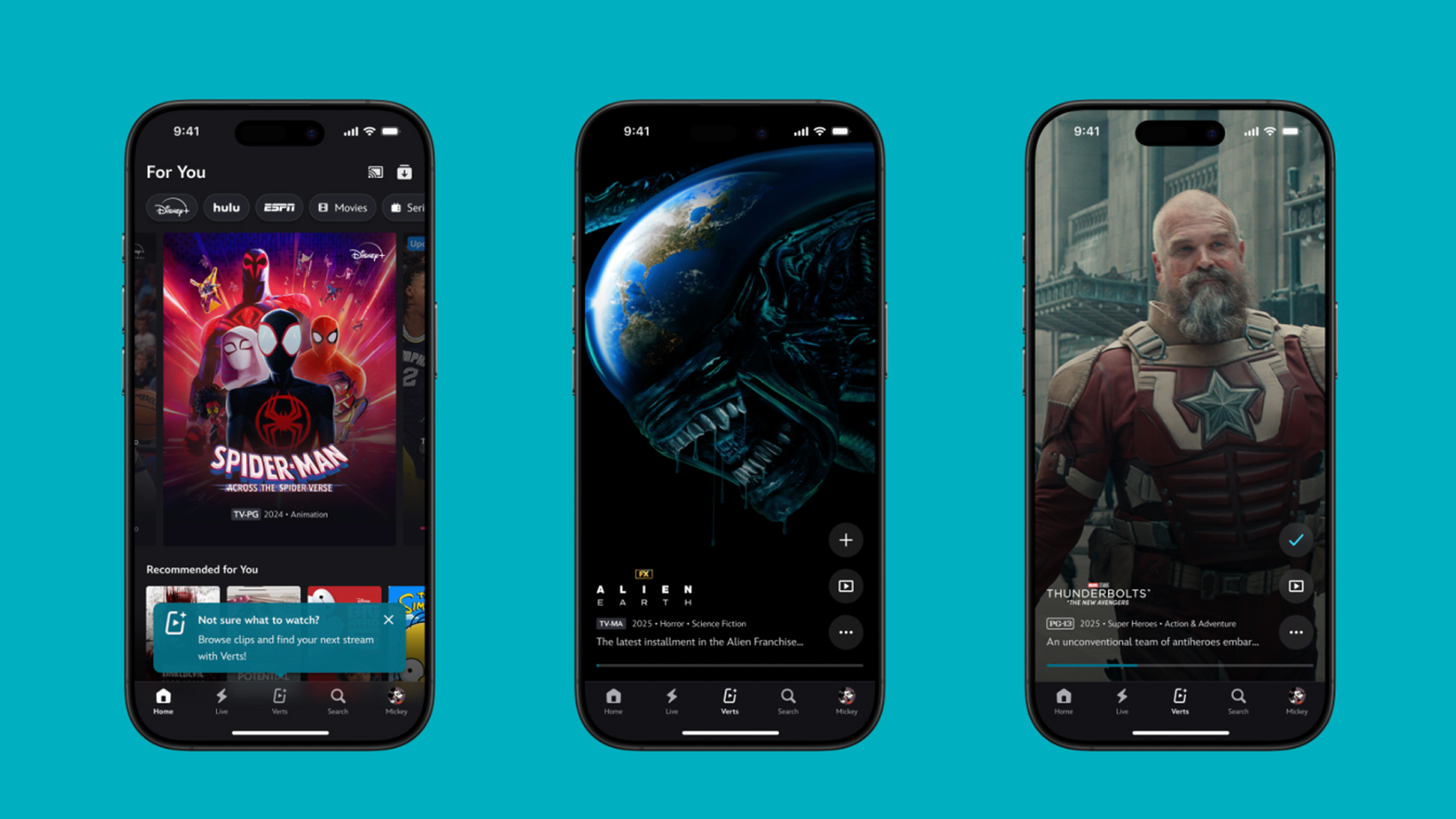
TikTok has changed how we consume media. Everything is now vertical. Even the most established streaming services, often a bastion for traditionally horizontal content, is adopting the different format. Now, Disney+ is getting a vertical feed called Verts.
Like its contemporaries, Verts presents a continuous feed of content but tailored to show the plethora of titles from the Disney+ library. This might include the first scenes of shows or notable highlights. The hope, of course, is to direct users to the longform content.
Directly from the Verts feed, users can easily add the respective title to their watchlist or go straight to the title’s page. In turn, the feed is accessible from the homepage since it has its own tab.
According to Disney, early experiments with the feature have driven engagement to available content. Right now, the feed is mostly for clipping enticing content from shows. However, the platform will experiment further with the format for new ways to tell stories.
Though Verts surely stands for “verticals” in this case, “adverts” might fit better as its full government name. Still, it might be a useful tool if you’re figuring out what to watch for the night.
Currently, Verts is available for Disney+ subscribers in the United States. Disney also has plans to expand the feature to ESPN for sports-related content.
SEE ALSO: Live NBA action on Disney Plus now available in the Philippines

Some of today’s navigation apps are living in the future. Instead of a two-dimensional map, these apps render the user’s surroundings in 3D. It’s a nifty upgrade that helps drivers more accurately visualize directions on the fly. Finally, Google Maps is getting a much-needed upgrade and will take navigation to the third dimension.
In a new update rolling out today, the new Immersive Navigation feature will bring your surroundings to life. The 3D view creates a render of the surrounding buildings, overpasses, and terrain around the car. It takes the guesswork out of navigation by showing precisely where to turn and what landmarks to look out for.
In the same vein, you can now use Street View to preview your destination before you arrive. Google Maps will also highlight your destination’s entrance, side of the street, and nearby parking.
Outside of how the map is visualized, Google Maps is also infusing its service with Gemini. The new Ask Maps feature will let you engage with the app in a conversational manner. For example, if you’re in the middle of a long drive, you can now ask Maps where the best place is to stop over and have a coffee break. Ask Maps will provide directions, a potential itinerary, and even helpful links to book a reservation ahead of time.
Now, availability for both of these features is still a bit limited. Immersive View is rolling out today to compatible devices and vehicles in the United States. Further, availability will expand over the coming months.
Meanwhile, Ask Maps is available now in the United States and India for Android and iOS. A desktop version is coming soon.
SEE ALSO: Google Maps is finally getting a power saving mode
Apps
Apple Music, TikTok launch Play Full Song, a new music discovery experience
Rolling out worldwide exclusively through Apple Music

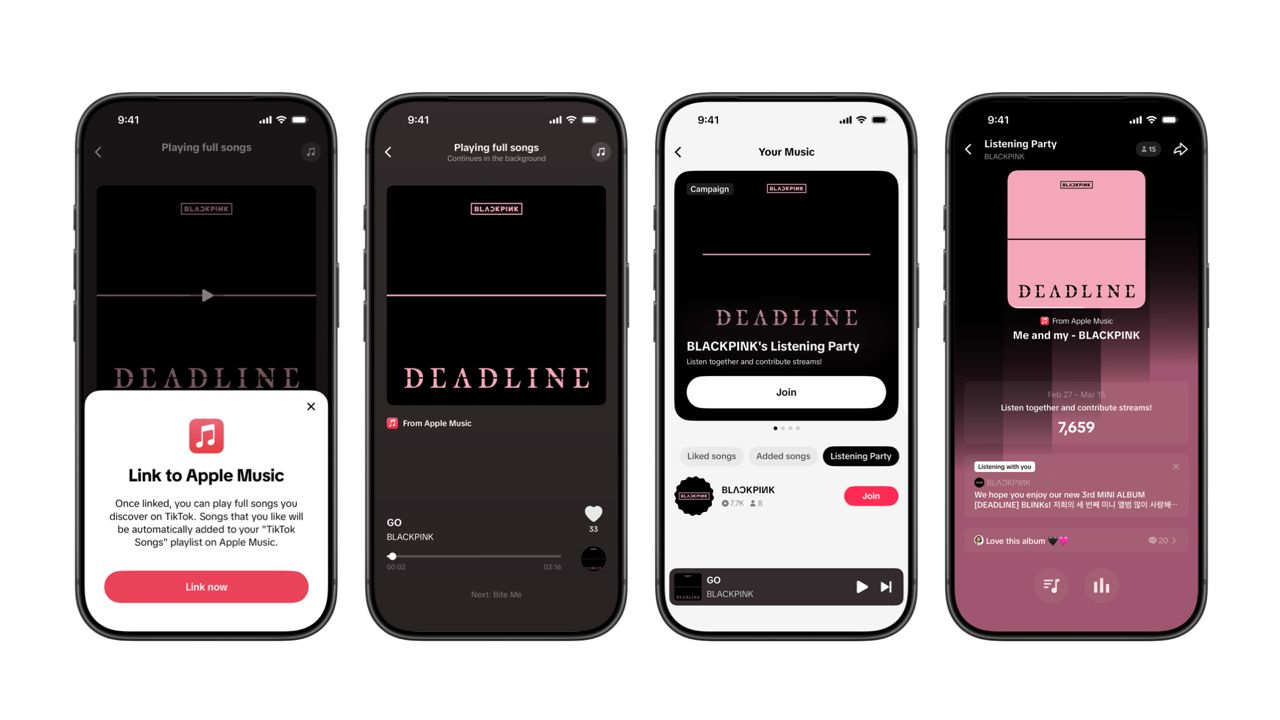
Ever came across a viral 15 or 30-second music snippet on TikTok that instantly became your jam on repeat?
For years, TikTok has been a regular source of songs that have become part of our playlists. And together with Apple Music, listening to the music you discover has just gotten even easier.
That’s through Play Full Song, a new music discovery experience, which launches exclusively though Apple Music.
With the new feature, Apple Music subscribers can now enjoy full-length tracks that they discover on TikTok. That’s without ever leaving that popular streaming app.
Fans who discover a song that they love on their For You or Sound Detail page can simply tap the Play Full Song button to open up an Apple Music player and enjoy the song in its entirety.
From there, subscribers can continue listening to a personalized stream of recommended songs. That means no more need to switch apps and search separately.
The new Play Full Song experience helps music fans move seamlessly from the moment of discovery to deeper listening. It’s also designed to be instant and all within the same environment.
Moreover, users can also save their favorite songs to Your Music and add them directly to their Apple Music playlists.
Built using Apple’s MusicKit, full-length song playback takes place on Apple Music. This way, streams are paid within the Apple Music service, supporting artists and rights holders while giving fans a smooth, uninterrupted experience.
Listening Party also launched
The feature builds on the success of TikTok’s Add to Music App. This was previously launched to help artists and fans convert discovery on TikTok to a playlist save in Apple Music and other streaming services.
To cap the announcement, TikTok and Apple Music are also introducing Listening Party. This new feature is designed to bring artists and fans together around music.
It creates a shared environment where fans can listen to songs from their favorite artists in real time, interact with each her, and engage directly with the artist during the session.


Galaxy Buds4 Pro review: I thought I was done with in-ears
This Buds4 you


WWE 2K26 lets you live out all the fantasy matches you could want
But you have to play for hours and hours to unlock everyone.


The HONOR X8d is serviceable
Steady but slow?

Life is Strange: Reunion now available on consoles and PC

Why this AI-powered eye health exam is the only reading you need this season

DJI officially launches the Avata 360 with 8K immersive imaging

The Changan Eado Plus officially lands in the Philippines

PLDT Home, Samsung team up for exclusive entertainment deals


-

 Reviews1 week ago
POCO X8 Pro Max review: A new beast from the far east
-

 News1 week ago
POCO X8 Pro Series: Price, availability in the Philippines
-

 Reviews1 week ago
POCO X8 Pro Iron Man Edition review: Midrange phone in superhero armor
-

 Reviews2 weeks ago
Samsung Galaxy S26 Ultra review: A phone you live with
-

 Automotive1 week ago
VinFast extends free unlimited charging in 3 markets amid rising fuel prices
-

 News1 week ago
POCO introduces X8 Pro Series with Dimensity 9500s
-
 Gaming1 week ago
NVIDIA’s DLSS 5 can turn your favorite AAA game into AI slop
-
Philippines1 week ago
The HONOR X8d is serviceable