
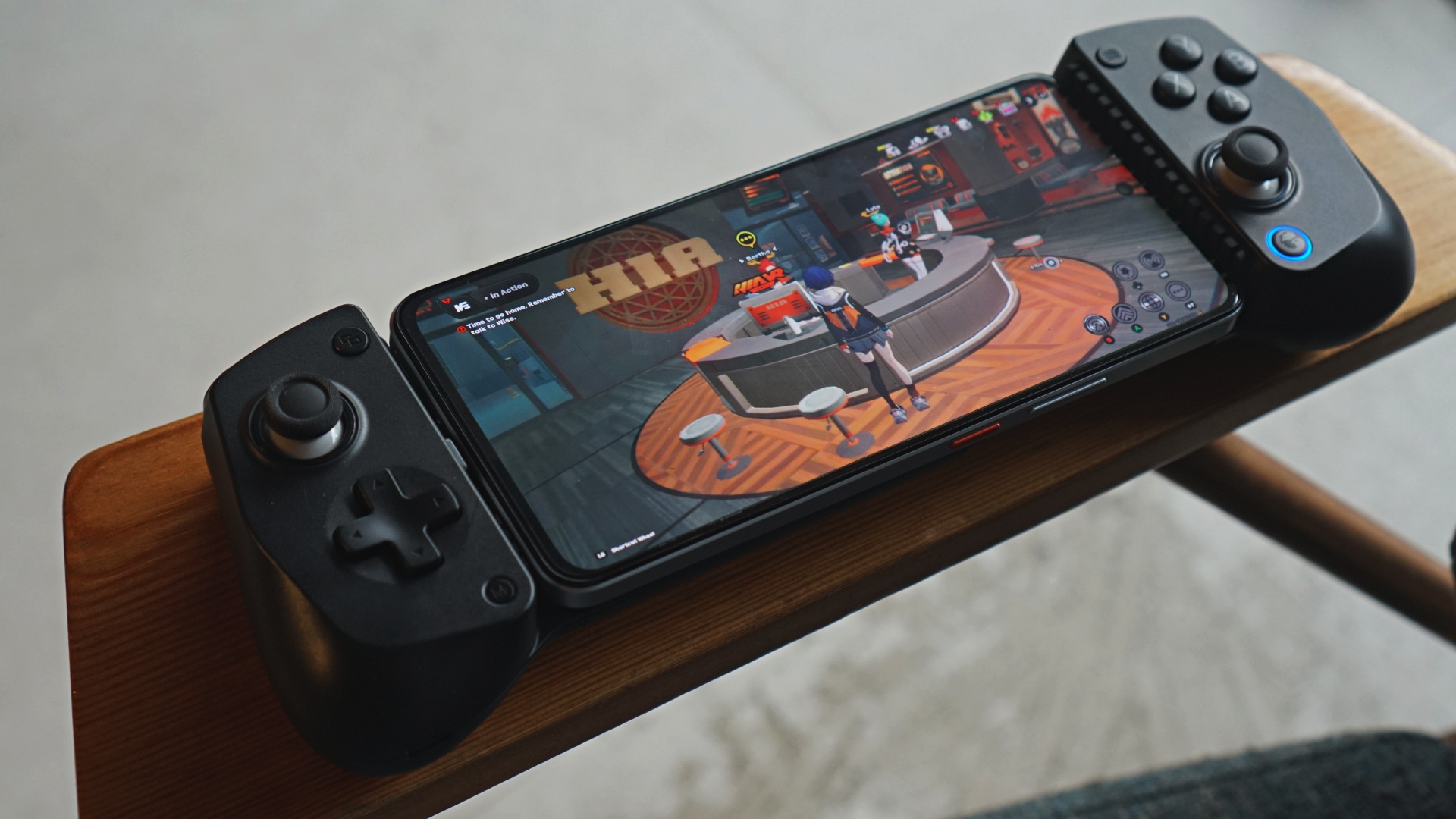

We’ve made the case for GameSir being one of the better controller makers in recent years. Somehow, they’re still underrated. When you mention mobile controllers, the mainstream top-of-mind are Backbone and Razer Kishi. GameSir aims to shake things up even further with the GameSir X5 Lite.
Launching alongside the GameSir X5 Lite is the company’s brand new app – GameHub. Asked what the idea behind the GameHub is, this was their response to us: “We aim to defeat Backbone.”
Bold statement. And one we think they can back up down the line.
GameHub
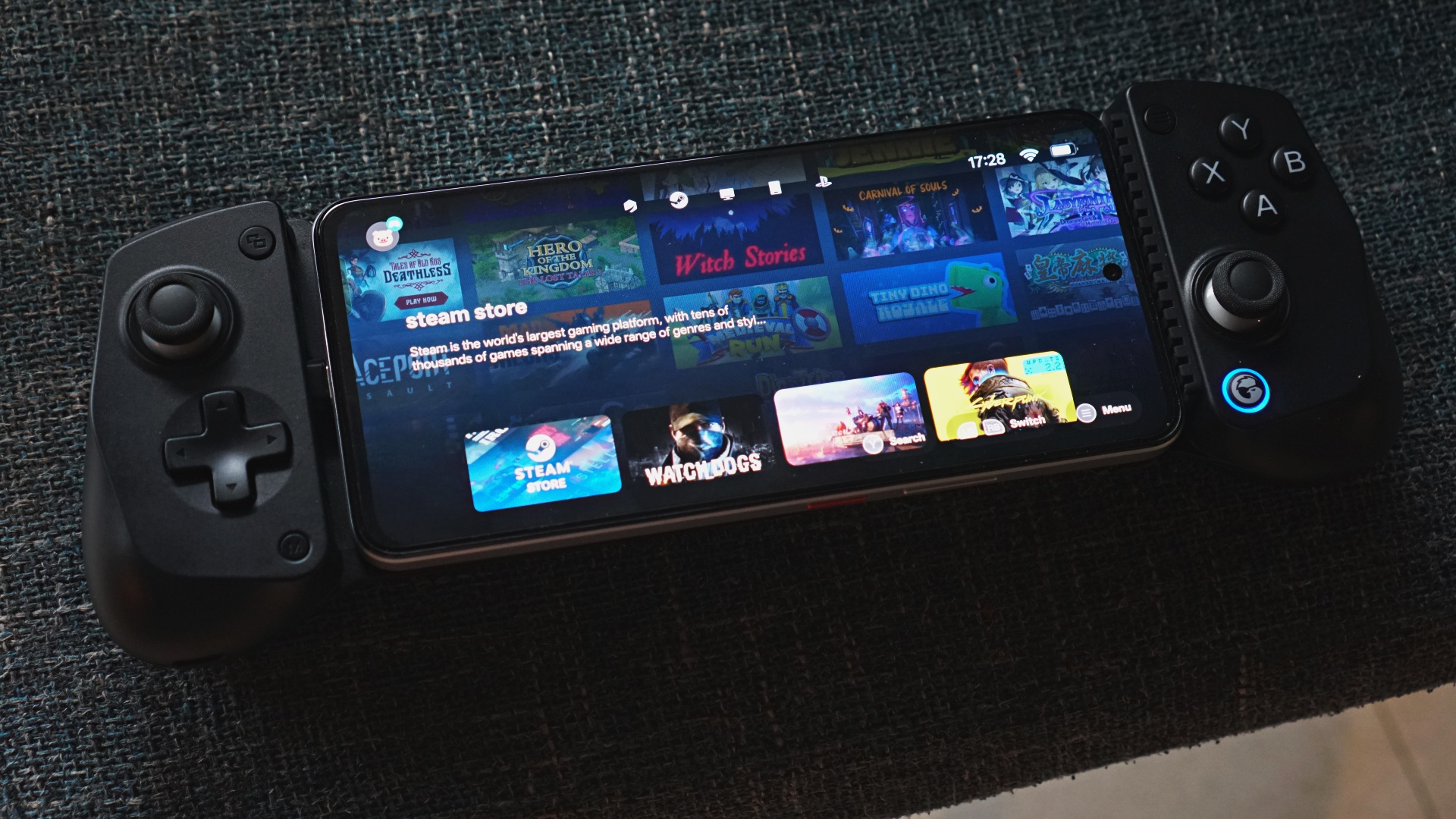
Let’s keep the energy going with GameHub. During the review period, GameHub hasn’t officially launched and only the Android version was available.
What it looks like is a one-stop-shop for many of your mobile gaming needs. There are sections for PC streaming whether that’s Steam or Xbox. You also get PS Remote Play and what not.
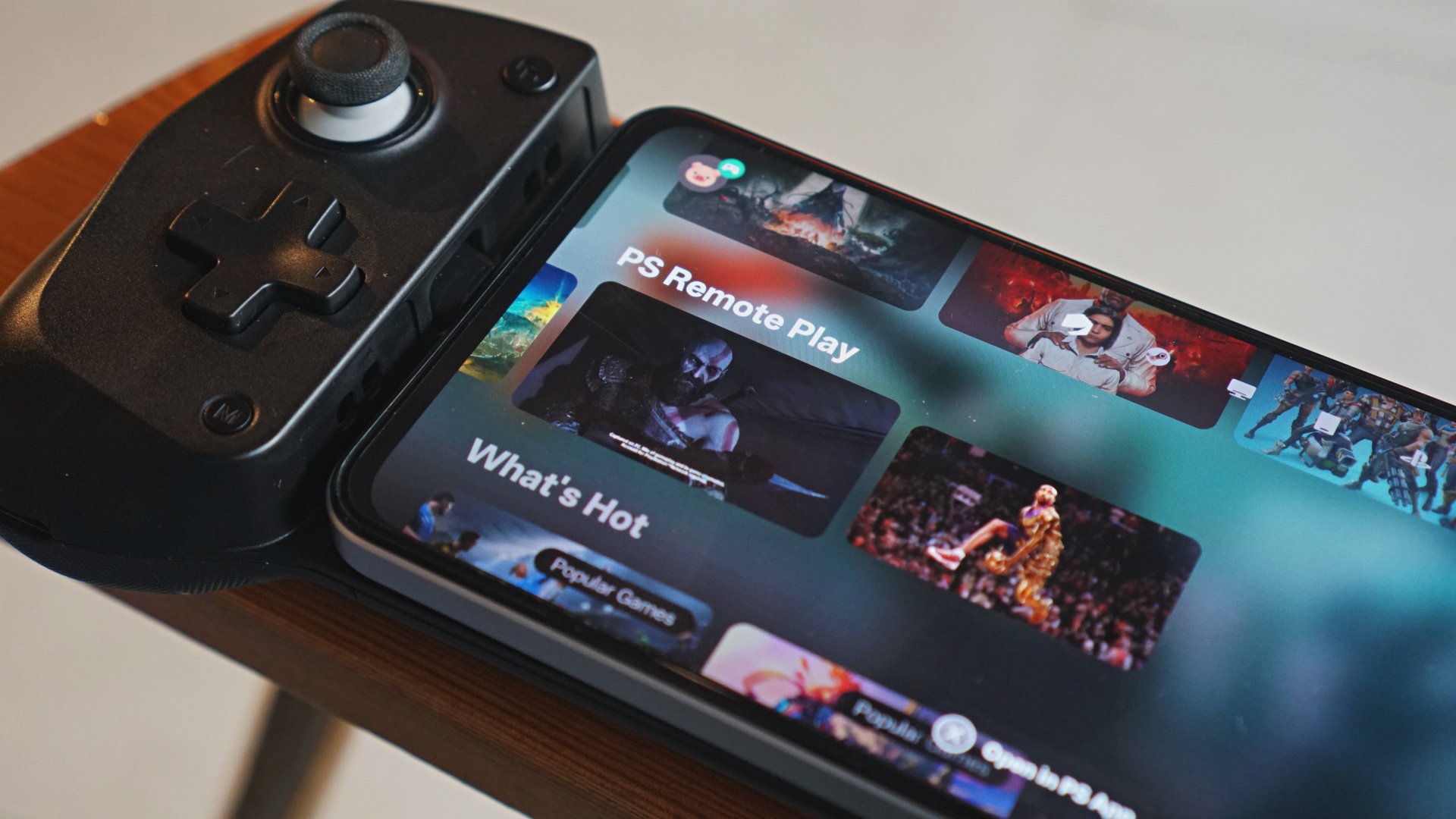
As primarily a PlayStation gamer, I immediately tried PS Remote Play first. There’s a key step-by-step process here for the GameSir X5 Lite to work on Remote Play.
Instead of launching the native PS Remote Play app, connect it via the PS Link directly from the GameHub app. That’s the only way for Remote Play to work properly. I suspect the same is mostly true for PC streaming. I didn’t have the opportunity to try it during my review period.
All things considered, this looks like a good first step in the right direction and something we’ll try to come back to as more features get added to it.
GameSir X5 Lite
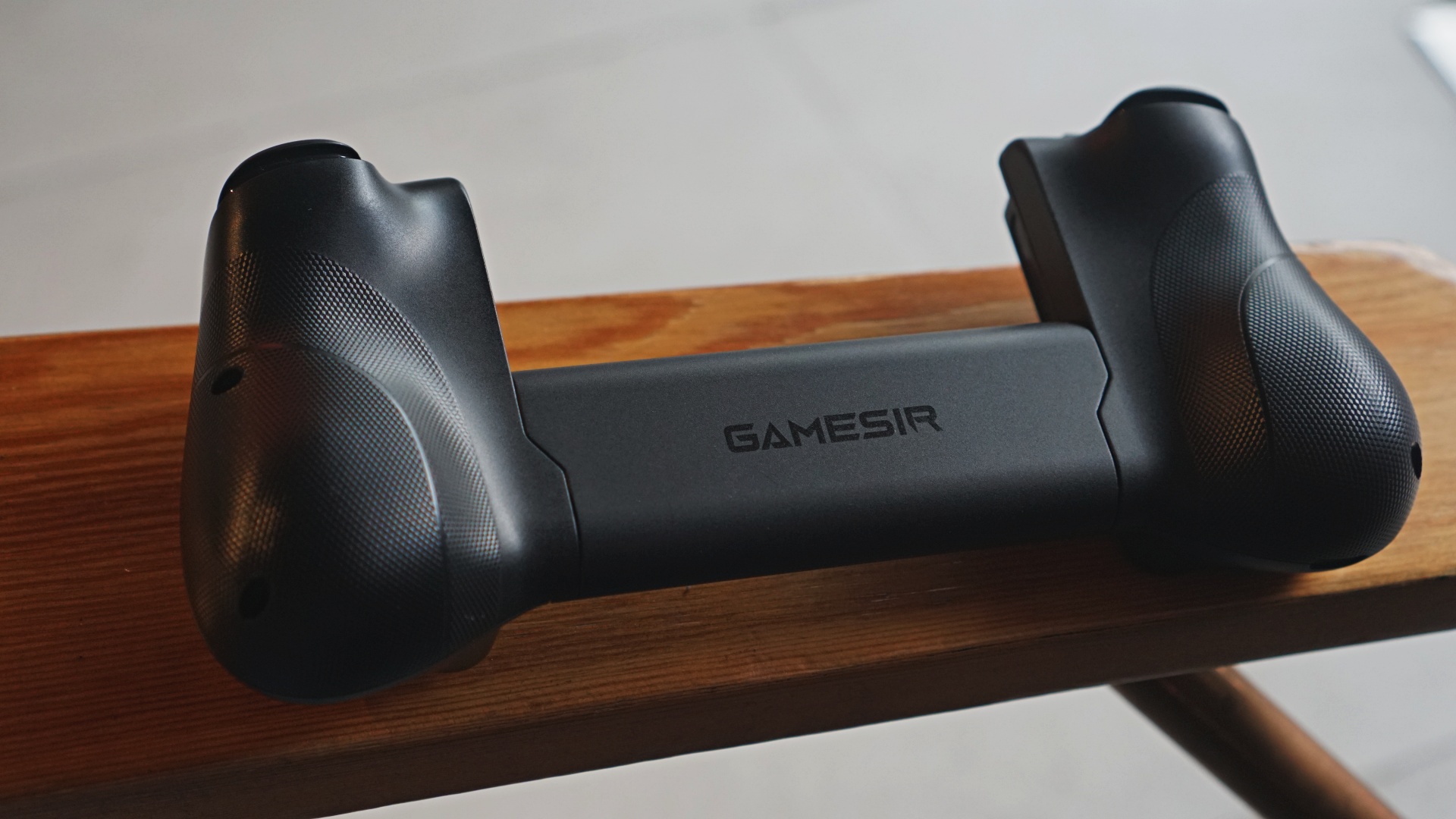
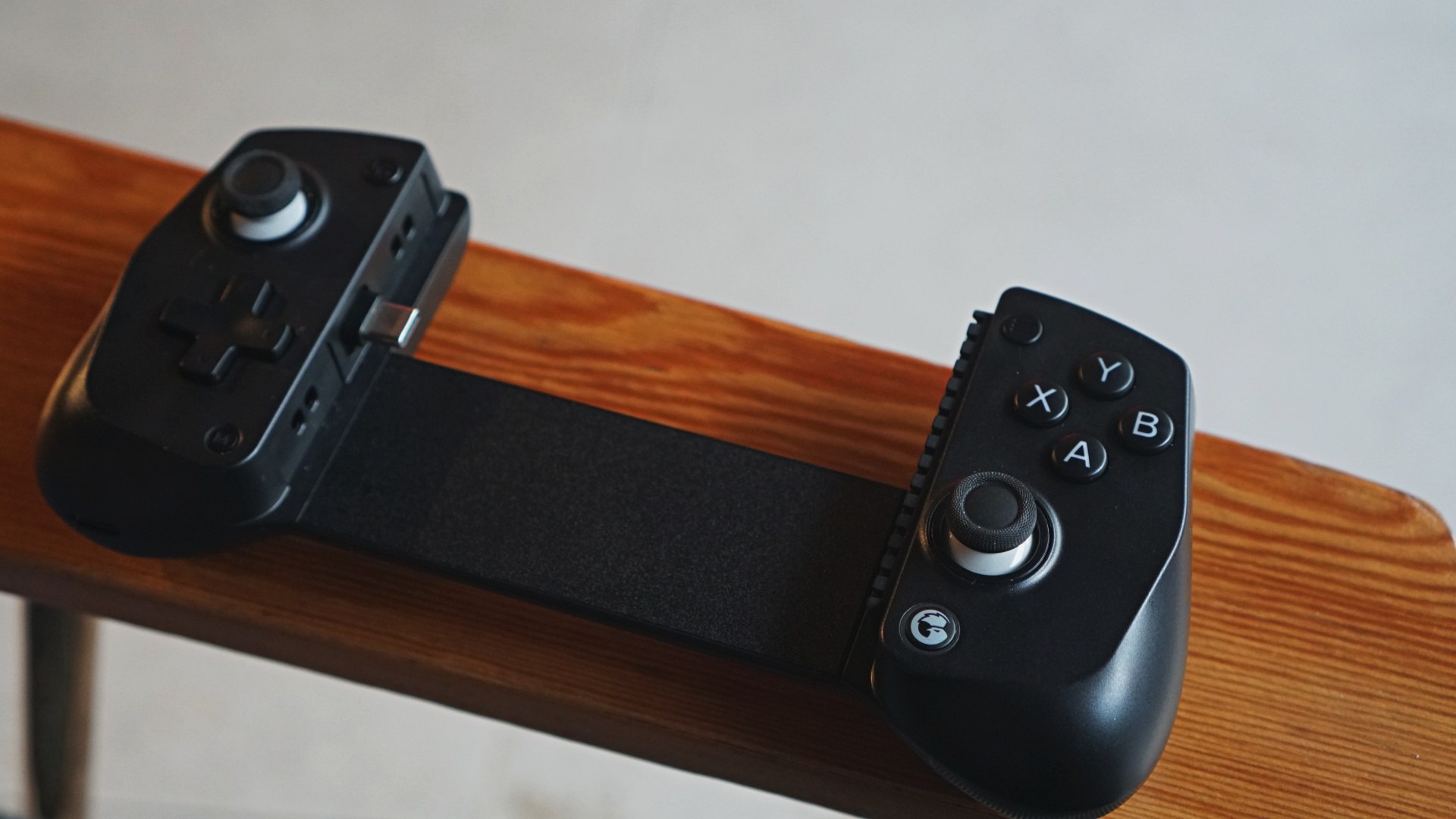
Jumping straight onto the GameSir X5 Lite, it is indeed truly light. One of the best things it has going for it outside of its weight is that despite its relatively slim profile, GameSir managed to add ergonomic grips.
Good grips
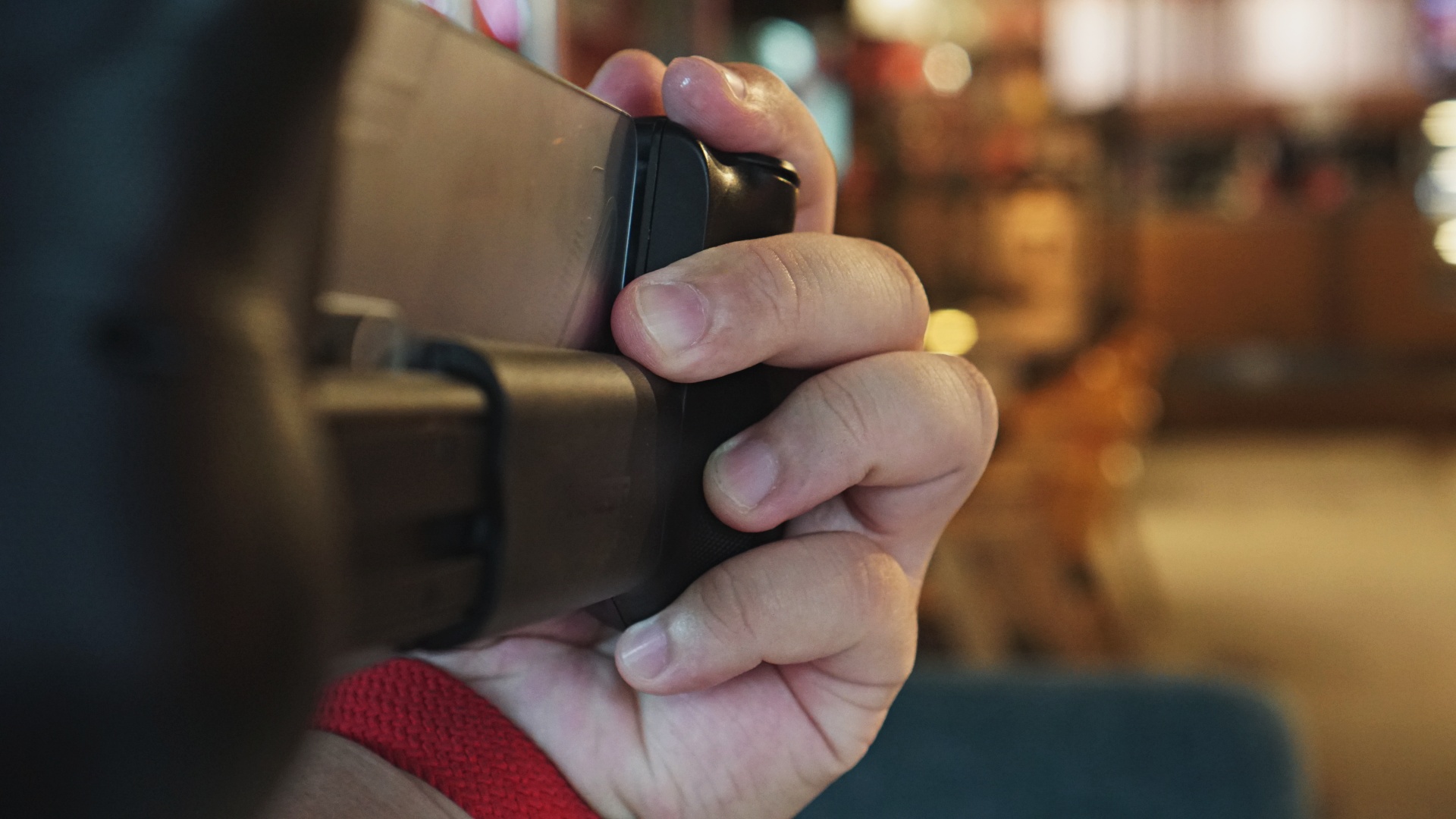
The grips have a groove that feels great on-hand. The laser engraved textured grips also go a long way in making it feel great to touch and hold. This is a distinct advantage over the mostly flat grips of the Backbone One and Razer Kishi.
Movable Type-C
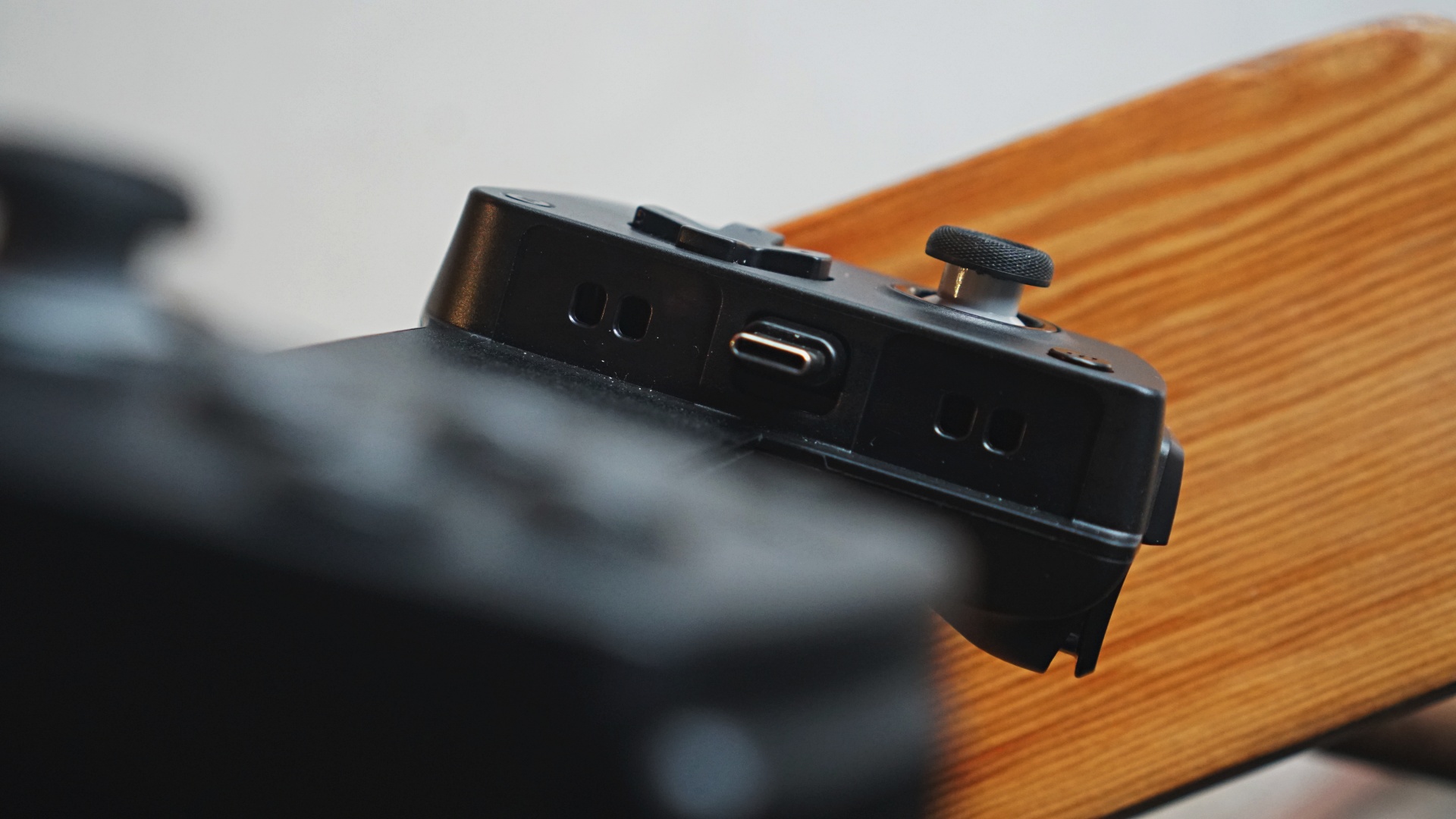
One curious difference though, not only versus competing products but also in their previous ones is the decision to shift the movable Type-C port from the right over to the left.
This meant that most Android phones whose power and volume buttons are usually flushed all on the right hand side will be situated on the lower right area when you have it mounted on the GameSir X5 Light.
That makes for an awkward way to adjust the volume on most Android phones.
However, if you’re using an iPhone 15 and up, the volume controls will now be on the upper-right side which seems more optimal. I’m just not sure if iPhone users are the ones who will actually want to consider this controller – but they probably should.
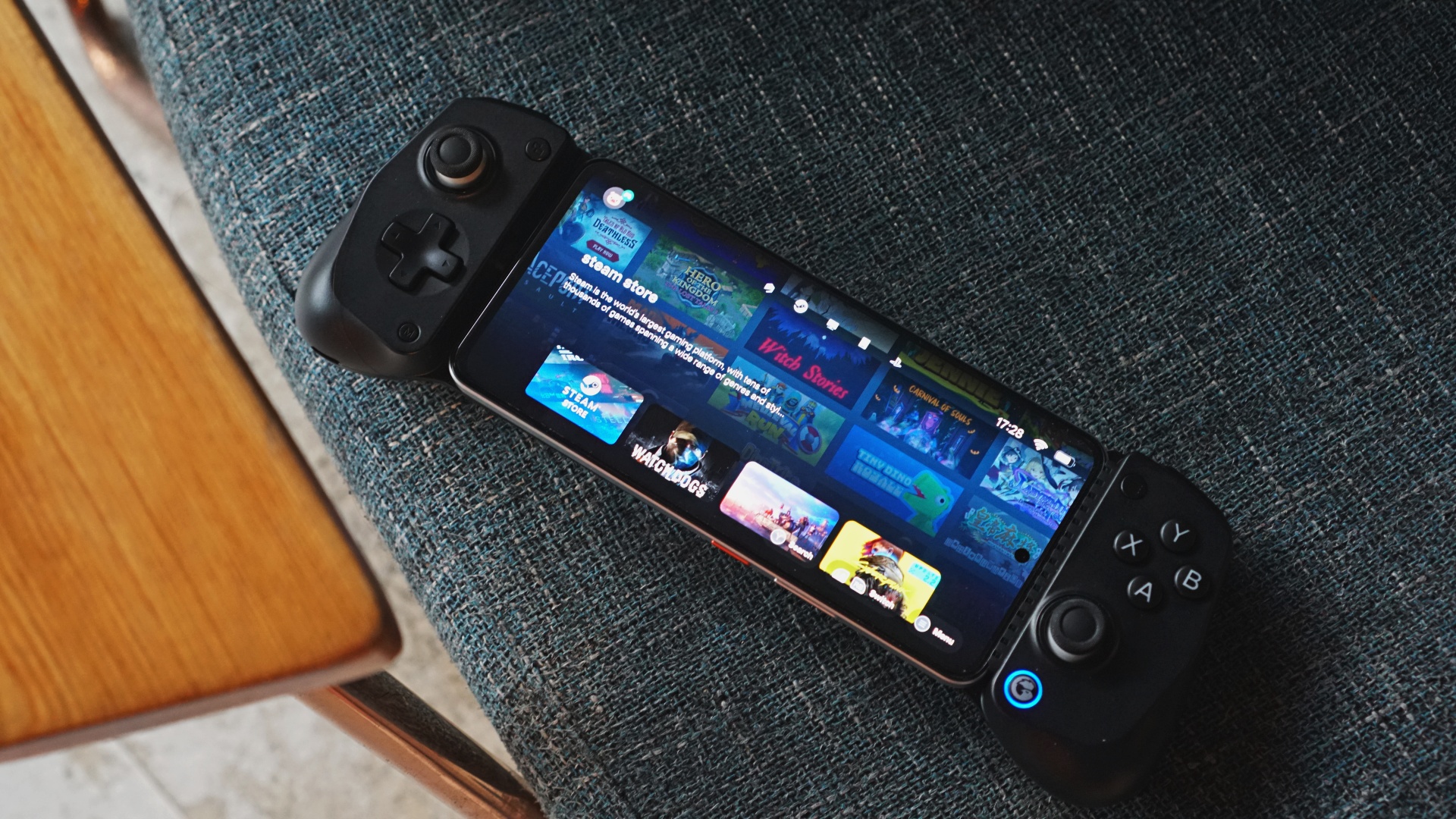
We also tried connecting this on the iPad Mini 7 and while it isn’t ideal because of the iPad’s button placements, it still works fine overall.
We asked GameSir what the reasoning behind this and they was said it is so that “It would be easier to attach (a) cooler to the phone while using X5 Lite.”
The GameSir X5 Lite package we received didn’t come with a cooler and personally, I don’t imagine it being a big hurdle had it been on the right side.
But the move also meant passthrough charging on the left-hand side.
Wider stretch, enough backspace, bumpers

Official information notes that the space where you put your device is now longer–213mm to be exact. It fits up to about the iPad Mini 7 which measures at around 8.3 inches.
Other than the realme 14 5G which is the smartphone visible in our photos, we also tried this with foldables like the OPPO Find N5 and HONOR Magic V3– smaller but taller devices than the iPad Mini 7 but still fit perfectly fine on the X5 Lite.

The design also left ample space for camera bumps. This means the device will lay mostly flat instead of sticking out. To protect the phone further, each inner part where you would put your device has removable silicone pads. It keeps your device sitting tight and securely.
GameSir made minute but mindful adjustments here which all made sense.
Hall Effect sticks, Membrane hair triggers, face buttons

As expected from all their recent products, the primary controls you’ll interact with are all made with great quality.
GameSir’s own Hall Effect Sticks are easily one of the best on any controller. They are firmly one of the leaders in using Hall Effect sticks and all manufacturers should follow suit
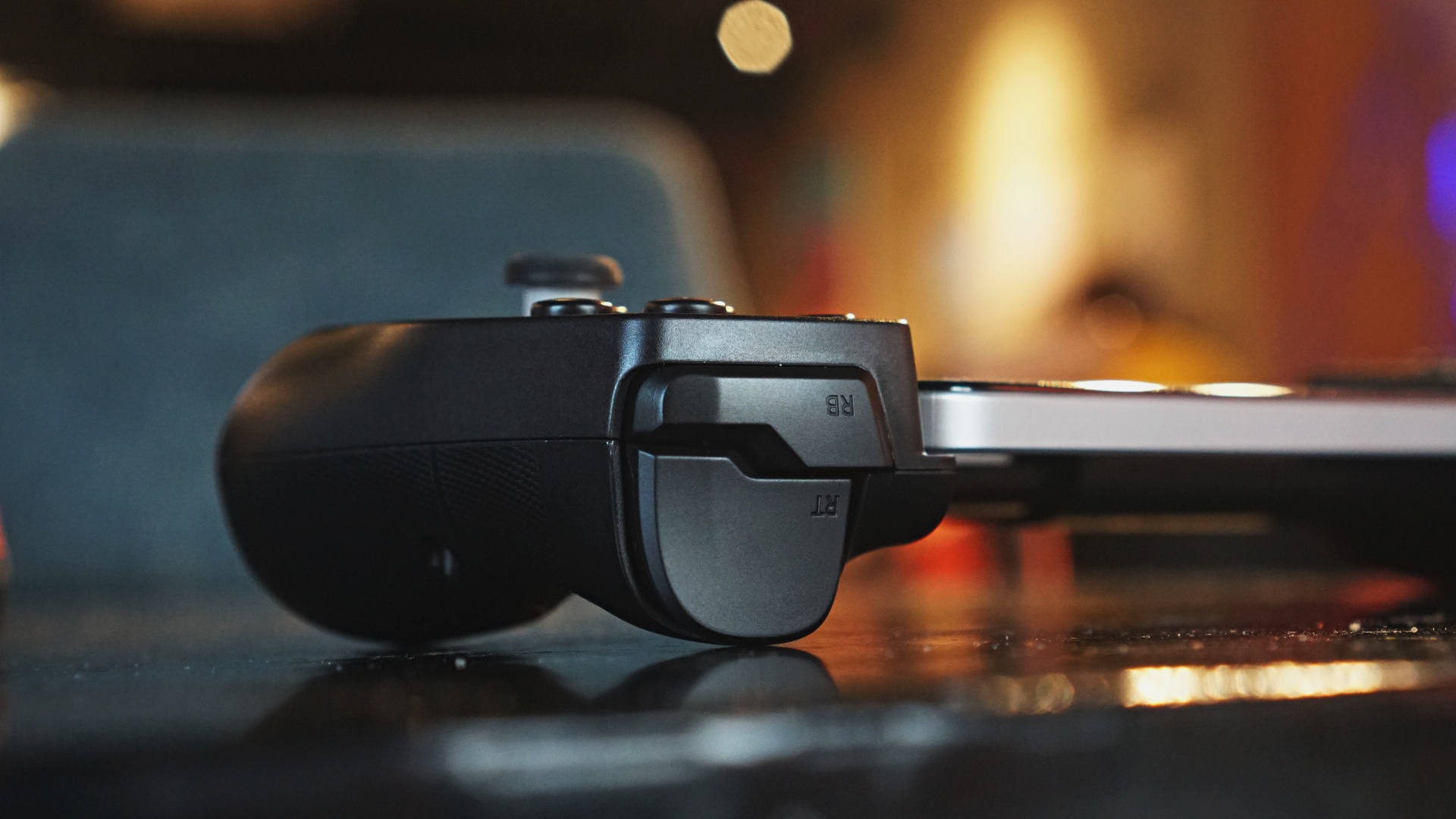
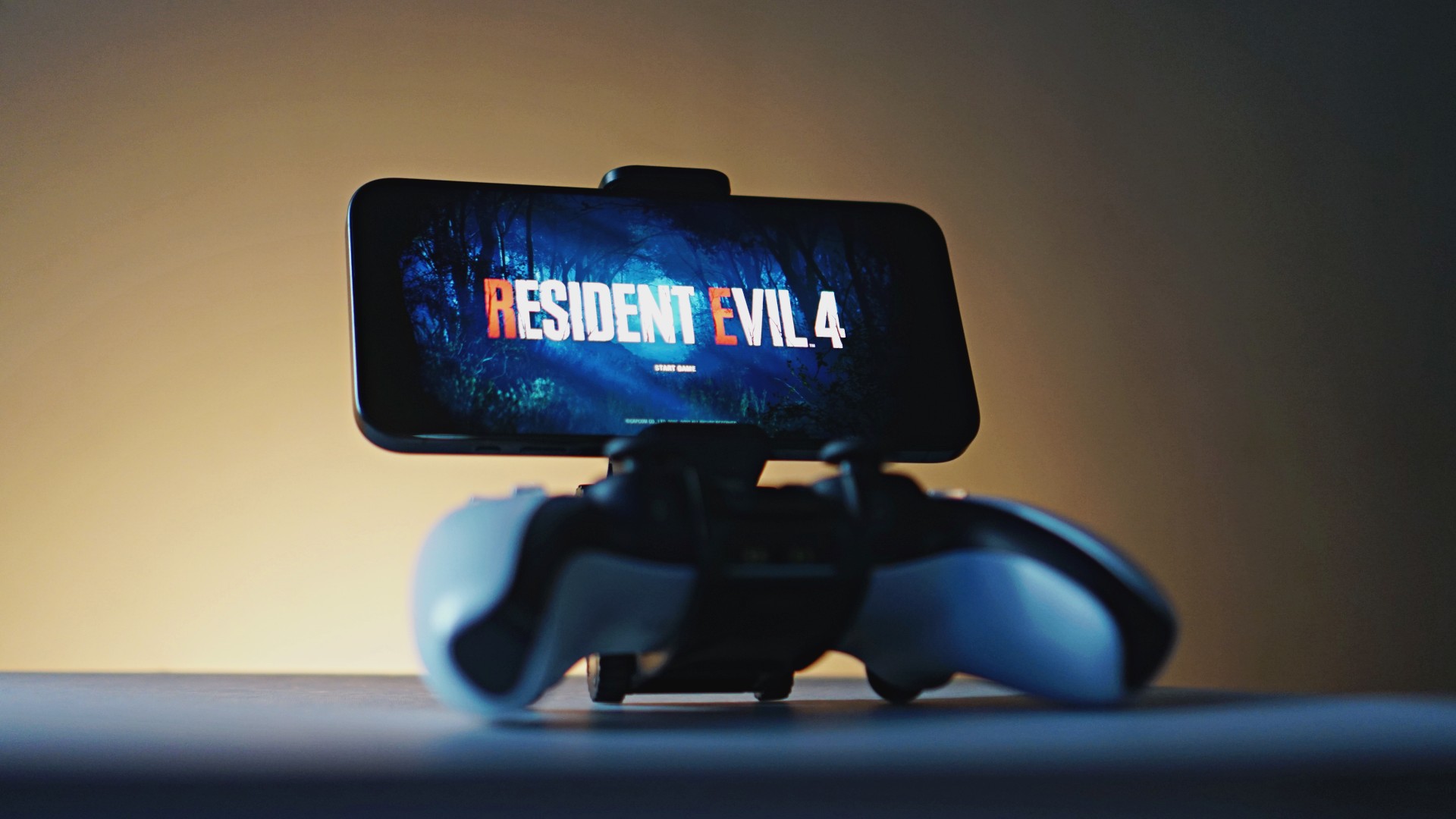
The triggers and face buttons all have a satisfactory click and press feel to them. Zenless Zone Zero, which is best played with a controller, felt really good to play. I did not experience any noticeable input delay which is key in such a fast-paced, action-packed game.
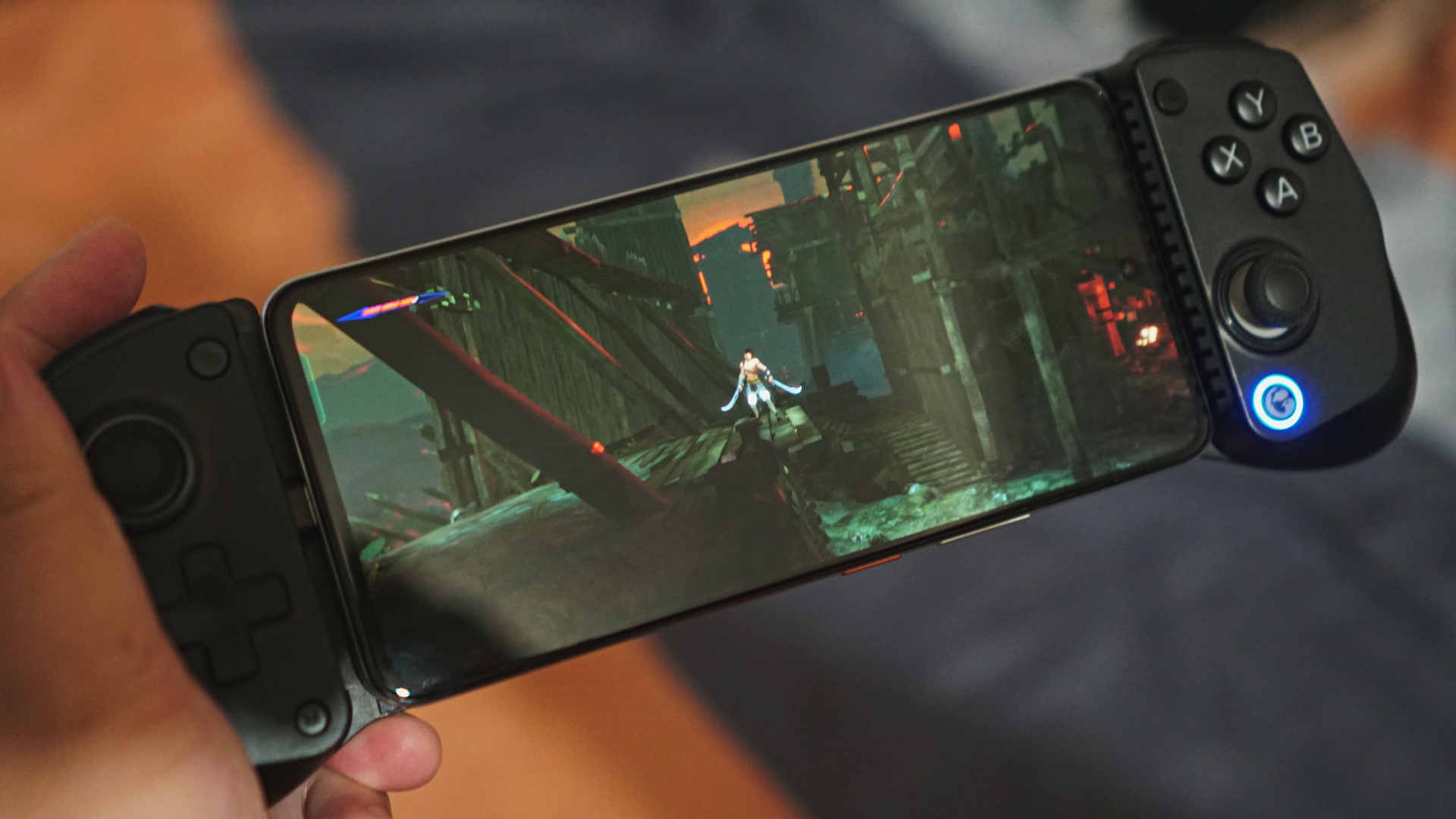
One issue I did have is while playing Prince of Persia: The Lost Crown. To do a high jump in the game, you needed to long press the jump button. This was not at all possible on the X5 Lite. The long press was just not registering at all and I had to resort to holding the jump button on screen to execute the action.
This turned me off from playing the game using the X5 Lite. Depending on the game you’re playing, you might encounter similar issues.
You likely can address this by mapping the action to a different button or button press action using the GameSir app.
Personally, this is not something I was inclined on doing. Even in other reviews, I mostly preferred playing games that already have built-in controller support. But it’s good to know that there’s an option to tweak things for those who have the bandwidth for it.
Is the GameSir X5 Lite your GadgetMatch?
The GameSir X5 Lite retails for only PhP 2,100 or $34.99 USD. That’s a fantastic price point for the overall build quality and functionality it offers. It also undercuts its competition by quite a bit.
Moreover, GameSir is directly challenging Backbone with the introduction of GameHub. This will be compatible not only with the GameSir X5 Lite but many of their other controllers as well and it’ll be interesting to see how that app evolves.
All things considered, we’ll give the GameSir X5 Lite a Swipe Right. It’s a relatively easy recommendation for anyone looking to add physical controls to their mobile gaming life.

You can purchase the GameSir X5 Life on the official website. Add the GGMX5L10 coupon upon checkout for 10% OFF.





Accessories
Manila turns up the volume at COVE
Sony Philippines launched its ULT TOWER lineup at Beyond the Beat, with SB19 joining the ULT Squad.

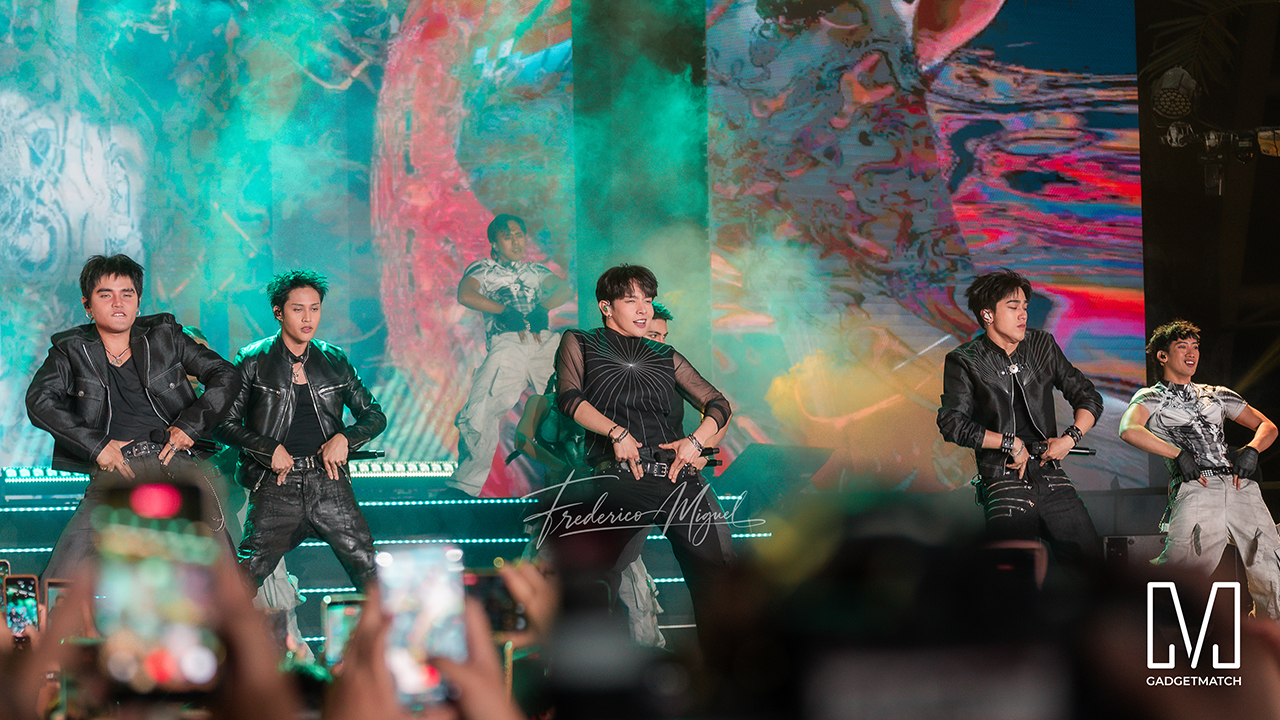
Sound and style shared the floor at COVE Manila in Okada Manila. Sony Philippines opened its doors for Beyond the Beat: The Next-Level ULT POWER SOUND Experience.
The event marked the company’s biggest ULT POWER SOUND launch in the country, and Sony paced the program like an exclusive night out.
Stacked ULT Towers filled the space. Guests styled themselves with designer pieces from Alser Lumawag, and SB19 closed the evening as the newest Sony ULT Squad members.
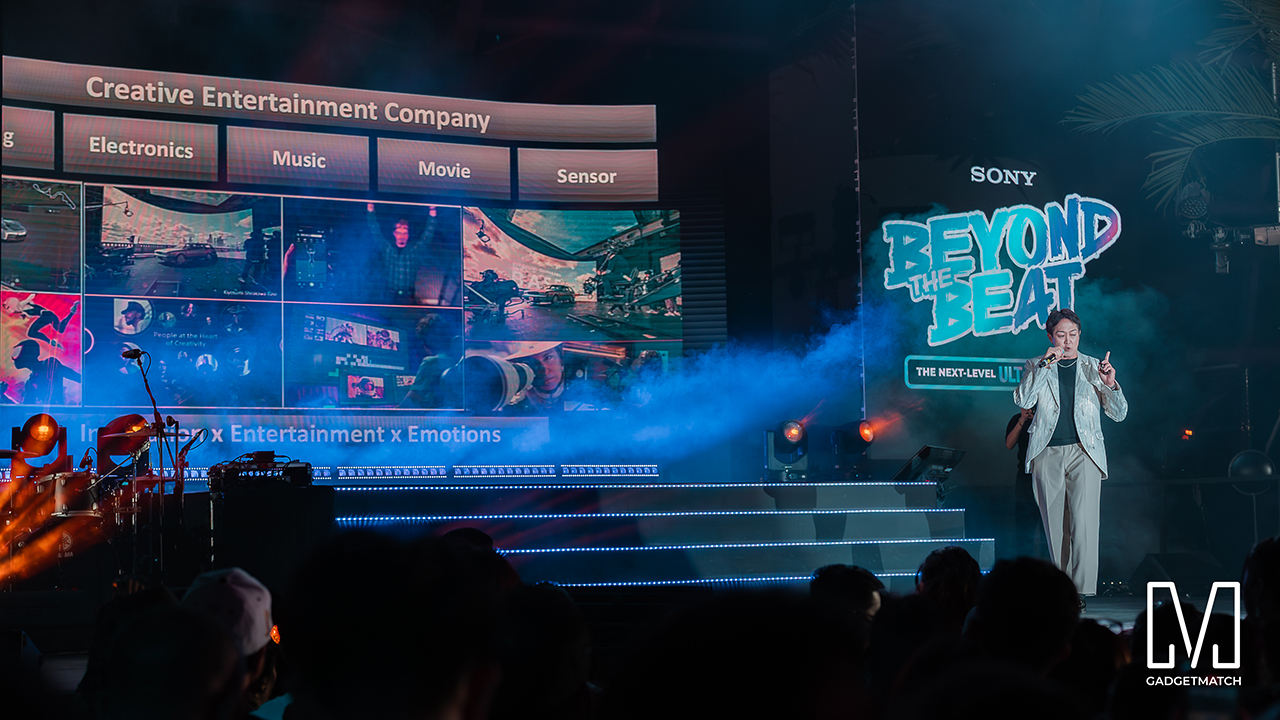
MySony members from every tier joined industry guests while the new ULT TOWER lineup set the tempo.
The towers take center stage
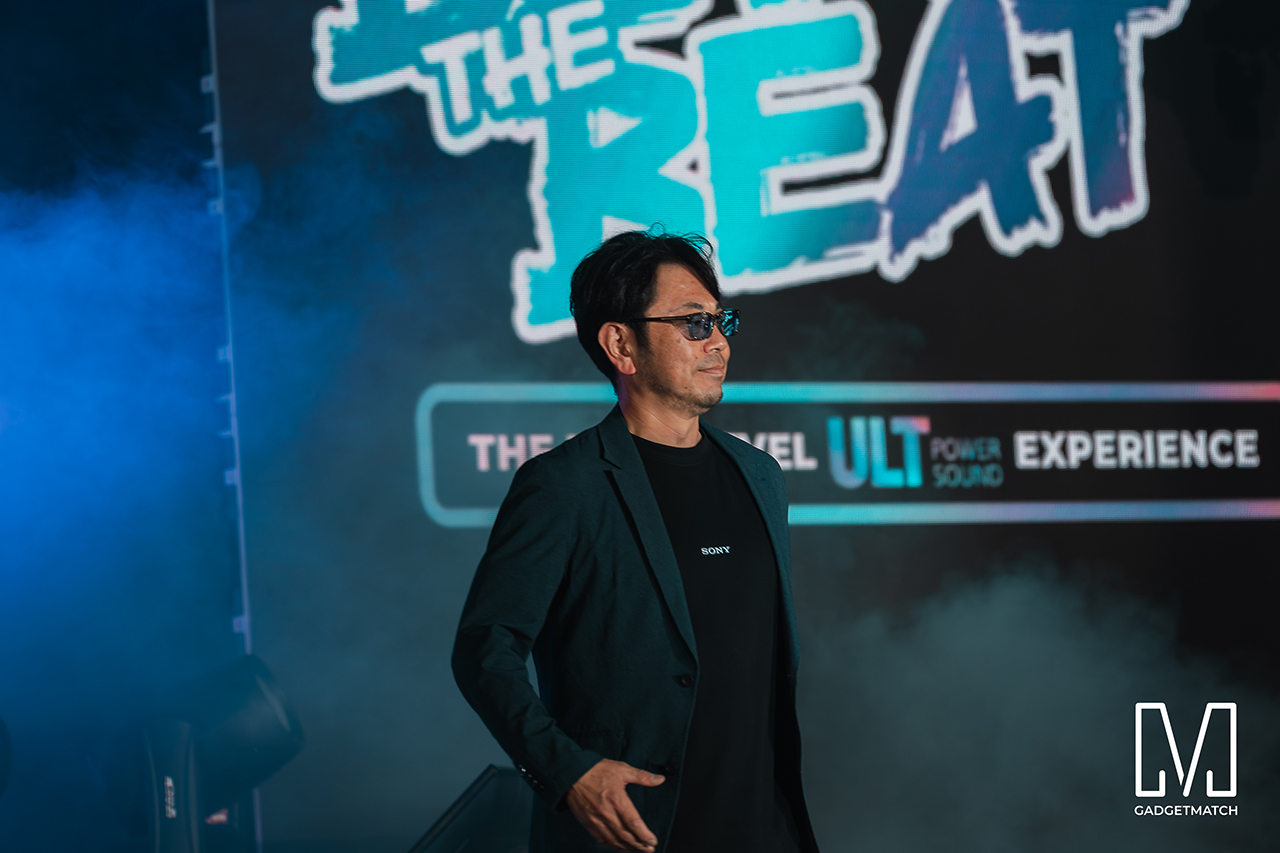
Shuhei Sugihara, Sony Philippines’ President and Managing Director, opened the program.

Product Marketing Specialist Keira Ambubuyog then introduced the newest additions to the lineup.
Arbie Bandiling of Personal Audio Systems unveiled the latest ULT Squad video. The clip introduced the artists and personalities fronting the campaign.
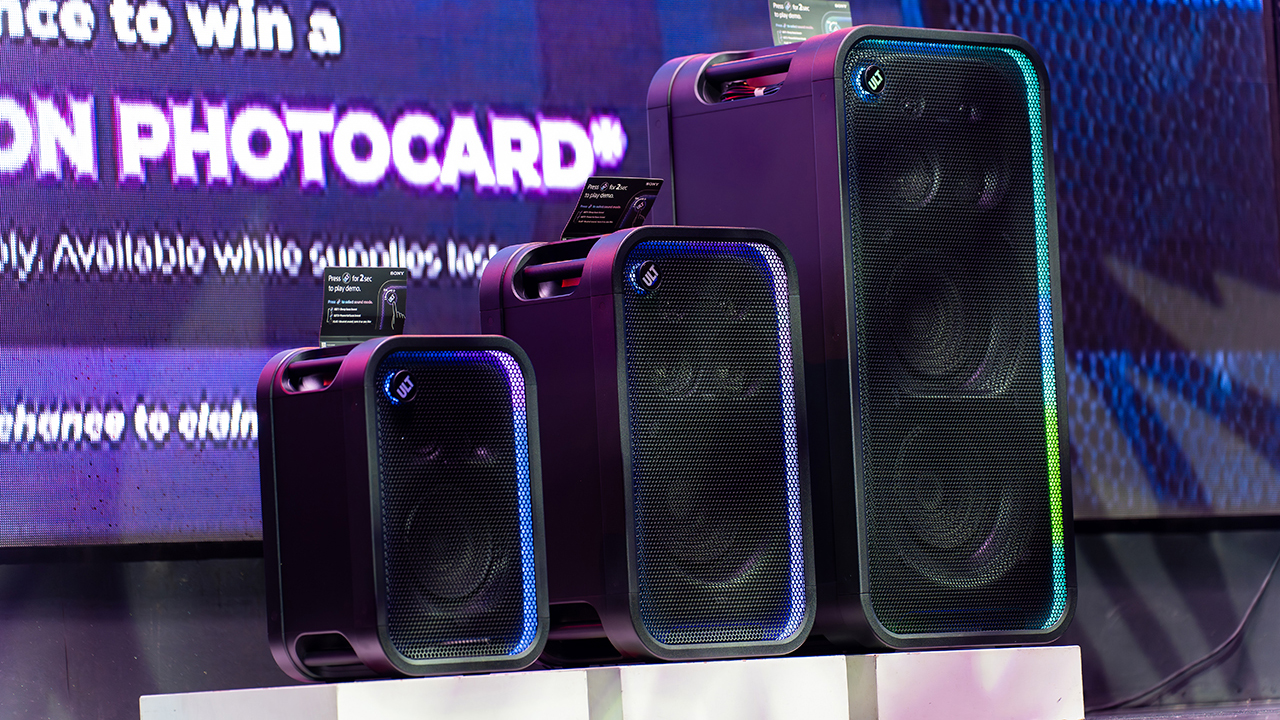
The lineup features the ULT TOWER 5, ULT TOWER 7, and ULT TOWER MAX. The new series pairs large circular woofers and high-capacity cabinets with ULT DUCT technology.
This design delivers stronger low-frequency bass than earlier models. The ULT TOWER MAX leads the series, described as Sony’s most powerful bass speaker yet.
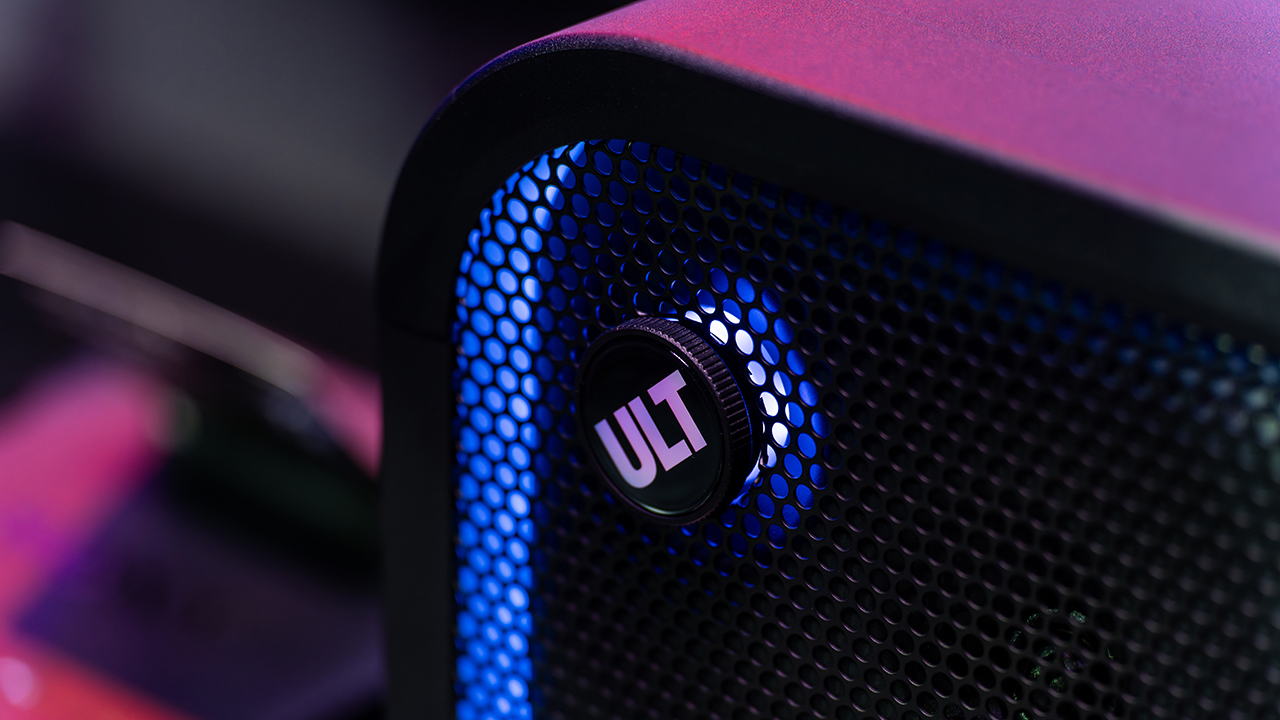
On another note, Sony pitches the ULT TOWER 7 as stage-worthy sound in a portable frame. Meanwhile, the compact ULT TOWER 5 targets smaller gatherings and features karaoke and DJ capabilities.
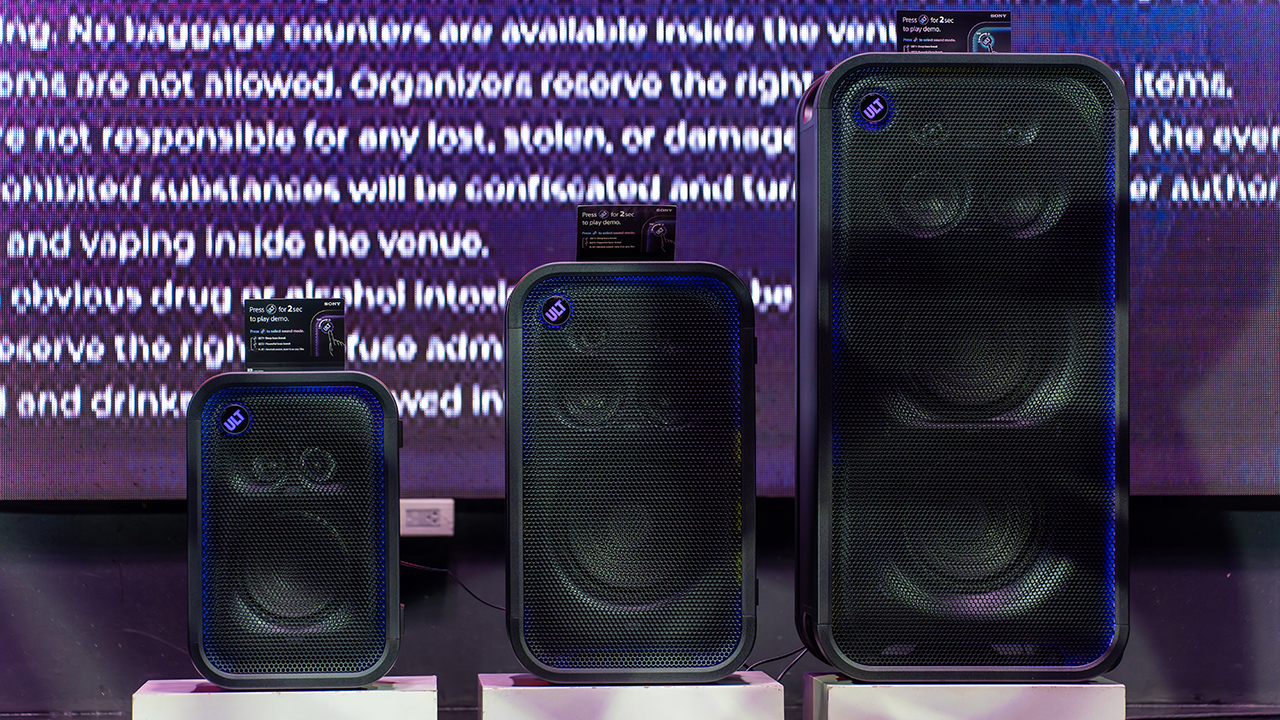
Experiential zones bring the sound to life
Guests explored the lineup across several interactive event zones. Step into the Beat paired an arcade-inspired setup with stacked ULT Towers and a dance pad. ULT Selfie Club handled photo ops.
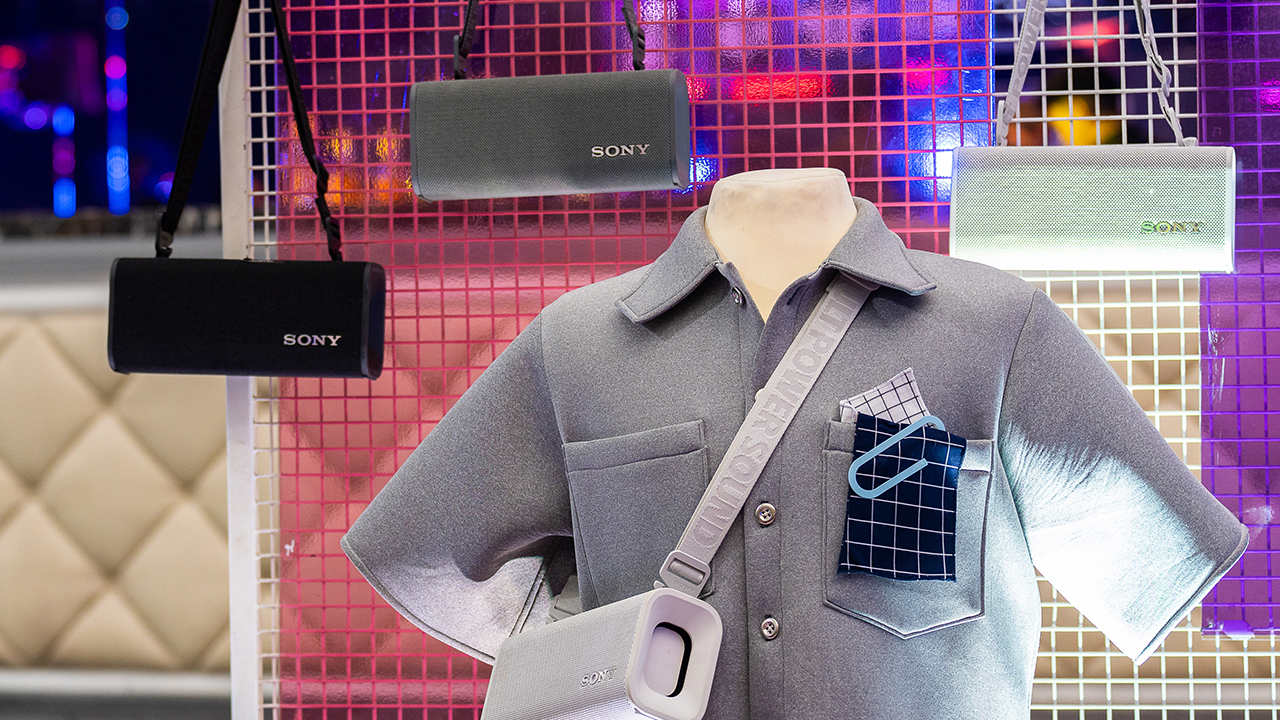
Nearby, ULT Cover Star let guests style ULT Field speakers alongside designer pieces from Alser Lumawag. Here, the speakers served as chic fashion accessories.
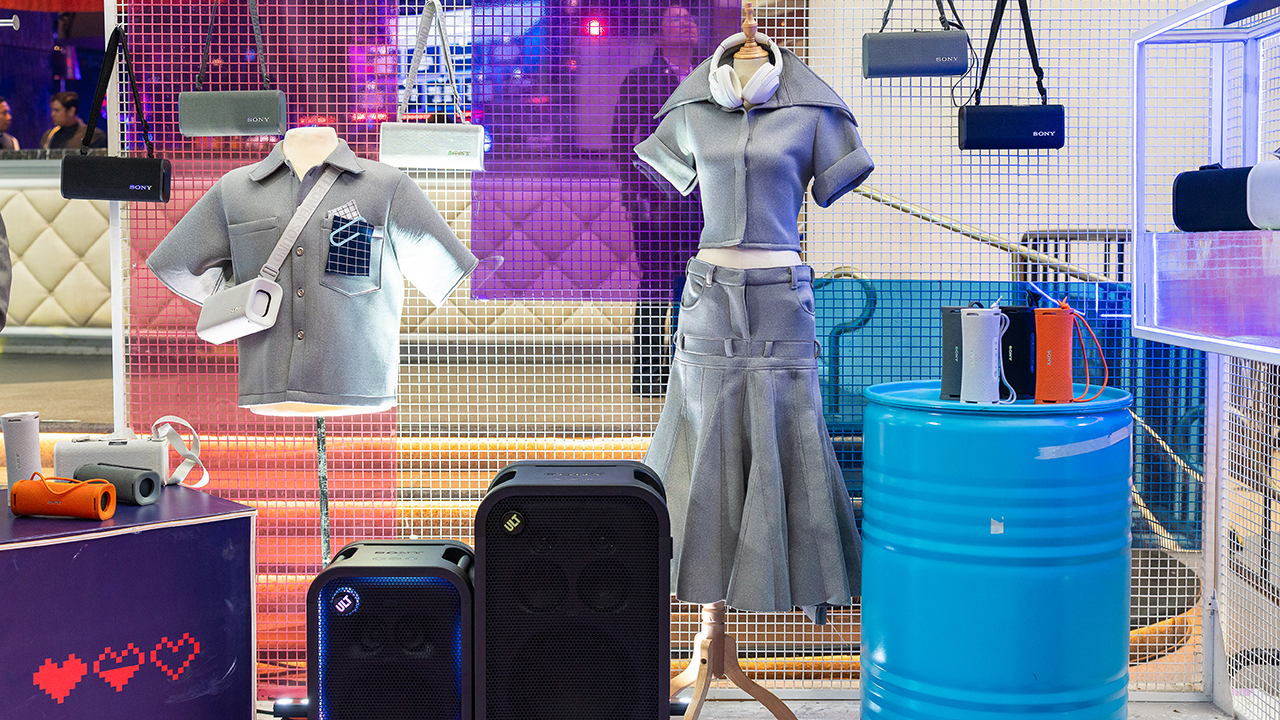
The Bass District gave VIPs and influencers a private, nightlife-inspired lounge. Karaoke Lounges invited everyone else to grab a mic and test the party-ready towers firsthand.
The ULT Squad shows up
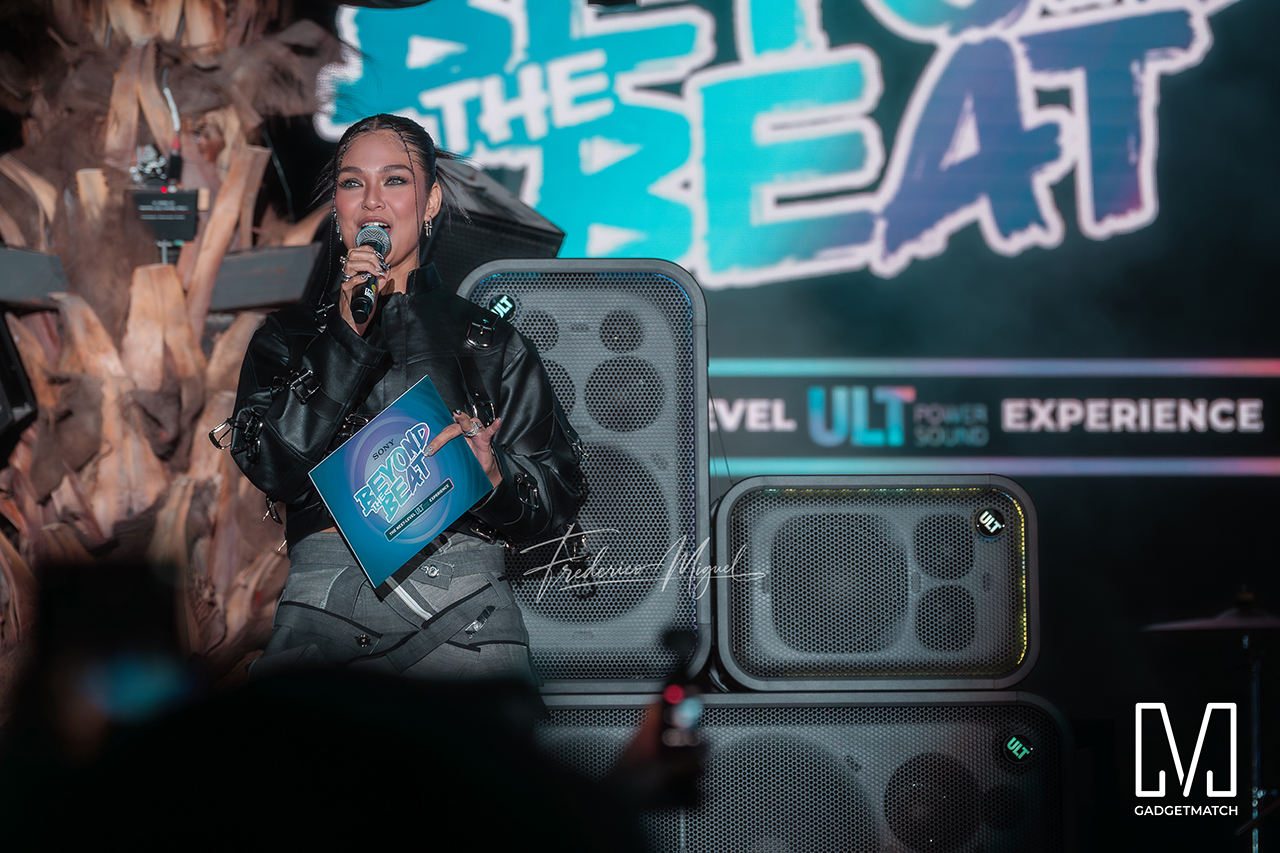

Fashion influencer and ULT Squad member Angelique Manto-Guison hosted the night.
A-Team opened the show with a high-energy routine before Carlos Serrano III took the stage. David Guison and Jacqueline Jala walked the stage with ULT Models in elevated fashion, and Jeremy G followed with a dynamic musical performance.

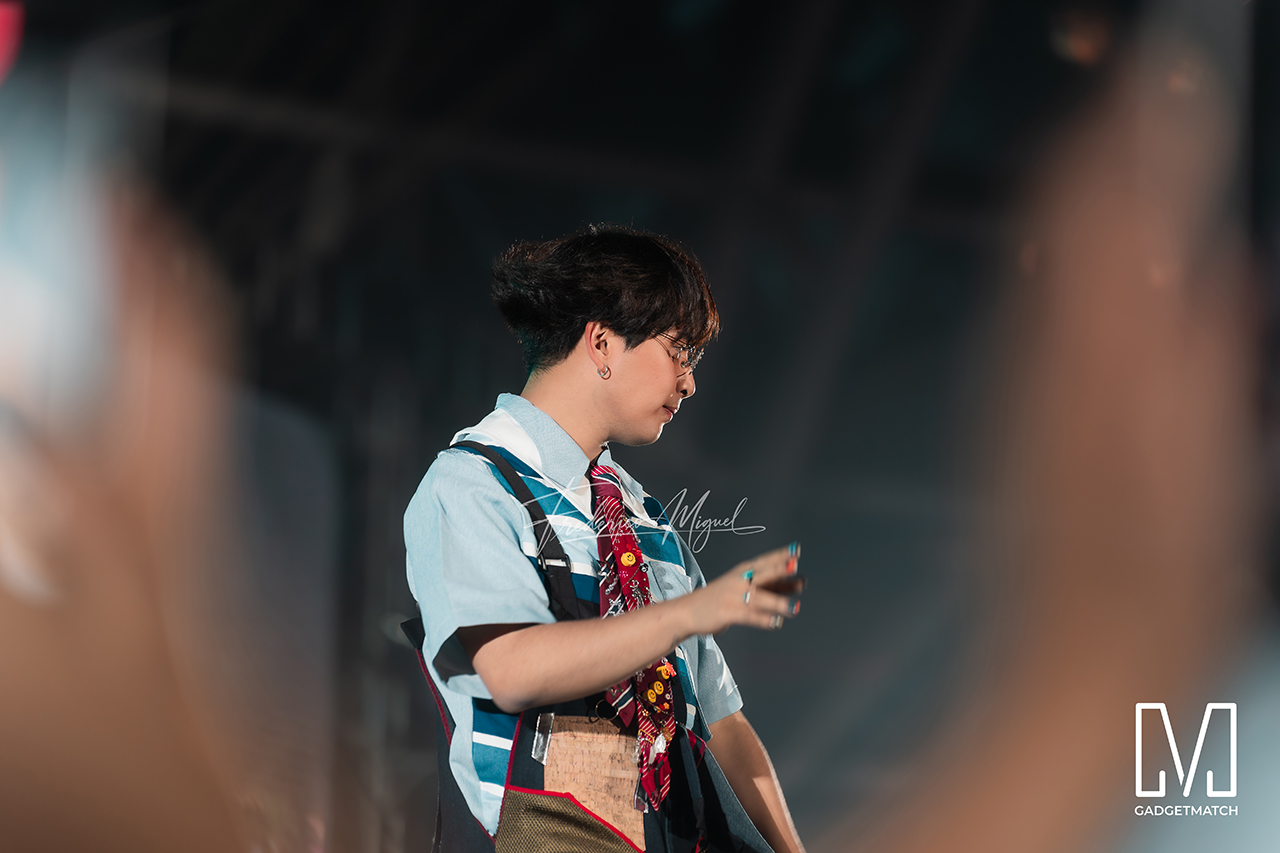
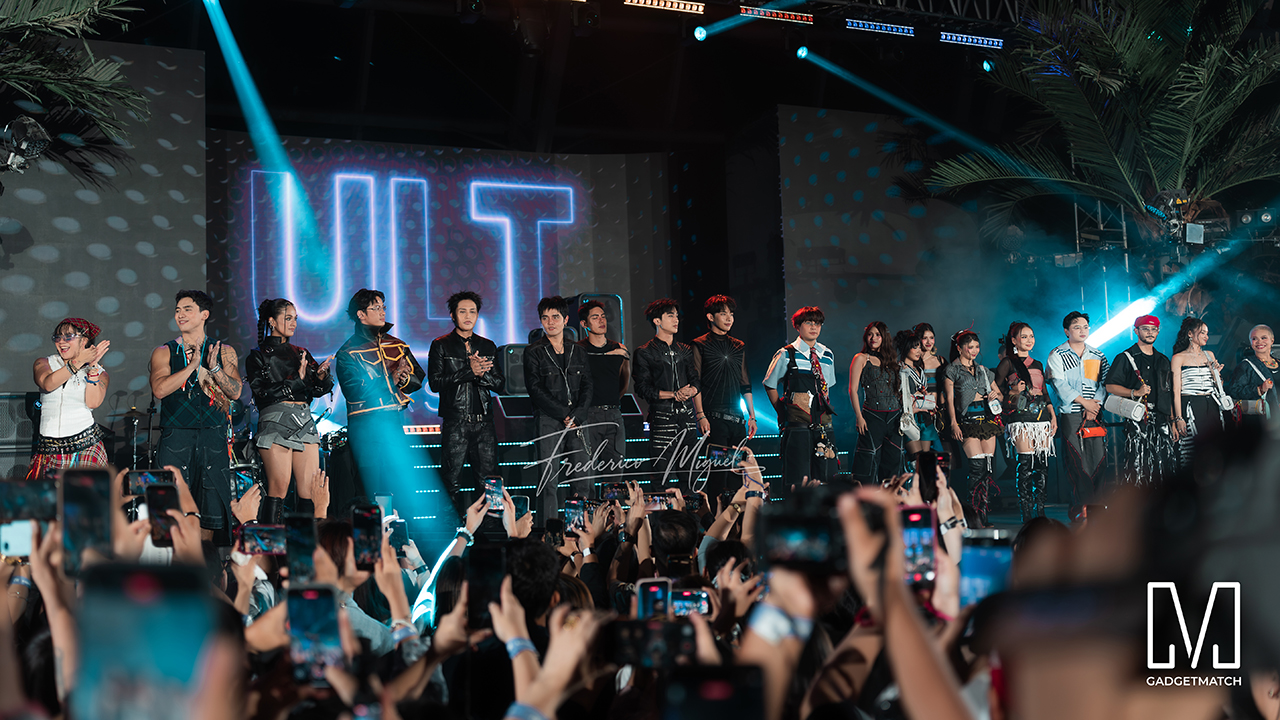
KAIA brought a youthful pop sound, while Maki delivered a set in his signature style.
SB19 closed the night, making their debut as the newest Sony ULT Squad members. Sony pairs its sound technology with the group’s influence in Filipino music. This collaboration positions the Squad as a platform for artists shaping contemporary music culture.
The ULT TOWER MAX, ULT TOWER 7, and ULT TOWER 5 are now available at Sony Centres and authorized dealers nationwide.
Accessories
Jackery Explorer 300D: Power and portability in one
Uninterrupted workflows for digital nomads, freelance creatives, more

For digital nomads, freelance creatives, and even work-from-home professionals, staying productive on the move means carrying around multiple gadgets, cords, adapters, and power banks to survive the day.
Having to carry such weight, quite literally, is vital for maintaining workflow continuity.
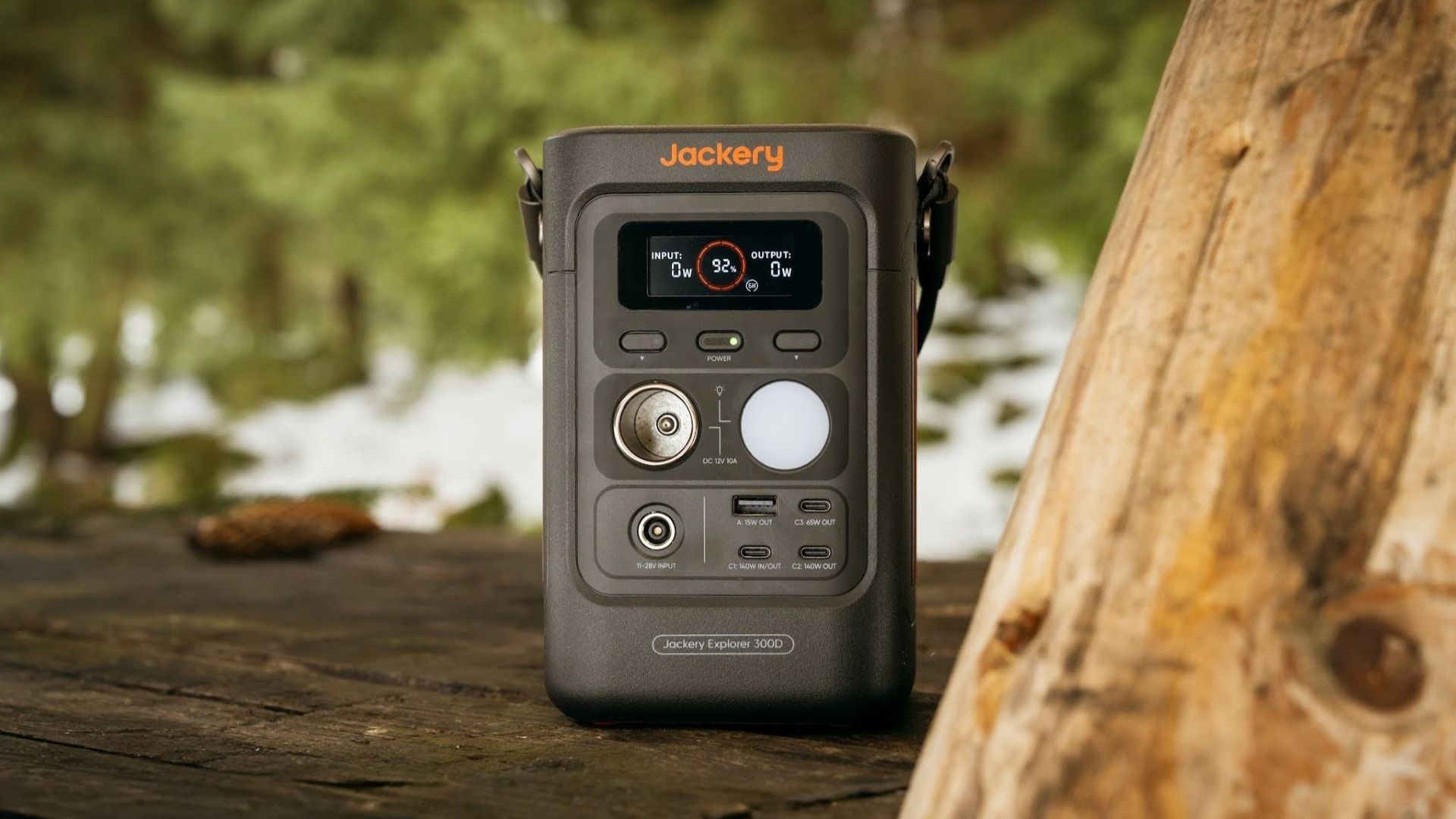
For a more seamless experience and to have just one extra portable device to power all working parts, there’s the Jackery Explorer 300D.
Launched just last month, this grab-and-go offering from Jackery is designed for the modern lifestyle.
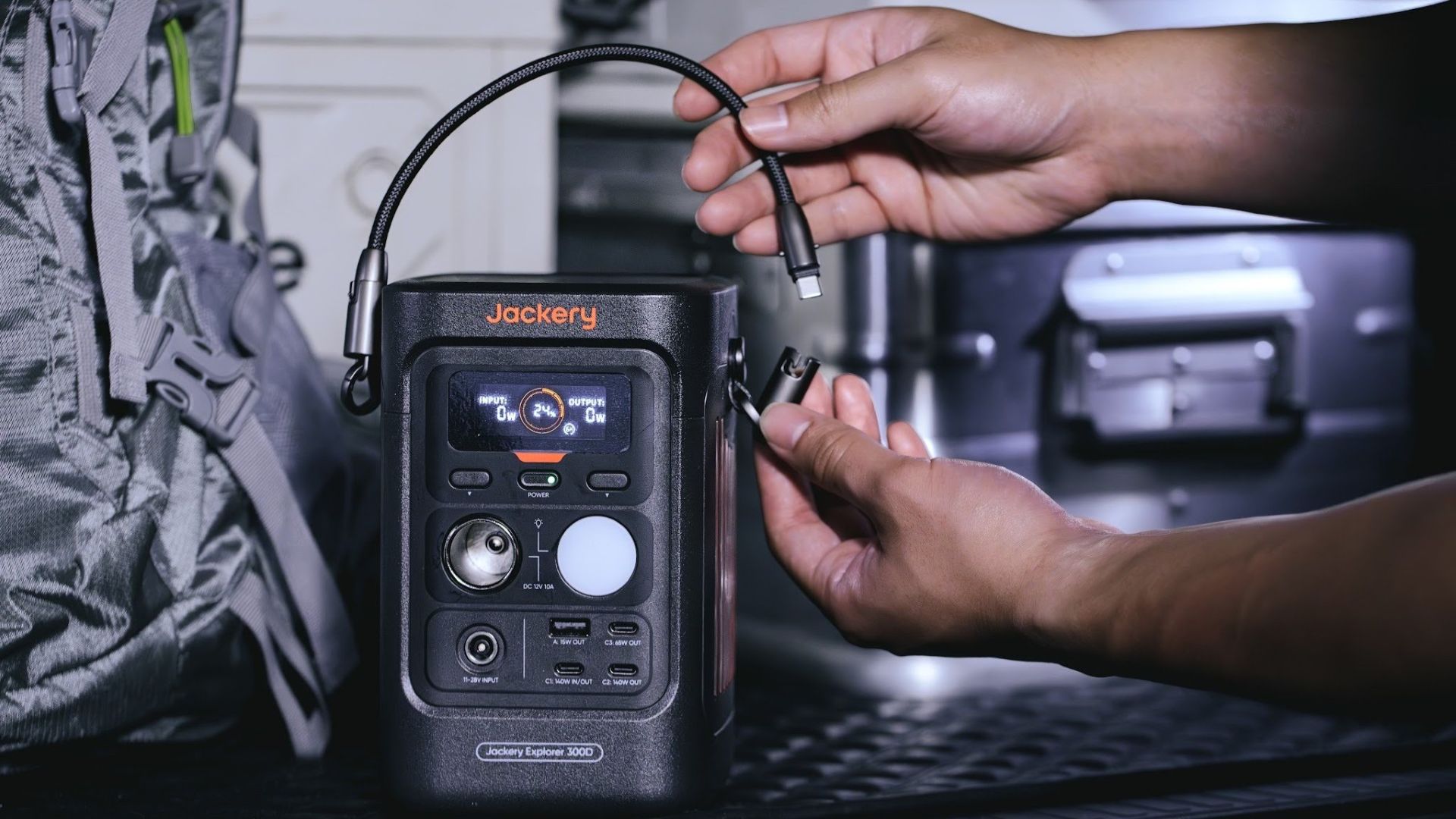
It moves away from Jackery’s traditional aesthetic with a sleek, speaker-like form factor. It weighs just 2.5 kilograms and is 64% smaller than standard 300W units in the market.
This ultra-compact size was made possible by a smart engineering choice of swapping bulky traditional AC wall outlets for highly efficient DC-only and USB-C ports — which also helps eliminate idle power loss.
With a 288Wh capacity, the Jackery Explorer 300D holds enough juice for up to nine power banks.
It can keep a Type-C fast-charging laptop for up to three to four full cycles, a Wi-Fi router alive for hours, and recharge cameras or drone batteries up to five times for a lengthy production day.
For smaller gadgets like smartphones and portable fans, the power station can juice them up for up to 22 times.

It can even charge five devices simultaneously with a total of three USB-C ports, a USB-A port, and a DC 12V car charger port.
All these ensure users are never disconnected, wherever they may set up their mobile office.
Another brilliant touch is the two-in-one shoulder strap that easily unclips to double as a heavy-duty 140W USB-C charging cable.
The everyday carry is available via Lazada and Shopee, and at the official Jackery kiosk in SM Fairview, as well as other partner stores.
Accessories
Apple is reportedly working on its own gaming controllers
It might launch under the Beats brand.

Last week, the iPhone Duo changed how you look at the ubiquitous smartphone. Foldables are in, and Apple is right there with it. But the company isn’t stopping with the foldable segment. Apple is reportedly working on its own branded game controllers.
According to Bloomberg, Apple has been working on a controller since last year. Further, a piece of code linked to macOS 27.4, spotted by MacRumors, includes references to two unknown gaming controllers.
Because Apple just concluded its huge event this month, it will likely be a while before we see confirmation of this controller. And it could be anything. Of course, because the Duo is fresh on our minds, the easiest answer is a mobile controller than can maximize the foldable’s ability to stand by itself. It could also use Apple’s larger screens like the iPad, the MacBook, or the Mac. Some even speculate that this could be Apple’s stronger push into the gaming market.
Outside of the actual hardware, the reports are also claiming that the controller will arrive by way of Beats, rather than from Apple itself. At first, the branding comes off as a surprise, but then again, Beats hasn’t really evolved past an audio brand in a long, long time. Is it time to revitalize Beats as something more than just a peddler of headphones?
SEE ALSO: First Look: Apple iPhone Duo


DJI Lito X1 review: Is this the best lightweight drone for creators?
Making a strong case as a travel companion and a capable B-cam!


REDMI Note 17 Pro Max review: A new breed born from AI greed
Welcome to the new normal


Marvel’s Wolverine review: When the claws come out
A brutal, cinematic superhero adventure

vivo introduces OriginOS 7 with smarter multitasking and AI features

vivo X500 Series launches with major imaging upgrades

Manila turns up the volume at COVE

Epson Lifestudio Grand Plus EH-LS970B with 4K projection, more launches

Jackery Explorer 300D: Power and portability in one

realme 16T 5G with 8000mAh battery, IP69 Pro rating launches in PH

HUAWEI Pura X View is 2026’s first WIDE slab-type smartphone

REDMI reveals the refreshed Note 17 and Note 17 Pro series

REDMI Note 17 Series: Price, availability in Singapore

The CAMON Slim 5G is TECNO’s latest ultra-slim smartphone


-

 News2 weeks ago
iPhone 18 Pro series: Price, availability in the Philippines
-
 Singapore2 weeks ago
iPhone 18 Pro series: Price, availability in Singapore
-
 News2 weeks ago
iPhone Duo: Price, availability in the Philippines
-
 News2 weeks ago
HUAWEI Mate XT 2 tri-fold launches with Kirin 9050 Pro
-
 News2 weeks ago
vivo introduces refurbished versions of X300 FE, X300 Ultra for less
-

 News2 weeks ago
iPhone Duo: Price, availability in Singapore
-

 Accessories2 weeks ago
CASETiFY upgrades iPhone 18 cases, teases iPhone Duo lineup
-

 News2 weeks ago
HONOR teases Magic9 Pro Max at Venice