
Apps
Globe and Google partner for digital learning
Another tool for the new normal


The Coronavirus pandemic has forced everyone to adjust to a new normal, this includes the education sector. To help ease everyone into either blended or full-time online learning, Globe and Google forged a partnership to address the matter.
Following the Philippine government’s quarantine guidelines, Globe is partnering with Google for Education, to meet the growing demand for better academic services and transform the digital learning experience.

Through the partnership, Globe will provide a comprehensive onboarding process, tailor-made teacher training, and strong after-sales support for partner schools and institutions nationwide.
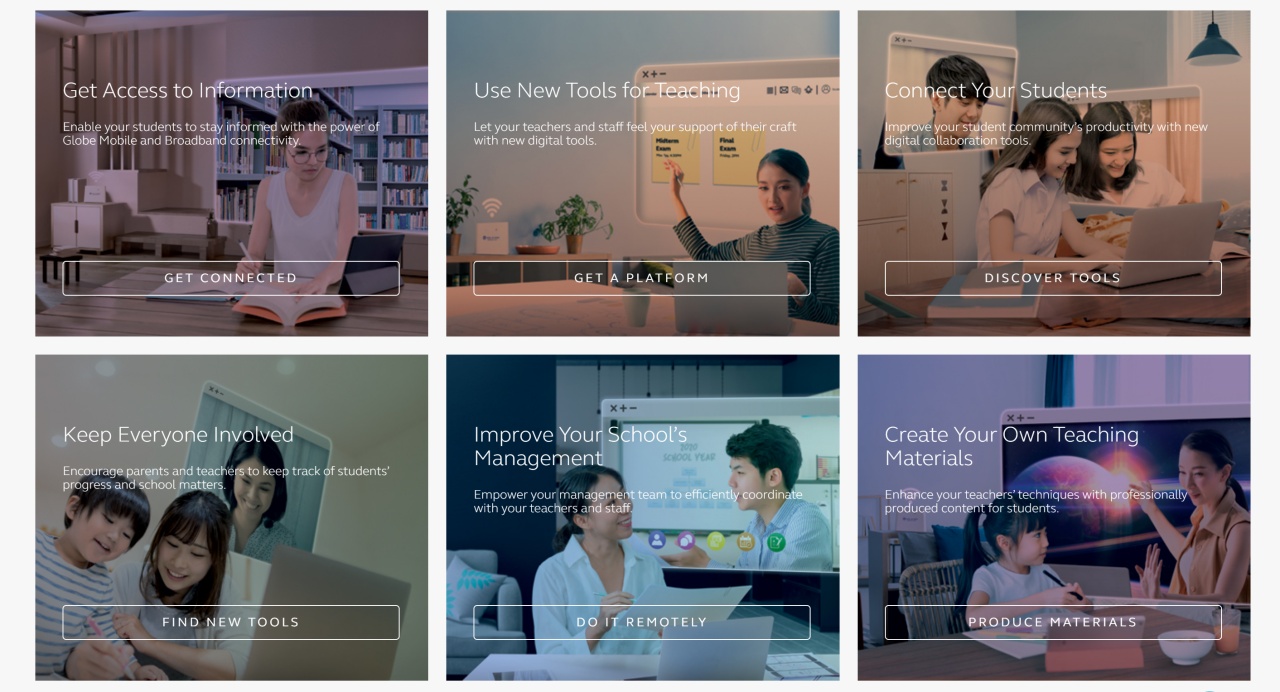
Going to this website will show the various online learning tools that Globe has on offer. These include crafting new teaching materials for teachers and the more straightforward access to information through Globe’s telco services.
Google for Education
Google for Education is an ecosystem of products, programs, and training grounded on the platform’s innovative tools and resources. The services are listed below.
G Suite for Education
This platform offers best-in-class productivity tools built for the classroom, including Gmail, Classroom, Docs, Spreadsheets, Slides, and Drive. Cloud-based technology allows for collaborative learning, so teachers and students can work on lessons simultaneously.
Classroom
The Google Classroom makes the teaching experience more seamless for educators. Here, teachers can create and manage assignments with ease. Classwork pages organize assignments into modules, so educators can better facilitate discussions. They can also use built-in grading tools to sync test results and feedback in one location. Originality reports can analyze authenticity in papers and flag statements that need citations.
Meet
This service allows teachers to connect with students virtually through secure video calls and messaging. Each classroom can have up to 250 participants per call and up to 100,000 live stream viewers. Meet also makes it easier for both teachers and students to join a classroom, as each class can have a dedicated meeting space with a unique link.
Socratic
Google’s AI-powered tutor helps students navigate the learning process through high-quality videos, concept explanations, and online resources. The platform also offers curated subject guides for quick reference. When students need clarification, they can use the built-in voice and photo input to ask a question.
Read Along
Students can improve their literacy skills through this speech-based reading tutor. This platform provides an expressive and animated reading assistant to keep students engaged and help them in their reading journey. Educators can listen to a student read aloud and provide corrective feedback.
Google Forms
Teachers can create forms, surveys, and quizzes using Google Forms. Through G Suite Integration, they can import questions from Docs and Sheets. Grading is also now faster, easier, and automated as they can view results in a chart, graph, or spreadsheet format. To maintain integrity, locked mode prevents students from browsing other websites during a test.
Chromebook
This secure, simple, and powerful device is easy for schools to set up and manage. The Chrome Education upgrade unlocks the full capabilities of the device to help both students and teachers thrive in the new normal. The App Hub connects educators with Chrome-verified developers to access useful tips and content by grade, subject, and educational goals.
G Suite Enterprise for Education
Academic institutions can upgrade their digital environment with educational tools and security controls. G Suite Enterprise elevates both teaching and learning through an institution-wide email database using GMail, security and administration controls, and eDiscovery for emails, chat, and files. Schools can also access a 24/7 support platform via phone, email, and online.
We’re all adjusting to a new normal and this Globe and Google partnership hopes to help with that especially when it comes to education.








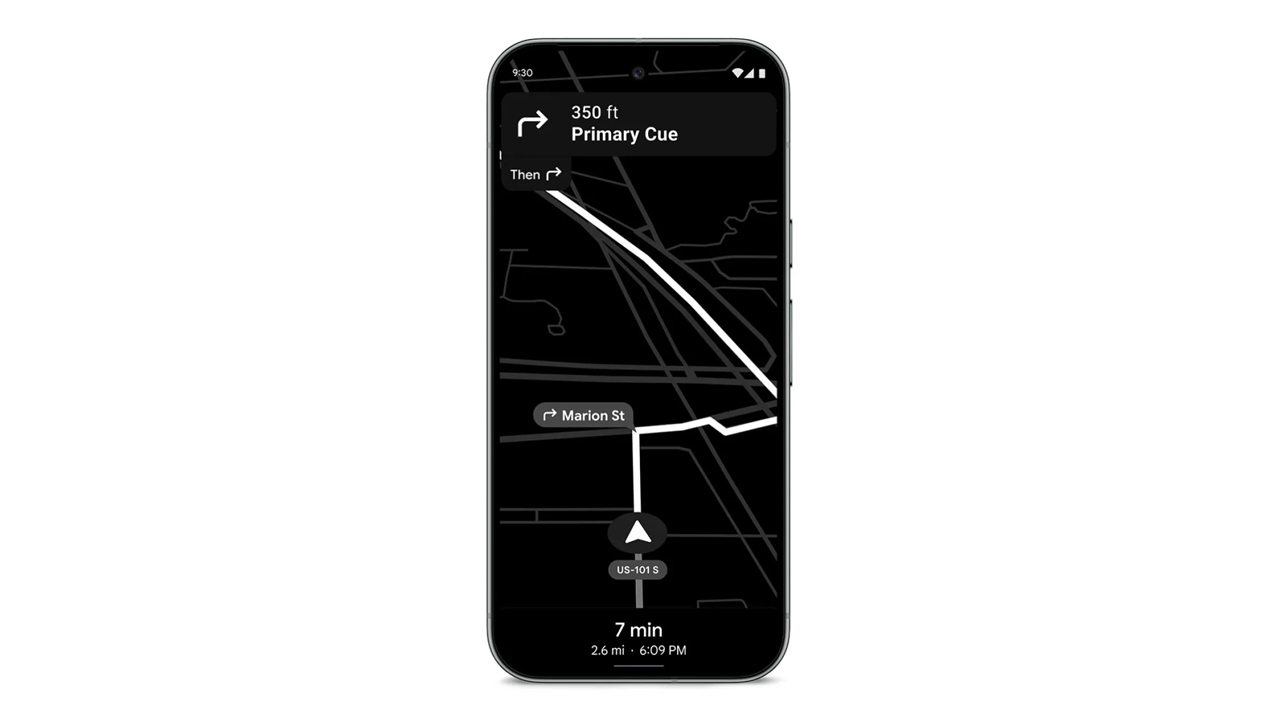
In a congested country like the Philippines, using navigation for shortcuts is a requirement. However, these apps can hog a lot of battery. If you forgot your car charger, it’s practically game over for your phone. Today, Google is shipping out a Maps update which can save your phone’s battery for those long drives.
Announced earlier this month, the update will include a Power Saving mode for Google Maps. The new mode will turn the normally colorful interface into monochrome with particular emphasis on black. The interface will reduce all interactable elements, so you can just focus on the display.
Presumably, it also reduces the power required by the app, while still prioritizing navigation. According to Google, smartphones will get up to four hours more juice when the mode is enabled.
Unfortunately, it’s not a widely released update yet. Google is limiting the update’s rollout to the Pixel 10 series for now. It’s also limited to driving mode; it won’t work if you’re just walking or cycling. The option is accessible through Driving options under Navigation in the settings.
In countries where Android Auto isn’t the norm just yet, a power saving mode for navigation is a godsend. Besides hoping that the update arrives on more devices, one can also hope that Google, who also owns the app, will introduce a similar mode to Waze. (To be fair, Waze did have a battery saver option, but it just dimmed the display for long straights.
SEE ALSO: Android now supports AirDrop!
Apps
Turn your cravings into cashback with this new credit card
EastWest, Visa, and foodpanda created a lifestyle card that rewards your everyday life in the most delicious way!


There comes a moment in every busy, convenience-loving yuppie’s life when the heart encounters something that simply gets it.
For many, that moment will happen the first time they hear about the new EastWest foodpanda Visa Credit Card.
This cobranded creation from EastWest, foodpanda, and Visa feels like a treat wrapped inside another treat, made for those who thrive on ease, comfort, and a healthy dose of instant gratification.
Think of all the small joys in your routine. The iced latte that turns your morning around; the comforting order that saves an exhausting weekday; or the impulsive midnight craving that somehow counts as self-care.
Now imagine every craving quietly earning something meaningful in return. That is the lifestyle this card was built to support.
Cashback that keeps the cravings flowing
Cardholders receive 10 percent cashback on all foodpanda orders with earnings of up to Php 400 each month.
Cashback continues at 3 percent even after reaching the cap, which keeps rewards flowing for frequent orders.
Users also receive 1 percent cashback on overseas transactions and 0.3 percent on other local purchases. All cashback across categories has a combined limit of Php 1,000 per month.
The card is free of annual fees during the first year and early users receive a complimentary six month pandapro subscription.
Cashback is credited weekly to the user’s pandapay wallet for immediate access. This weekly reward cycle is a first in the local market. It reflects foodpanda’s focus on instant gratification and smooth digital experiences.
EastWest, foodpanda, and Visa aligned on a single goal. They wanted a card that fits into everyday routines, feels simple to use, and delivers rewards in a fast and friendly way.

Lifestyle card for a lifestyle-first way of spending
Younger Filipino consumers are embracing credit cards that care about their lifestyle choices.
The EastWest foodpanda Visa Credit Card fits right into this shift, giving people a financial tool that rewards the habits they already enjoy.
It creates a gentle nudge toward smarter spending without taking away the fun or the flavor.
Visa’s global network makes tap-to-pay transactions fast and secure. With automatic weekly cashback and worldwide acceptance, the card creates a rewarding experience that enhances how Filipinos dine and enjoy their favorite cravings.
This card understands one universal truth: Every order has the potential to be more than a meal. Now, it comes with rewards ready to follow you everywhere.
To learn more or start your application, visit eastwestbanker.com/foodpanda or tap ‘Apply Now’ on the foodpanda app.
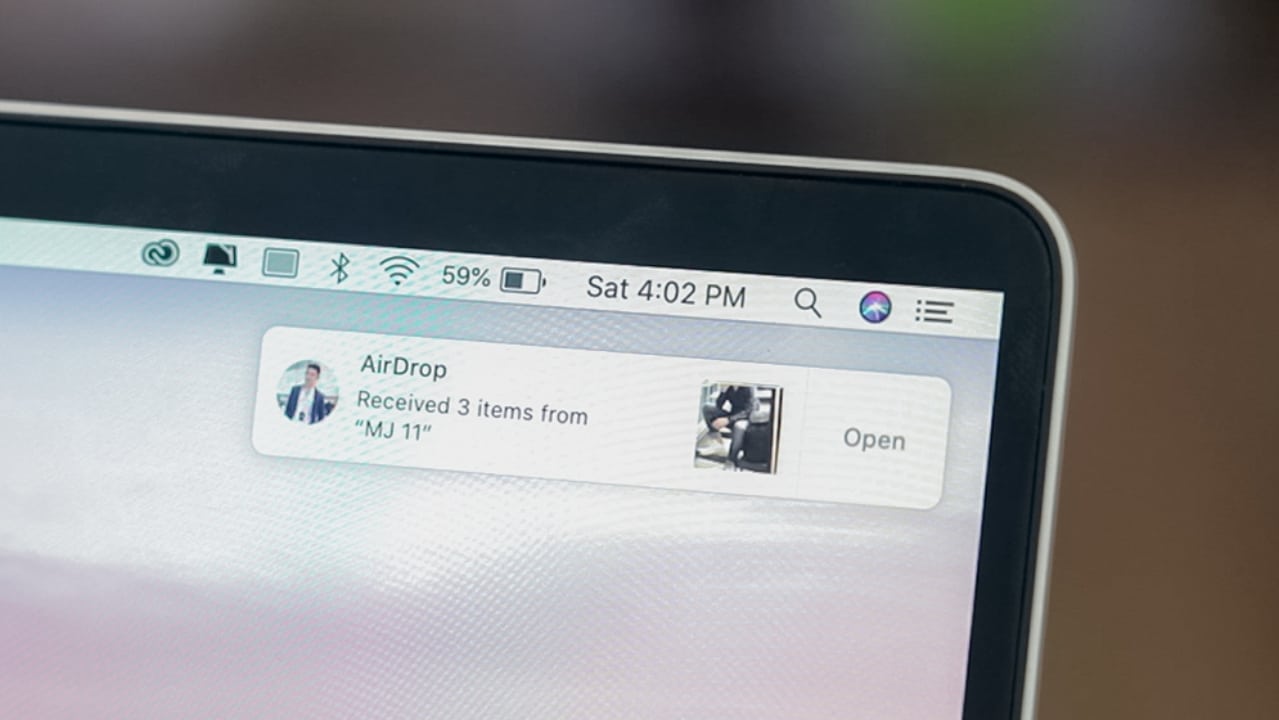
For years, there was an insurmountable wall between Apple and Android. One ecosystem’s features were constantly unavailable on another’s. However, times are changing. Previously, Apple started supporting RCS messaging, bridging the messaging between the two platforms. Now, Android is getting support for an even major iOS-only feature: AirDrop.
In a world where file sizes keep getting bigger, efficient file sharing services, such as AirDrop, are invaluable. AirDrop allows iOS users within proximity to share files seamlessly with one another. Technically, Android has its own version called Quick Share. However, the feature did not work with AirDrop, creating another rift between the two platforms.
Today, Android has dropped a surprise feature. Quick Share is now compatible with AirDrop. For now, the feature will start with the Pixel 10 series. But Google hopes to roll it out for other devices in the future.
To enable interoperability between the two platforms, the receiver, regardless of Android or iOS, must set their visibility to “everyone for 10 minutes,” meaning including those outside of their contact list. For those who are conscious about security, Android says that the feature will use the Rust programming language to ensure that security remains a priority.
Unlike the vocal spate for RCS messaging, there hasn’t been a comparatively huge clamor for AirDrop on Android. Everyone just seems to take it as granted. However, that doesn’t mean that it’s not a welcome feature. Despite being a complete surprise, it’s a huge boon for Android users with a lot of friends on iOS.
SEE ALSO: Android 16 is here!


POCO F8 Pro review: Lightweight, heavy hitter
Delivers mostly on promised premium level smartphone experience

POCO Pad X1 review: A tablet that keeps up with your day
Simply reliable
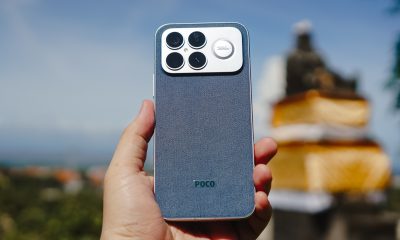

POCO F8 Ultra review: An Achievable aspirational all-rounder
Flagship within reach

Power Mac Center opens Christmas 2025 with “Wrapped in Wonders” campaign

HUAWEI nova 14 Series, MatePad 12 X (2026) now in PH

Google Maps is finally getting a power saving mode

Apple is expected to become top brand in smartphone shipments

Xiaomi, OPPO, and vivo reportedly cancelled their iPhone Air competitors

realme 15 Pro review: A step forward or a step back?

Spotlight: ASUS ProArt P16

I was skeptical about smartphone gimbals, then I tried the DJI Osmo Mobile 8

This gaming mouse made me fall in love with working from home again

From OS to AI OS: HONOR announces MagicOS 10


-

 Gaming2 weeks ago
Red Dead Redemption is coming to PS5, Xbox Series X|S, Switch 2
-

 Reviews1 week ago
realme C85 5G review: Big battery, tough body
-

 Gaming2 weeks ago
REMATCH: Elite Edition out now
-

 Reviews2 weeks ago
nubia Air Review: The air that’s lighter on your pocket
-

 Cameras6 days ago
DJI Osmo Action 6 review: An adventurer’s best friend
-

 Gaming1 week ago
Clair Obscur: Expedition 33 bags record-breaking 12 nominations at Game Awards
-

 Entertainment1 week ago
The Legend of Zelda film gets its first official photos
-

 News1 week ago
realme C85 with 7000mAh battery, 5G connectivity officially launches