
Drones
DJI Neo 2 review: Fly without fear
This lightweight, beginner-friendly drone feels like the easiest way to start flying!


There is something special about flying a drone that you rarely get from any other gadget.
It’s a mix of control and creativity; a balance between trust and instinct. For many beginners, that feeling often sits behind a wall of fear because most drones look complicated or intimidating.
The DJI Neo 2 tries to remove that barrier by being extremely lightweight, very easy to use, and designed for people who want to start capturing aerial shots without a long learning curve.
Fast and stress-free setup experience
Setting up the DJI Neo 2 is straightforward from the moment you lift it out of the box. The essentials are already attached.
There is no complicated assembly and no moment where you feel unsure about whether you placed something correctly. Even if you have never flown a drone before, the app gives clear instructions that guide you through each step.
The best part is how quickly you can get it airborne. Many drones require calibration, adjustment, or balancing, which can take time when you are shooting alone.

The Neo 2 keeps the process light and fast. Beginners will appreciate how it eliminates the feeling of doing something wrong. Meanwhile, experienced users will enjoy how little downtime it creates on set.
There is one thing to keep in mind, though. The app-only setup and control still feel limited.
@gadgetmatch Unboxing the DJI Neo 2 🫶 #foryou #fyp ♬ original sound – GadgetMatch
When we relied entirely on the smartphone instead of the RC controller, the drone occasionally drifted or performed slight movements without being prompted.
It’s not unsafe, but it’s unpredictable enough to make you switch back to the controller immediately. It’s clear that the Neo 2 is at its best when paired with the RC controller rather than being used independently.
Tiny drone built for big adventures
The Neo 2 keeps things light. It is small enough to slip into a travel bag without effort and light enough to carry around all day without thinking about it.
The design leans toward convenience, which is perfect for beginners and travelers. The built-in propeller guards make it less stressful to use in tighter areas or in locations with people nearby.
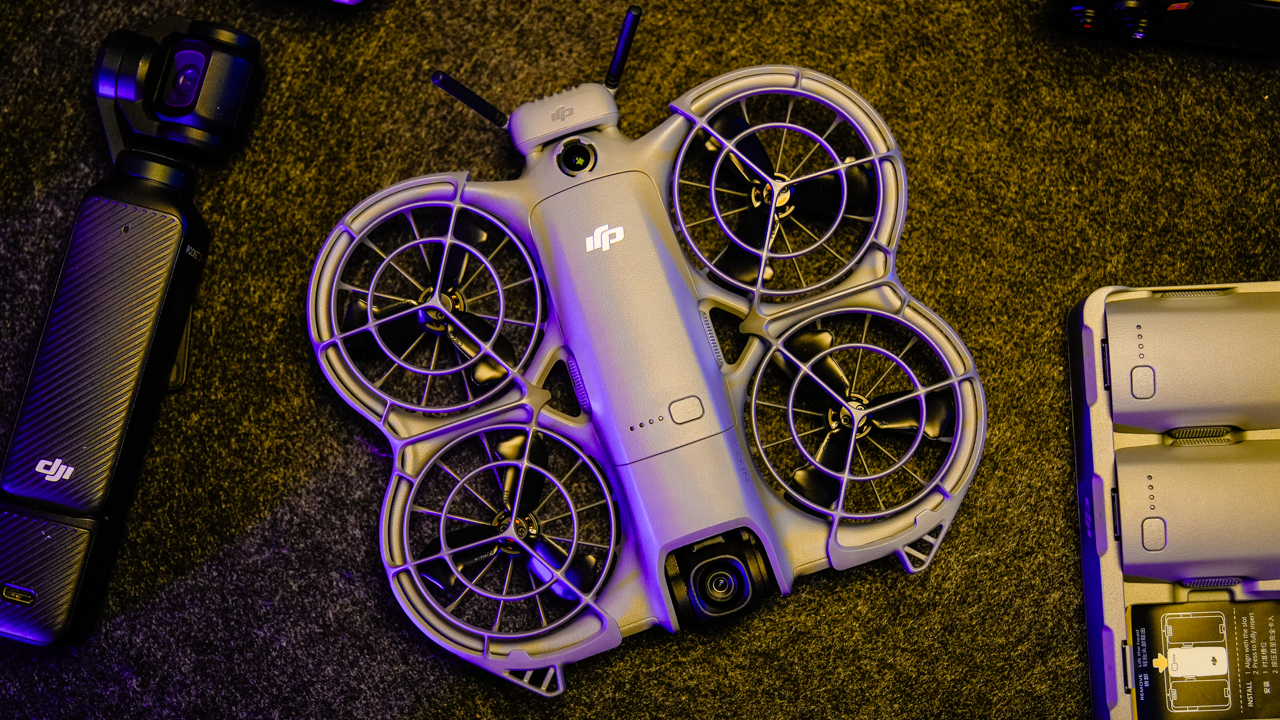
Compared to something like the DJI Mini 3 that we use, the Neo 2 feels more compact and easier to bring. It doesn’t demand a bulky case and can fit into the pockets and pouches already in your bag.
Despite being small, the drone doesn’t feel fragile. The materials are solid, and the protected propellers provide a sense of safety.
It still produces noticeable noise when flying, although not enough to interrupt a scene or disturb people the way larger drones might.

The lightness creates both convenience and compromise. It helps with portability, but it also means the drone is more sensitive to strong wind.
Though, the Neo 2 remains stable in mild conditions, but extremely windy environments are not ideal for a drone of this size.
Smooth, steady flying
If you stick to the RC controller, the flight performance feels confident and reliable. The controls respond instantly.
Takeoffs are smooth, landings feel steady, and the drone handles mid-air adjustments with ease. For a lightweight model, the stability is impressive.

The Neo 2 is not designed for aggressive flying or extreme distances. It thrives in controlled environments such as parks, beaches, small event venues, or tourist spots.
It’s agile and quick when needed, yet it avoids feeling overly sensitive. This is where the drone succeeds: It keeps the learning curve gentle while still giving creators the freedom to move.
There is a different experience when switching to app-only control or gesture mode. The drone sometimes shifts slightly even when the subject is not moving.
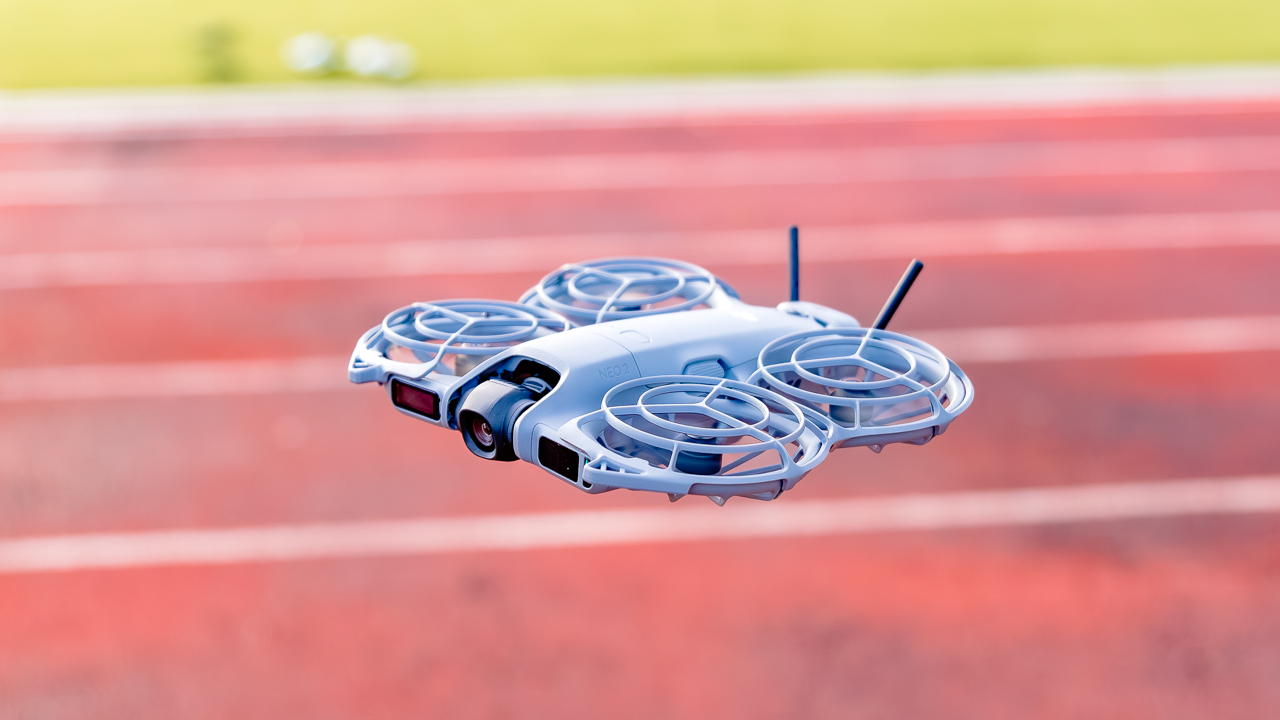
These micro-movements are not dangerous but they make the drone feel less predictable. New users might find this unsettling.
Also, gesture and app control feel like playful features rather than tools for serious shooting. But overall, the Neo 2 flies well within its intended conditions.
If you want stable and responsive performance for simple to moderate shots, it surely delivers.
@gadgetmatch Flight test with the DJI Neo 2 #djineo2 #djineo #dji ♬ original sound – GadgetMatch
Better-than-expected footage
The camera on the Neo 2 delivers much better output than expected for its size. Our footage looked sharp without feeling harsh; colors appeared vivid and lively.
The contrast leans slightly stronger than neutral, although it remains pleasing for most lifestyle, travel, or social content.
It will not outperform larger drones with bigger sensors, but it produces footage that is perfectly usable for everyday shooting.

The dynamic range feels average, though. It handles highlights well enough and keeps shadows from breaking down too quickly.
In daylight, the Neo 2 captures scenes that look polished and clean. The drone also handles fast-moving subjects without smearing or losing clarity.
Low light is where it reaches its limit. As soon as the environment gets darker, the image loses sharpness and detail. Though, this is expected from a drone its size.
If your shooting habits revolve around golden hour, indoor events, or nighttime flights, you will notice the compromise.
But if most of your aerial shots are done in daylight, the Neo 2 performs exactly as needed.
Useful tools with a few playful extras
DJI packed several features into the Neo 2 to make flying easier.
From Subject tracking, to obstacle avoidance, and automated flight modes — they all work well.
We found subject tracking particularly useful because it reduces the pressure of managing framing manually. The drone stays aware of movement and adjusts its position to maintain a steady shot.

Meanwhile, Obstacle avoidance also helps maintain confidence when flying near structures or in tighter areas.
In our experience, Gesture and voice control are the fun features that most people experiment with once or twice. They function as intended, although they are not as reliable as traditional controls. Frankly, we believe they are best used for casual moments rather than professional content.
If your goal is to shoot quickly and accurately, you will always return to the RC controller.
The intelligent features add value to the Neo 2, especially for beginners who want support while learning. They give the drone personality while keeping the experience practical.

Best in quick bursts?
Battery life remains the Neo 2’s biggest limitation. Each battery lasts around thirteen to fifteen minutes during active use.
This is enough for quick shots or small sequences, but not enough for long-distance flying or complex cinematic passes.
If you are producing a full day of content, you will need multiple batteries.
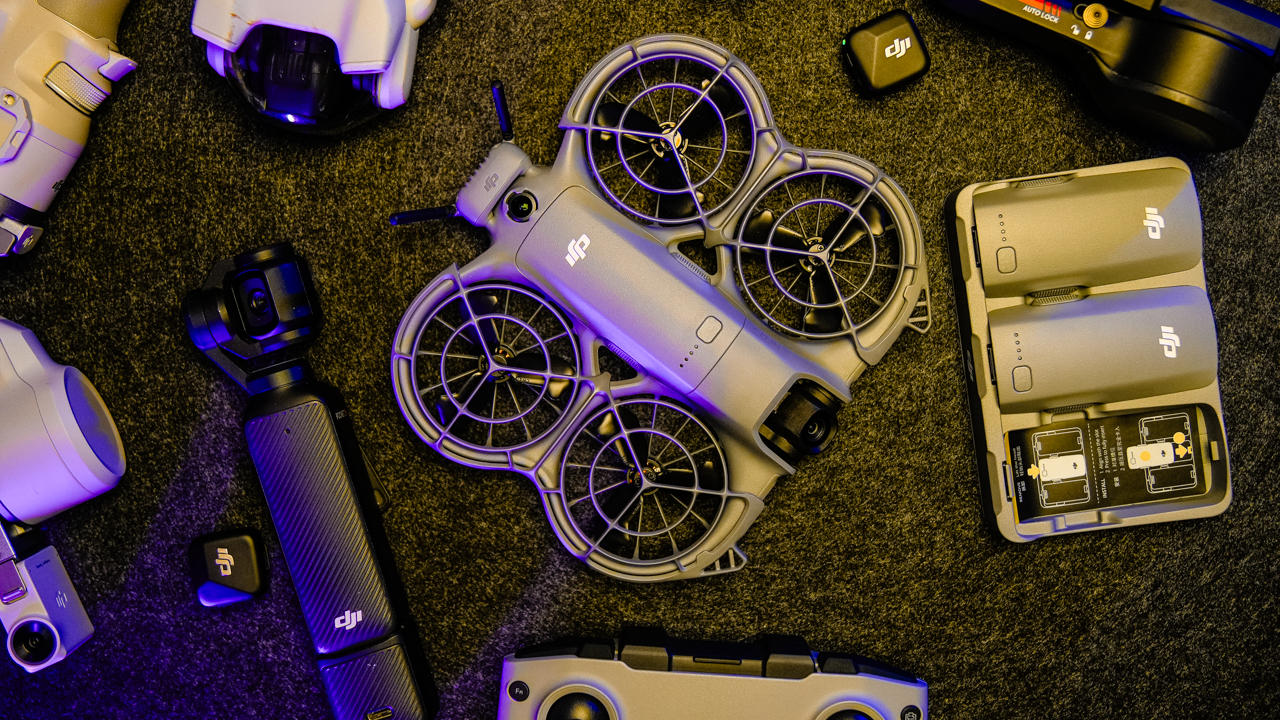
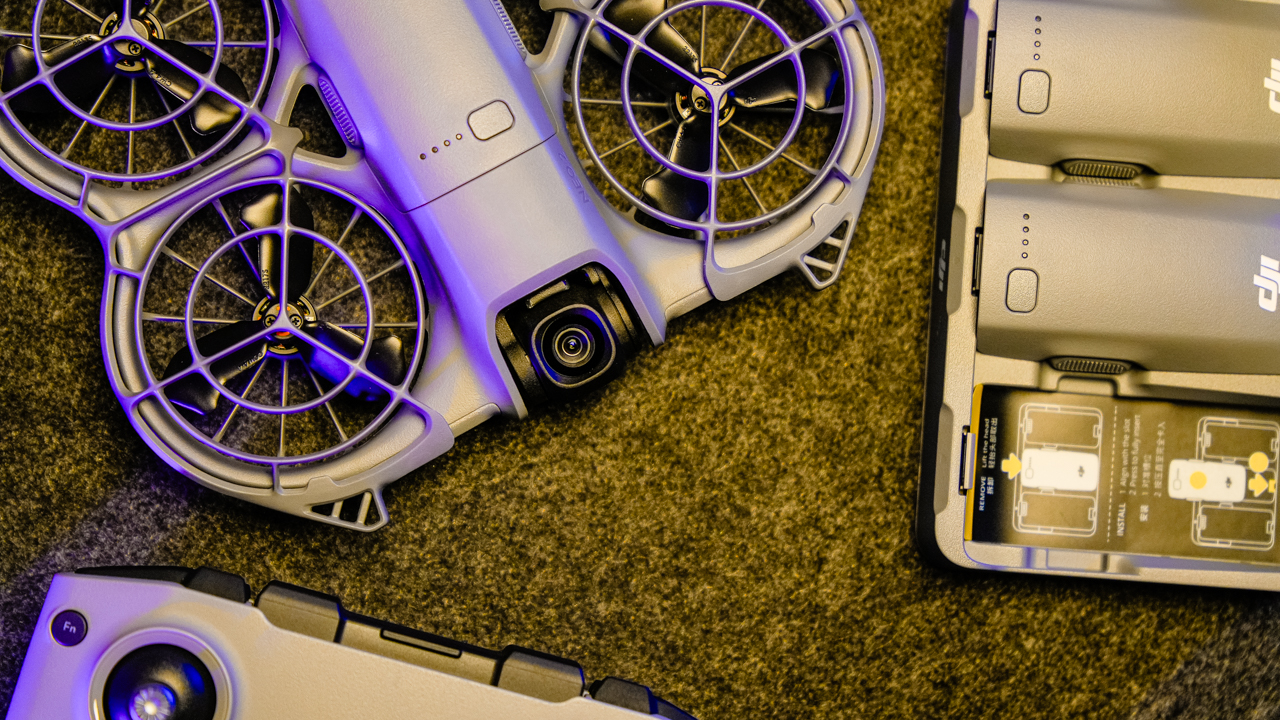
Charging takes about ninety minutes for a full cycle. The charging hub makes life easier because it allows several batteries to power up at the same time.
The convenience helps offset the short flight time, although you will still need to manage your workflow around the limited battery capacity. Simply put, the Neo 2 is a drone you fly in short bursts.
Is it safe to fly?
The drone behaves well when paired with the RC controller. The controls stay consistent and the connection remains stable. The size also makes it safer to fly in busy or narrow areas. We flew it near groups of people without causing disruption.

Signal strength becomes less dependable when flying with the app alone. Wi-Fi range limitations appear earlier, and the drone may drift slightly when relying on mobile controls.
It also tends to shift up or down during gesture mode even without obstacles. These moments are small but noticeable.

There was one connectivity issue after an app update where the RC controller stopped pairing with the drone. Switching to another phone solved the problem.
It became a reminder that software updates can sometimes produce unexpected behavior.
Despite these observations, the Neo 2 performs safely when used within its intended range and paired with its controller.
Smooth editing workflow
Transferring footage from the Neo 2 is smooth and efficient. A 15GB file transfer takes about six to seven minutes, which is quick for on-the-go shooting.
The connection between the drone and phone remains stable throughout the process, and the files stay intact with no corruption.
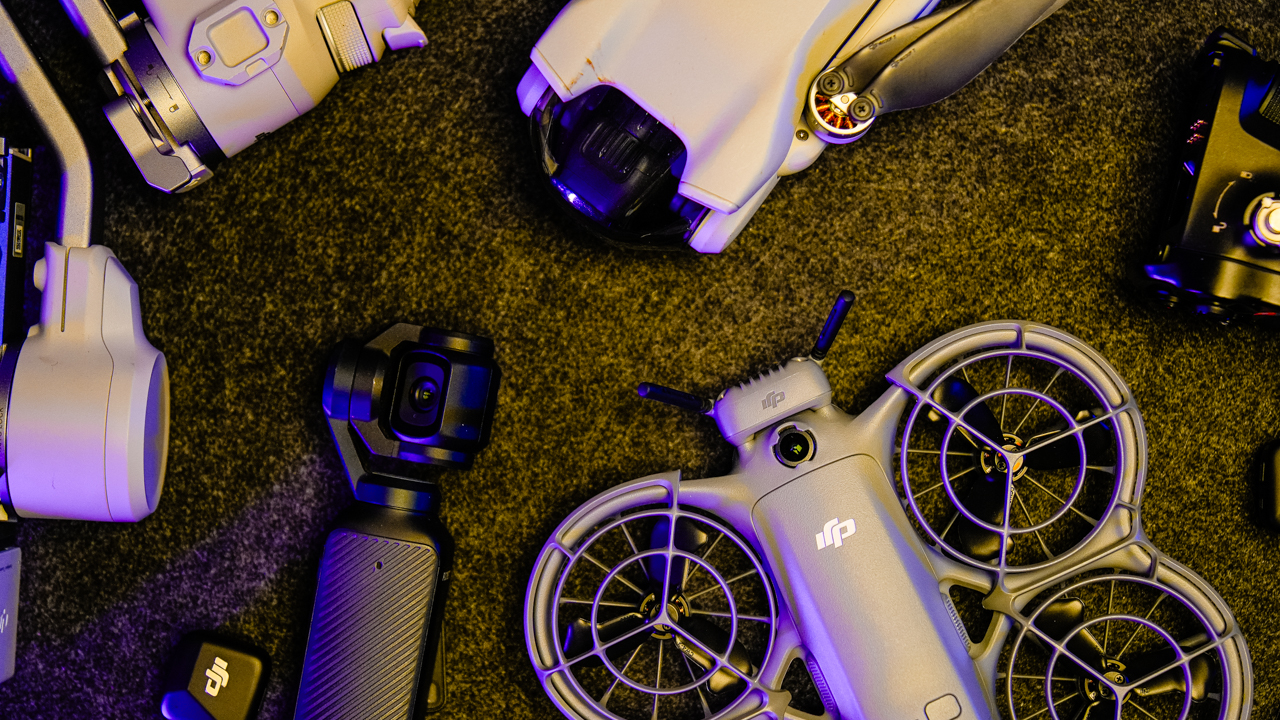
Editing workflow remains seamless. The footage imports cleanly into common editing software without compatibility issues. Apart from the controller detection problem after an app update, the Neo 2 keeps the post-production process stress-free.
For content creators who prioritize speed, this matters. A drone that slows down the workflow loses purpose.
The Neo 2 supports fast delivery, making it practical for travel vlogs, family videos, lifestyle content, and simple events.
Is the DJI Neo 2 your GadgetMatch?
The DJI Neo 2 stands out because it understands its role. It’s not trying to be a high-end filmmaking machine.
What it delivers is ease, portability, and confidence for people who want to start flying without fear.
It’s easily your GadgetMatch if you want a personal drone that is lightweight and reliable with a controller. It suits new creators who want to add aerial shots to their projects, and it helps travelers who pack light and want quick access to drone footage.
Also, it supports casual events and small professional projects where convenience matters more than long-distance performance.

Swipe right if you want a friendly and dependable starter drone that produces good daylight footage, supports tracking and obstacle avoidance, and fits easily into your travel bag.
Swipe left if you need long battery life, advanced cinematics, or heavy-duty performance for commercial shoots. The Neo 2 is not built for extreme conditions or demanding workflows.
The DJI Neo 2 is a drone for everyday creativity. It delivers confidence, simplicity, and enough power to bring aerial storytelling into your routine. For many new pilots, this is exactly what a personal drone should be.
The DJI Neo 2 retails for PhP 12,390. To make it extra, the Fly More Combo retails for PhP 20,590 which also provides extra batteries and charging hub, along with more controls.






Drones
DJI Lito X1 review: Is this the best lightweight drone for creators?
Making a strong case as a travel companion and a capable B-cam!

It’s satisfying to have a camera that’s small enough to bring everywhere and capable enough that you don’t immediately wish you had brought something bigger. That’s how I felt about the DJI Lito X1.
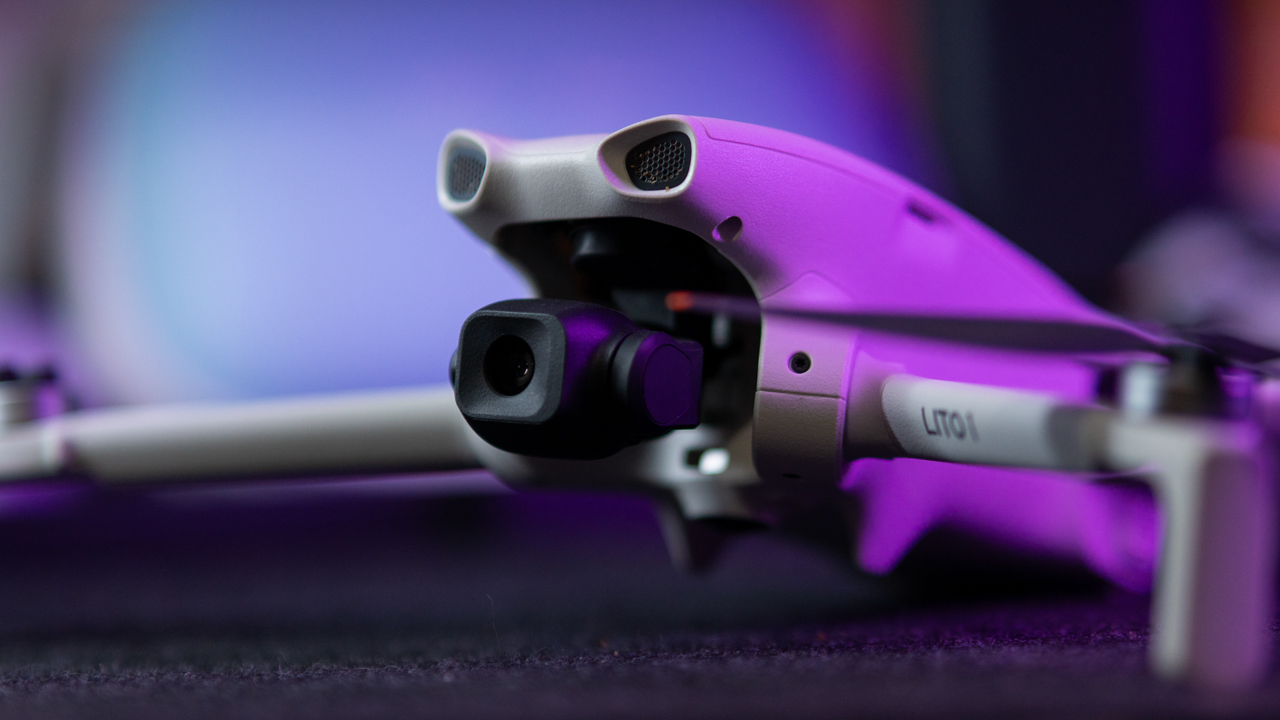
At under 249 grams, it’s small enough to disappear into a camera bag, but once it’s in the air, it feels like considerably more drone than its size suggests.
You get 10-bit D-Log M, a 1/1.3-inch sensor with an f/1.7 lens, 4K video at up to 100fps, RAW photos, obstacle sensing, ActiveTrack, automated flight modes, and DJI’s O4 transmission system.
On paper, that sounds like a lot for a lightweight drone. After actually flying and shooting with it, the more interesting question is where those features make a difference in real-world shooting.
The answer is that the Lito X1 makes a surprisingly convincing case for itself as a travel drone and B-cam. It’s easy to get into the air, produces footage with enough flexibility for proper color grading, and gives you a lot of the tools you would expect from a more serious camera drone.
It still has limitations. Low-light footage requires some restraint, and its vertical shooting mode is convenient rather than revolutionary. The Lito X1 also cannot completely escape the physical limitations of being a 249-gram drone.
Still, that combination of portability and capability is what makes it interesting.
Small drone, serious footage
The first thing that stood out to me was the amount of flexibility in the footage.
DJI’s 10-bit D-Log M footage initially looks exactly how you would expect log footage to look: flat, washed out, and somewhat lifeless. That changes once you bring it into an NLE and start correcting and grading it.
There’s enough information in the footage to recover some detail from bright skies and lift darker areas without the image immediately falling apart.
It’s not going to give you the same latitude as footage from DJI’s larger Air-series drones, particularly once you start pushing the shadows aggressively, where noise becomes more noticeable.
For normal grading, though, the Lito X1 never felt restrictive. That’s important because the camera is arguably the biggest reason to take this drone seriously.
The 1/1.3-inch sensor paired with an f/1.7 lens also makes the drone surprisingly capable around golden hour. Sunset footage retains a good amount of detail while keeping the image clean and warm.
@gadgetmatchCapturing moments with the DJI Lito X1 ☁️♬ original sound – GadgetMatch
ISO 800 still looks good. ISO 1600 is where I would start paying closer attention to the darker parts of the frame. Push beyond that and then lift the shadows in post, and noise becomes much easier to see. ISO 3200 is usable when getting the shot matters more than having the cleanest possible image, but it is not where I would want to live for important footage.
That makes the Lito X1 particularly appealing for daylight and golden-hour shooting. It gives you enough latitude to make the footage feel like it belongs in a more polished production, provided you understand where the sensor starts to struggle.
48MP is useful, with a catch
The Lito X1 can also capture 48MP photos, and that extra resolution is genuinely useful when you need to crop into a landscape or subject.
In bright daylight, there is enough detail to give you more flexibility in post. You can frame wider during the flight and make the composition tighter later.
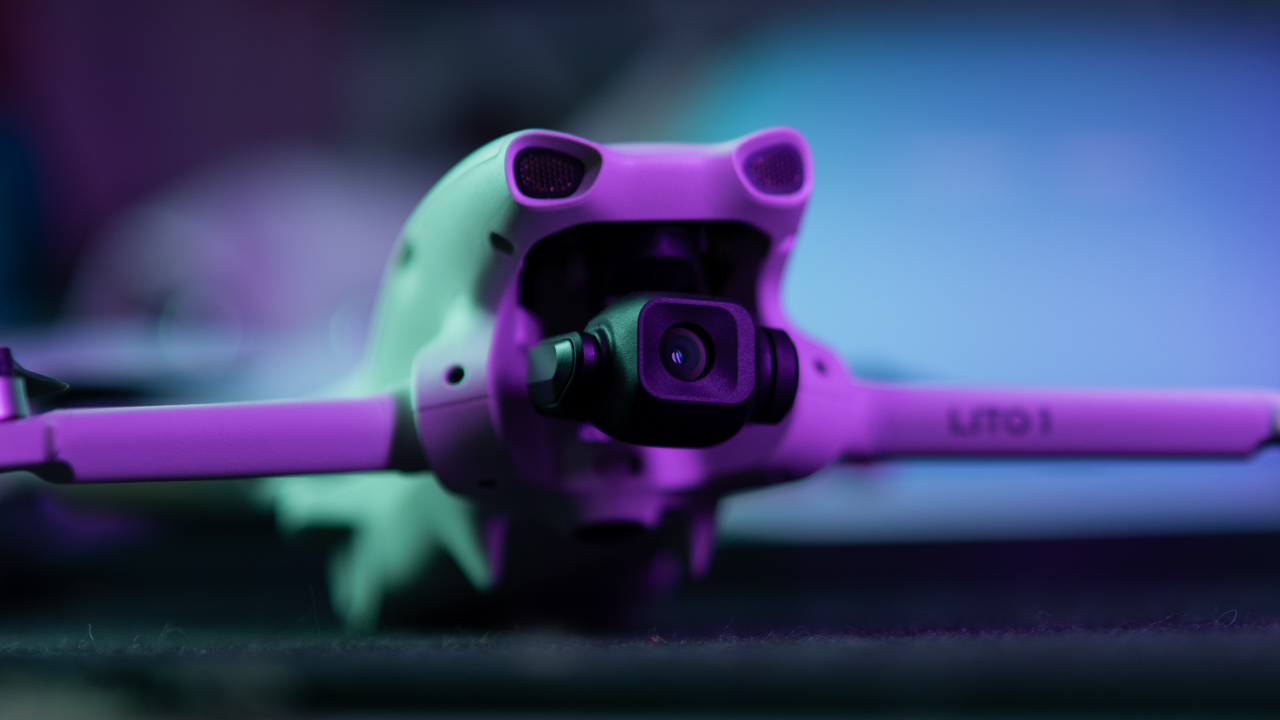
That does not mean 48MP automatically produces a dramatically sharper image in every situation. In lower light, the cleaner look of the lower-resolution shots can be preferable.
I think of the 48MP mode as giving you a larger canvas to work with. It gives you more room to crop, but the bigger file does not magically make every part of the image sharper. For landscapes and bright daytime scenes, it makes sense to reach for 48MP RAW. When the light gets difficult, a cleaner image can be more valuable than additional pixels.
Slow motion needs sunlight
One of the more fun things about the camera is 4K/100fps.
There’s something about putting a drone in the air and slowing everything down that makes even ordinary movement look cinematic. Waves, cars, runners, trees moving in the wind, and other fast-moving subjects benefit from the extra frames.
The image remains sharp in good light, but 100fps comes with the usual practical compromise: it needs more light.

As the sun goes down, the faster shutter speed required for high-frame-rate recording means noise becomes more apparent. For sunset and nighttime footage, dropping back to 24, 30, or 60fps produces a cleaner image and gives you more flexibility during editing.
So 4K/100fps is a feature I would happily use, but I would save it for situations where the lighting can support it.
Vertical video is convenient, not magic
For anyone making TikToks, Reels, or Shorts, the Lito X1’s 2.7K vertical shooting mode is extremely convenient.
You can capture a shot, transfer it, edit, and get it online without having to build a vertical crop from a horizontal frame. That makes the drone much easier to integrate into a fast social workflow.

The catch is that the camera does not physically rotate. Instead, the drone crops a vertical portion from the image. That’s perfectly fine for quick social content, but if I were shooting something for a client, I would still choose 4K horizontal and create the crop myself.
That gives me control over composition, particularly when a subject is moving through the frame. The dedicated vertical mode saves time, but the Horizontal 4K gives you more creative freedom.
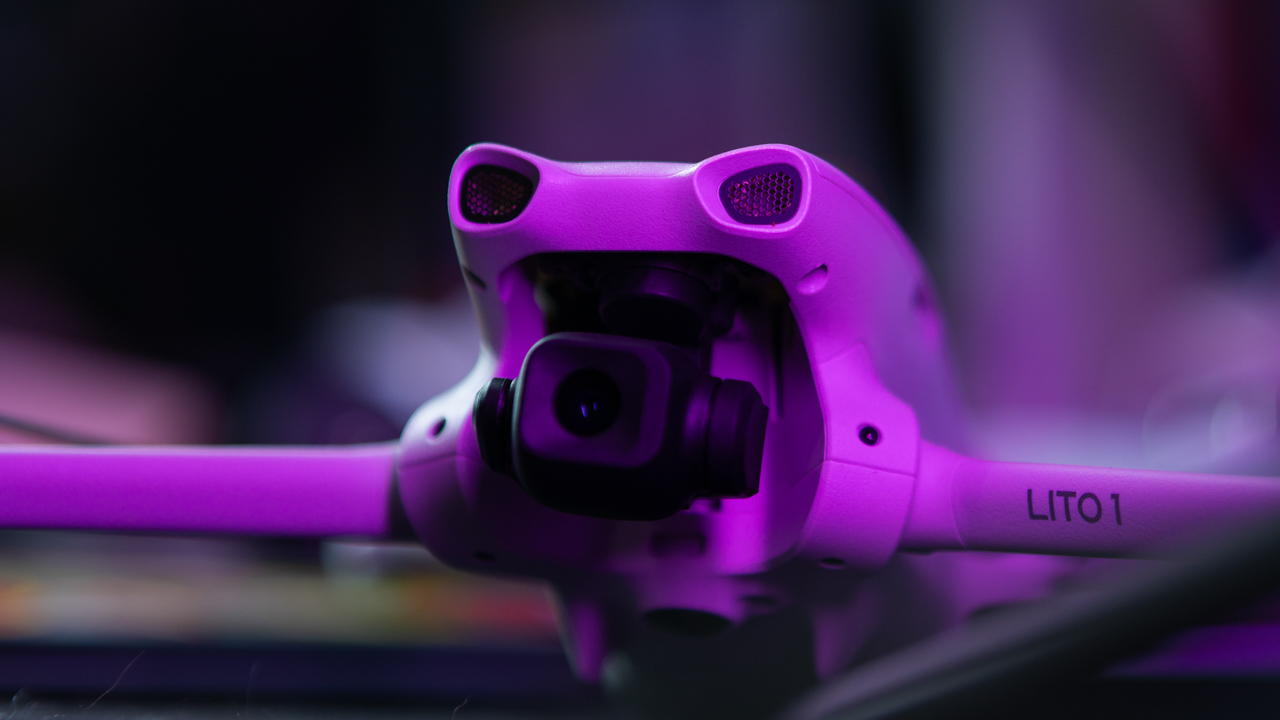
A rotating camera would have made this considerably more compelling, and that’s one of the upgrades I would most want to see in a future version.
It handles wind better than it looks
The Lito X1’s weight can make you wonder how it will behave once the weather stops cooperating. For a drone this light, it handles normal breezy conditions surprisingly well.
You can see the aircraft moving as it fights the wind, but the footage remains remarkably calm because the three-axis gimbal does a good job keeping the camera steady and the horizon level. It feels a little like watching a small boat move with the waves while the camera remains locked in place.
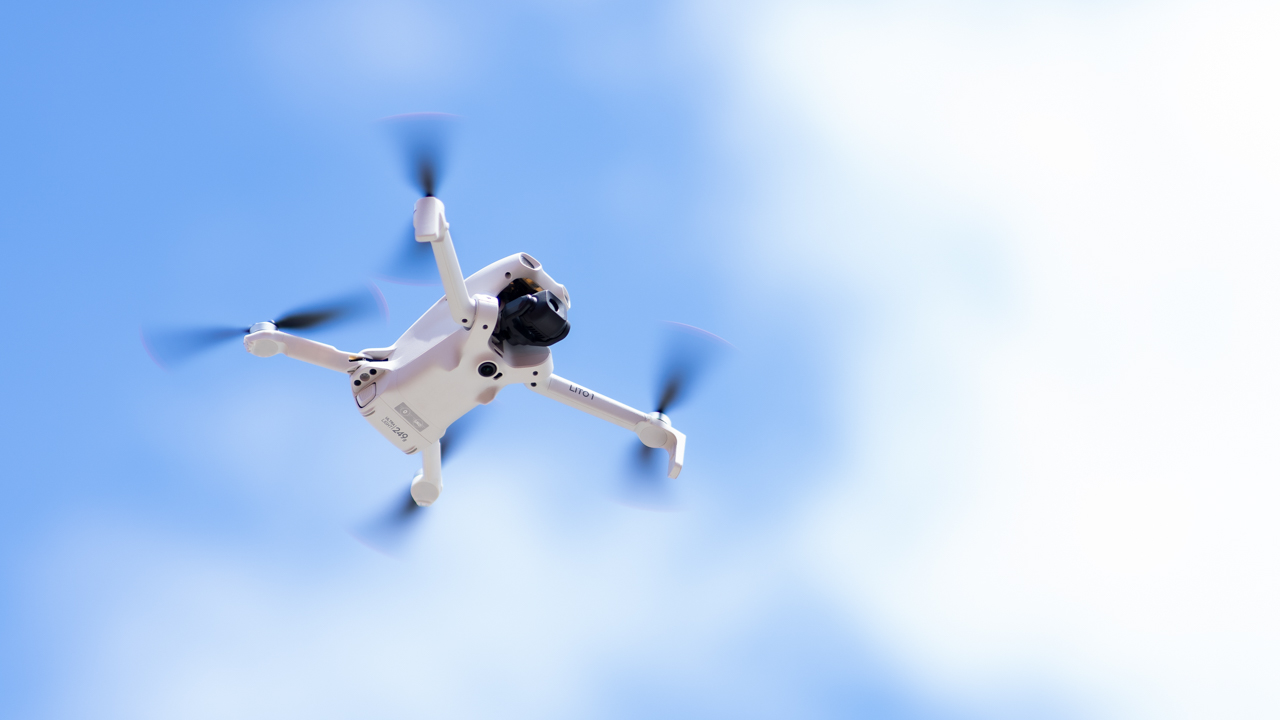
There are limits, of course. A 249-gram drone is still a 249-gram drone. Strong winds can move it around, and there is no getting around the physics of putting something this light into the sky.
For ordinary breezy shooting conditions, however, the stabilization does an impressive job.
Normal mode for control, Sport mode for fun
The flight experience is also approachable. In Normal mode, the Lito X1 feels calm and predictable. The controls are smooth rather than twitchy, which makes it easier for newer pilots to get comfortable with the aircraft.
Sport mode changes the personality completely. The drone becomes faster, turns more aggressively, and feels much more responsive. It is the difference between casually cruising around and suddenly remembering that this thing can actually move.
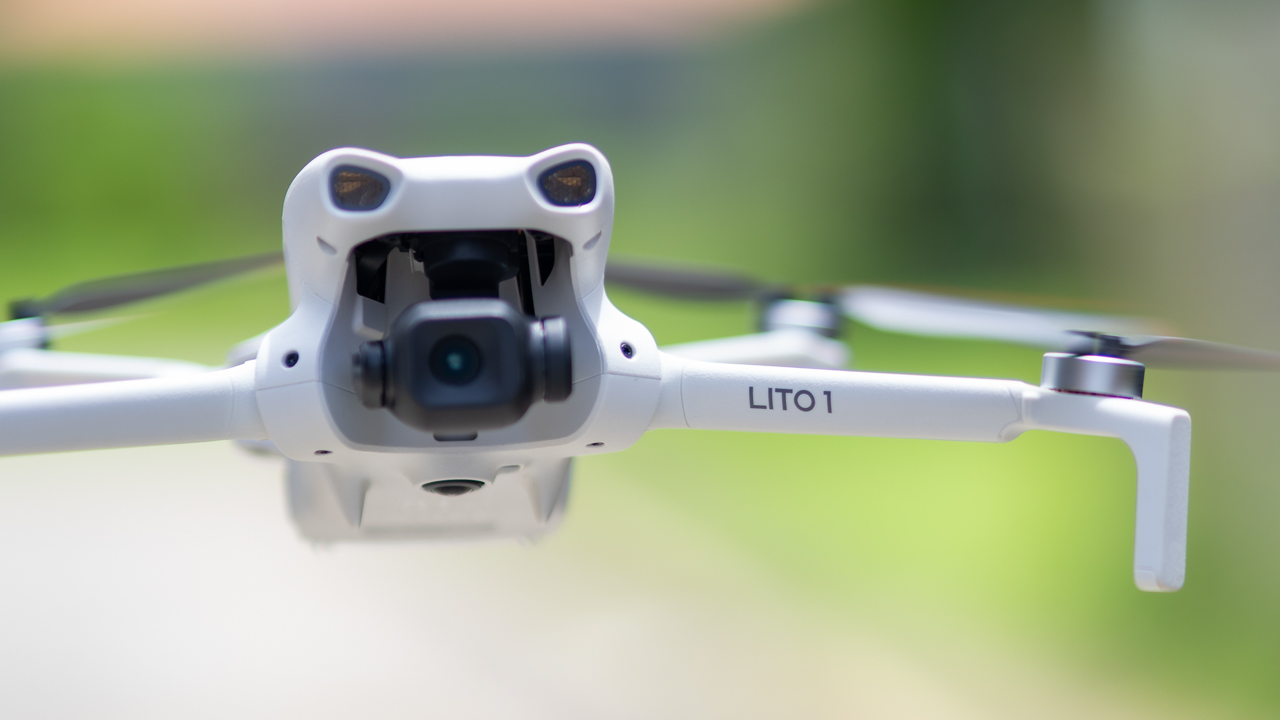
There is an important trade-off here: obstacle avoidance is disabled in Sport mode. That means the faster flight comes with a greater responsibility on the pilot.
For everyday shooting, Normal mode is where I would spend most of my time. Sport mode is there when you want the drone to wake up.
Real-world battery life matters more than the box
DJI quotes up to 36 minutes with the standard battery and up to 52 minutes with the Plus battery.
Those numbers are useful as a reference, but they are not how I would plan a shoot. Real flying involves wind, repositioning, changing angles, recording, and keeping enough battery in reserve to get home safely. You are rarely flying continuously under perfect conditions until the battery reaches zero.
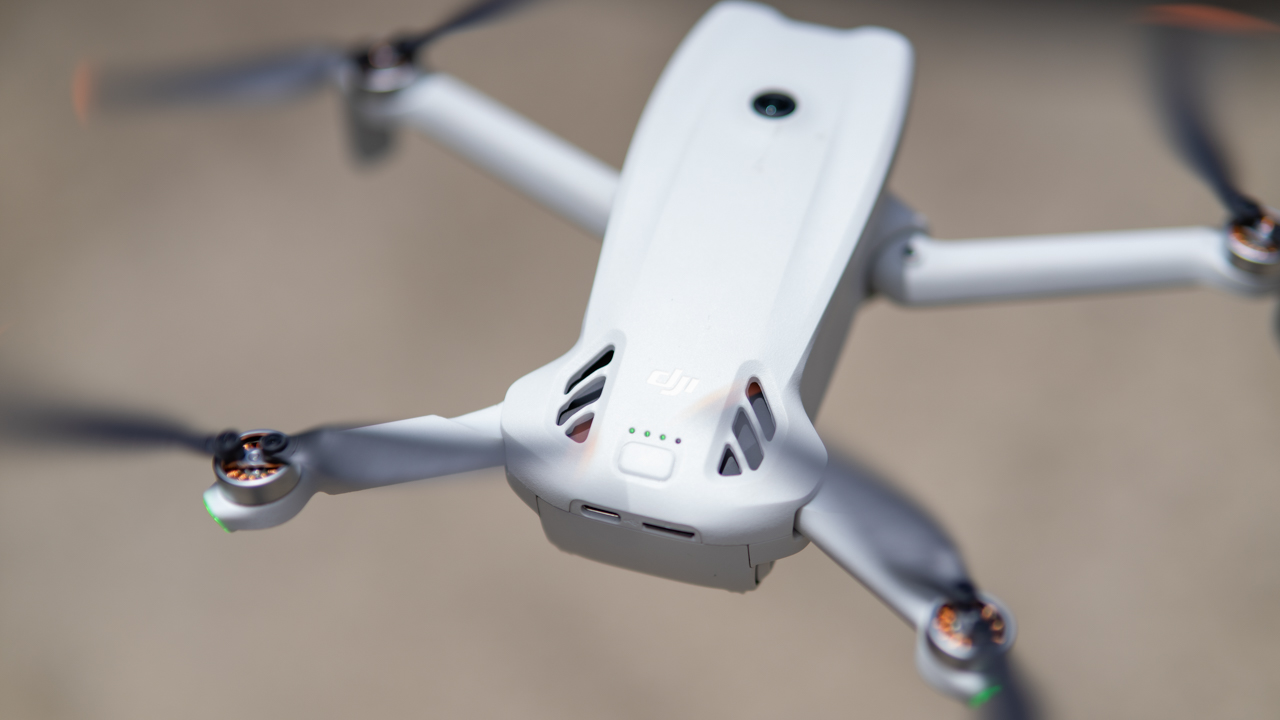
For an actual shoot, I would plan around 25 to 30 minutes of usable flight time with the standard battery. That leaves enough breathing room to land without watching the battery percentage with increasing levels of anxiety.
The Plus battery gives you more time, although it also pushes the drone beyond the sub-249-gram weight class.
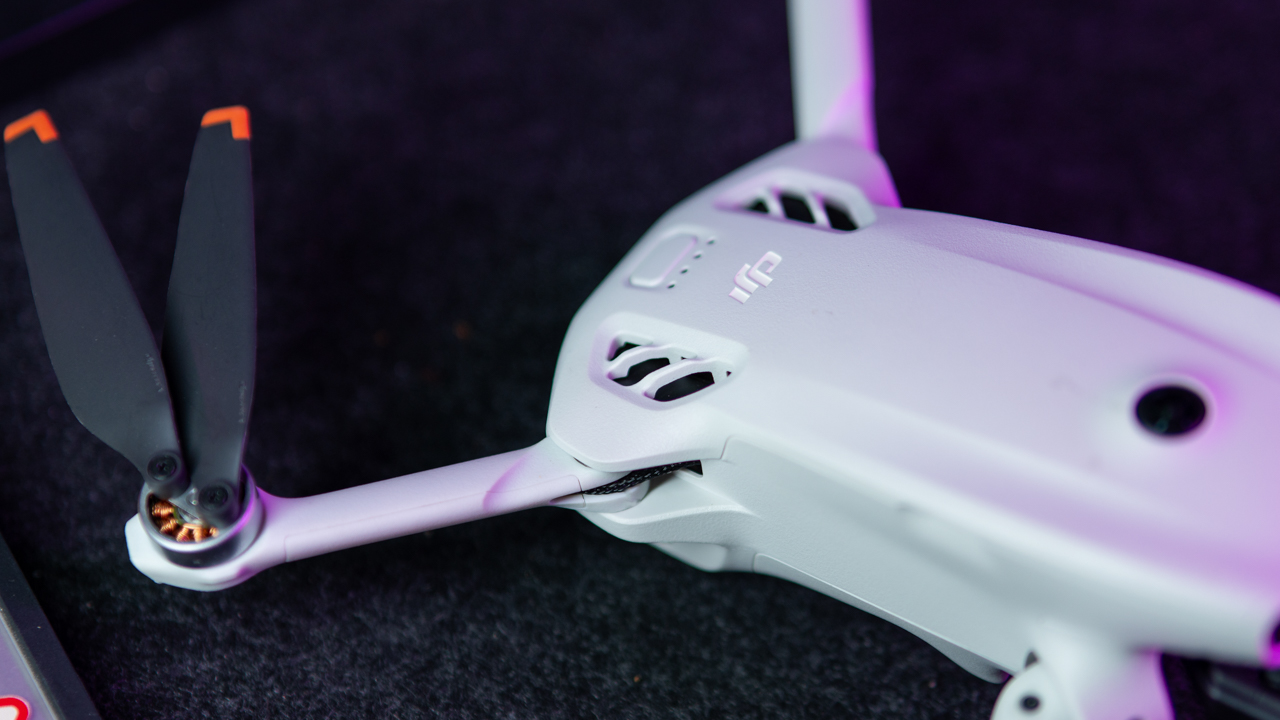
For travel, that distinction matters. The Lito X1’s tiny weight is one of its biggest advantages, so the standard battery makes more sense when portability and weight restrictions are part of the equation.
O4 keeps the connection reassuringly solid
The O4 transmission system also does its job without demanding much attention.
With a clear line of sight to the controller, the video feed feels smooth and responsive. In open areas, there is little reason to spend your flight staring at the signal indicator.

Urban environments naturally make things more complicated. Buildings, walls, and other large obstructions can weaken the connection when the drone flies behind them.
That is less a reason to distrust the system and more a reminder that radio signals still have to deal with physical objects. When the drone remains in sight, the connection feels dependable enough for normal flying.
The safety net is useful, but you are still the pilot
The obstacle-sensing system adds another layer of confidence, particularly when flying around trees and buildings.
The LiDAR system is also useful as the light gets darker. Still, I would never treat the sensors as permission to stop paying attention.
Thin branches remain particularly tricky. A large tree trunk is easy for an obstacle system to recognize. But a narrow branch suspended in the air is considerably less obvious.
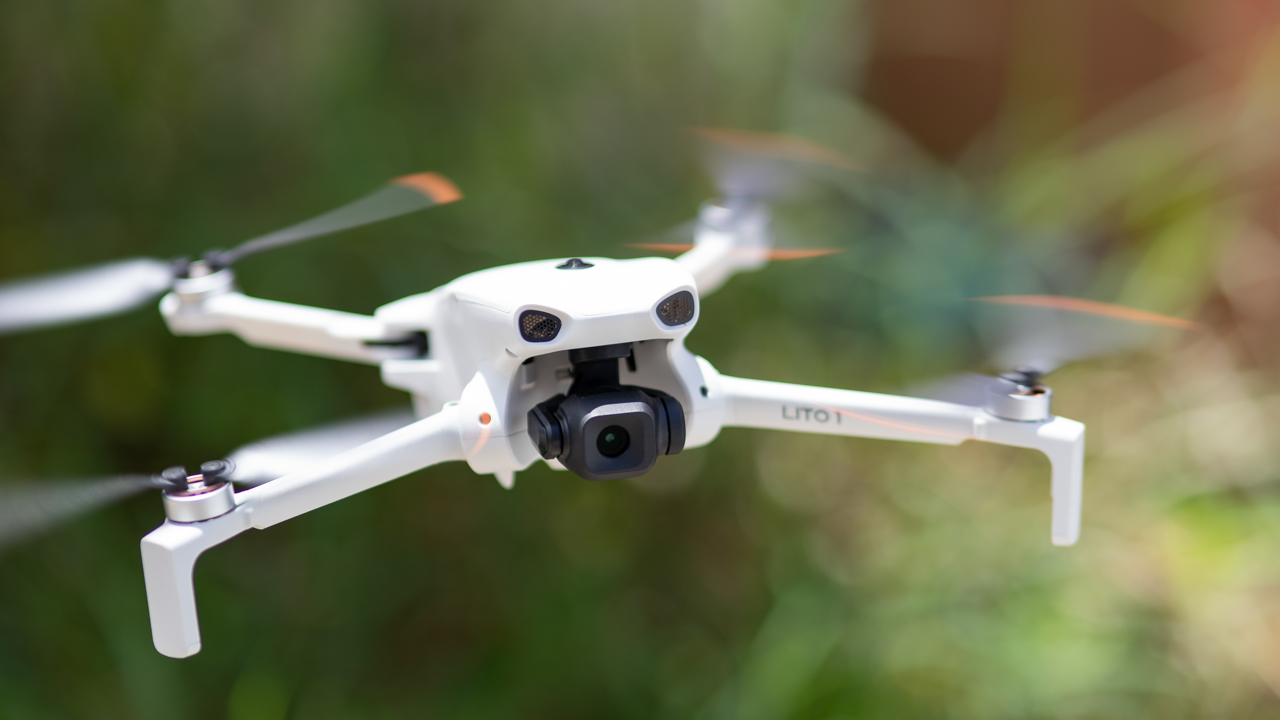
That is the right way to think about the Lito X1’s safety features. They are another set of eyes helping the pilot. They are not a replacement for the pilot. The same applies to ActiveTrack.
When the drone has a clear view of its subject, tracking works impressively well. You can walk, run, bike, or change direction while the drone works to keep you in frame. It can also navigate around larger obstacles.
The limitation appears when the subject disappears behind something for too long. A tree can still break the tracking. ActiveTrack can feel like having another camera operator with you, but you still need to remain the person flying the drone.
Automated modes can save time
MasterShots, QuickShots, and Hyperlapse also have a place in a more serious workflow.
QuickShots can produce orbit, pull-back, and reveal movements without requiring you to manually execute every part of the flight. That can be useful when you need a polished establishing shot quickly.

Shot on the DJI Lito X1
Hyperlapse also lends itself well to hotels, buildings, events, sunsets, and travel footage. The bigger risk is repetition. If every video relies on the same automated moves, the footage can start to feel familiar very quickly.
Used sparingly, though, these modes can be valuable production tools rather than gimmicks.
The features that make it easy to live with
Some of my favorite things about the Lito X1 are not necessarily the ones that make the biggest impression on a spec sheet.
The 42GB of built-in storage is a perfect example. You probably will not think much about it until the day you arrive somewhere and realize your SD card is sitting at home.
Having internal storage means you can still fly and capture footage instead of turning the drone into a very expensive paperweight.
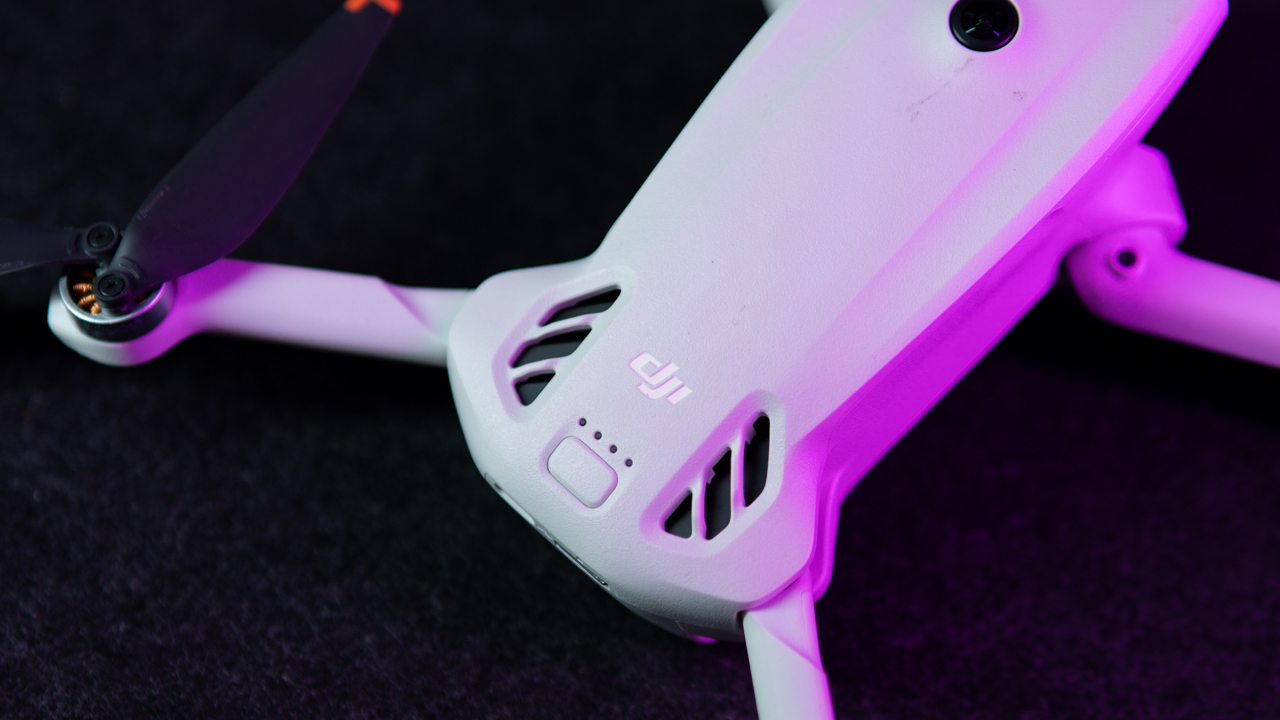
Off-State QuickTransfer is similarly useful when you only need a few clips. You can pull footage over Wi-Fi without removing the card.
For a couple of clips, that is considerably easier. For a full day of 4K footage, I would still reach for an SD card and reader because it is the faster workflow.
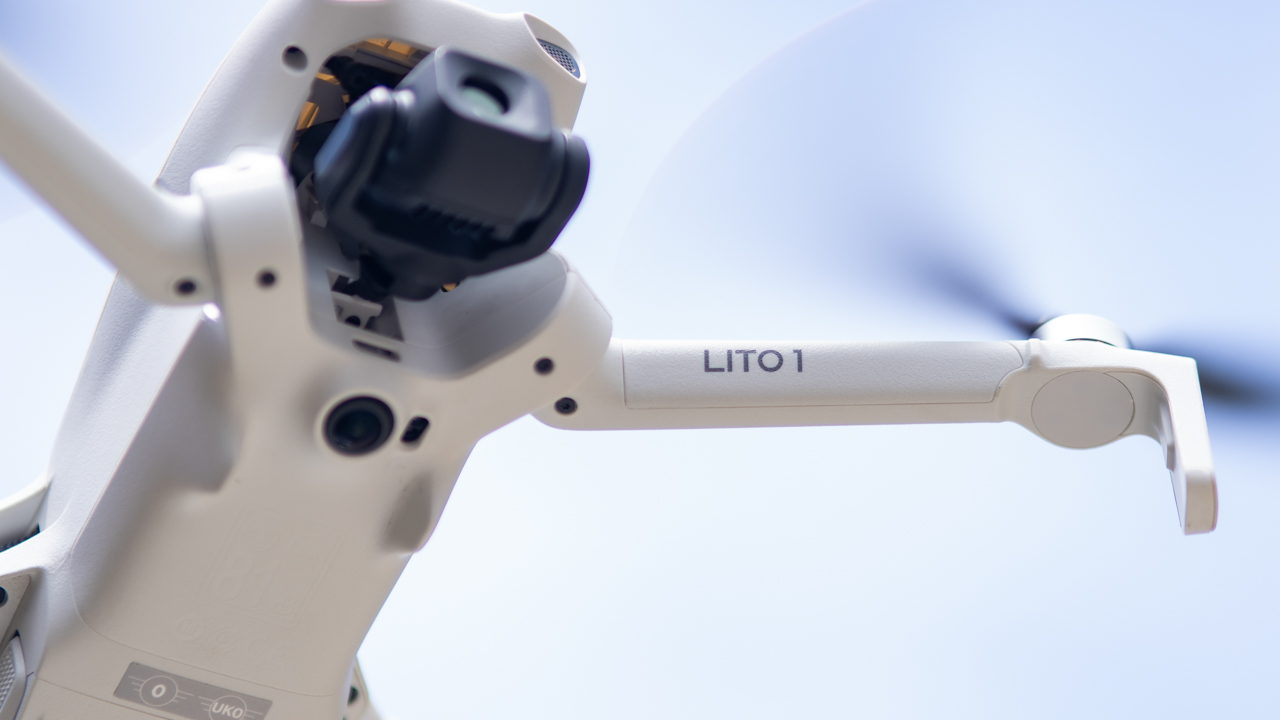
The drone itself also feels more solid than its weight initially suggests. It’s obviously lightweight and does not have the heft of a larger aircraft, but the arms feel secure when unfolded and the hinges do not feel flimsy. I would have no problem bringing it on trips or into the field.
I would still protect it in a bag. A lightweight drone can handle normal use, but that does not make it indestructible.
Getting in the air takes about a minute
The other major advantage is how quickly the Lito X1 can go from bag to sky.
Unfold the arms, remove the gimbal cover, power up the drone and controller, wait for GPS, and you are essentially ready to go. When everything connects quickly, the whole process can feel like about a minute.

That sounds like a small convenience until you are shooting during golden hour and the best light is disappearing in front of you.
A drone that takes less time to set up gives you more time to actually shoot. Pull it out, get the shot, land, pack it away, and move on.
Is the DJI Lito X1 your GadgetMatch?
The Lito X1 sits comfortably between a beginner drone and a more serious camera drone. With D-Log M, RAW photos, obstacle sensing, ActiveTrack, and 4K/100fps, it offers plenty of room to grow beyond casual flying.
The Mini 4 Pro still makes more sense if advanced vertical shooting and higher-end capabilities are priorities, while cheaper options are available for simple recreational flying. The Lito X1 finds its sweet spot in between, delivering strong image quality and useful production tools in a small, lightweight package.
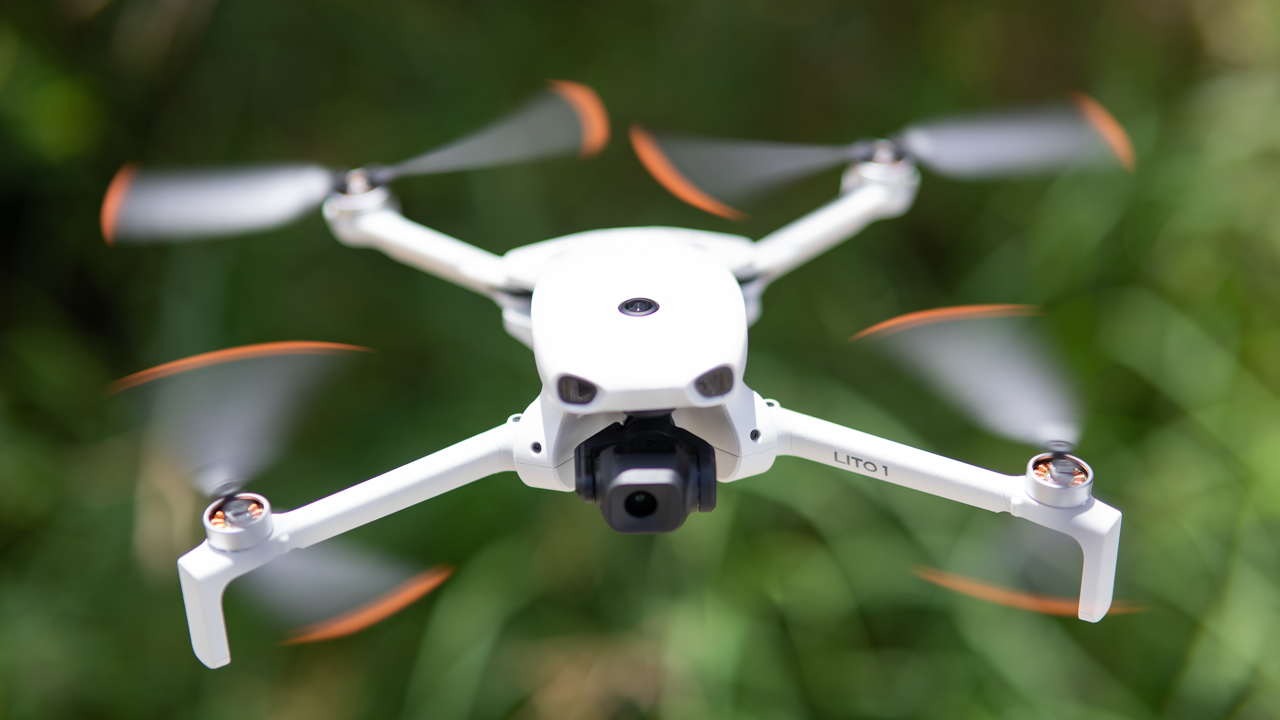
I would still like to see better highlight handling and more natural colors straight out of camera. A rotating camera for true vertical 4K would also make it considerably more versatile for creators.
Calling the Lito X1 a beginner drone undersells it. It’s small, quick to launch, easy to bring anywhere, and capable enough to serve as a B-cam for travel and commercial shoots.
It may not replace a larger DJI drone when image quality is the priority, but its biggest advantage is that you are far more likely to have it with you when the shot presents itself.
The Lito X1 looks like a beginner-friendly drone on the outside, but there is a surprisingly capable B-cam inside.
The DJI Lito X1 starts at PhP 21,690 for the standard bundle in the Philippines. It’s available in local authorized retailers.
Drones
HOVERAir AQUA: Meet the world’s first 100% waterproof self-flying drone
Meet the first-ever self-flying drone that floats, flies, and films in 4K.
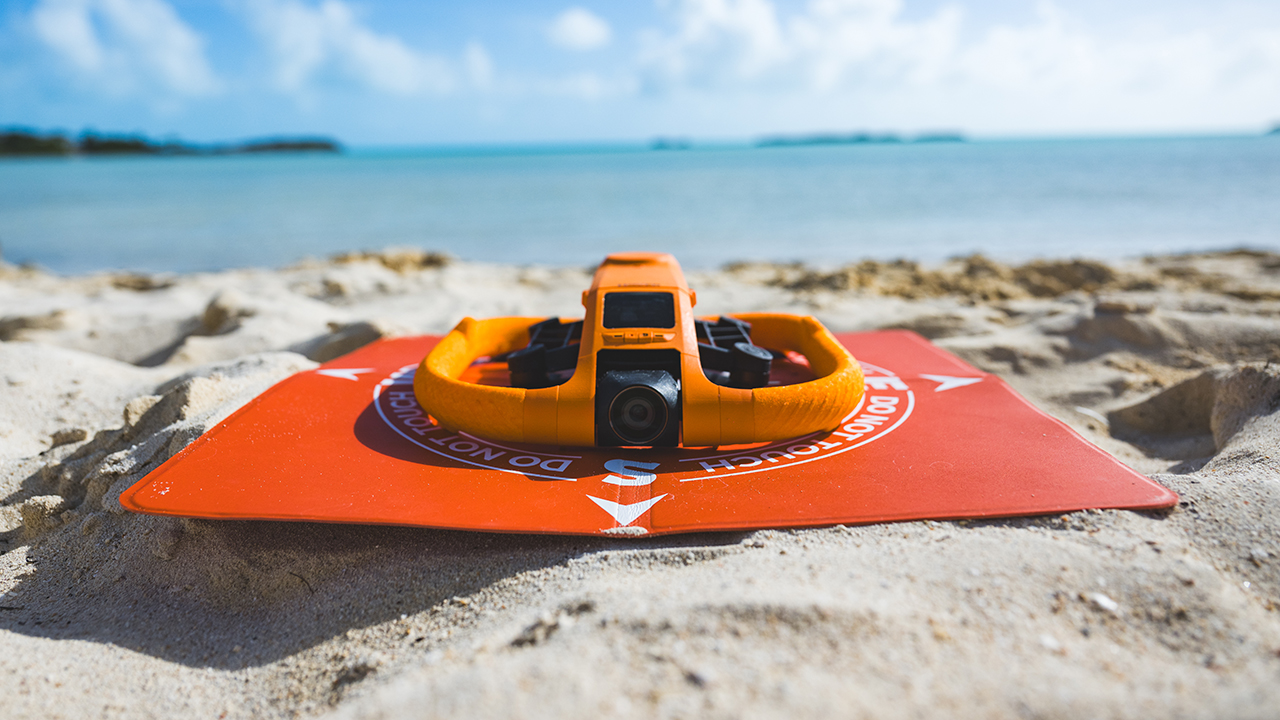
Zero Zero Robotics has finally answered the call of the modern traveler with the HOVERAir AQUA, a self-flying camera that is as much a piece of high-end kit as it is a 100% waterproof marvel.
Designed for those who find their best selves on the open sea, this device offers a perspective that is as limitless as the horizon itself.
Award-winning design
Weighing in at under 250 grams, this compact powerhouse has the hidden strength to navigate Level 7 winds and reach spirited speeds of 55 km/h.
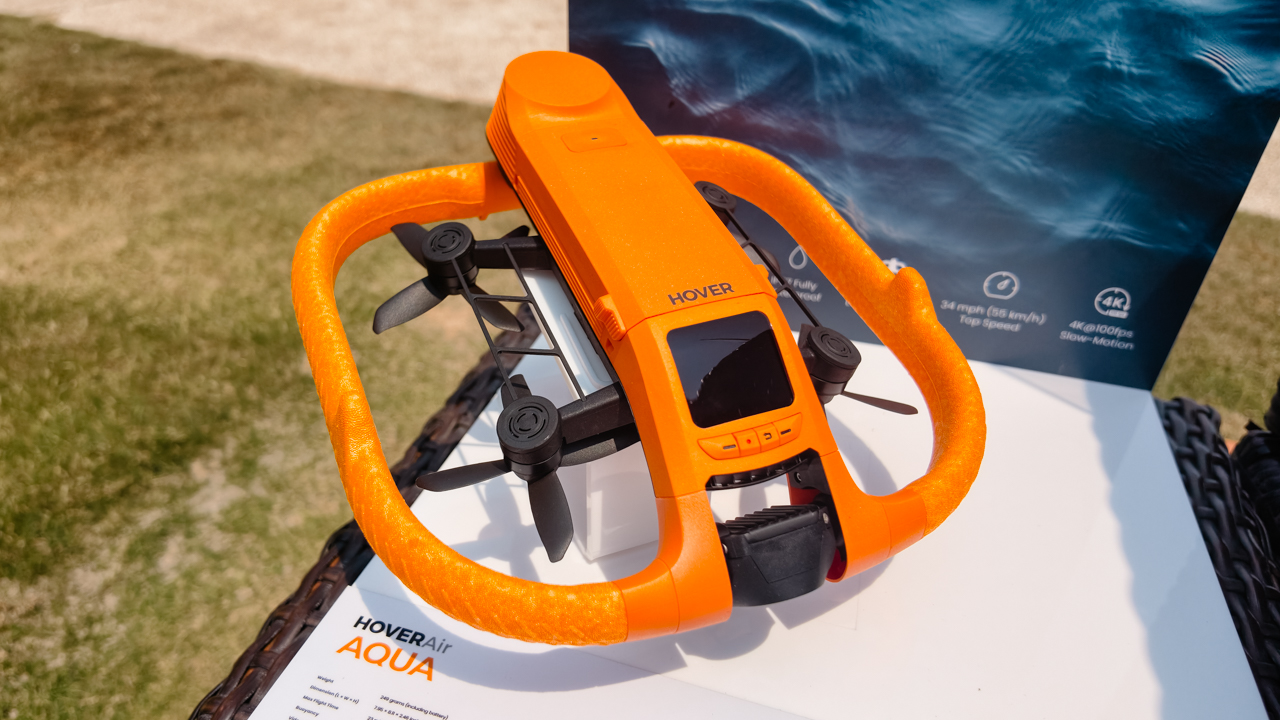
In photo: HOVERAir AQUA | Image by MJ Jucutan
This peerless innovation secured the prestigious Red Dot Award, a testament to its triumph of form and function. While traditional drones are famously hydrophobic, the AQUA was built specifically for the elements.
It’s fully waterproof with an IP67 rating, ensuring reliability in both mirror-still freshwater lakes and salt-laden coastal air.
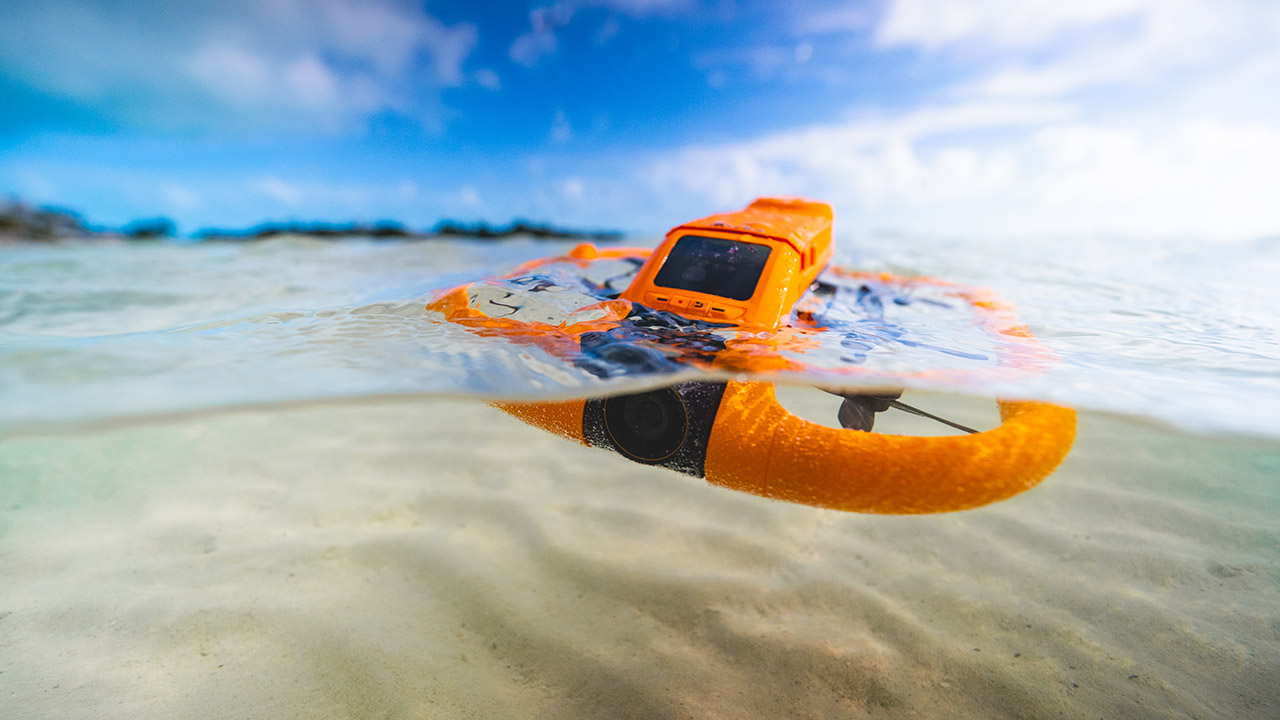
What’s truly clever is its positive buoyancy; the AQUA floats gracefully upon the surface and is capable of taking off or landing directly on the water.
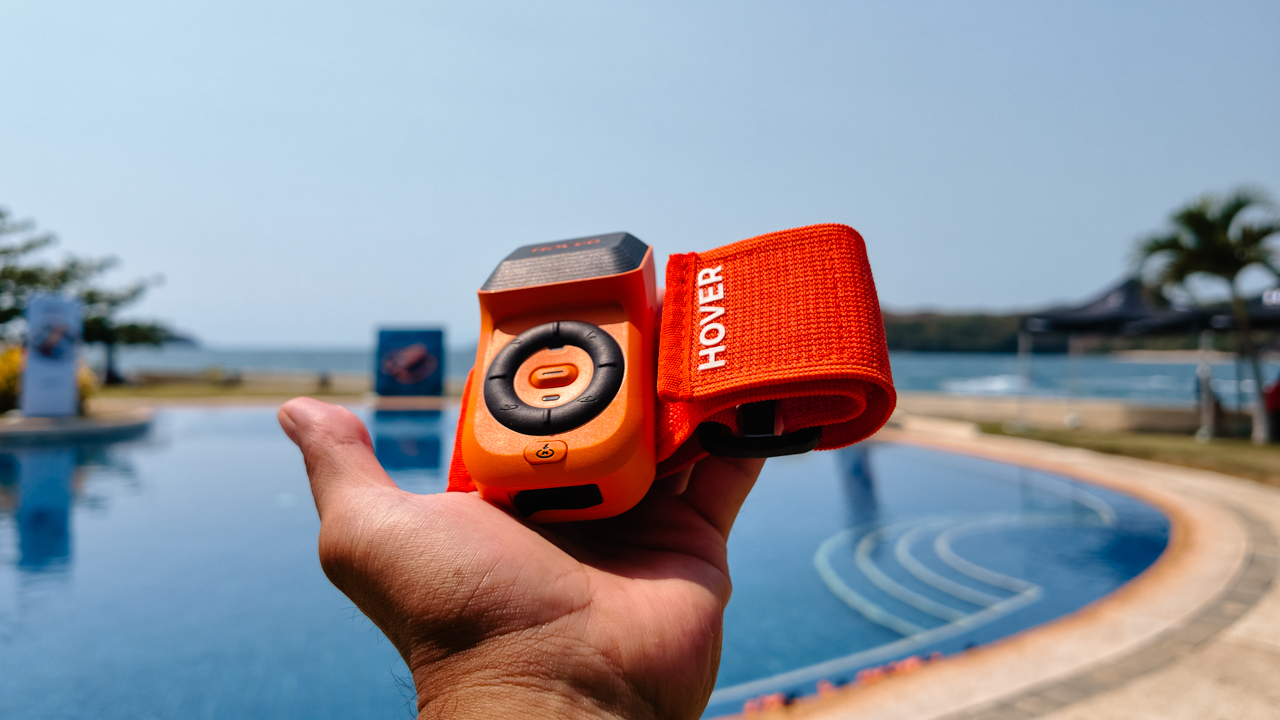
In photo: Controller for the HOVERAir AQUA | Image by MJ Jucutan
Every frame remains crystal clear thanks to a hydrophobic lens and anti-fog technology, so you never have to worry about sea spray or humidity ruining the shot.
Crystal-clear shots
Under the hood, you’ll find a 1/1.28-inch CMOS sensor capable of recording breathtaking 4K video at 100fps. This allow for the creation of cinematic, slow-motion sequences that render every wake and wave in exquisite detail.
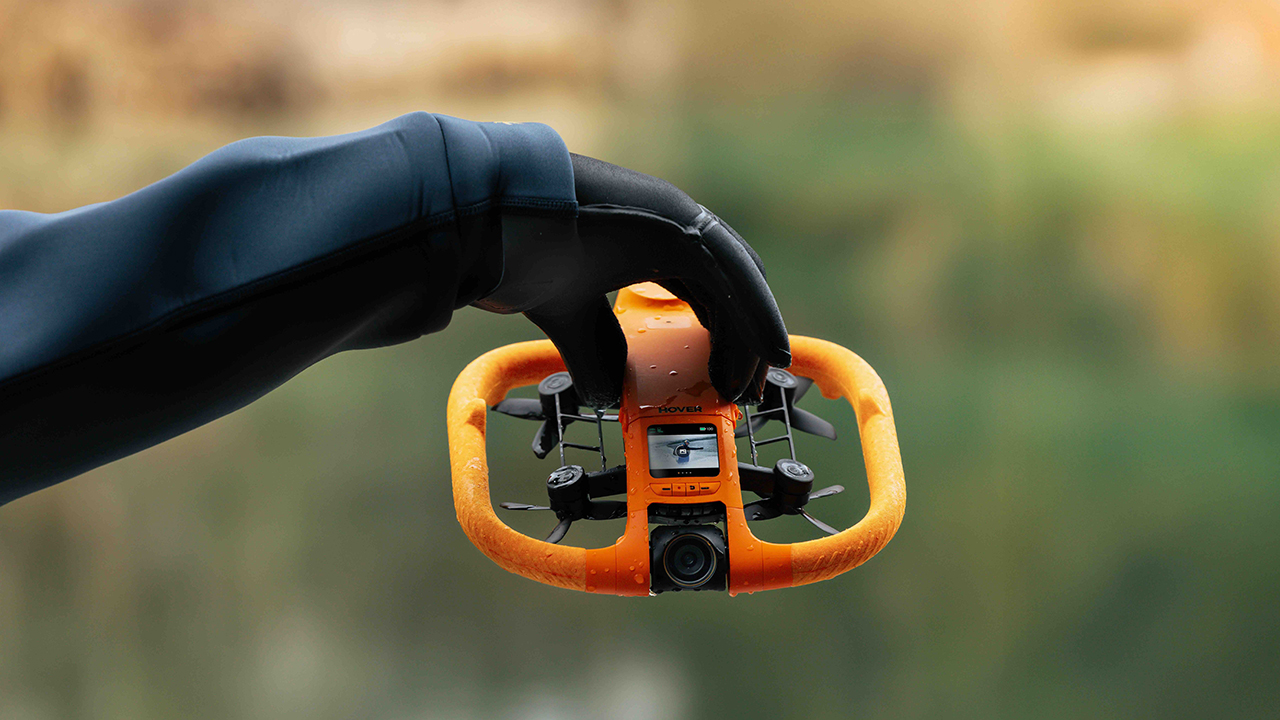
With over 15 intelligent flight modes — including specialized settings for surfing, kayaking, and paddling — the AQUA essentially acts as your own personal, invisible cinematographer.

Its SmoothCapture stabilization system keeps your footage as steady as a calm horizon, even in choppy conditions.
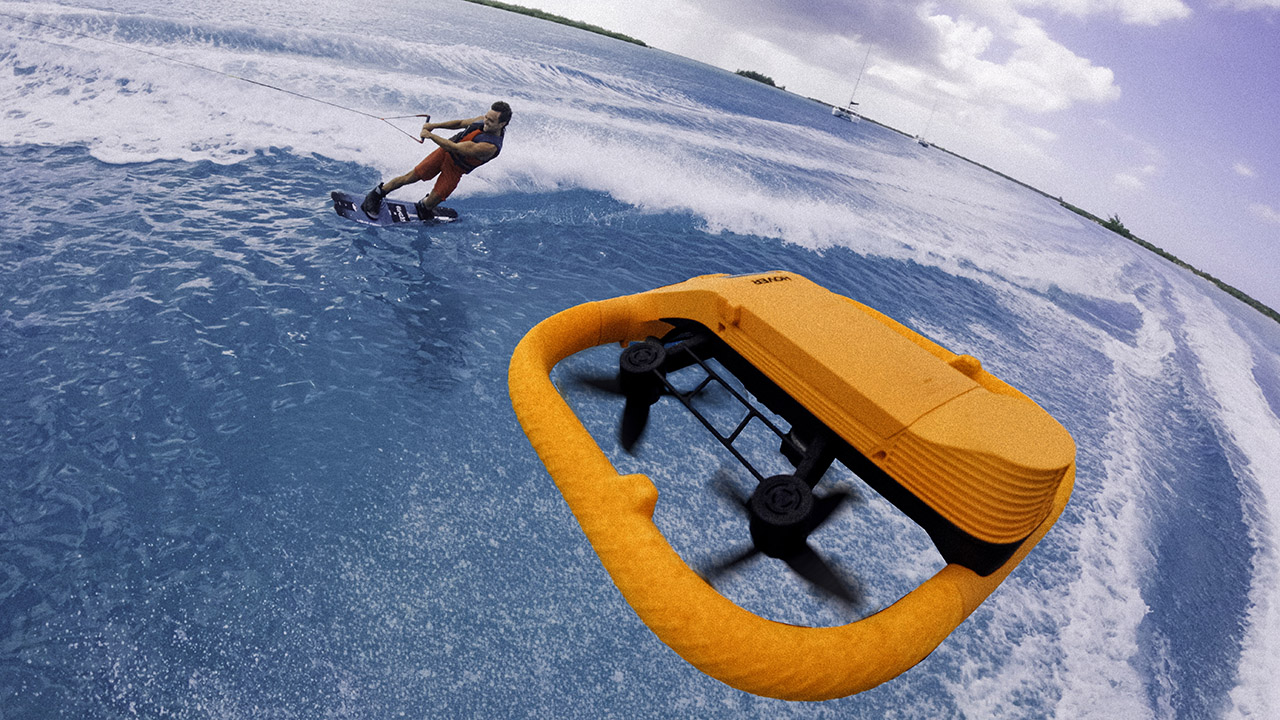
For professional wakeboarders and surfers, the AQUA completely removes the need for a follow-cam crew. Now, athletes can head out on the water and capture epic, professional-grade footage entirely on their own.
The HOVERAir AQUA Basic Combo is now available through select luxury retailers and online boutiques in the Philippines, priced at PhP 87,990.
Drones
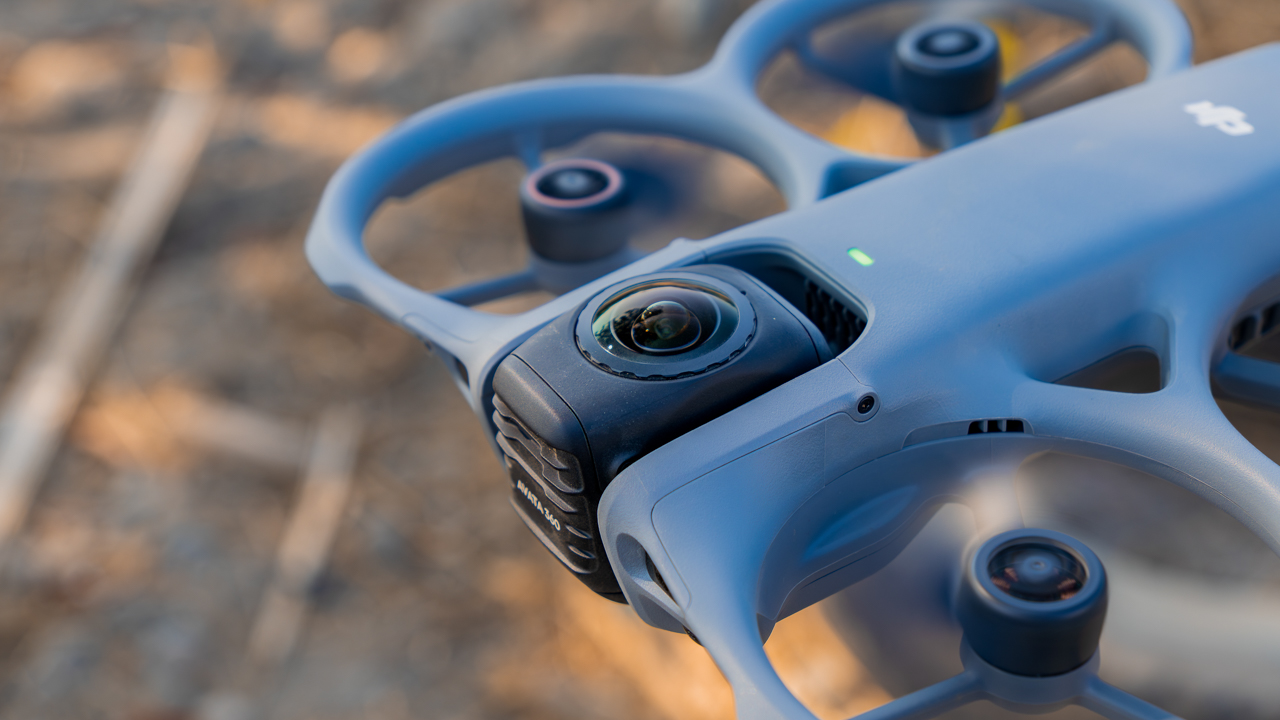
DJI Avata 360 review: Capture now, decide later
Shifting the focus from technical precision to pure immersion!


I have never been particularly fond of heights, yet I always find myself pulled to stand on a mountain ridge. The world feels vast and slightly intimidating from that vantage point.
When I put on the DJI Goggles 3 and enable head tracking, that physical boundary disappears. I’m no longer standing on a ridge holding a controller. I’m inside the flight, soaring at an altitude that makes my stomach drop in a way that feels visceral and real.
This is the core of the DJI Avata 360 experience: It’s about piloting a machine while inhabiting a new perspective.
Seamless transition into flight
The first time you take the DJI Avata 360 up, it meets you where you are. Using the standard RC controller feels familiar right away because the system behaves exactly how a pilot expects it to.
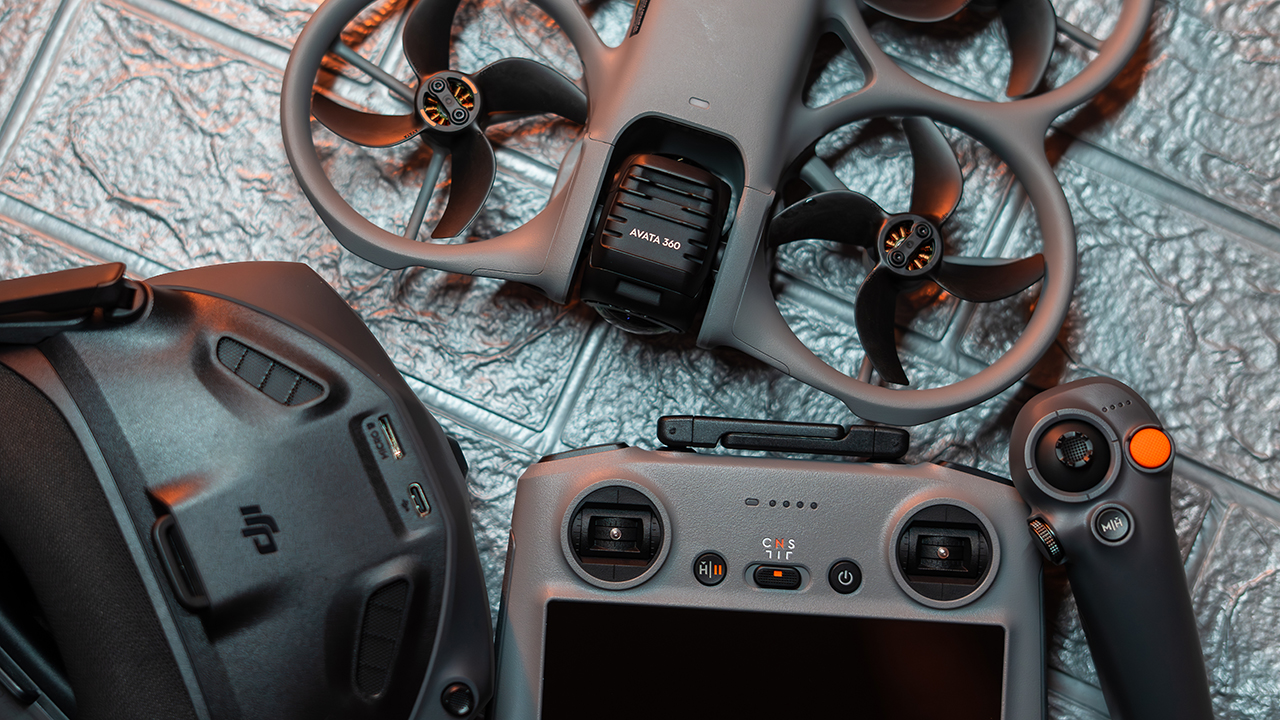
The flight remains stable and predictable, which allows for a high level of trust during the initial minutes in the air. Getting started follows a familiar routine of firmware updates and device pairing.
While the process is not instant, the interface is intuitive enough that most users will reach a comfortable flying state quickly.
Finding creative safety in the open sky
The experience shifts when you enable head tracking and unlock the full 360-degree view. You are no longer just watching the drone fly, but instead, you feel as though you are part of the movement.
This immersion is especially powerful at higher altitudes. This drone fundamentally changes the creative workflow because it allows you to capture the moment first and decide on the framing later.
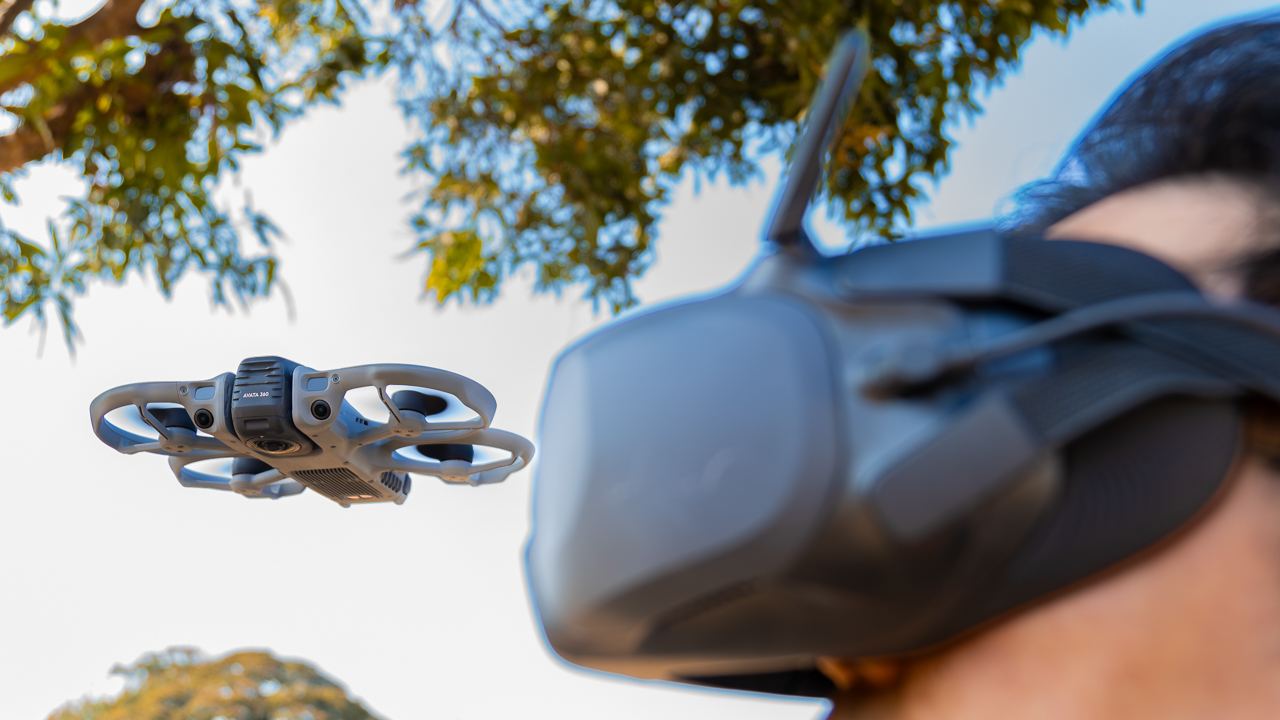
Traditional shooting requires careful planning and repeated takes to ensure you nailed the angle. With the Avata 360, that pressure is reduced.
Because the sensor captures everything, you can focus on the movement of the drone rather than the boundaries of the frame.
Each battery provides around 15 minutes of flight time, which sounds limiting on paper but proves to be manageable in practice.

Because the shooting style is so efficient, I often capture exactly what I need within a single flight. This drone is a partner for those who document fast-moving situations like races or extreme sports where moments happen only once.
View this post on Instagram
Refining the story in post-production
The visual output feels polished and gives the editor plenty of room to work. Colors are clean and balanced straight out of the camera, which provides flexibility during the grading process.
While the sharpness can lean slightly artificial, dialing it down creates a much more organic look. The inclusion of D-Log and 8K resolution at 60fps provides enough detail to build slow-motion edits without sacrificing quality.
Tracking remains reliable in good lighting, though the system requires more manual awareness once the sun goes down and the obstacle avoidance sensors lose their effectiveness.
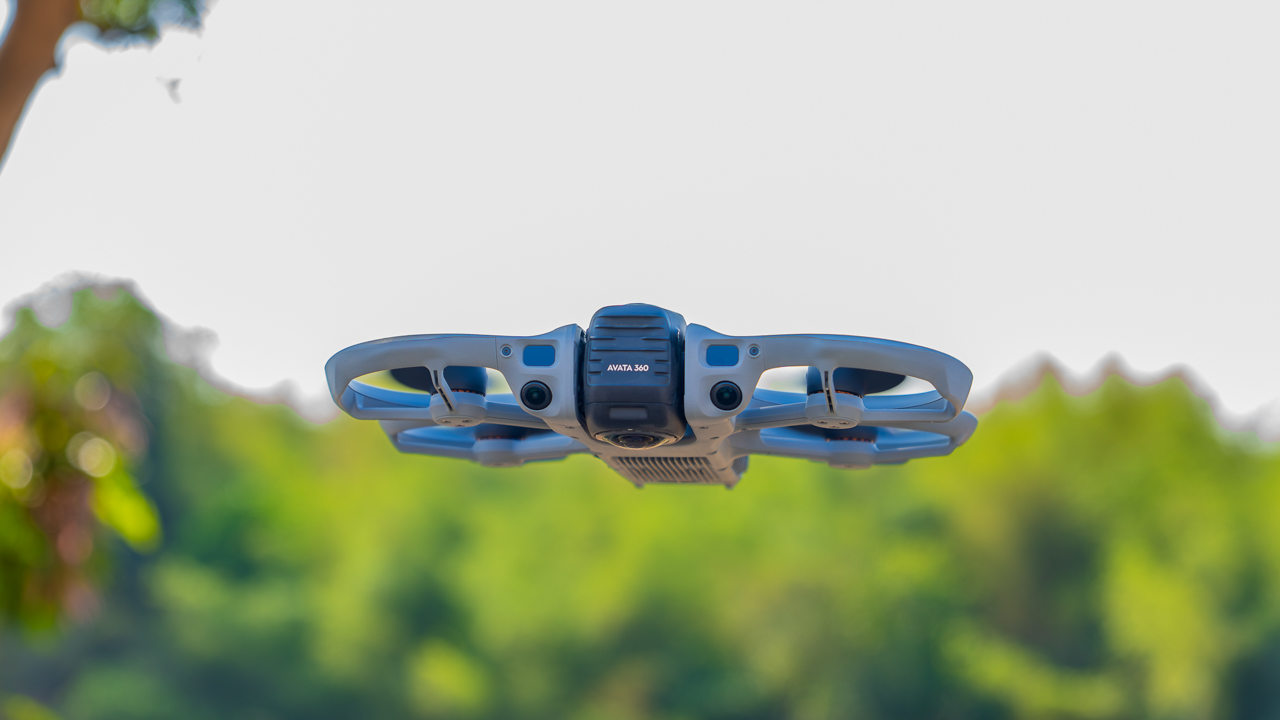
Though, the flight experience is strong, but the editing workflow currently introduces some friction. Editing relies heavily on DJI Studio, and the lack of seamless integration with professional tools like Adobe Premiere Pro on Windows creates extra steps.
You often need to pre-render angles before you can bring clips into a main timeline. When compared to the Antigravity A1, the DJI ecosystem still feels more polished and easier to integrate into a working setup, yet the software gap remains a point of frustration.
Is this your GadgetMatch?
The DJI Avata 360 offers a different way to tell a story by shifting the focus from technical precision to complete immersion. It allows the creator to stop worrying about missing the shot and start thinking about how to feel it.
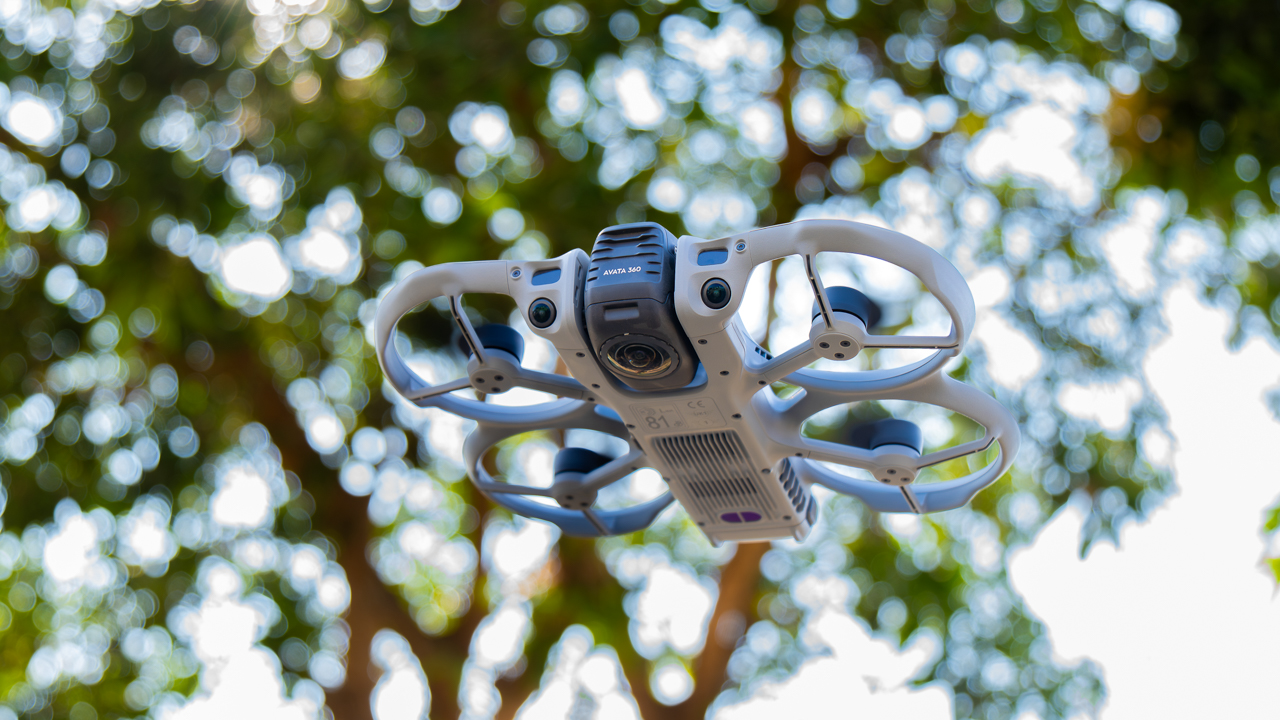
Swipe Right if your life involves fast-paced environments like extreme sports or travel where moments only happen once.
This is for the person who wants to feel like they are flying rather than just operating a camera. It fits the routine of a creator who values creative safety nets and the ability to reframe a story in post-production.
Swipe left if your workflow requires a fast, seamless turnaround on Windows without extra processing steps. It’s not the ideal choice for those who primarily shoot in low-light conditions or urban areas with high interference.
If you prefer the traditional control of a specification-heavy technical breakdown, the reflective nature of this system may feel less efficient.
Price, availability
The DJI Avata 360 starts at PhP 38,290. With the Fly More Combo (DJI RC 2) or the Motion Fly More Combo (DJI Goggles N3), it retails for PhP 47,890.
-

 News2 weeks ago
HUAWEI Pura X View is 2026’s first WIDE slab-type smartphone
-

 News2 weeks ago
The CAMON Slim 5G is TECNO’s latest ultra-slim smartphone
-

 News2 weeks ago
iPhone 18 Pro series: Price, availability in the Philippines
-
 Singapore2 weeks ago
iPhone 18 Pro series: Price, availability in Singapore
-

 News2 weeks ago
iPhone Duo: Price, availability in the Philippines
-
 News2 weeks ago
HUAWEI Mate XT 2 tri-fold launches with Kirin 9050 Pro
-
 News2 weeks ago
vivo introduces refurbished versions of X300 FE, X300 Ultra for less
-

 News2 weeks ago
iPhone Duo: Price, availability in Singapore