
Apps
Google is using AI to predict floods
Expanded to 80 countries worldwide


Floods are one of the most common natural disasters all over the world. Rain can absolutely wreak havoc on a city’s sewer system. Unfortunately, it’s still difficult to reliably predict when a rain shower will result in flooding. Today, Google is leveraging the power of AI to create predictive models for flooding.
In a new research, Google is using Long Short-Term Memory networks to predict the chance of flooding in 80 countries. The resulting model can accurately forecast a riverine flood up to seven days in advance. Once detected, the company can use Google Public Alerts to notify an affected population of the impending disaster.

Of course, riverine floods are only a specific subset of natural disasters. It can’t predict urban floods or flash floods just yet. However, the researchers are already working on improving their model to accommodate other types of floods.
Over the years, Google’s help with disaster response has been a boon for vulnerable communities all over the world. Today, Android can alert users of natural disasters as (or even before) they happen. For example, the system can give earthquake alerts a minute before it hits, giving users ample time to find cover. The hope is for the system to accommodate all other natural disasters to improve response times in any condition.
SEE ALSO: Android 15 is called Vanilla Ice Cream






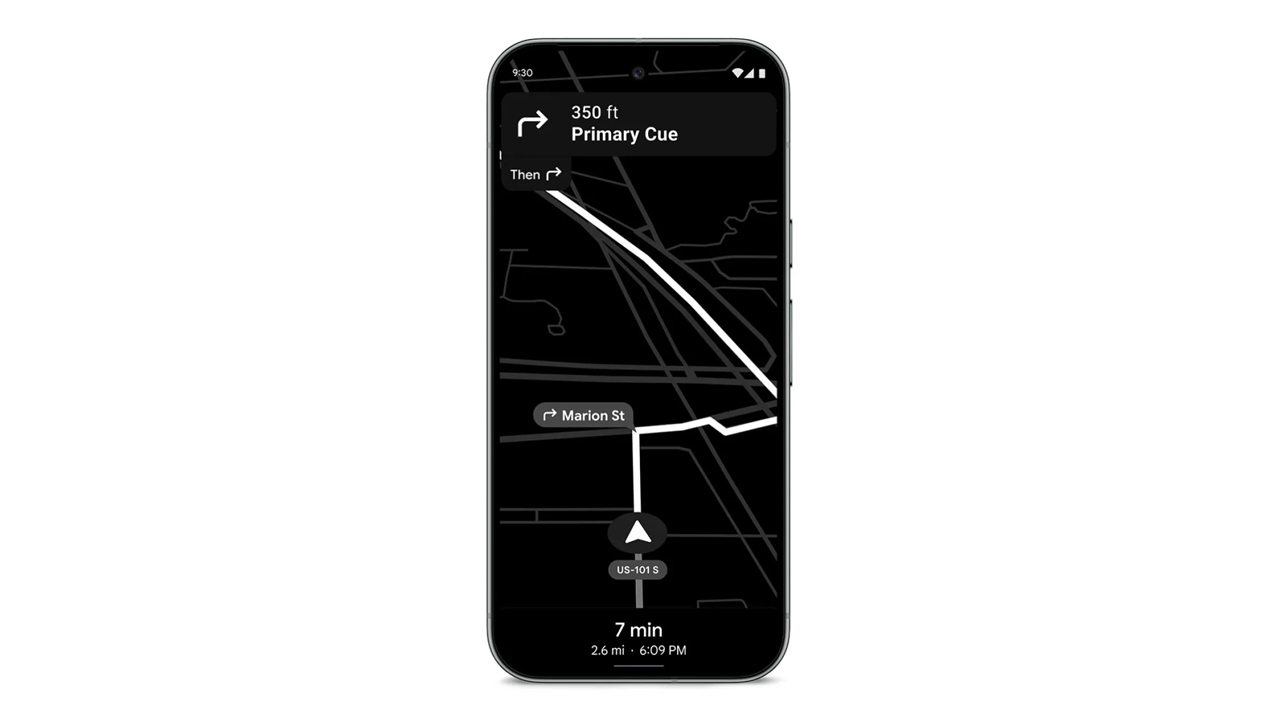
In a congested country like the Philippines, using navigation for shortcuts is a requirement. However, these apps can hog a lot of battery. If you forgot your car charger, it’s practically game over for your phone. Today, Google is shipping out a Maps update which can save your phone’s battery for those long drives.
Announced earlier this month, the update will include a Power Saving mode for Google Maps. The new mode will turn the normally colorful interface into monochrome with particular emphasis on black. The interface will reduce all interactable elements, so you can just focus on the display.
Presumably, it also reduces the power required by the app, while still prioritizing navigation. According to Google, smartphones will get up to four hours more juice when the mode is enabled.
Unfortunately, it’s not a widely released update yet. Google is limiting the update’s rollout to the Pixel 10 series for now. It’s also limited to driving mode; it won’t work if you’re just walking or cycling. The option is accessible through Driving options under Navigation in the settings.
In countries where Android Auto isn’t the norm just yet, a power saving mode for navigation is a godsend. Besides hoping that the update arrives on more devices, one can also hope that Google, who also owns the app, will introduce a similar mode to Waze. (To be fair, Waze did have a battery saver option, but it just dimmed the display for long straights.
SEE ALSO: Android now supports AirDrop!
Apps
Turn your cravings into cashback with this new credit card
EastWest, Visa, and foodpanda created a lifestyle card that rewards your everyday life in the most delicious way!


There comes a moment in every busy, convenience-loving yuppie’s life when the heart encounters something that simply gets it.
For many, that moment will happen the first time they hear about the new EastWest foodpanda Visa Credit Card.
This cobranded creation from EastWest, foodpanda, and Visa feels like a treat wrapped inside another treat, made for those who thrive on ease, comfort, and a healthy dose of instant gratification.
Think of all the small joys in your routine. The iced latte that turns your morning around; the comforting order that saves an exhausting weekday; or the impulsive midnight craving that somehow counts as self-care.
Now imagine every craving quietly earning something meaningful in return. That is the lifestyle this card was built to support.
Cashback that keeps the cravings flowing
Cardholders receive 10 percent cashback on all foodpanda orders with earnings of up to Php 400 each month.
Cashback continues at 3 percent even after reaching the cap, which keeps rewards flowing for frequent orders.
Users also receive 1 percent cashback on overseas transactions and 0.3 percent on other local purchases. All cashback across categories has a combined limit of Php 1,000 per month.
The card is free of annual fees during the first year and early users receive a complimentary six month pandapro subscription.
Cashback is credited weekly to the user’s pandapay wallet for immediate access. This weekly reward cycle is a first in the local market. It reflects foodpanda’s focus on instant gratification and smooth digital experiences.
EastWest, foodpanda, and Visa aligned on a single goal. They wanted a card that fits into everyday routines, feels simple to use, and delivers rewards in a fast and friendly way.

Lifestyle card for a lifestyle-first way of spending
Younger Filipino consumers are embracing credit cards that care about their lifestyle choices.
The EastWest foodpanda Visa Credit Card fits right into this shift, giving people a financial tool that rewards the habits they already enjoy.
It creates a gentle nudge toward smarter spending without taking away the fun or the flavor.
Visa’s global network makes tap-to-pay transactions fast and secure. With automatic weekly cashback and worldwide acceptance, the card creates a rewarding experience that enhances how Filipinos dine and enjoy their favorite cravings.
This card understands one universal truth: Every order has the potential to be more than a meal. Now, it comes with rewards ready to follow you everywhere.
To learn more or start your application, visit eastwestbanker.com/foodpanda or tap ‘Apply Now’ on the foodpanda app.
Apps
Chinabank makes tap to pay easier with Google Pay
A smoother and more secure way to pay is now available!
Cashless life just got a whole lot easier!
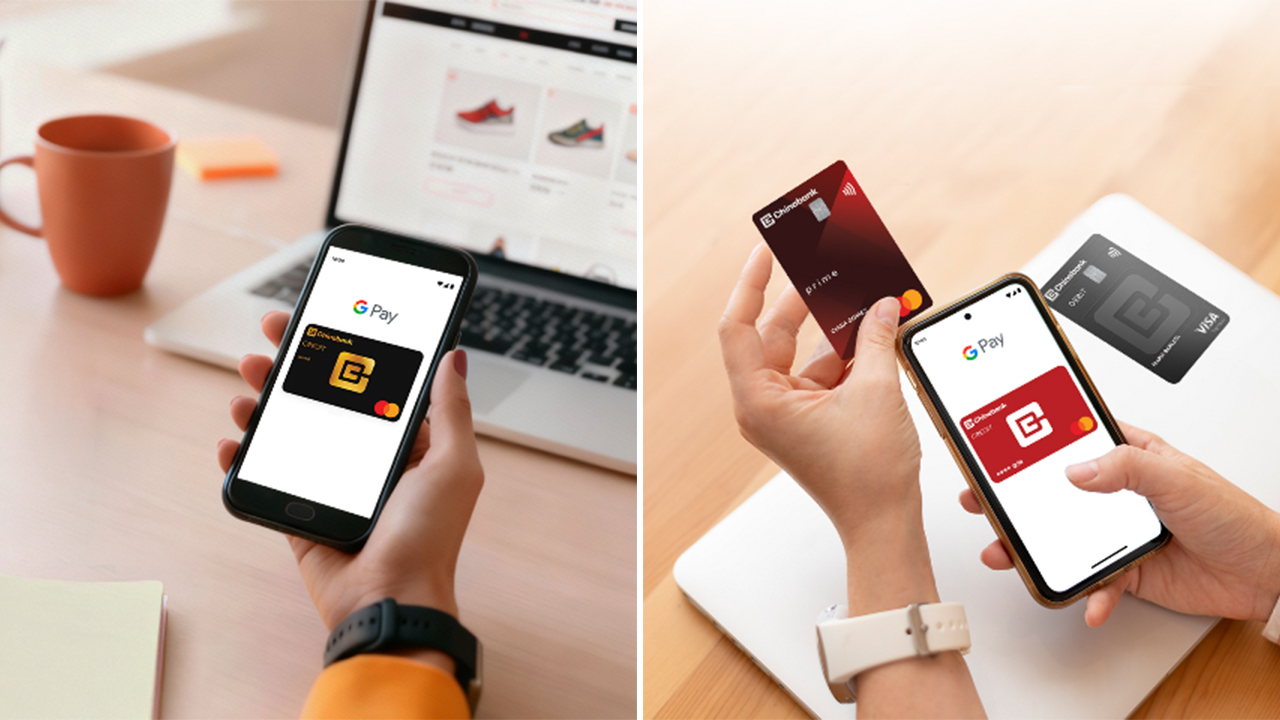
Chinabank is now one of the first Philippine banks to support Google Pay for both Credit and Debit Cards, whether you’re using Mastercard or Visa. If you’ve ever wished you could breeze through checkout without digging for your wallet, your moment has officially arrived.
With this rollout, Chinabank customers can add their cards to Google Wallet and start making fast, secure, tap-to-pay transactions using only their phones.
In stores, in apps, and on your favorite online shops, paying becomes as simple as unlocking your device and tapping. No more scrambling for plastic cards at the bottom of your bag.
Google Pay uses secure digital tokens for every transaction, which means your actual card number stays private. Even if you shop daily or travel often, your payments stay protected. It’s the kind of small upgrade that makes everyday errands feel smoother and more modern.
As digital payments become the norm across the country, Chinabank’s move helps speed up the shift. Whether you’re grabbing coffee, doing a grocery run, or checking out online, you now get a payment option that feels more intuitive and more secure.
How to add your Chinabank card to Google Wallet
- Download Google Wallet from the Play Store and open the app.
- Tap “Add to Wallet” then choose “Payment Card.”
- Scan or manually enter your Chinabank Credit or Debit Card details.
- Complete the verification steps.
- Once approved, you’re ready to tap and pay.
How to use Google Pay
- In-store: Unlock your phone and hold it near a contactless terminal until it confirms the payment.
- Online: Select Google Pay at checkout for quick and secure payments.
- Security: Each transaction uses a unique digital card number or biometric verification, keeping your information safe.
Chinabank is also preparing guides and support channels to help customers get familiar with Google Pay, making the shift to digital wallets easier for everyone.
With Google Pay now part of its digital ecosystem, Chinabank gives its customers a payment experience that’s faster, safer, and ready for modern life.


Antigravity A1 review: A new way to fly
Effortless cinematic flight made simple


Razer Raiju V3 Pro review
Competitive controller that knows exactly who it’s built for


Shokz OpenFit 2+ review: A love letter to an ultramarathoner
What open-ear freedom feels like when you are chasing a comeback

Genshin Impact, Duolingo partner for limited-time quest

12.12 PH top picks: OPPO, Infinix, Xiaomi, Laifen, SKG, TechLife

Paramount just made a $108-billion counteroffer for Warner Bros.

Screen-free wearable band Polar Loop launches

Maya Savings, Personal Goals, more: How to make your bonus work for you


-

 Reviews2 weeks ago
POCO F8 Pro review: Lightweight, heavy hitter
-
 Reviews2 weeks ago
vivo X300 review: The point-and-shoot I’ll always carry
-

 News2 weeks ago
POCO F8 Series: Price, availability in PH
-

 Reviews1 week ago
vivo X300 Pro review: Going the X-tra Mile
-

 Reviews2 weeks ago
POCO Pad X1 review: A tablet that keeps up with your day
-

 Drones2 weeks ago
DJI Neo 2 review: Fly without fear
-
 Reviews2 weeks ago
POCO F8 Ultra review: An Achievable aspirational all-rounder
-

 News2 weeks ago
HUAWEI nova 14 Series, MatePad 12 X (2026) now in PH