


It’s easy to think that red is best worn sparingly or just as an accent. It is after all, such a bold, eye-catching color. We normally wear a pair of red heels to add a pop of color to an all-black ensemble, or a cute red top to go with neutral colored bottoms. We rarely buy something red for every day use, whether that’s a purse or a phone, because it just won’t go well with most of our outfits.
This is exactly why we sometimes feel like we have nothing to wear — when we build a wardrobe without considering new color pairings and when we reserve certain colors for special occasions. Here are three new combinations to try with those red pieces that don’t see the light of day (or night) as often as they should:
Red + blush pink: spring to summer

Hybrid smartwatch, Fossil Q Jacqueline; blazer, Stradivarius; slip dress, Fleur du Mal; belt bag, Mango; heels, Mint & Rose.
This color combination will give you an instant flirty, feminine look especially when you do it with a silk slip dress and strappy sandals. Give it a little bit more structure by throwing on a red blazer, and stick to the same tonal colors when accessorizing to look more put together. You can dress it up with taller heels, or down with flats.
Red + tan: end of summer to fall
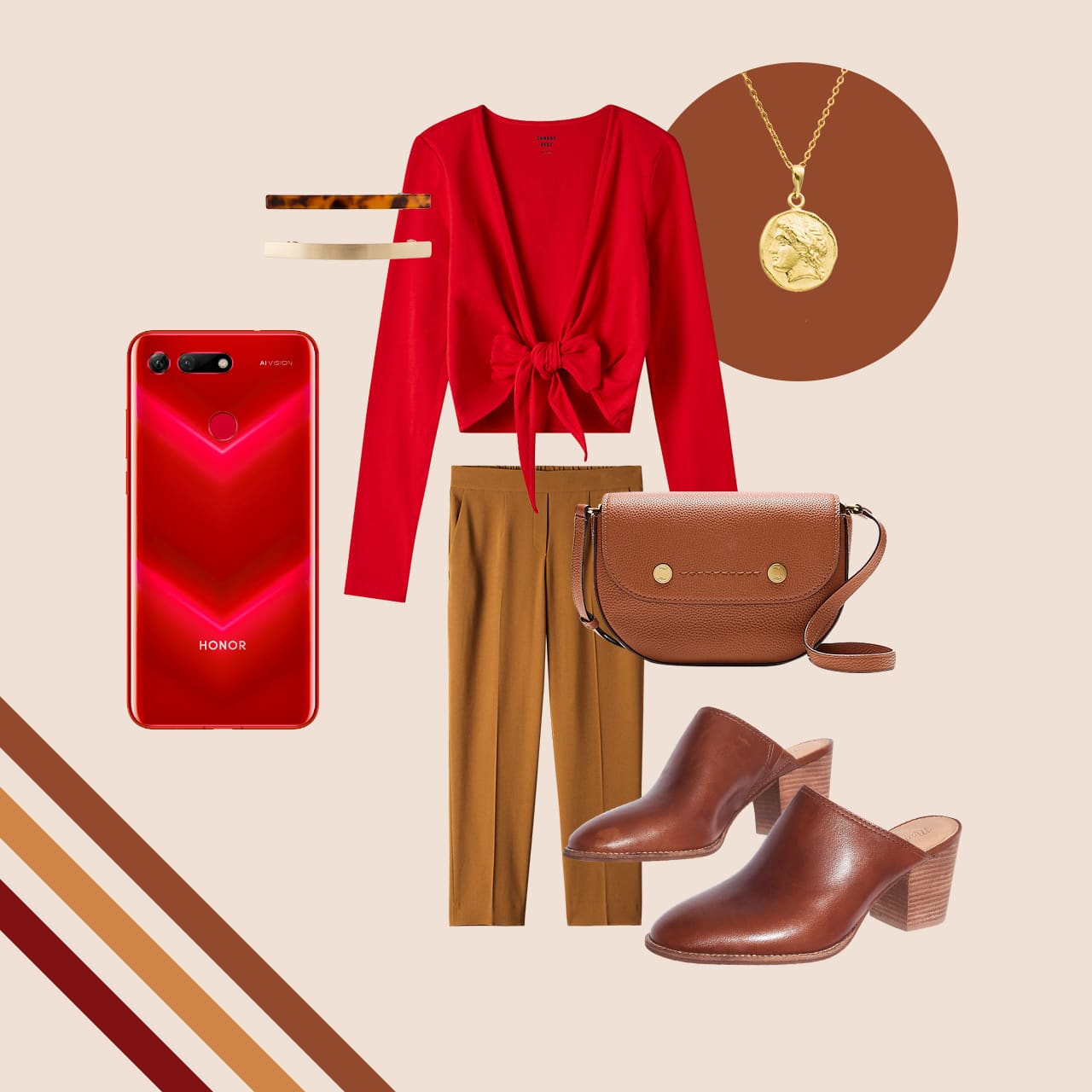
Smartphone, Honor View 20 Moschino Edition; crop top and pants, Aritzia; bag, J. Crew; mules, Madewell; coin necklace, myartisanstore on Etsy; hair clips, Machete.
Be a wee bit more unpredictable by pairing red with the brown pieces in your closet. A red crop top worn with tan high waist pants and mules is a good departure from the light, breezy looks you’re used to wearing during summer. When temperatures dip, add a coat in similar brown tones to stay warm. I used to be so averse to wearing this color combination but it’s now one of my favorites!
Red + red: winter to early spring

Sunglasses, Spectacles 2 Veronica by Snapchat; sweater, Everlane; shorts, Aritzia; boots, Mango; 3-in-1 laptop tote, Parfois; earrings, Machete.
Tonal dressing is my go-to when I’m in a hurry to get ready in the morning and it doesn’t just apply to neutrals. Try wearing red on red with your thigh-high boots especially during winter when everyone else is sporting the same black coat. If you’re feeling feisty, go all-red even down to your shoes and purse and you’ll be surprised how powerful it will make you feel. Otherwise, you’re welcome to tone it down with the black staples you already have.
From these three looks alone, you can create more: turn the slip dress into a skirt by wearing the red sweater over it, or pair the crop top with the shorts and nude heels when the weather is scorching and unforgiving. The possibilities are endless! As long as you see red to be the versatile color that it actually is, you’ll never run out of looks to try, and that red phone you carry every day will never clash with your look again.





Accessories
CASETiFY relaunches Evangelion collab for 30th anniversary
Fans can now customize their own NERV-ready cases

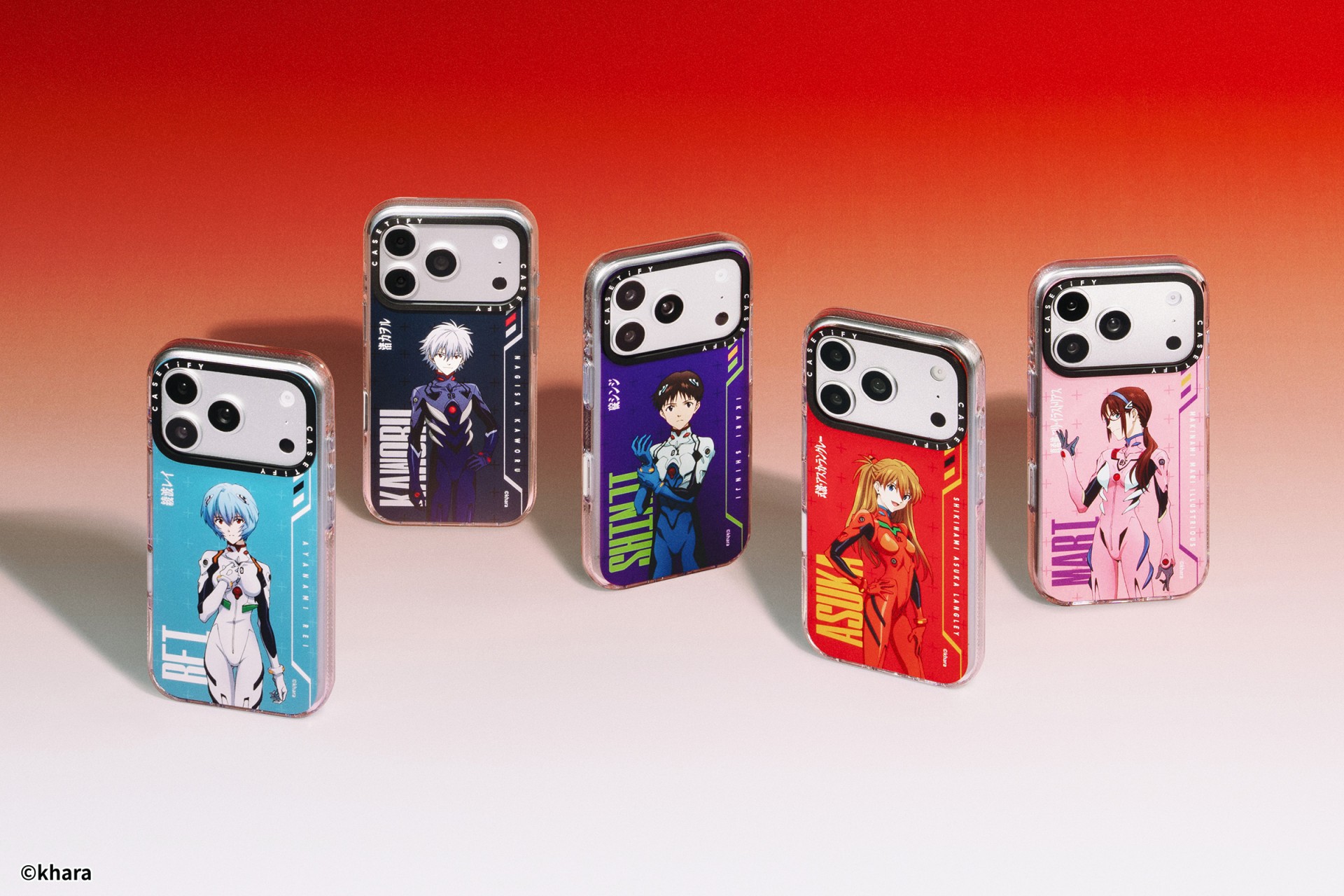
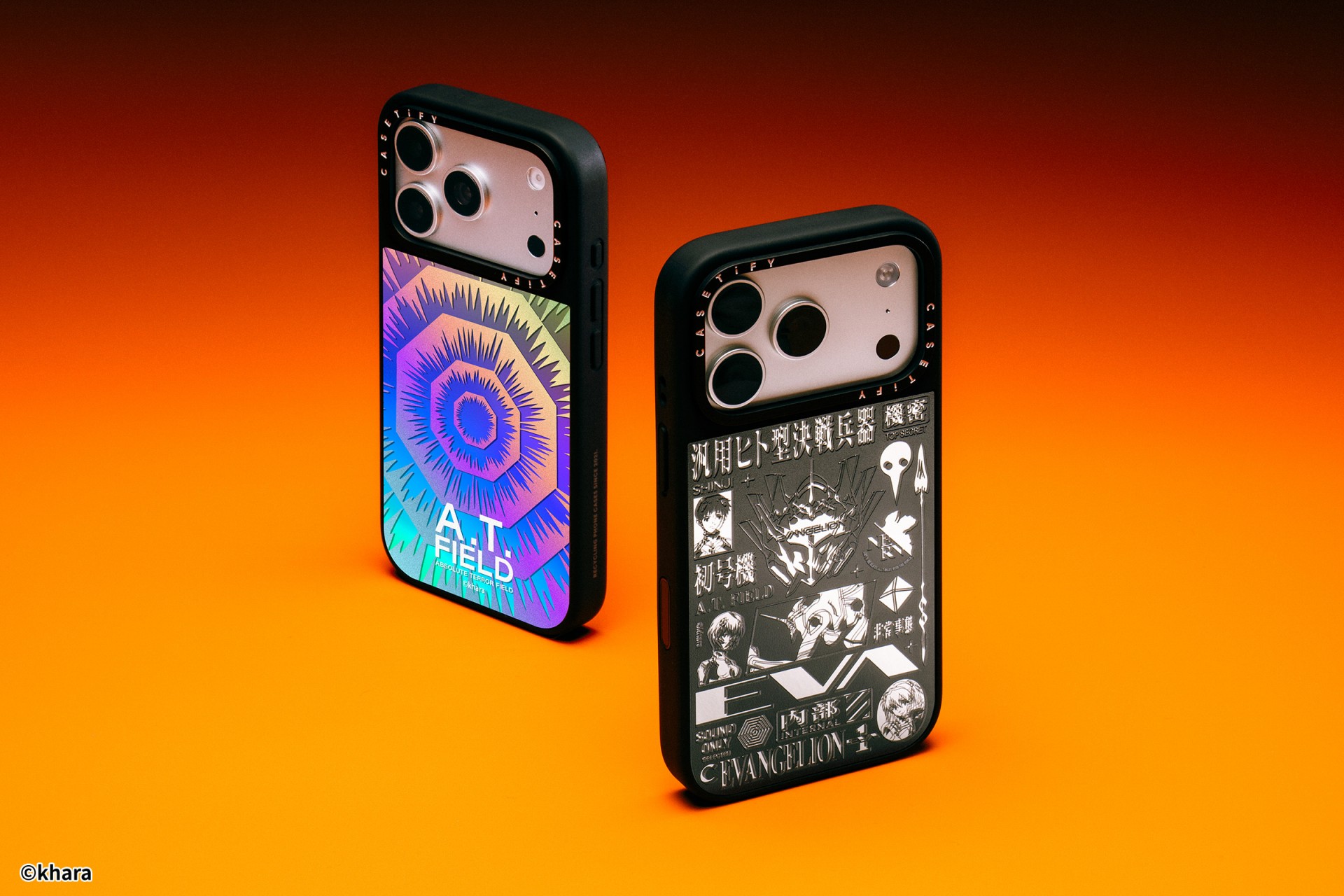
The A.T. Field is activated. To mark 30 years of Neon Genesis Evangelion, CASETiFY has relaunched its highly popular Evangelion collaboration. This time, fans control the sync rate.
For the first time, buyers can fully customize their Evangelion cases. The drop lets fans mix and match NERV logos, the 4th Angel, character art featuring Shinji Ikari and Rei Ayanami, and bold background graphics. The result is a case that feels like a personal unit build, straight out of the series’ control room.

The lineup pulls directly from Evangelion iconography. Designs include classic NERV insignias, holographic “A.T. Field” defense graphics, “Active Time Limit” warnings, and the official 30th Anniversary emblem. Each case uses CASETiFY’s signature impact protection, turning your device into a pocket-sized defensive barrier.
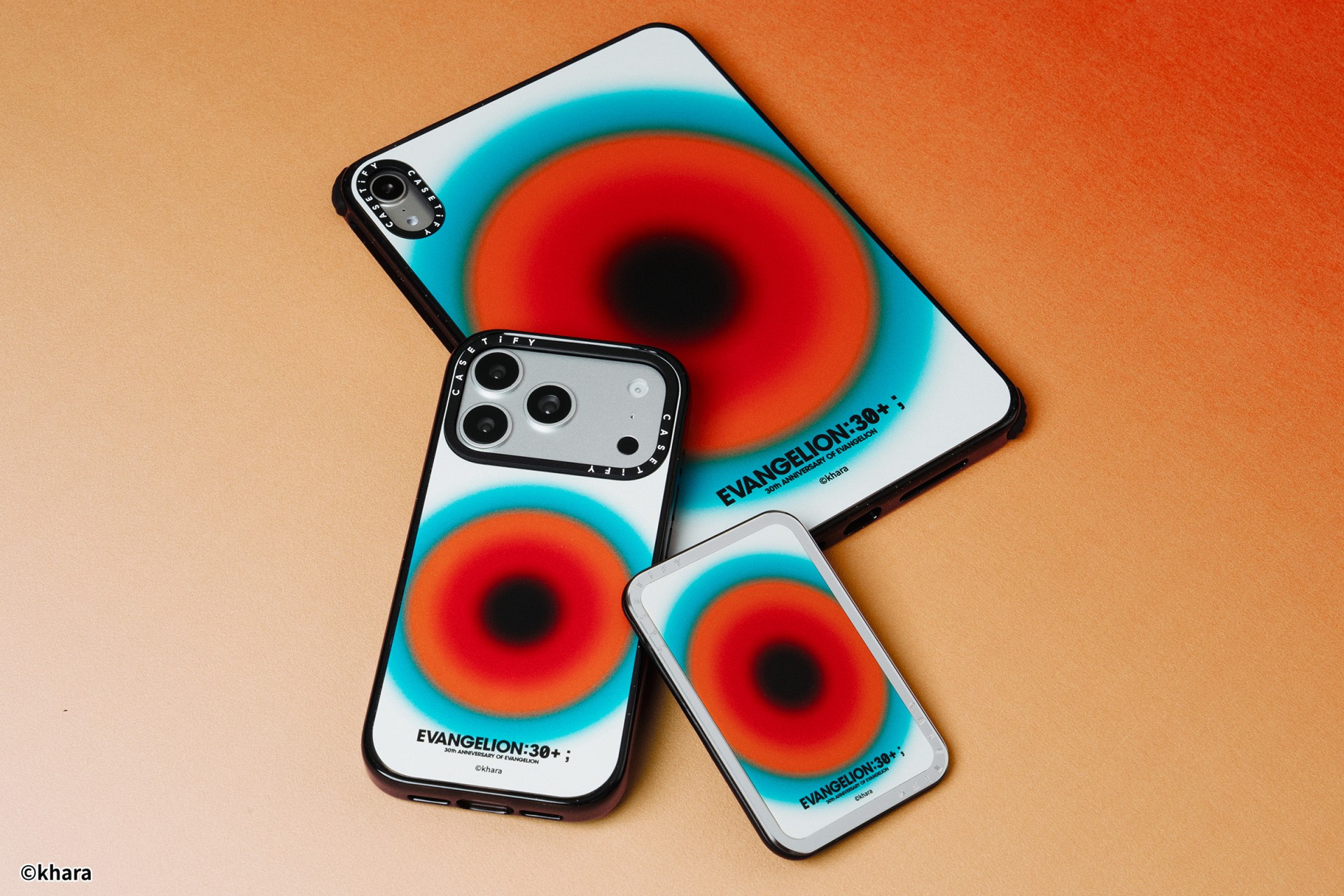
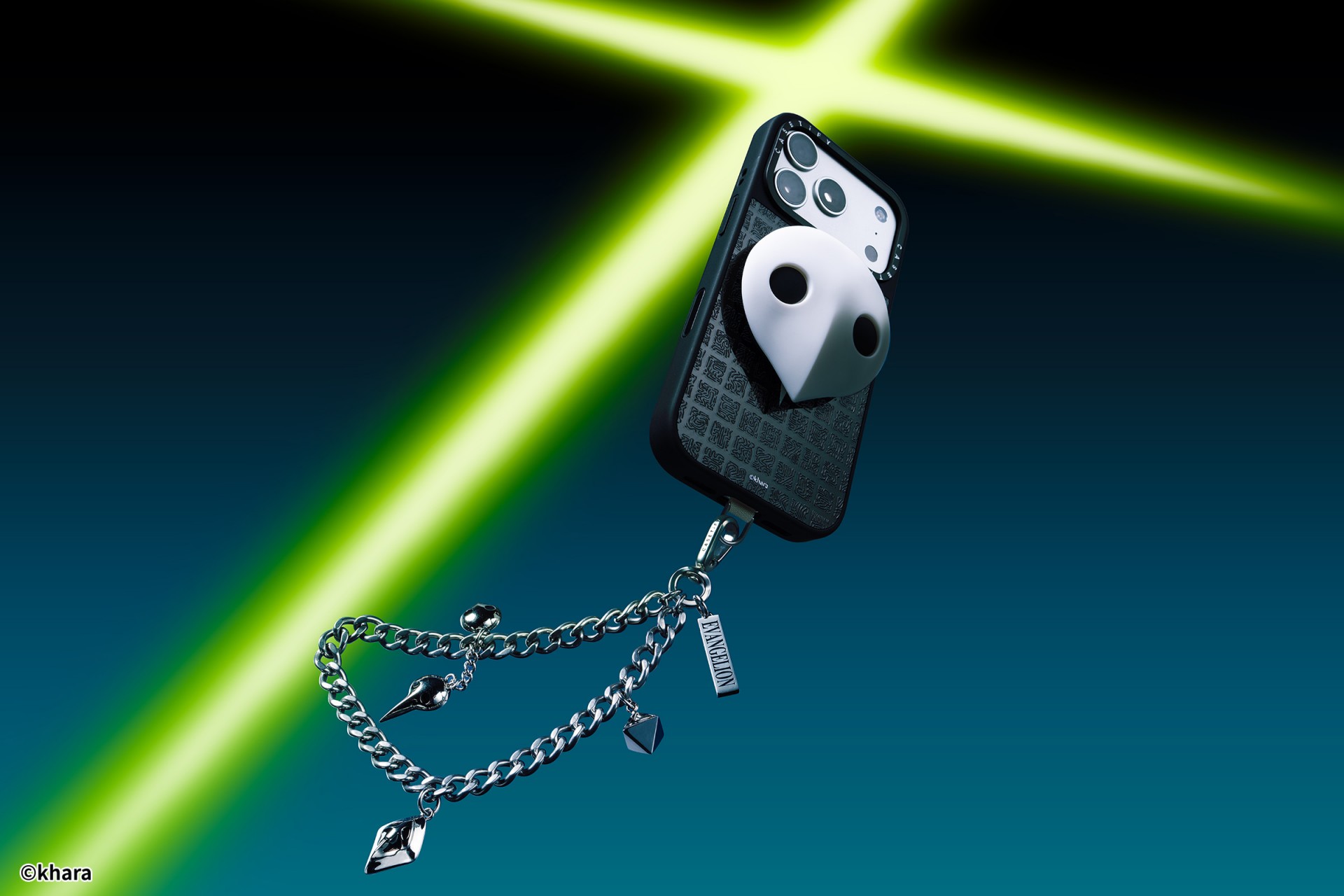
The collection goes beyond phone cases. Fans can also pick up matching AirPods cases, MagSafe wallets, watch bands, and laptop and tablet sleeves to complete their everyday tech setup.
Android users are included in the rollout. The collection supports devices like the newly released Samsung Galaxy S26 series, making it a timely drop for those looking to suit up their latest flagship.
The Evangelion collection is now available via the official CASETiFY website.

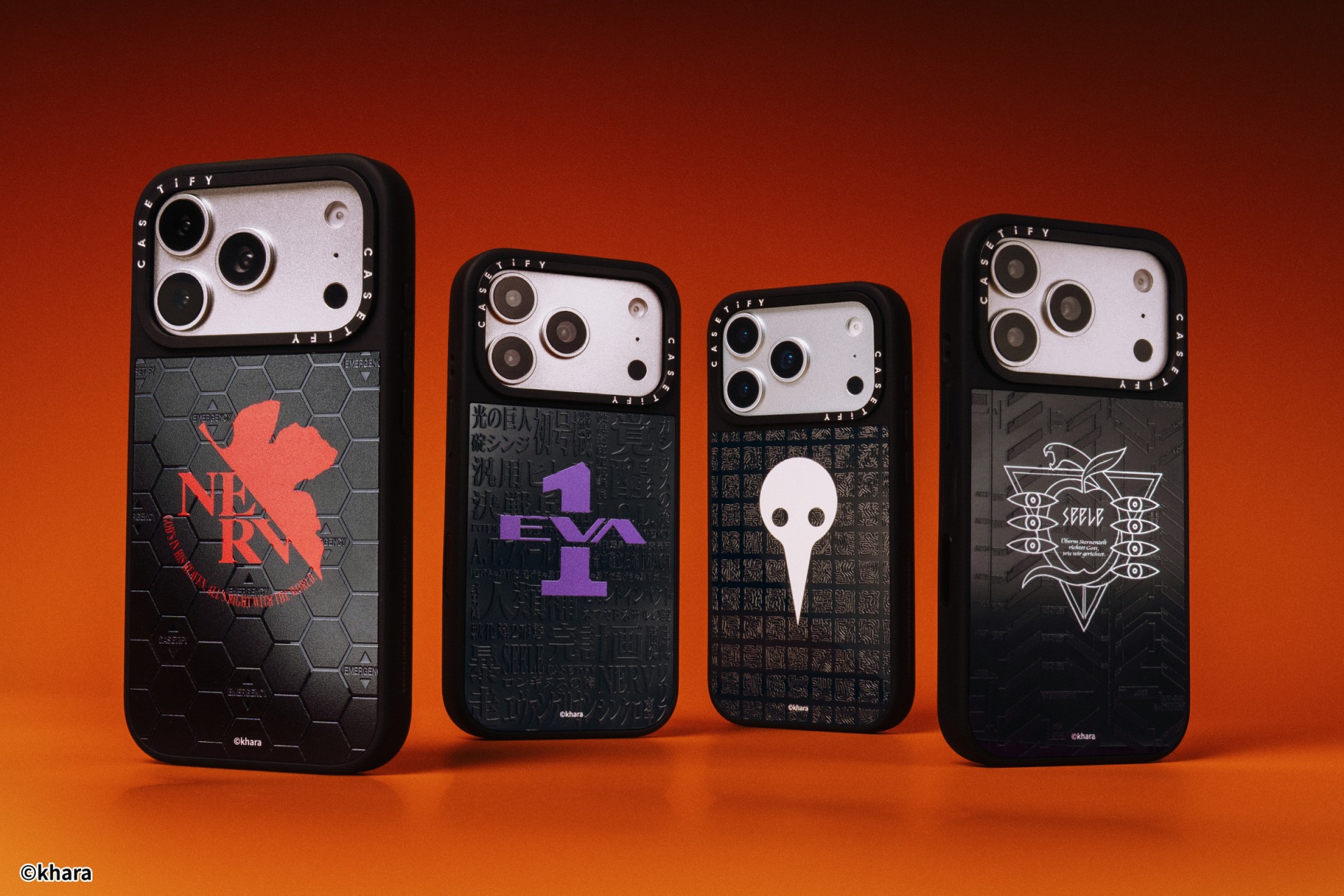
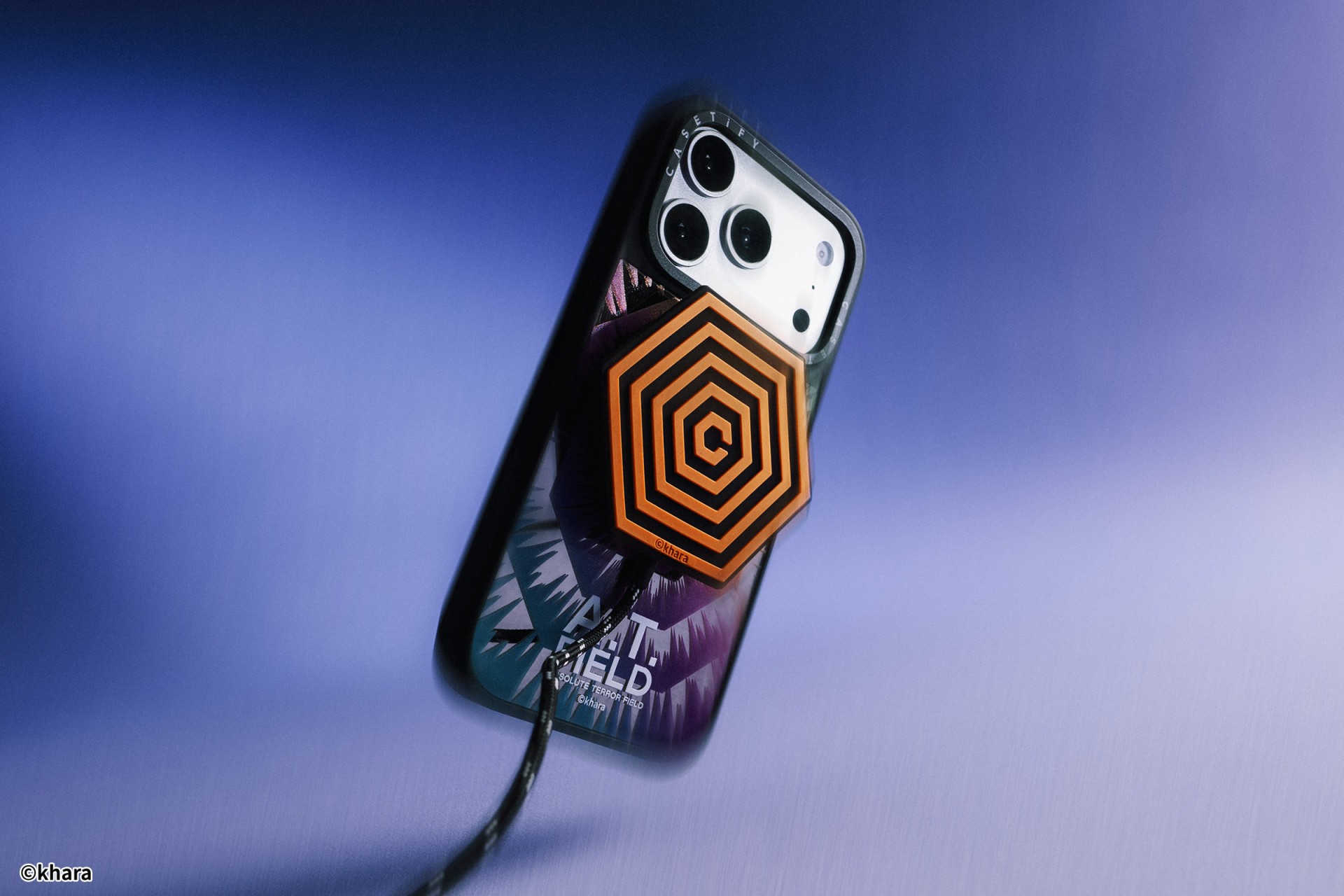
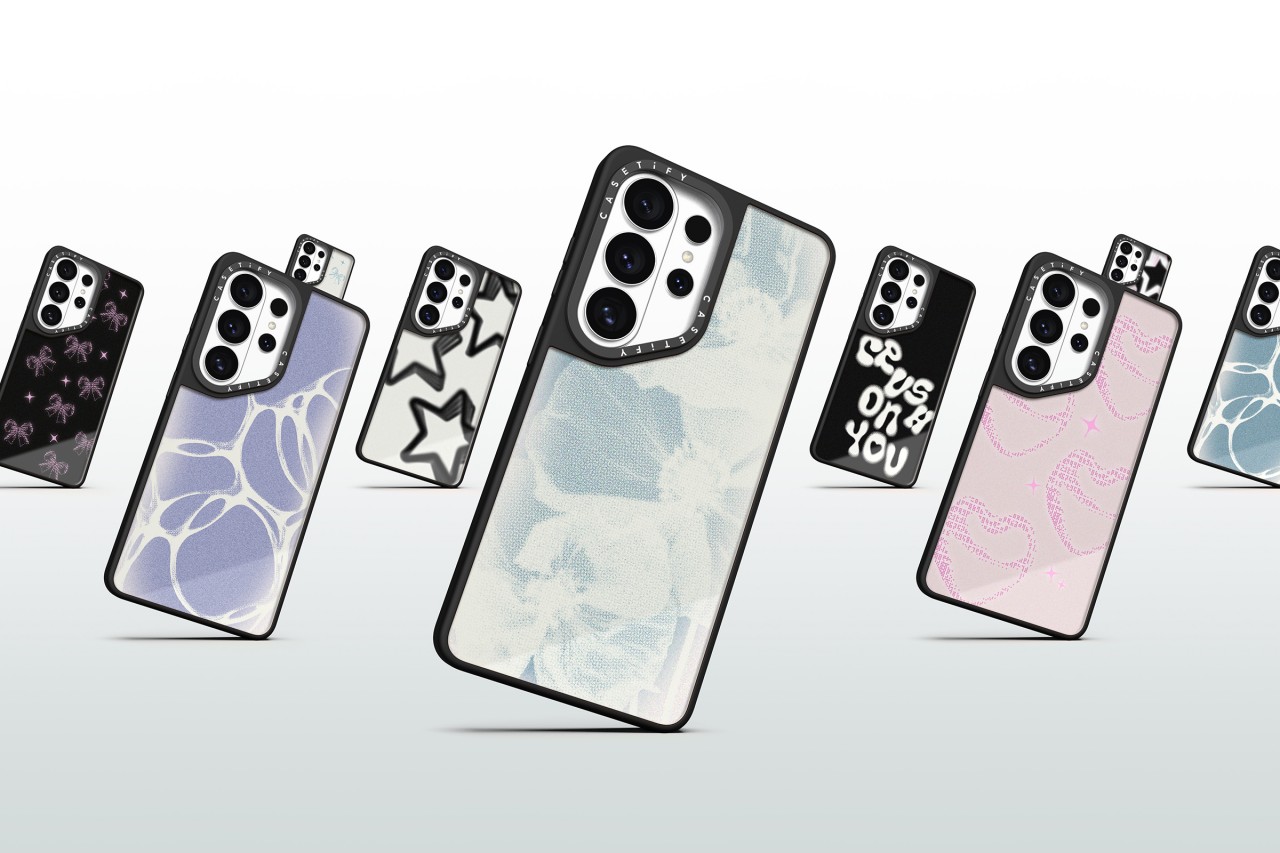
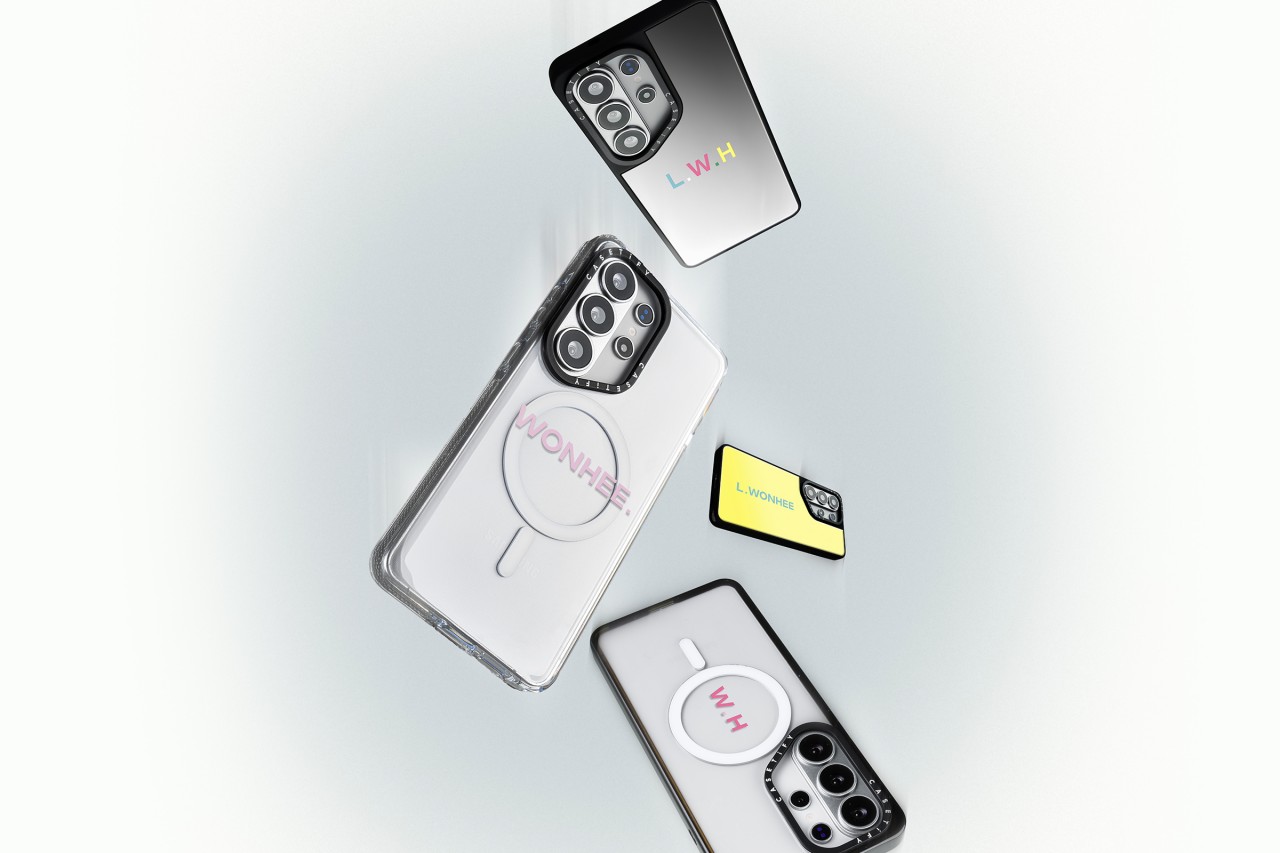
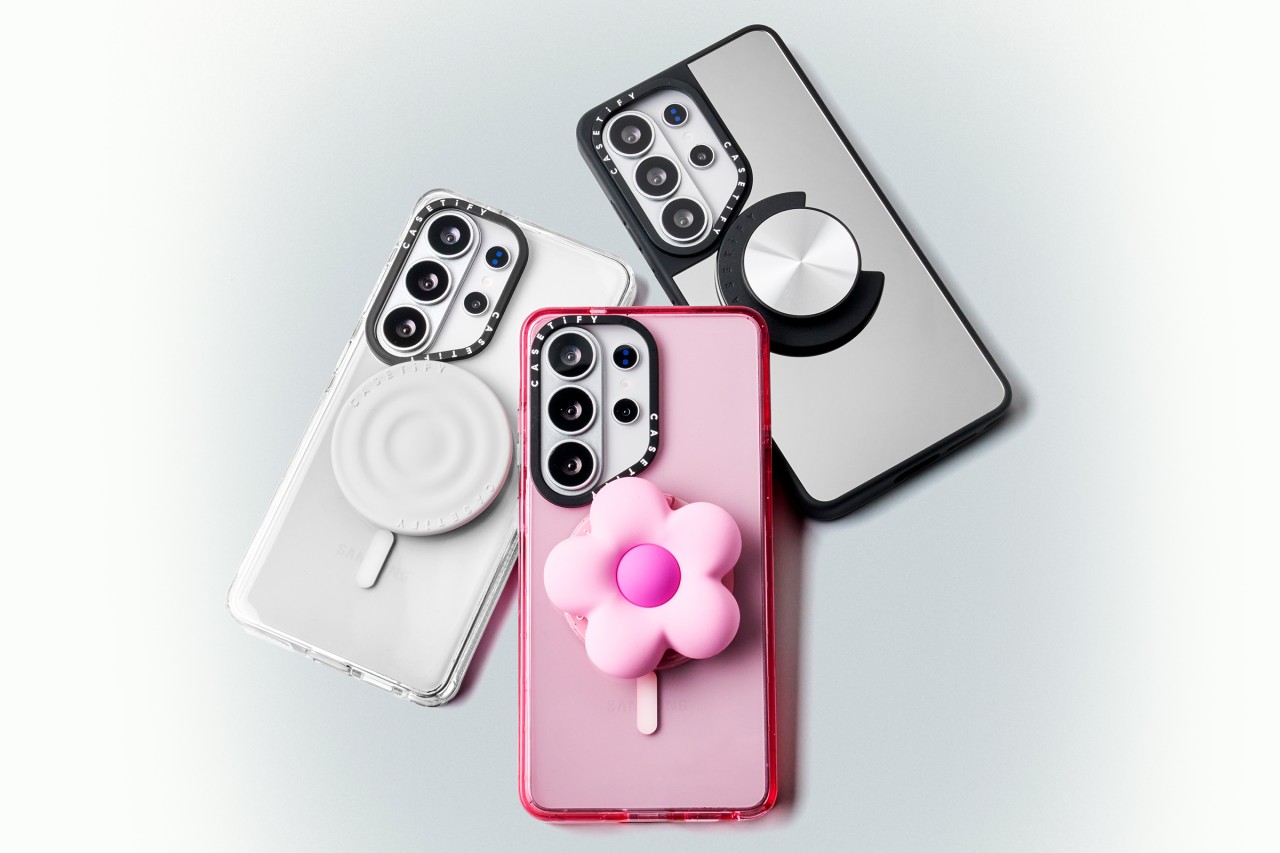
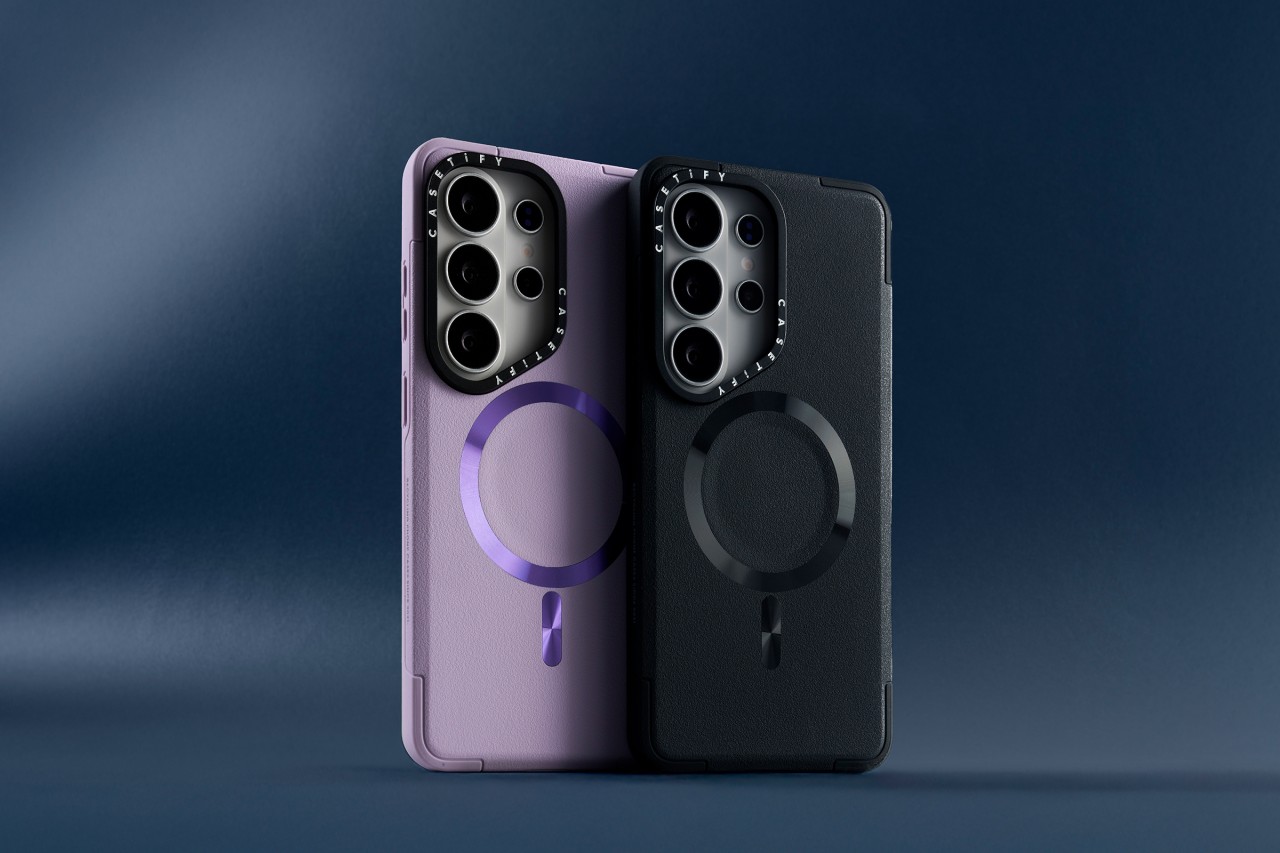
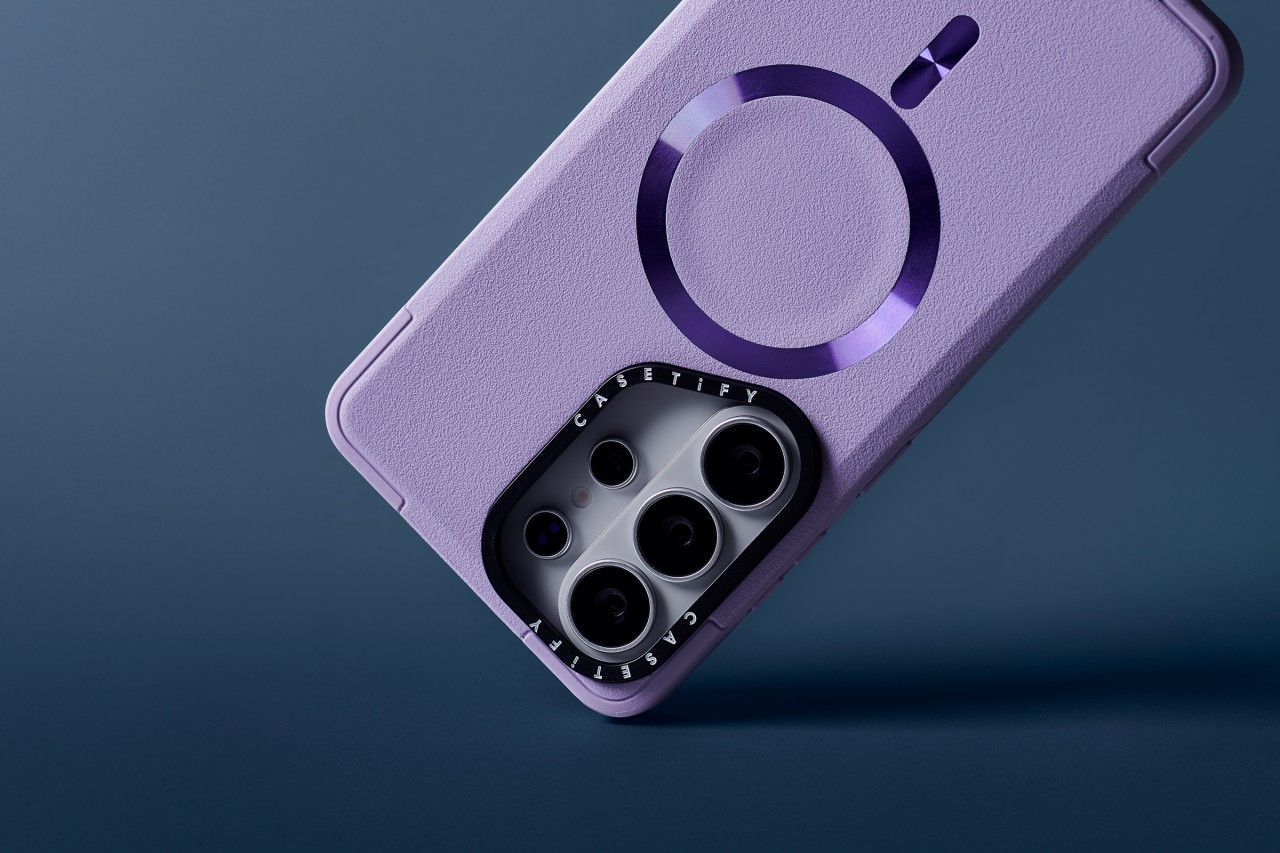
CASETiFY has unveiled its full lineup of cases and accessories for the Samsung Galaxy S26, timed with the flagship’s global debut.
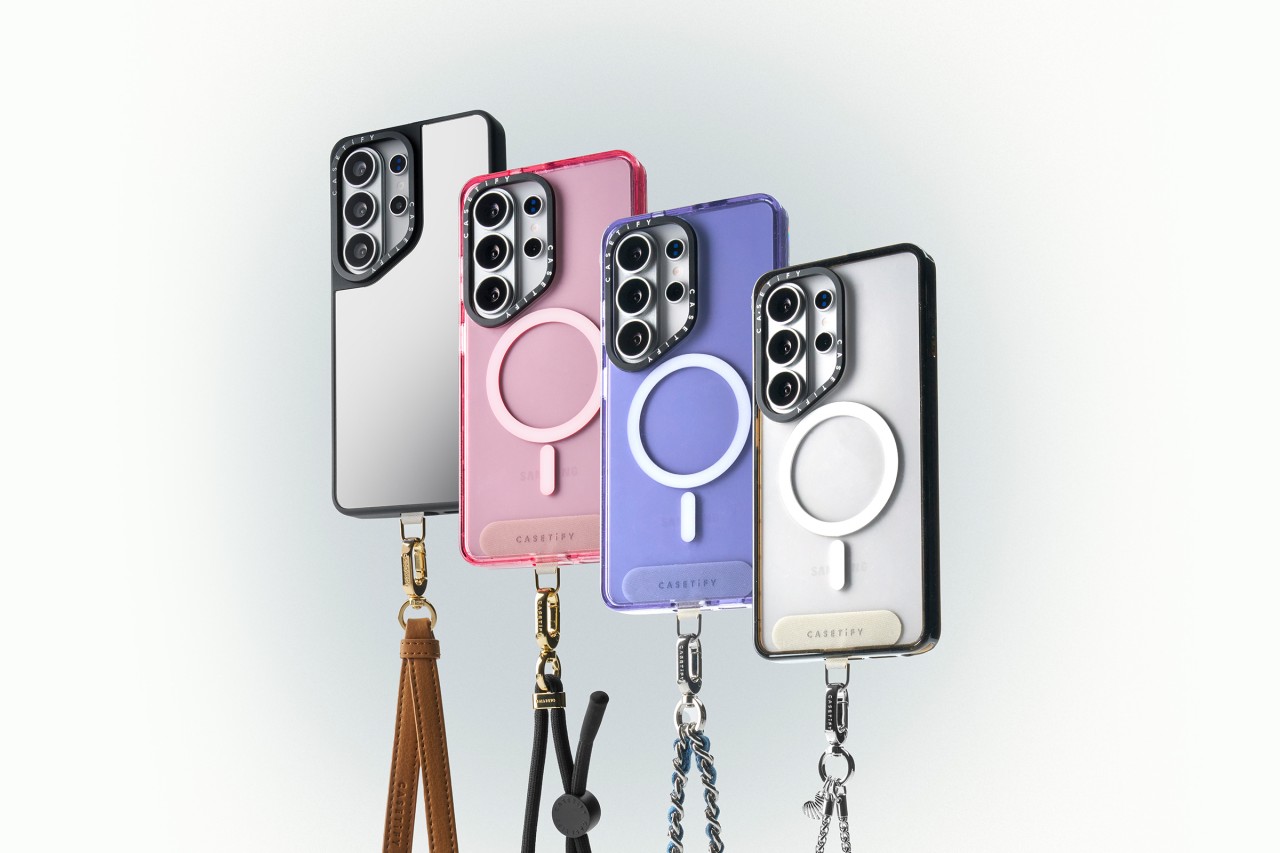
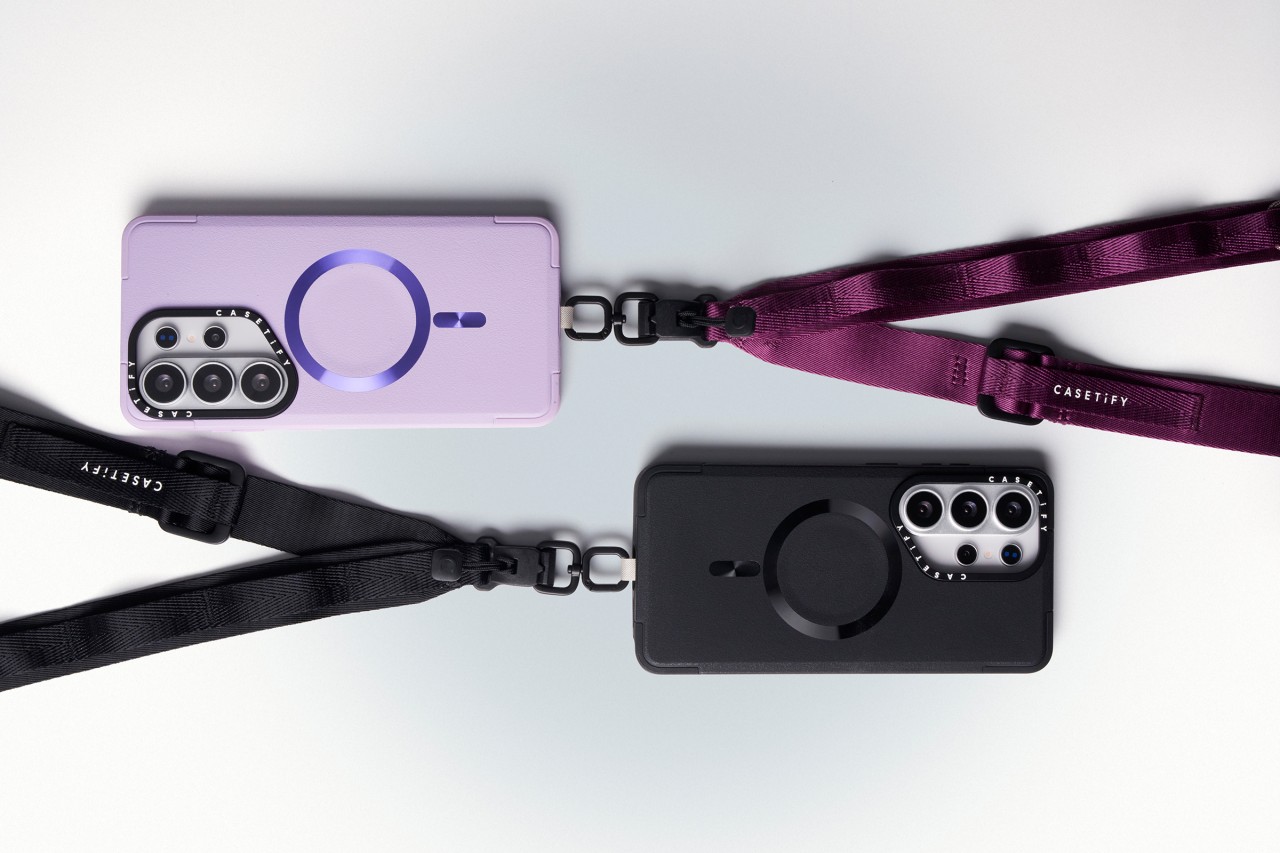
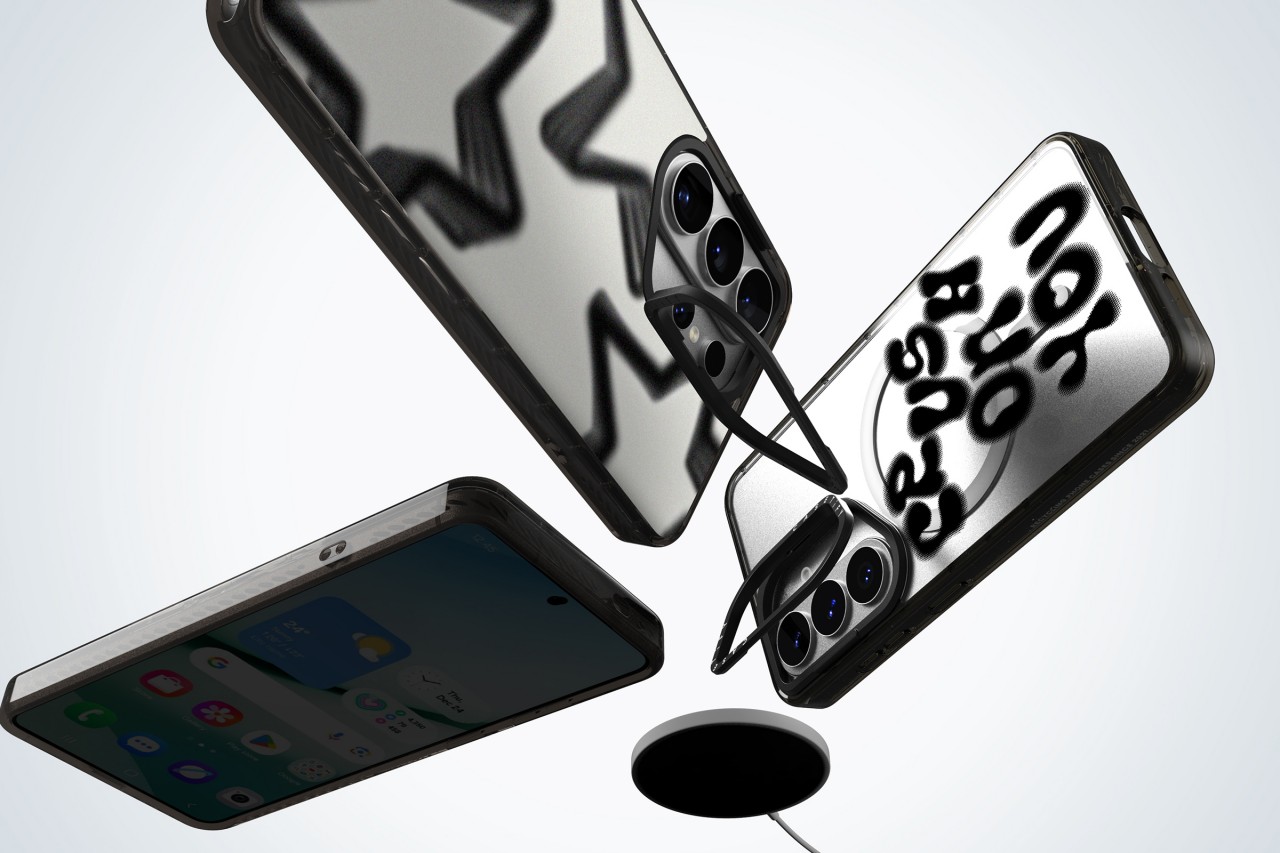
The new collection blends protection with personalization. Users can customize cases with photos and text or choose from bold, artistic prints across multiple case styles. The lineup also includes phone charms, body straps, magnetic accessories, screen protectors, and camera lens covers built specifically for the Galaxy S26.
Orders opened on February 25, 2026 via CASETiFY’s website.
Built for protection and everyday use
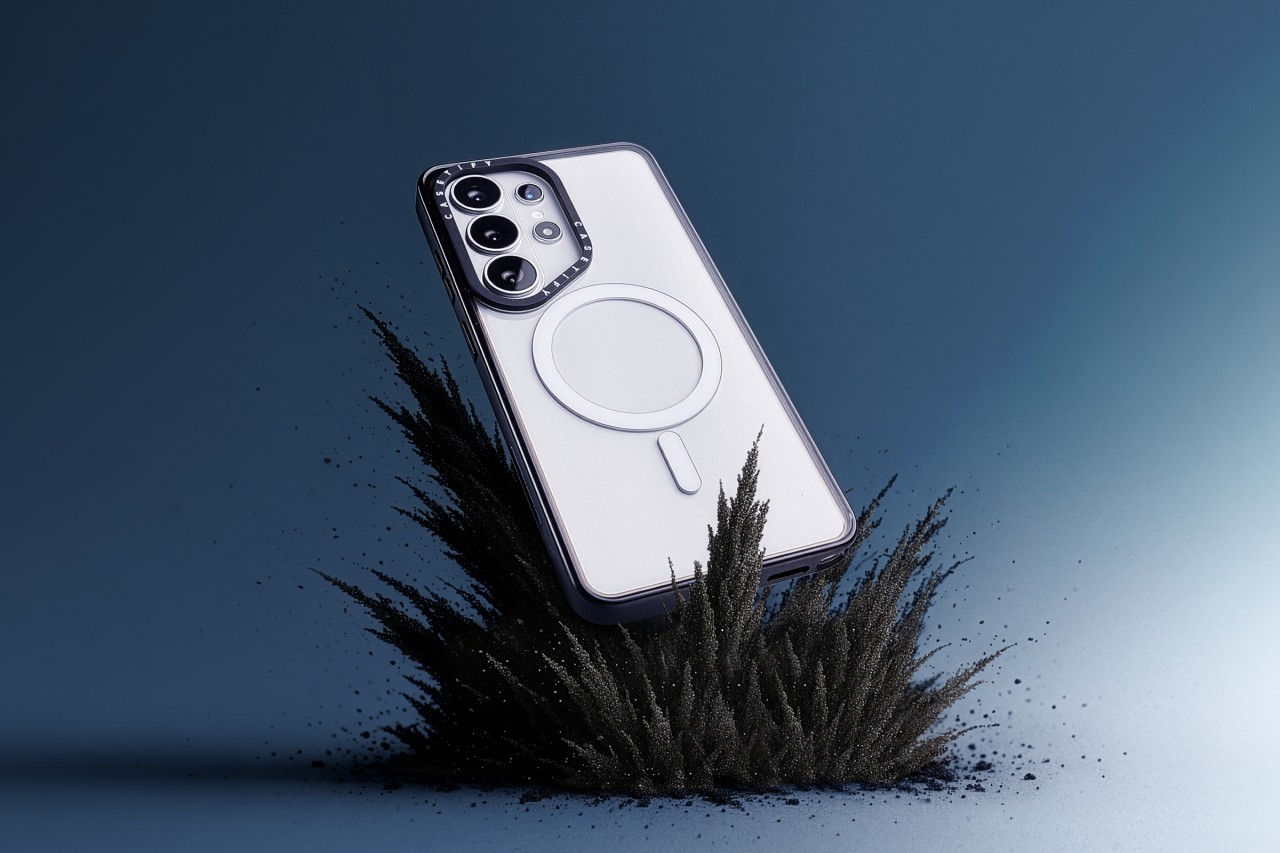
Leading the lineup is the Impact Ring Stand Magnetic Case ($85). It features a lifted camera ring with a built-in stand that adjusts from 0 to 150 degrees for hands-free viewing. The case carries 6.6-foot drop protection, 3x MIL-STD-810G certification, EcoShock cushioning, and CASETiFY’s Duo-Lock bonding system. It also supports wireless charging and magnetic accessories.
The Impact Magnetic Case ($70) increases drop protection to 8.2 feet with 4x MIL-STD-810G certification. It adds side sockets for charms and a raised bezel for screen protection.
For those who prefer a transparent look, the Impact Clear Magnetic Case ($70) focuses on long-lasting clarity and anti-yellowing materials. It offers 6.6-foot drop protection and 3x MIL-STD-810G certification.
Slim, glossy, and grip-focused options
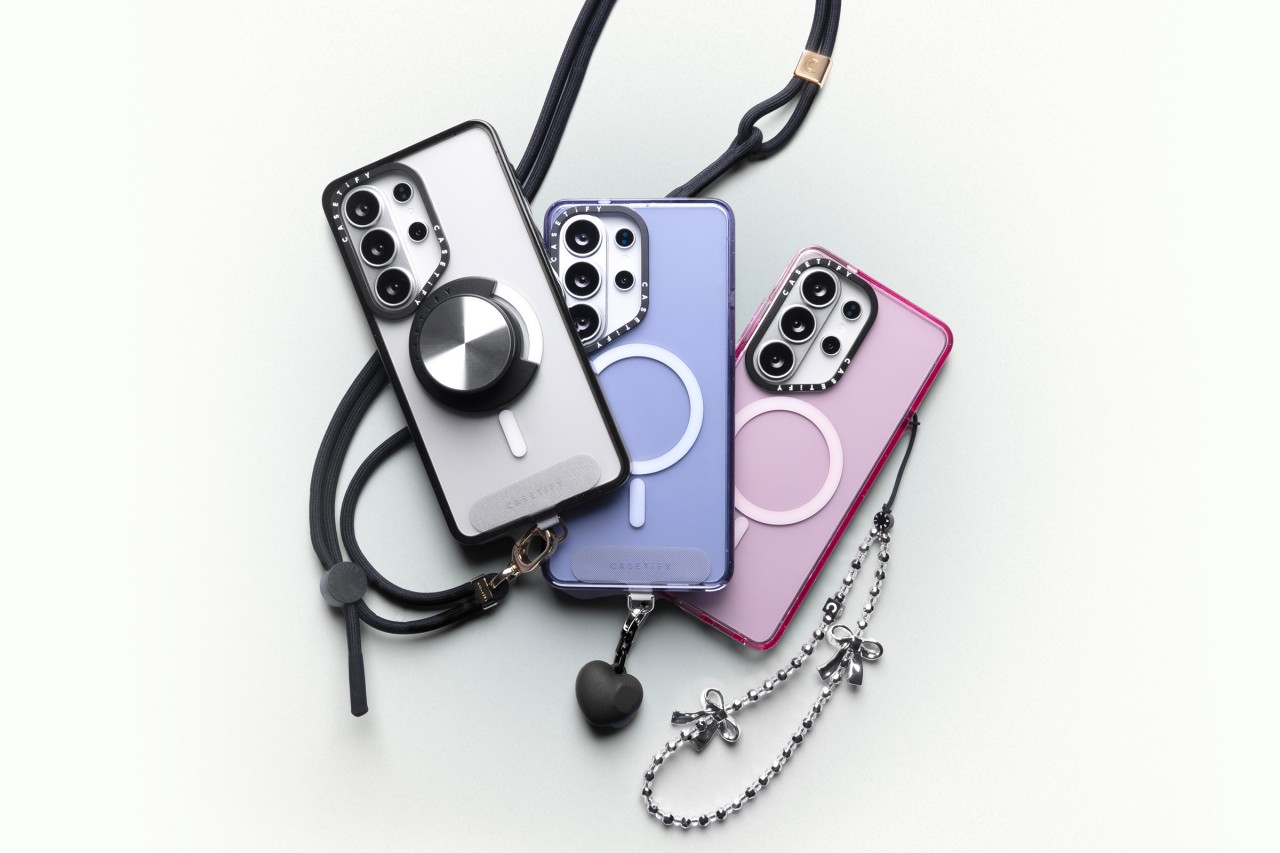
The Mirror Magnetic Case ($70) adds reflective functionality with 4.9-foot drop protection, while the Compact Magnetic Case ($55) targets users who want a lightweight, slim profile with 4-foot drop protection.
The Glaze Magnetic Case ($70) stands out with a scratch-resistant glossy finish and anti-print peel-off technology, paired with mirror functionality and magnetic compatibility.
Rounding out the collection is the Force Case by CASETiFY ($55), designed for enhanced grip and durability. It delivers 6.6-foot drop protection, 3x MIL-STD-810G certification, Duo-Lock bonding, and full wireless charging support.
With multiple case styles and accessory options, CASETiFY’s Galaxy S26 collection gives users room to match their device to their personality without compromising protection.
Accessories
Xiaomi launches latest ecosystem devices: Watch 5, Redmi Buds 8 Pro, more
Smart, on-the-go products debut
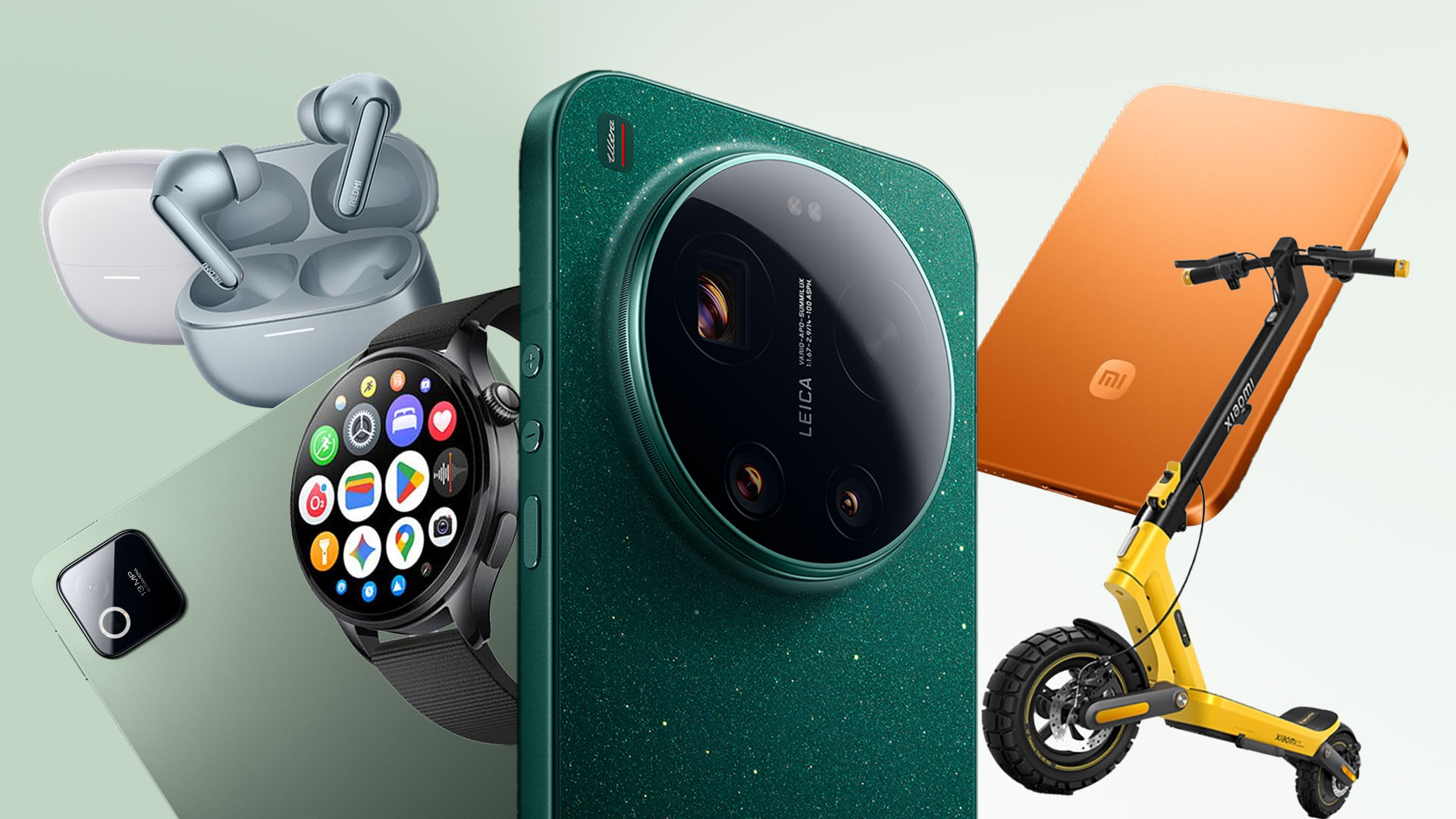
Xiaomi has launched an entire slate of smart, on-the-go devices as part of their major first quarter ecosystem release.
These products, ranging from smartwatches to earbuds to smart home devices and electric scooters, were introduced alongside the flagship Xiaomi 17 series smartphones and Xiaomi Pad 8 series tablets.
All are now available in the Philippines. Here’s a quick rundown.
Xiaomi Watch 5
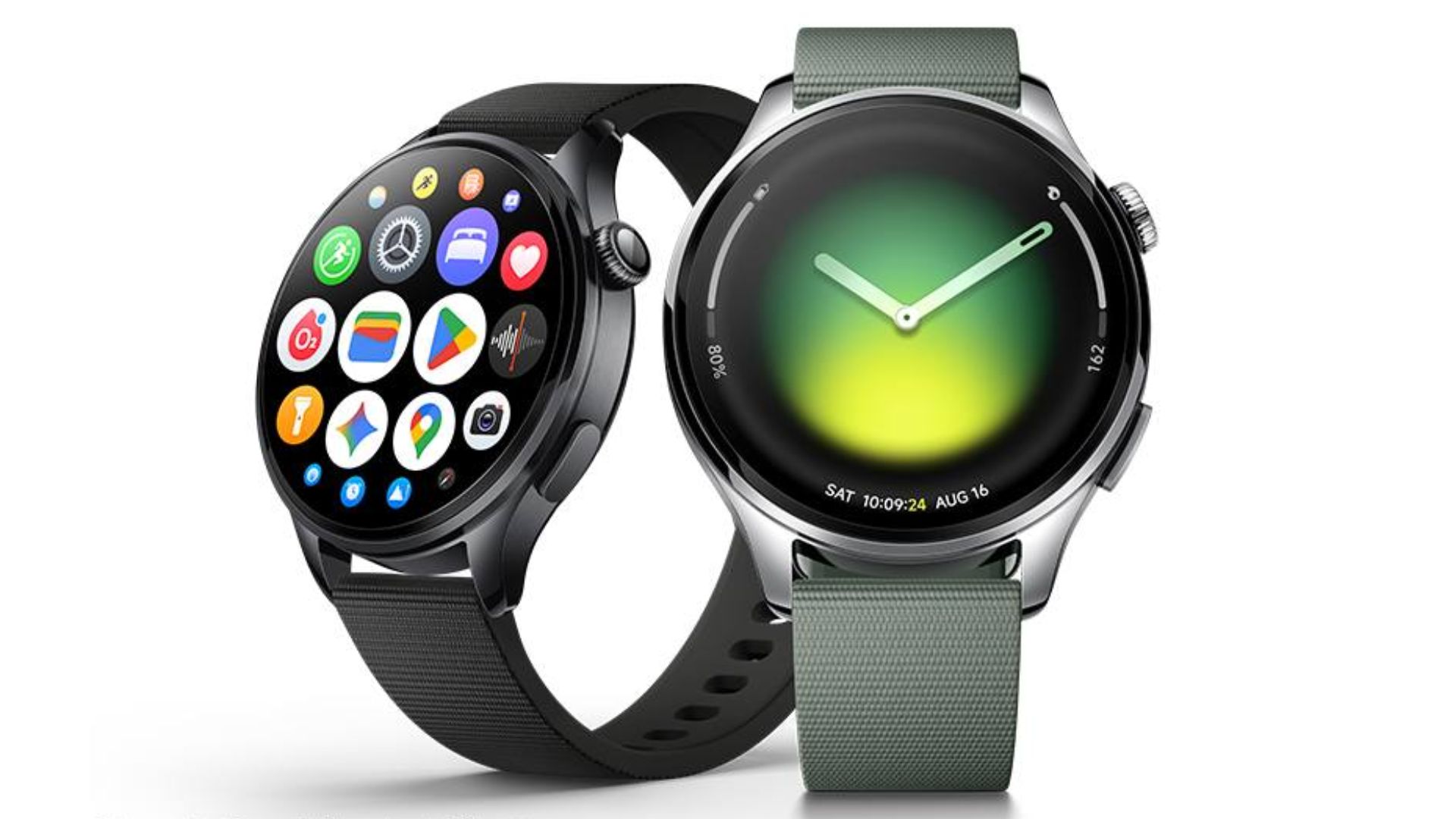
Price: PhP 18,999
The Xiaomi Watch 5 runs on Wear OS by Google. It has a large 1.54-inch display reinforced by strong sapphire glass.
The watch has a stainless steel middle frame, and a flagship dual-chipset design. Inside are the Snapdragon W5 Gen 1 and BES2800 low-power processor.
Users can leverage quick gestures with EMG, IMU, and PPG sensors for essential actions. Such can execute tasks like dismissing calls, silencing alarms, launching workouts, and more.
As usual, there are several sport modes, and advanced health monitoring features, which have been refined to deliver a better experience.
Redmi Buds 8 Pro

Price: PhP 3,999
The wearable leverages a 3-mic system with up to 12 m/s wind noise cancellation and up to 55dB ANC.
Inside are coaxial triple drivers for rich sound complemented by Dolby Audio. There are three color options: Obsidian Black, Cloud White, and Glacier Blue.
Users can enjoy up to 33 hours of playback along with its charging case.
As a quick addition, a Xiaomi Tag is available for PhP 899 for a single piece or PhP 2,799 for the four-pack.
This tool is compatible with Apple Find My or Google Android Find Hub, working within a user’s chosen OS ecosystem.
Xiaomi UltraThin Magnetic Power Bank 5000
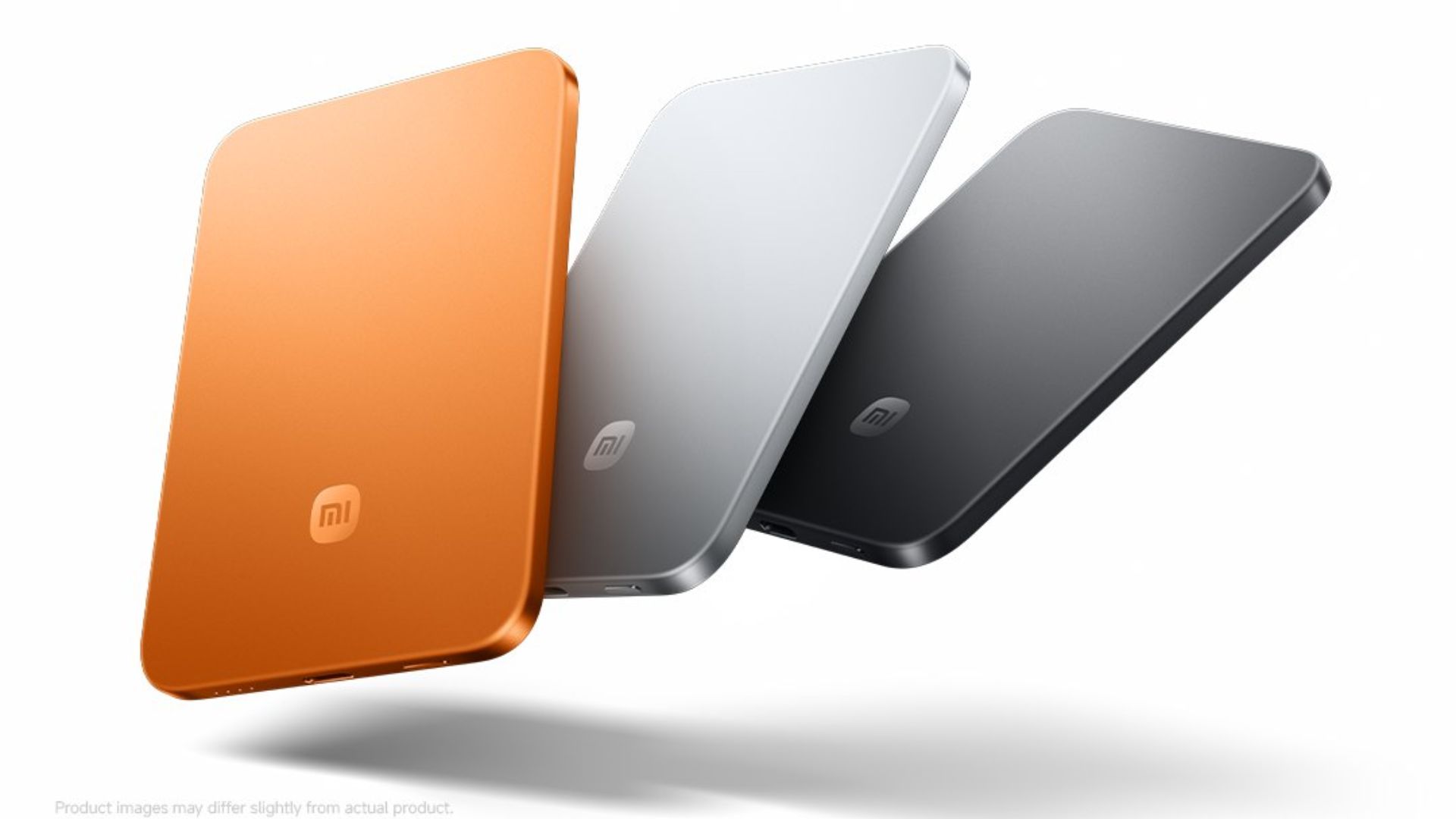
Price: Php 3,699 (Black and Silver) | PhP 3,899 (Radiant Orange)
Furthermore, Xiaomi’s latest power bank supports simultaneous charging of two devices while sporting a slim and portable look.
It is capable of up to 15W of wireless charging, and 22.5W of USB-C fast charging.
Xiaomi Smart Dehumidifier
Price: PhP 14,999 | PhP 9,499 (Lite)
For smart home devices, the company’s latest dehumidifier has 5 noise-reduction designs for as low as just a 35.8dB ambient noise.
It features smart dehumidification, an external drainage, and three modes, including a clothes drying mode.
Xiaomi Electric Scooter 6 Ultra

Price: PhP 46,999
Lastly, Xiaomi’s latest electric scooter is all about upgrades. It has improved front and rear disc brakes, as well as 12-inch tires.
The e-scooter comes with dual swing-arm suspension for better support, an ergonomic design, and a 3-inch display for the rider.
It also has a 1200W peak power with Boost mode, which is vital for uphill climbs or quick acceleration.
On a full charge, the ridable is capable of a 75-kilometer range, making it fit for casual commutes around the city and quick trips.
Other variants include the Electric Scooter 6 Lite and Electric Scooter 6 to suit
All the aforementioned Xiaomi AIoT devices are available at Xiaomi Authorized Stores nationwide, as well as Lazada and Shopee.


Apple Music, TikTok launch Play Full Song, a new music discovery experience

Resident Evil Requiem will get a story expansion

Samurai Champloo is getting a live-action adaptation

BYD is reportedly considering an F1 team

ARTMS Heejin shows KPop concert day through Ray-Ban Meta glasses


-

 News2 weeks ago
Xiaomi 17 Ultra is now available outside China
-

 MWC 20261 week ago
TECNO showcases cool concepts at MWC 2026
-

 MWC 20261 week ago
Infinix NOTE 60 Ultra makes a motorsport-inspired debut
-

 MWC 20261 week ago
TECNO launches the all-new CAMON 50 series
-

 MWC 20262 weeks ago
TECNO resurrects modular phones with this new concept
-

 Reviews1 week ago
TECNO CAMON 50 Ultra review: End of an era?
-

 Reviews2 weeks ago
Xiaomi Pad 8 review: Slab that slaps!
-

 Reviews2 weeks ago
Forget the Phone: Xiaomi 17 Ultra Is A CAMERA!