

Features
Huawei Mate 30 Pro vs iPhone 11 Pro Max: Which flagship is your GadgetMatch?
Battle of two of the best smartphones on the market

Announced just a day apart, the Mate 30 Pro and the iPhone 11 Pro Max are two of the best smartphones on the market today. They are the newest and best that Huawei and Apple have on offer. Not only do they offer the most advanced and optimized chipsets right now, they also offer a lot of new features.
Let’s see how they fare when compared side by side.
Display and design
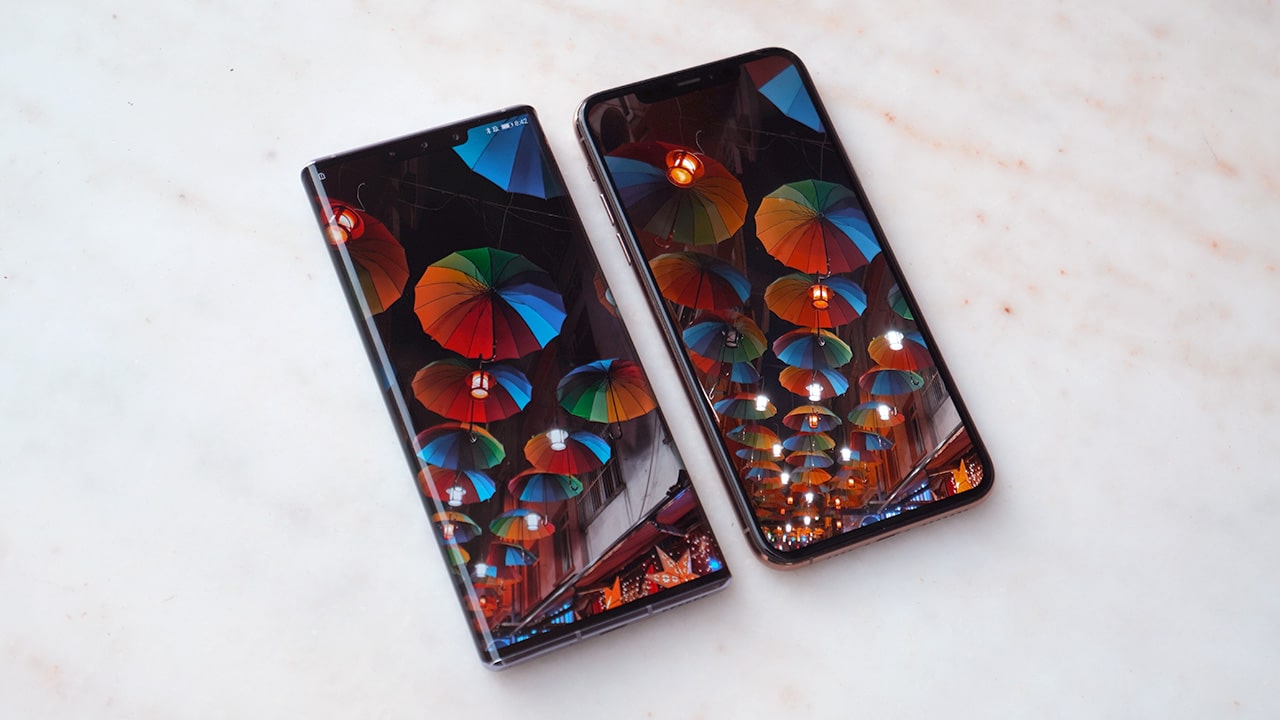
Both the Mate 30 Pro and the iPhone 11 Pro Max have gigantic displays at 6.53” and 6.5” respectively. The Mate 30 Pro’s Horizon Display is gorgeous, with the edges tapering that you don’t see the small side bezels when using the phone. The iPhone 11 Pro’s Super Retina XDR OLED Display is flat, with proportional bezels all around.
The Mate 30 Pro’s curved OLED display is not just for aesthetics, however. Having the display taper on the sides allow for side-touch interaction, so you can adjust the volume without having physical buttons. This can also be used as controls in certain games, such as aiming and shooting at the enemy.
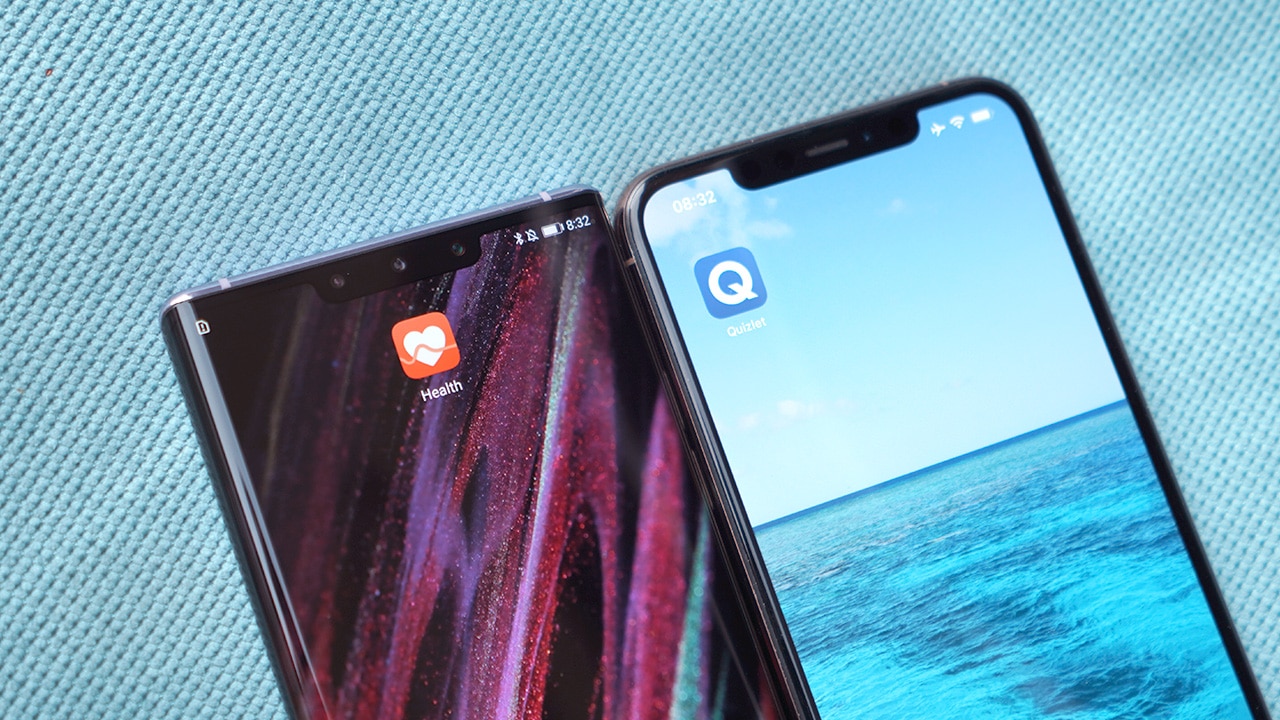
They both have big notches that house not only the selfie camera but a variety of sensors for fast and secure face unlock as well. The Mate 30 Pro’s notch also allows for air gestures, so you can navigate your phone without touching the screen. This also allows for a Dual Biometric Authentication. Aside from face unlock, you also get a fast in-display fingerprint scanner as a biometrics option.
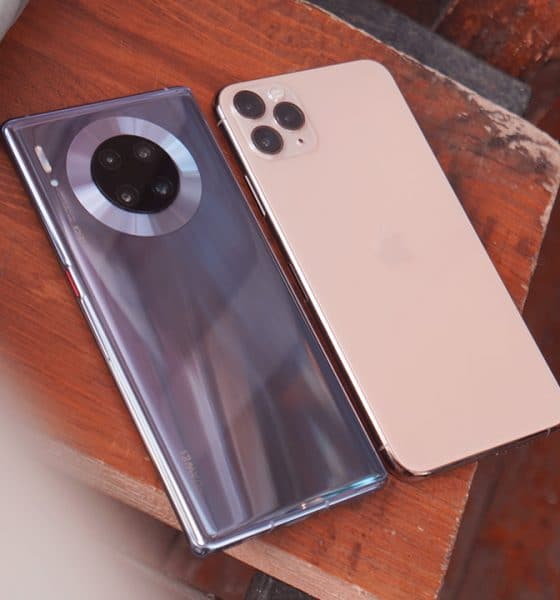
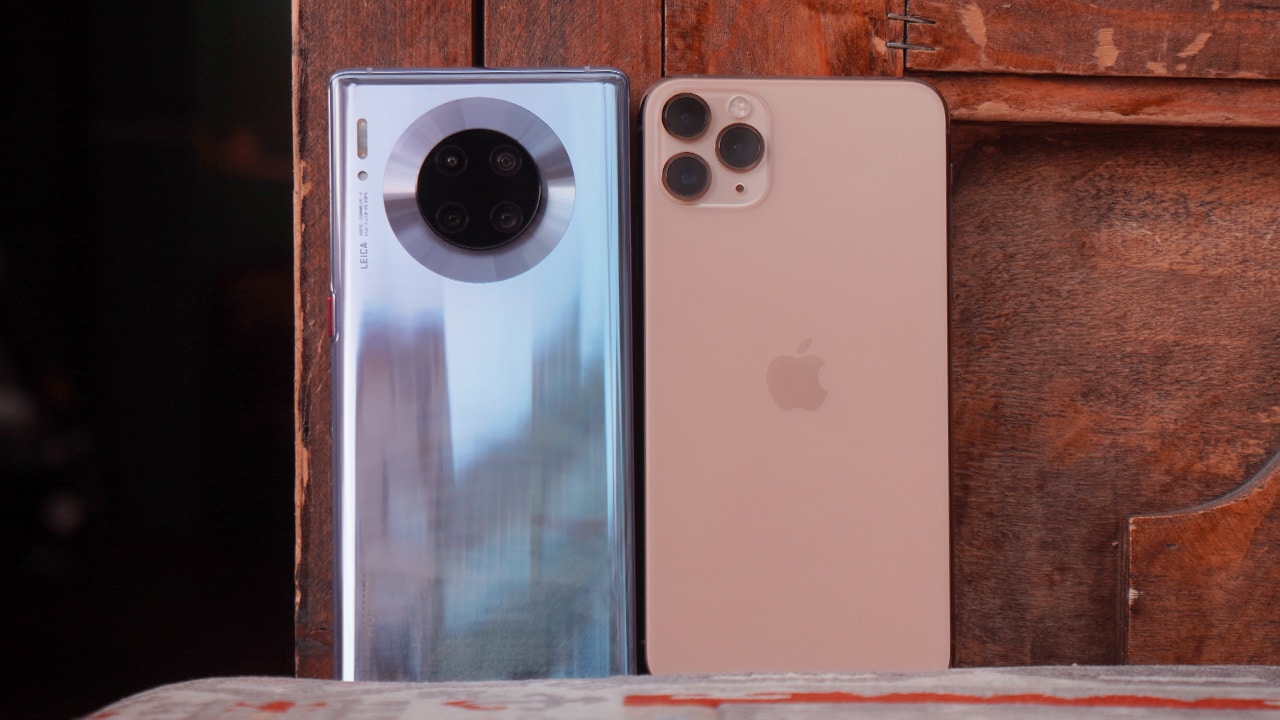
Flipping the phones around will show two completely different designs and finishes: Huawei has a glossy glass back, while Apple switched to a matte finish. The Mate 30 Pro also features a round camera module centered at the top of the phone. They’re calling this the Halo design and it gives the Mate 30 Pro a unique look. The iPhone, meanwhile, has a square module on the upper left corner of the phone.
Both Huawei and Apple make their own chipsets and both the Mate 30 Pro and the iPhone 11 Pro Max get the latest and best they have to offer: Kirin 990 and A13 Bionic respectively.
The Mate 30 Pro offers bigger memory at 8GB, while the iPhone only has 4GB. The Huawei flagship also has expandable storage through a nano memory card, if the 128GB or the 256GB options are not enough. With the iPhone 11 Pro Max, you get either a non-expandable 64GB, 256GB, or 512GB of storage.
User Interface
Both Huawei’s EMUI 10 and Apple’s iOS 13 are fast. They both have dark mode, and a wide variety of new features.
On the Mate 30 Pro you can activate the Always On Display, so you don’t have to turn the display on when you want to check the time or certain notifications.
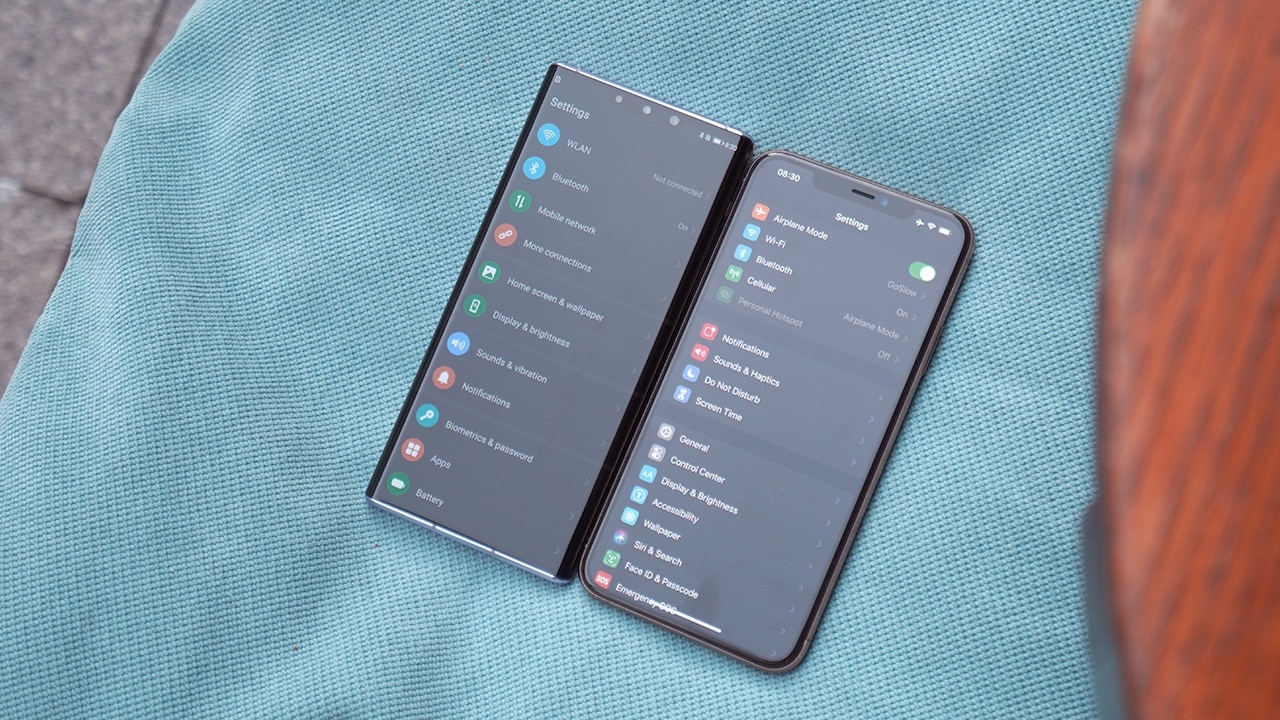
Multiscreen collaboration is another useful feature on EMUI 10. If you own both a Mate 30 Pro and a MateBook X Pro for example, you can mirror your phone’s screen on the laptop and control the apps from there. You can drag and drop files easily and send and receive texts from your laptop as well. Using Huawei Share OneHop, you can transfer images, videos, and documents wirelessly as well. OneHop Screen Recording allows you to record the screen of your laptop by simply shaking your phone. OneHop Clipboard Sharing, you can copy any text on your phone and paste it on your laptop, and vice versa.
With the iPhone 11 Pro Max you can also do a similar integration with any Apple laptop as most things are synced. You can transfer files via AirDrop, send and receive messages and calls on your laptop, and with Universal Clipboard you can copy and paste text from your phone to your laptop, and vice versa.
Battery life and charging
Huawei flagships have always been known to have long lasting batteries and the same can be said about the Huawei Mate 30 Pro. With its massive 4500 mAh battery, the phone can last a day and a half of heavy use, or two days with moderate use. The iPhone 11 Pro Max has a smaller 3969 mAh battery, which lasts about a day of heavy use.

When it comes to charging, the Mate 30 Pro is capable of Dual SuperCharge. It comes bundled with a super fast 40W charger that can get you to 100% full charge in a just a little over an hour via its USB-C port. A 15-minute top-up charges the phone to up to 40%. It’s also compatible with Huawei’s new 27W Wireless SuperCharge Go, which can charge the phone faster than most wired chargers available today.
Meanwhile, the iPhone 11 Pro comes bundled with an 18W fast charger. Plugging the phone for 15 minutes will render over 25% charge, while a full charge takes about 1 hour and 45 minutes.
Cameras
Most smartphones nowadays can already take amazing photos comparable to those taken with a professional camera. Both the Mate 30 Pro and the iPhone 11 Pro Max have reliable and versatile cameras that you can depend on.
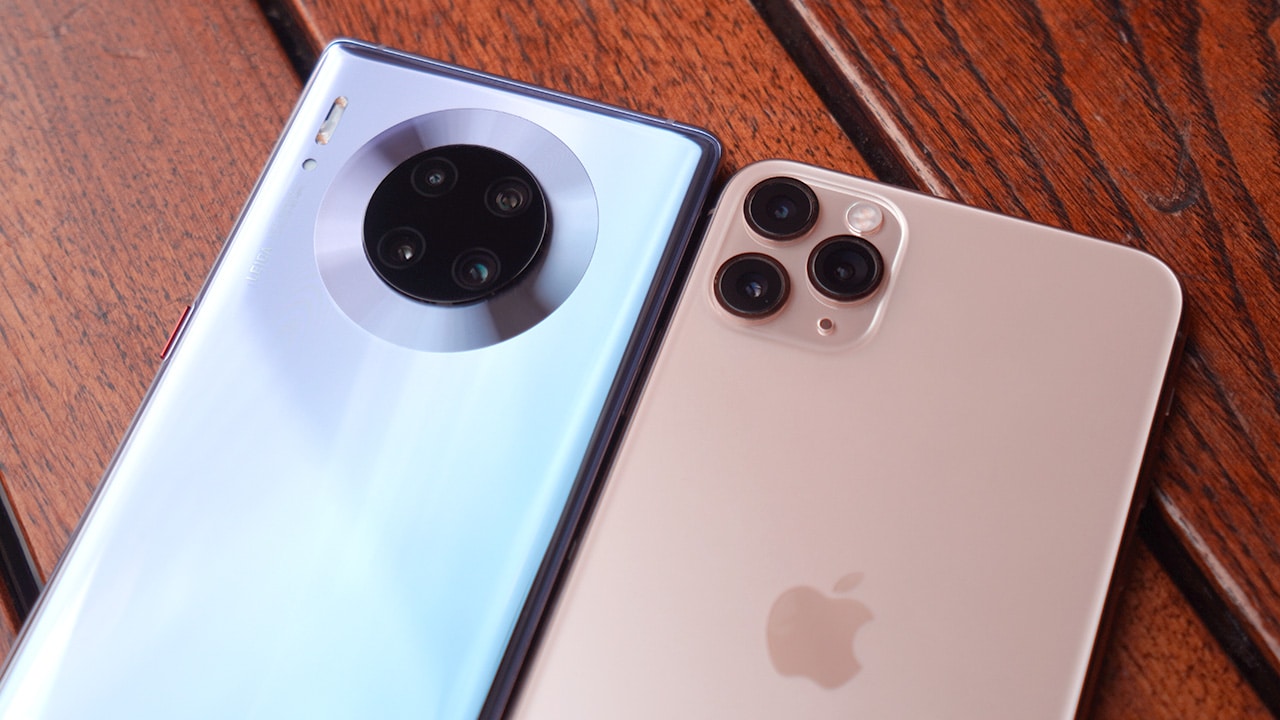
The iPhone 11 Pro Max has three 12MP rear cameras: wide angle lens, 2x telephoto lens, and an ultra-wide angle lens. It also supports 4K video up to 60 fps and 1080p slow motion at up to 240 fps.
The Mate 30 Pro has four: a 40MP wide angle lens, 8MP 3x telephoto zoom, 40MP ultra-wide Cine Camera, and a 3D Time-of-Flight camera for depth sensing and low light images. This combination takes amazing photos, that DxOMark gave the Mate 30 Pro an impressive score of 131 points, making it the best smartphone camera for stills. The 40MP Cine Camera supports ultra low light video of ISO 51200, comparable to cameras used by professionals. It’s also able to take ultra slow motion video of up to 7680 fps which can capture bursting bubbles previously only possible with professional cameras.
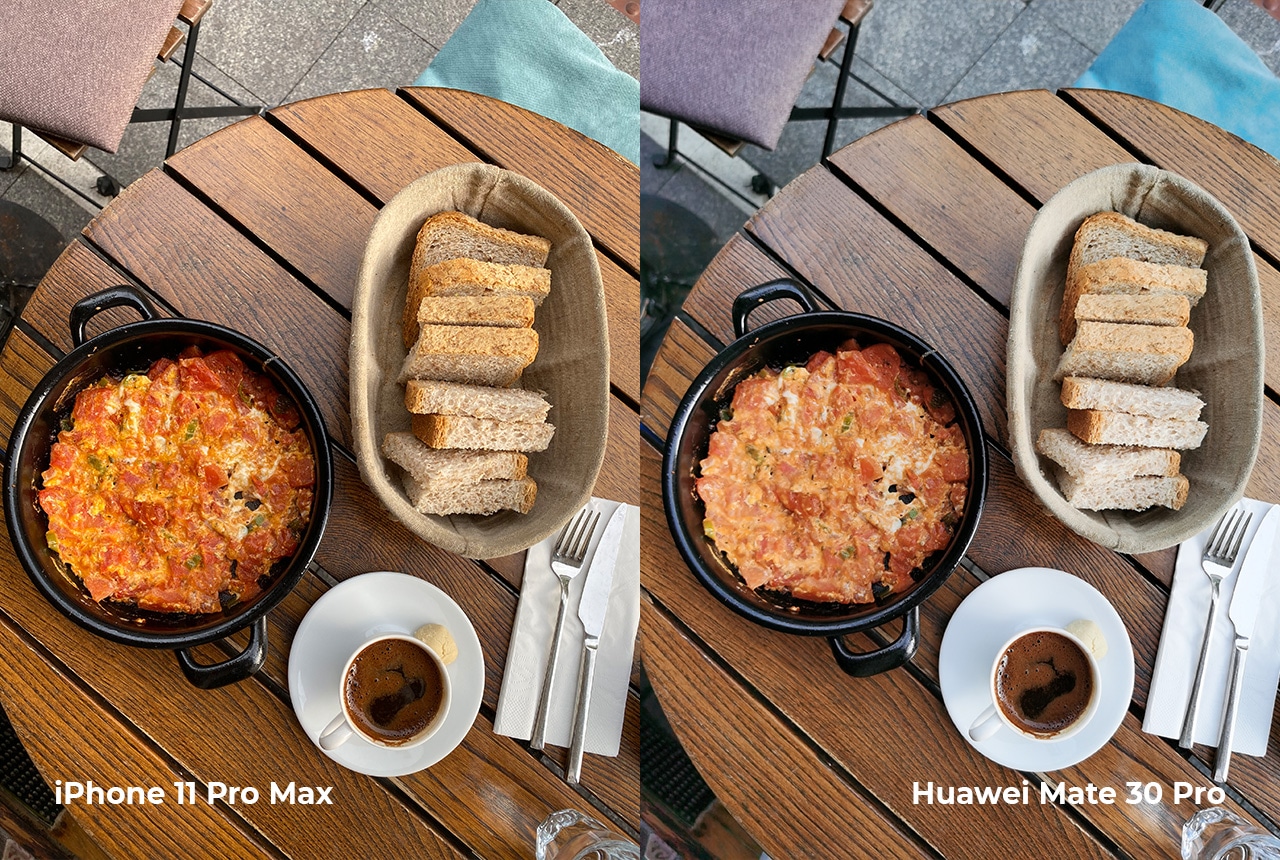
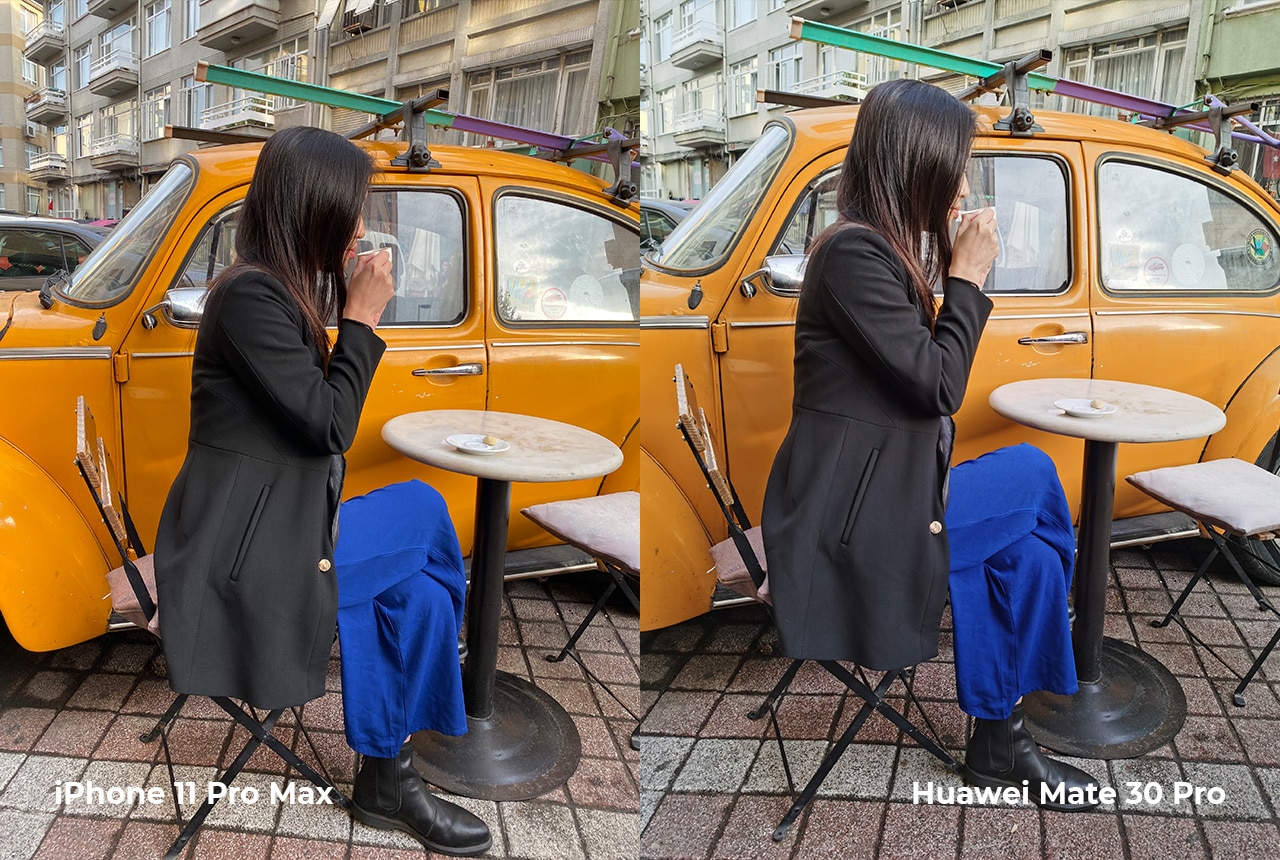

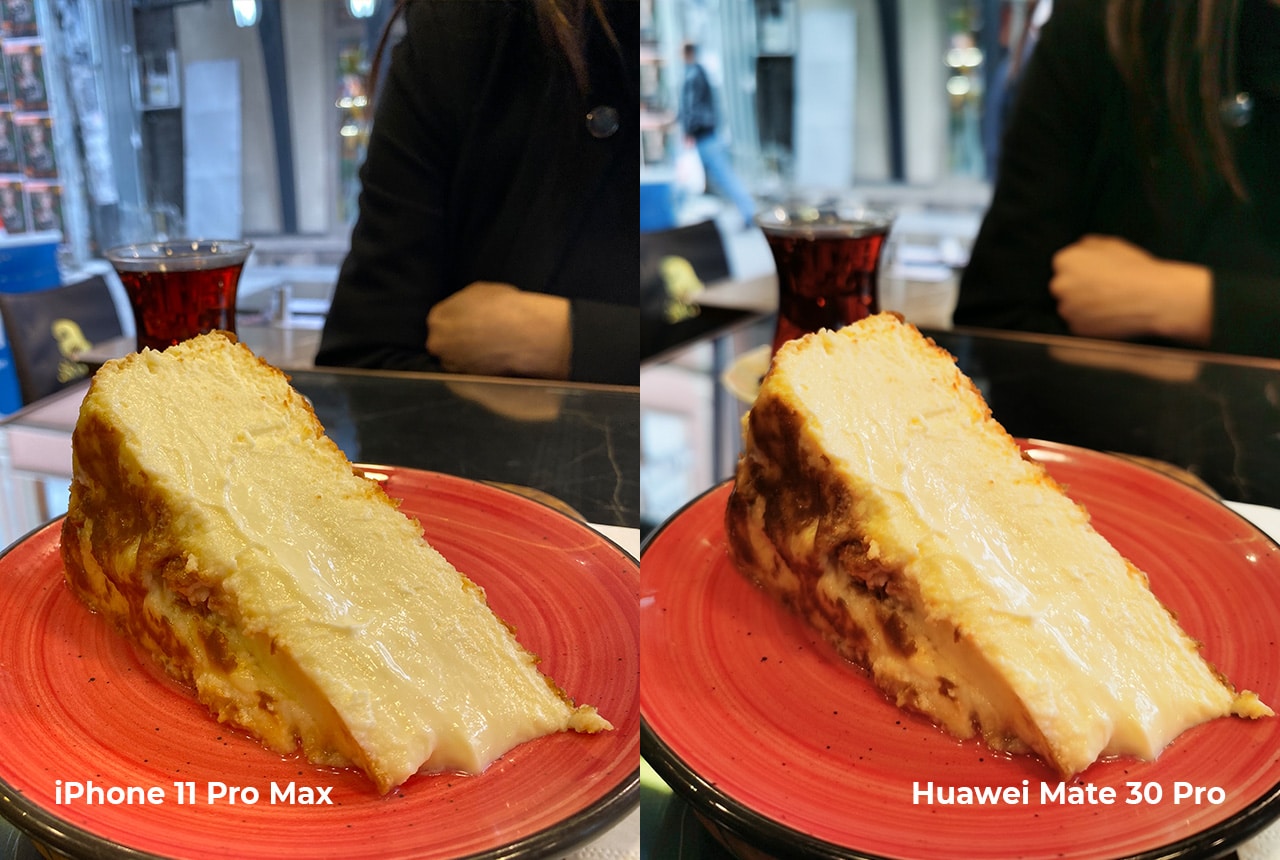
During the day both phones take great photos, but sometimes differ in processing depending on the lighting condition. Food looks more appetizing on the iPhone, while backlit photos are handled better by the Mate 30 Pro.

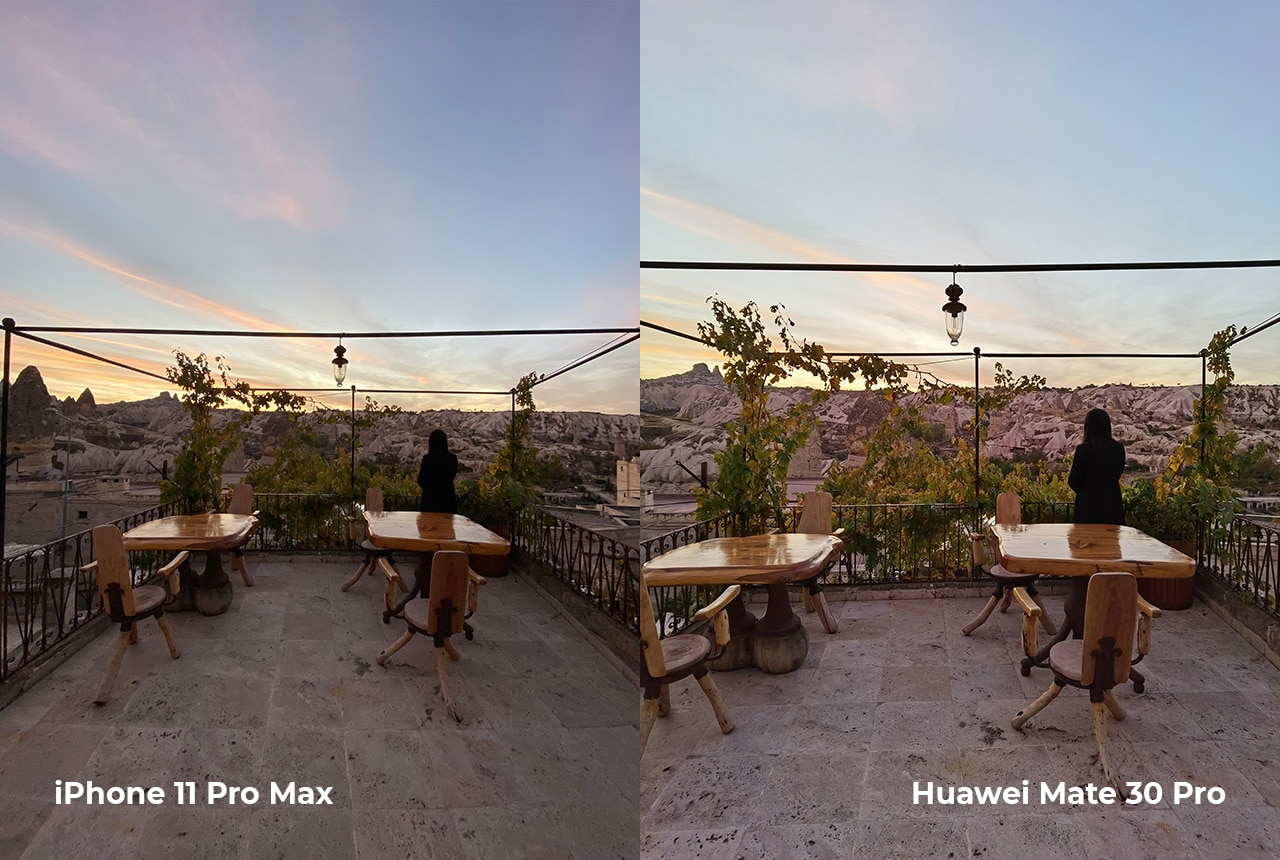
The iPhone 11 Pro Max takes ultra-wide angle photos at a 4:3 aspect ratio, while the Mate 30 Pro captures them at 3:2.
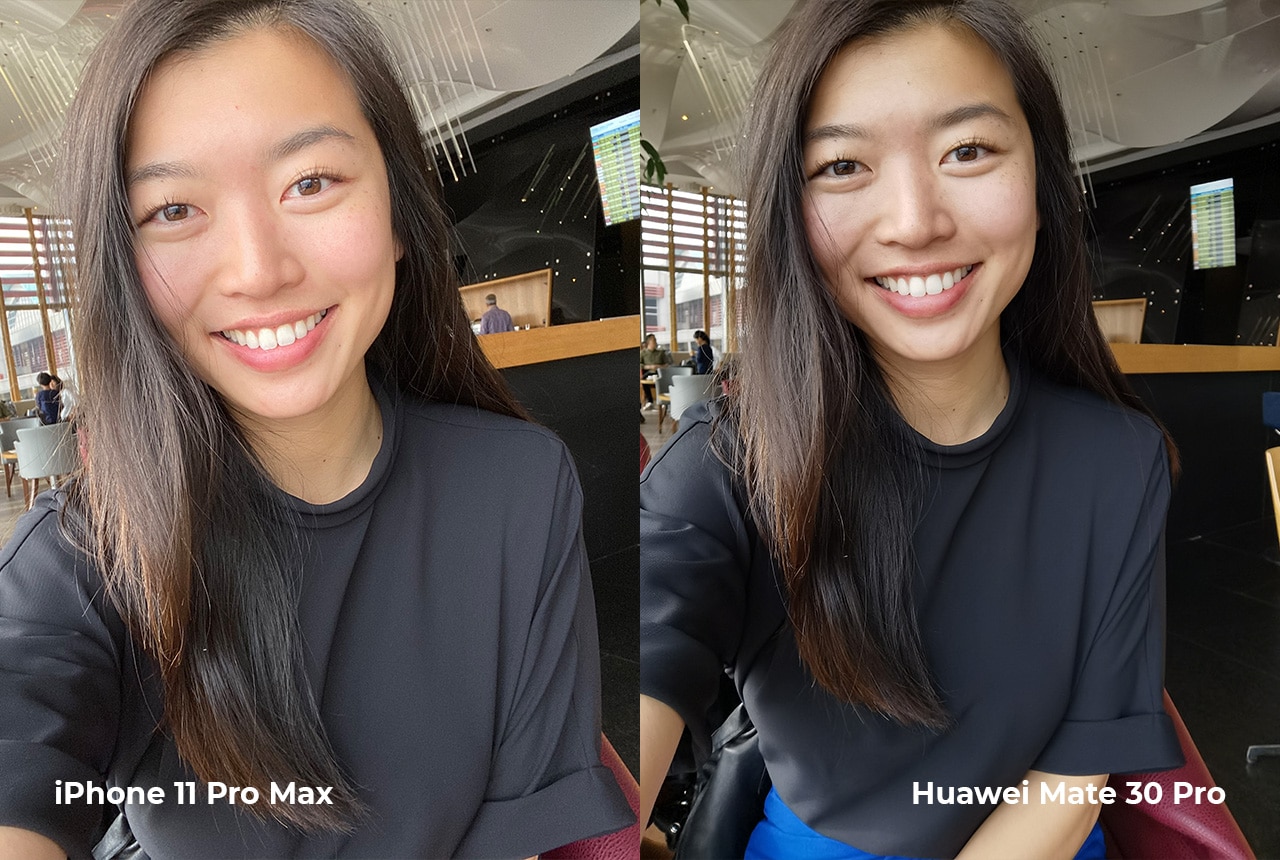
At the front the iPhone sports a 12MP selfie camera, while the Mate 30 Pro sports a 32MP selfie camera. Selfies on the Mate 30 Pro have a slightly wider field of view, while the iPhone selfies are little bit tighter. Using the front facing 3D Depth Sensing Camera, it can capture a more accurate depth of field information when taking selfies as well.

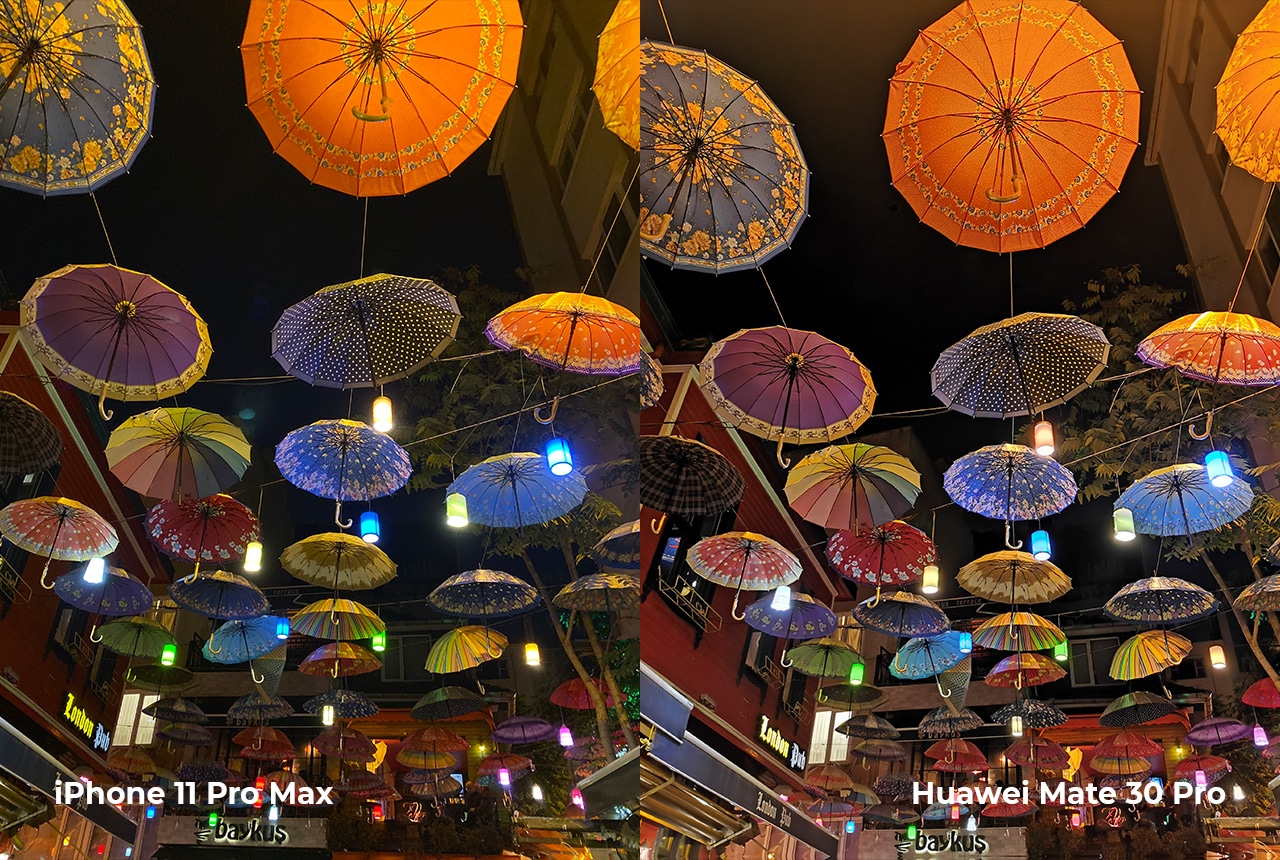
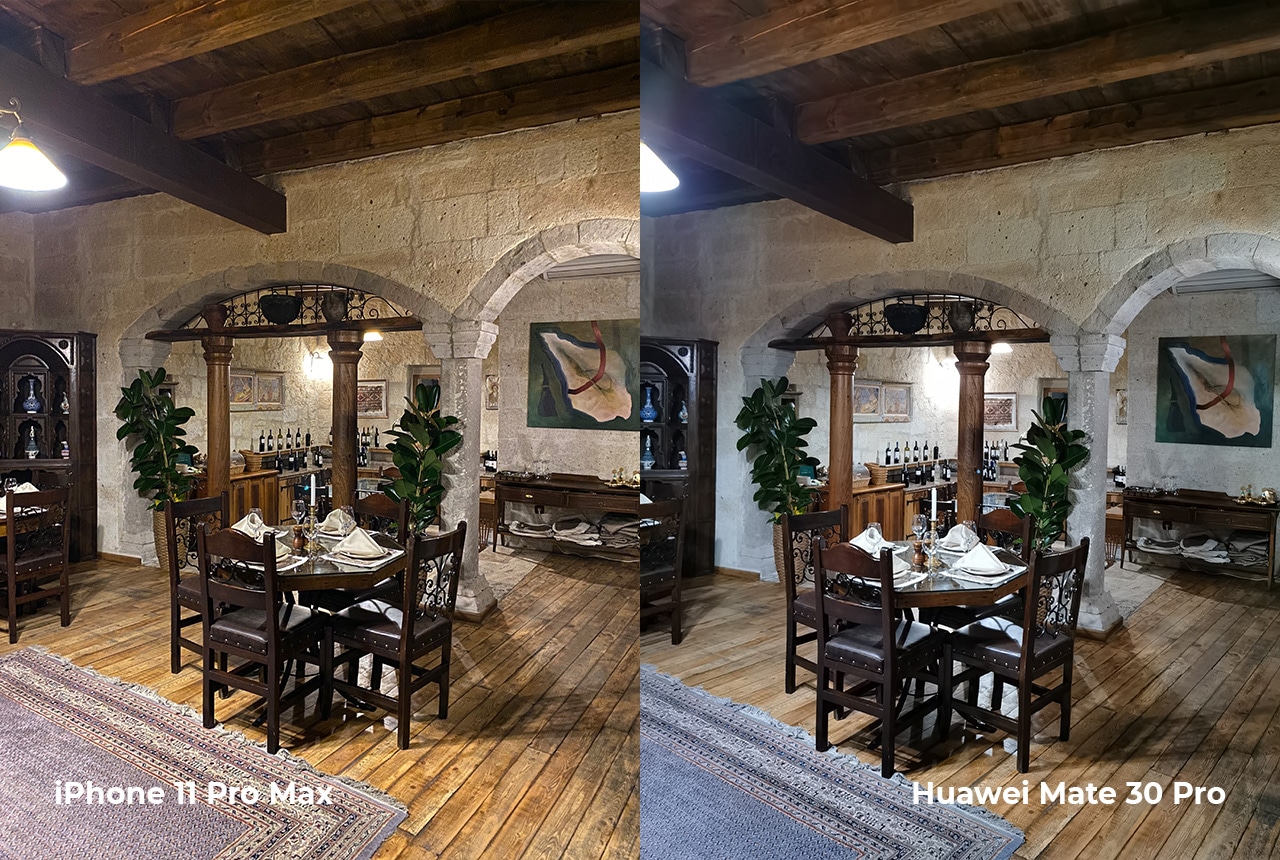


Blue hour photos taken with both night mode turned on
When it comes to taking photos in the dark, while both the Mate 30 Pro and iPhone 11 Pro Max have night mode, they can hold their own even on auto mode. On the Mate 30 Pro you can switch to night mode manually if you want to, while on the iPhone the phone will have to detect it automatically. The Mate 30 Pro takes more vibrant photos at night and it also produced less noise compared to the iPhone. The Mate 30 Pro’s large sensor and RYYB color filter array allows it to let in more light making it the best smartphone for taking low light photos.
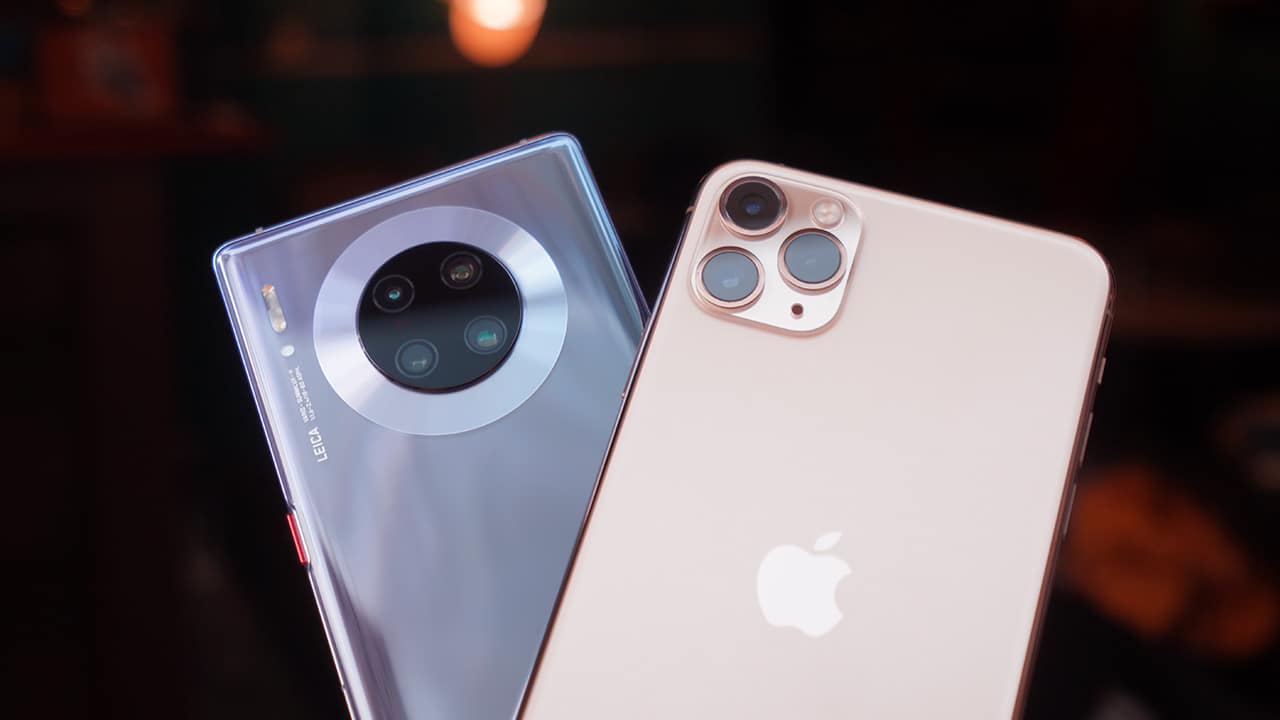
At the end of the day, which phone takes better photos will depend on your preference. One will have an advantage over the other in different scenarios.
The iPhone 11 Pro Max is a good choice especially if you already have other Apple products to compliment it with. The Huawei Mate 30 Pro offers versatility and solid features all around. Its battery life is unparalleled and doesn’t make you waste precious hours just to get it all juiced up. Its camera also takes consistently amazing photos regardless of the amount of light source available. With all the camera features available on the phone, you can even get creative and capture images you’ve never been able to before.
Whichever phone you choose, whether it’s for camera, battery life, price, or other features, the iPhone 11 Pro Max and the Huawei Mate 30 Pro are phones you can depend on that you will be plenty happy with.
This feature was produced in collaboration between GadgetMatch and Huawei Philippines.







@gadgetmatch A phone that does more… so you can focus more on the moments that matter. The Galaxy S26 Ultra lets Galaxy AI handle the small stuff so you can stay present for the moments that matter. Also great for the occasional KPop concert video. Pre-order until March 17 and get double storage worth up to PhP 14,000. https://www.samsung.com/ph/smartphones/galaxy-s26-ultra/buy/ #GalaxyS26Ultra #EverydaywithGalaxyAI @samsungph ♬ original sound – GadgetMatch
Here’s the dream: a phone that helps you stay on top of things, so you can focus more on what matters.
That’s basically the idea behind Galaxy AI on the Samsung Galaxy S26 Ultra.
Instead of adding more things to do, the phone helps take care of the small stuff for you. Things like reminding you what’s next, or surfacing the information you need right when you need it.
So you spend less time digging through apps and more time actually doing the things you planned to do.
Editing photos is easier too. With Photo Assist, you can just describe the change you want… and Galaxy AI fills in the rest.
And if you’re cleaning up a video, Audio Eraser can reduce background noise — even from clips on third-party apps like Instagram or YouTube.
The point isn’t to make your phone the center of attention. It’s to make it helpful enough that you can forget about it for a while. Until something worth capturing happens.
And when things get a little chaotic — like concerts, street performances, or just life moving fast — Super Steady Video helps keep your shots level.
That’s definitely coming with me to the next K-pop concert.
The Galaxy S26 Ultra. Smarter phone. Slightly less stressed me.
Pre-orders are open now — with double storage for early buyers, plus additional discounts and installment offers from participating banks.
Which is great… because apparently I shoot way too many videos.
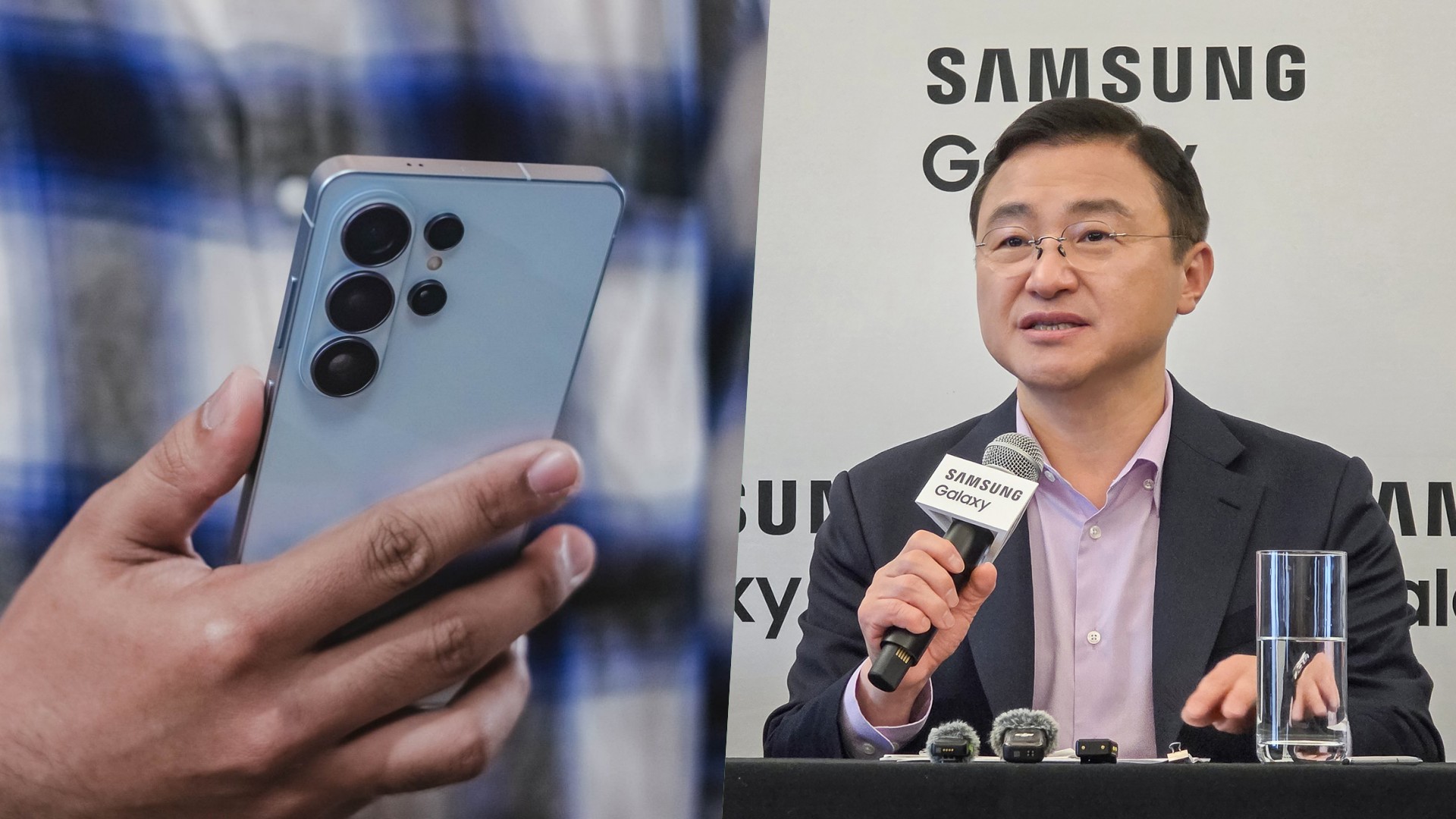
For more than a decade, the smartphone industry has been defined by a familiar race. More megapixels. Faster processors. Bigger batteries. Thinner designs. Being first. Being the most. And being the fastest.
The industry rewarded brands that appeared to be chasing specs. Bigger numbers meant progress. At least on paper.
But if you ask Samsung, the days of chasing specs may no longer define the future of Galaxy smartphones.
During a regional roundtable following the launch of the latest Galaxy devices, I asked TM Roh how the company decides when it’s time for a major hardware upgrade if it isn’t simply chasing specs.
His answer revealed how Samsung now approaches the future of its flagship smartphones.
According to Roh, hardware upgrades are increasingly tied to how well they support Galaxy AI.
“To make Galaxy AI run smoothly, it must be backed by strong hardware,” Roh said during the session, speaking through a translator. He added that Samsung develops its hardware, software, and AI capabilities together — and that major upgrades tend to arrive only when the company reaches what he described as the “desired level of excellence.”
(Quotes are approximate translations.)
“To make Galaxy AI run smoothly, it must be backed by strong hardware.”
(Approximate translation from TM Roh during the roundtable)
In short, Samsung says it’s no longer chasing specs for the sake of winning spec-sheet battles. Not anymore.
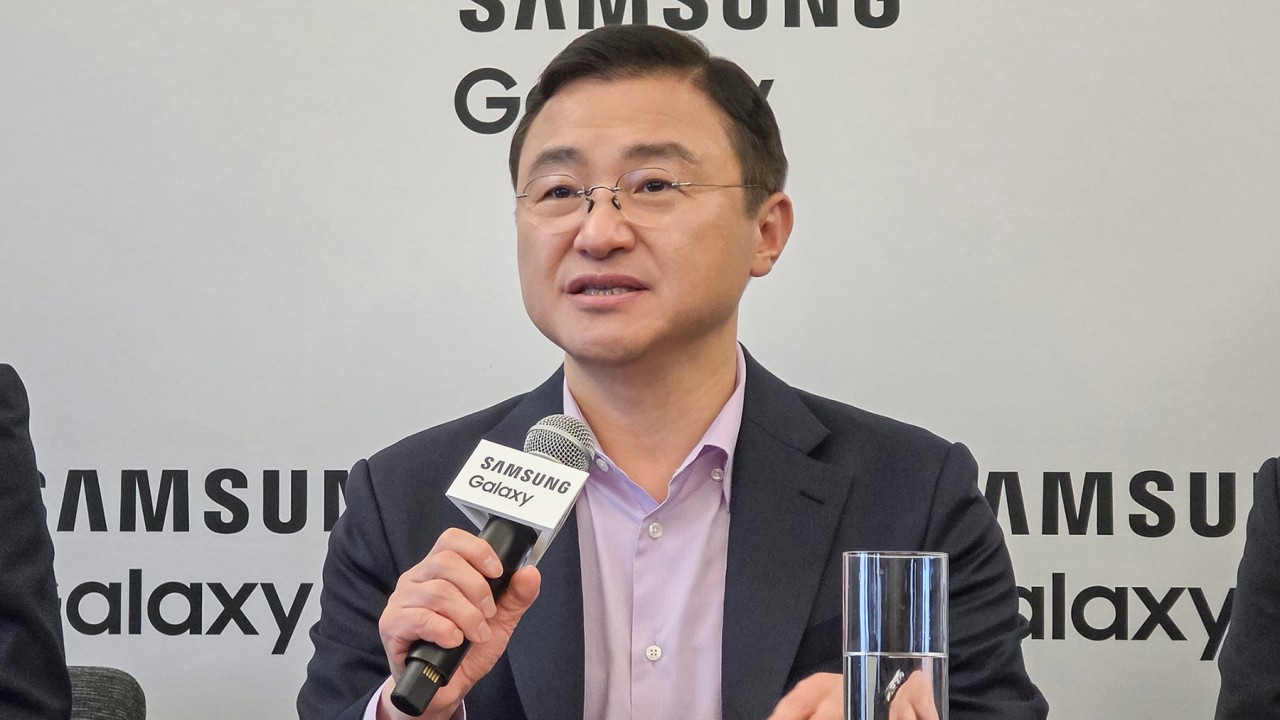
Samsung CEO TM Roh answering questions at a media roundtable in San Francisco
When hardware stops chasing numbers
Hardware innovation still matters. But Samsung increasingly frames those improvements as tools that enable smarter software experiences.
During the roundtable, Roh pointed to Samsung’s custom application processors, which now include stronger neural processing capabilities designed to handle AI workloads more efficiently. Dedicated hardware is also being introduced to strengthen privacy and security — including technologies embedded directly into the display. (See: Privacy Display)
Even cameras, historically one of the biggest battlegrounds for smartphone innovation, are evolving in the same direction.
Roh noted that while sensors and lenses remain important, modern smartphone photography now relies heavily on AI-powered image processing working alongside the hardware. This could also explain why, as of writing, Samsung has resisted the extra telephoto lens accessories that is prevalent with other brands.
The shift is subtle but important. Instead of emphasizing bigger numbers on spec sheets, Samsung positions hardware upgrades as part of a broader system designed to support intelligent software.

Why Samsung gets dunked on online
That philosophy, however, exists in tension with how smartphones are often discussed online.
In a landscape driven by benchmark charts and viral comparisons, incremental refinement rarely generates the same excitement as dramatic hardware leaps. Over the past few years, the Galaxy S series has occasionally become an easy target for criticism — especially as rival Android manufacturers compete to deliver the biggest numbers, the fastest charging speeds, or the thinnest designs.
The temptation in tech media, particularly on platforms like YouTube, is often to dunk on Samsung rather than examine the nuance behind its approach. Spectacular upgrades and dramatic spec sheets make better thumbnails.
Yet listening to Samsung executives across multiple briefings reveals something interesting: the messaging is remarkably consistent. Whether discussing cameras, processors, or ecosystem features, the company repeatedly returns to the same principle. Hardware innovation matters most when it unlocks a better overall experience.
A company that knows its role
That consistency suggests Samsung knows exactly who it is in the smartphone industry.
As the largest Android smartphone manufacturer globally, Samsung occupies a position where competitors often measure themselves against it. Many brands differentiate by pushing aggressive specifications or experimenting with bold hardware changes.
In many ways, everyone else is punching up.
Scale changes priorities. When you’re building devices for hundreds of millions of users, the focus shifts toward reliability, ecosystem integration, and increasingly, AI-powered experiences that work consistently across products.
Why Southeast Asia matters in Samsung’s AI strategy
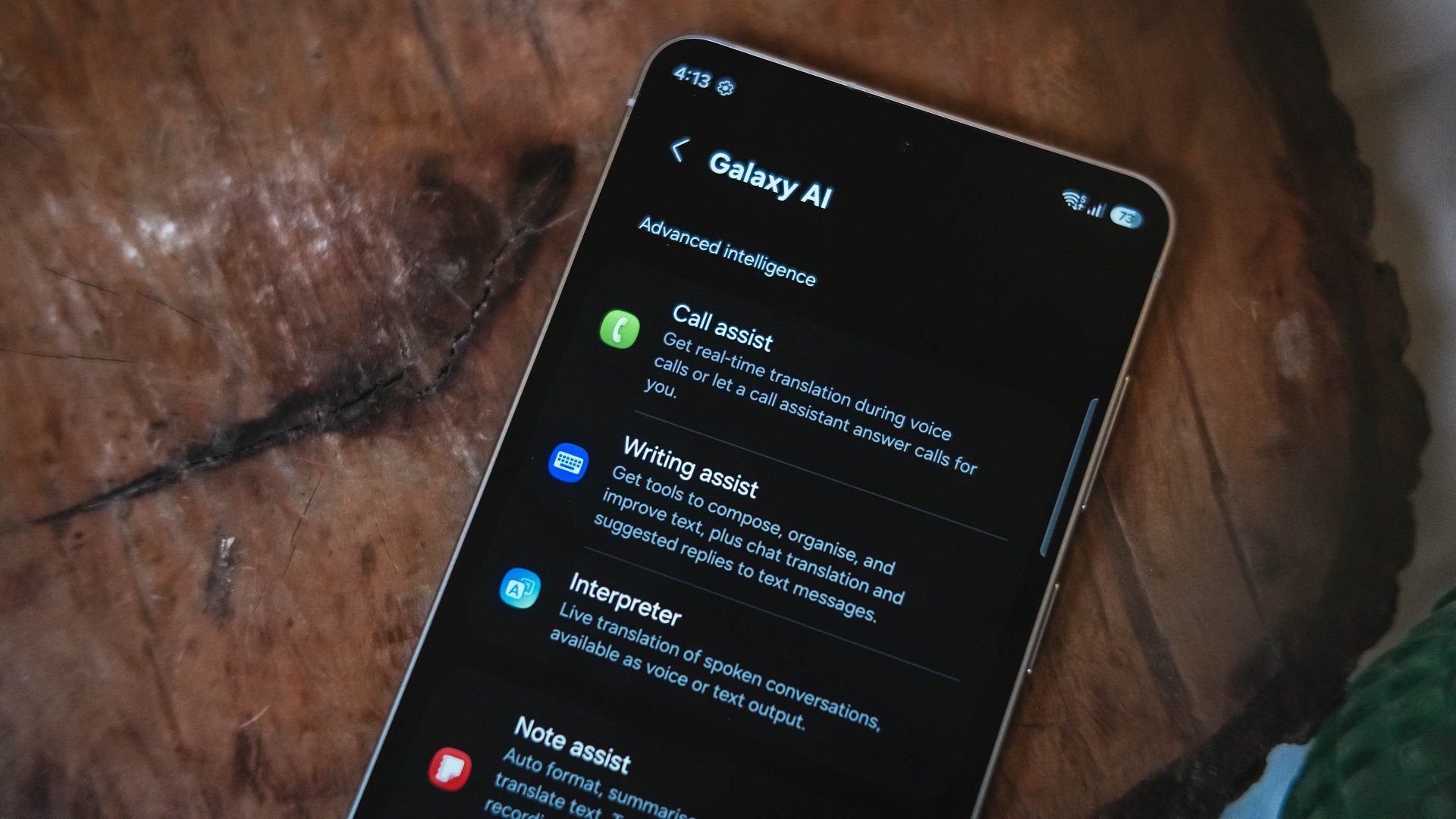
During the roundtable, Roh also emphasized the importance of Southeast Asia and Oceania to Samsung’s AI strategy.
According to the company’s internal research, the region ranks among the most receptive markets for AI-powered mobile features. Younger demographics and heavy social media usage are driving adoption.
In markets where smartphones are central to communication, content creation, and digital services, AI-powered tools — from translation features to image editing — have found strong traction.
That context helps explain why Samsung continues to position AI as the defining layer of its next-generation devices.
Is the smartphone spec race ending?
For years, smartphone makers built their identities around chasing specs.
Bigger numbers meant better phones. Faster chips meant progress.
Samsung, it seems, is chasing something else.
Whether that bet ultimately reshapes the smartphone experience remains to be seen. But if Roh’s comments are any indication, the next major leap in Galaxy hardware won’t happen simply because the numbers can go higher.
It will happen when Samsung believes the experience — not the spec sheet — is ready to move forward.

The OPPO Reno15 Series 5G made its way to the Philippines last month, and reception has been pretty great so far.
With a powerful camera package, AI, and a slew of upgrades, there’s a lot to love and not much negative to say. But that’s with both the standard and Pro models.
On the other hand, with the Reno15 F 5G — the series’ supposed budget-friendly “lite” variant —there were more question marks than exclamation points.
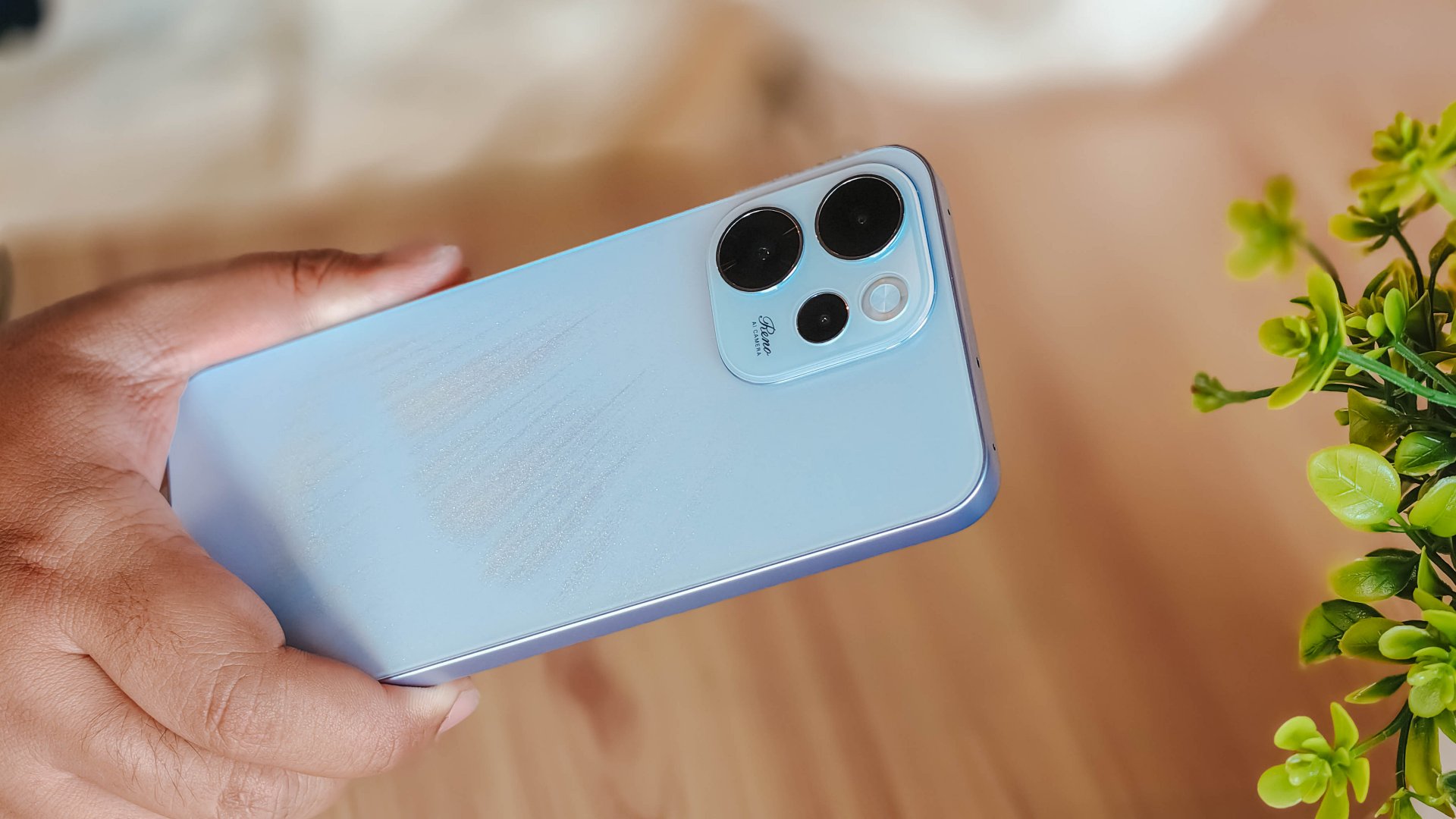
I attack this piece once more from a consumer standpoint: shelling out PhP 23,000 to PhP 26,000 for a midrange smartphone that feels and performs like it’s a few notches below its segment doesn’t sound too pleasant.
Performance
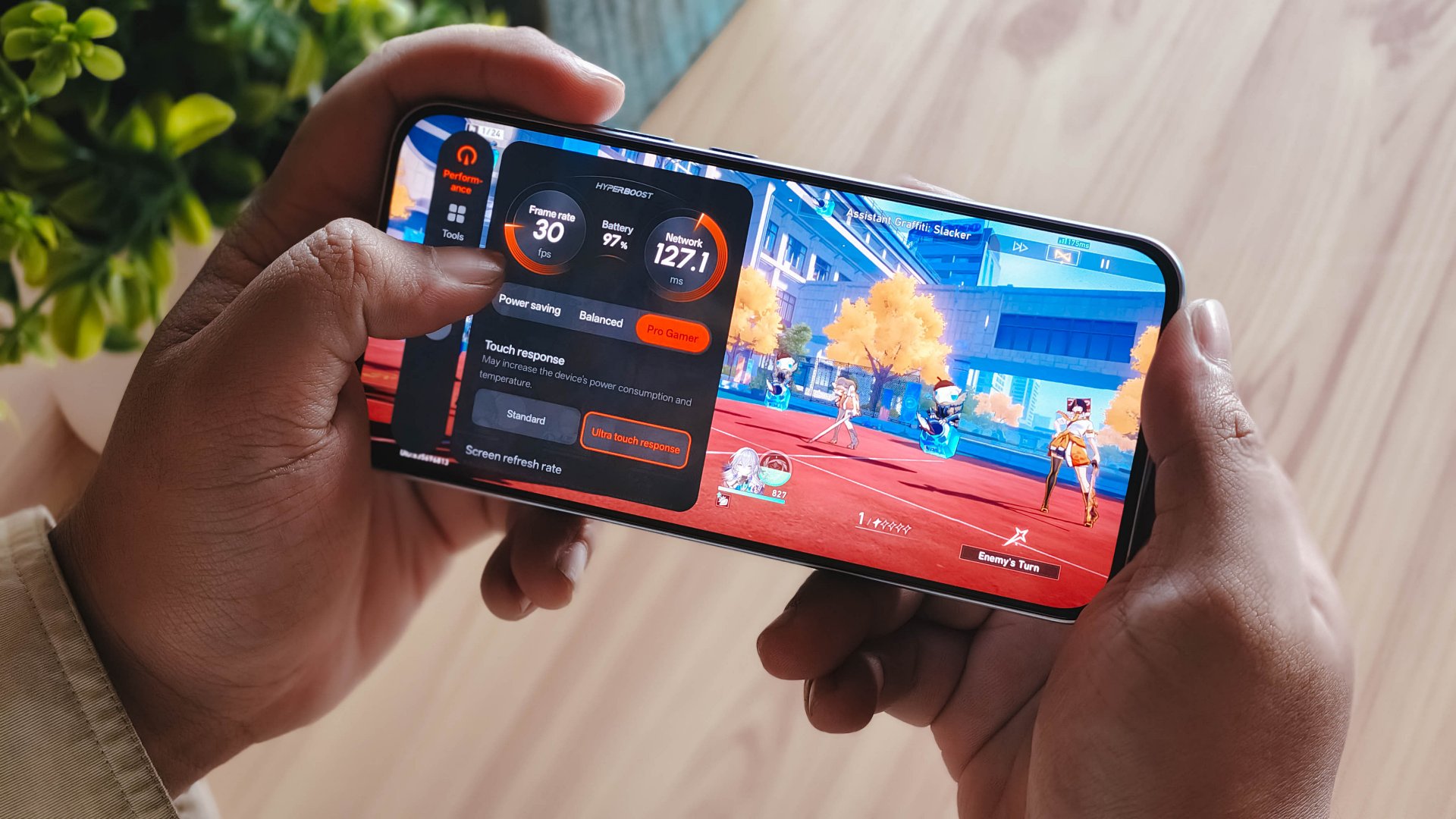
With a Snapdragon 6 Gen 1 processor, the OPPO Reno15 F performs pretty much like any sub PhP 20,000 mid-ranger. It’s acceptable, but does not punch above its weight as expected.
No major hiccups for light and casual usage. But performance struggles a lot for demanding video games.
It also heats up significantly just 10 minutes into a title like Honkai: Star Rail. This is a stark contrast to the marketed 25℃ and up to 10 hours straight of smooth gameplay.
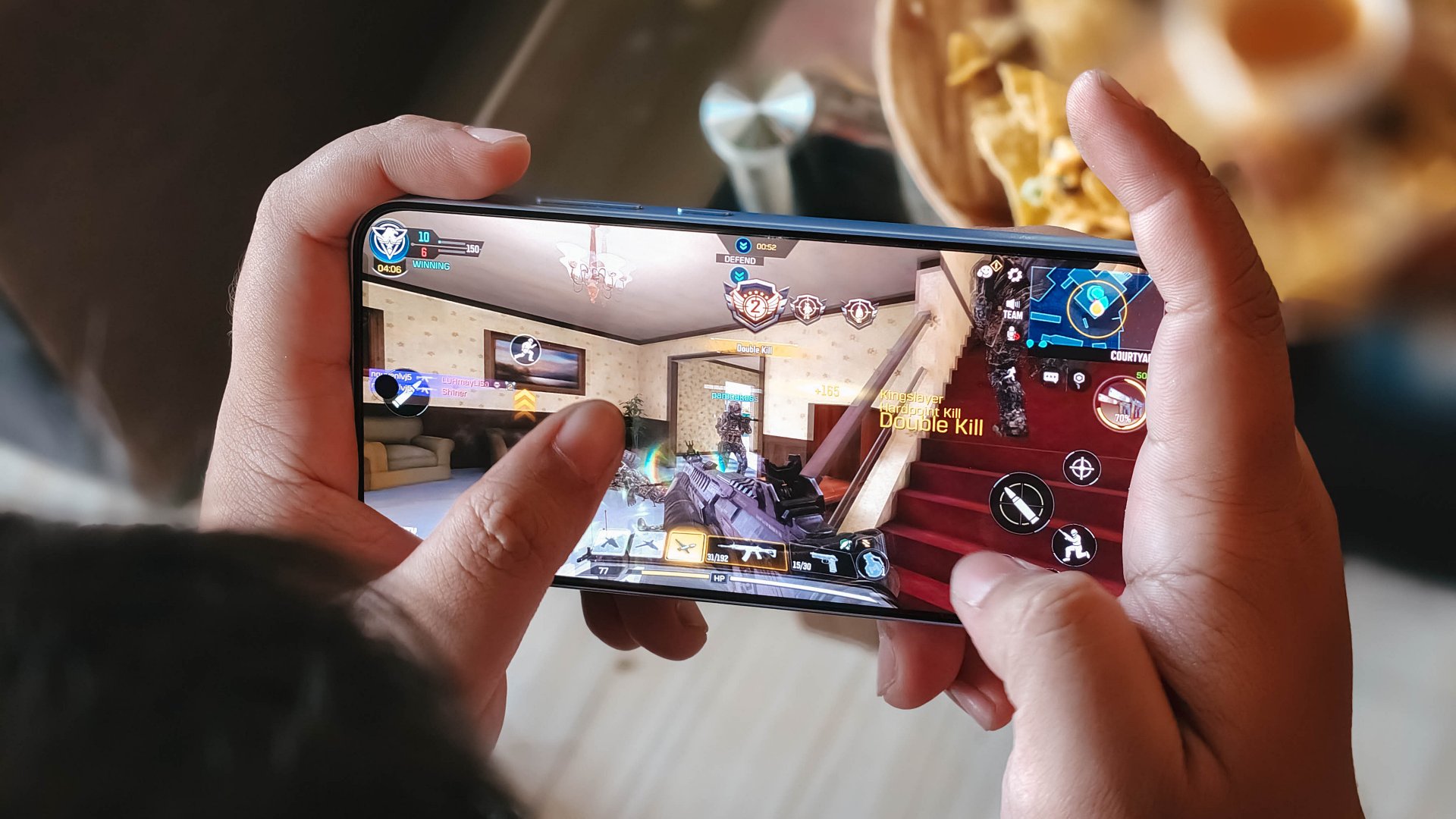
Although, the experience was still enjoyable with several wins and MVP runs in Call of Duty Mobile. It only means the F variant remains a more camera-centric phone rather than an a hard-hitting all-arounder.
As with other devices, the 7000mAh battery with 80W SUPERVOOC is a strong suit. You’re fueled from dawn ’til dusk, with much to spare. Recharging takes a breeze, too.
Display
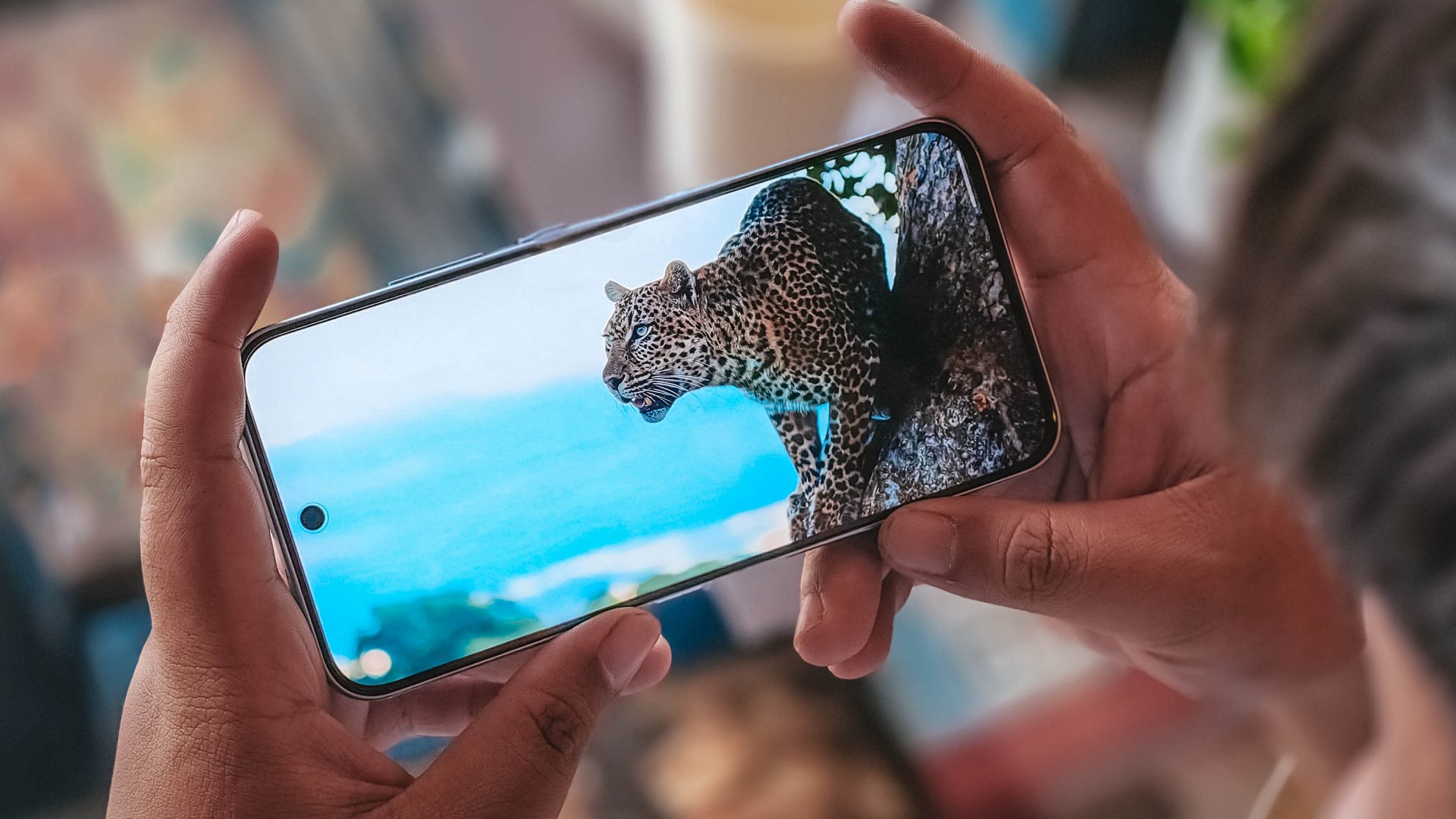
The OPPO Reno15 F has a 6.57-inch 120Hz display, with a 92.8% screen-to-body ratio. At least, that allows you to focus on content on the screen.
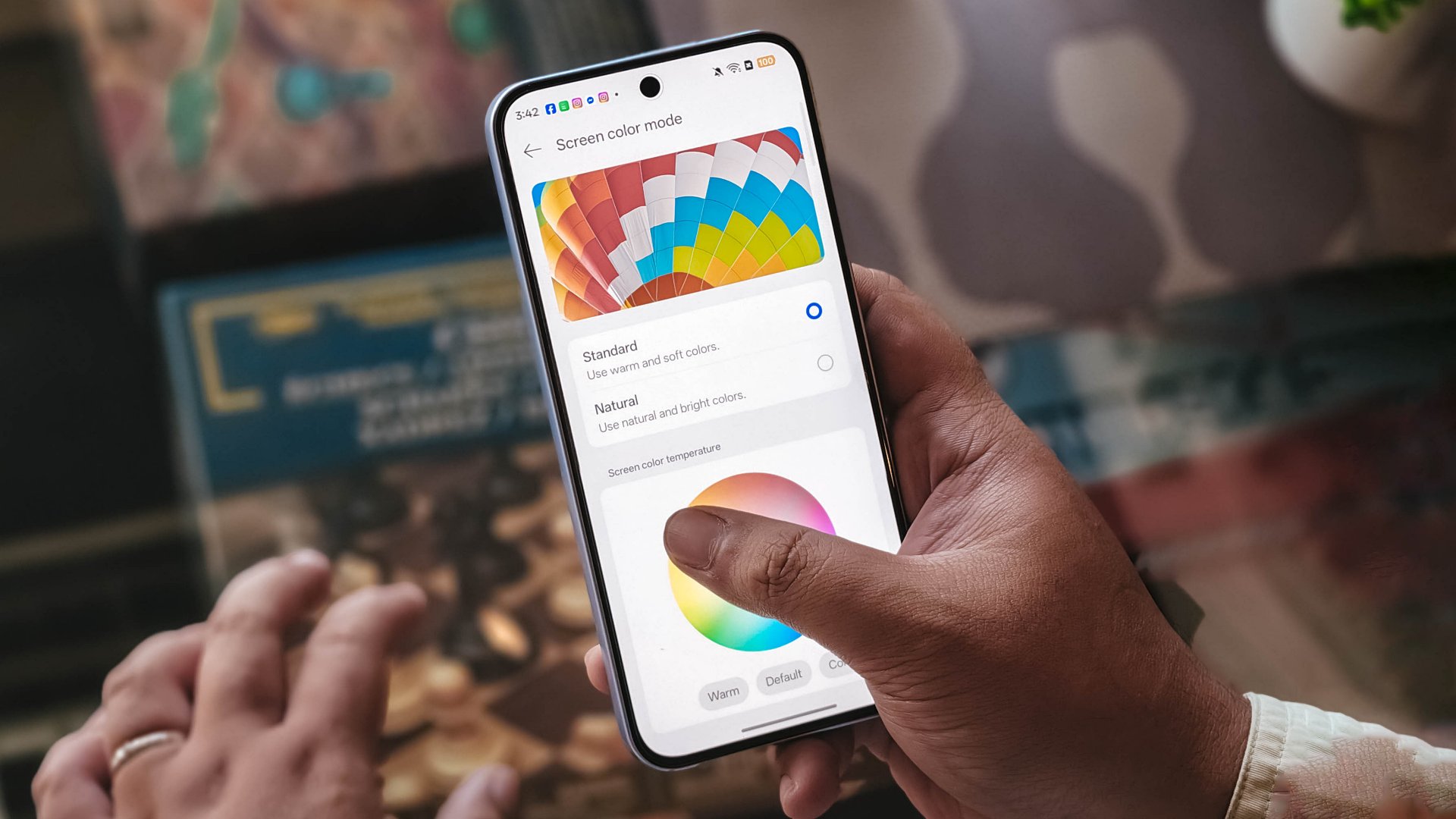
Content leans more towards the cooler tone, so you’ll have to adjust it manually if you want a warmer or more vivid look.
The 397ppi pixel density is fine to ensure sharper visuals, while the 1400 nits peak brightness is helpful outdoors.
Camera
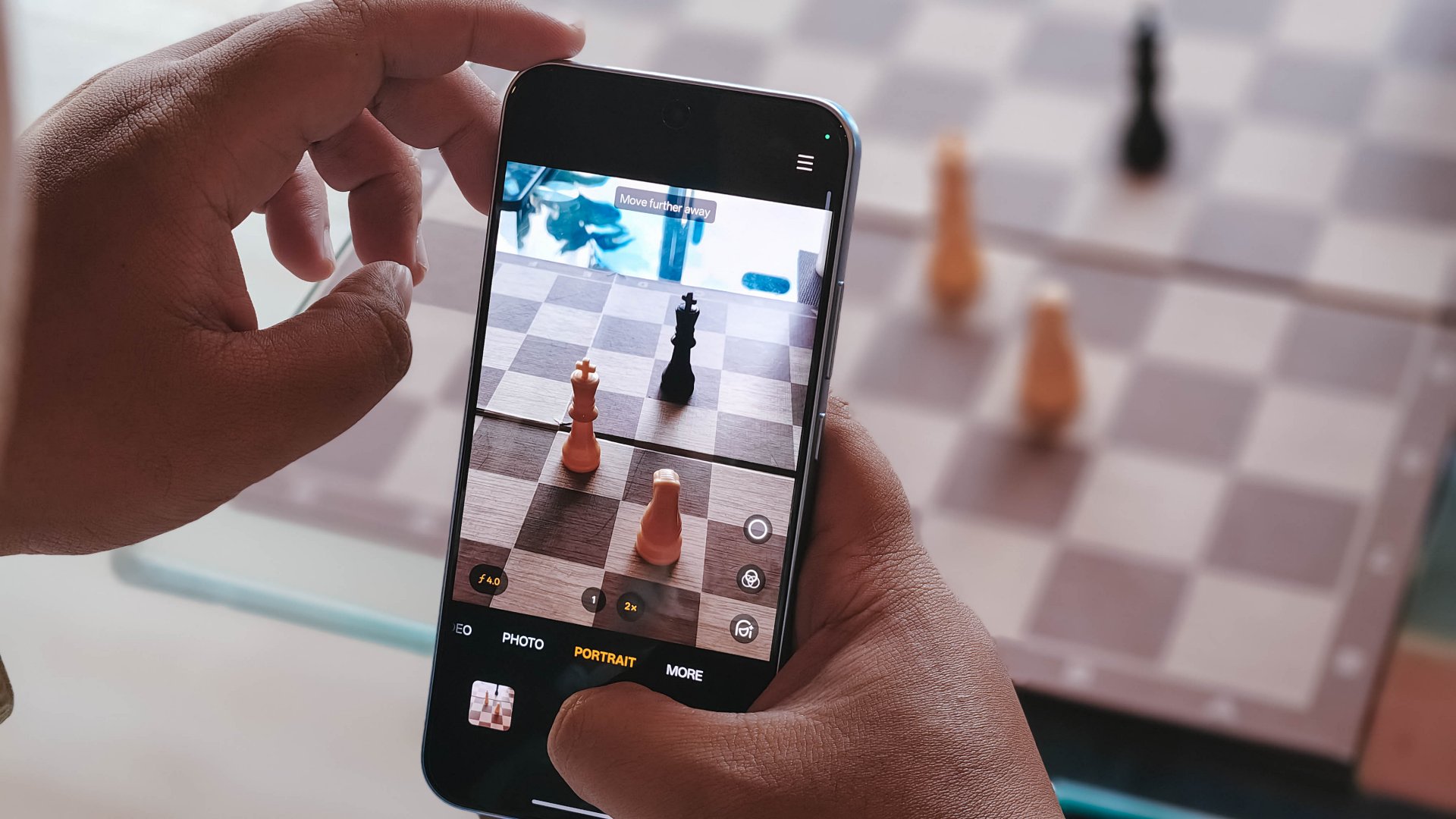
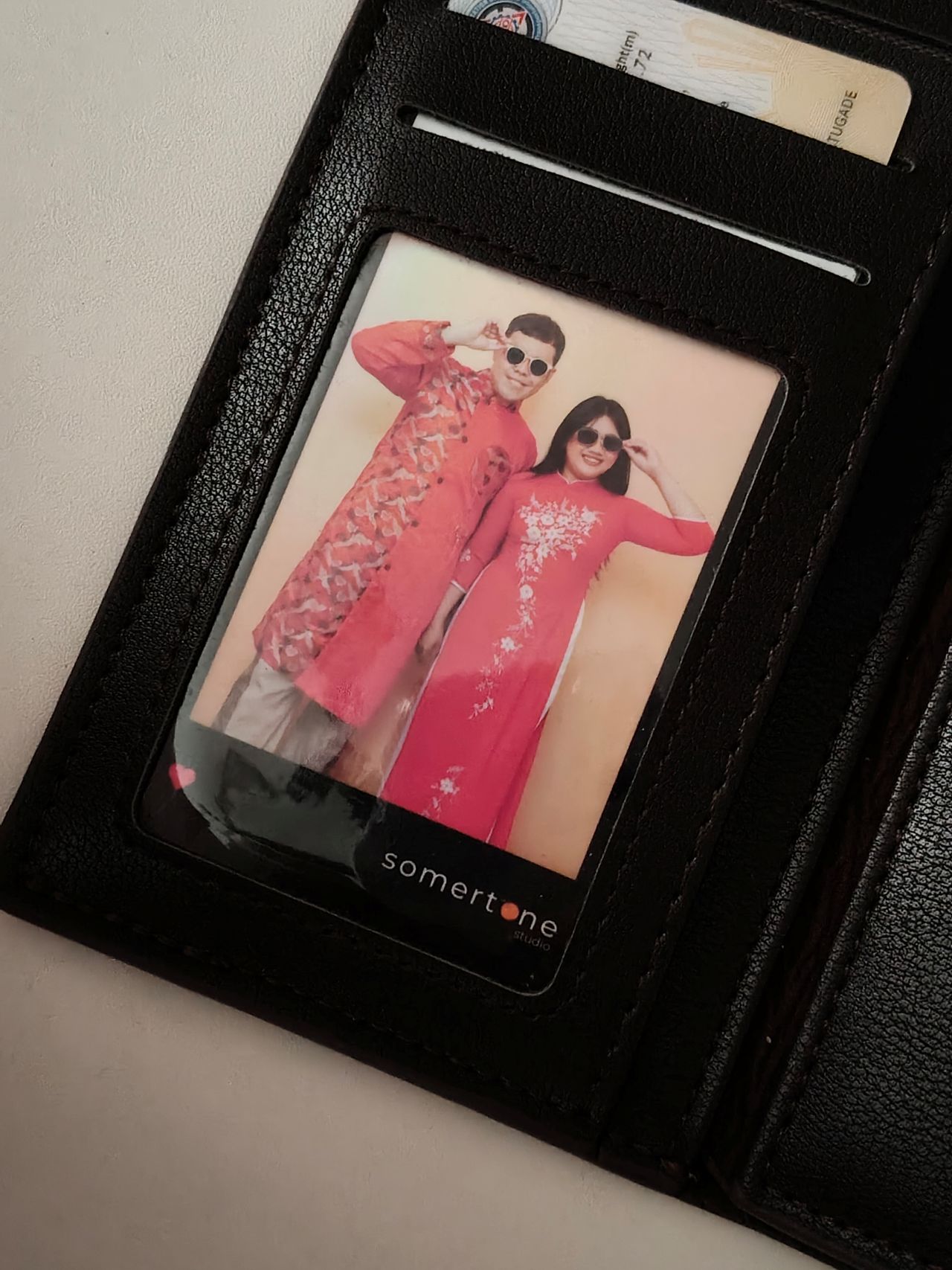
The device’s 50MP main camera captures decent quality. The color science leans on being natural anew, without being too dull nor washed out. You can pull off smooth portraits too.
I hardly used the phone for stills as I focused on videos, but here are some samples, on the occasions I was able to take the handset with me:











The 50MP front camera is an intriguing add-on, as it is capable of up to 4K video and a wide 100° field of view.
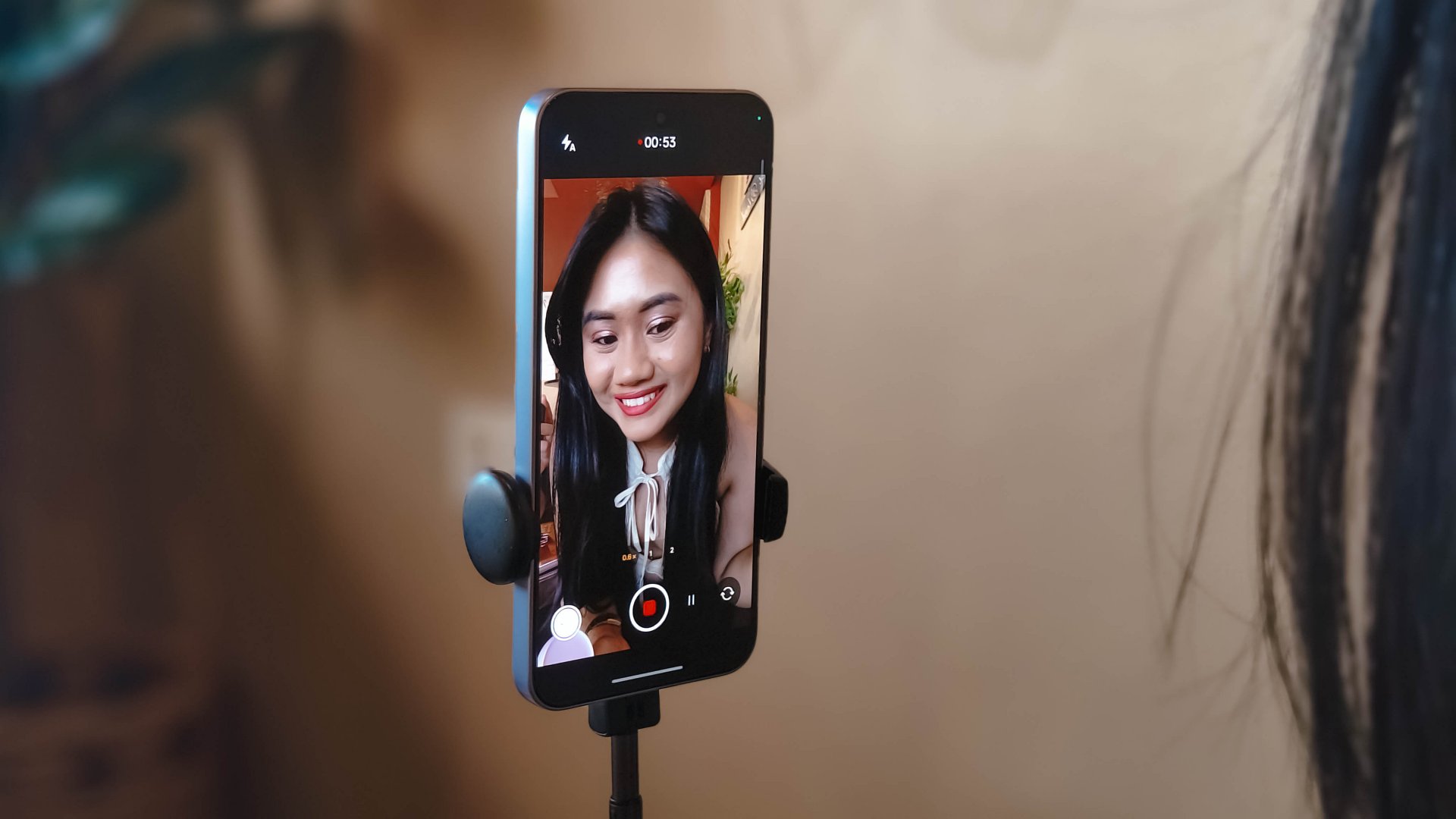
What this does is it essentially removes the need to flip your phone for the popular “0.5” shots. And the quality doesn’t get compromised given the pixel count.
Here are some selfies from different focal lengths:




To its credit, filming with the back camera at 60fps does look and feel smooth, although it can be improved.

Same with the front camera; and the zoom range can be switched from 0.6 to 2x without cutting the recording.
Although, it’s still best to use a selfie stick or small tripod if you’re just after talking head videos.
Speaking of which, here are a few I’ve made with just this device:
@manilaconnoisseur Naka 99 pesos pala ‘yung large Golden Milk Tea ni @highlandscoffeeph until February 28! Oolong base, cream, and okay pala ang chickpeas as sinker along with red jelly. #highlandscoffee #goldenmilktea #oolongmilktea #freeupsize
@manilaconnoisseur Laging sold out ‘yung fun run? Try The Conqueror Virtual Challenges. Stay motivated in your running era, make every run count, and get cool medals after every completed challenge. You can even get a free run or discounted bundles! @theconquerorchallenges #virtualrun #funrun #runningera #staymotivated
But for travel and on-the-go captures, as OPPO markets for the series in general, even the Reno15 F can cover a lot of background along with your or your groups’ faces.
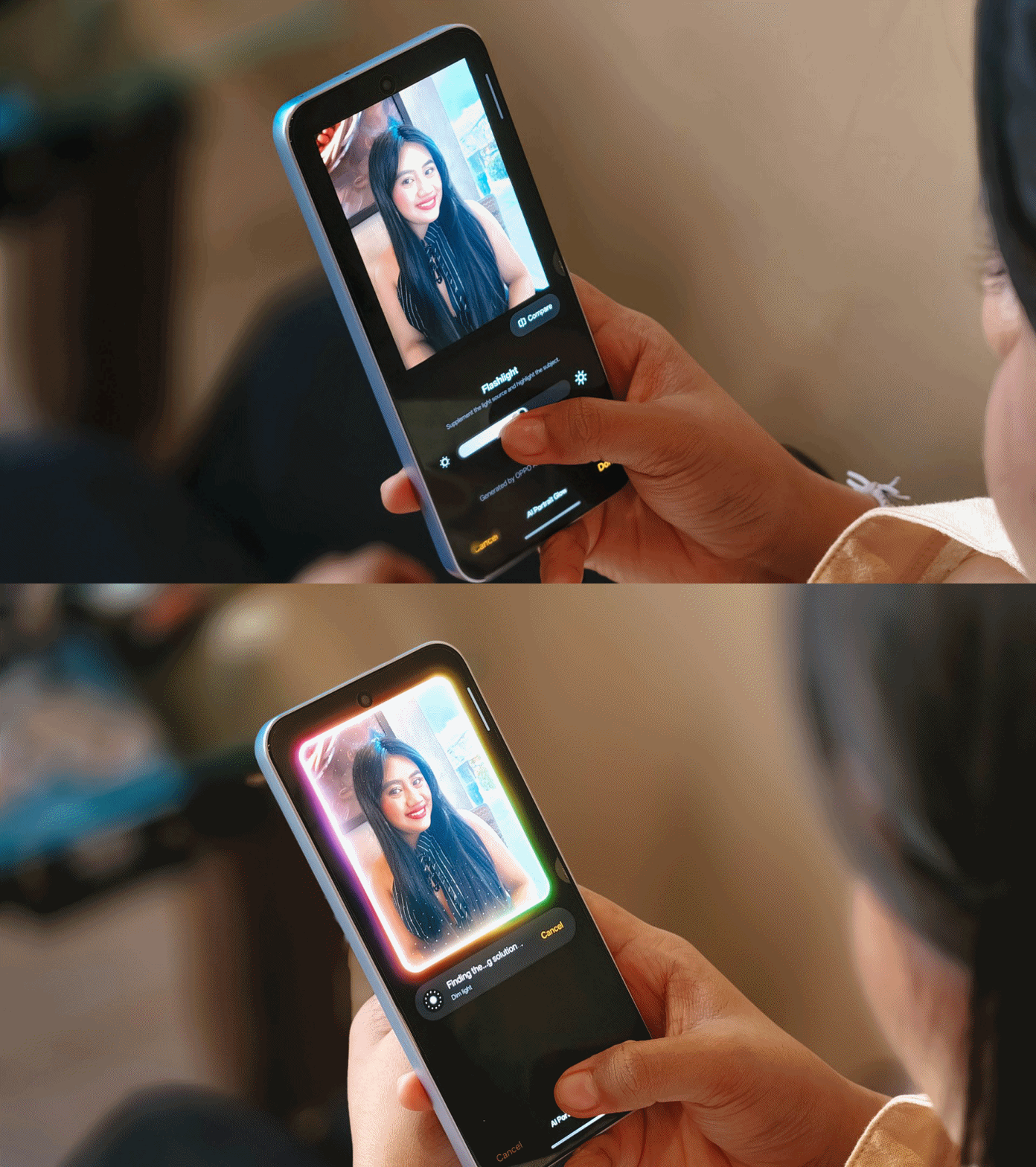
Make no mistake, there are some useful AI editing features here. In particular, AI Portrait Glow gives your raw capture an effect to make it look it was taken with flash.
I do not recall the device heating up as well when taking many photos or videos, so you can say it’s more optimized for that task rather than gaming.
Connectivity issues
Meanwhile, AI LinkBoost 3.0, as in the case of the OPPO A6 Pro, doesn’t seem to punch above its weight either.
Once, I also played Mobile Legends: Bang Bang and the session opened to a jittery start despite being on Wi-Fi and having a stable connection. I don’t know what triggered this.
Design, feel
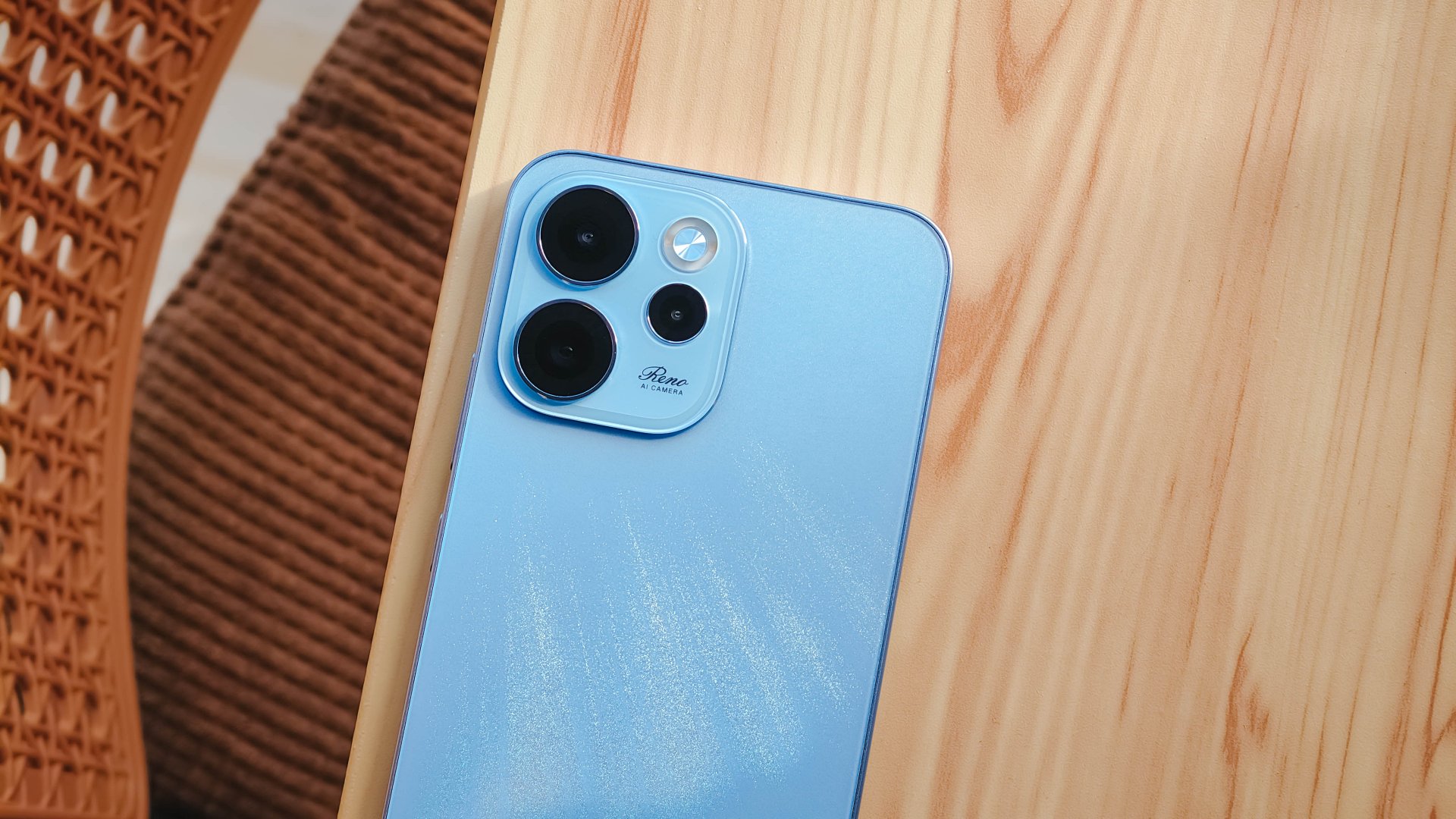
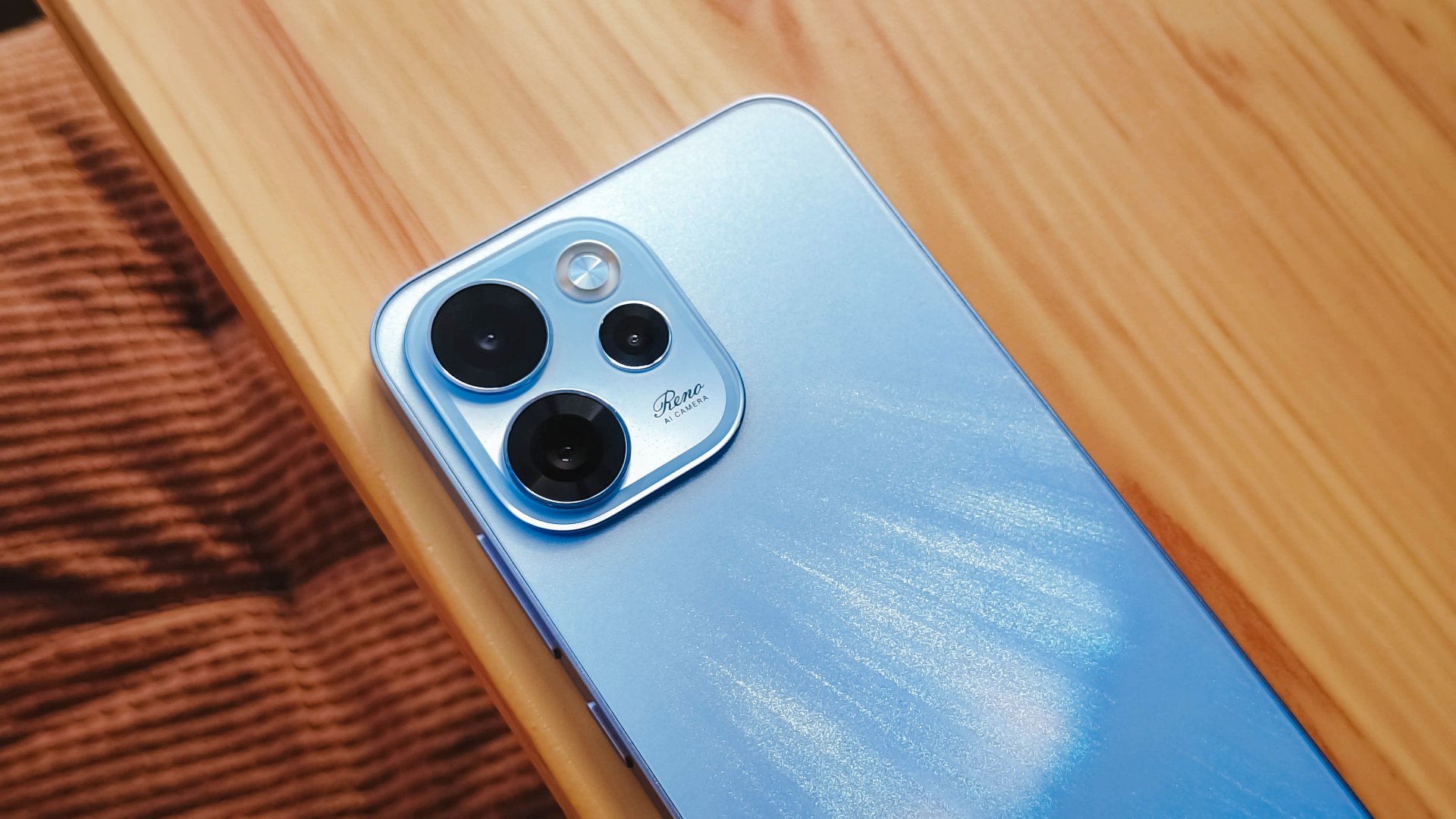
We got the Aurora Blue variant which does kind of resemble the northern lights when you tilt the phone a certain way and when light hits its back panel.
The cursive “Reno” on the large, protruding camera island gives it more style.
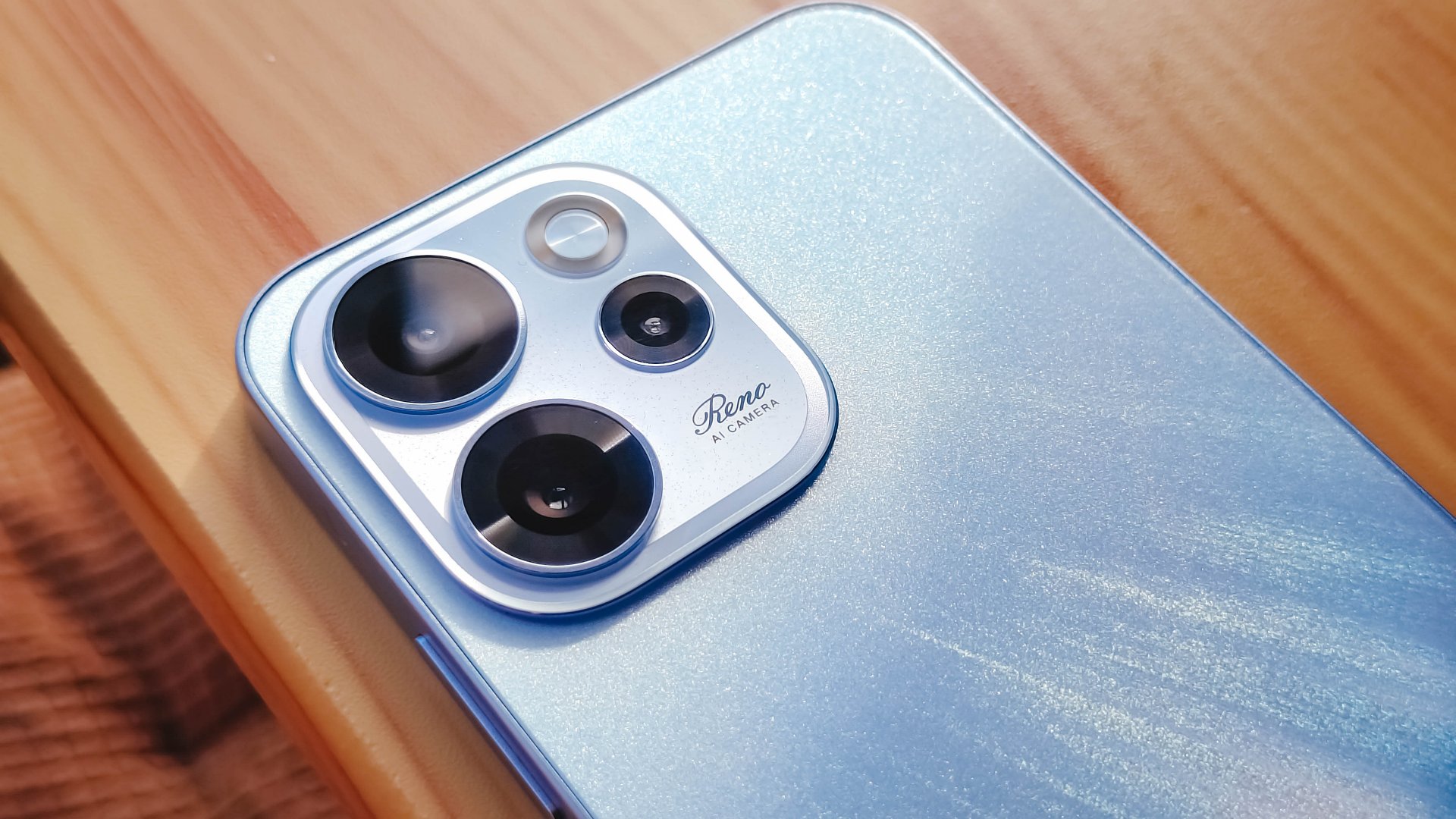
However, it’s all just aesthetics. On the downside, the phone is all sorts of slippery.

I couldn’t hold it properly without think of it slipping away from my hands; nor could I put it on my lap with confidence.
So I guess it’s good that it has structural integrity and waterproofing, because you’ll need that.
oplus_16
The 6.57-inch body does have a good balance between being too compact and too large, like ultras and pro maxes.
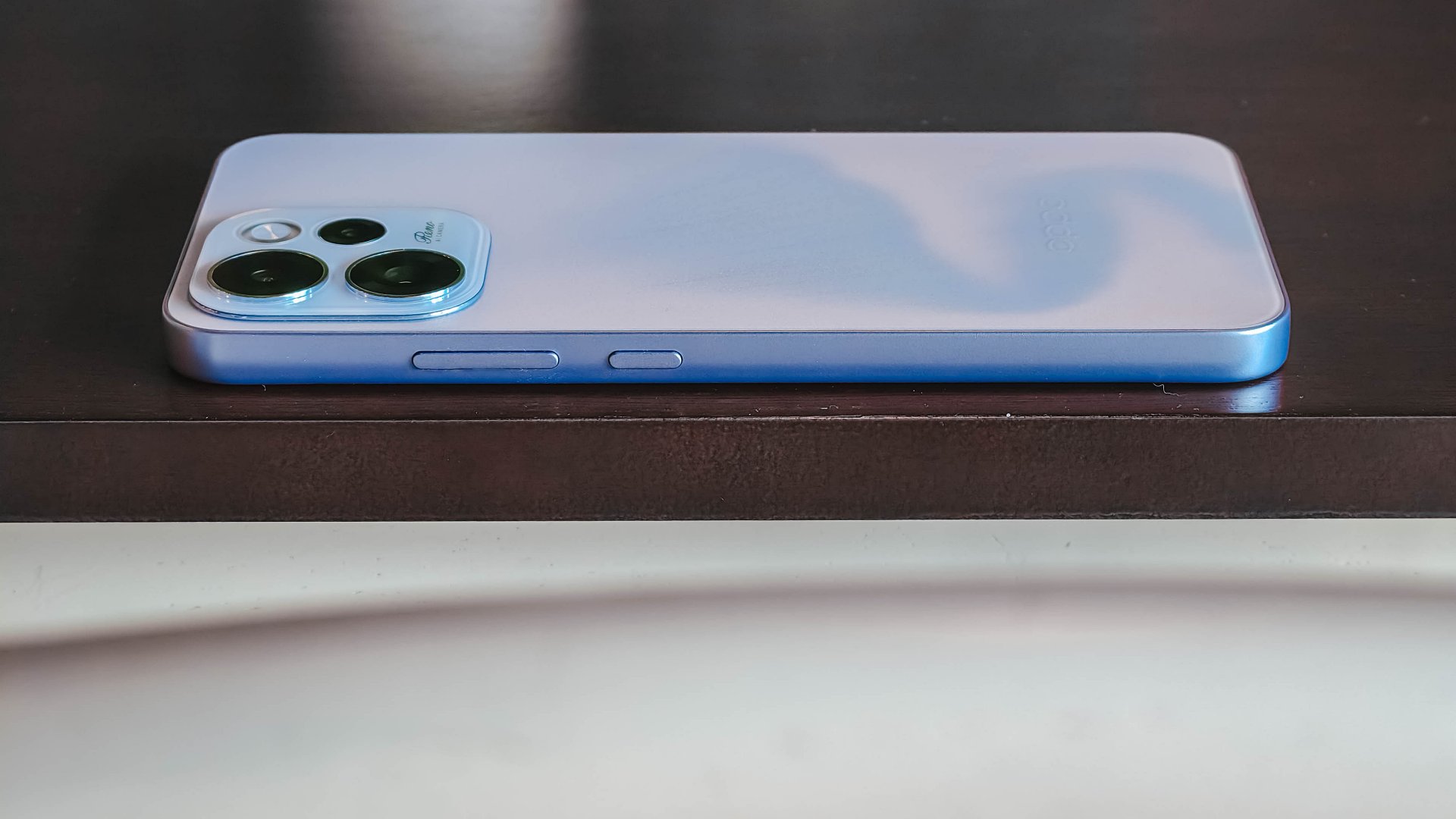
It has a squarish body and has already adapted to the premium, aluminum frame look from the sides.

Is this your GadgetMatch?
Sadly, the OPPO Reno15 F 5G is a Swipe Left unlike its bigger, more capable siblings. There are plenty of plus points for the camera package but take that away, and I don’t see much difference between the Reno15 F and something like the A6 Pro.
Granted, the asking price of this phone will drop significantly in a few months. But throw in a little more, and you’ve got a legitimate mid-ranger that’s more on the premium side rather than the cheap end of the spectrum.


Zenless Zone Zero Version 2.7 available on March 24

Infinix expands SEA footprint with more official MLBB tourney partnerships

Samsung Galaxy S26 Ultra review: A phone you live with

DJI’s Inspire 3 Basic Package make 8K aerial filmmaking more accessible

Disney+ launches a TikTok-coded vertical feed called Verts


-

 Reviews2 weeks ago
TECNO CAMON 50 Ultra review: End of an era?
-

 MWC 20262 weeks ago
Infinix NOTE 60 Ultra makes a motorsport-inspired debut
-

 MWC 20262 weeks ago
TECNO launches the all-new CAMON 50 series
-
 MWC 20262 weeks ago
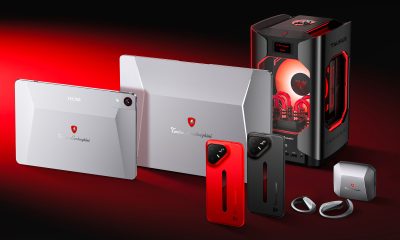
TECNO unleashes Tonino Lamborghini collection
-
 Computers2 weeks ago
AMD announces Ryzen AI 400, AI 400 PRO series at MWC 2026
-
 MWC 20262 weeks ago
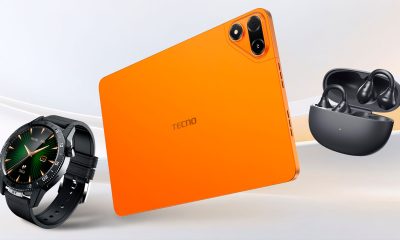
TECNO debuts latest devices, HiOS 16, upgraded Ella at MWC 2026
-

 Automotive2 weeks ago
Xiaomi Vision Gran Turismo makes global debut at MWC 2026
-

 Reviews1 week ago
The Xiaomi 17 shoots Leica dream