


Laptops
Lenovo IdeaPad S540 review: A professional’s daily driver
An essential for every career-driven millennial

As a 20-something millennial, I always feel like time is running out. I have this inane need to accomplish so much at a young age. Friends and mentors alike remind me that life’s not a race, but I can’t help it — I’m too passionate.
I’ve always been determined to have a high-flying career before I reach 30. Years fly by so quickly, which is why there’s an urge to achieve so many in a short span of time. Not to mention, global warming is real, wars could happen any minute, and we all could be dead soon. I don’t want to die without reaching my dreams.
To achieve my goals, I ensure I’m equipped with the right gear in building my career. For starters, we all need a laptop that does its job so we can focus on our work.
Make an impression through your gear

Enter Lenovo’s IdeaPad S540. This premium ultrabook is a tad better than the IdeaPad S340. However, both laptops look similar due to Lenovo’s design language — which should be revamped if you think about it. I would’ve appreciated it better if the logo’s more subtle (and if it’s probably embossed).
The IdeaPad S540 comes in three beautiful colors — black, grey, and copper. Of course, mine would come in the beautiful copper. After all, millennials have a flair for style — we wouldn’t settle for anything that’s boring.
It comes in a sleek-looking, matte-finished, aluminum body that’s so smooth, you’d want to caress it with your fingers for an entire day. When you present with this laptop, people will know you mean business — serious, but not boring.
Finding comfort in its shortcomings

Its screen is humongous, coming in with a 15.6-inch FHD IPS display. There’s so much you can do with a screen this big, even though it has thick bezels on its top and bottom. Glare could be a problem, especially when you love working somewhere bright and open.

Typing is sweet with this beaut, especially for someone who types a lot. Its keys are evenly placed and big enough for my tiny fingers to press on.

On the other hand, its trackpad remains as Lenovo’s weak point. Just like the IdeaPad S340, the S540’s trackpad isn’t smooth enough for navigation. Gliding your fingers create a squeaky sound that would make your eardrums cringe.

Security-wise, you can finally calm the F down since Lenovo cares about it, too. We all hate spying cameras, thus, Lenovo allows you to cover your laptop’s camera with a shutter whenever you’re not using it. For even tighter security, the IdeaPad S540 has a fingerprint reader located on the keyboard’s bottom right.
Stay connected, wherever

On the left side, you can find the power input, an HDMI port for your presentation needs, and our well-loved USB 3.1 port, along with an audio jack located at the mid-bottom.

Found on the right side are two USB 3.0 ports, an SD card reader, and indicator lights.
Side note: Its hinge and design were built to handle being laid flat on a table, for presentation purposes. Do note it doesn’t do yoga. If you want a convertible, better check Lenovo’s Yoga lineup.
Get all your job done

The IdeaPad S540 is more than enough for most professionals. This particular model is equipped with an Intel Core i7-8565u at 1.80GHz processor, which can go up to 4.60GHz with Turbo Boost. Additionally, it carries 12GB of DDR4 memory, along with 512GB SSD storage and an Nvidia MX250 GPU.
This laptop can handle your habit of opening multiple tabs at the same time, with heavyweight apps like Spotify, Netflix, or even Adobe’s Creative Suite running in the background. I mostly deal with Adobe Photoshop, Illustrator, and Lightroom, with a bit of video editing on the side — and I was able to do all my creative work albeit only at a bare minimum.

Its display wasn’t made for creative professionals, and it heats up when using memory-consuming software for a prolonged time. But for most users dealing with large files, a bunch of emails, browsing, surfing, spreadsheets, and occasional entertainment like binge-watching on Netflix, the IdeaPad S540 is more than enough.
Being a humongous laptop, the IdeaPad S540 doubles as your business companion and entertainment hub. It has a Dolby Audio speaker system, producing decent sound for all your leisure needs. For those obsessed with audio, you might want to look elsewhere because this isn’t the laptop for you. Better buy a different speaker system and connect it to this laptop.
We might need more juice
If you’re looking at a laptop this big, it’s expected to have a lot of juice. Thankfully, the IdeaPad S540 delivers what’s expected from it. Lenovo boasts up to 12 hours of battery life, but most people nowadays are classified as power-hungry users, rendering the 12-hour promise to be useless since it’s going to be shorter.
For instance, I spent one afternoon in Malongo Atelier Barista enjoying a refreshing Iced Coffee while doing my work. I sat around 4 o’clock in the afternoon with a full battery, diving into a pile of articles to write.

Additionally, I’ve been jamming to my favorite playlist from The Bold Type so I can be more productive. Settings include 100% brightness and max volume, while connected to Wi-Fi. In between sipping my coffee, listening to interviews that I recorded, and social media breaks, the IdeaPad S540 drops 10 to 15 percent of its battery per hour.
Before 8 o’clock in the evening, my battery dropped below 20 percent already, prompting me to charge my machine. Almost four hours for a power-hungry is kinda meh but given my usage, I’d say it did its best. At least, I didn’t encounter any hiccups while navigating my work. It was seamless and smooth!
Is this your GadgetMatch?
If you’re in need of a daily driver, the IdeaPad S540 is an ideal laptop to suit your professional needs. It’s perfect for those looking for a laptop powerful enough to handle multitasking for business and entertainment use.

For PhP 65,995 (US$ 1295), the Lenovo IdeaPad S540 (S540-15IWL, version 81NE0049PH) is a good investment to propel your career. When you’re on your way up on your career ladder, you can buy and use better, higher-end, and possibly flagship laptops that definitely cost a fortune.
For now, this will do. The key to creating milestones in your career is to take baby steps, and buying a laptop to suit your professional needs is one such step you need to take.
Update as of 02/11/2020: Lenovo drops the price for the IdeaPad S540 from PhP 65,995 to PhP 59,995. Additionally, those who will purchase will be entitled to 24-months international and local onsite warranty with Premium Care. Get perks such as On-site service, 24/7 service hotline with senior technicians, priority allocation for replacement parts, annual PC health check, and more. For more information about the warranty, visit their promo page.






Laptops
Alienware celebrates 30th anniversary with new Area-51 laptops
The series features Alienware 30, an all-new design language.

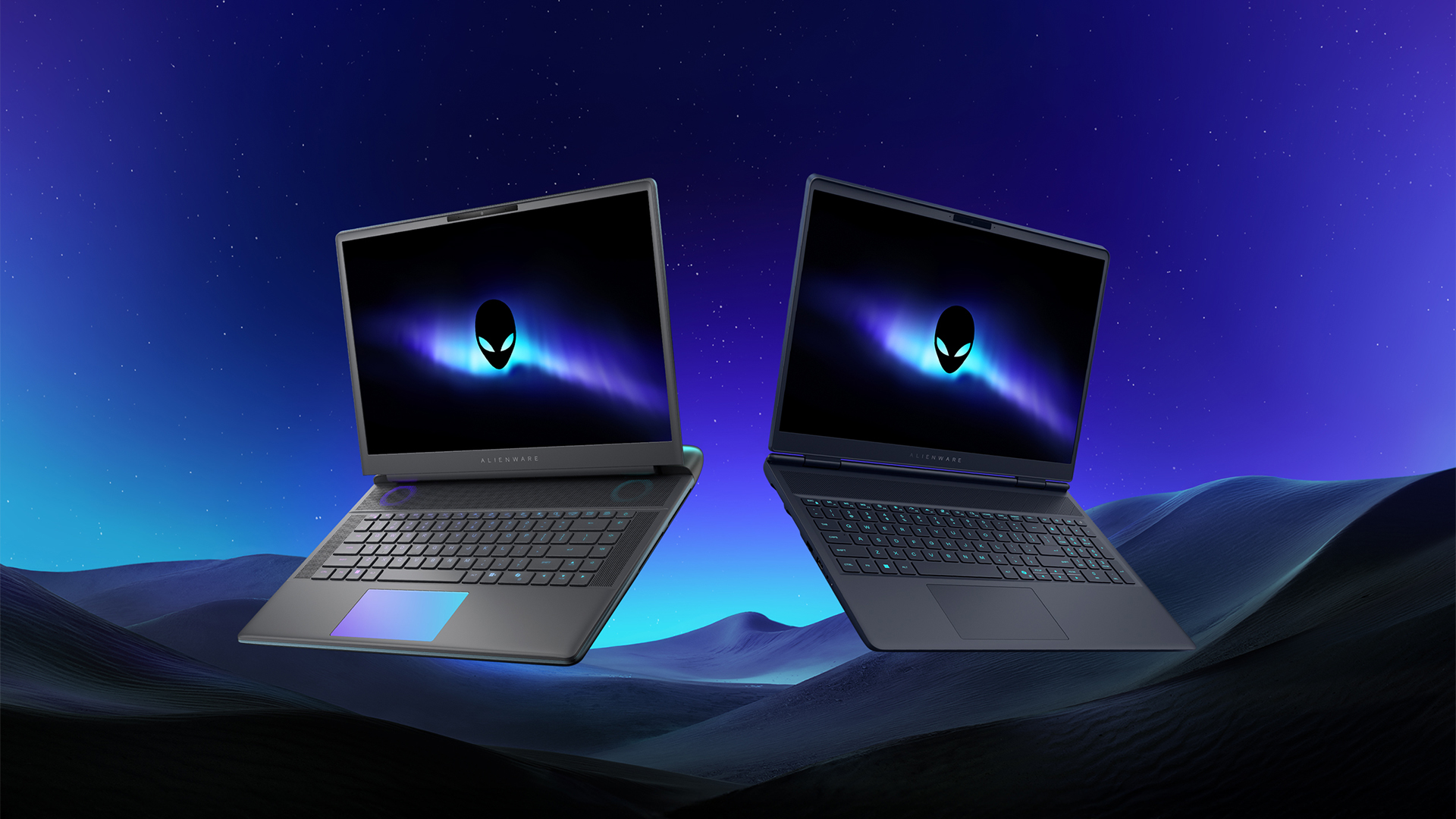
Despite the rise of more gaming brands, Alienware is still one of the most recognizable names for gamers who want dedicated hardware. This year, the brand is celebrating its 30th anniversary. To commemorate the milestone, Alienware has launched the new Area-51 and Aurora notebooks.
Alienware Area-51
Alienware’s Area-51 lineup is the brand’s flagship line of notebooks, packing in the best of the best from the industry. This time is no different.
First of all, the new series will rock Alienware 30, a new design philosophy made especially for the 30th anniversary. On the outside, the laptops have fluid contours, emphasizing curves opposed to the industry’s more angular contemporaries. It also has a Zero Hinge, which hides the laptop’s hinge from view. Finally, it has pillowed palm rests to make usage easy for long gaming sessions.
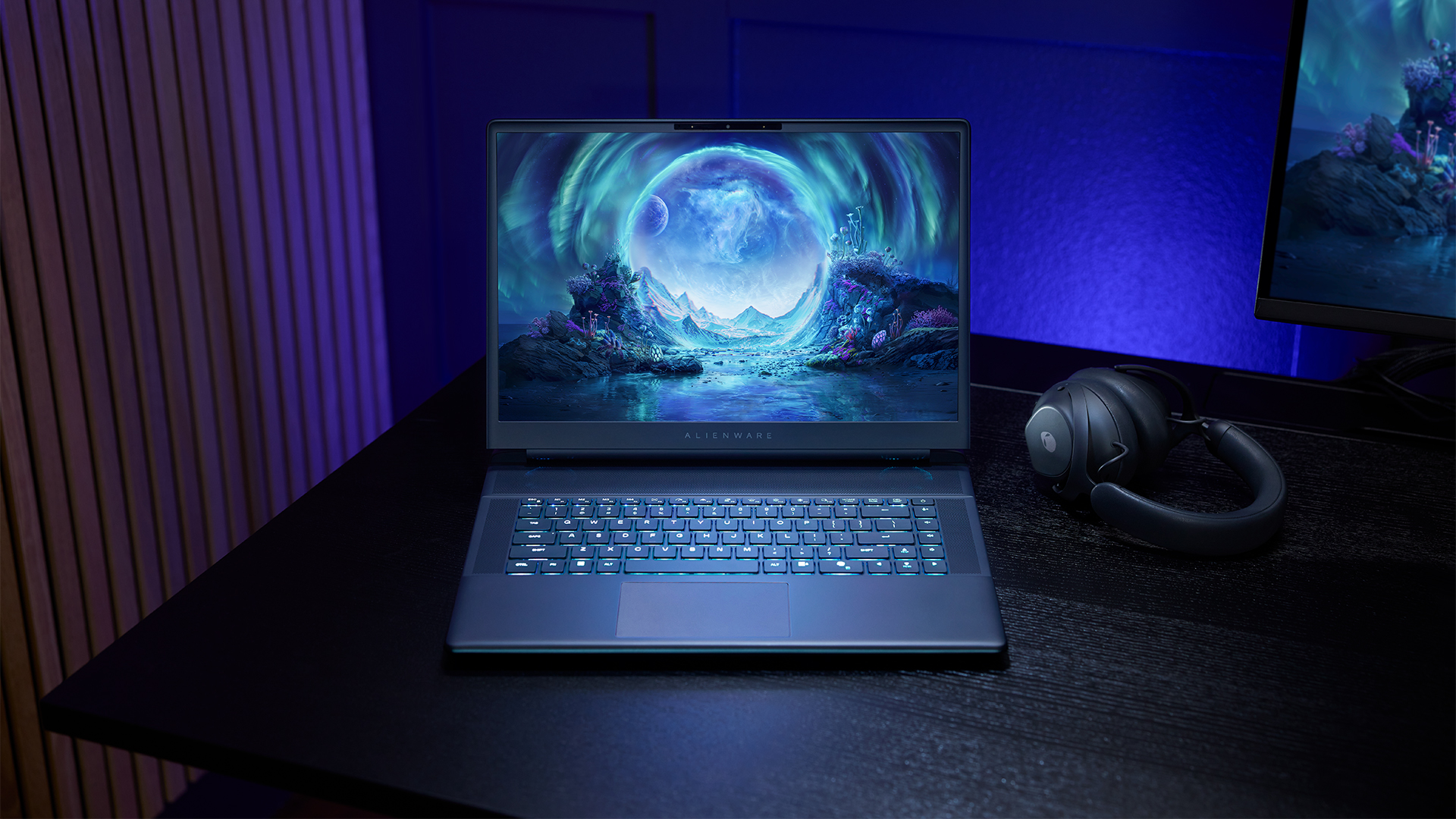
The 16-inch model can rock up to a WQXGA Anti-Glare OLED screen, featuring 240Hz refresh rate and 620 peak HDR nits. It will also have an LCD option. Alternatively, the 18-inch model has a WQXGA screen, featuring 300Hz refresh rate and 500 nits of brightness.
Inside, the Alienware Area-51 boasts up to an Intel Core Ultra 9 290HX processor and up to an NVIDIA GeForce RTX 5090 24GB GPU. For memory, gamers can enjoy up to 64GB Dual-Channel DDR5. Finally, for storage, the series can rock up to 2TB SSD natively but can support up to 3 slots, allowing for up to 12TB of internal storage.
The series will have a sizable 96Whr battery. This is complemented by a 280W adapter and the brand’s largest fans by volume to keep things cool.
Alienware 16X Aurora
For those who portability over raw power, the new Alienware 16X Aurora fits inside any day-to-day kit. For example, it ditches the thermal shelf typical of most gaming notebooks today to increase portability. It has rounded edges to make it easier to grasp and to create a slightly pillowed palm rest, similar to its flagship counterpart.
The 16-inch WQXGA OLED panel touts 240Hz refresh rate, 0.2ms response time, and 620 nits HDR peak brightness.
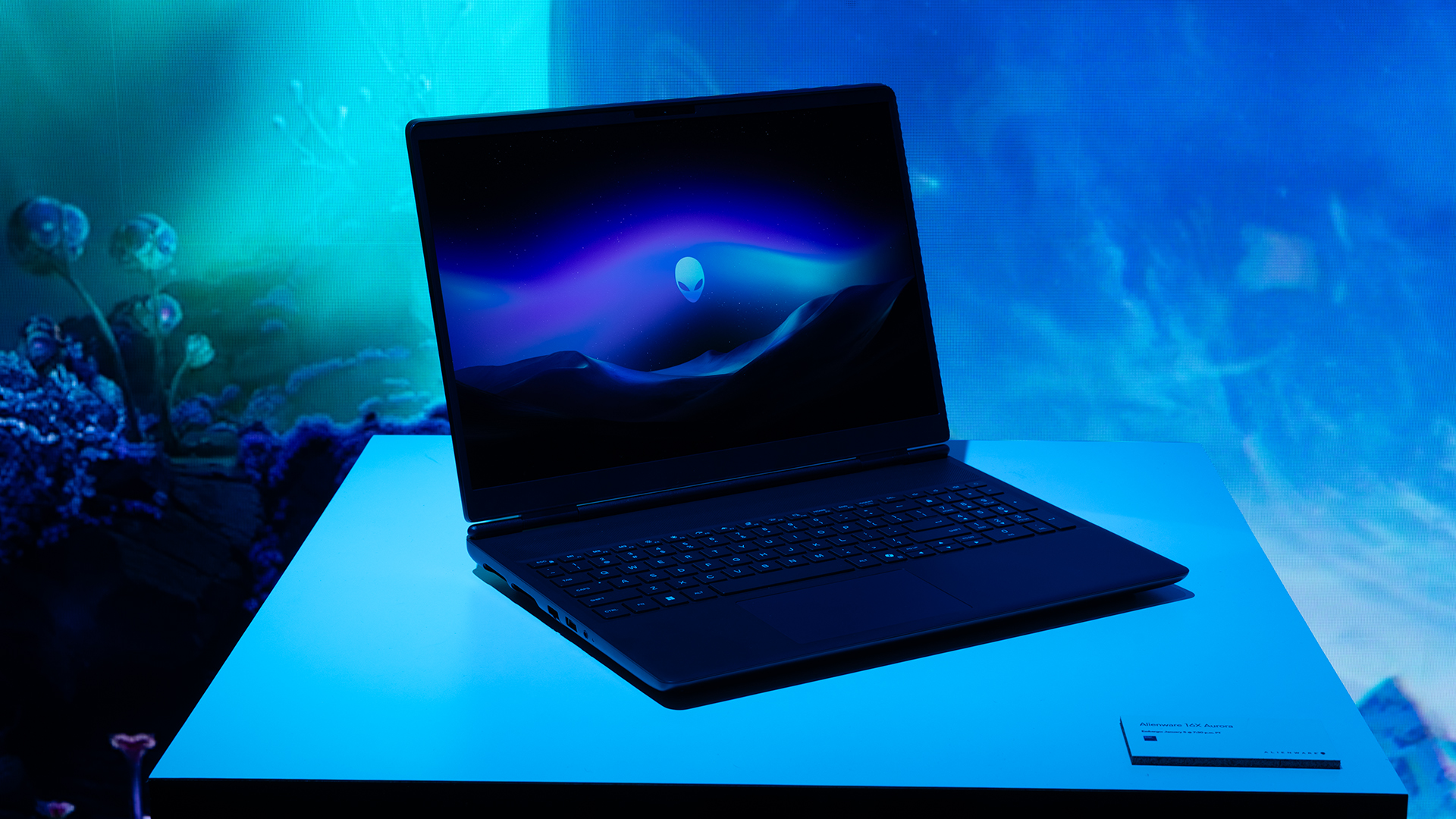
Inside, the notebook has up to an Intel Core Ultra 9 275HX processor and up to an NVIDIA GeForce RTX 5070 Ti GPU. These specs are paired with up to 64GB Dual-Channel DDR5 memory and up to 2TB SSD.
Finally, the Alienware 16X Aurora will have a 90Whr battery. This is supported by up to a 280W charger (for the RTX 5070 variant).
Price, availability
Both series are available starting today, March 17.

Apple disrupts the industry with their latest MacBook — an affordable to say the very least.
If you’re a student, a first-time Mac owner, someone who’s been priced out of this ecosystem their whole life, someone who just needs a laptop for basic tasks but one that looks great, without slowing them down, this is it!
Or maybe you’re torn choosing between the MacBook Neo and the more powerful M5 MacBook Air?
Well, that’s what we’re here for. Here’s our review with the all-new MacBook Neo.
Laptops
Hands-on: NEW iPhone 17e, iPad Air, MacBooks, Studio Displays
What Apple has announced other than the MacBook Neo


The MacBook Neo was the star of yesterday’s Apple event, and it has every right to be but it’s been a big week for Apple.
So as promised, we also went hands-on with every other device announced this week: iPhone 17e, M4 iPad Air, M5 MacBook Air, MacBook Pro with M5 Pro and M5 Max chips, and the new Studio Displays.





Now Playing: Hoppers

Jackery SolarSaga series: Free power for small devices

UGREEN adds new Nexode Pro power bank, charger to lineup

nubia to launch new Neo 5 series gaming phones on March 28

SHINOBI: Art of Vengeance’s SEGA Villains Stage out on April 3


-

 Reviews5 days ago
POCO X8 Pro Max review: A new beast from the far east
-

 News5 days ago
POCO X8 Pro Series: Price, availability in the Philippines
-

 Laptops2 weeks ago
Apple MacBook Neo Review
-

 Computers2 weeks ago
GIGABYTE collaborates with Capcom for RE Requiem custom PC
-

 Apps1 week ago
Google Maps is finally getting a 3D mode
-

 Entertainment2 weeks ago
The internet is thirsting over the One Piece Season 2 cast
-

 Features1 week ago
Galaxy AI on the Samsung Galaxy S26 Ultra
-

 Automotive2 weeks ago
BYD is reportedly considering an F1 team