

Accessories
Lenovo ThinkVision M14T: Elevate productivity on-the-go
Ultra portable and sexy looking device

Many of us have gotten used to the convenience of multitasking on our computing devices. It’s just one of those things that helps make our daily grind much more manageable and efficient. With today’s devices becoming more and more powerful, simultaneously running apps on your phones and a number of browser tabs and windows have become second nature to us.
With desktop computers having ultra wide monitors and multiple desktop displays, nowadays you can watch YouTube videos, browse social sites, and even do work on side by side opened windows.
Lenovo has brought that same experience to our portable devices with the Lenovo ThinkVision M14T Portable Monitor
Ultimate portability
The ThinkVision M14T is a 14-inch 1920x1080p resolution, touch screen, IPS display monitor. With much focus on portability, the ThinkVision M14T is just 4.6mm thin and weighs only 698g.
The moment I saw the actual device, my initial impression was just wow. Its sleek and ultra slim form factor with that glossy 14-inch display wrapped with slim bezels just looked impressive. However, that impression faded away quickly.
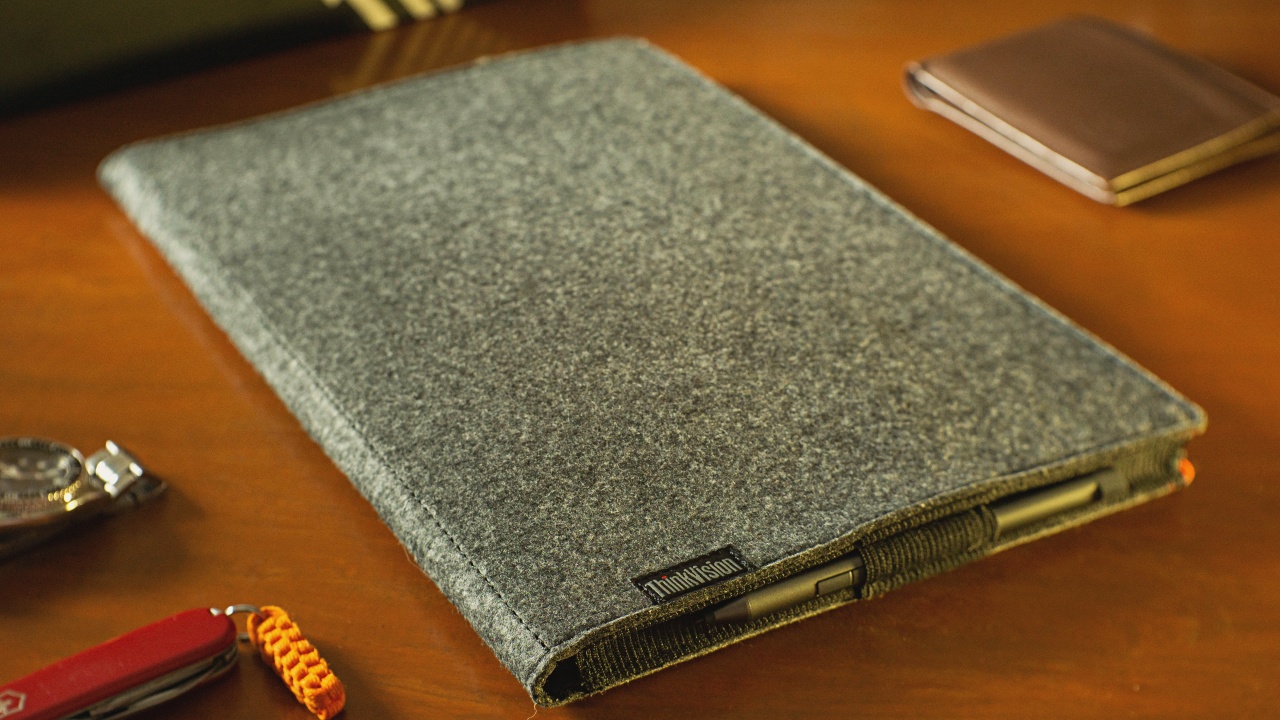
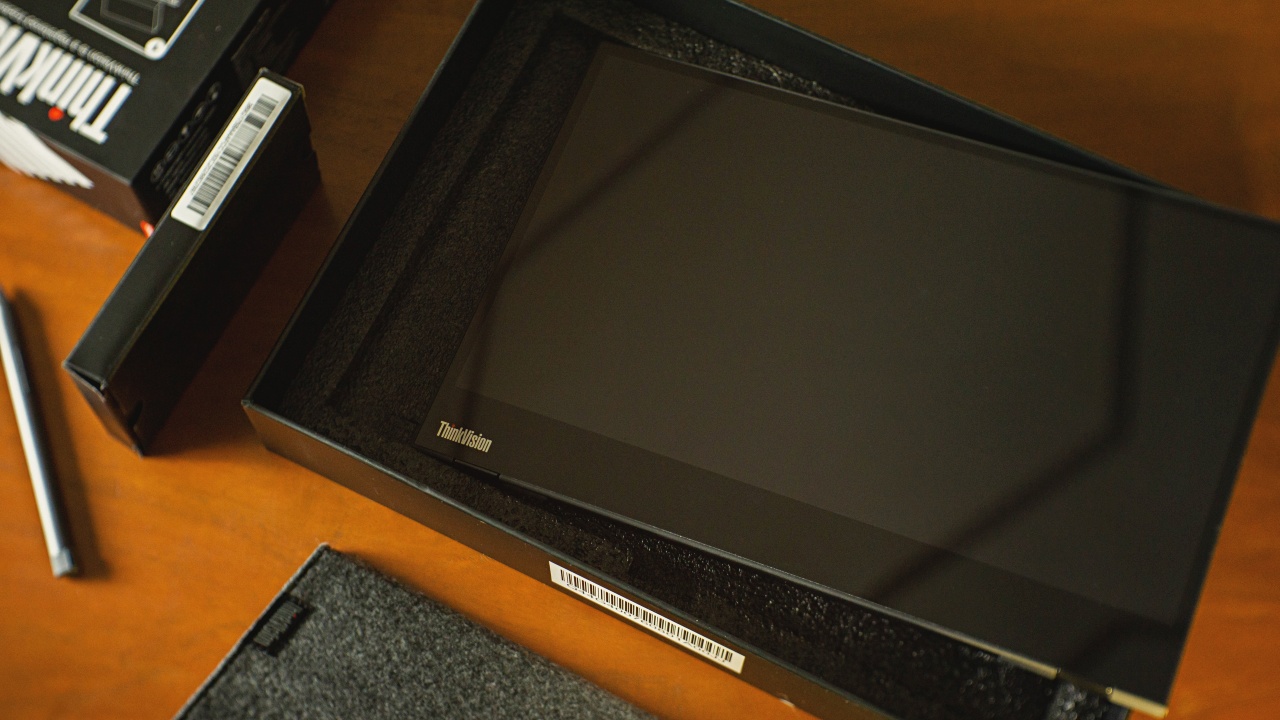
As I picked up the unit from the box, handling it felt fragile. It is so slim and light that I was afraid to place it anywhere with fear that I might accidentally break it. To address that, a soft pouch does come with the package for its protection. Though, without a dedicated hard case, I wonder if it may actually survive being stored in my bag along with other things.
As easy as Plug and Play
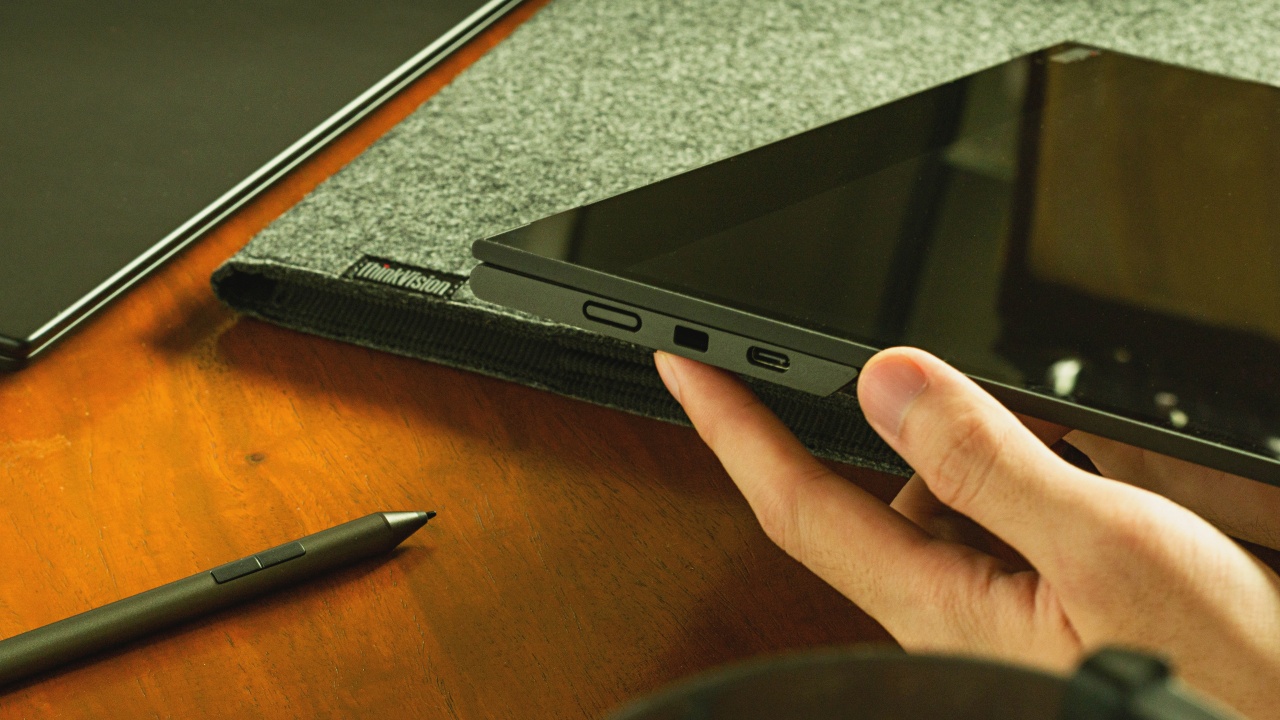
Searching the contents of the box, I was thinking if Lenovo just forgot to pack the power brick in the box because it just didn’t come with one. No, it wasn’t a mistake. The ThinkVision M14T monitor requires only a single USB-C cable to get power, touch or pen input signal and a display signal from its source.
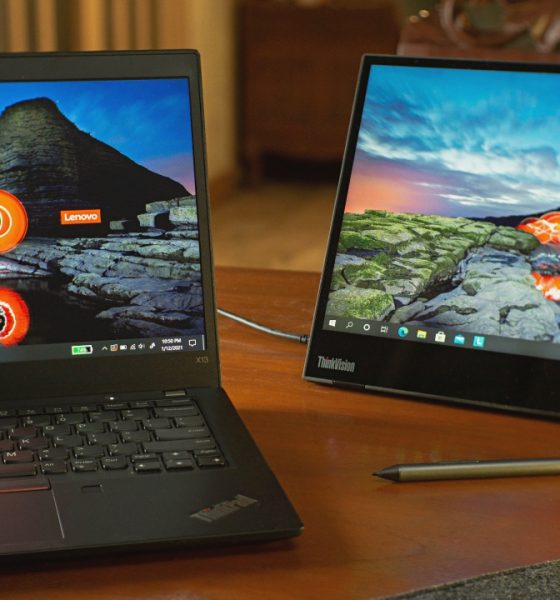
Plugging it in the USB-C port of the Lenovo ThinkPad X13 laptop, the ThinkVision M14T was instantly detected. And with a press of the power button, the M14T was up and running. I have to say, it amazes me that it is that convenient. Not having to need an external power source was like magic.
At 300 nits of brightness, the M14T’s IPS display panel is bright and vibrant. At its max brightness setting when paired with the ThinkPad X13, the ThinkVision M14T’s display seemed to overpower that of the X13, making the two look a bit unbalanced.
Its base folds out from the bottom of the monitor which acts as its stand. Opened out, the ThinkVision M14T felt stiff, solid and stable.
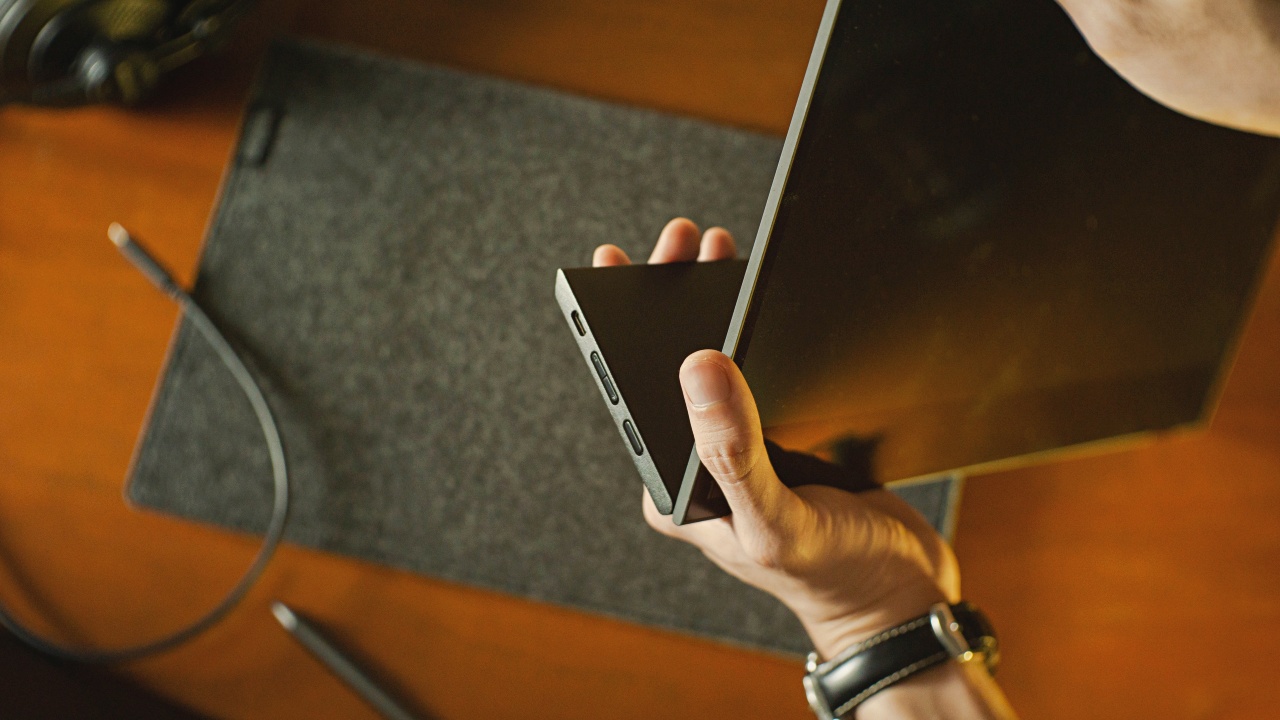
You can choose which side you’d want to plug your device as both the left and right sides of the base each have a USB-C input. On its right, we have the power button and on the left we have a brightness control switch. Sadly, no other input ports are available other than USB-C.
Precision and response as you like it
The M14T is not only a secondary touch screen display, you may also use it as a tablet complementary to your device with its interactive stylus. This means if you have a device that doesn’t have touch or pen input built-in, the ThinkVision M14T will give you just that.
By this time, most graphic tablet users must have already been exposed to stylus pens being rechargeable similar to the Apple Pencil. The stylus pen that comes with the M14T still uses a single and unusual type of battery (AAAA). Thankfully, a battery does come with the unit.
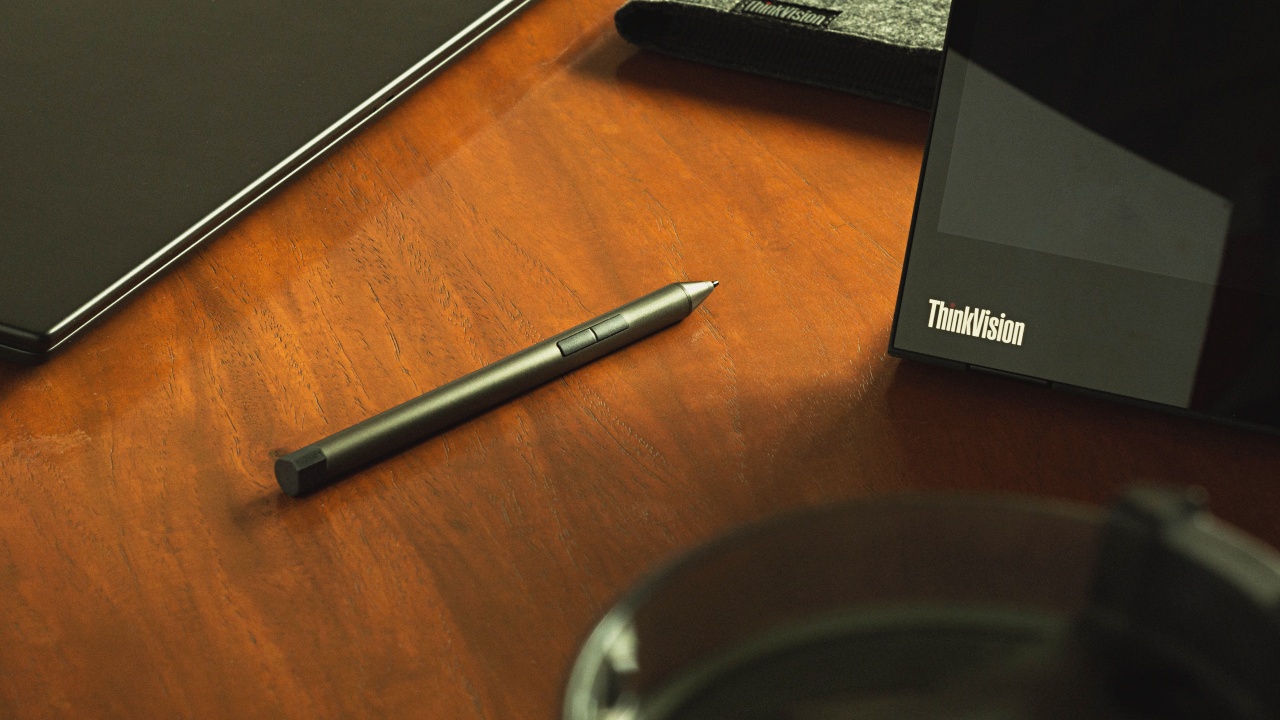
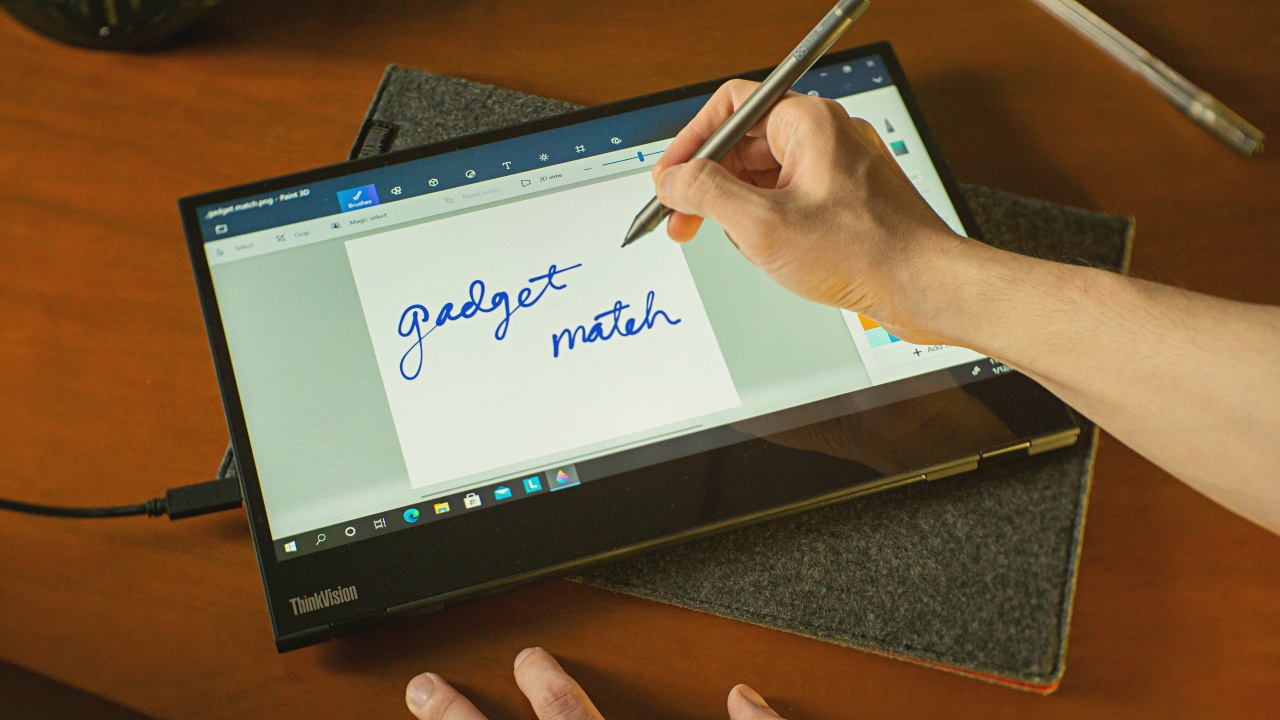
Having set my standards high on this aspect, I honestly didn’t expect this combo to perform as good as Wacom drawing tablets and the likes. To my surprise, as soon as I started writing, I immediately noticed how smooth its pen input was. With only minimal latency, the M14T’s stylus registers my movement almost instantly and its dedicated buttons are mapped automatically.
With the monitor folded down on a flat surface, it really did feel like I was doodling on an actual drawing tablet.
The M14T’s 10-point multi-touch input for touch gestures and 4,096 levels of pressure sensitivity with its stylus, graphic artists won’t be disappointed with this bundle.
Is the Lenovo ThinkVision M14T Portable Monitor your GadgetMatch?
The ThinkVision M14T is by no means a perfect device. Having USB-C as the only display input option may have limited its potential for versatility of use. The stylus not having batteries built-in might raise some eyebrows too. But if you’re willing to live with its limitations, Lenovo still has managed to tick many of the right boxes with their ThinkVision M14T Portable Monitor.
The convenience of having more screen real estate on the go and using a single cable for its operation is just a glorious experience. Ultra portability, decent brightness, good viewing angles, pen and touch input in such a sexy looking device, the M14T would be an ideal companion for just about anyone.
The good most definitely outweighs the bad with Lenovo’s ThinkVision M14T.
Get the Lenovo ThinkVision M14T Portable Monitor for PhP 19,995.






Accessories
Razer sharpens its competitive edge with Viper V4 Pro and Gigantus V2 Pro
Ultra-light. Ultra-tuned.

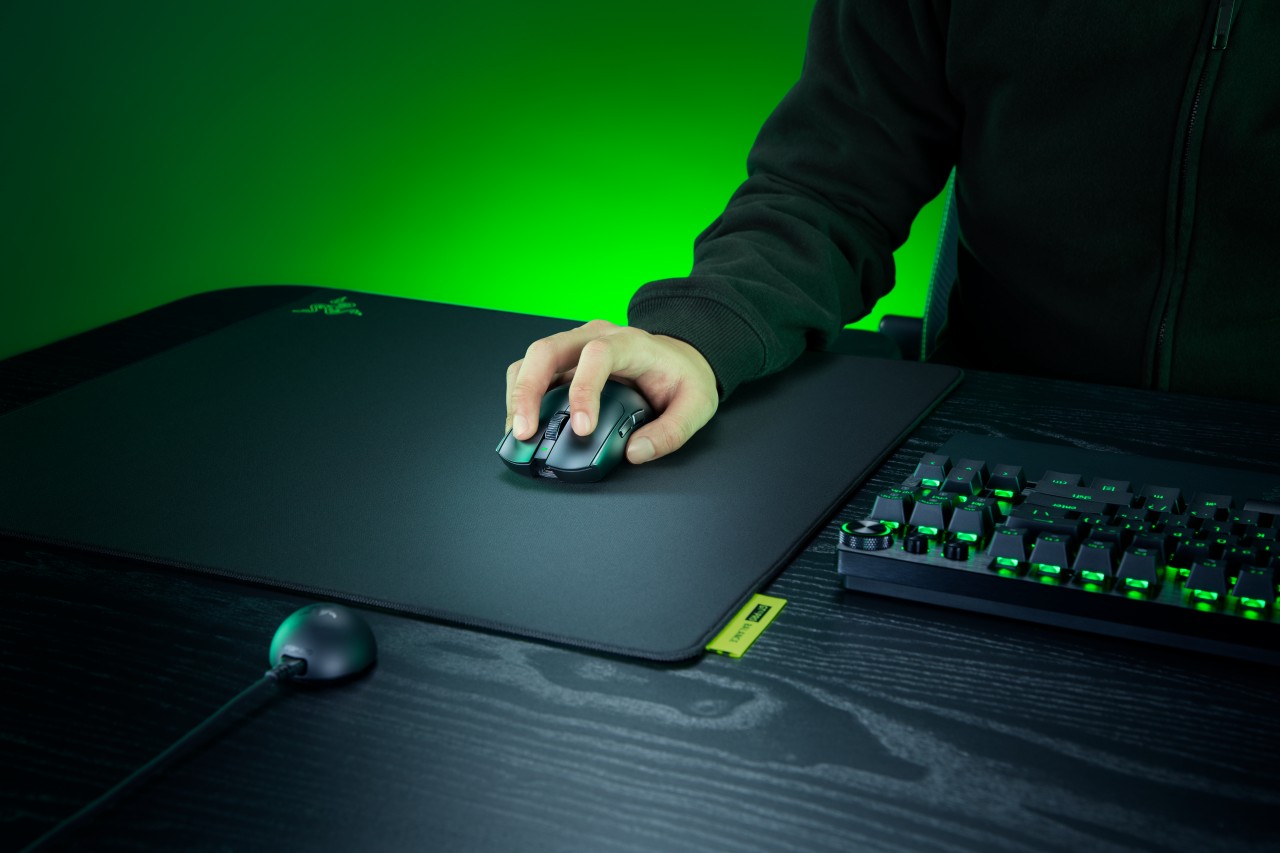
Razer expands its pro-grade lineup with a lightweight mouse and a highly customizable mouse mat built for different playstyles. The Razer Viper V4 Pro focuses on speed, precision, and responsiveness, while the Razer Gigantus V2 Pro brings tailored surface options that adapt to how players move.
Lighter, faster, and built for control
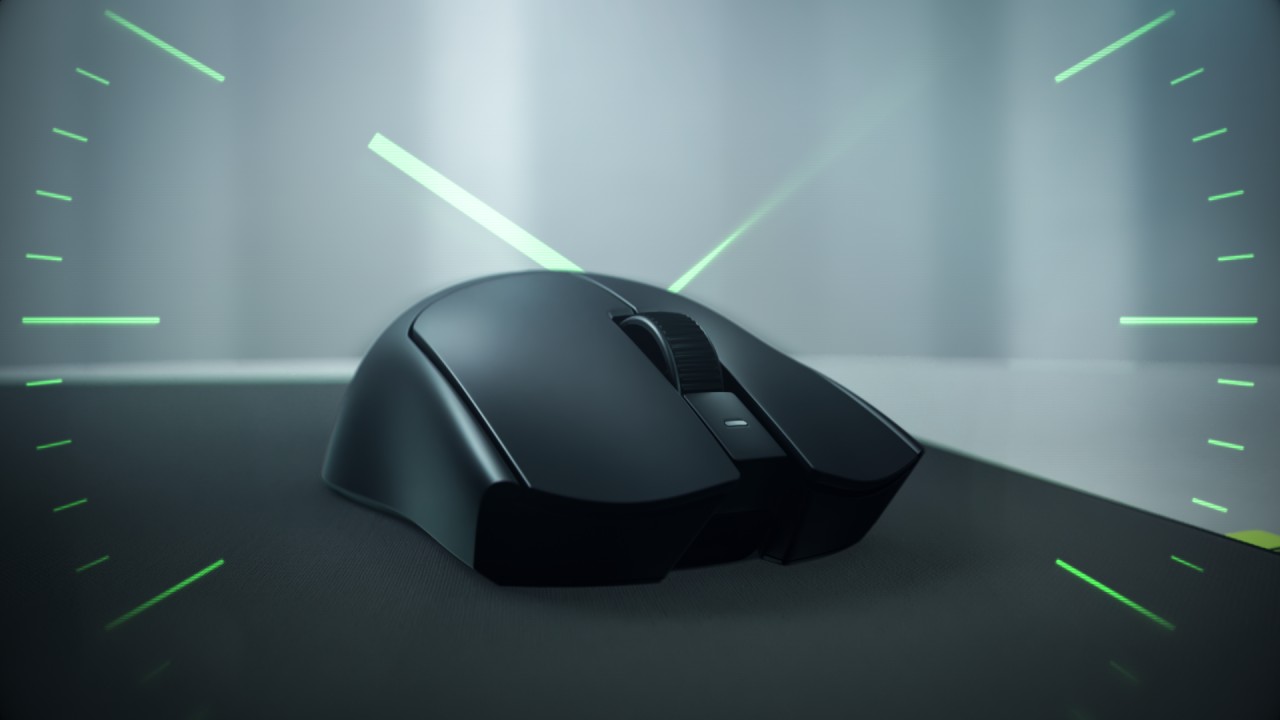
The Viper V4 Pro weighs approximately 49g in Black and 50g in White, making it around nine percent lighter than its predecessor. Razer achieves this through mechanical refinements like a thinner shell and a more compact PCB, without compromising durability. The structure still feels solid in hand, even with the aggressive weight reduction.
This balance matters in competitive play. A lighter mouse reduces fatigue and allows quicker adjustments, but stability keeps movements consistent. The Viper V4 Pro aims to deliver both.
Plug in, tweak, and play instantly
Razer also streamlines setup and tuning. The optimized hemispherical dongle maintains stable connectivity while providing quick status updates through LED indicators.
Players can adjust settings without installing software using Razer Synapse Web, enabling browser-based customization. Onboard controls allow quick DPI and polling rate changes mid-match, so adjustments happen without breaking focus.
A mouse mat that adapts to your play style
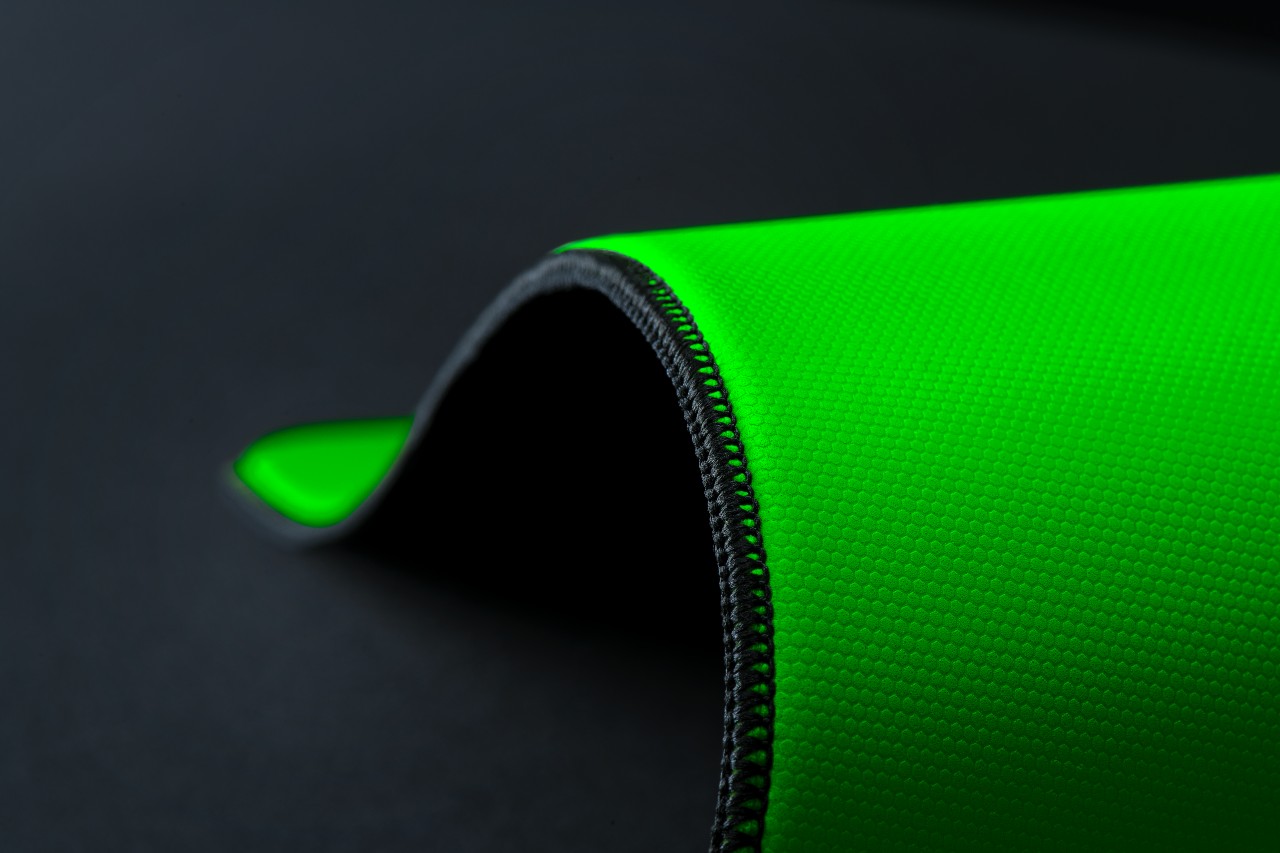
The Gigantus V2 Pro evolves Razer’s mouse mat lineup by introducing five distinct speed ratings paired with corresponding foam firmness. Instead of a one-size-fits-all surface, players can now choose based on how they aim and move.
Developed with esports pros like Nikola “NiKo” Kovač, Faker, and Zellsis, each variant reflects real competitive needs across different roles and playstyles.
The five surface options include:
- Max Control for ultra-high friction and precise flicks
- Control for consistent micro-adjustments
- Balance for a mix of speed and stopping power
- Speed for quicker swipes
- Max Speed for the fastest possible movements
Each surface is paired with Razer’s GlideCore foam, tuned to match the friction profile. Softer variants provide more stopping power, while firmer ones prioritize speed and responsiveness.
Built for consistency across every match
Razer ensures the Gigantus V2 Pro works seamlessly with modern optical sensors. Lab testing guarantees consistent tracking, whether for fine adjustments or wide flicks.
The mat is also designed for competitive environments. It features stitched edges to prevent fraying, an anti-slip base for stability, and a rollable build that makes it easy to bring to tournaments.
A complete competitive setup
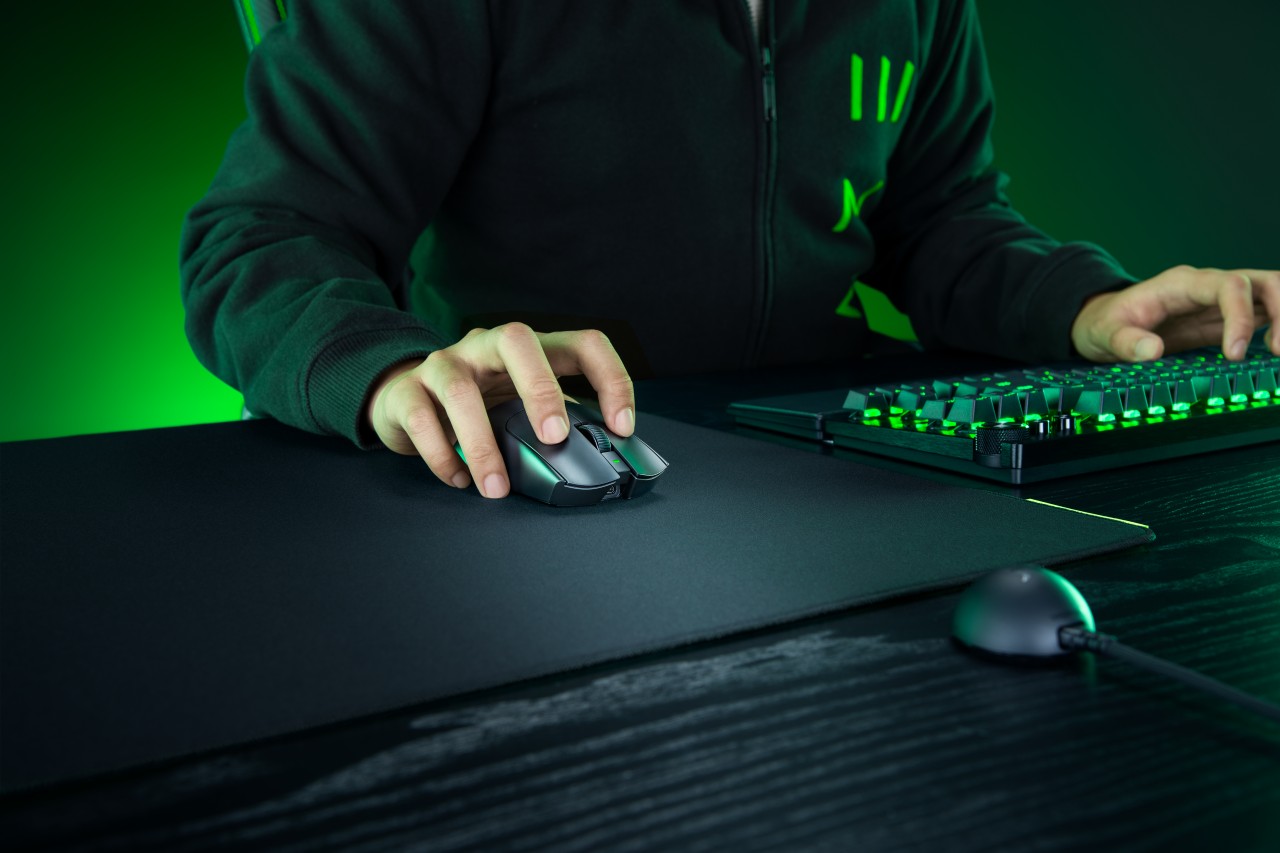
Together, the Viper V4 Pro and Gigantus V2 Pro form a cohesive setup that covers both input and surface. The mouse emphasizes low latency, precision tracking, and a shape validated by pros. The mouse mat complements it with clear, playstyle-based options.
Rather than focusing on a single standout feature, Razer builds a system. One that supports consistent performance, adapts to player preference, and helps turn practice into results when it matters most.
Accessories
Logitech G debuts PRO X2 SUPERSTRIKE with faster click tech
Faster clicks, deeper control
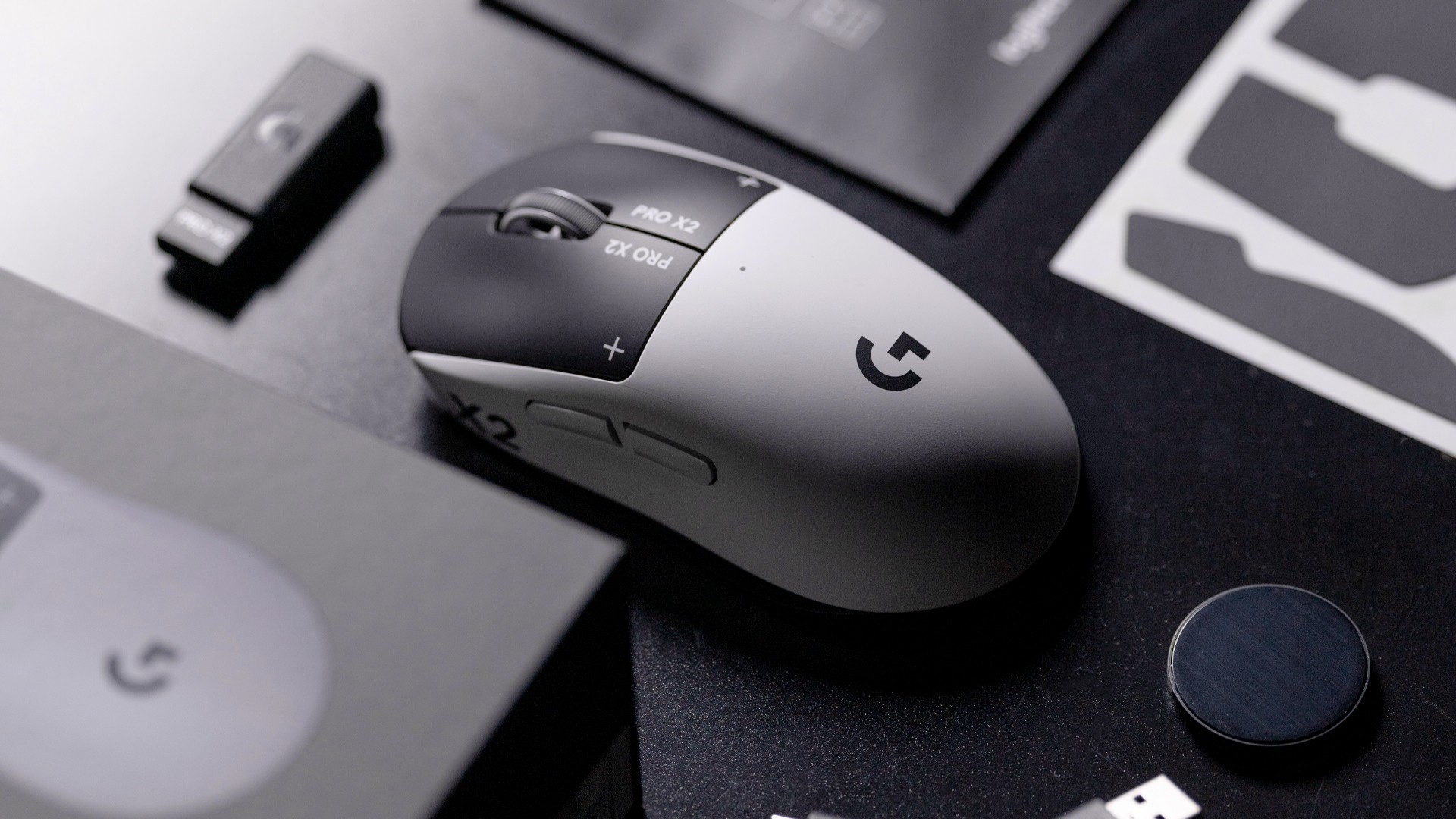
Logitech G is pushing competitive gaming performance further with the launch of the PRO X2 SUPERSTRIKE. It’s a next-generation wireless mouse built around a new click system designed for speed and control.
At the center of the PRO X2 is its patent-pending SUPERSTRIKE technology. It reduces the travel distance needed to register a click, cutting latency by up to 30 milliseconds based on internal testing. The result is faster inputs that can make a difference in high-stakes, split-second moments.
The mouse also introduces the Haptic Inductive Trigger System (HITS), replacing traditional mechanical microswitches. Instead of relying on physical contact, it delivers tactile feedback the moment a click signal is sent, helping players feel each input in real time.
Customizable clicks for competitive play
Developed with esports teams like G2 Esports, NAVI, and BLG, the PRO X2 SUPERSTRIKE focuses on precision and consistency. It supports 10 selectable actuation levels, allowing users to fine-tune how deep a click needs to be before it registers.
These adjustments can be made through Logitech G HUB, giving players the flexibility to match their setup to different games, roles, or playstyles without interrupting gameplay.
The mouse also uses Logitech’s LIGHTSPEED wireless technology with up to an 8kHz polling rate. This ensures fast and stable performance without the limitations of a wired connection.
Precision tracking and lightweight build
Powering the PRO X2 is Logitech’s HERO 2 sensor. It supports up to 44,000 DPI, 888 IPS tracking speed, and over 88G acceleration. Logitech says tracking remains free of smoothing, acceleration, or filtering, allowing for more consistent and direct input.
Despite its performance-focused internals, the mouse keeps a lightweight build at 61 grams. Logitech says this supports faster movements and reduces fatigue during long sessions.
Battery life is rated at up to 90 hours on a single charge, letting players stay in the game longer without interruptions.
Price and availability
The Logitech G PRO X2 SUPERSTRIKE is priced at PhP 11,945. It is available in the Philippines via Shopee and authorized Logitech retailers.
Accessories
Jackery SolarSaga series: Free power for small devices
Portable solar panels can charge small gadgets directly
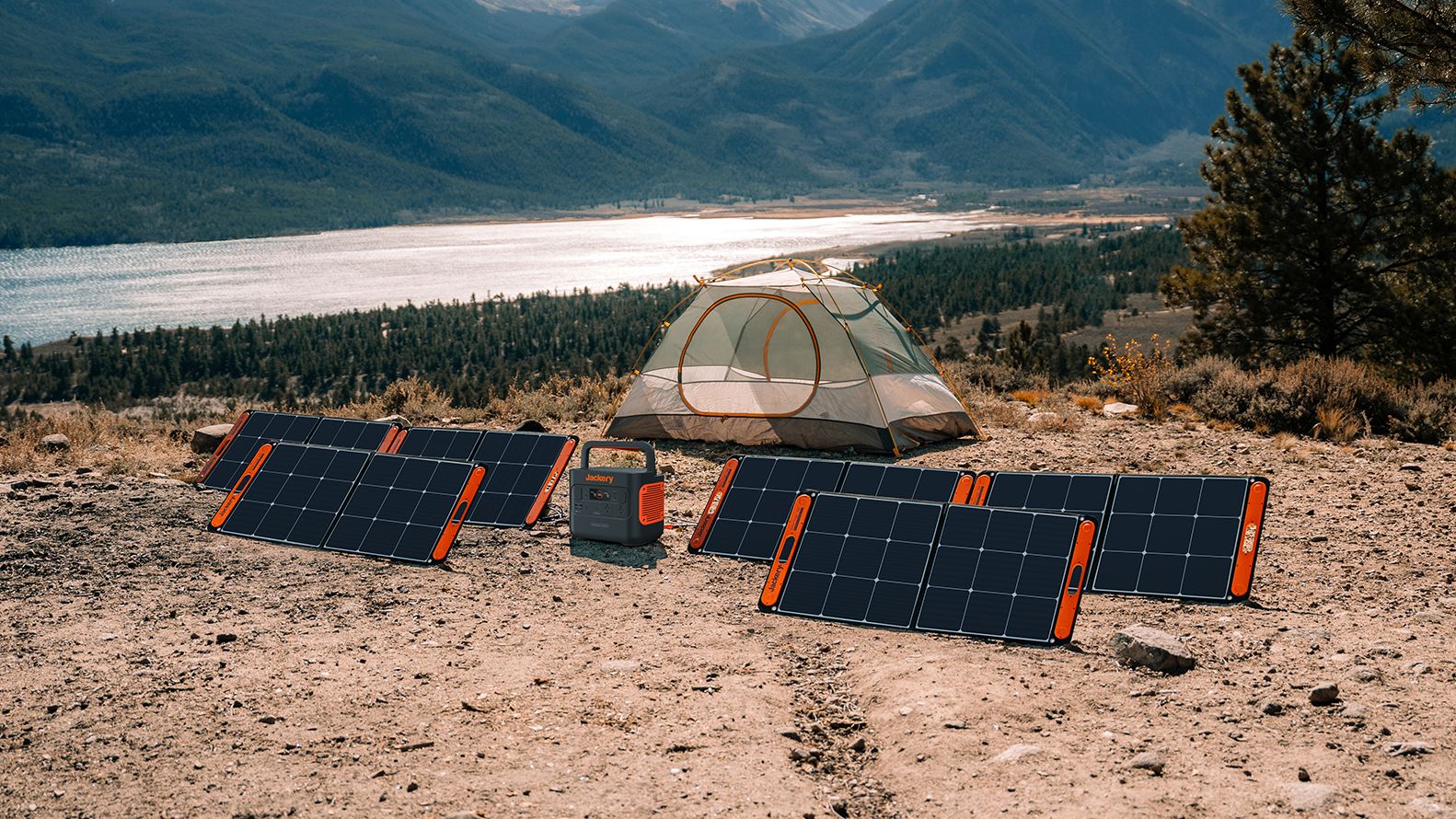
As fuel prices continue to surge as of late, one of the ways to make up for the additional expenses is to turn to alternative power sources. That’s including solar power.
And Jackery is here to help Philippine consumers, with the availability of their portable SolarSaga panels.
These solar panels are an alternative to traditional and permanently installed rooftop solar panels. They are engineered for modern and mobile life with portable, lightweight, and sleek designs. They are built primarily to be set up and put away easily, and charge small devices directly.
Simply put the Jackery SolarSaga panels where sunlight is available, and it will convert up to 25% of sunlight into usable energy.
To charge small gadgets like phones and portable fans, or even smartwatches, the SolarSaga panels come with a USB-C and USB-A port.
Another way is connecting the SolarSaga to Jackery’s Explorer power stations like the Explorer 300 Plus or 1000 Plus.
From there, users can power up devices, essentially for free. On its own, the Jackery SolarSaga panels are available in 100W and 200W variants.
The panels are also IP68 rated for water and dust resistance. This makes them usable outdoors when brought to adventures like camping, picnics, or beach trips.
The panels are already available through Jackery’s Lazada and Shopee platforms, as well as Techroom’s Lazada and Shopee accounts.


Galaxy Buds4 Pro review: I thought I was done with in-ears
This Buds4 you


WWE 2K26 lets you live out all the fantasy matches you could want
But you have to play for hours and hours to unlock everyone.


The HONOR X8d is serviceable
Steady but slow?

Life is Strange: Reunion now available on consoles and PC

Why this AI-powered eye health exam is the only reading you need this season

DJI officially launches the Avata 360 with 8K immersive imaging

The Changan Eado Plus officially lands in the Philippines

PLDT Home, Samsung team up for exclusive entertainment deals


-

 Reviews1 week ago
POCO X8 Pro Max review: A new beast from the far east
-

 News1 week ago
POCO X8 Pro Series: Price, availability in the Philippines
-

 Reviews1 week ago
POCO X8 Pro Iron Man Edition review: Midrange phone in superhero armor
-

 Automotive1 week ago
VinFast extends free unlimited charging in 3 markets amid rising fuel prices
-

 Reviews2 weeks ago
Samsung Galaxy S26 Ultra review: A phone you live with
-
Philippines1 week ago
The HONOR X8d is serviceable
-
 News1 week ago
POCO introduces X8 Pro Series with Dimensity 9500s
-

 Gaming2 weeks ago
NVIDIA’s DLSS 5 can turn your favorite AAA game into AI slop