



It was during IFA 2018 when Lenovo introduced their latest premium convertible for consumers — the Yoga C930. It doesn’t have a good name, but it does offer everything a Yoga should, especially in media consumption.
Notebooks with flipping displays, like the Yoga lineup, are not just designed for typing. Most manufacturers market their convertibles to be perfect for entertainment, yet they largely fail in one aspect where they should shine — audio.
When Lenovo introduced the Yoga C930 with the rotating soundbar and Dolby Atmos, I hoped that it was not just a marketing ploy. But, is it? Let me share my thoughts about Lenovo’s newest convertible.
No fuss design
The Yoga C930 has a metal shell with a familiar aesthetic from Lenovo. My unit has a dark finish that’s aptly named Iron Gray. If you want a lighter shade, Lenovo is also offering the notebook in Mica, which is close to white. Everything about the body of the Yoga C930 screams premium; nothing here looks cheap or ugly.

To make it more special, the sides and the hinge of the Yoga C930 have a brushed finish. It’s a minor touch, but it’s highly noticeable whenever you’re checking where you should plug your peripherals. I also think that it helps hide unsightly scratches and gives the notebook a bit of shine.
While we’re at it, the available ports on the Yoga C930 are generally okay. It’s got two Thunderbolt 3 ports that fully support PowerDelivery, DisplayPort, and USB 3.1 functions. Both Thunderbolt 3 ports employ 4x lanes for PCIe, so you can connect the Yoga C930 to an external GPU, which is good because this laptop doesn’t have a dedicated graphics unit.

Apart from a couple of versatile USB-C interfaces, there’s also a classic full-size USB that we all know and love. Thankfully, Lenovo knows that this is still a widely used port and bringing a dongle just to read a thumb drive is a hassle. The 3.5mm audio port is also available when you need to plug in a pair of wired headphones.
All of the ports on the Yoga C930 are on its left side, leaving the right with just the power button. There are no volume buttons, either.
While I appreciate that Lenovo provided both USB-A and USB-C ports, I was still hoping for more; another USB-C with PowerDelivery on the right and a full-size SD card reader would do. The Yoga C930 is slim, but it’s not ultra-slim like the fan-less MacBook which got away with having one port (or maybe two if you count the headphone jack).

The Yoga C930 has a fairly large 14-inch display (13.9 inches according to Lenovo), but with minimum side bezels. Since this is made for watching videos, the aspect ratio is still stuck at 16:9.
There are two resolutions available for the Lenovo C930: Full HD or Ultra HD. The one I have here is just the Full HD variant, but it still has the key feature: Dolby Vision. The best way to fully appreciate the display is to play an HDR or Dolby Vision-enabled title. You can find some on Netflix if you’re using the highest-tier plan.
The display gets bright enough to be used outdoors and really dim when you need it to. It’s vibrant and has deep blacks even if it’s only an LCD panel.

When watching a video, I prefer to use the Yoga C930 in Tent mode. It can also be used in Stand mode with the keyboard facing down, but for some reason, Lenovo didn’t put little rubber feet to protect the keyboard when placed on a surface. You have to be cautious where you place the notebook or you risk scratching it.
The integrated soundbar of the Yoga C930 is designed to always face the user. That’s another advantage of watching videos in Tent mode; the speaker is facing upwards. I get to hear the sound directly without any muffle. I must say, the Yoga C930 has one of the clearest speakers I’ve tried on a notebook. It gets really loud, too.
It even has Dolby Atmos to enhance it further, but it’s not as immersive as advertised. To be fair though, I get to hear the stereo effect better than on other notebooks.

The device is least useful (for me) when it’s in Tablet mode. The Yoga C930 is too heavy to be a tablet, plus the 16:9 aspect ratio makes it feel like I’m reading from a really tall magazine. But, this is where the built-in pen comes in handy. The integrated stylus makes it easy for doodlers to annotate on screen.
Fast but not incredible
Let’s talk about power. The Yoga C930 I have is powered by the latest 8th-gen Intel Core i7 processor paired with 12GB DDR4 memory and a 256GB M.2 PCIe SSD. Configurations may vary in some regions, so the Yoga C930 in your stores might be more powerful or inferior.
There’s one thing that’s missing though, and it’s not an option anyone can get either: discrete graphics.

As mentioned, the Yoga C930 is not an ultraportable. It has nowhere near the portability of Dell’s XPS 13 or even Lenovo’s own Yoga Book. It’s big enough to house at least a modest NVIDIA GeForce MX150 — just like the latest ZenBook from ASUS.
My usage includes multiple tabs on Chrome, some slight editing on Photoshop, and hours of binge-watching on Netflix. I primarily used the notebook for typing and browsing, which are not heavy tasks.
So far, I had no major performance issues during my time with the Yoga C930. I didn’t bother to install games because it lacks discrete graphics.

Of course, the notebook runs Windows 10. I got the October 2018 update just last week, and it made the dark mode better. It matches the gray motif of the device.
It’s ideal for my own use
Putting all the technical specifications aside, the Yoga C930 has been a great companion.
Aside from the soundbar, I also fully appreciate the notebook’s keyboard. It’s not as great as the one on ThinkPads, but it’s good enough for me. It’s well-spaced and has a good amount of key travel.

The touchpad uses Microsoft Precision drivers and it fully supports all the gestures of Windows 10. It has a glass surface and picks up all the inputs. A responsive touchpad and a good keyboard is the combo I need for work.
There’s also something about the craftsmanship of the Yoga C930 that gives assurance that it’s a well-built device. Perhaps it’s the balance between weight and dimensions.

Lastly, the webcam has a physically cover — just like a ThinkPad’s. It’s nice to see nifty features of Lenovo’s business laptops on a consumer device. I don’t have to cover the webcam anymore with a piece of tape.
Great battery life
I am generally impressed with the longevity of the Yoga C930. Lenovo promises all-day battery life, but we all know that is somehow a stretch. Based on my usage, I get around eight to nine hours. I also experience about the same when watching Netflix non-stop.
It’ll not beat records, but I am always assured that even if I leave my charger at home, I know I can rely on the Yoga C930 to get me through a full day.
Is this your GadgetMatch?
You probably already think that this is my GadgetMatch, which I’ll not deny. I had a good time with the Yoga C930, despite its shortcomings. It’s a premium convertible that managed to meet my expectations. I’m hoping Lenovo will soon have an option with discrete graphics. For now, you can maximize the device by plugging in an external GPU.

The Yoga C930 has a starting price of US$ 1,399. It’s a bit pricier than I expected from its specs, but it’s a premium convertible that offers more versatility than regular laptops.
SEE ALSO: Lenovo IdeaPad 530S, 330S, 330: Which is right for you?





Laptops
Alienware celebrates 30th anniversary with new Area-51 laptops
The series features Alienware 30, an all-new design language.

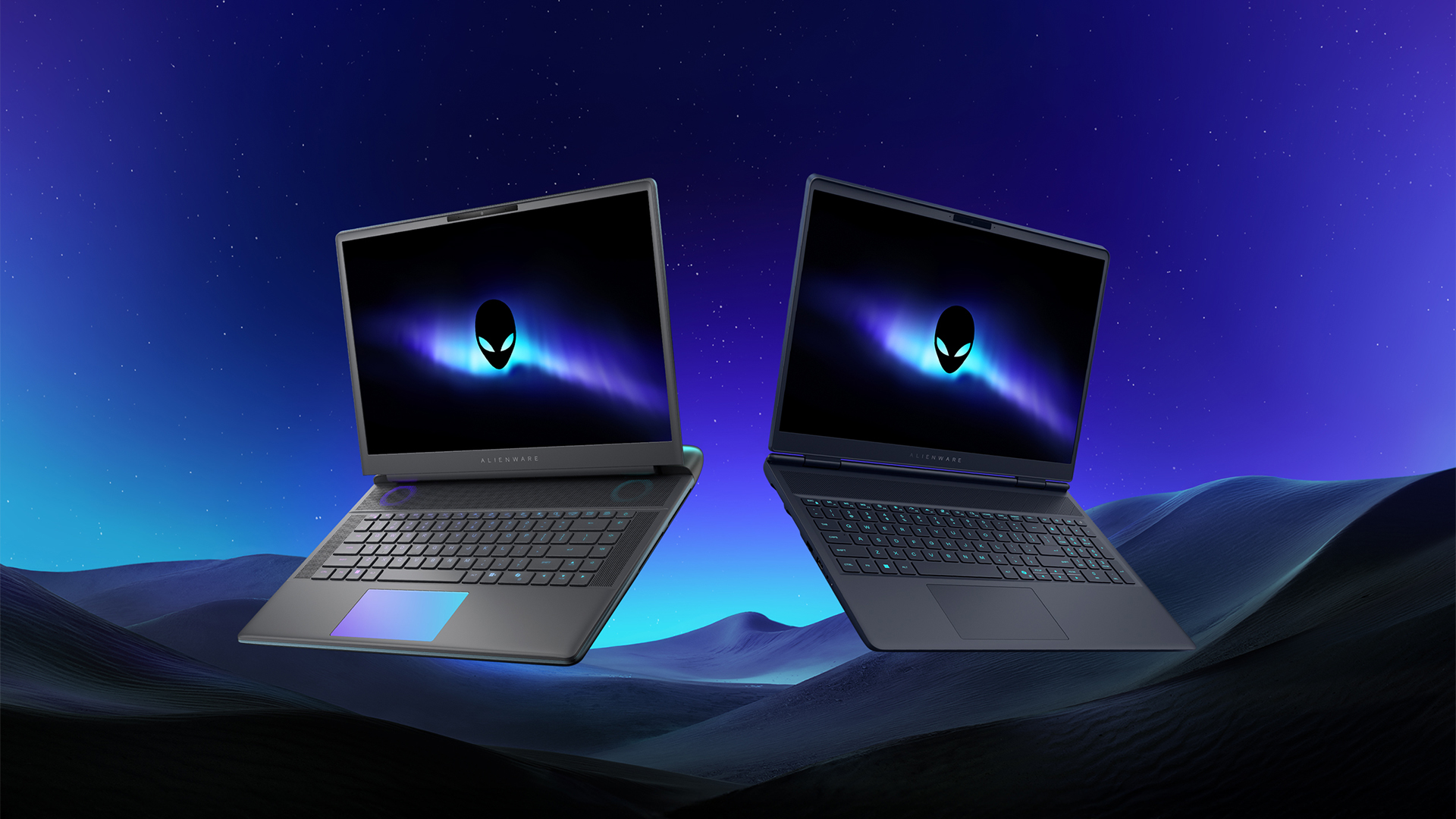
Despite the rise of more gaming brands, Alienware is still one of the most recognizable names for gamers who want dedicated hardware. This year, the brand is celebrating its 30th anniversary. To commemorate the milestone, Alienware has launched the new Area-51 and Aurora notebooks.
Alienware Area-51
Alienware’s Area-51 lineup is the brand’s flagship line of notebooks, packing in the best of the best from the industry. This time is no different.
First of all, the new series will rock Alienware 30, a new design philosophy made especially for the 30th anniversary. On the outside, the laptops have fluid contours, emphasizing curves opposed to the industry’s more angular contemporaries. It also has a Zero Hinge, which hides the laptop’s hinge from view. Finally, it has pillowed palm rests to make usage easy for long gaming sessions.
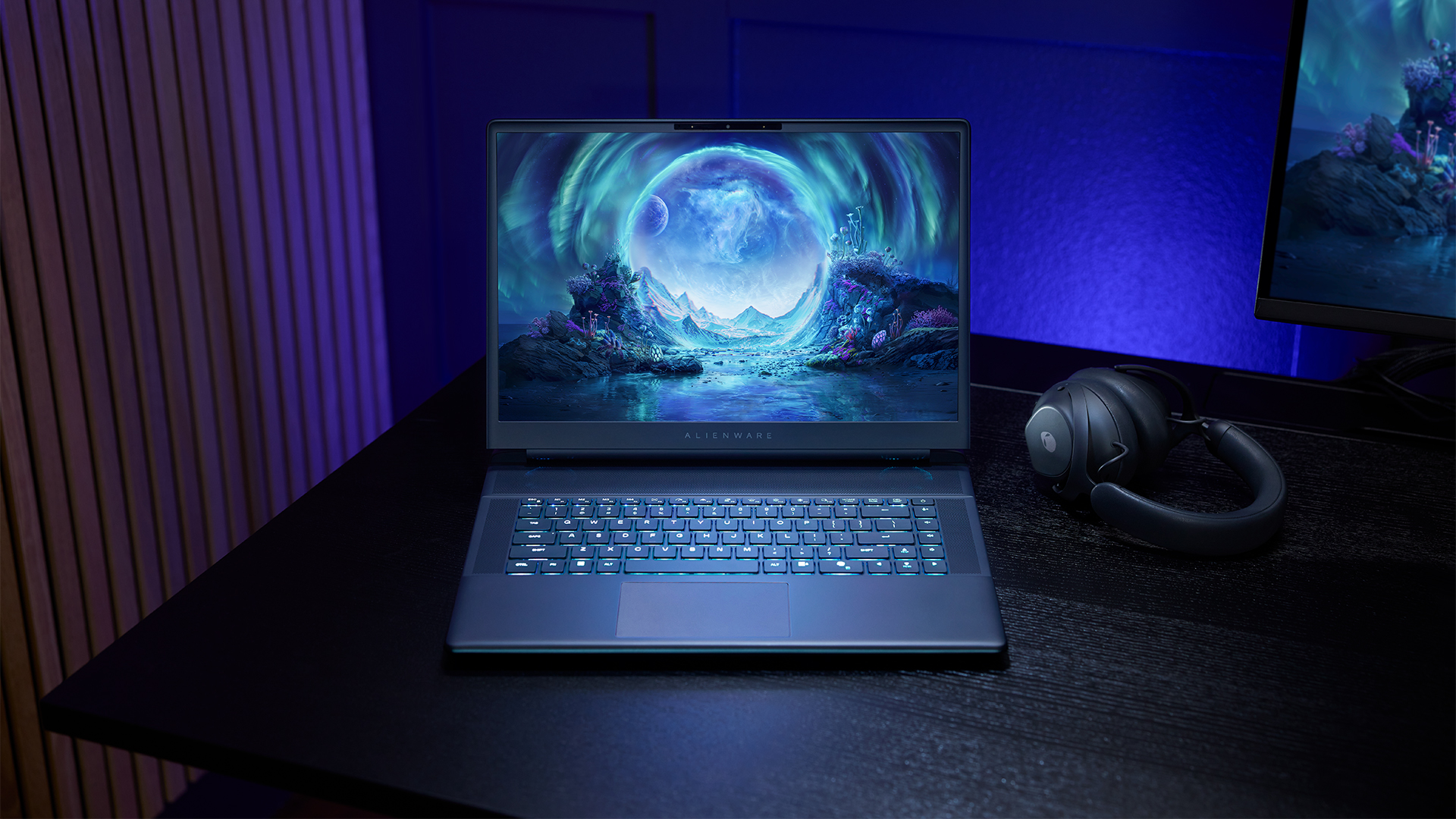
The 16-inch model can rock up to a WQXGA Anti-Glare OLED screen, featuring 240Hz refresh rate and 620 peak HDR nits. It will also have an LCD option. Alternatively, the 18-inch model has a WQXGA screen, featuring 300Hz refresh rate and 500 nits of brightness.
Inside, the Alienware Area-51 boasts up to an Intel Core Ultra 9 290HX processor and up to an NVIDIA GeForce RTX 5090 24GB GPU. For memory, gamers can enjoy up to 64GB Dual-Channel DDR5. Finally, for storage, the series can rock up to 2TB SSD natively but can support up to 3 slots, allowing for up to 12TB of internal storage.
The series will have a sizable 96Whr battery. This is complemented by a 280W adapter and the brand’s largest fans by volume to keep things cool.
Alienware 16X Aurora
For those who portability over raw power, the new Alienware 16X Aurora fits inside any day-to-day kit. For example, it ditches the thermal shelf typical of most gaming notebooks today to increase portability. It has rounded edges to make it easier to grasp and to create a slightly pillowed palm rest, similar to its flagship counterpart.
The 16-inch WQXGA OLED panel touts 240Hz refresh rate, 0.2ms response time, and 620 nits HDR peak brightness.
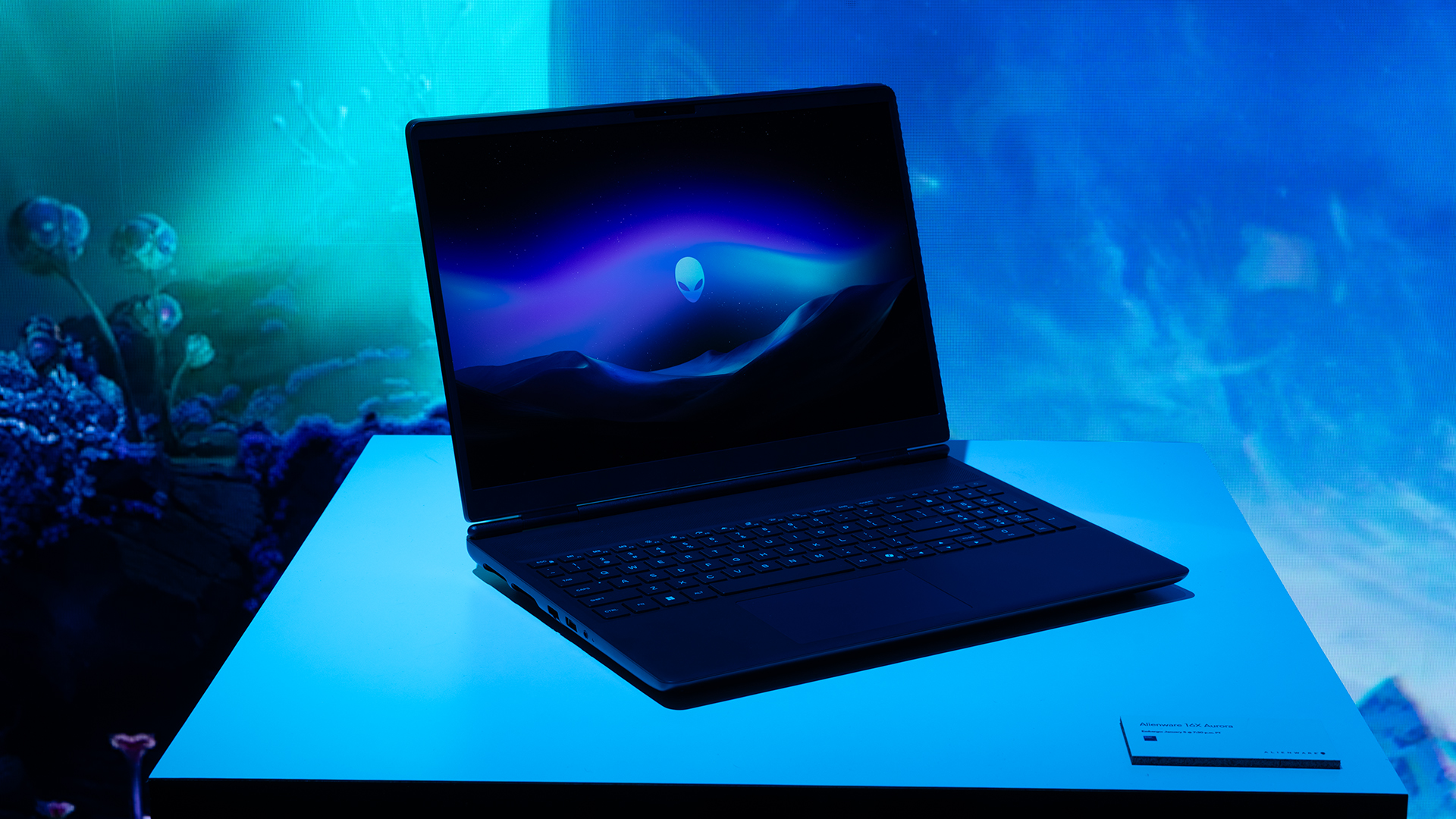
Inside, the notebook has up to an Intel Core Ultra 9 275HX processor and up to an NVIDIA GeForce RTX 5070 Ti GPU. These specs are paired with up to 64GB Dual-Channel DDR5 memory and up to 2TB SSD.
Finally, the Alienware 16X Aurora will have a 90Whr battery. This is supported by up to a 280W charger (for the RTX 5070 variant).
Price, availability
Both series are available starting today, March 17.

Apple disrupts the industry with their latest MacBook — an affordable to say the very least.
If you’re a student, a first-time Mac owner, someone who’s been priced out of this ecosystem their whole life, someone who just needs a laptop for basic tasks but one that looks great, without slowing them down, this is it!
Or maybe you’re torn choosing between the MacBook Neo and the more powerful M5 MacBook Air?
Well, that’s what we’re here for. Here’s our review with the all-new MacBook Neo.
Laptops
Hands-on: NEW iPhone 17e, iPad Air, MacBooks, Studio Displays
What Apple has announced other than the MacBook Neo


The MacBook Neo was the star of yesterday’s Apple event, and it has every right to be but it’s been a big week for Apple.
So as promised, we also went hands-on with every other device announced this week: iPhone 17e, M4 iPad Air, M5 MacBook Air, MacBook Pro with M5 Pro and M5 Max chips, and the new Studio Displays.





Now Playing: Hoppers

Jackery SolarSaga series: Free power for small devices

UGREEN adds new Nexode Pro power bank, charger to lineup

nubia to launch new Neo 5 series gaming phones on March 28

SHINOBI: Art of Vengeance’s SEGA Villains Stage out on April 3


-

 Reviews5 days ago
POCO X8 Pro Max review: A new beast from the far east
-

 News5 days ago
POCO X8 Pro Series: Price, availability in the Philippines
-

 Laptops2 weeks ago
Apple MacBook Neo Review
-

 Computers2 weeks ago
GIGABYTE collaborates with Capcom for RE Requiem custom PC
-

 Apps1 week ago
Google Maps is finally getting a 3D mode
-

 Entertainment2 weeks ago
The internet is thirsting over the One Piece Season 2 cast
-

 Features1 week ago
Galaxy AI on the Samsung Galaxy S26 Ultra
-

 Automotive2 weeks ago
BYD is reportedly considering an F1 team