
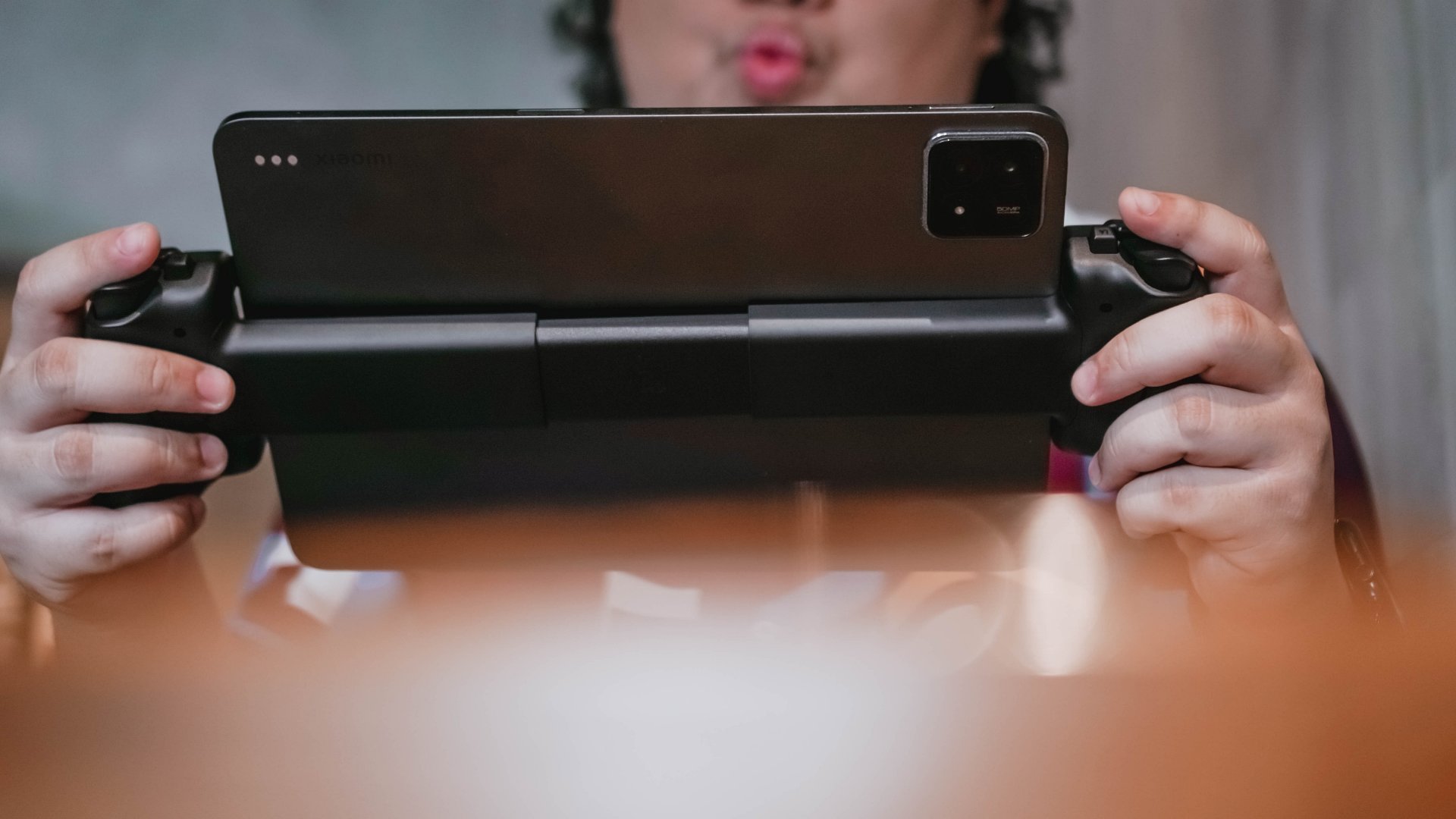

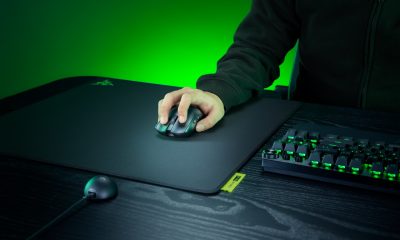
The moment tablets crossed the 10-inch line, mobile gaming accessories hit an identity crisis. Most controllers were built for phones. Most stands felt like stopgaps. And most Bluetooth pads forced you to choose between comfort and portability. The Razer Kishi V3 Pro XL feels like Razer’s answer to that problem. It isn’t subtle. It isn’t small. It’s a controller built for people who already treat their tablets as entertainment machines.
Using it made me rethink where the line between handheld gaming and home gaming really sits. It pulls your screen closer, locks in your grip, and turns big-screen mobile play into something that feels almost console-native. It doesn’t replace a handheld or a living room setup, but it lives confidently in the space between them.
First impressions: big in every sense
The Razer Kishi V3 Pro XL looks big in photos, but nothing prepares you for how colossal it feels the first time you snap a tablet onto it. The extended frame is oversized by design, and the feeling never fades no matter how often you use it. You adjust to the span of the controller, but it never stops feeling humongous.
Mounting the tablet is straightforward. The USB-C island aligns cleanly, and anyone familiar with mobile controllers will get the hang of it immediately. Even newcomers won’t have much trouble. I tested it with 11.2-inch and 12.4-inch Android tablets and the weight sits right in the middle. You always feel your device pulling down the center. I imagine that a 13-inch iPad would make that feeling even more pronounced.
What struck me most in this early stage was how much presence the whole setup had. You don’t just hold a controller. You commit to it.
Ergonomics that feel instantly console-like
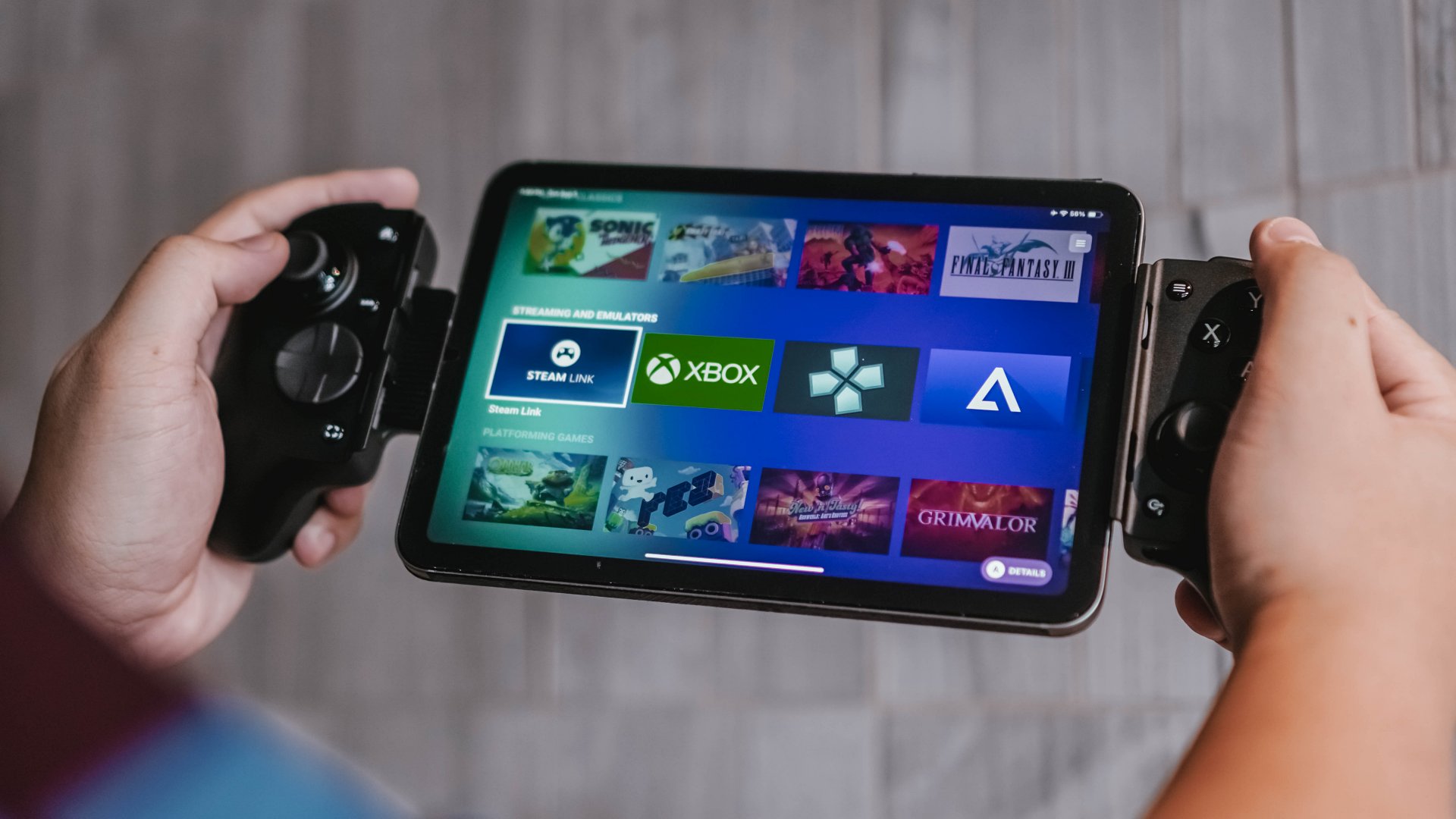
Once the tablet is mounted, the Kishi V3 Pro XL spreads your hands wider than usual but lands in a surprisingly natural position. It feels console-like right away, not like a mobile accessory that’s pretending to be one. I’ve spent plenty of time using PC handhelds and this actually feels more comfortable than most of them.
After about half an hour, the weight starts hitting your wrists and forearms. It is not unbearable, but you feel it. I never played it on a desk since that’s not how I naturally use mobile controllers. Most of my sessions happened on my bed or on a couch at home. I only ever used it outside if I found a quiet spot with a wall behind me, but that has more to do with my comfort levels than the controller’s ergonomics. No matter where I played, arm strain was consistent.
Still, the controller’s shape and weight distribution feel considered. It never feels cheap or fragile. It sits in your hands like something designed for long sessions, even if your arms feel the toll over time.
Buttons, sticks, and the premium difference
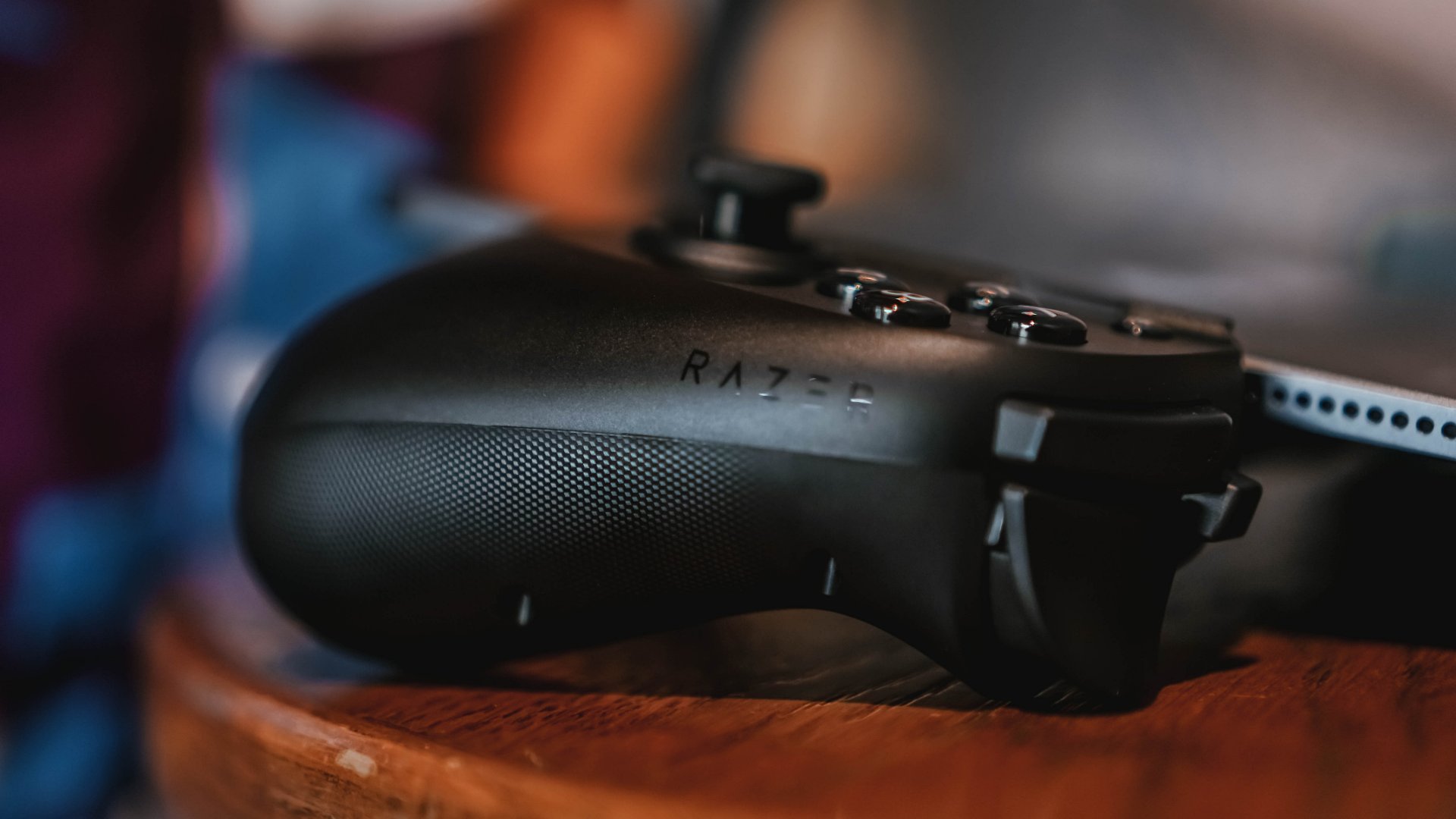
The TMR thumbsticks impressed me from the first moment I flicked them. They feel stable, smooth, and incredibly responsive. There’s no sense of impending stick drift and no mushiness. I stuck with the default caps because they felt great right out of the box.
The claw-grip bumpers also add to the premium feel. Mid-game, they feel like the kind of triggers you expect from high-end controllers, just spaced wider apart. There’s a confidence to them that I didn’t expect.
Compared to a Bluetooth controller, the input precision doesn’t feel drastically different during moment-to-moment gameplay. You might shave some latency since the Kishi uses a physical connection, but the real difference is the cohesion of everything being attached directly to your tablet. Nothing feels detached.
Haptics that feel intentional
I didn’t immediately clock what the Razer Sensa HD haptics were doing until I started writing about them. The rumble feels more intentional than the generic shakes most controllers offer. It is not on the level of Sony’s DualSense, but it is a step up from standard rumble motors.
The vibration is tuned well for the XL setup. Never too strong, never too weak. Just enough to make combat and impact moments feel present without overwhelming the larger device.
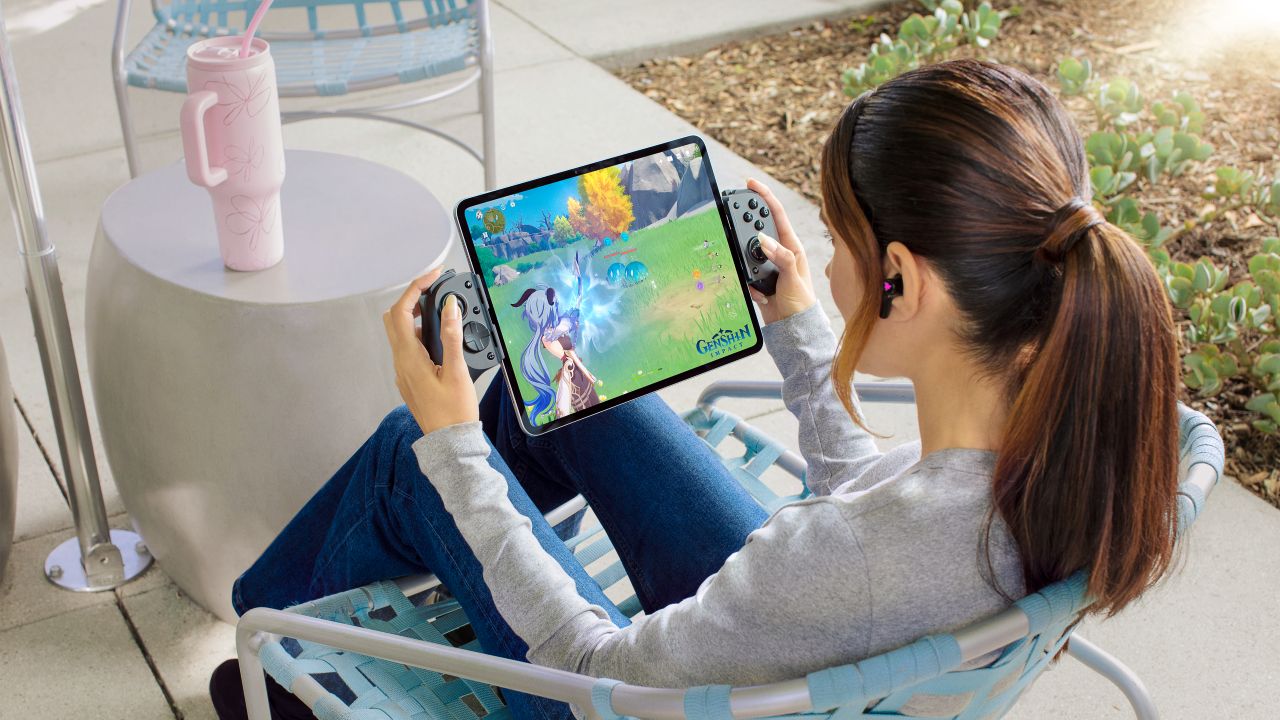
Tablet gaming becomes something else entirely
Most of my time with the Kishi V3 Pro XL was spent playing Zenless Zone Zero, along with a few other games that support native controller input. I prefer that to mapping, so I stuck with titles where everything worked out of the box.
What stood out was how close the experience felt. An 11.2-inch screen pulls the game toward you in a way smaller devices never do. The Kishi’s build quality adds to that console-like feeling. It’s premium, solid, and never feels like it’s one wrong move away from snapping.
The setup stays stable even when you shift positions in bed or lean back on the couch. No flexing, no wobbling. The XL size is always obvious, but the stability helps offset that.
The moment the XL form factor “clicked” was the same moment it overwhelmed me. It feels XL all the time, and that’s part of its appeal.
PS Remote Play machine
I briefly tested the Kishi V3 Pro XL on PC and didn’t find much to say since it felt unnatural to play while looking up at a monitor. But Remote Play was where the controller shined.
I used it to tackle side quests, grind through tasks on RPGs, or jump into NBA 2K while a movie or podcast played in the background. As someone who plays mostly on PlayStation, the layout is different but I had enough experience with asymmetrical controllers that muscle memory didn’t take long to adapt. This setup made me realize I never needed a PS Portal. I get the same experience on a larger and better screen.
Razer Nexus served as a quick launcher and worked well once I figured out how to trigger Remote Play from it. After that first moment of confusion, everything ran smoothly.
Charging, audio, and the practical bits
Passthrough charging works but felt slower than I wanted. In most cases, I just placed the whole setup down, charged the tablet, and came back to play later. It’s there when you need it, but it isn’t a standout feature.
I didn’t get to test the 3.5 mm audio jack since I didn’t have the right headphones with me. I used Bluetooth instead and didn’t experience delays or sync issues.
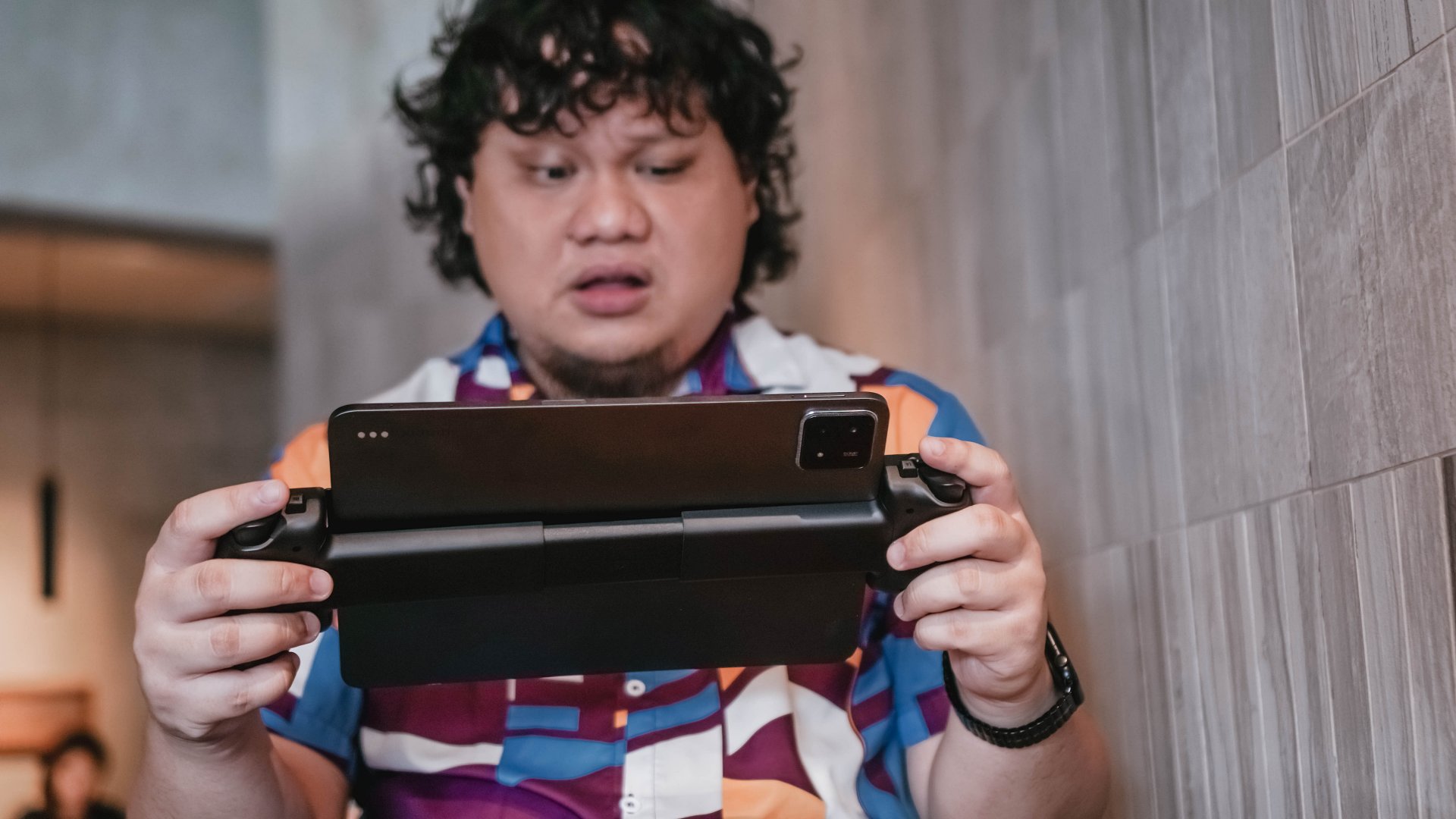
Portability and day-to-day use
The Kishi V3 Pro XL is portable in the literal sense but not in the practical one. You can bring it outside, but you need a big enough bag and a willingness to carry something that demands space and attention. For me, it’s a cozy-spot accessory. I only use it outside when I know I can tuck myself away in a quiet corner.
It fits only in larger bags and definitely demands its own space. Detaching the tablet is always easy.
Where it shines
Remote Play is where the Pro XL feels most valuable. It lets you enjoy console games in a more relaxed way while still keeping the full controller experience.
Zenless Zone Zero also looked incredible on the big screen. All that color and action hitting you up close feels electric. If you juggle a lot of tasks, look for mobile games with built-in controller support. They’re rare but usually worth the download.
Is the Razer Kishi V3 Pro XL your GadgetMatch?
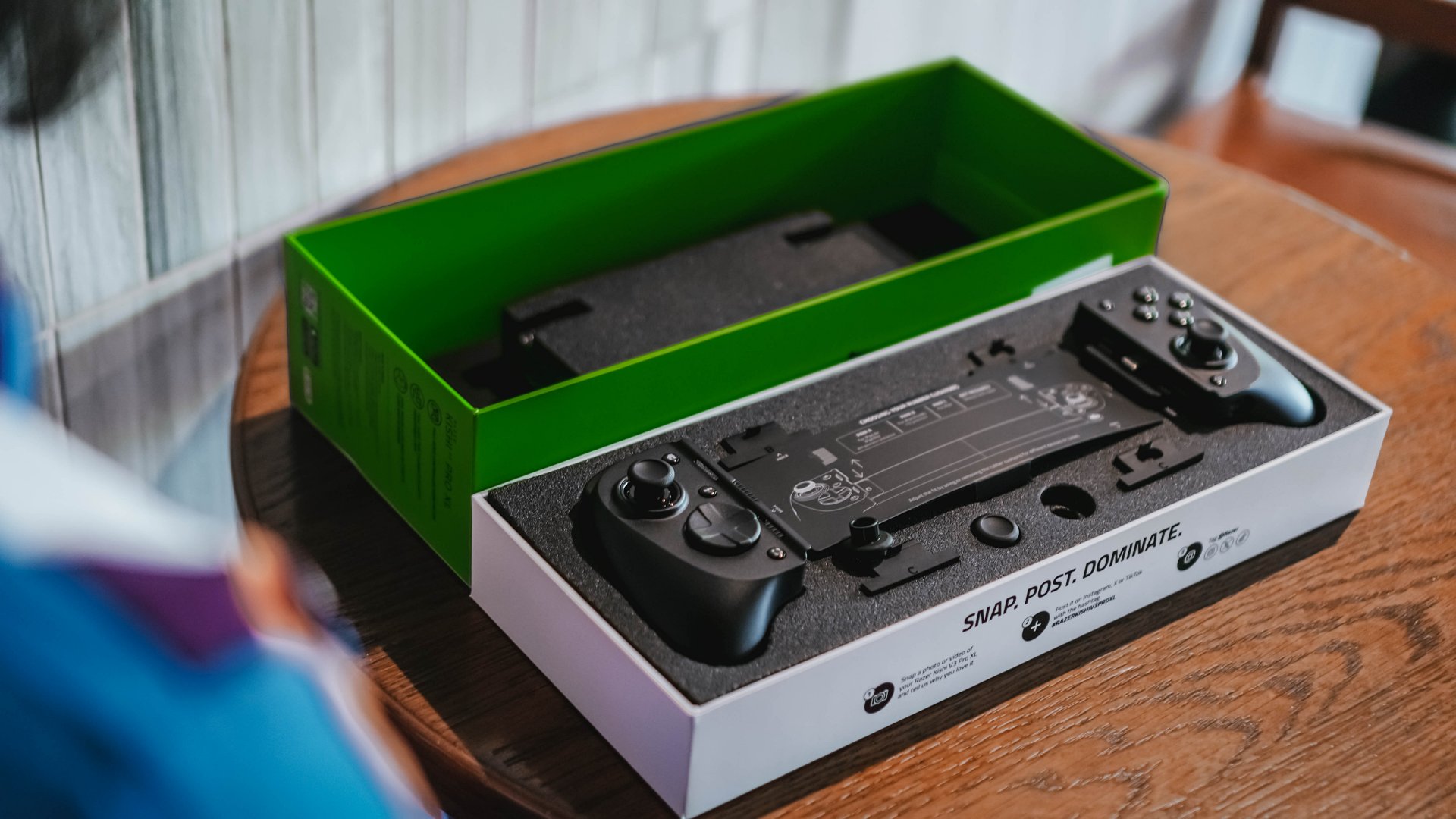
The Razer Kishi V3 Pro XL works because it knows exactly who it’s for. If you own a tablet that’s ten inches or larger, this is the controller that makes your device feel like a real handheld console. I used it every chance I got, and it changed how I look at gaming on bigger screens.
If you already use a Bluetooth controller and a tablet stand, the difference comes down to size and cohesion. With big tablets, this setup simply feels better. It’s one device, one frame, and one experience. If this sounds like an upgrade to your setup, this is most certainly a Swipe Right.
And if your tablet keeps getting bigger every year, you might eventually see this XL form factor as the one that makes the most sense.





Accessories
Samsung joins the clip-on earbud trend with the Galaxy Buds On
But it’s exclusive to South Korea for now.

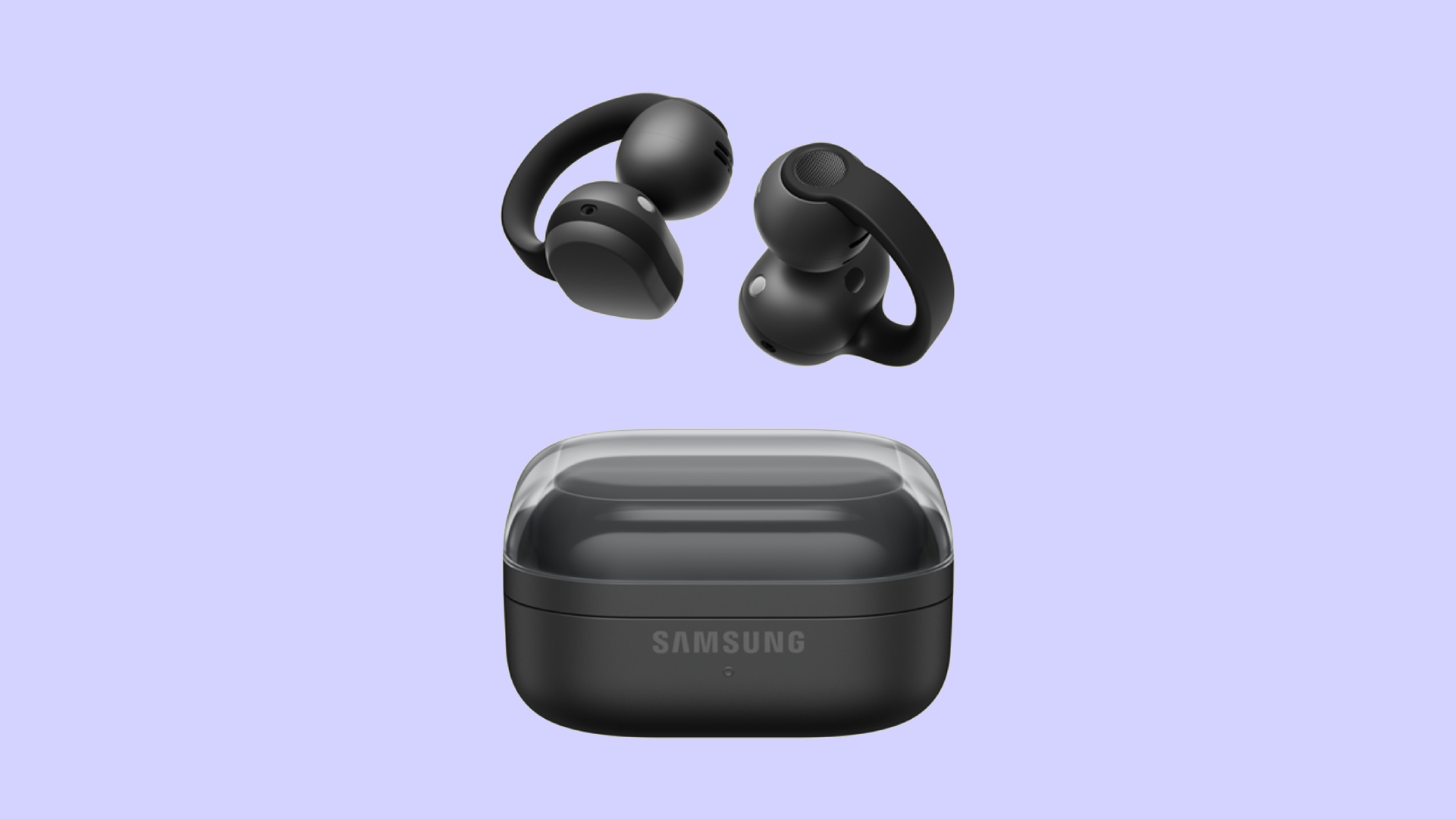
Audio wearables have been getting makeovers as of late. Besides the traditional form factors, the segment is experimenting with bone conduction and clip-on headphones. Today, Samsung is joining that trend with the Galaxy Buds On.
Debuting in South Korea, the Galaxy Buds On is Samsung’s first-ever clip-on earbuds. You’re likely familiar with how these earbuds look like, having seen them grace the ears of many a passerby today. Instead of plugging right into your ear canals, they actually do clip onto your earlobes. Samsung’s take, however, is a little bit heftier, which the brand claims gives it a wider surface area to balance the weight for your ears.
Additionally, the new earbuds has a TwinBoost speaker system. While the system adds better bass to the earbuds, it also adds automatic voice adjustments to better attune the sound according to your environment. It also has an Audio Leakage Reduction feature, so others won’t be able to hear what you’re listening to.
The Galaxy Buds On has a charging case almost identical to the Galaxy Buds4 case. Powered by the Snapdragon S7 Gen 1 Sound Platform, the earbuds can reportedly last up to 9.5 hours on a single charge.
Right now, the wearable is exclusive to South Korea, but Samsung says that a global rollout will happen in the future. In South Korea, the Galaxy Buds On costs KRW 299,000 (or approximately US$ 220).
SEE ALSO: Galaxy Buds4 Pro review: I thought I was done with in-ears

Between YouTube, travel, work, and marathon training, life gets chaotic.
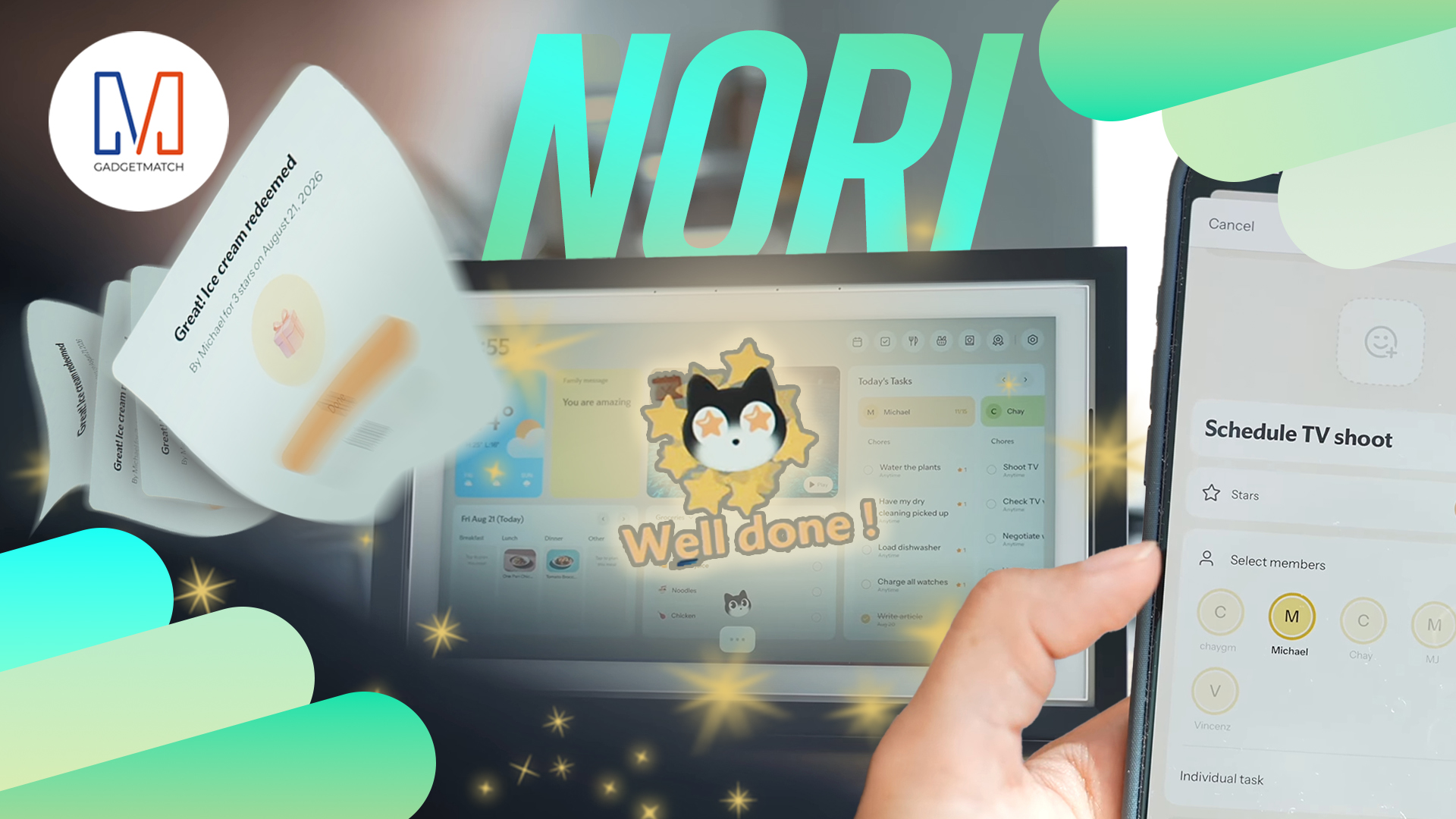
So THE Michael Josh tried the Nori AI Family Hub to see if it could actually help him stay organized.
He let a digital calendar manage his schedules, marathon training, and daily tasks.
Check out @Nori-family and see how it can simplify your everyday life too.
* Visit https://go.heynori.com/Gadget23 and use code Gadget23 to get the best deal possible.
Accessories
UGREEN Nexode Pro 160W review: One mighty brick with a powerful trick
All the speed you need in one charging brick

Chargers aren’t just tiny bricks we plug into the wall anymore.
As our everyday gadgets become hungrier in power, chargers have gotten mightier, too.
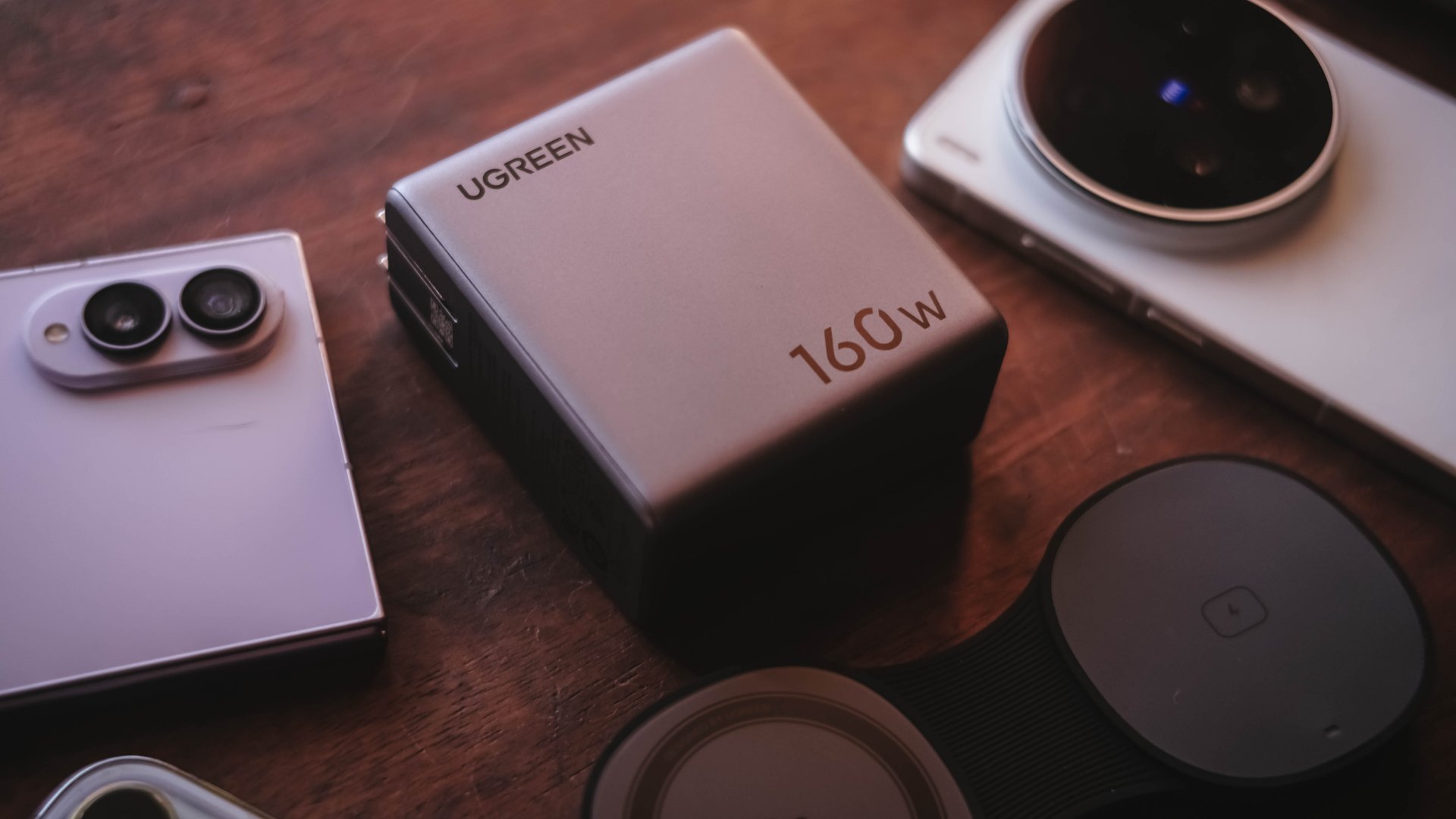
More wattage, more ports, and apparently, more brains. The UGREEN Nexode Pro 160W takes all of those in one thicc body.
A heavy charger with plenty of power
Let’s address the elephant in the room — literally and figuratively. The UGREEN Nexode Pro 160W is one CHONKY charger.
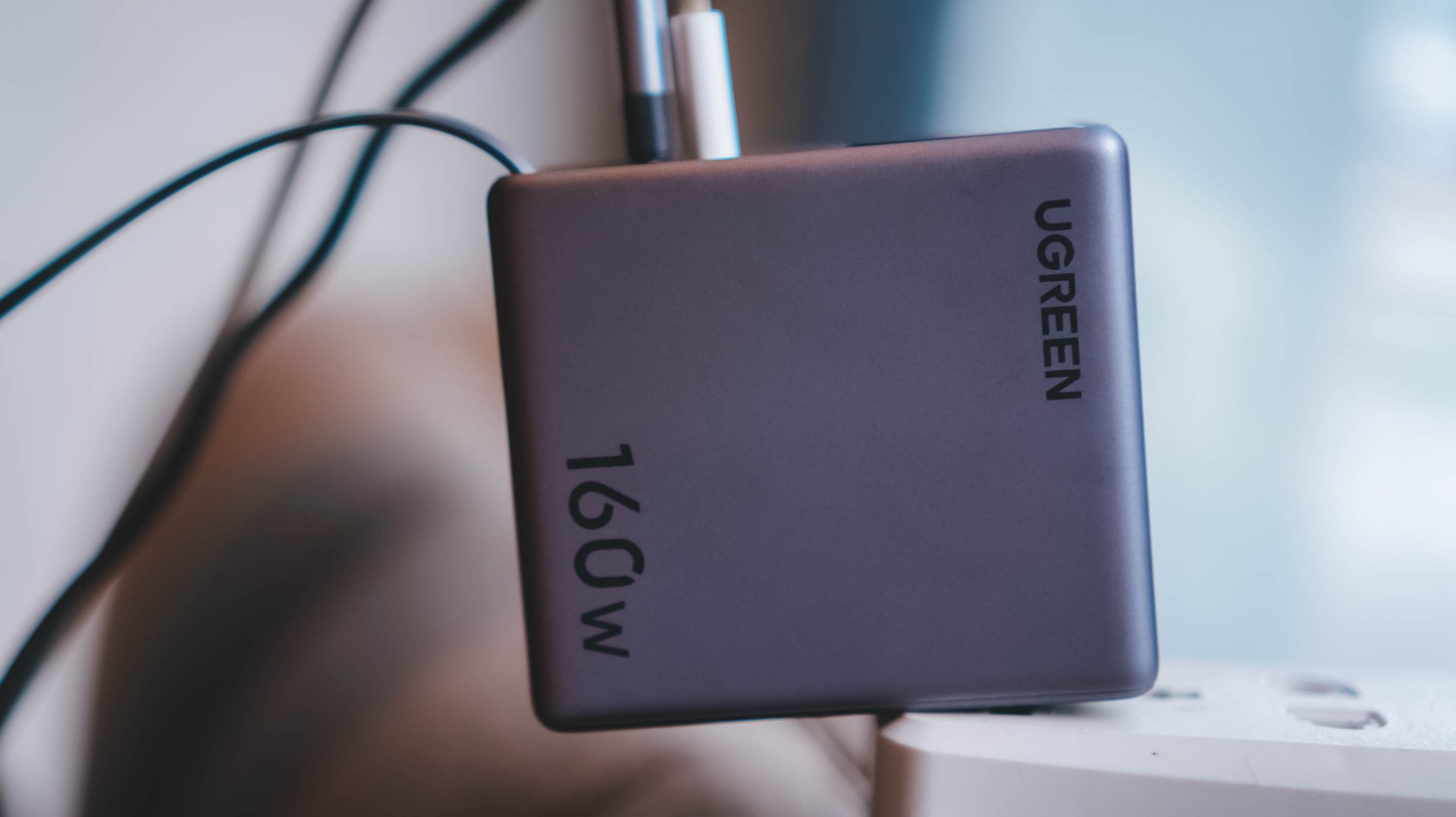
The US version weighs 310 grams, which is heavier than usual charging bricks you’d bring with you.
Visual comparison alone, this is how it tries to dwarf its 100W Uno cousin.
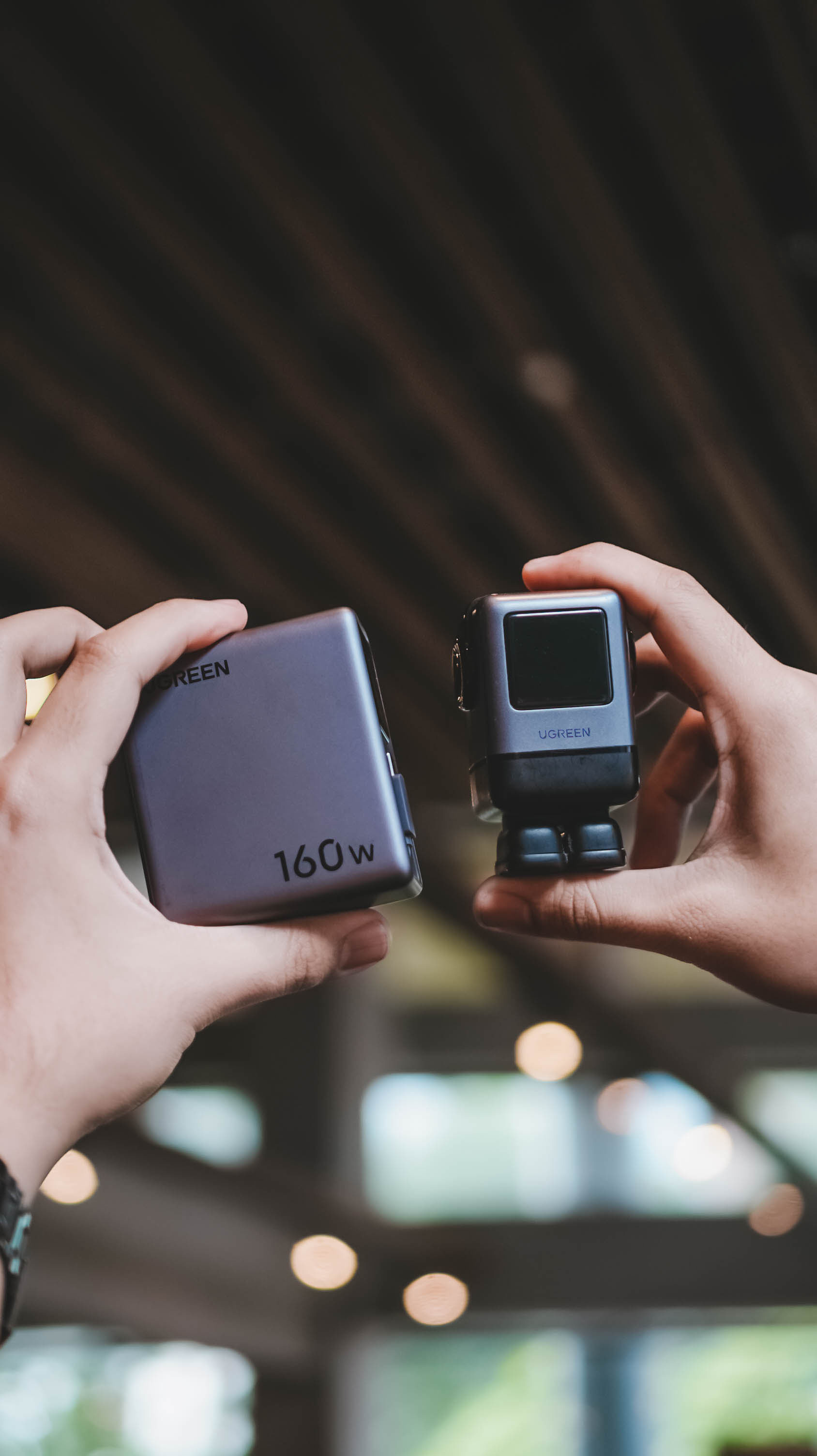
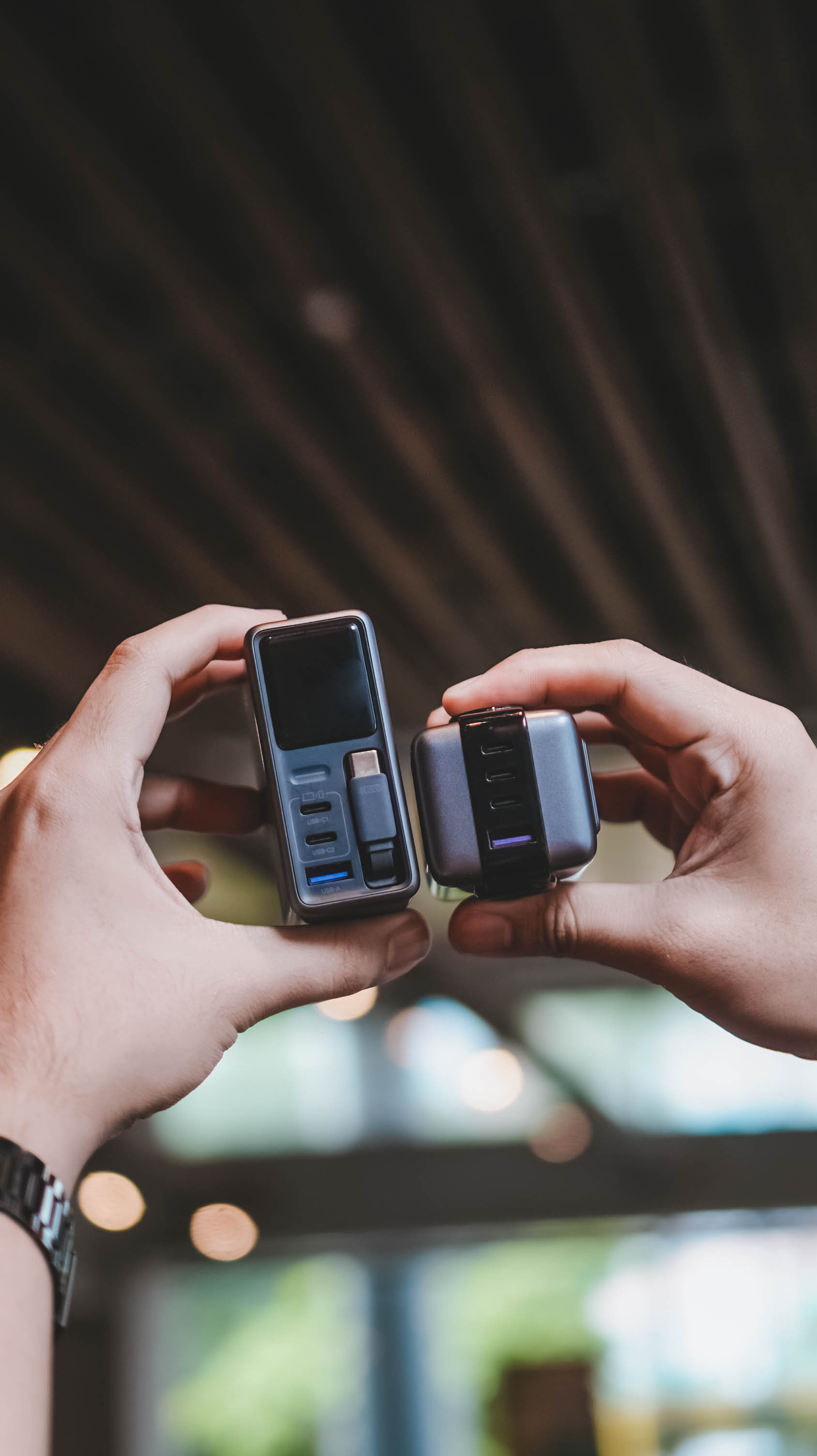
Then again, UGREEN’s Nexode Pro isn’t your conventional charger. And by that, it boasts a total output of 160W — though not saying every port gives a 160W output.
The first USB-C port (C1) is capable of delivering up to 140W. Meanwhile, USB-C2 supports up to 100W, while the lonesome USB-A port can supply up to 22.5W.
To make it even crazier, it also has a retractable USB-C cable — more on that later.
These all mean I can plug in my MacBook Pro, high-end Android flagship, iPhone, and other accessories without ever bringing separate charging bricks for each one.
And honestly, when there’s so much power inside one brick, I’ll generously accept that added heft.
Watt you see is watt you get
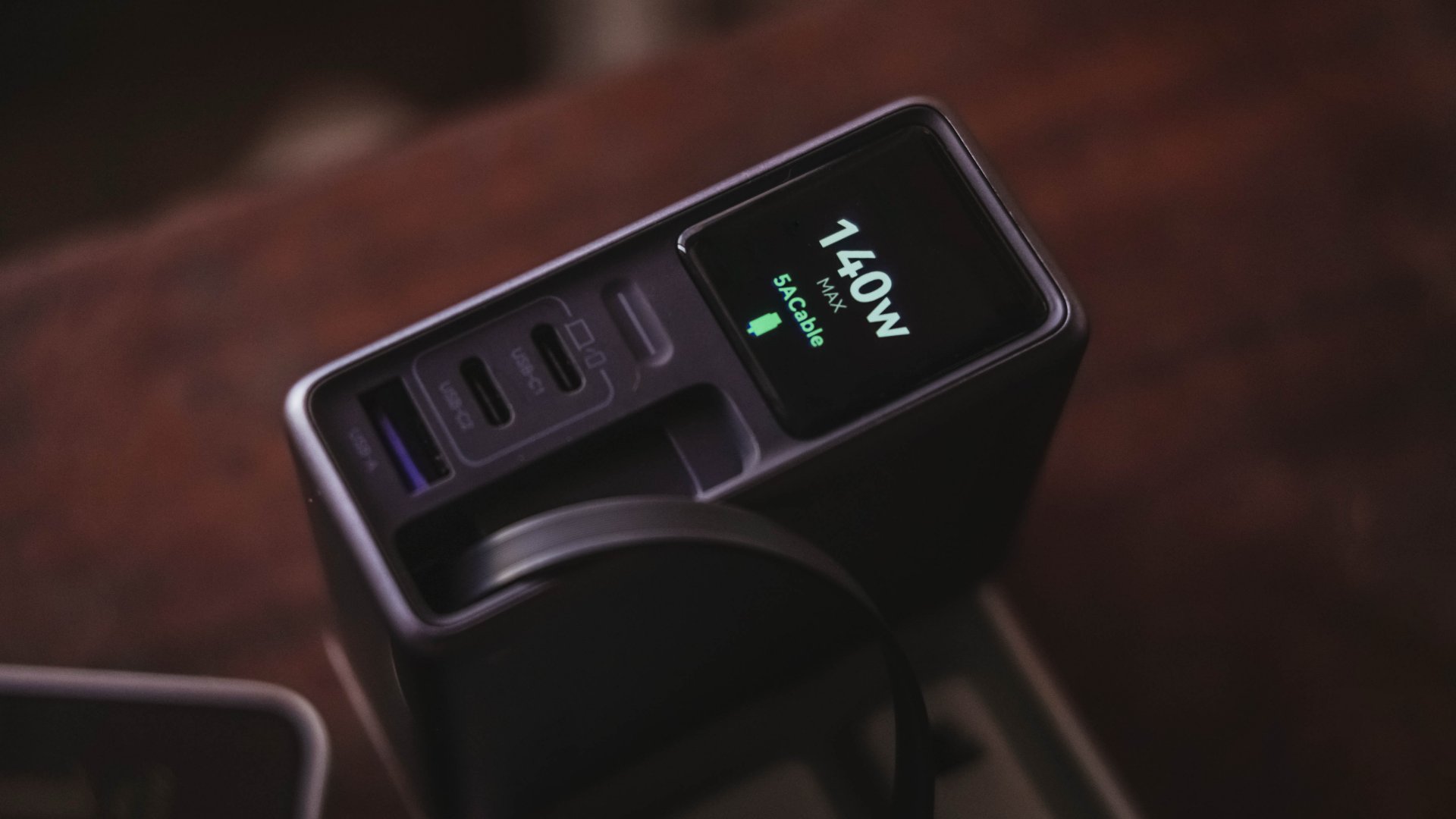
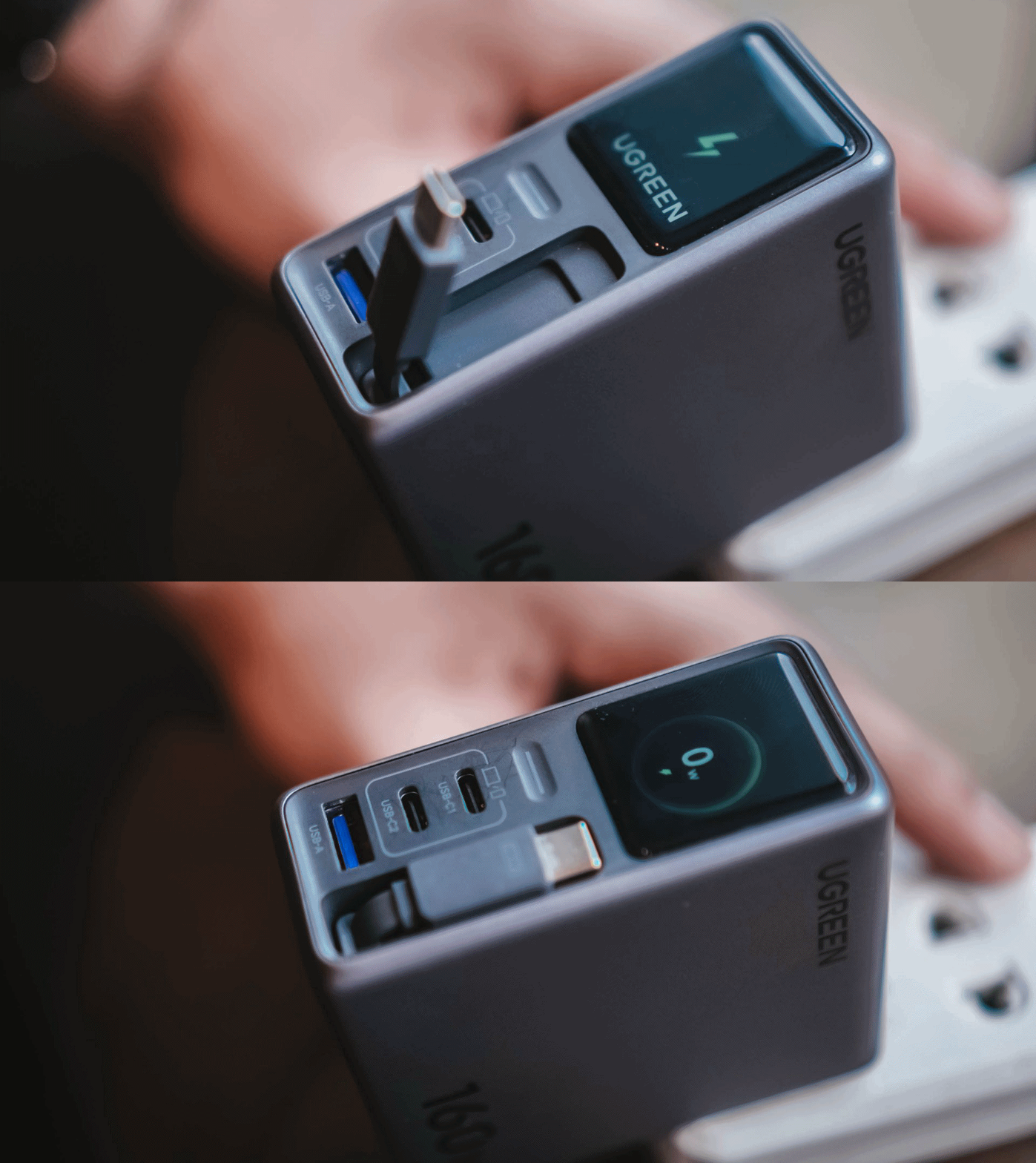
One trick up in Nexode Pro 160W’s sleeves is that, it has a front display.
With a touch capacitive button above the USB-C1 port, the display can show not just the general (or combined) charging wattage. It can also show real-time speeds in watts (W), voltage (V), and even ampere (A).
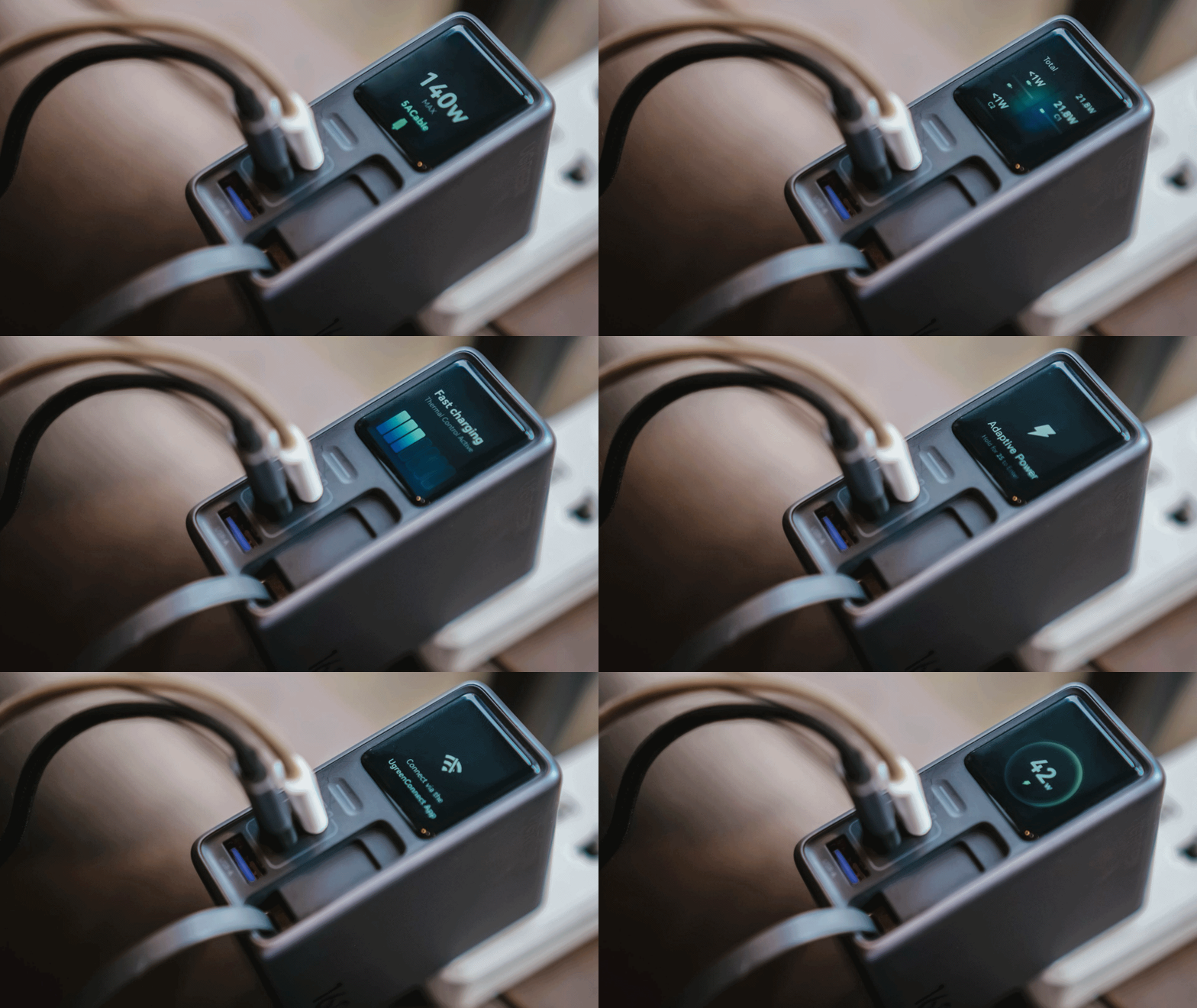
For regular users, it’s probably something you’ll glance at occasionally. For stats nerds? It’s eye candy. For a gadget reviewer like me? A charge test companion.
Seeing real-time charging data gives me a better idea if I have the best charging cable possible for each device. More so, if those devices actually get the charging speeds they require.
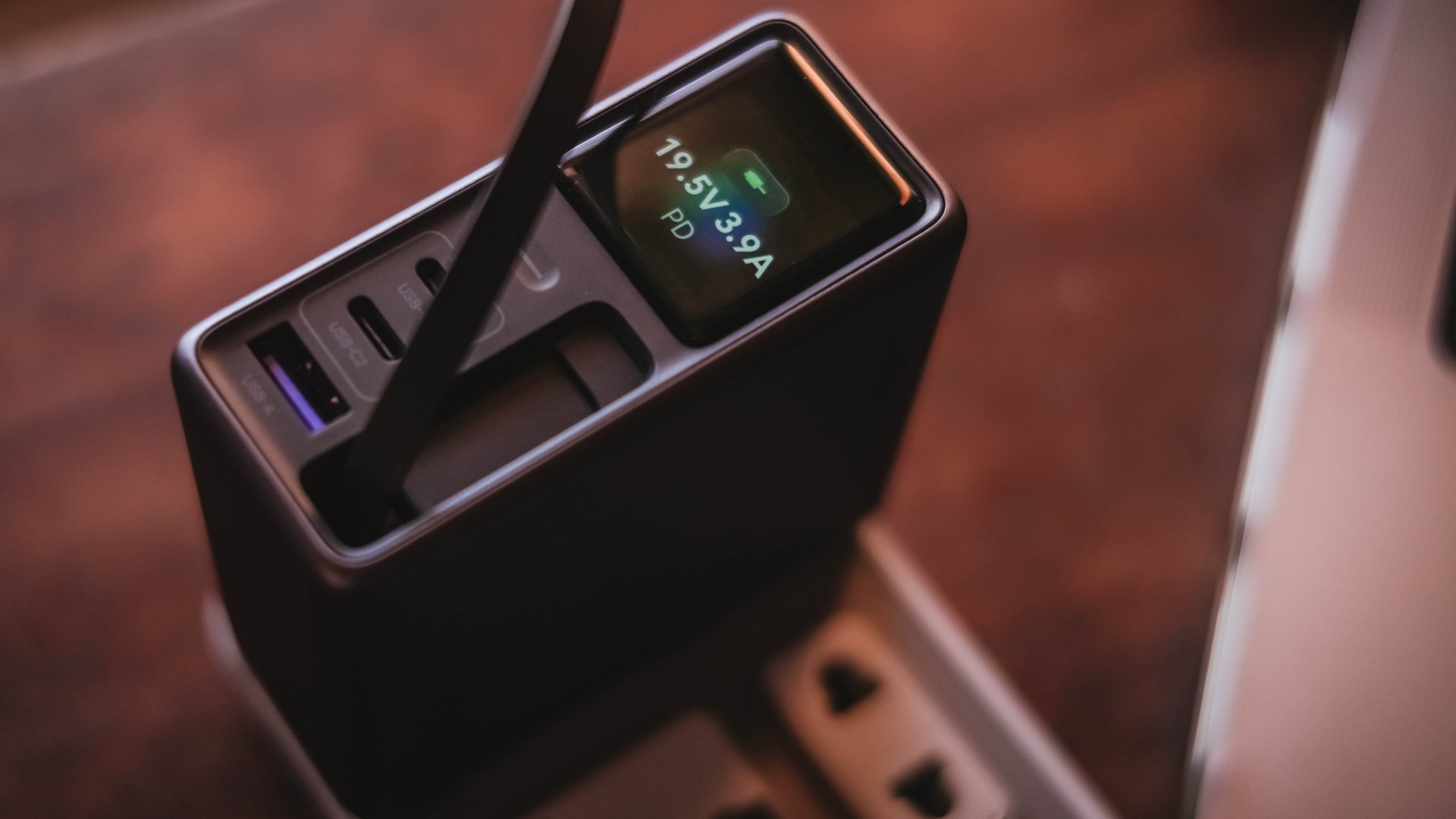
And, if something suddenly starts charging slower than usual, those numbers can help me determine whether the device, charger, or cable might be the culprit.
I can only have my sigh of relief when I see it’s pulling the amount of power I expect.
Even if I always say numbers aren’t everything, the real-time charging data I see with my two eyes is more believable than just relying on that “Fast Charging” indicator.
So, watt did I even get?
Of course, I couldn’t just take that 160W figure just at its face value.
In a not-so-typical GadgetMatch Charge Test, I tried and tested the charger by occupying all ports with the devices I regularly use and watched the numbers fly.
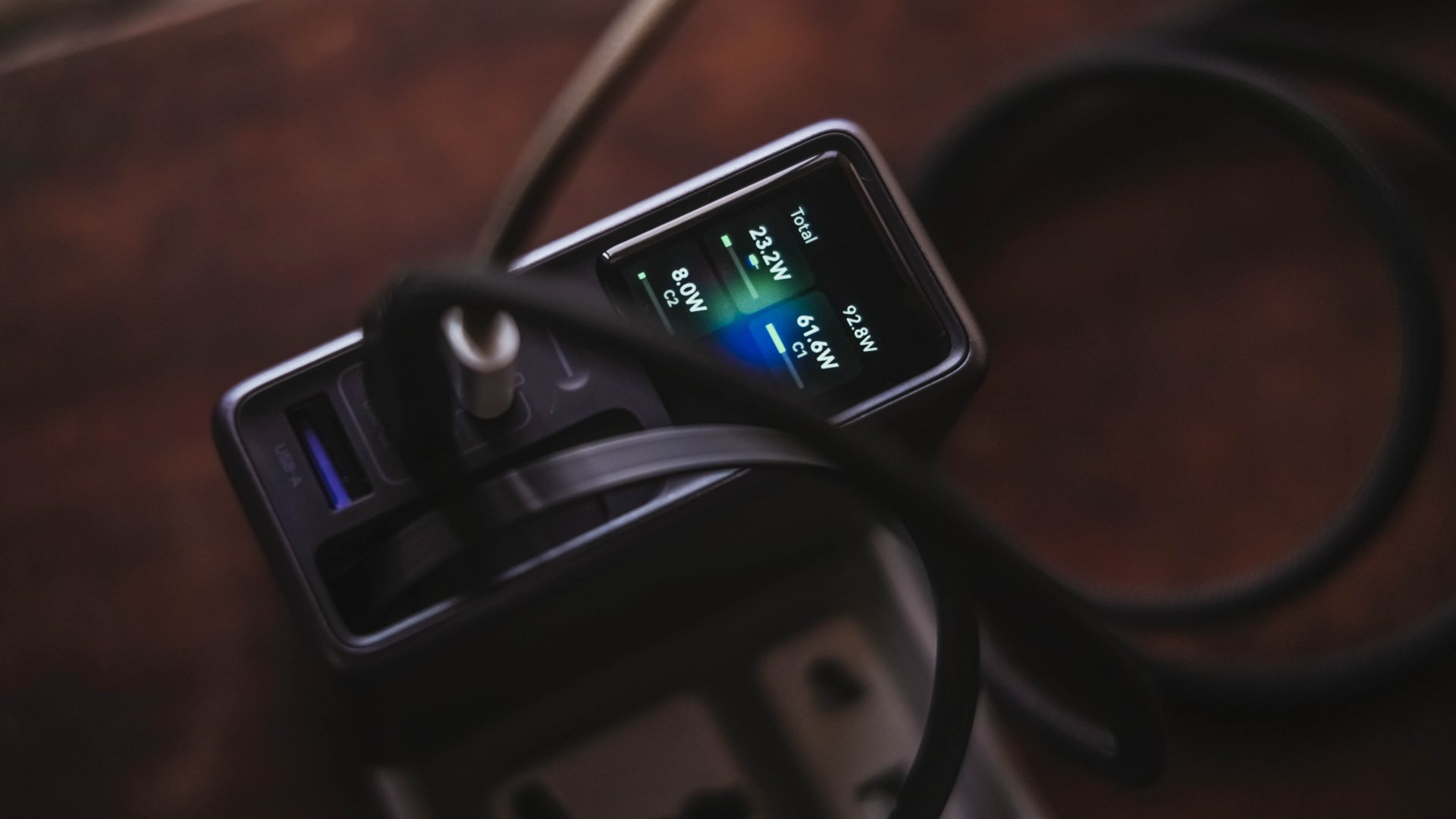
Mind you, I tried my best to make them as equal as possible by draining every device down to 0%. Just so the actual charge test starts at the very base.
From a lengthy documentations in my Notes app, I tried simplifying the results into these table instead:
| Port | Device | Cable Type | 10-minute charge | 30-minute charge | 1-hour charge |
| USB-C1 | 14” M2 Max MacBook Pro | Apple MagSafe 3 to USB-C | 15% | 45% | 84% |
| USB-C2 | Apple iPhone 13 Pro Max | USB-C to Lightning | 7% | 21% | 42% |
| Retractable USB-C | vivo X300 Ultra* *wireless charging |
USB-C to UGREEN MagFlow 2-in-1 Foldable Magnetic Wireless Charger | 2% | 3% | 7% |
| USB-A | HONOR Watch 5 Ultra | USB-A to wireless charging base | 18% | 58% | 76% |
Aside from the charger itself, there are more factors that contribute to a device’s charging output.
One is basically how many devices are connected. Another would be the type of cable used (standard 3A cable or faster yet thicker 5A or 6A cord).
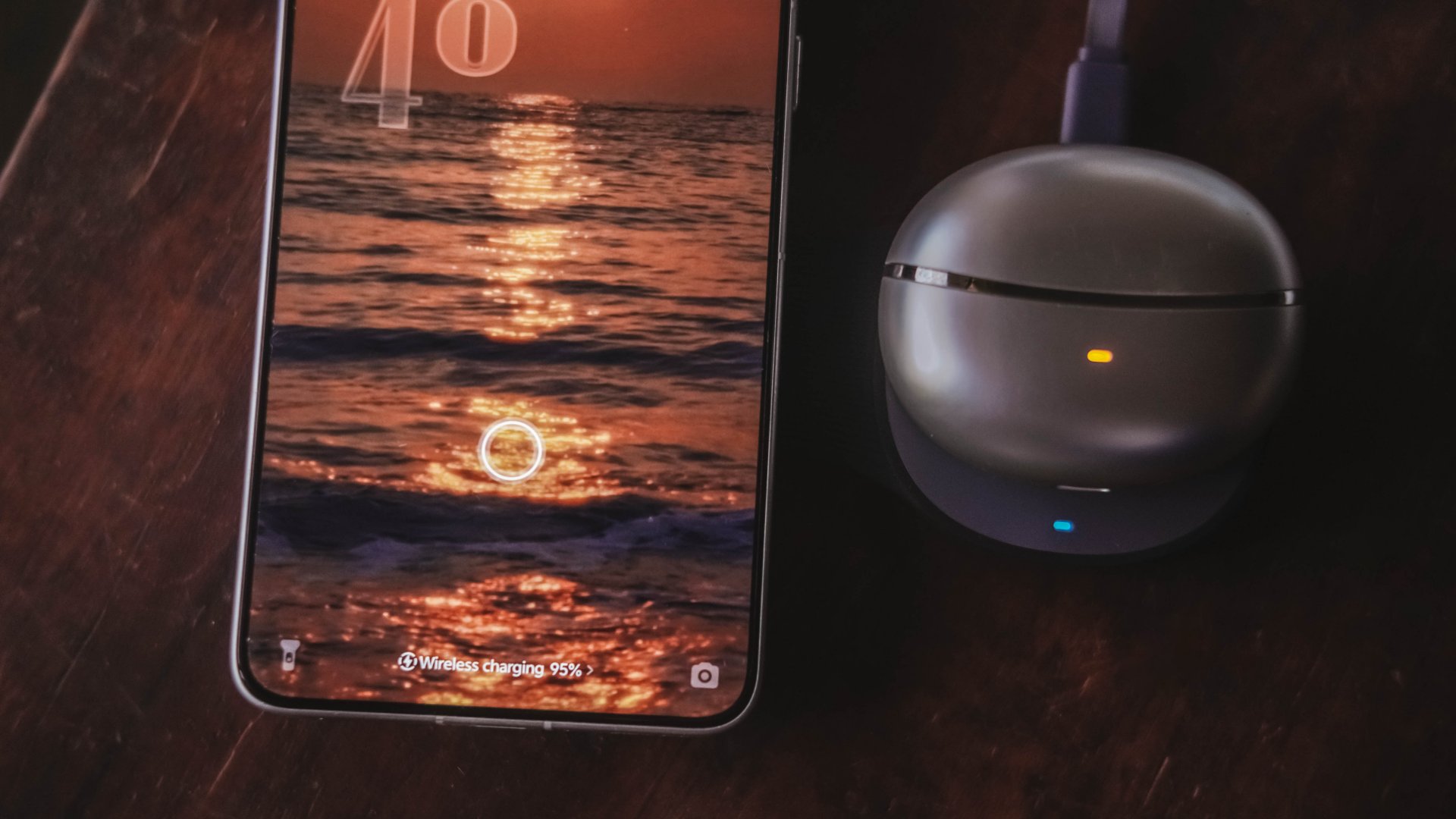
More so, if the best charging mode is used. Even actual room and device temperatures matter, too.
In easier words, a charger boasting 160W power doesn’t mean every device gets its maximum charging speeds simultaneously.
The charger still has to distribute its available power between everything connected.
Pull it, use it, and never lose it
Perhaps its most “secretive” trick is hidden within.
UGREEN has managed to fit a 70cm retractable USB-C cable in its squarish body. Pull it whenever you need it and retract it back inside once you’re done.
It’s incredibly handy when I don’t want to dig through my big and messy backpack.
Worst case scenario? Whenever I forget to bring a cable — which already happened numerous times as an aging young adult who keeps being unnecessarily forgetful.
Vincenz’s two cents? He would NOT always rely on using it.
For one, there’s the matter of longevity.
A regular USB-C cable eventually breaks? Replace it. A retractable cable permanently attached to your charger? That’s a different story.
Another would be all about its actual charging speed output. Not every device behaves the same way with that built-in cable.
| Device | Max Charging | Observed Power | 30-minute charge | 1-hour charge |
| 14” M2 Max MacBook Pro | 96W | 68.6W | 53% | 87% |
| vivo X500 Pro Max | 90W | 20.2W~23.6W | 34% | 62% |
| vivo X300 Ultra | 100W | 9.6W~12.9W | 26% | 52% |
| HONOR 600 Pro | 80W | 16.5W | 35% | 64% |
| Samsung Galaxy Z Fold8 | 45W | 17.8W | 41% | 74% |
For instance, my vivo X300 Ultra supports 90W FlashCharge speeds. Yet, I observed only around below a 13W output during one test. Thus, only achieving 26% in thirty minutes.
Even the shiny new vivo X500 Pro Max wasn’t exempted in the list with only being able to achieve 34% in the same time frame.
For added context, using their bundled FlashCharge adapters would have already filled the phones way past the 60% mark.
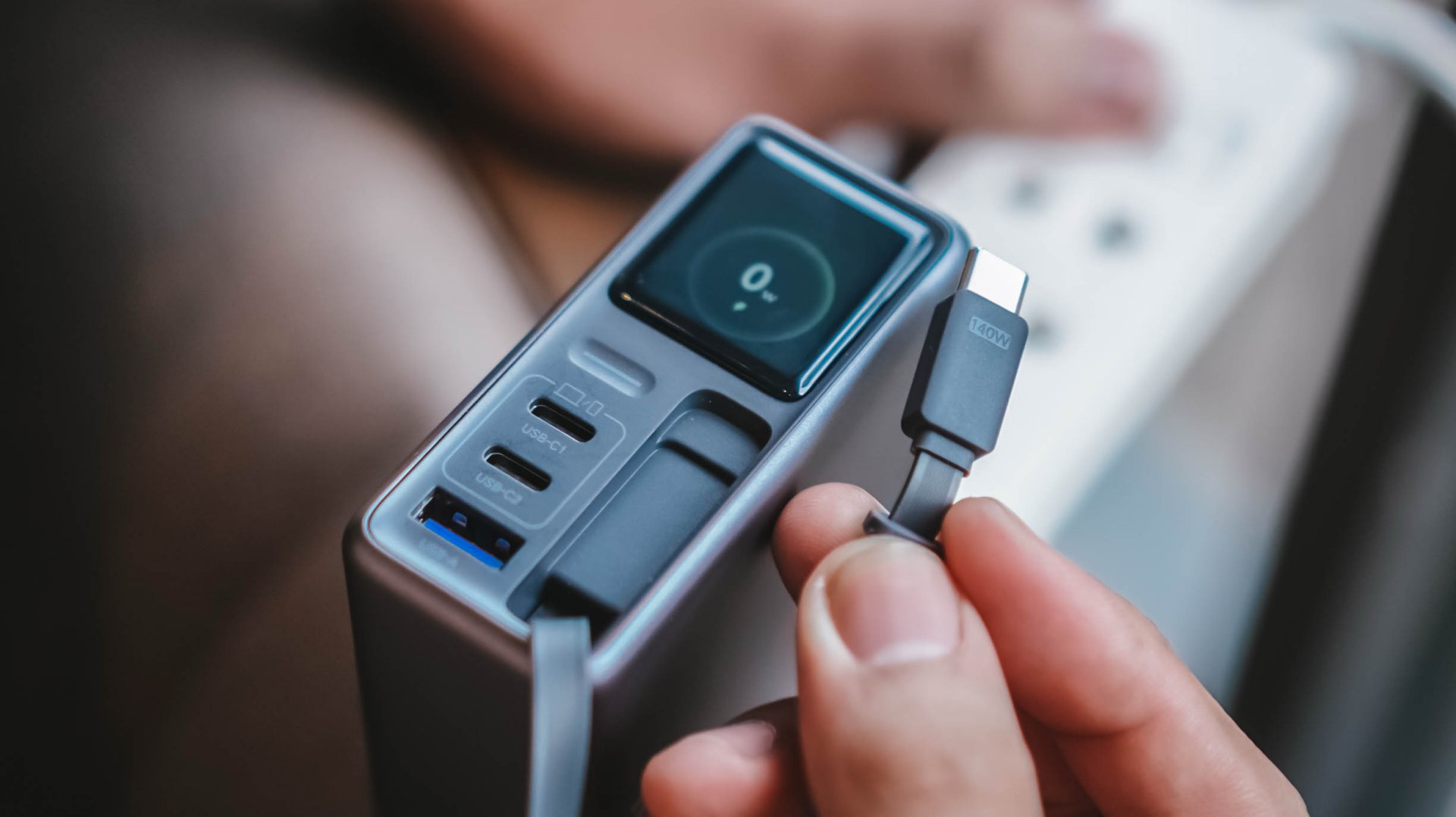
This doesn’t necessarily mean the built-in cable is bad. It just means you shouldn’t expect every proprietary charging standard to hit its advertised maximum just with the cable alone.
So while it’s one of my favorite conveniences here, I still see it as a handy backup rather than the only cable one would ever need.
Connect to inspect
I can’t believe I’m saying this. A charger can now be connected via an app.
Just like me, you’re probably scratching your head the moment you are reading this. Well, after much use, it actually made sense to me.
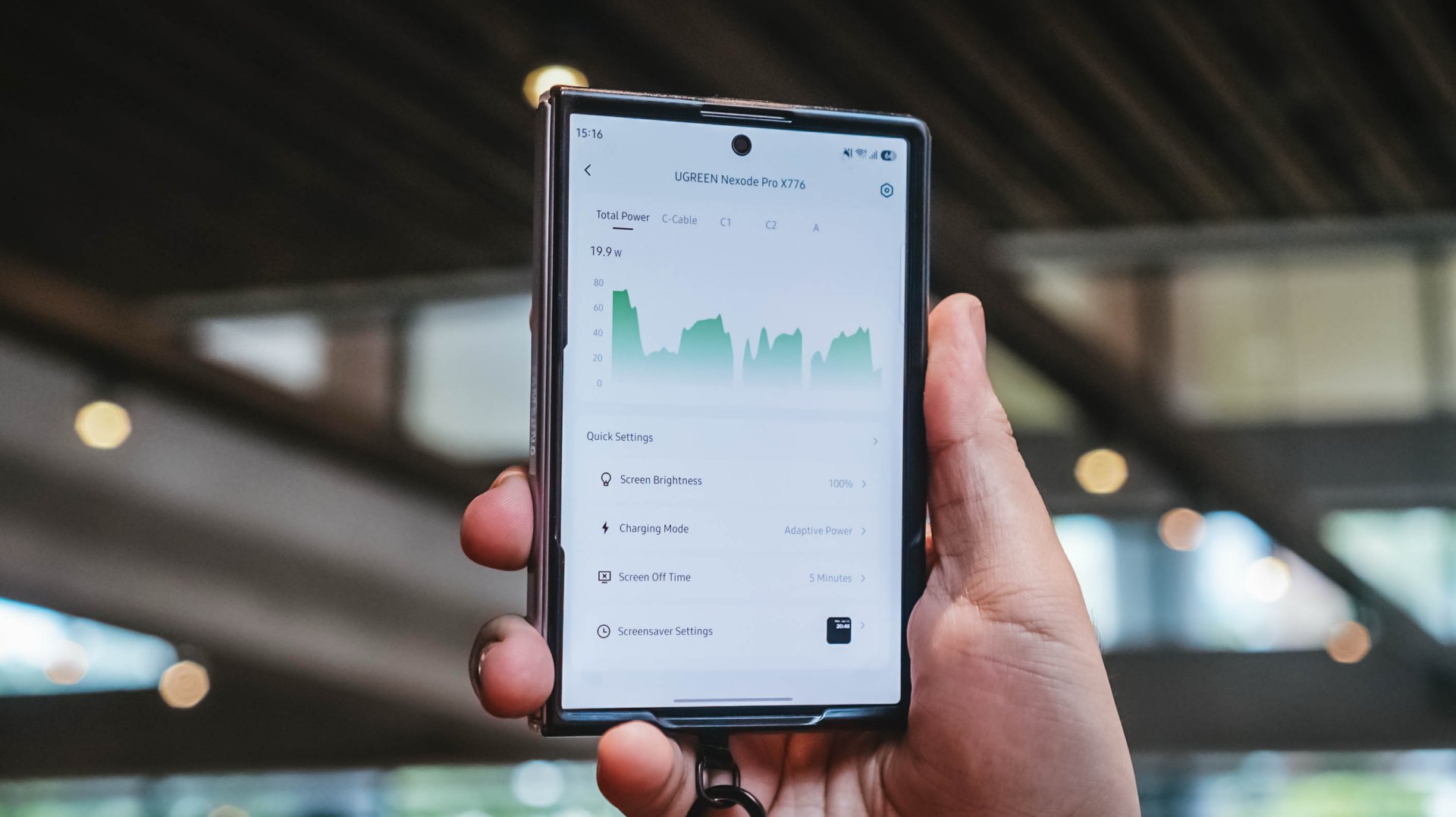
With their new and very own UgreenConnect app, not only you can see and capture charging stats, UGREEN lets you switch between charging modes as well depending on your charging needs.
Heck! You can even turn off ports individually without affecting other devices being charged.
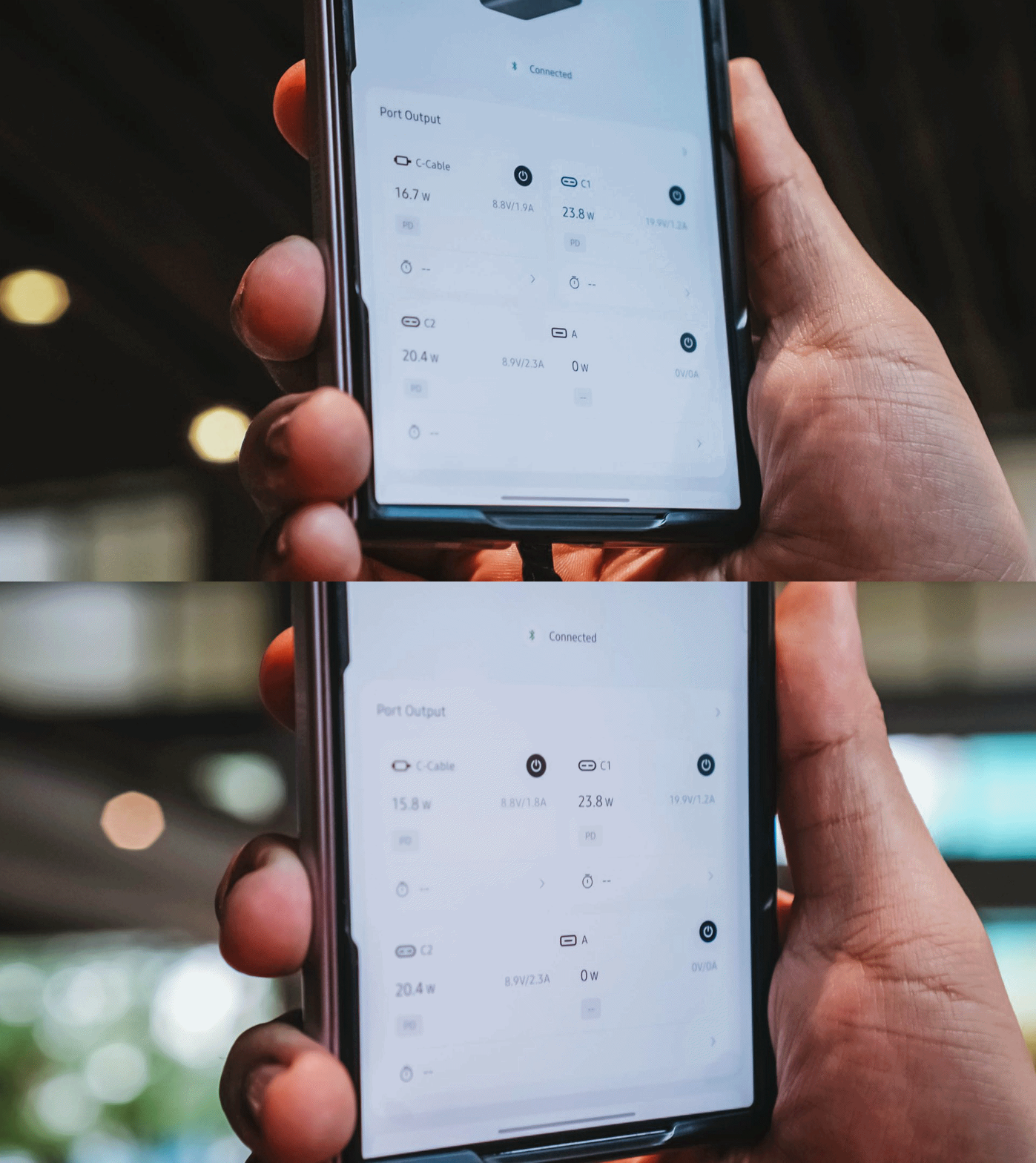
Furthermore, you can also change the display’s brightness and sleep time, customize wallpapers. The Nexode Pro 160W also supports OTA updates.
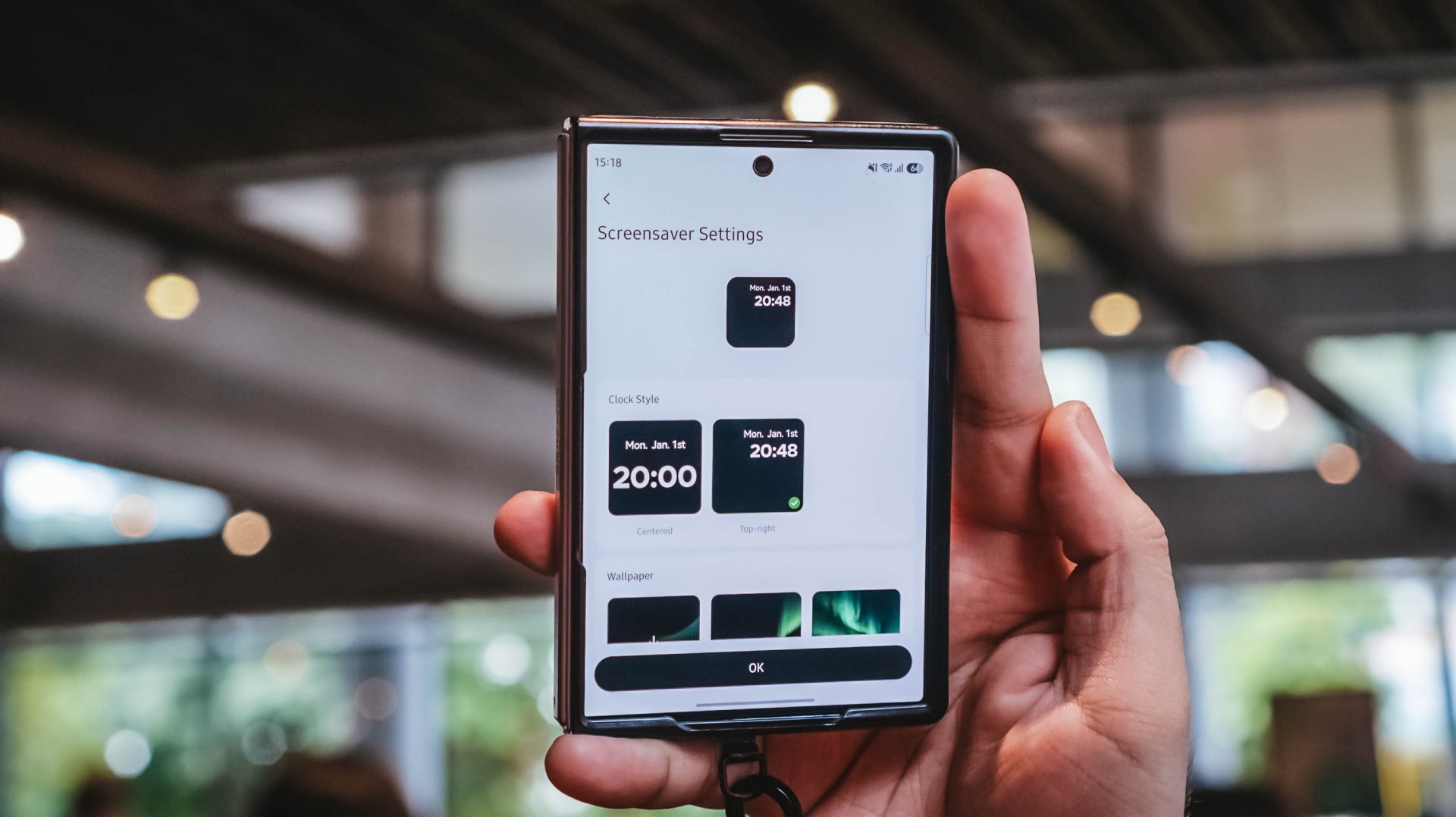
Again, it’s mostly nerdy. But that’s precisely why I like this charger more than what I already have and use.
Feel the heat, keep it neat
The Nexode Pro gets warm. Quite warm, actually.
But, with a charger this large and powerful, that’s hardly surprising given all the charging components packed inside.
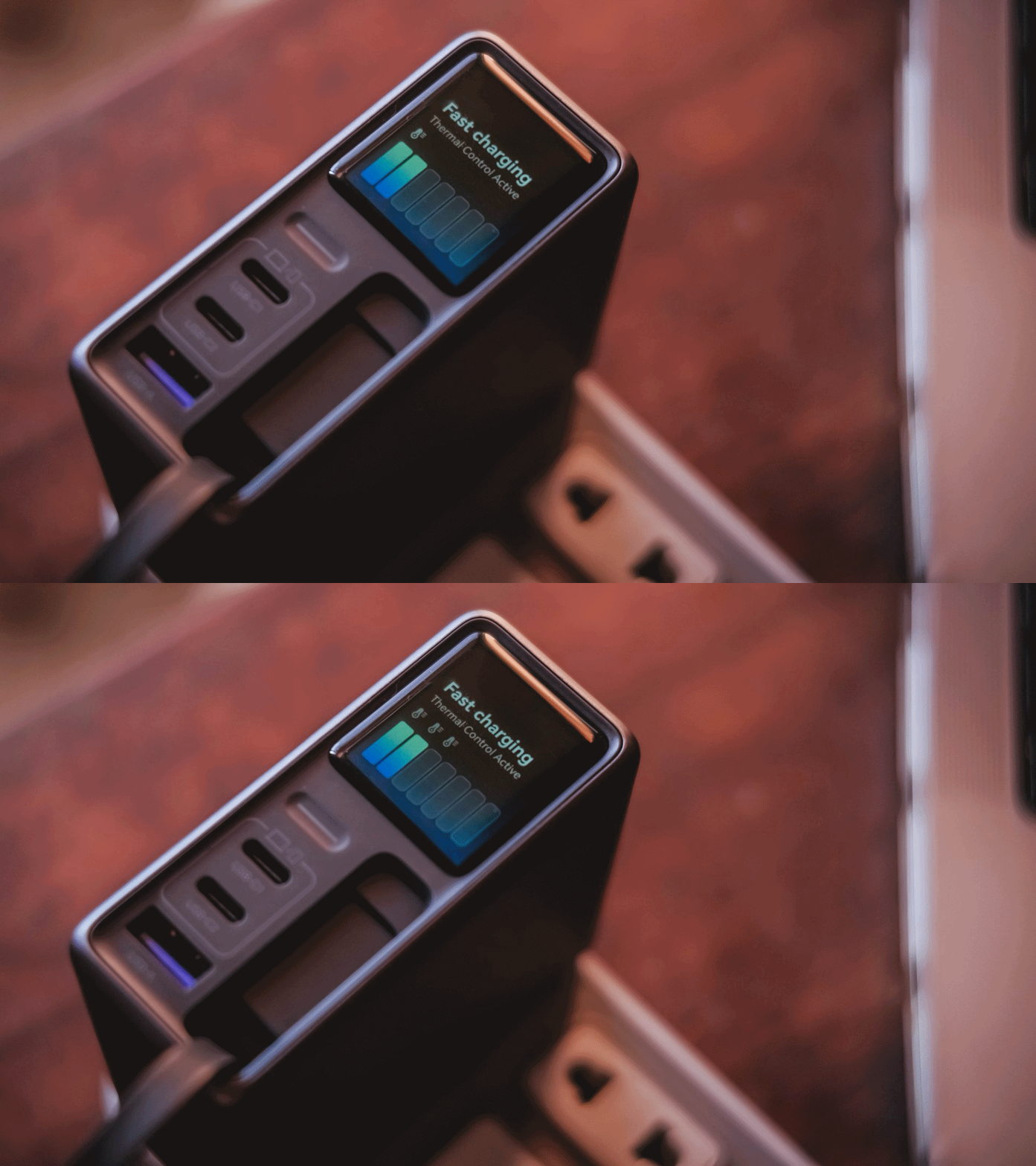
Thankfully, the temperature remained manageable throughout my use. UGREEN also lists Thermal Guard Temperature Control alongside GaN Infinity technology and SmartCharge power distribution.
The different charging modes can also help manage and lessen that heat further.
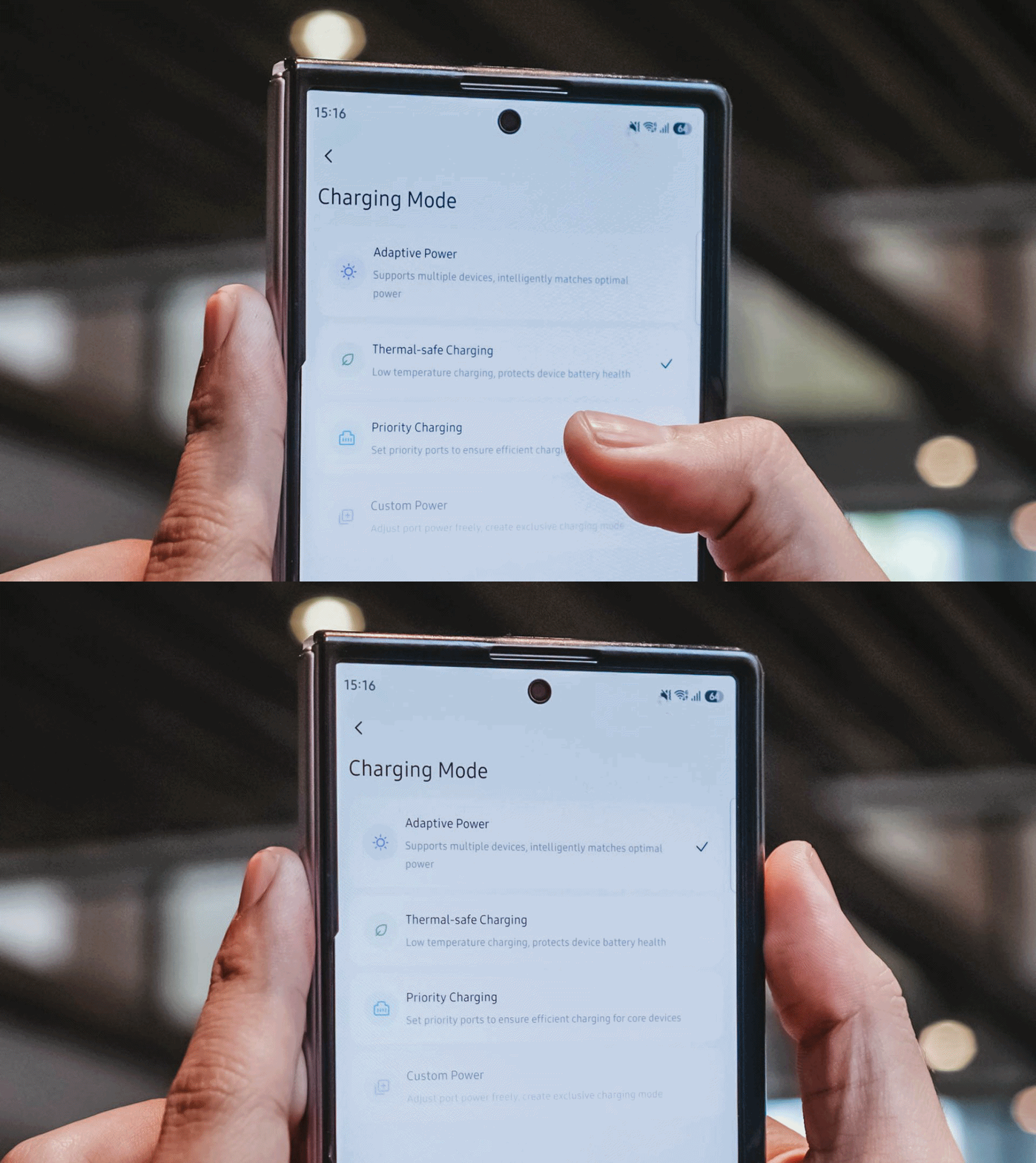
If I don’t need something charged immediately, I can opt for smarter or lower-temperature Thermal-safe charging instead of constantly pushing as much power as possible. Power when I need it. Less heat when I don’t.
Although for my day-to-day use-case, Priority Charging makes the most sense.
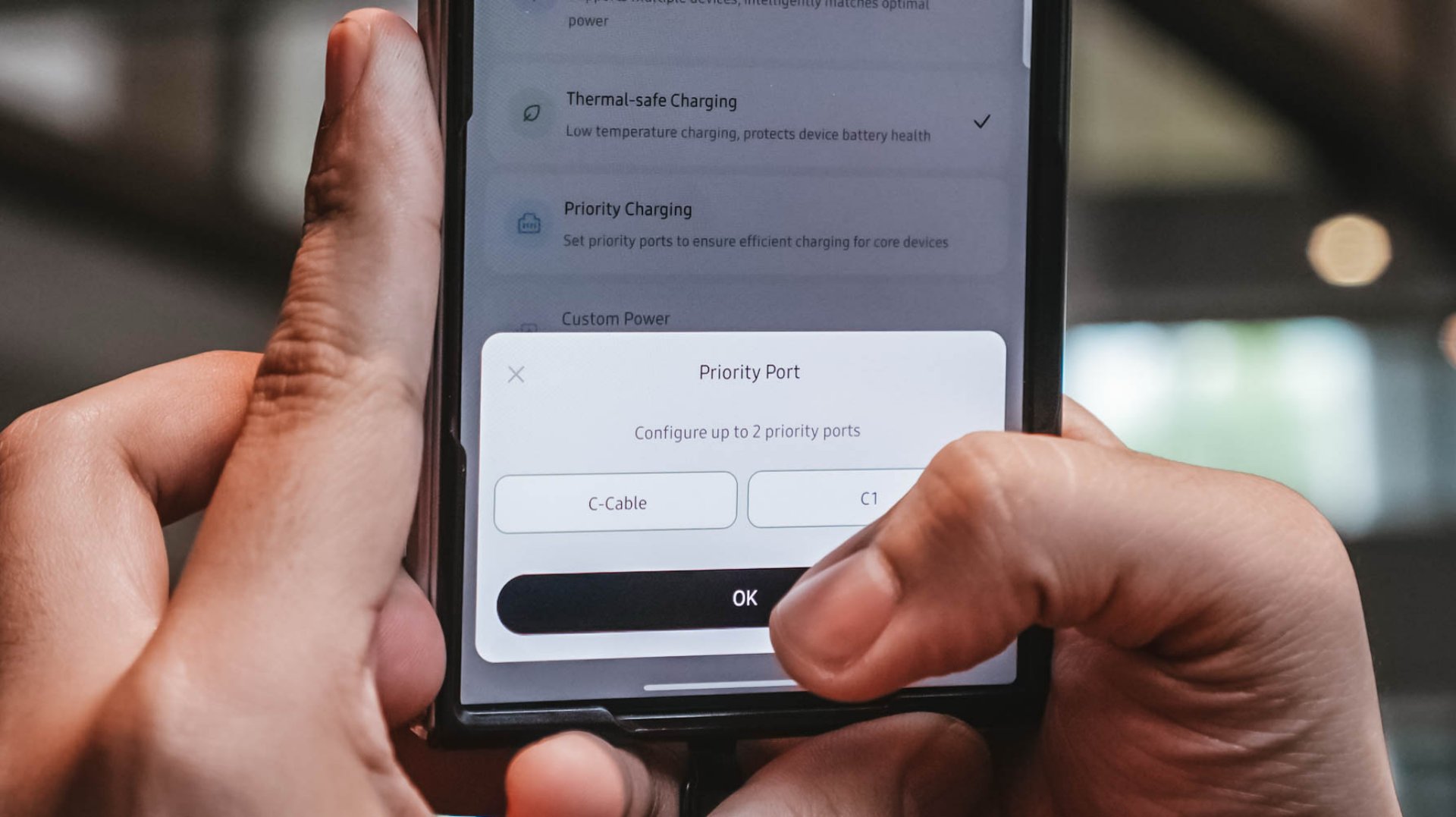
Case in point: I tested this with the vivo X300 Ultra I’m dilly dallying.
| vivo X300 Ultra | Adaptive Charging | Priority Charging |
| Charging Output | 9.6W ~ 12.9W 8.1V / 1.6A |
26.8W ~ 27.2W 7.9V / 3.5A |
| START TIME (from 0%) | 9:11PM | 12:31AM |
| 3 minutes | 4% | 6% |
| 5 minutes | 5% | 8% |
| 10 minutes | 9% | 16% |
| 15 minutes | 13% | 21% |
| 30 minutes | 26% | 42% |
| 45 minutes | 39% | 61% |
| 1 hour | 52% | 80% |
Adaptive Charging obviously charged it slower than ever. But when I enabled Priority Charging, it initially pulled around 30.8W to 31.2W for the first two minutes before settling around 26.8W to 27.2W. That’s still higher than the output through Adaptive Mode.
More so, it was able to reach 42% after 30 minutes and 80% after an hour in contrast to the 26% and 52% level of the former.
My MacBook Pro and flagship Android phones need significantly more power than smaller accessories. So, instead of letting everything fight equally for those watts, I can prioritize whichever device actually needs the extra juice.
Is the UGREEN Nexode Pro 160W your GadgetMatch?
At PhP 4999 / SG$ 140 / MYR 419, the UGREEN Nexode Pro 160W might sound like an overkill if all you need is something to charge your phone every night.
But, if you’re someone like me who owns lots of gadgets and constantly switches between a laptop, several smartphones, at least one tablet, a smartwatch, wireless headphones, and many other gadget ever imaginable, owning this charger quickly makes sense.
That’s most especially for the ultimate convenience it brings by only using one socket and fits right inside your bag’s tight pocket. I can fully rely on one brick instead of carrying multiple clunky chargers around.
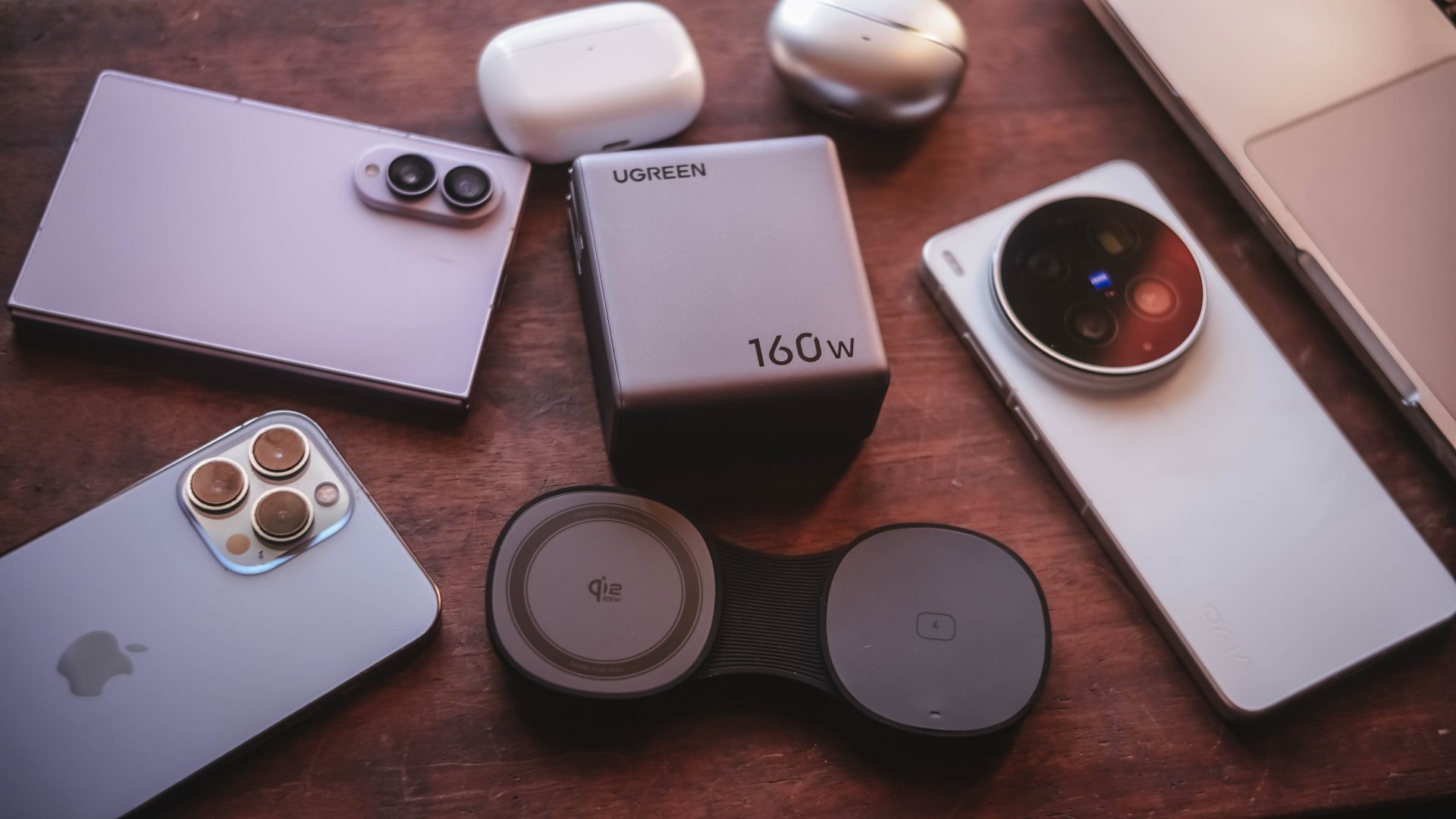
Additives include its display that lets me see stats while doubling as a useful review tool to legitimize the charge tests in the reviews I do.
Charging modes lets me decide which power-hungry device deserves more juice. Priority when I see one getting slow. Thermal-charging if I sense that it’s getting warmer than the usual.
That retractable cable? It’s a real wonder as it will truly save me whenever I forget one in another unintentional scenario.
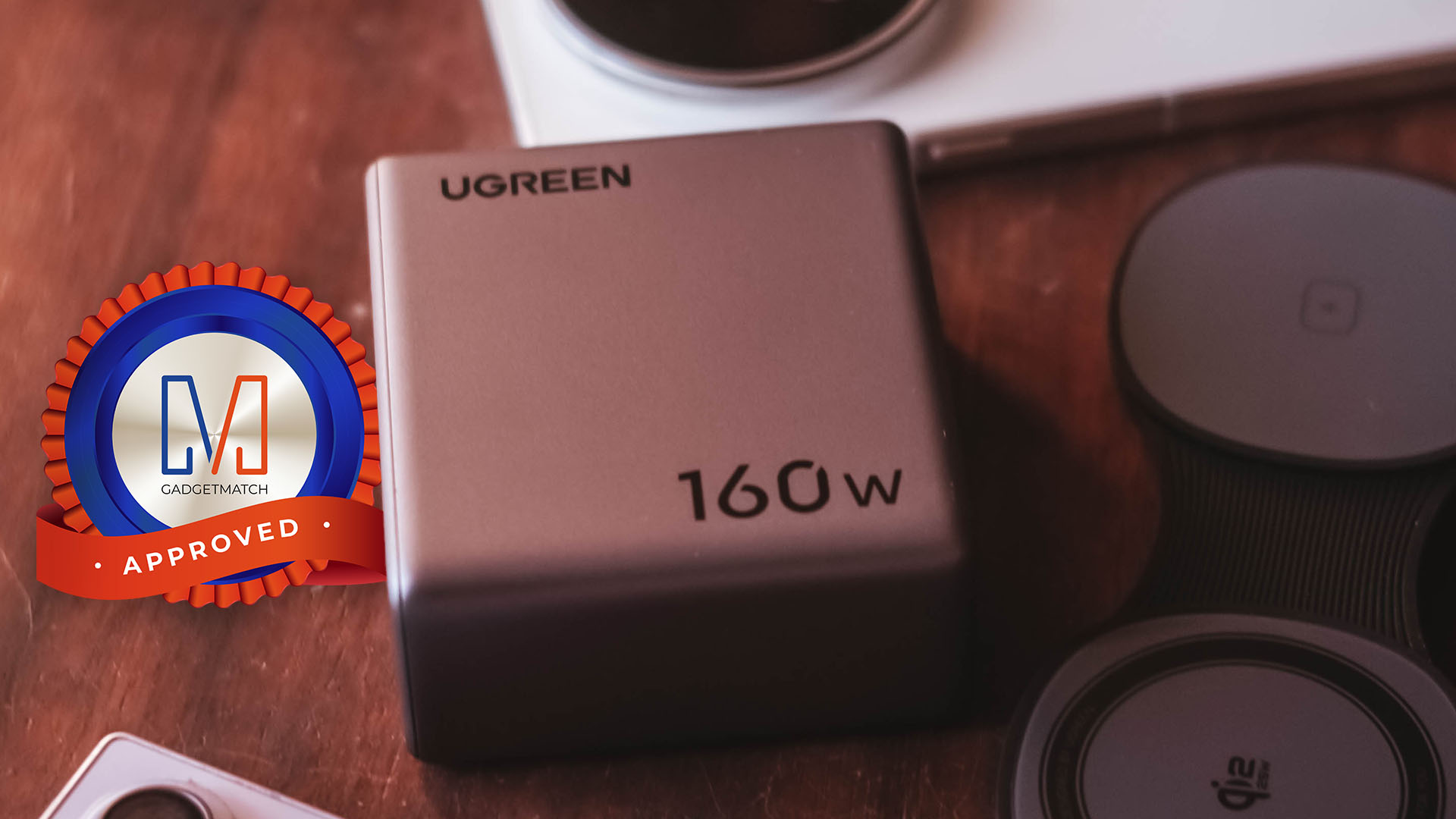
The UGREEN Nexode Pro 160W now has a permanent spot in my charging arsenal. It is a Swipe Right, Super Swipe, and definitely a worthy recipient of the GadgetMatch Seal of Approval.





Linkin Park: Unshatter is the band’s kintsugi

Bambu Lab opens first Authorized Store in the Philippines

Lenovo tech behind DreamWorks Animation hit ‘Forgotten Island’

Samsung joins the clip-on earbud trend with the Galaxy Buds On

vivo X Fold6 makes global debut with 200MP camera and 6900mAh battery

HUAWEI Pura X View is 2026’s first WIDE slab-type smartphone

The CAMON Slim 5G is TECNO’s latest ultra-slim smartphone

iPhone 18 Pro series: Price, availability in the Philippines

vivo X500 Series launches with major imaging upgrades

iPhone 18 Pro series: Price, availability in Singapore


-
 News2 weeks ago
vivo X500 Series launches with major imaging upgrades
-

 News2 weeks ago
OPPO Find X10 Pro Max is the first phone with a triple 200MP camera system
-
 Automotive7 days ago
BYD says that way better EV batteries are coming next year
-

 News2 weeks ago
vivo introduces OriginOS 7 with smarter multitasking and AI features
-
 News6 days ago
HONOR Magic9 Pro Max launches in China with ARRI-powered imaging
-
 Accessories2 weeks ago
70mai launches the A900 series with 4K front, rear recording
-

 Smartphones7 days ago
TECNO CAMON Slim 5G teases an ultra-slim design ahead of launch
-
 Smartphones1 week ago
When TECNO-logy meets Tonino Lamborghini legacy