

Computers
Step up your WFH productivity game with Razer
A full suite of peripherals for both work and play

Some businesses these days are starting to transition to a more hybrid setup for work. If working from home for almost two years isn’t your style, this is the perfect opportunity to try something new. However, if you’re extra careful, you can also take this opportunity to try something different to elevate your productivity space. Of course, this opportunity comes courtesy of… Razer?
Normally, Razer is associated with producing some of the best gaming peripherals out there. From their multi-awarded gaming keyboards and mice to monitors, they are one of the premiere brands trusted by professionals. This time around, they’re targeting a different kind of professional; one that grinds through a 9-5 workload.
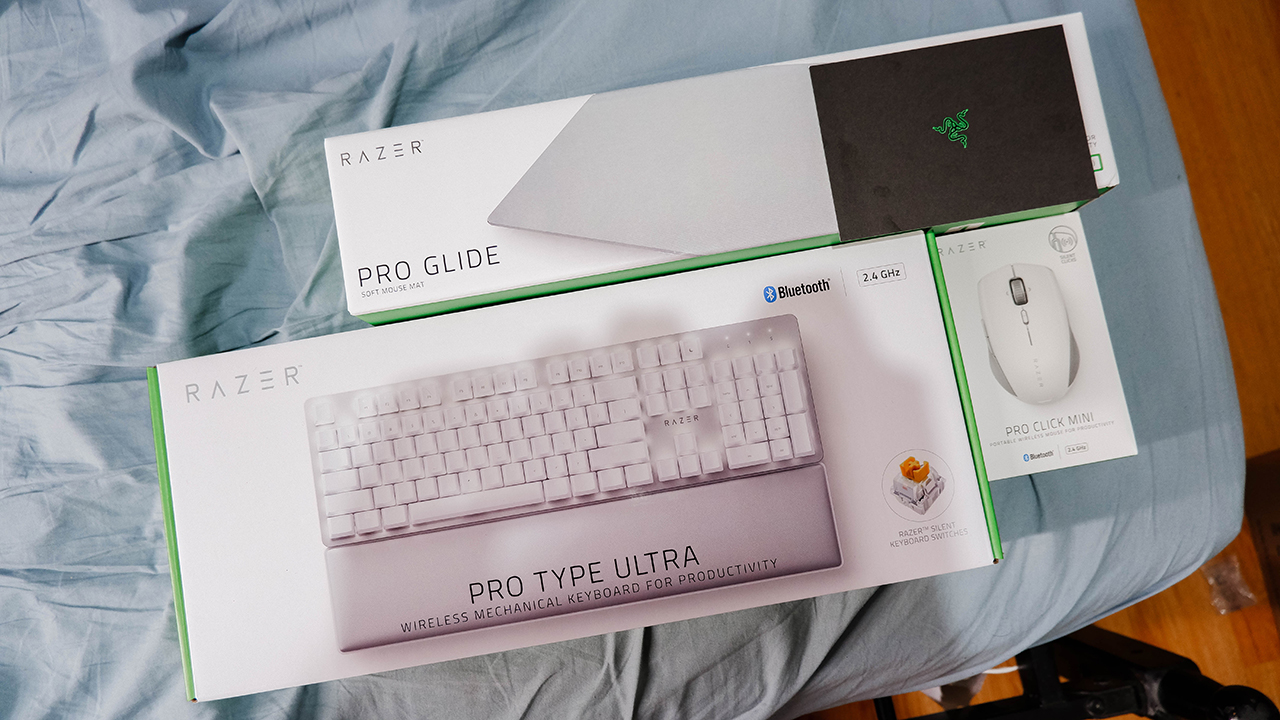
For the type of professional who works hard and plays harder, Razer introduces its Productivity Suite of peripherals. Here’s a more detailed look into this suite designed for the grind, whether it’s for working overtime or playing in overtime.
Build your space with the Razer Pro Glide Mousepad
It may not be much, but the Razer Pro Glide Mousepad is definitely something worth considering when building/upgrading any work setup. To be fair, it is just a simple mouse pad designed for better and more accurate tracking from your mouse. However, it also provides a bit of an added benefit depending on the size you get.

See, the Razer Pro Glide Mousepad comes in either Medium or XXL and provides the same experience regardless of the mouse you have. The XXL variant covers up to 37 inches of surfaces, which is pretty decent for those with large work spaces. Apart from more accurate tracking for your mouse, a large enough mouse pad also protects surfaces from possible scratches from relatively sharp peripherals.
Another good thing about this mouse pad is that it has an anti-slip rubber base that keeps it in place all the time. In essence, you don’t have to worry about it slipping off your table when you slide your keyboard or mouse too hard towards any direction. Also, it only comes in a gray color that fits a minimalist gray-white setup quite well.
Craft your response smoothly with the Razer Pro Type Ultra
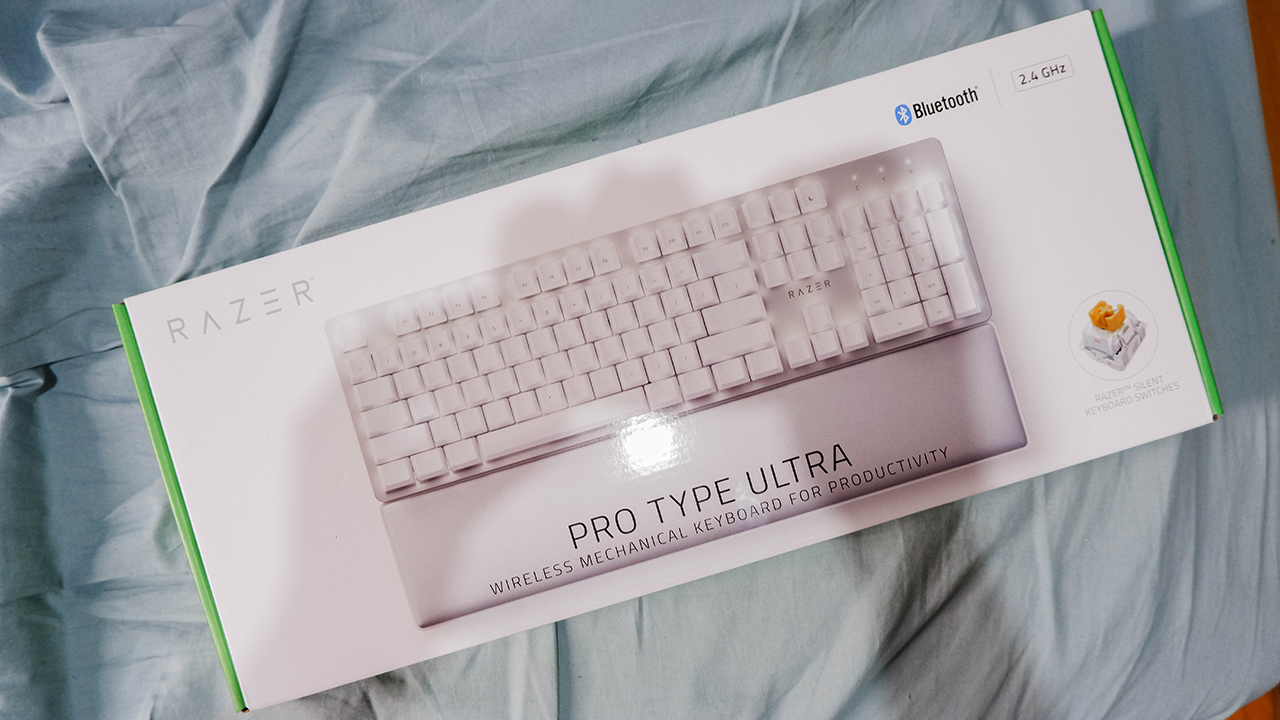
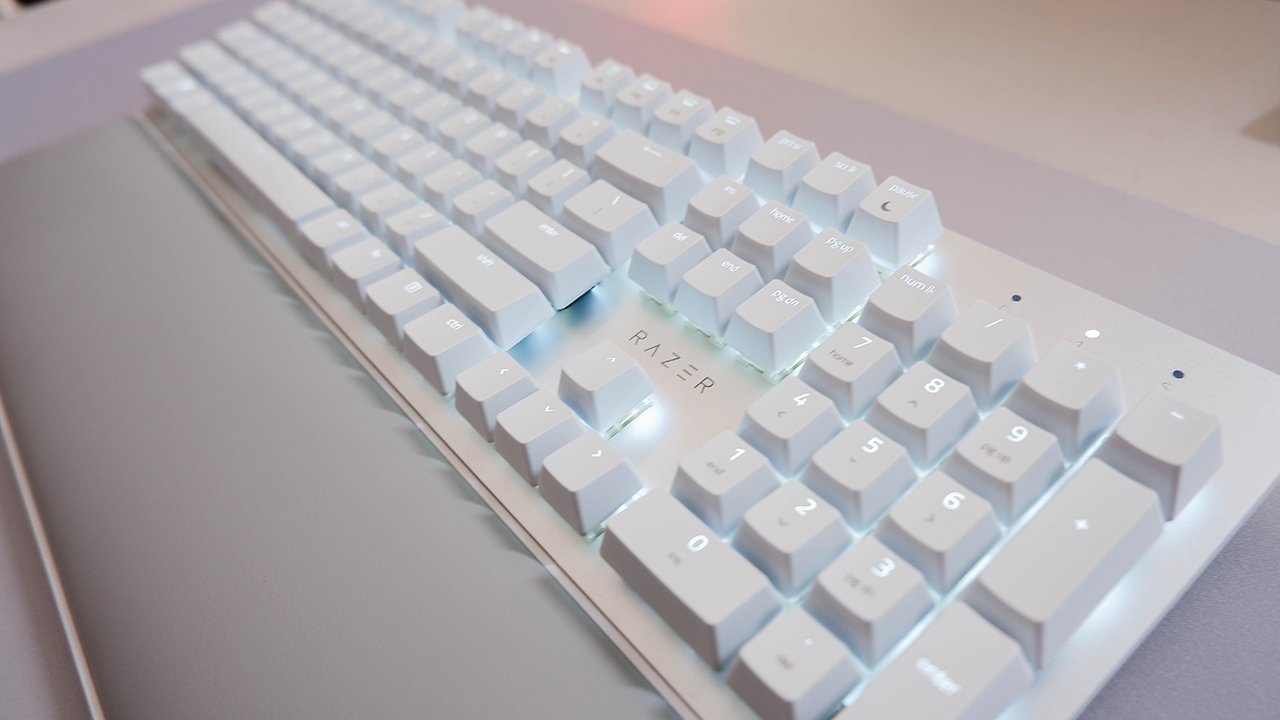
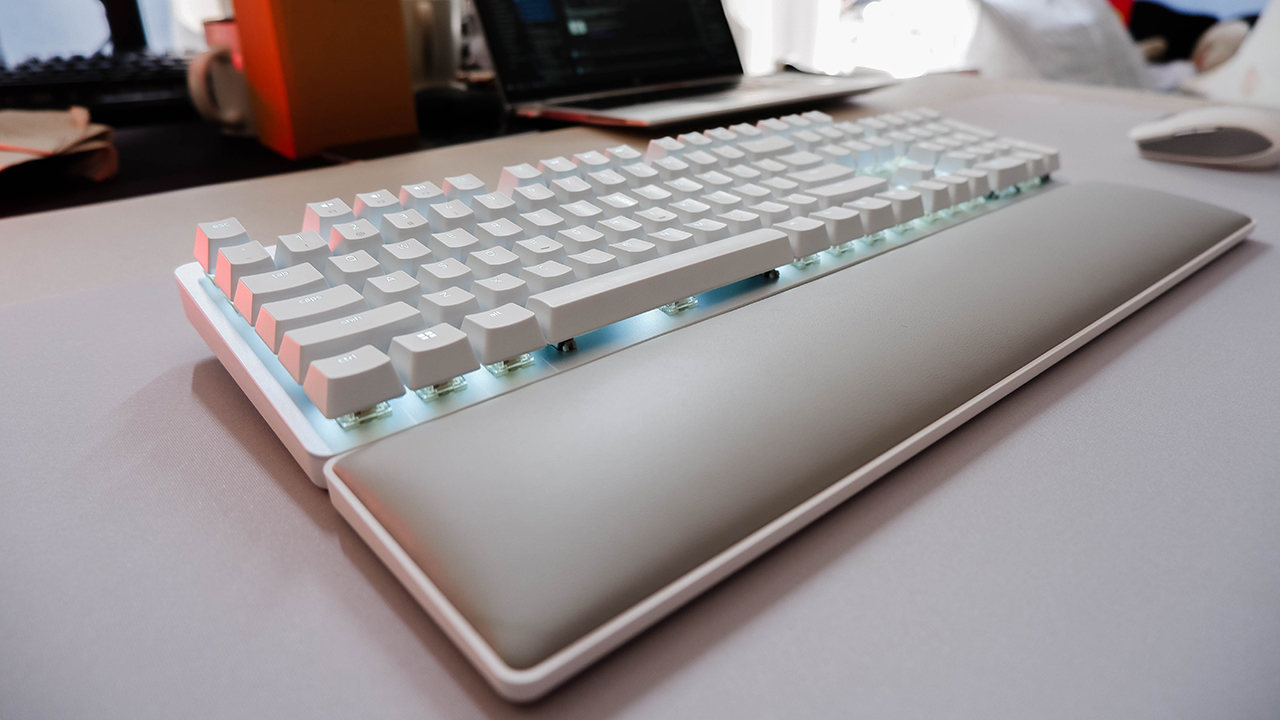
Razer has had no shortage in quality keyboards over the years, and for the most part, these were made with the gamer’s interest in mind. However, they wanted to step it up a bit and bring the same quality of their gaming keyboards to the working professional. This is what the Razer Pro Type Ultra is all about!

The Razer Pro Type Ultra is a full-size mechanical keyboard built with silent switches to give you a tactile typing experience. Whenever you’re doing work while on a call, for example, you don’t have to worry about people hearing your clicky keyboard as much. Also, these switches make the keys quite durable as it can last for more than 80 million clicks.

Now, this keyboard supports both wired (via a USB-A to USB-C cable) and wireless (via Bluetooth or a 2.4Ghz USB-A dongle) connectivity. If you’re more of an on-the-go worker, this is a nifty feature for a full-size keyboard to have. Also, it comes with a soft wrist rest to maximize comfort while you’re typing away.
Take action instantly with the Razer Pro Click Mini
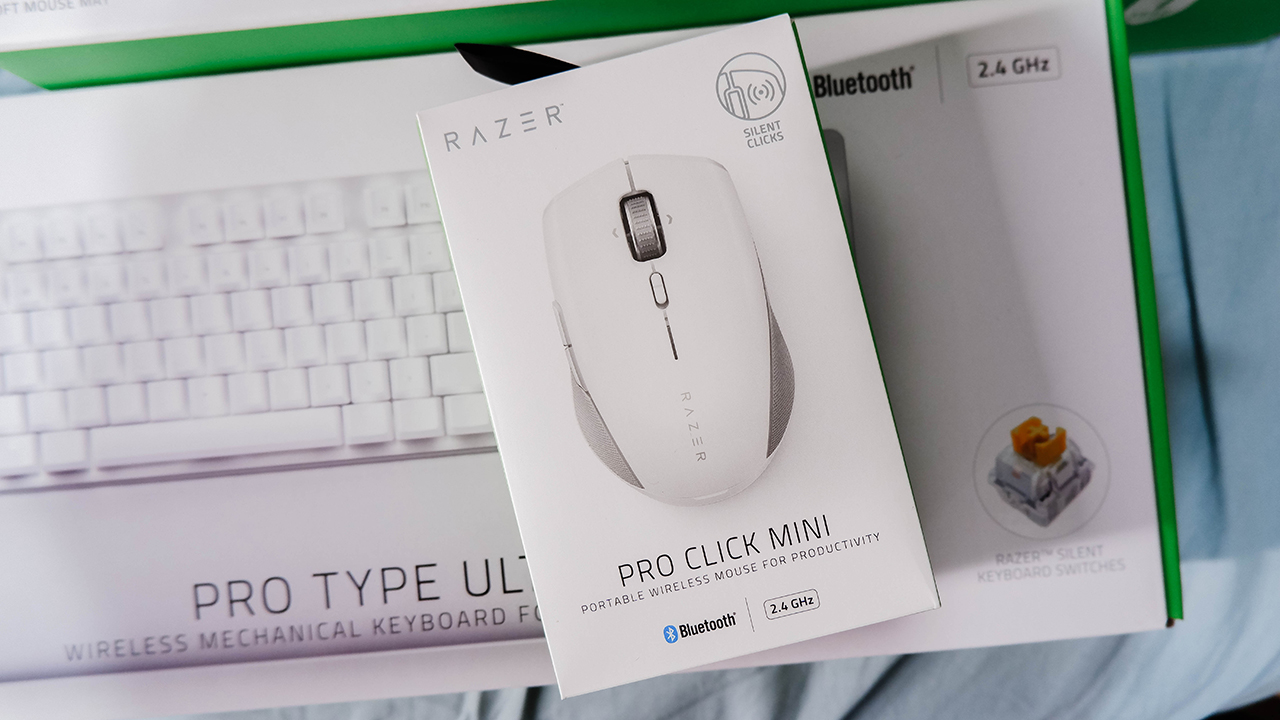
When it comes to mice, Razer also excels in this department and they have the awards to back it up. Naturally, the Razer Pro Click Mini would come with the same level of quality suitable for the working professional at any level. Much like the Pro Type Ultra, the Pro Click Mini is silent and responsive in its approach.

Another feature the Pro Click Mini shares with the Pro Type Ultra is its wireless connectivity options. Both peripherals support Bluetooth and dongle connections — also through a USB-A dongle — and last long despite using AA batteries. Also, the Pro Click Mini only requires one AA battery instead of two to run at its full capacity. At least, you can save the other battery for late work hours once you’ve exhausted the other one.

Of course, this is one of the more portable peripherals in the suite due to its weight and size. Inside the package, it comes with a pouch to house it when you’re on-the-go for work. Much like their gaming mice, Razer even added programmable buttons for you to assign specific functions.
Razer Productivity Suite Price and availability
The Razer Productivity Suite is available across multiple retailers and e-retailers nationwide. Also, these products are available on the official Razer website. For pricing, kindly refer to the list below:
- Razer Pro Click Mini: PhP 4,095/SG$ 129
- Pro Type Ultra: PhP 8.495/SG$ 249
- Pro Glide XXL Mousepad: PhP 1,695/SG$ 46


Acer is expanding its storage lineup with the PA100 Portable SSD. It’s a compact external drive designed for users who need faster storage across multiple devices.
The PA100 uses USB 3.2 Gen 1 connectivity. It reaches sequential read speeds of up to 560MB/s and write speeds of up to 430MB/s. This makes it suited for everyday tasks such as transferring large files, backing up content, managing documents, and moving media between devices.
Up to 2TB of portable storage
The PA100 comes in three capacities: 500GB, 1TB, and 2TB. This gives users options depending on whether they need extra space for documents and schoolwork or larger collections of photos, videos, and project files.
Acer also designed the drive with mobility in mind. The PA100 has a slim 9mm profile and a lightweight build, while its reinforced construction is designed to withstand everyday travel and handling.
The drive comes with a 2-in-1 USB-C to USB-C and USB-A cable. This allows it to connect to compatible PCs, tablets, smartphones, and other devices without requiring a separate adapter. It also supports major operating systems and USB-C mobile platforms.
Designed for everyday use
Power efficiency is another focus. Acer says the PA100 uses less than 3W during operation, while idle power consumption can drop to as low as 0.62W.
The drive also features an optimized thermal design to help maintain stable performance during extended transfers and daily workloads.
The Acer PA100 Portable SSD is backed by a three-year limited warranty. Pricing and availability may vary by market.
Computers
New Mac mini starts at a whopping $899, only 256GB of storage
It comes with the M6 or the M5 Pro.


Almost two decades ago, Apple was infamous for being an anti-gamer brand. Though the company’s devices touted superior protection against viruses, they couldn’t play video games, alienating a significant chunk of the population and forcing them onto PCs. For a while now, the Mac has changed the status quo, bringing in more powerful hardware that can play games. Today, Apple is championing that cause further through the newly launched Mac mini.
Compared to the chunkier Macs, the Mac mini has a lithe 5” x 5” profile, emphasizing the “mini” in its name. Despite the size, the new mini will tout two flavors of Apple silicon: the M6 and the M5 Pro.
The M6 variant delivers with up to two times faster gaming performance with ray tracing when running Cyberpunk 2077: Ultimate Edition, compared to the previous M4 version. Meanwhile, the M5 Pro version touts up to 4.5 times faster rendering performance with ray tracing in Blender, compared to the M2 Pro. It will come with macOS 27 Golden Gate out of the box.
You won’t have to worry about connectivity, either. The Mac mini comes with compatibility for Wi-Fi 7, Bluetooth 6, and 2.5Gb Ethernet (going up to 10Gb in upgraded versions). It will also have two USB-C ports, three Thunderbolt 5 ports (but only Thunderbolt 4 for the M6 version), and HDMI port, an Ethernet port, and a headphone jack.
Unfortunately, price seems to be another thing that it’s getting from PCs. The new Mac mini has an increased starting price. Specifically, the M6 version starts at US$ 899 (with only 256GB of storage), and the M5 Pro version starts at US$ 1,699 (for 512GB of storage). Preorders are open now, but they ship out on September 22.
SEE ALSO: Apple raises the prices of iPad and MacBook lineups

ASUS has announced the arrival of its latest TUF Gaming desktop lineup models: the TUF Gaming T700 and TUF Gaming T700 Mini.
These new offerings bring heavy-duty performance and military-grade durability to gamers, engineered to endure extreme operational demands while delivering rock-solid stability.
The new ASUS TUF Gaming T700, in particular, is engineered to take on modern AAA titles with its uncompromising performance.
It has an aggressive mecha-inspired MIL-STD chassis, including a transparent side panel to put powerful components on display. Vibrant orange ambient lighting also adds a bold finishing touch.
Inside is an AMD Ryzen 7 8700F processor and up to an NVIDIA GeForce RTX 5060 Ti GPU for high-frame rate gaming.
The T700 also features a robust thermal solution equipped with quad 65 CFM fans and a 240mm liquid cooler.
Meanwhile, the TUF Gaming T700 Mini is tailored for competitive gamers while maintaining a compact, battle-tested chassis.
It has an Intel Core Ultra 5 225F desktop processor, paired with with NVIDIA GeForce RTX 3050 graphics.
This combination provides seamless multitasking, crisp visuals, and reliable frame rates across today’s popular titles.
The internal hardware is cooled by a custom thermal matrix featuring dedicated copper heat pipes and a heavy-duty 90mm cooling fan.
True to the TUF Gaming legacy, the T700 Mini is likewise MIL-STD tested to endure extreme operational demands.


Marvel’s Wolverine review: When the claws come out
A brutal, cinematic superhero adventure

Setting your bedsheets ablaze with the Lovense Solace Pro
The closest proxy I could find where I'm guilty as sin


Now Playing: Elden Ring Tarnished Edition
Is the Switch 2 port worth the price?

Match Pulse: Passport-sized foldables

Burgundy is the new Black!

Apple is reportedly working on its own gaming controllers

BlizzCon 2026 announces World of Warcraft: Forever and Diablo V

Apple iPhone 18 Pro Series Hands-on

TECNO MEGAPAD 2 review: Eyes on the size

realme 16T 5G with 8000mAh battery, IP69 Pro rating launches in PH

HUAWEI Pura X View is 2026’s first WIDE slab-type smartphone

REDMI reveals the refreshed Note 17 and Note 17 Pro series

REDMI Note 17 Series focuses on long-term reliability


-
 News1 week ago
HUAWEI Pura X View is 2026’s first WIDE slab-type smartphone
-

 News1 week ago
The CAMON Slim 5G is TECNO’s latest ultra-slim smartphone
-

 Cameras2 weeks ago
DJI Osmo 360 II review: Going all-in on the ecosystem
-

 IFA 20262 weeks ago
TECNO MEGABOOK T15 360 unveiled at IFA 2026
-

 Gaming2 weeks ago
NBA 2K27 review: A two-way All-Star
-

 News5 days ago
iPhone 18 Pro series: Price, availability in the Philippines
-

 Reviews2 weeks ago
Samsung Galaxy Z Fold8 Ultra review: It’s time to get a foldable
-

 IFA 20262 weeks ago
TECNO’s POVA 8 Pro gets a stealthy makeover