

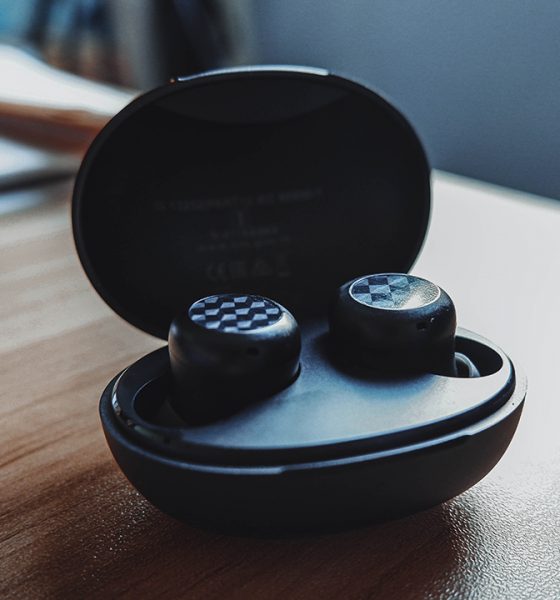

We all love a good pair of wireless earphones, especially if you just switched to the wireless life. However, we also want these sets of earphones to be as affordable as a set of wired earphones. As the old saying goes, we can’t really have it all, even with something as trivial as earphones.
The people over at realme thought, “are you sure we really can’t have it all” and decided that maybe, it’s time to change all of that. Enter the realme Buds Q2, the company’s latest offering in the TWS earphone space. It’s quite small and easy to carry around, and it hopes to bring an enhanced audio experience on the go.
So, does the realme Buds Q2 keep up? Let’s find out!
Compact, lightweight, and easy to set up

Upon unboxing, the first thing I noticed was how small and subtly designed the case is. It comes in either a clean Black or soft yet vibrant Blue color option, which I feel adds to the style aspect of it. Also, with the case being small, it will slot into any pocket easily — whether it’s in your bottoms or your bag.
What I also love about the realme Buds Q2 is the ease in setting it up. For one thing, they already give you instructions on how Bluetooth pairing works on the buds the moment you open it up. Also, if you have any realme smartphone, you can link and customize it through the realme Link app.
Overall great sound quality
Here’s the thing: the realme Buds Q2 provides impressive sound quality mostly because of everything integrated inside it. For starters, it comes with a 10mm Dynamic Bass Boost driver, which adds depth and bass to the sounds you hear. Essentially, it lets you hear your favorite music the way it’s meant to be.
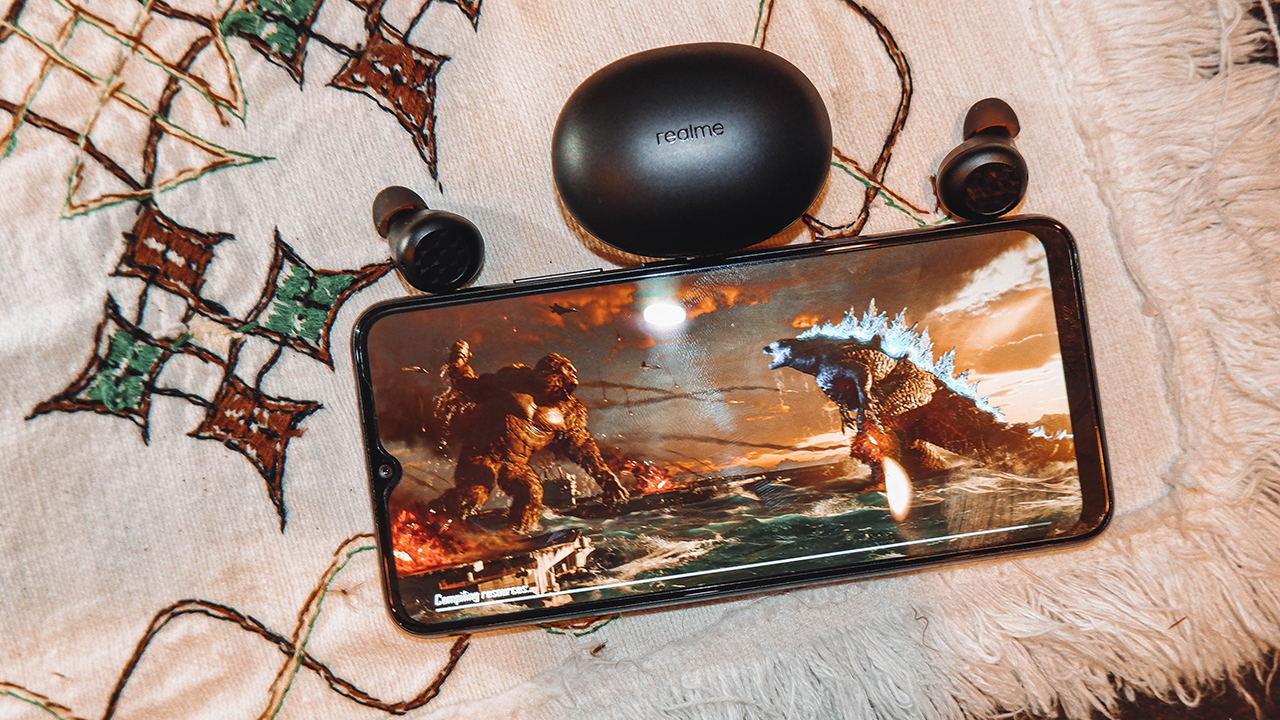
In my usage of the device, I could definitely hear some level of depth in most songs I listened to. It isn’t as punchy and in-your-face about it, and it’s also quite loud even at around 50 to 60 percent volume. Also, I felt some level of noise cancellation with prolonged use (but more on that for another segment).

If there’s one issue I encountered while using it, it was a little bit of latency upon initial use. See, thee realme Buds Q2 also come with an 88ms Super Low Latency mode more suited for gaming. Essentially, it supposedly reduces latency between video and audio while watching videos or playing games. Initially, however, latency was evident but with prolonged use, it became a non-issue.
Decent for gaming and work comms
Another neat feature of the realme Buds Q2 is its environmental noise cancellation, which on paper is great for calls. For the most part, it helps make your voice a little bit more clearer and eliminates any background noise when you’re talking. Whether it’s for a meeting or team comms during gameplay, it’s what it was built for.

I felt it did a decent job in cleaning and clearing up my voice during these situations. For the most part, my teammates heard my voice quite clearly even for a small earbud with a relatively precise microphone. Also, they took note of how there was minimal noise or scratches in my voice every time my microphone was on.
Solid battery life for such a small package
In terms of lasting long, the realme Buds Q2 is no slouch at that. On a single yet continuous usage, I managed to squeeze in roughly four to five hours of total audio (and sometimes video) playback. When maximizing the near two-hour battery life of the charging case, I got about 18 hours of earbud time. Honestly, this is already quite long considering it’s not particularly designed for a full day use.
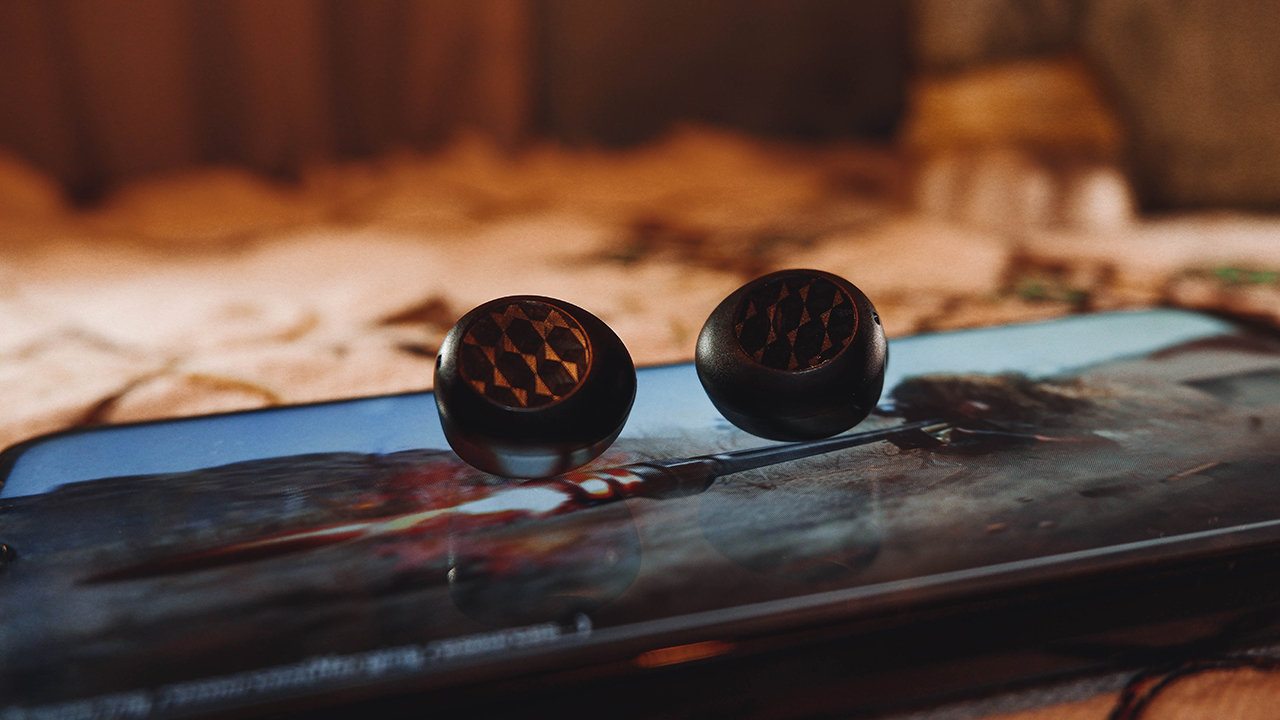
Also, the earbuds and charging case take roughly a short time to fully charge up. With the charging case, the realme Buds Q2 took close to two and a half hours to do a 0 to 100 on. Meanwhile, the charging case itself took about two hours, which isn’t that long.
Is this your GadgetMatch?
At PhP 1,290, the realme Buds Q2 lives up to the expectation of a great wireless audio device. It boasts great audio quality in a compact and lightweight package, fit for everyday on-the-go use. With its ease of set up, it’s a daily driver that fits any device you plan to use it on.
It even comes with great hardware-centered features that do their part in enhancing the audio experience a little bit. Things like noise cancellation and bass boosting drivers allow you to fully immerse yourself with the music or games. Plus, it lasts quite long so you can keep listening to your music or play with team comms for hours on end.

For its price, it’s a device that screams “we can have it all” in one package. A great audio experience at an affordable range; I mean, what more could you ask for, right?
Buy the realme Buds Q2 from Lazada






Accessories
New AGON gaming monitor features up to 1000Hz refresh rate
New level of speed, flexibility for competitive gaming


AGON by AOC has released the new AGON Pro AGP277QK dual-mode gaming monitor for the competitive segment.
This new offering features up to 1000Hz refresh rate at HD and 540Hz at QHD so gamers have the flexibility to prioritize either clarity or speed.
The 27-inch IPS gaming monitor comes with NVIDIA G-SYNC, synchronizing the monitor’s refresh rate with the GPU to help minimize screen tearing, stuttering, and input lag.
This is combined with 0.3ms MPRT and 1ms GtG response times for fast-moving action that is sharp and responsive, giving competitive players a clear visual advantage.
Moreover, the AGON Pro AGP277QK features VESA DisplayHDR 400 certification for enhanced contrast and more vivid, lifelike visuals.
Delta E < 1 color accuracy also provides precise color reproduction not just for gaming but even other scenarios like content creation.
For even smoother high frame-rate gameplay, MBR Sync combines motion blur reduction with variable refresh rate (VRR) technology. This helps maintain clarity during rapid movements.
The monitor also includes Low Input Lag, customizable Light FX ambient RGB lighting, Gaming Mode presets, and Shadow Control.
The display comes with HDMI 2.1 and DisplayPort 2.1 connectivity, along with a height-adjustable stand and G-Menu support.

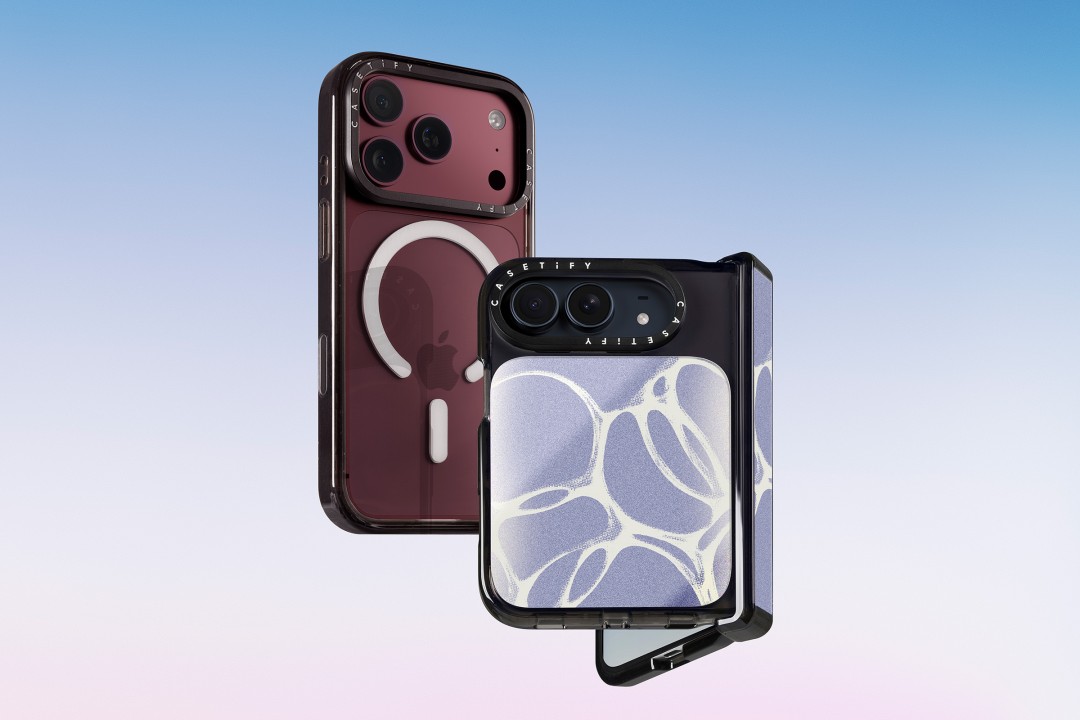
CASETiFY is launching a new collection of cases and accessories for the iPhone 18 series, updating some of its most popular designs with refined finishes, new protection features, and expanded customization options.
Impact Case
The collection is led by the Impact Case, CASETiFY’s best-selling case with more than 19 million units sold worldwide. It uses an internal EcoShock™ design and Duo-Lock by CASETiFY™ bonding for impact absorption and dispersion. The case is tested for drops of up to 8.2 feet and 4x Military Standard 810G. It also features a scratch-resistant Glaze finish, raised bezel, precision-engineered camera control button, and MagSafe and wireless charging compatibility.
The Ultra Impact Case builds on the same family with redesigned, more rounded corners and reinforced structures with internal air cells. It is tested for drops of up to 11.5 feet and 6x Military Standard 810G. It also has a slimmer profile, multiple design options, and MagSafe compatibility.
Both cases are available in Ring Stand variants. These feature a built-in metal camera ring stand that adjusts up to 150 degrees, with a screwless hinge designed for durability and stable hands-free viewing. Select models are also available with Glitter and Mirror finishes.
Ripple Case
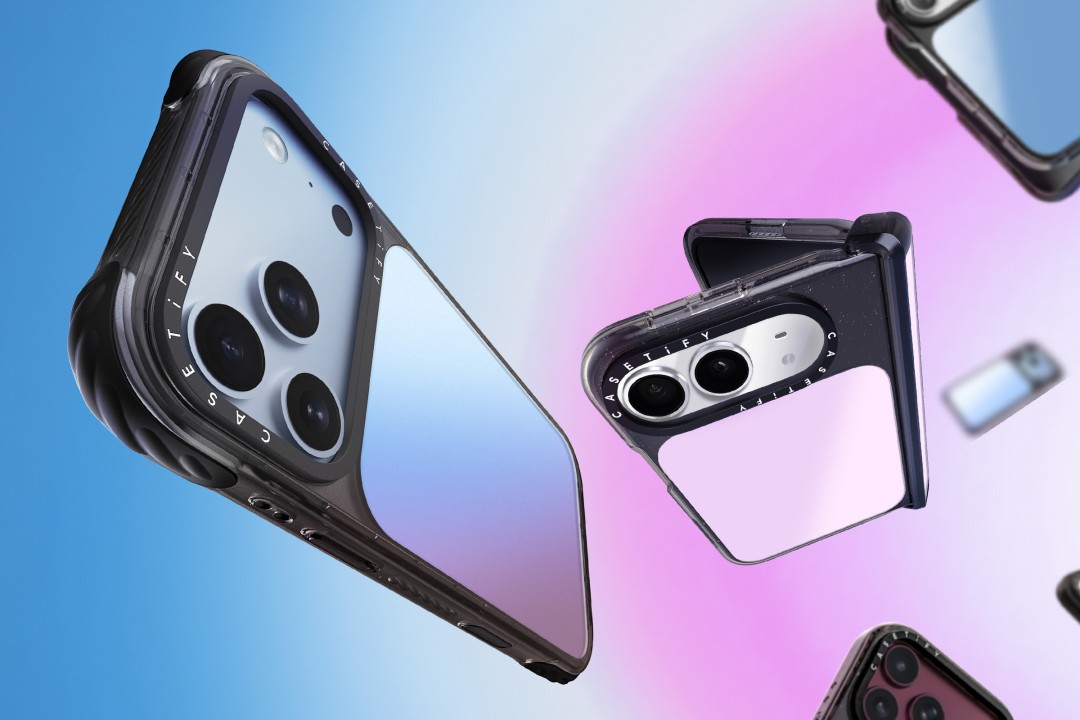
CASETiFY is also bringing its Ripple Case to the iPhone 18 lineup. The soft-touch silicone case features rippled edges and puffed corners, with protection tested for drops of up to 6.6 feet and 3x Military Standard 810G. New colorways include Banana, Dusty Blue, Blush Pink, and Fig, alongside Black and White.
For users who want more protection, the Bounce Case offers CASETiFY’s highest level of drop protection in the collection. Its Expanded Bounce Corners, TesseLock™ design, and enhanced Duo-Lock bonding support drop protection of up to 21.3 feet and 7x Military Standard 810G.
Alloy Ripple Case
The lineup also includes the Alloy Ripple Case, which reworks the Ripple’s sculptural design in aluminum with an EcoShock™ design and Duo-Lock bonding. It is tested for drops of up to 8.2 feet and 4x Military Standard 810G. The Cloud Case uses a quilted soft-touch design with pillowy bumpers and up to 6.6 feet of drop protection.
Beyond cases, CASETiFY is expanding its accessories with the Ripple Wallet, Grip Stands, Loop Grips, Jelly Wristlets, Bow Charm Wristlets, and other charm-compatible straps. The iPhone 18 cases range from USD 50 to USD 90 , while accessories range from USD 25 to $USD 45.
The collection is available beginning September 10 through CASETiFY. The company is also preparing a case lineup for the upcoming iPhone Duo, with its waitlist already live.


Right after the iPhone 18 Pro and Pro Max series, Apple dropped another bombshell for fans. Complementing the latest iPhone generation, the new AirPods 5 features a bunch of the most impressive improvements for the wearable.
Most importantly, the AirPods 5 will boast 50 percent better noise cancellation than the AirPods 4 with Active Noise Cancellation. With Adaptive Audio, the wearable can sense your surroundings and adapt accordingly so you don’t miss the important bits happening around you.
It also features Live Translation for talking with others speaking in a different language. Plus, Conversation Awareness automatically lowers the volume if the wearable detects that you’re talking.
For sound quality, the new wearable has a new acoustic architecture and an adaptive equalizer. It promises more detailed sound coming from the entry-level AirPods.
The new AirPods 5 will start at US$ 129. Preorders are already open, but the wearable will ship out on September 18.
Meanwhile, if you’re hankering for a bit more from your wearable, another variant, which starts at US$ 149, adds a Wireless Charging Case, on-stem swipe controls, and longer battery life. This model can reportedly last five more hours with active noise cancellation enable.
SEE ALSO: The iPhone Duo is real!


Marvel’s Wolverine review: When the claws come out
A brutal, cinematic superhero adventure


Setting your bedsheets ablaze with the Lovense Solace Pro
The closest proxy I could find where I'm guilty as sin


Now Playing: Elden Ring Tarnished Edition
Is the Switch 2 port worth the price?

First Look: Apple iPhone Duo

Xbox saves Kojima’s PHYSINT after PlayStation drops support
Marvel’s Wolverine review: When the claws come out

PH to celebrate 1st ever National Cinema Day; movies start at less than $2

New AGON gaming monitor features up to 1000Hz refresh rate

TECNO MEGAPAD 2 review: Eyes on the size

realme 16T 5G with 8000mAh battery, IP69 Pro rating launches in PH

HUAWEI Pura X View is 2026’s first WIDE slab-type smartphone

REDMI Note 17 Series focuses on long-term reliability

REDMI reveals the refreshed Note 17 and Note 17 Pro series


-
 News5 days ago
HUAWEI Pura X View is 2026’s first WIDE slab-type smartphone
-

 News5 days ago
The CAMON Slim 5G is TECNO’s latest ultra-slim smartphone
-

 Cameras1 week ago
DJI Osmo 360 II review: Going all-in on the ecosystem
-

 Features2 weeks ago
The designated photographer’s new favorite phone: OPPO Reno16 Series 5G
-

 IFA 20261 week ago
TECNO MEGABOOK T15 360 unveiled at IFA 2026
-

 Gaming1 week ago
NBA 2K27 review: A two-way All-Star
-
 Reviews2 weeks ago
Samsung Galaxy Z Fold8 Ultra review: It’s time to get a foldable
-

 Automotive1 week ago
Ford’s new Everest lineup brings V6 engine to the top, tech down the line