

When you’re an adult, coffee isn’t just a power-up drink helping you get through the day. It becomes an avenue for conversation, an invitation to meet people, a kick you need to fuel your creativity and productivity.
While there are several ways to brew coffee and there are different local neighborhood cafés to explore, Starbucks has always been within reach. And it has ingrained itself as an important part of my working life. A staple of the modern workforce’s culture. A lifestyle — tradition to an extent — that seeped in through the interstices of friendships and family.
When the pandemic struck, I started learning how to brew my own coffee. Occasionally, I order my caffeine fix through Grab or Foodpanda. But the experience isn’t the same.
Keyword: Experience. That’s precisely what Starbucks offers. So when Starbucks Philippines sent me a holiday card to try the new Mobile Order & Pay, a feature they had for a while that was rehashed, I decided it’s time to go out and try again.
Exploring the app
The Mobile Order & Pay 2.0 is available through the Starbucks app. If you’re a Starbucks lover, you probably have an account registered to Starbucks Rewards. The app is easy to use, particularly because of its clean user interface (UI) design.
Through the Starbucks app, you can check your account’s transaction history, monitor the stars collected via the Rewards program, and make some changes to your personal profile and payment methods. The app also has a lot of promotional materials, parading their latest drinks and treats that you can avail yourself of in-store or online.
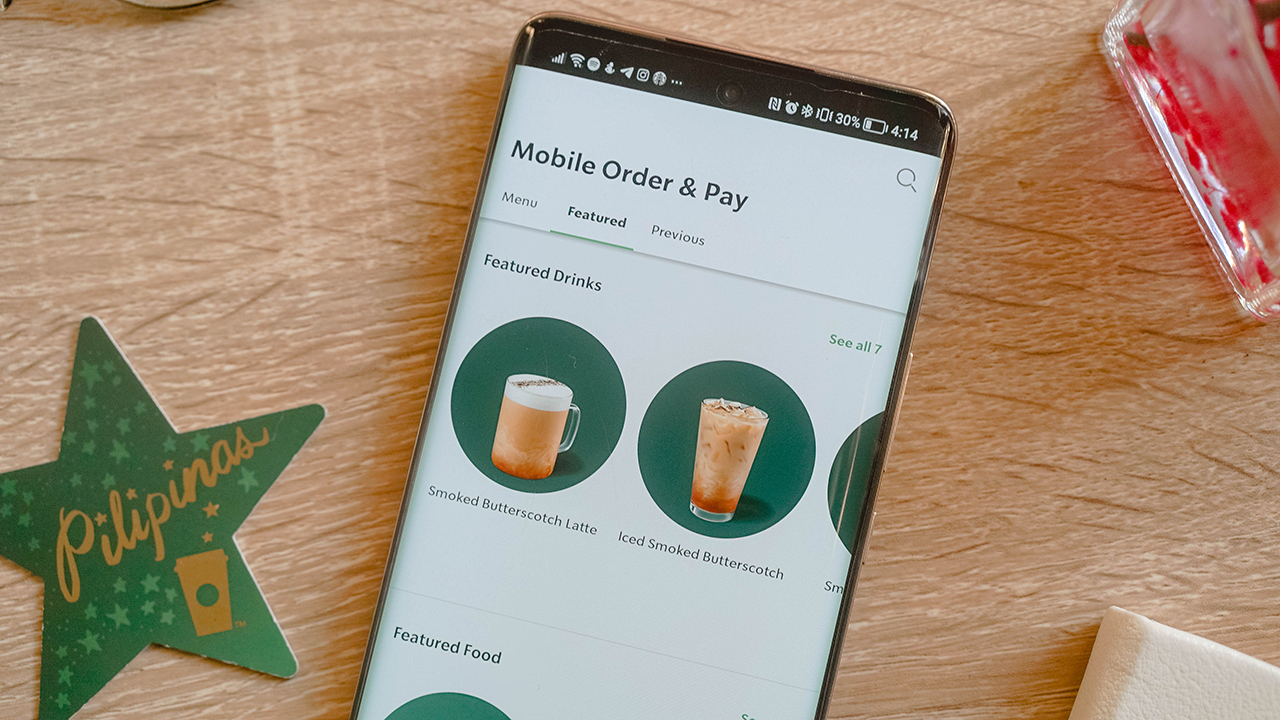
And more importantly, you can reload your account, register your cards, and of course, get ahead of your day and order your favorite beverages.
Cut through the line
Once I got my cards settled in, I ordered my go-to drink: Cold brew topped with four pumps of white mocha sauce. I placed my order through the Mobile Order & Pay 2.0 feature, which gave me four options to pick up my order. Although, the options vary depending on the closest branch near you.
There’s the usual In-store pickup where you head straight to the pickup counter for your order. Yes, you won’t get in line anymore. When I tried this pickup option, everyone gave me looks when I went past the queue and headed straight to ask the Barista about my order. I had the audacity to ask about my drink because the app notified me when the order was ready.
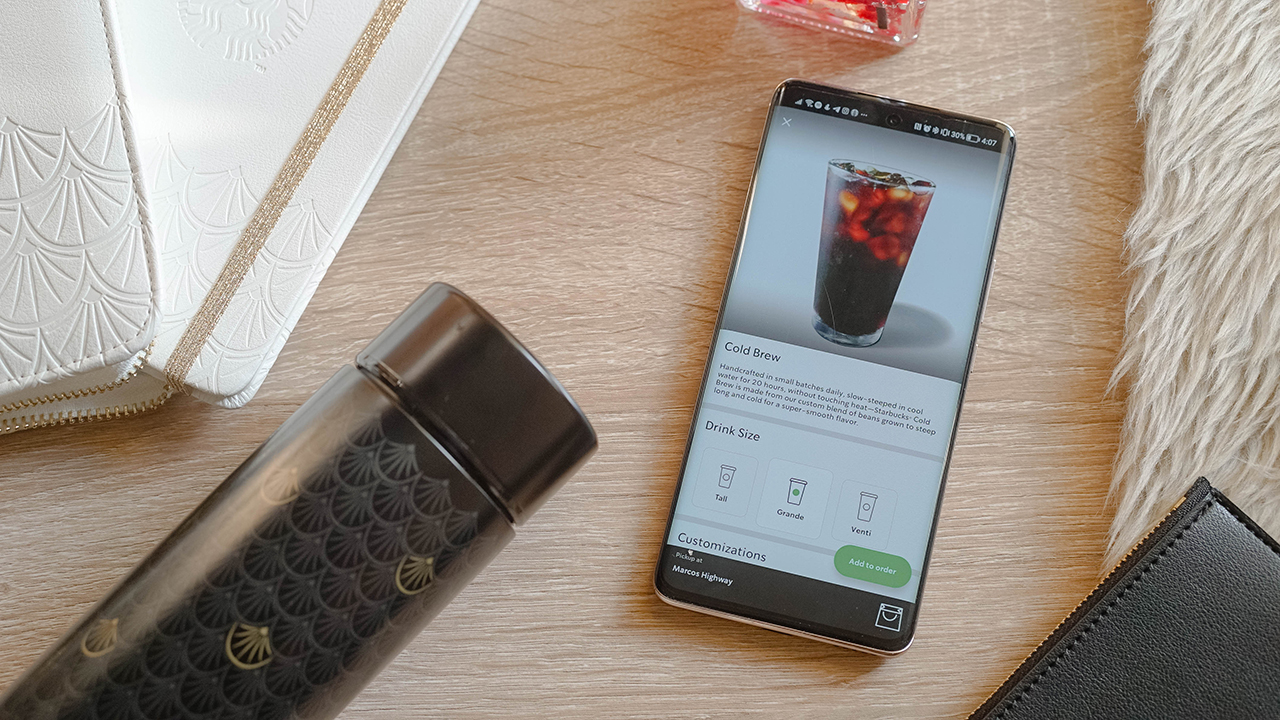
When I got my drink, I walked out of the store feeling ravished. It felt like I was in a slow-mo montage of a coming-of-age film where the protagonist suddenly did something extraordinary. Frankly, this is my favorite pickup option. It makes so much sense to just get your orders if you can walk inside. And that gives you extra steps for your smartwatch to count. Get moving, people!
But if you don’t like the hassle of scanning your QR codes and getting your temperature checked, or the usual mumbo-jumbo you encounter inside a store, there are other pickup options outside.
Just wait outside
My other favorite option was the Outdoor pickup, which I chose when I was passing by Starbucks The Grove — my favorite branch in Pasig. I was dead-tired from a weekend night-out with my friends at Okada Manila, and the all-night casino adventure bled through a Monday morning.
I was on my way home, ready for work. Then, I realized I badly need the good ol’ Barista Drink. Nothing can beat an americano topped with white mocha sauce splashed with sub-breve (and no water!). Especially when it comes to waking you and your senses up. More importantly, you can have it served iced or hot depending on your preferences.

I placed my order when I was already in Arcovia City, a kilometer away from The Grove by Rockwell. Apparently, you can’t order ahead for an Outdoor pickup if you’re 3 kilometers away, which I tried to do when I was still in Taguig. So you have to be close to the branch if you want to place your order.
I tried to do the math in my head, calculating if I can pull over for a minute while I wait for my order. But I’m bad at numbers so I went ahead. The app said the order will be ready in five to six minutes anyway.
I pulled over when I arrived at the branch, and I didn’t wait long enough for one of my favorite baristas to come out to my chosen pickup point and hand me my order.
Stay in your car
I hate parking. Or wasting the time spent trying to park properly in between enormous SUVs. Or finding a spot to park your vehicle. This is why I don’t understand the Curbside pickup option, where the barista locates your designated parking slot and gives your order while practicing social and safe distancing.
I tried the pickup option in Starbucks Sierra Valley — a humongous, stand-alone branch with a massive parking space and drive-thru option found east of Metro Manila.
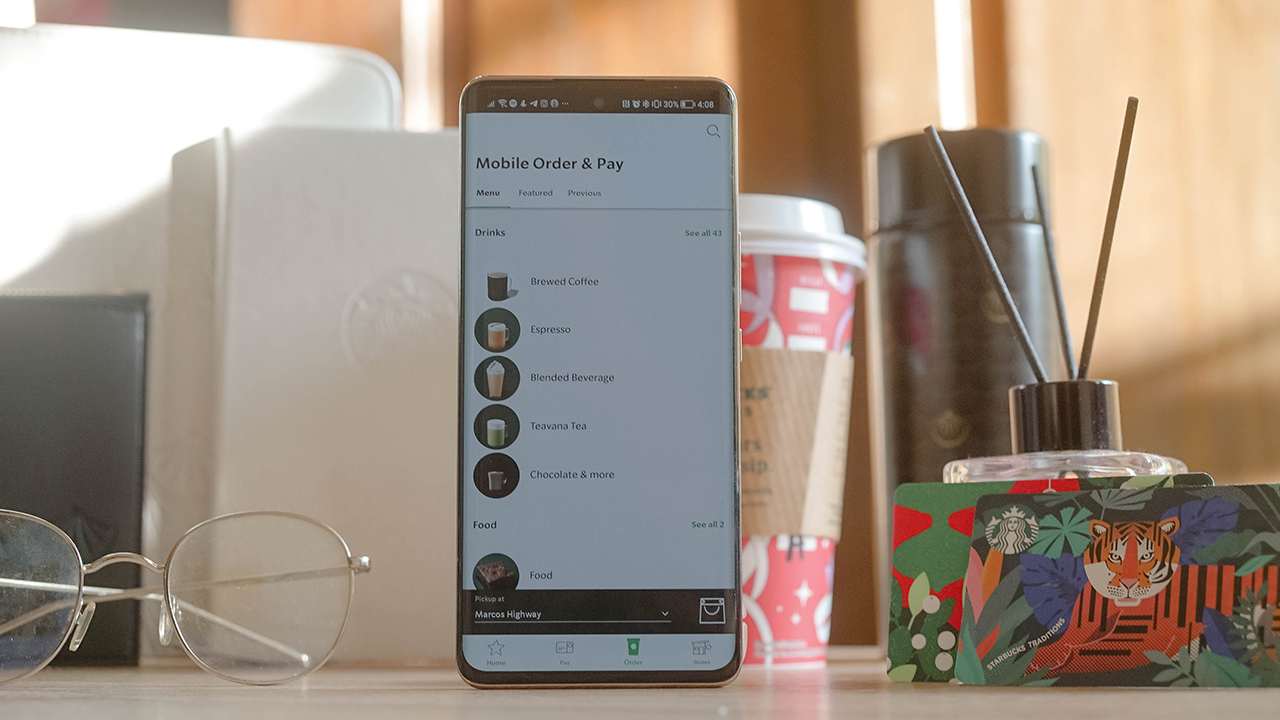
If you’re in a time crunch, this option really doesn’t make sense. But if you have a few moments to spare and you don’t want to get out of your vehicle for safety measures against the COVID-19 (and its variants), then the Curbside pickup is the way to go.
Frankly speaking, it doesn’t work for me. I know having your order brought to you is part of the experience, but I value my time. And it was against my morals to just sit inside my car and wait for the barista to come out and bring my order. In my head, they could be doing more valuable things than going outside the store, when I can pick up my order at their counter.
The In-store pickup is the fastest option in my experience, and I feel good doing the task instead of sitting and waiting around. I guess it’s my can-do attitude speaking, but that’s how I’m really built.
Drive through it
Now, there’s another option to get your order: Drive-thru pickup. You just have to line up in a queue of cars and wait for your turn. Like the Curbside pickup option, I didn’t like the Drive-thru pickup for one reason: It takes too long to get through the drive-thru window.
People are afraid to get out of their vehicles because of the COVID-19 pandemic, and that’s valid. That’s why there are plenty of cars lining up to get their caffeine fix. I spent roughly 30 minutes waiting for my turn, which annoyed me since it would’ve been faster if I chose the In-store or Outdoor pickup.

Making life less hectic
Regardless of my rants and experience, the Mobile Order & Pay 2.0 lets you get your favorite treats and beverages conveniently. In the way you like it.
While I’ve loved the In-store and Outdoor pick-up because they work well with my personality and lifestyle, I know some people (read: friends) would enjoy the Curbside and Drive-thru pickup. Especially since they’re cautious about the pandemic.
Not that I’m not wary of the virus being out there, I just value my time because every second counts. If I wanted to waste my time waiting, I would’ve lined up inside.
Nevertheless, the rehashed feature is worth giving a try. Through the Starbucks app, you can customize your orders. Just like your baristas, the app can modify the size, the number of espresso shots, dairy selection, and various options for your order. All done with just a single tap on your smartphone.
Frankly speaking, the Mobile Pay & Order 2.0 made my life easier especially when I’m in a hurry to get a caffeine fix. Not all days can be spent brewing your coffee, living in a slowed-down lifestyle. Some days, we just need to get through it, and Starbucks knows how to accompany me through those days.
The Starbucks PH app is available on The App Store and Google’s Play Store.




Apps
Grab moves beyond the ride to become a companion for the life in between
Now updated as an everyday guide with 13 AI-powered experiences to navigate life in Southeast Asia!
Navigating life in Southeast Asia requires a different mental load.
You decide what to eat while rushing to a meeting; you deal with the anxiety of landing in a foreign airport and wondering how to pay for coffee and your cab. We often look to our phones for answers, but sometimes, we just find more tasks to manage with the information we’re overloaded with.
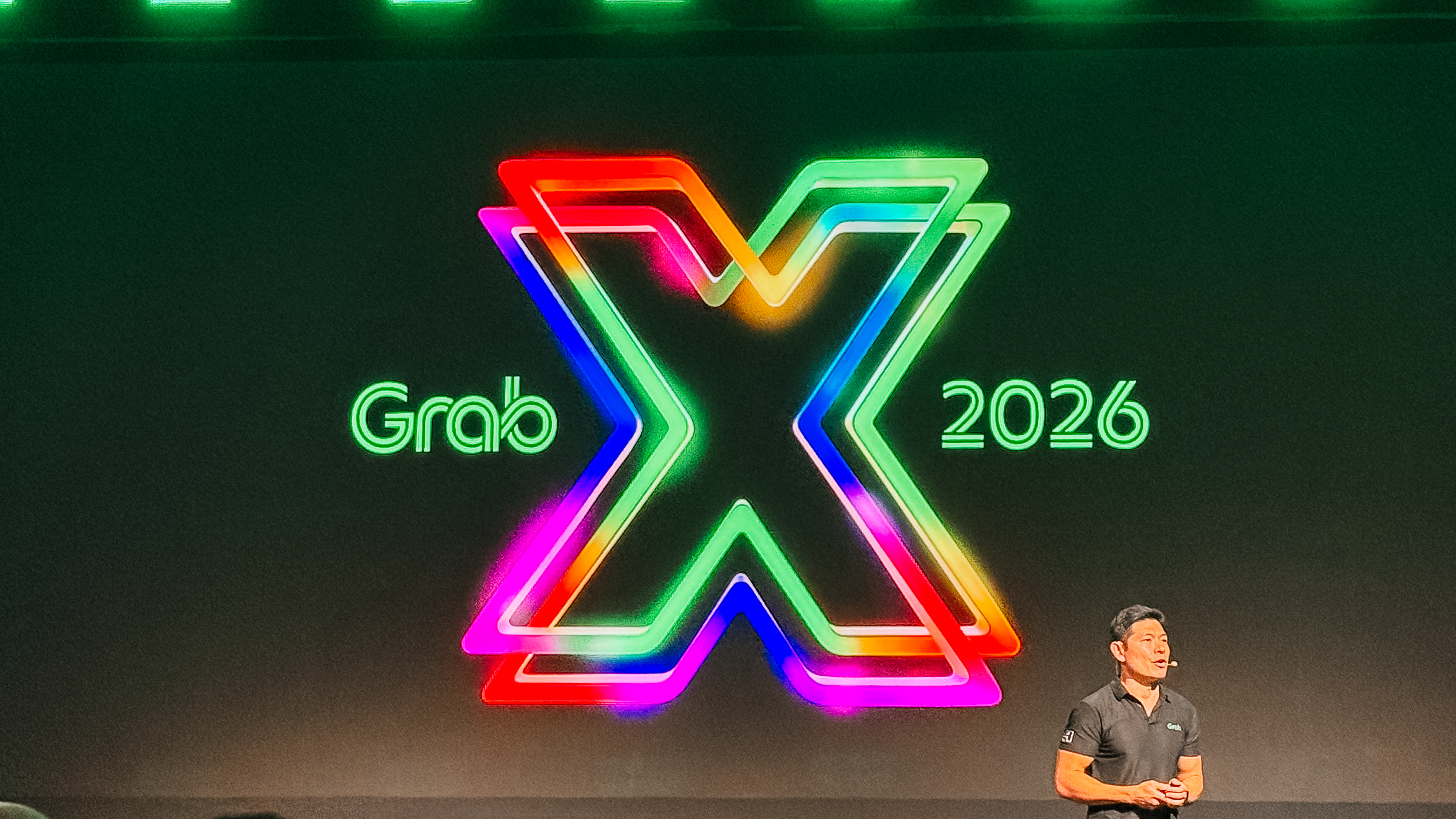
At GrabX 2026 held in Jakarta, Indonesia, Grab as a Superapp transforms into an intelligent companion that understands our routines. It has just launched 13 AI-powered experiences, designed to act as an everyday guide.
Moving through the city together
Traveling within a busy city requires a delicate balance of time and budget. We want to get to our destinations efficiently, but we also want to share that journey with others.
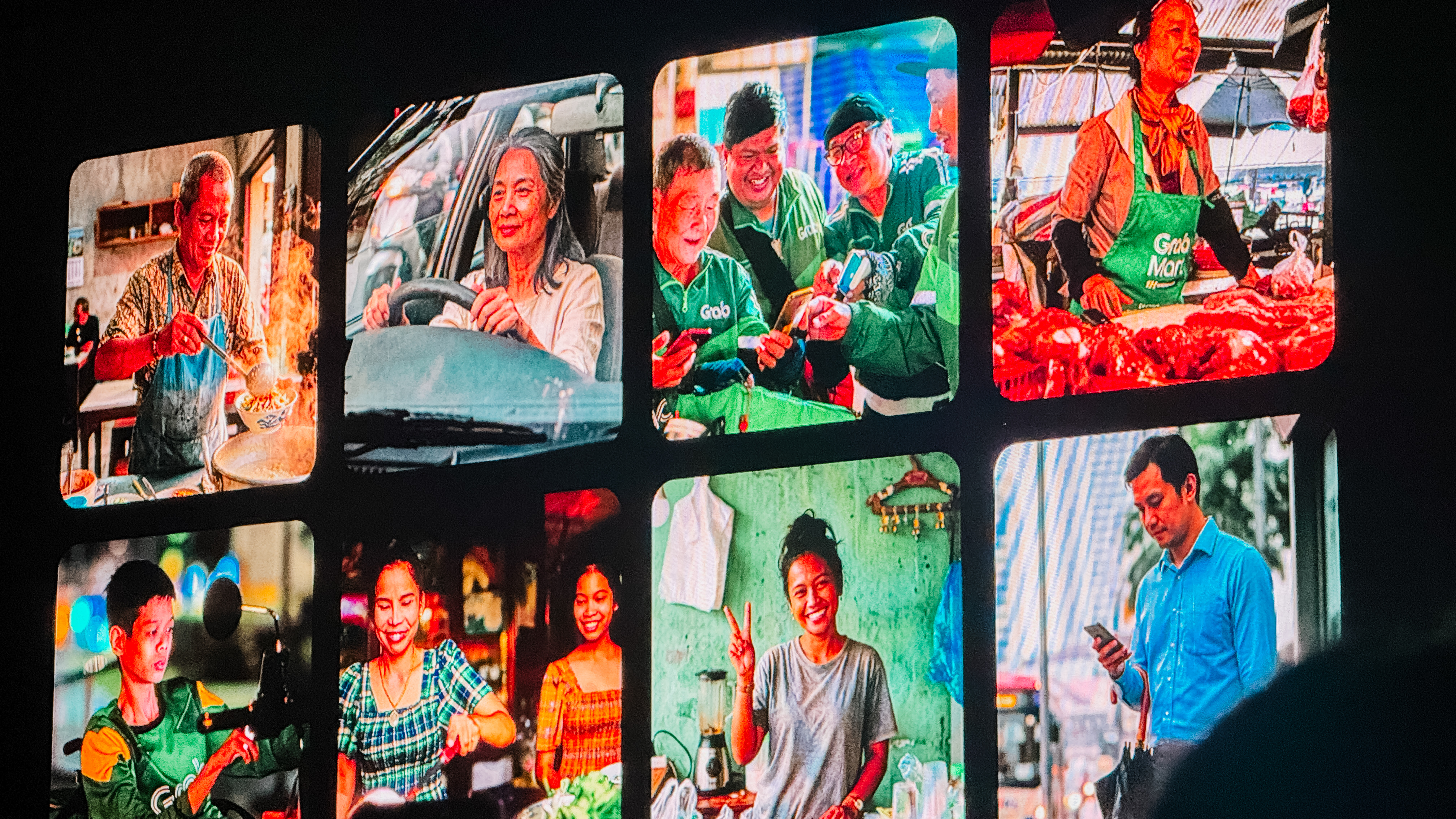
The new Group Ride feature understands this balance. It allows up to four people to share a single vehicle. The system intelligently sequences pickups and splits payments automatically.
You can save up to 40 percent on your fare when you travel with friends on similar routes. Soon, a Waiting Room feature will let everyone see who is ready in real time. It turns a simple commute into a shared moment of connection.
After a busy day, the “what’s for dinner” dilemma usually begins. Grab More solves the frustration of wanting different things from different places. You can now add another nearby merchant to your order without paying extra delivery fees or meeting a minimum spend. The AI ensures both orders arrive in sync.
For the bigger plans, the Grab AI Assistant acts as a personal concierge. If you’re organizing a team celebration, you can simply tell the assistant your group size and dietary preferences. It handles the restaurant recommendations and the booking in a single conversation. If you are stocking up for the week, the Grab Shopping Agent lets you send a photo or a voice note of your list. It builds a cart across multiple merchants and even suggests smart substitutions for out-of-stock items.
Finding confidence
Navigating a city is about more than just a blue dot on a screen. GrabMaps for Consumers now helps you decide when to leave and what to do when you arrive.
The Journey Planner connects to your calendar and predicts your destination based on your history. You can compare the price of a ride versus the toll fees of driving yourself.
Once you arrive at a massive mall, which are plenty in Southeast Asia, indoor navigation guides you to the exact shop entrance.
You can even use the Custom Voice feature to clone a voice you love for your turn-by-turn directions. *cue Rufa Mae Quinto’s tone* It makes the journey feel personal.
For those moments when unexpected expenses arise, Cash Loan provides a bridge. It offers accessible credit to millions of people who may not have a traditional financial history. The AI uses Grab data to provide a loan decision in seconds. You can customize a repayment plan that fits your budget directly in the app. It’s a safety net built into the platform you already use.
A travel companion
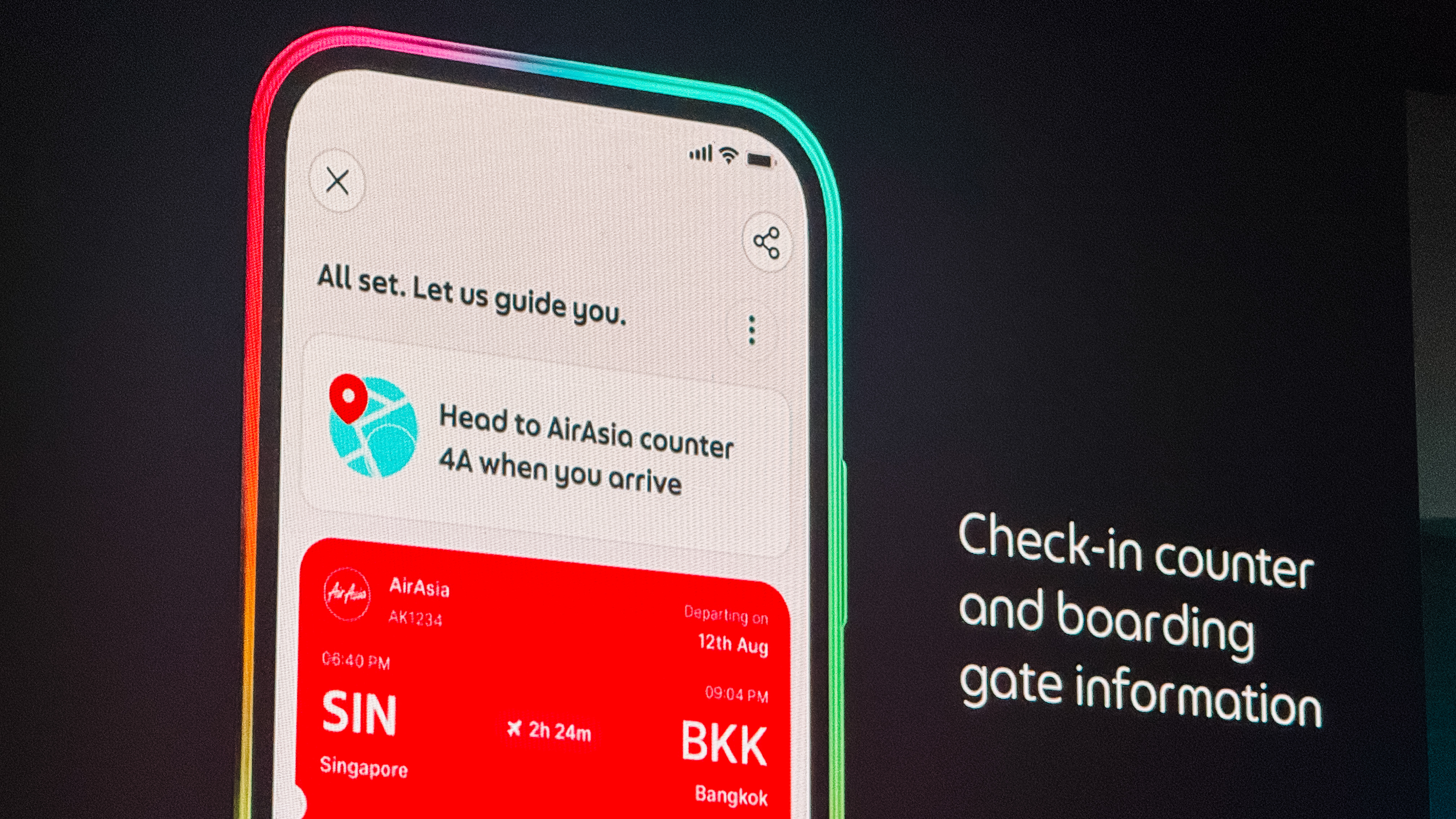
Travel is often beautiful but logistically exhausting. The Personalised Travel Experience turns the app into a travel partner. It consolidates your passport reminders, check-in counter details, and gate updates in one place. When you land, it guides you step-by-step to the correct baggage belt and pickup point.
Finding a place to stay is now just as integrated. GrabStays, built with the AI-first ecosystem Nuitee, is designed for the traveler who needs a last-minute booking. You get competitive same-day rates and earn GrabCoin rewards. Because your payment info is already saved, booking a hotel feels as easy as booking a ride.
Once you are settled, Discover by Grab helps you find where the locals eat. It surfaces authentic food content and uses AI to learn what you personally enjoy.
You can see a review, book a table, and get a ride there all in one flow. When the bill comes, GrabPay for Travel removes the stress of currency exchange.
You can scan national QR codes and pay with the cards already saved in your Grab account. There are no leftover foreign balances to worry about.
Empowering the people behind the business
Grab’s intelligence layer also extends to the entrepreneurs and drivers who keep our cities moving.

For shop owners, the Virtual Store Manager uses computer vision to monitor hygiene and foot traffic remotely. It sends alerts if staffing levels are low or if queues are getting too long. The Cloud Printer automates the workflow between the front counter and the kitchen. Orders print instantly, and the printer even pauses the store if no activity is detected. This prevents customers from ordering when a shop is closed.
Starting a business is also getting simpler. Tap to Pay turns any smartphone into a payment terminal. Merchants can accept cards and QR payments in minutes without any extra hardware.
For the drivers on the road, the Driver AI Assistant provides a hands-free companion. Drivers can ask for advice on policies or get help sending a message to a passenger.
A more human way to grow
All of these features are shaped by the people who use them. The Early Access Programme has grown to 200,000 users who have contributed thousands of improvements. A new “shake and share” feature now lets anyone submit feedback instantly by simply shaking their phone.
Because of these updates, we’re understanding how it feels to have a little more breathing room in our day. Grab is no longer just a way to get from point A to point B. It’s now a companion for the life that happens in between.

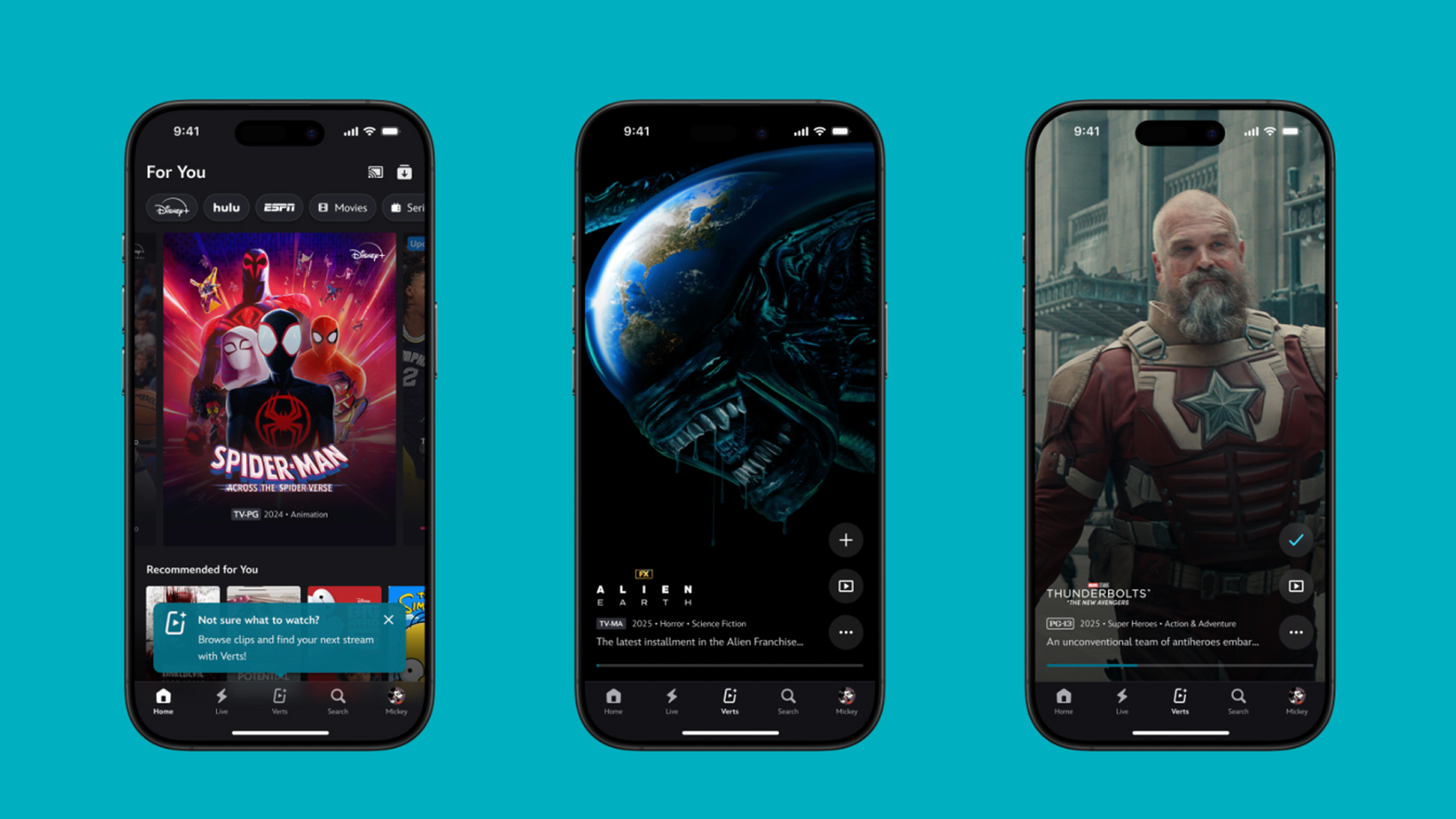
TikTok has changed how we consume media. Everything is now vertical. Even the most established streaming services, often a bastion for traditionally horizontal content, is adopting the different format. Now, Disney+ is getting a vertical feed called Verts.
Like its contemporaries, Verts presents a continuous feed of content but tailored to show the plethora of titles from the Disney+ library. This might include the first scenes of shows or notable highlights. The hope, of course, is to direct users to the longform content.
Directly from the Verts feed, users can easily add the respective title to their watchlist or go straight to the title’s page. In turn, the feed is accessible from the homepage since it has its own tab.
According to Disney, early experiments with the feature have driven engagement to available content. Right now, the feed is mostly for clipping enticing content from shows. However, the platform will experiment further with the format for new ways to tell stories.
Though Verts surely stands for “verticals” in this case, “adverts” might fit better as its full government name. Still, it might be a useful tool if you’re figuring out what to watch for the night.
Currently, Verts is available for Disney+ subscribers in the United States. Disney also has plans to expand the feature to ESPN for sports-related content.
SEE ALSO: Live NBA action on Disney Plus now available in the Philippines
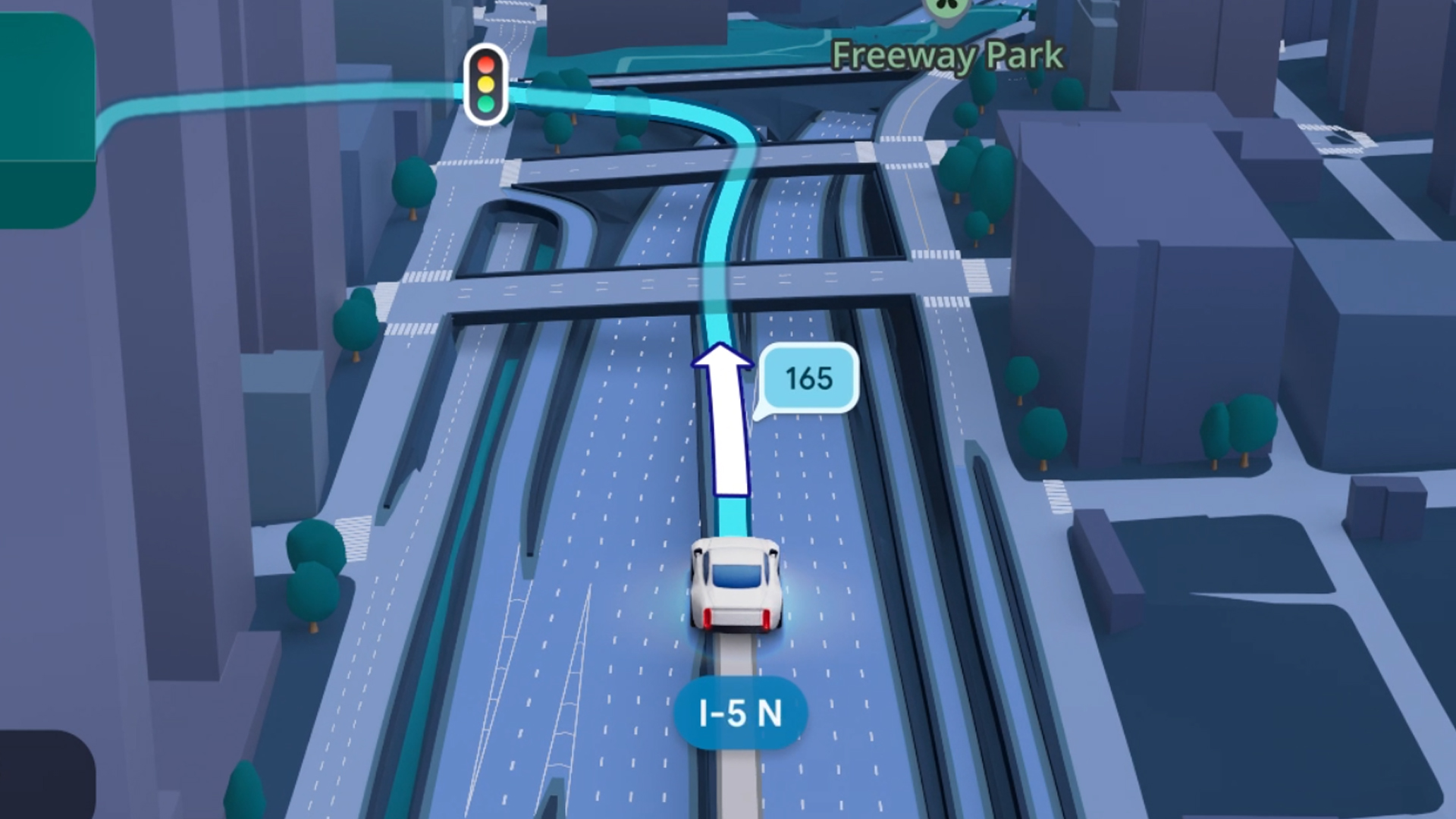
Some of today’s navigation apps are living in the future. Instead of a two-dimensional map, these apps render the user’s surroundings in 3D. It’s a nifty upgrade that helps drivers more accurately visualize directions on the fly. Finally, Google Maps is getting a much-needed upgrade and will take navigation to the third dimension.
In a new update rolling out today, the new Immersive Navigation feature will bring your surroundings to life. The 3D view creates a render of the surrounding buildings, overpasses, and terrain around the car. It takes the guesswork out of navigation by showing precisely where to turn and what landmarks to look out for.
In the same vein, you can now use Street View to preview your destination before you arrive. Google Maps will also highlight your destination’s entrance, side of the street, and nearby parking.
Outside of how the map is visualized, Google Maps is also infusing its service with Gemini. The new Ask Maps feature will let you engage with the app in a conversational manner. For example, if you’re in the middle of a long drive, you can now ask Maps where the best place is to stop over and have a coffee break. Ask Maps will provide directions, a potential itinerary, and even helpful links to book a reservation ahead of time.
Now, availability for both of these features is still a bit limited. Immersive View is rolling out today to compatible devices and vehicles in the United States. Further, availability will expand over the coming months.
Meanwhile, Ask Maps is available now in the United States and India for Android and iOS. A desktop version is coming soon.
SEE ALSO: Google Maps is finally getting a power saving mode


Apple iPhone 17e review
Everything you need for US$ 599?

Infinix NOTE 60 Ultra: Not bad for a flagship push
It's definitely got the looks, though.

JBL Sense Pro review
My daily driver met a loud and capable rival in this quest for a superior training companion.

Report: ‘Accessible flagship’ smartphones might provide best value this year

Sony launches breakthrough True RGB display technology

Forza Horizon 6 already hits the mark

Why a dedicated mattress vacuum is the allergy season upgrade you need

Apple’s iPhone Fold reportedly hits engineering delays


-
 News2 weeks ago
nubia Neo 5 series launches in the PH, starts below PhP 12K
-

 Gaming2 weeks ago
Life is Strange: Reunion now available on consoles and PC
-
 News1 week ago
vivo X300 Ultra wants to beat the iPhone 17 Pro Max in pro video
-
 Reviews2 weeks ago
Shokz OpenFit Pro: Somewhere between awareness and focus
-

 Gaming2 weeks ago
Nintendo might be working on an Ocarina of Time remake
-
Reviews1 week ago
Infinix NOTE 60 Ultra: Not bad for a flagship push
-
Lifestyle1 week ago
JBL Sense Pro review
-
 First Look1 week ago
Match Pulse: TECNO SPARK 50 5G