

Accessories
The GameSir G8 Galileo is great for PS Remote Play
While we wait for the PlayStation Portal

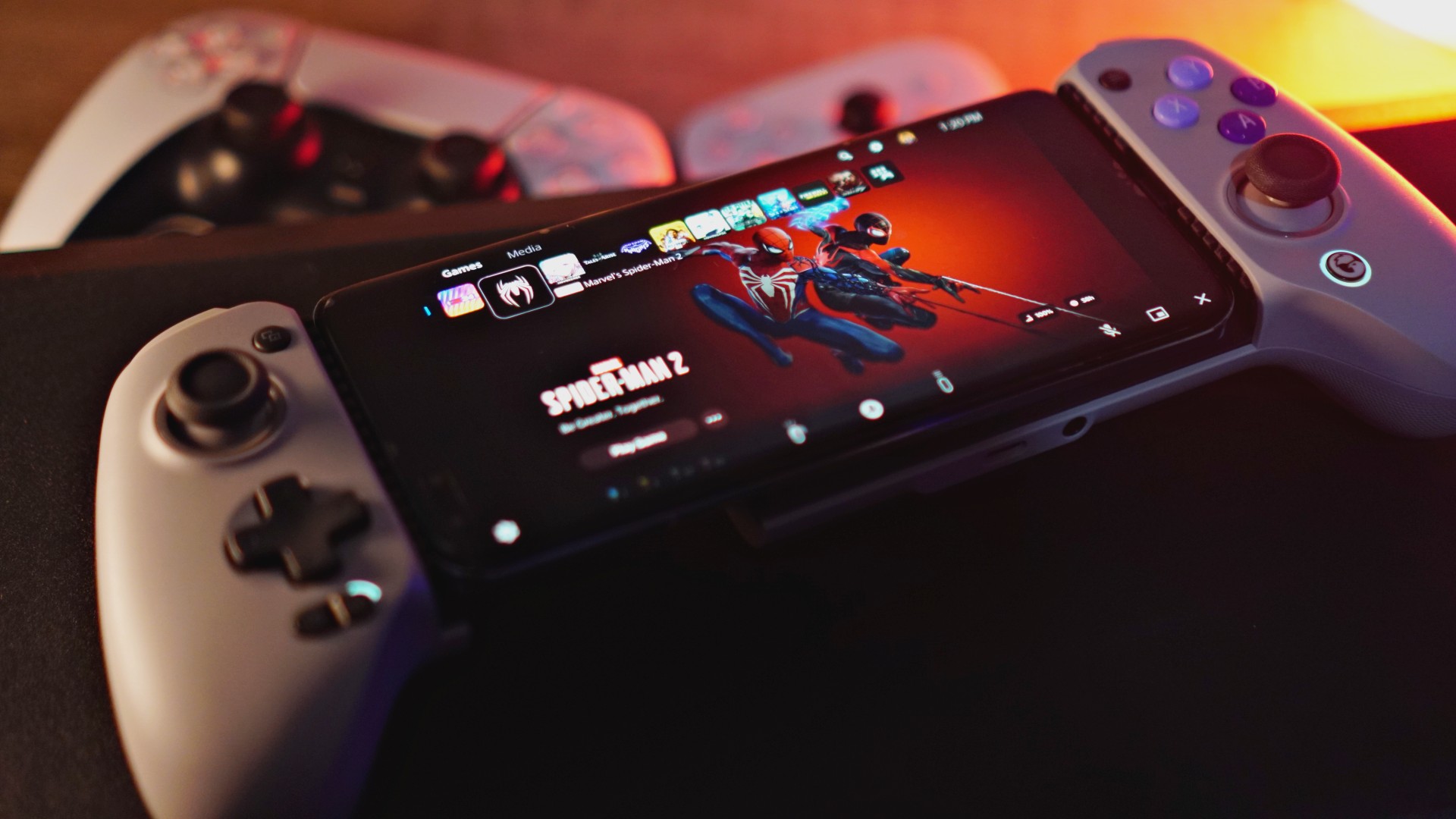
We happen to be in a region where the PlayStation Portal has yet to be released. Good thing, PS Remote Play is available and GameSir has a controller you can hook up to your smartphone that’s readily compatible. Enter the GameSir G8 Galileo.
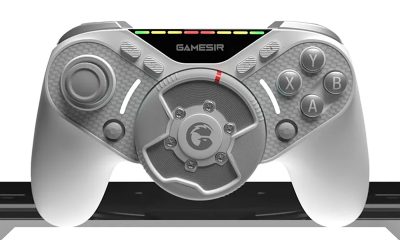
You might not see it right away, but the biggest difference with the G8 Galileo compared to other smartphone controllers (even the ones GameSir made themselves) is it’s actually full size.
Watch our unboxing.
@gadgetmatch Unboxing the Gamesir G8 Galileo. Best smartphone controllers right now? #gaming #mobilegaming #remoteplay #RemotePlay #remoteplayps5 #mobilecontroller #controller #controllers
Most smartphone controllers prioritize portability. Thus, they’re more compact. That means smaller face buttons, smaller thumbsticks, and generally smaller overall profile.
Usable, sure. But not exactly ideal for people with chubby hands like yours truly.

BackBone One | GameSir G8 Galileo
This is also one of the primary reasons why, despite owning a Backbone One, I’ve rarely used it for its intended purpose. And the reason why the PlayStation Portal is appealing to me.
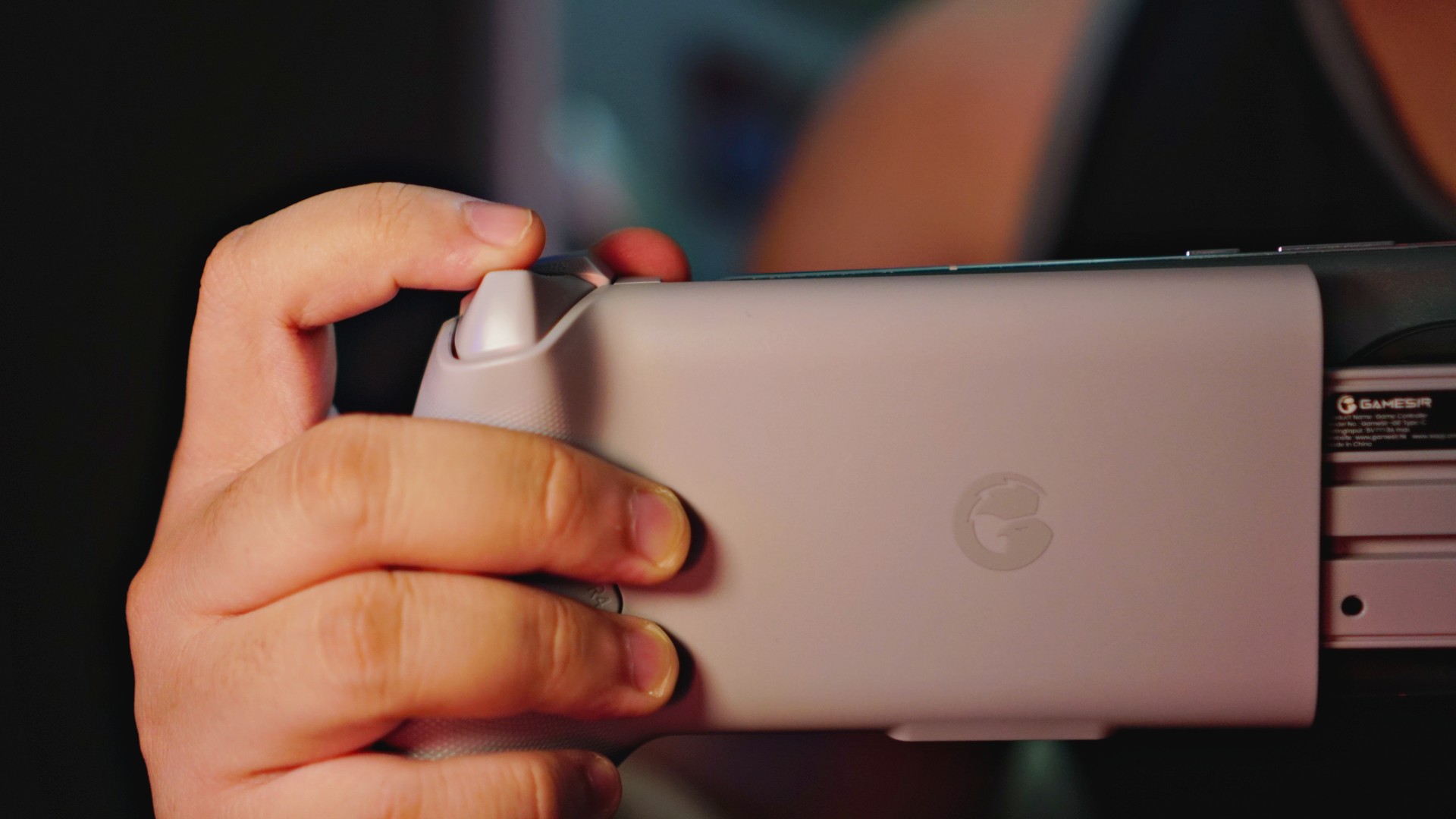
The GameSir G8 Galileo changes all of that because of its size. It’s also not just larger. Its ergonomics are great too. Your hands will sit nicely on the nice, curved handles for a more comfortable, more enjoyable handheld gaming session.
PS Remote Play
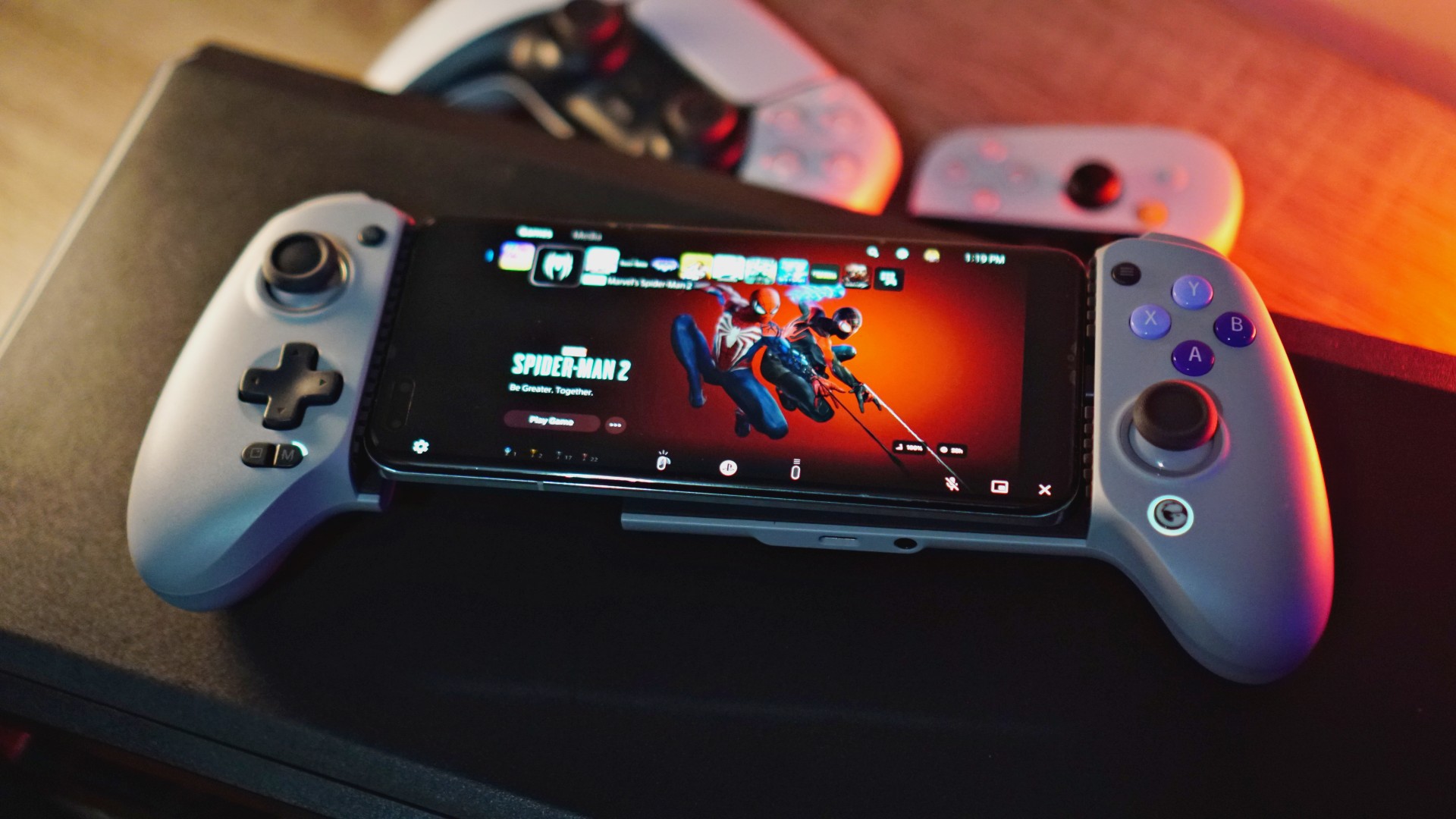
Another big area of convenience is you don’t necessarily have to have the GameSir app to make it work. Simply download the PS Remote Play app, register, and fire it up.
To make sure it’s on PS Remote Play compatible mode, just press the Share and Options buttons simultaneously. Those are the tiny buttons on the left and right hand side of the controllers right above the left thumb stick and the face buttons.
Upon pressing simultaneously, make sure the color on the GameSir logo on the lower right part of the controller is white. That’s how you know it’s on PS Remote Play mode.
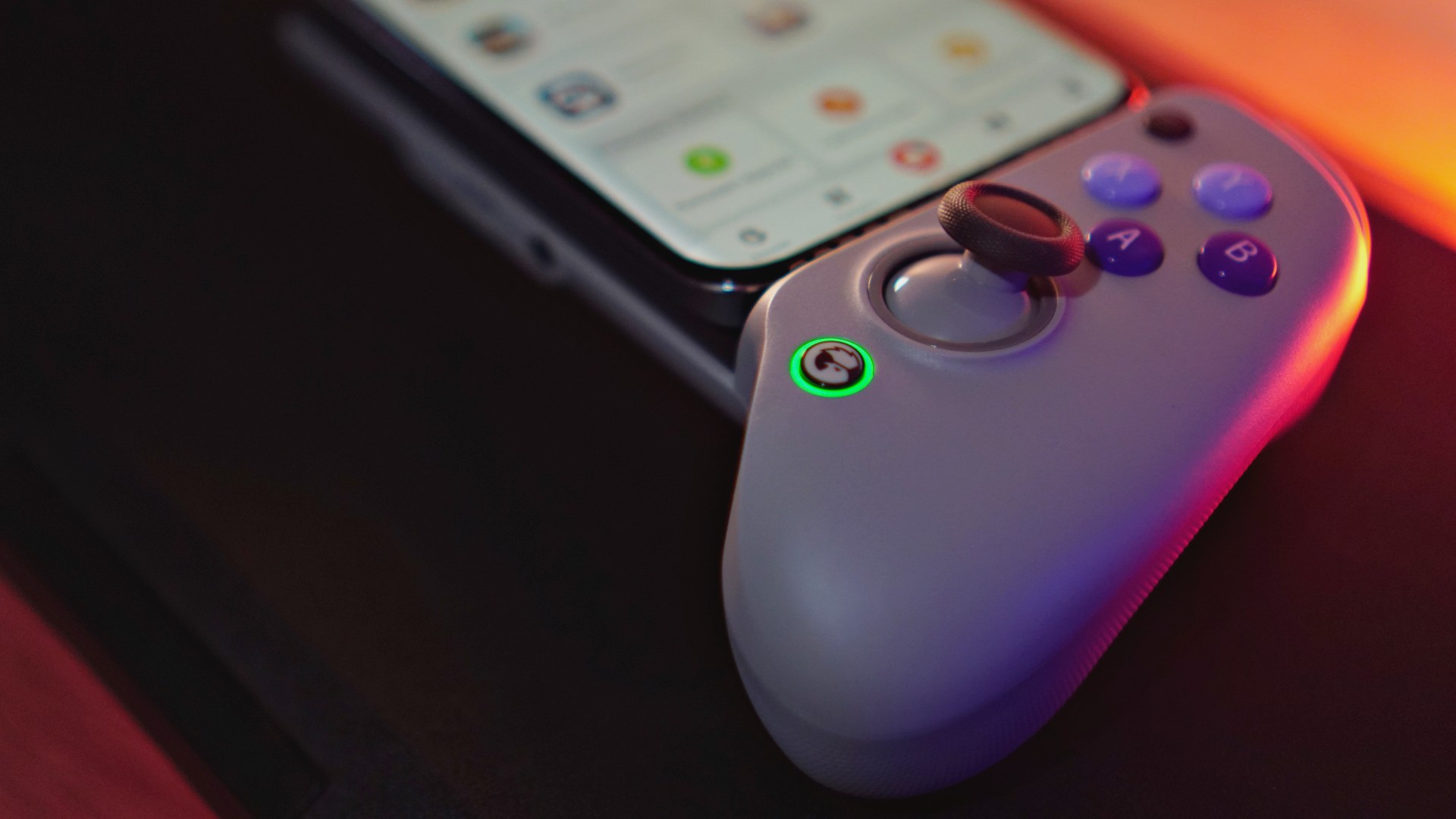
Currently green so you have to press the buttons for Remote Play.
Once done, just easily plug-in your smartphone with a USB-C port on GameSir’s signature flexible USB-C plug and off you go.
Actual play time
Here’s a quick Marvel’s Spider-Man 2 gameplay using the GameSir G8 Galileo along with the HONOR Magic5 Pro with Remote Play:
Playing #SpiderMan2PS5 via Remote Play using an HONOR Magic5 Pro and the new @mygamesir G8 Galileo. pic.twitter.com/q6eDBYAq1E
— rodneil (@rodneilquiteles) November 30, 2023
This under a minute clip, naturally, isn’t representative of the entire Remote Play experience. Anyone who has tried it before knows that with extended play time, you’ll likely experience a few hiccups here and there. That’s just the nature of the beast.
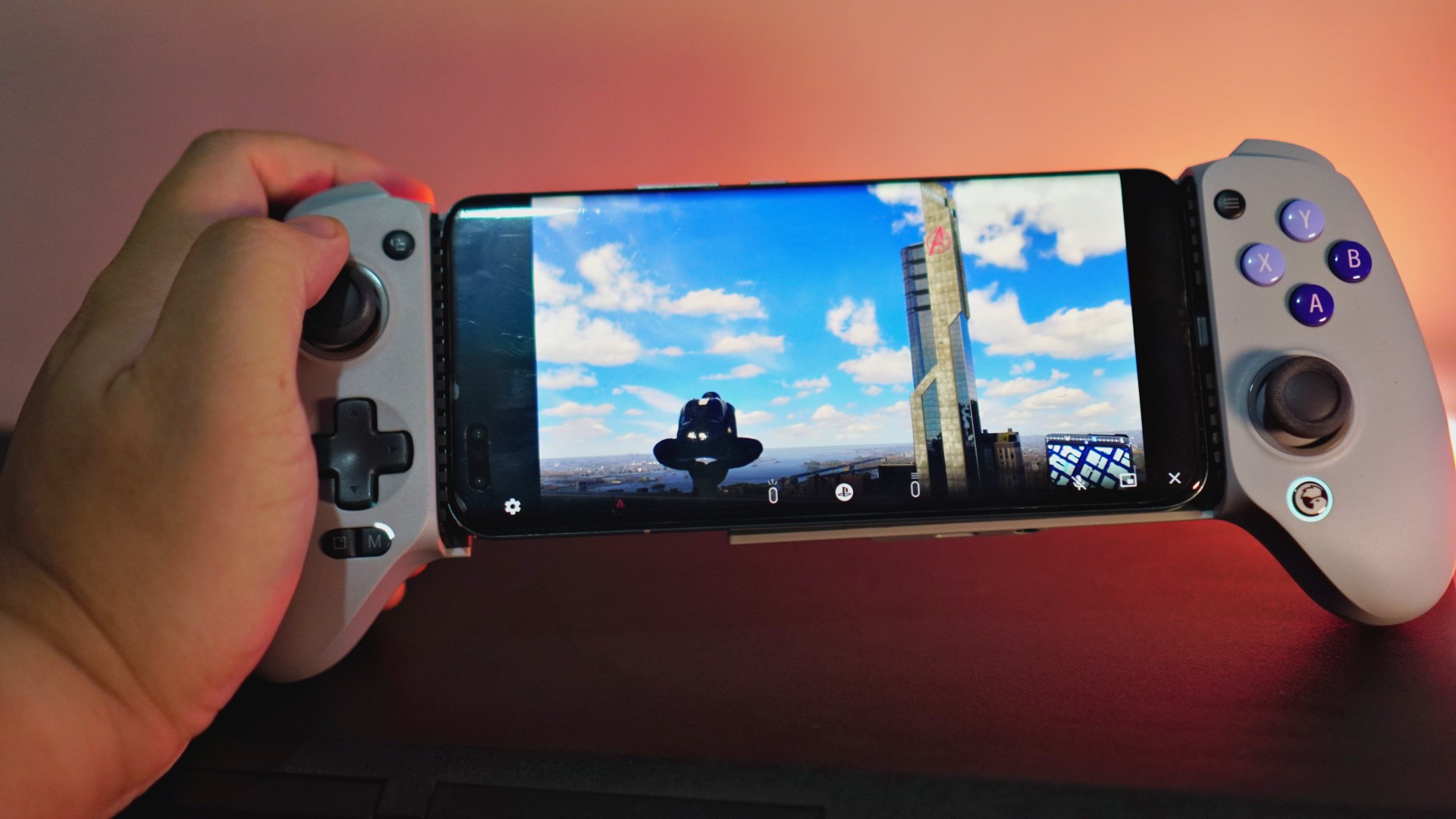
That said, this whole set-up has been generally great. Other than Spider-Man 2, I’ve managed to play a handful of quick NBA 2K24 games like this. I still racked up a handful of wins despite suffering from occasional latency trouble.
The feel of the controller is fantastic and is easily the most enjoyable out of every other smartphone controller that I’ve tried before. And I’ve tried a few other than the Backbone One. There’s the GameSir X3, GameSir X2 Pro-Xbox, and the Razer Kishi V2.
Compatible games, mapping
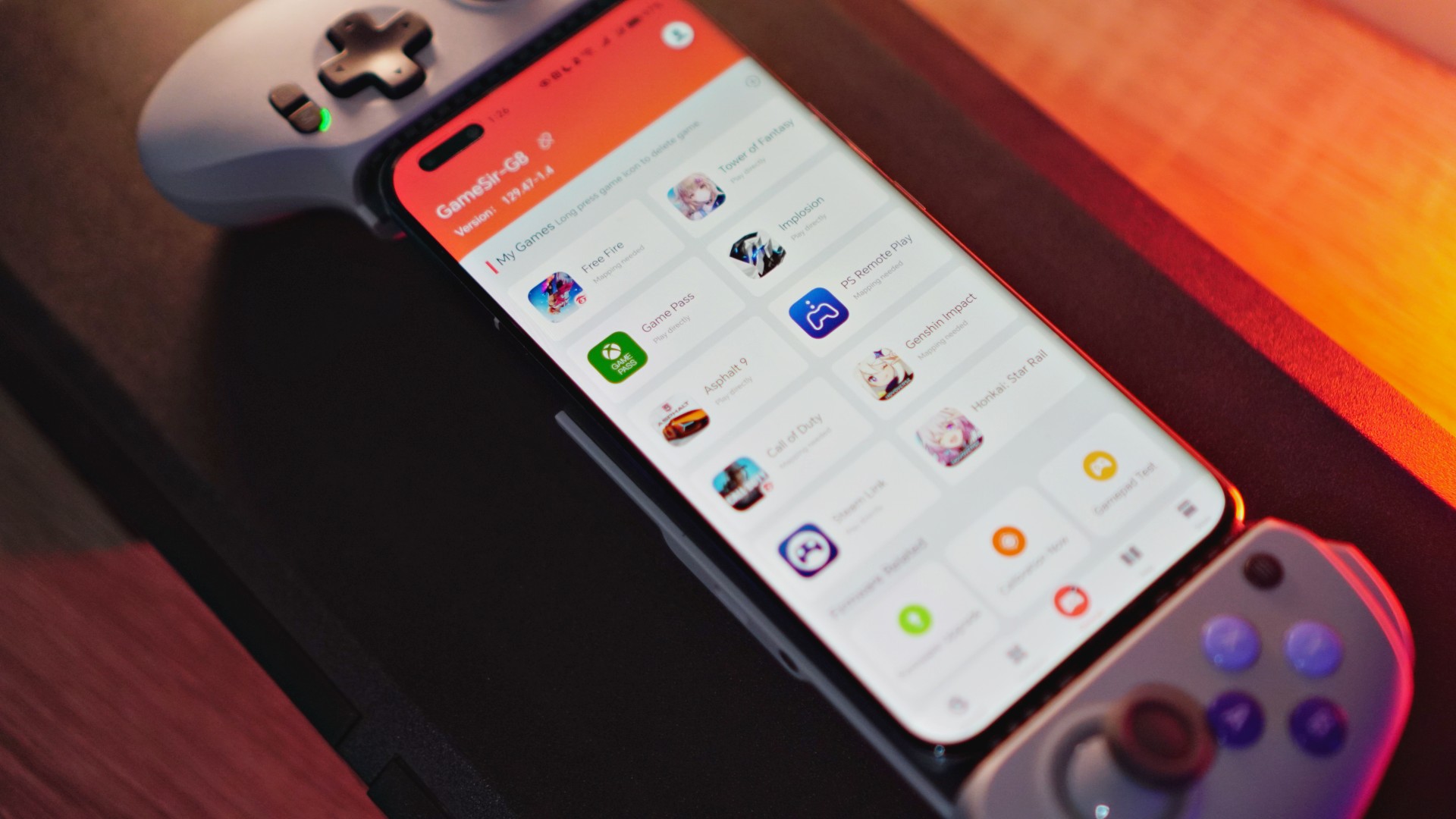
Depending on the platform you’re on, the GameSir G8 Galileo will work on multiple other games. If you’re an iPhone 15 Series user, Remote Play, select Apple Arcade games, and even the AAA games set to release for that iPhone will work with this controller.
For Android users, it’s the usual handful of controller supported games that will work with this. For everything else, you’ll have to resort to mapping — a task for those with patience.
If you need more tutorials on how to get it working, just follow GameSir on Facebook or YouTube. They constantly post tutorials.
You can buy the GameSir G8 Galileo here: https://bit.ly/gsg8galileo
Use G8Creator on the Coupon Code for 10% off.





Accessories
Jackery SolarSaga series: Free power for small devices
Portable solar panels can charge small gadgets directly

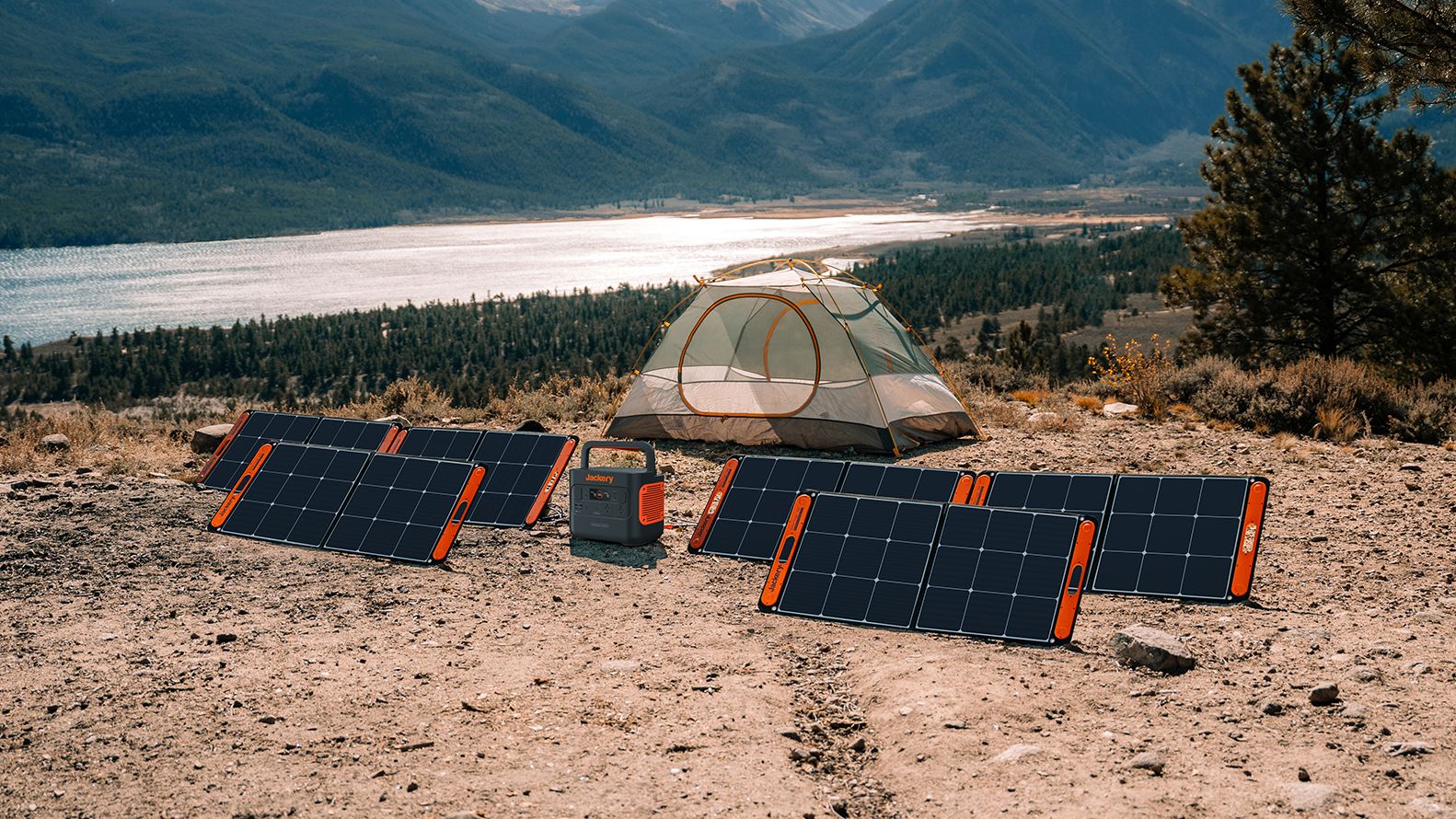
As fuel prices continue to surge as of late, one of the ways to make up for the additional expenses is to turn to alternative power sources. That’s including solar power.
And Jackery is here to help Philippine consumers, with the availability of their portable SolarSaga panels.
These solar panels are an alternative to traditional and permanently installed rooftop solar panels. They are engineered for modern and mobile life with portable, lightweight, and sleek designs. They are built primarily to be set up and put away easily, and charge small devices directly.
Simply put the Jackery SolarSaga panels where sunlight is available, and it will convert up to 25% of sunlight into usable energy.
To charge small gadgets like phones and portable fans, or even smartwatches, the SolarSaga panels come with a USB-C and USB-A port.
Another way is connecting the SolarSaga to Jackery’s Explorer power stations like the Explorer 300 Plus or 1000 Plus.
From there, users can power up devices, essentially for free. On its own, the Jackery SolarSaga panels are available in 100W and 200W variants.
The panels are also IP68 rated for water and dust resistance. This makes them usable outdoors when brought to adventures like camping, picnics, or beach trips.
The panels are already available through Jackery’s Lazada and Shopee platforms, as well as Techroom’s Lazada and Shopee accounts.
Accessories
UGREEN adds new Nexode Pro power bank, charger to lineup
Intelligent displays, fast-charging, user-focused design
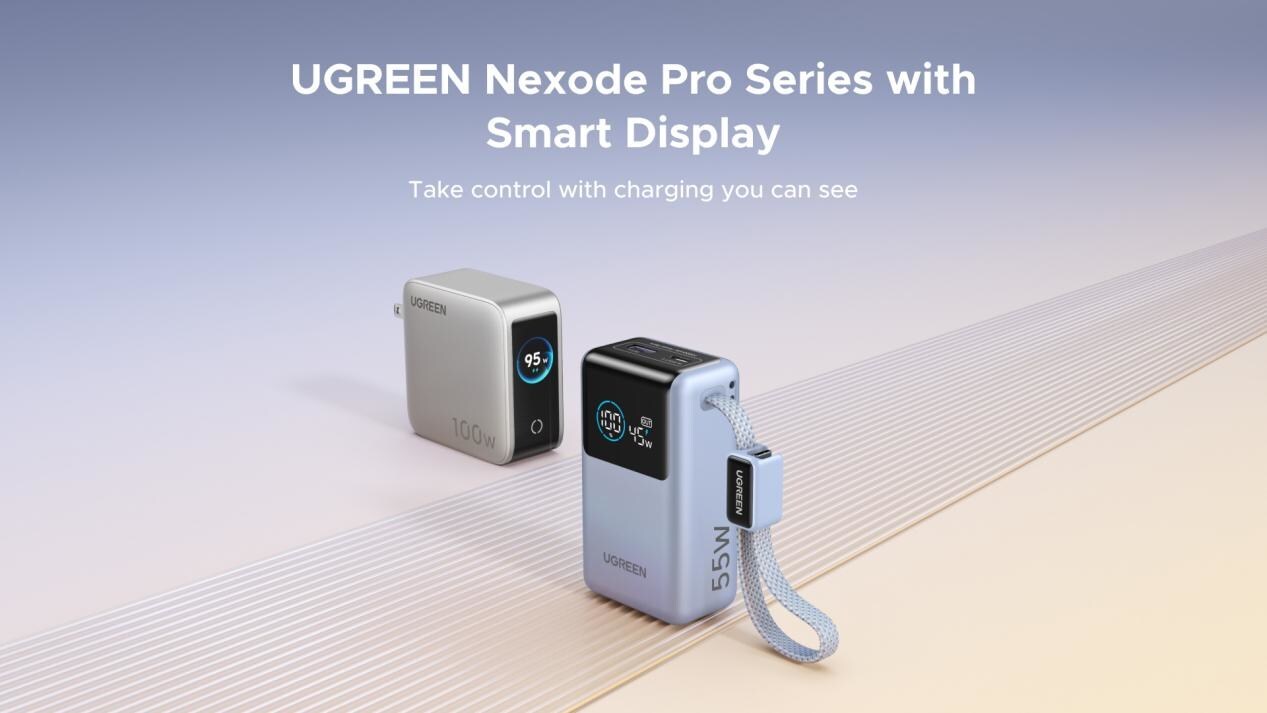
UGREEN has expanded its Nexode Pro charging lineup with two new devices designed for the modern user. They are the Nexode Pro 10000mAh 55W Power Bank and Nexode Pro 100W 5-Port Charger.
These new offerings combine intelligent digital displays, fast-charging capabilities, and user-focused designs for reliable power — whether at the desk or on the move.
The Nexode Pro 10000mAh Power Bank is the ultimate travel companion, delivering strong charging performance in a compact and travel-friendly form.
It supports up to 45W single-port fast charge, meeting the industry standard for high-speed portable charging. It can reach up to 55W as well when charging compatible Xiaomi devices.
The accessory is equipped with two USB-C ports, one USB-A port, and a built-in retractable USB-C cable. As such, it can power up to three small devices simultaneously without requiring extra cables.
With a rated capacity of 36Wh, the power bank also meets airline carry-on requirements.
Meanwhile, the UGREEN Nexode Pro 10W 5-Port Charger supports workstations. It has four USB-C ports, a USB-A port, and up to a 100W output.
It also has a built-in smart TFT display for easy power distribution monitoring.

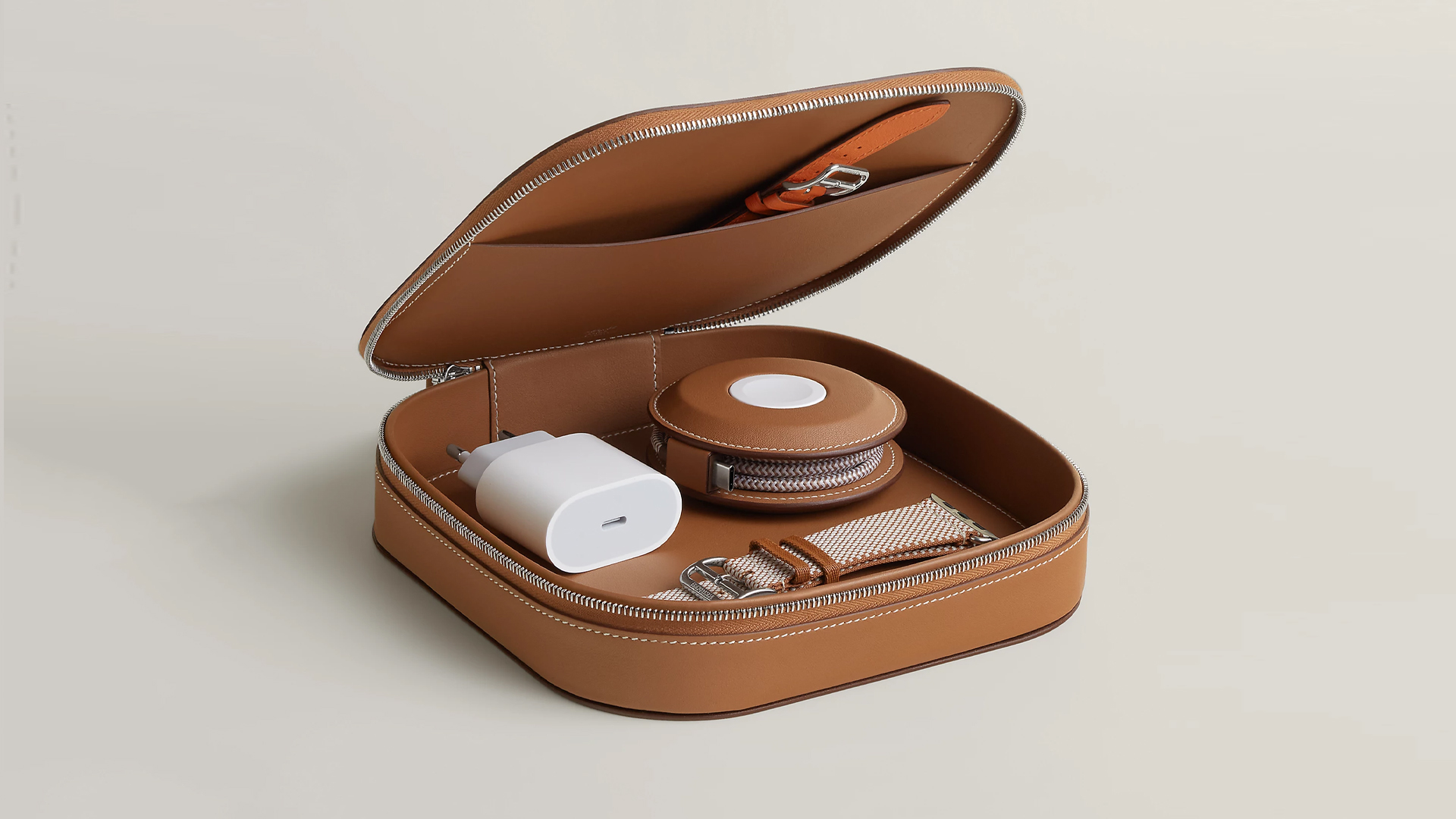
How extra are you as an Apple fan? No matter what you say, you’ll probably never be as extra as someone who buys a US$ 5,000 MagSafe charging case for their iPhone and Apple Watch. Hermès has just launched a series of leather chargers and cases specifically made for Apple fans.
Available now, Hermès has three types of MagSafe chargers for iPhone users. The cheapest one, the Paddock Solo, is a simple leather-bound puck that can charge a single device. The charger also has a braided 3.3ft USB cable. It costs an eye-watering US$ 1,250.
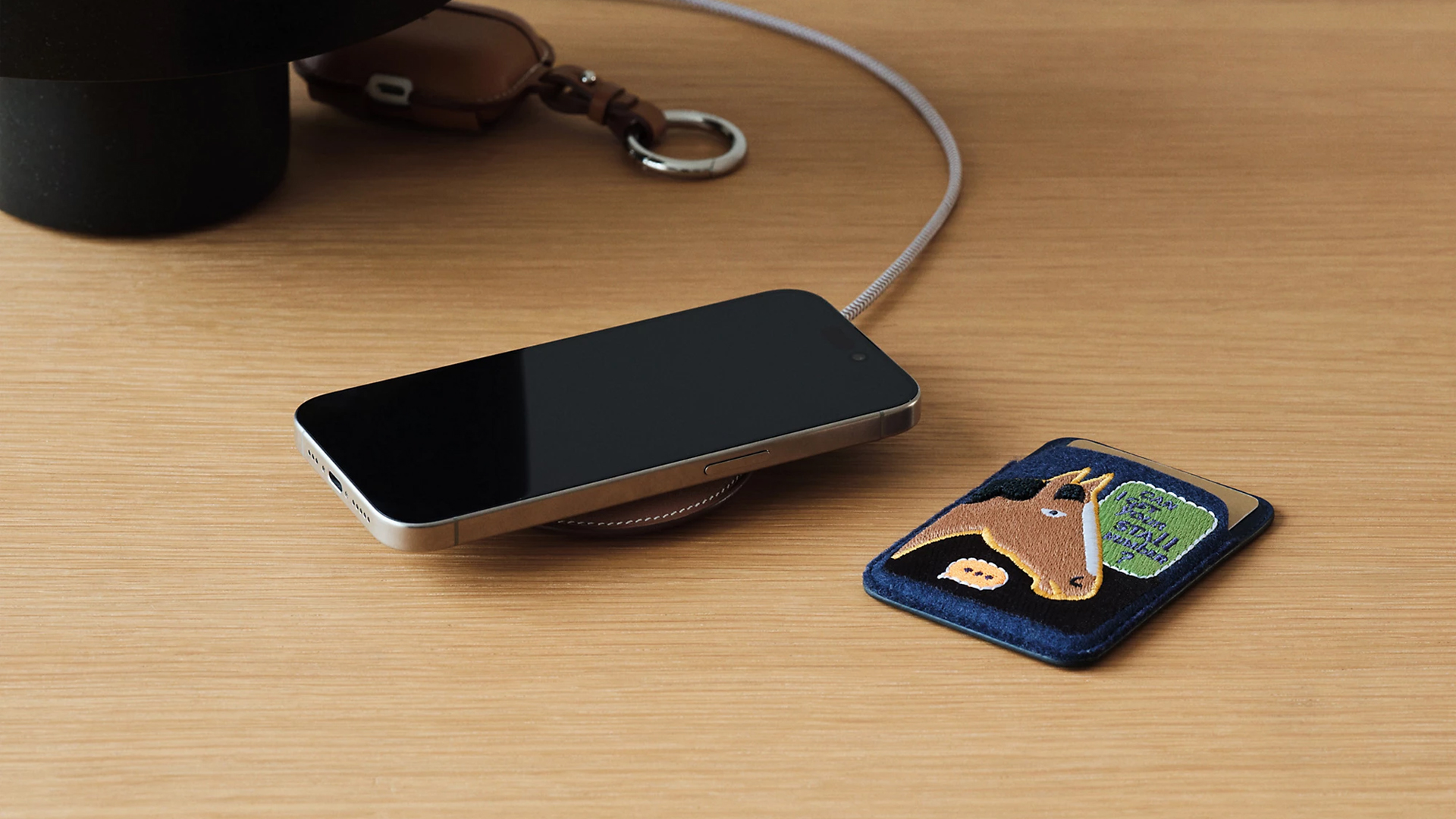
Paddock Solo charger
On the other hand, the Paddock Yoyo charger offers two charging zones for two devices simultaneously. Shaped like a yoyo (hence, the name), it allows users to roll the cable into a convenient stack. It costs US$ 1,750.
Finally, the Paddock Duo is a charging pad that allows for two devices simultaneously. It just doesn’t have a pocket for the cable. It likewise costs US$ 1,750.
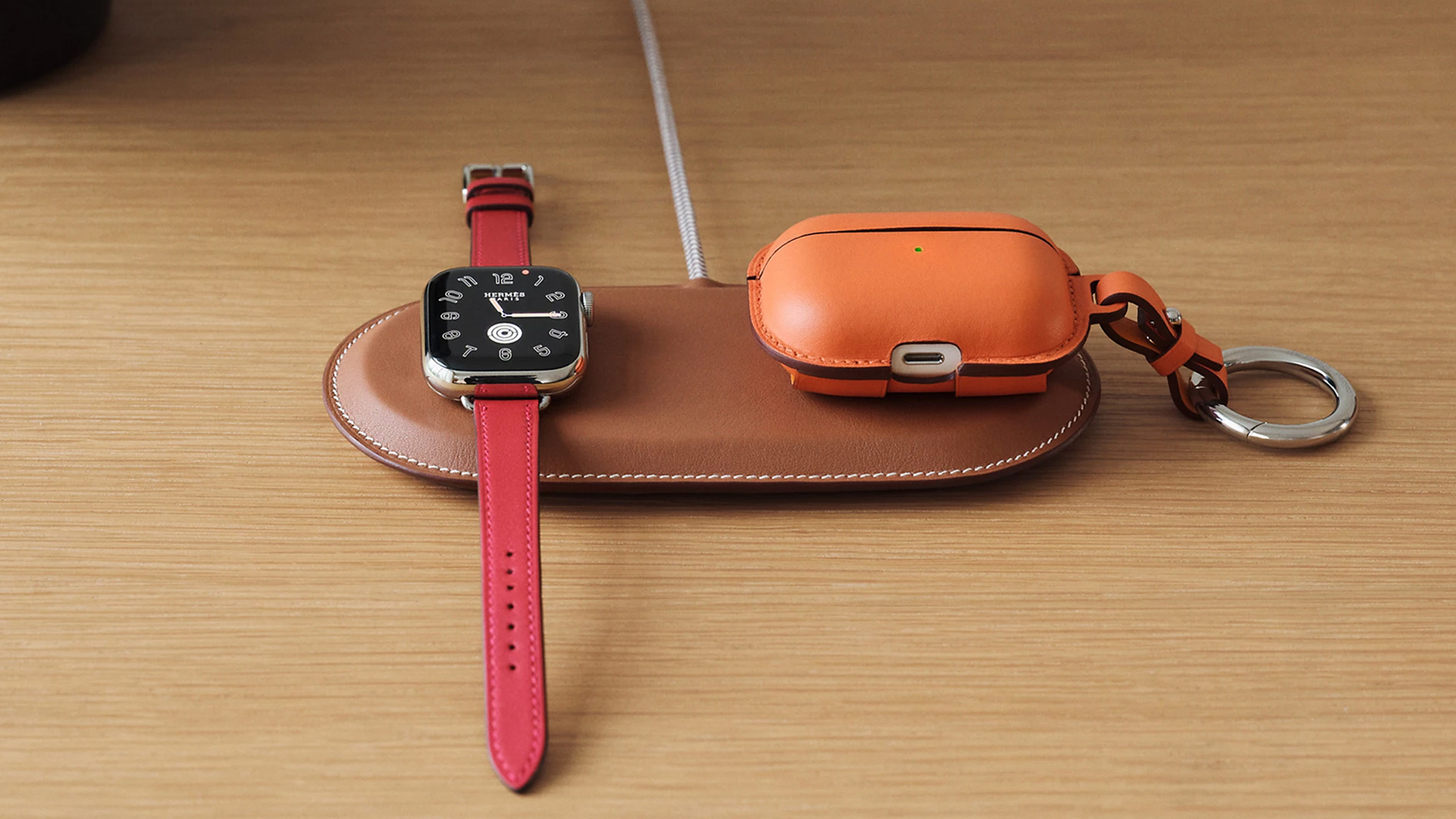
Paddock Duo charger
Now, if you want to upgrade your pricey charging kit even further, Hermès has two cases for them: the Petit Paddock case and the Grand Paddock case.
The Petit Paddock case, as the name suggest, is a snug leather case that fits only the charger (and a brick, if bundled with the Yoyo). The charger and case combo will set you back by US$ 3,725 for the Solo, and US$ 4,225 for either the Duo or the Yoyo.
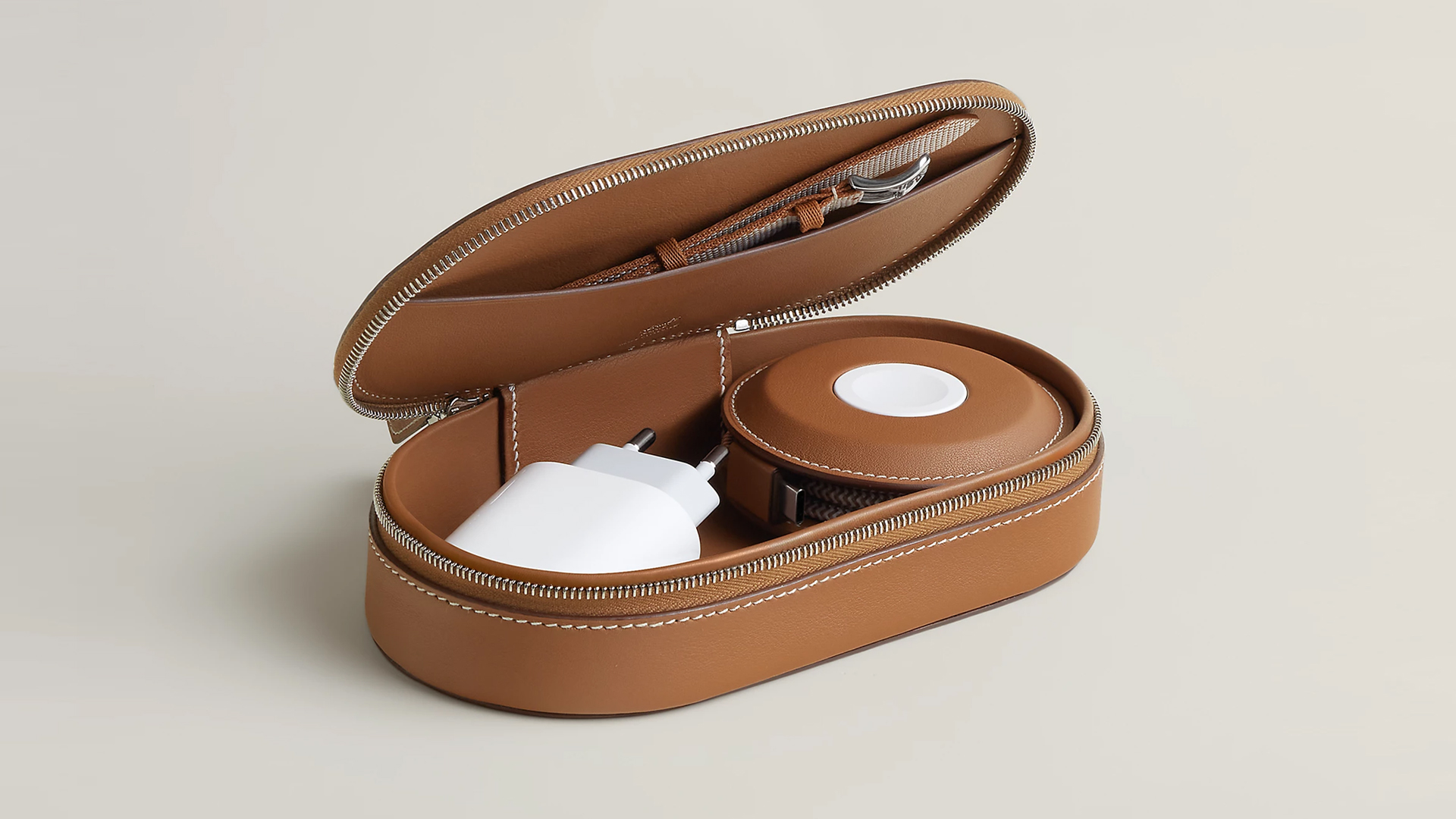
Paddock Yoyo + Petit Paddock
Alternatively, the Grand Paddock can fit much more but also costs a lot more. It costs US$ 4,650 for the Solo, and US$ 5,150 for the Duo or the Yoyo.
Of note, none of these come with a charging brick, so you’ll have to shell out a bit more to maximize the kit.
SEE ALSO: Apple unveils the iPhone 17e





How the Ford Ranger is powering community resilience

God of War: Sons of Sparta takes a more contained approach to Kratos

Samsung brings AirDrop support to Quick Share with Galaxy S26 series

Now Playing: Hoppers

Jackery SolarSaga series: Free power for small devices


-

 Reviews6 days ago
POCO X8 Pro Max review: A new beast from the far east
-

 News6 days ago
POCO X8 Pro Series: Price, availability in the Philippines
-

 Laptops2 weeks ago
Apple MacBook Neo Review
-

 Computers2 weeks ago
GIGABYTE collaborates with Capcom for RE Requiem custom PC
-

 Apps1 week ago
Google Maps is finally getting a 3D mode
-

 Entertainment2 weeks ago
The internet is thirsting over the One Piece Season 2 cast
-

 Features1 week ago
Galaxy AI on the Samsung Galaxy S26 Ultra
-

 Automotive2 weeks ago
BYD is reportedly considering an F1 team