
Explainers
Battle of the reversibles: USB-C vs Lightning connector
Which port is best for your device?


Gone are the days of the peculiar dance of the ports thanks to reversible connectors. We’re talking about the USB-C standard and the Lightning connector from Apple. Both are amazing and helpful for consumers, but the two are quite different. And no, it’s not a matter of Android versus iPhone.
What is USB-C?
USB-C, technically known as USB Type-C, is the latest and most versatile USB connector to date. If you happen to have a premium phone, you already have a USB-C port for charging and wired connectivity. If you have the latest MacBook or MacBook Pro, it’s the sole type of port on your laptop for wired video and data output, as well as charging. You will find USB-C on most mobile devices nowadays, even laptops, because it’s a standard that anyone can use. But not all USB-C ports and connectors are created equal.
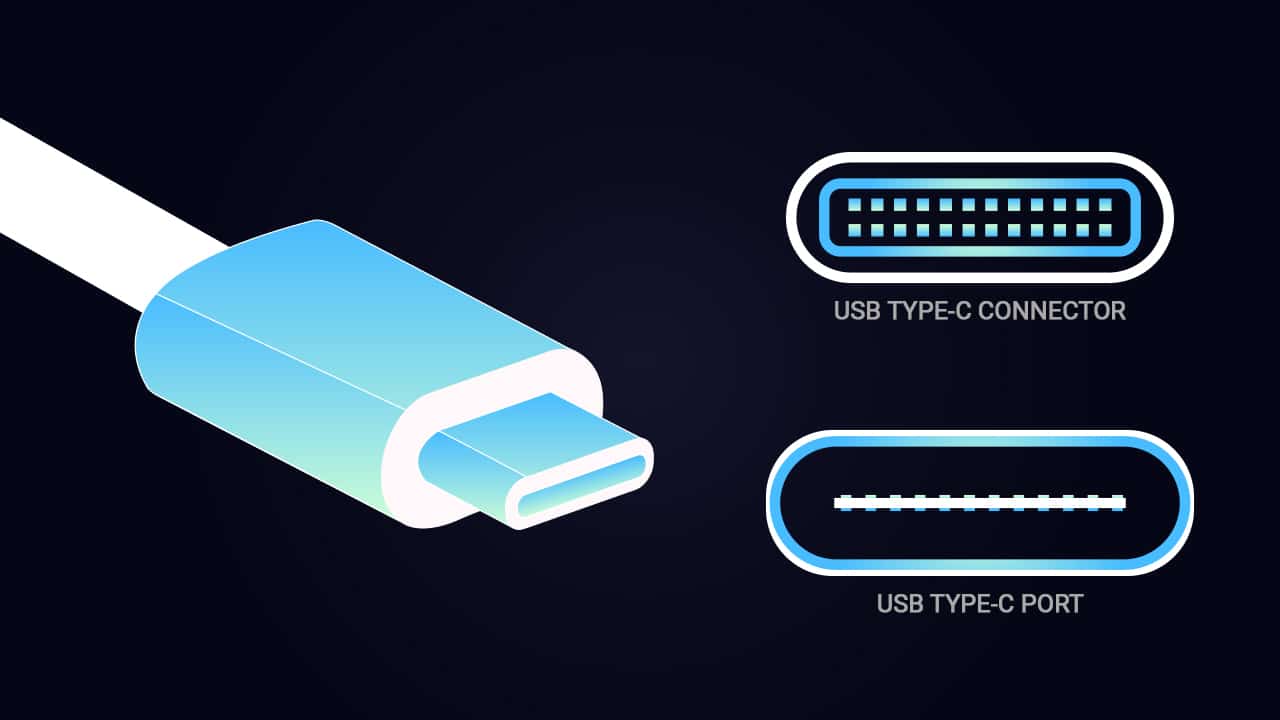
A technical explanation as to why they’re not all equal is that USB-C is actually just the style of connector and port; the real power comes from the USB 3.1 technology it uses, which can deliver 100 watts of power and is capable of a 10Gbps data transfer rate. It also supports Thunderbolt 3 technology for an even faster 40Gbps transfer. But not all USB-C types have USB 3.1 or Thunderbolt 3 speeds, especially for mobile phones.
While the older USB we’re familiar with are mainly used for storing and transferring files, the new USB-C standard is not limited to that. It can relay images for displays with support for full DisplayPort A/V performance up to an 8K resolution. It’s also backward-compatible with VGA, DVI, and the trusty HDMI as long as you have the right adapters.

Since all USB-C ports and connectors look alike, it’s now harder to distinguish what the port or cable is for. Could it be a power source or for charging? Maybe for high-resolution video? Or high-speed data transfer? You’ll have to know the specifications to be sure.
What is Lightning?
Apple already had their proprietary connector with the early iPhones, but it was only since the introduction of the Lightning connector along with the iPhone 5 in 2012 that made their own design popular.

From a cumbersome 30-pin dock connector, Apple had a smaller and reversible one which was ahead of its time. Even the common micro-USB port can’t compete with the convenience of the Lightning connector. Since it’s proprietary, only Apple can use it and third-party accessory manufacturers have to pay a licensing fee to apply it to their products.
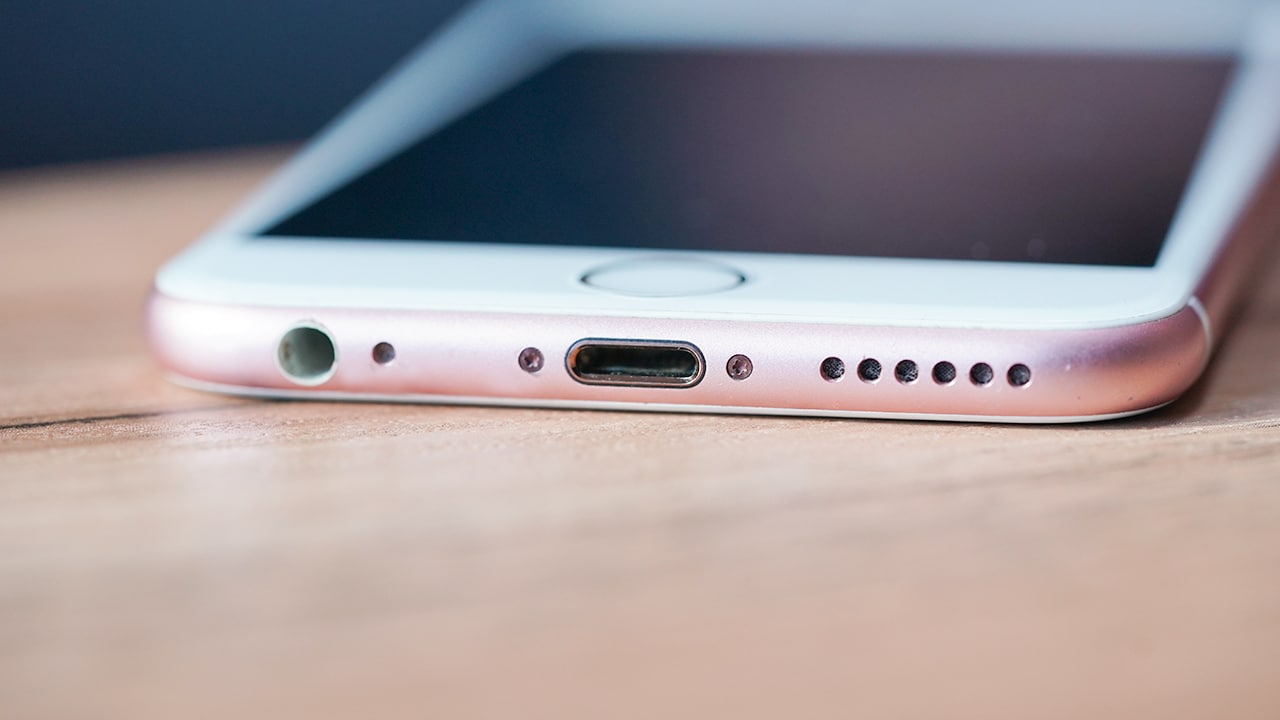
The technical specification of Lightning is pretty limited, but when it first came out, tests showed that its speeds were up to 480Mbps — the same with the old USB 2.0 standards. In 2015, the iPad Pro showed a faster speed of 5Gbps, but that’s still only half of USB 3.1 speeds.
What are the significant differences between the two?
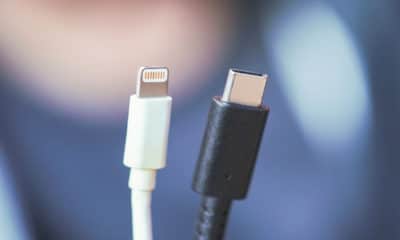
It’s easy to differentiate the two based on their appearances. If you’ve ever used or seen an iPhone, you’re already familiar with how the Lightning connector looks with its pins exposed. USB-C looks cleaner and simpler with its symmetrical connector.
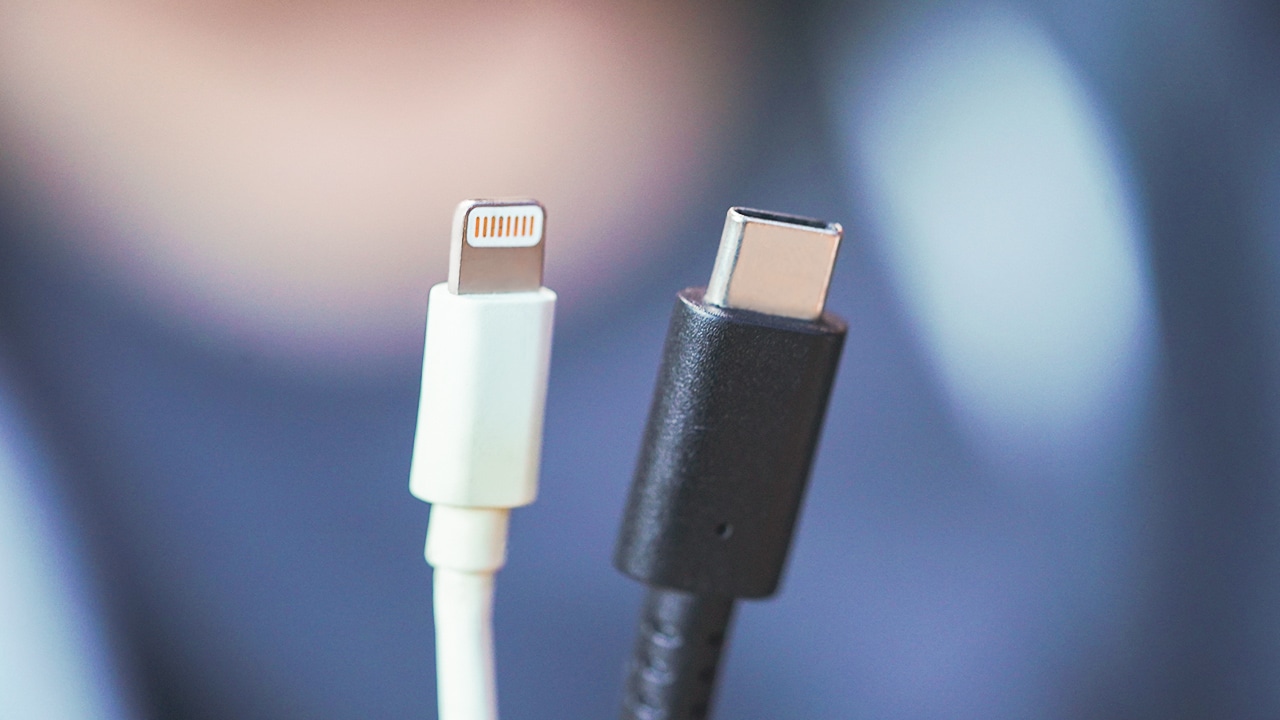
Lightning connector (left) and USB-C (right)
Again, USB-C refers to the style of the port and connector rather than the technology it has. It is convenient because it’s reversible and universal. The whole point was to have a single style of connector and port that could run pretty much everything.
The Lightning connector is solely used to connect Apple mobile devices like iPhones, iPads, and iPods to host computers, external monitors, cameras, battery chargers, and other peripherals. You won’t find it on any other device, even MacBooks.
Why is Apple not using the Lightning connector on MacBooks and will USB-C replace Lightning on iPhones?
Will we ever see a Lightning connector on a MacBook? Highly unlikely. But there’s a possibility that Apple will use USB-C soon on iPhones. Last year’s rumors pointed to the iPhone X having USB-C, but it didn’t.

With the new MacBooks relying purely on USB-C, an iPhone with USB-C is not far from reality. That’s unless Apple wants to keep the revenue from Lightning connector licensing.
Which is better?
When paired with USB 3.1 or Thunderbolt 3 technology, USB-C is faster, more powerful, and provides greater versatility than Lightning. It’s also now widely adopted for consumer technologies may it be on phones, laptops, or other mobile gadgets.

USB-C is the future. Apple already accepted it on their premium notebooks which kind of triggered professionals who are using MacBooks, but that’s the future we’re heading towards. It will come to a point where we’ll just plug in a cable and it’ll simply work. For now, we still need to understand the differences and live with dongles.




With a huge change in naming scheme, Apple promises a big leap ahead.
The all-new Liquid Glass design isn’t just breath of fresh air — it’s a bold redesign ever since the iOS 7 came out.
It’s not limited just to the iPhone. It’s coming to the iPad, Mac, and even the Apple Watch!
And with latest Public Beta now available across all devices, now is the perfect time to try ’em out.
Here are our favorite features, design updates, and hidden gems in Apple’s latest OS 26 series of software updates.
Namely iOS 26, iPadOS 26, watchOS 26, visionOS 26, and macOS Tahoe.
Shopping for a new Windows laptop?
With so many choices out there, it can be tough to know where to start.
Should you prioritize performance, battery life, or portability? Can you find something affordable and premium-looking?
In this video, we break down everything you need to know about the new Snapdragon X Series laptops — a new category of Windows PCs that promise power, efficiency, and sleek design in one package.
Whether you’re a student, creative, or just looking to upgrade, this buyer’s guide will help you decide if a Snapdragon X Series laptop is right for you.

Apple dropped a ton of surprises in this year’s WWDC — and there’s more than just the Liquid Glass redesign.
From Workout Buddy, to game-changing Apple Intelligence features.
All the way to collaborative visionOS updates, and the next generation of iOS 26, macOS 26, and iPadOS 26.
Watch to see the top announcements NEED to know from the WWDC 2025 keynote!
Here are Michael Josh’s biggest takeaways from WWDC 2025 in one video — with the help of some TechTuber friends!


Galaxy Buds4 Pro review: I thought I was done with in-ears
This Buds4 you


WWE 2K26 lets you live out all the fantasy matches you could want
But you have to play for hours and hours to unlock everyone.


The HONOR X8d is serviceable
Steady but slow?

DJI officially launches the Avata 360 with 8K immersive imaging

The Changan Eado Plus officially lands in the Philippines

PLDT Home, Samsung team up for exclusive entertainment deals

Maya waives withdrawal, InstaPay transfer fees for Middle East remittances

Nintendo will make it cheaper to buy digital games than physical


-

 Reviews1 week ago
POCO X8 Pro Max review: A new beast from the far east
-

 News1 week ago
POCO X8 Pro Series: Price, availability in the Philippines
-

 Features2 weeks ago
Galaxy AI on the Samsung Galaxy S26 Ultra
-

 Apps2 weeks ago
Google Maps is finally getting a 3D mode
-

 Reviews1 week ago
POCO X8 Pro Iron Man Edition review: Midrange phone in superhero armor
-

 Reviews2 weeks ago
Samsung Galaxy S26 Ultra review: A phone you live with
-
 News1 week ago
POCO introduces X8 Pro Series with Dimensity 9500s
-

 Gaming1 week ago
NVIDIA’s DLSS 5 can turn your favorite AAA game into AI slop