


Apps
What I learned about myself using Android Pie’s Digital Wellbeing Dashboard
Am I on my phone too much?

When Android Pie was unveiled and released last week, I pretty much craved pie because everyone was talking about the delectable dessert. But, I was also very excited about one particular feature: The Digital Wellbeing Dashboard.

Image of me actually eating pie the day after the Android Pie unveiling
Announced earlier, this dashboard was supposed to be a ticket to a healthier lifestyle — well, at least in theory. In an effort to curb unhealthy phone user habits, a dashboard that tracks app usage is built in to Android’s newest operating system. Although not available to everyone as of writing, Pixel users (like yours truly) are able to try out the beta version of the dash. Since I’m a sucker for self-actualization and information that may potentially heal (and hurt) me, I tried it out for the last week or so and here’s what I learned.
I’m on my phone — a lot
No sh*t, Sherlock.
I know I’m always looking at these tiny screens but I didn’t realize I was literally living my life in front of it. A record day saw me looking at the screen for — get this — 11 hours and 55 minutes. That’s half a day! Legitimately, that’s the whole time I’m not sleeping. And take note, I review phones so this isn’t the only screen I look at in a day.

Given these numbers, I’m honestly unsure how I get anything else done in my life.
I get a ton of notifications
I mean sure, technology connects people, but I didn’t realize just how connected we are.
According to my data, I get around a minimum of 250 notifications per day and this number varies. At some point, there was a whopping 620 notifications. Let’s think about that for a minute; that means around 51 messages per hour in a 12-hour day. There are only 60 minutes per hour so that means almost a message for each freaking minute.

On average, Facebook Messenger tops the list for these notifications followed by Gmail and Telegram.
I check Instagram more than I should
Now, this is funny because as you just saw, Instagram isn’t on that list of top app notifiers. But, this might also be because I turned off IG notifications because they were distracting me (yay for being self-aware?). This health dashboard tells me that I unlocked my Instagram app most, with as many as 153 times in one day. This was, on average, followed by Facebook and Twitter.

The top three apps I spent time on are Instagram, Facebook, and Twitter, which just tells me that I’m ‘gram crazy and I’m on social media too much (which isn’t really news to anyone).
Grayscale is annoying and I hate it
Part of the dashboard is a feature aimed at curbing being on your phone before bed (which I do a lot 🙄). Wind Down allows you to set such times and then gives you an option to turn on Do Not Disturb and a Grayscale that makes browsing less desirable for people who should be sleeping and not looking at their phones.

The mess of an app IG becomes on grayscale
Reading tweets on grayscale is weird and browsing through Instagram is just plain wrong. I guess, in that way, this function is effective in getting me to stop being on my phone — until I turned it off the next day and never turned it on again.
I refuse to turn on the app timer as I justify social media use as work
Say what you want because it’s true. 😅
See, there’s a timer option on the dash that allows you to limit app usage time. Thing is, I’ve never turned it on. Why? Because I work on the internet and turning it on may amount to catastrophic consequences.
I will keep using this to justify my action of disallowing app time limits, so what’s your excuse?
It must be noted that, as mentioned earlier, I use more than one phone on a daily basis and am on social media on my laptop a lot, too. That being said, it’s worth pointing out that this still isn’t a complete picture of my daily phone and internet habits. Even though this data only shows a fraction of the grand picture, it already says a lot.
As with everything in life, the choice is in your hands (er, on your phone). Though I am ultimately left to decide what to do about my phone habits, knowing is always the first step.







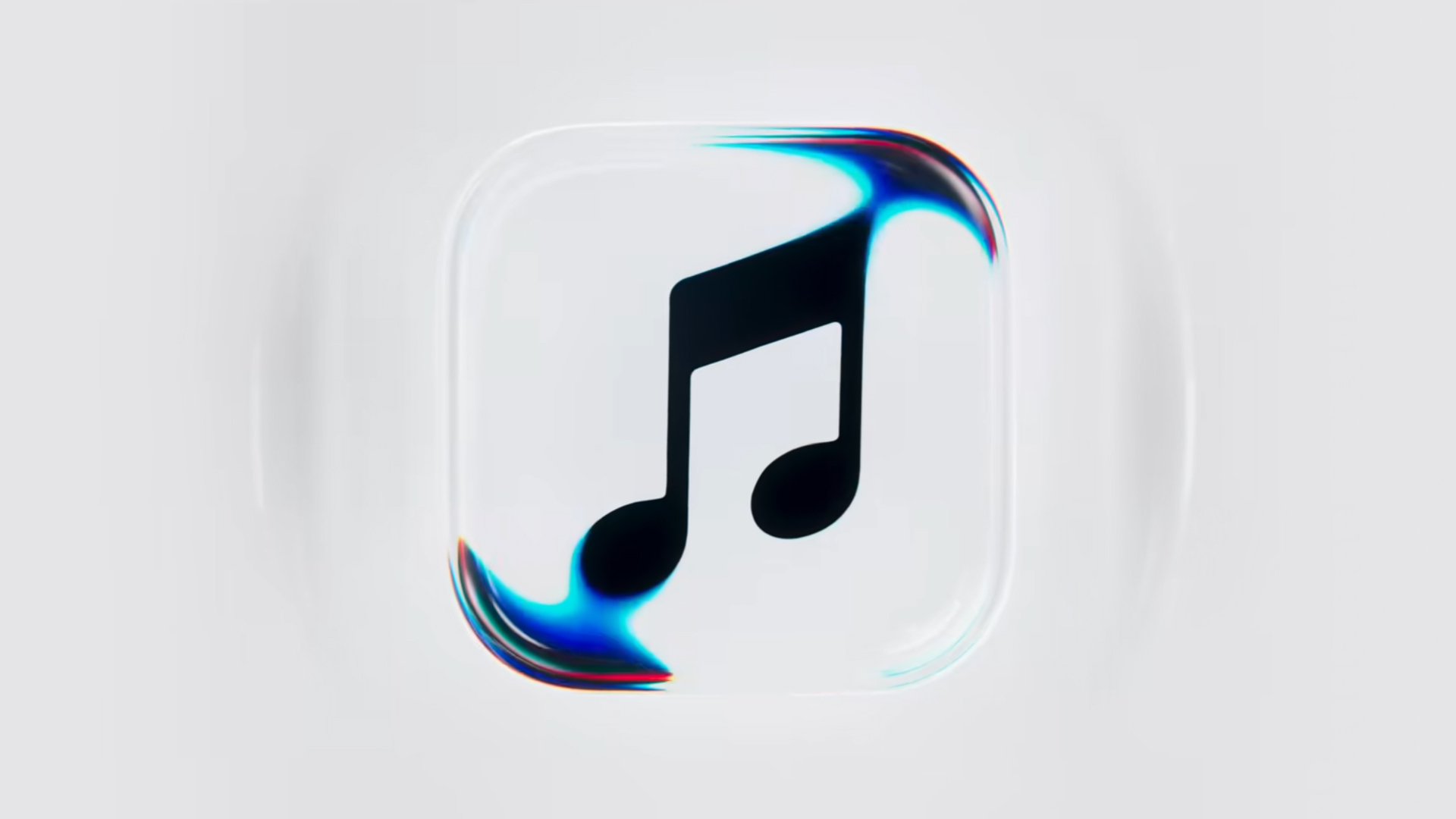
Apple Music is getting a revamp. In one of the tamer things going on with the brand today, Apple has introduced a new design language for its native music streaming platform.
In the midst of all the hubbub surrounding the iPhone Duo, Apple released a change in the visual identity of Apple Music. Rather than a static logo, the platform’s newest evolution offers a dynamic look that melds Liquid Glass and the power of sound together.
Confirmed through a behind-the-scenes video, Apple says that the new aesthetic was made with practical effects. Music producer Fred Again and NEST Acoustics submerged the platform’s logo in a tank of mineral oil and creating ripples with sound. The new language matches well with the chrome aesthetic typical of today’s trends and… well, Liquid Glass, of course.
Apple says that the more ripple-filled version will play before longer content like concert recordings (similar to Netflix’s startup stinger). Meanwhile, a black-and-white version will replace the app’s icon currently colored red and white. Current previews show off a simple logo, but it’s unknown whether Apple is adding a but more elements when the final version drops.
The updated version will debut for users after next week’s iOS 27.2 and macOS 27.2 updates.
SEE ALSO: Apple iPhone Duo Unboxing and Hands-on
Apps
Disney+ strengthens footing as go-to sports streaming app with UFC, NBA, more
ESPN on Disney+ brands itself as ‘new home ground for sports’


Disney+ is strengthening its footing as a go-to sports streaming app as ESPN on Disney+ is now available in the Philippines, one of its markets with a huge sports-loving fanbase.
The launch coincides with a brand new campaign, “Ito ang Homecourt Mo!” (This is your homecourt!), welcoming Filipino fans to a new home ground for games, stories, and moments.
Subscribers can access live events, on-demand replays, studio shows, documentaries and original programming together in one dedicated destination through ESPN on Disney+.
Production and coverage will be led by ESPN, delivering high-quality broadcasts, commentary and expert analysis across the sports season where available, alongside Disney+ general entertainment and family programming.
Following last season’s success, NBA returns to ESPN on Disney+ with matchups during NBA Tip-Off Week.
Christmas Day games will also be available to stream, including the NBA Finals rematch between the New York Knicks and San Antonio Spurs and the Philadelphia 76ers versus the Los Angeles Lakers.
Playoff games through the conference finals shall also be streamed live and on demand.
Meanwhile, the UFC is among some of the new regular sports programs Filipinos can watch on Disney+.
The action kicks off at UFC 333 in Abu Dhabi scheduled on October 25, where two world championship titles are expected to be on the line: UFC featherweight champion Alexander Volkanovski takes on undefeated No. 1-ranked contender Movsar Evloev, and UFC bantamweight champion Petr Yan defends against former champion and No. 1-ranked Merab Dvalishvili.
Alongside live UFC numbered events and UFC Fight Nights, fans will have access to a library of classic fights and curated UFC content.
There will also be the original and and behind-the-scenes programming, including UFC Countdown, UFC Connected, UFC Main Event, UFC Fight Flashback, UFC Reloaded, and ROAD TO UFC.
A new home ground for sports
Other notable sports programming will include the Formula E 2026/27 season, with practice, qualifying and main races across 21 rounds in 13 host cities.
Also available on Disney+ are NCAA events, including March Madness, and Australia’s National Basketball League (NBL), with all games live across the regular season and championship series.
ESPN’s popular 30 for 30 documentaries will continue to be available on the platform. The line-up also features ESPN studio shows, including ESPN FC and Pardon the Interruption.
Apps
GrabCar Group Ride now splits the fare automatically
Passengers stand to save up to 50% compared with booking a solo ride
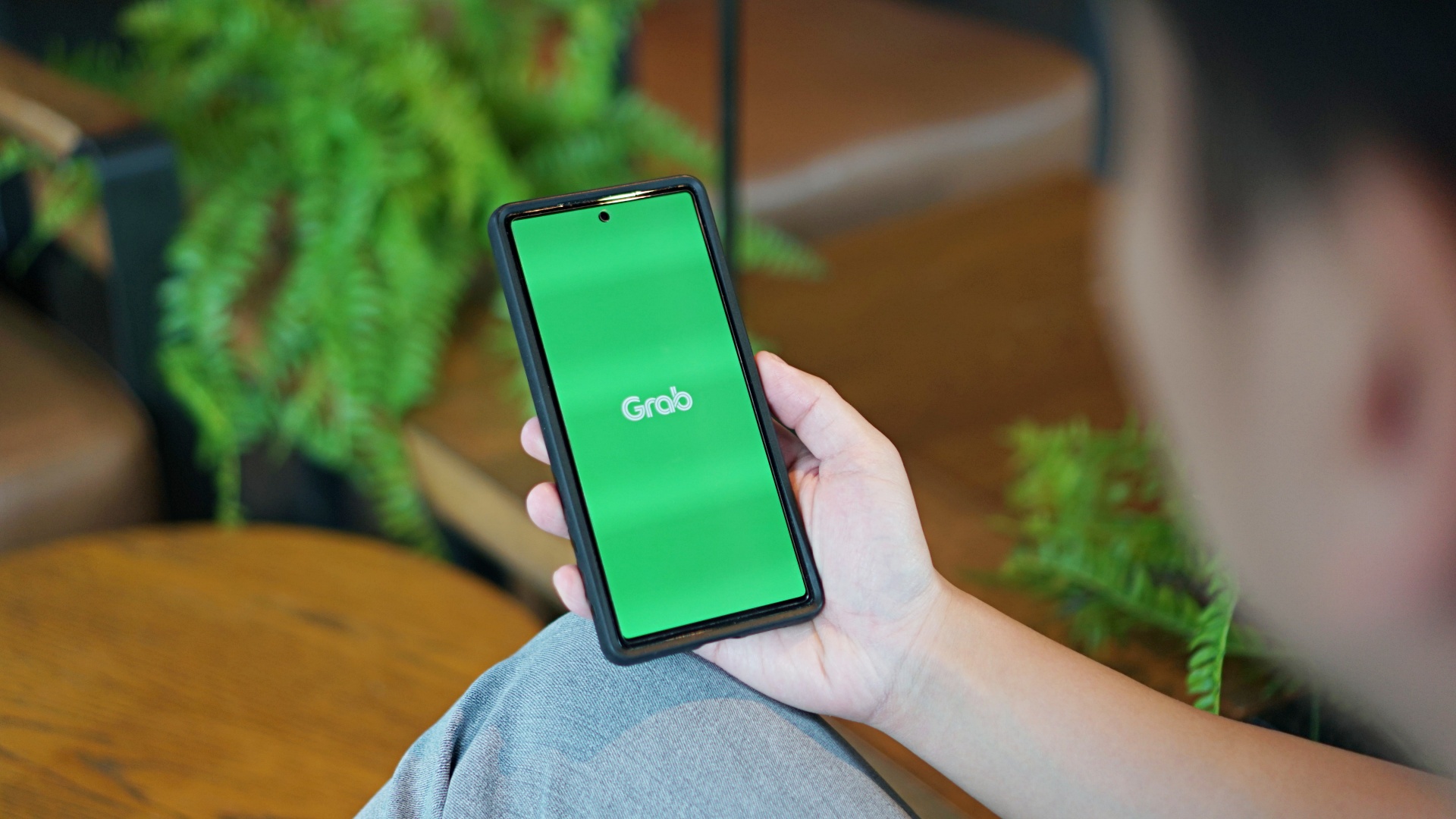
GrabCar Group Ride now splits the fare automatically among passengers, making it simpler to book such ride types.
Each rider can save up to 50% on fare as well when using a group ride, compared with booking a solo ride.
The ride type lets the ride host and up to two friends share one GrabCar, with up to three drop-off points along the way. The more people join, the more affordable the ride becomes for everyone.
Regular ride buddies can also be saved as a group, together with frequent pickup and drop-off pins. This way, repeat bookings take just a few taps.
Such a system is ideal for officemates headed the same way or friends coming home from a night out, as well as plenty of other scenarios.
To book a Group Ride, follow these steps:
- Open the Grab app, tap GrabCar, then select Group Ride
- Enter your pickup point and drop-off
- Share the invite link with up to two friends
- Your friends can add their own drop-off points
- Confirm the booking to split the fare automatically
The GrabCar Group Ride feature is now available in all GrabCar cities nationwide.


HP OMEN Max 16 review: Gamer-maxxing in deep black
Peripherals deemed necessary to max this out


vivo V80 review: Good phone, tough sell
A capable travel companion


Ghost of Yōtei Complete Edition review: More of a great thing
Picking up where Atsu left off

Visa: 79% of Filipinos want to learn about stablecoins

CASETiFY Match: Finding the right case for your Galaxy Z8 Series phone
HP OMEN Max 16 review: Gamer-maxxing in deep black

Google illegally destroys 250,000 trees for a single AI data center

FINAL FANTASY RESONANCE now available across major platforms

TECNO CAMON Slim 5G review: Slim on size, big on surprise

TECNO CAMON Slim 5G: Price, availability in the Philippines

HONOR Magic9 Pro Max launches in China with ARRI-powered imaging

BYD says that way better EV batteries are coming next year

TECNO CAMON Slim 5G teases an ultra-slim design ahead of launch


-

 Gaming2 weeks ago
Dragon’s Dogma 2: Dark Arisen launches with new Official Pawns
-

 News1 week ago
vivo V80 debuts with ZEISS cameras
-
 Deals2 weeks ago
Score PhP 22,000 in guaranteed freebies when you pre-order the iPhone 18 Pro at Beyond the Box
-

 Philippines1 week ago
TECNO CAMON Slim 5G gets launch discounts, free MagBadge
-

 Wearables2 weeks ago
Garmin Approach S72 brings swing metrics, green reading to your wrist
-

 News1 week ago
Samsung: Galaxy Z Fold8 demand rose because of iPhone Duo
-
 Features1 week ago
I don’t want a phone that unfolds — the Galaxy Z Fold8 gets why
-
Reviews5 days ago
vivo V80 review: Good phone, tough sell