



Traveling makes sticking to a workout routine difficult; but in an era with apps that cater to just about everyone’s needs, it’s now easier to achieve your fitness goals.
If you’re committed to making health and fitness a priority this year or simply feel bad about not having a go-to workout, here are three apps that can help no matter how busy you are, wherever in the world you may be:
FlexIt
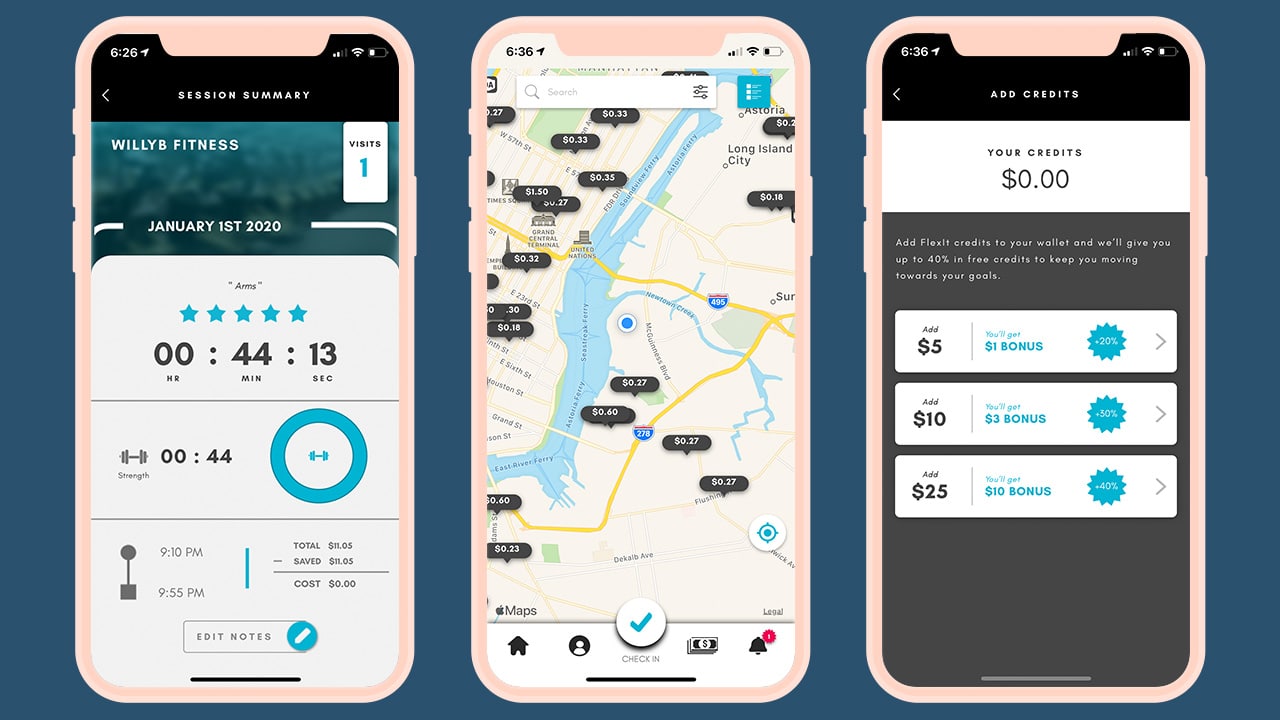
Work out whenever your schedule allows it, wherever you may be — sans the contract. That’s the idea behind FlexIt, a pay-by-the-minute app that gives you access to thousands of gyms.
You simply scan a QR code at the front desk before and after a workout so you only pay for the time you spend at the gym. The app also lets you see which gyms offer the best per-minute rate in your area, and which times are off peak hours so you can get an even better deal.
FlexIt is currently available across the US, and will soon be expanding to Canada, Europe, and Australia.
ClassPass

Finding a workout that you enjoy can be daunting. With ClassPass, you get to try different physical activities for as little as US$ 19 per month. It’s also perfect for people who get bored with sticking to just one type of workout.
With the app, you can search classes offered by the different gyms around you. Whether it’s indoor cycling, yoga, HIIT, or boxing — booking a class that you feel like taking that day is one tap away. Can’t find a gym in your area? A ClassPass membership also gives you access to on-demand workout videos.
ClassPass is available across the North America, Europe, Asia, and Oceania although monthly subscriptions vary per country.
J&J Official 7 Minute Workout
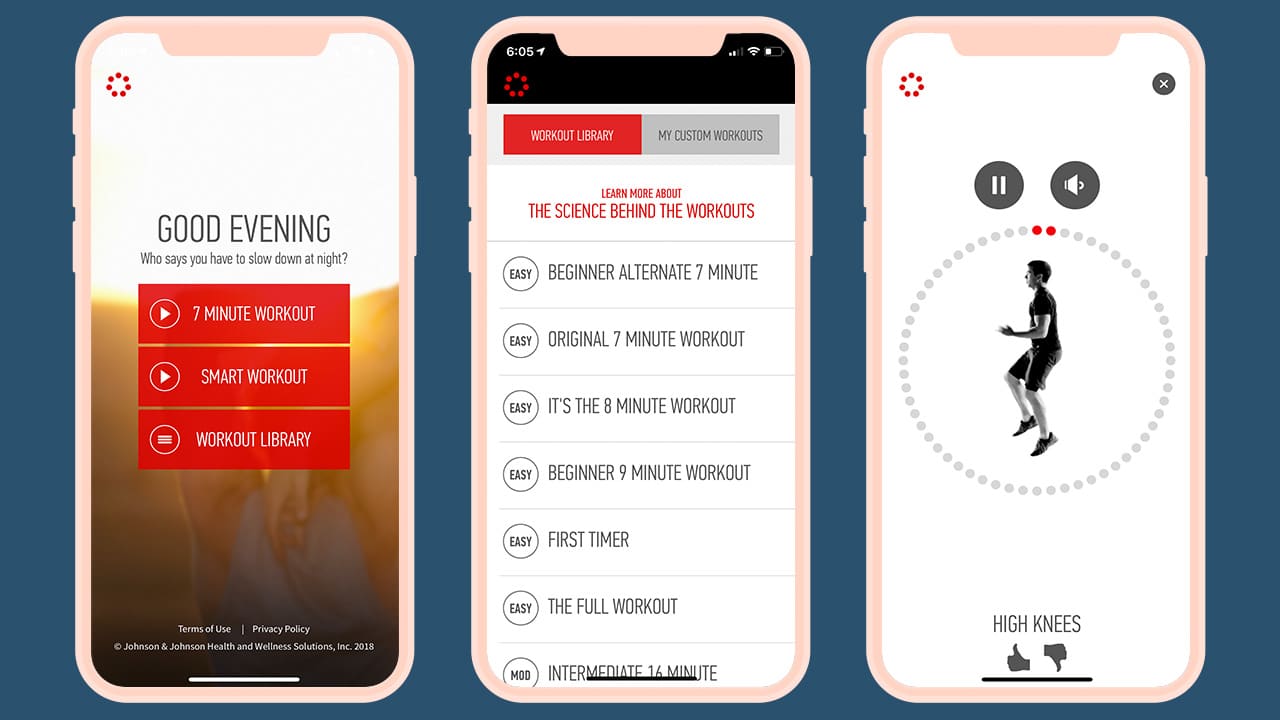
If time constraints and the lack of gyms in the area are what’s stopping you, try J&J Official 7 Minute Workout app. It’s completely free and it gives you access to a virtual coach and a video library of workouts that you can do in 7 minutes.
If you have a little bit more time to spare, there’s a Smart Workout mode that creates a variety of workouts based on your fitness and motivation level.
The best part is none of the workouts require weights or machines, just your own body weight, making it easier to get your heart pumping whether you’re in an airport lounge or an Airbnb.
Committing to a one-year gym membership can be too much — not just for people who travel a lot like me, but also for beginners. These three apps don’t require contracts, but a self-commitment to make working out not just a New Year’s resolution but also a lifetime habit. With everything accessible with a few taps on your smartphone, there are just simply no excuses.

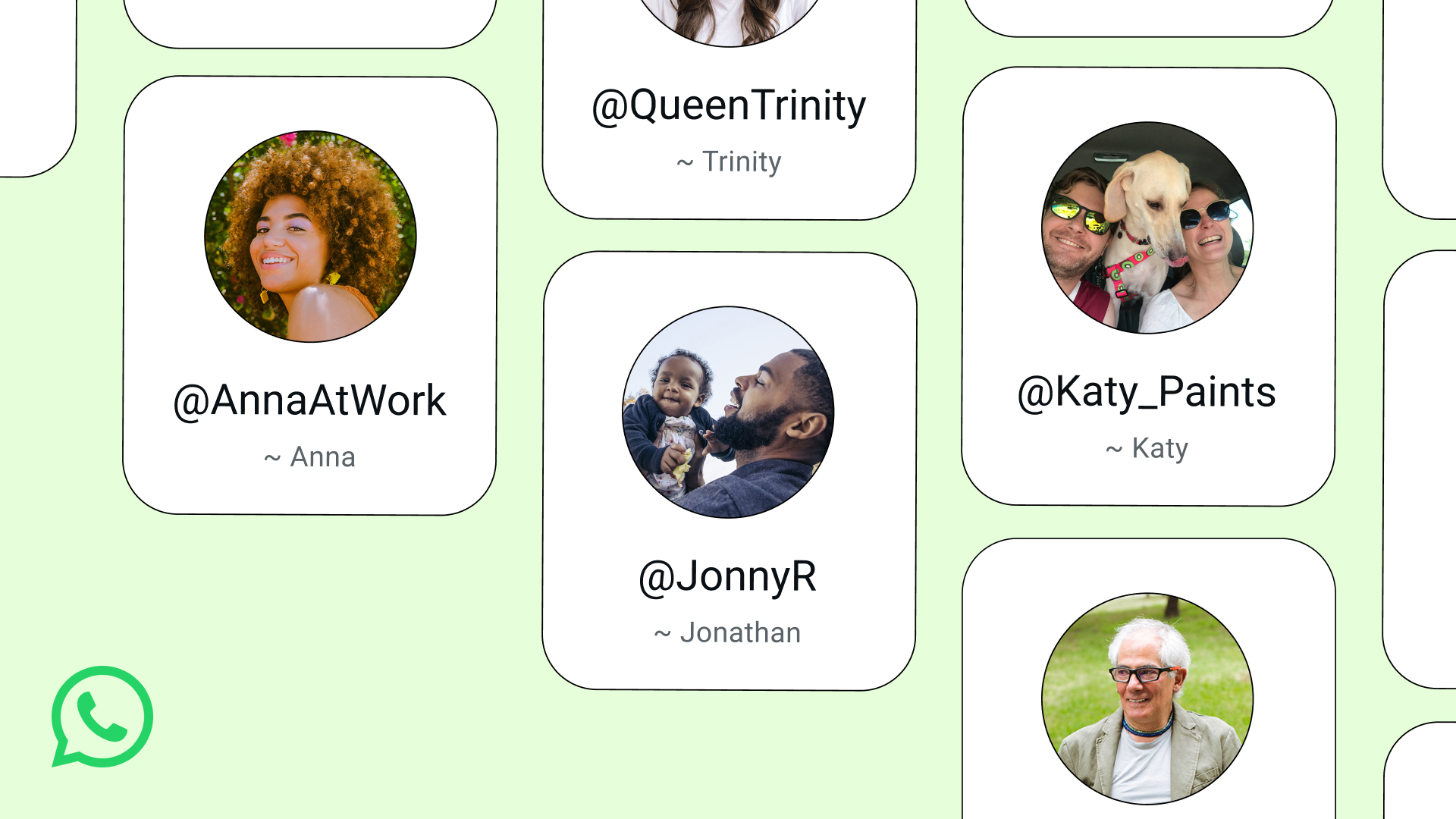
WhatsApp is about to get an extra later of protection. After thriving on number-based chatting, the platform will soon add usernames, eliminating the need to share your number with strangers.
Usernames are the standard way of maintaining your anonymity online. Though most platforms today require users to log their email addresses or phone numbers, establishing a username can prevent other users from seeing this information way too easily.
Today, Meta has started rolling out reservations for WhatsApp usernames. The feature itself isn’t available yet, but early adopters can grab theirs as soon as the setting becomes available on their app.
To access the reservation, users can go to Settings > Account > Username. Of note, this isn’t available for everyone yet. But if you want to take dibs on a specific name, be on the lookout for the setting.
As for the username itself, users can reserve anything as long as it’s unique. Business owners and creators can also use their Facebook or Instagram handles as their WhatsApp usernames.
The feature, once it launches, will stop users from accessing your phone number when messaging. Similarly, other users will now need your exact username to start a conversation. Users can also set a separate code to protect conversations further.
SEE ALSO: Meta adds subscriptions for Facebook, Instagram, and WhatsApp
Apps
HONOR, Xiaomi are working on their own Privacy Displays
Samsung’s Privacy Display is apparently very popular


Normally, a smartphone brand’s blatant copying of another brand’s feature is not a good practice. Today, however, there is a new feature that we wish other brands would copy: Samsung’s Privacy Display. Thankfully, some brands, like HONOR, have finally gotten the message and are working on version of the feature.
As reported by Digital Chat Station on Weibo, HONOR is reportedly working on a privacy screen for its smartphones. Likewise, Xiaomi is working on the same thing, potentially launching the feature for the Xiaomi 18 Pro.
For the uninitiated, the Samsung Privacy Display is a built-in feature that blocks visibility of the screen at certain angles. If you’re not looking at the screen from the front, all you’ll see is a black void. It’s a built-in version of those protective screens that you can buy separately. Besides adding a nice layer of protection against scratches, it’s also meant to prevent snooping from your shoulder.
Samsung’s take was widely acclaimed for being insanely useful. When it arrives, this feature will be a godsend to more brands. Even better, users will no longer need to rely on third-party screen just to enjoy the privacy.
That said, there’s still no indication as to when these features will arrive on either HONOR or Xiaomi.
SEE ALSO: LE SSERAFIM Chaewon flexes Galaxy S26 Ultra Privacy Display

Meta does not have the most stellar of reputations. Despite offering the world’s most popular social media platforms, the company, through its various experiments throughout the years, continuously proves that it has other priorities than just providing the best for its users. Today, another reported experiment wants to take Meta to a new market that its users might fall into: the prediction market.
If you haven’t heard of the prediction market, consider yourself lucky. These apps, such as Kalshi, are basically just gambling platforms without the glitz of playing cards or the rigor of the stock market. Users gamble on mundane circumstances like the weather and more serious ones like war.
Today, as reported by The New York Times, Mark Zuckerberg is reportedly asking Meta to develop a prediction app of its own. Interestingly, the experimental app, supposedly called Arena, will use virtual points, rather than real money. However, Meta has not ruled out real money — and hence, real gambling — in the future.
Meta is entering the industry at an extremely volatile time. The world is starting to crack down on prediction markets. Some users, for example, have been accused of using insider information to get easy wins on these platforms. Some markets have also accused these platforms of subverting anti-gambling laws.
SEE ALSO: Meta adds subscriptions for Facebook, Instagram, and WhatsApp






Crunchyroll Anime Expo announcements: Solo Leveling, Ghost of Tsushima, more

Demon Slayer: Kimetsu no Yaiba Infinity Castle I coming to Crunchyroll

PlayStation declares AI as “foundational piece” in future

Not even Nokia phones are safe from AI features

The Kia Carnival Hybrid is a gentle giant

TECNO’s POVA 8 5G is both futuristic and future-ready

Buyer’s Guide: Xiaomi Pad 8 Series

HONOR Magic V6 review: The best version of a book-style foldable?

TECNO’s SPARK 50 Pro is the latest budget smartphone battery beast

Buyer’s Guide: TECNO SPARK 50 Pro vs SPARK 50 5G


-

 Cameras1 week ago
DJI Osmo Pocket 4P launches with dual lenses and a 1-inch sensor
-

 News1 week ago
Lenovo says RAM prices are not coming back down again
-
 Camera Shootouts2 weeks ago
Camera Shootout: HONOR 600 Pro vs OPPO Reno15 Pro
-

 Singapore2 weeks ago
Xiaomi opens largest Singapore store yet at VivoCity
-

 News1 week ago
The vivo X Fold6 is the first foldable to support teleconverter lens
-

 Apps2 weeks ago
HONOR, Xiaomi are working on their own Privacy Displays
-

 Smartphones2 weeks ago
HONOR continues APAC expansion, to launch 600 series in Taiwan
-

 Laptops2 weeks ago
Apple raises the prices of iPad and MacBook lineups