


Laptops
Apple 13-inch MacBook Pro (2019) review: Slimmer and evermore dependable
An upgrade that allows you to make time for things that are more important

Editing on a 4-year-old laptop that wasn’t made for that purpose will take a toll not just on the machine itself, but on anyone using it. That’s the situation me and my 2015 13-inch MacBook Pro found ourselves in this year. As with any Mac device, it’s still usable if all you have to do is web browsing, word processing, and maybe some minor photo editing.
Pushing an underpowered notebook to do heavy multimedia tasks will suffice for a while but won’t benefit you nor the laptop in the long run. When you find yourself compromising not just speed but creativity, that’s when you know enough is enough. An upgrade is no longer a luxury but a necessity.
Number talk
For a little bit more context, the 2019 MacBook Pro that I upgraded to is the 13-inch one — stay with me here — with 256GB SSD storage, powered by the 1.4GHz quad-core 8th-generation Intel Core i5 processor. I know that just sounds like a bunch of words and numbers mixed up, but to help you visualize: it’s the second one in the current 13-inch MacBook Pro lineup:
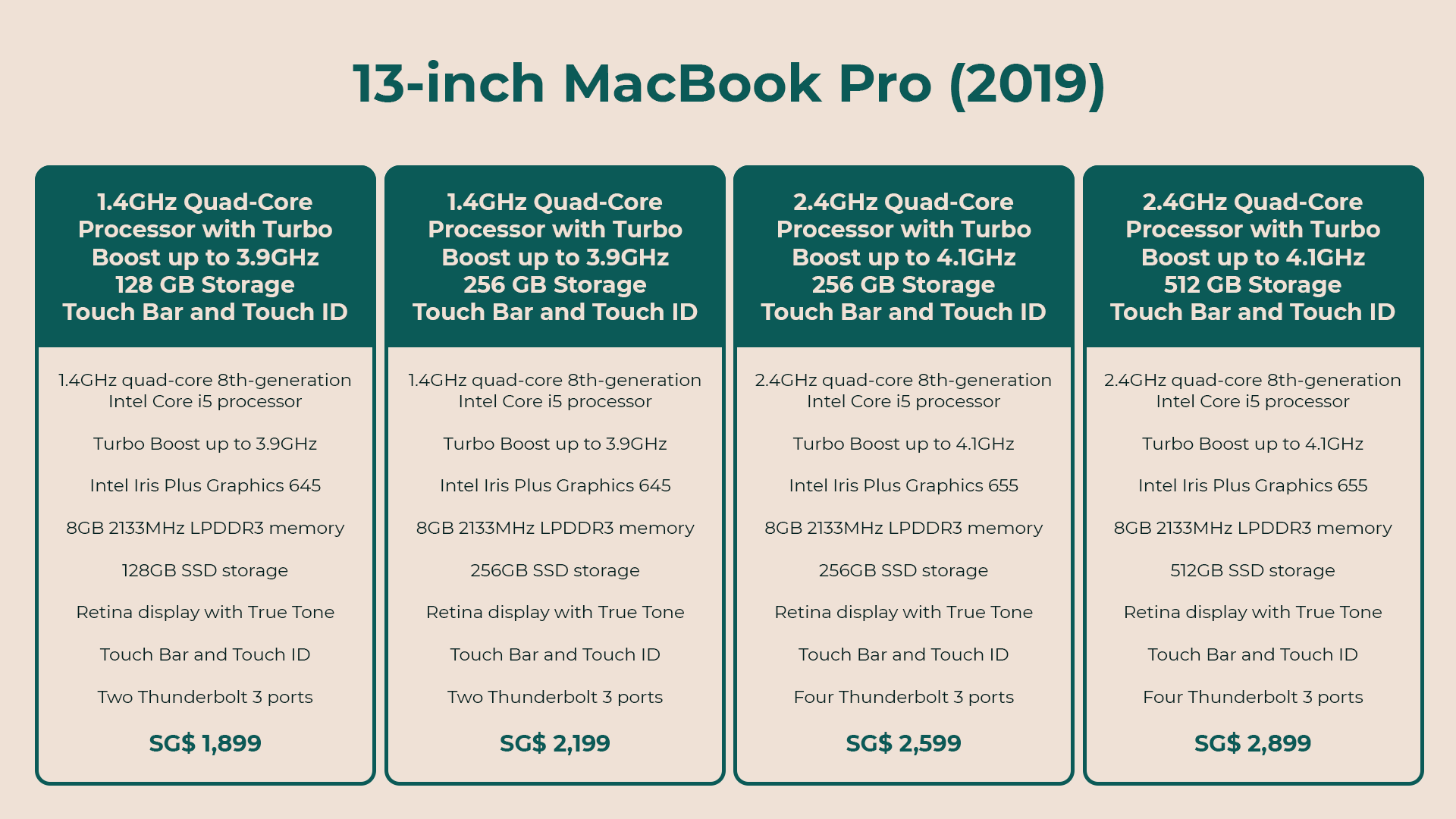
You might be thinking — who would give up a severely underpowered MacBook Pro for yet another Core i5 laptop? I’m well aware there are more much better options, including the last two in the infrographic. If power-hungry tasks like video editing are my only consideration for upgrading, I would have easily gone for the most expensive MacBook Pro. Heck, I would have waited for the cheese grater-looking Mac Pro and set up a workstation at home instead. But aside from performance, portability and price are important to me, too.
Beautiful design in a slimmer body
Laptops are made to be portable. Their very reason for being is to allow the user to get things done despite being away from a power source for extended periods of time. For a girl of average height who carries not just a laptop, but a whole gamut of equipment on a normal work day, the 13-inch MacBook Pro is just the perfect size.

When weighed on its own, the weight difference between the new MacBook Pro and the 2015 model or the 16-inch variant is negligible. When combined with a camera, lenses, tripod, hard drives, at least two smartphones, a bunch of cables, makeup, keys, wallet, and a few documents here and there, it will all feel like a whole day of workout.
The weight Apple shed off by making the new MacBook Pros thinner, no matter how miniscule, matters. As someone who also spent more time at airports than at home for the first half of the year, carrying a slimmer, lighter laptop for the latter half made a lot of difference. Every half pound lost is a half pound off my carry on bag.

I’ve been traveling around Asia and Europe with this thing since September. I’ve carried it with me to cafes, restaurants, airbnbs, hostels, meetings, work events — even to trade shows — and it got the job done without doing damage to my back. I can see myself using the bigger model — eventually, when I’ve managed to exercise my way to a stronger back and upper body.
Not to mention the tall order of finding stylish bags that fit bigger laptops — there’s just not a lot of options for women that not only suits my personal style, but also my budget. I remember using a 15-inch MacBook Pro briefly last year. Having to carry a heavier machine in a utilitarian bag that doesn’t go well with anything bogged me down. It just didn’t let me walk with the same confidence as this more portable laptop in a cute briefcase does. Needless to say, the struggle was real.
Apple took the port out of portable

Whether it’s a smartphone or laptop, making a device less hefty usually means making compromises on things that are essential to the user. Upgrading from the 2015 MacBook Pro meant losing two ports that I use the most when editing videos: the SD card reader and the USB-A port.
There is an easy fix, of course — a dongle — but easy doesn’t come cheap. I’m not gonna lie, having to spend extra on a USB-C dongle to add two ports that used to come free with any laptop purchase does not feel like an upgrade. It’s backwards. I can’t even use any of the accessories that came with my iPhone XS with this laptop — something that iPhone and Mac users used to be able to do with older models.
While I love how thin this laptop is, connecting a dongle to a portable device defeats the purpose of it being, well, portable. It’s not entirely impossible for a laptop to have ports built in and be extra portable at the same time. I’ve seen Windows laptops that are of the same heft, if not thinner, that still managed to include a USB-A port.
Thinner body, better battery
While the lack of ports is a big issue for my workflow, battery life on the new 13-inch MacBook Pro is actually commendable — another thing that normally gets sacrificed when devices become thinner.
It would be unfair to say that the 2019 MacBook Pro lasts longer than the 2015 model. The latter understandably has poorer battery life as it’s been through whatever the equivalent of a world war is when it comes to laptops.

Still, I’m pleased to report that despite losing the extra weight, the 2019 MacBook Pro is so efficient that it lasts me more than a whole work day of writing, managing social media, web browsing, with an hour or two of the Spring Awakening soundtrack in the background.
Whenever I go to the office for our weekly meetings, I find myself never having to take my charger out of my bag. The rest of the team, meanwhile, would take their respective positions beside sockets to plug theirs after just 3-5 hours of use — even when they’re using the newer, high end Windows laptops that they review.

On days when I’m editing, I would normally have to charge the laptop twice as a YouTube video usually takes at least 12 hours to edit. That’s an entire work day of Final Cut Pro X, Adobe Photoshop and After Effects.
Despite my protests against the lack of essential ports on this machine, it needs to be pointed out that the two built in Thunderbolt 3 ports are made equally. This means no matter which port I end up plugging the charger to, it will work as expected. The same goes for external storage devices. This consistency is something you won’t get on other laptops that killed other ports in favor of USB-C.
Charging is also fast — with the bundled 61W adapter, plugging it for 30 minutes charges it from 10% to 42%. It takes just about an hour and 40 minutes to juice up from 10 to 100%, even while I’m writing a full feature article on Notes.
A laptop that can handle video editing, and more
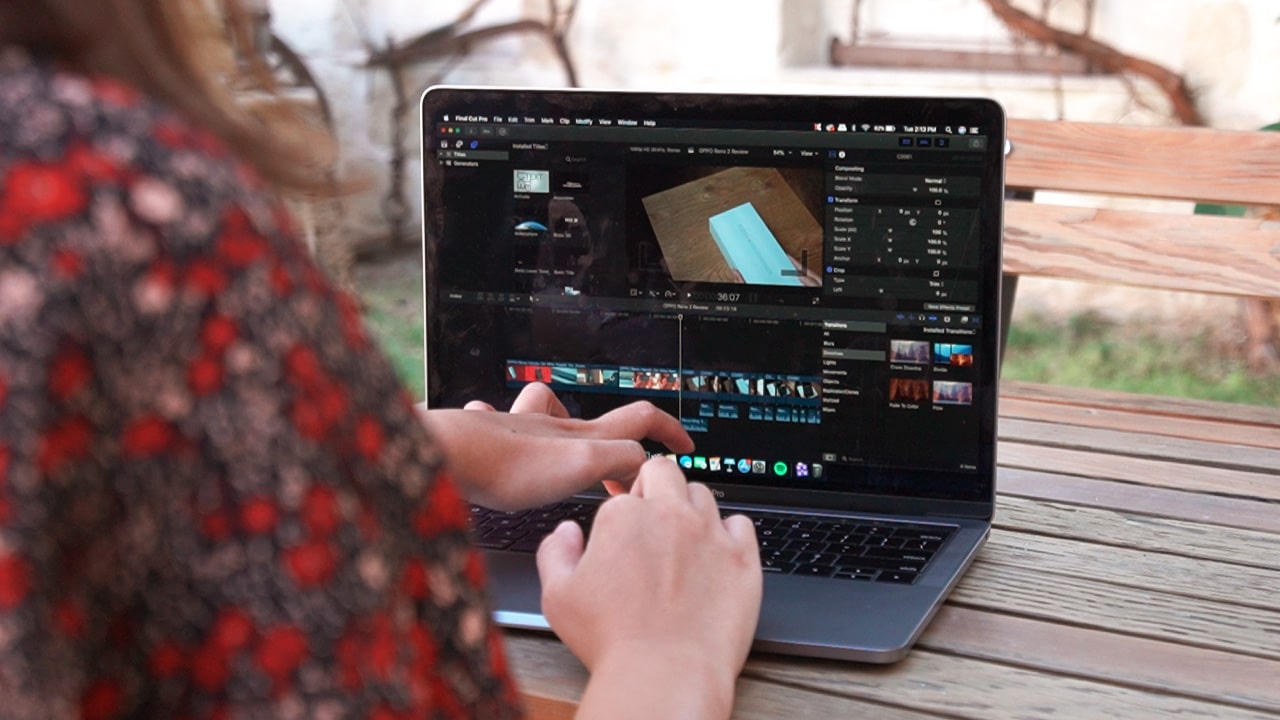
Graphic design, illustration, and video editing are three things I need a laptop for. Other tasks like writing and photo editing I can manage to do on a smartphone, albeit at a slower pace.
Importing even short 1920×1080 clips to FCPX on my older MacBook Pro used to take such a long time, that I can finish reading a news article or browsing latest tweets before the pinwheel disappears. Editing on an underpowered machine didn’t just slow me down — it affected my focus, too.
I remember getting derailed from editing so many times while waiting for clips to render. Then came the time when I couldn’t animate or track even the shortest clips anymore and had to rely on someone else to do it for me. Not being able to execute what I had in mind because my laptop couldn’t handle it was not only frustrating — it was draining.

The 2019 13-inch MacBook Pro surprisingly handles anything I throw at it without hiccups — even when I have three projects on FCPX at the same time, and both Photoshop and After Effects running in the background. That’s something the 2015 model could not handle.
The videos I edit are usually just 1920×1080, but I’ve recently edited a one-minute 4K video and it worked out just fine. FCPX renders fast, exports fast, and doesn’t freeze at the most crucial moments. The bump in power has allowed me to be much more efficient and creative; I’ve been able to experiment without fear of apps crashing or having to wait for things to render.
The infamous keyboard
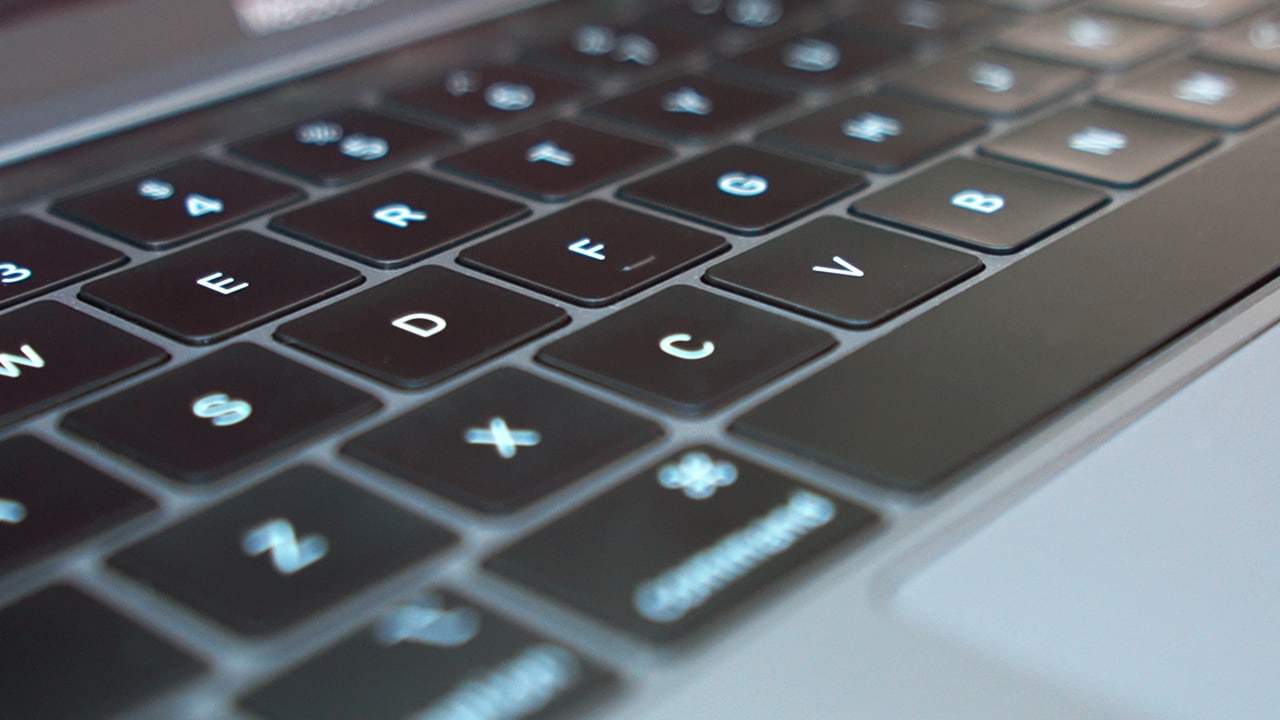
Another design change that allowed this laptop to be so thin is the controversial Butterfly keyboard. I’ve read and heard of complaints about it from so many people. Frankly, it was one of the things I was worried about having encountered that problem on a 2017 model in August.
A reliable keyboard is not just for writing; I use the keys for shortcuts on Photoshop and FCPX as well. Thankfully, I haven’t run into the same problems that plagued 2018 models and older. Any typos made with this thing has nothing but human error to blame. As far as the shorter travel that irks a lot of nitpickers, it’s something that I easily got used to once muscle memory kicked in.
The function keys on the newer MacBook Pro models are also gone. Replacing them is yet another controversial design decision: the Touch Bar. The only time I used any of the function keys was whenever I needed to adjust volume or brightness. I don’t feel like I’m missing out now that they’re gone as I can still do those on the narrow secondary screen that replaced the physical keys.

The Touch Bar still has a long way to go when it comes to functionality. Even when I’m editing videos, I default to keyboard shortcuts instead of the convenient keys that appear on it when I’m on FCPX. Strangely, I find it most useful when I’m on social media duty as suggested emoji are one tap away, eliminating the need to Google them one by one.
The physical power key is also gone — replacing it is a glass button that also doubles as a Touch ID sensor. It’s a tiny life-changing hardware change that I didn’t know I needed. Logging in with just a tap of a finger is not only so much faster, it’s also more secure.
What’s essential is visible to the naked eye
The 13-inch MacBook Pro gives 4K displays on other high-end laptops a run for their money. What Apple proves, time and again, with every piece of hardware they make is that it’s the quality of pixels that matter, and not the number.

Mac displays’ color accuracy has always been unmatched, and the same can be said about this device. The last thing I want is to oversaturate video footage or photos because my laptop display is too dull — a problem I haven’t had since switching to Mac.
While some people would prefer to turn off True Tone when editing photos and videos for better color accuracy, I keep it perpetually turned on. True Tone is designed to make whites easier on the eyes. It adjusts automatically depending on the ambient light.
The display is also bright enough that the only time I crank it up to full brightness is whenever I’m working outdoors — under direct sunlight — which rarely happens anyway. Indoors it stays at around 30-50%, and only 10% at night when I’m winding down before sleep.
Of course, a great display translates to a great Netflix and chill experience. I’m no display expert, but even the gloomiest episodes of The Crown registers as accurately as a colorful animated movie like Frozen. I’m also no audio expert, but the speakers are more than loud enough for my needs.

My only complaint about the display is how easily it picks up grime and fingerprint smudges. It’s not a deal breaker; it’s just the only thing that’s not aesthetically pleasing in an otherwise beautifully designed notebook.
Is this your GadgetMatch?
It’s such a relief when you can just do what you need to do without waiting or worrying. Even when things need to be rushed or they happen at the last minute, I know I can deliver because the 2019 13-inch MacBook Pro can. It’s that capable and reliable.
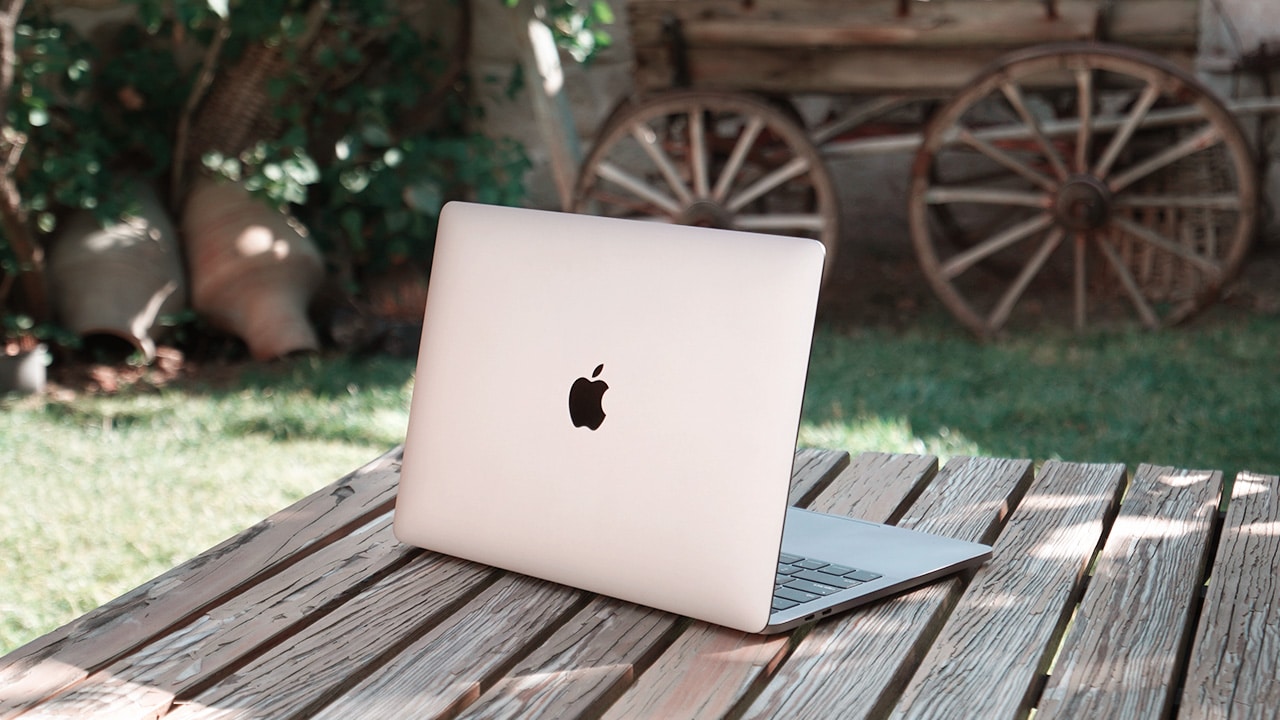
As a Mac user what I appreciate the most about this upgrade is the same thing nitpickers hate about it — its familiarity. The changes between this and the 2015 model are significant enough, but all done in a similar form factor. The slimmer body and its more efficient internals make it feel like what I’m using is new, without having to deal with a learning curve that usually comes with any hardware upgrade.
If you are using a 2015 MacBook Pro or older, and have noticed that it’s slowed you down, consider upgrading to the 2019 MacBook Pro. If you prefer the 13-inch model like me and have an extra SG$ 700 to spend, go all the way and get the maxed out model. You’ll benefit from better speeds, graphics, and more storage. If what you do requires more power, Apple just announced the new 16-inch model that we will also be reviewing shortly.

When life requires you to be on the go, there’s no better machine to help you accomplish your tasks than the 2019 13-inch MacBook Pro. It’s thin, light, and narrow enough to be taken and used anywhere — even on an economy class flight’s tray table — yet powerful enough to execute your creative vision and help you get the job done.
What you’re buying when you get the 13-inch MacBook Pro is not just a new laptop; you’re investing in peace of mind, time, and other resources for matters that are more important. Little by little, it’s created space in my life for more ideas, hobbies, self-care, even in-person interactions, that used to be occupied by waiting for clips to render or images to resize. When you have a tool that’s this dependable, you get to do things you never thought you could do again.






Laptops
Alienware celebrates 30th anniversary with new Area-51 laptops
The series features Alienware 30, an all-new design language.

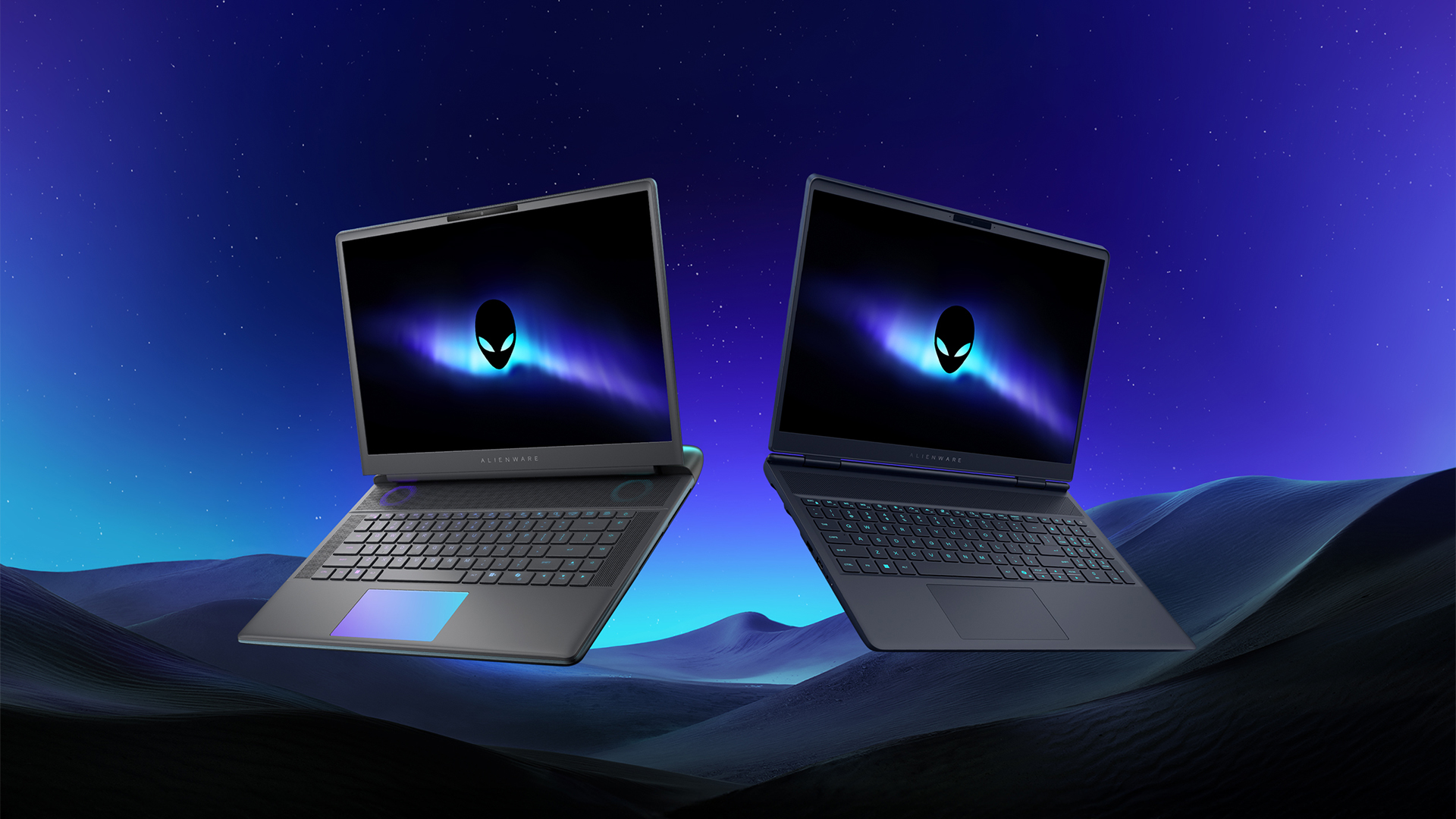
Despite the rise of more gaming brands, Alienware is still one of the most recognizable names for gamers who want dedicated hardware. This year, the brand is celebrating its 30th anniversary. To commemorate the milestone, Alienware has launched the new Area-51 and Aurora notebooks.
Alienware Area-51
Alienware’s Area-51 lineup is the brand’s flagship line of notebooks, packing in the best of the best from the industry. This time is no different.
First of all, the new series will rock Alienware 30, a new design philosophy made especially for the 30th anniversary. On the outside, the laptops have fluid contours, emphasizing curves opposed to the industry’s more angular contemporaries. It also has a Zero Hinge, which hides the laptop’s hinge from view. Finally, it has pillowed palm rests to make usage easy for long gaming sessions.
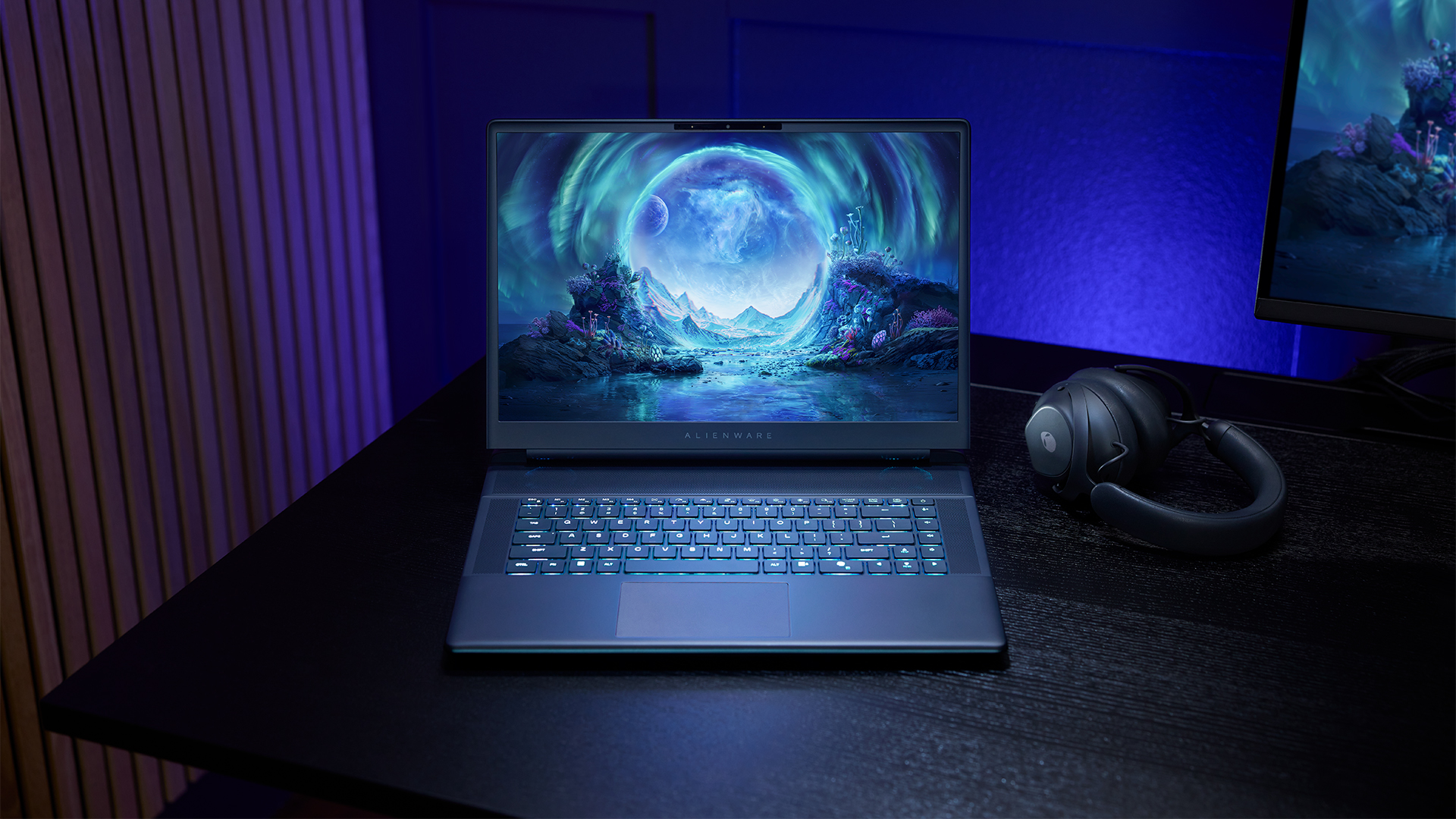
The 16-inch model can rock up to a WQXGA Anti-Glare OLED screen, featuring 240Hz refresh rate and 620 peak HDR nits. It will also have an LCD option. Alternatively, the 18-inch model has a WQXGA screen, featuring 300Hz refresh rate and 500 nits of brightness.
Inside, the Alienware Area-51 boasts up to an Intel Core Ultra 9 290HX processor and up to an NVIDIA GeForce RTX 5090 24GB GPU. For memory, gamers can enjoy up to 64GB Dual-Channel DDR5. Finally, for storage, the series can rock up to 2TB SSD natively but can support up to 3 slots, allowing for up to 12TB of internal storage.
The series will have a sizable 96Whr battery. This is complemented by a 280W adapter and the brand’s largest fans by volume to keep things cool.
Alienware 16X Aurora
For those who portability over raw power, the new Alienware 16X Aurora fits inside any day-to-day kit. For example, it ditches the thermal shelf typical of most gaming notebooks today to increase portability. It has rounded edges to make it easier to grasp and to create a slightly pillowed palm rest, similar to its flagship counterpart.
The 16-inch WQXGA OLED panel touts 240Hz refresh rate, 0.2ms response time, and 620 nits HDR peak brightness.
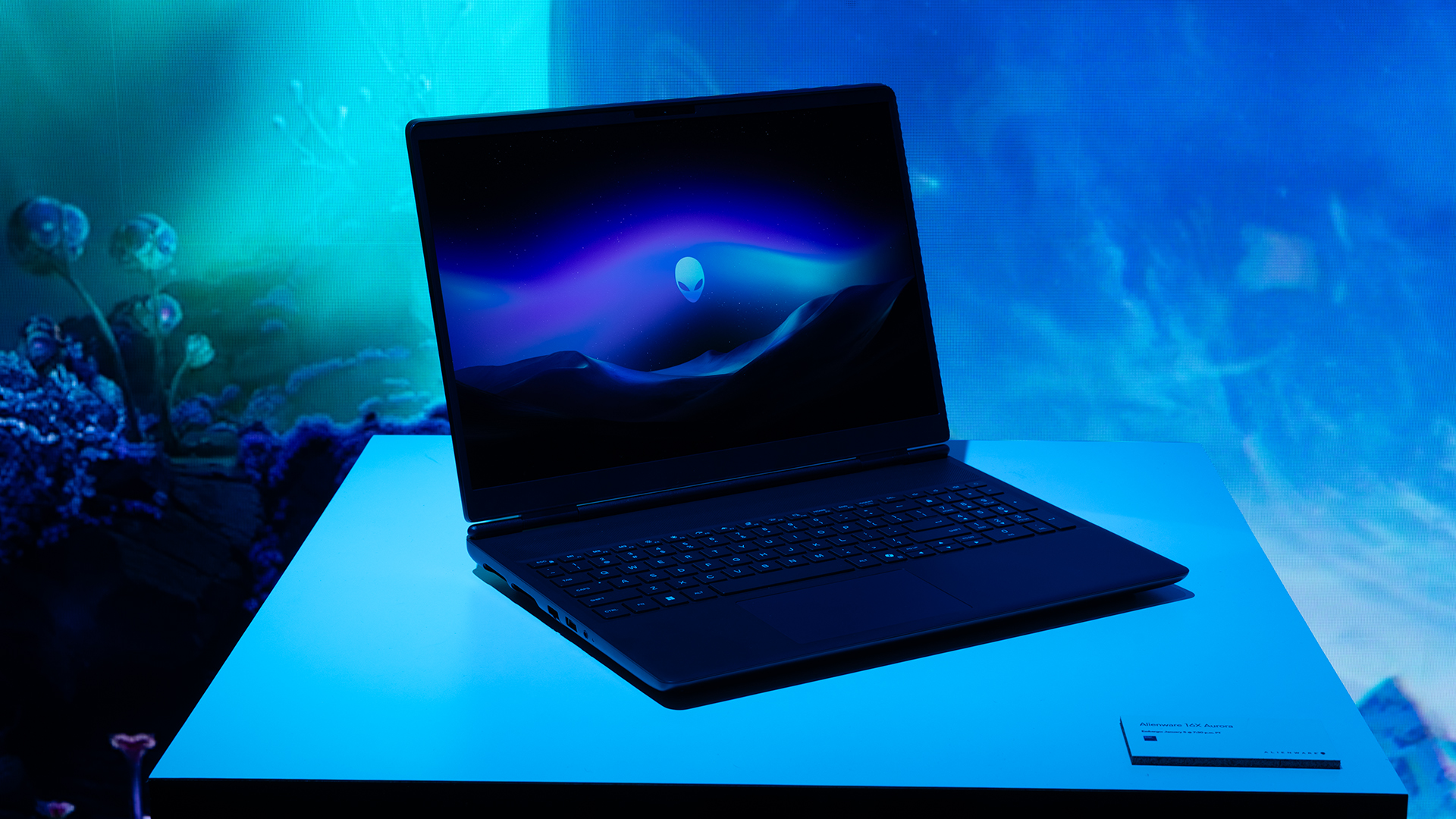
Inside, the notebook has up to an Intel Core Ultra 9 275HX processor and up to an NVIDIA GeForce RTX 5070 Ti GPU. These specs are paired with up to 64GB Dual-Channel DDR5 memory and up to 2TB SSD.
Finally, the Alienware 16X Aurora will have a 90Whr battery. This is supported by up to a 280W charger (for the RTX 5070 variant).
Price, availability
Both series are available starting today, March 17.

Apple disrupts the industry with their latest MacBook — an affordable to say the very least.
If you’re a student, a first-time Mac owner, someone who’s been priced out of this ecosystem their whole life, someone who just needs a laptop for basic tasks but one that looks great, without slowing them down, this is it!
Or maybe you’re torn choosing between the MacBook Neo and the more powerful M5 MacBook Air?
Well, that’s what we’re here for. Here’s our review with the all-new MacBook Neo.
Laptops
Hands-on: NEW iPhone 17e, iPad Air, MacBooks, Studio Displays
What Apple has announced other than the MacBook Neo


The MacBook Neo was the star of yesterday’s Apple event, and it has every right to be but it’s been a big week for Apple.
So as promised, we also went hands-on with every other device announced this week: iPhone 17e, M4 iPad Air, M5 MacBook Air, MacBook Pro with M5 Pro and M5 Max chips, and the new Studio Displays.


Galaxy Buds4 Pro review: I thought I was done with in-ears
This Buds4 you


WWE 2K26 lets you live out all the fantasy matches you could want
But you have to play for hours and hours to unlock everyone.


The HONOR X8d is serviceable
Steady but slow?

More iPhone switchers this year than Android switchers, report says

Marvel’s Wonder Man greenlit for a rare second season

Apple’s WWDC 2026 will be from June 8 to 12
Galaxy Buds4 Pro review: I thought I was done with in-ears
WWE 2K26 lets you live out all the fantasy matches you could want


-

 Reviews1 week ago
POCO X8 Pro Max review: A new beast from the far east
-

 News1 week ago
POCO X8 Pro Series: Price, availability in the Philippines
-

 Laptops2 weeks ago
Apple MacBook Neo Review
-

 Apps2 weeks ago
Google Maps is finally getting a 3D mode
-

 Features2 weeks ago
Galaxy AI on the Samsung Galaxy S26 Ultra
-

 Entertainment2 weeks ago
The internet is thirsting over the One Piece Season 2 cast
-

 Automotive2 weeks ago
BYD is reportedly considering an F1 team
-

 Gaming2 weeks ago
Resident Evil Requiem will get a story expansion