


Gaming
ROG Strix G16: Straight out of a dream
This is the machine that’ll let you play to your heart’s content!

Playing video games transports us to a realm where we lose track of time, completely unfazed by an immersive world unfolding before us.
When I’m burnt out from training for my competitive races and living an athlete’s life, I take solace in playing video games. I let my mind, body, and soul recover from the emotional weight that every training brings.
Having the ROG Strix G16 for two months allowed me to live my inner teenager’s dreams — playing on a monster gaming machine in my free time and escaping to a different world when the going gets tough.
When you like a huge package
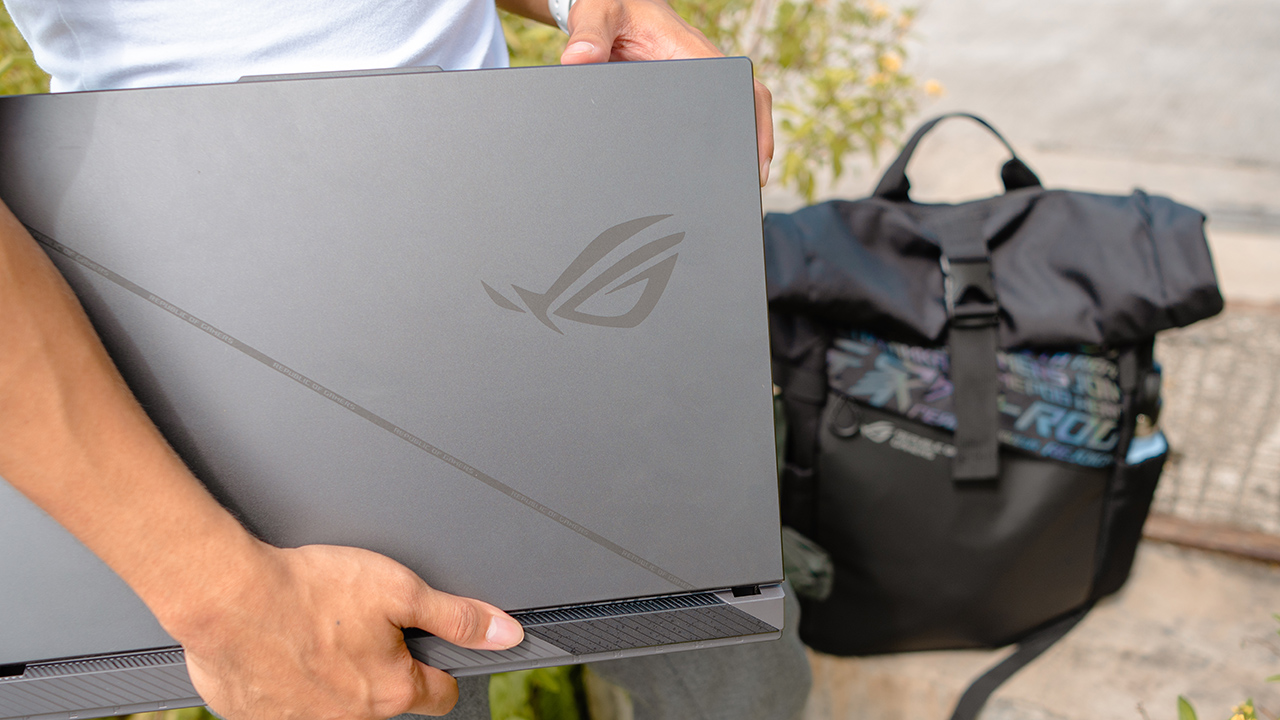
When the Strix G16 was handed to me, I was completely astounded by its package. The box was insanely heavy and humongous, but let’s cut ASUS some slack. Despite the monstrous size, the box came with everything you’ll need to live off that gamer’s dream.
There’s the laptop bundled with the ROG Impact Gaming Mouse. Then, ASUS included two (2) types of 100W power brick — a 100W compact USB-C charger, and a bulky 330W power adapter that’s best to keep on your gaming station.

It also came with a supersized ROG backpack, enough to house the Strix G16 and a couple of essentials.
Totally a gamer’s machine
Taking it out of the box, you’ll find a machine designed for heavy gaming. The Strix G16 is intricately crafted with gamers in mind, it’ll make you feel like a competitive gamer. At least, that’s how I felt.

The devil’s in the details when you peruse the Strix G 16. From the dot matrix design across the lid to the cross-hatched vents underneath, distinct elements can be seen in every detail. Even with the way lighting is integrated!
The RGB keyboard is also soft, pleasing to look at, and actually responsive — thanks to the exclusive ROG Overstroke technology. There are also dedicated gaming hotkeys for quick access to volume and mic controls, and even Armoury Crate. They’re customizable and you can program to your liking.

For its touchpad, it comes with a glass coating and is noticeably 10% larger. While it’s already responsive and comfortable to use, the touchpad isn’t as smooth as most flagship Windows laptops. My workaround has been using the gaming mouse for navigating since it syncs well with the display’s 165Hz refresh rate.

Plenty of I/O ports can be seen on both sides of the Strix G16. On its right, you can find two (2) USB-A ports which I use for the gaming mouse and an additional port for whatever I’ll need like when I need to transfer files via an Android smartphone or my ancient external hard drive.
Meanwhile, the left side houses more ports that every kind of gamer can fully utilize. You can find the power input, a LAN RJ-45 jack, an HDMI 2.1 port that supports up to 4K 120Hz and 8K 60Hz content, and an audio jack.

Moreover, there are two (2) USB-C ports. One supports DisplayPort and Power Delivery, while the other supports Thunderbolt 4 connectivity.
Tough inside and out
The Strix G16 has the capabilities to keep up with you as you dive into another story different from your own.
It’s powered by a 13th-Gen Intel Core i9-13980HX processor and up to an NVIDIA GeForce RTX 4080 GPU, a PCIe Gen4x4 1TB SSD storage, and an 8GB DDR5 RAM that can be expanded up to 32GB.

It’s insanely powerful; you can play AAA titles, stream like a pro, and even create content like a madman. The horsepower it contains is like an unlimited magic potential waiting to burst. Intense multitasking sessions are just a breeze, and it doesn’t heat up easily.
While most gaming laptops have a dual-fan cooling system, the G16 pushed a third fan to keep the GPU and VRAM cool. With seven heat pipes and a Conductonaut Extreme liquid metal inside, the G16 — coupled with the ROG Intelligent cooling and redesigned vents — promises an exceptional experience that’ll keep you playing. And it certainly delivers.
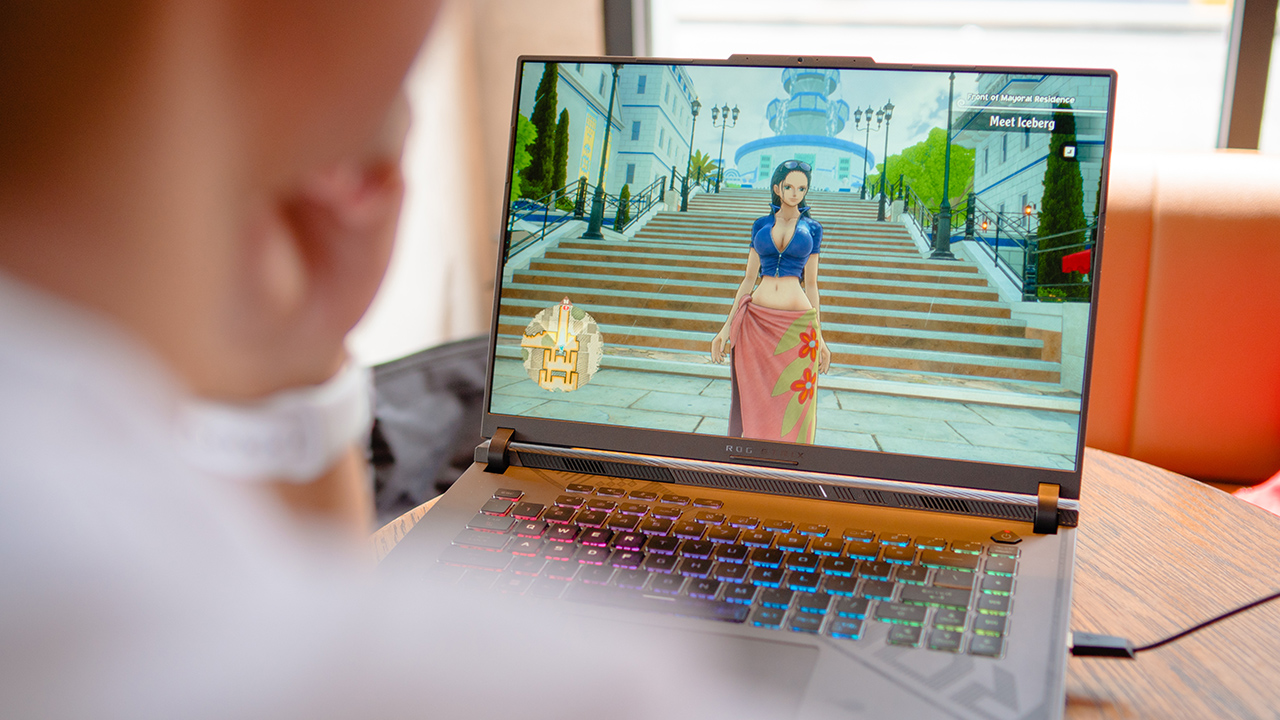
Furthermore, it has enough battery to let you play even when outside, as I found myself doing so on most days I want to take a break from sitting around in front of my desk. Sometimes, I’d sit in my favorite Starbucks branch and continue One Piece Odyssey.
When it runs out of juice, I have the USB-C charger to quickly plug into the socket so I can keep on playing.
Just play in the dark
There’s not much you can say when it comes to the Strix G 16’s performance. A premium gaming machine like this can handle any beastly titles of your liking.
Sometimes, I even multitask with plenty of background apps opened while having the device connected to my Huawei MateView. It’s smooth, powerful, and everything you’d expect it to be just like any other monster gaming laptop.
But while the performance of the Strix G 16 gives off a solid experience for all kinds of gamers, there’s one thing that I wish ROG could’ve put more into.

The display is lackluster, especially for a gaming machine that costs a premium. I find myself playing in a dark room or in a dim corner at a cafe to actually see what’s on the screen without squinting my eyes.
The panels cause some glare (yes, even with an anti-glare feature) and even with increasing the brightness to a maximum, it’ll still feel like a challenge to take a look at what’s happening in your gameplay.
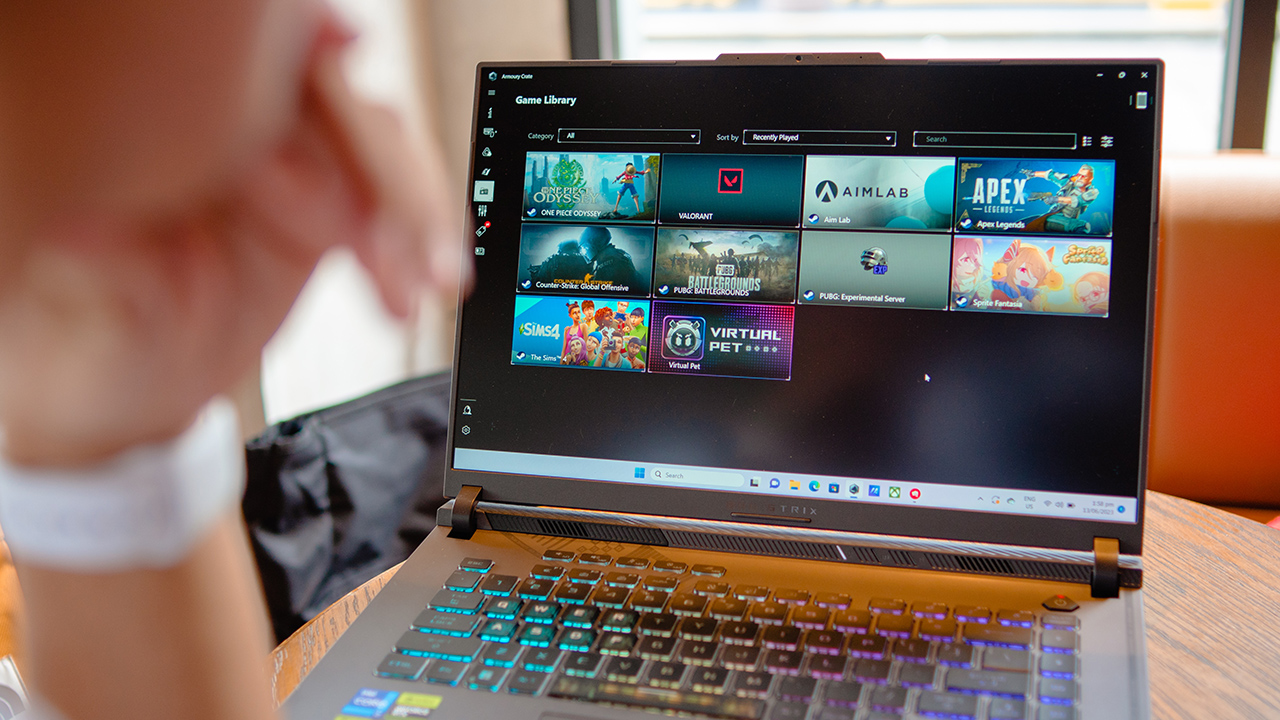
I even squinted my eyes and looked closely at the screen, putting myself in an awkward position in terms of posture. Besides, it’s not a good thing to be too up close to a screen. which happens when you badly want to take a look at what’s happening when navigating parts of a game that has a dark scene.
Bring it anywhere
Nevertheless, the ROG Strix G 16 can be easily brought wherever you go. It easily fits inside a supersized ROG-designed backpack, especially in the dedicated sleeve.

There’s enough room to carry the charger, mouse, a few accessories, and personal essentials. It even has a slot for my umbrella and HydroFlask. I can stay protected from the elements and be hydrated wherever I go.

Carrying it can be quite a pain on your back if you’re not accustomed to lifting weights. It’s heavy, I promise. It’ll put a strain on your back if you treat it like a schoolboy’s laptop.
The backpack sure can handle its heft, weighing 2.5kg. However, you might need to train your body if you want to lug this around wherever you go. Otherwise, it’s best to keep it at a gaming station so you can play any titles you want.

But for me, both the Strix G16 and the ROG backpack are quite a treat for an athlete wanting to break away from an emotionally taxing life.
Is this your GadgetMatch?
The ROG Strix G16 looks straight out of a dream; it’s what every gamers dream of when it comes to a machine that’ll let them play to their heart’s content.

Think of it as a fantasy turning out to be a reality. The only thing you’ll find annoying in this machine is how lackluster the display is. Otherwise, it’s a solid laptop that will make you want to play all day long.
It’s certainly a GadgetMatch for those who want to be competitive in the eSports arena. As long as you can handle the compromises. If you don’t think this one’s for you, there’s the ROG Zephyrus M16 that you might want to check out.
The ROG Strix G16 starts at PhP 109,995. More information here.






Gaming
CM Punk headlines WWE 2K26 Showcase: Punked
Relive, rewrite, and reimagine CM Punk’s career in WWE 2K26.

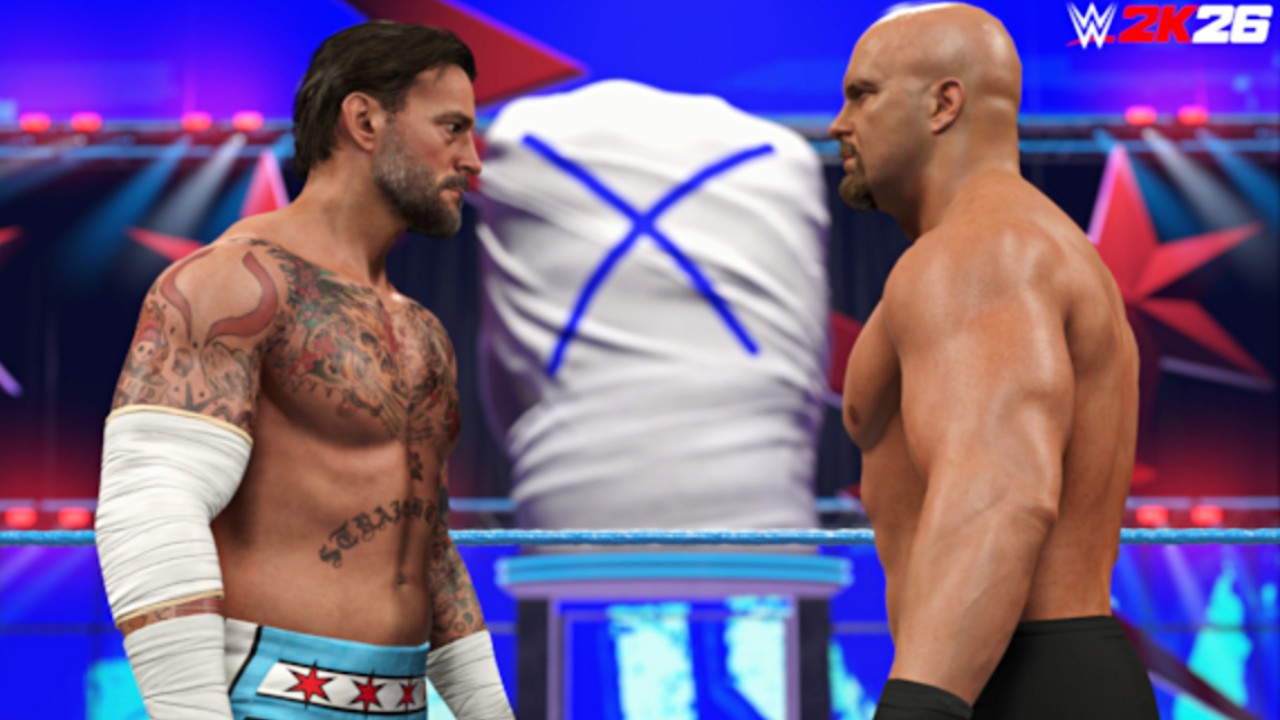
WWE 2K26 puts CM Punk front and center.
Following the debut of the Showcase trailer, 2K dropped a new Ringside Report. It dives deeper into 2K Showcase: Punked. CM Punk narrates the mode himself. The report also outlines major gameplay upgrades coming to this year’s title.
2K Showcase: Punked lets players step into Punk’s boots. It traces his rise across WWE. It blends real milestones with alternate timelines and fantasy matchups.
Relive the highlights
The Showcase opens at WrestleMania 41. Players control Punk in a triple-threat match against Seth “Freakin’” Rollins and Roman Reigns. Paul Heyman stands in Punk’s corner.
From there, the mode jumps across Punk’s career. Players can recreate iconic bouts. That includes Randy Orton at WrestleMania 27. It features The Undertaker at WrestleMania 29. It also includes Drew McIntyre at Bad Blood 2024.
Punk provides candid commentary throughout. He shares behind-the-scenes insight. Players face WWE Legends and World Champions such as The Rock, Rey Mysterio, JBL, John Cena, and more.
Rewrite history
2K Showcase: Punked does more than revisit the past. It asks bold questions.
What if CM Punk never left WWE in 2014? What if key rivalries ended differently?
Players can change pivotal outcomes. They can reshape Punk’s legacy. One alternate-history match features CM Punk and AJ Lee versus The Miz and Maryse. More “what if” scenarios will follow.
Enter Fantasy Warfare
The mode also introduces Fantasy Warfare.
Players can book dream matches. Punk steps into the ring with Superstars he never faced in WWE. That includes “Stone Cold” Steve Austin and Eddie Guerrero. More names will be revealed soon.
These battles take place in a new arena called the CM Punkvillion. It serves as the backdrop for these crossover showdowns.
Survive The Gauntlet
WWE 2K26 adds a new optional challenge called The Gauntlet.
Players can choose CM Punk or AJ Lee. They must defeat all 20 Showcase opponents in consecutive matches. There are no shortcuts.
Clear The Gauntlet and you complete the Showcase instantly. You also unlock every reward in the mode. That includes playable Legends, alternate attires, managers, championships, and arenas.
Gameplay upgrades detailed
Last week’s Ringside Report focused on core gameplay improvements.
WWE 2K26 adds new match types. The game introduces interactive environments and objects. It expands surprise attacks and start-of-match actions. It also upgrades A.I. sequences and rivalries.
The game features a new commentary team and interactive entrances. 2K plans more deep dives ahead of launch.
WWE 2K26 releases March 6, 2026 for PlayStation 5, Xbox Series X|S, Nintendo Switch 2, and PC via Steam.
Four editions are now available for pre-order. The King of Kings Edition, Attitude Era Edition, and Monday Night War Edition launch March 6, 2026. The Standard Edition follows on March 13, 2026.

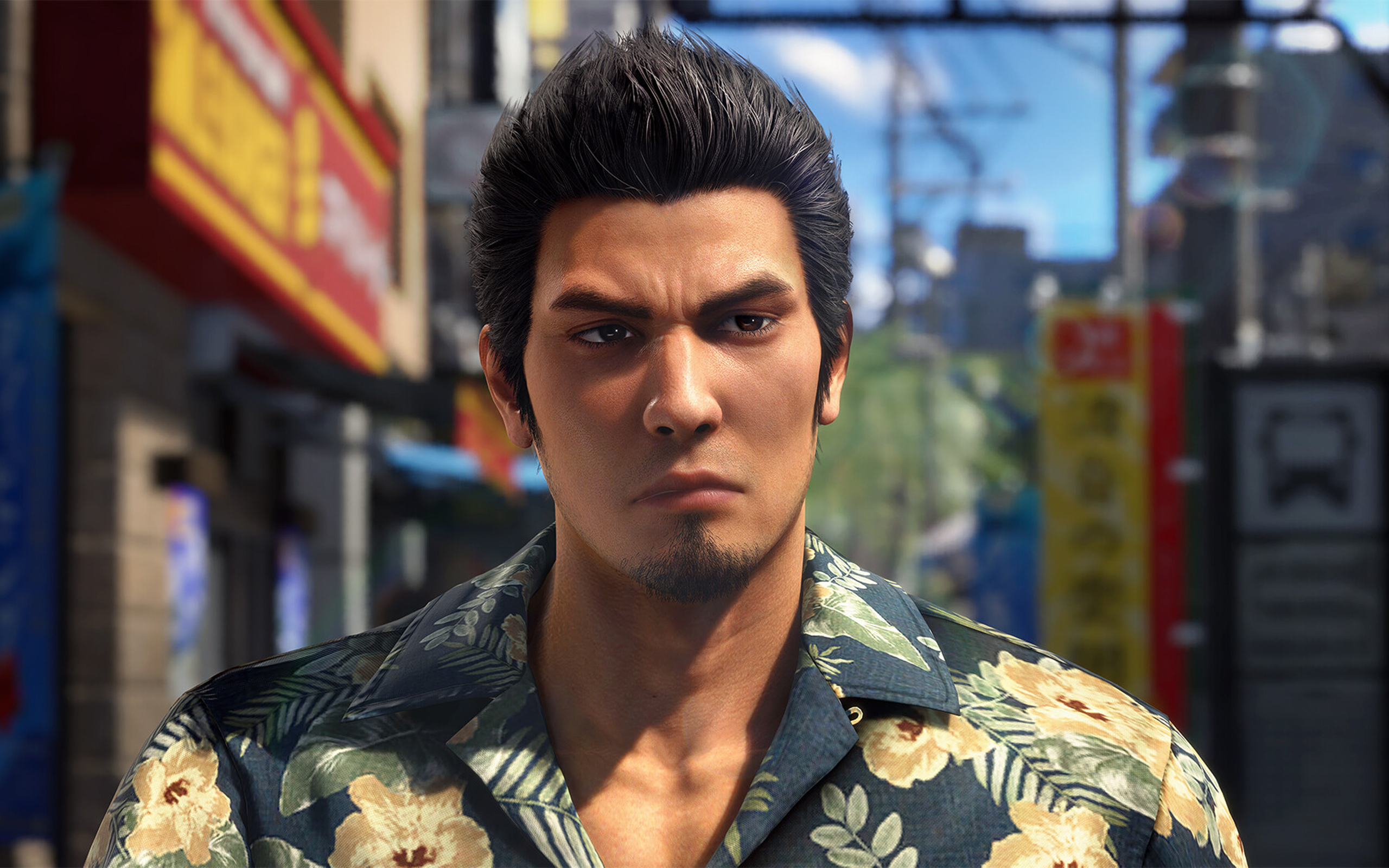
Nothing can beat the burden of being a remake or a remaster. Besides providing an enjoyable experience by itself, a remake or a remaster constantly has to justify its own existence: Why did this piece of media need to be rereleased? For some, it’s a no-brainer, such as the ongoing Final Fantasy VII remake series. For others, it’s a lot less clear, such as the many, many times there’s been an uber-mega-definitive edition of The Last of Us and Skyrim.
Now the third of its kind, Yakuza Kiwami 3 is inching perilously close to a point where it’s hard to justify why we need another remade Yakuza.
Continuing the series
Yakuza Kiwami 3 is a remake of the third entry in the Like a Dragon series. The original Yakuza 3 was the first one in the entire series to be developed for the PlayStation 3 era. Compared to the first two games, it features a lot more content and, on its own, can be considered a modern RPG by today’s standards.
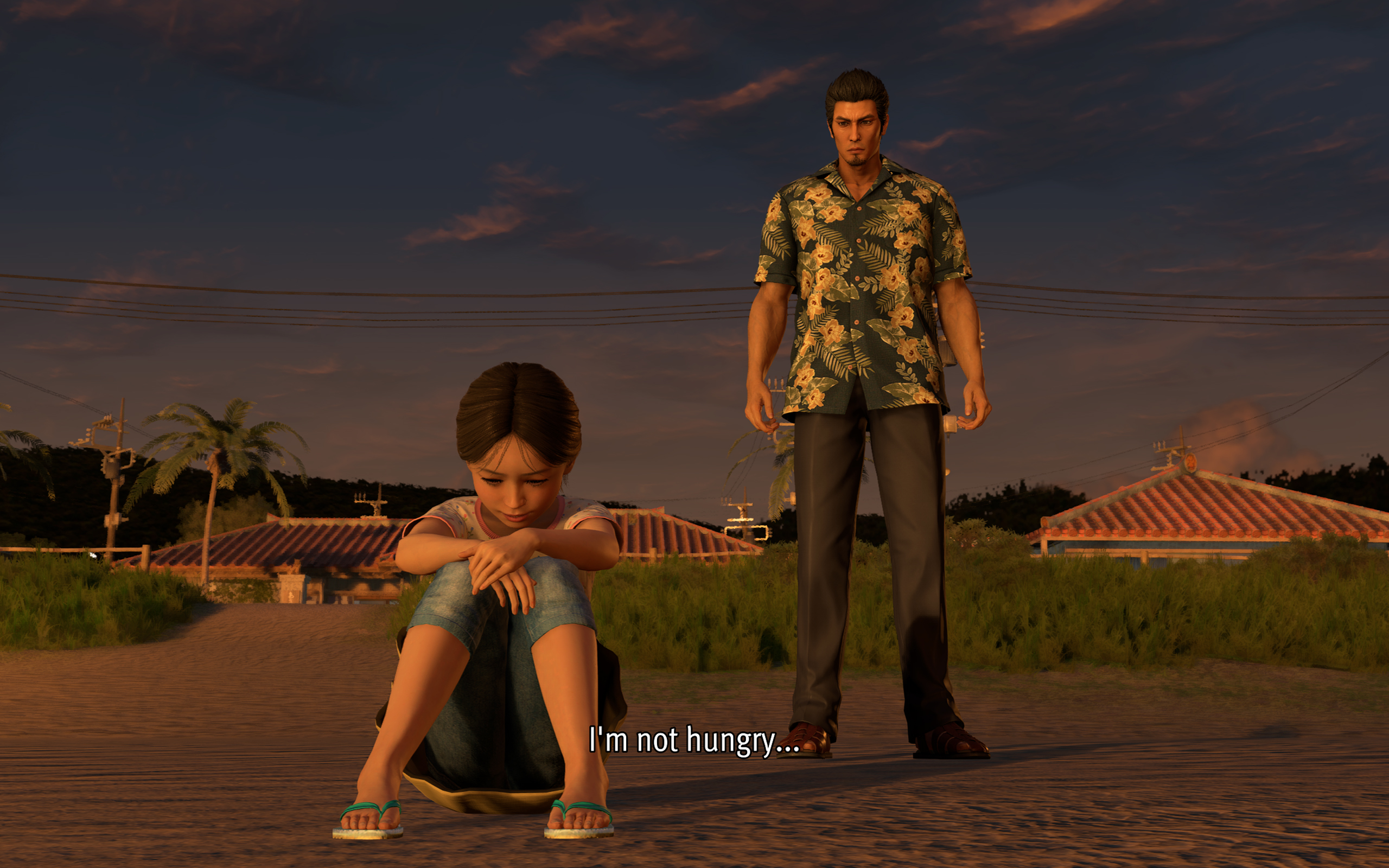
Story-wise, it’s also a turning point for the series. Though Kazuma Kiryu already took the young Haruka under his wing by this point, Yakuza 3 is the first where the series protagonist tasted a life outside of the criminal underworld.
Being such an important milestone for the franchise, a Kiwami remake seems like the best or the worst idea.
(For reference, “Kiwami” refers to an ongoing series of remakes that rebuilds the classic Yakuza games with a new engine that began in Yakuza 0.)
When a new coat of paint doesn’t really help
Yakuza 0 came out in 2015. That means the studio has been using the same engine for over ten years. The engine is starting to overstay its welcome, especially in the Kiwami series.
Despite being built with PlayStation 3 technology, Yakuza 3 still had its limitations. For one, 1080p was just becoming a standard by then. Cutscenes had to be smaller and, thus, more tightly shot. But ultimately, the limits resulted in a more cohesive game that maximized what it worked with. Yakuza 3’s Kamurocho feels alive, and you never know what’s waiting behind the next corner.
Sadly, Yakuza Kiwami 3 does not take advantage of better hardware to update how the game feels. Cutscenes were splashed with a new coat of paint, but the composition remains the same. As a result, they look so empty with so much white space.
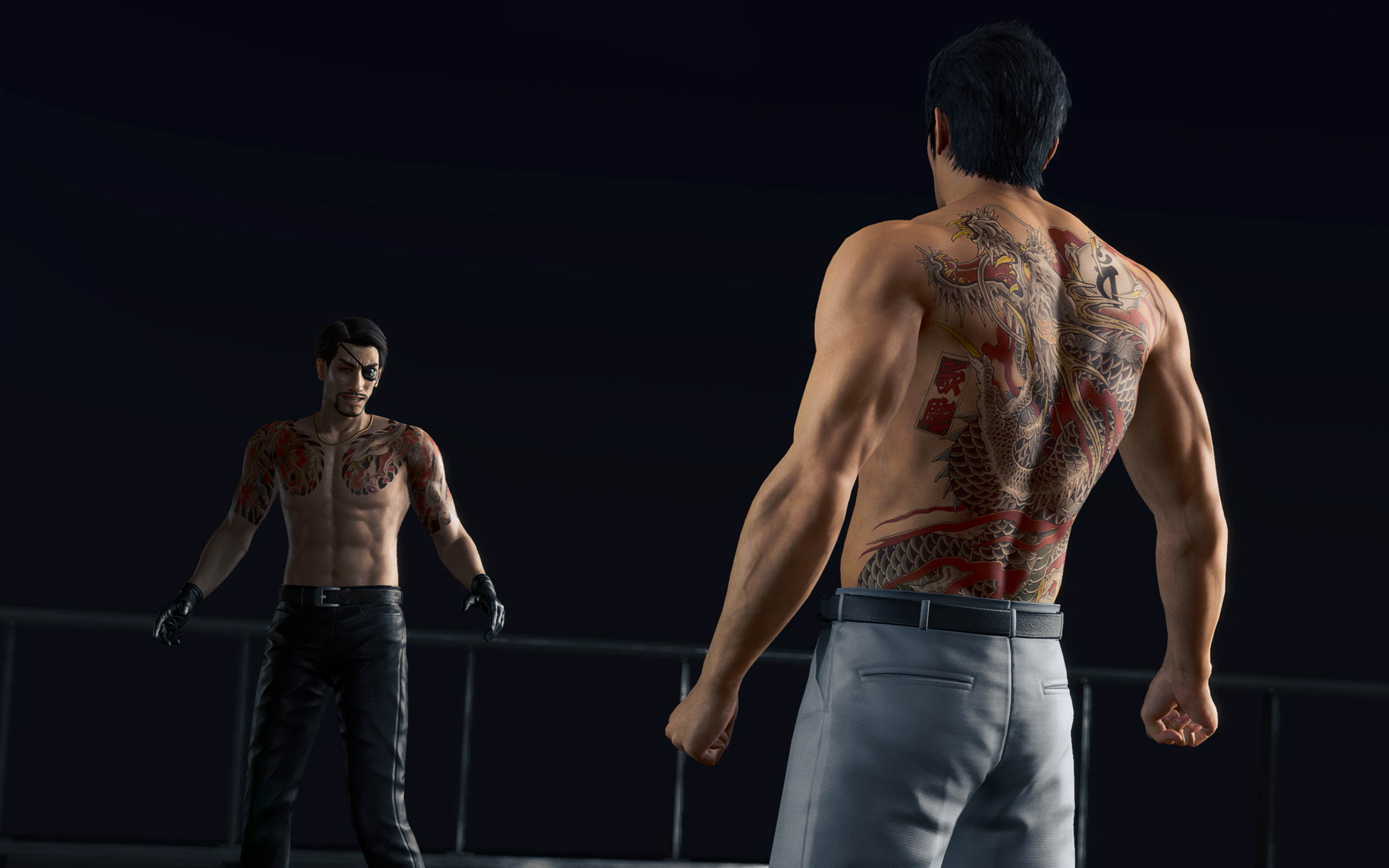
They could have added some clouds.
The “improved” Kamurocho also doesn’t feel all that updated. There’s a palpable sense of sameness as you explore through the game. Even Okinawa looks like just an extension of Tokyo. In the more modern games, exploring was rewarding. Even if the game tells you where missions are, there are new sights and new stores to just look at.
Kamurocho is a central piece of every Like a Dragon game. But I don’t think it has to be static, even if it’s just a remake.
That, and I’m just tired of seeing the same character models every time I boot up a Yakuza game.
A few controversial model changes
To be completely fair, the main characters did get some updates. And, of course, there are a few elephants in the room.
First up is Rikiya, the upstart yakuza from Okinawa. From other media, Rikiya is listed as being around 20 to 21 years old. Now, I’m not a good judge of age based on looks, but the old Rikiya from the original game really doesn’t look like he’s in his early 20s.
Yakuza Kiwami 3 has a new model for Rikiya, one based on Japanese actor Sho Kasamatsu. Others have criticized this decision because the new models looks so different from the original. In my opinion, the change just makes sense; he looks much younger and brasher, just as his character dictates.
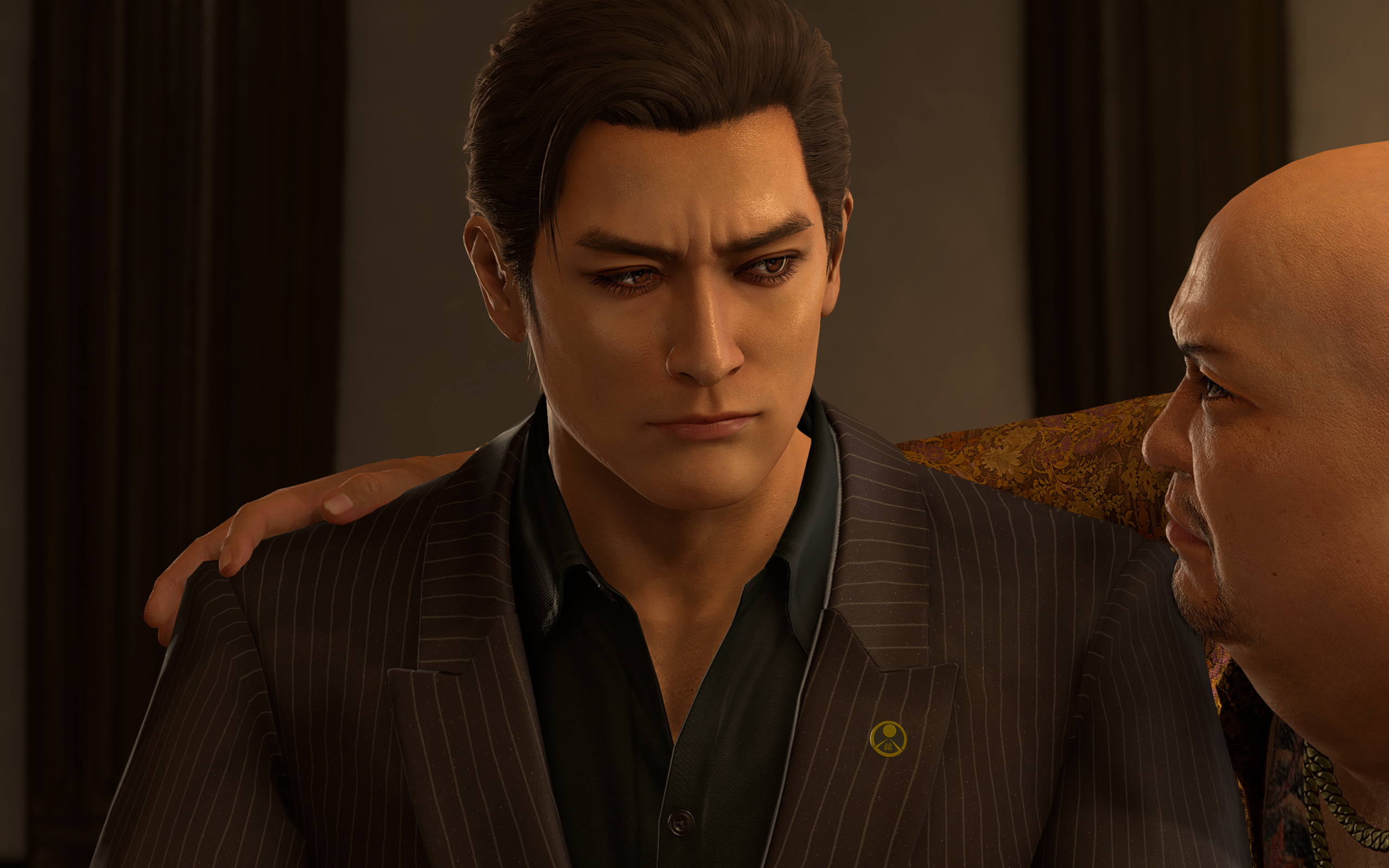
Mine also looks like a Japanese George Russell now.
The other change, however, goes beyond just narrative disagreements. Hamazaki, one of the main antagonists in the game, also received a dramatic change. In contrast to his more thug-like looks in the original, the new Hamazaki looks smarmier and more cunning. The problem lies in their choice of actor, Teruyuki Kagawa, who’s had sexually charged issues in the past.
Strangely, the studio hasn’t responded in a way that’s consistent with how they responded to similar issues in the past. Previously, they halted sales just to deal with an issue with a voice actor. This time, the studio’s response boils down to: “Hamazaki is a creep, so we got a creep to play him.”
*shrug*
A pared down experience
Anyway, on to the gameplay.
Despite the concerns I’ve had with how this remake played out, I still had so much fun. My total playtime, according to Steam, is just a little less than 60 hours. This is also the first review game that I’ve earned all achievements for, before its release. It’s inaccurate to say that it’s a bad game because it hasn’t justified itself as a remake.
Compared to the original, Yakuza Kiwami 3 offers a shorter but tighter experience. While the old one had over a hundred and a dozen substories, the remake has only 31 substories to its name.
The remake is perfectly paced. There are hardly any points when I felt that the game was an endless grind.
Dark Ties, the secondary game focused on Yoshitaka Mine, is just as balanced. It has only three main chapters, 13 longer substories, and around 50 bite-sized activities. The story itself just tells how Mine got into the yakuza life and his relationship with Tsuyoshi Kanda (but we’ll get into the story later).
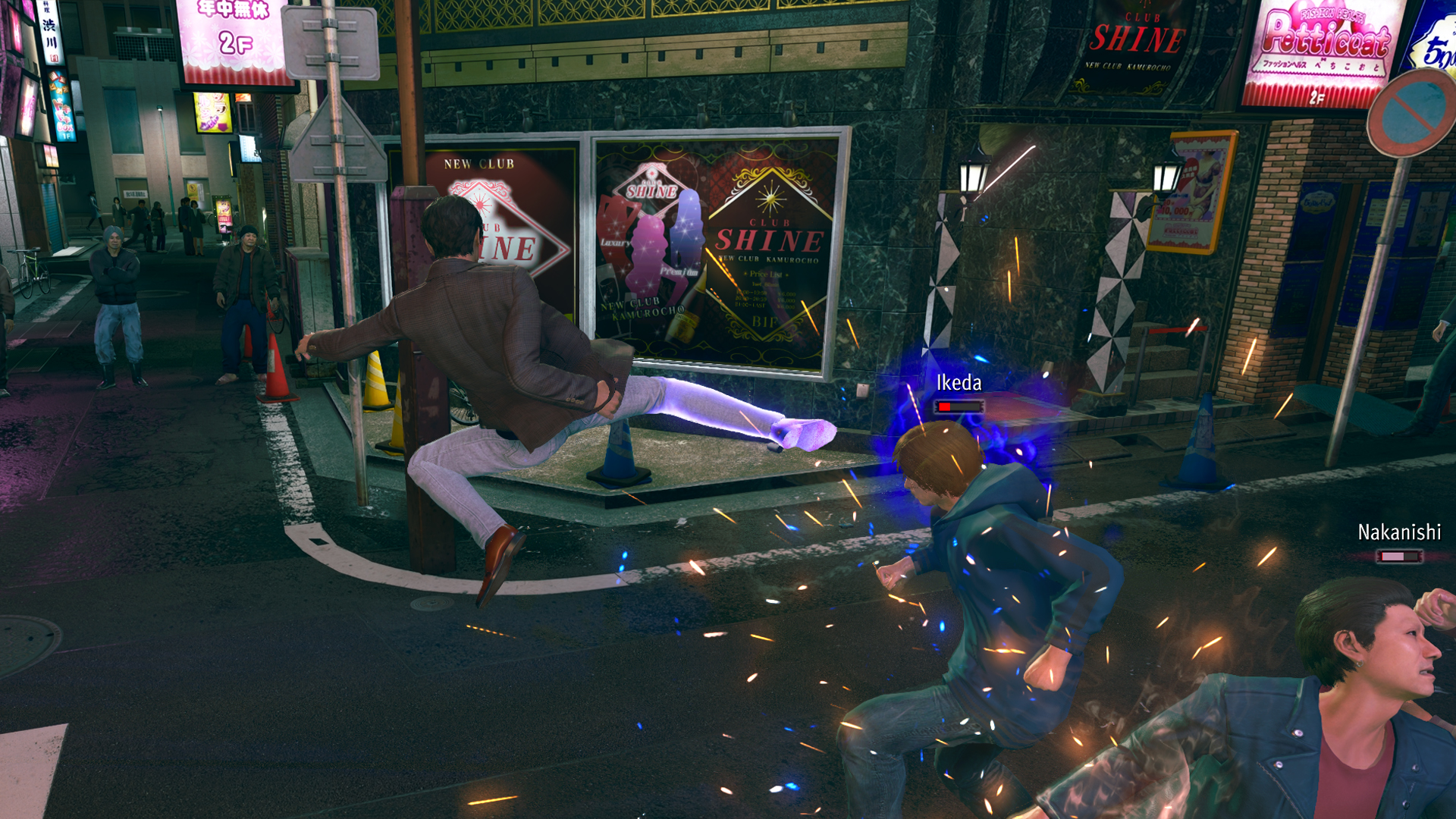
Mine’s fighting style feels smoother than Kiryu’s. He uses quick jabs, kicks, and grapples, similar to Judgment’s Yagami. For me, it’s more enjoyable to beat people up, compared to Kiryu’s slower beat-em-up approach.
Character-wise, Mine is also much colder. Seeing him go through the usual shenanigans of Yakuza’s insane substories is funnier and is much more refreshing because I’ve seen Kiryu go through the same schtick so many times in the past. It’s even funnier that his main goal is to help Kanda rebuild his reputation by doing good deeds around town while pretending to be him.
The side content is much better
As with every Yakuza game, Yakuza Kiwami 3 has secondary game modes that can suck in hours of your time. This time, the main game has two new ones: Morning Glory and Bad Boy Dragon.
Morning Glory is a Stardew-Valley-type mode where Kiryu manages the orphanage of the same name. By doing various minigames, such as sewing and cooking, he increases his reputation as a dad with the kids under his wing.
In the past, I’ve had problems with the franchise’s more laidback game modes, such as Infinite Wealth’s awful Animal Crossing island game. This one, however, is a perfect length. There’s a bit of a grind, but it’s short enough to be completed in one or two sittings.
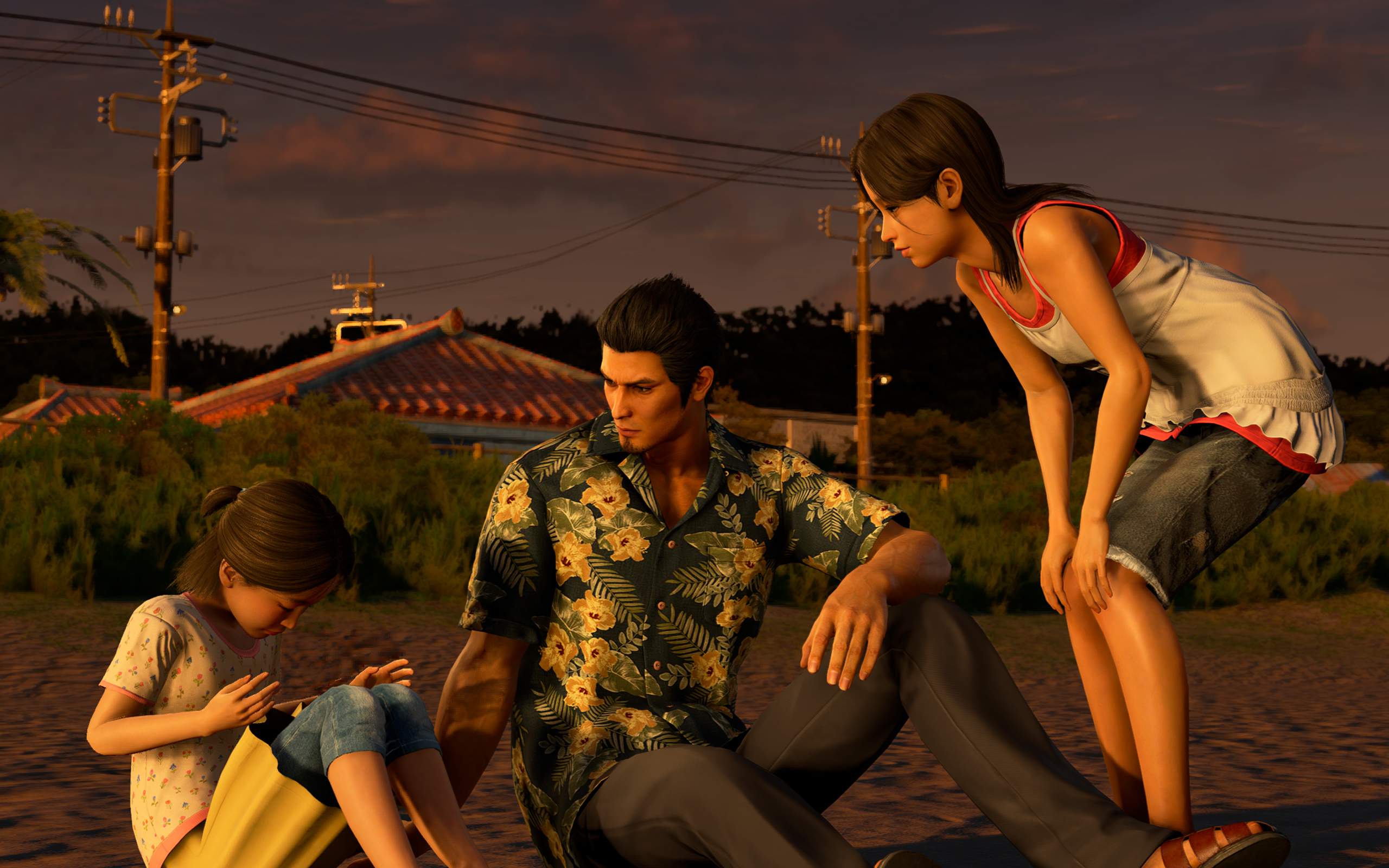
Morning Glory feels more fleshed out.
The same goes for Bad Boy Dragon. In this one, Kiryu helps a female biker gang become the best biker gang in all of Japan. The gameplay is very similar to Pirate Yakuza’s Pirate Showdowns. It’s all about beating stronger and stronger gangs in combat.
Dark Ties has its own side content called Survival Hell, a dungeon crawler mode. Enemies get stronger with every level, so you have to collect “Gospels” that bolster your strength while inside the dungeon. Once again, it’s much shorter than previous modes of the same type.
All of them are enjoyable without dragging too much of your time. It also helps that you can earn big money by completing these modes. For example, completing Survival Hell’s hardest dungeon can net you over 25 million yen at least.
But, again, do we need the remake?
These are all well and good, but we still haven’t answered whether or not Yakuza 3 really needed a remake.
As I played through the game, it became clearer why we’ve gotten to this point. There are subtle to not-so-subtle changes to the story.
Ultimately, it helps with the continuity between games. It’s like the Rebuild of Evangelion but for the Yakuza franchise. However, I can’t help but wonder if fan service was a stronger motivator than building a more cohesive story.
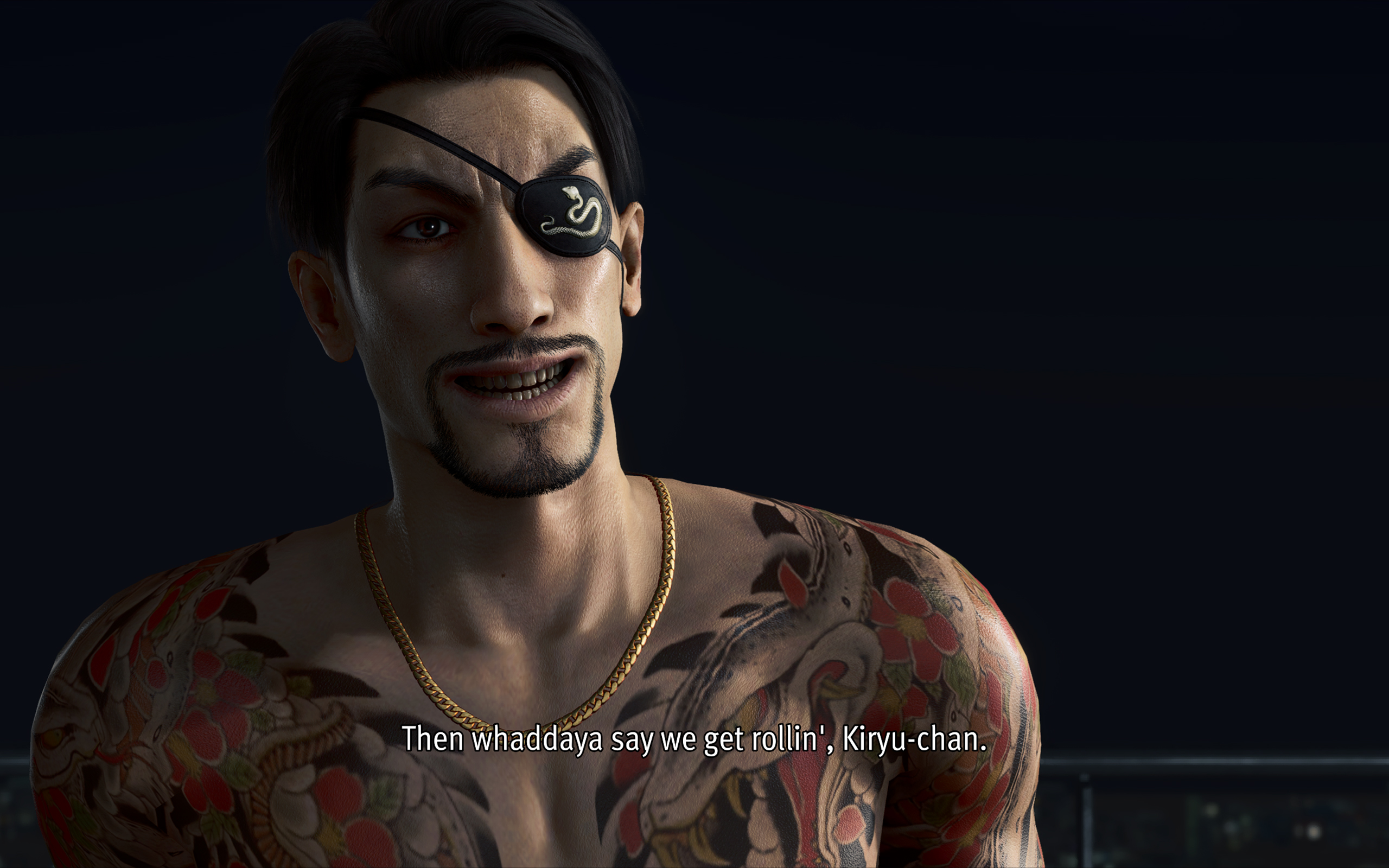
For example, one of the new substories in the main game involves a fortune teller. When she tells Kiryu’s fortune, she references a major plot point in Infinite Wealth, a game that’s set so far into the future from the events of Yakuza 3. It feels a reference just for the sake of making a reference.
The franchise is getting to the point where there are more references and tapping into old wells than introducing new stories and characters.
Is Yakuza Kiwami 3 your PlayMatch?
As its own game, Yakuza Kiwami 3 & Dark Ties works well as its own game. By now, the franchise has perfected the Yakuza formula. It knows how to deliver an enjoyable experience. I wouldn’t have spent 60 hours on it, if it was a bad game.
However, with a reskin that doesn’t stand out from its predecessors and all the self-references, the game struggles as a remake. If you haven’t played the original, the remake is good to get you up to speed with the franchise’s story. However, if you enjoyed the original, there’s hardly any compelling reason to play through this pared-down version again.
Well, except maybe for the Dark Ties content.
Gaming
Bandai Namco Brings Digimon Story Time Stranger, Tales of Arise to Switch 2 in 2026
Two JRPGs arrive.

Bandai Namco Entertainment is bringing two major JRPGs to Nintendo Switch 2 in 2026. Digimon Story Time Stranger launches on July 9, while Tales of Arise – Beyond the Dawn Edition arrives earlier on May 21.
Both titles expand the Switch 2’s growing RPG lineup with large-scale stories, deep combat systems, and full-featured content packages.
Digimon Story Time Stranger arrives in July
Digimon Story Time Stranger launches on Nintendo Switch 2 and Nintendo Switch on July 9, 2026.
The game is a story-driven RPG built as an entry point for newcomers. Players step into the role of an ADAMAS agent caught between the Human World and the Digital World. Both face collapse.
To stop it, players collect, tame, and fight alongside more than 450 Digimon. Combat uses a strategic, turn-based system that rewards planning and team synergy. Digimon grow stronger through bonding and evolution.
On Nintendo Switch 2, players can choose between two visual modes. Quality Mode targets 4K HDR at up to 30 FPS when docked. Performance Mode runs at Full HD with up to 60 FPS both docked and handheld.
Pre-orders are now open for digital editions. Bonuses include exclusive costumes, items, and Agumon (Black) and Gabumon (Black). Deluxe and Ultimate editions add a Season Pass, additional story episodes, cosmetic packs, and early unlock Digimon.
Tales of Arise – Beyond the Dawn launches in May
Tales of Arise – Beyond the Dawn Edition launches on Nintendo Switch 2 on May 21, 2026.
This edition includes the full base game, the large-scale Beyond the Dawn expansion, extra character-focused quests, and various in-game items. Physical and digital versions are available.
Beyond the Dawn is set one year after the original story. It introduces a new narrative arc alongside additional quests, costumes, and rewards.
Combat remains fast and action-driven. Each character offers a distinct fighting style. Players chain Artes, adapt to enemy weaknesses, and control the flow of battle in real time.
A Sword Art Online collaboration pack is also available. It adds Kirito and Asuna-inspired costumes, hairstyles, and a special training quest.
Two big RPGs for Switch 2 players
With Digimon Story Time Stranger and Tales of Arise – Beyond the Dawn Edition, Bandai Namco is delivering two full-scale JRPG experiences to Nintendo Switch 2 in 2026.
One focuses on monster collecting and turn-based strategy. The other delivers cinematic action combat and an expanded post-story arc. Together, they mark a strong year for RPG fans on Nintendo’s next system.
SEE ALSO:
Digimon Story Time Stranger: Back to the digital past
Tales of Arise stories
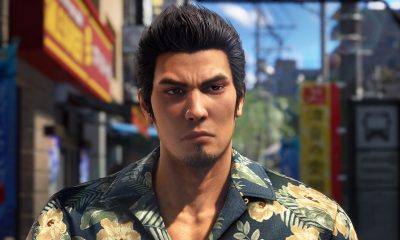

Now Playing: Yakuza Kiwami 3 & Dark Ties
How old should a game be before it gets a remake?


TECNO MEGABOOK K16s 13th review: No-frills beneath those grills
All-around laptop without messing around


My Hero Academia: All’s Justice: A familiar Final War, made playable
Reliving the Final War

Match Pulse: OPPO Reno15 Pro

CM Punk headlines WWE 2K26 Showcase: Punked

Chainsaw Man – The Movie: Reze Arc streams on Crunchyroll this Spring

Google pushes AI tools to help Filipinos stay safe online

Samsung confirms the debut date of the Galaxy S26 series

POCO M8 Pro review: Goin’ loco over this POCO

Infinix NOTE Edge debuts: High-end features for accessible pricing

HONOR X9d 5G review: Tougher, more long-lasting and optimized

Redmi Note 15 Pro+ 5G review: The midrange fashion piece

Mijia Smart Audio Glasses review: Immerse yourself in the music


-

 Apps2 weeks ago
Breaking up with Adobe Photoshop after 20 years
-

 Gaming1 week ago
PlayStation, LE SSERAFIM Chaewon team for the ‘Love of Play’ campaign
-

 Automotive2 weeks ago
VinFast updates battery subscription policy for large upfront savings
-

 Gaming2 weeks ago
Xiaomi SU7 Ultra makes Gran Turismo 7 debut
-

 Accessories1 week ago
Sony WF-1000XM6 was accidentally leaked online
-

 Computers2 weeks ago
3D printing made accessible: Bambu Lab moves closer to everyday consumers
-

 Gaming2 weeks ago
Esports Nations Cup 2026 secures US$ 45M funding
-
 Gaming2 weeks ago
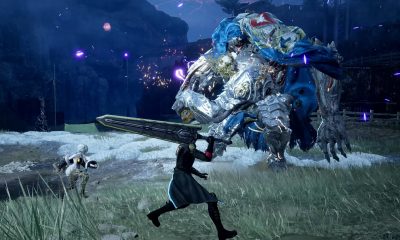
CODE VEIN II now available for consoles, PC