


The messaging apps we use every day should be private and secure. After all, personal messages reveal a lot about us. However, the recent WhatsApp debacle showed us that even the best messaging apps can succumb to sketchy practices.
A lot of companies these days advertise their messaging apps as “secure” but fail to live up to that promise. By default, users on the market for secure messaging apps should look if the app promises end-to-end encryption (E2E) for messages.
In simplest terms, end-to-end encryption means your messages are encrypted on the device before they get sent to servers. Encrypted here means turning your messages into random characters that only you and the person you’re sending the message to can properly read with a shared key. Think of encryption as sending secret letters with garbled characters to someone where the garbled characters can only be read with a guide.
With end-to-end encryption, you can be confident that no third parties will be able to read your messages. Only you and the person you are sending the message to can read the encrypted message. This is important in this day and age especially when malicious hackers companies and even governments are out to get your message for different reasons such as blackmailing, profiteering, and surveillance.
So, here are the five best secure messaging apps that you can use every day with E2E enabled by default.
1. Signal: the up-and-coming alternative to WhatsApp
If you’re after the best of the best, then Signal is the one to get. This messaging app’s popularity skyrocketed as a result of the WhatsApp debacle. Suffice to say, the app continues to attract more users wary of the policy change in WhatsApp.
One major draw of Signal is its simple and intuitive interface. It works just like any other messaging app on the market. If your contact uses Signal, you can initiate a chat or a call relayed through secure servers. As for the chat features, you get file and image sharing, audio clips, stickers, GIFs, and reactions. You can even set your messages to disappear after a period of time.

Group calls and chats work the same as you expect from other competing messaging apps.
Signal encrypts messages using its own open-source encryption protocol which has been touted as one of the most secure in the market. The whole app is also open-source so anyone can view and scrutinize the code of the app.
If there’s one major disadvantage to Signal, it would be the lack of users and features as compared to other popular messaging apps. As a consolation though, it counts influential figures such as Elon Musk and Edward Snowden among those who use it.
Another disadvantage for some users is that the app requires a phone number to register. It may not sound like a big deal, but it is a complete put-off for users who are concerned about their privacy. Luckily, developers have already confirmed that it is working on alternative ways for user registration.
The app is available for Android and iOS. For the best experience, you can also install Signal for Desktop which lets you send messages even without your smartphone nearby.
2. Wire: made in Switzerland
Wire may not exactly ring a bell to most, but it is one of the up-and-coming secure messaging apps in the market. Like Signal, it encrypts all messages by default. Originating from Switzerland, Wire users are covered by stricter European laws so you have that extra peace of mind.
The app also touts a simple and modern interface that makes it stand out in the crowd. Like other messaging apps in the market, it offers an easy way to chat with your friends or family members. It also supports image and file sharing, audio clips, GIFs, and message reactions. It even does secure voice and video calls.
Everything in the app is also open-source, just like Signal.
The app also offers additional features for businesses and organizations. These include secure collaboration features such as conferencing. Of course, those extra niceties come at different tiers and prices — Wire Pro and Wire Enterprise. As a side note, you can easily switch between personal and work accounts on the app.
Wire is available to download for Android and iOS. It also offers a web login for desktop users.
3. Wickr Me: best for businesses
Wickr Me works exactly like Wire, catering to both individuals and businesses. However, the app has three versions: the regular Wickr Me, a Wickr Pro version, and the enterprise-focused Wickr Enterprise. For most users, however, the regular Wickr Me is more than enough for their secure messaging needs.
By default, the regular Wickr Me features individual and group messaging for up to 10 people. You don’t need a phone number or an email address to register. In terms of interactivity, the app allows sending of files, images, and voice clips in a conversation. You can even set your messages and files to automatically delete themselves after a set amount of time.

The downside is that it lacks some features that are standard in other messaging apps. For example, it doesn’t have support for GIFs, message reactions, and replies. The biggest downside, however, is that you can only do audio or video call up to one person at a time on the regular Wickr Me.
Wickr Me shines the best when it comes to business use cases. Wickr Pro and Wickr Enterprise bump up the limit of group chat participants to 500 people and allows for group audio and video calls. These versions also gain broadcasting and screen sharing features. Wickr Enterprise even allows for self-hosting and full customization for big businesses.
All the versions of Wickr Me are open-source. Android users may get it on the Google Play Store while iOS users on the Apple App Store. There are also desktop apps available for Windows, macOS, and Linux users.
4. Threema: that one-time fee is worth it
Threema may put you off with its one-time cost of US$ 2.99, but that price is worth it since you’re looking at one of the most versatile and secure messaging apps in the world. It even boasts itself as being more secure than Signal.
The app doesn’t require phone numbers for registration. Instead, you are given a random ID upon signing up. From here, you can choose to optionally link your phone number or email address. Since it complies with strict European General Data Protection Regulation (GDPR) laws, you are guaranteed additional protection for your messaging data. Not to mention, the whole app is also open-source.
There is also a plethora of features to explore on the app, including unique ones that can’t be found in others. It supports text and voice messaging as a standard. You can also create groups though you can’t initiate a group call at the moment. Sending media, files, and location is supported too. On top of it all, you get a handy polling feature and text formatting.
Like most on this list, Threema struggles in terms of total users. It doesn’t help that the app requires a one-time fee to use it, putting off potential users. Despite this one-time fee though, the app enjoys high rankings on both Android and iOS platforms.
You can get the app on Android and iOS. Desktop users may also access Threema via this web app.
5. iMessage: for Apple users only
Into the Apple ecosystem? You will be glad that Apple offers its own secure messaging app for users — the ever-popular iMessage. Even though it has a few downsides of its own, the Apple-exclusive messaging app is more feature-rich than ever.
Its rich set of features has made it one of the top choices for a secure messaging app. Like its competitors, it boasts secure text and voice messaging. Users have the ability to send media files too. Support for message reactions is here too, along with the ability to do inline replies. Plus, you get plenty of integrations with third-party apps that support iMessage.
Memojis and animojis are here to spruce up the messaging experience too. The app ties nicely into the whole Apple ecosystem, taking advantage of exclusive features such as iCloud backup which is godsent for iPhone users who regularly upgrade their devices.

Of course, the biggest drawback to iMessage is its limited availability. You cannot get iMessage on other non-Apple devices, and there is no indication that this will change in the future. Third-party solutions exist to remedy this but be warned that they are not officially recognized by Apple.
Another major downside is its closed-source nature. That means that independent security auditors can’t view and verify if iMessage is as secure as Apple would like its users to think.
Since this is Apple-exclusive, you can only get this on iOS and macOS devices. There is no need to install anything since the app is already integrated into the default messaging app.
Telegram: use at your own risk
The fallout of the whole WhatsApp debacle is a surge in the use of Telegram, a widely-popular messaging app that touts secure messaging for all. However, there is a big if to this premise. Telegram actually doesn’t use end-to-end encryption by default unless a user opts to do so via the “Secret Chats” feature.

Granted, users enjoy better features when using this as compared to others on this list. Most of these features, however, are only available to chats not using end-to-end encryption. Worse, end-to-end encrypted chats are limited to one person, unlike the others which allow for group messages.
As a tiny consolation though, voice and video calls are end-to-end encrypted by default. This doesn’t erase the fact that Telegram isn’t as secure as the company claims it to be, so use it at your own risk. If you really have to use it though, you will need to start a new message while selecting the secret chat feature.
Encryption is the key
In this day and age, it’s better to be safe than sorry. This doesn’t only apply to physical situations (especially at a time of pandemic), but also to digital scenarios such as communicating with others. Malicious hackers, rogue agencies, and even ordinary tech companies have gotten more sophisticated in acquiring personal data — simple safeguards just won’t work anymore.
In looking for a secure messaging app, you should always check if it offers end-to-end encryption by default. Encryption literally is the key to ensuring that your messages remain safe between you and your intended recipients.
Luckily, the market nowadays is moving towards enabling end-to-end encryption by default. Facebook, for example, has promised to enable it across all of its messaging apps in the future. Until then, you should be wary of using messaging apps and use common sense in giving out personal information.






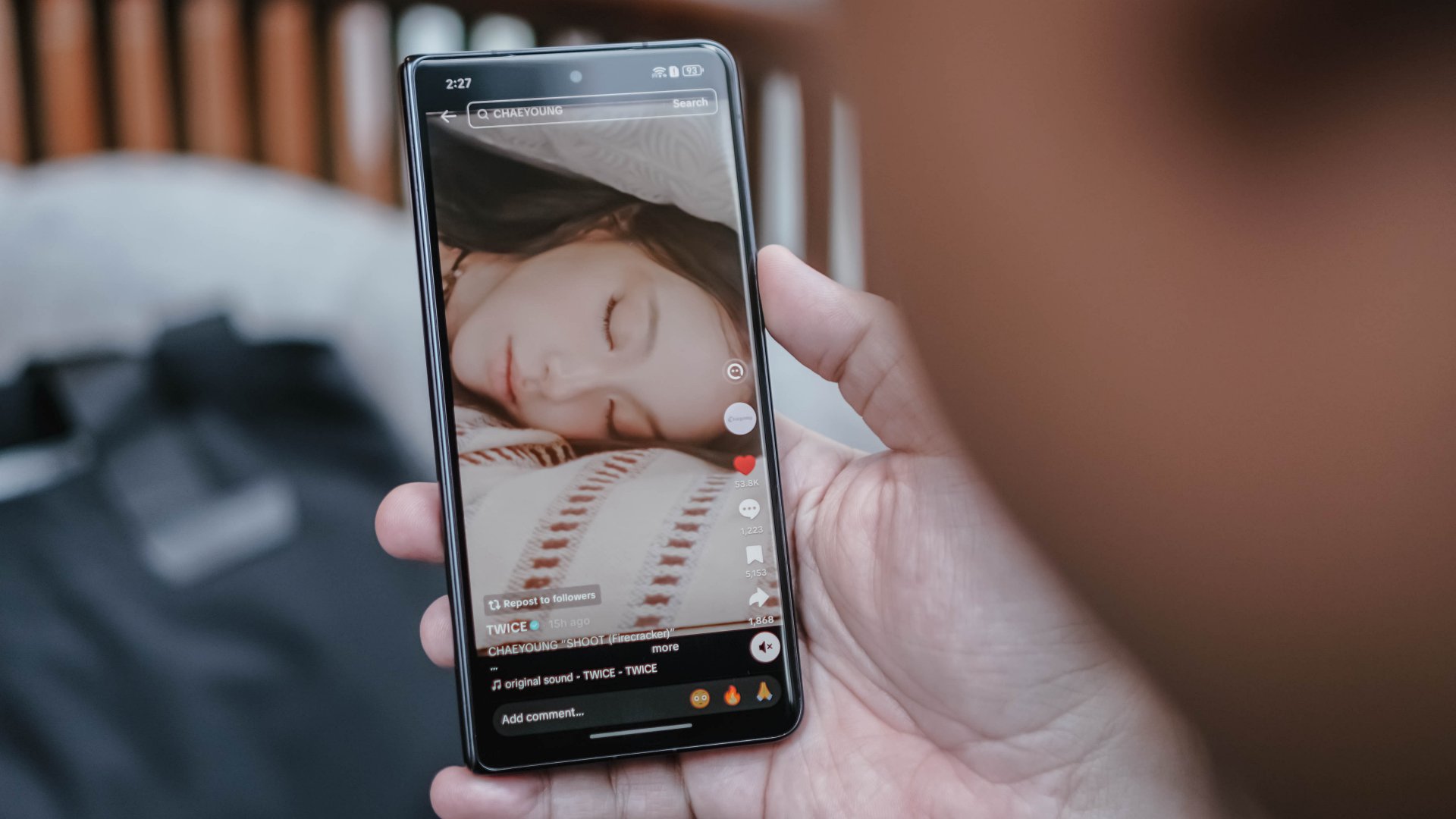
Doomscrolling is the greatest enemy to everyone’s productivity today. The temptation to keep on scrolling for hours is an ever-present temptation. Taking a very strong stance against the phenomenon, the European Commission is now investigating TikTok for having an addictive interface.
Via Politico, Brussels is now prodding TikTok to change its interface. Very technically, the European Commission is not out to get doomscrolling, specifically. However, the major changes that they want to introduce “disabling infinite scrolling, setting strict screen time breaks, and changing its recommender systems.”
App addiction is a persistent problem today. Besides concerned parents, governments around the world have been trying to regulate addiction, especially when it comes to children. The European Commission, as is apparent from this new initiative, is at the forefront of preventing addiction.
Though the target is explicitly TikTok right now, changing addictive interfaces will also affect other social media platforms including Facebook, Instagram, and X. Most platforms nowadays thrive on encouraging users to keep scrolling through more content.
Right now, TikTok isn’t set to change just yet. However, the report states that the European Commission is willing to work with platforms for a better, non-addictive interface. It’s less abrasive than the region’s recent privacy initiatives, which requires users to verify their age before accessing mature content.
Apps
Breaking up with Adobe Photoshop after 20 years
Wedding planning and Apple Creator Studio made me realize it was time


Planning a wedding, even a small and intimate one, has a way of sharpening your sense of priorities. Right as my fiancé and I were making decisions for our city hall wedding here in New York City, Apple announced Creator Studio.
Creator Studio is a subscription service that gets you access to eight creative pro and productivity apps for US$12.99 a month, or US$2.99 if you’re a student or educator. The design app included in the subscription, Pixelmator Pro, is also available as a standalone purchase for US$49.99. Adobe Photoshop, my design software of choice for over two decades costs me US$22.99 a month.
Seeing those numbers next to each other made me pause. It’s not that I was unhappy with Photoshop. I was just suddenly made aware how expensive it is. I’d been paying more for a single tool than I could for an entire creative ecosystem.

Adobe Photoshop was my first foray into the world of graphic design
Creative Studio’s lower price point, along with the free trial, made me consider switching to Pixelmator Pro altogether. That’s something I never thought I would do. Photoshop was how I got into graphic design. It was my first love, and up until recently, I truly thought it would be my ride or die.
Getting to know Pixelmator Pro
If you’re not familiar, Apple’s Pixelmator Pro is a graphic design and image editing app that’s similar to Adobe Photoshop. In practice, it covers a huge amount of the same ground but with a very different philosophy around usability and design.
I tried Pixelmator Pro, mostly as a challenge because we were doing a YouTube video on Apple Creator Studio. Personally, I was lowkey excited to try something new.
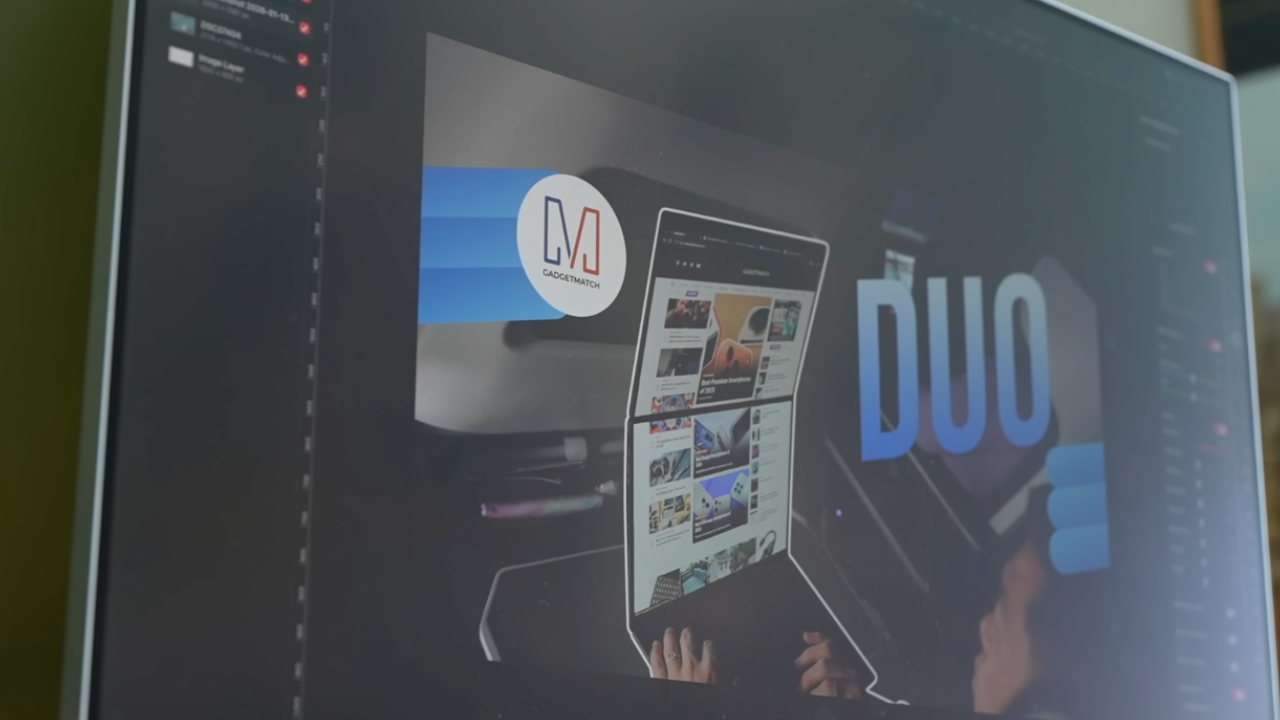
The first time I loaded the app, I recreated our YouTube thumbnail template — all within 10 minutes — and I haven’t looked back since.
Familiar enough to feel effortless
One of the biggest reasons my transition to Pixelmator Pro was so easy is muscle memory. Many shortcuts behave the same way: cmd+T for transform, cmd+R to show rulers, cmd+J to duplicate layers, just to name a few.
Having used Photoshop since high school, it felt familiar and intuitive — the complete opposite of how it felt to try and switch to Adobe Illustrator many years ago.
Photoshop is how I got into graphic design. It was my first love, and up until recently, I truly thought it would be my ride or die.
Later, I learned that you can import PSD (Photoshop) files directly to Pixelmator Pro. Apparently I didn’t even need to recreate the GadgetMatch assets. It does a good job of converting and preserving layers.
Photoshop now feels archaic

After using Pixelmator Pro for a few days, going back to Photoshop felt jarring. The sharp edges of the UI felt cold and rigid. Everything was layered with popups, panels, and tiny interruptions.
Pixelmator Pro, in comparison feels warm, smooth and frictionless. Its user interface is very Apple-like — rounded edges, softer icons and buttons. The Creator Studio version also gets the new Liquid Design touch, with transparent menus and elements that feel dynamic.
I especially love the little things. Color adjustments live in one simple panel instead of being scattered across different windows. There’s an eyedropper tool beside every color picker with a magnifier built-in.
When you hover over tools, it shows you the shortcut (e.g. “R” for Repair). There are also subtle animations, like when you use the Color Fill tool to change your canvas color.
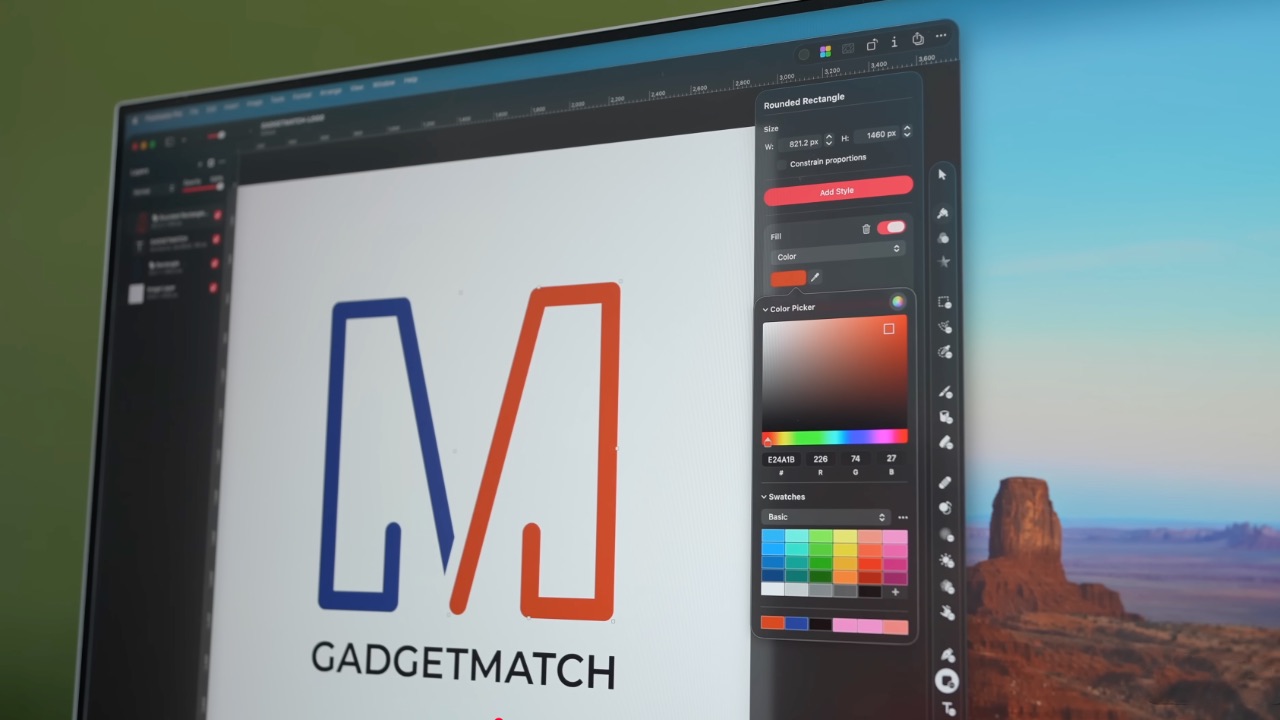
Pixelmator Pro’s UI is warm, snappy, and approachable
The differences in user experience are stark. Photoshop’s animations either don’t exist or are too abrupt for one to notice.
Smart tools without the noise
Photoshop has one clear advantage over Pixelmator Pro: Generative AI. It’s great and powerful especially when you need to save time.
I personally used it a couple of times before to save time on cloning, erasing, or expanding elements. Am I going to miss it with this switch? Something tells me I won’t.
Pixelmator Pro’s clone and repair tools, though seemingly so simple, work like a charm. And for how I usually manipulate images, those two are more than enough.
From digital to physical
If Pixelmator Pro was going to replace Photoshop in my workflow, wedding prep was the perfect time to give it a real world test — and it more than held its own. Its ease of use gave me permission to think outside the box, because I knew I had a reliable tool that can help me make it happen.

On the left, a Kufic-inspired wedding logo designed on Pixelmator Pro; on the right, 3D printed stamps
Since my fiancé is half-Iranian, I designed a logo combining our names, inspired by Kufic calligraphy, and I did it entirely in Pixelmator Pro. I developed that same logo further and designed a save the date, with color, also inspired by Kufic calligraphy. I went through a few iterations to come up with the final designs, which were made easier by the Shape tool and grid overlays.
My fiancé then took the logo I designed in Pixelmator Pro, converted it to 3D on Revit, and printed it into stamps in different sizes. One way we’re using it is to deboss the handmade pottery he’s making as one of our party favors.
There are a few more wedding pieces I’m designing on Pixelmator Pro in the coming weeks: our final invitation, and the custom stationery for the dinner that follows the ceremony.
Through this whole process, Pixelmator Pro never felt like it got in the way, or that it was limited. On the contrary, it feels like that enabler friend who says yes to every idea I have, and can actually help make them real.
Powerful, but approachable
The best way I can describe what using Pixelmator Pro is like is this: it’s a mix of Photoshop’s professional tools, Canva’s free library of assets, and Apple’s UI sensibility.
Shortly after Apple announced Creator Studio, Adobe rolled out significant Creative Cloud discounts. Are they threatened? They better be.
That makes it great for beginners, small business owners, and casual creators. Like Canva, it comes with some beautiful templates to help someone with zero experience come up with something good.
But unlike Canva, it still feels like a serious design tool. I can do so much of what I need using Pixelmator Pro but with UI that’s so much more approachable compared to Photoshop.
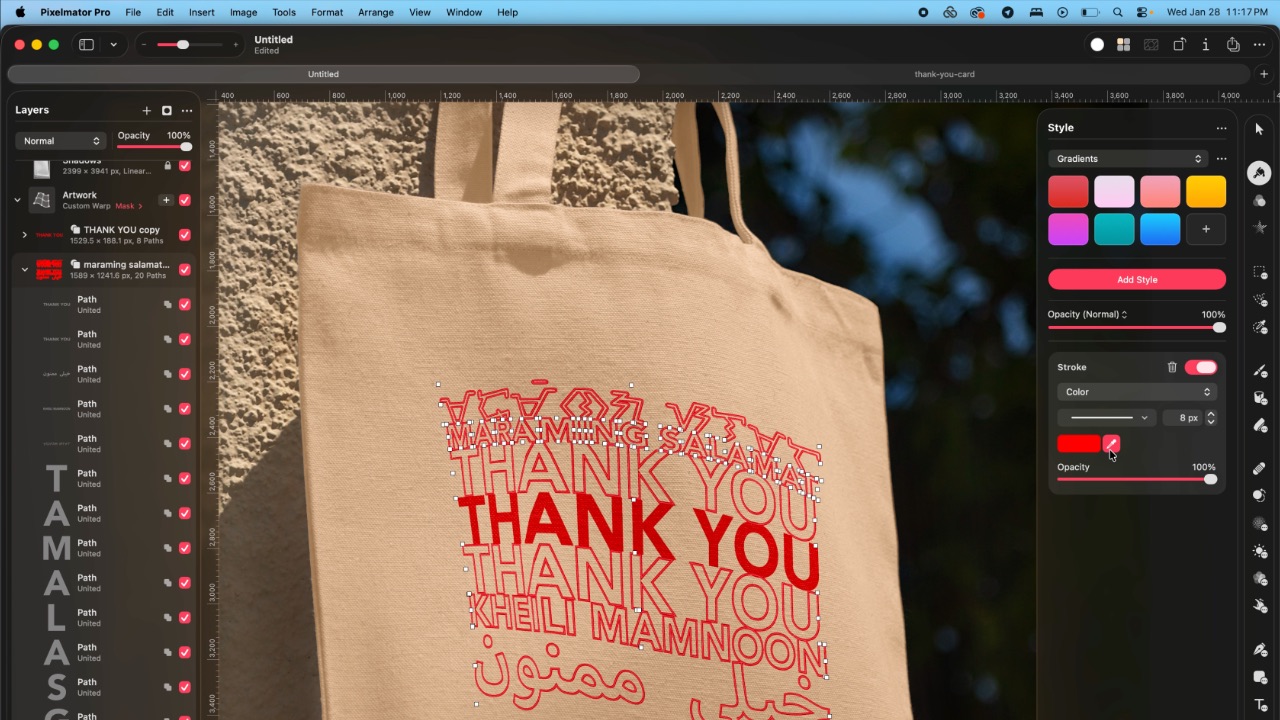
As the great philosopher Ariana Grande once said, “Thank U, Next”
I remember meeting Canva’s founders before launch and not fully understanding their mission to make graphic design accessible to everyone. Now I do.
It was never about replacing Adobe products and pro designers. What Canva did was fill a huge void we didn’t know existed. They democratized something that used to be reserved only for the privileged few.

Pixelmator Pro comes with free templates, assets, and mockups like this MacBook Pro and coffee packaging
Pixelmator Pro’s lower barrier to entry has potential to make a significant impact. My hope is it opens doors for people who were previously shut out of the graphic design world, and that it becomes something they can grow with, just as I did with Photoshop.
Adobe is still the industry standard
Switching to Pixelmator Pro wasn’t about rejecting Adobe, in the same way that Canva’s success did not kill Photoshop.
It’s worth noting that Adobe products are still the standard in the industry. A lot of companies rely on them, and most schools teach them. In a traditional design or agency environment, Photoshop and Illustrator are still the default language.
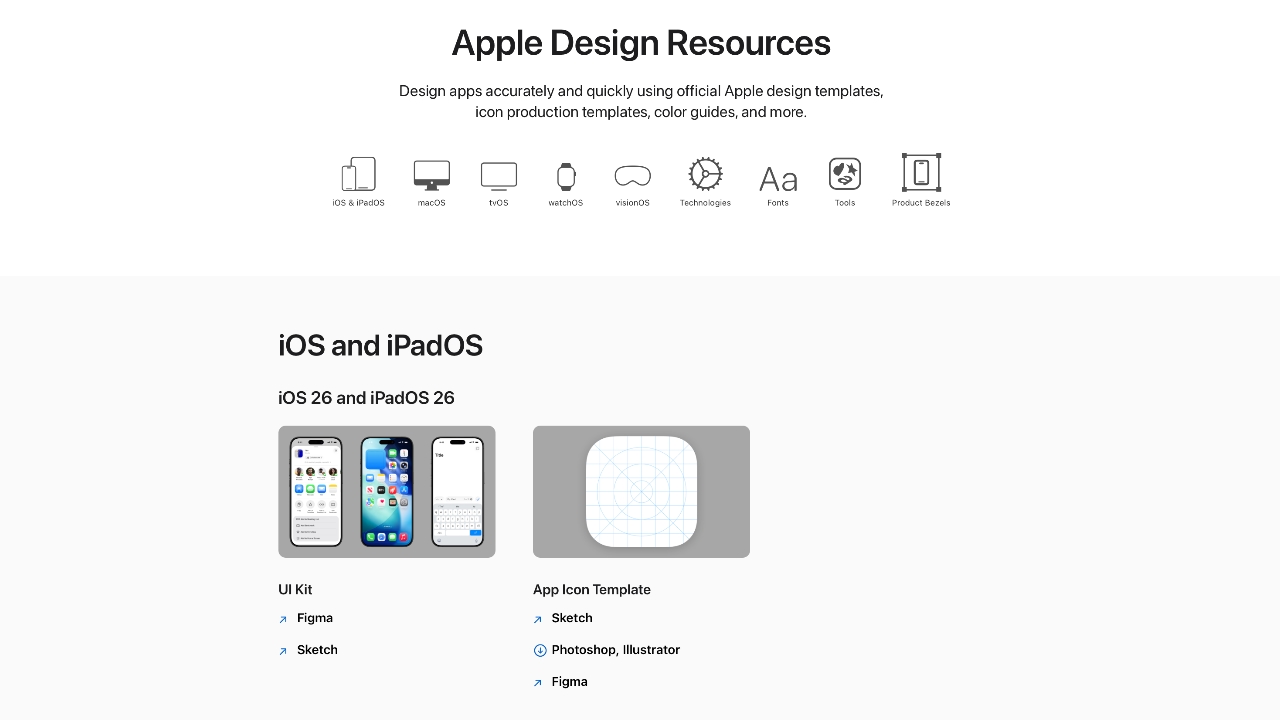
Even on Apple’s own Design Resources site for developers, the official design templates are built for Adobe Photoshop and Illustrator, not Pixelmator Pro. That says a lot about how embedded Adobe is in professional workflows.
Competition makes the space better
Apple Creator Studio, and tools like Pixelmator Pro, challenge Adobe’s near-monopoly in a really healthy way.
It’s not lost on me that trading Photoshop with Apple software actually keeps me locked into one ecosystem. But having more pro creatives try Pixelmator Pro can put pressure on the industry. A strong alternative that’s more cost effective can force titans and dinosaurs to evolve in a way the likes of Corel was never able to do.
Ideally, that means better products and fairer pricing for everyone. Shortly after Apple announced Creator Studio, Adobe rolled out significant Creative Cloud discounts. Are they threatened? They better be.

Pixelmator Pro’s intuitive UI makes switching from Photoshop easy peasy
Access matters, and at the end of the day, with a healthy competition in the market, it’s consumers that win. Canva is a great example of this. It made design tools accessible to those who aren’t professionals. It didn’t make everyone a great designer, just as a novice who tries Final Cut Pro today won’t become a pro video editor tomorrow. Design is still a craft you develop over time with practice.
Is Pixelmator Pro my GadgetMatch?
Photoshop still has its place. But for my everyday work, and occasional personal projects, Pixelmator Pro can do everything that I need to accomplish, at a fraction of the cost.
It feels faster, lighter, and more alive. Honestly learning my way around new software has been so enjoyable — so much so that I feel a renewed sense of eagerness to try other design software like Blender and Figma.
Pixelmator Pro never felt like it got in the way, or that it was limited. On the contrary, it feels like that enabler friend who says yes to every idea I have, and can actually help make them real.
Wedding planning and Apple Creator Studio didn’t just make me switch to a new software. They also made me question how much I’ve been missing out on. How much of what I do is simply due to inertia?
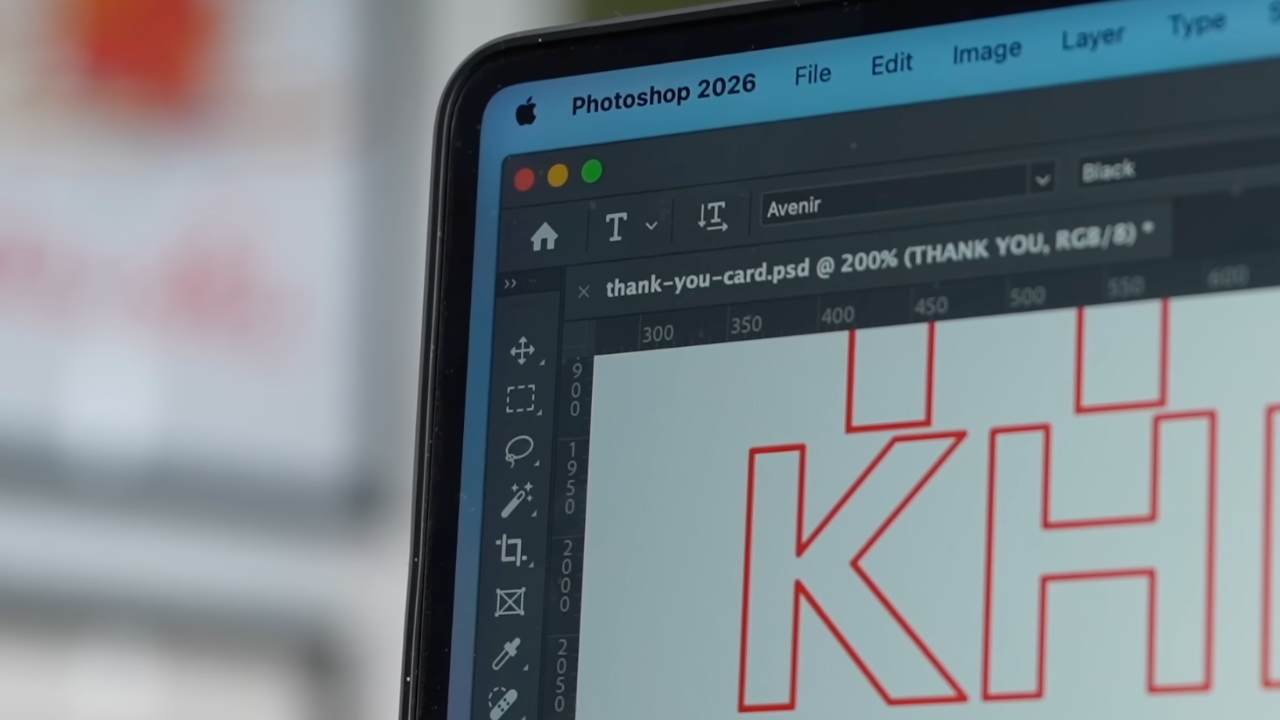
Ending my longest relationship doesn’t mean it failed. I’m grateful for what Photoshop taught me. It helped shape the creative professional that I am today.
But alas, this is one area where my practicality wins over loyalty. Relationships — with people or with tools — only work when both parties keep showing up. There’s no room for complacency, despite the history.
Walking away from something that taught me so much feels bittersweet, but Pixelmator Pro fits the way I work now, and I hope it grows with me as I turn the next page.
Apps
Apple Creator Studio: Creative apps bundled into single subscription
All the tools you need, one payment

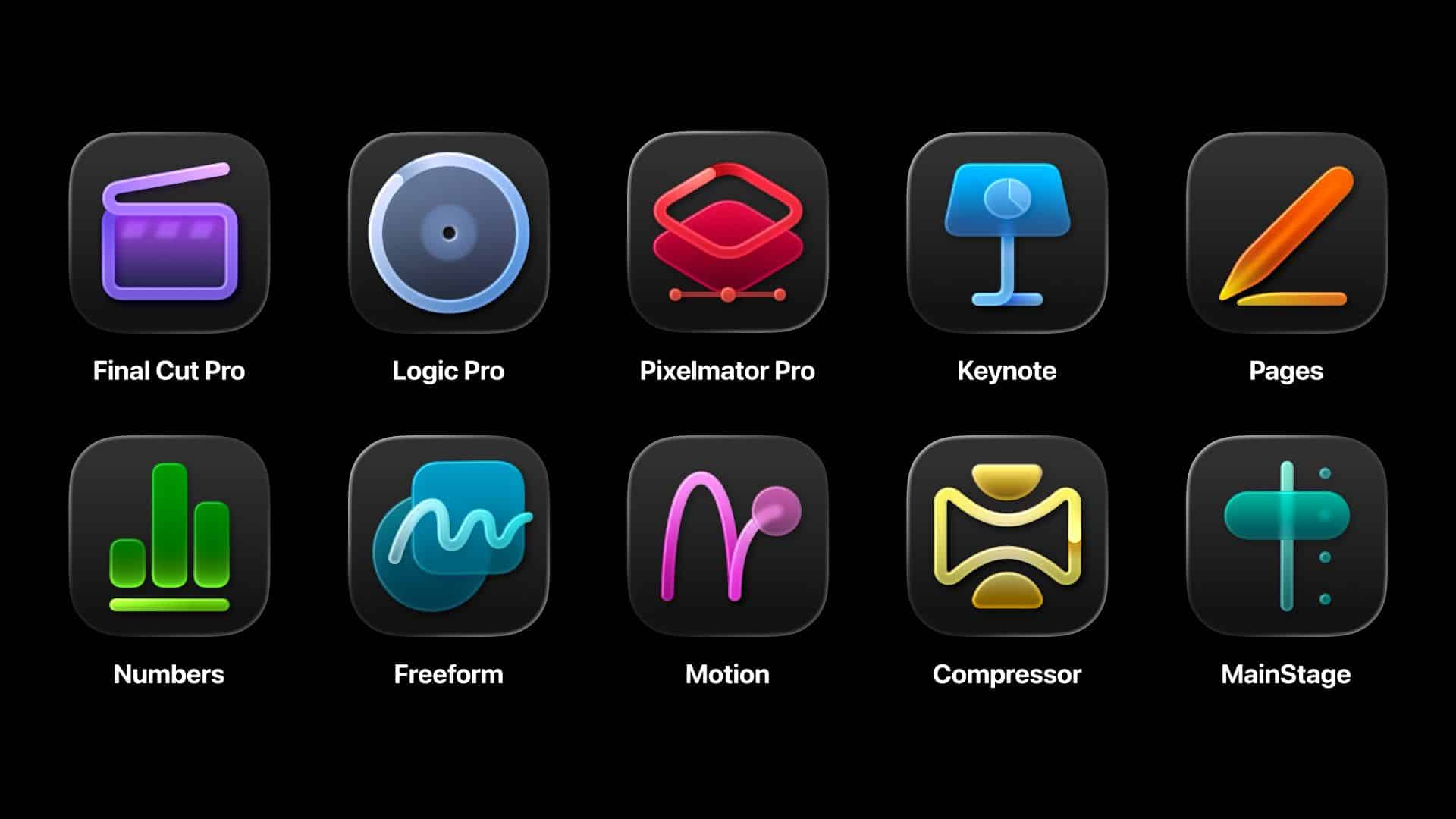
Apple has officially streamlined its popular creative apps into one single subscription suite with the introduction of Apple Creator Studio.
The collection includes some of the most useful apps for today’s creators: Final Cut Pro, Logic Pro, Pixelmator Pro, Motion, Compressor, and MainStage.
New AI features and premium content in Keynote, Pages, and Numbers also make the Apple Creator Studio an exciting subscription suite. Freeform will eventually be added to the lineup.
The groundbreaking collection is designed to put studio-grade power into the hands of everyone. It builds on the essential role Apple devices play in the lives of millions of creators worldwide.

The apps included cover video editing, music making, creative imaging, and visual productivity to give modern creators the features and capabilities they need.
Final Cut Pro introduces exceptional new video editing tools and intelligent features for Mac and iPad.
For the first time, Pixelmator Pro is also coming to iPad with a uniquely crafted experience optimized for touch and Apple Pencil.
Logic Pro, meanwhile, for Mac and iPad introduces more intelligent features like Synth Player and Chord ID.
Apple Creator Studio will be available on the App Store beginning January 29. In the Philippines, the rates are PhP 399 a month or PhP 3,990 annually.
There is also a free one-month trial which includes access to:
- Final Cut Pro, Logic Pro, and Pixelmator Pro on Mac and iPad
- Motion, Compressor, and MainStage on Mac
- Intelligent features and premium content for Keynote, Pages, Numbers, and later Freeform for iPhone, iPad, and Mac
College students and educators can subscribe for a discounted price of PhP 149 per month or PhP 1,490 per year.







HUAWEI FreeClip 2 launching on February 19

Apple brings HLS video podcasts to Apple Podcasts

Apple’s March 4 Event signals something BIG is coming

Now Playing: ‘Wuthering Heights’

EU wages war against doomscrolling

Infinix NOTE Edge debuts: High-end features for accessible pricing

HONOR X9d 5G review: Tougher, more long-lasting and optimized

BYD expands PH presence with entry of DENZA luxury EVs

Now playing: Final Fantasy VII Remake INTERGRADE on Switch 2

Breaking up with Adobe Photoshop after 20 years


-
 News1 week ago
TECNO will showcase the CAMON 50 and POVA 8 series at MWC 2026
-

 Laptops1 week ago
TECNO MEGABOOK K16s 13th review: No-frills beneath those grills
-

 Gaming2 weeks ago
My Hero Academia: All’s Justice: A familiar Final War, made playable
-

 Features1 week ago
HUAWEI MatePad 11.5 S 2026: The better-than-ever 4-in-1 productivity tablet
-

 Gaming2 weeks ago
Overwatch reinvents itself with a new story and five new heroes
-

 Gaming2 weeks ago
Valve is delaying the launch of the Steam Machine
-

 Gaming2 weeks ago
The Nintendo Switch is now Nintendo’s best-selling console ever
-

 News2 weeks ago
HONMA x HUAWEI WATCH GT 6 Pro for golf launches