
Accessories
DJI launches the ultra-portable Osmo Mobile 3
It’s now foldable!


DJI has been a quintessential part for most people — drones, portable cameras, action cameras, you name it, they have it. With the existence of advanced smartphone cameras, there’s no doubt that mobile cinematography is also getting better. DJI continues to prove that they are the world’s leader in creative camera technology with the Osmo Mobile 3.

The third iteration of the Osmo Mobile is the first folding stabilizer made by DJI. They have specifically thought of its new folding design to make it more portable for everyone. The redesign also paves way for clutter-free operation, even when you are using charging cables and external mics.

It doesn’t stop there as they also included efficient and convenient buttons so you’re ready to shoot whenever, wherever. You can access Quick Roll by pressing the Mode (M) button twice 🤟🏼. That feature automatically rotates the phone’s orientation from landscape to portrait (and vice versa).

ActiveTrack 3.0
ActiveTrack 3.0 also helps in re-centering the subject being tracked. A trigger exists for locking orientation and rotating the gimbal for selfies. There’s also a dedicated zoom slider on the stabilizer’s side for hassle-free operation. In addition, users can control the zoom speed based on their preference.

DJI Mimo App and Story Mode
With the DJI Mimo App, you can access its pre-programmed modes during and after shooting. Story Mode lets you edit videos right away with preset music, transitions, and filters. There are also 13 templates you can choose from.
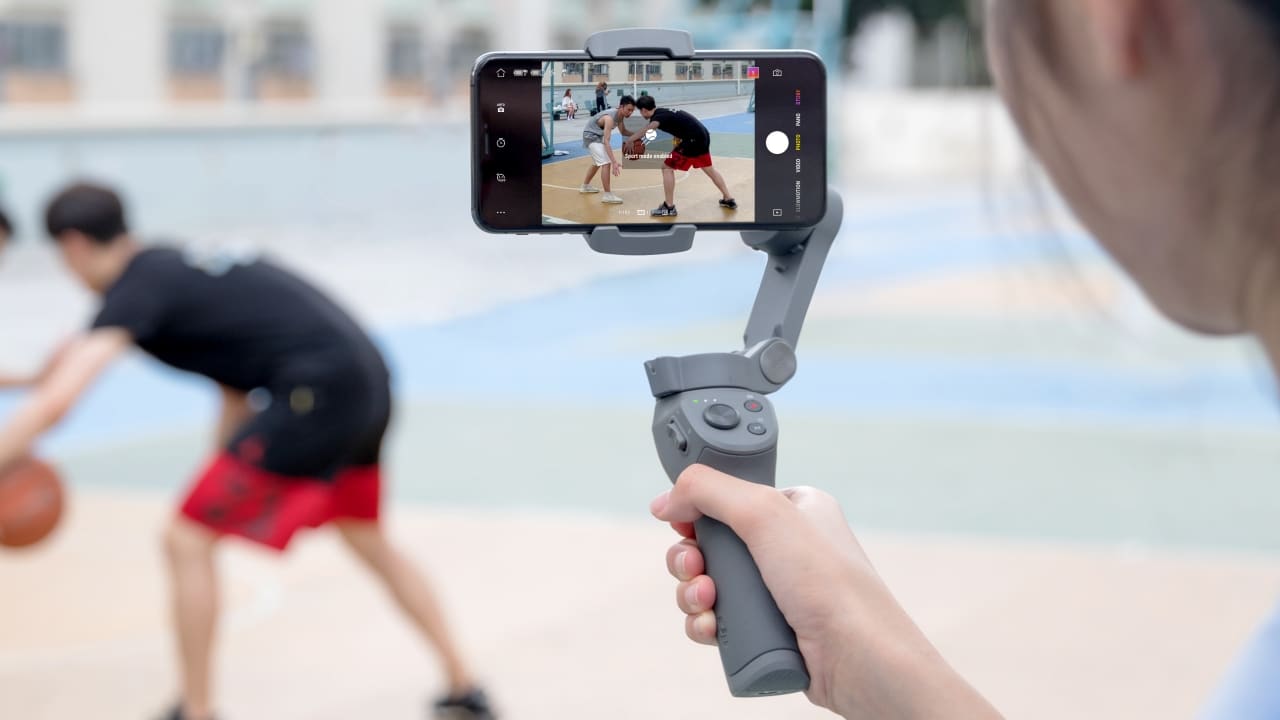
DJI Osmo Mobile 3 with Sport Mode
Several modes to play with
The Sport Mode increases the stabilizer’s responsiveness in shooting subjects that are fast-paced. There’s also the Gesture Control which automatically snaps a selfie once you pose for the camera — a peace sign, perhaps?. Panorama mode is also included with 3×3 or 180º options when shooting. Don’t worry, the Slow Motion Mode is also present with 4X or 8X speed options.
Get more creative with TimeLapse, MotionLapse, and HyperLapse. They all sound similar but they are different in their own ways.
TimeLapse lets you shoot longer videos in a shorter playback duration. MotionLapse combines the function of TimeLapse, but with the addition of the movement of a dynamic element you selected in the frame. Lastly, HyperLapse works just like TimeLapse but adds more movement by moving the stabilizer along with you. It works best not just because of EIS (Electronic Image Stabilization), but also with DJI’s ActiveTrack 3.0.

Pricing and availability
The DJI Osmo Mobile 3 is currently available in DJI’s flagship stores and select Apple Stores in the United States. It’s currently sold in two packages: The standard package with the wrist strap, storage pouch, and anti-slip pads retails for US$ 105. Meanwhile, there’s a US$ 125 package that includes everything in the standard version, plus the Osmo Grip Tripod and Osmo Carrying Case.
Global availability and local pricing has yet to be announced.





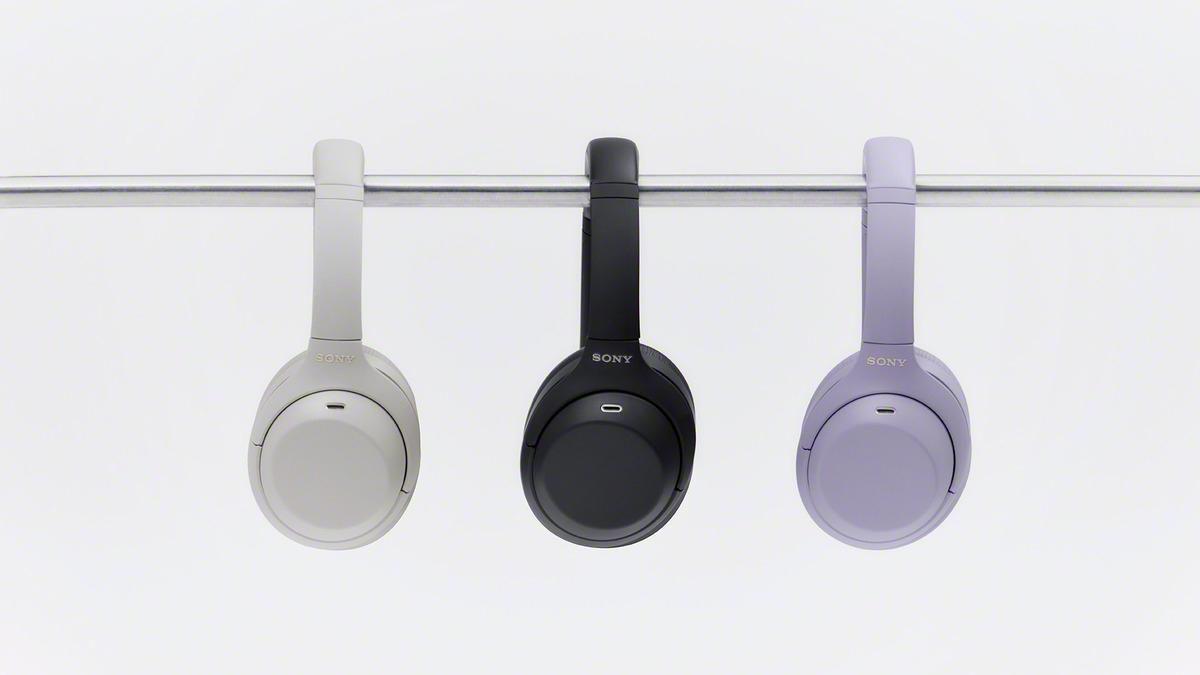
For a lot of people (me included), the Sony WH-1000XM4 was the first taste of what Bluetooth headphones could be. It was the first time I desperately wanted a new pair of headphones. It took me until the current XM6 to get a pair, but I can’t forget what came before. And, apparently, neither can Sony.
Today, Sony is resurrecting the WH-1000XM4 with the refreshed WH-1000XM4C. Straying from the lineup’s usual releases, the WH-1000XM4C is the second generation of the universally acclaimed headphones, while the XM6 is still the current flagship model.
It’s not just a simple rerelease, too. Though it still rocks the QN1-based active noise cancellation, the new pair tweaks the sound profile to more closely match the modern standard. It also comes with 10-band and gaming-specific equalizer presets. It will have a slightly smaller battery but with better fast charging to juice up quickly.
The new WH-1000XM4C will be available in Lavender, Black, and Platinum Silver. It will also cost US$ 299.99 — 50 bucks cheaper than the first generation.
Besides the refreshed flagship, Sony is also launching the WH-CH730N, a midrange pair built for commuters, and the WH-CH530, an entry-level pair with more colorful colorway options.
The WH-CH730N will come in White, Pink, Blue, Black, and Oat. It sells for US$ 179.99.
Meanwhile, the WH-CH530 come in Black, Cobalt, Coral, Mint, White, and Pink. It sells for US$ 69.99.


Acer is expanding its storage lineup with the PA100 Portable SSD. It’s a compact external drive designed for users who need faster storage across multiple devices.
The PA100 uses USB 3.2 Gen 1 connectivity. It reaches sequential read speeds of up to 560MB/s and write speeds of up to 430MB/s. This makes it suited for everyday tasks such as transferring large files, backing up content, managing documents, and moving media between devices.
Up to 2TB of portable storage
The PA100 comes in three capacities: 500GB, 1TB, and 2TB. This gives users options depending on whether they need extra space for documents and schoolwork or larger collections of photos, videos, and project files.
Acer also designed the drive with mobility in mind. The PA100 has a slim 9mm profile and a lightweight build, while its reinforced construction is designed to withstand everyday travel and handling.
The drive comes with a 2-in-1 USB-C to USB-C and USB-A cable. This allows it to connect to compatible PCs, tablets, smartphones, and other devices without requiring a separate adapter. It also supports major operating systems and USB-C mobile platforms.
Designed for everyday use
Power efficiency is another focus. Acer says the PA100 uses less than 3W during operation, while idle power consumption can drop to as low as 0.62W.
The drive also features an optimized thermal design to help maintain stable performance during extended transfers and daily workloads.
The Acer PA100 Portable SSD is backed by a three-year limited warranty. Pricing and availability may vary by market.
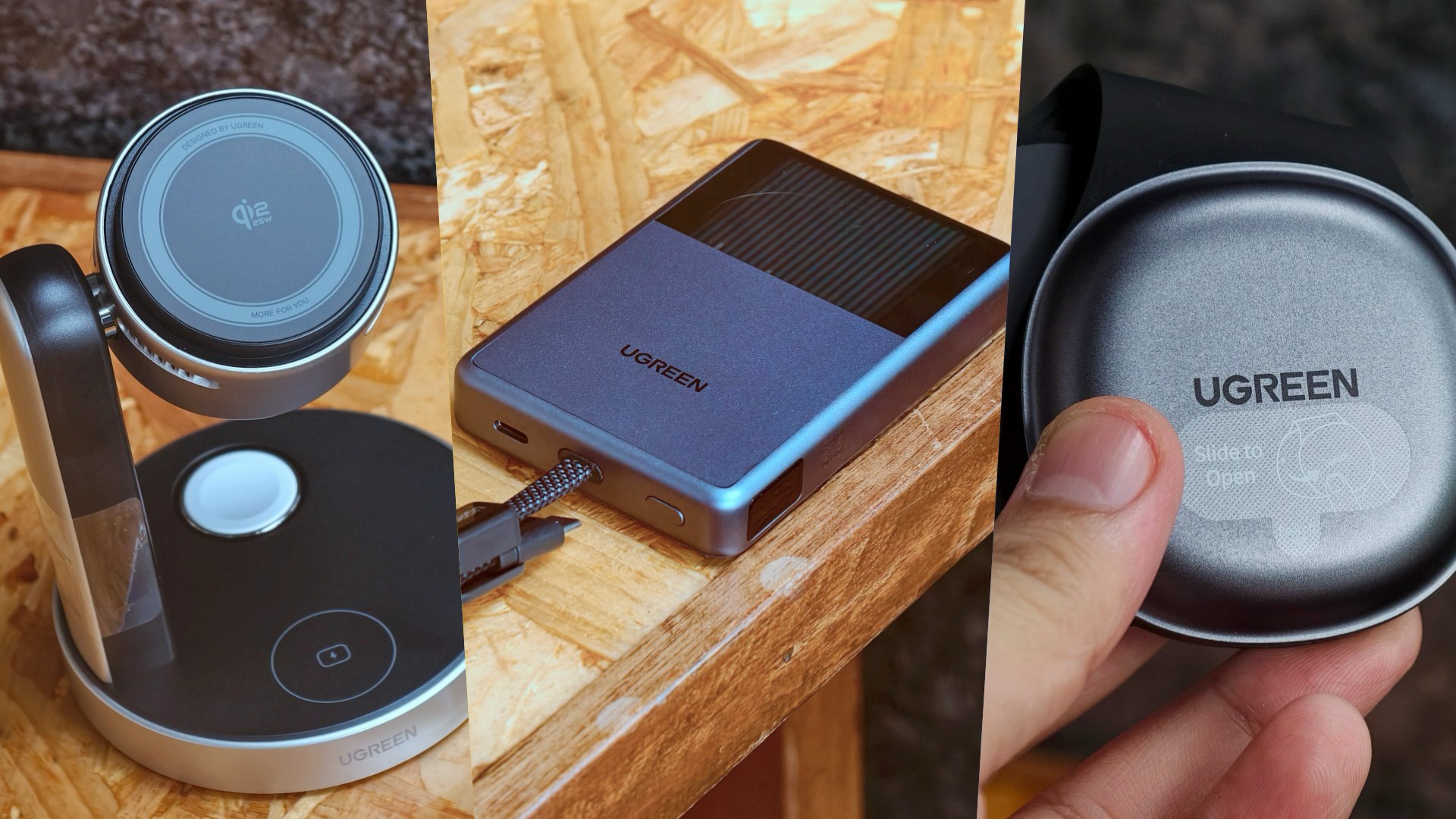
UGREEN has expanded its MagFlow lineup with three new wireless charging products. The range now covers portable power, desktop charging, and travel.
All three support Qi2 25W charging. UGREEN also focuses on thermal management to keep charging cooler and more consistent.
A cooler power bank
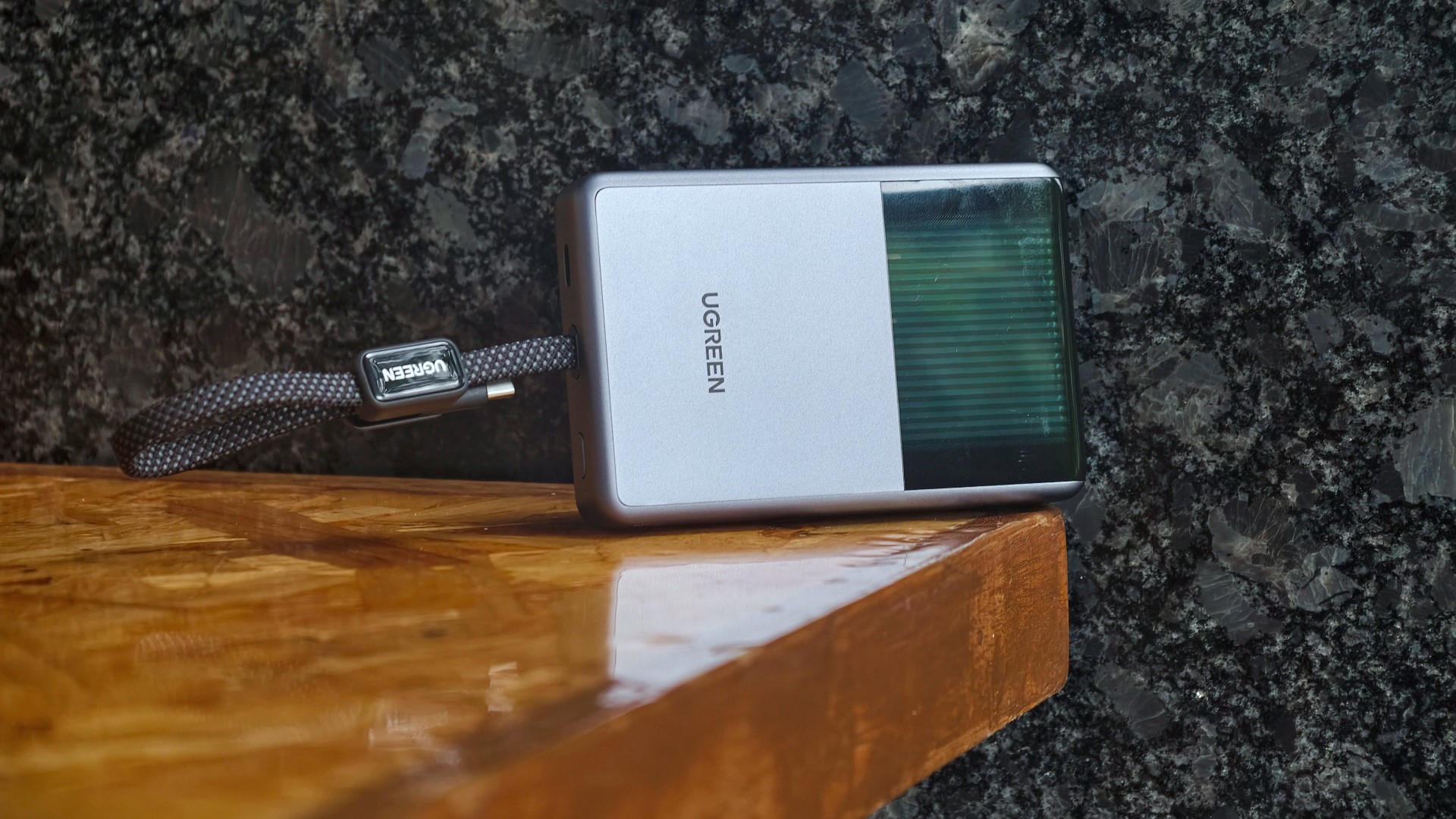
The highlight is the UGREEN MagFlow Pro Magnetic Power Bank 10000mAh 25W. UGREEN calls it the world’s first liquid-cooled Qi2 25W magnetic power bank.
It uses UGREEN’s CryoPulse technology. A micro-pump circulates coolant around key components to draw away heat. A Cyber Window also lets users see the cooling process in real time.
UGREEN says the system can keep peak temperatures up to 18°F below the industry benchmark. The power bank also uses Dymondcell 2.0 high-density ATL cells.
A built-in smart display shows charging power, battery level, cycle count, and cooling status. UGREEN says the power bank can charge an iPhone 17 Pro Max to 50 percent in 40 minutes.
Charging three devices at once
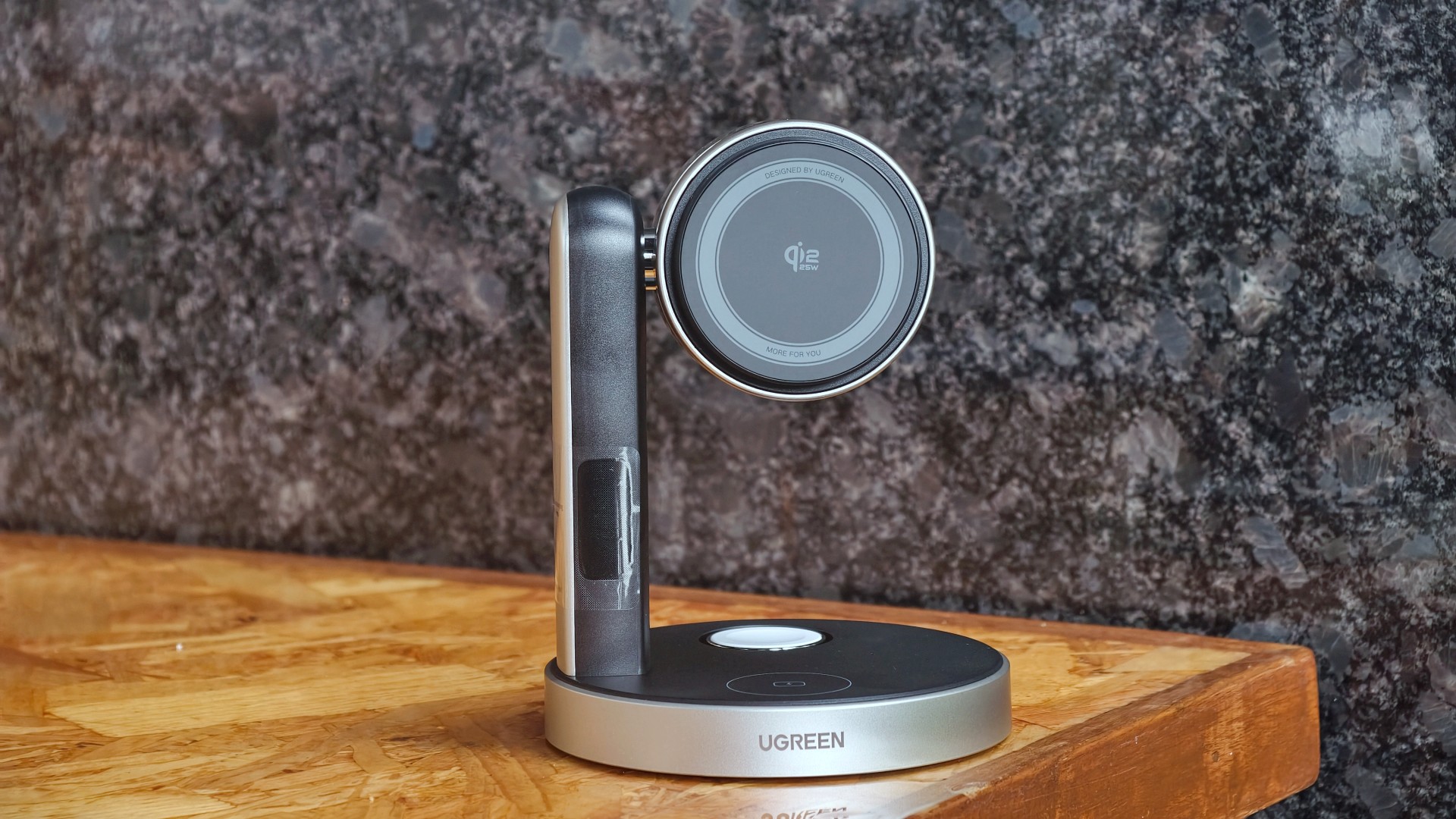
The UGREEN MagFlow Pro 3-in-1 Magnetic Wireless Charging Stand 25W targets desktop setups. It can charge an iPhone, Apple Watch, and AirPods at the same time.
The stand uses CryoPulse TEC active cooling and an ultra-quiet 15dB fan. Its thermoelectric cooling system draws heat away from the charging surface.
UGREEN says the center of the charging surface can reach temperatures as low as 51.8°F. It can also charge an iPhone 17 Pro Max to 50 percent in 26 minutes under its internal testing conditions.
The stand has an adjustable design for easier viewing. A smart display shows charging power and temperature.
A foldable charger for travel

The UGREEN MagFlow 2-in-1 Foldable Magnetic Wireless Charger 25W offers dual-device charging in a compact design.
It can also work as a magnetic phone stand. Users can set it up on a desk or bedside table, or bring it along while traveling.
When folded, the charger takes on a palm-sized clamshell design that fits into a pocket or bag.
All three MagFlow products are available now.
- The MagFlow Pro Magnetic Power Bank 10000mAh 25W costs USD 149.99.
- The MagFlow Pro 3-in-1 Magnetic Wireless Charging Stand 25W costs USD 159.99.
- The MagFlow 2-in-1 Foldable Magnetic Wireless Charger 25W is priced at USD 59.99.
UGREEN sells all three through its official store and Amazon.





Sony resurrects the WH-1000XM4 with a refreshed model

HUAWEI Mate XT 2 tri-fold launches with Kirin 9050 Pro

HUAWEI Pura X View is 2026’s first WIDE slab-type smartphone

How Samsung folds the Galaxy into people’s lives

The CAMON Slim 5G is TECNO’s latest ultra-slim smartphone

TECNO MEGAPAD 2 review: Eyes on the size

realme 16T 5G with 8000mAh battery, IP69 Pro rating launches in PH

REDMI Note 17 Series focuses on long-term reliability

realme 16T to come with 8,000mAh battery, 7-year battery health guarantee
HUAWEI Pura X View is 2026’s first WIDE slab-type smartphone


-
 News1 week ago
realme 16T 5G with 8000mAh battery, IP69 Pro rating launches in PH
-
 News21 hours ago
HUAWEI Pura X View is 2026’s first WIDE slab-type smartphone
-
 News2 weeks ago
REDMI reveals the refreshed Note 17 and Note 17 Pro series
-
 Singapore2 weeks ago
REDMI Note 17 Series: Price, availability in Singapore
-

 Cameras2 weeks ago
Insta360 Luna Ultra review: My new solo coverage camera
-
 Reviews2 weeks ago
REDMI Note 17 Pro review: What a rollercoaster ride!
-

 Features1 week ago
The designated photographer’s new favorite phone: OPPO Reno16 Series 5G
-

 Cameras6 days ago
DJI Osmo 360 II review: Going all-in on the ecosystem