


I’ve owned the first three generations of the PlayStation, having only skipped the PS4 knowing that most of its games are also available on Windows. Well, emphasis on most since there were some great titles I missed out on that weren’t ported to PC.
For a while, one of those AAA games was Final Fantasy XV. Only recently had it been brought over to Windows — more than a year after the original release on consoles. This drought left me without my once consistent dose of Final Fantasy. (My last one was Final Fantasy XIII way back in 2009!)
But even with FFXV now installed on my beloved gaming rig, there’s another obstacle I have to deal with: finding time to actually play it. This installment in the series is an open-world role-playing game, meaning you get to play at your own pace by going on side quests and exploring vast plains outside of the main story, which also means this takes dozens of hours to complete.
So, how can I enjoy the rich story while still finding time for everything else in my life? There’s Final Fantasy XV: Pocket Edition for that.

If it isn’t obvious, this is the mobile version of the game, available on both Android and iOS. But don’t think for a second that this is some spin-off with mild references to the full-fledged title. You’re getting the full story on your smartphone — without all the extra fluff.
You could call this the abridged tale of FFXV. The main storyline — from main hero Noctis and his all-male crew riding in a fancy car to saving the world — is intact. You can finish the game and get the entire story like I did. You lose out on a lot of the fun side quests and open-world exploration of the original, but the developers managed to squeeze in as many mini-quests as they could to keep things interesting.

Playing the abridged version before the full game felt like a throwback to high school when I would read up on summaries of novels to save time for actually writing the book reports. It felt wrong during my entire playthrough, but it was either play the pocket edition or wait another ten years for the next FF to release.
FFXV: PE (let this be its name from here on) is divided into ten chapters; each one takes about an hour to finish. Since you’re stuck within the realm of the main plot progression, you’re at the mercy of the game’s own pace. Done with this area? Move on with the story. Want to check out another town? Tough luck.

The game still gives you access to maps, menus for equipping your characters with new gear, items to consume, and a grid for unlocking character-specific skills using Ability Points. All these, however, are parts of an illusion that make you think there’s more depth than there actually is.
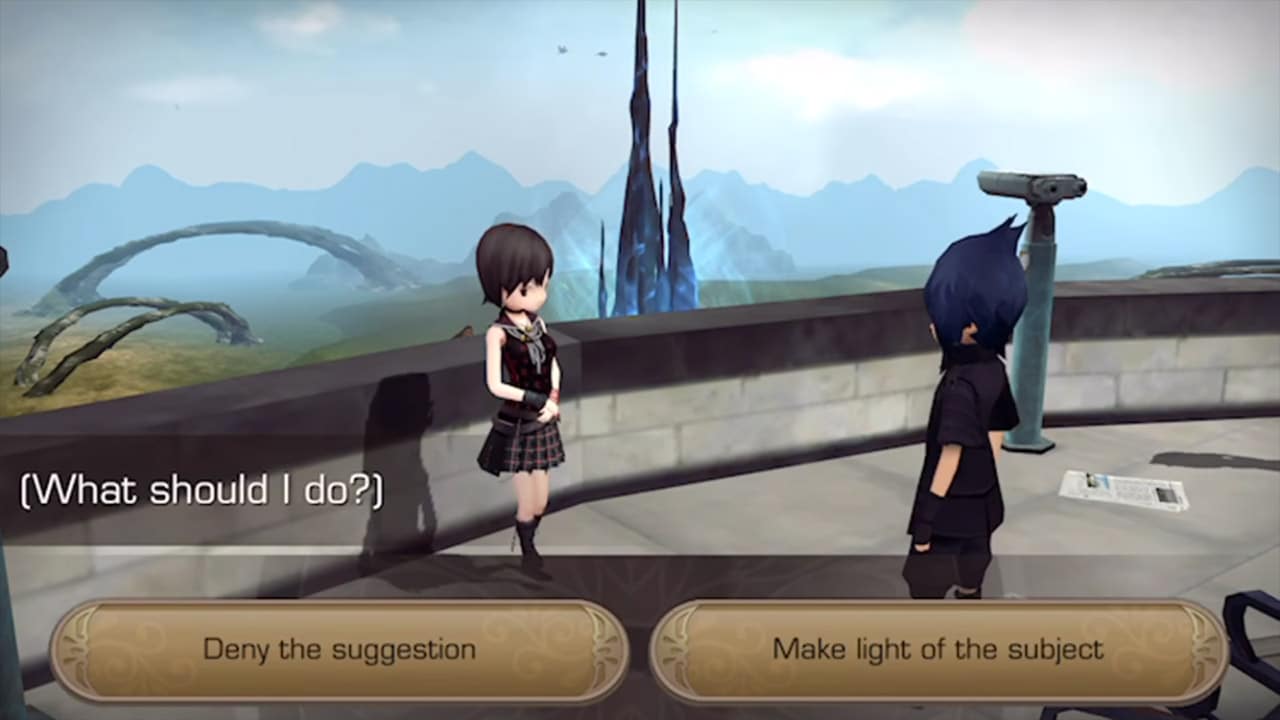
You see, because you’re bound to a linear path, there aren’t many ways to play FFXV: PE (this abbreviation still feels too long). The items and equipment I end up with at the end of the game are likely to be near-identical to what you or a random friend of mine would have. Still, it’s nice to have some control than none at all. Acquiring a new weapon and seeing your stats go up is still as satisfying as on the original game.

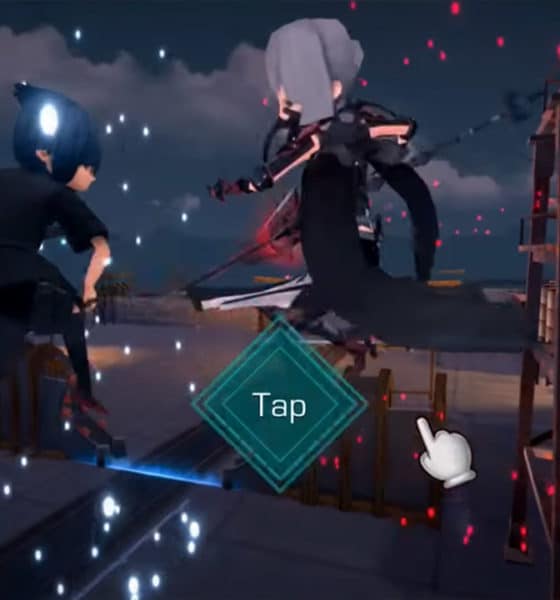
The controls themselves are as simple as can be: tap or hold the spot you want to run to, swipe during battle to roll around, and choose from a selection of special attacks to end fights in style. The standard attacks are done automatically and your party members are on auto mode the whole time, so the play style here is to relax most of the time and enjoy the scenery.
Hold on… scenery? For a mobile game, the graphics are splendid. Having grown up with Final Fantasy VII, VIII, and IX on the first PlayStation, seeing this style of visuals is a welcome change of pace from the non-stop hyper-realism we’re forced to endure on practically all new AAA titles. With the exception of facial expressions being frozen in place, not once did I feel the graphics were unsatisfying.
You’re going to need a powerful handset, though. I tried FFXV: PE on a range of smartphones and it wasn’t smooth sailing for all. It was only on the Snapdragon 835- and 845-powered devices that I could max out graphics settings. To be specific, I could run the game on the highest settings with the Essential Phone, Samsung Galaxy S9, and Google Pixel 2. The game itself is well-optimized for all aspect ratios, no matter how wide or tall the screen happens to be.
In case you’re wondering: Yes, the original music and voice acting are all there, making this by far the best audio experience you can get out of a mobile title. Your merry crew will banter while running around fields, commands will be shouted during intense battles, and the beautiful musical score will play during cutscenes, inside menus, and while cruising around in their car, the Regalia.

It’s this audio-visual combination that makes FFXV: PE such a joy to play while alone and with headphones on. Even with the tiny screen of a smartphone, you’ll easily get lost in the world of Eos and all the lively characters that inhabit it. It’s only when the plot forces you into tight corridors and bland environments that you gradually lose interest. There were times when neither the new area nor story could sustain my attention.
Being an abridged version of a grand storyline, cuts had to be made. Even though I didn’t finish the original game on Windows yet, I could easily tell when conversations were cut short in order to progress the plot and transitions were hastened to maintain the mobile pace. Some were appreciated; others were not. A lot of drama and twists fell flat because there simply wasn’t enough build-up. When the credits started rolling, I kept wondering, What was the point of that character? and Did I accidentally miss a major plot point?

Asking those questions are ultimately my fault. FFXV: PE is meant to be played after completing the console or PC version first. It’s designed to retell the story of Noctis and his friends in a more casual manner, free from the grips of a couch or office chair. The only way everyone will be happy is if it launches for the Nintendo Switch. (Please?)
Unfortunately, for a mobile game, it’s quite expensive. Although the first chapter is free to play, you have to cough up US$ 20 for all ten chapters. Spending a little more during a sale can nab you the full game on Windows, Xbox One, or PS4 — and that would be loads better if you had the time to play it.

I’m now on the second chapter of Final Fantasy XV: Windows Edition (FFXV: WE LOL) and I feel like I cheated on my book report. The progress so far follows what I already know, except the graphics are prettier and options are far more confusing. There are moments when I fondly look back at the simplicity of the mobile edition and wish I could go back to that.
Sometimes, cutting straight to the chase feels more rewarding.






Apps
Google Photos can now censor your kid’s face better
The new Redact feature can censor sensitive information.

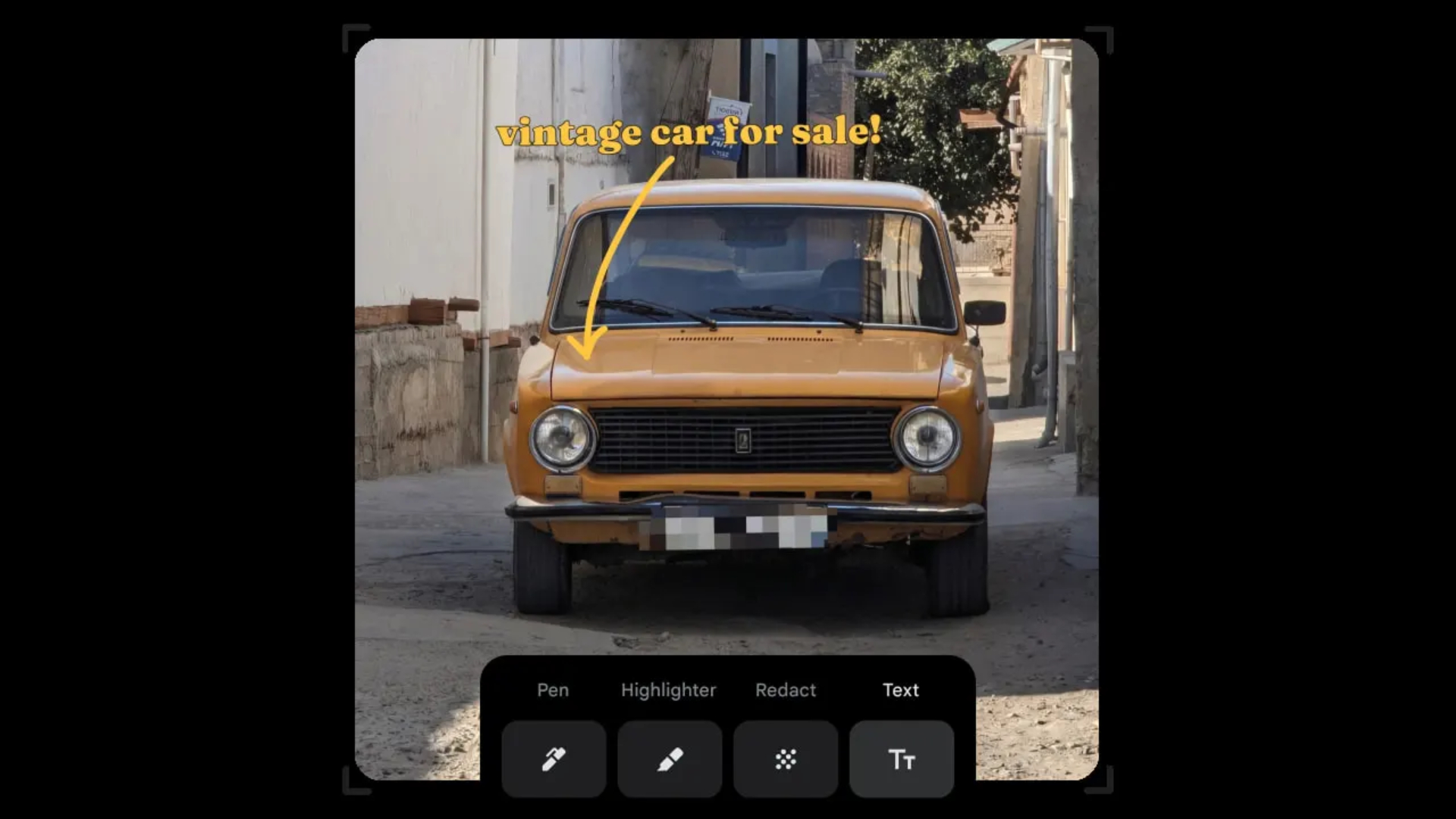
Censoring photos is heavy work. Either you stick on random emojis or draw an indiscriminate splotch of doodles to cover sensitive information. It’s an imperfect art but an essential one to protect privacy. Today, Google Photos is getting a Redact feature which can censor sensitive bits with pixelated blocks.
An addition to the Markup tool, Redact acts like a nifty pen that can hide information that you don’t want seen. Unlike a ghastly emoji or a splotch, the censored bar mixes better with the surrounding elements. In the example that Google used, a censored license plate blends well with the car it’s attached to, making the photo look more cohesive. Besides license plates, it’s the perfect tool for covering other information like phone numbers, addresses, and the faces of your loved ones.
Google Photos is also rolling out Moods, a set of filters that give photos a nostalgic look, including a 2000s night digicam vibe that’s popular today. There are also 15 new Remix templates to add more creation options.
Both the Redact and the Moods features will roll out to Android users starting today. The new Remix templates, however, will be limited to some countries on both Android and iOS.
SEE ALSO: Google will force Android users to use Gemini next month
Apps
Smart launches LiveSmart App for exclusive deals
Exclusive deals, cashback, and bill payments in one app.

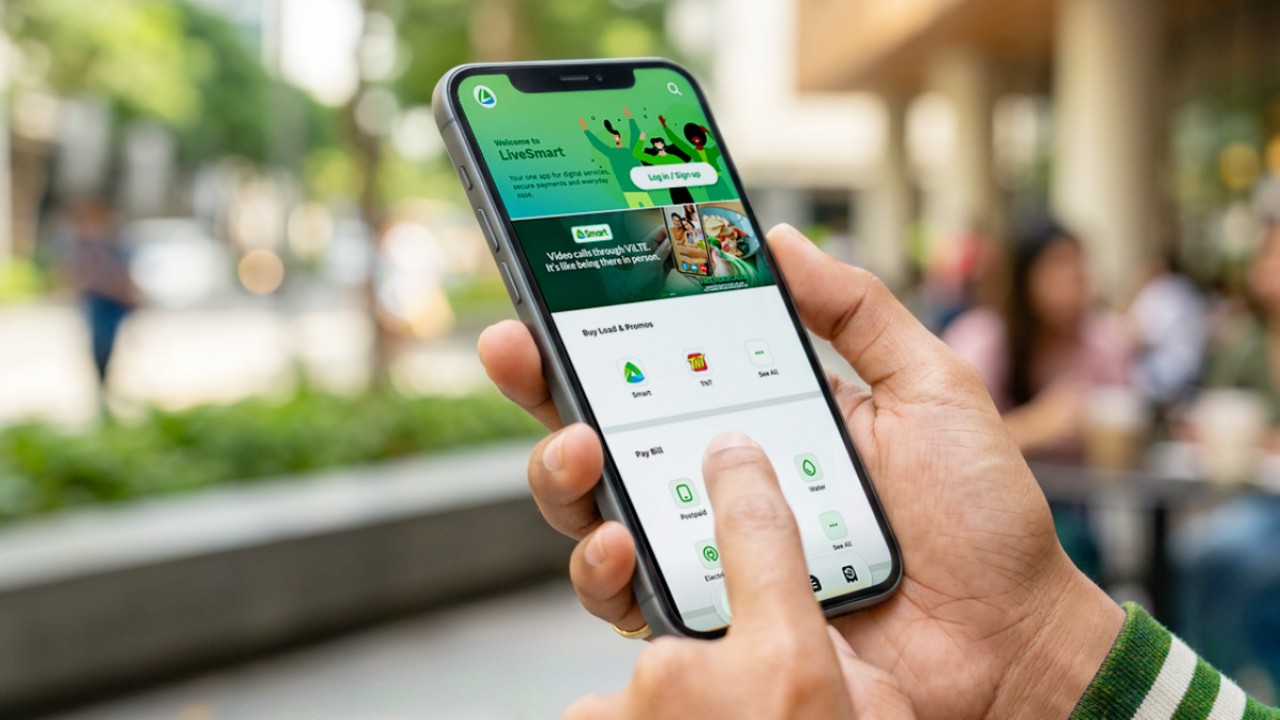
Smart Communications, Inc. (Smart) and TNT have launched the LiveSmart App, a new platform that combines loading, bill payments, exclusive offers, and other everyday transactions in one app.
The app is available on the Google Play Store and Apple App Store. It is open to Smart, TNT, and subscribers of other mobile networks.
The LiveSmart App gives users access to exclusive deals and savings. These include cashback offers, discounted Smart and TNT data packages, and limited-time access to AI.Smart.
“Filipinos are becoming more deliberate about where they spend and how they can get more value from every peso,” said Lloyd R. Manaloto, FVP and OIC for Smart. “The LiveSmart App is designed to help make those everyday decisions a little smarter, by giving users convenient ways to load, pay bills, and access exclusive savings and offers in one place.”
Exclusive deals and perks
Smart and TNT are rolling out several offers on the LiveSmart App starting September 18.
Smart and TNT subscribers can get 5% cashback when they purchase load or pay their Smart Postpaid bill through the app.
The app also offers data packages at exclusive prices. Smart Prepaid subscribers can get Power All 109 for PHP 105, while TNT subscribers can get Saya All 109 for PHP 105.
Users who download the LiveSmart App may also receive limited-time free access to AI.Smart.
AI.Smart combines multiple AI models, including AWS Nova, ChatGPT, Claude, Google Gemini, and Thinking Machines, in one workspace. Users can use it to generate images, create presentations, draft documents and spreadsheets, and get help with schoolwork, content creation, and other projects.
To claim the free AI.Smart credits, users need to tap the AI.Smart banner in the LiveSmart App. They then need to create an AI.Smart account using their Smart or TNT number.
Smart says users can also expect more exclusive deals and perks from lifestyle partners as it expands the LiveSmart App.
Powered by Smart 5G
The LiveSmart App runs on Smart’s network. Smart 5G supports activities such as video streaming, gaming, and real-time social media sharing.
The company said Ookla recently recognized its network for the Best Mobile Video Experience in the Philippines for the first half of 2026. Smart recorded a Video Score of 72.82, which it said was the highest among mobile operators in the country.
The LiveSmart App is now available on the Google Play Store and Apple App Store. Users can learn more about the app through Smart’s website.
Apps
Apple’s best feature to cure motion sickness is finally on Android
Google copies a good page from Apple’s playbook.
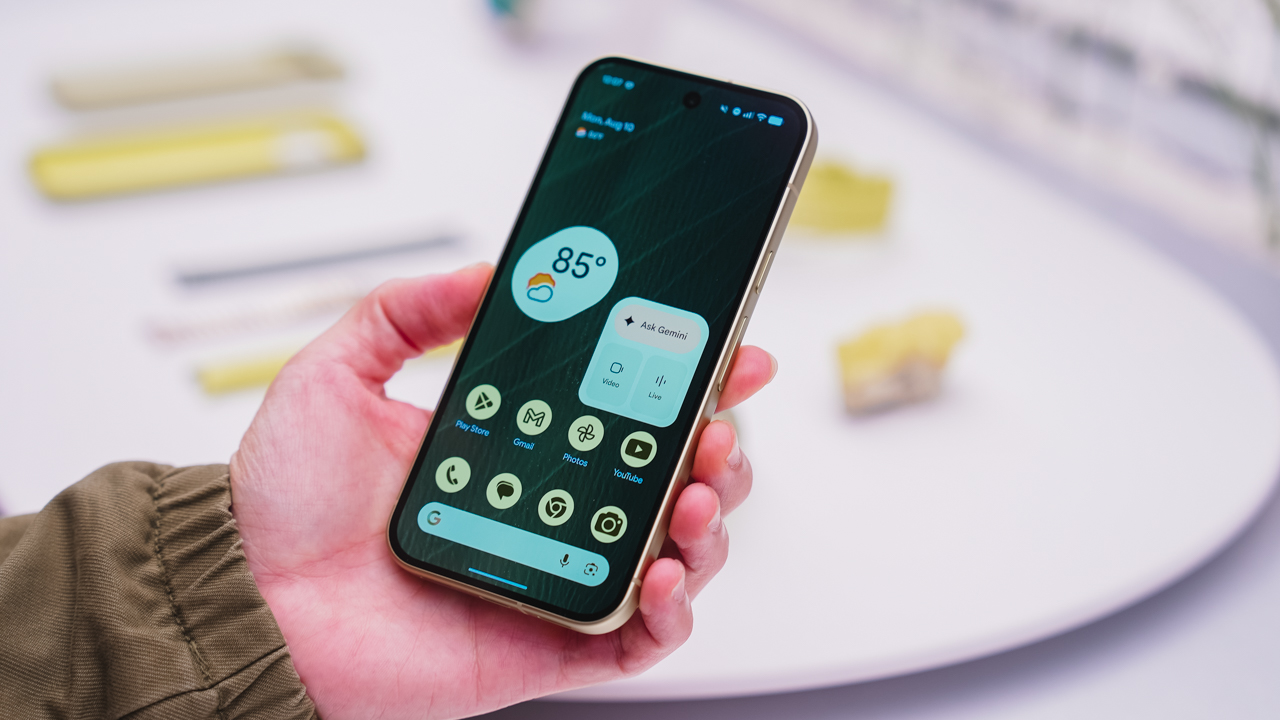
As an Android user, I’ve been jealous of iPhone users for a while now, but it’s not for the reason you might think. See, I’m ridiculously prone to motion sickness when I’m not driving. So, when I discovered that Apple has a software-based cure called Vehicle Motion Cues, I wanted it immediately. Now, Android does have third-party apps that do the same thing, but they’re not as good as a fully native version. Well, those dark, nauseating days are about to come to an end. Android 17 is finally getting a similar tool called Motion assist.
Before that, let’s rewind for a bit. What do these features do? How can they cure motion sickness?
Whenever you open Vehicle Motion Cues or Motion assist, the interface spawns a series of dots on the screen. These dots respond to movement. For example, if the vehicle turns to the left, the dots also go to the left, mimicking the movement. Without cues like this, the stationary nature of the screen clashes with our brain’s perception of movement. The disparity creates that feeling of nausea. Basically, our eyes are desperately trying to focus on the static screen, but our brains are telling us that we should be seeing motion. Having moving dots reorients our brain and places the phone inside our perception of movement.
Now, you can enable the same feature on your Android 17 device through Settings > All services > Motion assist under Personal & device safety. You can also set it so that the feature turns on automatically when the phone detects that you’re in a moving vehicle. Finally, you can also tweak the shape, color, and opacity of these dots.
Android 17’s Motion assist is rolling out now to compatible devices.
SEE ALSO: These are the best Android 17 features (if you hate AI)


Now Playing: ACE Combat 8: Wings of Theve
A refreshing change of pace


TECNO POVA 8 Pro Tonino Lamborghini review
Truly a rare gem in 2026


DJI Lito X1 review: Is this the best lightweight drone for creators?
Making a strong case as a travel companion and a capable B-cam!

BYD says that way better EV batteries are coming next year

Globe records fastest average download speed of 2026 in August
Now Playing: ACE Combat 8: Wings of Theve

Now Playing: Total War: Warhammer III – Lords of the End Times

Microsoft gives up on the Copilot+ PC

HUAWEI Pura X View is 2026’s first WIDE slab-type smartphone

The CAMON Slim 5G is TECNO’s latest ultra-slim smartphone

iPhone 18 Pro series: Price, availability in the Philippines

DJI Osmo 360 II review: Going all-in on the ecosystem

iPhone 18 Pro series: Price, availability in Singapore


-

 News7 days ago
vivo X500 Series launches with major imaging upgrades
-

 News6 days ago
OPPO Find X10 Pro Max is the first phone with a triple 200MP camera system
-

 Reviews2 weeks ago
REDMI Note 17 Pro Max review: A new breed born from AI greed
-

 Singapore1 week ago
Epson Lifestudio Grand Plus EH-LS970B with 4K projection, more launches
-

 News7 days ago
vivo introduces OriginOS 7 with smarter multitasking and AI features
-
Drones2 weeks ago
DJI Lito X1 review: Is this the best lightweight drone for creators?
-

 Gaming2 weeks ago
Valve unveils price of the Steam Frame
-
 Philippines2 weeks ago
REDMI NOTE 17 Series: Price, availability in the Philippines