

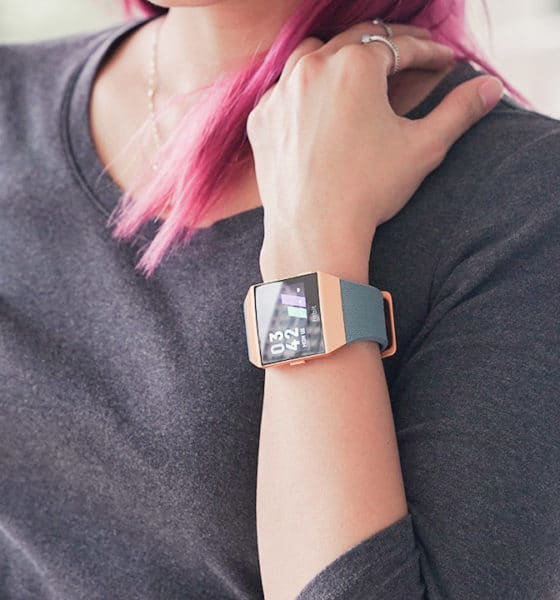

I had previously reviewed the Fitbit Alta HR (and actually used it as my tracker for a long while) so I was pretty excited when the Ionic was announced. Fitbit, known for its fitness wearables, had finally ventured into the smartwatch category and there were pretty high expectations. With those expectations came questions: Would the watch perform well? Would it look and feel like a Fitbit? What other functions would it have?
I’ve been using the Ionic for around a week now and these are my thoughts on it.
It looks and feels like a Fitbit
The Ionic has a unibody aluminum case and ships with their classic bands, made with the same elastomer materials as most sport watch bands. It feels sturdy and solid and it isn’t so heavy. The smartwatch comes in three versions: smoke gray face with a charcoal band, silver gray face with a blue-gray band, and the burnt orange face with a slate blue band which I tested out.
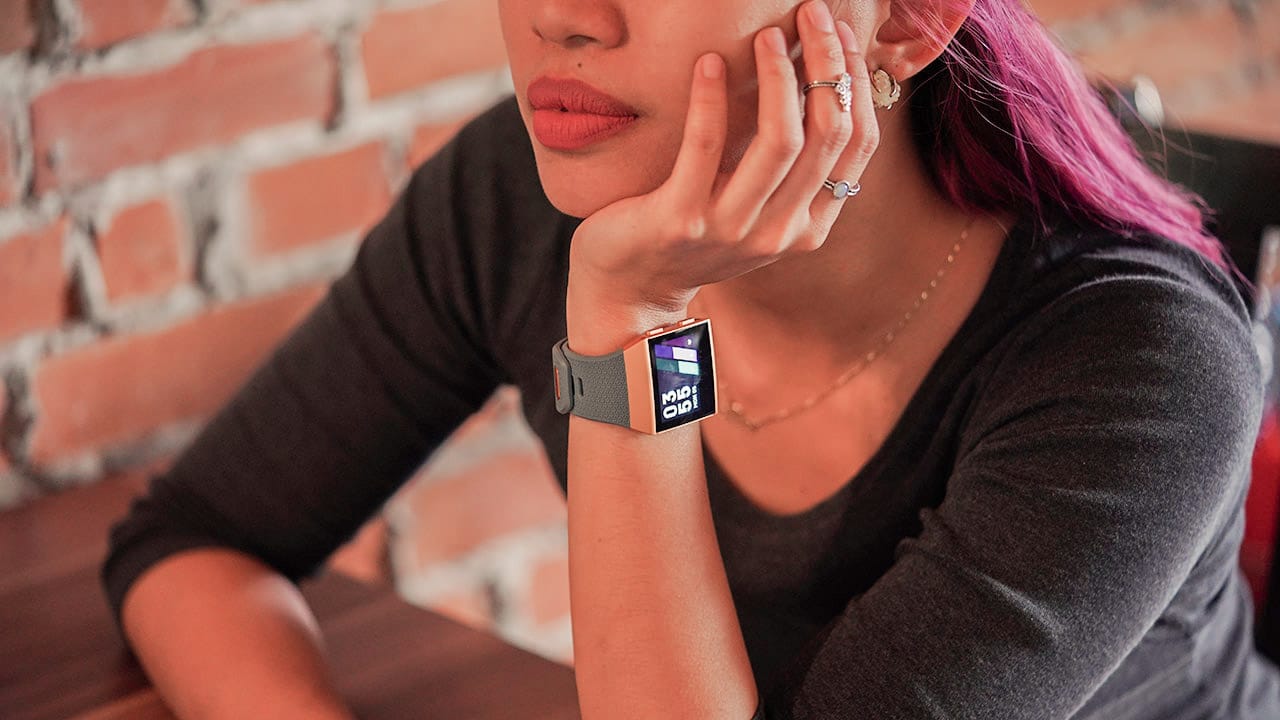
The watch face, though pretty big, is something me and my tiny wrists can live with. It’s surprisingly thick, however. Thankfully, you don’t really notice that detail once you’re wearing it.
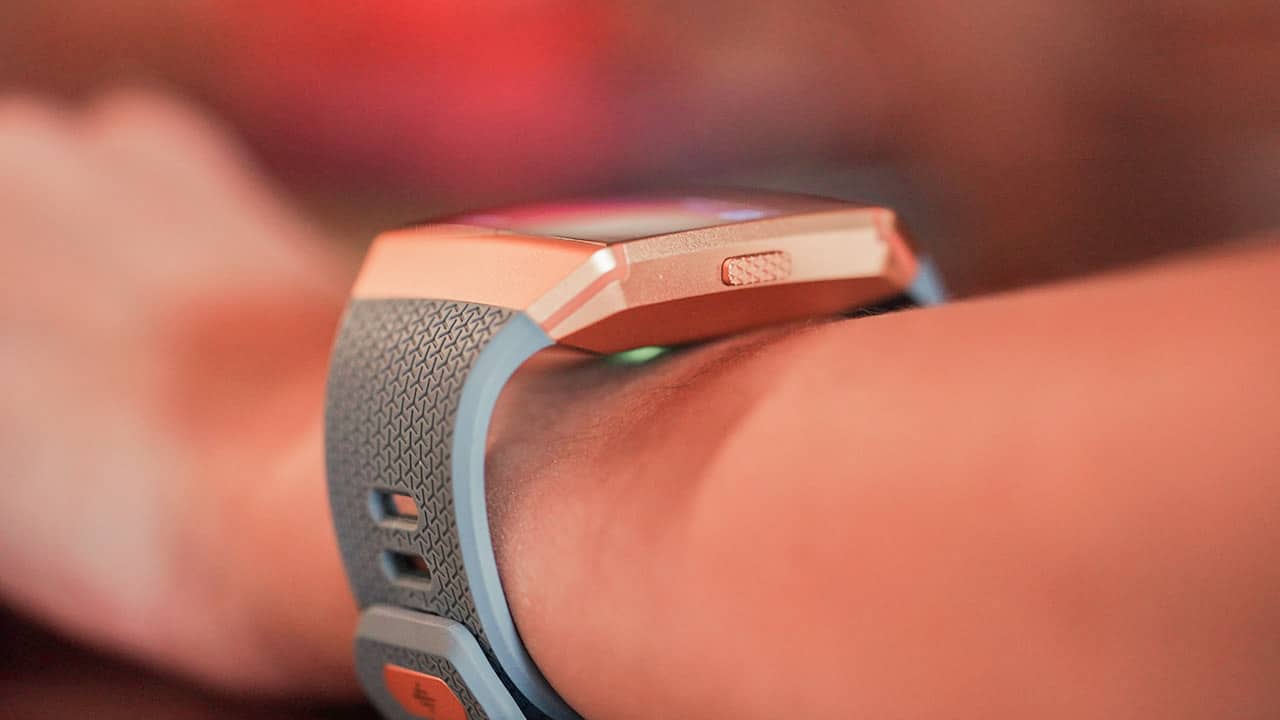
There are three buttons on the watch: the back button on the left, the upper-right button which brings you to daily statistics, and the lower-right button which directs you to different exercise start screens.
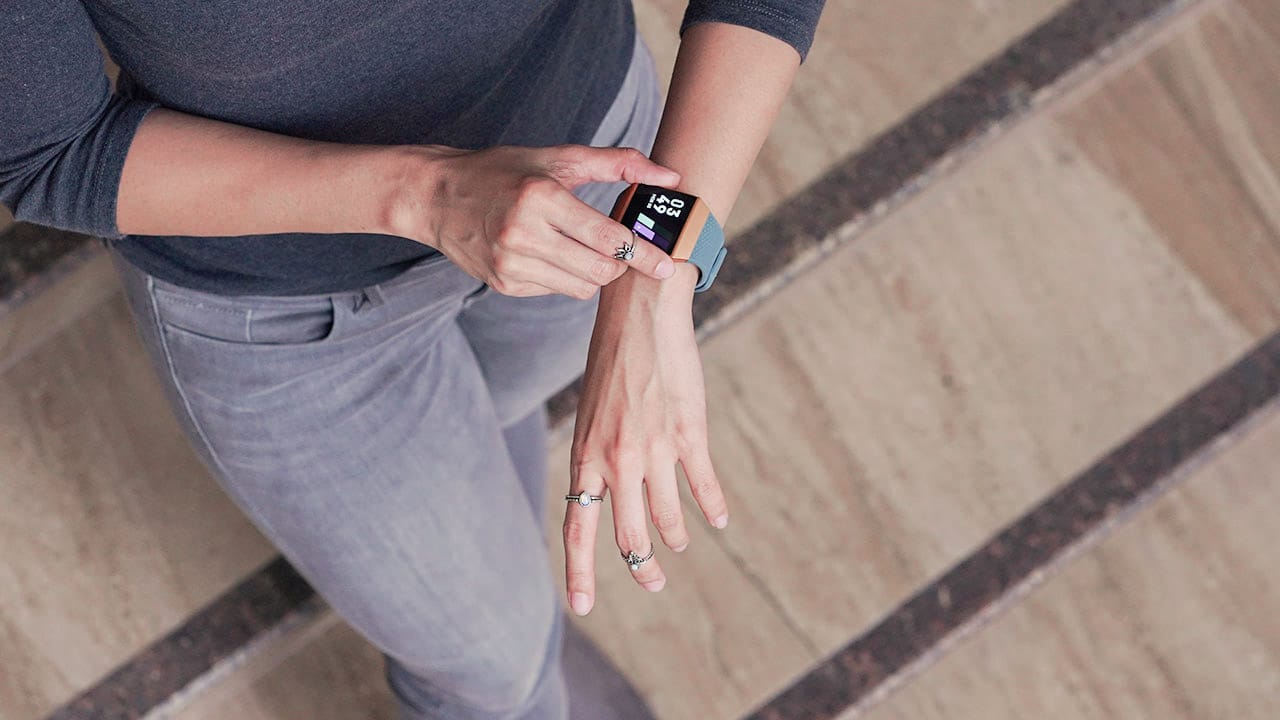
It’s a touchscreen display, too, so navigation isn’t limited to those buttons. Swipe up for notifications, swipe left for quick settings, and swipe right for the main menu. It’s pretty responsive, though the lift to wake function does get slow at times.

My intense I-work-out look
Fitbit devices have a certain look that screams “I work out,” and the Ionic still has that vibe.
Usually perfect when you’re rocking workout clothes, this Fitbit will not match all your outfits, unfortunately.

Grays and minimal accessories, otherwise the look would clash with the Ionic
Fortunately, it does a decent job at trying — which means with a little extra effort (i.e. wearing neutral colors and staying away from dresses), it won’t look as comical with your everyday casual wear.
The screen is amazing
What I like about the Ionic is how the 1.42-inch screen feels so… wide. Now, I know, it’s a teeny thing, but navigation on the square screen with gestures was pretty enjoyable considering it’s still the size of a watch face.
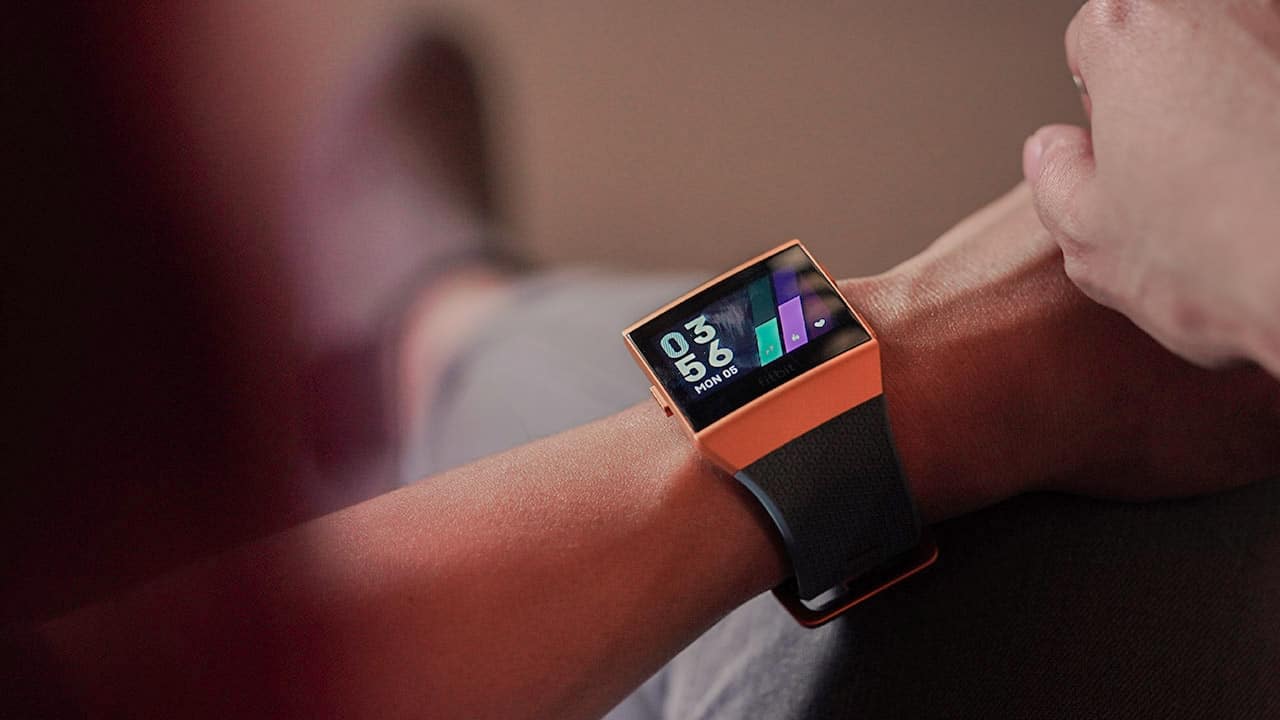
It has four brightness settings: dim, normal, max, and auto. The screen is capable of 10,000 nits which is a number that meant nothing to me — until I tested it against bright outdoor lighting and I saw the light (pun intended); I could still see the display even with the harsh lighting.
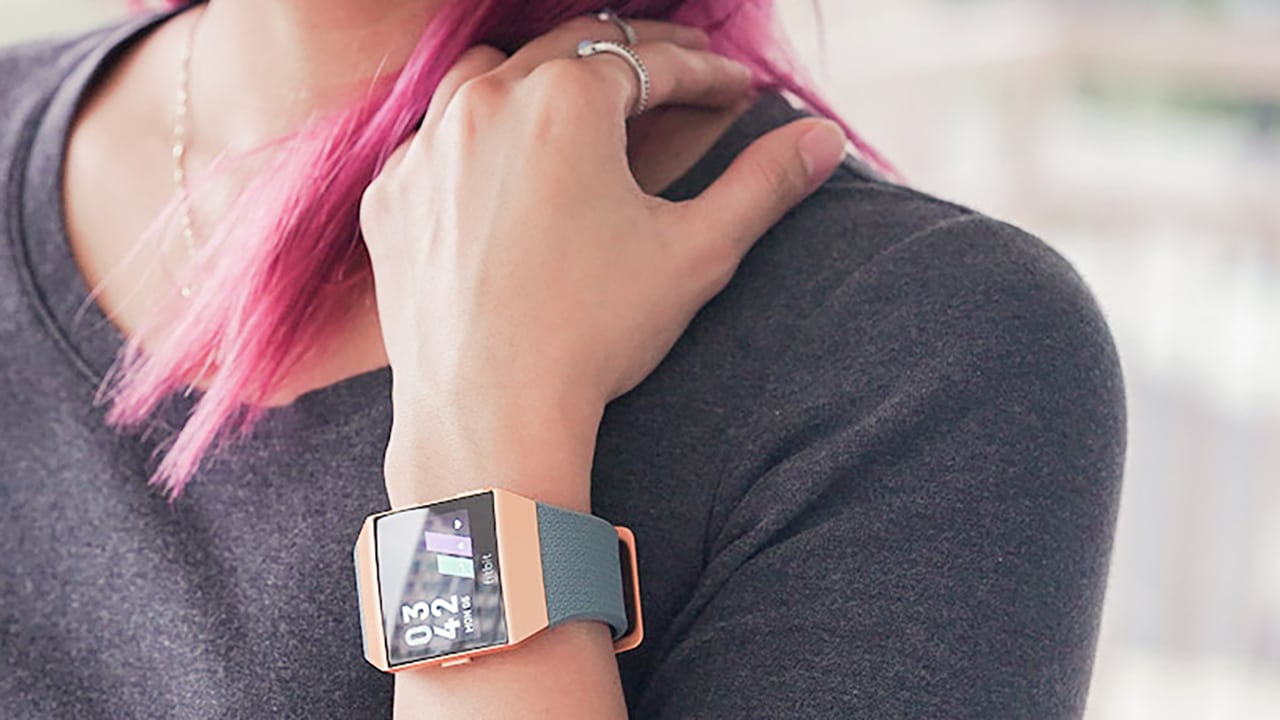
Details on the screen are crisp and the display is pretty responsive. It’s also made out of Gorilla Glass so it shouldn’t scratch or break easily.
It’s a smartwatch!
The Ionic allows you to see notifications from your phone, and even read full messages (sans photos) on the screen.

Handy tip: When you read Facebook messages on the Ionic, they are not marked “read” on the Facebook app.
It works in tandem with the Fitbit app, like previous Fitbit wearables. It connects to your phone via Bluetooth and syncs your information — steps, heart rate, exercise, sleep — with the app. The software collates all of this and sends you weekly reports via email.
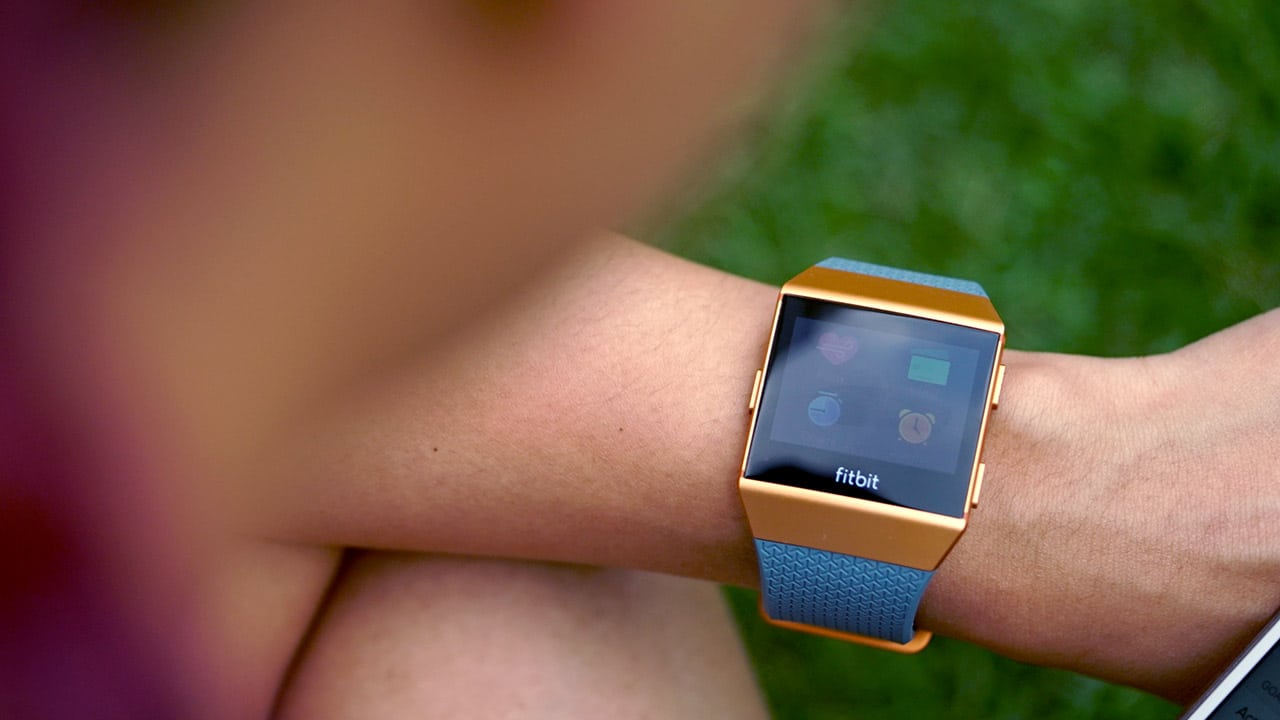
And because it’s a smartwatch, you can install apps on it! App selection is still limited at this point, though there are useful ones out there. Yelp, Philipps Hue, HIIT timer, Pomodoro, and Flipboard are all available for download.
The Ionic also has built-in storage, a trend we’re seeing in recent wearables, so that you can take your music to go. This means you won’t have to bring your phone on that quick run because you can play your music directly from the device.
Battery life is at three to four days, depending on your notification settings.
It has a whole range of fitness features
Of course, the Ionic is designed with fitness in mind. It has built-in personal exercise coaching programs; each one walks you through the whole routine with details on each exercise which basically leaves you with no excuse to not work out.
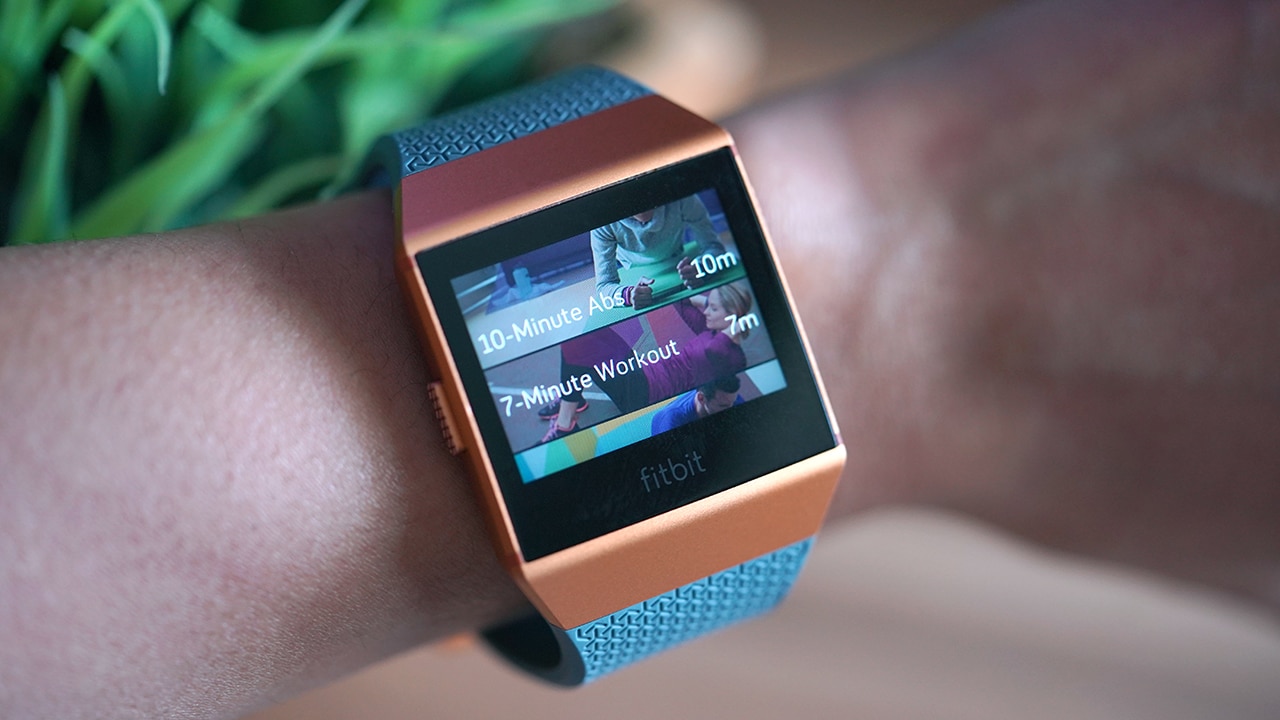
It also has preset programs for certain activities like running, biking, weightlifting, and interval training. This allows you to properly track each exercise routine.
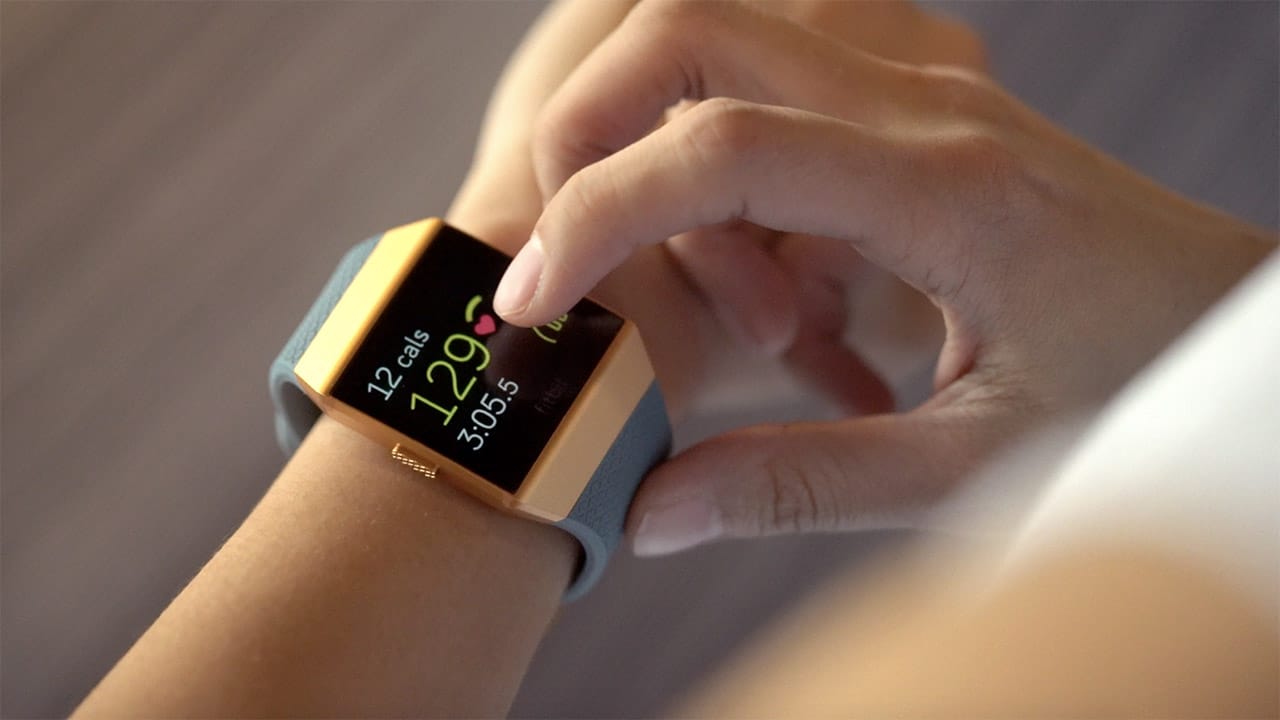
Aside from the usual Fitbit features like step tracking and calorie counting, this device is equipped with a continuous heart rate monitor.
“But Isa, most trackers have a heart rate monitor!”
Yes, except turning them on totally kills the battery life on other devices. The Ionic’s heart rate monitor is continuously on by default and in my experience, the battery still lasts three to four days.
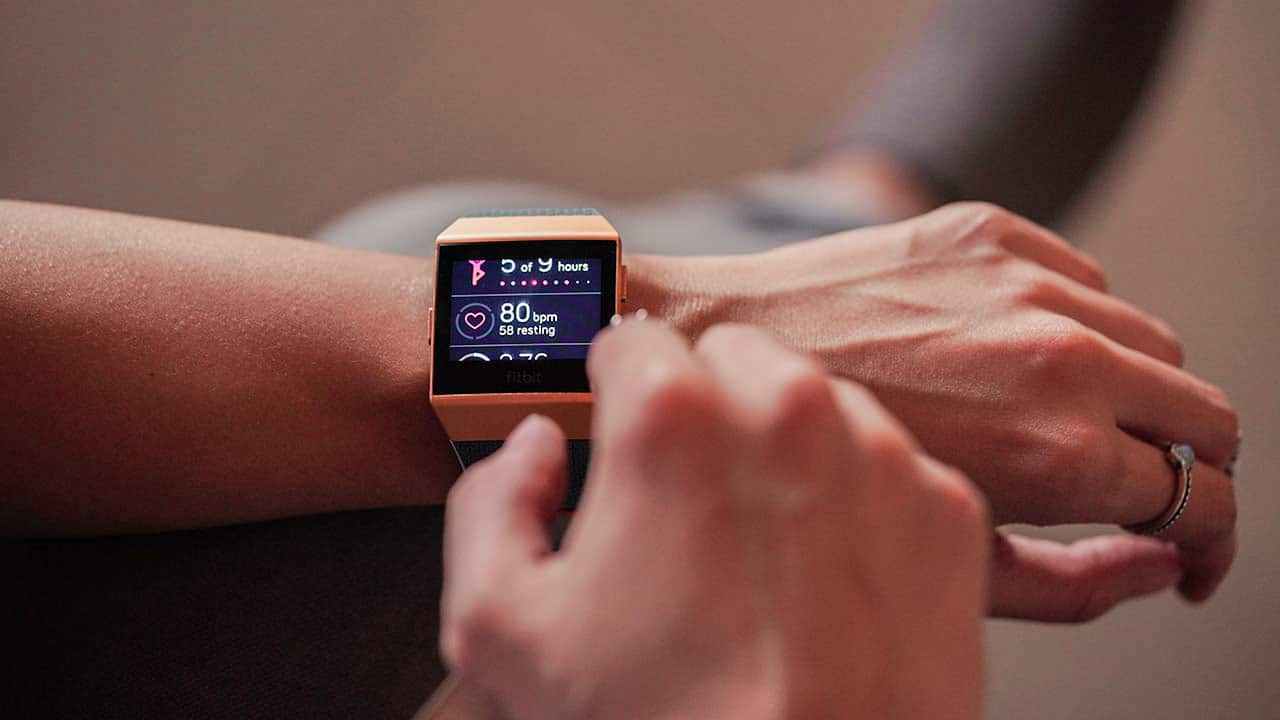
You can also use the Ionic to track your swimming exercises because it’s waterproof!

But, this isn’t the end of Ionic’s impressive fitness features.
There are also very, very fun functions
Thing is, you can track movement all you want but without the initiative to work out, you have nothing. Despite all modern fitness tracking features, no smartwatch has ever gotten me to actually exercise — until now.

The Fitbit Pets watch face is a total game changer for me. Developed by Fitbit Labs, it almost forces you to go work out… with cuteness. Each pet face lives on in your watch. To feed it, you need a certain number of steps in a day. Otherwise, your pet will leave you a heartbreaking letter asking you to feed it. 💔
One too many times, I’ve gone and exercised because I didn’t want my virtual doggo to starve. Talk about motivation!

The true treasure here is your health, TBH
Treasure Trek is also a Fitbit Labs app that gamifies your activity. It’s a treasure hunt powered by your step count!
Verdict
In the looks department, the Ionic didn’t quite do it for me. To be perfectly honest, I’m not a big fan of its design. Though I do understand that this is Fitbit’s signature look, I still feel like the whole point of a fitness wearable is to have it on all the time. For me to be able to do that, it has to be able to match things other than sports and athleisure wear. I say it again: Like other Fitbit, the Ionic still screams “I work out!” The blue and orange color option (which is the only bright color option) doesn’t help either.

But, looks aren’t all that matters. The more I used this thing, the more I enjoyed the experience. The crisp screen is always enjoyable to tinker with and smartwatch to Fitbit app integration is always seamless. Battery time is pretty good compared to other smartwatches I’ve tried. Fun Fitbit Labs apps like Fitbit Pets and Treasure Trek are also great integrations that set the Ionic apart.
If there’s anything I expected from the brand that acquired Pebble, it’s that they’d do smartwatches right. The Fitbit Ionic might not be fully there yet, but they’re on the way.





Accessories
Jackery SolarSaga series: Free power for small devices
Portable solar panels can charge small gadgets directly


As fuel prices continue to surge as of late, one of the ways to make up for the additional expenses is to turn to alternative power sources. That’s including solar power.
And Jackery is here to help Philippine consumers, with the availability of their portable SolarSaga panels.
These solar panels are an alternative to traditional and permanently installed rooftop solar panels. They are engineered for modern and mobile life with portable, lightweight, and sleek designs. They are built primarily to be set up and put away easily, and charge small devices directly.
Simply put the Jackery SolarSaga panels where sunlight is available, and it will convert up to 25% of sunlight into usable energy.
To charge small gadgets like phones and portable fans, or even smartwatches, the SolarSaga panels come with a USB-C and USB-A port.
Another way is connecting the SolarSaga to Jackery’s Explorer power stations like the Explorer 300 Plus or 1000 Plus.
From there, users can power up devices, essentially for free. On its own, the Jackery SolarSaga panels are available in 100W and 200W variants.
The panels are also IP68 rated for water and dust resistance. This makes them usable outdoors when brought to adventures like camping, picnics, or beach trips.
The panels are already available through Jackery’s Lazada and Shopee platforms, as well as Techroom’s Lazada and Shopee accounts.
Accessories
UGREEN adds new Nexode Pro power bank, charger to lineup
Intelligent displays, fast-charging, user-focused design
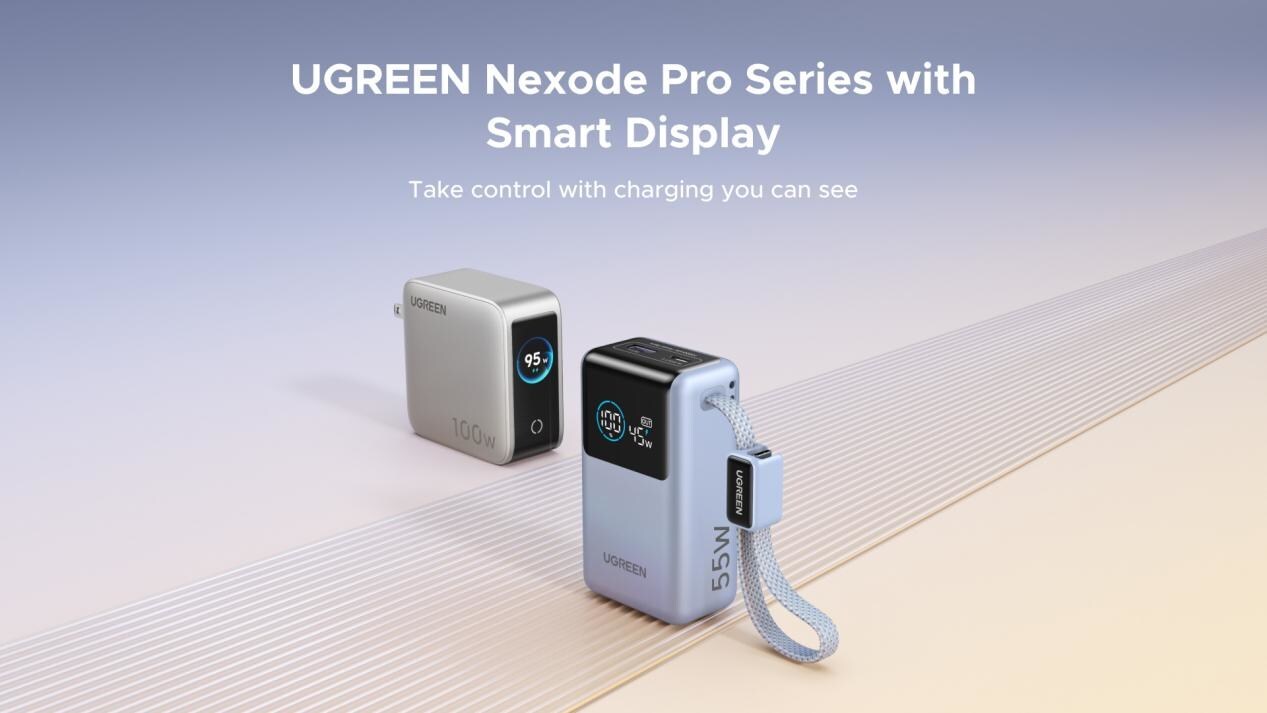
UGREEN has expanded its Nexode Pro charging lineup with two new devices designed for the modern user. They are the Nexode Pro 10000mAh 55W Power Bank and Nexode Pro 100W 5-Port Charger.
These new offerings combine intelligent digital displays, fast-charging capabilities, and user-focused designs for reliable power — whether at the desk or on the move.
The Nexode Pro 10000mAh Power Bank is the ultimate travel companion, delivering strong charging performance in a compact and travel-friendly form.
It supports up to 45W single-port fast charge, meeting the industry standard for high-speed portable charging. It can reach up to 55W as well when charging compatible Xiaomi devices.
The accessory is equipped with two USB-C ports, one USB-A port, and a built-in retractable USB-C cable. As such, it can power up to three small devices simultaneously without requiring extra cables.
With a rated capacity of 36Wh, the power bank also meets airline carry-on requirements.
Meanwhile, the UGREEN Nexode Pro 10W 5-Port Charger supports workstations. It has four USB-C ports, a USB-A port, and up to a 100W output.
It also has a built-in smart TFT display for easy power distribution monitoring.

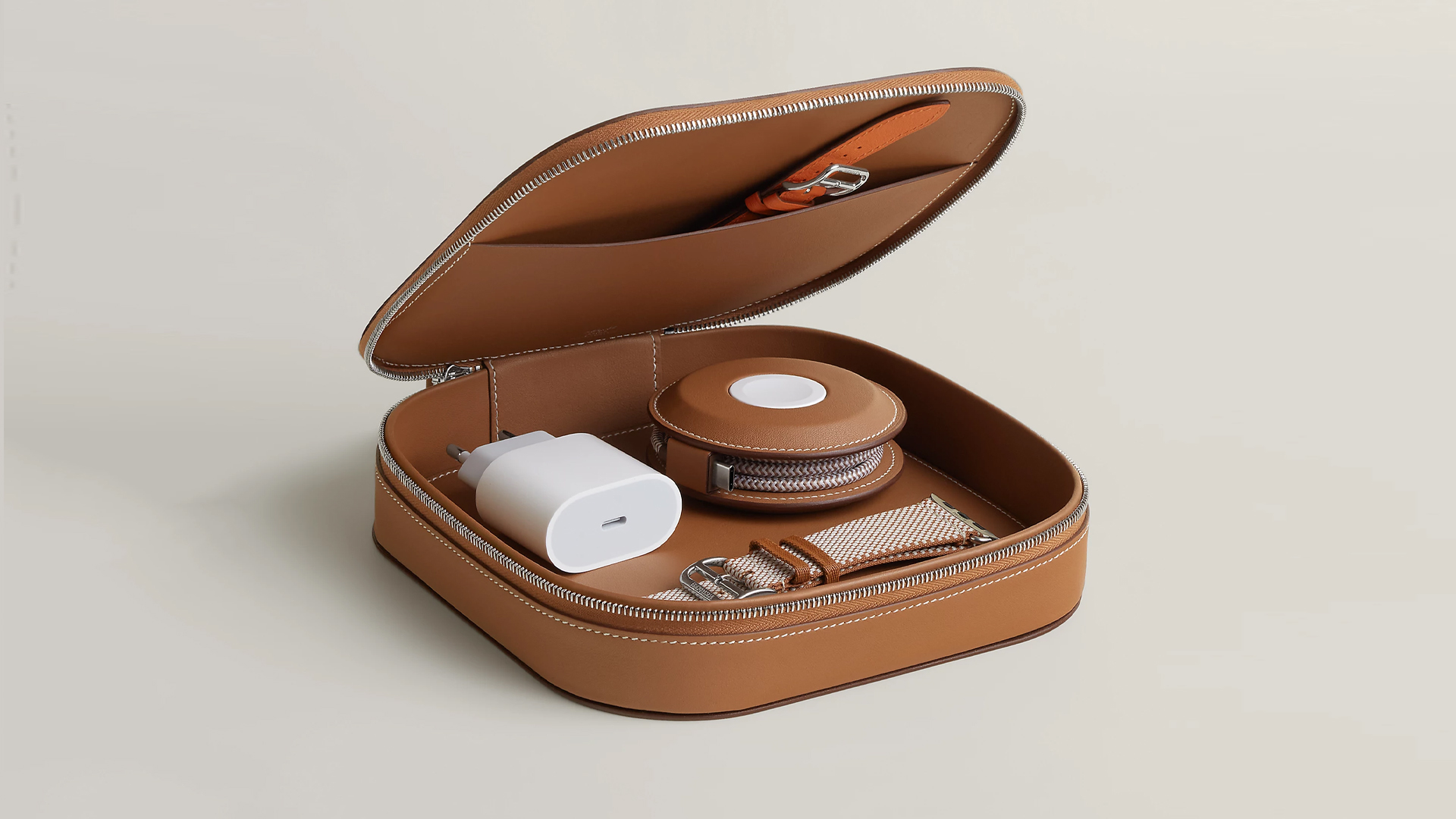
How extra are you as an Apple fan? No matter what you say, you’ll probably never be as extra as someone who buys a US$ 5,000 MagSafe charging case for their iPhone and Apple Watch. Hermès has just launched a series of leather chargers and cases specifically made for Apple fans.
Available now, Hermès has three types of MagSafe chargers for iPhone users. The cheapest one, the Paddock Solo, is a simple leather-bound puck that can charge a single device. The charger also has a braided 3.3ft USB cable. It costs an eye-watering US$ 1,250.
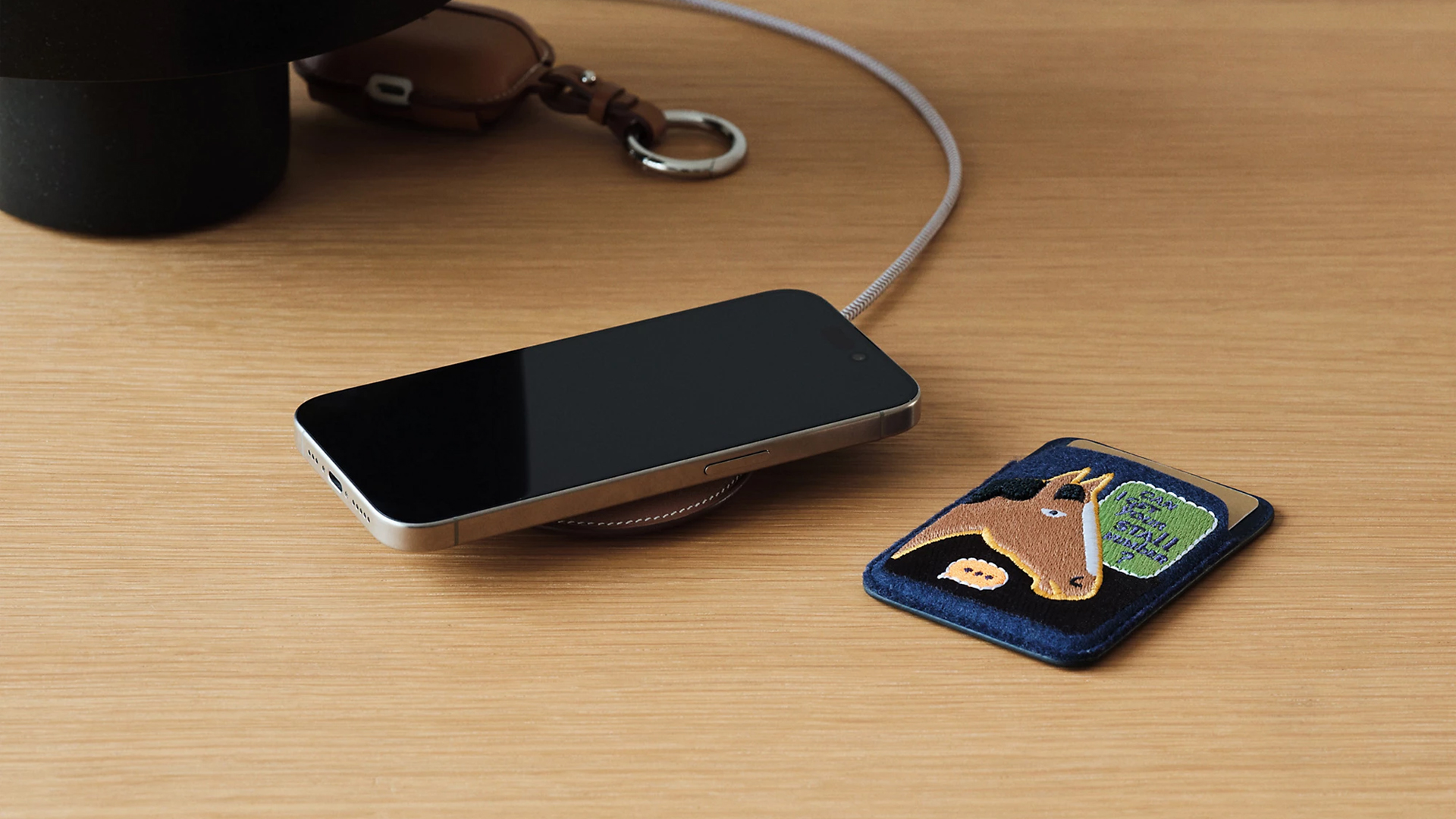
Paddock Solo charger
On the other hand, the Paddock Yoyo charger offers two charging zones for two devices simultaneously. Shaped like a yoyo (hence, the name), it allows users to roll the cable into a convenient stack. It costs US$ 1,750.
Finally, the Paddock Duo is a charging pad that allows for two devices simultaneously. It just doesn’t have a pocket for the cable. It likewise costs US$ 1,750.
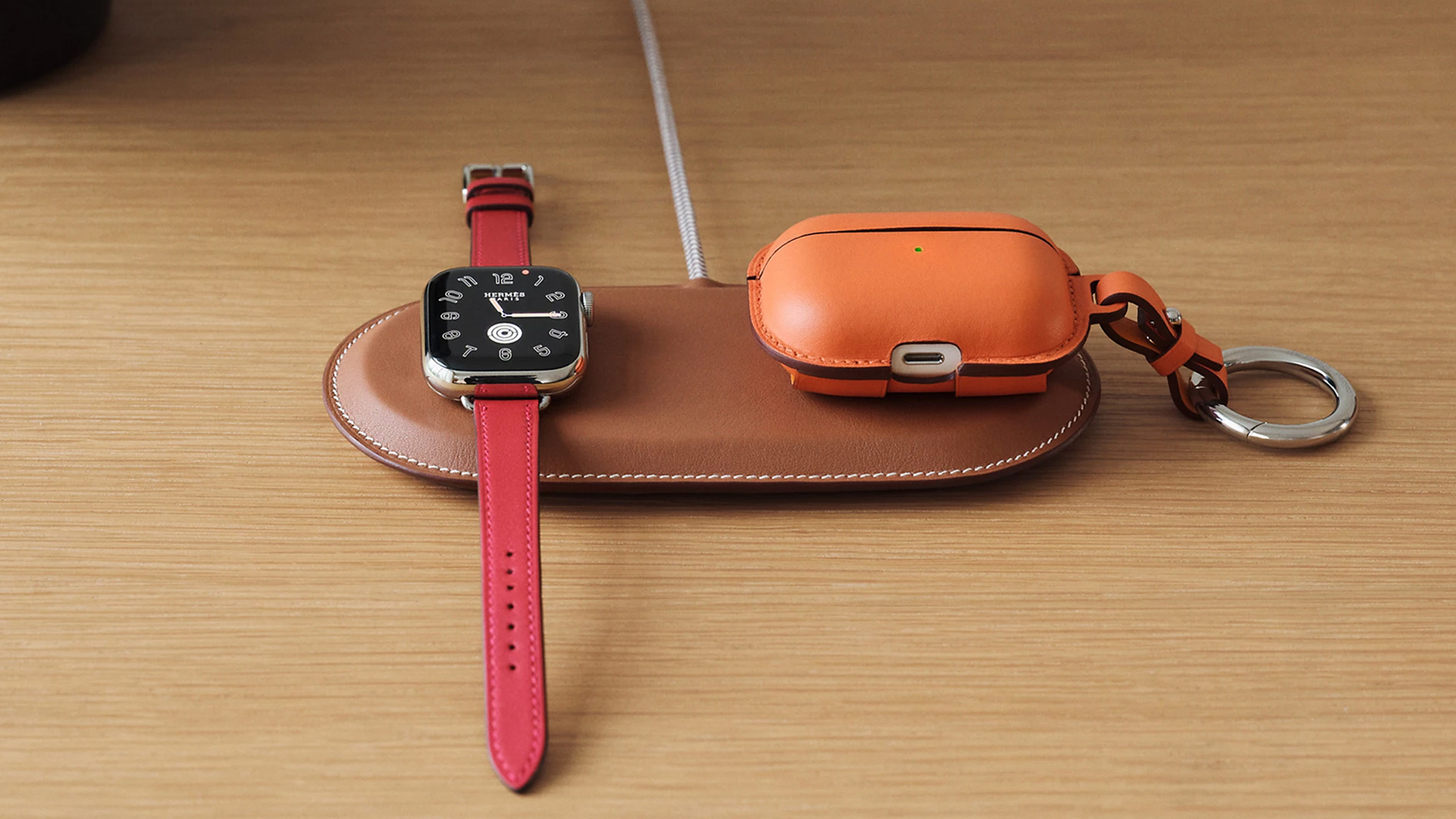
Paddock Duo charger
Now, if you want to upgrade your pricey charging kit even further, Hermès has two cases for them: the Petit Paddock case and the Grand Paddock case.
The Petit Paddock case, as the name suggest, is a snug leather case that fits only the charger (and a brick, if bundled with the Yoyo). The charger and case combo will set you back by US$ 3,725 for the Solo, and US$ 4,225 for either the Duo or the Yoyo.
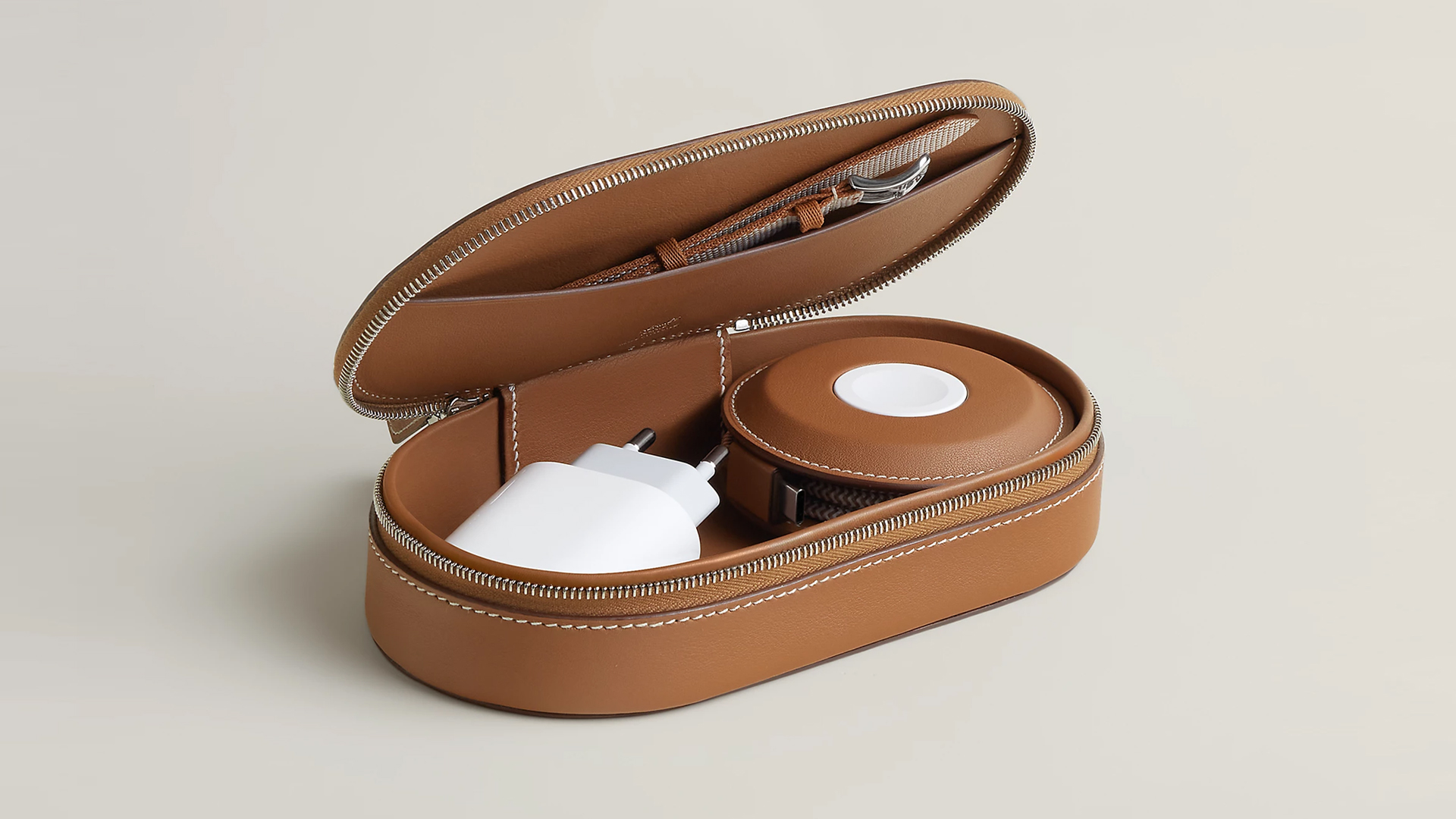
Paddock Yoyo + Petit Paddock
Alternatively, the Grand Paddock can fit much more but also costs a lot more. It costs US$ 4,650 for the Solo, and US$ 5,150 for the Duo or the Yoyo.
Of note, none of these come with a charging brick, so you’ll have to shell out a bit more to maximize the kit.
SEE ALSO: Apple unveils the iPhone 17e





Now Playing: Hoppers

Jackery SolarSaga series: Free power for small devices

UGREEN adds new Nexode Pro power bank, charger to lineup

nubia to launch new Neo 5 series gaming phones on March 28

SHINOBI: Art of Vengeance’s SEGA Villains Stage out on April 3


-

 Reviews5 days ago
POCO X8 Pro Max review: A new beast from the far east
-

 News5 days ago
POCO X8 Pro Series: Price, availability in the Philippines
-

 Laptops2 weeks ago
Apple MacBook Neo Review
-

 Computers2 weeks ago
GIGABYTE collaborates with Capcom for RE Requiem custom PC
-

 Apps1 week ago
Google Maps is finally getting a 3D mode
-

 Entertainment2 weeks ago
The internet is thirsting over the One Piece Season 2 cast
-

 Features1 week ago
Galaxy AI on the Samsung Galaxy S26 Ultra
-

 Automotive2 weeks ago
BYD is reportedly considering an F1 team