

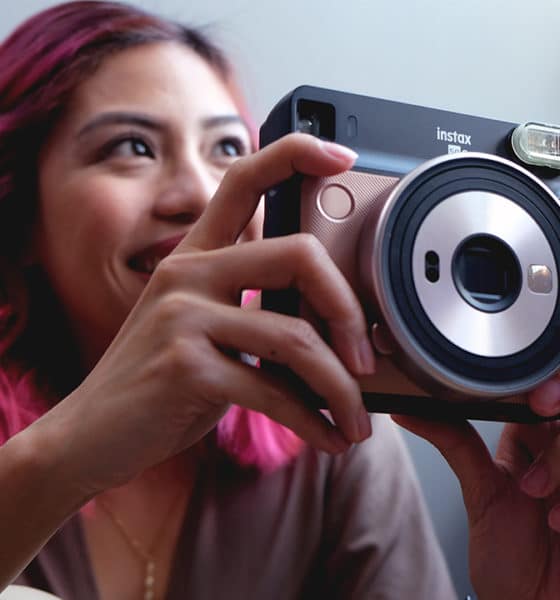

There’s still something about instant cameras that excites me. Even in the age of Instagram and digital photos, I still find myself curious about the next new shooter that’ll be able to instantly print my pictures.
Fujifilm’s newest release, the Instax SQ6, is the latest camera to feed my instant photo obsession, and it uses the square film format.
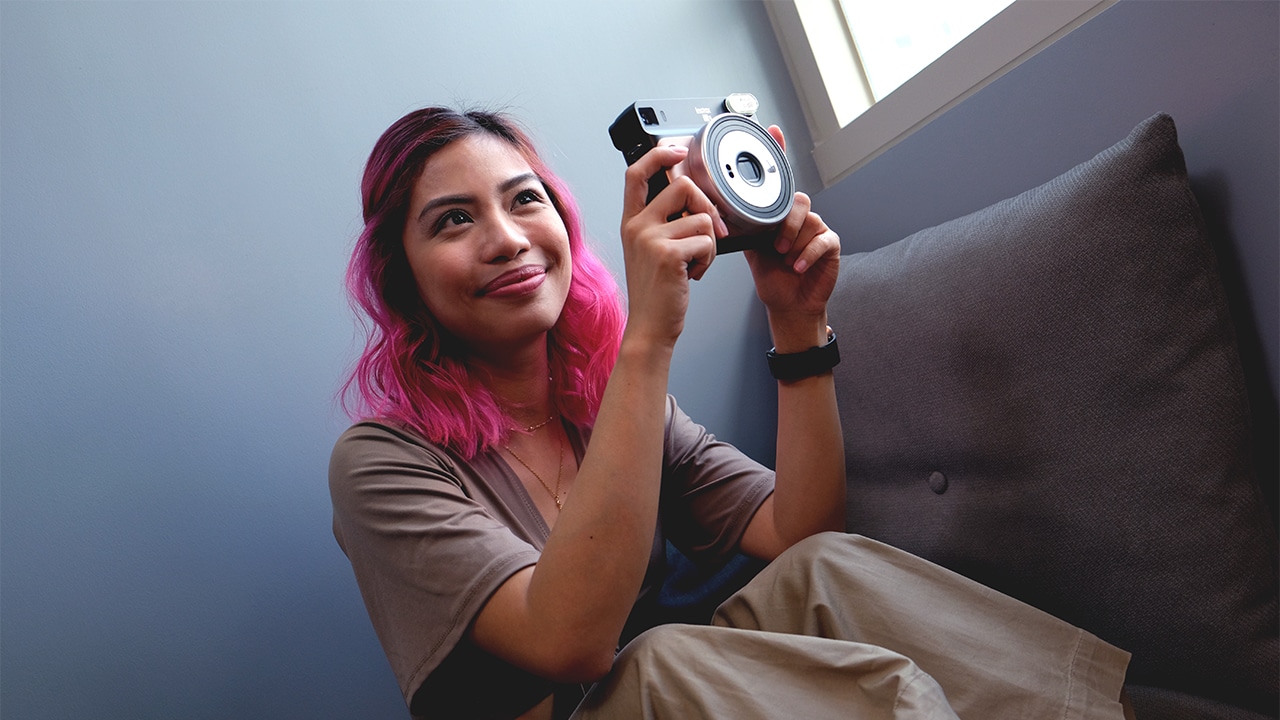
What can it do and how is it different from previous Instax releases? Keep reading.
Looking retro
Right off the bat, let me say it: This is an Instagrammable camera. It has a cool retro look that makes it look classic, but fun. It looks so nice, it can pass as a set prop.
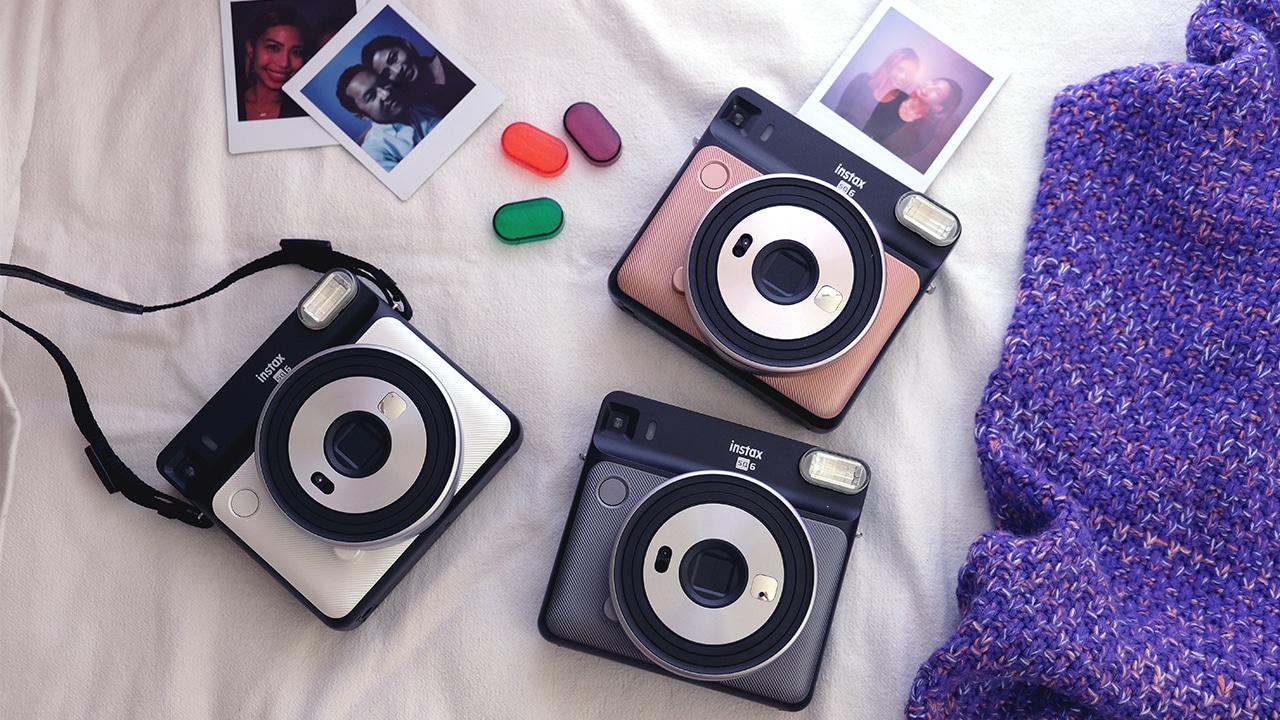
It comes in three colors: pearly white, slate metal black, and my favorite, a pink one.
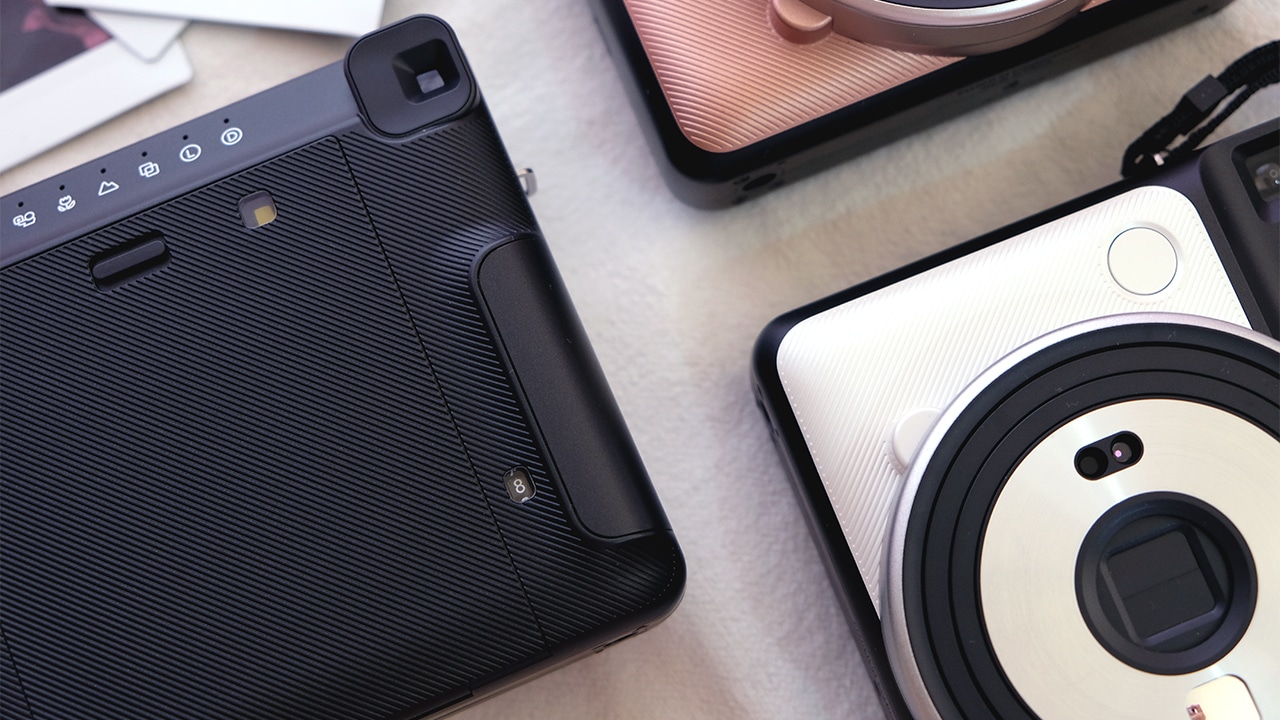
This simple camera is pretty straightforward. Up front is a beautiful textured finish. You can find the flash, shutter button, and a selfie mirror here.
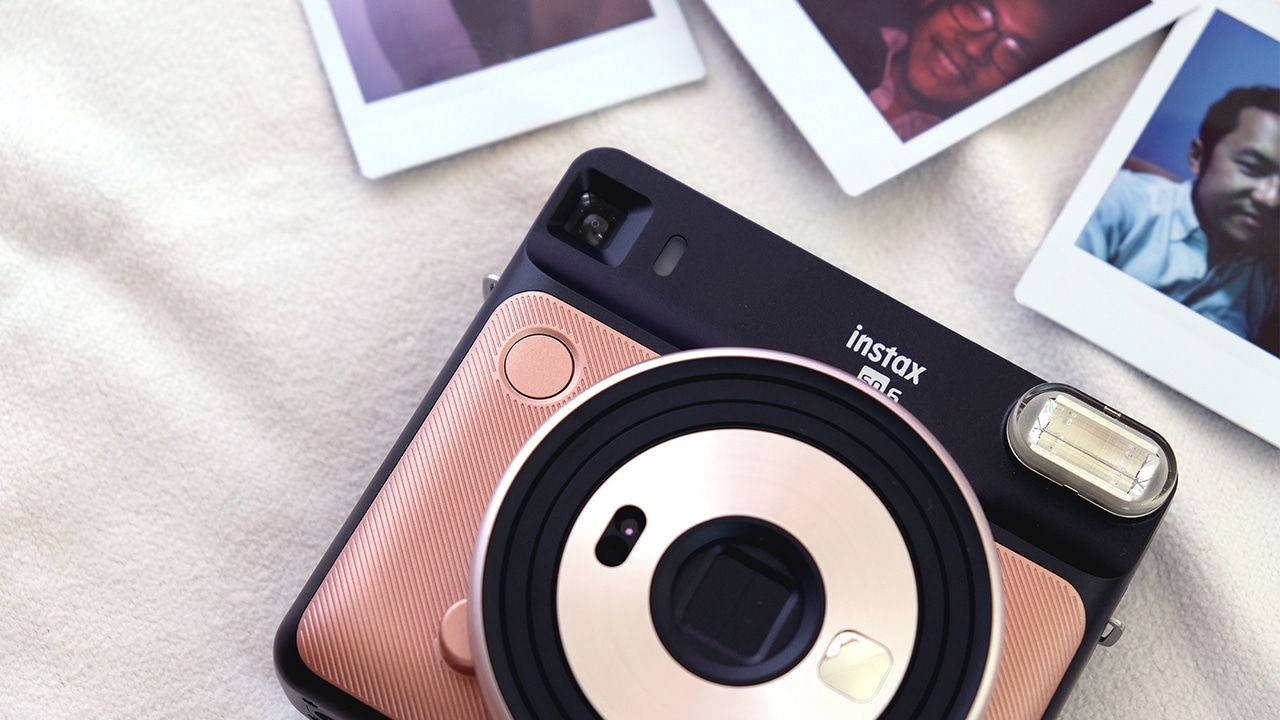
On the back is a slight grip, which houses batteries that power the device. There’s also the viewfinder, compartment for the film, and the different mode buttons.
Up top is where the film comes out, and of course, the on/off switch.
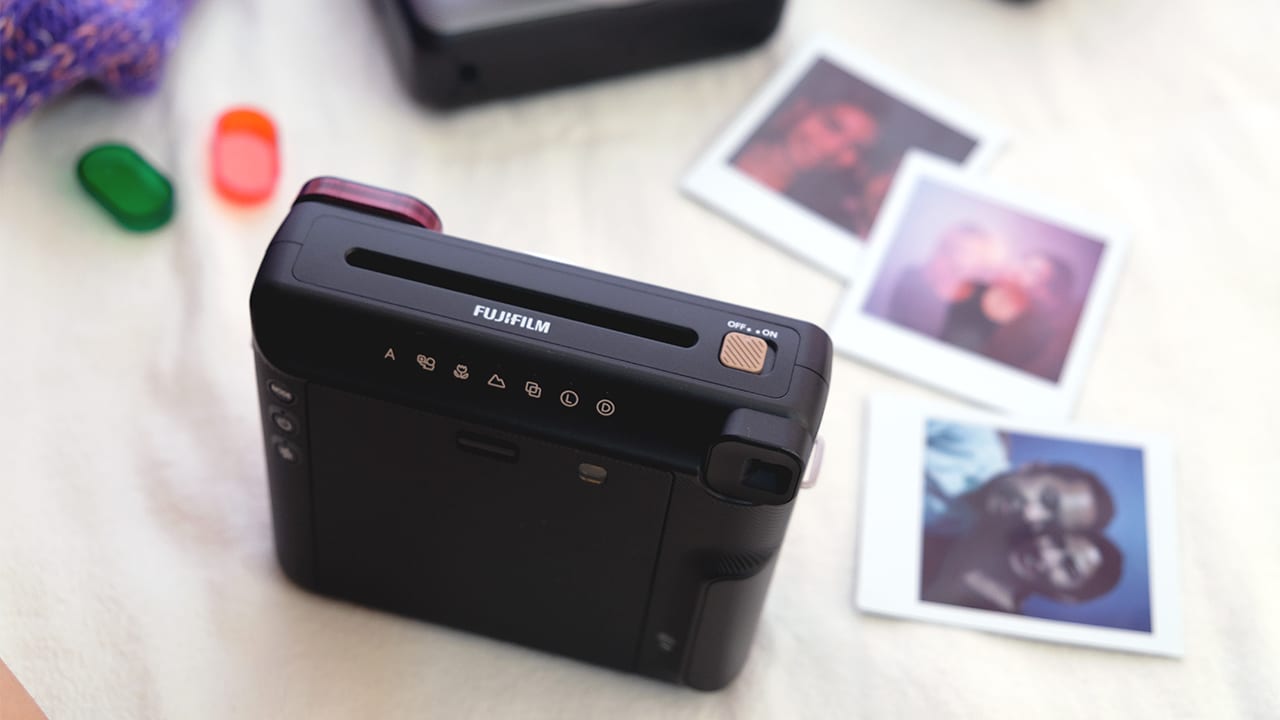
The SQ6 comes in a lightweight plastic body, but the design makes up for that. It’s not the most compact camera, but judging by how pretty it is, it seems this is a device that’s designed to be seen and shown off as opposed to being kept in a bag.
Getting started
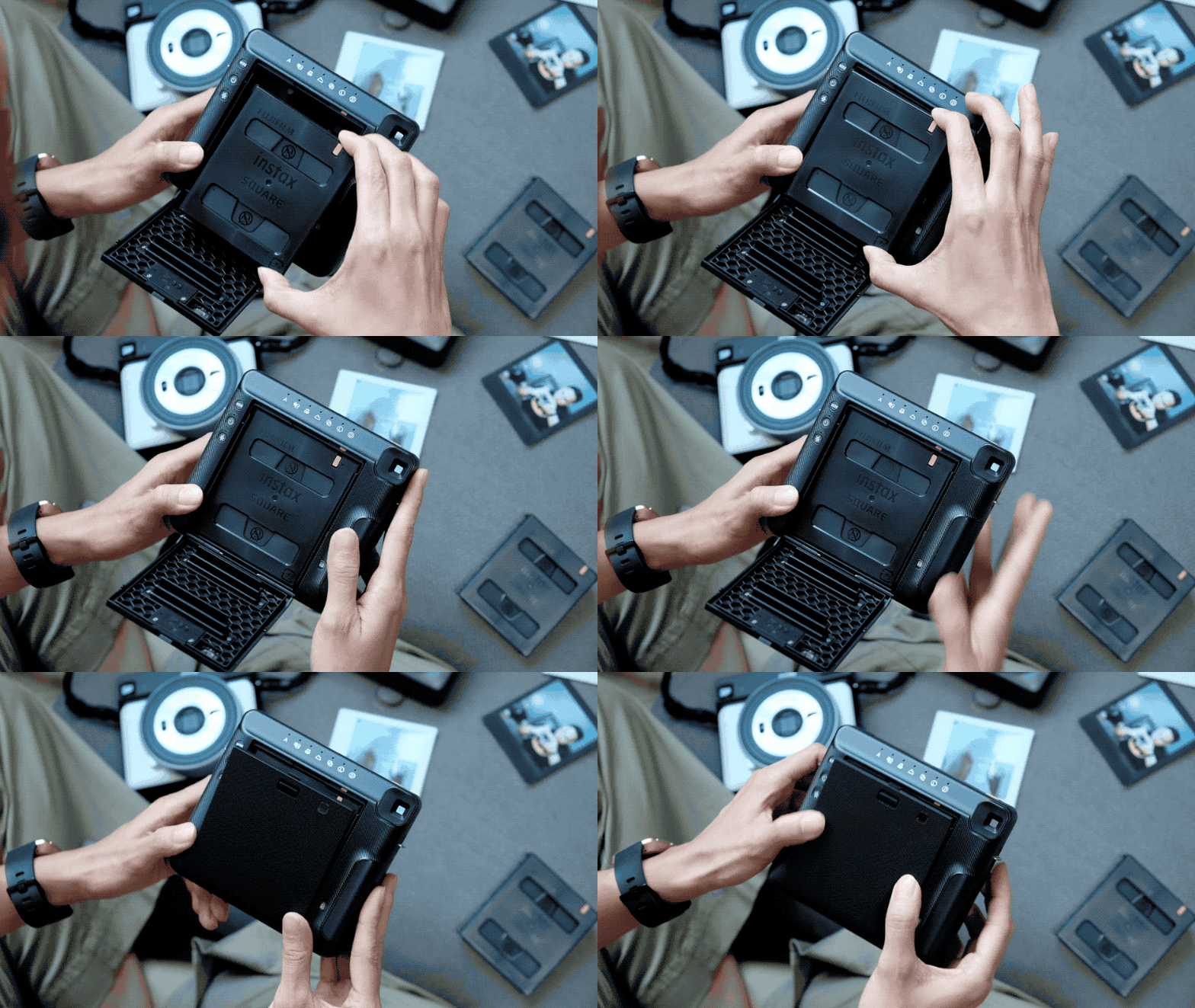
Before anything else, let me go through loading film, as this is always the trickiest part to any new instant camera.
With the SQ6, it’s pretty simple: Load the cartridge, make sure the yellow strips match (on the cartridge and the camera) and you’re done! There’s also a counter on the lower right that shows how many shots you have left.
Now, there are a number of shooting modes on this camera. There’s automatic for normal shooting conditions, Macro mode for close-up shooting, Landscape mode, double exposure mode, and even modes to lighten or darken your shots.
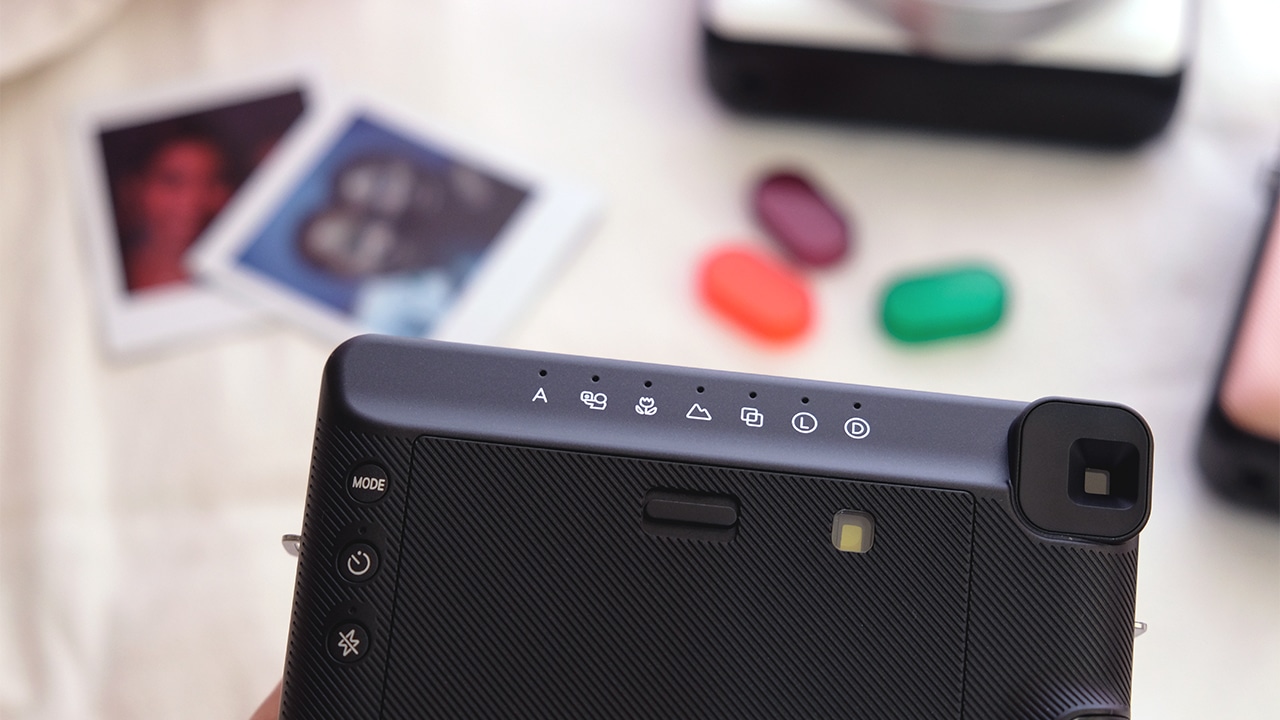
The topmost button on the left controls the modes; below that is a Timer button, and under that is a Hold Flash button. Like most instant cameras, the flash goes off every time a photo is taken. If you’re in a super bright place and you want to take a photo, you can press the Hold Flash button so that the photo won’t come out as too bright. Fair warning though, the flash is automatically on for good reason.

Speaking of the flash, the camera comes with flash filters in different colors for some fancy Instax photo effects.

The SQ6 is a square format camera meaning it shoots in square film. These are available in white, and just recently, black — which looks awesome! Each cartridge houses ten shots.
Time to shoot photos!
Picture perfect?
I just love that there’s a Selfie mode on this thing. Being on this mode calibrates the settings so that it takes the best photo from as far as your selfie-taking hand can go. That selfie mirror in front really helps, too.

Of course, that was a mode I used a lot. The Double Exposure mode is pretty cool, too. When on this mode, you can press the shutter button twice and the effect is pretty trippy prints. Speaking of trippy prints, those colored filters also add a subtle color effect to photos that give them more character.

No samples from the Macro mode as I wasn’t even able to take a decent one; the photo shifts to the side when you shoot. 😅
My go-to for group photos was the timer shot. This ensures no shaky hands and wider space so that everyone can potentially fit. This yielded nice, clear photos — when we framed it right.

Admittedly, mistakes on instant cameras are pretty common, and that’s the beauty of it.

I can’t tell you how much film I wasted on shots I screwed up. Whether I accidentally pressed the shutter, framed it wrong, or cut somebody out, these are all moments that will be remembered years from now, all frozen in Instax photos.
Do I likey?
The SQ6 follows the SQ10 as part of the Instax square format camera line. But, that’s about all it follows from its semi-digital predecessor.
This camera looks retro because it is. It’s fully analog, meaning no photo saving or editing, and it runs on replaceable batteries, which is not necessarily a bad thing. Taking photos is as quick and simple as hitting the shutter button.
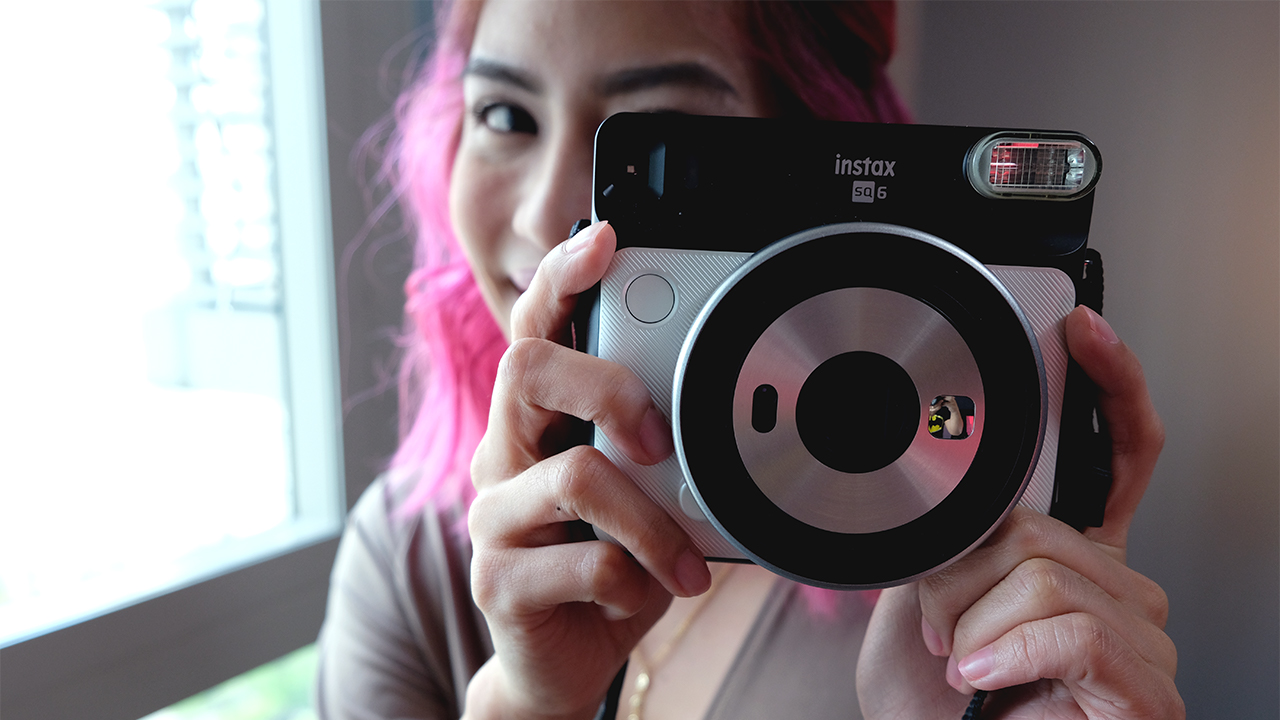
It’s an instant camera that’s straightforward and easy to use, which means it racked up fun points in that regard. Photo quality is definitely better compared to other instant cameras I’ve tried, and admittedly, that square black film looks great. Not to mention, it’s a pretty camera that’s very fun to use.
Yet another plus: The SQ6 retails for US$ 130 in the US, which is more than half the price of the previously released SQ10.
If you’re an avid instant camera fan and are into the old-school Instax feels, this shooter might be worth checking out. It’s a new camera with old tricks up its sleeves — and that formula actually works for it.







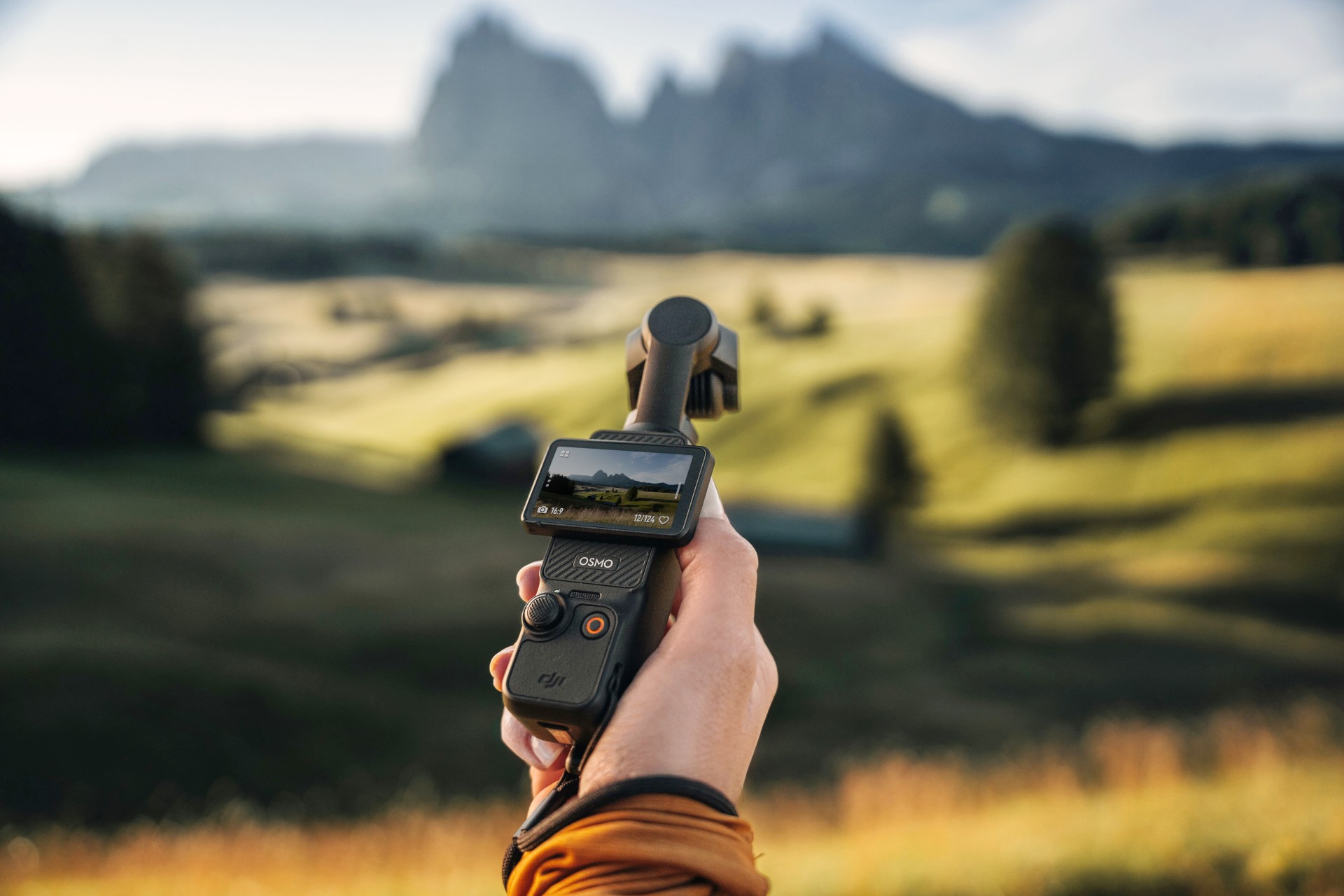
The DJI Osmo Pocket 3 might be the most popular camera in recent history. The tiny action camera constantly sells out, thanks to creators and would-be vloggers. Because of the current generation’s popularity, everyone is looking forward to the next-generation Osmo Pocket 4. Though it’s still unannounced, the new camera has suddenly made a surprising appearance out in the wild.
The leak shockingly comes from an authorized DJI retailer in Kuala Lumpur. Supposedly, a customer entered the store with what they claimed was an Osmo Pocket 4. The store, DronesKaki, even shot a now-deleted video of the unannounced camera, rescued by New Camera.
Based solely on the short video, the Osmo Pocket 4 looks and feels very familiar to those who’ve already used the Pocket 3. The three-axis gimbal system still keeps shots in place for taking videos while on the move. The 2-inch rotating screen looks identical to the current one, especially because of intuitive settings and controls.
However, the biggest standout is the built-in LED light sitting atop the camera. Despite how convenient and easy to use it is, the Pocket 3 doesn’t exactly shine in low-light conditions, prompting users to always bring an external flash. If the leak is true, the Osmo Pocket 4 cures this issue to some extent. (Built-in flashes aren’t usually standout solutions, but they can work in a pinch.)
Still, take the leak with a grain of salt. Though the store could have deleted the video because of a request from DJI, they could have also deleted it because it’s not the Osmo Pocket 4. At this point, we won’t know, but current rumors speculate that the camera is launching soon.
SEE ALSO: DJI Osmo Action 6 review: An adventurer’s best friend
Cameras
Canon PhotoMarathon returns, introduces video, open categories
Happening on April 18 in BGC, Taguig


The Canon PhotoMarathon is officially returning this year and is introducing more categories for enthusiasts to join in.
The 2026 edition, the 19th in the Philippines, will happen on April 18 at the BGC Amphitheater in Taguig City.
For the first time, Canon is opening the competition to non-Canon users. Even those with just smartphones can register. The brand has also added a video category.
Here’s a quick breakdown of the contest categories and their corresponding prizes:
Main Category (Photo)
- Open to Canon users only
- Prize: Canon EOS R6 Mark III with RF24-105mm f/4-7.1 IS STM
Open Category (Photo)
- Open to all camera brands
- Prize: Canon EOS R8 with 24-50mm
Video Category
- Open to all camera brands
- Canon Prize winner: Canon EOS R50 V
- Non-Canon Prize winner: Canon Powershot V1
The full mechanics will be announced on the day of the competition itself to make it even more challenging for those taking part.
To join, simply download the Canon PH Delightful app, create an account, go to the Events tab and select the Canon PhotoMarathon banner. Registration is already open.
To build up hype for the upcoming event, Canon will host photowalks, school tours, and regional tours leading up to the PhotoMarathon.
These are designed to engage photographers at every skill level. Admission is free and open to all digital camera users.
Cameras
Canon EOS C50 cinema camera price in the Philippines
Smallest, lightest cinema camera made for today’s filmmakers, creators

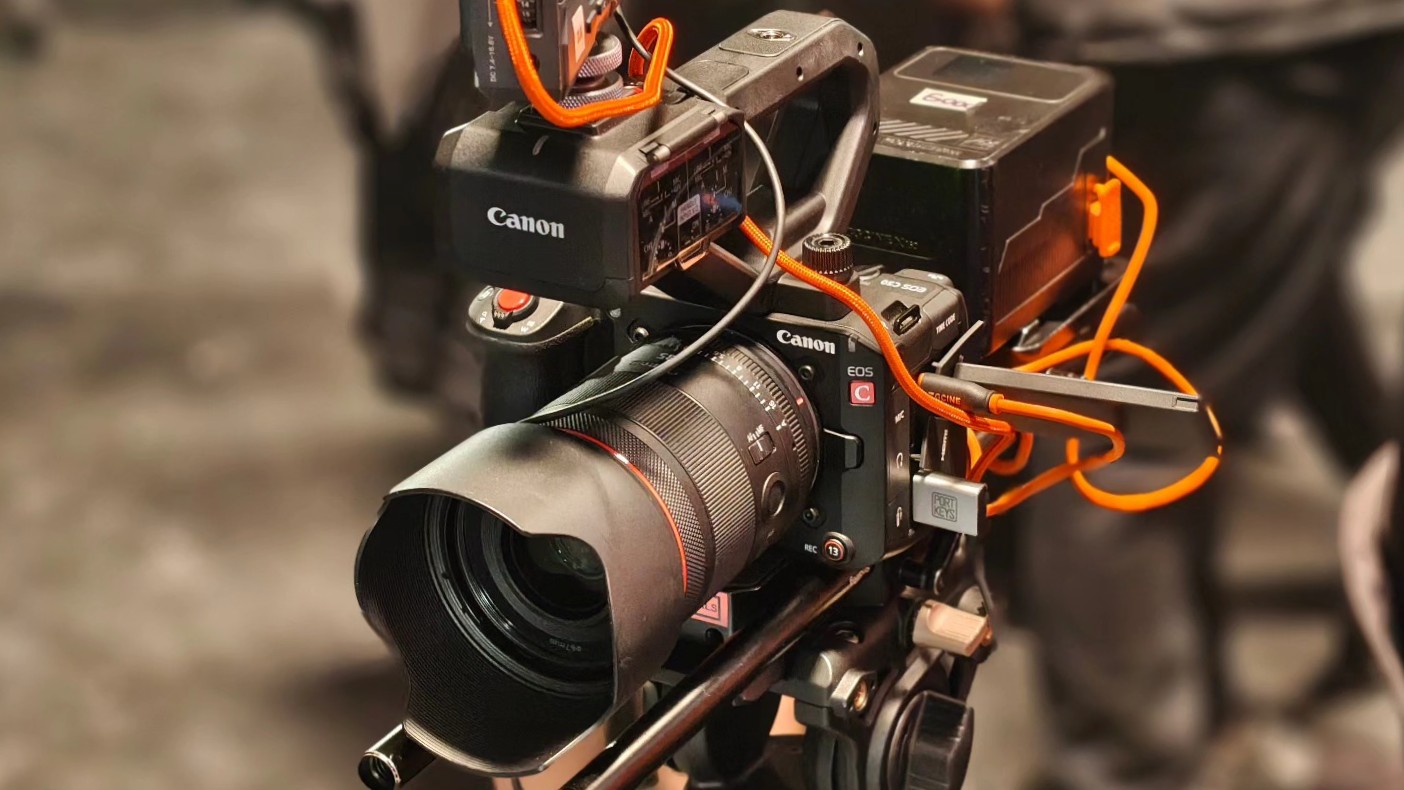
Canon Philippines is capping the year strong with the release of the Canon EOS C50 in the market. The cinema camera is priced at PhP 189,998 for the body along with an XLR handle.
The Canon EOS C50 is designed for both filmmakers and creators who need mobility and professional-grade quality.
It has the same 3:2 Open Gate recording feature also on the EOS R6 Mark III, which gives users flexibility for post-production.
Creators can extract full 4K footage along with cropped 2K vertical or square versions from the same capture with the Simultaneous Crop Recording feature.
This is ideal for producing multi-platform content, like 16:9 landscape videos for YouTube then vertical shortform videos for social media.
Also, an added edge is the up to 7K 60p RAW recording capability on the C50, compared to just 7K 30p for the Mark III.
Filmmakers can also record at up to 4K 120fps should they need high frame rate captures. Recording in 4:2:2 10-bit is also available for rich color and flexibility in post-production.
In addition, the EOS C50 features dual CFexpress and SD card slots. 7K RAW can be saved to CFexpress while other formats can be saved to the SD card.
Different format, resolutions, and color sampling can be assigned for backup, distribution, or quicker edit-ready files.
Photo performance
For stills, users can take advantage of the 32MP CMOS sensor for capturing up to 40 shots per second (with electronic shutter).
The camera also supports pre-continuous shooting and AF performance improvements with its Dual Pixel CMOS AF II.
Enhancements include Auto setting, animals, vehicle priority, and eye AF, as well as the new left/right priority.
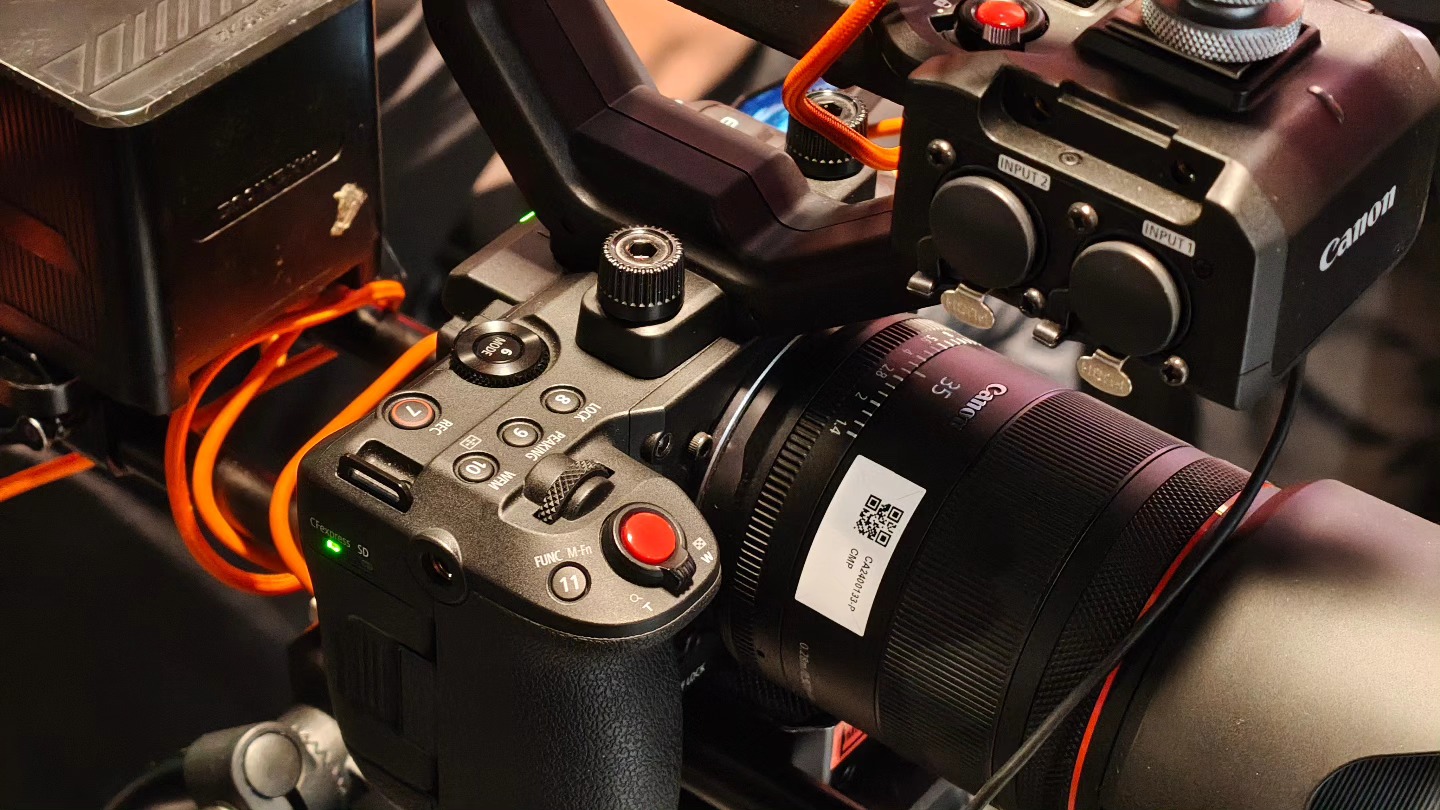
Moreover, the camera features Dual-Base ISO with Auto Selection, automatically switching between ISO 400 and ISO 3200 depending on the scene.
This ensures the highest signal-to-noise ratio while maintaining a wide dynamic range. Users can also manual select the ISO to match lighting conditions.
Professional interface
Onto its controls, the EOS C50 has a TIME CODE terminal, which is perfect for seamless multi-camera setups. It also features two XLR terminals and a handy control dial for professional audio input.
There are 14 assignable buttons, each thoughtfully positioned for quick, instinctive access while filming. There are about 100 customizable functions available so the camera can match a user’s workflow.
During the launch event, Canon Philippines demonstrated a wide range of scenarios for the EOS C50, including multi-angle live broadcasts with just one camera.


Now Playing: Iron Lung
The premise will leave you wanting for more.


Infinix NOTE Edge: Stellar at street photography
Despite trailing in other specs, the Infinix NOTE Edge was built for point-and-shoot photography.


OPPO Reno15 Pro: Camera Review
Why is this even considered a "Reno"?

Smart opens pre-orders for Samsung Galaxy S26 series
Now Playing: Iron Lung

TECNO resurrects modular phones with this new concept

Privacy Display | Galaxy S26 Ultra

Audio Eraser now works on third-party apps | Galaxy S26 Ultra

Breaking up with Adobe Photoshop after 20 years

TECNO will showcase the CAMON 50 and POVA 8 series at MWC 2026

PlayStation, LE SSERAFIM Chaewon team for the ‘Love of Play’ campaign

VinFast updates battery subscription policy for large upfront savings

Xiaomi SU7 Ultra makes Gran Turismo 7 debut


-

 Reviews2 weeks ago
The art of being in and behind the frame
-

 India2 weeks ago
TECNO POVA Curve 2 5G packs an 8000mAh battery
-

 Gaming2 weeks ago
New Resident Evil Requiem trailer teases a return to the RPD
-

 Accessories2 weeks ago
Apple AirTag 2 Review
-

 Gaming2 weeks ago
John Wick, Kena sequel, more new games showcased at State of Play
-

 Cameras1 week ago
Osmo Pocket 4 makes a surprising appearance in public
-

 First Look1 week ago
Match Pulse: Infinix NOTE 60 Pro
-

 Gaming2 weeks ago
Metal Gear Solid: Master Collection Vol.2 launches August 27 on PS5