

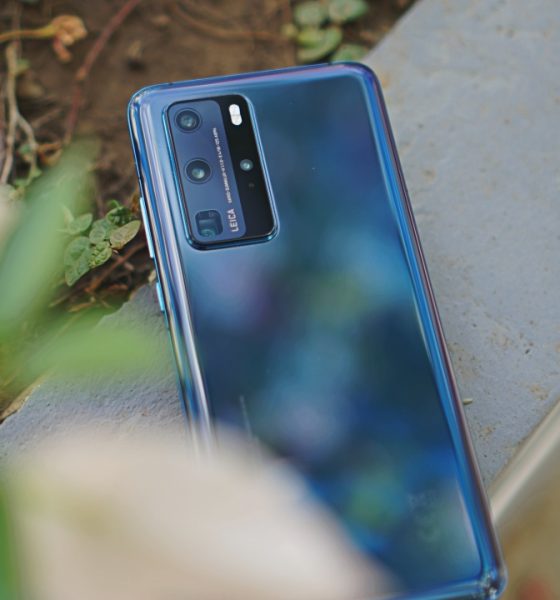

Still on the fence about the Huawei P40 Pro? Let us tell you that it’s as sleek and sexy as you see in the photos. It’s probably one of the best phones to hold today. But of course, there’s more to it than what meets the eye.
Is it just a glorified smartphone camera or is it actually a smartphone? The short answer is yes, it most definitely is a smartphone. Huawei has done a good job at beefing up the AppGallery and providing other means to get apps on their new flagships.
So here’s some of the things you can do on your Huawei P40 Pro.
Play your favorite mobile games
The Huawei P40 Pro is stacked on the specs department. It’s running the company’s latest — the Kirin 990 5G SoC along with 8GB of RAM and 256GB of internal storage.
That’s more than enough power and memory to run your favorite games. A lot of which you won’t have trouble accessing. Hard core racing game Asphalt 9 is available via the AppGallery. If you want something more casual, there’s also the classic Candy Crush.
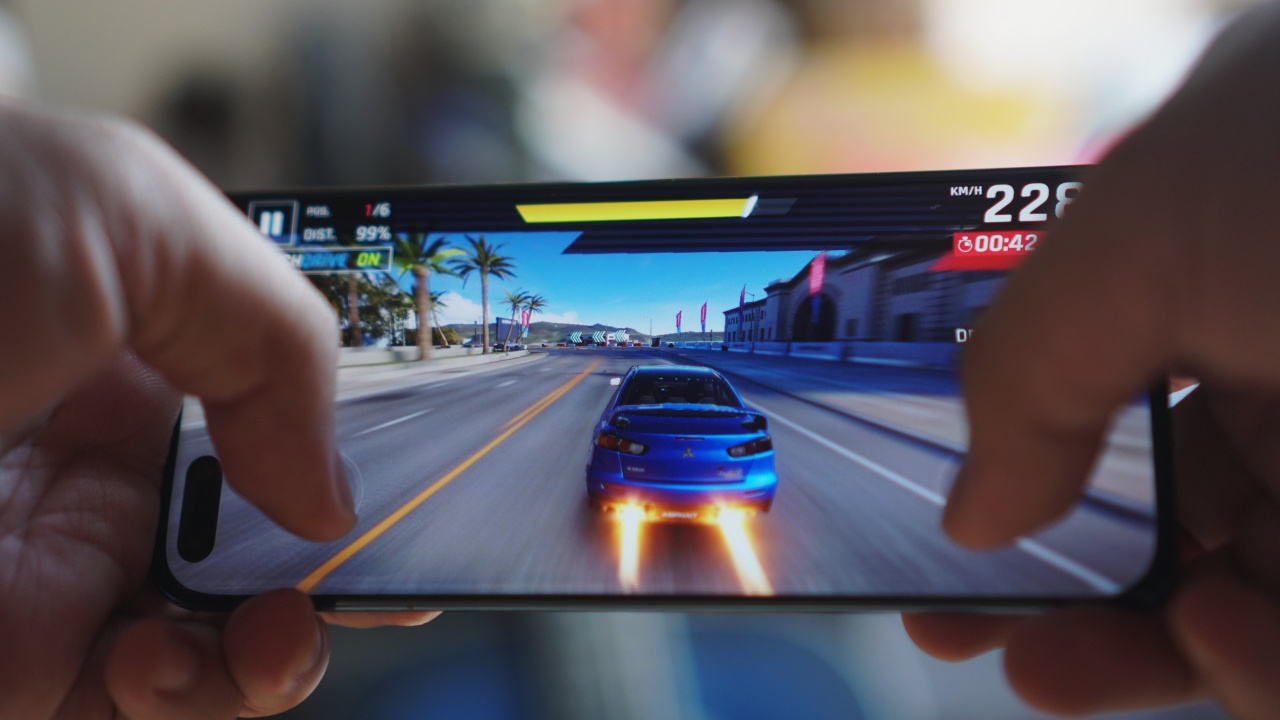
What about other games? Popular titles like Mobile Legends: Bang Bang, PUBG Mobile, and many others are accessible through the web or through third party apps.
Watch your beloved shows
Maintaining some semblance of work-life-balance at a time when most of us are asked to work from home can be challenging. Winding down after a long day to watch your favorite show is one way to do it.
Get your K-Drama those via Viu or choose from a wide selection of local and foreign shows and movies on iFlix. Both apps are available on the AppGallery.

Not enough for you? You can get Netflix on the Huawei P40 Pro also through a third party app. If you want to just get lost in a YouTube rabbit hole, you can get to it through the Huawei browser.
For quicker access, you can add YouTube to your home screen. On the Huawei browser, simply tap on the three dots right next to address bar. It’ll show the menu. Just tap “Add to home screen” from there.
The 6.58-inch AMOLED display along with its relatively small footprint and good grip makes the P40 Pro great for this activity. The screen is fantastic and you won’t wear your arm out holding it up for an extended period.
Be a responsible social media user
The being responsible part is entirely up to you, but we highly encourage it. On the AppGallery or through third party apps, you can get access to the top social media apps like Facebook, Twitter, Instagram, Snapchat, and Kumu.
Browsing on social media and using your phone in general is easier on the eyes thanks to the 90Hz screen refresh rate. It’s a smoother experience that you will definitely notice.

But don’t just share anything. Make sure the stuff you’re posting, especially when it’s news, is from a reputable source. On the AppGallery you can get the CNN Breaking US & World News app. If you need something that’s local to the Philippines, there’s the GMA News app.
While you’re at it, make sure you brush up on your vocabulary. The Merriam-webster dictionary is available for download on the AppGallery. So when you encounter a word you’re not familiar with, you can simply look it up.
Discover your inner photographer
You might also be inclined to share your quarantine food of the day. You’ve been adding skill points to your culinary abilities and what better way to show them off than through photos.
The camera set on the P40 Pro will make sure your FOTD is high quality. After all, you get a 50MP main shooter. If you want to get closer, there’s the 12MP telephoto lens. To get a wider perspective, you have the 40MP wide angle camera. There’s also a TOF 3D lens for good measure.

The P40 Pro is also home to new features that we’re sure you’ll find useful. For instance there’s AI Remove Reflection. Say you wanted to get a shot of the sky through your window. Inevitably, you’ll capture part of your window glass. The new feature will magically take that away for you. That same magic works on the AI Passersby feature. The phone will let you crop out unwanted object from your shot. Neat!
Speaking of magic, you don’t have to worry about missing magical moments with the AI Best Moment feature. It’s almost self-explanatory. Not all of us are skilled with capturing the right moment at the right time. What the P40 Pro does is it analyzes the frames taken before, during, and after a photo is taken to give you the best possible shot. It’s also perfect for when you’re taking a shot of moving objects or movement in general.
Spice things up using various photo editing tools on the AppGallery like PicsArt or Photogrid. Alternatively, you can also download our personal favorite — Snapseed through third-party means.
Be a TikTok star
Or not. It’s really up to you. Just putting the possibility out there. That said, on top of the rear camera set already mentioned above, you also have a 32MP front-facing camera.
So whether you’re dancing in front of your phone or you’re shooting a set of clips for a nice little skit, you have quality cameras that can help elevate the quality of your videos.
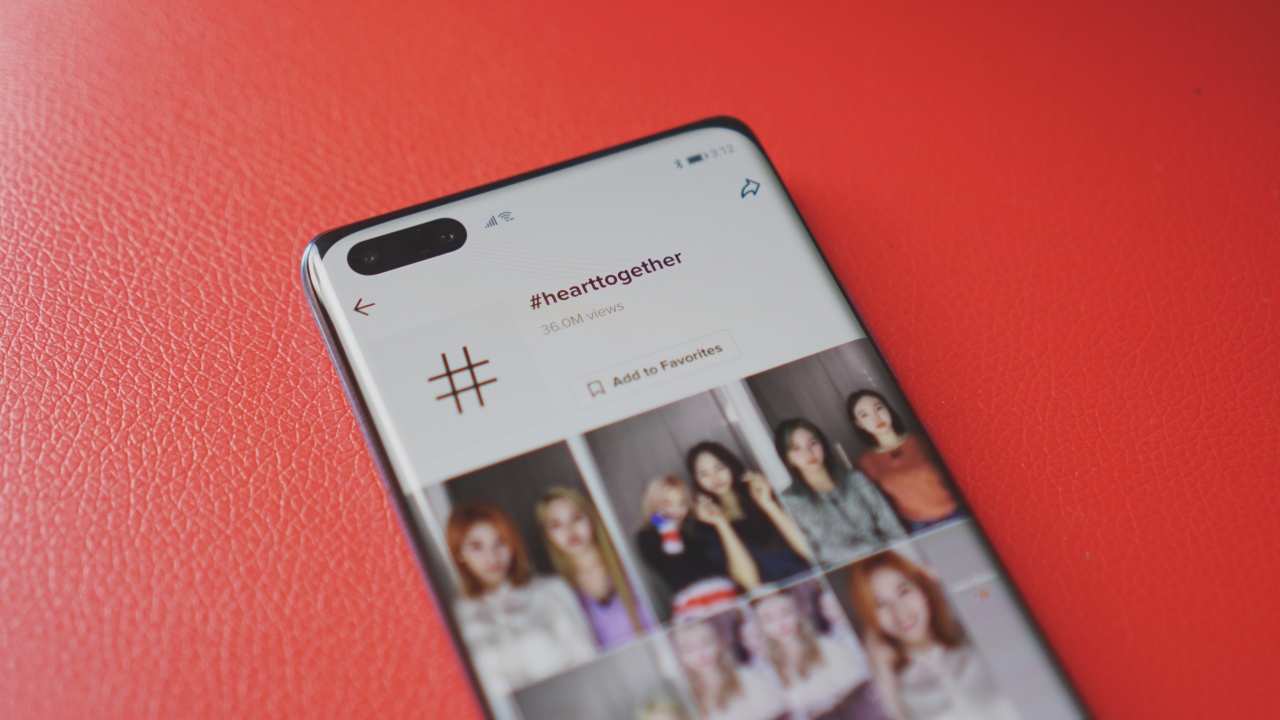
TikTok, of course, is readily downloadable on AppGallery.
If you want to be extra and buy props and what not for your journey to becoming a TikTok star, Lazada and Shopee are also on AppGallery making sure you have quick access to online shopping.
Manage your finances
But how do you pay? Funny you should ask. E-wallets like GCash and PayMaya are downloadable on the AppGallery. You simply need to set up either one (or both. Pro tip: You should have both), to help handle online payments. In this age of social distancing, the less we contact we have with other people, the better.

Banking apps like BDO, Citibank, and Landback are also available on the AppGallery. For everything else, you can access through third party apps or through their web version on the Huawei browser.
Develop a quaranfling 😉
We get it. You’re stuck at home. It can get lonely. But it doesn’t have to be. If your crush isn’t responding to your multiple attempts to slide in his/her DMs, perhaps it’s time to look elsewhere.
Bumble is available on the AppGallery so you can swipe away to try to find a connection online with someone who you know would already be interested in you in some shape or form.
Other dating apps like Tinder and OKCupid aren’t there yet, but they are in the pipeline so you’re not totally missing out.
Stay connected with family, friends, and loved ones
If a fleeting romantic connection isn’t your thing, then just make sure you reach out to the one’s closest to you. Human beings are social butterflies, and this self-isolation is putting that quality to the test.
Keep your connections strong through various messaging apps like Messenger, Viber, and WeChat. All of which are available via the AppGallery or through third party apps.
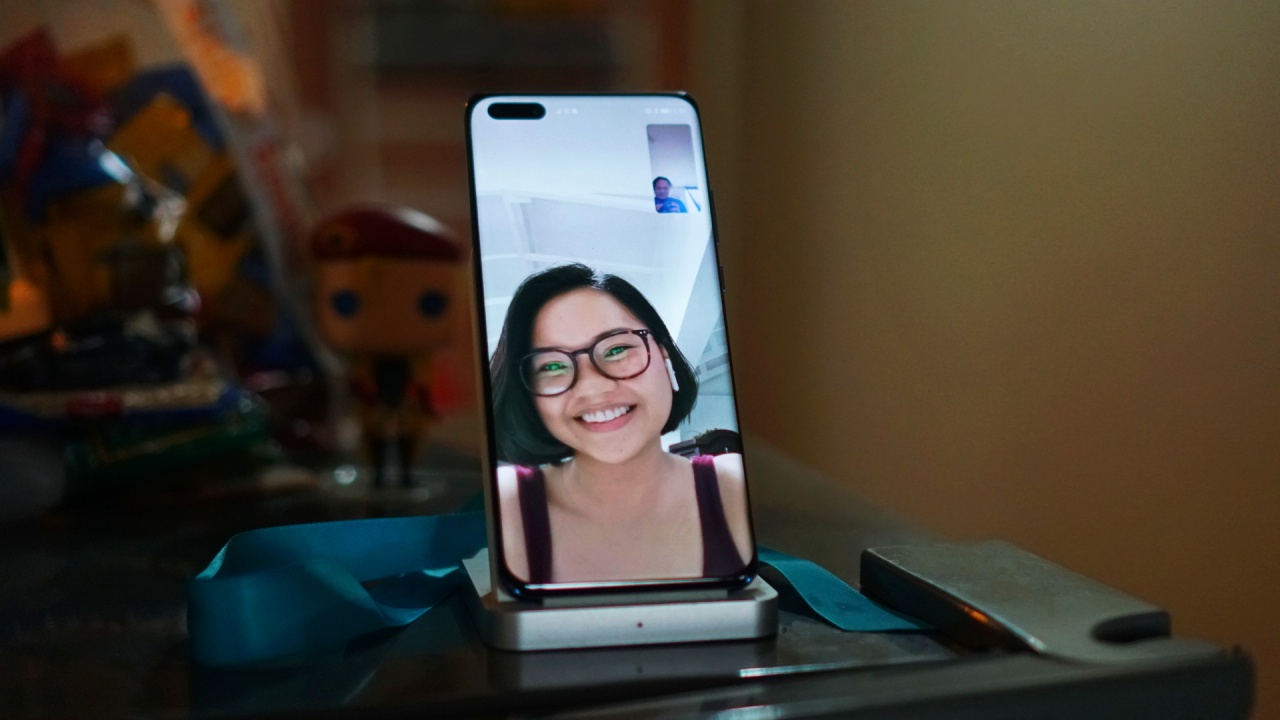
MeeTime
Additionally, you and your friends can all get a P40 series phone and hop on a MeeTime call. Sometimes chatting just isn’t gonna cut it. Seeing and talking to each other in real time through video calls can help bridge that communication gap.
If you happen to have a 5G SIM with 5G coverage in your area then you’re in luck! The Huawei P40 Pro is 5G-capable. That tech is still developing but when it’s ready, you know for sure you’ll be ready.
It can help fill that gaping hole brought about by the gloom and doom of this pandemic. Dark. But it doesn’t have to be. MeeTime can help.
Certainly a capable smartphone
The Huawei P40 Pro gives you access to pretty much everything you’ll need and expect to get access to on a smartphone. The apps you use on the daily, and other new ones that you might find helpful are available on Huawei’s on AppGallery or through other means.
It’s not just a camera with smartphone features. It’s a smartphone full stop. And quite a really good one at that.
The Huawei P40 Pro retails for PhP 50,990. You can buy it now on the Lazada Huawei Store and MemoXpress.
This feature is a collaboration between GadgetMatch and Huawei Philippines






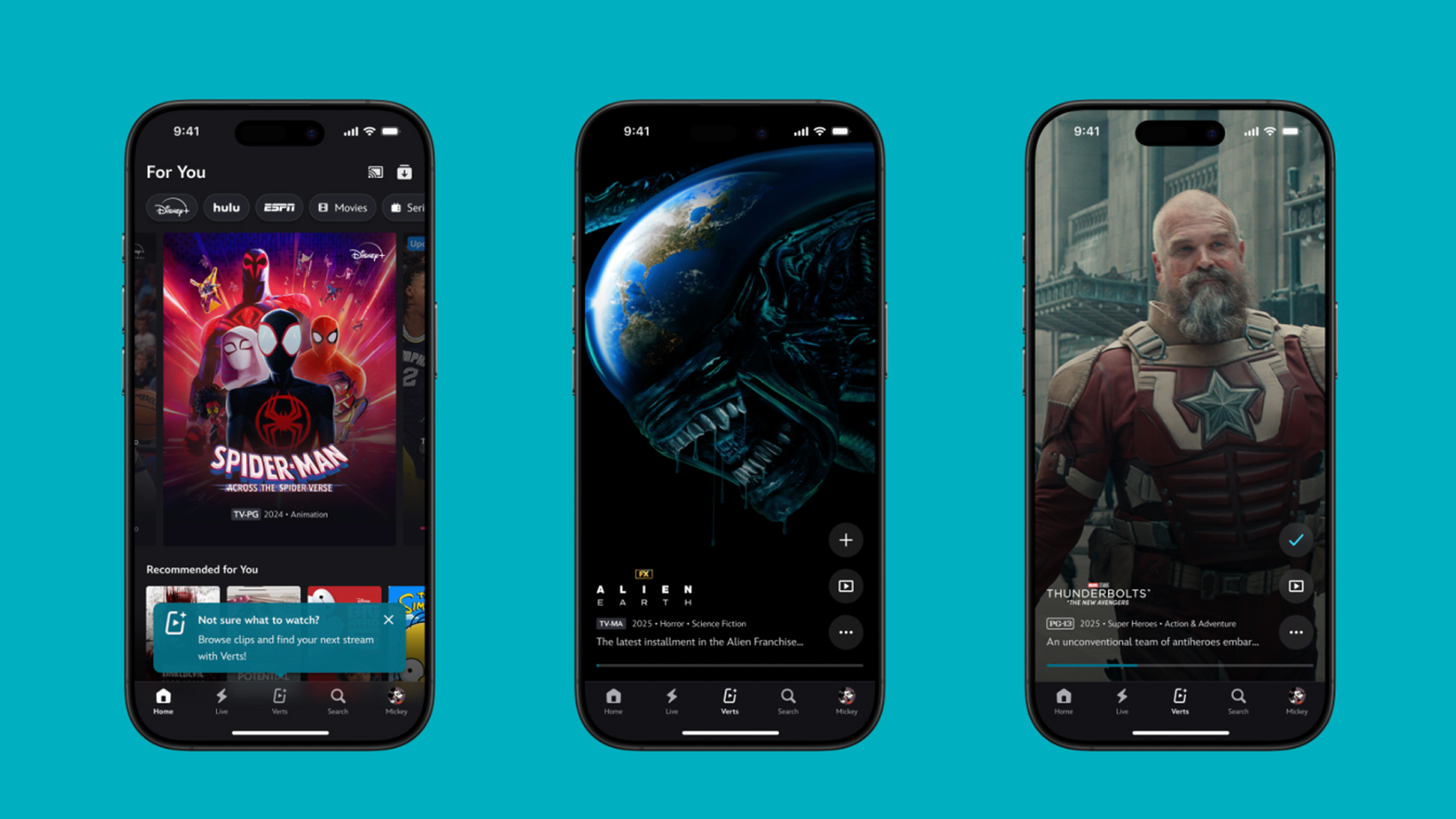
TikTok has changed how we consume media. Everything is now vertical. Even the most established streaming services, often a bastion for traditionally horizontal content, is adopting the different format. Now, Disney+ is getting a vertical feed called Verts.
Like its contemporaries, Verts presents a continuous feed of content but tailored to show the plethora of titles from the Disney+ library. This might include the first scenes of shows or notable highlights. The hope, of course, is to direct users to the longform content.
Directly from the Verts feed, users can easily add the respective title to their watchlist or go straight to the title’s page. In turn, the feed is accessible from the homepage since it has its own tab.
According to Disney, early experiments with the feature have driven engagement to available content. Right now, the feed is mostly for clipping enticing content from shows. However, the platform will experiment further with the format for new ways to tell stories.
Though Verts surely stands for “verticals” in this case, “adverts” might fit better as its full government name. Still, it might be a useful tool if you’re figuring out what to watch for the night.
Currently, Verts is available for Disney+ subscribers in the United States. Disney also has plans to expand the feature to ESPN for sports-related content.
SEE ALSO: Live NBA action on Disney Plus now available in the Philippines
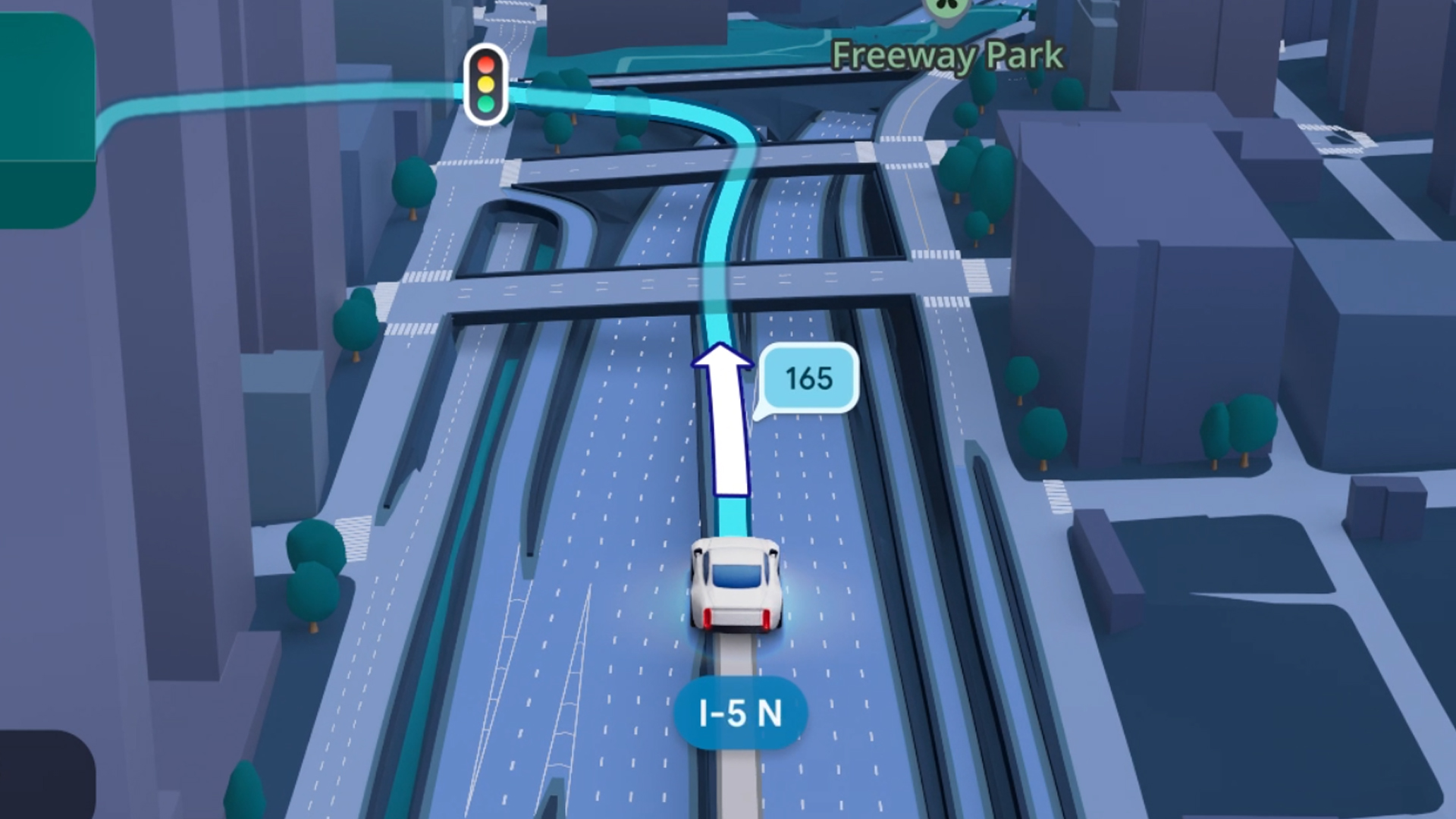
Some of today’s navigation apps are living in the future. Instead of a two-dimensional map, these apps render the user’s surroundings in 3D. It’s a nifty upgrade that helps drivers more accurately visualize directions on the fly. Finally, Google Maps is getting a much-needed upgrade and will take navigation to the third dimension.
In a new update rolling out today, the new Immersive Navigation feature will bring your surroundings to life. The 3D view creates a render of the surrounding buildings, overpasses, and terrain around the car. It takes the guesswork out of navigation by showing precisely where to turn and what landmarks to look out for.
In the same vein, you can now use Street View to preview your destination before you arrive. Google Maps will also highlight your destination’s entrance, side of the street, and nearby parking.
Outside of how the map is visualized, Google Maps is also infusing its service with Gemini. The new Ask Maps feature will let you engage with the app in a conversational manner. For example, if you’re in the middle of a long drive, you can now ask Maps where the best place is to stop over and have a coffee break. Ask Maps will provide directions, a potential itinerary, and even helpful links to book a reservation ahead of time.
Now, availability for both of these features is still a bit limited. Immersive View is rolling out today to compatible devices and vehicles in the United States. Further, availability will expand over the coming months.
Meanwhile, Ask Maps is available now in the United States and India for Android and iOS. A desktop version is coming soon.
SEE ALSO: Google Maps is finally getting a power saving mode
Apps
Apple Music, TikTok launch Play Full Song, a new music discovery experience
Rolling out worldwide exclusively through Apple Music
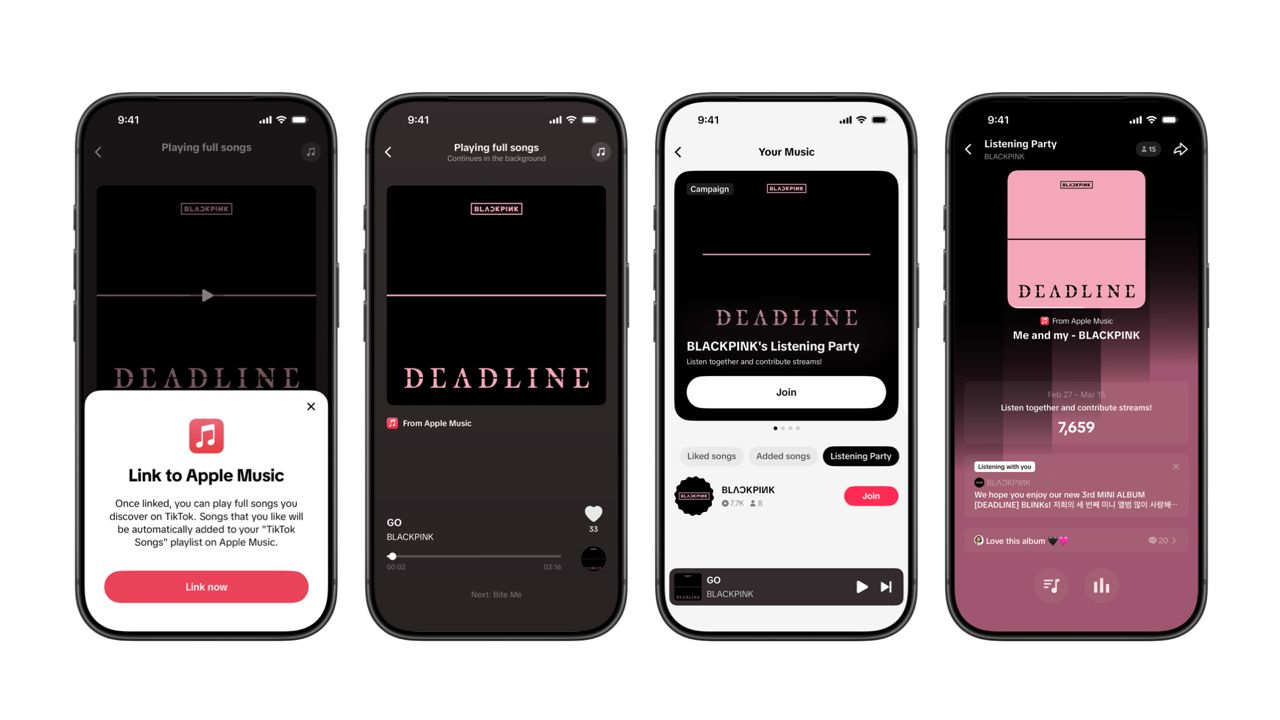
Ever came across a viral 15 or 30-second music snippet on TikTok that instantly became your jam on repeat?
For years, TikTok has been a regular source of songs that have become part of our playlists. And together with Apple Music, listening to the music you discover has just gotten even easier.
That’s through Play Full Song, a new music discovery experience, which launches exclusively though Apple Music.
With the new feature, Apple Music subscribers can now enjoy full-length tracks that they discover on TikTok. That’s without ever leaving that popular streaming app.
Fans who discover a song that they love on their For You or Sound Detail page can simply tap the Play Full Song button to open up an Apple Music player and enjoy the song in its entirety.
From there, subscribers can continue listening to a personalized stream of recommended songs. That means no more need to switch apps and search separately.
The new Play Full Song experience helps music fans move seamlessly from the moment of discovery to deeper listening. It’s also designed to be instant and all within the same environment.
Moreover, users can also save their favorite songs to Your Music and add them directly to their Apple Music playlists.
Built using Apple’s MusicKit, full-length song playback takes place on Apple Music. This way, streams are paid within the Apple Music service, supporting artists and rights holders while giving fans a smooth, uninterrupted experience.
Listening Party also launched
The feature builds on the success of TikTok’s Add to Music App. This was previously launched to help artists and fans convert discovery on TikTok to a playlist save in Apple Music and other streaming services.
To cap the announcement, TikTok and Apple Music are also introducing Listening Party. This new feature is designed to bring artists and fans together around music.
It creates a shared environment where fans can listen to songs from their favorite artists in real time, interact with each her, and engage directly with the artist during the session.


Infinix NOTE 60 Ultra: Not bad for a flagship push
It's definitely got the looks, though.

JBL Sense Pro review
My daily driver met a loud and capable rival in this quest for a superior training companion.

Shokz OpenFit Pro: Somewhere between awareness and focus
Find your balance

Match Pulse: TECNO SPARK 50 5G
Infinix NOTE 60 Ultra: Not bad for a flagship push
JBL Sense Pro review

LE SSERAFIM Chaewon flexes Galaxy S26 Ultra Privacy Display

Power Mac Center opens 1st branch in Boracay


-

 Philippines2 weeks ago
The HONOR X8d is serviceable
-

 Gaming1 week ago
WWE 2K26 lets you live out all the fantasy matches you could want
-

 Reviews1 week ago
Galaxy Buds4 Pro review: I thought I was done with in-ears
-

 Smartphones2 weeks ago
Spotlight: OPPO Find N6
-

 Gaming2 weeks ago
The hunt begins: The Witcher in Concert hits Manila with surprises in tow
-

 Gaming2 weeks ago
Monopoly: Star Wars Heroes vs. Villains launching on June 11
-

 Automotive1 week ago
How the Ford Ranger is powering community resilience
-

 News2 weeks ago
nubia to launch new Neo 5 series gaming phones on March 28