
Cameras
myFirst Insta Wi: For the love of labels, prints, and photographs
Here’s a camera and printer in one!

Kids nowadays are neck-deep into technology — smartphones, tablets, smartwatches, television, and other forms of tech in our day-to-day lives.
Being the legal guardian of my seven-year-old niece is tough, especially since my work involves the latest devices in the consumer technology industry. She has access to all the newest and coolest gadgets in the market more than her peers.
What worries me is that I’ll have a hard time encouraging her to be more present, disconnect, and have fun offline. So when Oaxis Singapore reached out for their Kickstarter campaign, I was ecstatic. An instant camera and printer in one could be the solution to my woes.
A bit of history
Before we dive in, let’s have a bit of a background about myFirst. It’s a kids technology brand under Oaxis, founded by a team of super dads who aim to bridge the gap between tech and the toys we used to love.
There are a lot of issues that almost every parent has when it comes to gadgets. These include security in using technology and against online risks, being a factor in a child’s learning process, possible addiction, and safety from hazardous materials. This is what myFirst has been trying to address ever since they launched the myFirst Camera. And it continues to do so with the newest Insta Wi.
So, what is this Insta Wi?
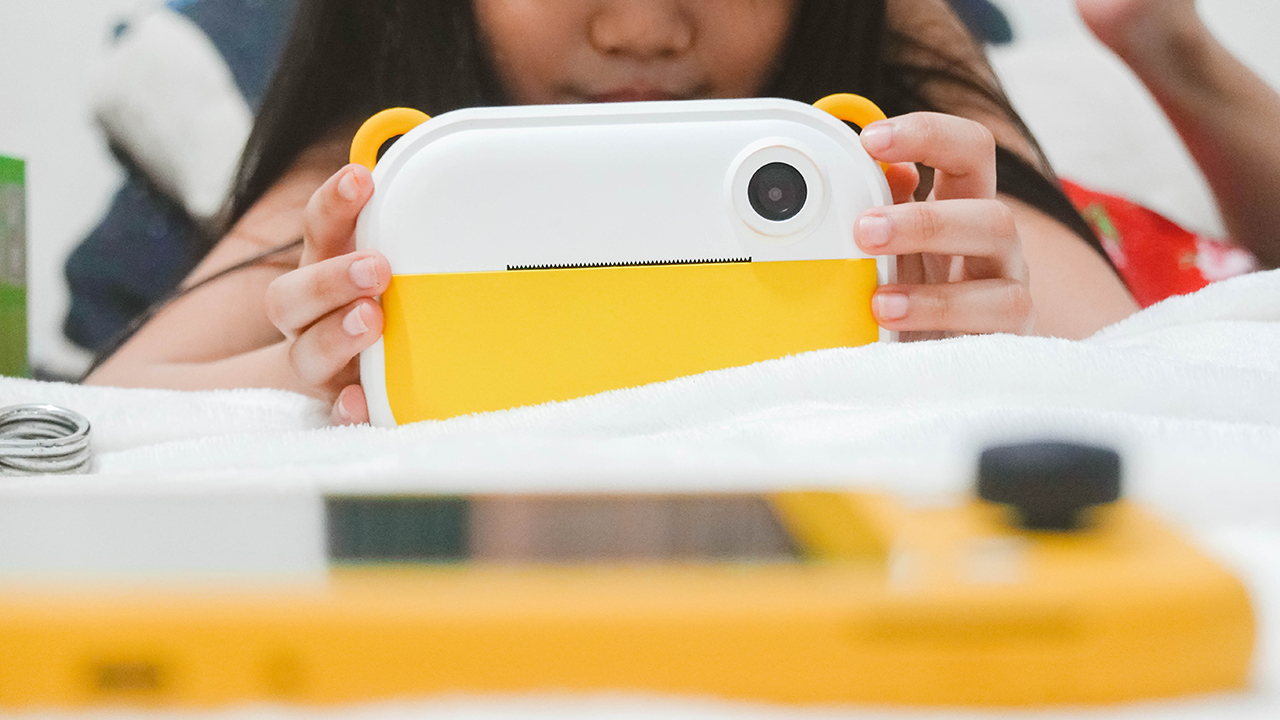
The Insta Wi is myFirst’s newest camera — an all-in-one device that lets you take photos and videos, and print pictures and labels.
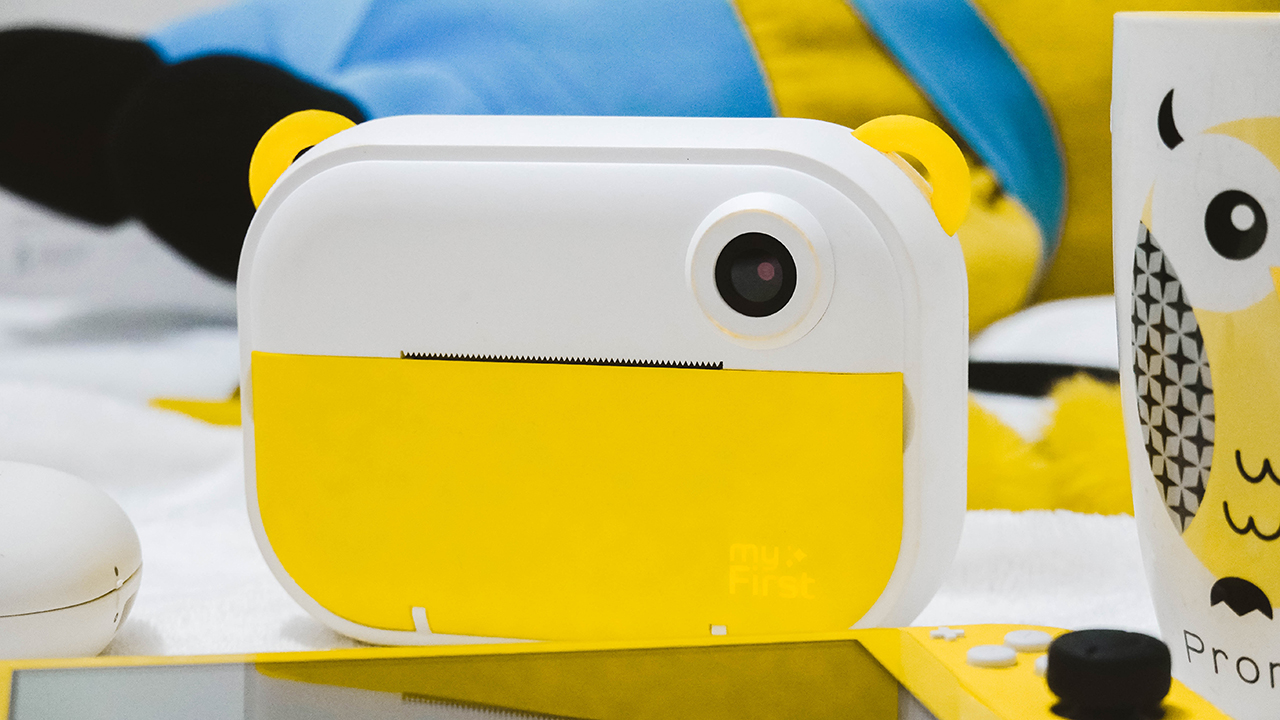
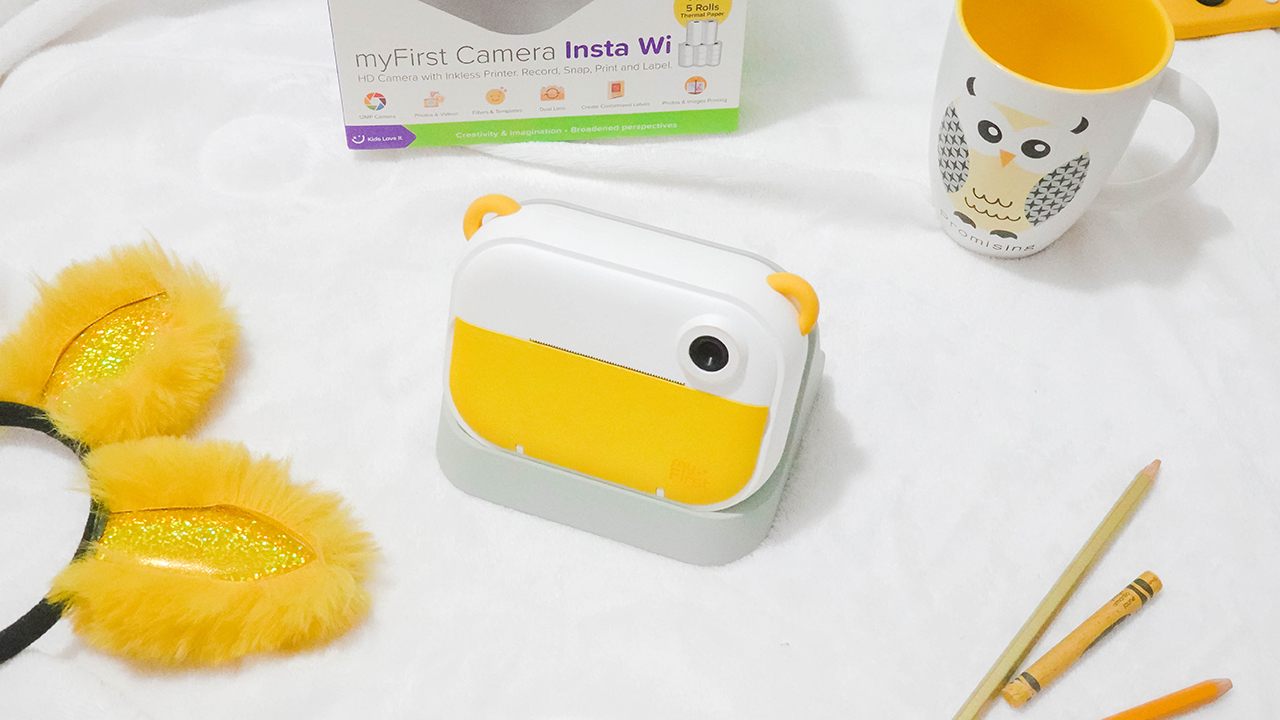
It comes in an adorable, familiar shape with a yummy yellow colorway. Seems familiar? The color follows after the Pantone Color of the Year 2021.
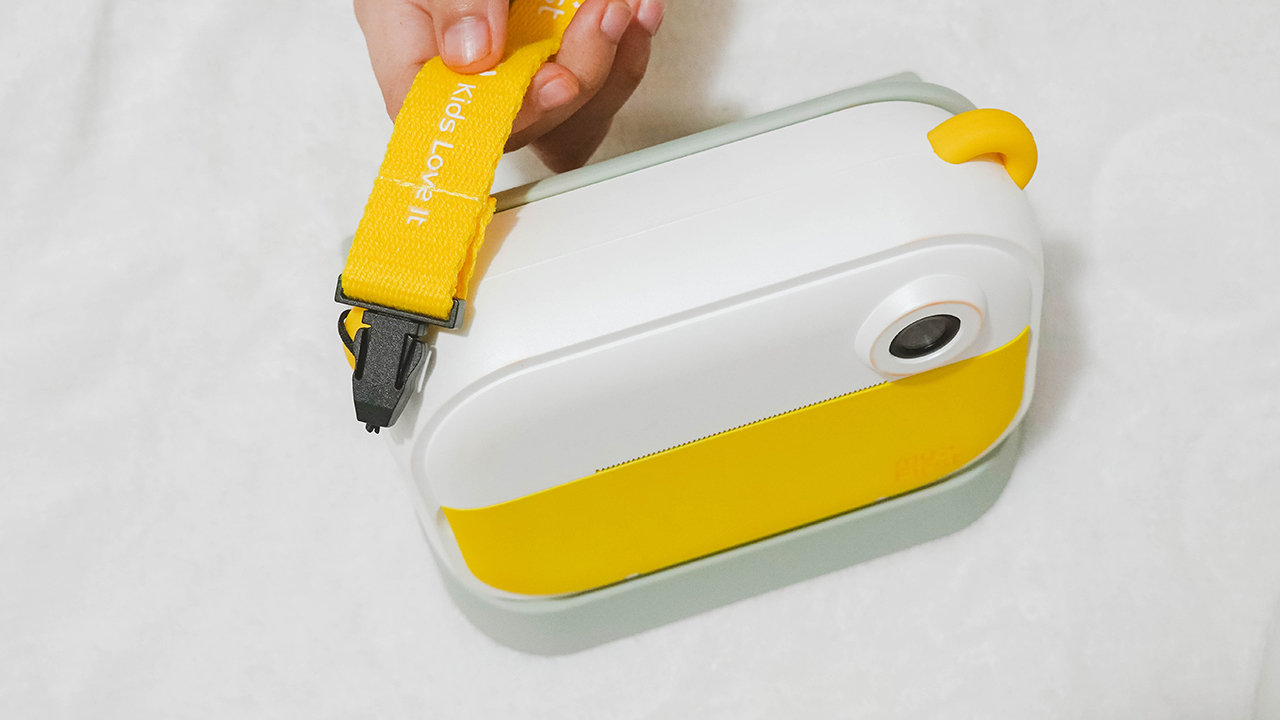
It has little ears where you can hook some straps so you can bring the device wherever you go without worry.

On its front, you can find its 16-megapixel rear camera together with the printer.
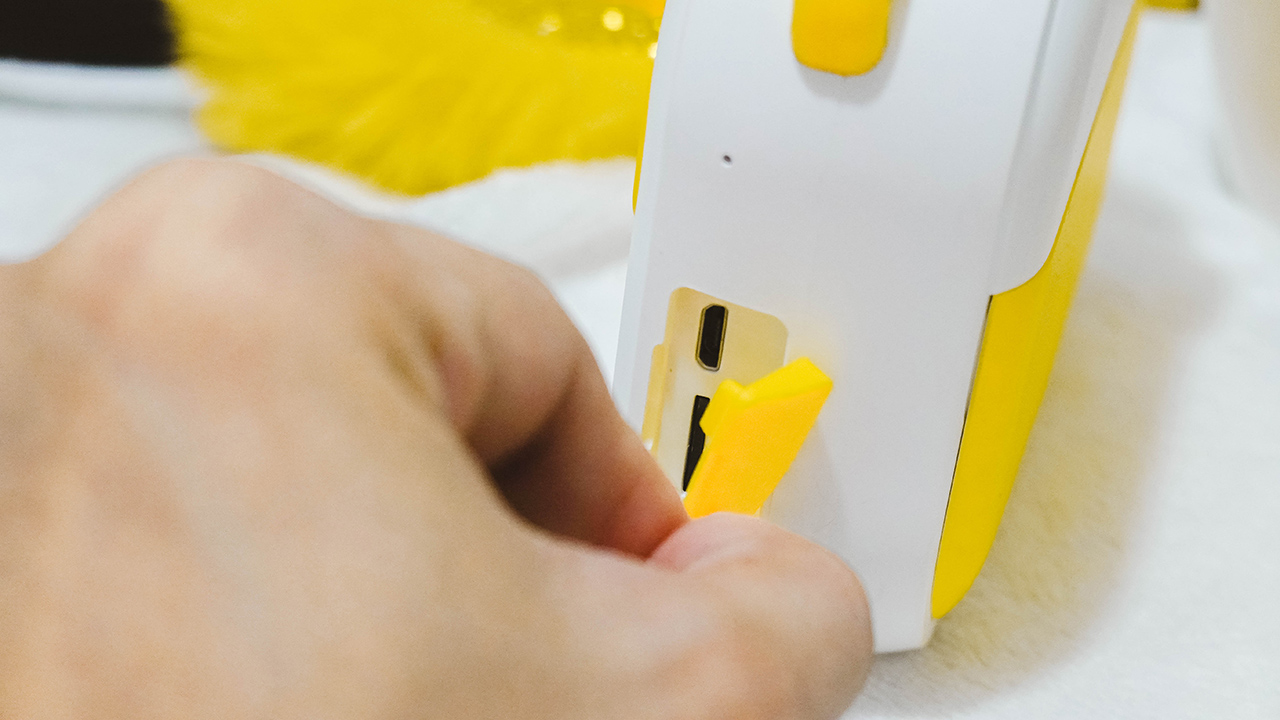
Moving to its sides, the right part has a mouthpiece and a slot for the micro-USB port and memory card, covered by a yellow silicone flap.

The other side comes with its speaker grilles.
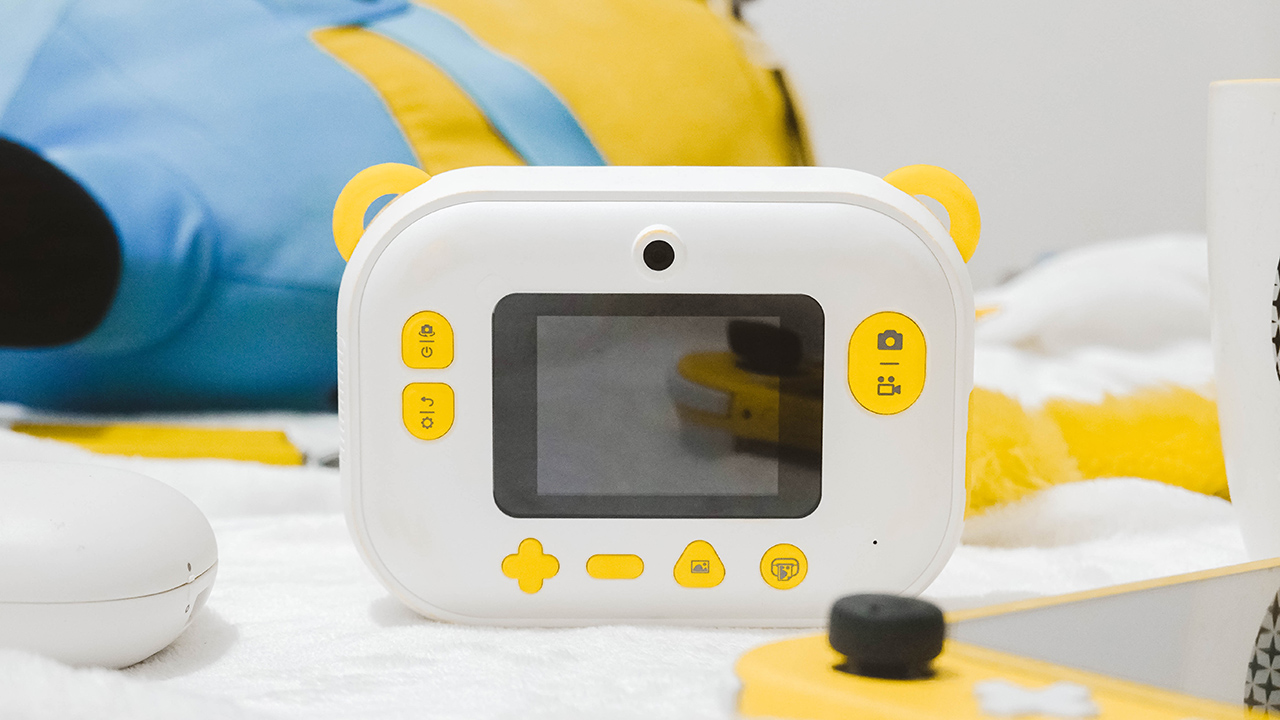
On the back, you can find its selfie camera above the 2.4-inch IPS LCD screen, surrounded by plenty of buttons for navigating the device and doing its function.
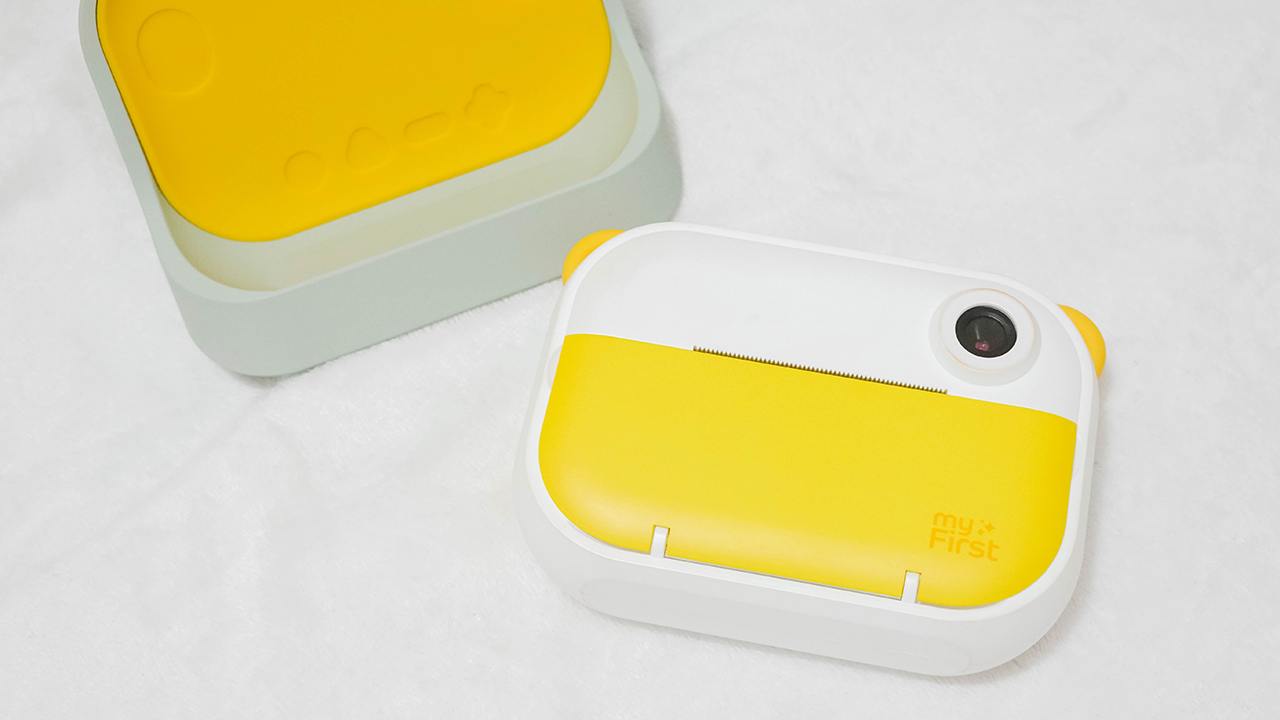
It also comes with a dock that doubles as its protective case and holder for kids to grip easily.
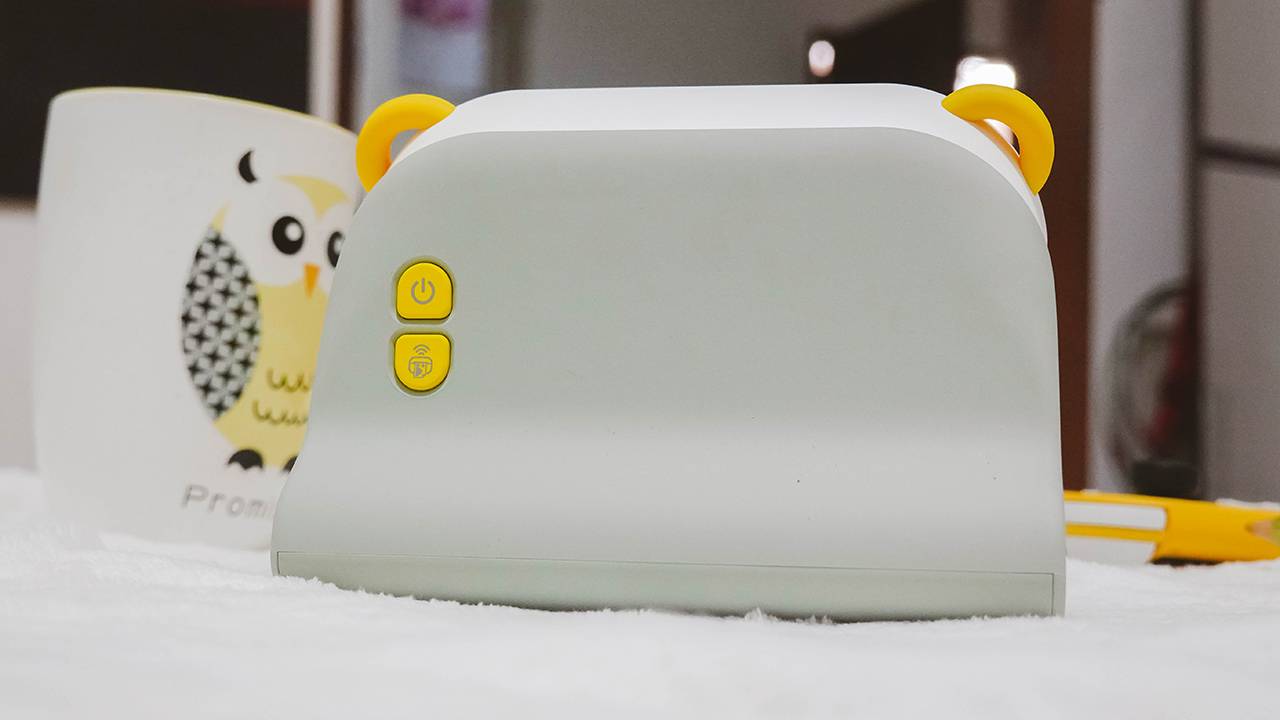
The case has two instant buttons on its back: a power button and a wireless print option.
Playing around
So let’s dive in on what this all-in-one device can do for you or your kid. You can boot the device by pressing the power button on the left side of the screen. When it’s opened, it will automatically use the selfie shooter. If you aim to use the rear camera, flip it through the same button you used to boot the device. You just need to click it to switch, since pressing long will shut it down.

On the right side of the screen are buttons that let you capture photos and videos. It’s the same process as the power button; the icon on top requires a single click while the icon below requires a long press for it to work.
The button below the power toggle is for the back option and settings. You can change the printing density, or switch the photo resolution between 6M (3280×1848), 9M (4000×2248), and 12M (4032×2880). Just make sure to use the plus and minus sign as the up and down buttons, and the camera button as a replacement to the usual “enter” sign.

Other settings include video resolution options (VGA, 720P, and 1080P), language setting, sound, date and time, wireless connection, and format option. The other buttons below the screen let you access the gallery and print photos, assuming you have inserted a roll of paper.
Thermal printing!
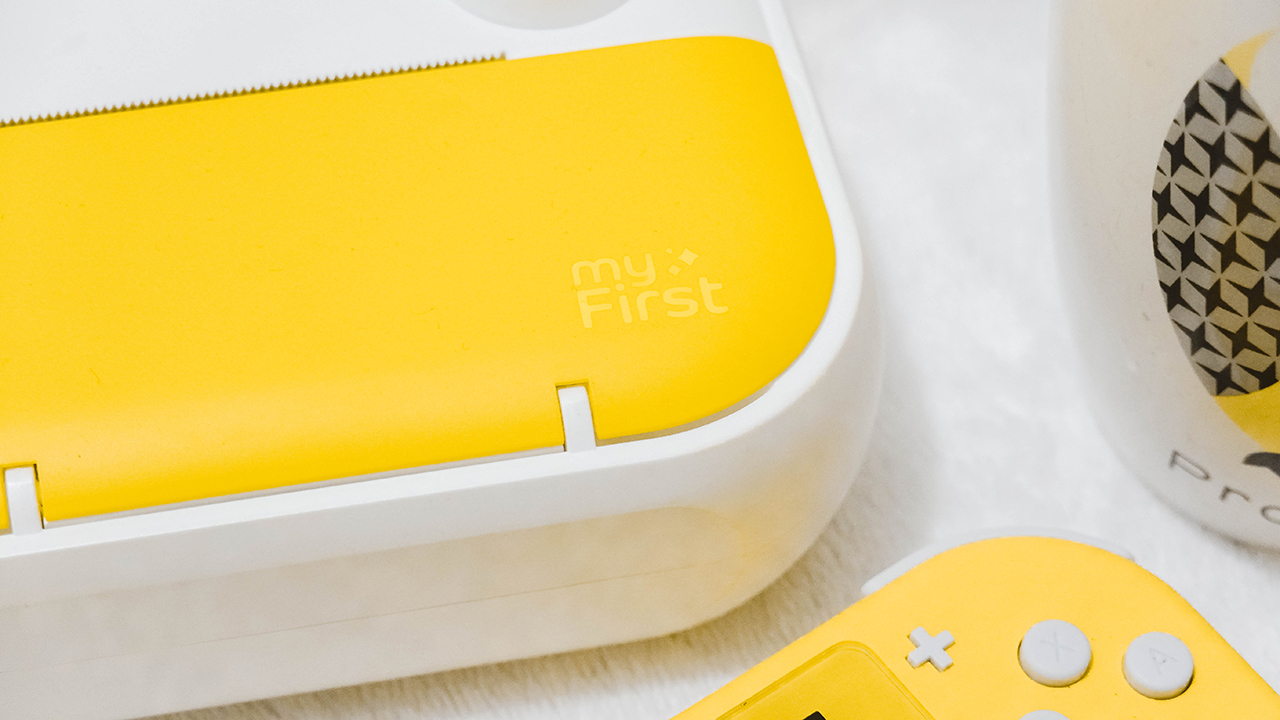
Let’s go back to the front and figure out how to print and insert a roll of paper. First, you need to open the yellow cover by pulling it from the side.
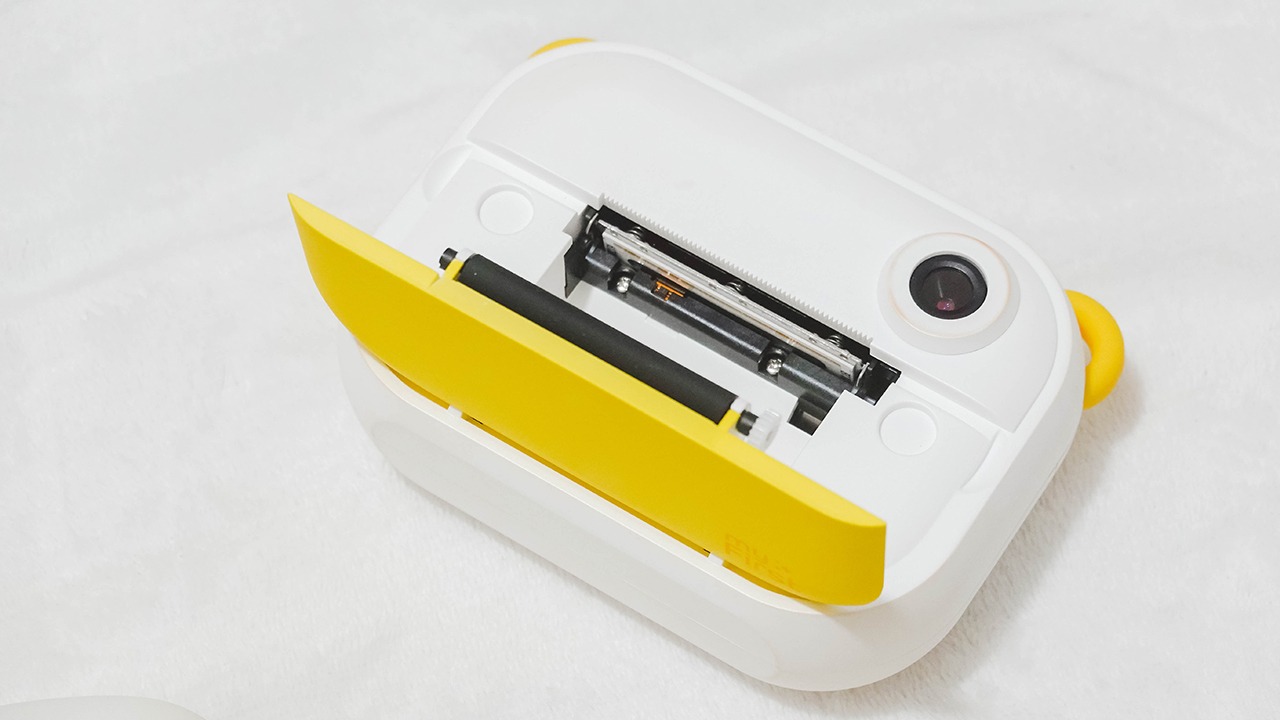
Once opened, you’ll find a slot where you can insert the rolled thermal paper included in the box.
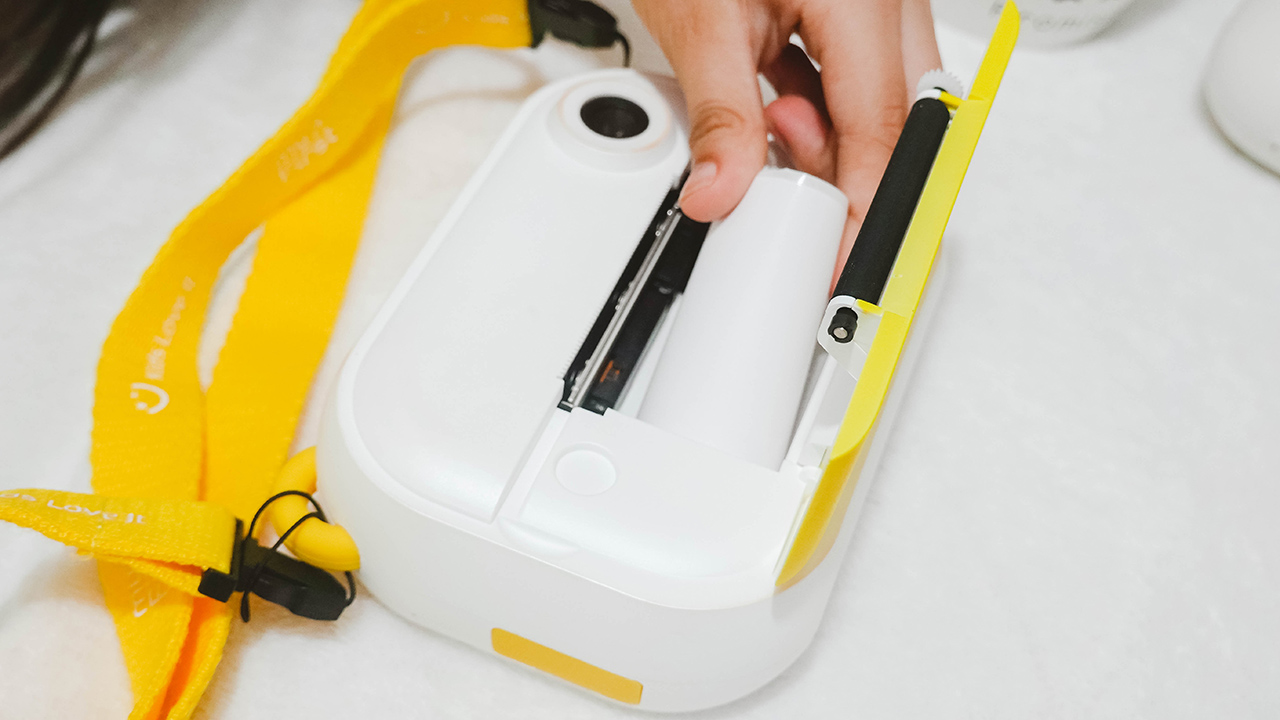
Of course, you have to insert the rolled thermal paper so we can get things rolling. Remember to remove the sticker and put the edge to the opening so the printer can detect the paper.
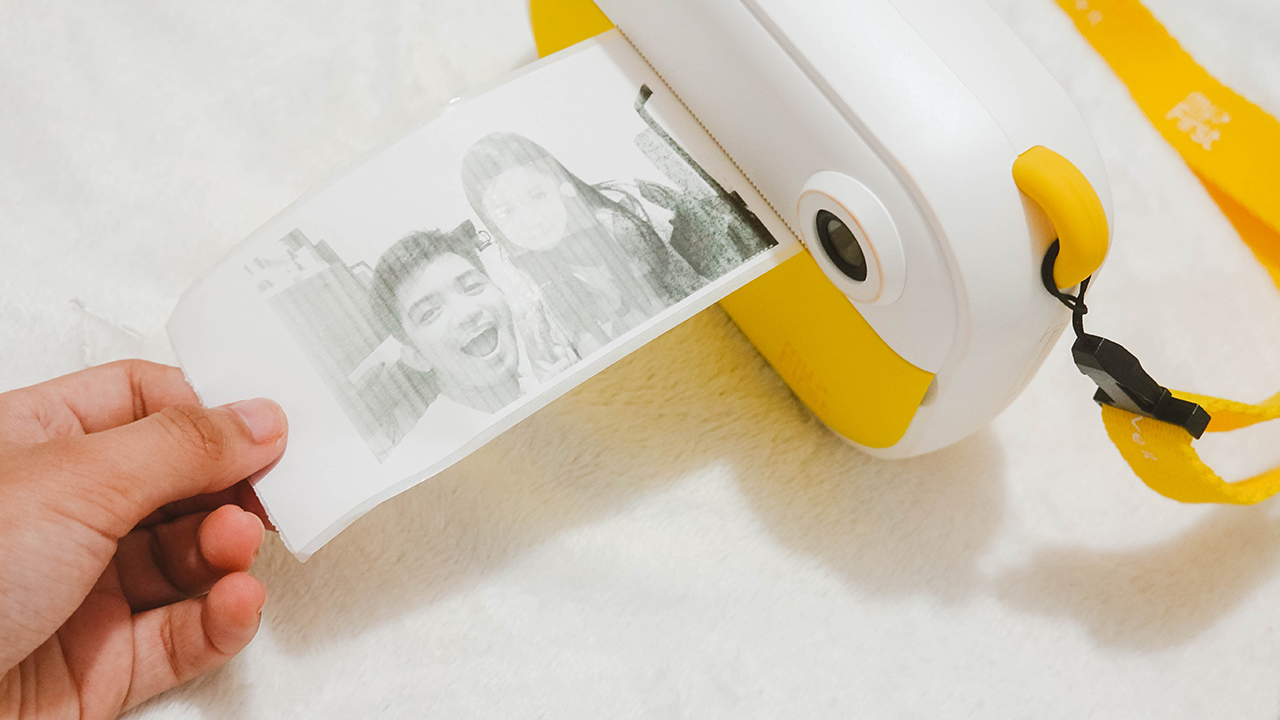
Once you’re set, you can check your gallery and click the print button. Printing doesn’t take long, ten seconds top. The results aren’t quite lovely, since we’ve covered thermal printers before that have clearer and firmer results.
Although, that’s only an inconvenience for adults. When my niece used the printer to make physical copies of her photos, she was astounded. The key here is making the kid indulge and have fun using technology.

To make things more adorable, the package comes with colorful stickers to adorn your prints and labels.
Needing labels
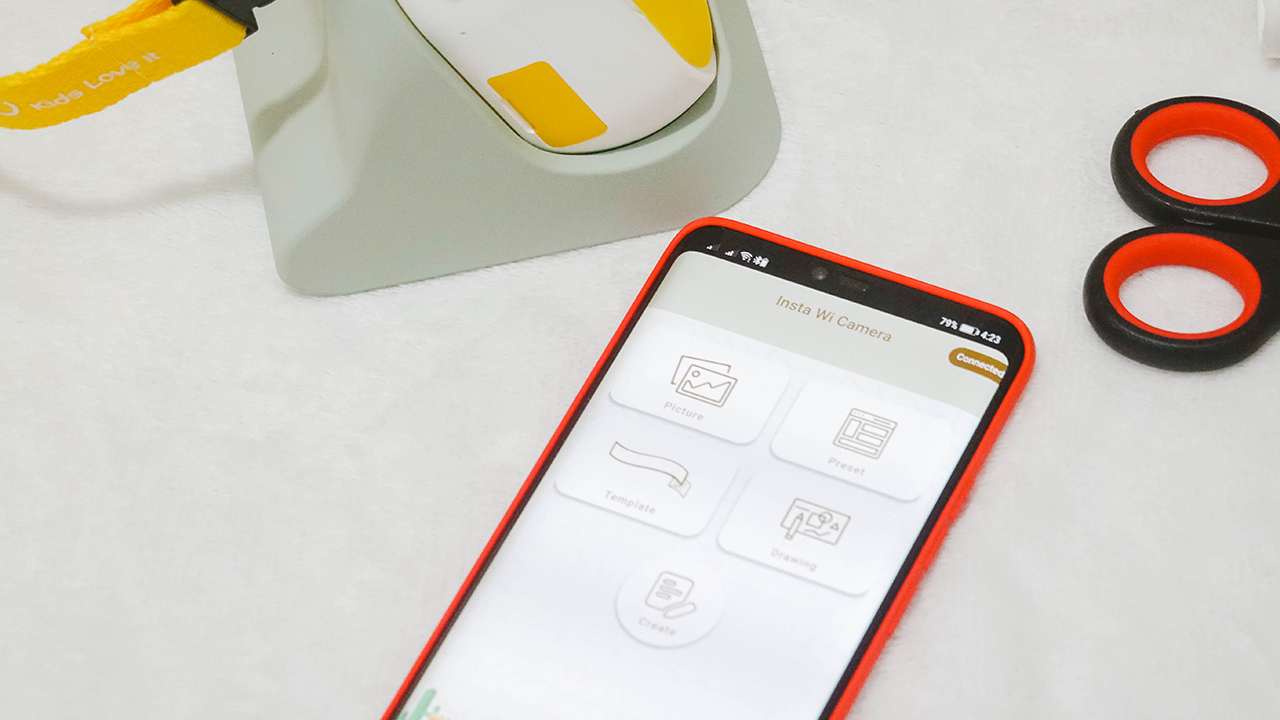
If you don’t have a label in your life, then that’s a problem. Kidding aside, the Insta Wi prints not just photos, but labels, too. You can download the myFirst Insta Wi app on the App Store and the Play Store.
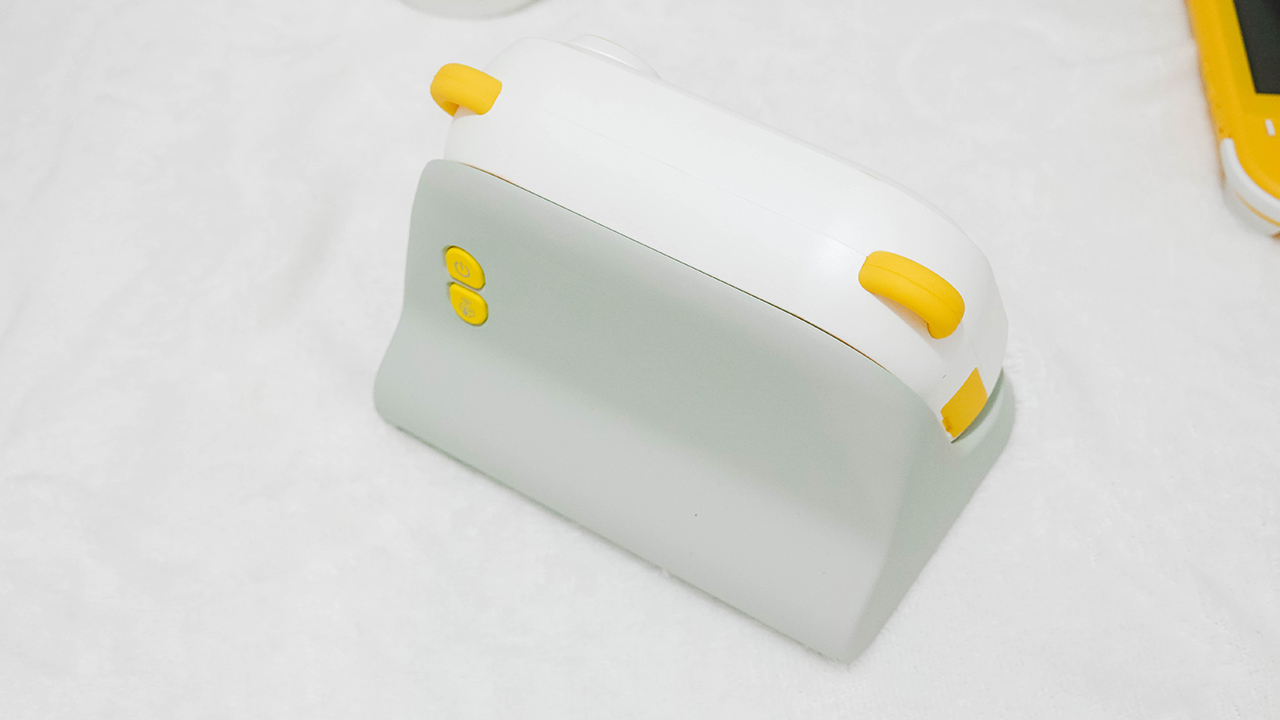
To make it work, remember to turn off the camera (if you have it on), and place it on the dock. Then, turn it on again through the power button and press the wireless print option.
This enables Wi-Fi connectivity so you can connect both your smartphone and the Insta Wi. It took me a few minutes connecting both, but when I succeeded — everything was just seamless.
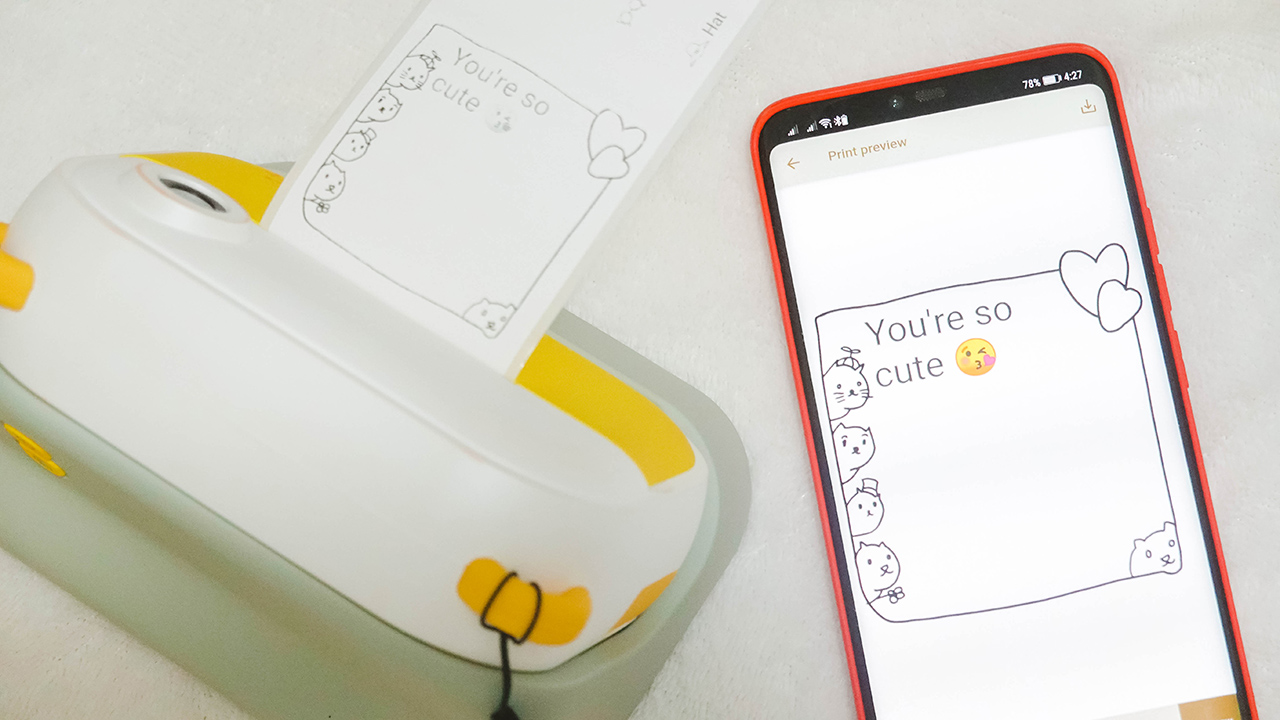
There are so many things you can do using the app. I even asked my niece to write something and use a layout so that the print looks cute.
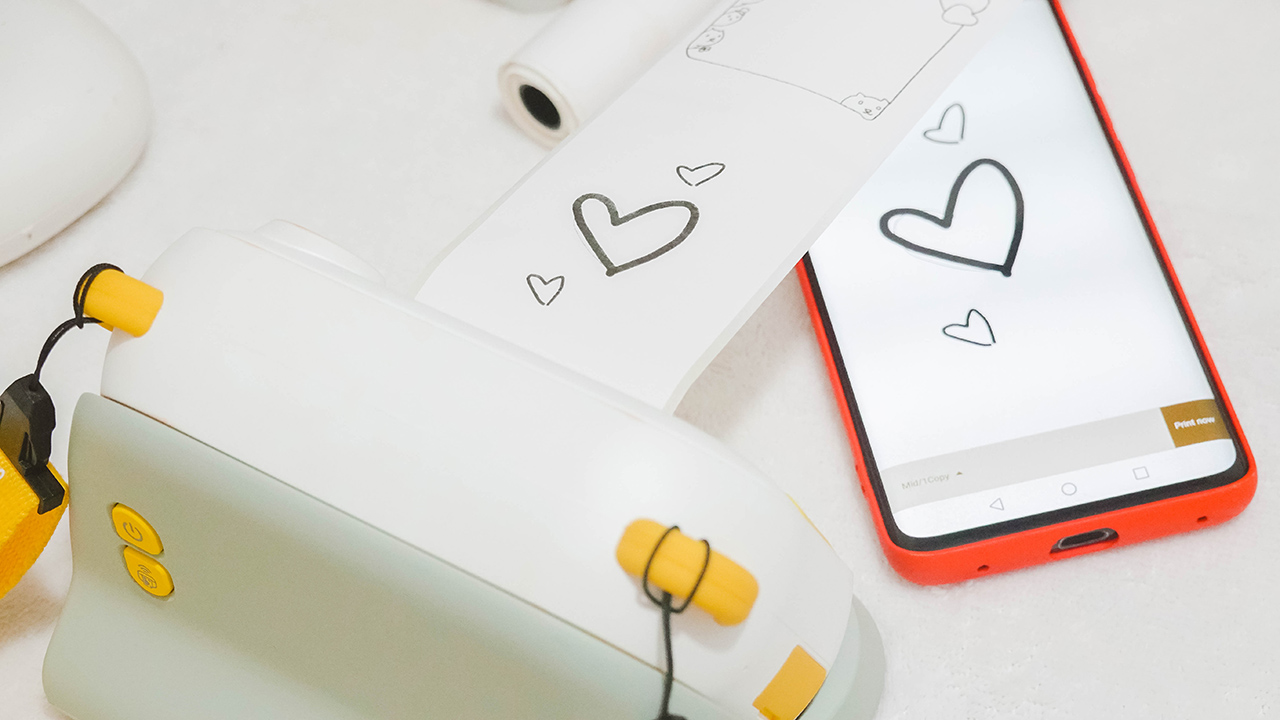
If you have a Galaxy Note or a tablet with pen support, it would be perfect to draw on the app and have it printed to give a handwritten and personal touch to your labels and prints. Nonetheless, fingers do well on any smartphone if you’re creative enough.

There are options to make a label, layout a design, and even add filters to your existing photos through the app — and you can print it easily and continuously. I would advise cutting the rolls using a cutter or a pair of scissors since the thermal paper is tougher than it seems.

For those who want to make things a little bit personal, you can print old photos from your phone. The thermal prints need a higher contrast so consider editing your photos to appear clear and visible when printed.
Taking snaps
I didn’t have any video samples with me but I took a stroll with the device while my cousins and I were out for a walk. And for the record, I was able to upload these photos because the device comes with a memory slot for a microSD card. And a microSD card reader in the box to ensure you can have a copy of your snaps!








Of course, the shots aren’t remarkable if you compare them to the latest cameras and smartphones we have today. However, it’s reminiscent of digital cameras of the past — grainy films, dates and tags, and colors that saturated our photo albums back in the 90s and early 2000s.
Lasts enough

The Insta Wi has a 1,500mAh battery capacity which can last up to five hours. Charging time is capped at 2.5 hours. If you ask me, the capacity is more than enough since we’re not going to spend the whole day using the device. When I went out, I turned it on and off in between chats and walks.
Just because you have cool and cute technology at your hands doesn’t mean you can’t enjoy the present. Remember: variety is key when it comes to recreational activities with our kids.
Price and availability
The myFirst Insta Wi retails for US$ 129. However, you can snag it for EUR 59/US$ 69 through its Kickstarter campaign which started last September 14, 2021, and will end on October 14, 2021.

After the Kickstarter campaign, production will begin in October 2021 and will start shipping in November 2021 for early birds. Regular Kickstarters will have their Insta Wi shipped by December 2021.
Is this your Kid’s GadgetMatch?
I’d give a resounding yes — whether you snag the Insta Wi at an affordable rate through its Kickstarter campaign or if you have spare cash to buy it at retail price.
Most gadgets aren’t designed for kids. There’s a handful that does so, but it’s rare to see a product that considers the kids’ user experience, safety, and security, as well as addressing a parent/guardian’s concerns.
And myFirst’s Insta Wi ticks all the boxes to make it a kid’s GadgetMatch. And possibly, a gift that parents and guardians can consider for birthdays and holidays.
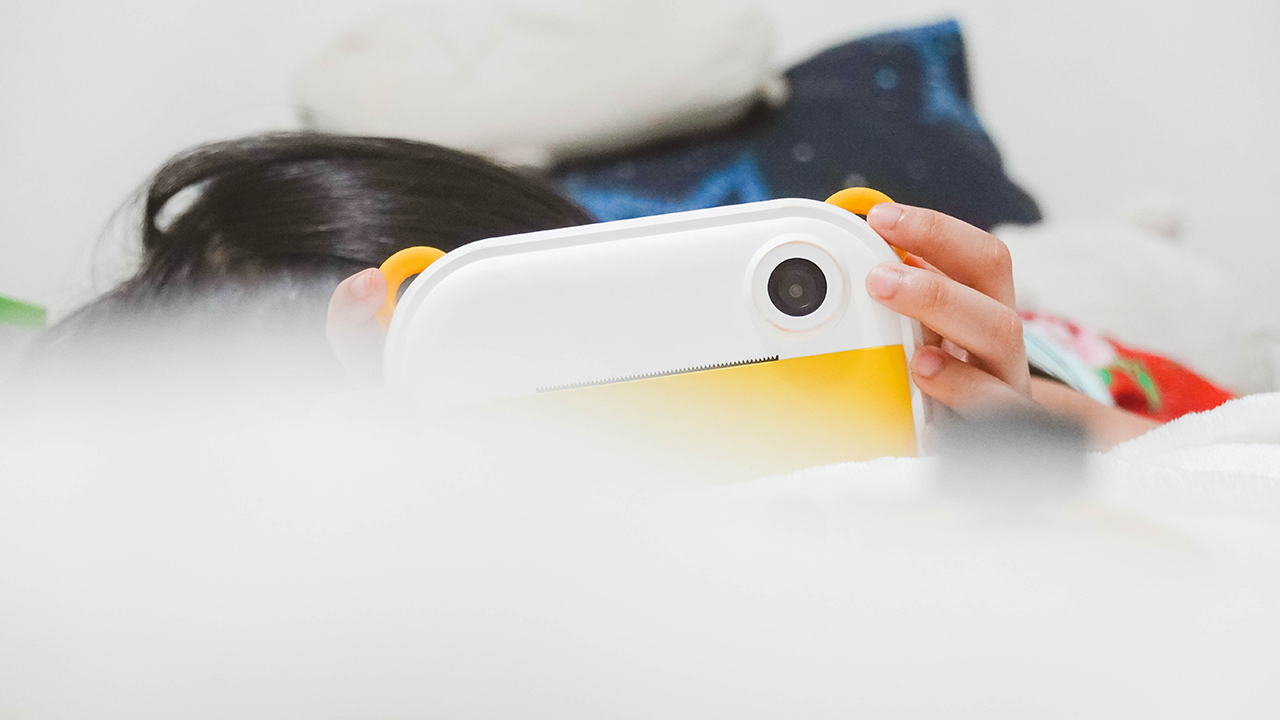
After all, it has an adorable design made of kid-friendly materials and an experience that helps kids unleash their creativity through prints, photographs, and a bit of video recording. More importantly, it encourages a balanced use of technology to help be more present.
My niece surely had a good time, and even I, as an adult, had a fun time playing around with the Insta Wi. Incidentally, it became a bonding moment for us, too. My high-end cameras, printers, and novelty devices are too difficult to grasp for kids under 12. At least with the Insta Wi, my love for prints and photographs lives on to a whole new generation.


Cameras
Canon PhotoMarathon returns, introduces video, open categories
Happening on April 18 in BGC, Taguig


The Canon PhotoMarathon is officially returning this year and is introducing more categories for enthusiasts to join in.
The 2026 edition, the 19th in the Philippines, will happen on April 18 at the BGC Amphitheater in Taguig City.
For the first time, Canon is opening the competition to non-Canon users. Even those with just smartphones can register. The brand has also added a video category.
Here’s a quick breakdown of the contest categories and their corresponding prizes:
Main Category (Photo)
- Open to Canon users only
- Prize: Canon EOS R6 Mark III with RF24-105mm f/4-7.1 IS STM
Open Category (Photo)
- Open to all camera brands
- Prize: Canon EOS R8 with 24-50mm
Video Category
- Open to all camera brands
- Canon Prize winner: Canon EOS R50 V
- Non-Canon Prize winner: Canon Powershot V1
The full mechanics will be announced on the day of the competition itself to make it even more challenging for those taking part.
To join, simply download the Canon PH Delightful app, create an account, go to the Events tab and select the Canon PhotoMarathon banner. Registration is already open.
To build up hype for the upcoming event, Canon will host photowalks, school tours, and regional tours leading up to the PhotoMarathon.
These are designed to engage photographers at every skill level. Admission is free and open to all digital camera users.
Cameras
Canon EOS C50 cinema camera price in the Philippines
Smallest, lightest cinema camera made for today’s filmmakers, creators

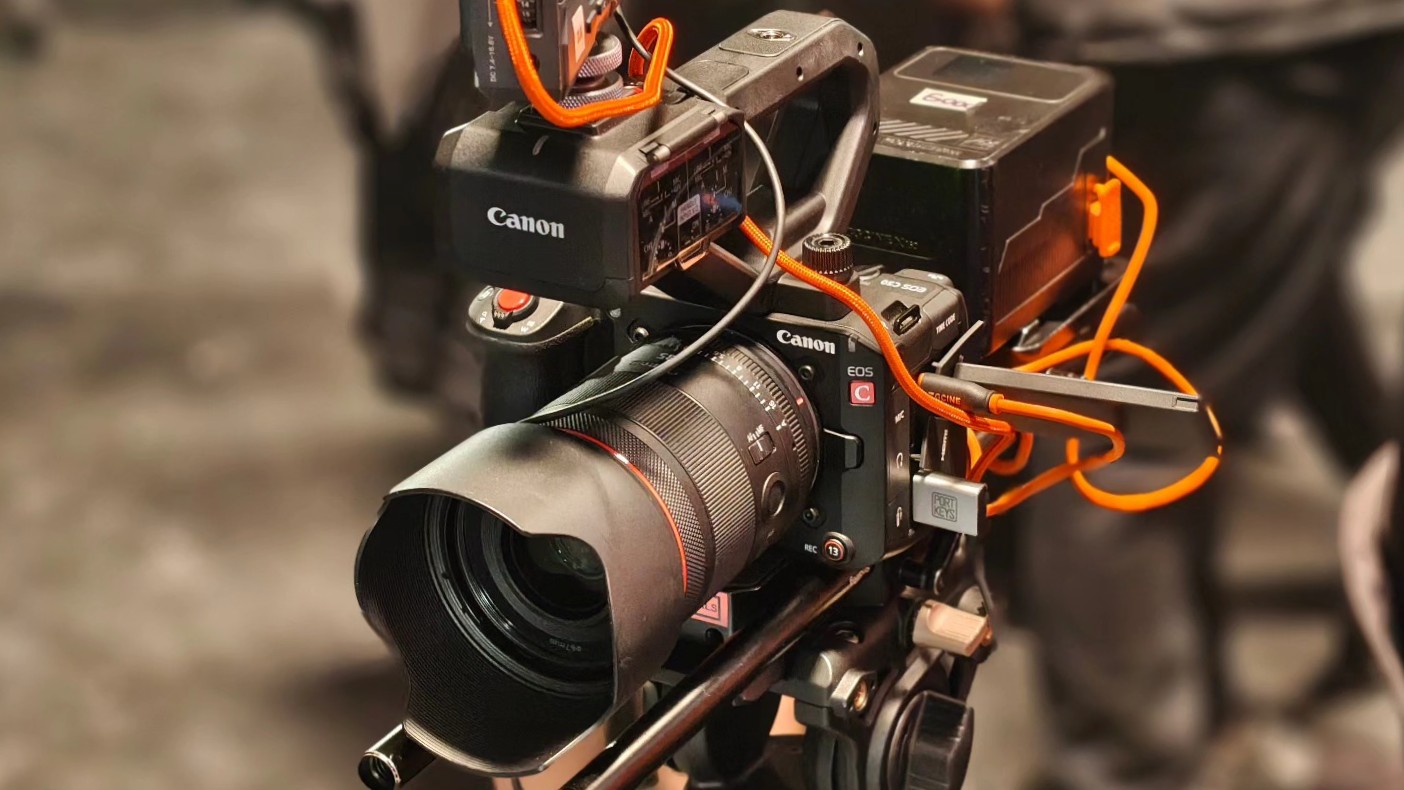
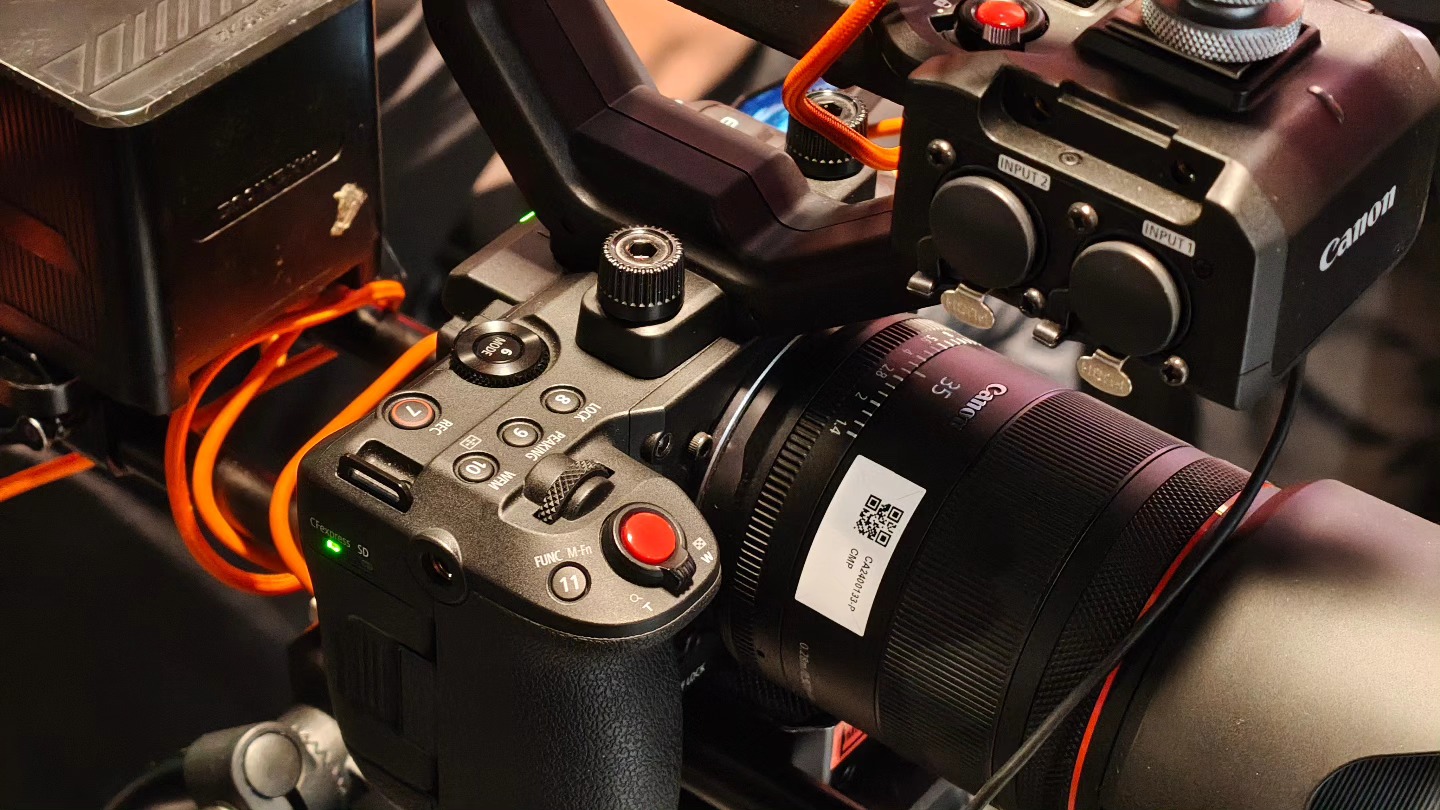
Canon Philippines is capping the year strong with the release of the Canon EOS C50 in the market. The cinema camera is priced at PhP 189,998 for the body along with an XLR handle.
The Canon EOS C50 is designed for both filmmakers and creators who need mobility and professional-grade quality.
It has the same 3:2 Open Gate recording feature also on the EOS R6 Mark III, which gives users flexibility for post-production.
Creators can extract full 4K footage along with cropped 2K vertical or square versions from the same capture with the Simultaneous Crop Recording feature.
This is ideal for producing multi-platform content, like 16:9 landscape videos for YouTube then vertical shortform videos for social media.
Also, an added edge is the up to 7K 60p RAW recording capability on the C50, compared to just 7K 30p for the Mark III.
Filmmakers can also record at up to 4K 120fps should they need high frame rate captures. Recording in 4:2:2 10-bit is also available for rich color and flexibility in post-production.
In addition, the EOS C50 features dual CFexpress and SD card slots. 7K RAW can be saved to CFexpress while other formats can be saved to the SD card.
Different format, resolutions, and color sampling can be assigned for backup, distribution, or quicker edit-ready files.
Photo performance
For stills, users can take advantage of the 32MP CMOS sensor for capturing up to 40 shots per second (with electronic shutter).
The camera also supports pre-continuous shooting and AF performance improvements with its Dual Pixel CMOS AF II.
Enhancements include Auto setting, animals, vehicle priority, and eye AF, as well as the new left/right priority.
Moreover, the camera features Dual-Base ISO with Auto Selection, automatically switching between ISO 400 and ISO 3200 depending on the scene.
This ensures the highest signal-to-noise ratio while maintaining a wide dynamic range. Users can also manual select the ISO to match lighting conditions.
Professional interface
Onto its controls, the EOS C50 has a TIME CODE terminal, which is perfect for seamless multi-camera setups. It also features two XLR terminals and a handy control dial for professional audio input.
There are 14 assignable buttons, each thoughtfully positioned for quick, instinctive access while filming. There are about 100 customizable functions available so the camera can match a user’s workflow.
During the launch event, Canon Philippines demonstrated a wide range of scenarios for the EOS C50, including multi-angle live broadcasts with just one camera.

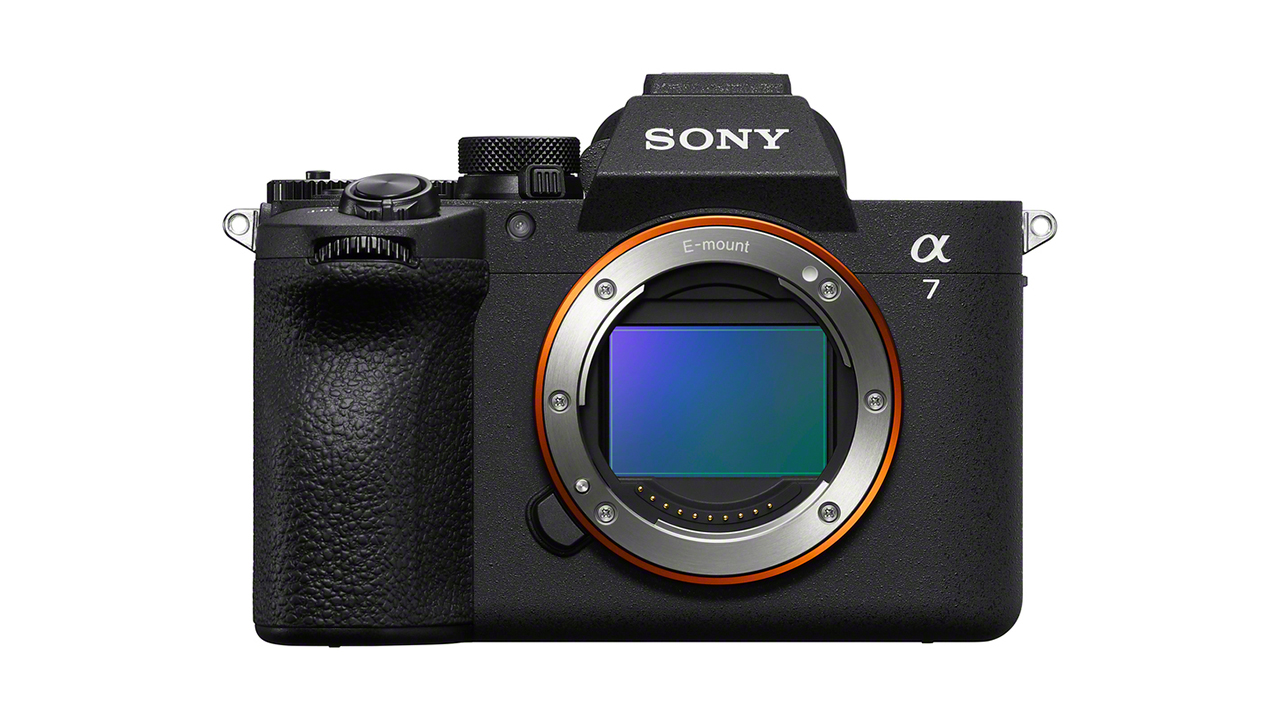
Are you still wondering what to get yourself for Christmas? If you have a good amount of leftover money after shopping for everyone else, Sony has a new camera just for you. Right on the cusp of the holiday season, the Sony Alpha 7 V is here.
The Sony Alpha 7 V is the fifth generation of the aforementioned series. The full-frame mirrorless camera uses a partially stacked Exmor RS CMOS image sensor to take photos with 33.0 effective megapixels.
Further, the new BIONZ XR2 image processing engine uses the Alpha series’ AI technology to deliver better imaging, Real-time Recognition Auto-Focus, and Real-time Tracking. To add to this, Sony is also launching the FE 28-70mm F3.5-5.6 OSS II full-frame zoom lens to support the camera.
For connectivity, the camera supports Wi-Fi 6E GHZ for data transfers. It also supports USB-C connections for wired transfers.
To ease usage no matter the scenario, the Alpha 7 V comes with vertical format support and an adjustable electronic shutter sound. It also has a 4-axis multi-angle monitor for shooting in various angles. Finally, it has a better grip for stability.
For those long shoots, the camera has better power management. It also has a Monitor Low Bright mode to preserve the battery.
The Sony Alpha 7 V body is available from the end of December. Meanwhile, the kit and the lens will be available on February 2026. The body costs SGD 3,699. From now until December 31, customers will get a free 240GB CEA-G Series CFexpress Type A memory card.
SEE ALSO: Sony’s mobile motion capture system, mocopi, is coming to Singapore


Now Playing: Yakuza Kiwami 3 & Dark Ties
How old should a game be before it gets a remake?


TECNO MEGABOOK K16s 13th review: No-frills beneath those grills
All-around laptop without messing around


My Hero Academia: All’s Justice: A familiar Final War, made playable
Reliving the Final War

Match Pulse: OPPO Reno15 Pro

CM Punk headlines WWE 2K26 Showcase: Punked

Chainsaw Man – The Movie: Reze Arc streams on Crunchyroll this Spring

Google pushes AI tools to help Filipinos stay safe online

Samsung confirms the debut date of the Galaxy S26 series

POCO M8 Pro review: Goin’ loco over this POCO

Infinix NOTE Edge debuts: High-end features for accessible pricing

HONOR X9d 5G review: Tougher, more long-lasting and optimized

Redmi Note 15 Pro+ 5G review: The midrange fashion piece

Mijia Smart Audio Glasses review: Immerse yourself in the music


-

 Apps2 weeks ago
Breaking up with Adobe Photoshop after 20 years
-

 Gaming1 week ago
PlayStation, LE SSERAFIM Chaewon team for the ‘Love of Play’ campaign
-

 Automotive2 weeks ago
VinFast updates battery subscription policy for large upfront savings
-

 Gaming2 weeks ago
Xiaomi SU7 Ultra makes Gran Turismo 7 debut
-

 Accessories1 week ago
Sony WF-1000XM6 was accidentally leaked online
-
 Computers2 weeks ago
3D printing made accessible: Bambu Lab moves closer to everyday consumers
-

 Gaming2 weeks ago
Esports Nations Cup 2026 secures US$ 45M funding
-

 Gaming2 weeks ago
CODE VEIN II now available for consoles, PC