


Cameras
Polaroid OneStep+ review: Different yet exactly the same
We tried out the new features plus sample photos!

The Polaroid OneStep+ is finally in my hands! Not to be confused with the Polaroid OneStep 2, the OneStep+ is the latest in Polaroid’s line that pays homage to the original OneStep camera released in the 70s. As a lover of pretty things and Instagrammable cameras, the OneStep cameras were always a treat to review.
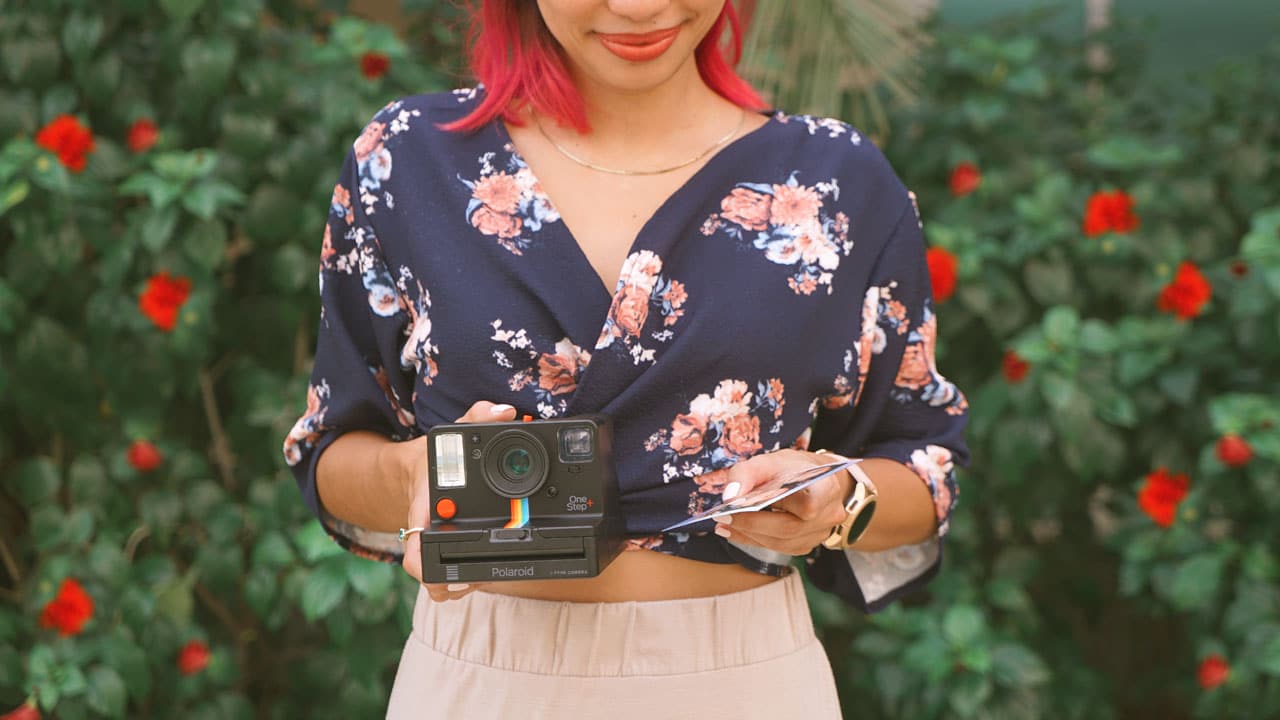
This newest Polaroid Originals camera looks (almost) the same, feels the same, but what’s so different about it? Let’s get to it!
Hands-on time
This newest release, dubbed the Polaroid OneStep+, comes in black. Now, it might sound boring but it actually looks pretty classic and fun with the pop of colors from the Polaroid rainbow branding.

It looks as Instagrammable as its predecessor, despite the dark color change. Don’t believe me? I’ll prove it:

The Polaroid OneStep+ looking great at any time of the day

This good-looking camera doesn’t come cheap. It retails for EUR 159 or almost PhP 12,000 in the Philippines.
Up top is a switch that toggles between normal portrait mode and wider-angled photos. The light indicator for your remaining shots is also up here.

On the back is the on/off switch, a micro-USB port for charging, and the flash button — press and hold as you take the photo so the camera won’t flash.

The viewfinder (which looks tinier) is in the same place, on the left-back side.

I think the biggest and most notable change, though, is the fact that you can now attach this camera to a tripod. Built in at the bottom is a tripod screw thread which means that the OneStep+ can be mounted on a tripod. I guarantee you, this is a recipe for better Polaroids.
Getting started
Taking a photo with the OneStep+ is the same process as before: Look through the viewfinder and compose the photo, press the shutter (the red button on the side), and the photo automatically prints on film.

The shape of this camera is reminiscent of old-school cameras. Shooting with it can give you those feels, it’s just a different experience compared to shooting with your smartphone or a point-and-shoot camera.

So, yes. The Polaroid OneStep+ still takes (fun) photos or even selfies…

… and prints them on square format Polaroid film. It works with both 600 film and i-Type film which retail from EUR 16 to EUR 20, depending on the type.

Let me take this opportunity to gush about how cute that purple-pink gradient border is on that frame! It’s so pretty!
But, let’s go back to that photo of me and Chay taking a selfie with the camera. Notice something?
Why is Chay holding her phone in this photo?

No, Chay isn’t overly attached to her phone… it has to do with this camera’s new feature.
You can connect the OneStep+ to your phone via Bluetooth and you’ll be able to control your camera via the Polaroid Originals app.

Pairing is pretty easy, too. After the initial pairing process, the camera will automatically pop up when you open the app which is so convenient! (We all know how having to pair every single time can be annoying. 😅)

So, what can this new app do? Time to try it out!
Test run!
Once connected, there are six shooting modes you can try on the app.
The most basic: A remote function which allows for your phone to act as a trigger for the camera. This is pretty useful for when you want to be in the photo and there’s no one else to take the picture. Take note, however, that the app only acts as a trigger so you can’t preview the photo on your phone. (See photo 2)

Starting from the upper-left photo: 1. Selfie sample, 2. Remote, 3 and 4. Self-timer, 5. Noise trigger, 6. Double exposure, 7. Another light painting attempt, 8. Failed manual mode
The self-timer is a pretty cool feature, though the previous OneStep cameras had that feature even without the app. (See photos 3 and 4)
The same can be said about the double-exposure function. The Noise trigger is a new one, and it’s the coolest thing ever. Basically, you can trigger the camera shutter by creating any sound of a certain loudness. You can set this up on your phone and even change the sound threshold! (See photo 5)
Also included is light painting and manual modes. As you can see in the samples above (see photos 6, 7, and 8), it takes a while and a lot of ruined film to actually get how to take proper photos with these modes.

Our good shots from the second film cartridge
Once you learn how to use the OneStep+, it means a lot of cute Polaroids — and we all want that.
Finishing touches
When you’re all set with your Polaroids, the app offers an added feature to ensure you can show the world your prints. The scan feature automatically detects your photo, fixes it (crops and tilts it, if needed), and you can post or share away.

It’s not perfect, though. The function can be fidgety when it’s not photo-ready bright, which is most real-life circumstances. It’s usually a trial and error process to get the best-looking scan. Also, for some reason, this works best on iPhones. The Android devices we tested with it always had a harder time scanning the photos.

Nonetheless, it’s still pretty useful and it’s a great integration to the app. I see where this feature can go and I’m hoping that later updates will be able to fix these problems.

Another addition to the app is the Discover feature where you can find tips and tricks, or even photo ideas for your next Polaroid project.
You will never run out of things to try with your camera because of this!
Verdict
If you want a Polaroid camera in 2018, this is for you. It’s the same new-old camera (get it? 😎), but now made even better.
Although I would’ve loved a remote preview on my phone, the more I thought about it, the more I realized that this addition would’ve changed the whole process of taking Polaroids and destroyed the instant camera experience.
Previous cameras have attempted to merge high technology with the concept of instant cameras. But, we have yet to see an execution that utilizes tech in a way that enhances the shooting without destroying the old-school experience. This might be the right step towards that.
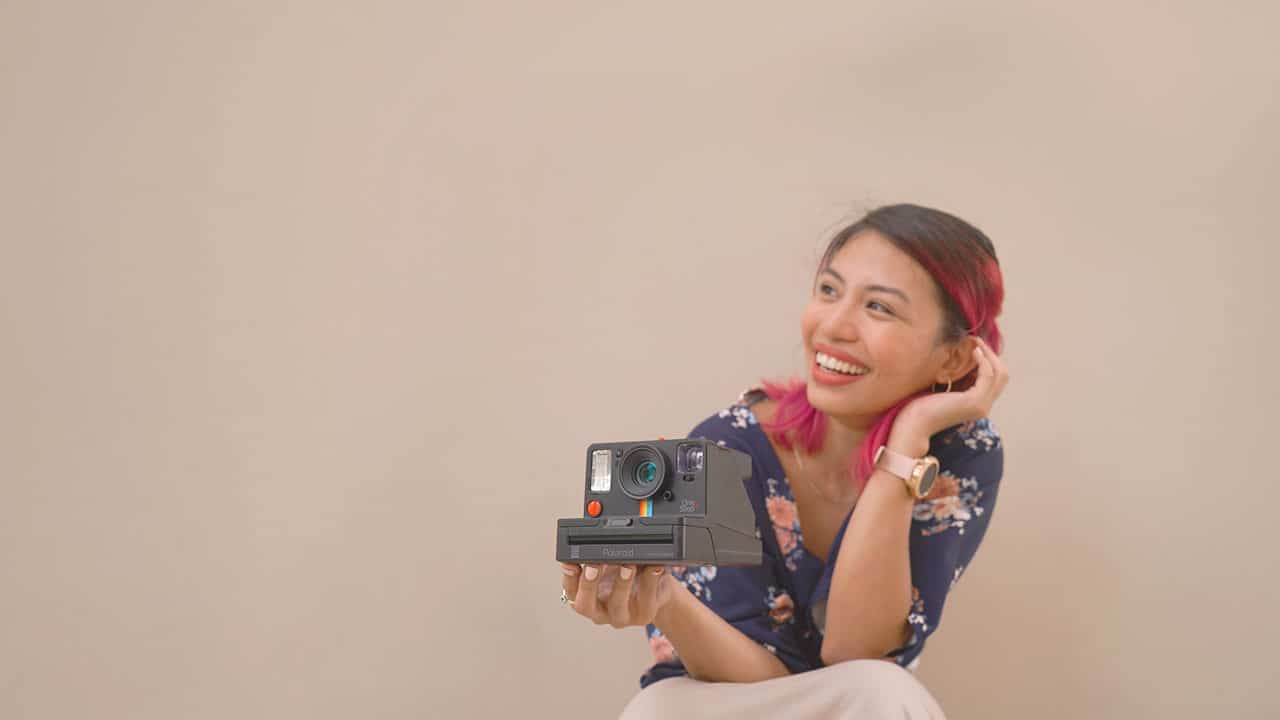
Some will argue that a smartphone could outdo what these instant cameras can do. If you’re one of those who believe so, you’re completely missing the point of these throwback cameras. This line is designed for those who want to enjoy Polaroids in 2018 and the Polaroid Originals OneStep+ just offered another way to do so.





Cameras
Sony introduces its 1st Fisheye Zoom G Lens
Broad range for landscapes, architecture, sports, and video production

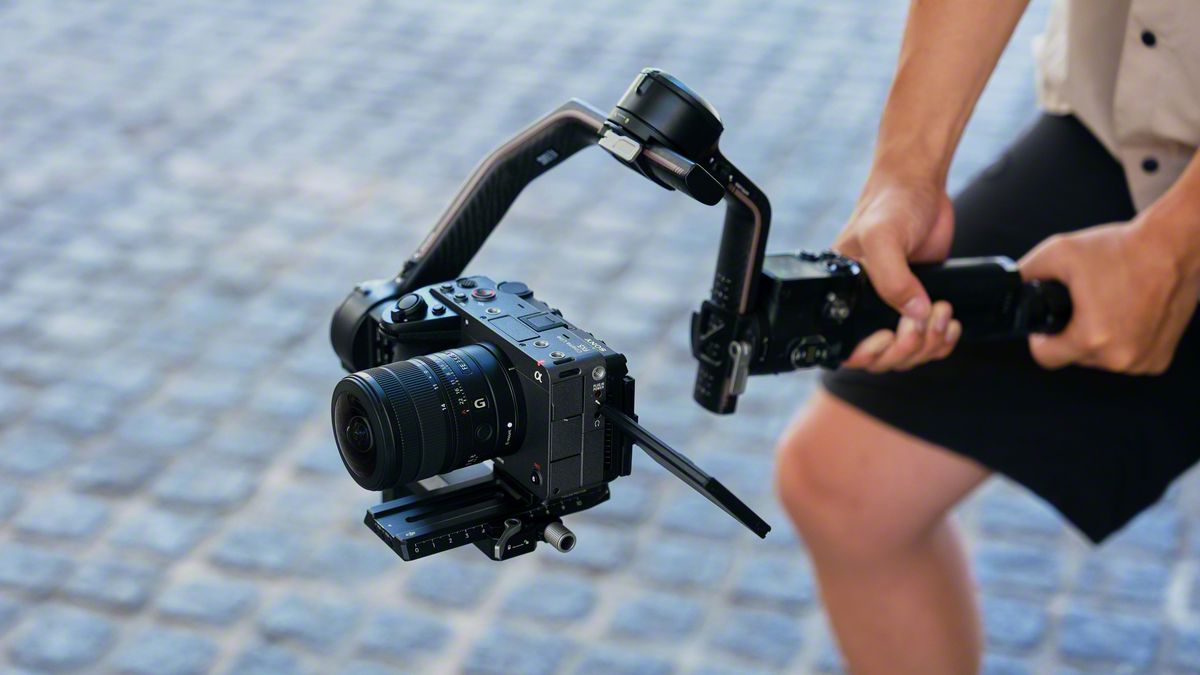
Sony has just launched its first fisheye zoom G Lens for full-frame Alpha E-mount cameras: the Sony FE 8-14mm F3.5 Fisheye G. It will be available from late September for an SRP of US$ 1,599.99 / SG$ 2,049.
The 8 mm to 14 mm zoom focal range covers a broad set of fisheye perspectives in one compact lens.
At 8 mm, the lens shoots circular fisheye with a 180-degree angle of view projected as a circular image on a full-frame sensor.
Meanwhile, at 14 mm, it shoots diagonal fisheye across the full frame with a 180-degree diagonal angle of view.
Users can match the angle of view and composition to the subject and creative intent, across various scenarios like landscapes, architecture, sports, and more.
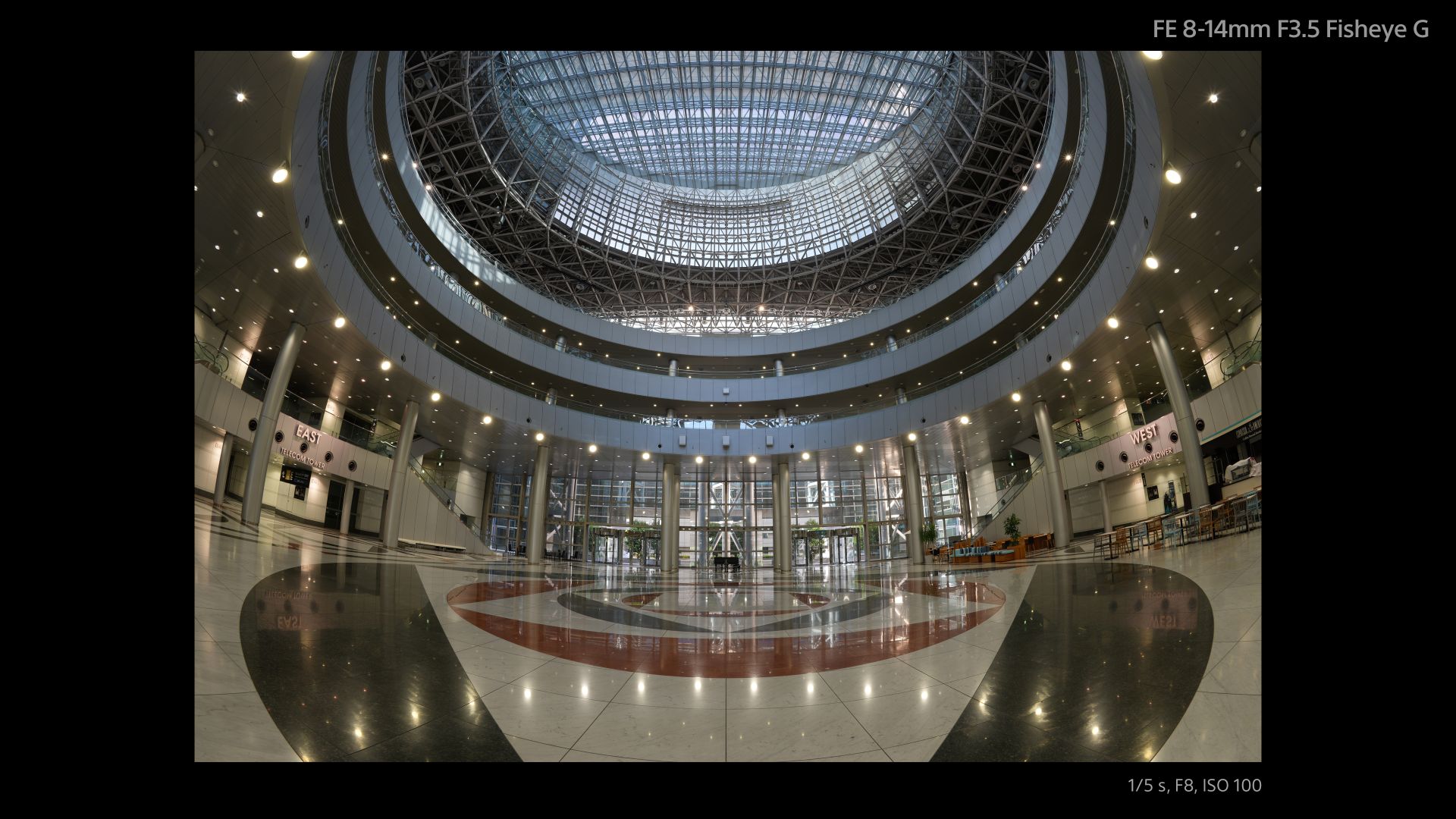
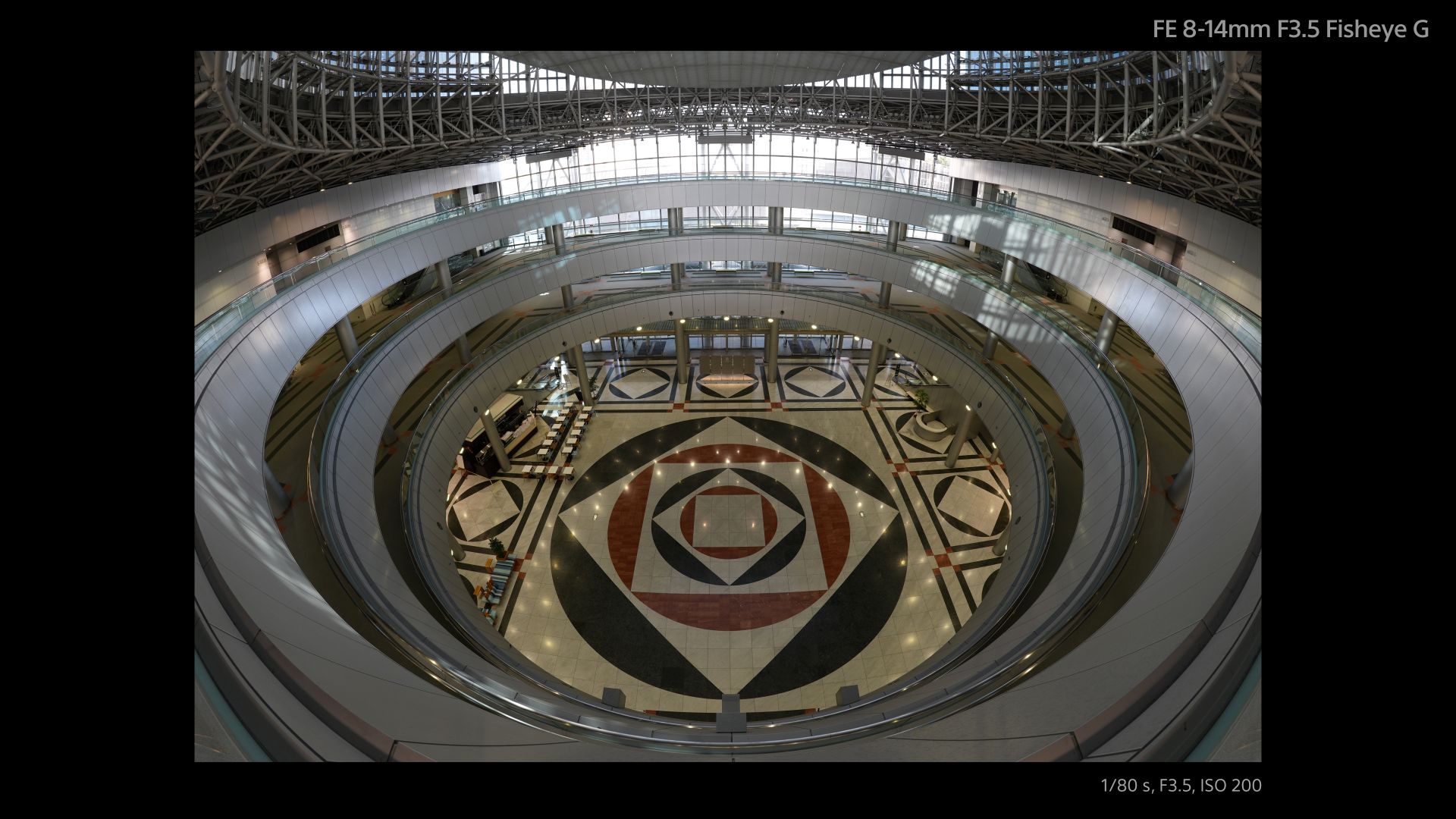
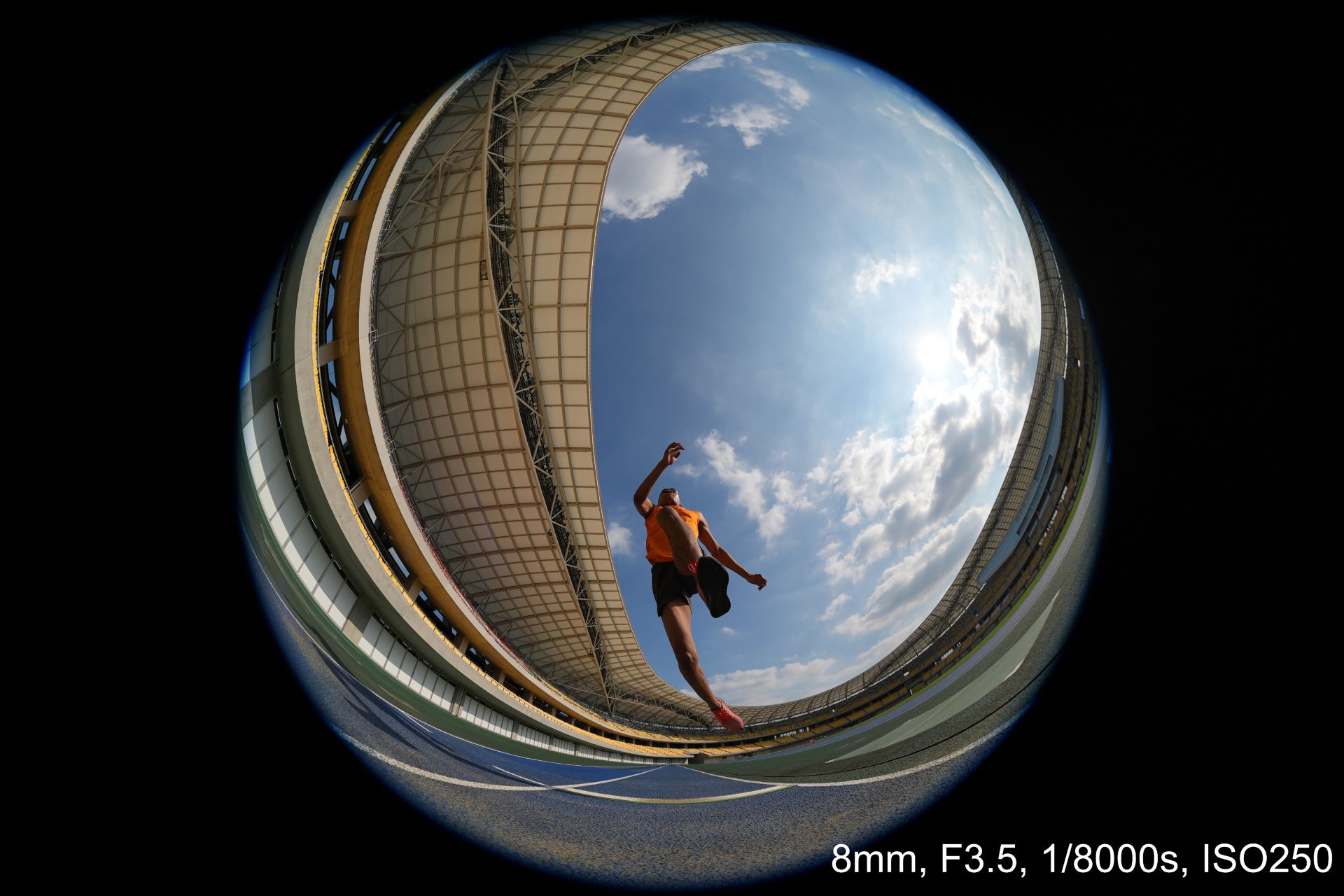
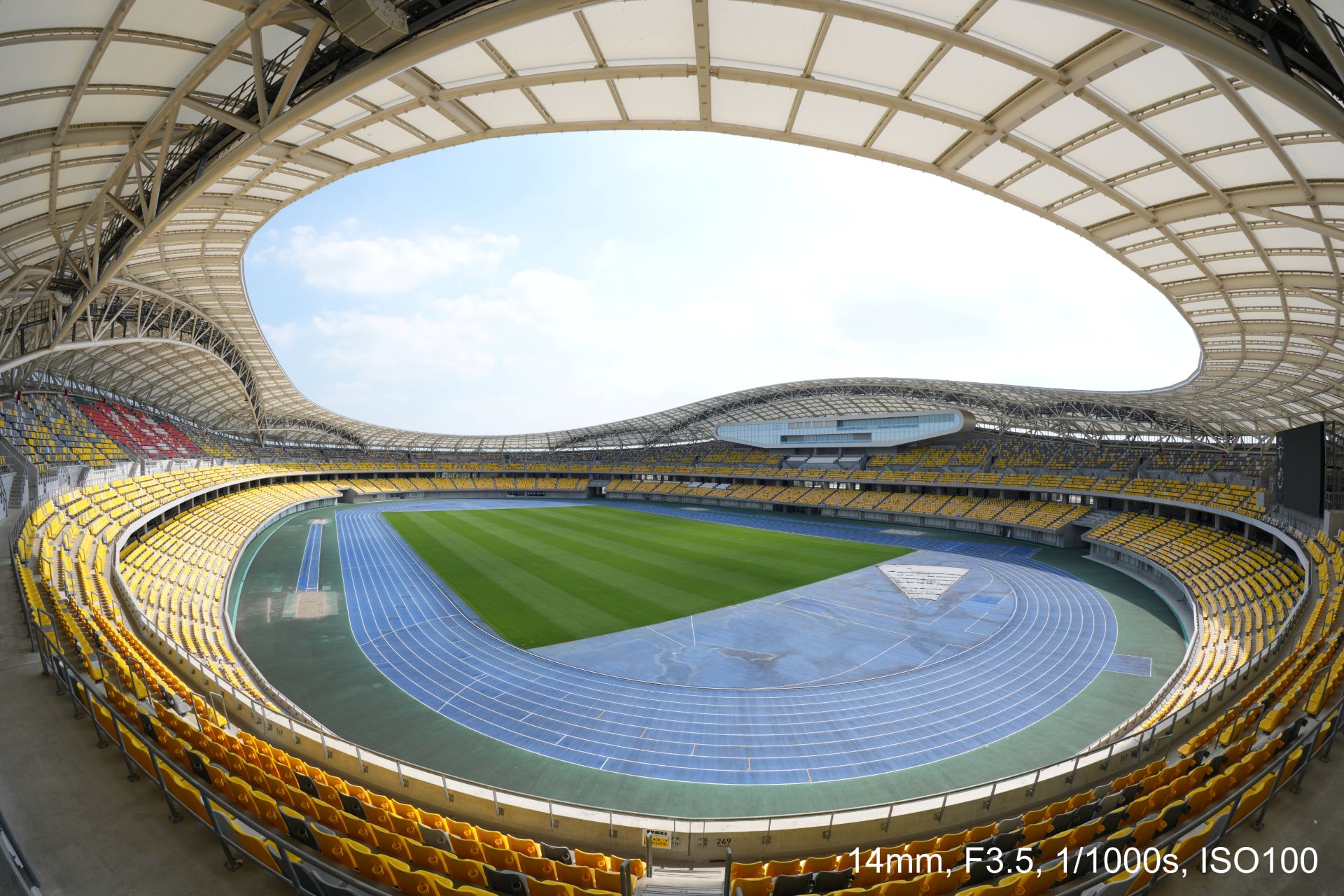


An optical design with ED (extra-low dispersion) glass and aspherical elements suppresses chromatic and other aberrations across the image area.
This enables high resolution throughout the zoom range with fast and precise autofocus and Linear Response MF. All these while suppressing focus breathing and operating quietly for movie production.
Controls include a focus mode switch, zoom lock switch, and an aperture ring with switchable click stops.
A minimum focusing distance of 0.15 meters and maximum magnification of 0.22x at the telephoto end also allow close-up fisheye perspectives both for stills and movies.
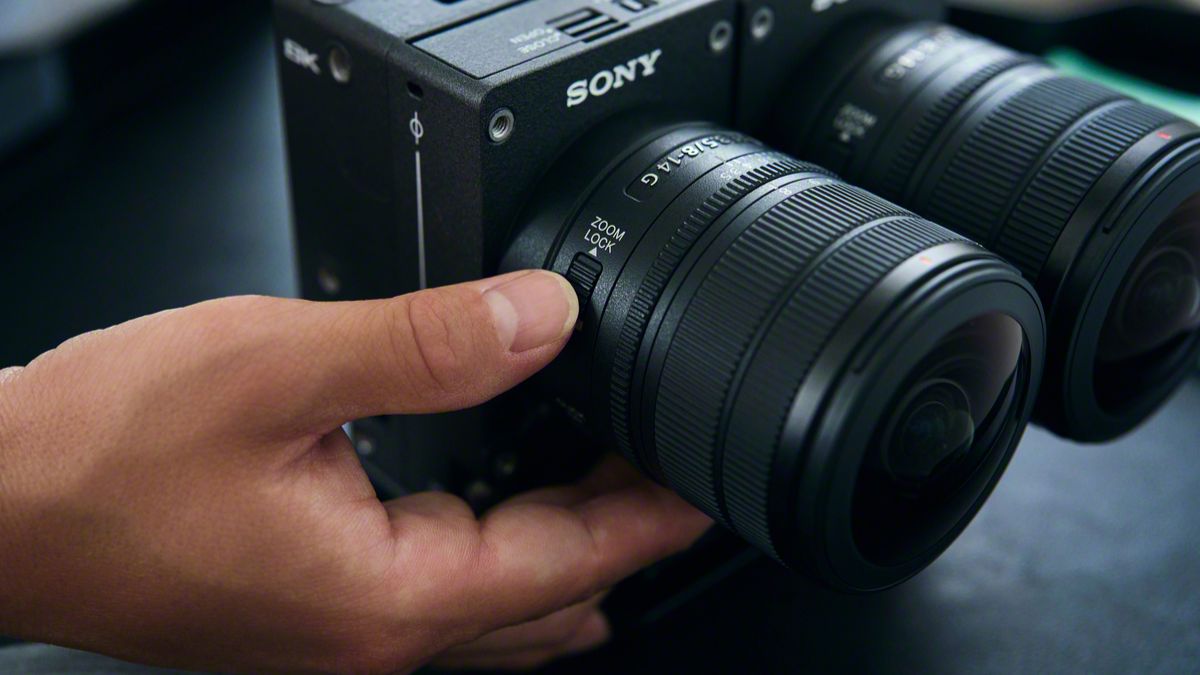
The Sony FE 8-14mm F3.5 Fisheye G measures about 63.1 mm in maximum diameter and 82.8 mm in length.
It weights about 314 grams, giving it mobility for handheld, gimbal, and rig-based shooting. It is also dust and moisture-resistant with a fluorine coating on the front.
In addition, users can opt for a dual-lens configuration with the VENCE Extension System Mini.
Cameras
DJI Osmo 360 II review: Going all-in on the ecosystem
I’m finally leaving my Insta360 X5 behind!

I’ve been shooting with the Insta360 X5 for a year. Trail runs, races, city trips, training sessions, all of it in 360.
I’ve held onto footage from that camera that I still watch back for no reason other than to remember what a particular morning felt like. I liked it enough that I wasn’t in a rush to switch anything.
After a month-long vacation carrying only the DJI Osmo Pocket 4P, I started thinking about consolidating it into a full DJI ecosystem instead, since I’d already tested and geared up with a Pocket, a Nano, an Action 6, and most recently, the Lito X1. The X5 was the one outlier left.
I never got to try the original Osmo 360, not until I saw my friend, Kyle Vergara, using one when we were in Boracay. Watching him shoot with it planted the idea before I even knew I wanted it.
So I waited for the DJI Osmo 360 II to see if it was worth the switch, half hoping it wouldn’t be, since switching meant admitting I was ready to let go of a camera that had been good to me.
Insta360 released the X6 around the same time, and as a creator, it was tempting. But between the workflow I already had and the cost of the gear, the math didn’t work out.
Anything leaning hard into AI these days comes with a jacked-up price tag, and the X6 wasn’t an exception. The Osmo 360 II has its own AI features, but the price is still bearable.
Price
The Standard Combo starts at PhP 32,490, with the Osmo Extreme Battery Plus, a Camera Protective Pouch, a cleaning cloth, an Osmo 360 Silicone Lens Cap, and a USB-C to USB-C PowerDelivery cable included.
@gadgetmatchThe new DJI Osmo 360 II is here with 1-inch 360° imaging, native 8K/60fps, and AI SuperNight 2.0! ✨♬ original sound – GadgetMatch
The Adventure Combo, which is what I got, runs PhP 39,490 and adds two extra Osmo Extreme Battery Plus (2150mAh), an Osmo Multifunctional Battery Case 3, an Adjustable Dual-Direction Quick-Release Adapter mount, and a 1.2m Invisible Selfie Stick.
For rider friends, there’s also a Limitless Riding Combo at PhP 34,490, which pairs the Standard Combo with an Osmo Heavy-Duty Clamp Mount kit.
Build
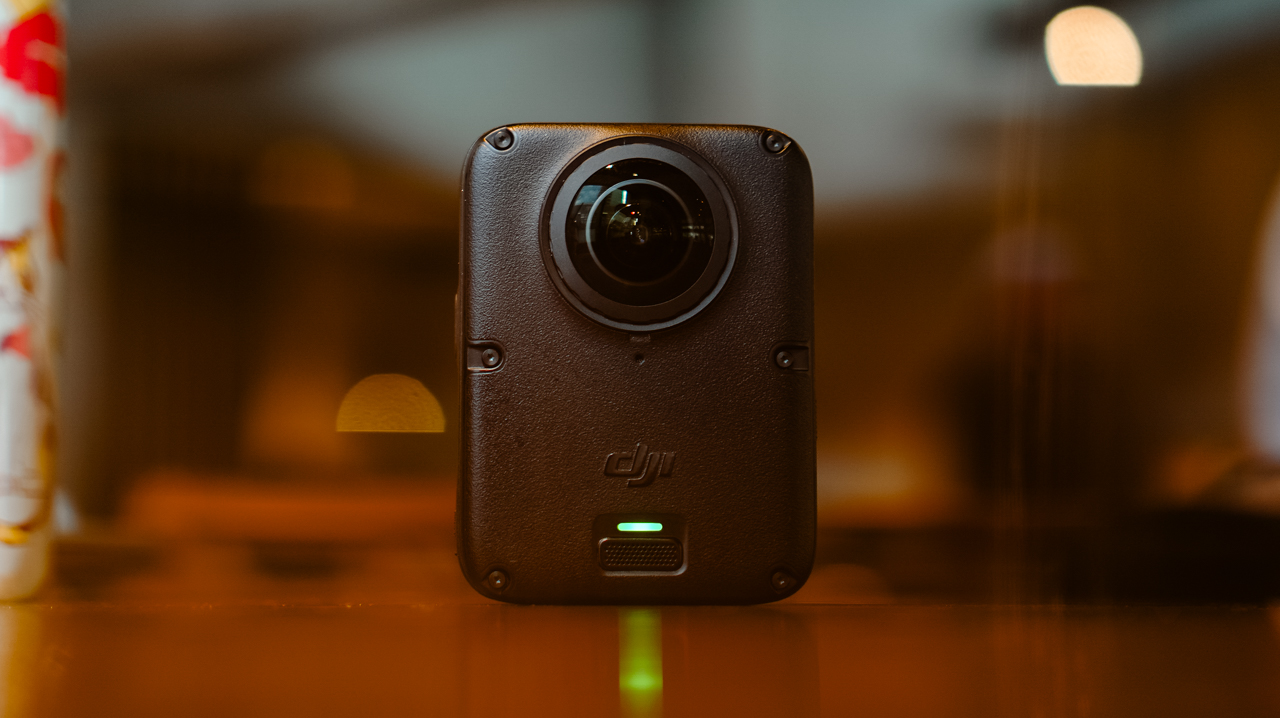
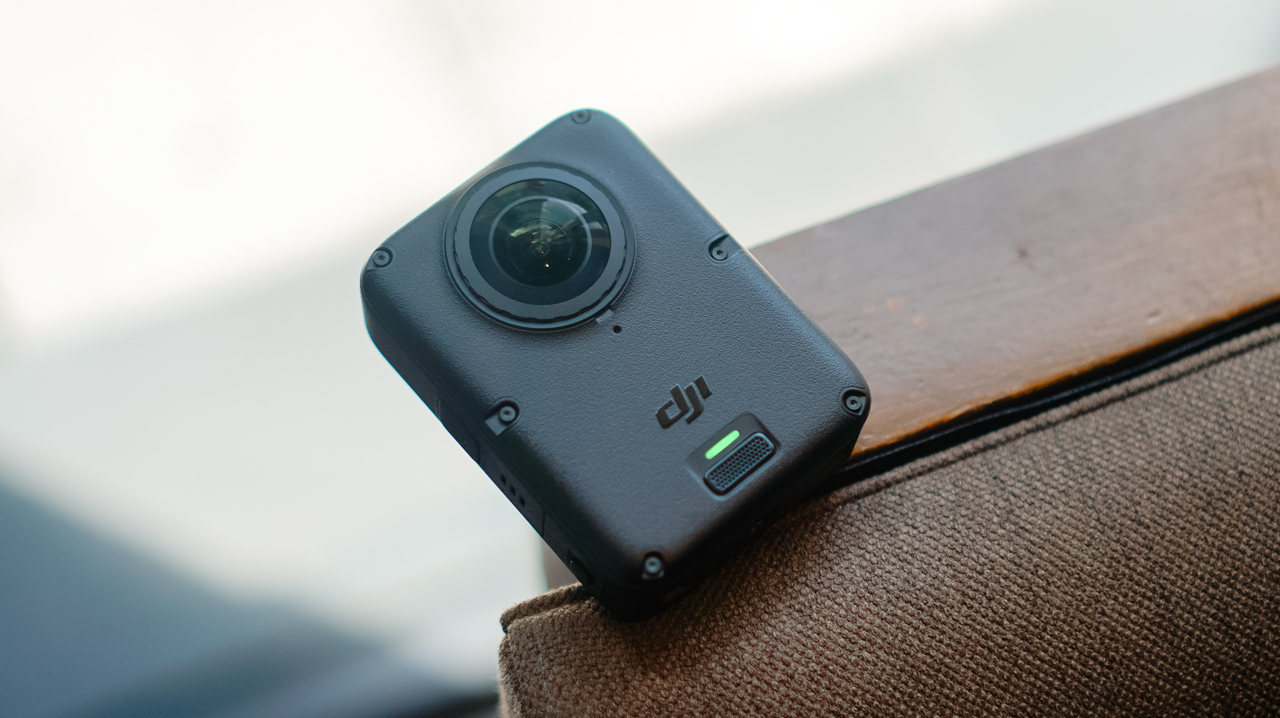
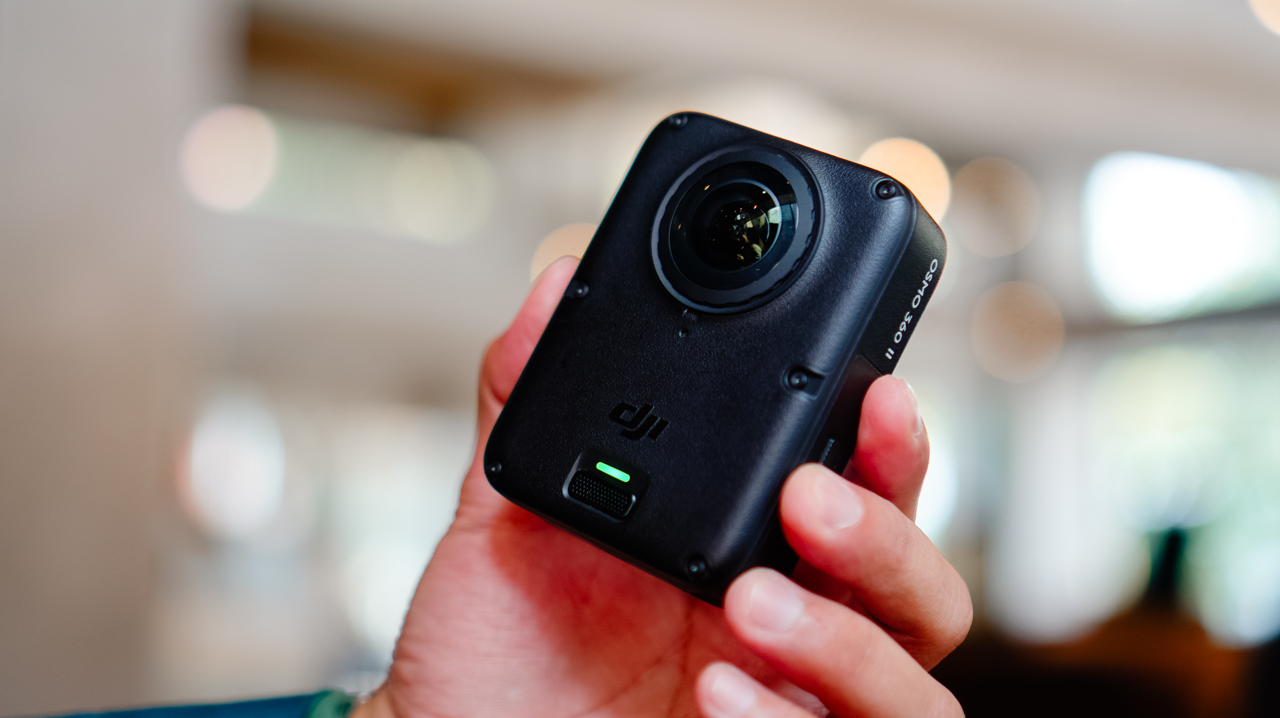
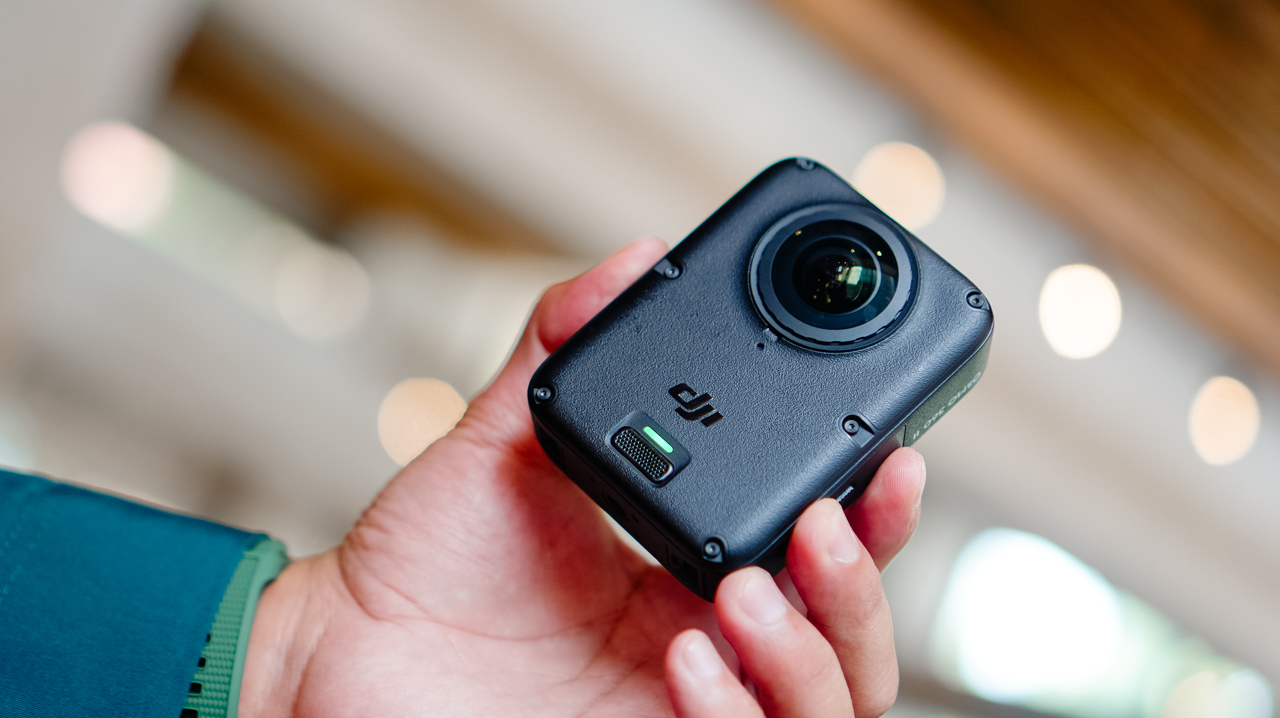
Coming from the X5’s lengthy monolith shape, the Osmo 360 II looks like a square monolith that fits in the palm of my hand.
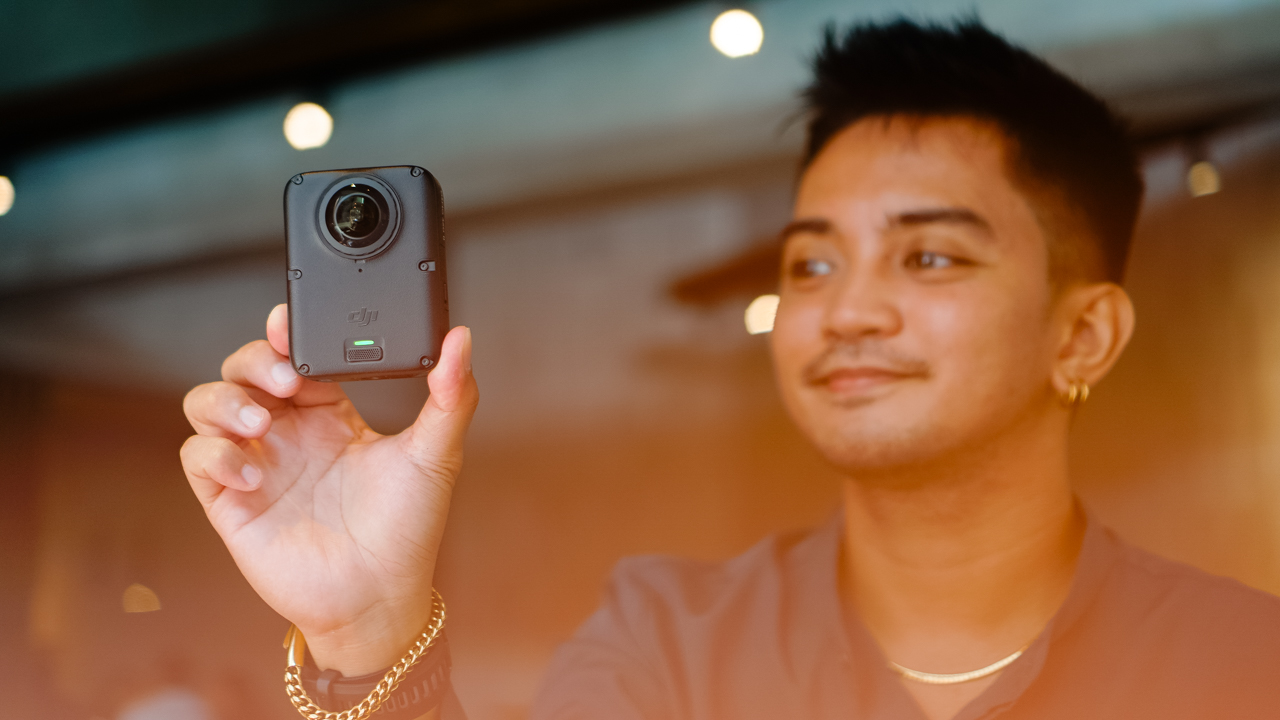
The smaller footprint makes it easier to switch between portrait and horizontal orientation when shooting single-lens.
It’s heavier than the X5, though, and I noticed that weight almost immediately the first time I clipped it onto a mount, like the camera wanted me to know it meant business.
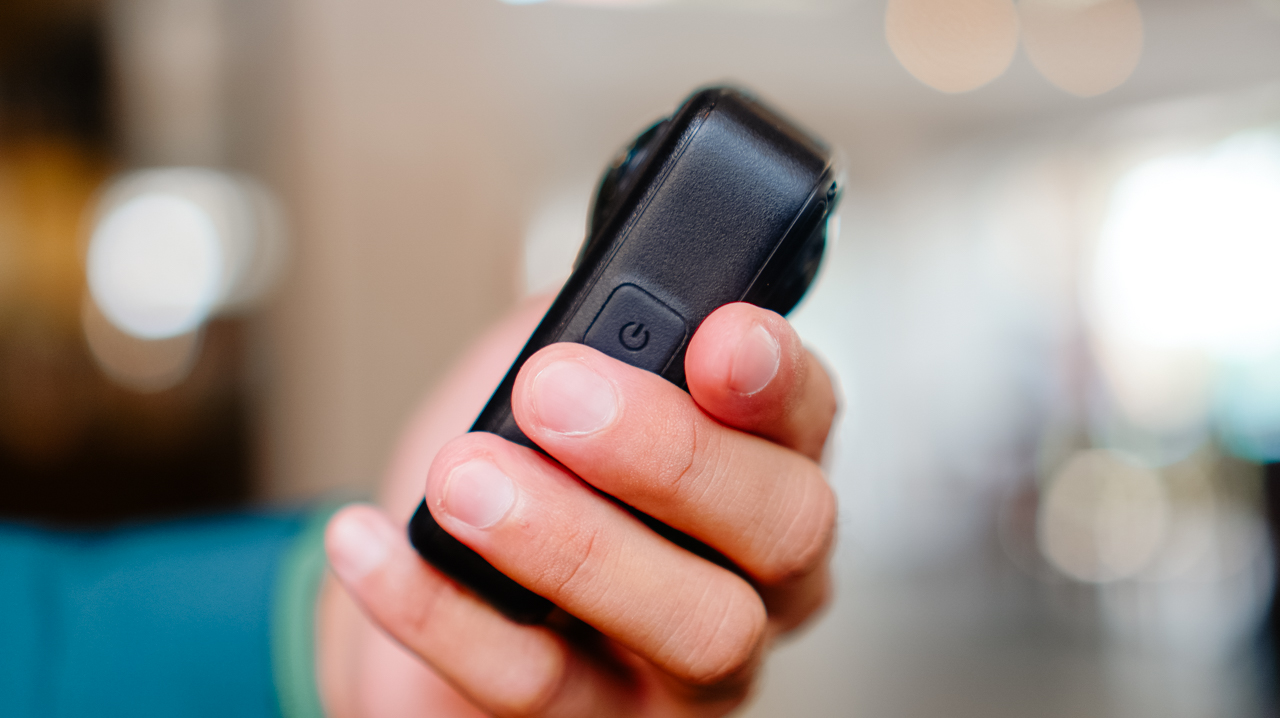
The design feels sturdier than its predecessor, and it now has a replaceable lens for when you scratch it, instead of a trip to a service center.
Performance
The Osmo 360 II arrived during a rough month for shooting in the Philippines. We were hit by one storm after another, with barely any sun in between, and there were days I genuinely wondered if I’d get to test this camera the way I wanted to before a deadline caught up with me.
I’d planned to test it on my usual trails, but landslides closed them off, so the next best option was a car-free Sunday in Ayala Triangle while the sun cooperated.
View this post on Instagram
It wasn’t the adventure footage I had in mind, but making a plain Sunday in the city look like it mattered turned out to be its own kind of satisfying.
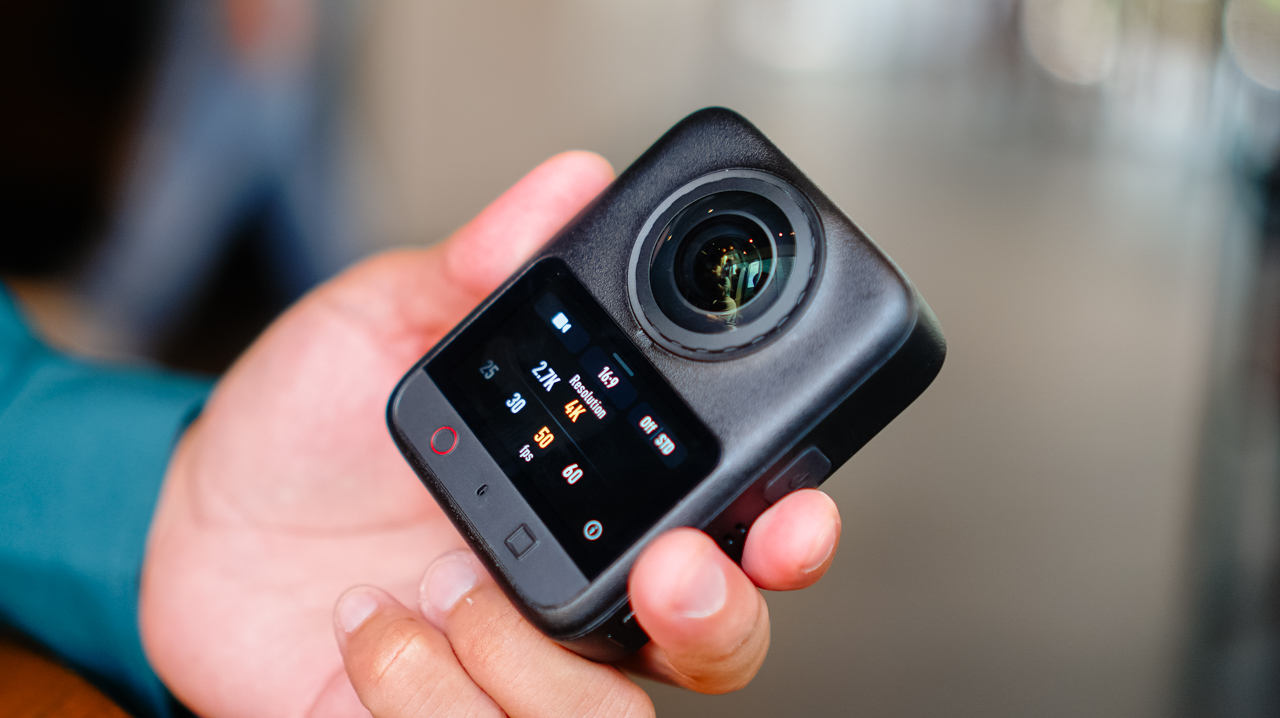
360 video now shoots at 8K60, up from 8K50 on the previous model, with the bitrate raised from 170Mbps to 220Mbps.
Single-lens shooting tops out at 4K60, though 4K50 is the recommended setting. Daytime footage looks excellent, especially for anything meant for social with a slightly different perspective than the usual flat shot.
Scrolling back through those Ayala Triangle clips later that night, I caught myself smiling at angles I wouldn’t have thought to frame on a regular camera.
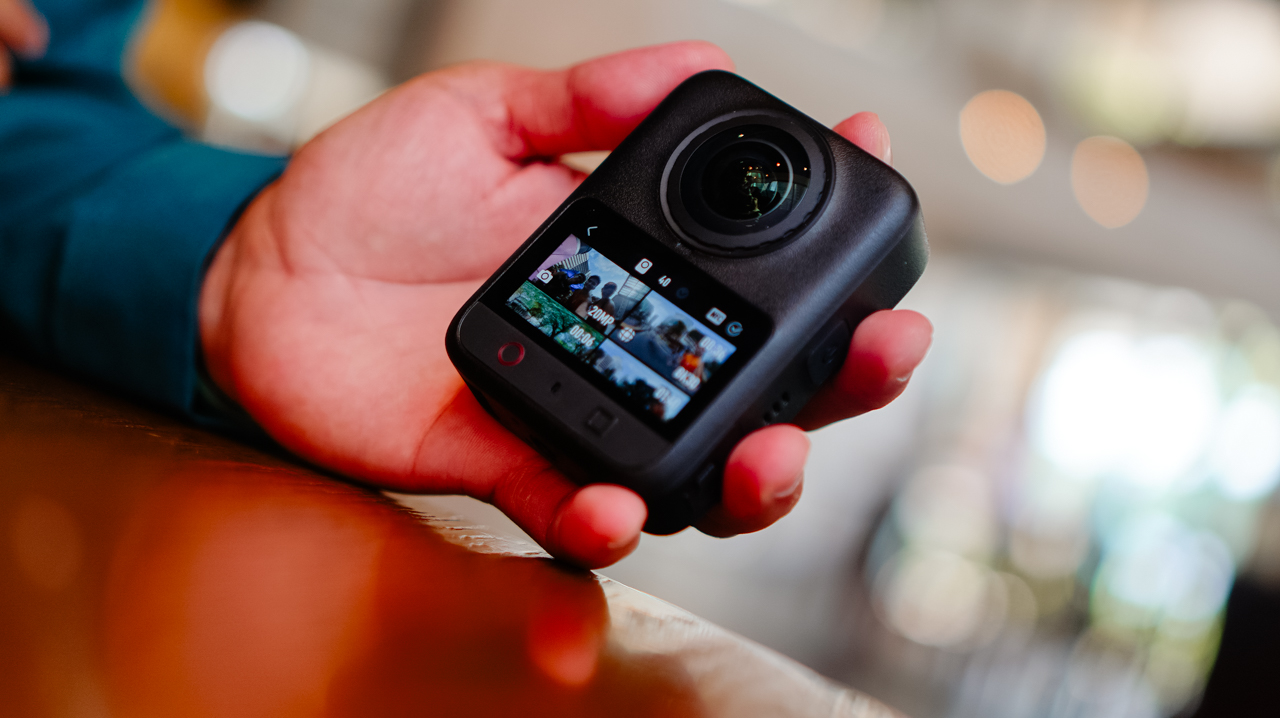
Night footage is where I’ve historically had issues with this category of camera, and I still don’t love straight Video mode after dark. But the new model claims 14.5 stops of dynamic range with its low-light processing, and shooting in Boost Video and SuperNight modes noticeably improves low-light results.
Photos hold up well too. Single-lens stills shoot ultra-wide at up to 30MP, and panoramic 360 photos go up to 120MP HDR.
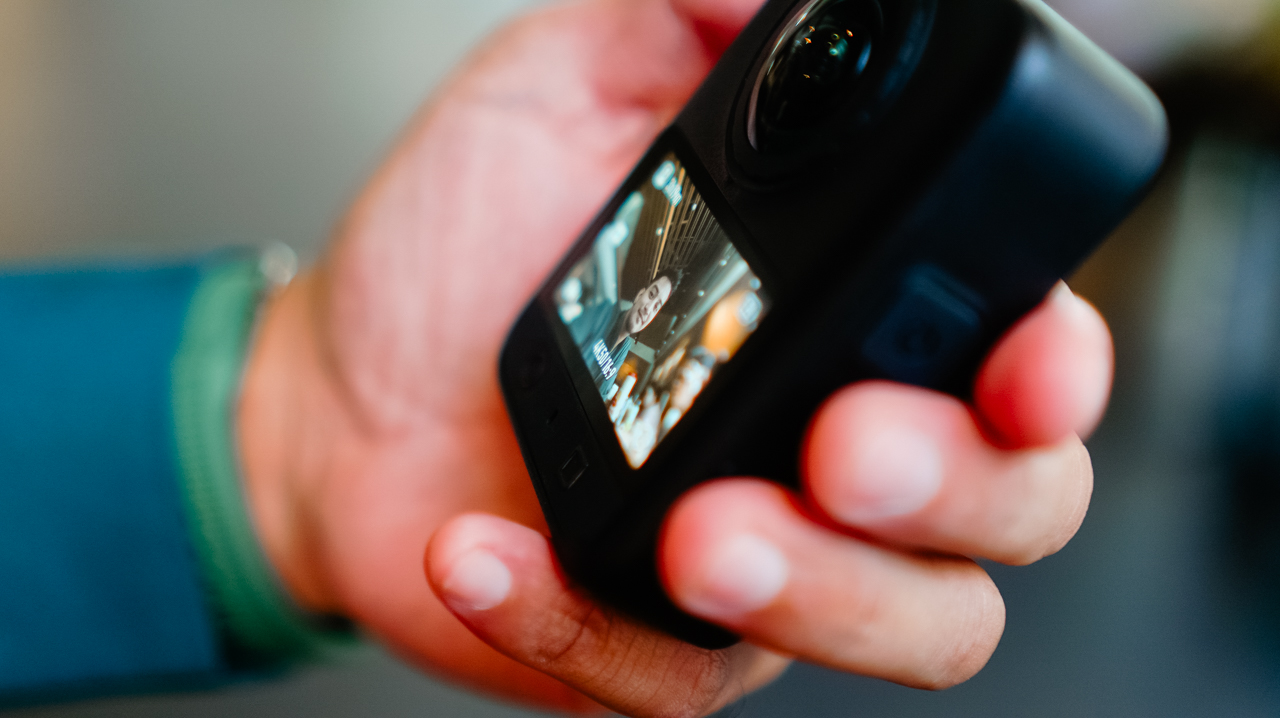
RAW photo support is new this generation, and it’s this type of addition that made me want to slow down and actually shoot stills again instead of treating this as a video-only device.
Storage
AI features pushing further onto these devices has driven up demand, and prices, for RAM and storage across the board.
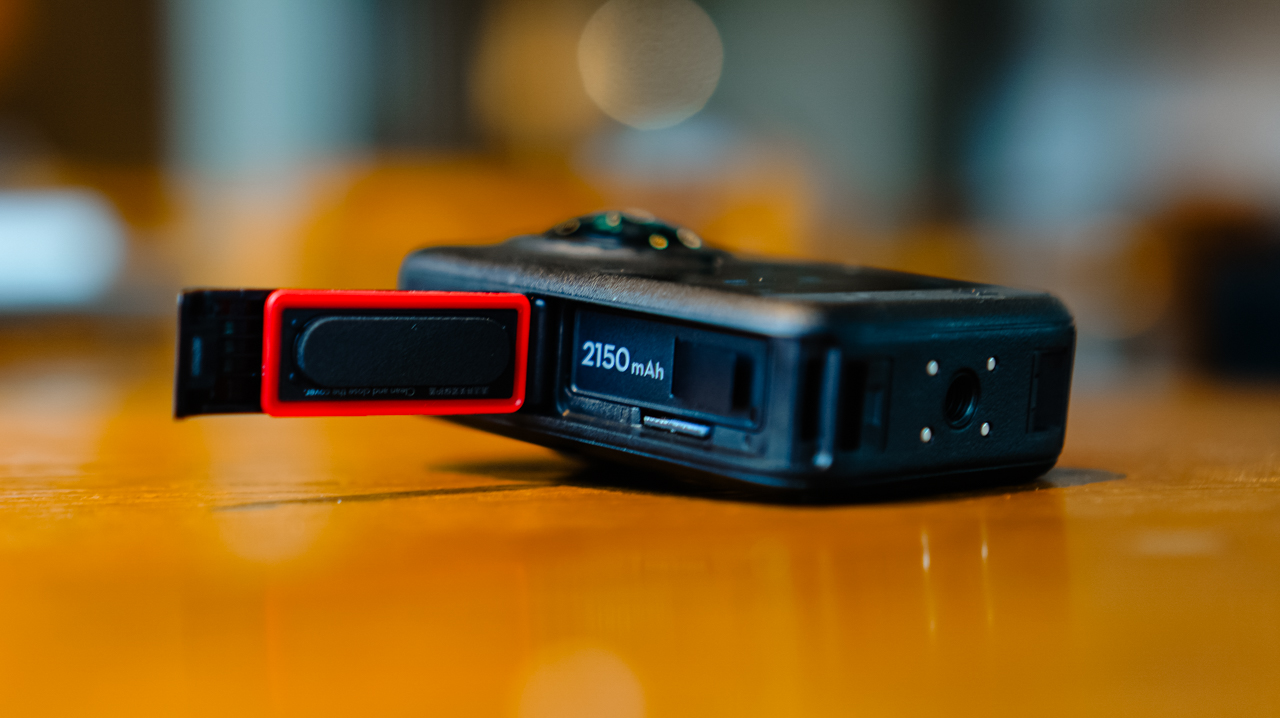
MicroSD cards, SSDs, even cloud storage all cost more than they used to, and I’ve felt that pinch every time I’ve had to buy a new card just to keep shooting through a busy week.
What I appreciate about DJI’s new lineup this year is the built-in storage, over 100GB on the Osmo 360 II. Paired with a microSD card, I’m not scrambling to back up mid-shoot just to free up space, which matters given how fast 4K and 8K footage eats through storage.
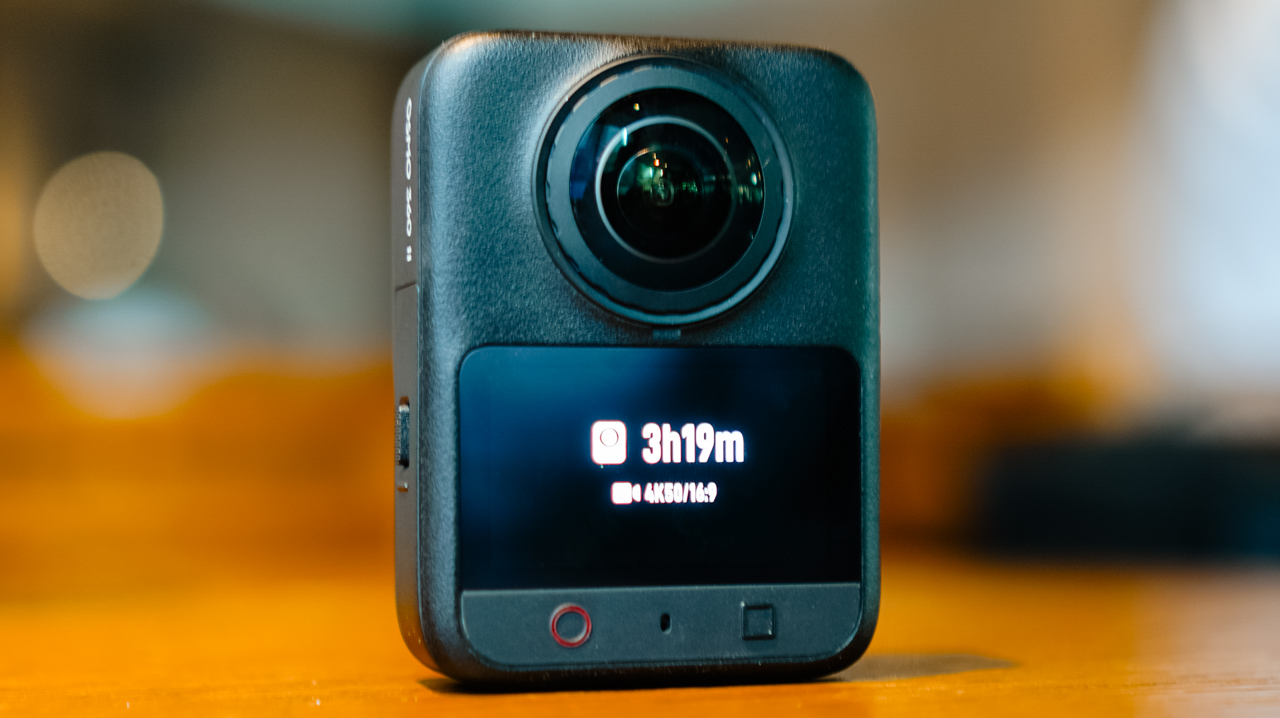
Not watching a storage warning pop up in the middle of something I can’t reshoot is a relief I didn’t know I needed.
Ecosystem
Before this, the X5 was the one device in my kit that didn’t run on DJI. Now that the Osmo 360 II is in the mix, footage lands in the DJI Mimo app the same way it does from everything else I own.
I’m not juggling two apps or two export flows anymore. Previously, files from the X5 would sit untouched longer than I wanted, simply because everything else I owned already funneled into Mimo and this one didn’t.
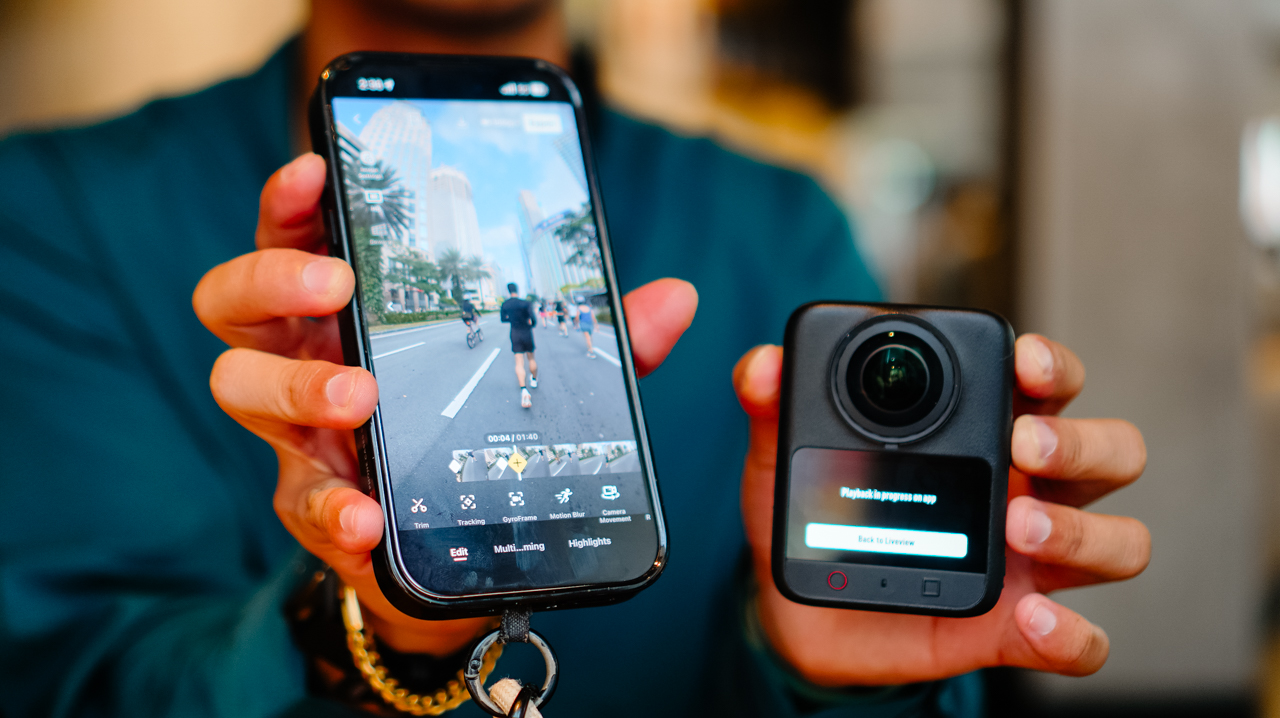
I can’t count how many times I opened my phone meaning to edit something, only to close it again because the file was sitting in the wrong app.
Editing 360 footage in the app is straightforward, with tools built for actually shaping the story rather than handing it off to AI.
Trimming, tracking, GyroFrame for dynamic movement, motion blur adjustments, multi-clip cuts and exports in one pass. If you do want AI in the loop, there’s Highlight Auto Selection to help surface usable scenes for reels.
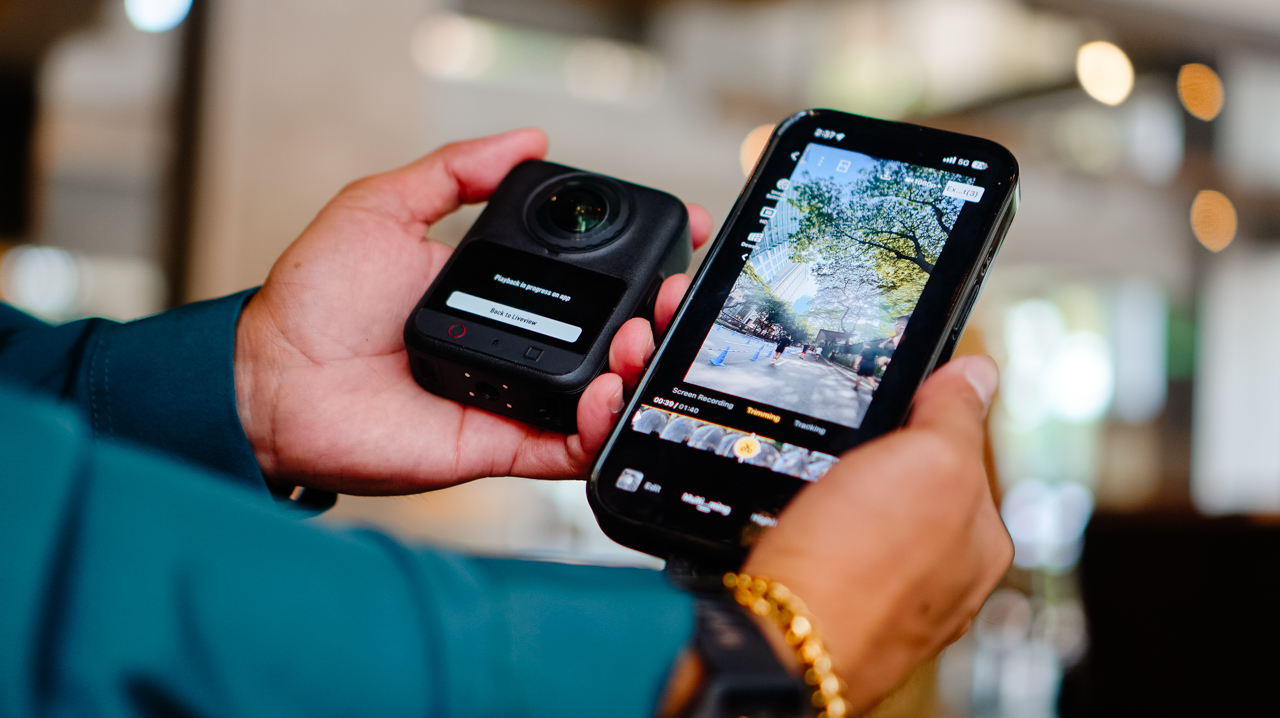
Insta360’s ecosystem likely has comparable editing depth. What’s different for me is having it all live in one app instead of splitting my workflow across two, and how much lighter that’s made the whole process feel by the end of a shoot day.
Is the DJI Osmo 360 II your GadgetMatch?
If you’re already using DJI across your gear and your workflow, the Osmo 360 II is an easy yes.
It fixes a real complaint from the first generation, folds into one ecosystem instead of two, and comes in at a price that’s hard to argue with.
Letting go of the X5 turned out to be less of a loss than I expected. It’s more like finally closing a tab I’d left open for a year.
Swipe Right if you want hardware upgrades that solve a genuine complaint from the first generation, one ecosystem instead of two, and a real price advantage.
The DJI Osmo 360 II is built for someone focused on storytelling and getting the most out of the gear they already own, rather than someone chasing the newest AI-editing tools.
Swipe Left if you want AI-driven editing front and center, or you’re already settled into Insta360’s ecosystem.

I’ve been using the Sony a6500 with a 35mm f/1.8 lens for the past six or seven years. There’s a certain level of comfort and familiarity that comes with using the same camera for that long. My workflow with it is automatic at this point.
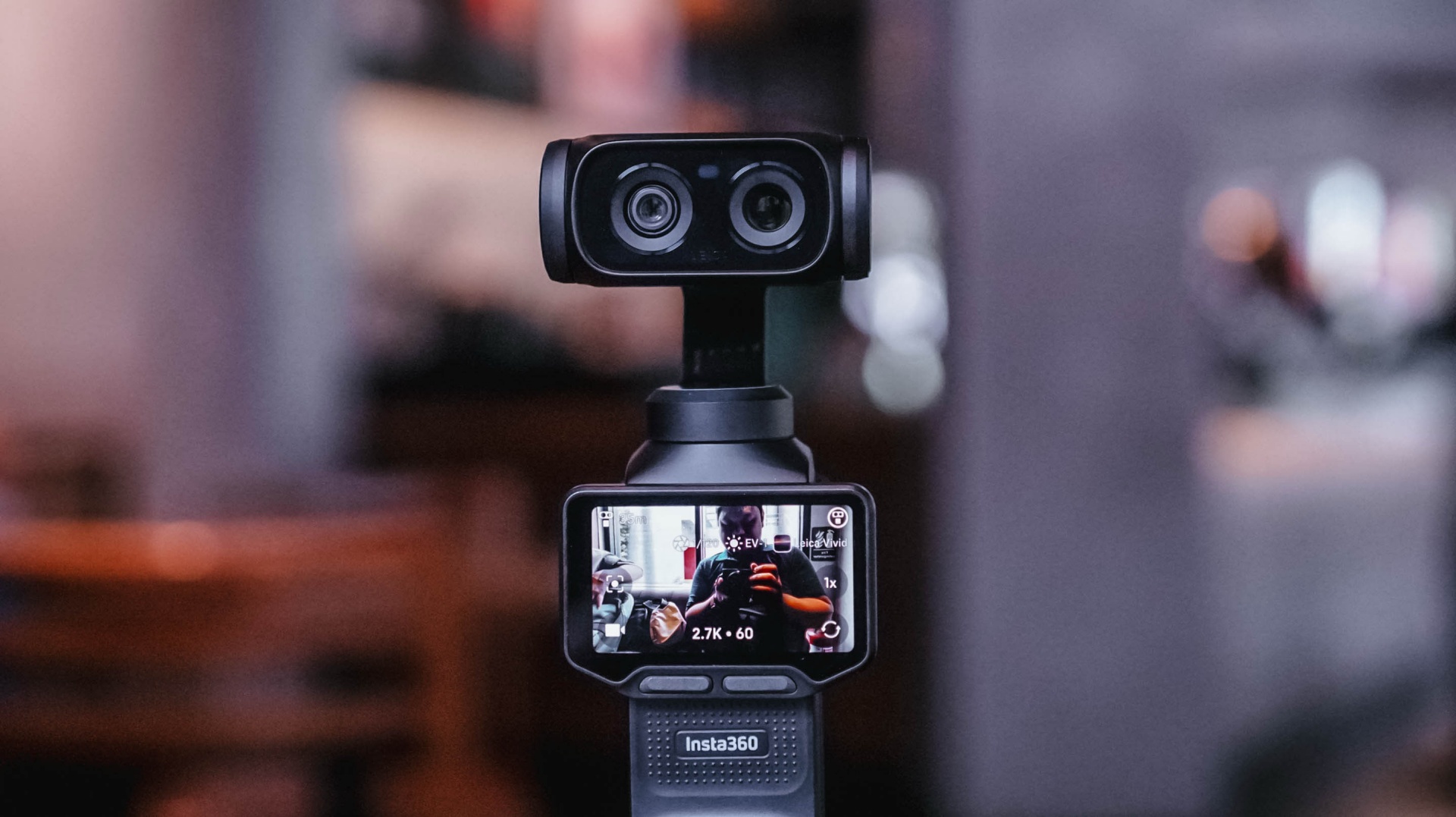
That’s why it took some time for me to get comfortable with the Insta360 Luna Ultra.
I wasn’t familiar with using a gimbal camera. When I first started using the Luna Ultra, it felt awkward. I was also trying to figure out too many things at once.
But after several weeks of using it for different kinds of coverage, I’ve reached a point where I’m comfortable leaving my old reliable behind, especially when my priority is making Reels.
And it was my most recent overseas work trip to Shenzhen, China, where I finally realized that.
Finding my footing
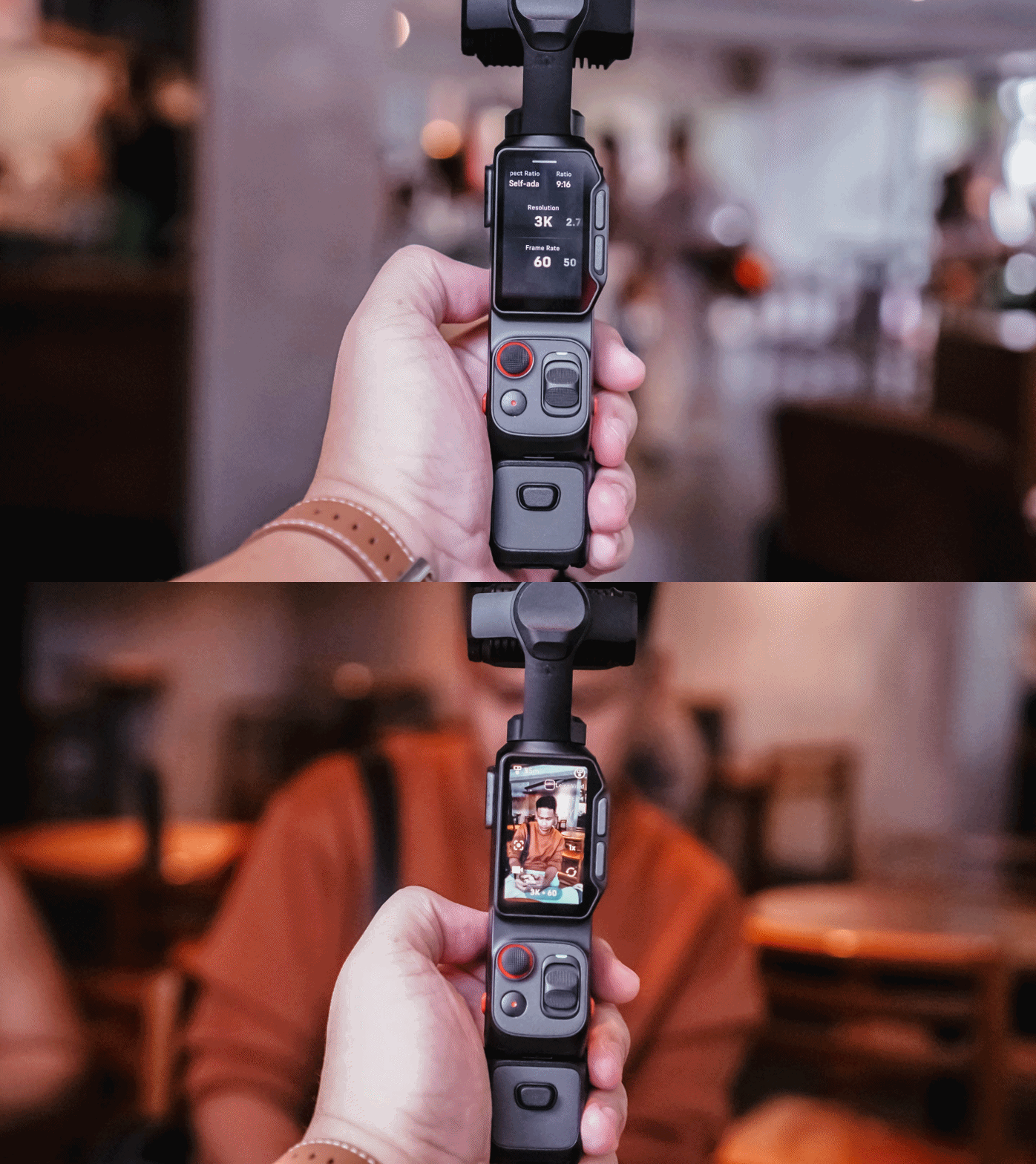
I brought the Insta360 Luna Ultra to three events almost immediately: Samsung Vision AI, the TCL A400 Art Launch, and an ROG event.
That first week was really experimental. I was trying out multiple features of the device for this review. I tried shooting horizontally because it seemed like that’s what the Luna Ultra was made for.
But my work over the past few years has focused heavily on vertical short-form video, so that contributed to the awkward feeling.
I also defaulted to PureVideo after a while because I tend to shoot in really not-well-lit locations. The colors look good as is, anyway.
I experimented with I-LOG, too. That taught me that it should probably be reserved for actual experimental outputs, rather than anything tied to a deadline. Our workflow is built for speed with quality, and I-LOG adds another step that isn’t always necessary for the kind of news-oriented Reels we make.
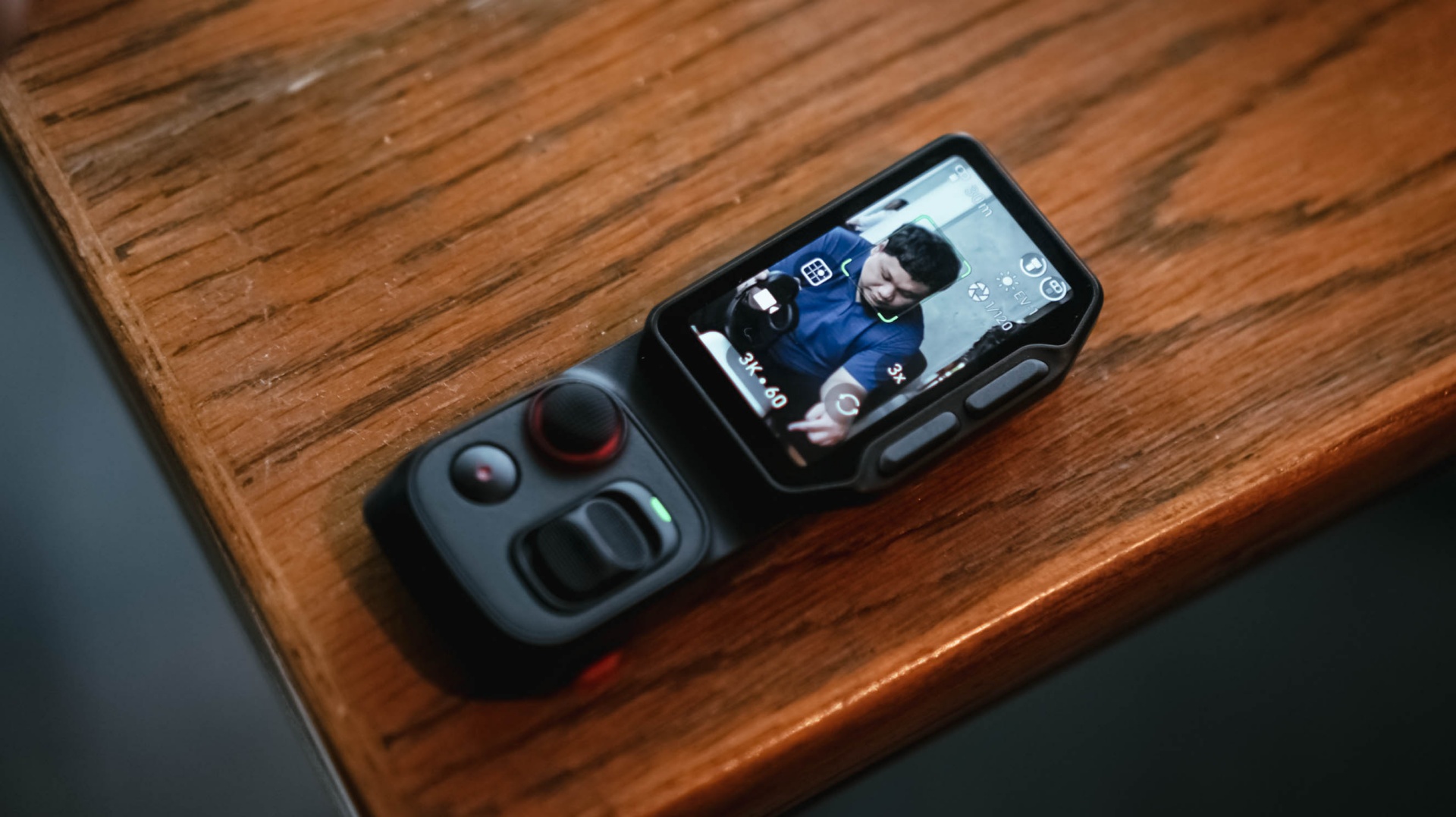
The detachable controller, meanwhile, was a godsend when I’m shooting by myself and want the Luna Ultra to be at a distance. I still had the preview and controls nearby, and that was extremely helpful.
The biggest thing I learned during that first week was that I was trying to speed-run through all of the features instead of figuring out which ones actually made sense for the Reels I needed to make.
It was only when I decided what I actually needed for each coverage that the Luna Ultra really clicked with me.
@gadgetmatchThe best way to test a creator camera? Use it while creating. We brought the Insta360 Luna Ultra to multiple media events to see how it handles real-world coverage. From low-light venues to fast-paced launches. Here’s what we learned so far. Full review coming soon. #Insta360 #LunaUltra♬ original sound – GadgetMatch
Getting more comfortable
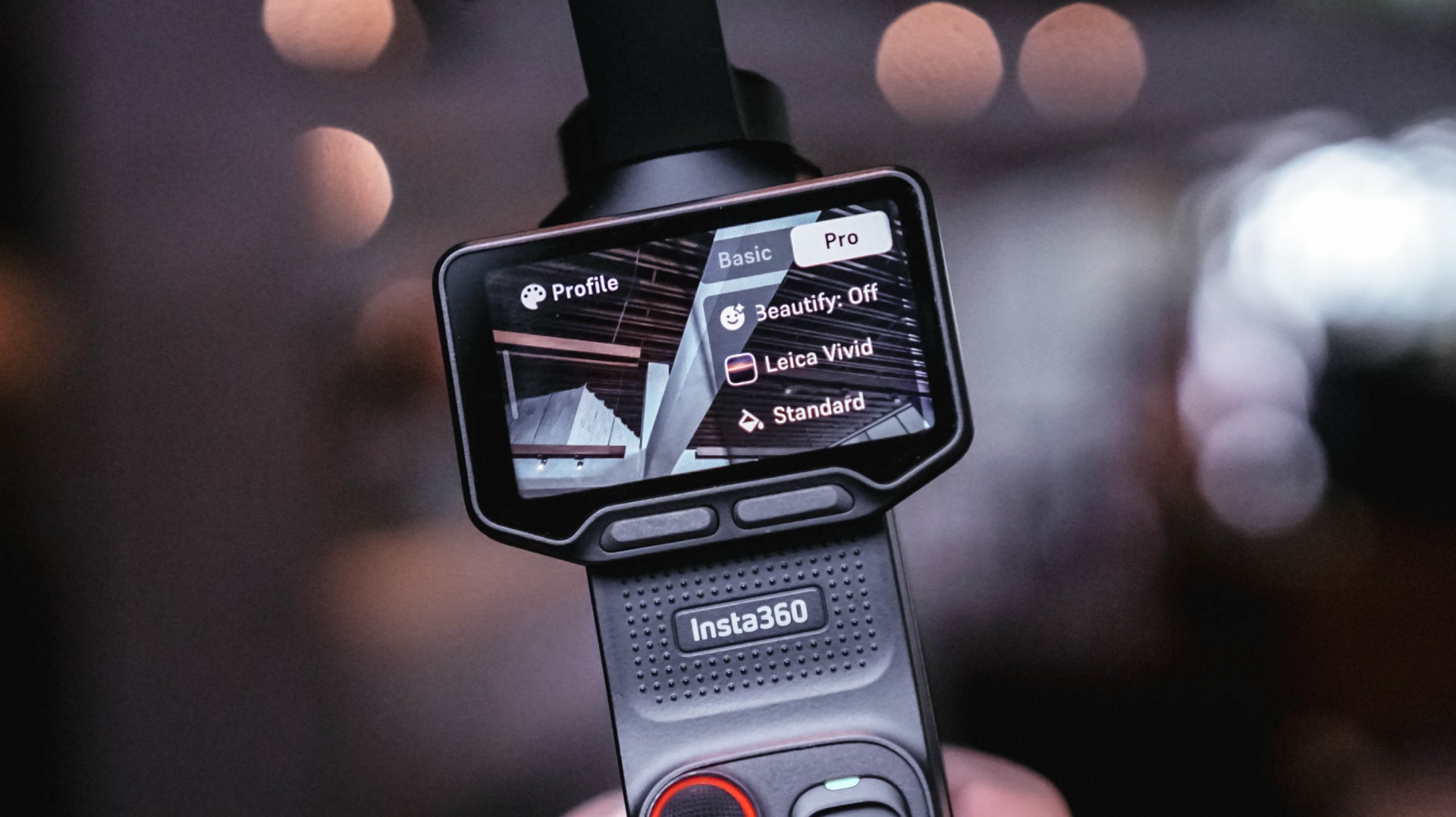
Most of the learning curve came down to overall usage and figuring out how I could maximize the camera.
There’s still plenty that I don’t know about the Luna Ultra. There are camera tricks and shots that can certainly elevate some of my footage. But I’ve decided to lock in on how it’s useful to me during fast-paced coverage and slowly unlock its capabilities as I spend more time with it.
Getting reps with a device is the best way to become familiar and comfortable with it.
For now, I can say I’ve found my preferred base settings that cover most of my needs. The next goal is to slowly level up, learn its capabilities more, and figure out how I can apply them to the Reels I make.
That process continued outside of traditional tech events.
Putting it to work
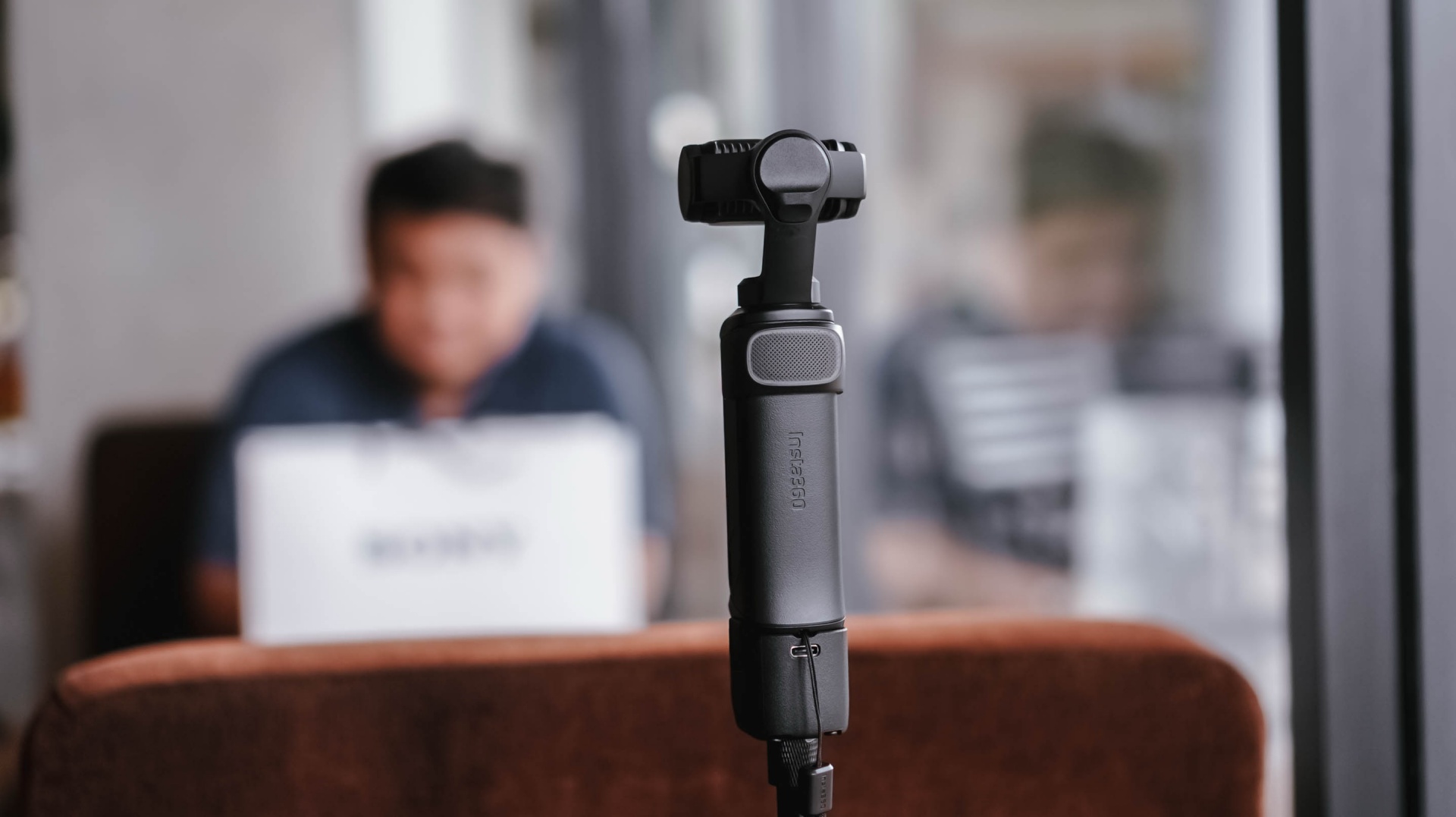
I brought the Insta360 Luna Ultra to a pottery session arranged by Shokz. It was a completely different kind of environment from the launches and media events I usually cover.
For the most part, I just set it up, pointed it at me, and let it roll.
My hands were busy, so I found myself wishing it had a way to automate certain capture features. Hands-free controls would be useful, for example. I’d also love an option to automatically record 30-second clips at a time for a set amount of time.
That would be useful when you’re shooting solo and doing an activity.
It was also around this time that I started figuring out some of the conditions necessary to get the bokeh effect I wanted.
@gadgetmatch Came for the pottery. Stayed for the vibes. 🏺 Featuring the Shokz OpenDots 2, because apparently good audio is required while discovering you have zero pottery skills. #PowerMacCenter @Power Mac Center @SHOKZ ♬ original sound – GadgetMatch
While unboxing the Shokz OpenDots 2 right before the pottery session, I got a sense of the distance needed when using 1x zoom to get that bokeh effect. Not long after, I also figured out the conditions necessary to get that effect with 3x zoom.
That was crucial for the mostly product-focused stuff that I shoot.
The more I used the Luna Ultra, the more I started understanding not just what it could do, but what I could realistically ask it to do during my work.
Then came the real test.
Shenzhen was the turning point
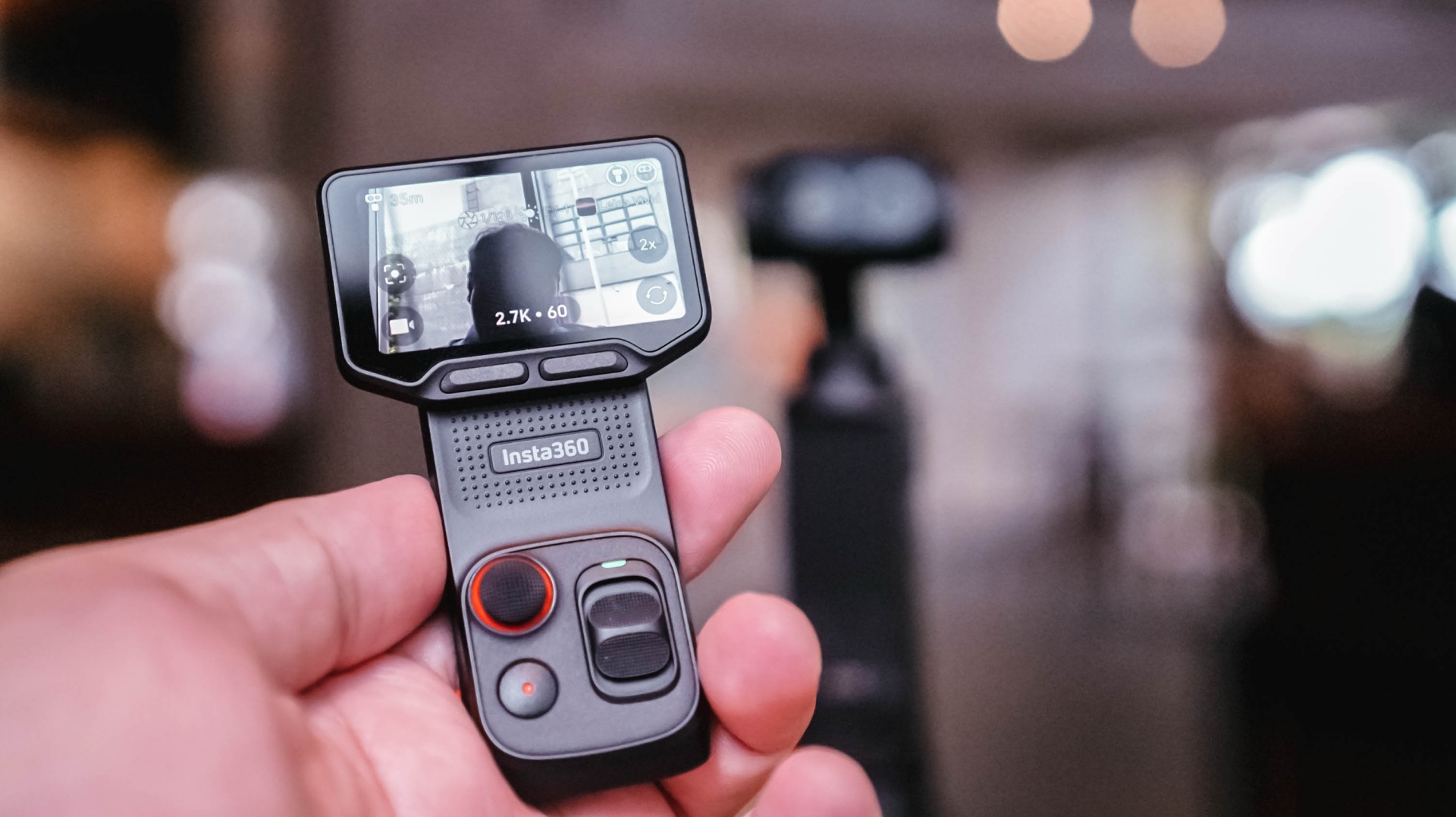
When I went to Shenzhen, China, to cover the launch of the HONOR Robot Phone, I didn’t have my old reliables as a crutch.
It was a make-it-or-break-it situation.
I needed to get as many product shots as possible. I had to show the design of the phone, its mechanical gimbal camera, and what it was like to shoot with it.
And the Luna Ultra was very capable.
The real issue was my unfamiliarity with it.
Once I figured out the settings I needed and narrowed down the shots I had to take, everything flowed rather smoothly.
@gadgetmatch HONOR Robot Phone 🤖📱 ✅ 4DoF mechanical gimbal ✅ 200MP Agile Gimbal Main Camera ✅ 200MP periscope telephoto camera ✅10-bit ARRI LogC3 recording ✅ 50MP ultra-wide camera ✅ Snapdragon 8 Elite Gen 5 Mobile Platform ✅ 7,060mAh silicon-carbon battery #HONORRobotPhone @honorglobal ♬ original sound – GadgetMatch
Some of it still felt unnatural because I’m used to using my camera for both photo and video. This time, I focused on shooting video with the Luna Ultra and used a flagship smartphone for the photos.
That whole setup still needs refinement, but I feel like I found a workflow I can lean on.
Most importantly, I got all the shots I needed.
Any challenges I faced were mostly due to the shooting environment and my own general familiarity with the Luna Ultra. As for the tool itself, it was fantastic.
The moment that really solidified this for me was when I started reviewing the footage and saw that many of the shots came out better than I expected.
That’s when I realized I could actually use this as my coverage camera.
View this post on Instagram
A different kind of coverage camera
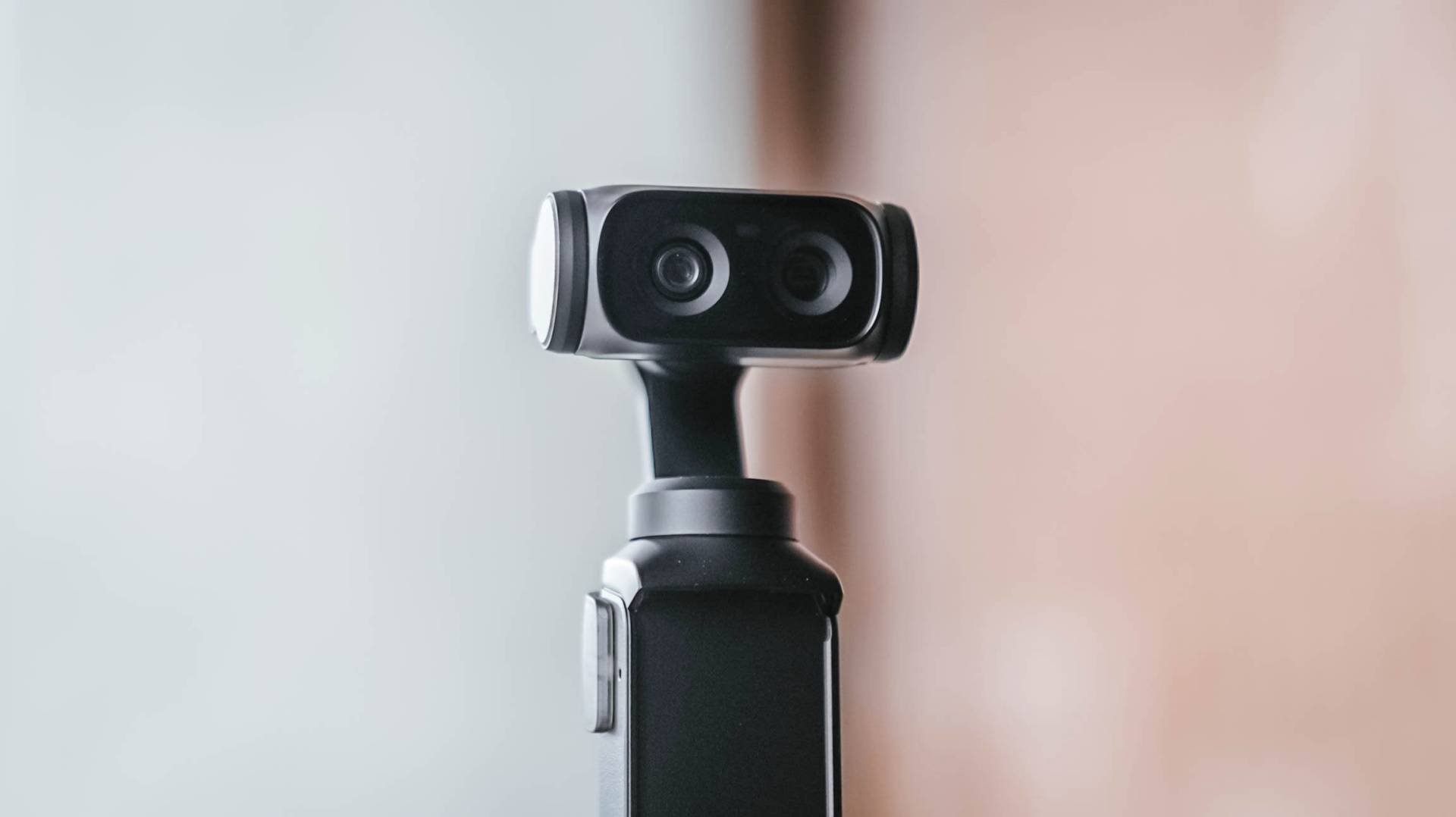
My usual event workflow is pretty straightforward. I secure the device, then get as much footage of it as possible from different angles, show different use cases, and capture its features as quickly as I can.
The Luna Ultra fit into that workflow better than I expected.
For one, I can include myself in the frame while still being able to preview what I’m shooting. That’s something I couldn’t easily do with my old reliable setup.
It’s also much lighter and thinner, making it easy to position in ways I couldn’t with my old setup.
I think the video quality is overall better than the smartphones I use, too. The bokeh I get is also natural.
That doesn’t mean my Sony a6500 is suddenly obsolete.
I think dedicated mirrorless cameras, paired with the right lenses, just have a certain look to them that I generally prefer. I’d definitely still reach for the a6500 for photos and shoots where I have a team with me.

But for solo coverage, my go-to video gear will now be the Luna Ultra.
That’s the biggest change for me.
The Luna Ultra didn’t necessarily change what I consider worth shooting at an event. That’s still a case-by-case thing.
Instead, it enabled me to shoot better even when I’m on my own, which honestly isn’t always the case.
There’s still room to grow
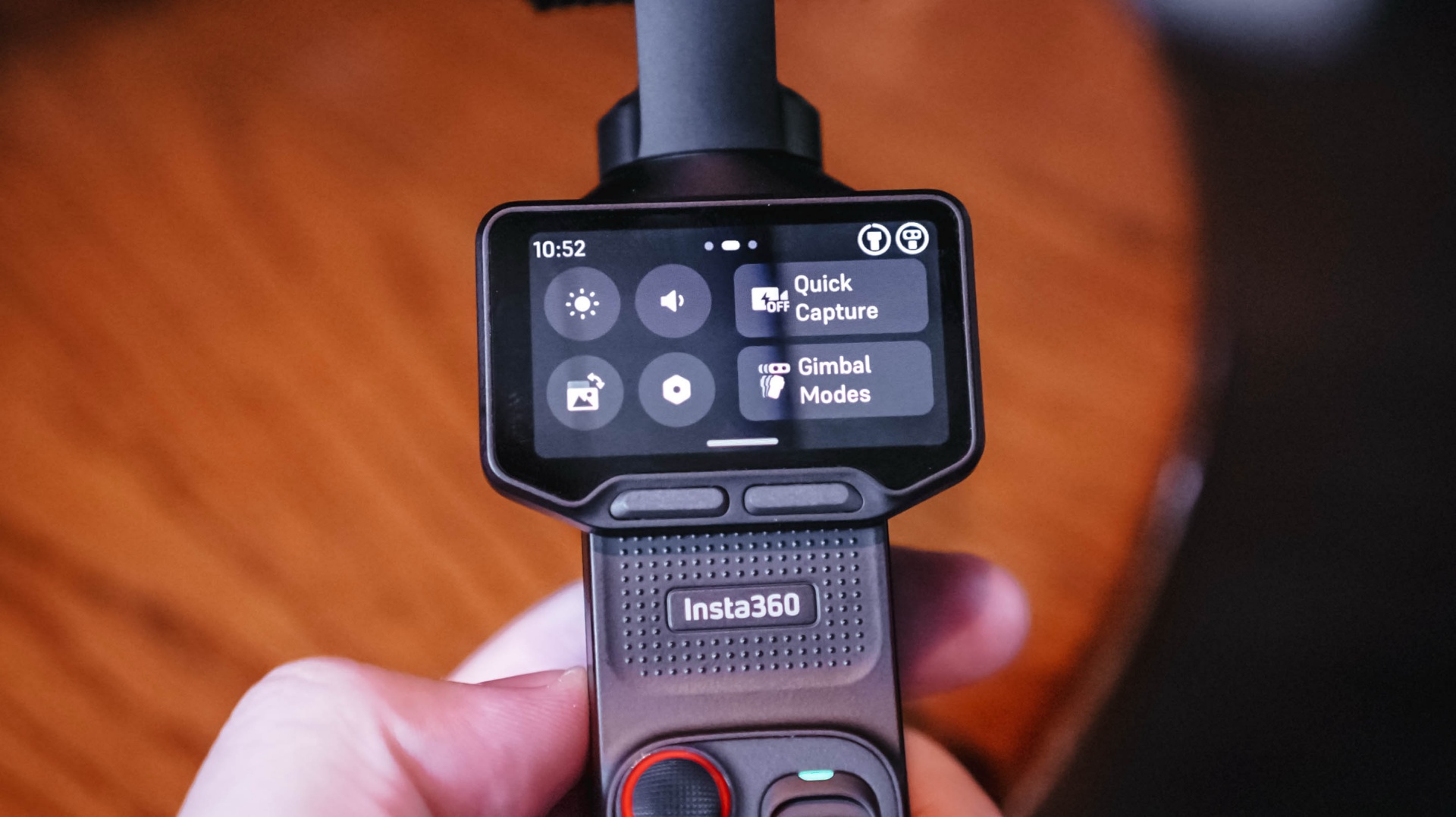
I don’t think I’ve come close to unlocking everything the Luna Ultra can do.
I-LOG is one obvious example. But that feels like something for a different type of project rather than the generally news-type Reels we do.
Our workflow is built for speed with quality, and the Luna Ultra, even when using its basic settings, fulfills that.
I definitely want to try more experimental shots, more shots with movement, and the like. I just haven’t found the right opportunity for them yet.
There are also some things I’d like to see improved.
As mentioned earlier, hands-free and preset shooting automations could help, especially for solo creators. That could make it easier to capture activities without having to comb through too much footage with enormous file sizes.
I also wish it had some form of open-gate recording. That would give the footage more versatility and make it easier to use the same footage for multiple aspect ratios.
And while the Luna Ultra is now my preferred tool for solo video coverage, I’d still choose the a6500 for photography or when I have another team member shooting with me.
Is the Insta630 Luna Ultra your GadgetMatch?
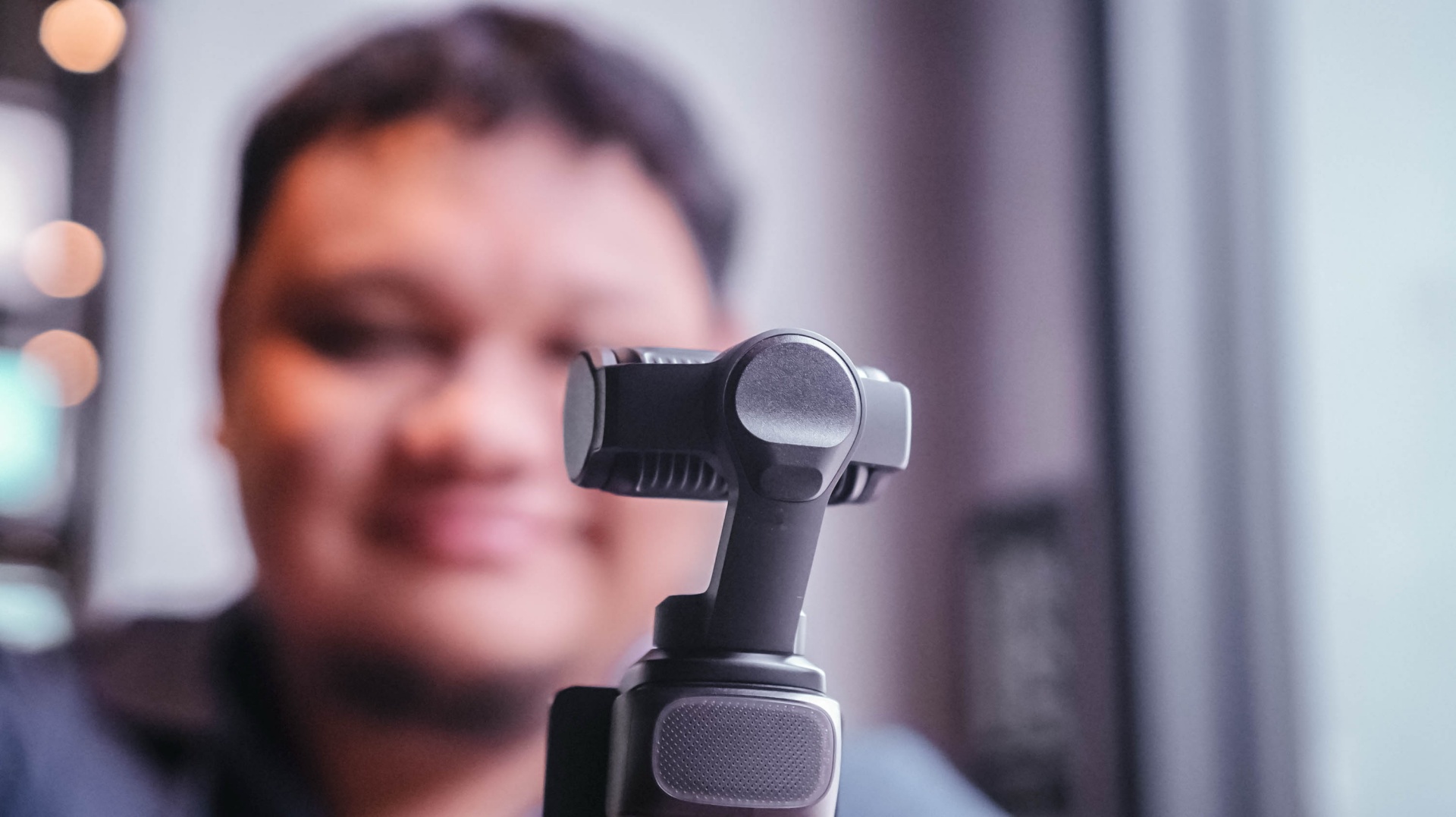
For anyone looking for a dedicated video-taking tool.
Content creation focused on video has skyrocketed. If you’re part of that movement, the Insta360 Luna Ultra is certainly a good investment to add a little extra to your videos.
It’s fairly easy to use, but it also supports deeper features that can elevate your footage and your content.
I think you should consider the Luna Ultra if you want to upgrade from shooting primarily with a smartphone, or if you want a video-shooting device that’s much easier and lighter to carry around than most traditional mirrorless cameras.
For me, the answer is a little more specific.
It’ll be my go-to now, especially for solo coverage trips.
If you asked me to leave just one camera at home tomorrow, though? Oof. Just one?
Maybe still the a6500. It’s hard to break a habit.
But the Luna Ultra is a very close second.
Still discovering what’s possible
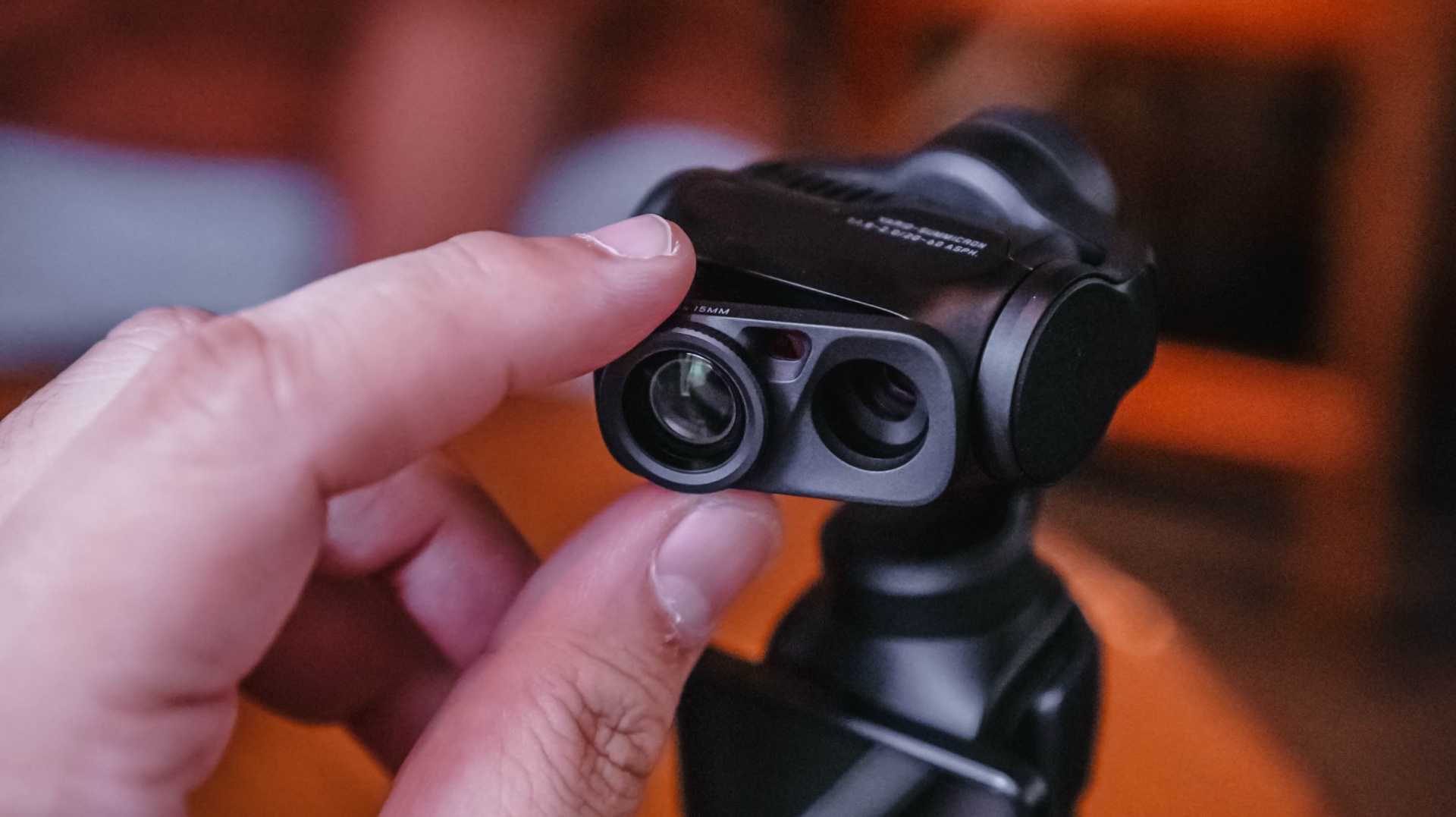
After using the Luna Ultra for all of this, I think it’s opened up new possibilities for the way I personally handle solo shoots.
It’s unlocked certain shots for me, and I haven’t even used it to its full potential.
That’s what excites me most.
I already found a workflow that suits the way I cover events. I already know I can leave my old reliable behind when the priority is video.
Now I want to see what happens when I actually learn everything else the Luna Ultra can do — that makes this an easy Swipe Right for me.
Pricing and availability
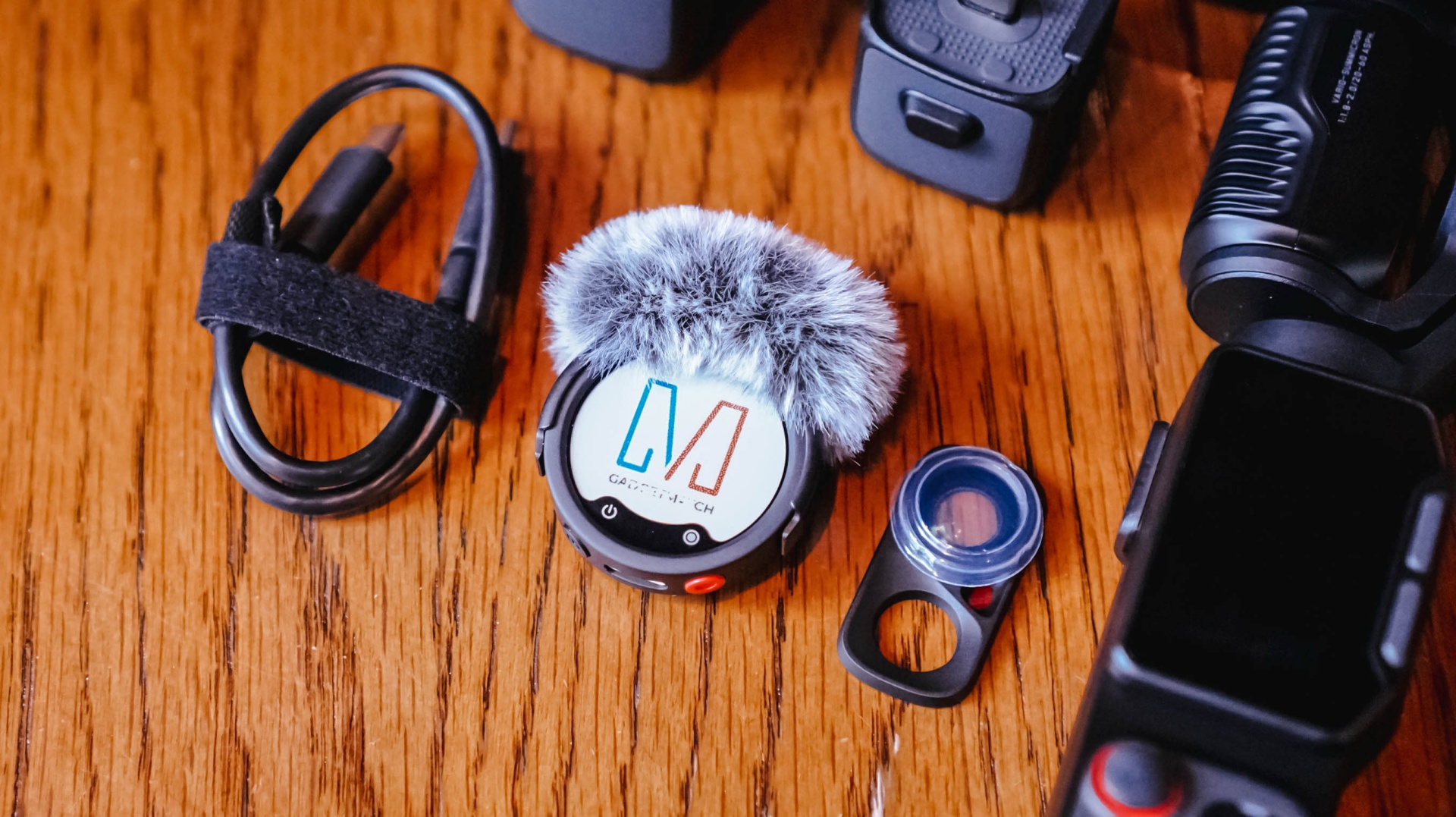
The Creator Bundle comes with the Insta360 Mic Pro which is great but I haven’t had the chance to use all that much because I am not a yapper on video.
The Insta360 Luna Ultra starts at US$799 (₱46,790) for the Standard Bundle, while the Creator Bundle retails for US$999 (₱59,490). It is available now through Insta360’s official channels and authorized retailers.





Spotlight: Marshall Heston 60

Apple sets home-themed event on October 13

ASUS Zenbook 14 lineup expands with new colors and processors

OPPO Find X10 Series launches globally October 21

Amazon launches new Alexa+ tablets with full Google Play access

iPhone 18 Pro series: Price, availability in the Philippines

vivo X500 Series launches with major imaging upgrades

iPhone 18 Pro series: Price, availability in Singapore

OPPO Find X10 Pro Max is the first phone with a triple 200MP camera system

BYD says that way better EV batteries are coming next year


-
 Automotive2 weeks ago
BYD says that way better EV batteries are coming next year
-

 Philippines1 week ago
TECNO CAMON Slim 5G: Price, availability in the Philippines
-
 News2 weeks ago
HONOR Magic9 Pro Max launches in China with ARRI-powered imaging
-

 Reviews1 week ago
TECNO CAMON Slim 5G review: Slim on size, big on surprise
-

 Smartphones2 weeks ago
TECNO CAMON Slim 5G teases an ultra-slim design ahead of launch
-
 Reviews2 weeks ago
TECNO POVA 8 Pro Tonino Lamborghini review
-
 Smartphones2 weeks ago
When TECNO-logy meets Tonino Lamborghini legacy
-
 News1 week ago
Apple wants to release new iPhones more regularly