
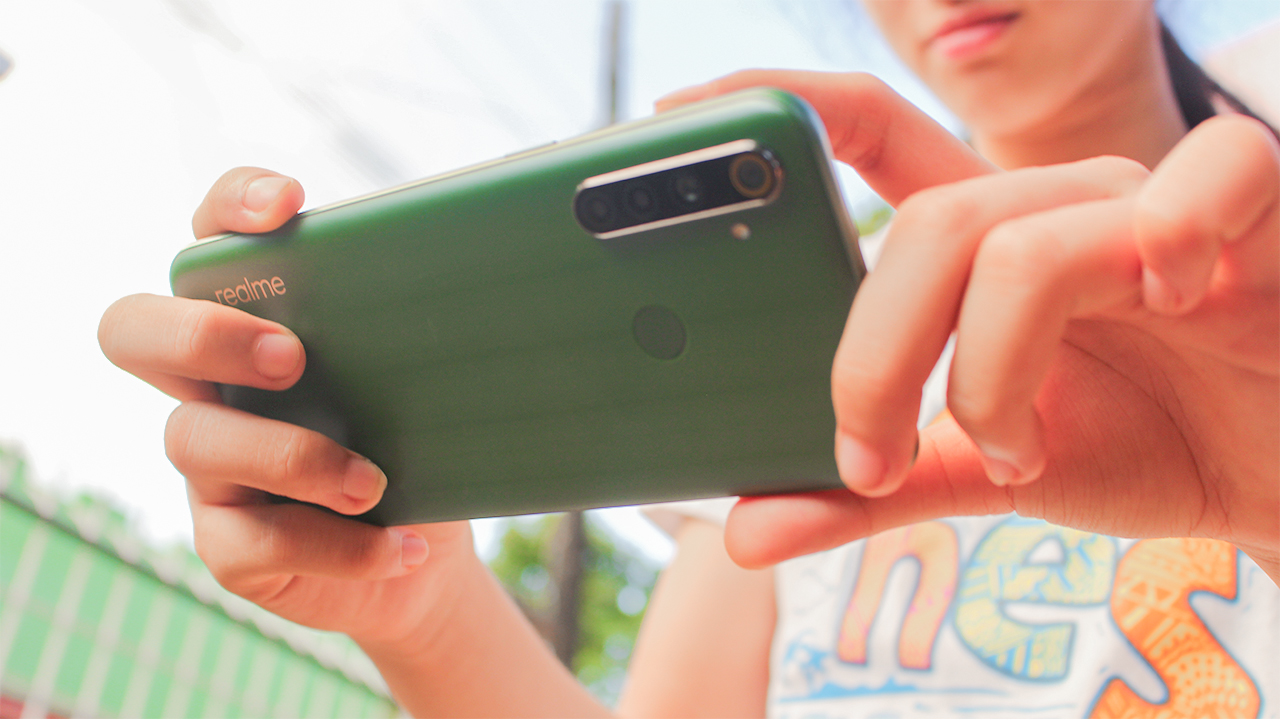

realme had been busy over the past years in making feature-packed smartphones at an affordable price. The realme 5 series last year is compelling evidence that the company nailed it in this regard. That series alone was one of the most sold in the Philippines. Now, Realme is keen to capitalize on its success with the new realme 6 series.
The first device in the series is now officially available in the country. realme 6i builds on the popularity and success of realme 5. Almost everything that made the realme 5 successful makes a return 0n the 6i. There are some aspects too that got improved. But is it enough to be a worthy successor to the realme 5?
That question alone bears a significant impact on how successful this device. realme 6i is once again competing for a spot on one of the best budget smartphones list. Let’s find out how the device 6i fares against the competition.
A polarizing design on the back
Right off the bat, the design of the realme 6i stands out like on the realme 5. This time around, the gradient pattern on the back is different. When hit by light, the back of the device gives a grill-like pattern. The new design pattern is surely polarizing. Some will love it, but others may not. I fall in the latter.
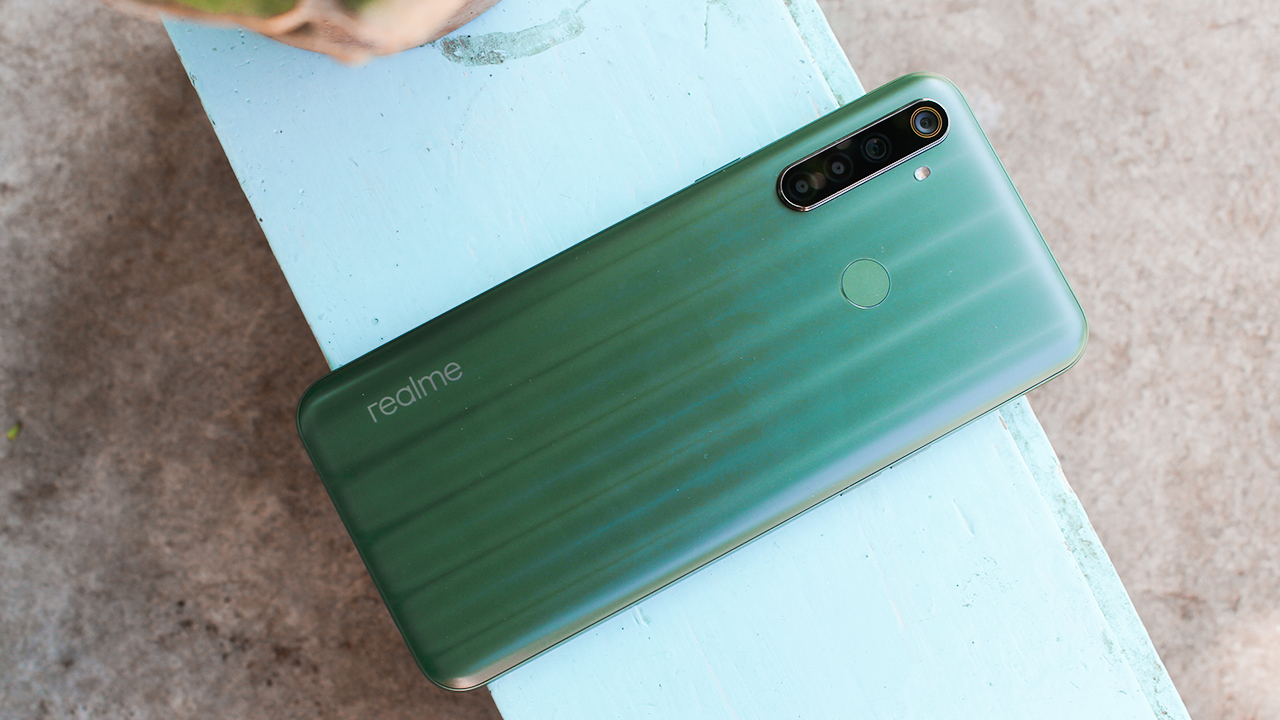
It comes in two colors: Matcha Green and Milk White. Sure enough, if you saw the realme 6i in press renders, you’ll be forgiven for imagining your favorite drink too. In real-world usage though, the colors are much more subdued than what Realme wants you to see. I have the Matcha Green on hand and it looks more like the color of a leaf to me.
It is easy to handle the device despite its large size. Also, you won’t feel that the device is made out of plastic. realme 6i is well-made, and it can trick you into thinking that it’s made from aluminum.
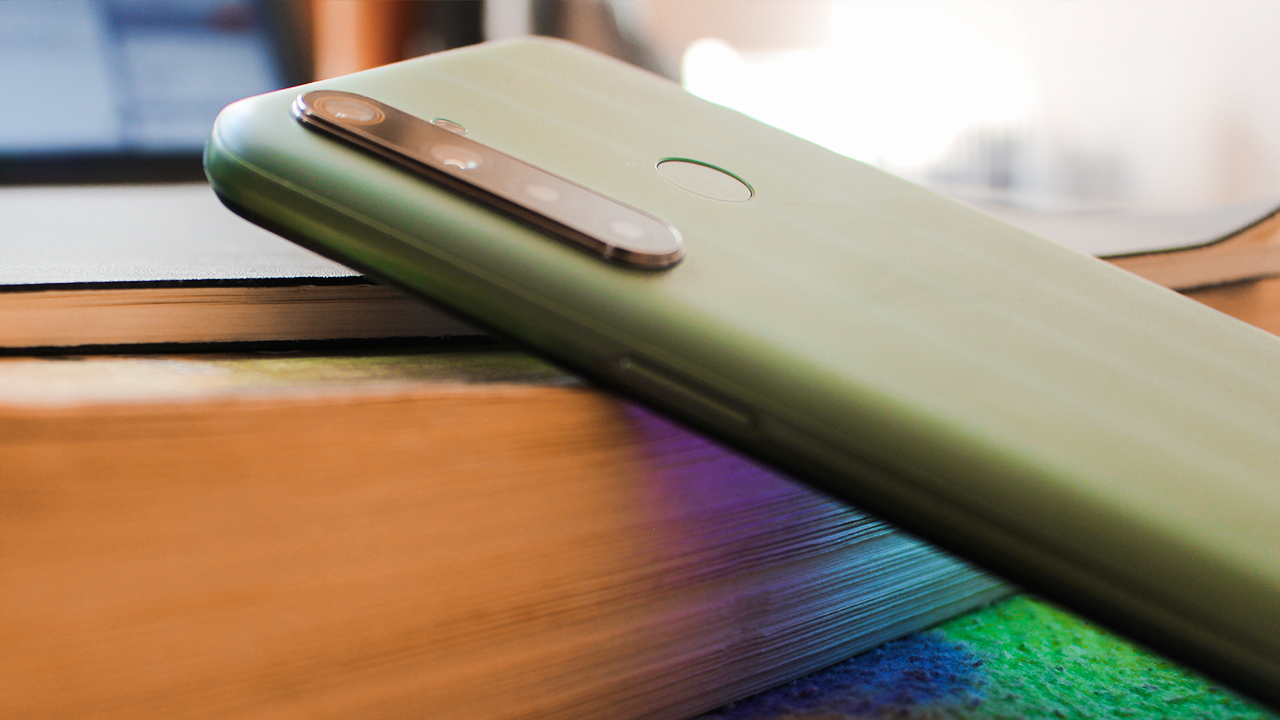
Moving over to the front, you still get a waterdrop notch up top and narrow bezels all-around. The power button is still on the right, and the volume controls are on the left. If there’s one big change this year, that will be the new USB-C port on the bottom. Finally, a budget device with a USB-C. And, there’s still a headphone jack on this device!
Vibrant but dim screen
There’s nothing to write home about realme 6i’s display. It carried over the display from its predecessor. As such, you still get a 6.5-inch 1600 x 720 IPS LCD screen. You won’t notice the individual pixels on this phone and the colors are vibrant enough for HD videos. However, it can’t compare to an OLED screen. On my OnePlus 6T, colors are much more vibrant and saturated. Granted, this is a lower-res screen, but putting an OLED there could have helped in making the display much more true-to-life.

The notch above the display is small that you don’t notice it on day-to-day usage. Plus, the display is almost near the sweet spot of 21:9, so you can use two apps side-by-side comfortably if that’s your fancy.
There’s a major problem with the display though. The maximum brightness of this device is not enough for a comfortable outdoor viewing experience. On a sunny day, I can’t even read the text and see the content on my screen. I don’t know if this is a software or a hardware issue. realme has to fix this problem urgently in the future.
Zippy performance for everyday use
The realme 6i flies through daily tasks. There’s a Helio P90 processor powering the device which is more than enough for day-to-day use. I didn’t notice any lag while browsing the web, peeking through Reddit threads, and viewing my Messenger conversations. Suffice to say, it’s more than capable and can confidently handle any task you throw at it.
Gaming’s a mixed bag, though. For graphics-intensive tasks, the device struggles a bit. When I played the relatively-obscure but polished clone of Minecraft — Survivalcraft — the frame rates dropped to an unacceptable three FPS after setting off multiple explosions. I recommend toning down the graphics a bit if you want to play modern graphically-intensive games.

realme’s own twist to Android 10 is a bit polished, but you can’t help but notice its similarity to iOS and OneUI. However, to distinguish its own OS, it added a few niceties that anyone will surely appreciate in their day-to-day usage. You can customize the navigation gestures and even tweak the icons if you like. Realme UI has come a long way, and overall, I like the coherent design of the icons and the system.
However, that’s where the good side ends. Personally, there’s a lot of performance drawbacks that I experienced on the realme 6i. Chief among them is loads of bloatware on this thing. Right out of the box, I get the Agoda, Opera, Lazada, Facebook, Trip.com, and Webnovel app. I don’t need these apps, along with realme’s own app store that annoyed me every time I install an app from the Google Play Store. Fortunately, I can disable or uninstall these apps.
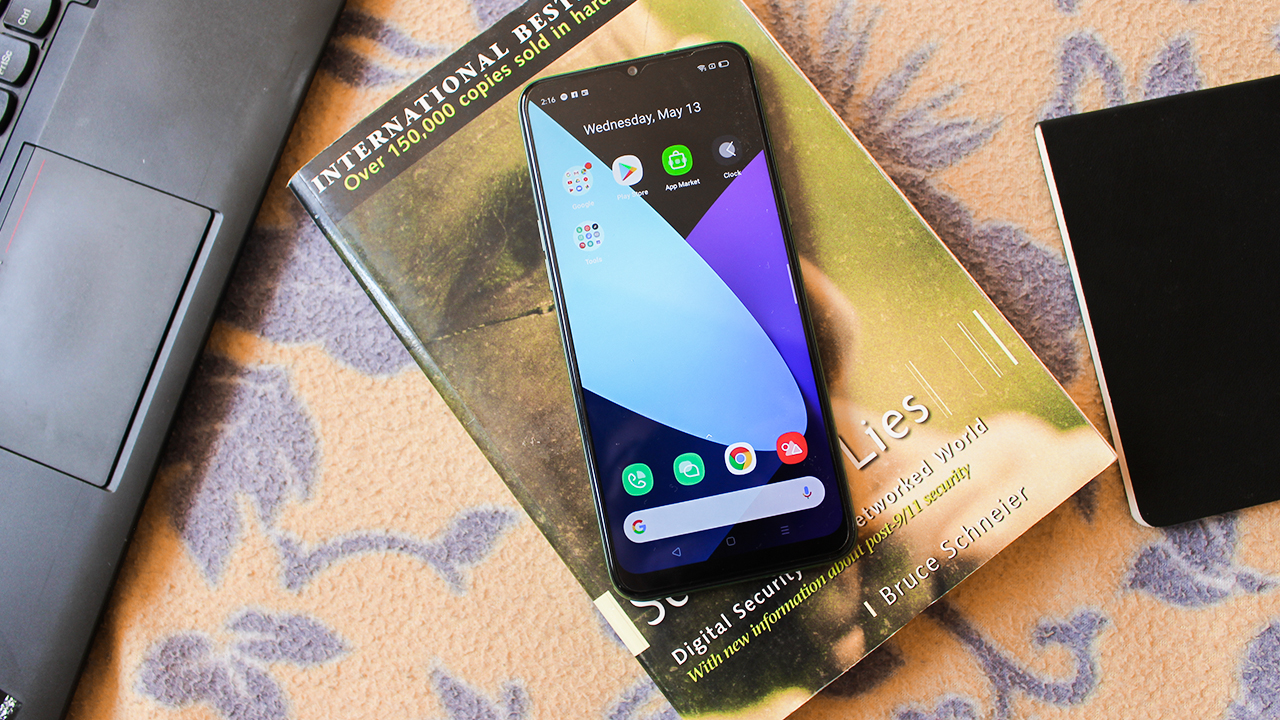
There are gesture bugs and touch input delays too. I can’t count the times I had to double-tap or even triple-tap a button at the bottom of the screen because the screen can’t recognize my touch.
Decent all-around cameras
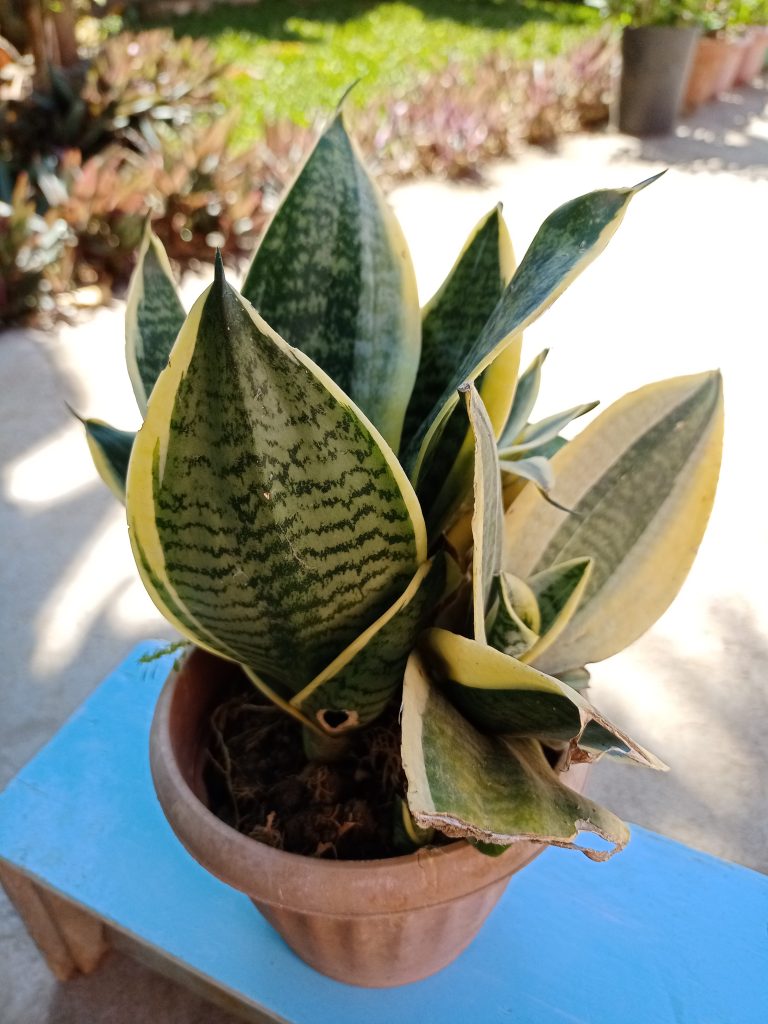
Now onto the tricky part: the camera. realme 6i’s camera takes decent photos if there’s enough light. The photos taken on this thing showed punchy colors and enough details to make it usable for day to day use. On the photos below, I can commend Realme 6i for getting the colors of the foliage right. What I liked most about this photo is how it gets the bokeh right:

And since pizza’s one of the comfort food we miss during the lockdown, we had a pizza delivered right into our house. Look at how the realme 6i nailed the colors green and red bell peppers, white onions, and the bits of meat.

However, I put the emphasis on decent photos: if you really are nitpicking, you will notice that the photos are a bit muted and dull. Take this photo, for example:
-
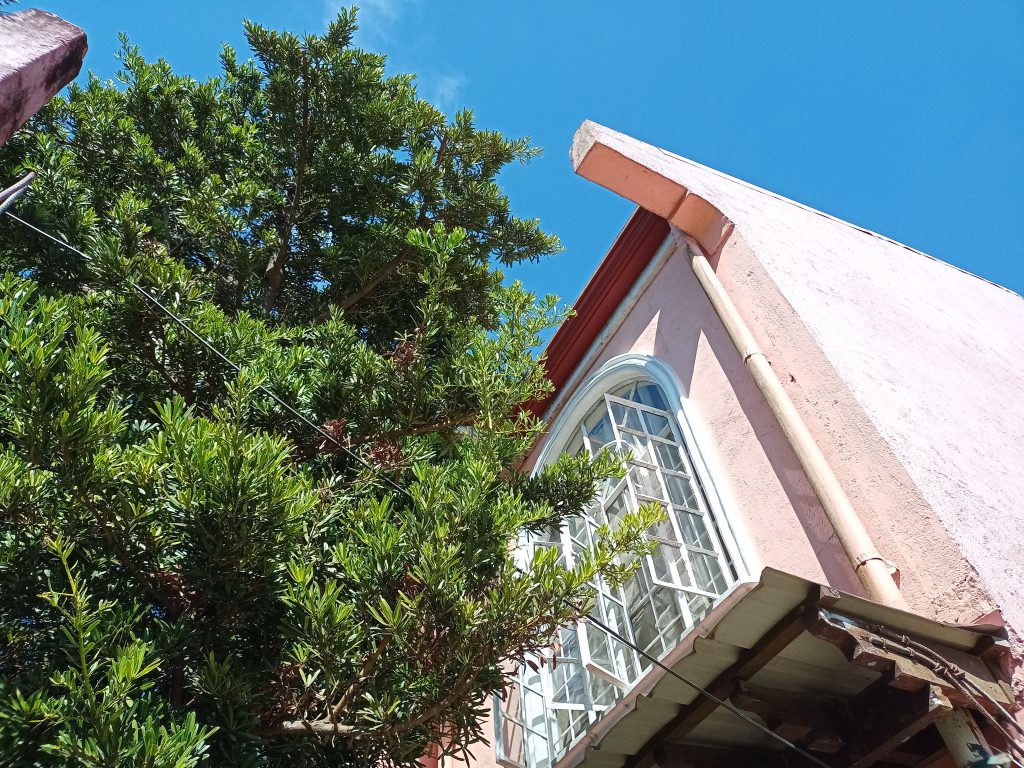
- Without HDR
-
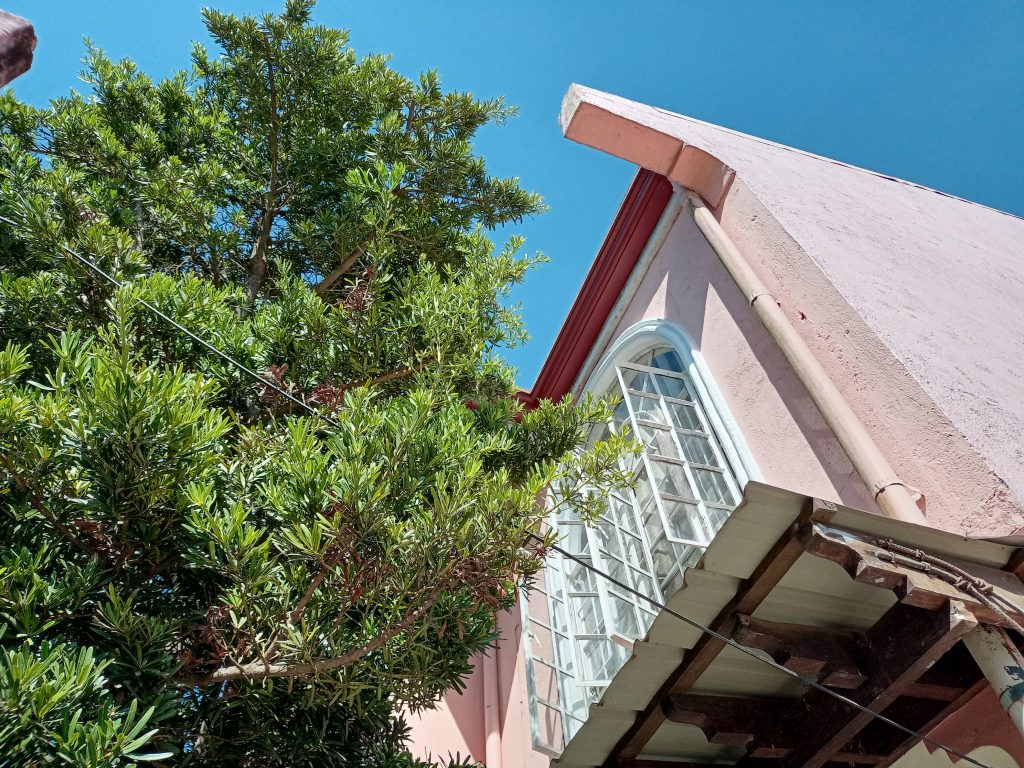
- With HDR
The leaves on the tree turned out nice. However, looking over to the house, I can definitely tell that the color is washed out. In real life, the color is much more vibrant than what realme 6i wants you to believe. The house has a much vibrant pink to it. The issue here could be blamed on getting the white balance wrong.
Turning on the HDR helps to boost the colors a bit. Some details are also recovered too. I recommend turning on the HDR on shots with contrasting scenes like this one to make the photos a bit nicer to look at.
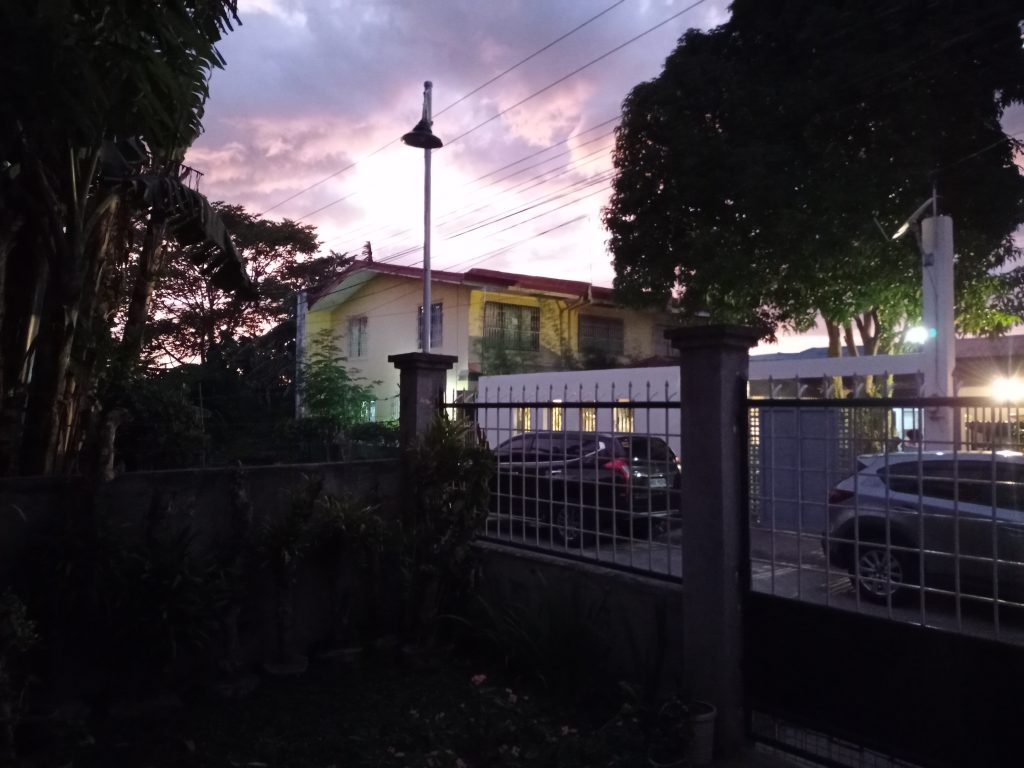
The camera of the realme 6i starts to show its limitation on dimly-light environments too. There’s a night mode on this device to help it capture better photos at night. However, just avoid taking a photo at night since it tends to capture blurry photos.
-

- With night mode
-
- Without night mode
The camera also had different shooting modes to meet your needs. There’s Panorama mode and Ultra Macro mode so you can take landscape and close-up shots. Personally, I find them useful in certain scenarios, but photos taken with these modes sometimes lack detail with washed-out colors and blurred details.


The shots taken on the front-facing camera of the Realme 6i is fine for social media posts. However, when you look closely at the photos below, you’ll see that the colors are a bit washed-out. The camera tends to smoothen out my face, which is a result of the beauty filter turned on by default. The camera app itself has settings to “beautify” and tweak your face appearance, which is nice for people like me who always have pimple break-outs.


Humungous battery that charges quickly
The battery on this device remains at a massive 5,000mAh. That alone will give you solid two-day battery life for normal use cases. However, if you heavily game on the realme 6i, expect to last only a day. Either way, it is a solid battery champ.
Even better, this device now has a quick-charging feature. realme 5 doesn’t have that feature and as a result, you have to wait for hours just to recharge. With the quick-charging feature, I can just plug the Realme 6i and wait for two hours to go from 20% to 80%. It’s not exactly the fastest, but other devices in the budget segment don’t have this feature yet. So, this is a win-win for users and Realme itself.
Is the Realme 6i your GadgetMatch?

The realme 6i really tries its best to offer the features that made the realme 5 a fan-favorite. In some aspects, it even tried to one-up its predecessor by including new features that really matter to consumers. And I love what realme did this year: they offered fast-charging on their budget device and they even bundled a USB-C. Granted, there are some drawbacks to this device, but they are minor complaints that you won’t notice or can be remedied in future software updates.
Perhaps the one thing that will make you consider this device is the price: the 3/64GB storage retails at PhP 7,490 while the 4/128GB storage retails at PhP 9,490. Combined with the features it has, the realme 6i can be your next GadgetMatch.





News
vivo V80 Lite launches in the PH: Price, availability, pre-order details
Pre-order until October 16 for perks


vivo has launched the Guinness World Records holder vivo V80 Lite in the Philippines for a starting price of PhP 24,999.
The midrange offering is available for pre-order until October 16. Customers can enjoy the following benefits when they place pre-orders during the period:
- vivo Buds Air3, worth PhP 1,799
- PhP 1,000 pre-order discount
- vivo Silver Membership exclusive privileges via the vivo Store app
- four-year battery warranty, worth PhP 1,510
- 100GB Google One cloud storage for six months (can be claimed until October 2, 2027)
Customers can also get an additional PhP 500 discount when purchasing through Home Credit at 0% interest until October 31, 2026. Use the voucher code HCV80LITE.
The vivo V80 Lite comes in two configurations:
- 6GB+128GB: PhP 24,999
- 6GB+256GB: PhP 27,999
The smartphone is designed for everyday use, as well as extended hours, with a 10,000mAh BlueVolt battery.
It becomes the latest handset to offer such a battery capacity, addressing a common pain point in smartphone usage.
The phone is also reinforced with IP68 and IP69 dust and water resistance for overall ruggedness.
In front is a 1.5K OLED display with high brightness for visible content even when outdoors.
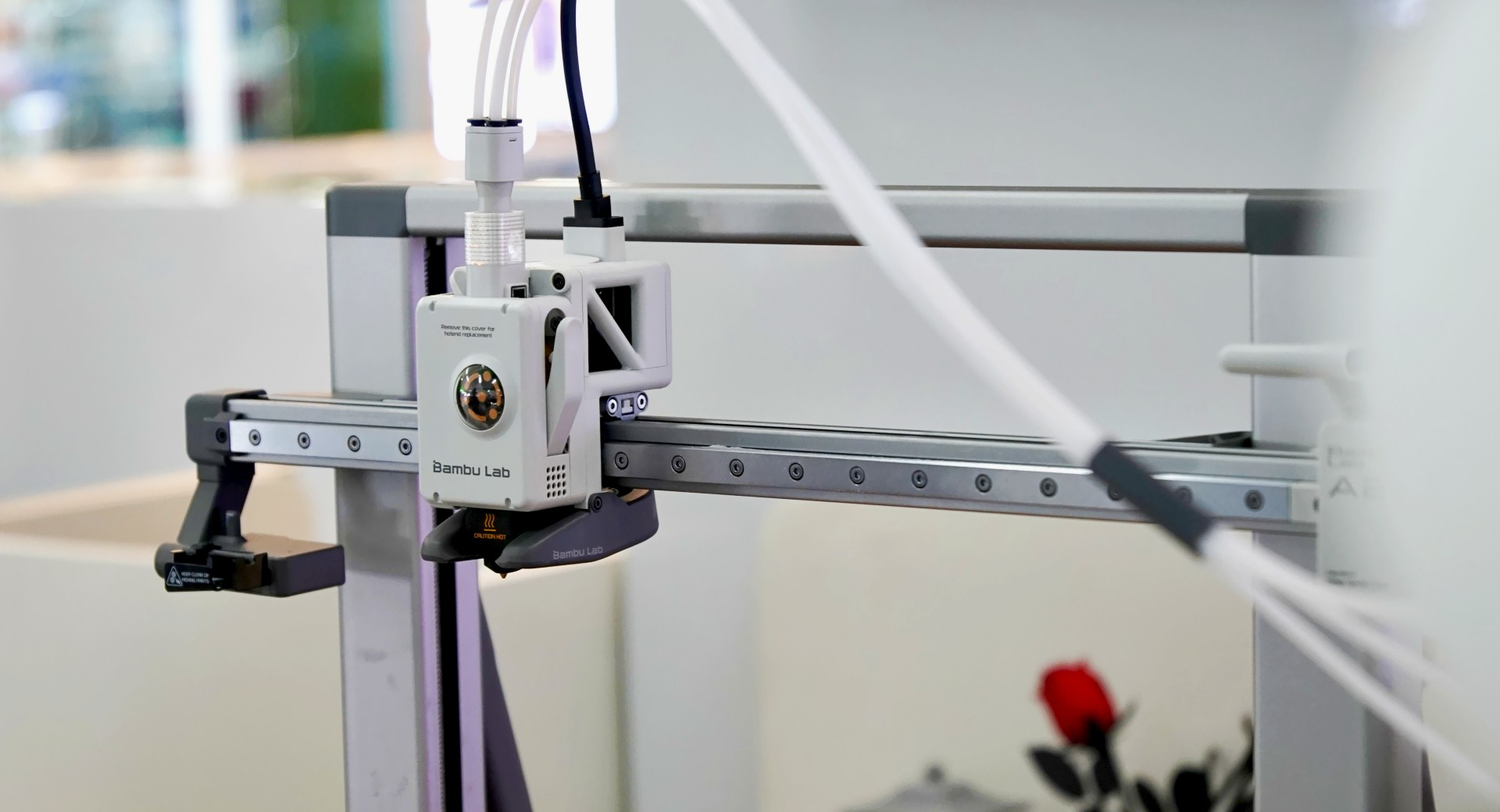
Bambu Lab has opened its first Authorized Store in the Philippines at SM Megamall, giving Filipino consumers a dedicated space to explore desktop 3D printing.
Uni3DLab, one of Bambu Lab’s authorized distributors in the Philippines, operates the new store on the fourth floor of Cyberzone, Building B, SM Megamall.
The store brings together selected Bambu Lab 3D printers, filaments, accessories, finished prints, and product demonstrations. Visitors can watch printers in action, compare different models and configurations, and speak with the Uni3DLab team about their 3D printing needs.
The store welcomes experienced makers and first-time users. Students, families, hobbyists, designers, professionals, and small businesses can explore different applications for 3D printing, including prototyping, education, collectibles, personalization, home organization, and functional parts.
See 3D printing in action
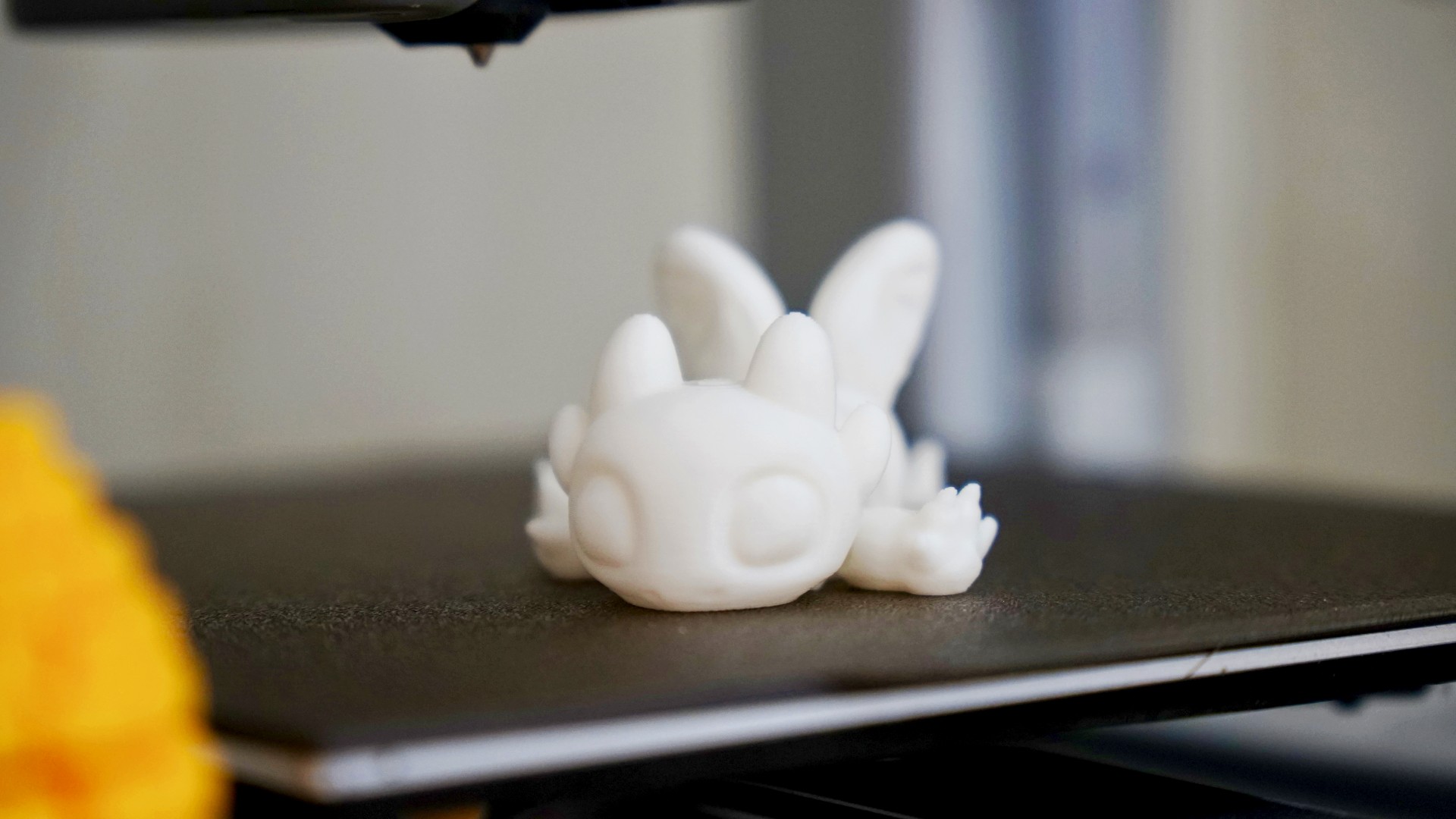
The store features live product demonstrations that show how Bambu Lab printers turn digital models into physical objects.
Visitors can watch the printing process and get a closer look at the workflow behind desktop 3D printing. They can also examine finished creations that demonstrate different applications for the technology.
Customers can compare print sizes, machine formats, materials, and potential use cases before choosing a setup.
The store also gives visitors access to Bambu Lab’s broader ecosystem, including compatible filaments, accessories, and MakerWorld.
MakerWorld offers a library of printable 3D models and community-created projects. Users can browse designs and start printing without creating their own models from scratch.
Together, the printers, materials, software, and MakerWorld platform give users a connected workflow from finding an idea to producing a finished object.
Uni3DLab operates the first Authorized Store

Uni3DLab, one of Bambu Lab’s authorized distributors in the Philippines, operates the Bambu Lab Authorized Store at SM Megamall.
The Uni3DLab team can help customers understand the differences between printers, materials, accessories, and their potential applications.
“We want more Filipinos to see 3D printing as something they can actually use and enjoy, rather than something that feels too technical or specialized,” said David Wei, Uni3DLab representative.
The physical store also gives first-time users a place to ask questions, see the products in action, and learn more about 3D printing before making a purchase.
Opening offers run through October 2
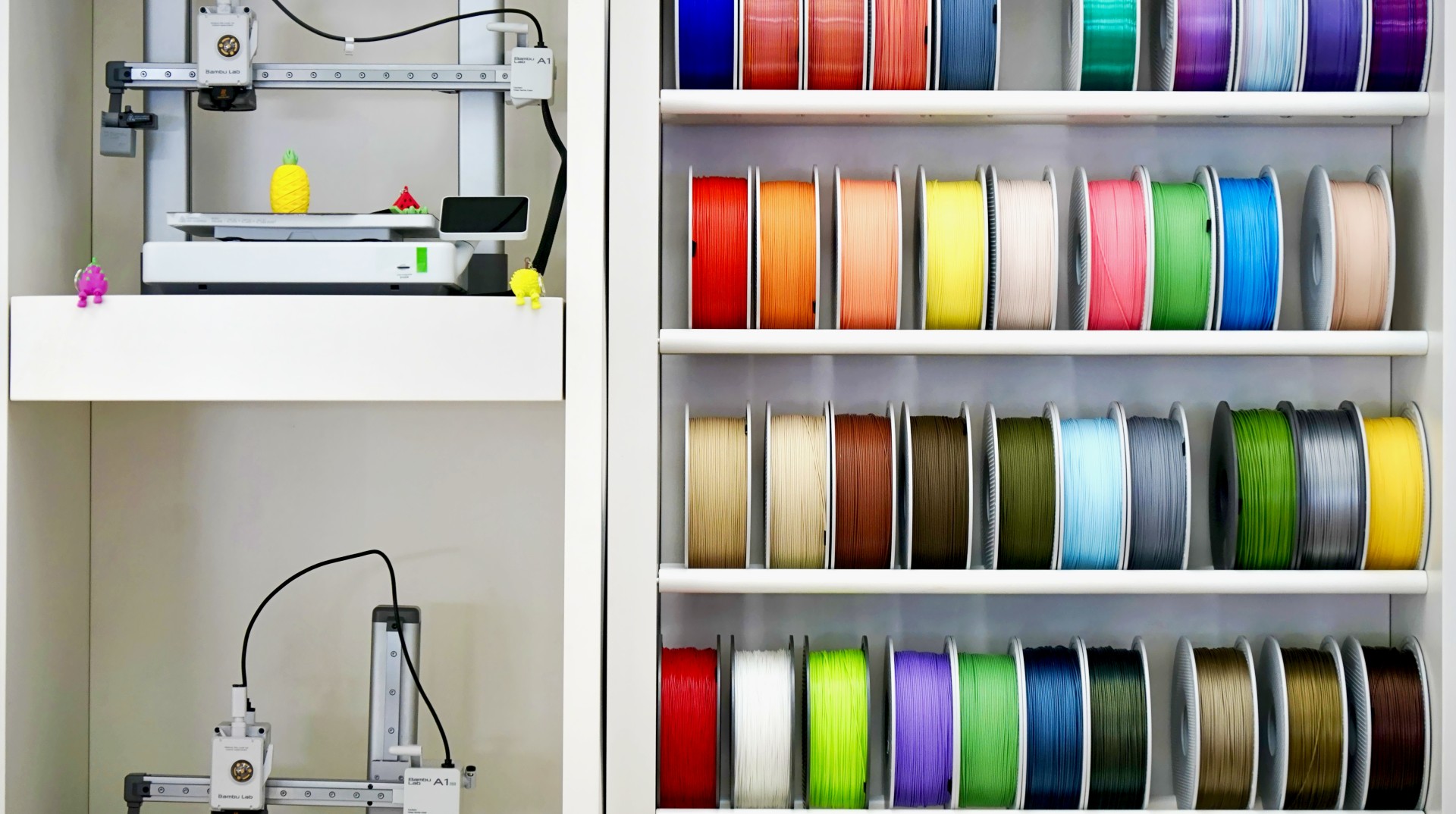
Bambu Lab is marking the opening with limited promotions from October 1 to 2, 2026.
Customers can get discounts on selected Bambu Lab printer series, filament promotions, qualifying gifts with purchase, and installment options.
The promotions run while supplies last and follow applicable terms and conditions.
The store opened on October 1 and operates daily from 10:00 AM to 10:00 PM.
Bambu Lab Authorized Store — SM Megamall
Address: 4th Floor, Cyberzone, Building B, SM Megamall
Opening: October 1, 2026
Operating hours: 10:00 AM–10:00 PM
Opening promotion: October 1–2, 2026
Visitors can explore selected Bambu Lab printers, filaments, accessories, and finished prints. They can also watch product demonstrations and speak with the Uni3DLab team about desktop 3D printing.
Philippines
Smart opens iPhone 18 Series pre-orders in the Philippines
iPhone 18 Pro starts at P3,713 monthly
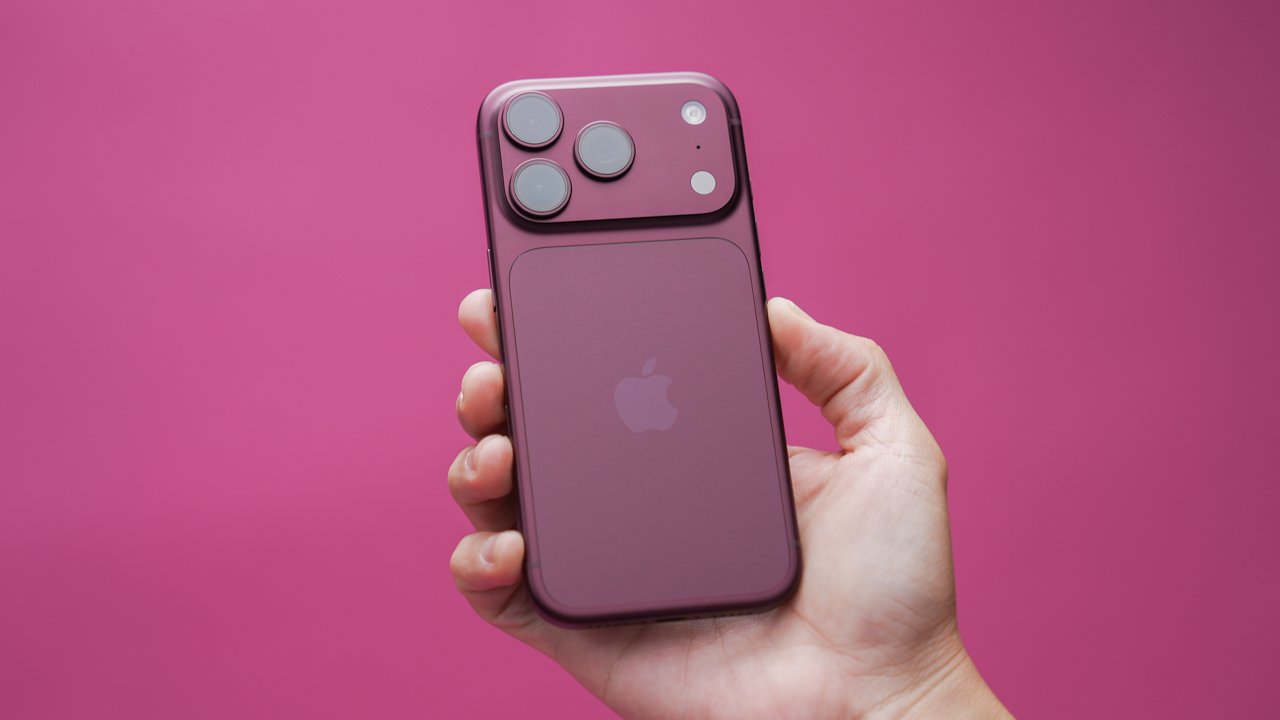
Starting October 2, subscribers can pre-order the iPhone 18 Pro with Smart Postpaid Plans+ 1499. It starts at PhP 3,713 per month. Meanwhile, the iPhone 18 Pro Max starts at PhP4,050 per month.
Customers can also pay for their devices through zero-interest credit card installments of up to 24 months with select banks. Smart Postpaid subscribers renewing their plans can choose payment terms of up to 36 months, charged directly to their Postpaid bill.
Both iPhone models come with an open-line device, a preferred Unli App bundle, UNLI 5G for 12 months, Open Access Data, and high priority on the Smart network.
Customers who successfully pre-order an iPhone 18 Series device will also receive 18GB of free Open Access Data valid for three months, a PhP5,000 discount voucher for select Smart Accessories, and 18% off select third-party Digimap accessories.
Those who pre-order through the Smart Online Store will also receive a free AirTag.
Smart Postpaid customers can pre-order at Smart Stores nationwide or through the Smart Online Store.
Smart Infinity gets additional perks
Members of Smart Infinity can get the iPhone 18 Series starting with the Infinity Plan 5000, which now includes Infinity Roam+ Plans for connectivity while traveling abroad.
Members can also opt for the Infinity Plus Plan 9500, which includes one Primary Line and two Supplementary Lines.
Infinity members who pre-order the iPhone 18 Series will receive a PhP5,000 discount voucher for select Smart Accessories and a complimentary PowerMac e-voucher.
Apple Watch Series 12 and Ultra 4 arrive October 9
Smart will begin offering the Apple Watch Series 12 and Apple Watch Ultra 4 on October 9.
The Apple Watch Series 12 starts at PhP1,521 per month with zero-interest installment as a Device Add-On, or PhP28,900with a Smart Postpaid Plans+ 999 plan.
The Apple Watch Ultra 4 starts at PhP2,467 per month with zero-interest installment as a Device Add-On, or PhP49,200 with Smart Postpaid Plans+ 999.
Smart Postpaid subscribers can also connect multiple Apple devices to one account through Smart Device Link, which costs PhP199 per month and is charged to the subscriber’s Postpaid bill.
Smart says subscribers can use the latest iPhones and Apple Watches on its 5G network. The company was recently recognized by Ookla for the Best Mobile Video Experience in the Philippines for the first half of 2026, recording a Video Score of 72.82.





FFVII Revelation: 11 things you missed

Sony teams up with Hello Kitty for exclusive limited-edition collection

iPhone 18 series breaks records in Vietnam as pre-orders triple

The Ace Combat 8: Wings of Theve launch event is happening this week

30 days with the LG AeroMini

HUAWEI Pura X View is 2026’s first WIDE slab-type smartphone

The CAMON Slim 5G is TECNO’s latest ultra-slim smartphone

iPhone 18 Pro series: Price, availability in the Philippines

vivo X500 Series launches with major imaging upgrades

iPhone 18 Pro series: Price, availability in Singapore


-

 News2 weeks ago
OPPO Find X10 Pro Max is the first phone with a triple 200MP camera system
-

 Automotive1 week ago
BYD says that way better EV batteries are coming next year
-
 News1 week ago
HONOR Magic9 Pro Max launches in China with ARRI-powered imaging
-

 Philippines5 days ago
TECNO CAMON Slim 5G: Price, availability in the Philippines
-

 Smartphones1 week ago
TECNO CAMON Slim 5G teases an ultra-slim design ahead of launch
-

 Reviews5 days ago
TECNO CAMON Slim 5G review: Slim on size, big on surprise
-

 Reviews1 week ago
TECNO POVA 8 Pro Tonino Lamborghini review
-
 Smartphones1 week ago
When TECNO-logy meets Tonino Lamborghini legacy