
News
#ShotoniPhone: iPhone Photography Tips
Plus, exclusive sessions at Apple to hone your photography and videography skills

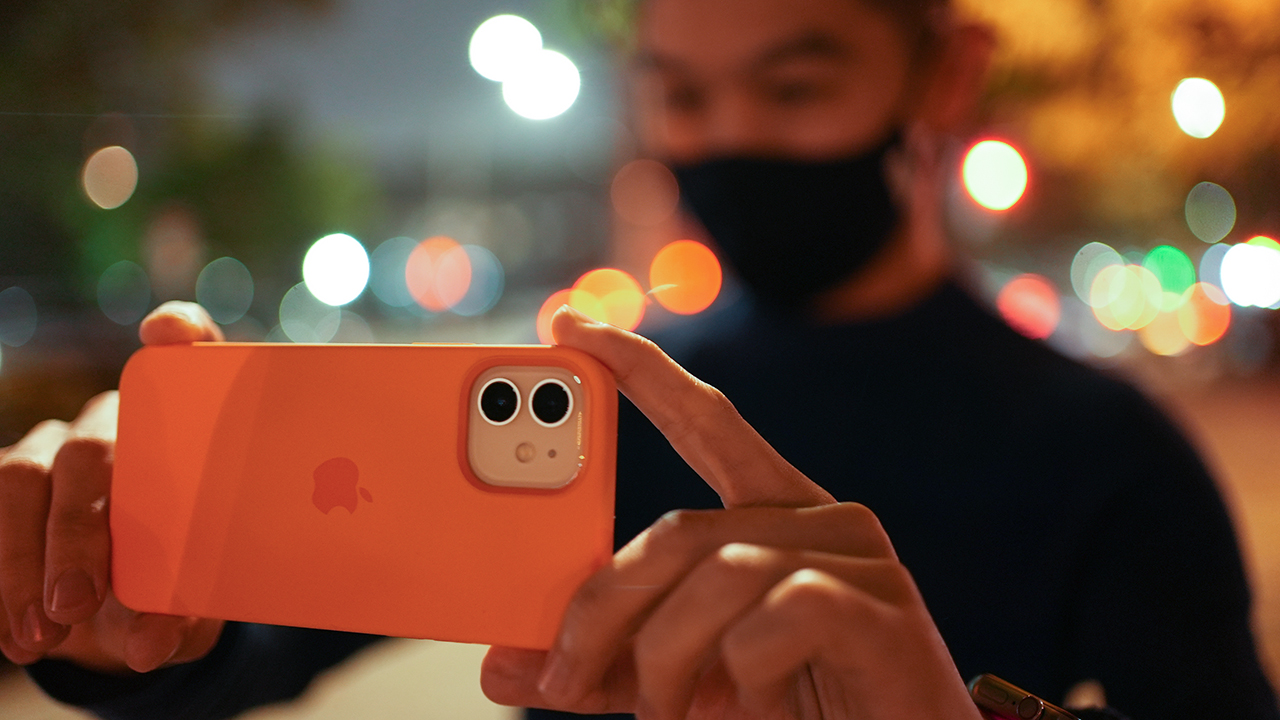
Taking photos and videos on an iPhone? Scott Woodward, a Singaporean-based photographer, shares some of his tips for taking the perfect shot on an iPhone. Take advantage of these tips which you might find indispensable when shooting on the go.
1. Use the Rule of Thirds
The Rule of Thirds is perhaps the most well-known “rule” of photographic composition. Imagine your image is divided into 9 equal rectangles by 2 vertical lines and 2 horizontal lines. The Rule of Thirds dictates that you should position the most important elements in your scene along these lines, or at the points where they intersect, for more well balanced and interesting photos. This asymmetry makes photos more appealing to a viewer because it causes visual tension.
Turn on your grid in your iPhone settings to assist with guiding your composition.
2. Add life to landscapes
Beautiful landscape shots can be breathtaking, but if you’ve ever been subjected to a friend of a family member’s holiday snaps, you know how dull they can become after you’ve looked at dozens of them in a row. Try adding people to your landscape photographs – living elements tend to evoke stronger emotions in viewers.
Even if they occupy just a little bit of space within your frame, human touch helps make a more powerful photograph: it gives scale to an image, offers perspective, and adds drama.
3. Take advantage of the Golden Hour
The most critical ingredient in all great photographs is lighting. The best images always make interesting, powerful use of light. The sun’s angle significantly affects the warmth, contrast.
Practice understanding how light works, reflects, and warms. As often as possible, shoot in the warm “golden hours” of early morning and late afternoon (one hour after sunrise or one to two hours before sunset; this is when the sun is low and the light is soft and yellow/orange).
4. Take photos and videos during the Blue Hour (Night Mode)
Blue Hour is that magical time when the sun has already set, but there’s still some light left in the sky. This twilight period — typically about 20 minutes after sunset — is special because, for a few fleeting moments, the sky takes on a predominantly blue shade.
Night Mode on iPhone 12 makes it even more dramatic. Night Mode automatically turns on when the camera detects a low-light environment and, using a combination of hardware and software, helps bring out the detail in the dark areas of your image while preserving the night time feeling.
5. Take some risks
An iPhone is much easier to handle than a DSLR — it is lighter and more compact, which means that you can use it to effortlessly make more interesting photographs. You can use this to your advantage: be on the lookout for dynamic and creative angles, and experiment and push yourself outside your comfort zone.
Shoot without looking at the screen. Track a moving subject with your camera. Get on the ground and shoot up or get on a balcony and shoot down. Keenly observe your surroundings for natural frames, symmetry, reflection, patterns, and textures.
The more creative you get, the more you’ll learn about what works and what doesn’t. Your photographs will be better or maybe you’ll just get lucky and make a beautiful accident.
#ShotoniPhone, Today at Apple sessions, Apple Music hits
On a related note, Apple is also showcasing its #ShotoniPhone movie — Nian — which is directed by Lulu Wang. The movie is a reimagining of a Chinese New Year legend as a contemporary coming-of-age story. The team shot the whole movie using an iPhone 12 Max. You can view the film here.

For those wanting to level up their photography and videography game, there is also Today at Apple sessions starting this February until March 14. During the sessions, you can connect with various photographers and videographers and learn the tools of their trade.
Virtual Studio: Picture This with Scott A. Woodward (14 February, 3:00 pm)
As part of the Joyful Perspectives series, join award-winning photographer Scott A. Woodward online as he inspires you to reframe your every day using your iPhone. He’ll share his pro tips on everything from cool composition to capturing the magic of the golden hour. You’ll explore night mode, portrait mode, and more to take striking photos in all situations. You will also get editing tips to make your pictures pop.
Sign up for the session here.
Virtual Studio: Celebrations in Slow-mo with Chai Yee Wei (20 February, 3:00 pm)
Capture celebratory moments in slow motion using your iPhone in this virtual session with filmmaker Chai Yee Wei. He’ll share how memories are best-appreciated frame by frame and how he stretches time to amplify them in his work. You’ll explore Slo-mo, Timelapse, and more to record fun videos at home with the Camera app. Join more sessions to push your creativity in the Joyful Perspectives series.
Sign up for the session here.
Virtual Studio: Crafting Stories in Film with Ang Geck Geck (27 February, 3:00 pm)
Discover how to shoot and edit emotive stories using your iPhone with filmmaker Ang Geck Geck. As part of the Joyful Perspectives series, she’ll introduce you to her visual language and share tips on framing your shots using the ultra-wide and telephoto cameras. You’ll explore the creative power of editing in iMovie to craft your own compelling narrative. Sign up for the session here.
Meanwhile, Apple Music has also collaborated with 10 top C-Pop artists such as E.SO, Miriam Yeung, Shi Shi, and Nathan Hartono to curate a playlist based on the theme “Recharge, Review, Remember”.
You can access these playlists with the following links:
- E.SO’s exclusive playlist
- Miriam Yeung’s exclusive playlist
- Shi Shi’s exclusive playlist
- Nathan Hartono’s exclusive playlist
App Store and Apple TV deals
To celebrate the Chinese New Year, special deals on design and editing apps will be available at the Apple App Store. There will also be limited-time in-app purchases from select games such as Genshin Impact, League of Legends: Wild Rift, and Clash of Clans.
Meanwhile, Apple TV subscribers can get family-friendly hits such as Frozen II, Onwards, and Sonic the Hedgehog at unmissable prices from February 11 onwards. Classic Chinese movies such as God of Gamblers, A Better Tomorrow, and Once Upon a Time in China will also be available in 4K.




Gaming
Xbox saves Kojima’s PHYSINT after PlayStation drops support
PlayStation says the separation was mutual, but Kojima hints otherwise.


Things aren’t going well in the PlayStation camp. After two months of frankly questionable decisions, the company adds another to the pile by dropping support for Hideo Kojima’s PHYSINT.
For a while now, Kojima and PlayStation were in a very productive relationship with the Death Stranding duology, a critically acclaimed collection of titles for the platform. When things looked like they were going well, Kojima announced PHYSINT, an espionage-themed game which reminded fans way too much of Metal Gear Solid.
If you were investing in a PlayStation 5 to play Kojima’s latest thriller, you might want to move your chips elsewhere now. PlayStation has just dropped support for the espionage game, meaning PHYSINT will no longer be a first-party title for the platform.
Though PlayStation claims that the decision came after “careful consideration,” Kojima himself has said that the move was “unexpected,” going against PlayStation’s assurance of a mutual separation.
Very quickly, Xbox has announced that their platform will support PHYSINT instead. It’s a big get for the competing brand because Xbox Game Studios is already supporting OD, Kojima’s other upcoming horror project starring Sophia Lillis.
Unfortunately, it’s difficult to say more. As is tradition, Kojima will not explain much more about his upcoming titles. In fact, OD’s trailer barely says anything. One thing’s for sure, though: we’re all in for quite a ride.
Entertainment
PH to celebrate 1st ever National Cinema Day; movies start at less than $2
Watch a movie on September 12 for a fraction of the cost
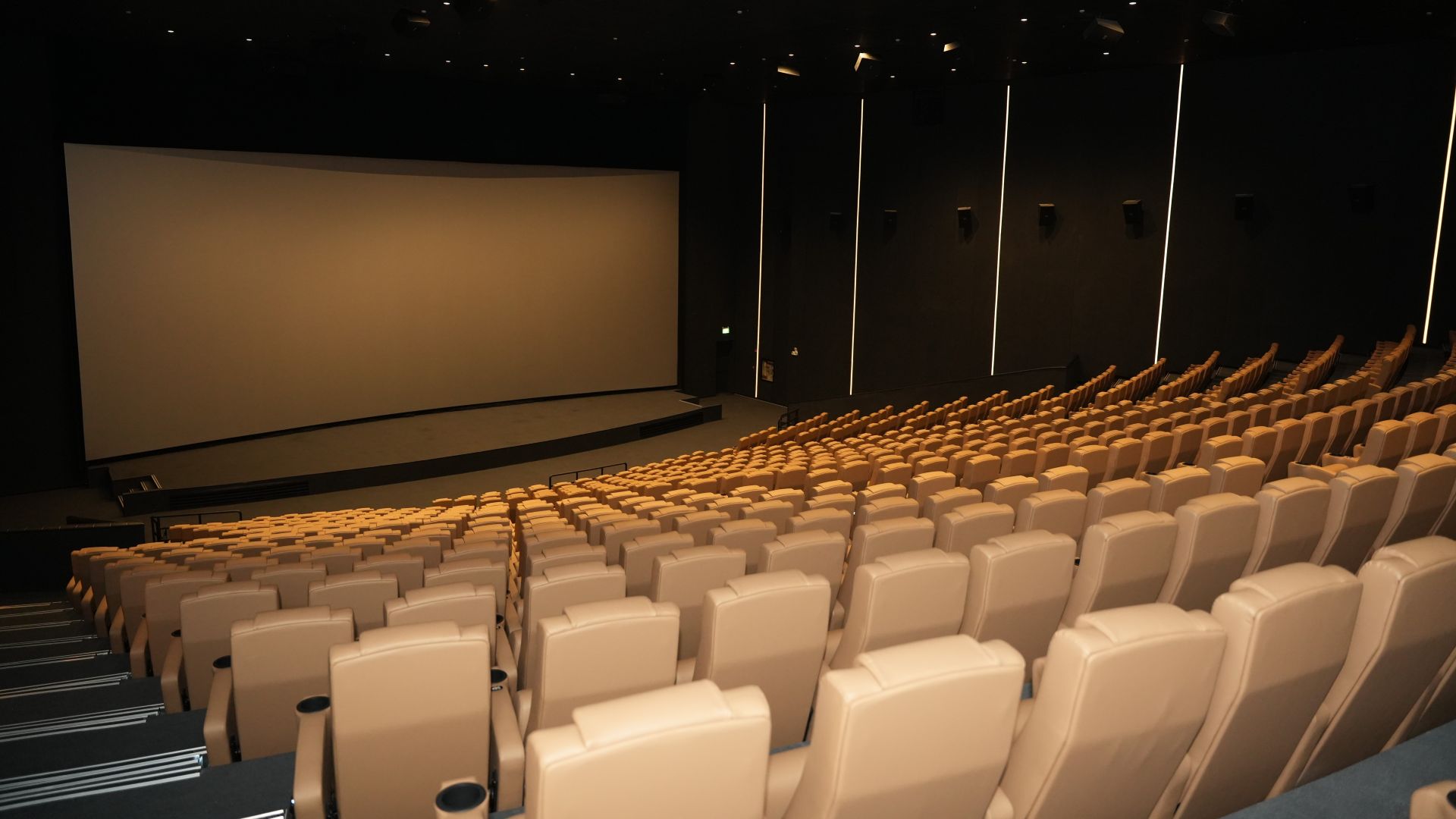
The Philippines will be celebrating its first ever National Cinema Day on September 12. On this day, movie tickets will go for as low as PhP 100 (US$ 1.60) at regular 2D cinemas.
The campaign aims to make moviegoing more accessible to audiences. This includes families, friends, students, and cinephiles in general.
Such initiative has been a staple in other countries, like the United States, United Kingdom, Spain, Germany, Australia, New Zealand, and more. The same concept applies, with movie tickets going on sale for a lot less.
What’s great about the celebration is that all movies scheduled for exhibition on September 12, whether local or international, shall get the special admission price.
Advanced tickets sales have already begun. Customers can purchase through participating box offices, official websites, mobile apps, and authorized platforms.
Tickets will be sold on a first-come, first-served basis and remain subject to theater capacity. Prices vary for other viewing formats like Director’s Club or IMAX, for instance.
The campaign is organized by the Cinema Exhibitors Association of the Philippines (CEAP), along with industry and government partners.
The initiative is supported by the Film Academy of the Philippines (FAP), Film Development Council of the Philippines (FDCP), Movie and Television Review and Classification Board (MTRCB), and the Metro Manila Film Festival through the MMDA.
Participating cinemas include Ayala Malls Cinemas, SM Cinemas, Robinsons Movieworld, CityMall Cinema, Megaworld Cinemas, and more.
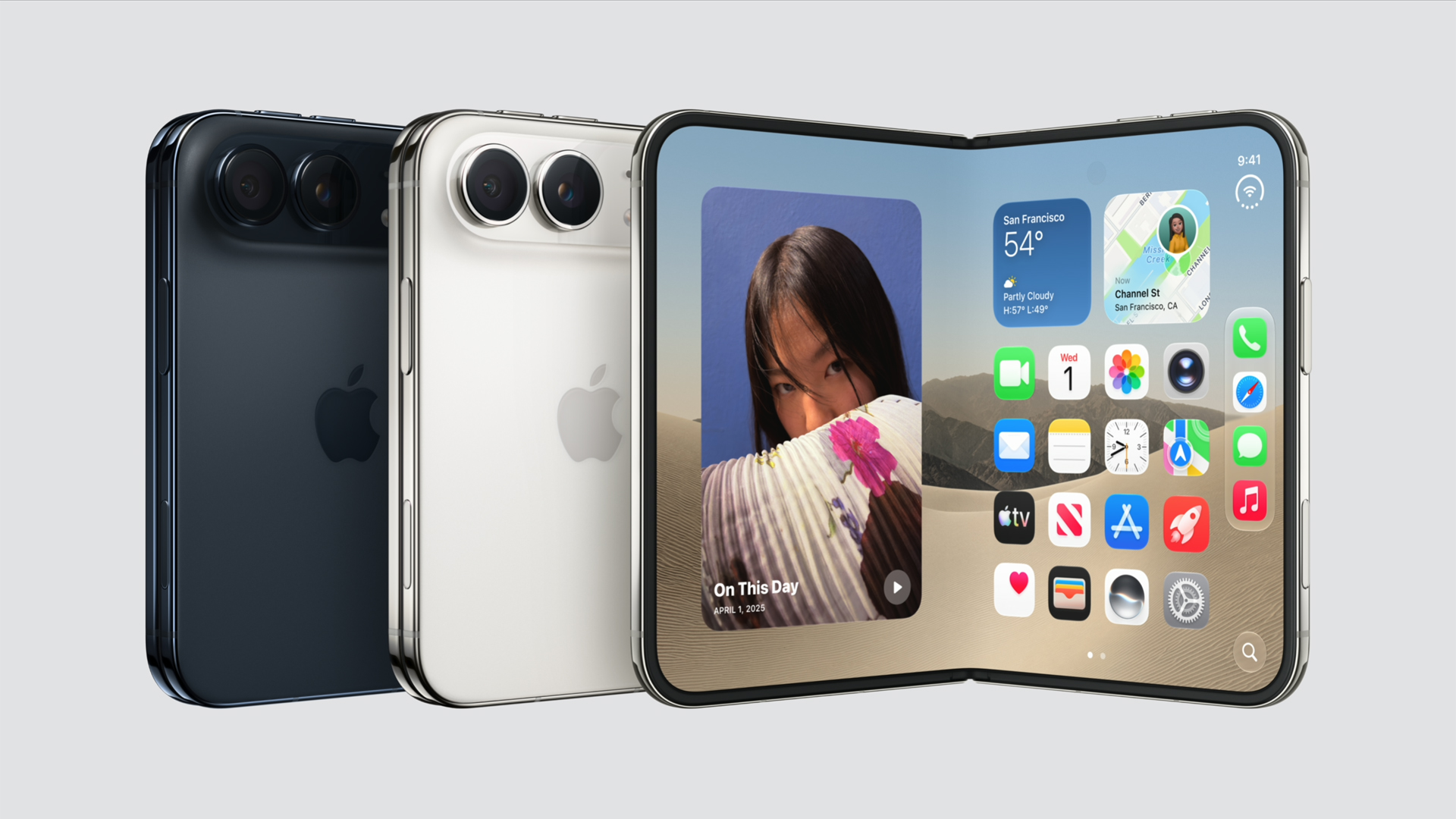
Apple has officially entered the foldable smartphone market with the iPhone Duo, its first foldable iPhone. It uses a passport-style design that opens into a larger display while retaining a more conventional smartphone experience when folded.
Price and availability
The iPhone Duo starts at PhP 159,990 in the Philippines for the 256GB model as listed on the Apple website.
Here’s the full local pricing:
- 256GB — PhP 159,990
- 512GB — PhP 175,990
- 1TB — PhP 207,990
- 2TB — PhP 254,990
The iPhone Duo comes in Star White and Night Sky.
Actual availability in the Philippines has yet to be officially announced.
A foldable design with two displays
The iPhone Duo has a 5.4-inch outer display when folded and expands to a 7.6-inch main display when opened. Both orientations use the same aspect ratio, allowing iOS to transition between them seamlessly.
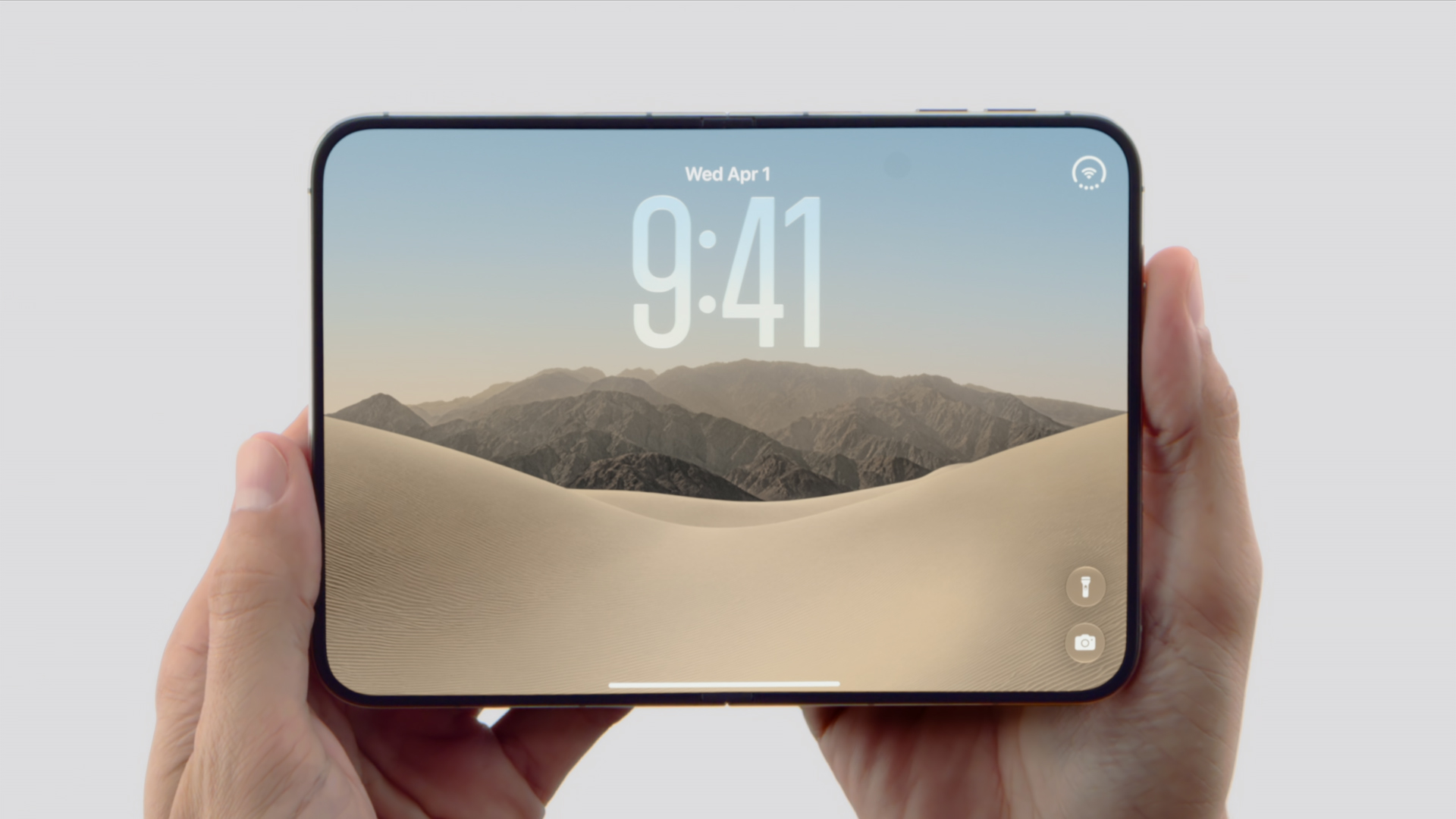
The rear chassis uses Ceramic Shield, while the front display gets Ceramic Shield 2. The device is also IP68-rated for dust and water resistance.
Its hinge uses carbon fiber supports and magnets that produce an audible click when the phone is folded.
A20 Pro brings flagship performance
The iPhone Duo is powered by the A20 Pro, the same chip found in the iPhone 18 Pro series. Apple says the chip delivers 35 percent better sustained performance than the iPhone 17 Pro.
It also comes with the new C2 cellular modem, which provides up to 50 percent faster uploads. Like other foldables, the Duo can be used in different configurations, including tent mode and a partially folded book-like position.
48-megapixel camera system
The iPhone Duo gets a 48-megapixel Fusion Main camera alongside a 12-megapixel 2x telephoto camera.
For selfies and video calls, it has a 12-megapixel Center Stage camera. The inner display also uses an under-screen camera for a cleaner look.
Battery life goes beyond a day
The iPhone Duo offers up to 31 hours of video playback using the inner display and up to 44 hours using the outer display.
Charging is also quick. Apple says a 20-minute charge can replenish half the battery, while a five-minute charge can provide up to five hours of video playback.
For the complete specifications and first-look details, check out our main iPhone Duo launch coverage.


Marvel’s Wolverine review: When the claws come out
A brutal, cinematic superhero adventure


Setting your bedsheets ablaze with the Lovense Solace Pro
The closest proxy I could find where I'm guilty as sin


Now Playing: Elden Ring Tarnished Edition
Is the Switch 2 port worth the price?

Apple iPhone 18 Pro Series Hands-on

Spotlight: Hisense UR8 + RGB MiniLED Explained

First Look: Apple iPhone Duo

Xbox saves Kojima’s PHYSINT after PlayStation drops support
Marvel’s Wolverine review: When the claws come out

TECNO MEGAPAD 2 review: Eyes on the size

realme 16T 5G with 8000mAh battery, IP69 Pro rating launches in PH

HUAWEI Pura X View is 2026’s first WIDE slab-type smartphone

REDMI reveals the refreshed Note 17 and Note 17 Pro series

REDMI Note 17 Series focuses on long-term reliability


-
 News6 days ago
HUAWEI Pura X View is 2026’s first WIDE slab-type smartphone
-

 News6 days ago
The CAMON Slim 5G is TECNO’s latest ultra-slim smartphone
-

 Cameras2 weeks ago
DJI Osmo 360 II review: Going all-in on the ecosystem
-

 IFA 20261 week ago
TECNO MEGABOOK T15 360 unveiled at IFA 2026
-

 Gaming1 week ago
NBA 2K27 review: A two-way All-Star
-
 Reviews2 weeks ago
Samsung Galaxy Z Fold8 Ultra review: It’s time to get a foldable
-

 News4 days ago
iPhone 18 Pro series: Price, availability in the Philippines
-

 IFA 20261 week ago
TECNO’s POVA 8 Pro gets a stealthy makeover