


When the world we live in requires us to stay connected and do our work through our preferred machines at the comfort of our homes, having a stable connection isn’t merely a desire anymore.
Sadly, not all homes are granted a fast Internet connection or fiber connectivity. Even I struggled to deal with intermittent connection from a certain Internet Service Provider (ISP). I remember using an extra 5G-capable smartphone as a mobile hotspot as my backup, especially when I was attending virtual conferences, team meetings, and client briefings.
It was costly, severely damaging my wallet in the process of staying connected. More importantly, not everyone is as privileged as I am. I get access to the latest technology and gadgets in the market.
Hope seems lost for most people, but there’s a new solution: the Smart Bro Home WiFi 5G.
Design and capabilities
The Smart Bro Home WiFi 5G is designed like the routers you see in the market today. Its build is similar to the Huawei WiFi AX3, especially when the device dons a plain, white colorway across its body.
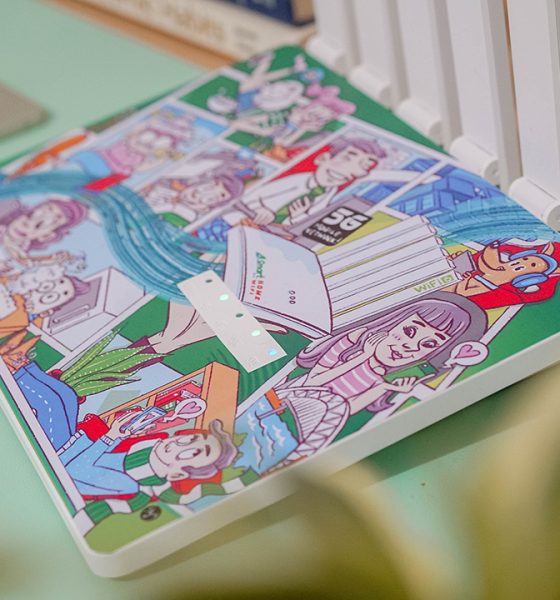
I got the limited edition unit plastered with a cover design, drawn by award-winning Illustrator Stephanie Bravo-Semilla. The artwork playfully depicts how high-speed connectivity can link families together as they pursue their passions.
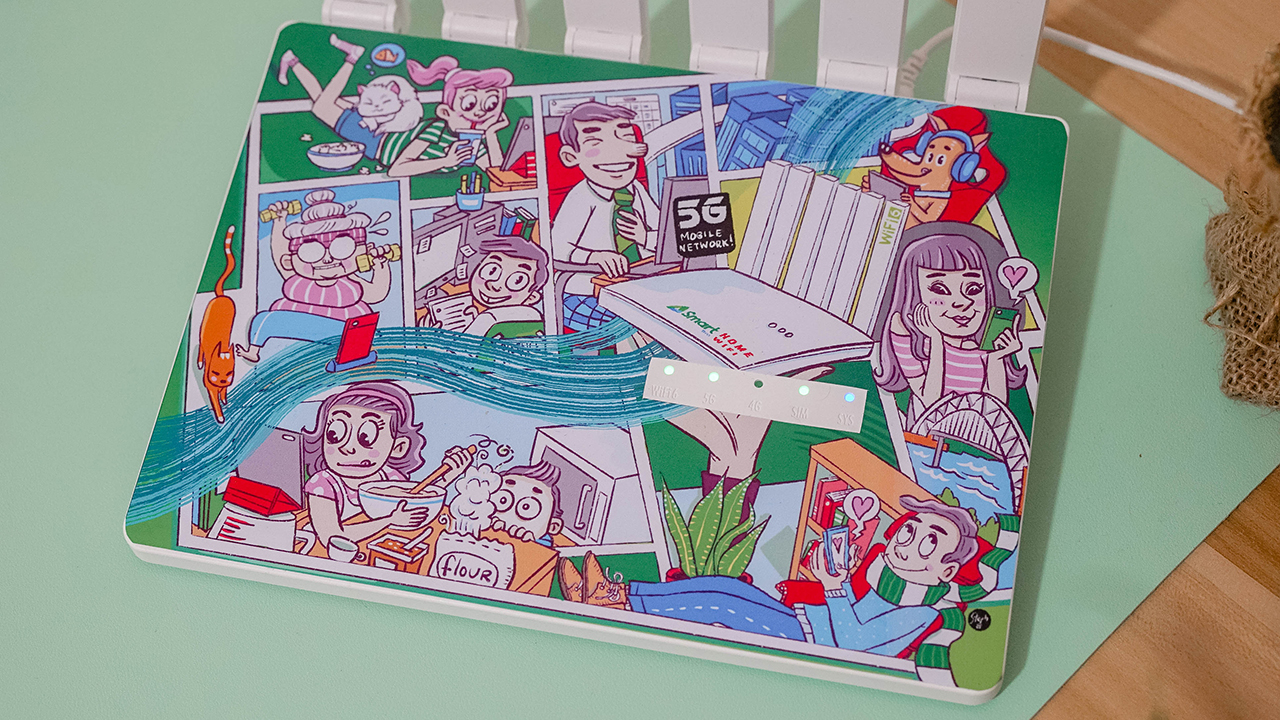
The router uses WiFi 6 technology — which guarantees speeds three times faster than the commonly used WiFi 5. It’s also equipped with a 5G NR SA/NSA connection, allowing it to connect to two wireless access technologies. Further, it has a 5G PLUS 2NR Carrier Aggregation, which expands the coverage indoors as well as maintains the connection’s stability.
Right off the bat, you can see how the Smart Bro Home WiFi 5G is built with six distinct external antennas as well, picking up better signals. It also have 9dBi high-gain antennas that extend the reach and support Gigabyte Ethernet Ports, WPA3 WiFi Security, and WiFi 22 MIMO.
Indicators, ports, buttons
You can find the LED indicators on top, displaying the status of your WiFi, 5G/4G signal, SIM, and System. There’s a pre-installed Smart SIM card that comes with 20GB of open-access data.

When you plug the router into a socket, it will boot up and the 4G signal will flash first unless it recognizes 5G connectivity in your area.
I used it inside my room, which is found in the innermost part of the house. At first, it didn’t pick up a 5G signal. The LED indicator for the 4G signal was on while the router was trying to find 5G.
That’s when I knew I had to place it outside my door. A few seconds later, the indicator for 5G connectivity lit up.

To confirm it, I turned on my mobile data using my 5G-capable smartphone and connected another one to the Smart Bro Home WiFi 5G. Happy to report that I live in a place where there’s 5G — both my smartphones and the WiFi device are picking up the 5G signal.
At the back, you can find the power port, Ethernet ports, reset button, and WPS button.
GigaLife
When the Smart Bro Home WiFi 5G was already up and running, I continued the setup by following the manual — which instructs you to access the web management page. I turned on my laptop, connected to the WiFi, and changed the network settings.
But that’s a grueling process — continuously going back to the web management page — just to check how your account is performing.

Luckily, you can use Smart’s GigaLife app. I like how it instantly reads the mobile number upon using the app. Even if I’m just connected to the WiFi. There was a prompt asking me if I was using a prepaid WiFi SIM.
Frankly, I dislike the hassle of adding and configuring accounts. I find it really convenient that the app easily recognized the account I’m using.
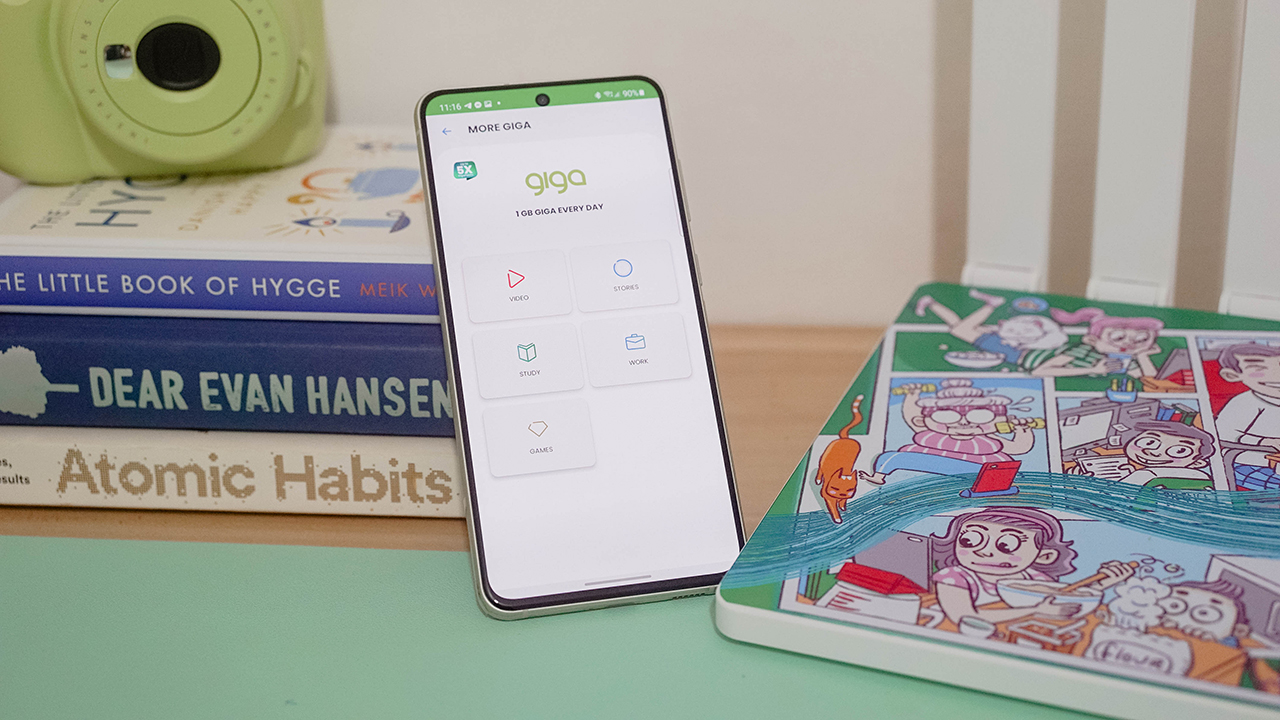
Through GigaLife, you can check your remaining balance, reload, and even monitor your subscriptions. Everything’s just easy when you have things sorted in one place.
Internet Speed for 5G-capable smartphones
I first tested the Smart Bro Home WiFi 5G through 5G smartphones that I have. Using the Honor 50 and the Samsung Galaxy S21 FE, I was able to do my everyday activities. Basically, the same stuff I would do had I been connected to my existing WiFi.

I played games without any delays, watched Netflix and other video content without buffering, and scrolled non-stop on social media.
I’ve connected two of my smartphones, my Nintendo Switch Lite, and my laptop. The router can supposedly handle 10 devices all at once. And even with four gadgets connected, not once did I feel any stutter in the Internet connection.
But then again, it really depends on the signal picked up in your area.
For laptops
Nevertheless, the Smart Bro Home WiFi 5G gets speeds from 20 to 100Mbps. You can actually do your everyday tasks, including work and school.
My signal gave speeds between 60-70Mbps consistently, more than enough to let me upload and download creative assets for the projects I’m working on.
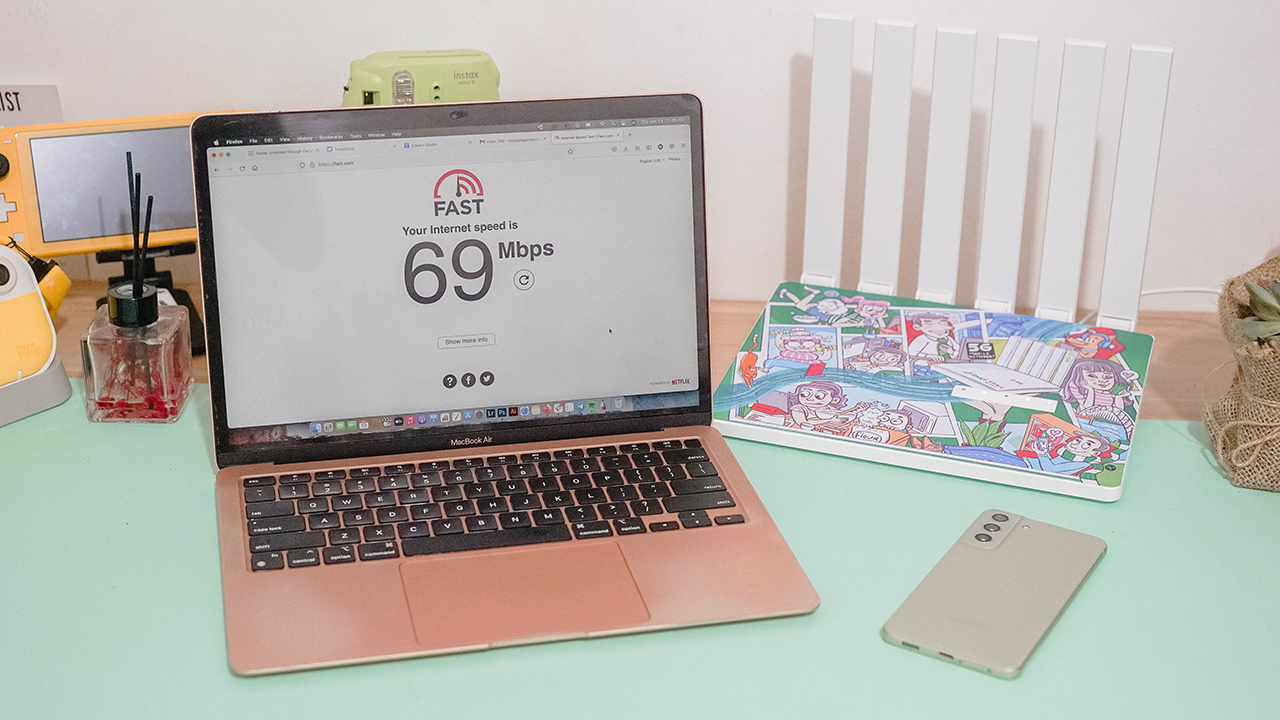
I’m privileged to have access to PLDT’s Fibr plans with an actual Fiber cable instead of copper lines. When I wasn’t using the 5G network, I get the same speed as I do when connected through the Smart Bro Home WiFi 5G, albeit higher.
The experience is quite the same — in terms of speed, latency, and maintaining the stability of the connection.
For non-5G smartphones
Over the holidays, my cousin who was studying in the province visited our family for a month. Like most people, she hasn’t switched to a 5G-capable smartphone since 5G connectivity isn’t as prevalent in the province as compared to when you’re in Metro Manila and living in key cities.

There’s a preconceived notion that 5G connectivity can’t be enjoyed by non-5G smartphones, but we beg to differ. While you can’t reach sky-high speeds when you do a speed test, the experience is the same as when you’re connected to a WiFi with Fiber connectivity.
My cousin played Call of Duty: Mobile for hours while connected to the Smart Bro Home WiFi 5G, and she expressed interest in taking it home. Especially with how stable the connection was even if there were my other four gadgets connected to the router.
Should you get one?
The Smart Bro Home WiFi 5G is the perfect solution for fiber-less homes wanting to have wireless fiber-like connectivity. You just have to remember that it uses a mobile network. The quality and speed of the connection will always depend on your area. Somehow, it’s a worthy investment for the everyday consumer living in the Philippines.
Students and budget-conscious consumers can monitor their data usage and spending since it’s prepaid WiFi. If you have spare money, it can be a backup plan just in case your Internet connection is interrupted. You won’t have to worry when you’re in the middle of a meeting, a conference, or an online class.

The Smart Bro Home WiFi 5G retails for PhP 15,995. It will be available at the Smart Online Store. For the same price, you can get the Smart Bro 5G Rocket WiFi. It’s perfect for anyone who needs to stay connected while on the go.







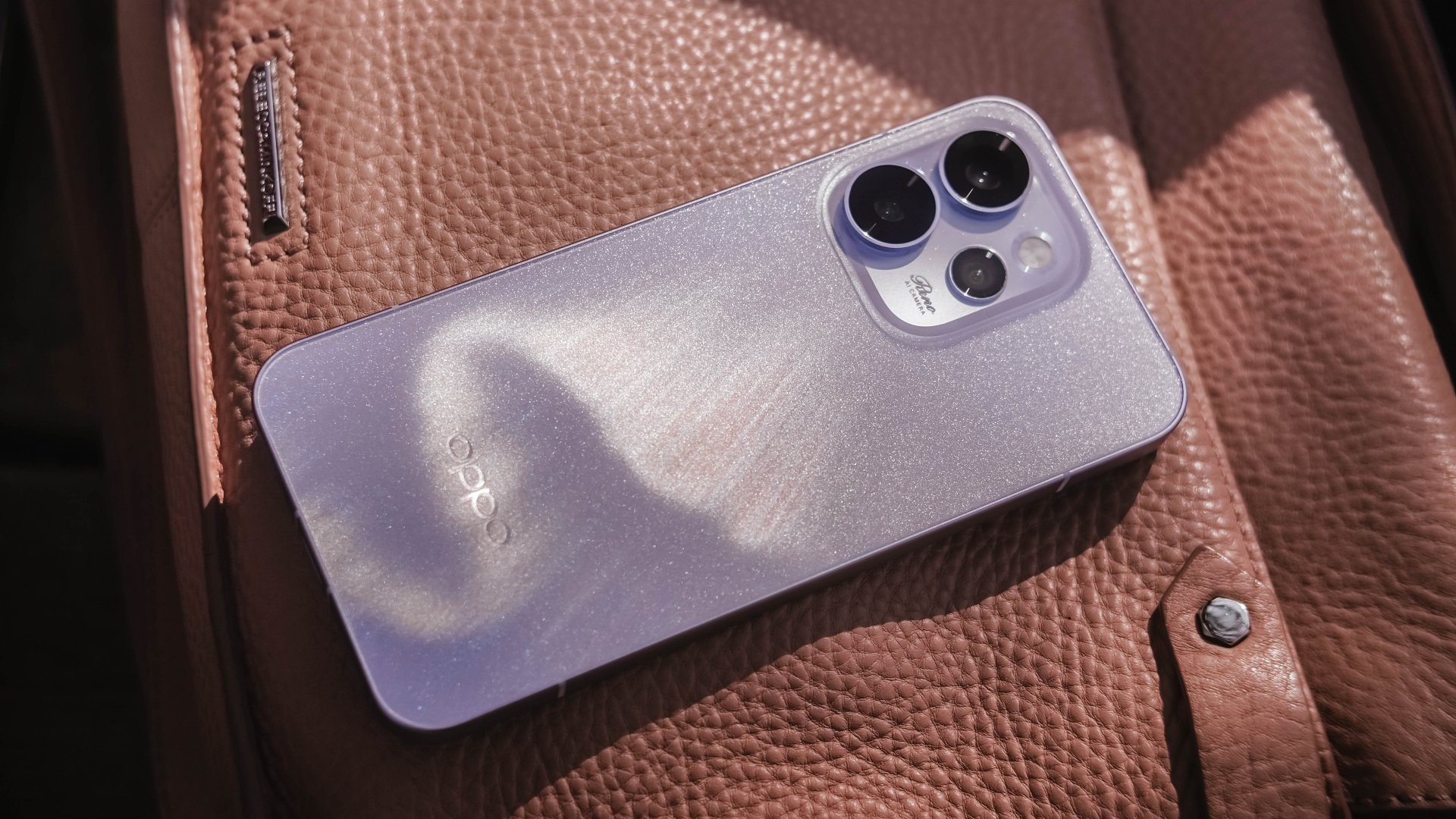
Believe me or not, I only had one encounter with an OPPO Reno phone, and it was the Reno10 Pro from 2021. However, my time with it was very short.
Almost five years in, I was finally given the chance to hold the Chinese brand’s latest and greatest Reno.
Without beating around the bush, here’s my first time with the OPPO Reno15 Pro.
First Look
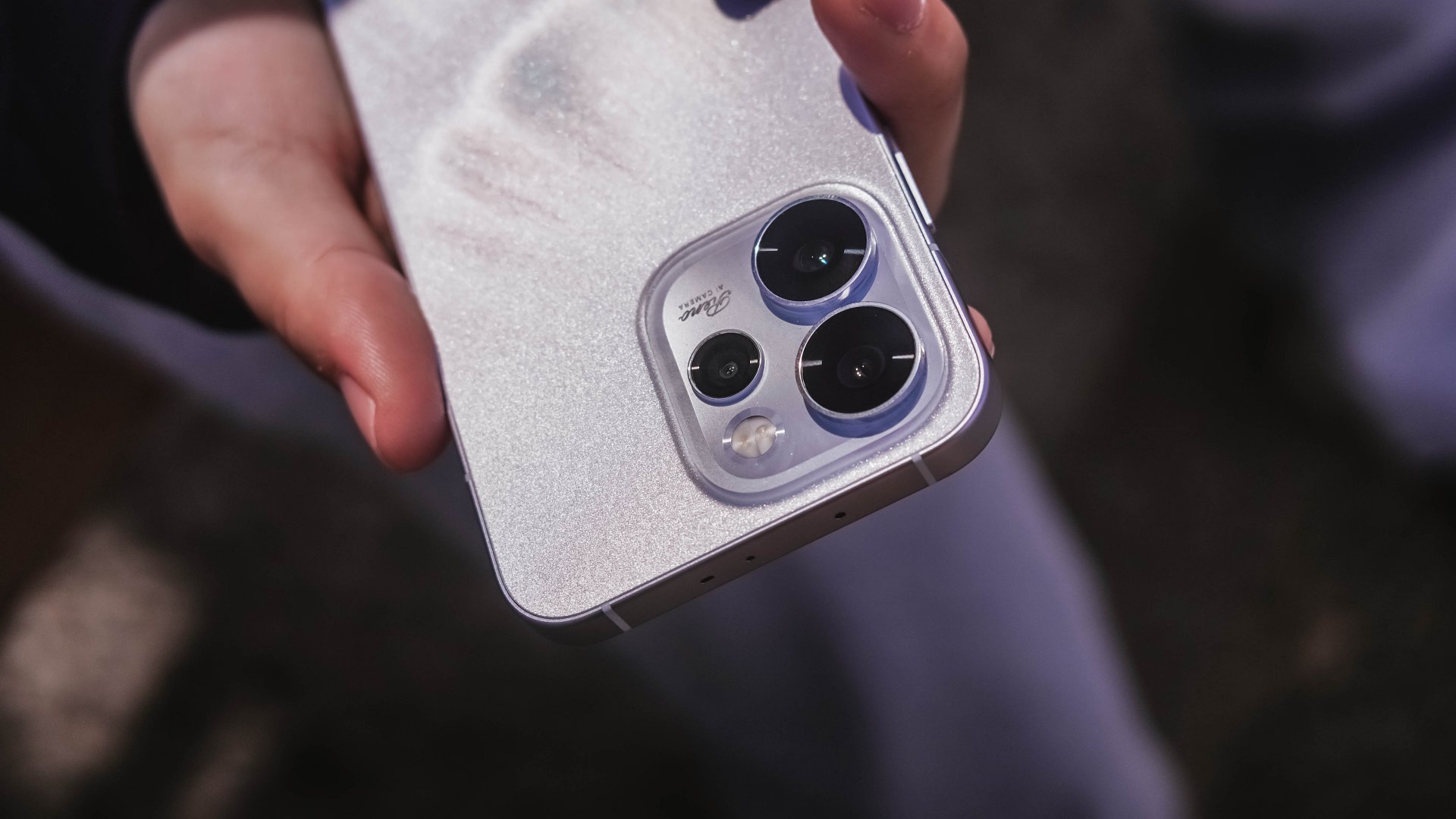
The moment I unsealed its sturdy packaging, the OPPO Reno15 Pro greeted me in this shining, shimmering blue backing.
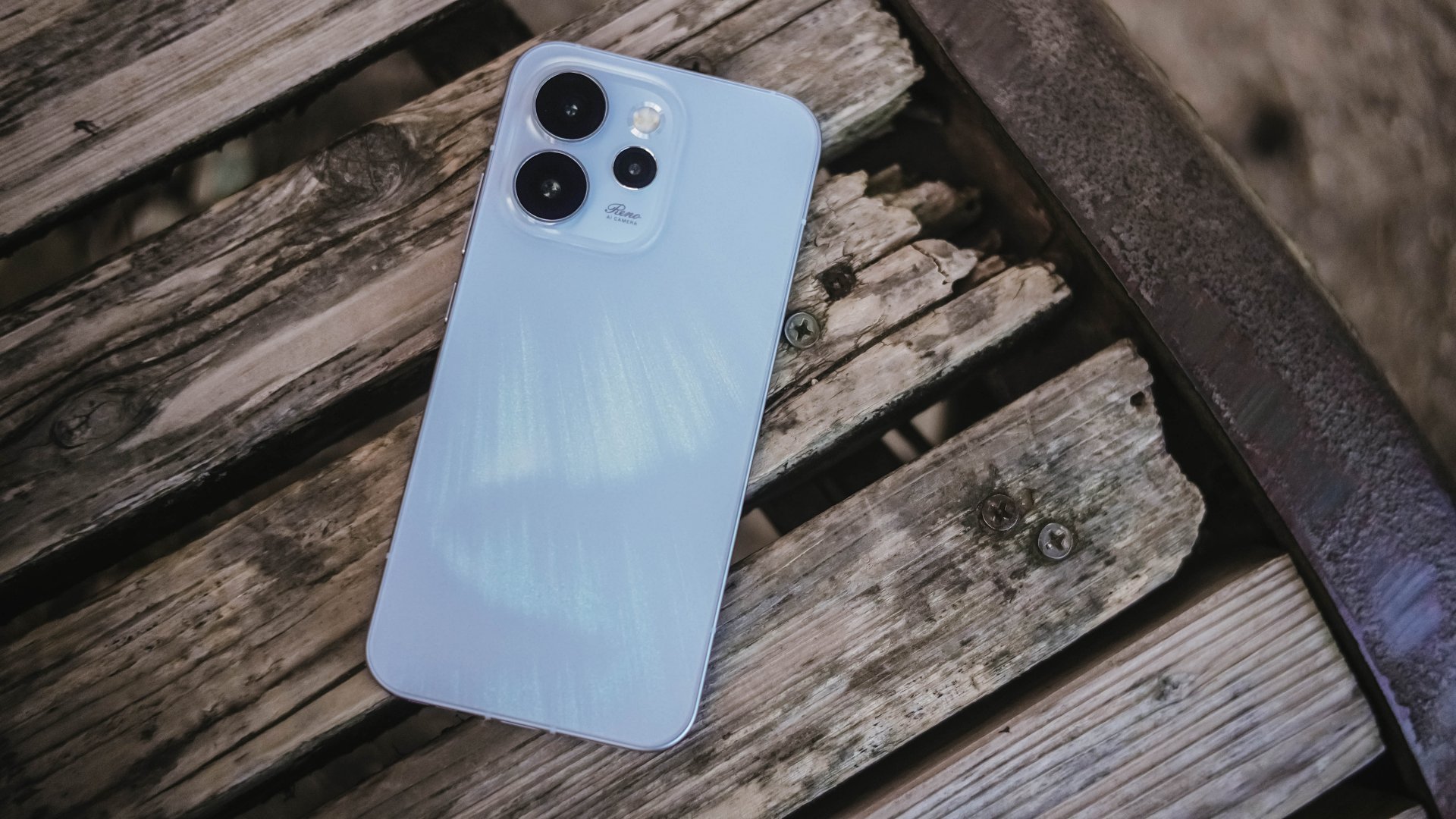
Dubbed as the “Aurora Blue” colorway, it instantly reminded me that I’m still not over that Aurora Borealis scene in the latest hit K-Drama “Can This Love Be Translated?” starred by Kim Seonho and Go Younjung.
I said it before and I’ll say it again, flashy finishes are the least of my options when choosing for a new phone. Still, this finish wins over the less impressive Dusk Brown shade.
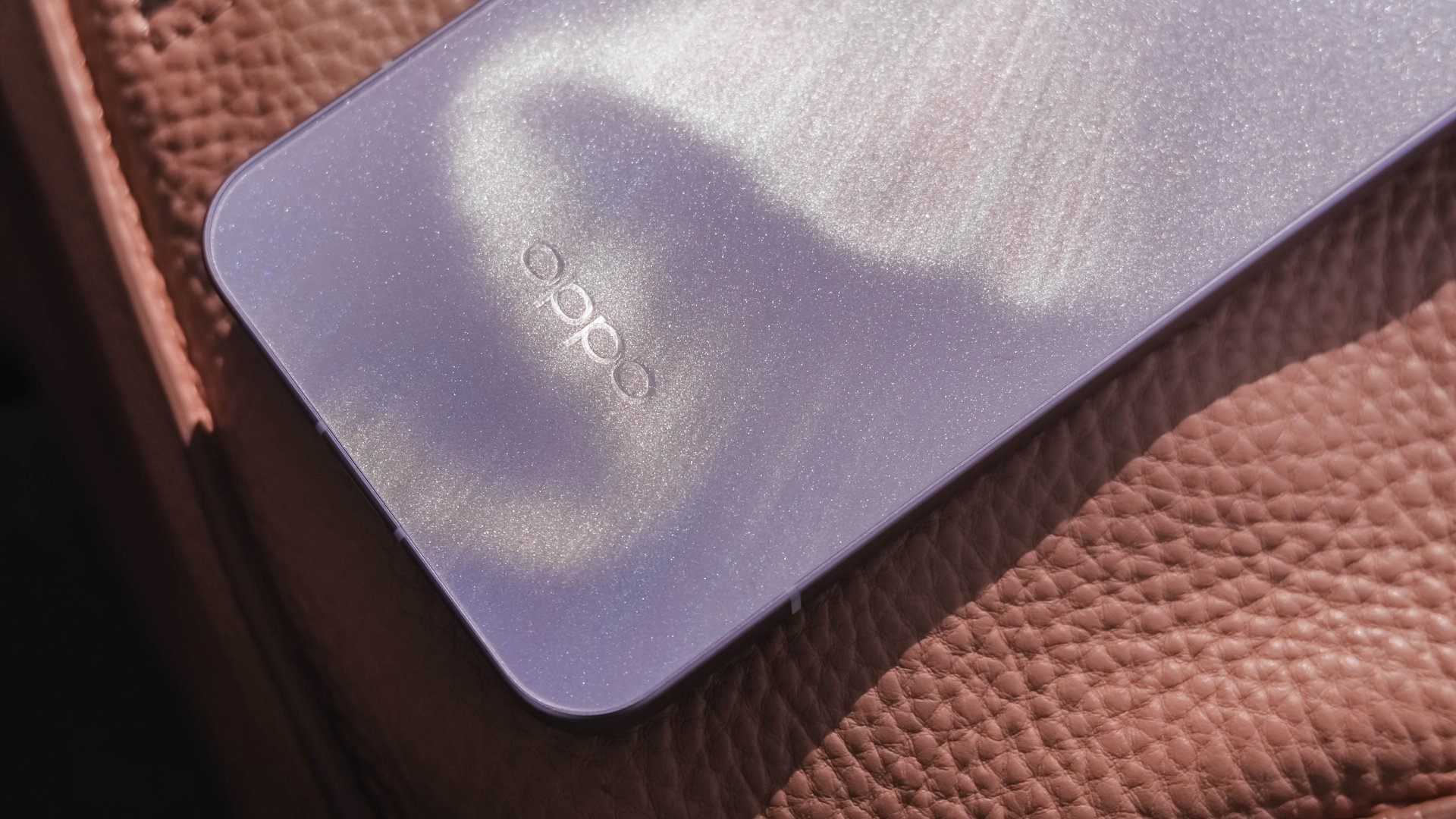
Just like that dazzling northern lights, the Reno15 Pro shows off its aurora accents depending on how the sun hits it.
In the faintest of light, that aurora simply vanishes. Even so, the OPPO Reno15 Pro still shines through with its specks of glitter.
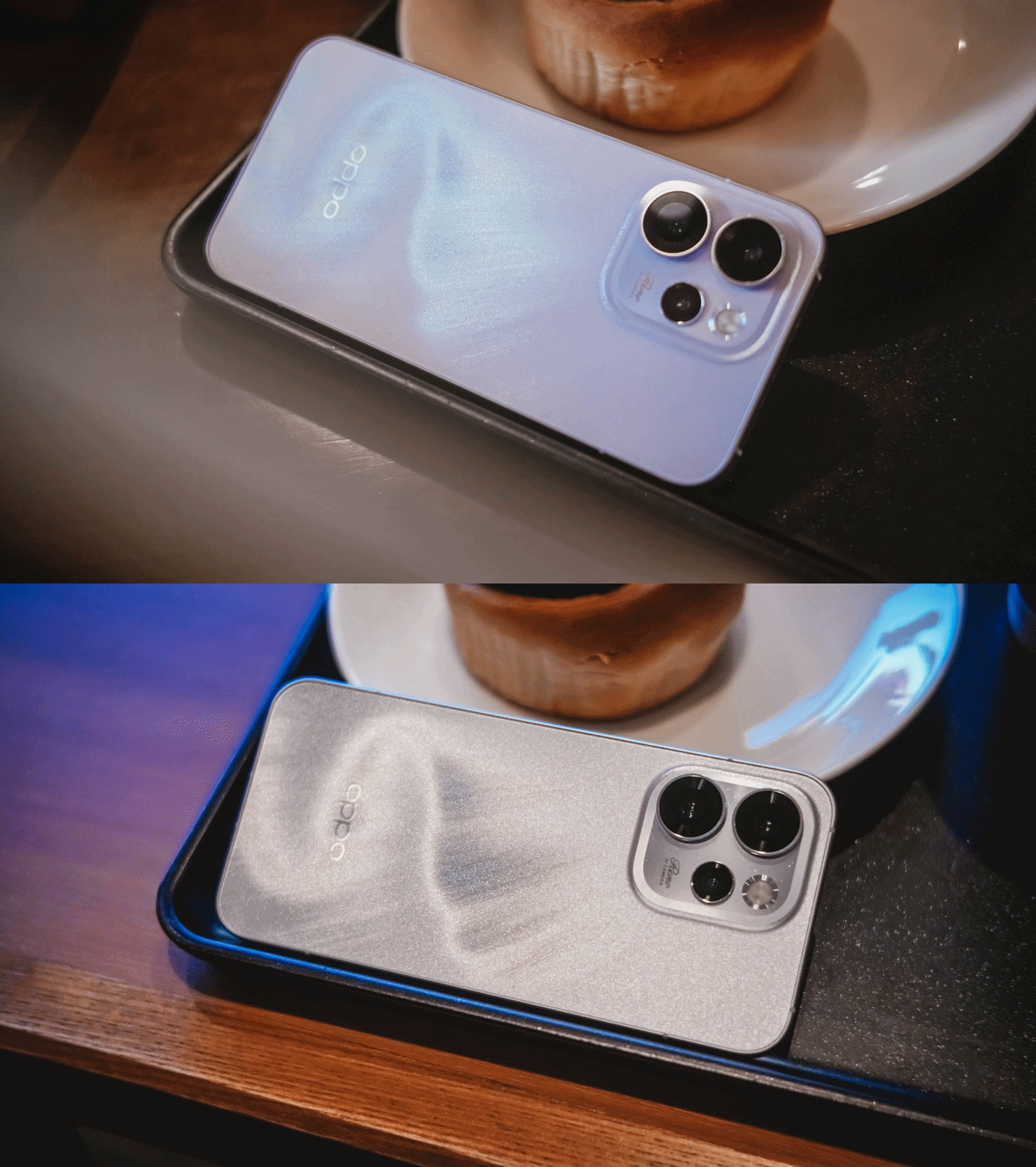
That’s more evident when you bring the OPPO Reno15 Pro indoors — be that your cool room (literally) or a warmly-lit café.
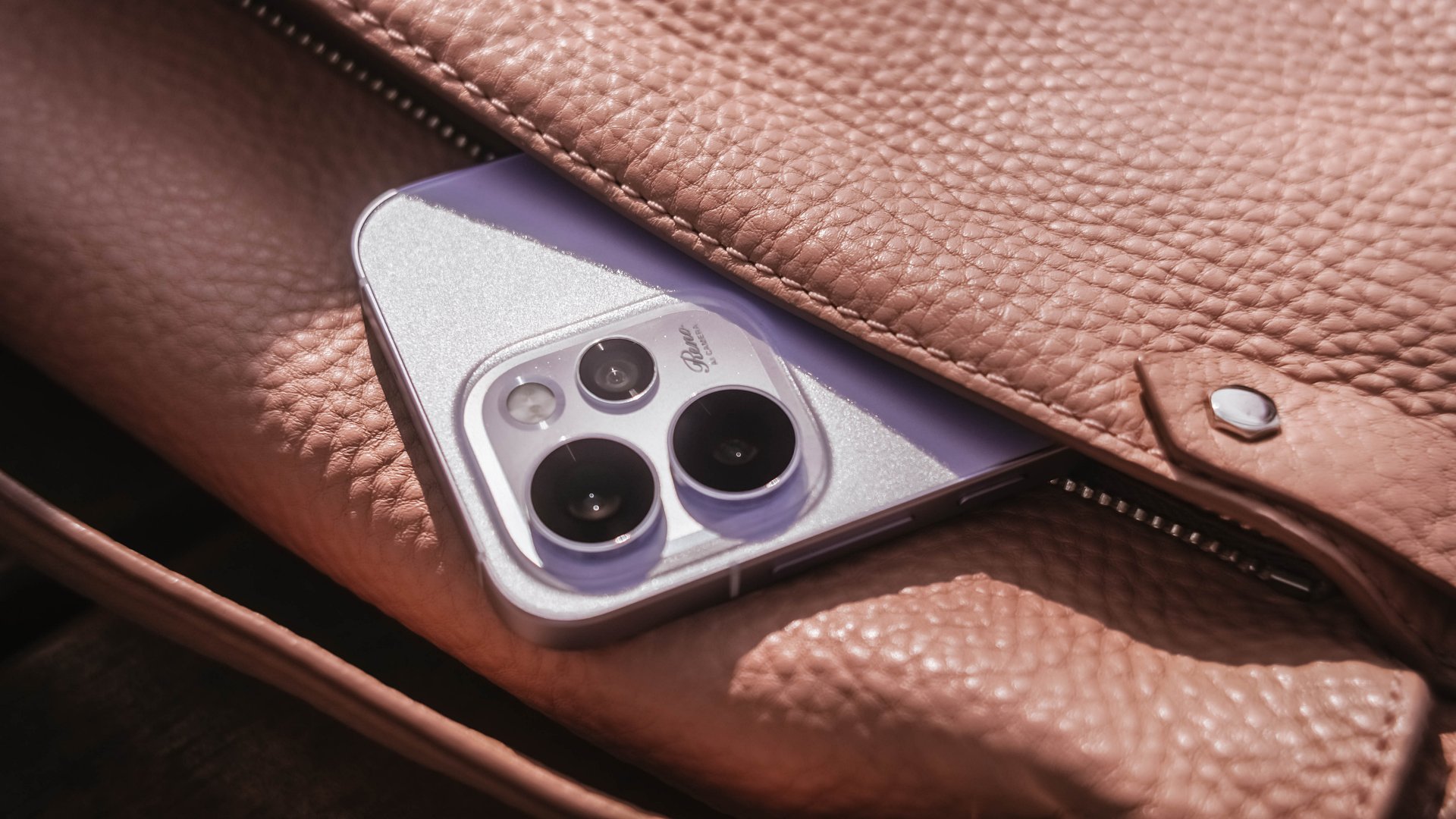
Its camera cutout may not be the most unique out there, but it’s uniformed enough to look clean. After all, a phone’s camera arrangement isn’t what defines the overall performance of its cameras.
First Date
Although 8.13mm isn’t “thin” in today’s standards, holding and keeping the OPPO Reno15 Pro for prolonged periods never felt a sore. Its aerospace-grade aluminum frame may just be one among many factors.

One after another, that 6.32-inch AMOLED 120Hz display is a huge complement to the hands. It fits my huge palms, more so, pockets of all sorts. This sweet screen size is also a breath of fresh air in a vast world of large slabs.
When hit by that harsh sunlight, it’s more than bright– up to 3600 nits of peak HDR brightness if I must insist. And, no matter what kind of content I consume, it’s truly crisp, clear, and even color-accurate.

Being powered by MediaTek’s Dimensity 8450 SoC alongside OPPO’s ColorOS 16 is what made me stuck longer. It honestly felt like I’m in a smooth ride without any road traffic.
The OPPO Reno15 Pro has a great harmony between its software snappiness and fluidity. Animations flow without feeling rushed — much like enjoying date nights without being pressured to catch the last bus trip back home.
Speaking of staying out late for a date, the Reno15 Pro lasted me more than enough. And, despite its petite form, it managed to fit in a 6200mAh battery inside.
The screen size to battery ratio is just a perfect match. Not only it fits in most (if not all) hands and pockets, it also meant being able to squeeze in more battery to make the most out of your day, night, and even midnight.
If juice gets squeezed out, its 80W SuperVOOC charging will truly save the day!

That doesn’t even end there. With triple IP ratings (IP66, IP68, IP69), you’re more than assured that it’s durable enough in occasional (and accidental) phone drops.
First Impressions
The OPPO Reno15 Pro, despite being categorized as a midrange device, already feels like a solid vanilla flagship.
Much like any other first dates, its overall appearance is just on the surface level. What made me invested more to know the Reno15 Pro further are none other than its intrinsic qualities.

That includes that screen size (or form factor) on the sweet spot plus oh-so-fluid ColorOS. Moreover, its powerful core paired with a humongous battery that will truly last you long.
While I may not have included any photo sample in this early look, I can already assure you that it has one of the greatest camera performers for its class. And actually, it is for another story 😉.

My first time with an OPPO Reno smartphone not only made me impressed. This phone also enticed me to consider switching to the OPPO system when another review opportunity arises.
Accessories
I was skeptical about smartphone gimbals, then I tried the DJI Osmo Mobile 8
This gear finally made sense to me and my workflow
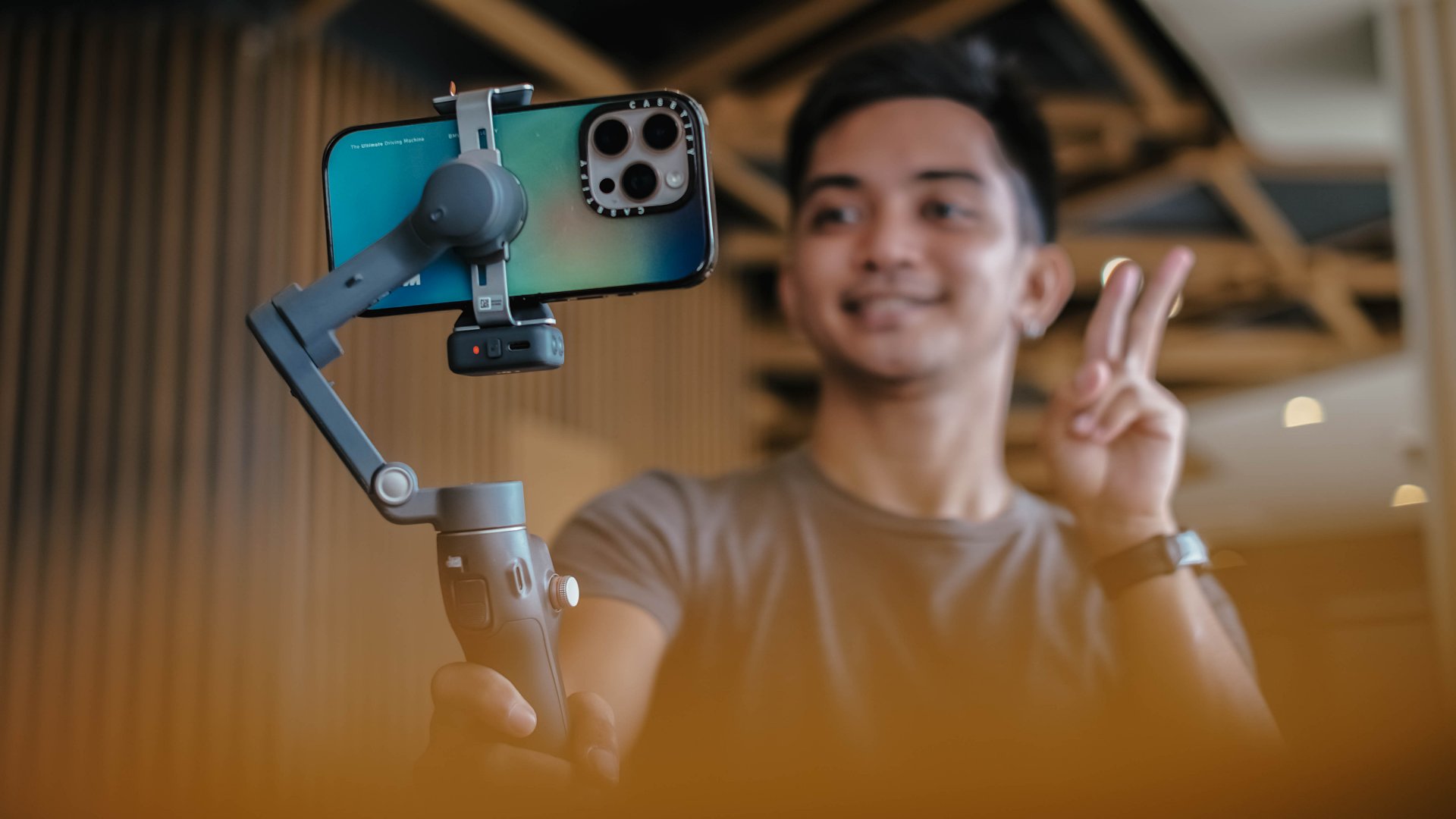
I never liked smartphone gimbals. I tried several over the years, from different brands and different builds, and I never felt compelled to use them in real situations.
They were either too heavy or too fiddly to set up. I also found them too demanding to use when all I wanted was to take my phone out and record. My iPhone already has excellent stabilization built in, and I have relied on it for years. The extra gear rarely felt necessary.
My perspective shifted when I tried the DJI Osmo Mobile 8. I brought it with me on a work trip in China without thinking much of it. I realized that it made sense to be part of my arsenal.
A design that feels familiar in a good way
The Osmo Mobile 8 does not reinvent the idea of a mobile gimbal. It refines the experience.
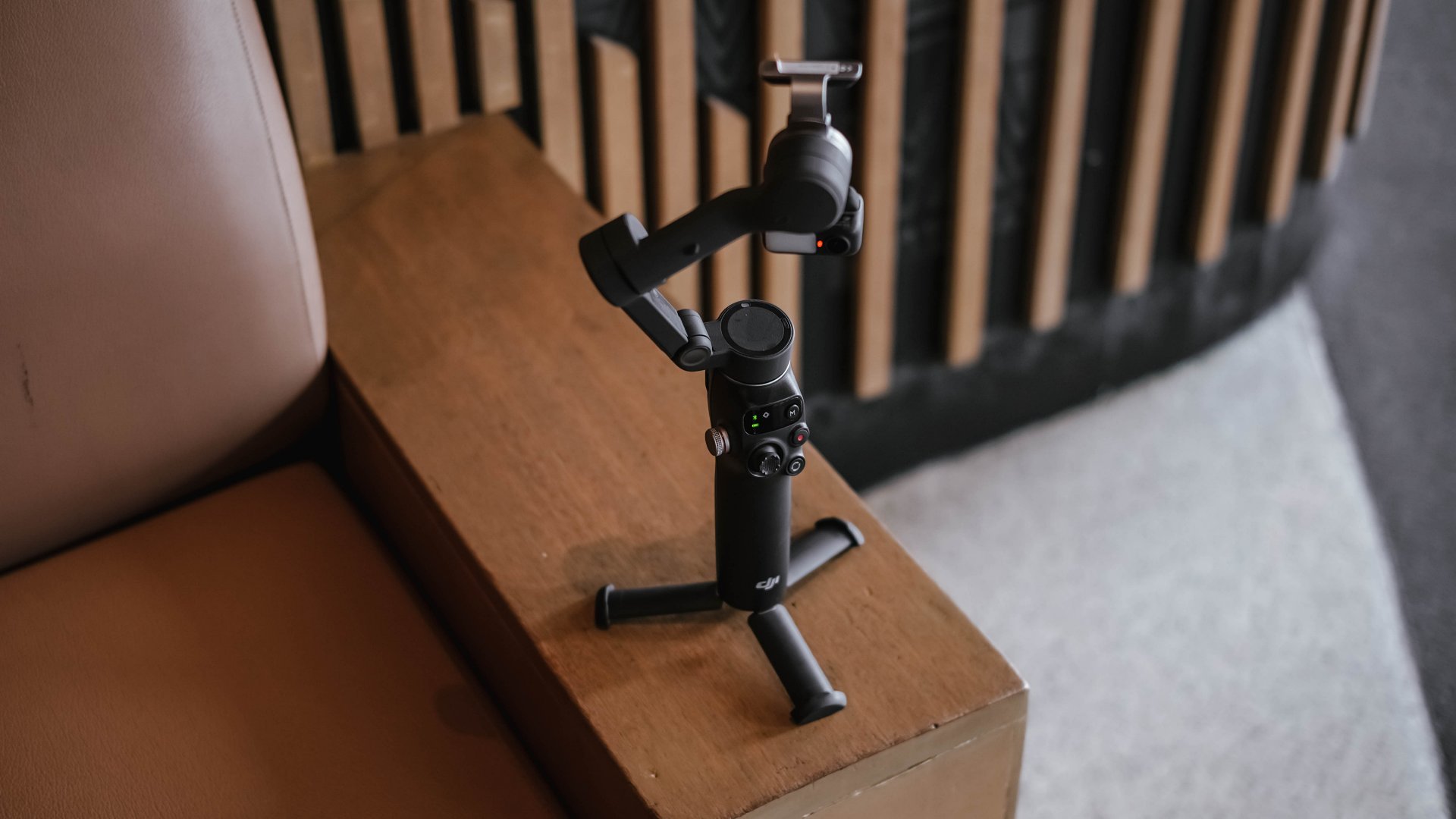
It feels lighter and folds easily. The clamp snaps on with a magnetic mount, and the grip feels secure without straining the wrist.
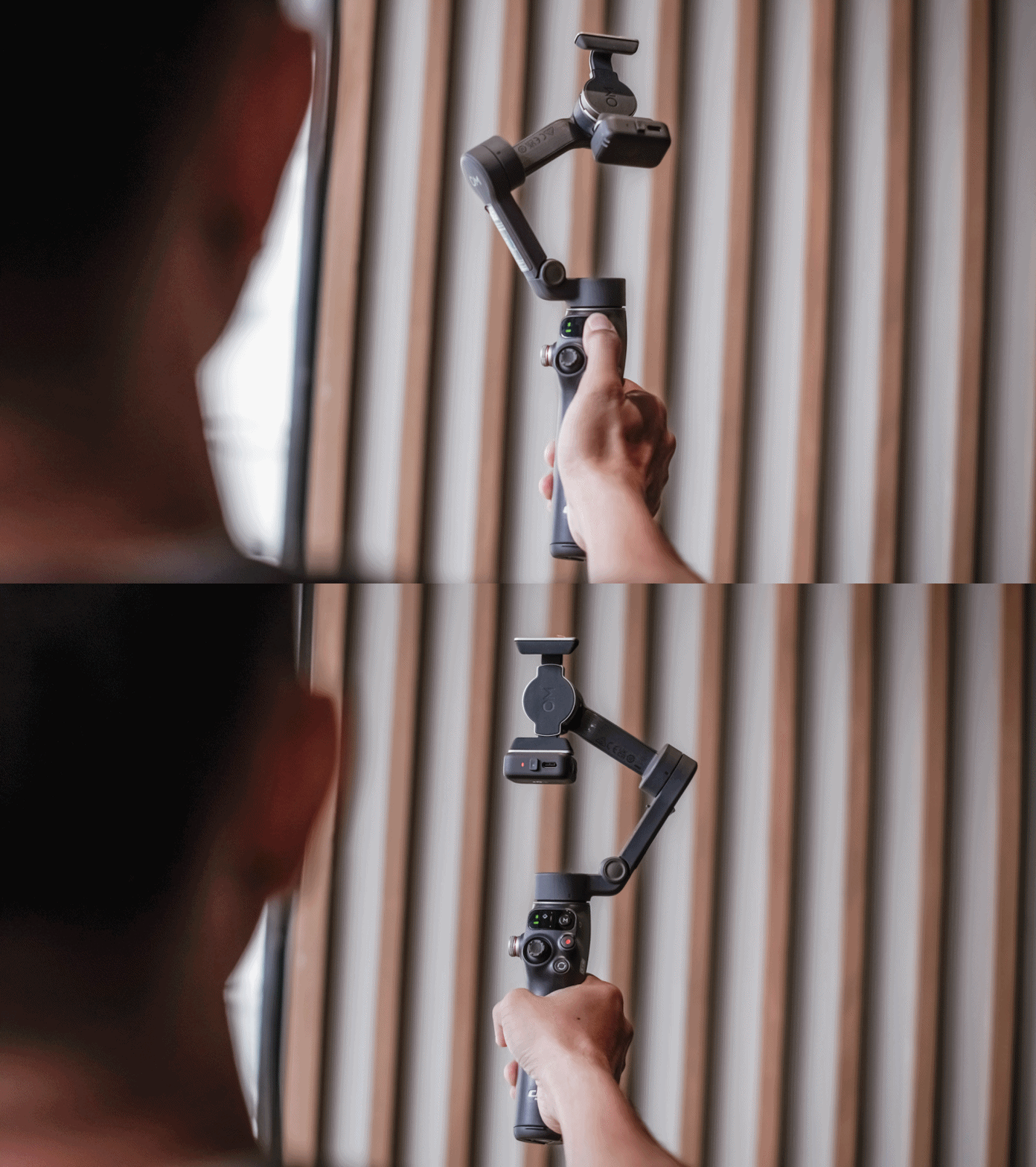
It feels like something I can use for a few minutes or a few hours without thinking about it. Rather than slowing me down, it felt like it supports my workflow.
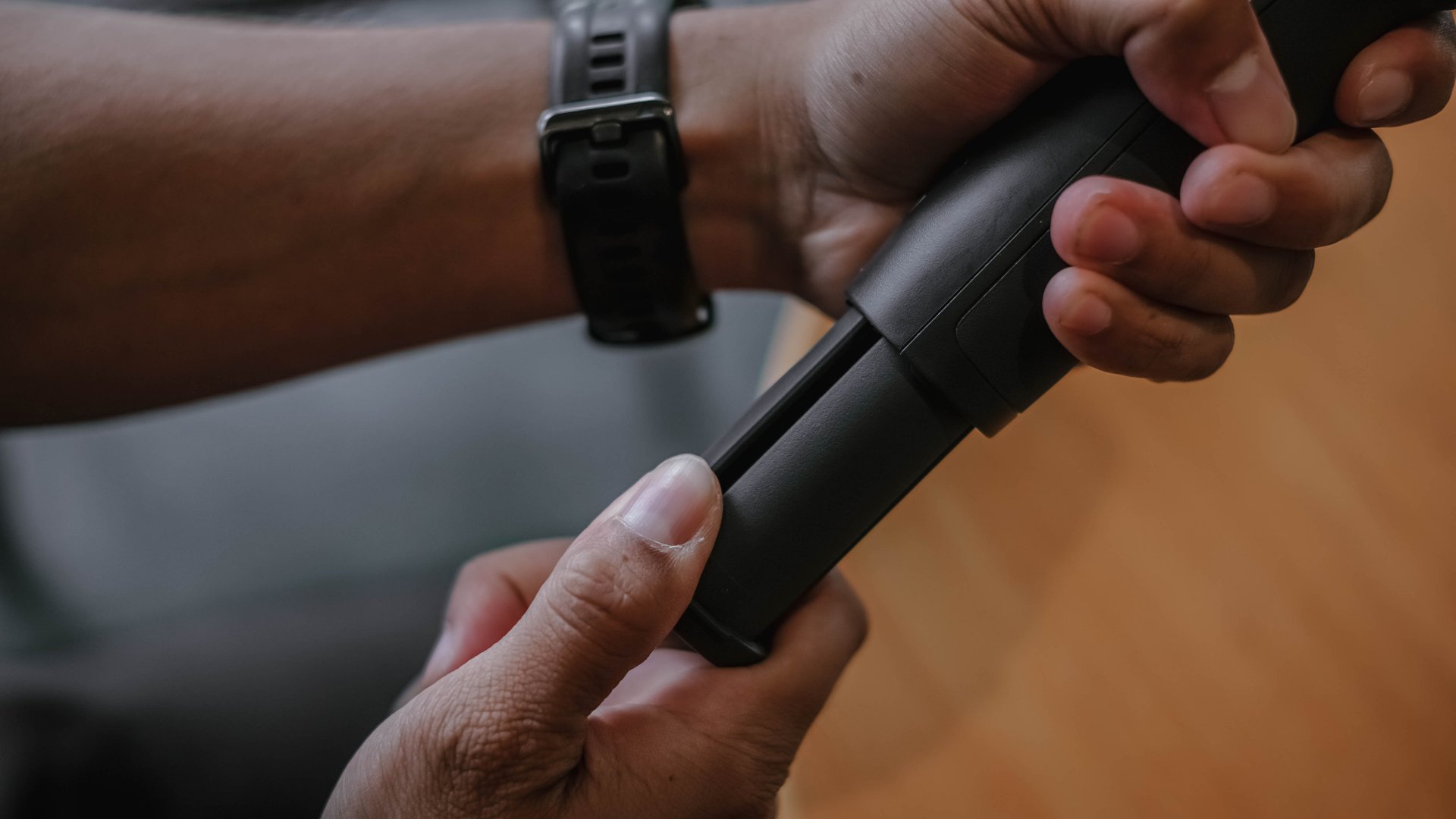
There is an extension rod built in, which is helpful for group shots and for pushing perspective in movement shots. The built-in tripod legs make it easy to set down for hands-free filming.
These details may seem small, although they contribute to gear that I actually reach for.
Stabilization for better footage
To be honest, I’m still not sold in getting a mobile gimbal for myself. But what shifted my perspective (for now) was not the convenience. It was the footage.
The movement became smoother. Walked shots, pans, and follow movements looked intentional instead of constantly adjusting themselves.
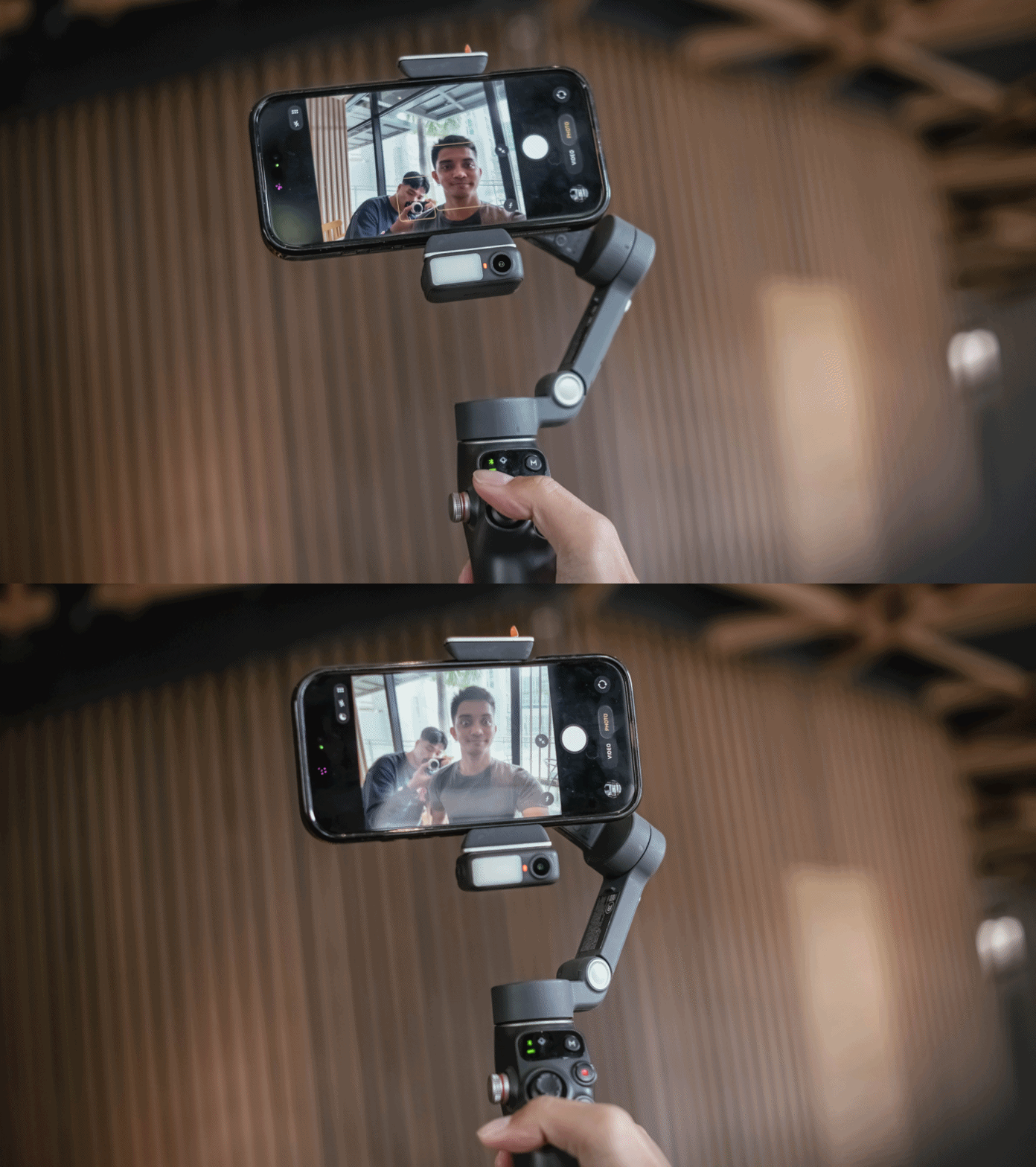
The three-axis stabilization makes smartphone footage feel more deliberate. I found myself able to move more slowly and follow subjects naturally.
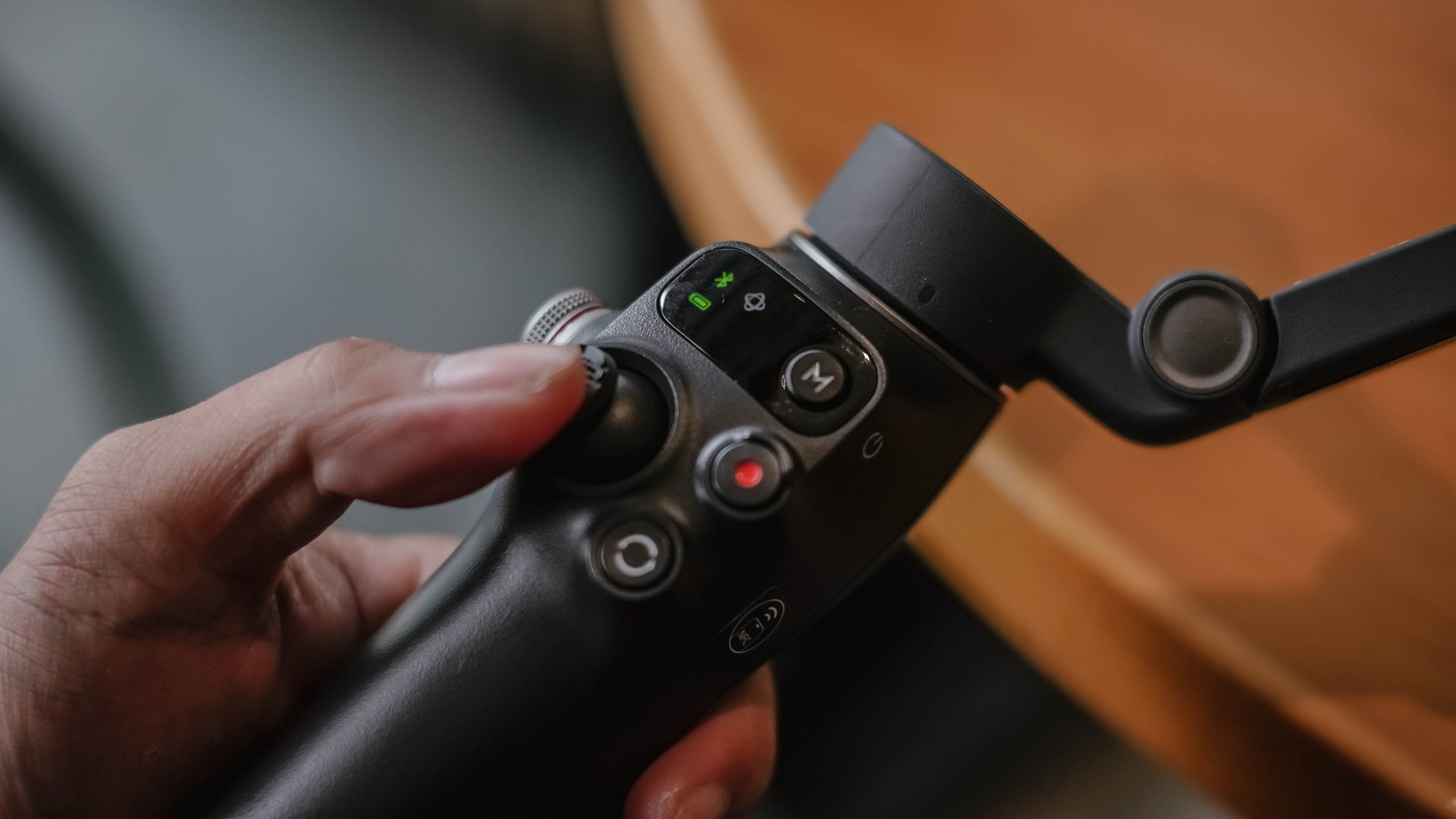
It didn’t make my shots steadier, but the Osmo Mobile 8 changed the way I moved while filming. I suddenly found myself planning sweeps and tracking motions that I would never attempt handheld.
Tracking that feels more intelligent
The tracking on the Osmo Mobile 8 is noticeably improved. Faces, pets, objects, and even faster subjects stay in frame more reliably.
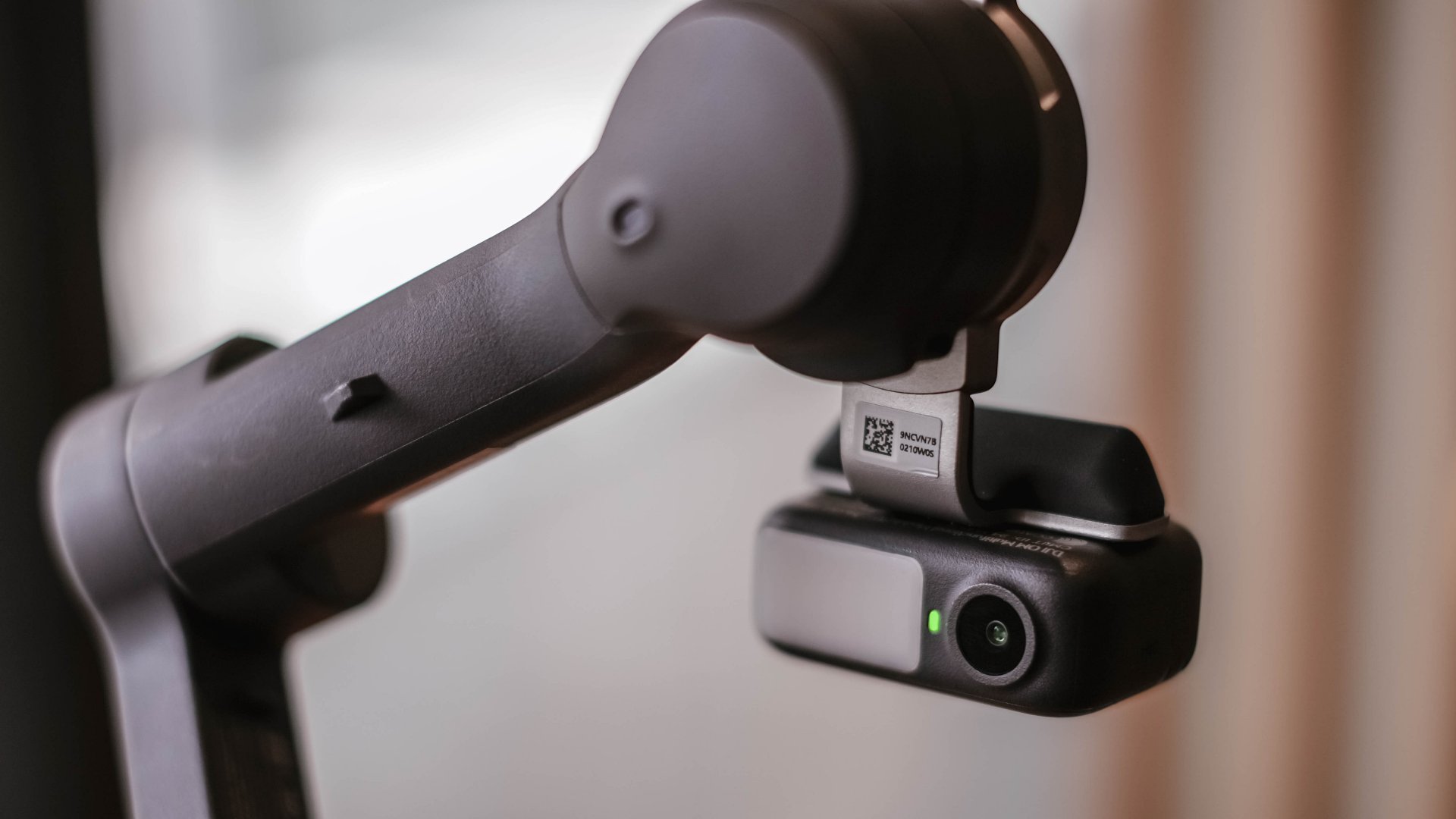
When I stepped away to record myself, the camera followed smoothly without overshooting. It felt responsive rather than reactive. This made solo shooting feel easier.
It also made dynamic movement filming more fun. I could run with a subject or move around a space and trust the framing.
A tool that fits everyday work
I always evaluate gear based on how it blends into my workflow. If it needs too much setup or thought, I will eventually avoid it.
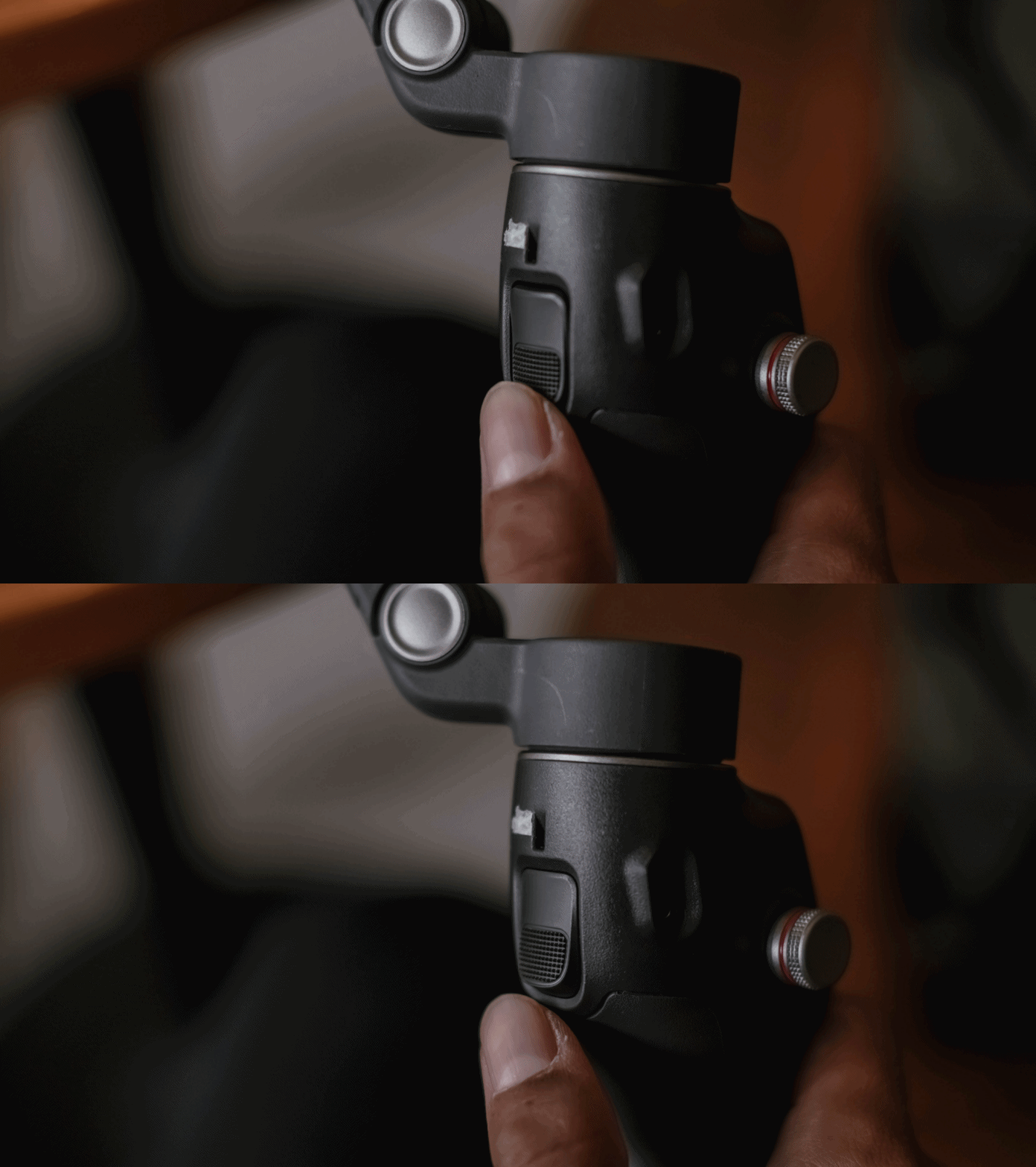
The Osmo Mobile 8 feels fast. I can mount my phone, open the app, and start recording in a matter of seconds. And the battery life holds up well for a full day of casual shooting.
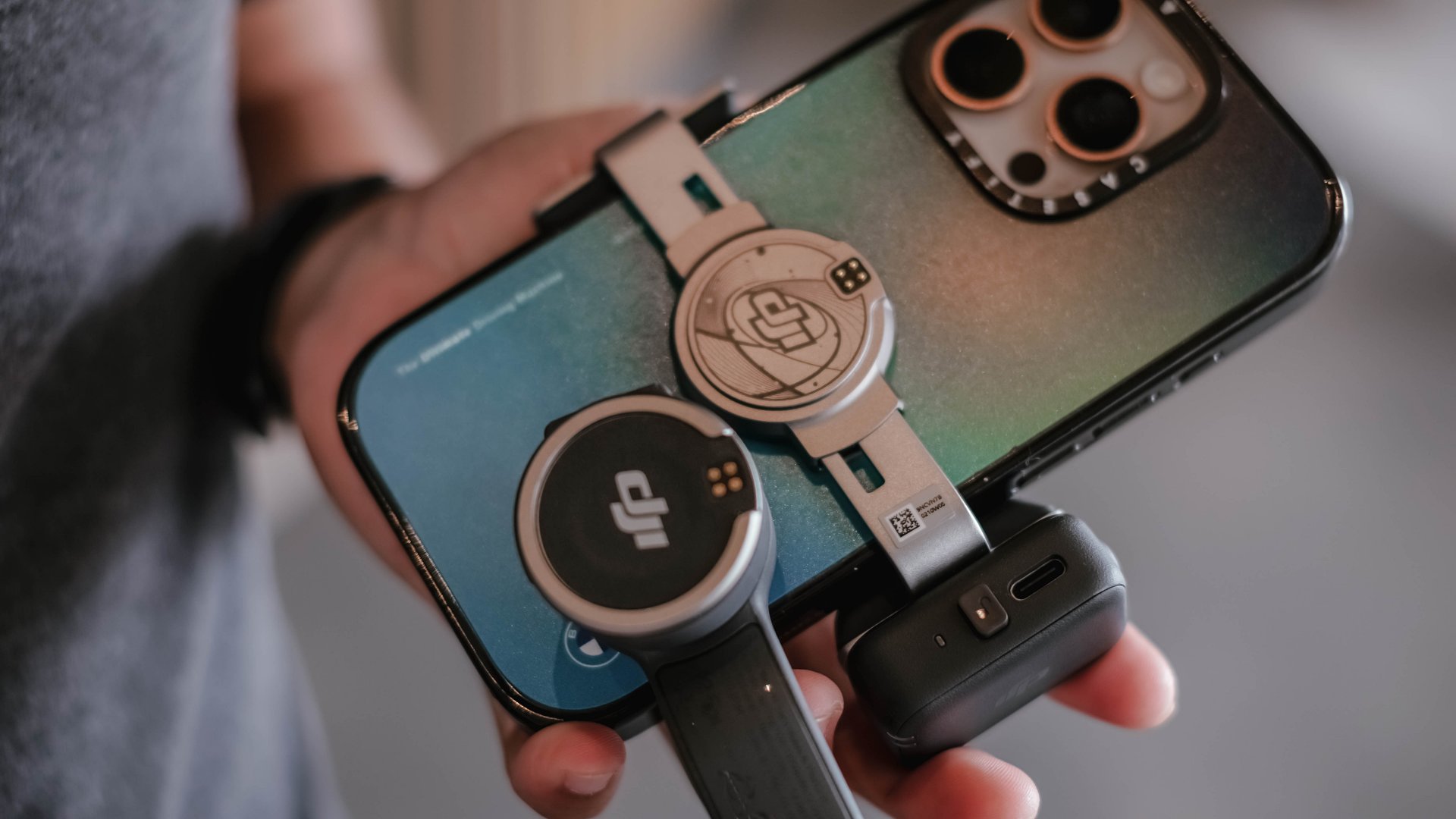
There is also support for counterweights if you use heavier external lenses or cases. The experience is smooth whether I am at an event, outdoors, or shooting casual everyday clips.
Frankly, I never expected to find a smartphone gimbal that felt necessary, yet the Osmo Mobile 8 is worth recognizing to be part of your creator kit.
Is the DJI Osmo Mobile 8 your GadgetMatch?
The DJI Osmo Mobile 8 delivers steady footage and a filming experience that feels composed. I appreciate what it adds to my work, and I recognize that it improves my content when I need it to.
Even so, it is not my personal everyday companion. I prefer filming with my phone alone and relying on built-in stabilization. I like moving lightly and freely.
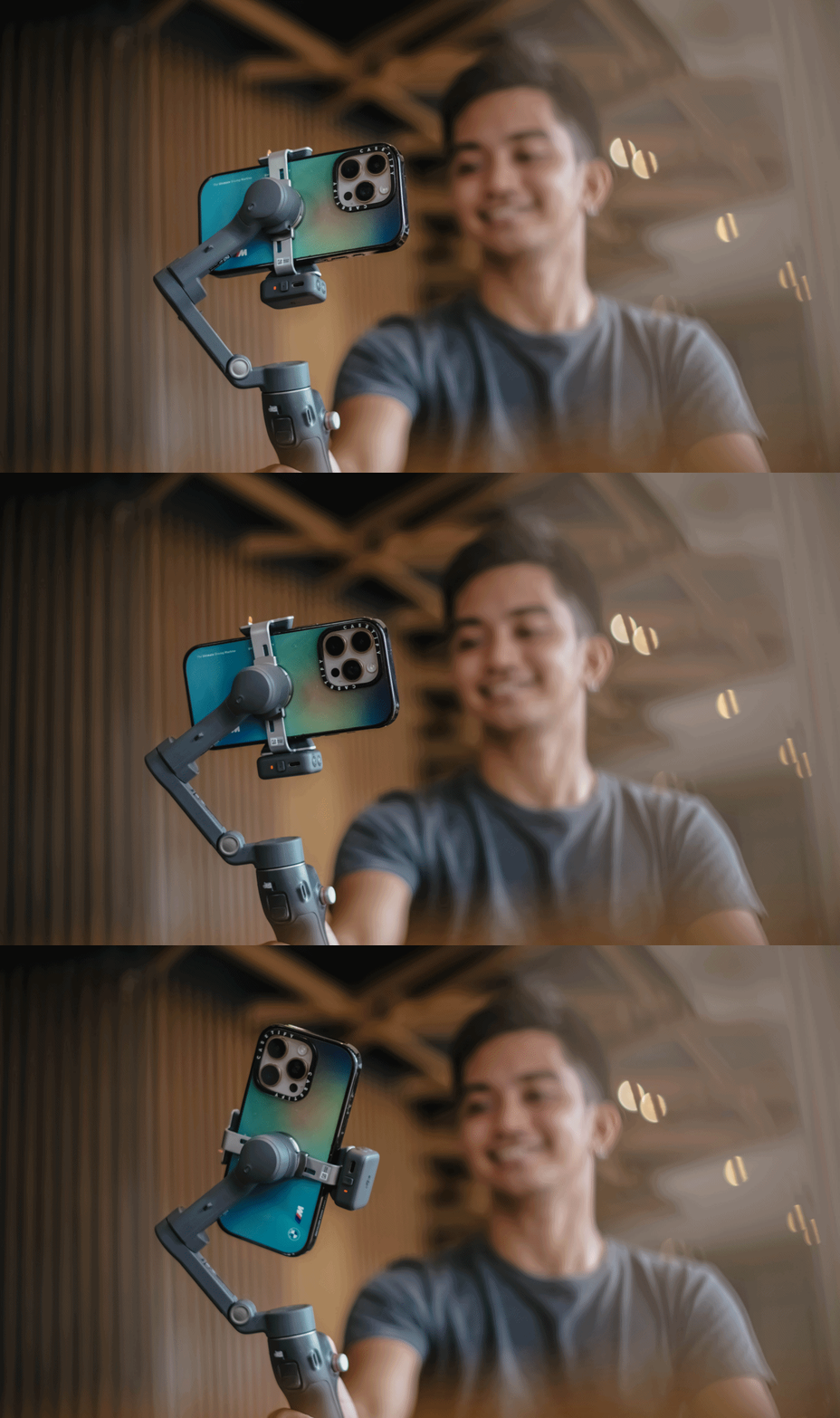
But the Osmo Mobile 8 is a strong tool to have in the kit for specific situations.
Swipe right if you want steady and controlled movement in your videos, especially when you shoot travel, sports, or even events where an extra movement is part of the story. It might help you create more cinematic clips without a full camera setup.
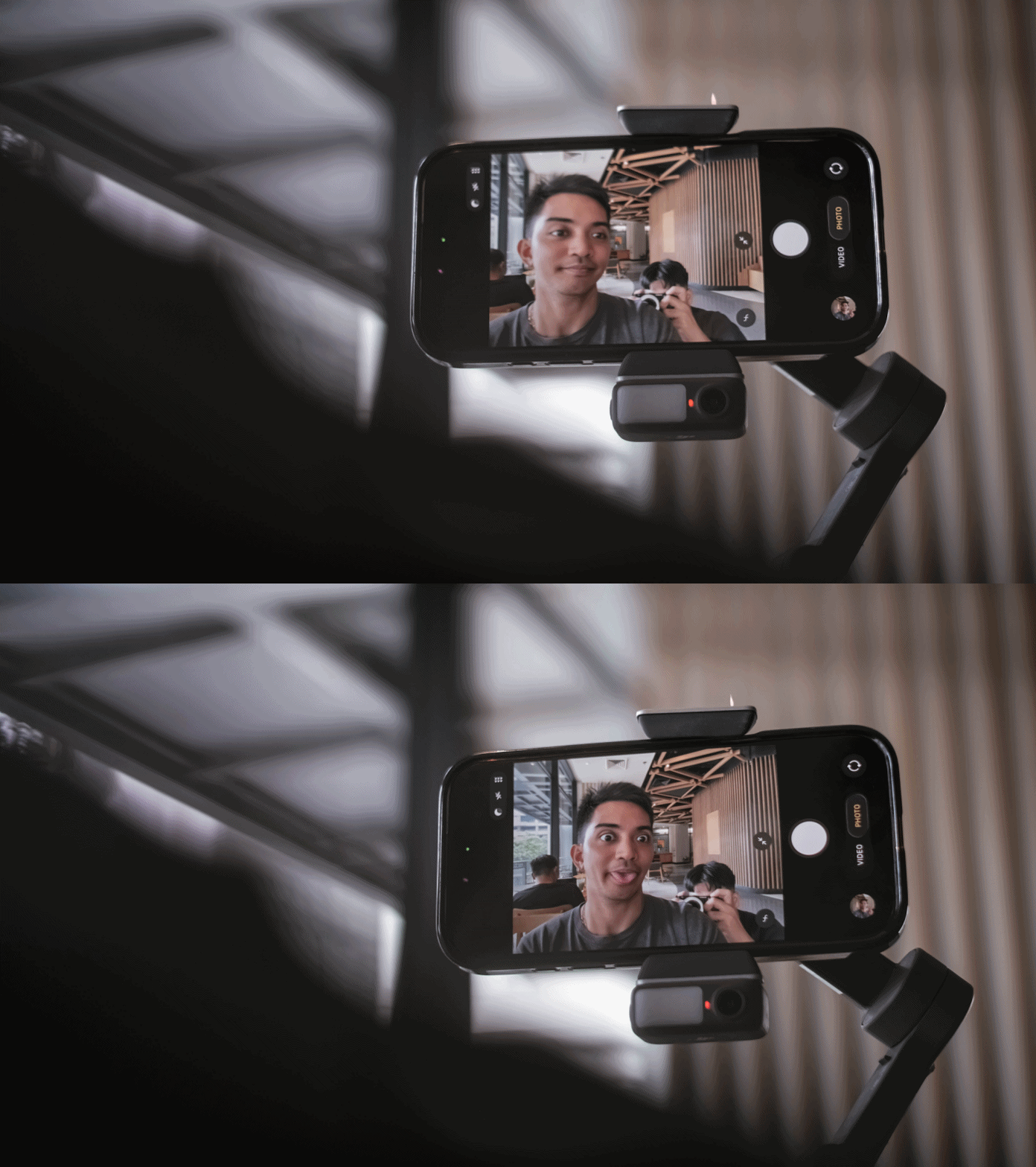
Swipe left if you prefer minimal gear, and if you’re someone who’s always ready for spontaneous shooting but doesn’t want any additional setup.
The DJI Osmo Mobile 8 retails for PhP 7,499. It’s available in DJI’s official website and authorized stores.

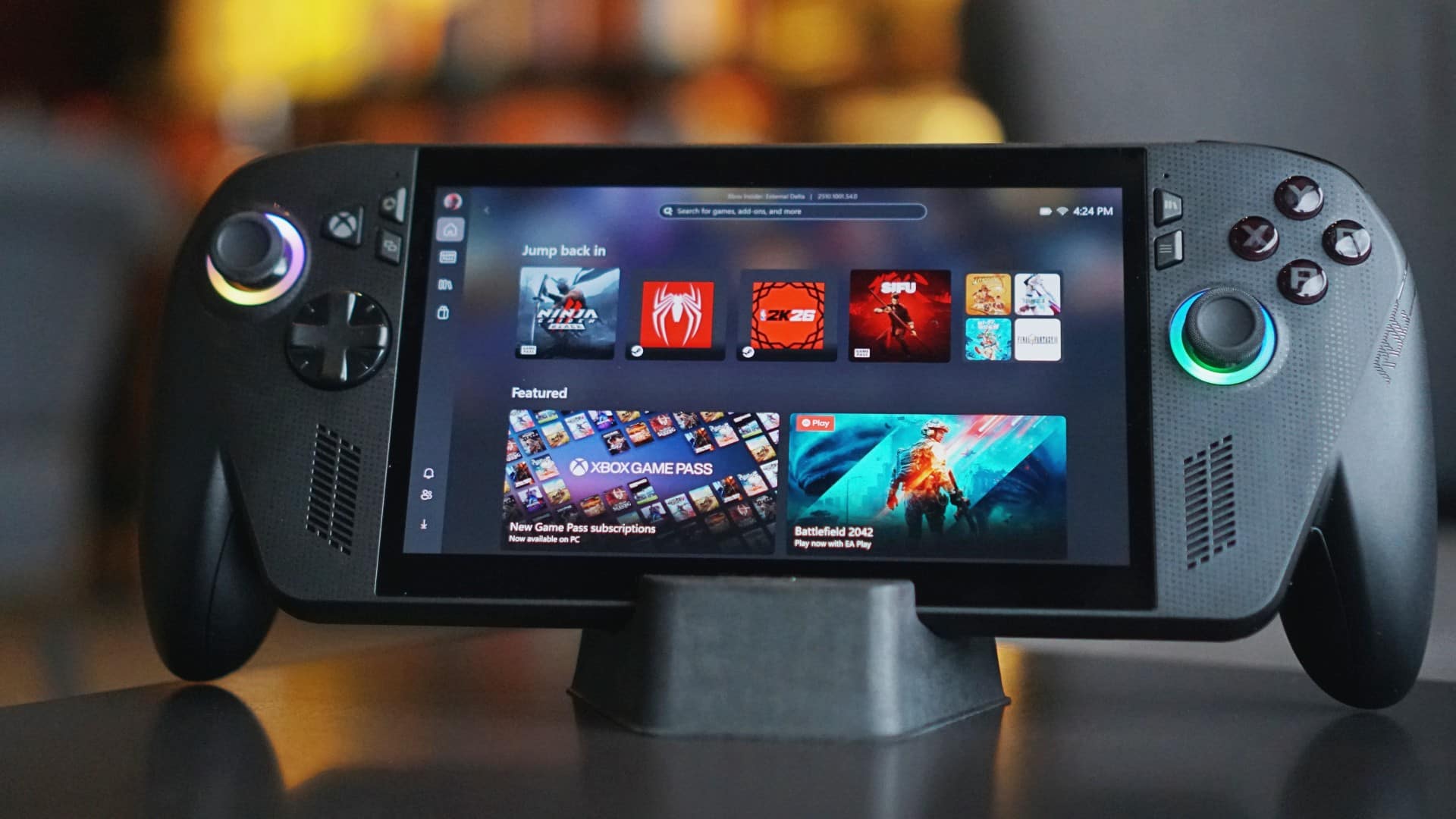
We’ve spent enough time with the ROG Xbox Ally X to say this: it’s no longer just a novelty, it’s a handheld that finally knows what it wants to be.
The first Ally from 2023 was exciting — a bold step toward making PC gaming portable. But after a few sessions, it felt more like a prototype for what was coming next.
This one? It feels complete.
So, in this edition of Match Pulse, let’s talk about how the Ally X grips better, plays longer, and why it finally deserves the Xbox badge printed on it.
First look
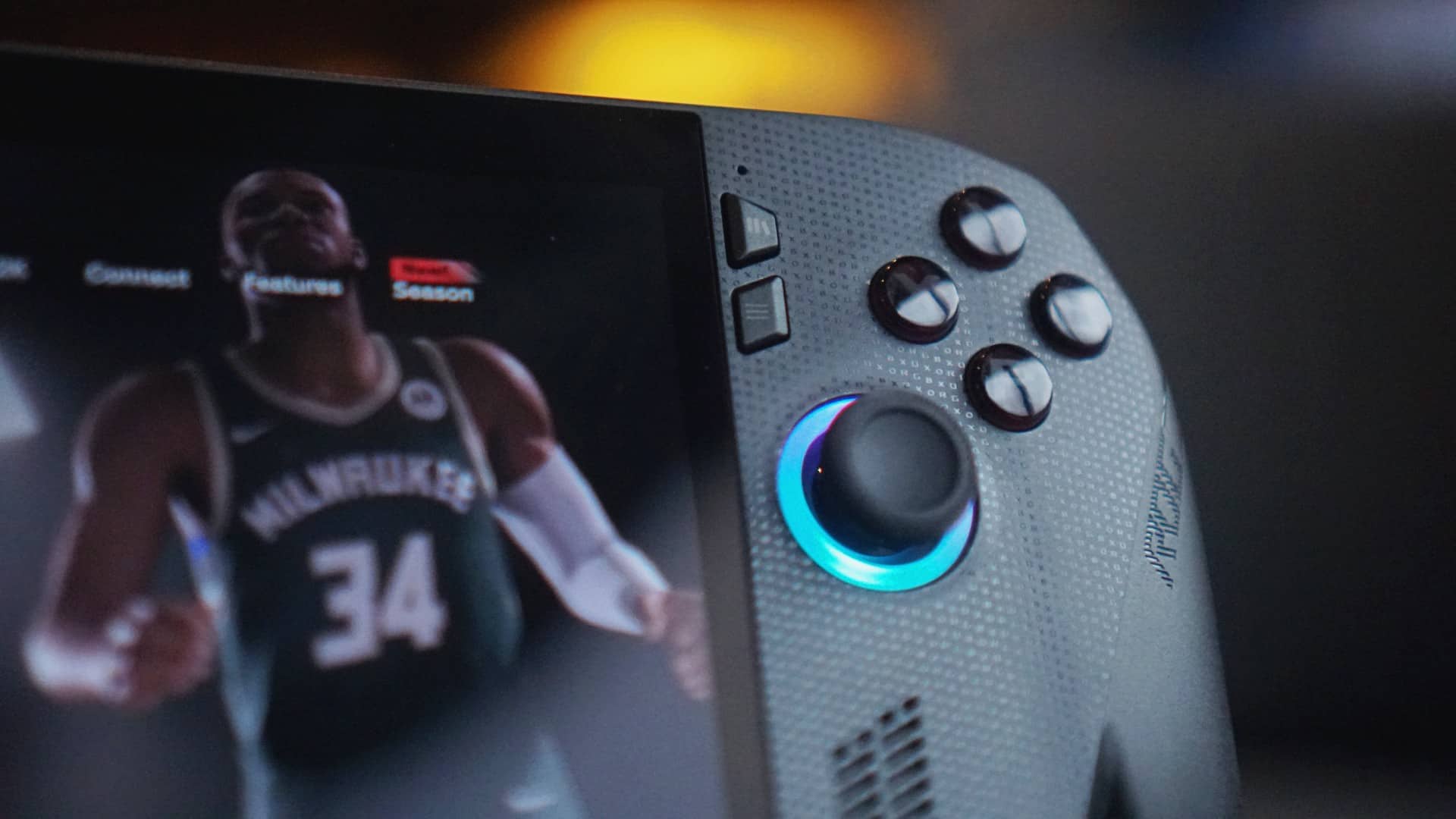
The first touch felt awkward — the kind of feeling you get when you’re not sure how to hold something new. But the longer you hold it, the more it starts to make sense.
The redesigned grips, patterned after Xbox controllers, give it a natural curve that rests well in your palms. It still doesn’t dig in as much as I’d like to – the way it does on the Legion Go S – but it’s certainly an improvement.
It’s subtly heavier than the original, but the weight works in its favor. The balance feels right. The texture, more grounded. It feels made for long sessions, not quick demos.
This is where ASUS seems to have listened. What was once a bit slippery now feels like an extension of your hands. The matte finish stays clean, the edges no longer bite. It’s a small but significant shift — and one that makes a world of difference in how it’s used.
First date
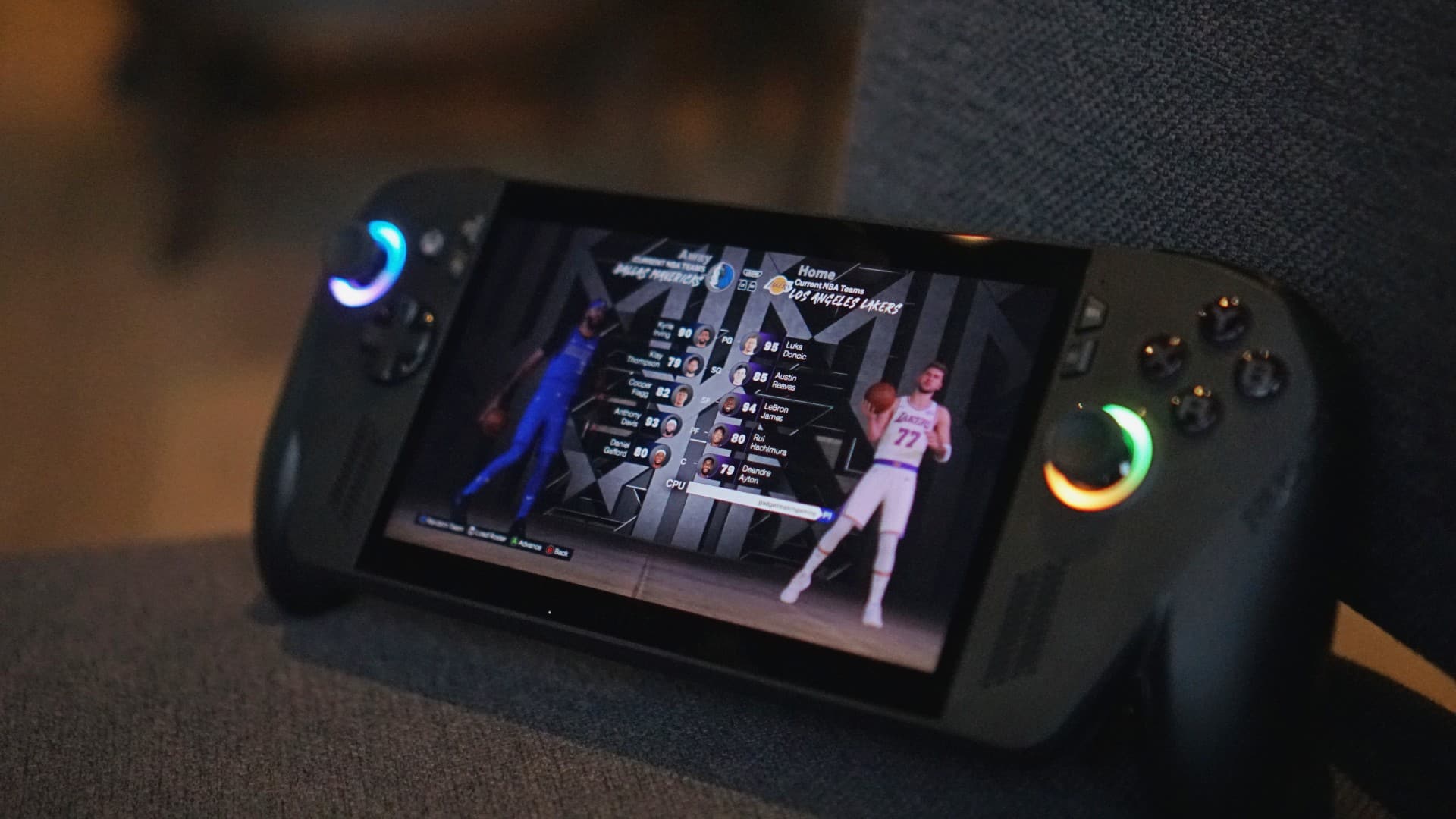
We tested it the same way we tested the original Ally: unplugged, Turbo mode, 25W TDP, NBA 2K Quick Play.
Back then, we couldn’t finish more than a single game and a few minutes of freestyle practice before the battery flatlined.
This time, it’s double that.
Two full games before reaching for the charger — and that’s without dialing down the settings. The new 80Wh battery doesn’t just promise endurance; it delivers it.
The cooling system has also been reworked, quieter yet just as efficient. It’s the kind of update that doesn’t make headlines, but you hear it – or I guess In this case, not hear it as much.
Together, these tweaks make the Ally X something the original never quite managed to be — a handheld that lets you play longer unplugged.
First impressions
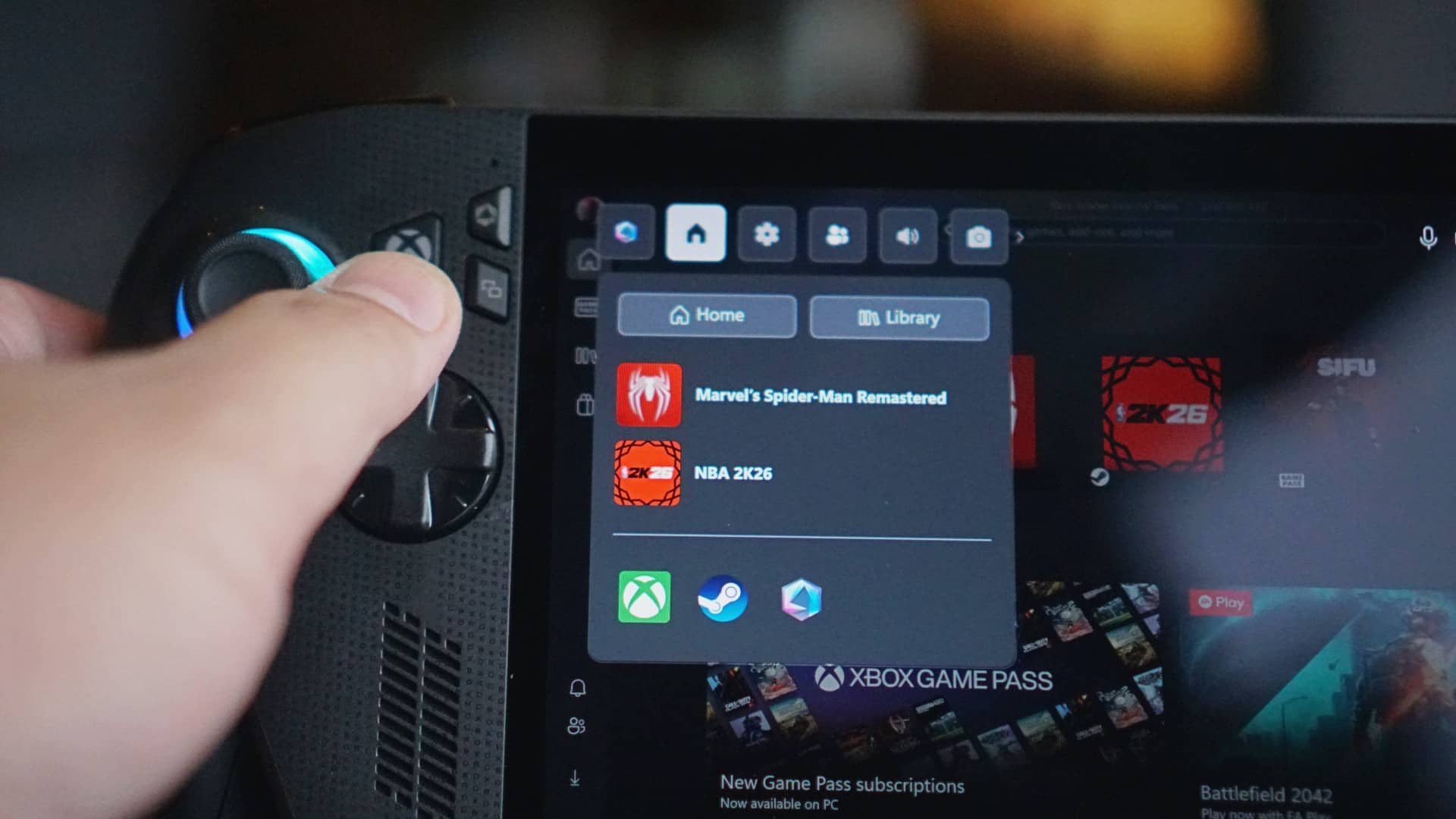
The Xbox influence is everywhere, and it’s not just branding. The Ally X now boots straight into the Xbox app, with the familiar button logo acting as your home key. Press it, and you’re instantly back in the Xbox ecosystem.
It feels less like a PC pretending to be a console, and more like a handheld that understands both worlds.
You can still jump into Steam or Game Pass with ease, but the default experience is unmistakably Xbox — intuitive, familiar, and cohesive.
All these refinements add up to something simple but powerful: this finally feels like a true successor.
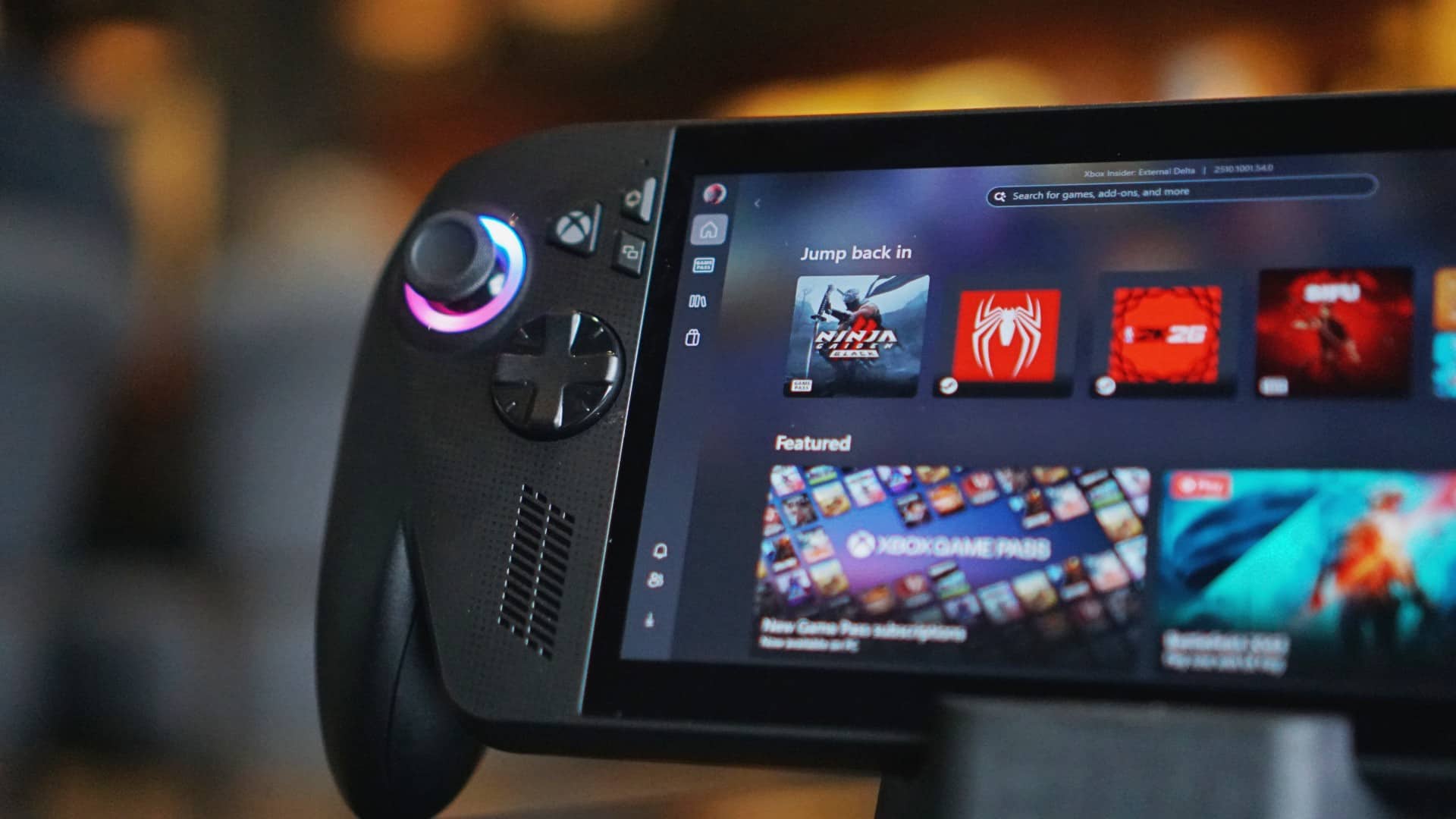
The ROG Xbox Ally X doesn’t reinvent the idea of handheld gaming, but it refines it where it matters — in the way it feels in your hands, in how long it lasts, and in how effortlessly it connects to what you want to play.
If the original was a promise, this one is fulfillment – still with room for improvement, sure, but I trust you get the gist.
Learn more: https://ph.rog.gg/playALLYourgames2025
Where to buy: https://ph.rog.gg/wheretobuy2025



IQOS x Isabel Santos turns heated tech into a cool, design statement

Neon Genesis Evangelion is getting another anime series

Nothing releases first look at Phone (4a)

Dyson PencilWash makes wet cleaning feel effortless

Jackery portable power solutions makes appearance at Doraemon Run

Breaking up with Adobe Photoshop after 20 years

TECNO will showcase the CAMON 50 and POVA 8 series at MWC 2026

PlayStation, LE SSERAFIM Chaewon team for the ‘Love of Play’ campaign

New DRAGON BALL game project “AGE 1000” for 2027 announced

VinFast updates battery subscription policy for large upfront savings


-

 Reviews2 weeks ago
The art of being in and behind the frame
-

 Gaming2 weeks ago
God of War Greek trilogy remake in development, Sons of Sparta out now
-
 India2 weeks ago
TECNO POVA Curve 2 5G packs an 8000mAh battery
-
 First Look2 weeks ago
Match Pulse: OPPO Reno15 Pro
-

 Accessories2 weeks ago
Sony WF-1000XM6 is out now: Price, availability
-

 Gaming2 weeks ago
New Resident Evil Requiem trailer teases a return to the RPD
-

 Accessories1 week ago
Apple AirTag 2 Review
-

 Gaming2 weeks ago
John Wick, Kena sequel, more new games showcased at State of Play