

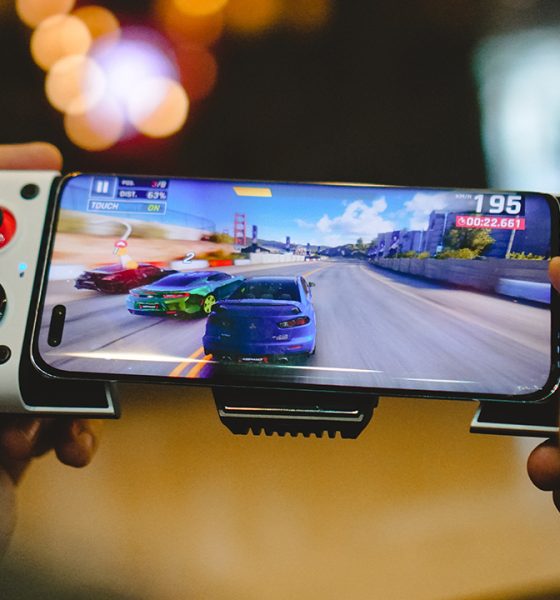

The last couple of months may have been the most time I spent playing mobile games. That’s because I got my hands on a couple of controllers/gamepads. First was the Razer Kishi V2. Next, and what I’ll talk about here, is the GameSir X3.
I know, the direct comparison between the two is inevitable since I’ve had the chance to use both. But that’s coming at a later time. For now, let’s dig through what the GameSir X3 has to offer.
Built-in cooler
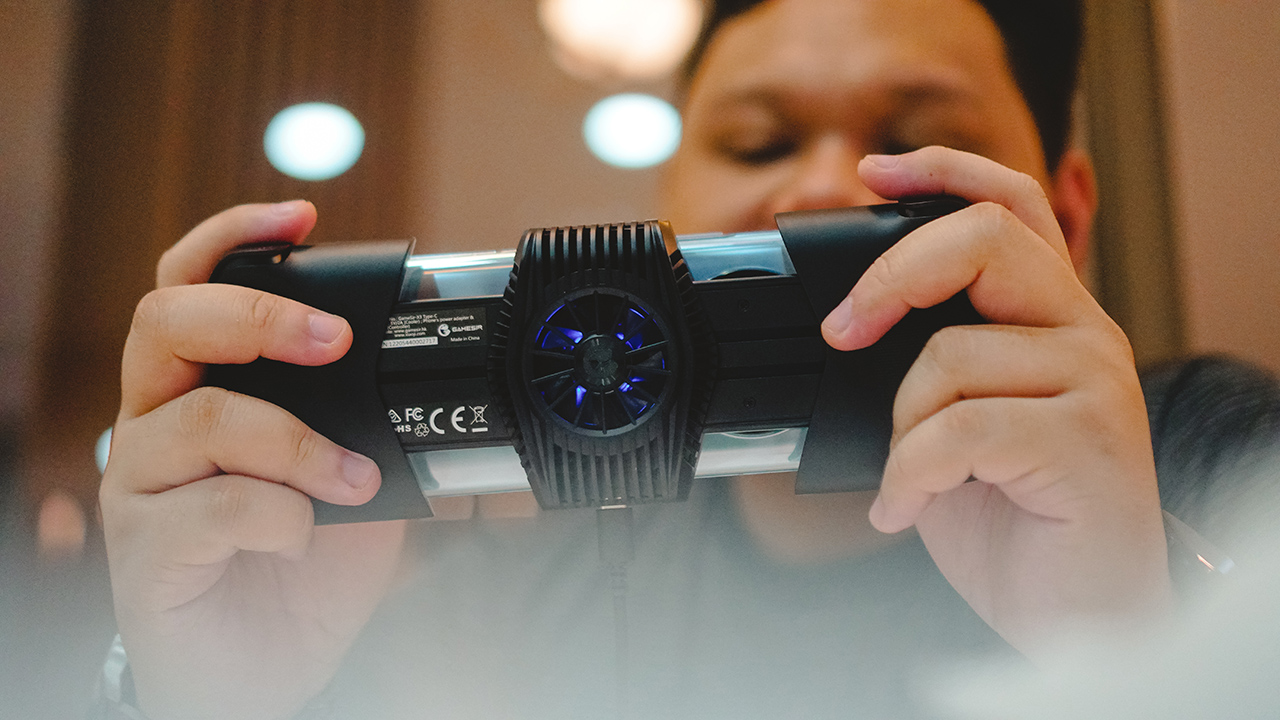 Let’s start with the one that sticks out the most — the built-in cooler. It’s easily the most noticeable addition to this gamepad from its predecessor, the GameSir X2.
What it’s for is pretty straightforward. Smartphones heat up when you game, and heating affects performance. To keep things cool and running smoothly, you need a way to cool the phone. This is why the ROG Phone is always accompanied by the company’s own AeroActive cooler.
GameSir built this using the concept of the Peltier cooling effect. It’s basically the transfer of heat energy between materials when an electric current passes through. The information on their website says there’s a surface temperature drop of up to 24°C.

In practice, it does help extend your play session by keeping your device cool. I typically don’t play longer than an hour on mobile. Which seems to already be an extended play session for mobile gaming standards.
Honestly, I can stop here. This takes the cake in terms of value-add on gamepads. If you’re an avid mobile gamer, just the cooling alone should have you excited. But of course, there’s more to the GameSir X3 than just that.
Ports and connectors
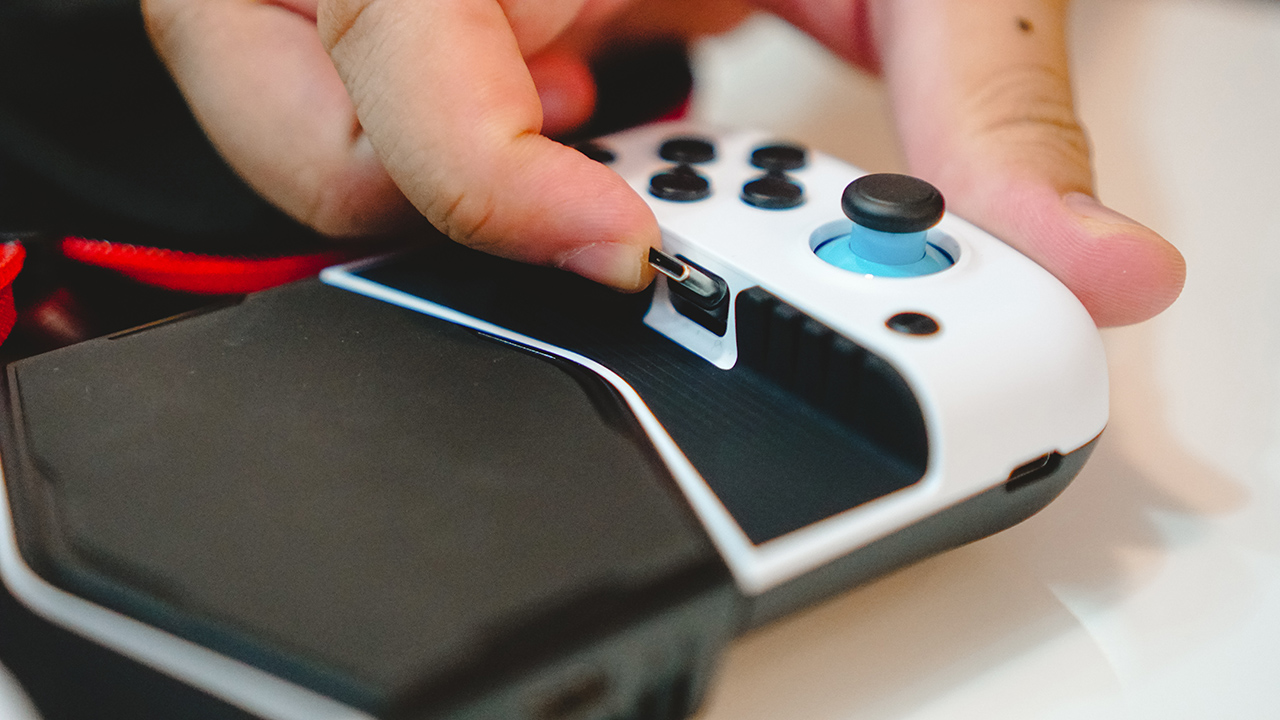
This version is made specifically for Android smartphones with a USB-C port. The USB-C connector, like its predecessor, is able to tilt. This allows you to easily connect the phone at an angle.
While the phone is connected to the gamepad, you can charge it via the USB-C port on the right-hand side of the device. Meanwhile, to activate the fan, and its RGB lighting, you can connect a USB-C cable in the lower middle area of the gamepad.
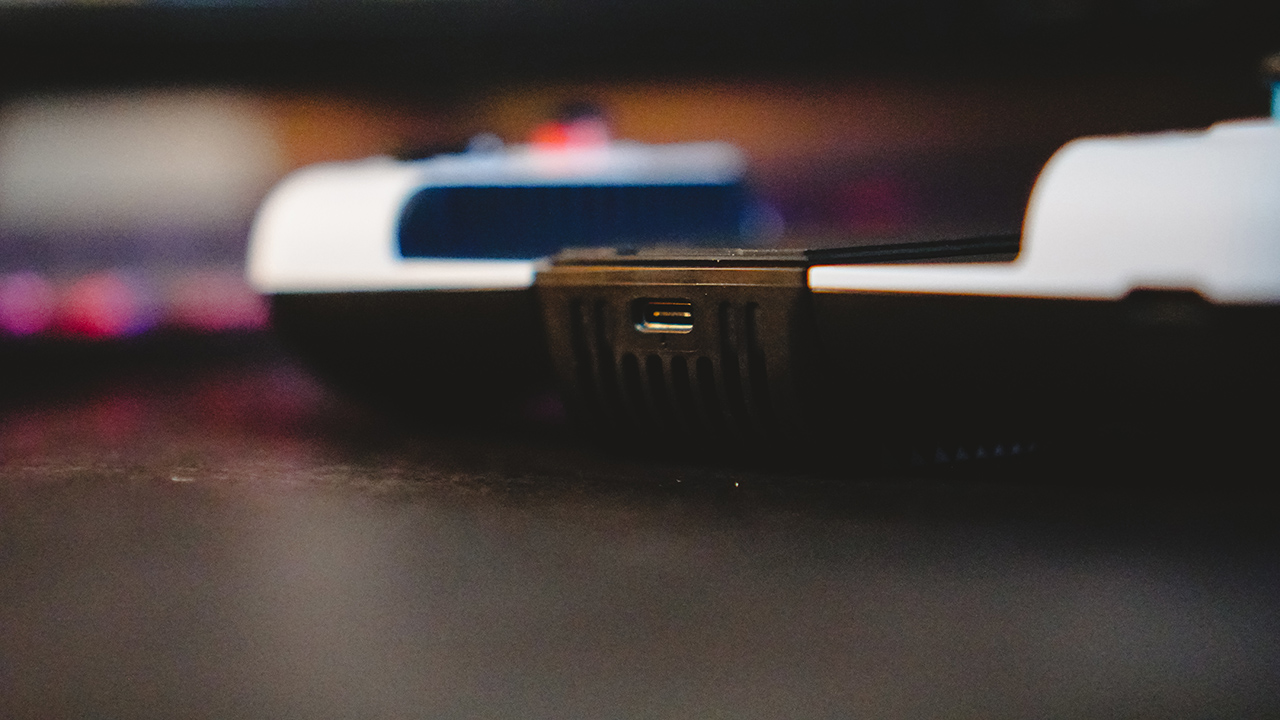
It’s worth noting that the USB-C port on the right is meant only for charging. If you wish to use headphones, it’s advised to use wireless ones.
The bridge extends to comfortably fit even some of the largest smartphones out there. But if you want to know if your phone is a match, the compatible length is between 110mm to 179mm.
Buttons, thumbsticks, and d-pads
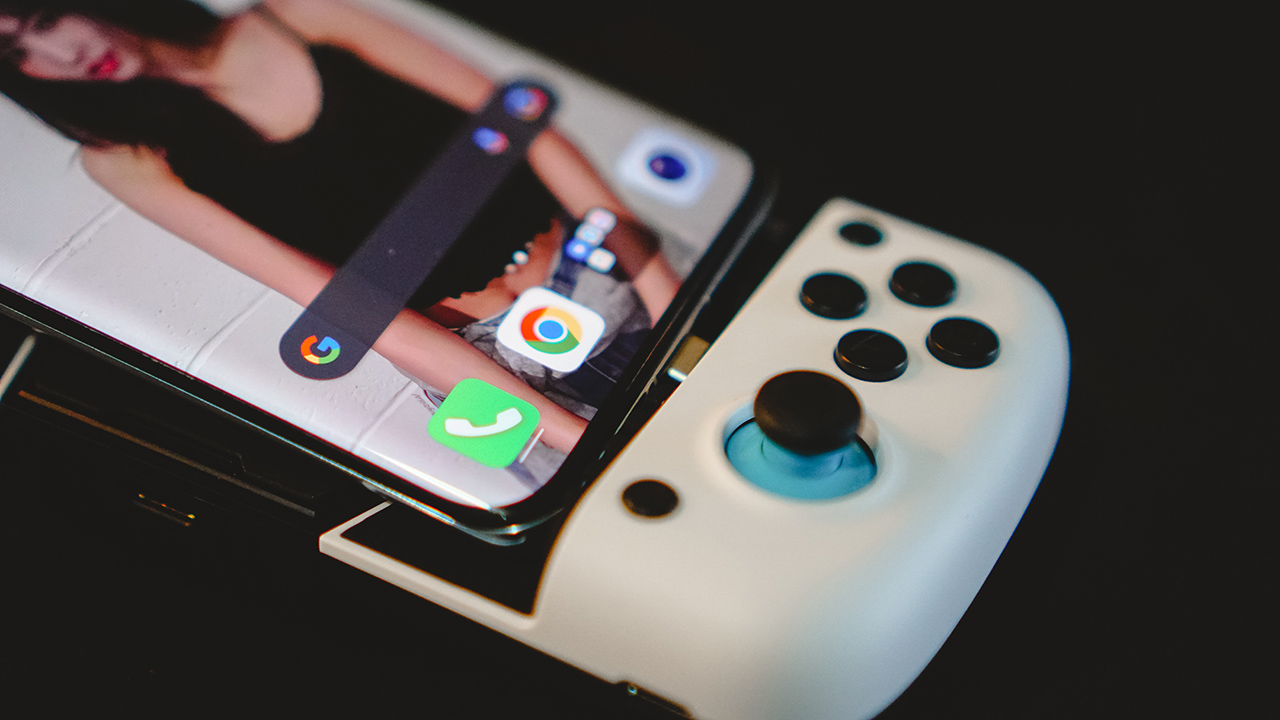
GameSir continues to be generous with options. Upon purchase, you’ll get two sets of d-pads, two sets of thumbsticks and their caps, along with two button layouts. One is for Xbox and another is for Switch.
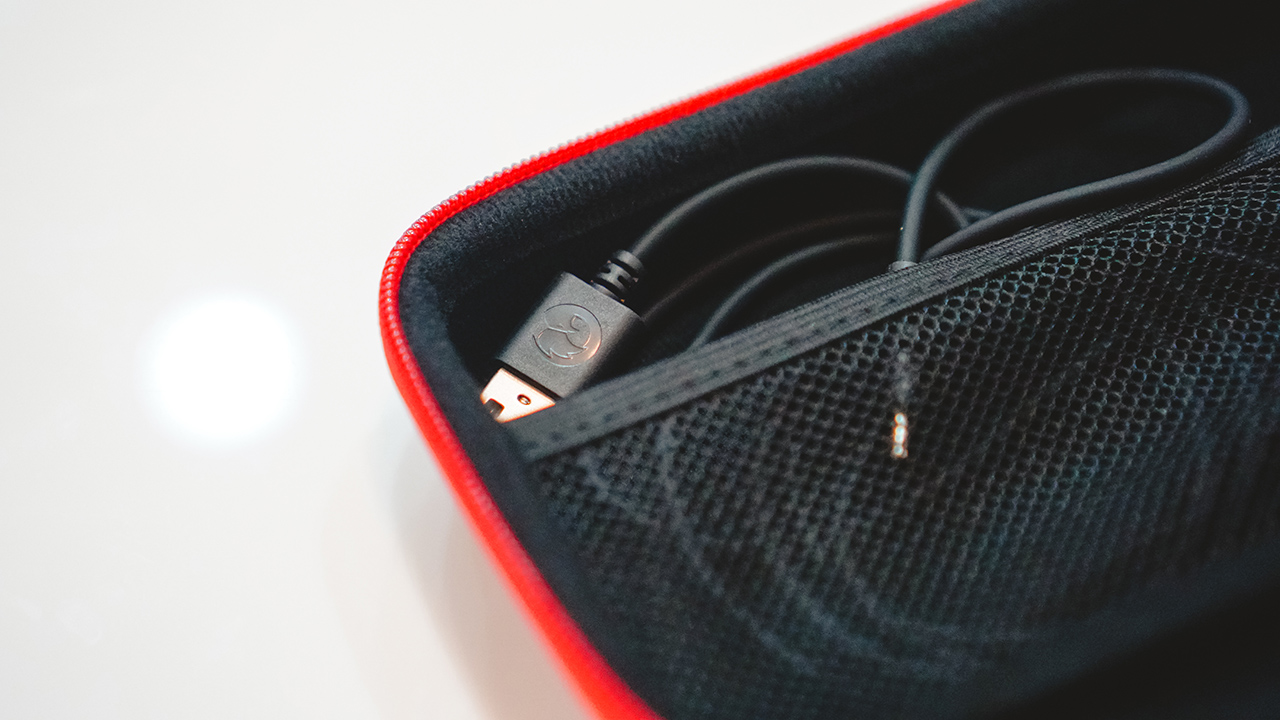
You also get a USB-C to USB cable and a nice and sturdy carrying case. Great, great value.
I’m not one to tinker too much with devices, especially since I barely have the time to do so. That’s why I decided to stick to the setup right out of the box. That is the more traditional sticks and buttons. As for the layout, I went with the Xbox one.

I more regularly game on a PlayStation 5 so that’s my baseline comparison for how tactile buttons are. For what it is, the face buttons on the GameSir X3 feel alright. They’re smaller and don’t press as deep as what I’m used to. I’d say even the Razer Kishi V2 felt deeper but not by much. Regardless, I think it’s still a better experience than tapping a flat screen.

The thumbsticks feel great and appear to be durable. I can’t count the number of times I just suddenly space out while mindlessly playing with the thumbsticks. It never felt like they would break and there’s no drifting whatsoever.

The shoulder and trigger buttons have a more consistent feel to them. What I mean is that they feel similar when you press them which differs from most other gamepads. Usually, the shoulder buttons feel deeper than the triggers. It still feels nice to use and is something one can easily get used to.
App support
There are two key software you’ll want to check out and use alongside the GameSir X3.
GameSir World
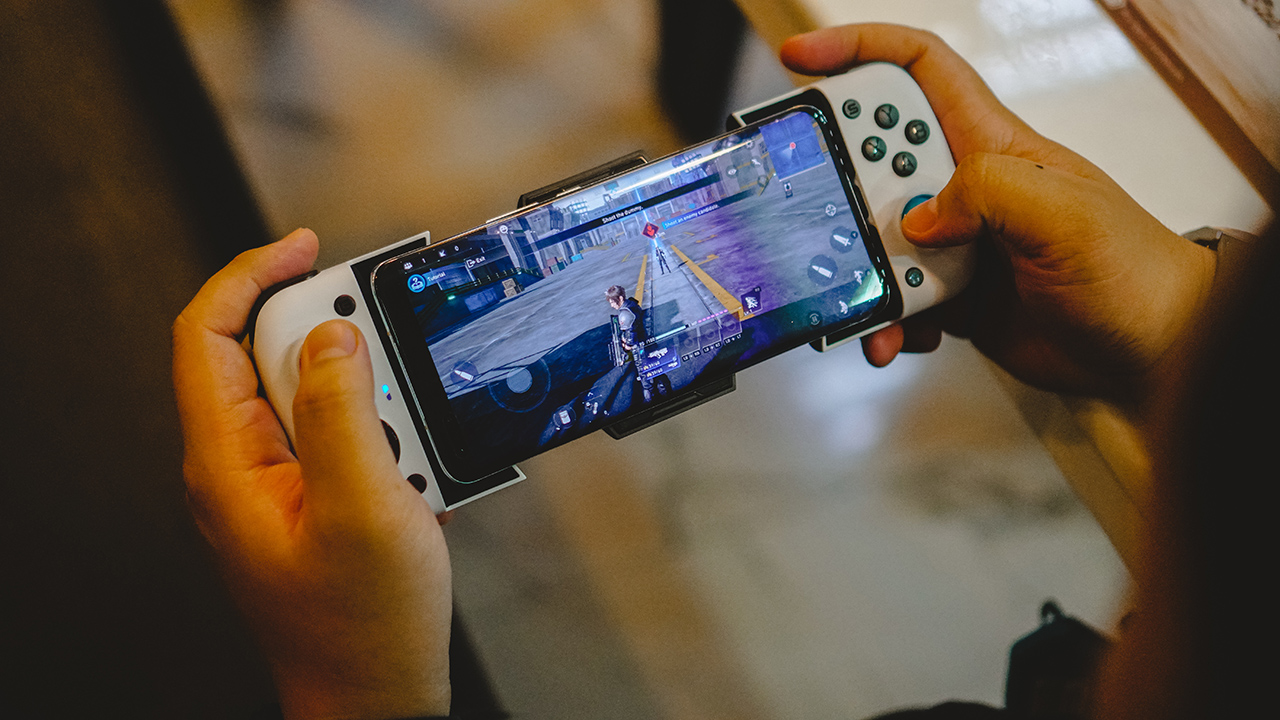
First is the GameSir World app. Here, you can switch modes and force the button mapping configuration. With it, you can play games that typically don’t have controller support. The app will prompt you to press the G and Home buttons at the same time to Switch. The LED indicator on the left will change from Blue to Indicate to indicate the change in modes.
Personally, I used it to play Genshin Impact and Call of Duty: Mobile. I had a tough time playing the first person shooter, but on an open-world RPG like Genshin Impact, having a gamepad is a godsend. It felt like I’m actually playing on a hand-held console.
By default, with the LED indicator color in Blue, the GameSir X3 will work with any controller supported game. Some notable titles are: Asphalt 9, Final Fantasy VII: First Soldier, Life is Strange, and many more.
TapTap

If you’re down to explore more games, that’s where the second app comes in. It’s called TapTap. There’s a voucher inside the packaging that gives you a brief look at it. It also contains the QR Code you need to scan so you can download the app. You can either do that or download it here.
With the TapTap app, you’ll be shown a few feeds. The main one is a sort of hub for news on popular mobile games. Swipe right and you’ll see game recommendations by genre. There’s RPG, Action, Puzzle, Casual, and many more.

I had already forgotten some of the titles we tried but some of our favorites are a One Piece game and a side-scrolling beat’em up. With TapTap, it’s easier to find games that are controller-ready, so you don’t have to go through the trouble of mapping buttons before you play.
Is the GameSir X3 your GadgetMatch?

The GameSir X3 is one of the easiest gamepads to recommend. It builds on everything that was already good with its predecessor while adding a killer, or rather cooler feature.
Not only that, you get fantastic value with the assortment of buttons included along with the pretty sleek-looking carrying case.
GameSir went above and beyond in delivering a gamepad for mobile gamers that are desperate for physical buttons. With the GameSir X3, you get a complete package, and then some. This one easily gets the GadgetMatch seal of approval.
The GameSir X3 retails for US$ 99. Buy here.





Acer is expanding its storage lineup with the PA100 Portable SSD. It’s a compact external drive designed for users who need faster storage across multiple devices.
The PA100 uses USB 3.2 Gen 1 connectivity. It reaches sequential read speeds of up to 560MB/s and write speeds of up to 430MB/s. This makes it suited for everyday tasks such as transferring large files, backing up content, managing documents, and moving media between devices.
Up to 2TB of portable storage
The PA100 comes in three capacities: 500GB, 1TB, and 2TB. This gives users options depending on whether they need extra space for documents and schoolwork or larger collections of photos, videos, and project files.
Acer also designed the drive with mobility in mind. The PA100 has a slim 9mm profile and a lightweight build, while its reinforced construction is designed to withstand everyday travel and handling.
The drive comes with a 2-in-1 USB-C to USB-C and USB-A cable. This allows it to connect to compatible PCs, tablets, smartphones, and other devices without requiring a separate adapter. It also supports major operating systems and USB-C mobile platforms.
Designed for everyday use
Power efficiency is another focus. Acer says the PA100 uses less than 3W during operation, while idle power consumption can drop to as low as 0.62W.
The drive also features an optimized thermal design to help maintain stable performance during extended transfers and daily workloads.
The Acer PA100 Portable SSD is backed by a three-year limited warranty. Pricing and availability may vary by market.
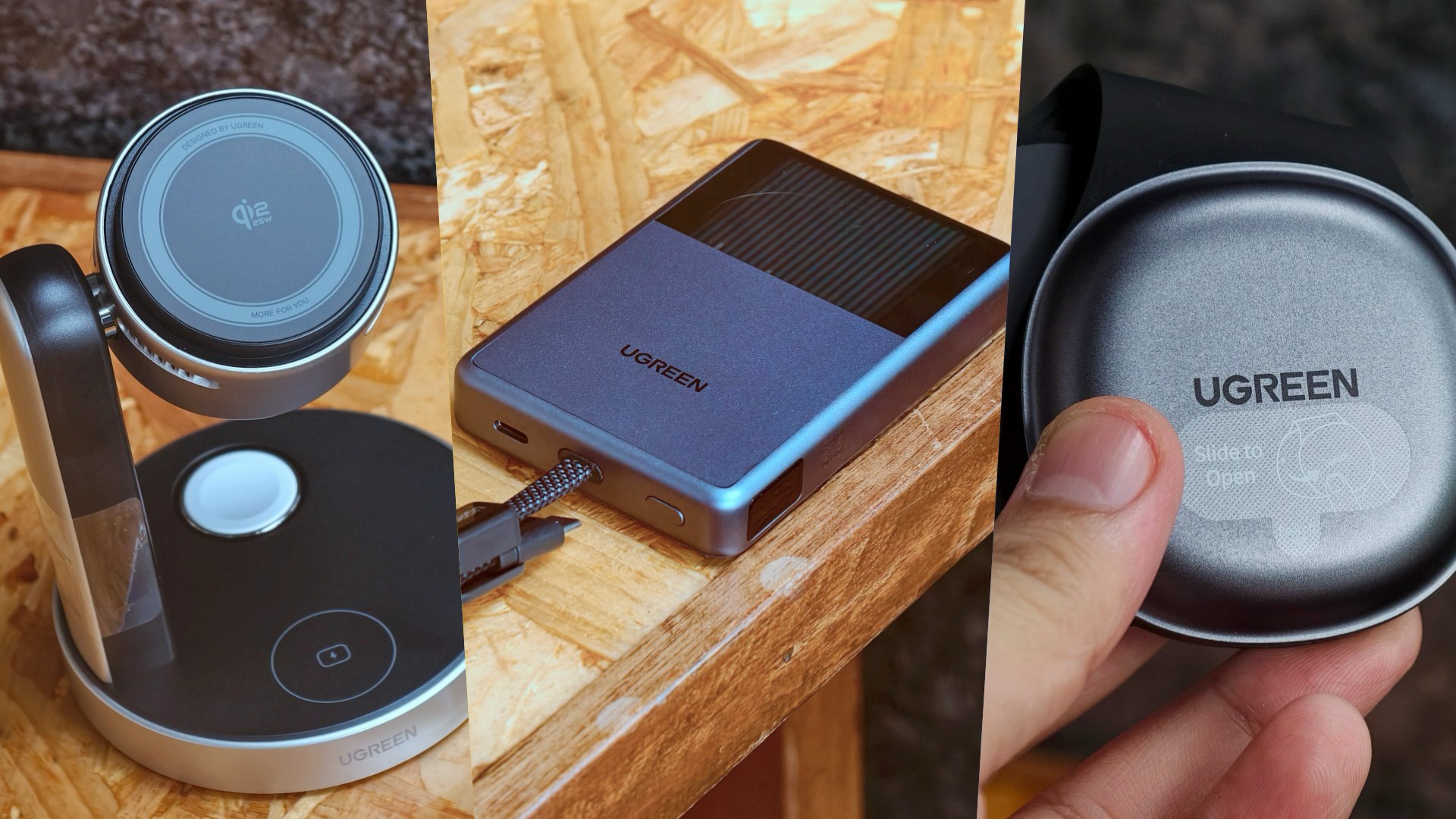
UGREEN has expanded its MagFlow lineup with three new wireless charging products. The range now covers portable power, desktop charging, and travel.
All three support Qi2 25W charging. UGREEN also focuses on thermal management to keep charging cooler and more consistent.
A cooler power bank
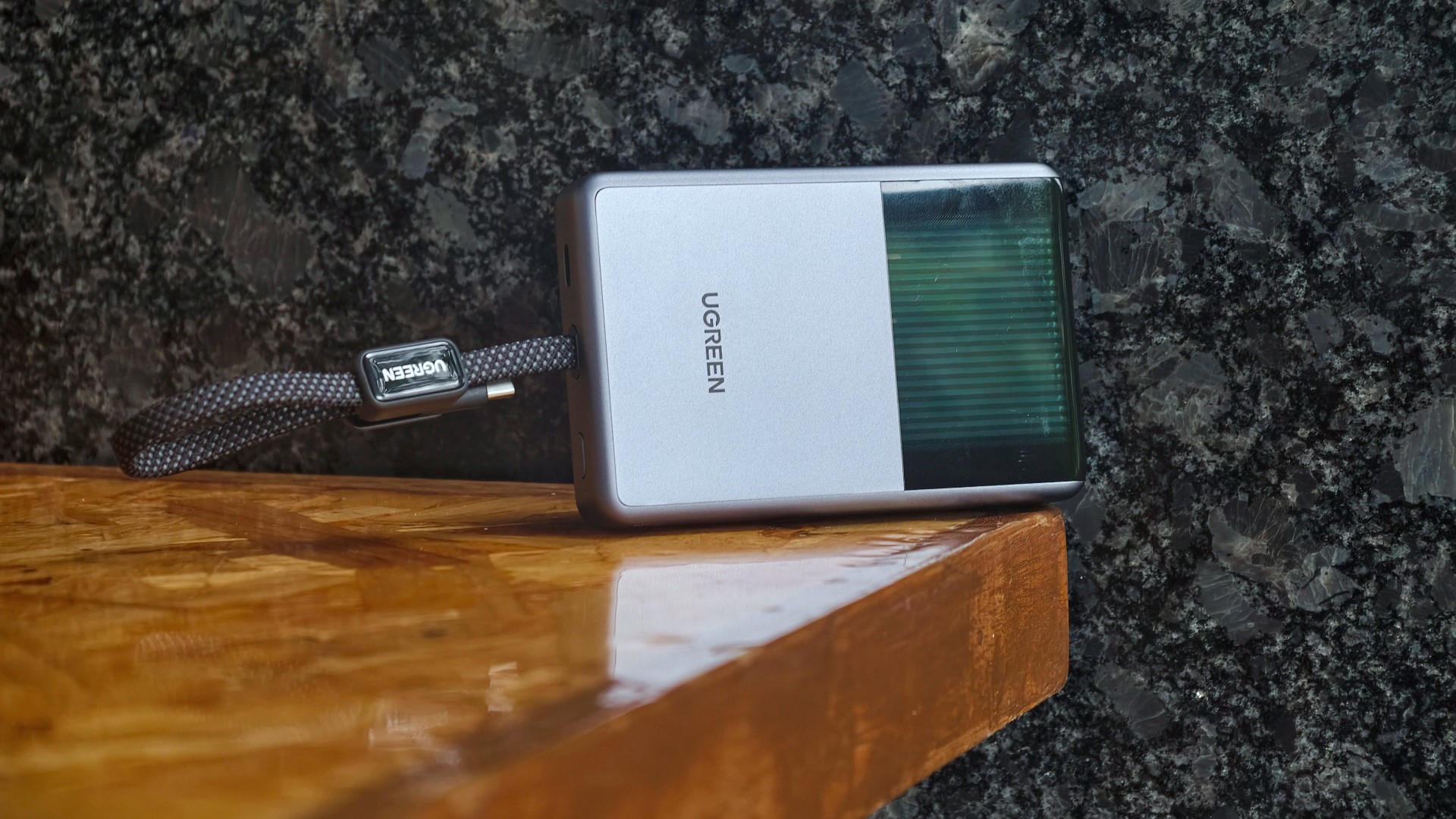
The highlight is the UGREEN MagFlow Pro Magnetic Power Bank 10000mAh 25W. UGREEN calls it the world’s first liquid-cooled Qi2 25W magnetic power bank.
It uses UGREEN’s CryoPulse technology. A micro-pump circulates coolant around key components to draw away heat. A Cyber Window also lets users see the cooling process in real time.
UGREEN says the system can keep peak temperatures up to 18°F below the industry benchmark. The power bank also uses Dymondcell 2.0 high-density ATL cells.
A built-in smart display shows charging power, battery level, cycle count, and cooling status. UGREEN says the power bank can charge an iPhone 17 Pro Max to 50 percent in 40 minutes.
Charging three devices at once
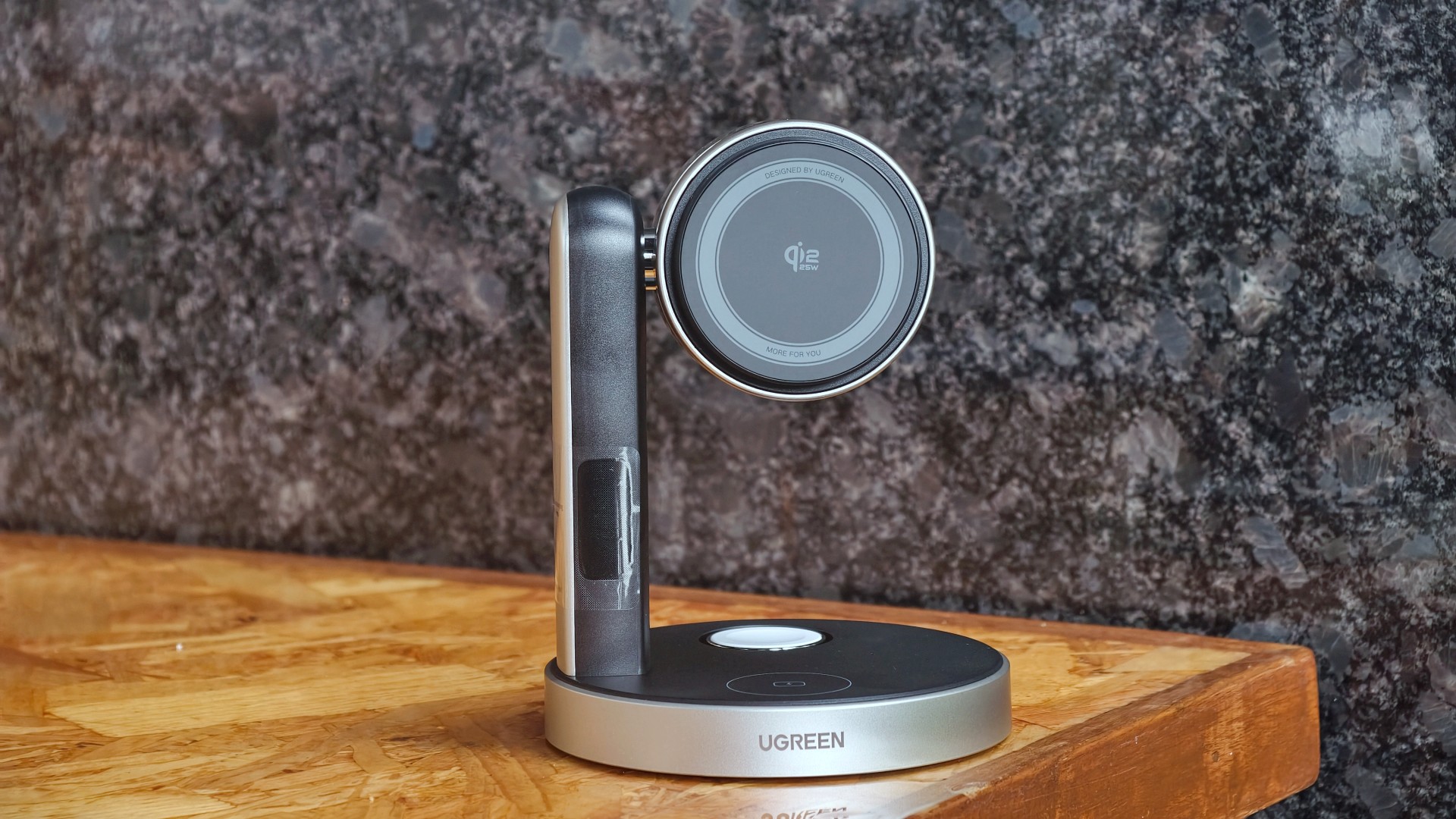
The UGREEN MagFlow Pro 3-in-1 Magnetic Wireless Charging Stand 25W targets desktop setups. It can charge an iPhone, Apple Watch, and AirPods at the same time.
The stand uses CryoPulse TEC active cooling and an ultra-quiet 15dB fan. Its thermoelectric cooling system draws heat away from the charging surface.
UGREEN says the center of the charging surface can reach temperatures as low as 51.8°F. It can also charge an iPhone 17 Pro Max to 50 percent in 26 minutes under its internal testing conditions.
The stand has an adjustable design for easier viewing. A smart display shows charging power and temperature.
A foldable charger for travel

The UGREEN MagFlow 2-in-1 Foldable Magnetic Wireless Charger 25W offers dual-device charging in a compact design.
It can also work as a magnetic phone stand. Users can set it up on a desk or bedside table, or bring it along while traveling.
When folded, the charger takes on a palm-sized clamshell design that fits into a pocket or bag.
All three MagFlow products are available now.
- The MagFlow Pro Magnetic Power Bank 10000mAh 25W costs USD 149.99.
- The MagFlow Pro 3-in-1 Magnetic Wireless Charging Stand 25W costs USD 159.99.
- The MagFlow 2-in-1 Foldable Magnetic Wireless Charger 25W is priced at USD 59.99.
UGREEN sells all three through its official store and Amazon.
Accessories
Acer announces 1st FHD 1000Hz gaming monitor: Predator XB253Q U1
Acer unveils new lineup of monitors across Predator, Acer Nitro, and Acer ProDesigner brands

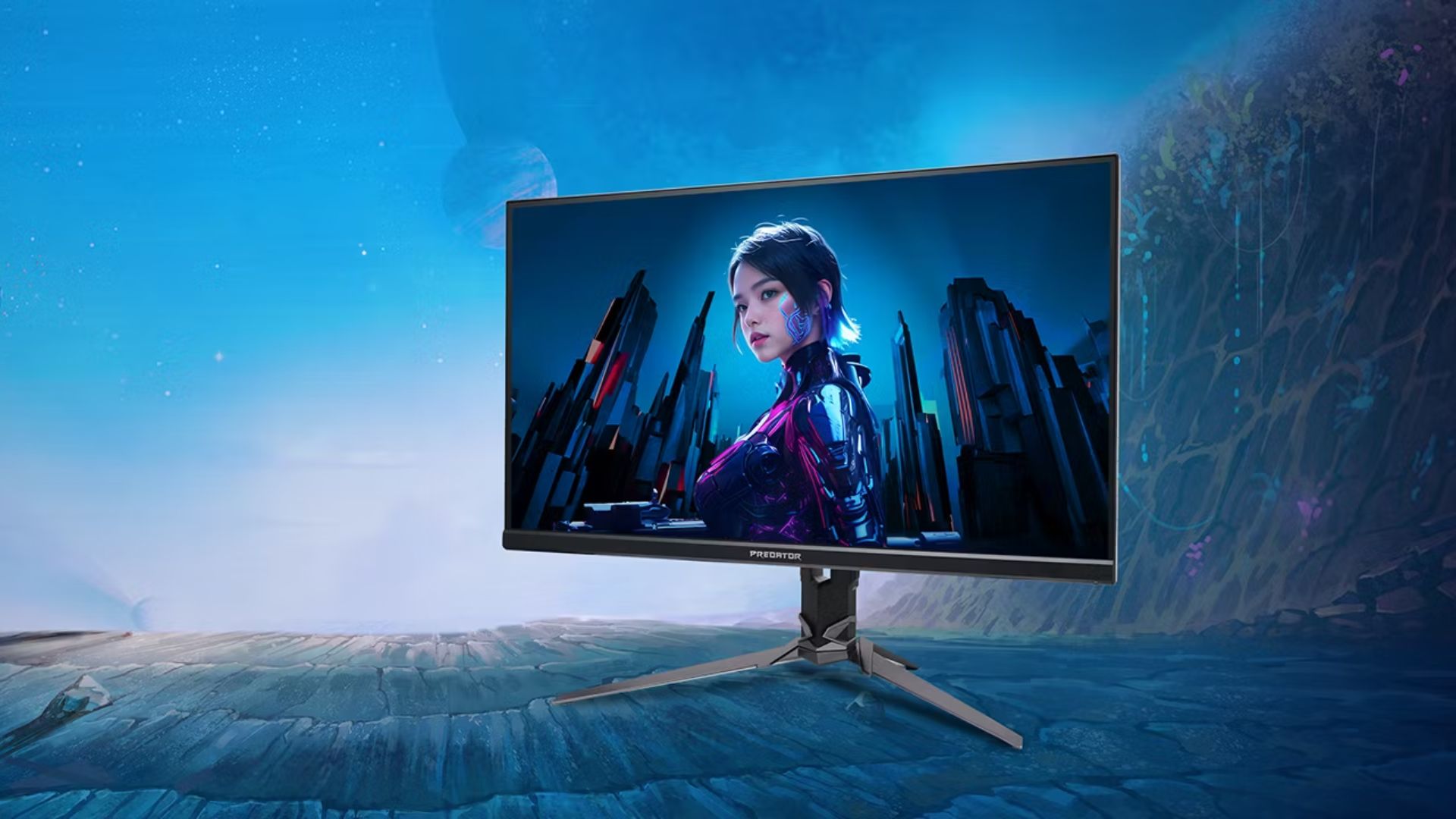
Acer has announced a full lineup of monitors for high-powered gaming and content creation, headlined by the first FHD 1000Hz gaming monitor Predator XB253Q U1.
This offering leads various releases across the Predator, Acer Nitro, and Acer ProDesigner portfolios.
The Predator XB253Q U1 monitor is a premium gaming display designed for top-tier responsiveness for fast-paced titles and esports competitions.
It comes in an optimal 24.5-inch display size for esports environments and delivers ultrafast visual response, motion clarity, and consistent performance.
It features a 1000Hz refresh rate with FHD resolution, along with Acer’s Visual Response Boost (VRB) Pro technology to reduce motion blur and ghosting for fast-moving objects.
The monitor is VESA DisplayHDR400 certified and includes Circular Polarizer technology to reduce glare and eye strain during longer gaming sessions.
Furthermore, it also offers AMD FreeSync Premium and NVIDIA G-SYNC Compatible for tear-free gaming visuals.
Acer unveils new monitors
Acer also released the Predator X23 V3, which comes with a 31.5-inch QD-OLED Penta Tandem display. It has a UHD resolution with 180Hz refresh rate, VESA DisplayHDR True Black 400 certification, and 99% DCI-P3 color gamut.
For a versatile option for both gaming and creative work, there’s the 27-inch Predator XB273K V7. It comes with up to a 500Hz refresh rate, and a baseline UHD resolution at 160Hz.
Users can switch on up to FHD resolution at 500Hz for fast-paced gameplay. This option also offers AMD FreeSync Premium and NVIDIA G-SYNC compatibility. An Acer Smart Dial is also built-in for remote adjustments.
Moreover, Acer has launched the 27-inch Acer Nitro XV275X P, which offers 5K resolution, 2304-zone Mini LED backlighting, and a 0.5ms GTG response time.
This variant is also ideal for creative work with 99% Adobe RGB, 99% sRGB, 99% DCI-P3 color gamuts and Delta E<2 color accuracy.
Speaking of creatives, the Acer ProDesigner PE270X P monitor is built for professional creative work.
It delivers exceptional 5K clarity at a 5120 x 2880 resolution, alongside factory calibration Delta E<1 factory calibration.
More options
For curved display enthusiasts, there’s the Acer Nitro XZ340CKR P monitor. This curved 34-inch display offers up to a 5120 x 2160 resolution at 180Hz, and up to a 360Hz refresh rate at WFHD resolution.
Features include: 0.5ms GTG response time, AMD FreeSync Premium, HDR10 certification, and 90% DCI-P3 color gamut.
Rounding out the lineup are the Acer Nitro XV275U Z2 and Nitro XV270U Z3 monitors. These 27-inch displays are designed as a single display that caters to multiple needs of modern gamers.
They can handle AAA titles and competitive esports, while providing a balance between image quality and ultra-high refresh rates.
They also both support tri-mode DFR technology, allowing users to choose among three optimized visual experiences with one click.
Pricing availability
Predator XB253Q U1
- North America (Q1 2027): Starts at US$ 1,099.99
- EMEA (Q1 2027): Starts at EUR 1,099
- China (Q1 2027): Starts at RMB 7,999
Predator X32 V3
- North America (Q1 2027): Starts at US$ 899.99
- EMEA (Q1 2027): Starts at EUR 899
- Australia (Q2 2027): Starts at AUD 1,999
- China (Q1 2027): Starts at RMB 5,999
Predator XB273K V7
- North America (Q4 2026): Starts at US$ 449.99
- EMEA (Q4 2026): Starts at EUR 449
- Australia (Q2 2027): Starts at AUD 899
- China (Q4 2026): Starts at RMB 2,999
Acer Nitro XV275X P
- North America (Q1 2027): Starts at US$ 1,199.99
- EMEA (Q1 2027): Starts at EUR 1,199
- China (Q1 2027): Starts at RMB 9,999
Acer Nitro XZ340CKR P
- North America (Q4 2026): Starts at US$ 699.99
- EMEA (Q4 2026): Starts at EUR 699
- China (Q4 2026): Starts at RMB 4,999
Acer Nitro XV275U Z2
- North America (Q4 2026): Starts at US$ 329.99
- EMEA (Q4 2026): Starts at EUR 329
Acer Nitro XV270U Z3
- North America (Q1 2027): Starts at US$ 299.99
- EMEA (Q1 2027): Starts at EUR 299
- China (Q1 2027): Starts at RMB 1,999
Acer ProDesigner PE270X P
- North America (Q1 2027): Starts at US$ 1,299.99
- EMEA (Q1 2027): Starts at EUR 1,299







LG’s AI Home vision comes to life at IFA 2026 with innovative showcase

Ford’s new Everest lineup brings V6 engine to the top, tech down the line

Xiaomi makes IFA debut, showcasing ‘Human x Car x Home’ ecosystem

TCL showcases expanding AI technologies at IFA 2026

XGIMI announces AURA 3 Series 4K 120Hz UST projectors

TECNO MEGAPAD 2 review: Eyes on the size

realme 16T 5G with 8000mAh battery, IP69 Pro rating launches in PH

REDMI Note 17 Series focuses on long-term reliability

realme 16T to come with 8,000mAh battery, 7-year battery health guarantee

HUAWEI Pura X View is 2026’s first WIDE slab-type smartphone


-
 News1 week ago
realme 16T 5G with 8000mAh battery, IP69 Pro rating launches in PH
-

 Singapore1 week ago
REDMI Note 17 Series: Price, availability in Singapore
-
 News1 week ago
REDMI reveals the refreshed Note 17 and Note 17 Pro series
-

 Cameras2 weeks ago
Insta360 Luna Ultra review: My new solo coverage camera
-

 Reviews1 week ago
REDMI Note 17 Pro review: What a rollercoaster ride!
-

 News2 weeks ago
HONOR Magic V6: Price, availability in the Philippines
-

 Features7 days ago
The designated photographer’s new favorite phone: OPPO Reno16 Series 5G
-

 Automotive2 weeks ago
Tesla involved in recalling over 4 million electric cars