
News
Facebook Messenger’s group chats have admin privileges now
Take control of your conversation


Facebook Messenger is getting more features!
Admin privilege functions for group chats on Messenger are rolling out. This new feature will allow chat admins to approve or disprove new members attempting to join the group. Facebook’s chat app allows 250 people in a chat group, so this can be a particularly useful feature.
Much like instant messaging groups in the 90s (cue: mIRC and the like), group chat admins will now have the power to remove people from the chat. Admins will also have the capability to promote other members to admin status or remove such status.
Another added feature: You can now also create joinable links for each group chat — simply create this custom invite link and send to those you want in the chat.
Ever since Facebook Messenger got its own separate app in 2014, Facebook has been consistently ramping up its features. Last year, features like in-chat @ mentions, chat reactions, and even group payments (only available in certain countries) were introduced. This is in line with Facebook founder Mark Zuckerberg’s goal of a “dedicated and focused experience” on messaging.






News
The vivo X Fold6 is the first foldable to support teleconverter lens
Also boasts the biggest battery and the bestest cameras in any foldable to date


While the rest of the smartphone space wants to divert your attention towards the upcoming wide-style foldables, vivo focuses more on bringing a better and smarter foldable experience with the all-new X Fold6.
The better multitasker
vivo’s software team has invested much of their hard, sweat, and tears by bringing improved multitasking features exclusive for the X Fold6 with the OriginOS 6 Fold.

Graphics by Vincenz Lee | GadgetMatch
Last year’s X Fold5 brought multitasking improvements with the Atomic Workbench feature. Serial Mode was the default layout with a main page and four tasks on the side all displayed in one screen
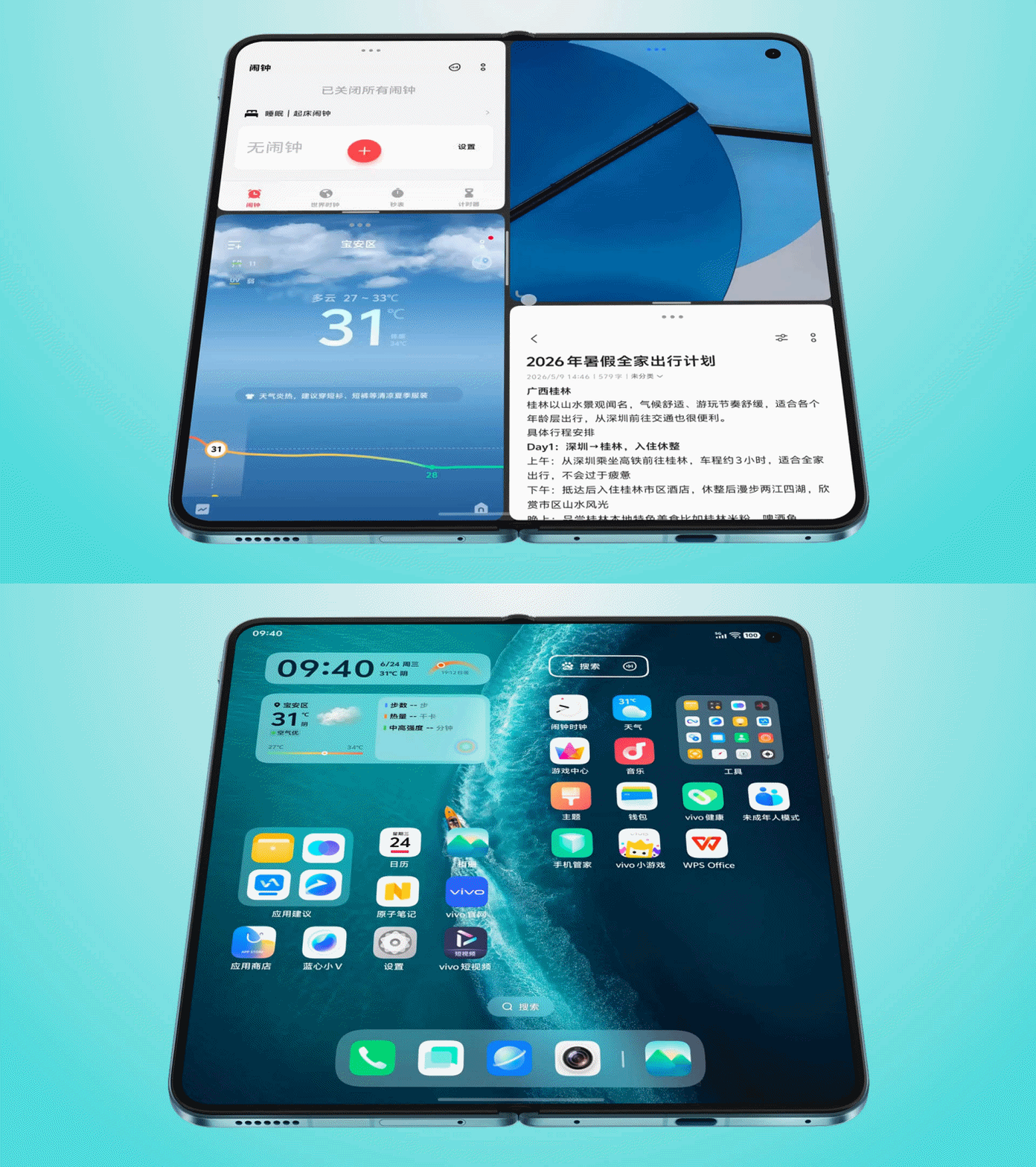
In this year’s X Fold6, they are introducing a newer “Parallel Mode” layout with in-your-face multitasking experience spliced in several customizable windows à la Mondrian grid.

GIF by Vincenz Lee | GadgetMatch
And it’s not just your typical split-screen divisions with floating windows panes and an adaptive dock, OriginOS 6 Fold promises a more intelligent yet more efficient workspaces never done by other manufacturers in their foldables over the past few years.

GIF by Vincenz Lee | GadgetMatch
There are four basic scenarios provided for the X Fold6:
- AI Workbench
- Office Workbench
- Tourist Workbench
- Shopping Workbench
GIF by Vincenz Lee | GadgetMatch
vivo even promises “thousands” of Atomic Workbench app combos for “thousands” of people:
- Stock Workbench
- Creative Workbench
- Watch the Game Workbench
- Ticket-grabbing Workbench
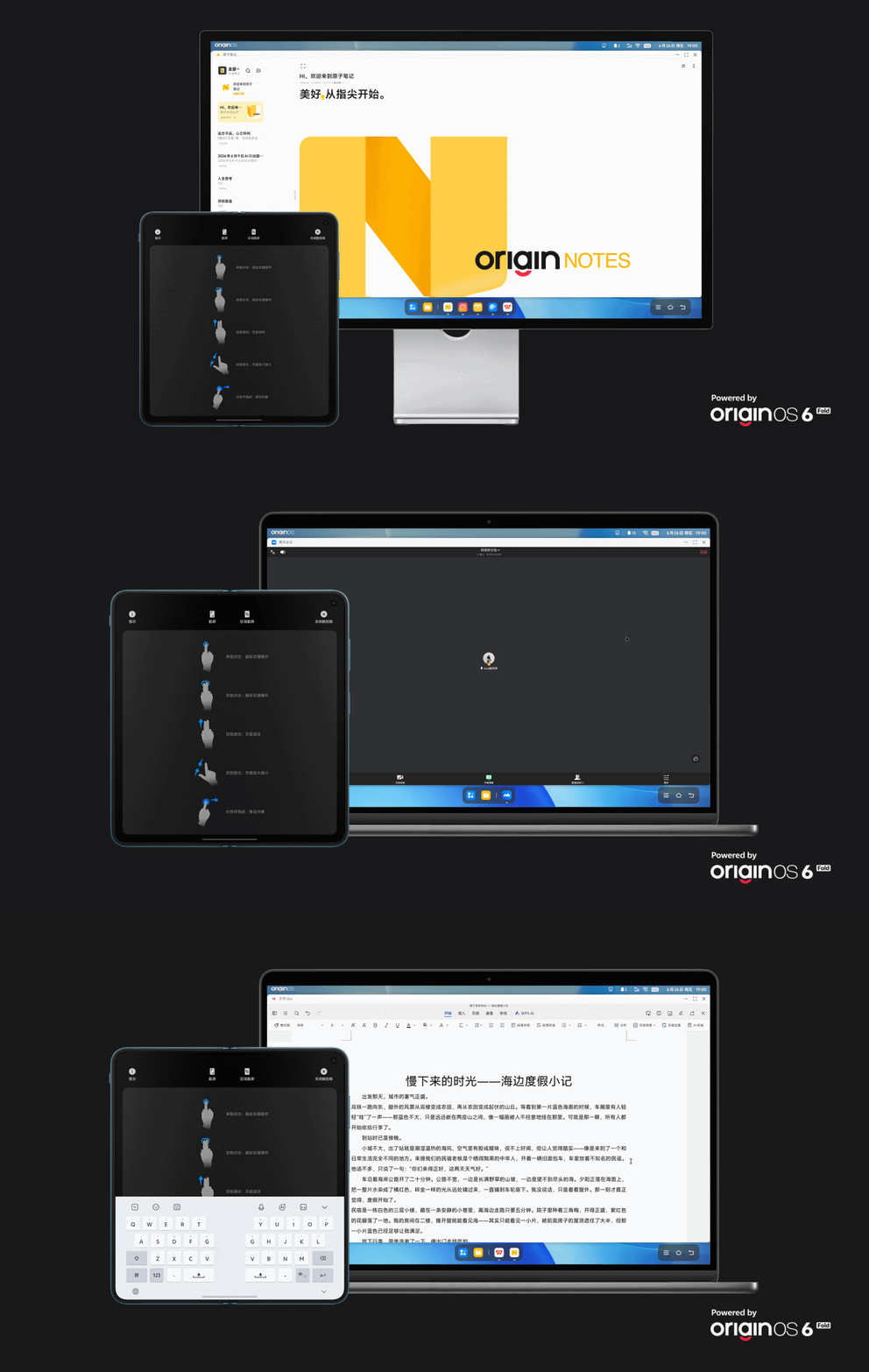
If you feel limited by that foldable workspace, connecting the X Fold6 through several display devices such as your monitor or TV enables you a maximized PC mode as well as side-by-side interconnection and collaboration.
GIF by Vincenz Lee | GadgetMatch
Heck, even cross-compatibility between apps and other devices (regardless if iPhone, Android, Windows, or Mac) are all seamless with one another.
The possibilities are just endless with vivo’s latest X-foldable.

And while we’re at it, the vivo X Fold6 sports a 8.02-inch display when unfolded (alongside Samsung’s M14 inner screen luminous material) while 6.51-inch cover display when closed.
Both are LTPO 8T AMOLED adpative 120Hz displays that can reach up to 5000 nits of peak brightness — and as low as 1Hz and 1-nit when deemed useful.
Both screens also have a pixel density of 424ppi with support for 1.07 Billion Colors as well as HDR10+ and Dolby Vision content.
Full-fledged flagship foldable
vivo went all out with the X Fold6 not just in terms of software experience, but also the core hardware found within.
For one, it’s powered by the Dimensity 9500 Super Edition 3nm 8-core SoC paired with an ultra-capable ARM G1 Ultra GPU. Very different from the notorious 2023-made chipset in last year’s X Fold5.

This joint effort by MediaTek and vivo is made to be super energy-efficient not just to support extreme multitasking, but also for these plethora of AI features to be faster and more stabler:
- AI Cross-Window Drag and Drop
- AI Conference Assistant
- AI File Manager
Users also have to pick between 12 or 16GB of LPDDR5X Ultra memory. Meanwhile, its UFS 4.1 storage range between 256GB, 512GB, or 1TB options.
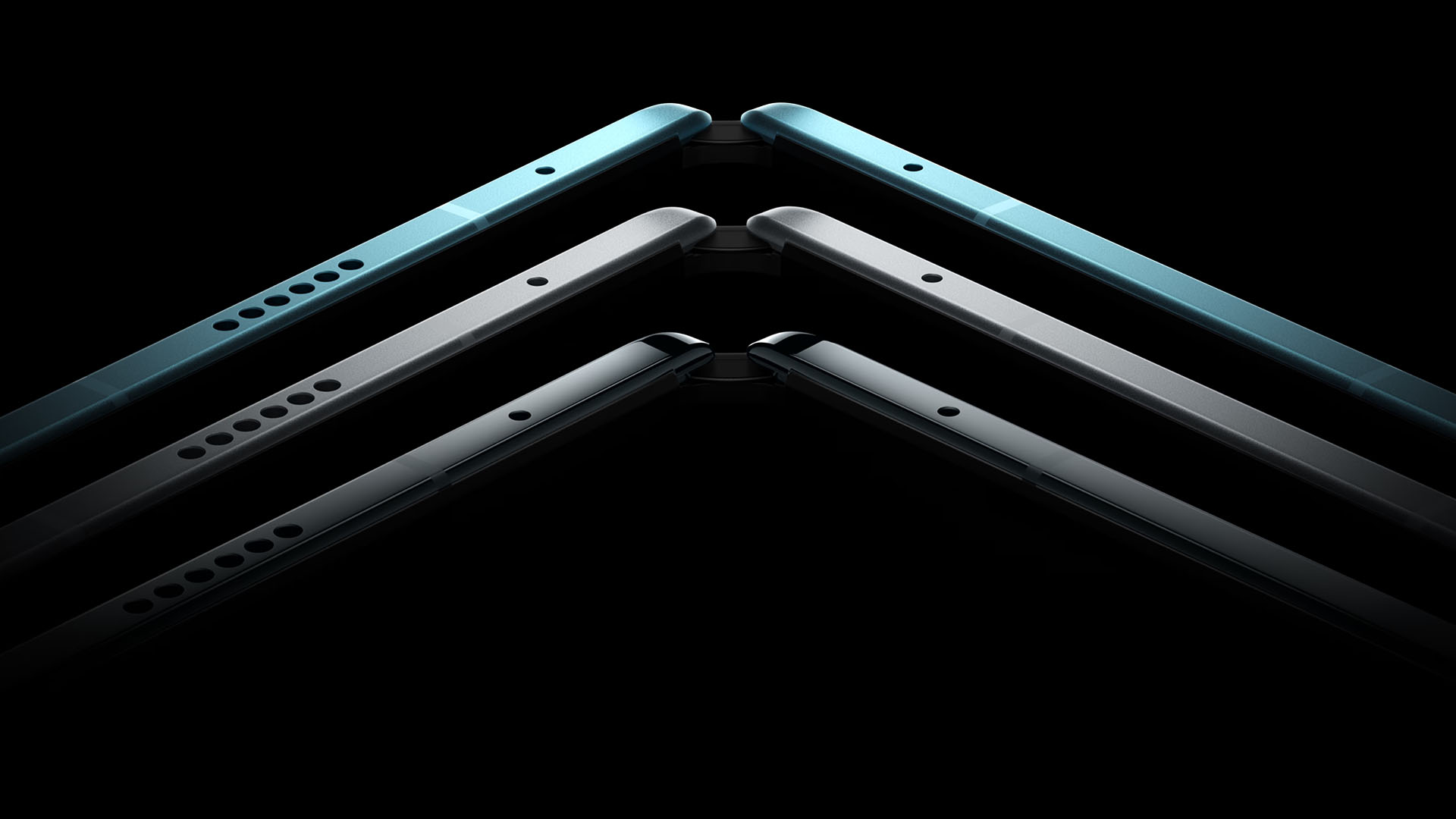
While vivo didn’t dare to beat the likes of the HONOR Magic V6 and OPPO Find N6 when it comes to utmost thinness at 9.4/9.9mm (versus 8.8/9.0mm and 8.9mm respectively), the brand equipped the biggest battery in any foldable so far: a whopping 7000mAh battery capacity.
That’s a 1000mAh increase over last year’s X Fold5.
They even let go of the “lightest foldable” record last year in favor of packing all these flagship-grade components.

Charging speeds remain the same this year: 80W wired FlashCharge plus 40W wireless FlashCharge.
That port also supports the faster USB-C 3.2 Gen2 standard.
Other flagship features include powerful stereo speakers with Dolby Panorama, IP5X dust-resistance plus IPX8 / IPX9 water-resistance ratings. It can also withstand sub-zero temperatures as low as 20ºC or 68ºF.
There’s even vivo’s self-developed 1+4 communication chipset configuration that enhances connectivity even in enclosed or far-flung areas. Satellite Communication Services (in China) never forgotten.
Thrice the ZEISS
The vivo X Fold6 isn’t just a true multitasKING. It probably also boasts the best camera system you can get in any foldable right now.
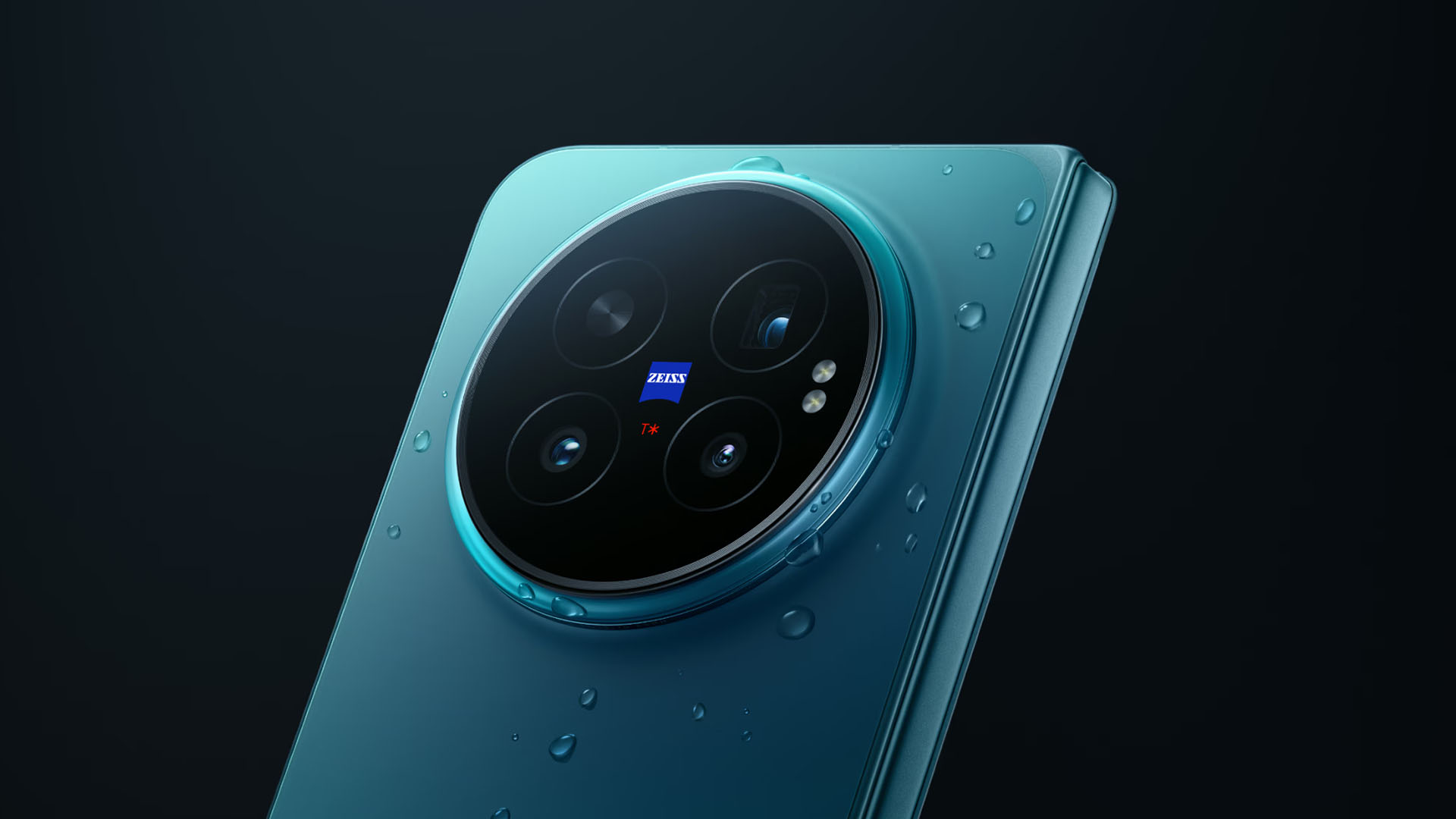
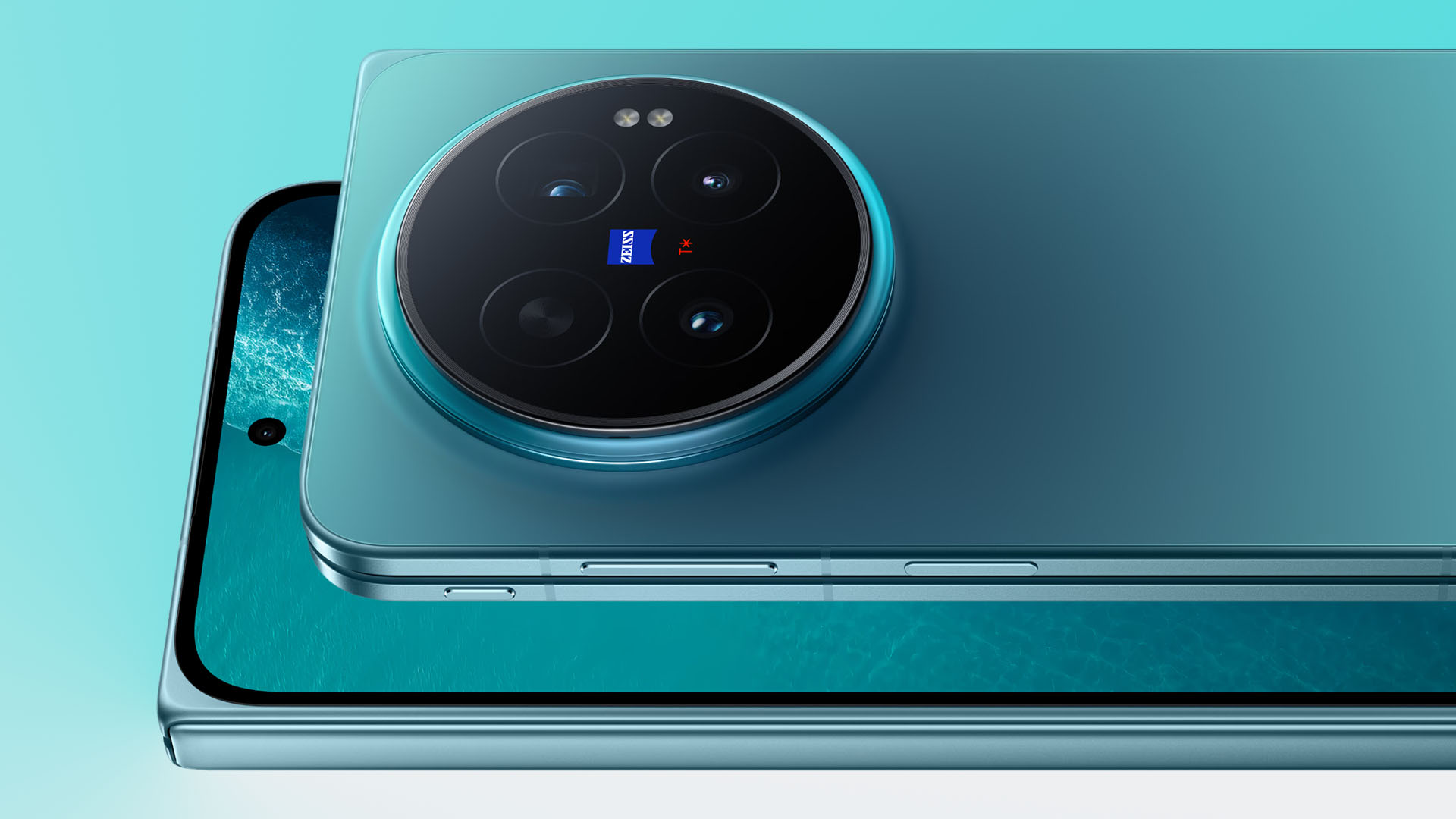
On paper, vivo’s X Fold6 headlines the Samsung-made 200MP f/1.68 main camera based on their 1/1.14-inch HPB sensor. ICYMI, this is the telephoto module found on the X300 Pro.
The 16mm ultra-wide sensor wasn’t left behind as it’s a 50MP f/2.05 unit with a sensor size of 1/2.76-inch.
Graphics by Vincenz Lee | GadgetMatch
Last but definitely not the least, that 50MP ZEISS APO Super Telephoto camera is powered by Sony’s 1/1.95-inch LYTIA 602 (LYT-602). It features 3x optical zoom (75mm equivalent) and supports as far as 100x digital zoom.
This also doubles as a telephoto macro camera — up to 20x zoom.
The main and zoom lenses have a CIPA 4.5 Professional Grade which means better OIS in shaky scenarios.
All lenses feature the best in class ZEISS T* coating to block all that unwanted glare and flare.

Graphics by Vincenz Lee | GadgetMatch
The once exclusive Blueprint Color Palette feature to the X300 Ultra also makes it debut to the vivo X Fold6.
Teleconverter on a foldable?!
vivo didn’t stop just by bringing that massive camera bump.
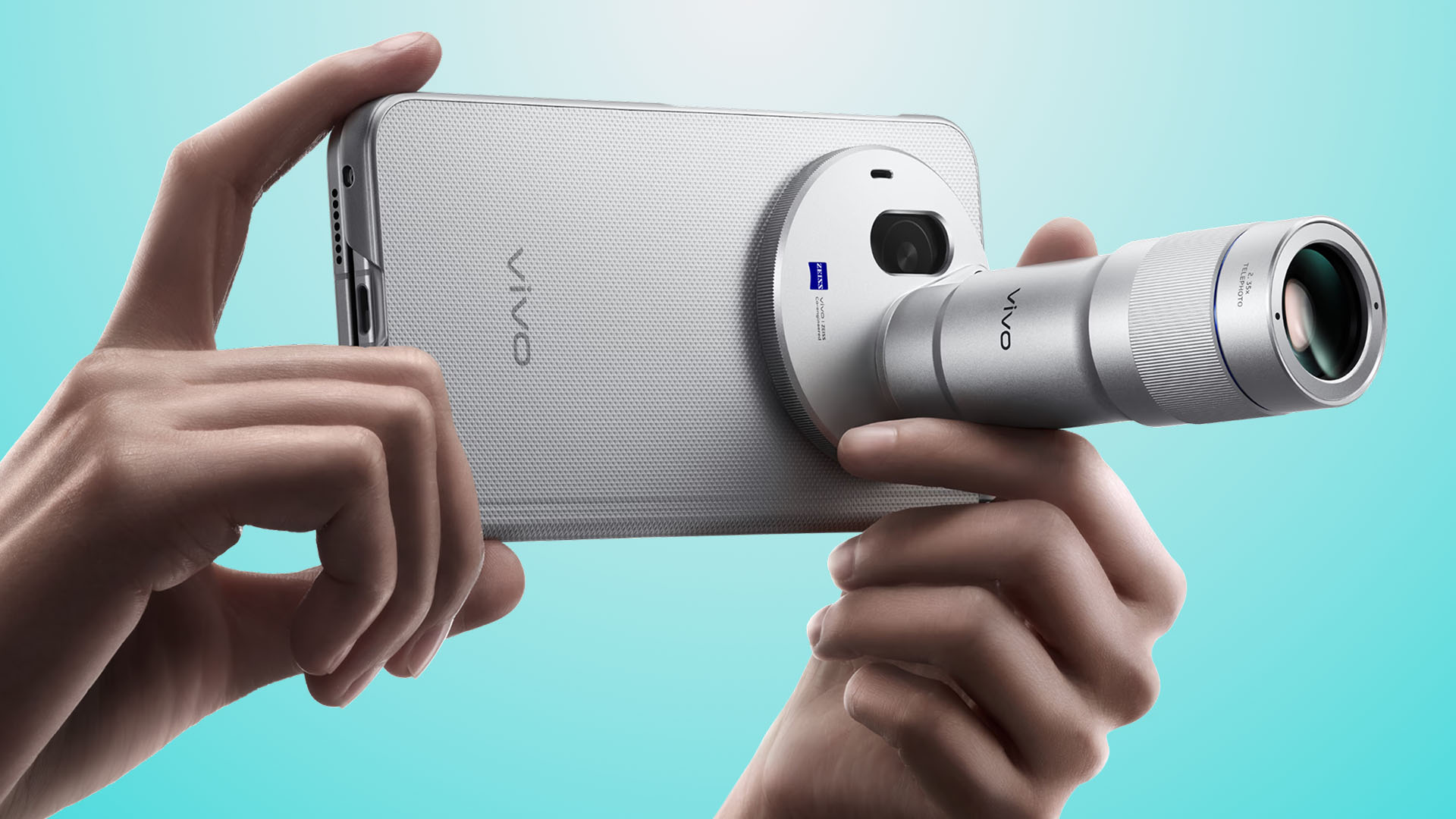
As shocking as it seems, the vivo X Fold6 also supports the all-new G2 Teleconverter Lens announced alongside the X300 Ultra and X300 FE.
Graphics by Vincenz Lee | GadgetMatch
Just a reminder that both the old and new 200mm teleconverter lenses will work on the X Fold6.
However, the longer 400mm G2 Ultra teleconverter lens is still exclusive to the X300 Ultra.
Pricing and Availability
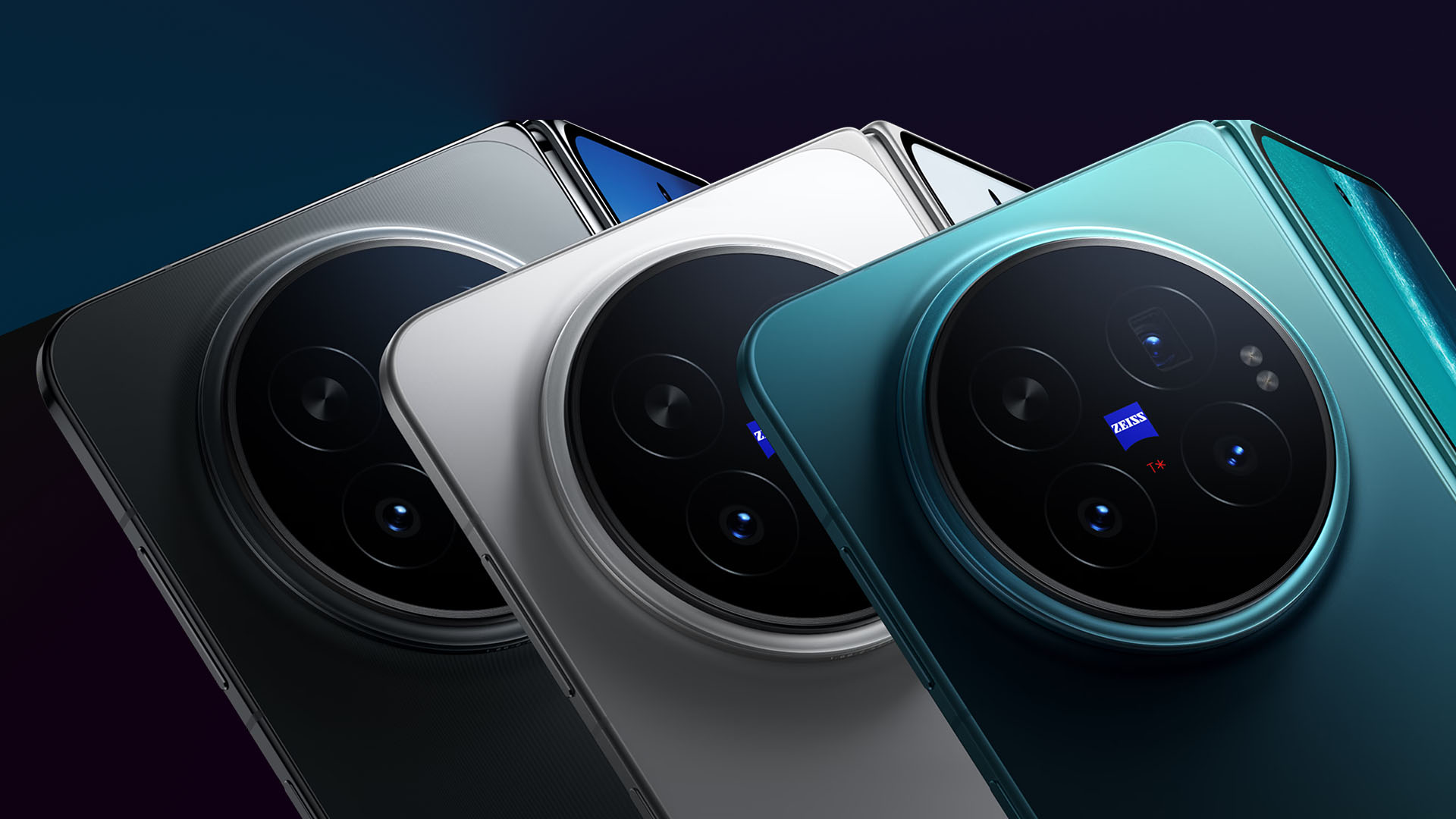
The vivo X Fold6 is currently available for pre-orders in China along these colorways: Polar Night, Salt Lake, and Blue Hole.
Graphics by Vincenz Lee | GadgetMatch
There’s also a special Black Gold Edition limited to 16+1TB models.
Pricing and configuration are as follows:
- 12+256GB = CNY 7999 (US$ 1180 / EUR 1030 / GBP 890 / SG$ 1525 / MYR 4899 / PhP 72,070 / INR 111,800)
- 12+512GB = CNY 8999 (US$ 1330 / EUR 1160 / GBP 1005 / SG$ 1720 / MYR 5515 / PhP 81,075 / INR 125,775)
- 16+512GB = CNY 9999 (US$ 1476 / EUR 1290 / GBP 1115 / SG$ 1910 / MYR 6125 / PhP 90,085 / INR 139,750)
- 16+1TB = CNY 10,999 (US$ 1639 / EUR 1420 / GBP 1225 / SG$ 2090 / MYR 6735 / PhP 99,095 / INR 153,725)
- 16+1TB with Professional Camera Kit Bundle = CNY 11,999 (US$ 1770 / EUR 1550 / GBP 1340 / SG$ 2290 / MYR 7350 / PhP 108,105 / INR 167,700)
As per usual, vivo didn’t state any availability outside Mainland China. Only time will tell how long global markets have to wait for the X Fold6’s global release.


Hey, remember when Apple launched the MacBook Neo, and it had the most attractive price for an Apple-branded laptop? Those were good times. Unfortunately, it was too good to be true. Responding to the ongoing RAM crisis, Apple has now increased the prices of its hardware, starting with the MacBook and the iPad lineups (via Reuters).
The “highlight” here is the price of the MacBook Neo. To be fair, the affordable MacBook is still the cheapest one of the lot, but that’s not saying much. From a starting price of US$ 599, the Neo now costs US$ 699.
Now, we’d love to say that a US$ 100 price hike is the most you can expect across the board. But that’s not true at all. Most will bring up the price by a few hundreds and up to a whopping US$ 1,300. Here’s a list of devices you’re going to see changes for:
| Model | Original price | New price |
| MacBook Neo | $599 | $699 |
| MacBook Air (13-inch) | $1,099 | $1,299 |
| MacBook Air (15-inch) | $1,299 | $1,499 |
| MacBook Pro (M5) | $1,699 | $1,999 |
| MacBook Pro (M5 Pro) | $2,199 | $2,499 |
| MacBook Pro (M5 Max) | $3,599 | $4,099 |
| iMac | $1,299 | $1,499 |
| Mac Studio (M4 Max) | $1,999 | $2,499 |
| Mac Studio (M3 Ultra) | $3,999 | $5,299 |
| iPad | $349 | $449 |
| iPad mini | $499 | $599 |
| iPad Air (11-inch) | $599 | $749 |
| iPad Air (13-inch) | $749 | $949 |
| iPad Pro (11-inch) | $999 | $1,199 |
| iPad Pro (13-inch) | $1,299 | $1,499 |
| Vision Pro | $3,499 | $3,699 |
The current price hikes do not include the iPhone lineup. It might only be a matter of time, though. Recently, Tim Cook confirmed that Apple can no longer shoulder the expenses of the RAM crisis by themselves, essentially signaling a huge wave of price hikes. The brand will likely continue the increases heading into the iPhone launches in September.
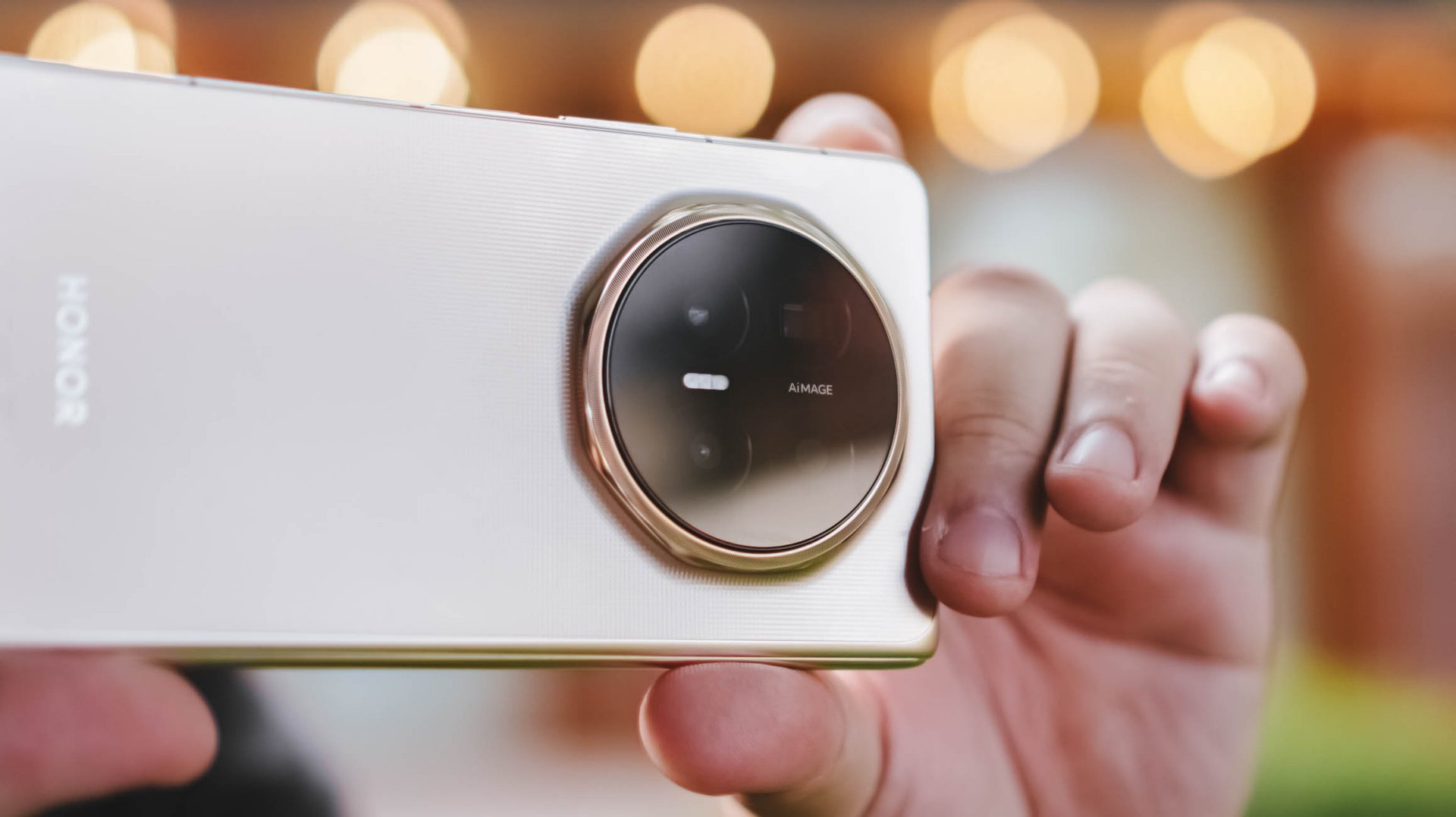
Nothing goes together more than a Chinese smartphone brand and the relentless pursuit for a bigger battery. For years, Chinese brands have engaged in a war for this particular component. Now, the latest salvo has been fired. Honor is reportedly working on a phone with a gigantic 14000mAh battery.
Today, the biggest battery capacity you can find on an Honor phone is 11000mAh. The Honor X80 Pro Max already offers a battery that can last you more than a single day. At this point, it’s certainly more than enough for our daily needs.
According to Digital Chat Station on Weibo, a smartphone brand is currently working on a 14000mAh battery. Though the leak does not explicitly pinpoint Honor, the emoji used (a wolf) is historically used to imply the Chinese brand in Weibo parlance.
A 14000mAh is just absurdly huge. With a battery larger than some powerbanks, battery anxiety becomes moot. It’s bordering on “can we bring this on a plane” territory.
As with all rumored features, the next question is when this battery will arrive on a consumer-ready device. Given how serious the battery wars are for the Chinese market, it’s only a matter of time.
SEE ALSO: HONOR continues APAC expansion, to launch 600 series in Taiwan


vivo X300 Ultra review: A “Whole Different Animal”
Got the beast (finally) unleashed!


The realme P4 Power: realme’s midrange power play?
A power bank and a phone — and more


HONOR Watch 6 Review: Less guessing, more knowing
Beyond educated guesses

The vivo X Fold6 is the first foldable to support teleconverter lens

Now Playing: Supergirl

Apple raises the prices of iPad and MacBook lineups

LE SSERAFIM to perform at BlizzCon 2026

Xiaomi opens largest Singapore store yet at VivoCity

TECNO’s POVA 8 5G is both futuristic and future-ready

realme launches P4 Series 5G, including Power with 10,001mAh battery

The Xiaomi Watch S5 proves you don’t have to take it off

Buyer’s Guide: Xiaomi Pad 8 Series

HONOR Magic V6 review: The best version of a book-style foldable?


-

 News2 weeks ago
TECNO’s SPARK 50 Pro is the latest budget smartphone battery beast
-

 Buyer's Guide1 week ago
Buyer’s Guide: TECNO SPARK 50 Pro vs SPARK 50 5G
-
 Singapore3 days ago
Xiaomi opens largest Singapore store yet at VivoCity
-
Reviews7 days ago
vivo X300 Ultra review: A “Whole Different Animal”
-

 News1 week ago
Budget smartphone realme C100 Series launches
-
Reviews1 week ago
HONOR Watch 6 Review: Less guessing, more knowing
-

 Laptops2 weeks ago
ROG launches 2026 Strix gaming laptop series
-
Reviews1 week ago
The realme P4 Power: realme’s midrange power play?