


When I first laid my eyes on the Predator Triton 900 during its first unveiling, I couldn’t understand how its form factor would benefit the average gamer. Why would we need a high-end convertible laptop that’s thicker than most? A couple of weeks with it changed my view completely.
If the Triton branding sounds familiar, you probably recall the Triton 700, which wasn’t only the first in the lineup, but possibly the best gaming laptop of 2017. Since then, Acer added the more affordable Triton 500, as well as this behemoth I’m writing about today.
With a 17-inch 4K Ultra HD display strapped on a hinge that allows it to face any direction you wish, this is about as versatile as it gets for a high-powered gaming machine. It’s difficult to describe in words; fortunately, we have a video for that:
All this equates to a desktop-like gaming experience that you can transform however you want. You could keep it in regular laptop mode for a chill session with a clear view of the exposed cooler; extend the display forward so it’s easier to spot enemies in FPS and MOBA games; or turn the whole thing around and plug in a controller to see nothing but screen.
For the record, I never bothered turning the Triton 900 into a tablet like how other thin-and-light convertibles work. Despite having a touchscreen, there’s no practical purpose for it, especially since there’s no included stylus pen.
As you can imagine, the whole thing is heavy because of the all-metal construction. Not so fun fact: So is the power adapter. I’m not kidding when I say that the brick alone weighs more than my primary work laptop.
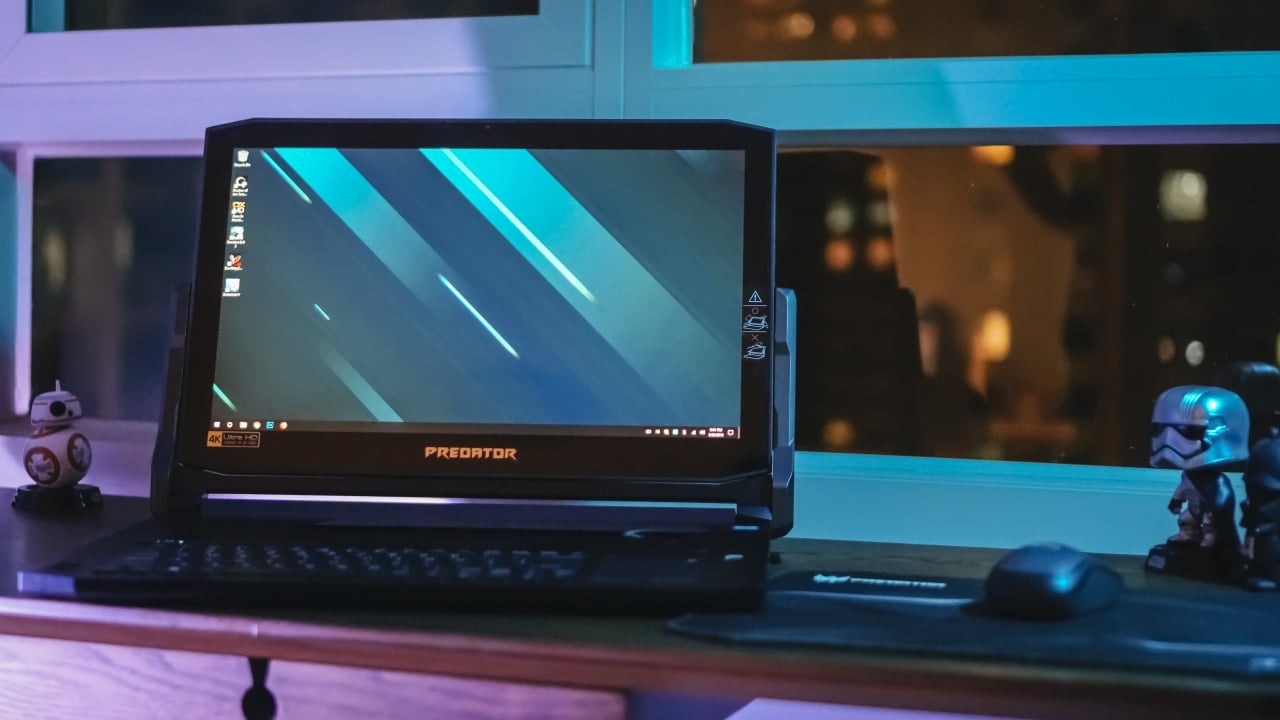
This is what I like to call regular laptop mode
Extending the screen allows the keyboard to stay visible

Nothing beats this when the keyboard isn’t necessary
My biggest trouble using this as a laptop is fitting it inside a bag. I fortunately have the newest Predator backpack that can handle extra-large 17-inch notebooks like this. It even has space for the massive power brick in a separate pocket underneath. I suggest going for something similar before even considering the Triton 900.
Of course, what you’re paying for on top of the unique form factor are the specs. With the exception of gaming laptops that can be upgraded after purchase and those that have external water cooling, the Triton 900 is as powerful as its gets for a mobile gaming rig.
Here’s a quick rundown of what my particular model owns: Intel Core i7-8750H processor, 32GB RAM, 1TB NVMe PCIe in Raid 0, and a full-fledged GeForce RTX 2080 graphics chip. Put together, you’re assured to make the most out of the 3840 x 2160 display with G-Sync.

The sides include USB-A, Xbox wireless receiver, and audio ports…
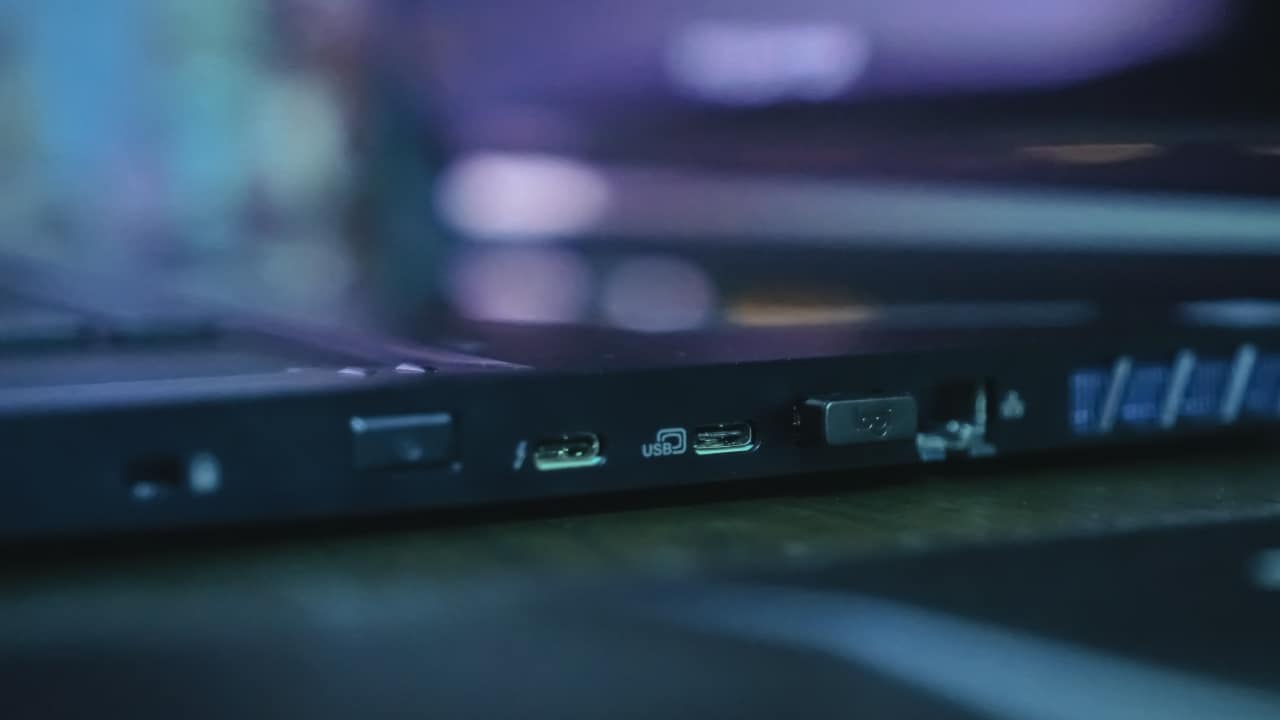
… plus the power button, USB-C, more USB-A, and Ethernet
If you’re particular about gaming PC specs, you’d probably be irked by the screen’s refresh rate: 60Hz. Yes, the Triton 900 doesn’t have the more popular 120Hz or 144Hz standard its 4K display. I honestly would’ve gone for 144Hz on a 1080p panel, considering that my eyes can’t appreciate so many pixels on a 17-inch scale.
Because the Triton 900 has actually been around for a while — hitting the public space only recently — its 8th-generation Core i7 chip isn’t as fresh as it once was. But I do appreciate the RAM and SSD configuration provided, which makes every game load like a dream.
And while the RTX 2080 is the best GPU available today, its ray tracing benefits are still far-fetched. As Dan pointed out in his recent gaming laptop review, there are only a handful of games that support it, and all aren’t must-haves. You can learn more about ray tracing in our simple explainer.
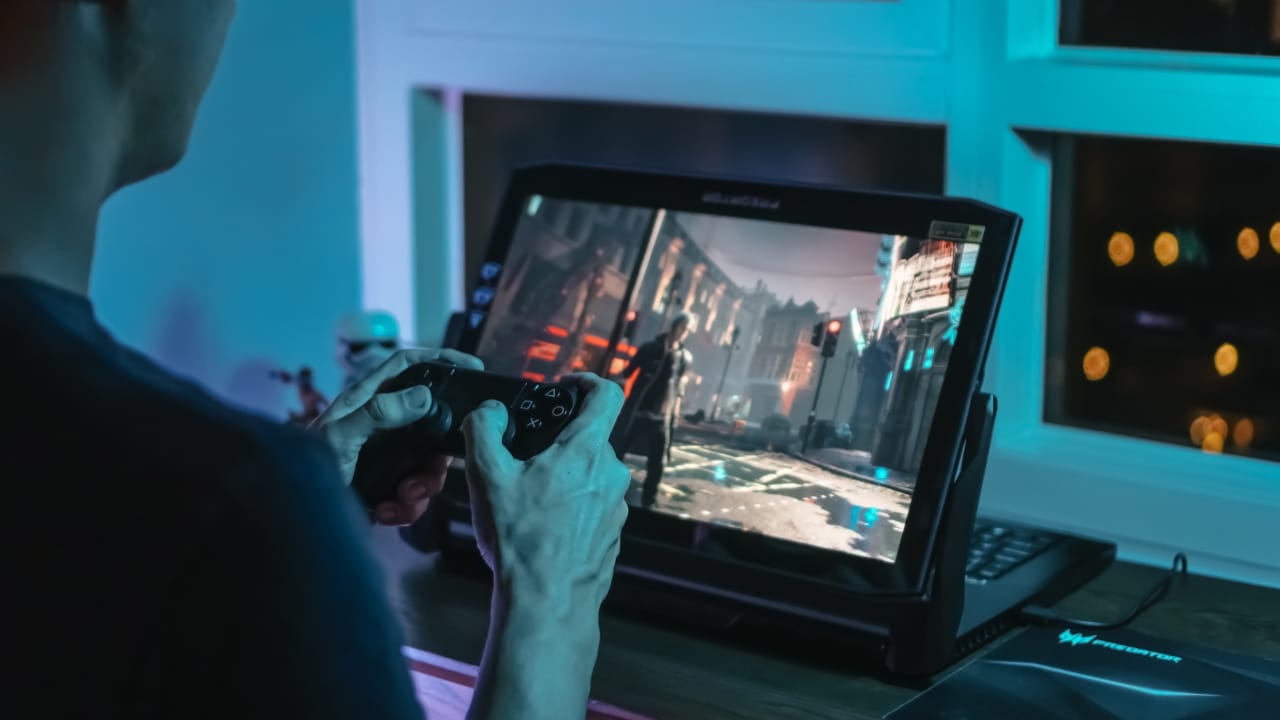
Devil May Cry 5 is a perfect example of how well this setup works

Shadow of the Tomb Raider has been out for a while now, but still challenges today’s best systems
In actual gameplay, it’s a given that the newest AAA games will run at the full 60fps with all settings on high as long as you’re on 1080p. But when cranked up to 4K, frame rates often dip in the 40fps range in certain games like Shadow of the Tomb Raider and Battlefield V; however, I had no issues with Devil May Cry 5 and Sekiro no matter the resolution. For synthetic benchmarks, I have a couple:
- Superposition: 7878, 58.93fps average (4K Optimized, GPU: 70 degrees Celsius)
- Cinebench R15: 1040 (CPU), 108.94 (OpenGL)
As you’d expect, a machine this powerful gets quite hot — often hitting the 70-plus degrees Celsius range for both the CPU and GPU. And although I’ve gotten used this, the way the hot air blows toward me while the laptop is turned around is troublesome. I need keep my distance with my controller in hand.
This goes without saying, but I can’t even bother to rely on battery power with this setup. I get a maximum of 1.5 hours on a full charge; much less if I multitask or play a bit. Bringing along the power adapter at all times is a must, which again, is a pain in itself.

The mechanical keyboard is welcome, but the vertical trackpad can be tough to use

The RGB keys can light up individually
A bunch of these issues are a given considering the Triton 900’s versatility and how much power it packs, but I do have a few design concerns, starting with the placement of the power button. It’s possibly in the worse spot imaginable, right where you’re expected to hold the laptop while adjusting its placement. I can’t count how many times I accidentally turned this thing off.
Second, I’m not a fan of the vertical trackpad. Although it ergonomically makes sense to have it on the right, using it on a wide 16:9 screen doesn’t. Fortunately, I often rely on a wireless mouse instead and turn the trackpad into a virtual numpad with a double tap. I honestly miss the unique glass trackpad of the Triton 700.
Lastly, and this matters when gaming, the speakers crack on the highest volume. Again, I usually use headphones especially when gaming, but having clear-cut audio is pleasant when watching a quick show on Netflix or YouTube.
Is this your GadgetMatch?
If you can’t tell by now, the Triton 900 is an absolute joy to use despite the minor misses. It’s a true all-in-one convertible designed with both gamers and creators in mind. At the same time, the price is tough to swallow. Starting at US$ 4,000 — even more for the configuration I tested — this is exclusive to those with deep pockets (and deep bags to keep this in).
Like I say in every high-end laptop review, if you have the patience to build a desktop PC and spend the savings on a more practical gaming notebook, you’re in for a better overall deal. Acer has an excellent Helios lineup of midrange options that would work flawlessly for light gaming on the move.
Otherwise, this is the beast choice for those who want a flexible monster. Sure, there are more outlandish gaming machines out there, but the Triton 900 actually makes sense out of all the firepower and features it puts together.






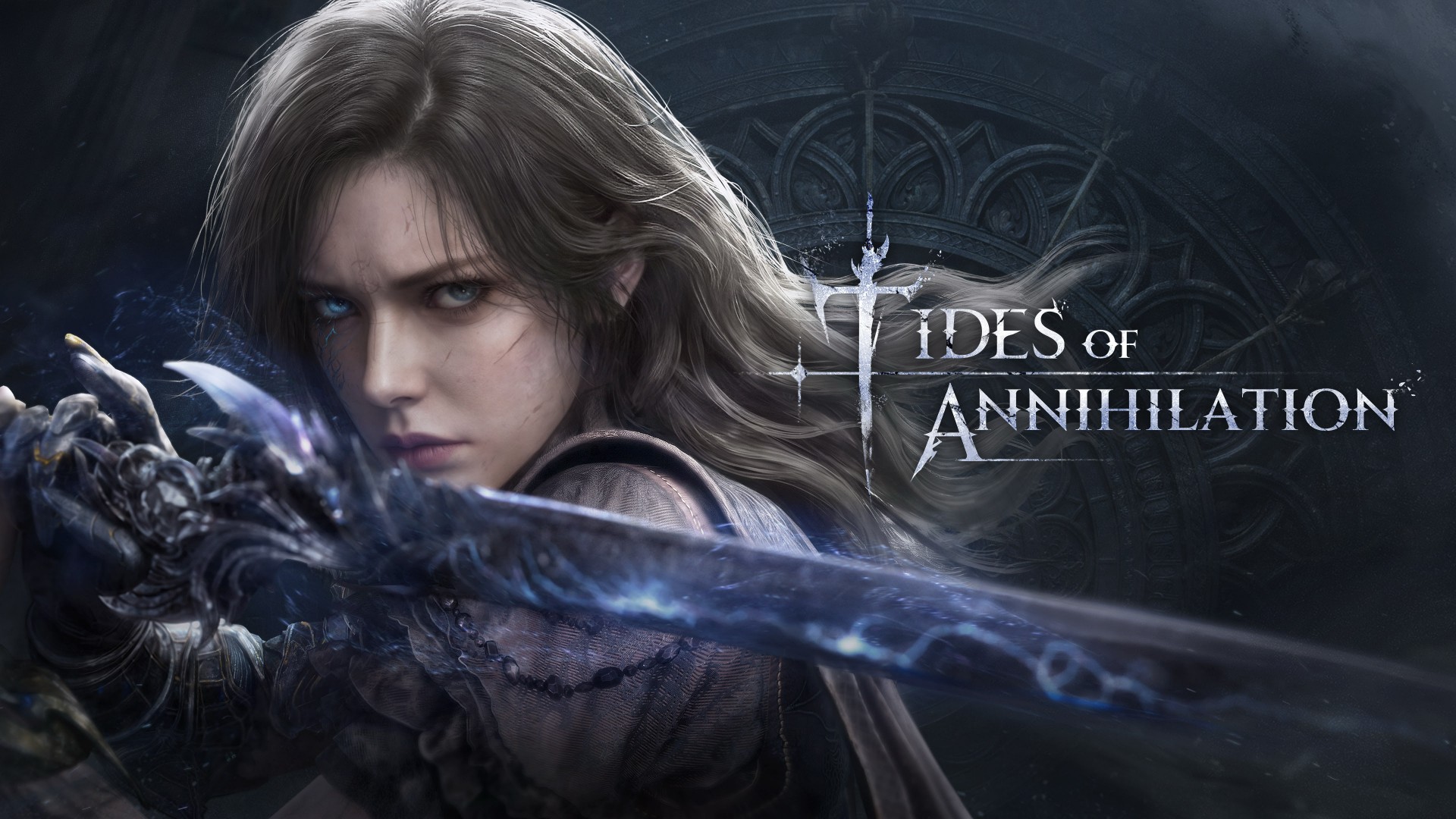
Tides of Annihilation will make its public playable debut at Gamescom 2026.
Developer Eclipse Glow Games announced that attendees can try an extended demo of the upcoming action-adventure game during the event in Cologne, Germany. Players can find the demo at Hall 6, Booth B-050 inside Koelnmesse.
The studio will also reveal a new trailer during Gamescom Opening Night Live on August 25, before the show floor opens.
Demo offers more exploration and combat
The Gamescom demo gives players a longer look at Tides of Annihilation. It features branching paths that lead to different exploration routes and combat encounters. Players can also explore key locations and experience several of the game’s biggest set pieces.
“Gamescom will be an incredibly important moment for our team since this will be our first global playtest and we’re excited to see how first-time players experience our game,” said Ary Chen, Game Director and Co-CEO of Eclipse Glow Games.
“The team has poured heart, soul, and maybe even a few tears into developing the game over the last few years, and it’s finally our opportunity to share it with players. We’re looking forward to seeing their reaction.”
Members of the press and content creators can also schedule private hands-on sessions with the development team during the event.
Arthurian-inspired adventure
Tides of Annihilation blends fast-paced action with a Neo-Medieval vision of modern London. The story follows Gwendolyn after an Outworld invasion leaves the city in ruins.
Driven by a mission to save her sister, she travels between a shattered London and the mythical realm of Avalon. Along the way, she uncovers the mystery behind her newfound powers. She must also decide the fate of reality itself.
Eclipse Glow Games is developing Tides of Annihilation for PC via Steam and the Epic Games Store, Xbox Series X|S, and PlayStation 5.
Gaming
Street Fighter 6 adds first Filipino fighter Yasmine to its roster
Eskrima fighter joins battle

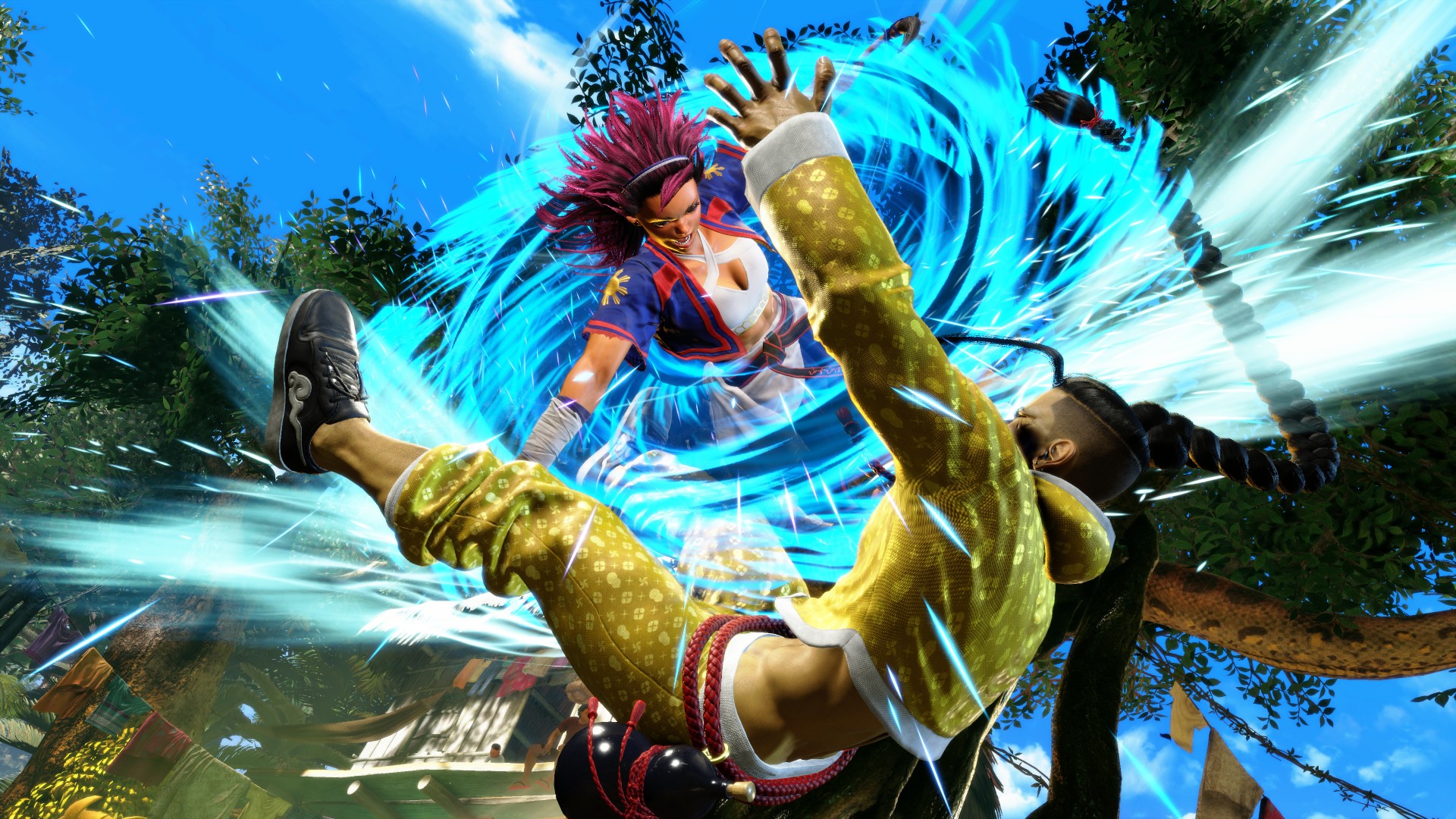
Street Fighter 6 has officially welcomed Yasmine, making history as the first Filipino martial artist to join the franchise’s playable roster. The new character is now available across PlayStation 5, PlayStation 4, Xbox Series X|S, PC, and Nintendo Switch 2 as part of the game’s Year 4 content.
Yasmine practices Eskrima, having learned the Filipino martial art alongside her older brother under their grandfather’s guidance. She wields Karambit knives in battle and embarks on a journey to find her missing brother.
Players can access Yasmine by purchasing the Year 4 Character Pass or Year 4 Ultimate Pass. Her default outfit features traditional Eskrima-inspired combat attire, while a school uniform serves as her second costume. In combat, she specializes in fast, aggressive attacks that build toward an enhanced Bayani Mode.
Yasmine is the first of four Year 4 fighters, followed by Arjun, Tifa from the Final Fantasy VII Remake series, and Bosch. Her release also arrives alongside battle balance adjustments affecting the entire roster.
Onimusha crossover arrives this week
Capcom also announced a limited-time collaboration between Street Fighter 6 and Onimusha. Running from August 7 to August 31, 2026, the event introduces Oni EX character colors, themed Battle Hub decorations, avatar items, and additional rewards for players who log in during the event.
The update also adds new Avatar Arcade courses, additional ending scenes, a Frame Meter option for Avatar Random Match, and refreshed Master ACT rewards.
Philippine launch event set for August 9
Capcom will celebrate Yasmine’s debut with an official Philippine community launch event on Sunday, August 9, at Salud! by Primera Bar & Restaurant in Palanan, Makati. The event runs from 2:00 PM to 9:00 PM and features a double-elimination tournament, gameplay showcases, giveaways, and community activities.
Attendees can also receive limited-edition Yasmine merchandise, including event T-shirts, lanyards, and collectible keychains while supplies last. Special guests and cosplayers are also scheduled to appear. Admission will be on a first-come, first-served basis and is subject to venue capacity.
Gaming
Gangstar Mirage City launches on August 20 with SEA localization
Join a faction now for a chance to win rewards


Gangstar Mirage City is set for a full regional launch on August 20, with localization for the Southeast Asia region.
Published by Level Infinite, the free-to-play multiplayer, urban, open-world action game is available for download on iOS and Android.
The full regional release features an expanded open world, a new PvP Arena mode, and local languages.
In Gangstar Mirage City, players can team up for up to 4-man co-op heists, drive powerful vehicles, customize their arsenal, build an empire, and fight for control of Rooklyn City.
Players can register on gangstarmiragecity.com for in-game rewards.
In Southeast Asia, players can also register as a member of their respective local faction and get an exclusive in-game Avatar to represent their loyalty:
- Philippines: Manila Brigade
- Indonesia: War Kanda
- Malaysia: Taiko Tedung
- Thailand: SIAM APEX
Factions will be ranked based on how many players join and support them. The winning faction will enable all members to get 300 Diamonds, sent directly to their accounts.
Meanwhile, all players, including those who already began their journey in Rooklyn City with the soft launch last July, are invited to join the Global Vault Heist.
Reaching the final Registration Milestone will unlock the Full Tilt Vehicle Pack. These are the rewards up for grabs per milestone:
- 5 million players: 100 Diamonds
- 10 million players: 200 Diamonds
- 20 million players: Vehicle Upgrade Vouchers x5
- 30 million players: Full Tilt Vehicle Pack
All Global Vault Heist and Faction rewards can be claimed via the in-game mail system on August 20.


realme C100: Enduring and durable in spite of entry-level realities
Enough power but needs more agility


The ASUS ExpertBook Ultra wins you over
The laptop sneaks up on you


Nexal Watch Sport review: A rugged watch for small budgets
I couldn't believe that watches this good could come for this cheap.

Apple Watch, AirPods get exclusive offers via Beyond the Box

Canva teams up with SB19 to turn A’TIN’s passion into creativity

SQUARE ENIX STORE Plus expands presence in Asia, Oceania

Maya: Convert purchases to 0% interest Mini Payment plans

Netflix: Kris Aquino makes on-screen comeback with fictional role


-

 Automotive5 days ago
VinFast debuts two-wheeler models, opens 21 e-motorcycle showrooms
-
 Computers1 week ago
AMD launches Radeon RX 9050 graphics card
-

 Computers2 weeks ago
AORUS MASTER 16 Gen 2 2026 AI gaming laptop launches
-

 Gaming2 weeks ago
God of War Laufey finally confirms its highly anticipated launch date
-

 Automotive1 week ago
Xiaomi debuts SkyNomad Series featuring new Kunlun platform
-

 News4 days ago
OnePlus officially leaves the United States and Canada
-

 Gaming2 weeks ago
NBA 2K27 gameplay trailer showcases new dunk mechanics, Rucker Park, and more
-

 Gaming7 days ago
Call of Duty: Modern Warfare 4 clip shows Losing Ground 1st look