
Laptops
The ASUS Vivobook S16 is a great no-frills work laptop
A jack-of-all-trades with a beefy battery

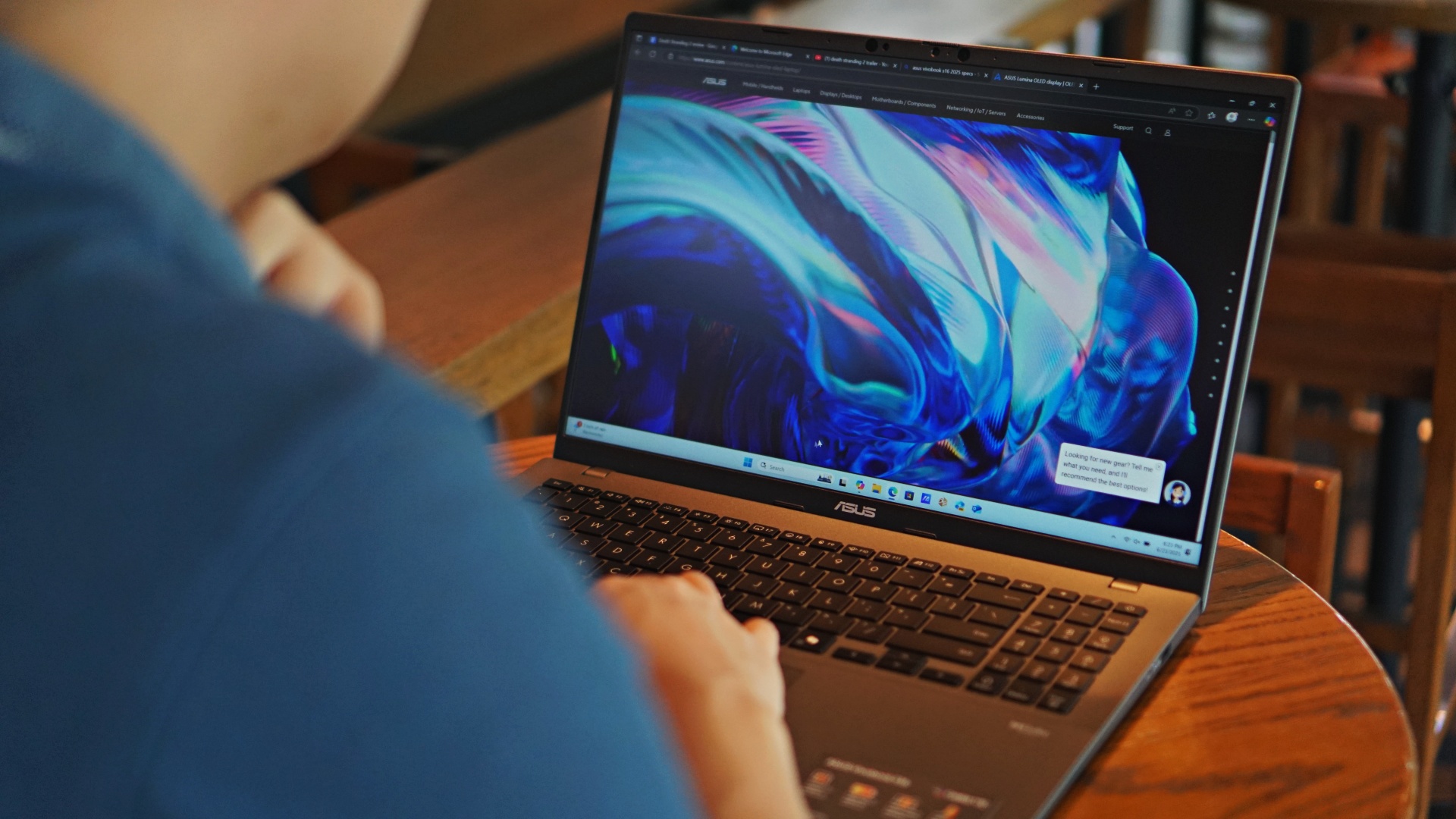
Shopping for anything with a chipset these days is a nightmare. With so many different hardware configurations, the wide variety of options can counterintuitively prevent users from making a definitive choice as to what they want. Sometimes, a new product’s selling point is so minute that it becomes a jack-of-all-trades without meaning to. But, as we’ll see with the new ASUS Vivobook S16, being a jack-of-all-trades isn’t really a bad thing.
There’s no need to stand out
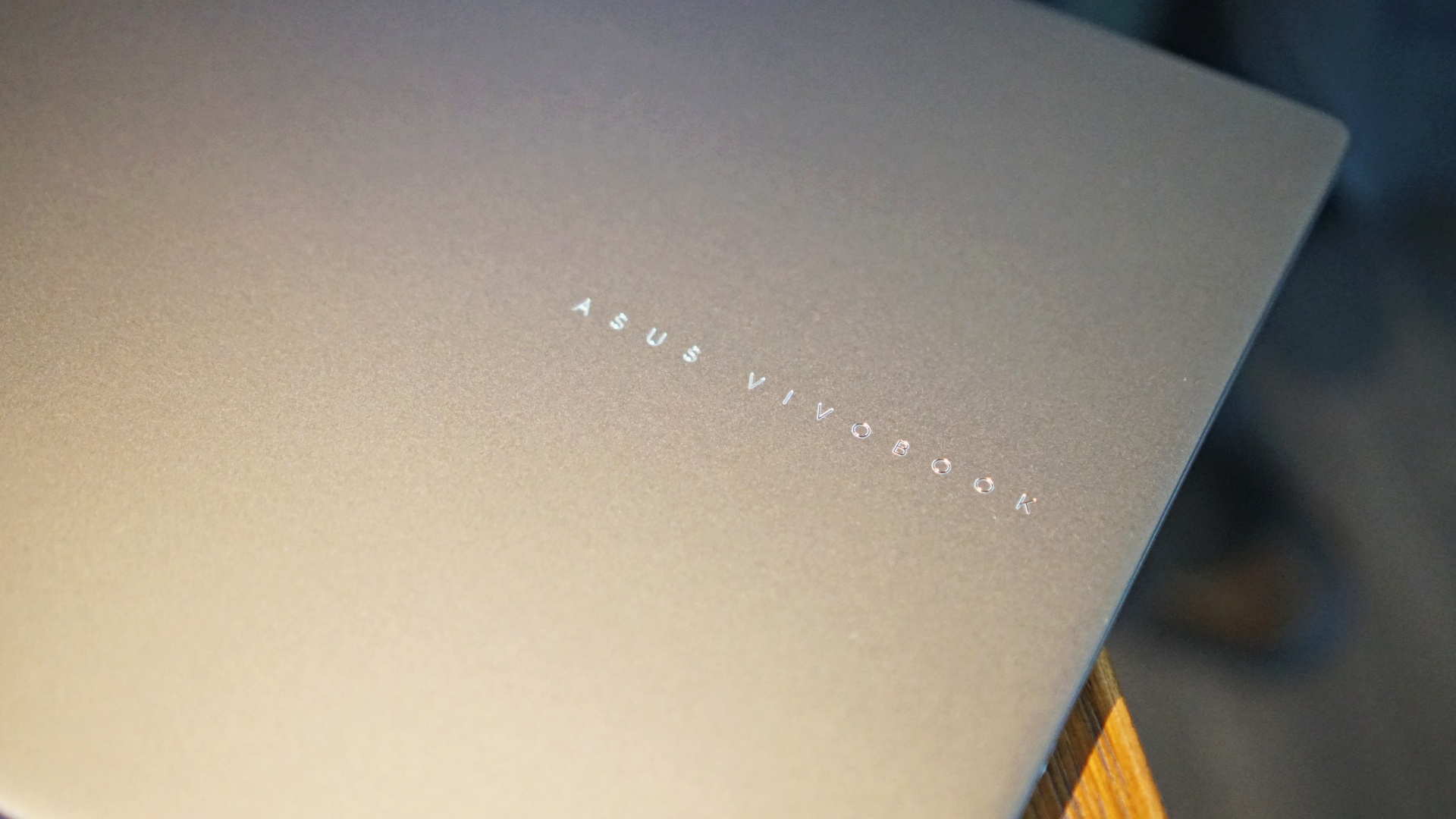
The Vivobook S16 follows the same design philosophy of ASUS’s other Vivobooks. You’re getting a fairly minimalist device with no frills. Besides the elegant “ASUS VIVOBOOK” logo on the laptop’s main panel, there’s nothing that really makes it stand out, which, if you’re using this for work, is actually an advantage. It just works.
Inside, the notebook comes with a large screen that maximizes its real estate, relative to the fairly thin top and bottom bezels. It also comes with a satisfying chiclet keyboard and numpad.
As a highlight, it has a larger touchpad with ASUS’s gallery of gesture controls. I have small hands, so the bigger surface area wasn’t an issue. It might lead to accidental swipes and clicks for those with larger hands or arms, though.
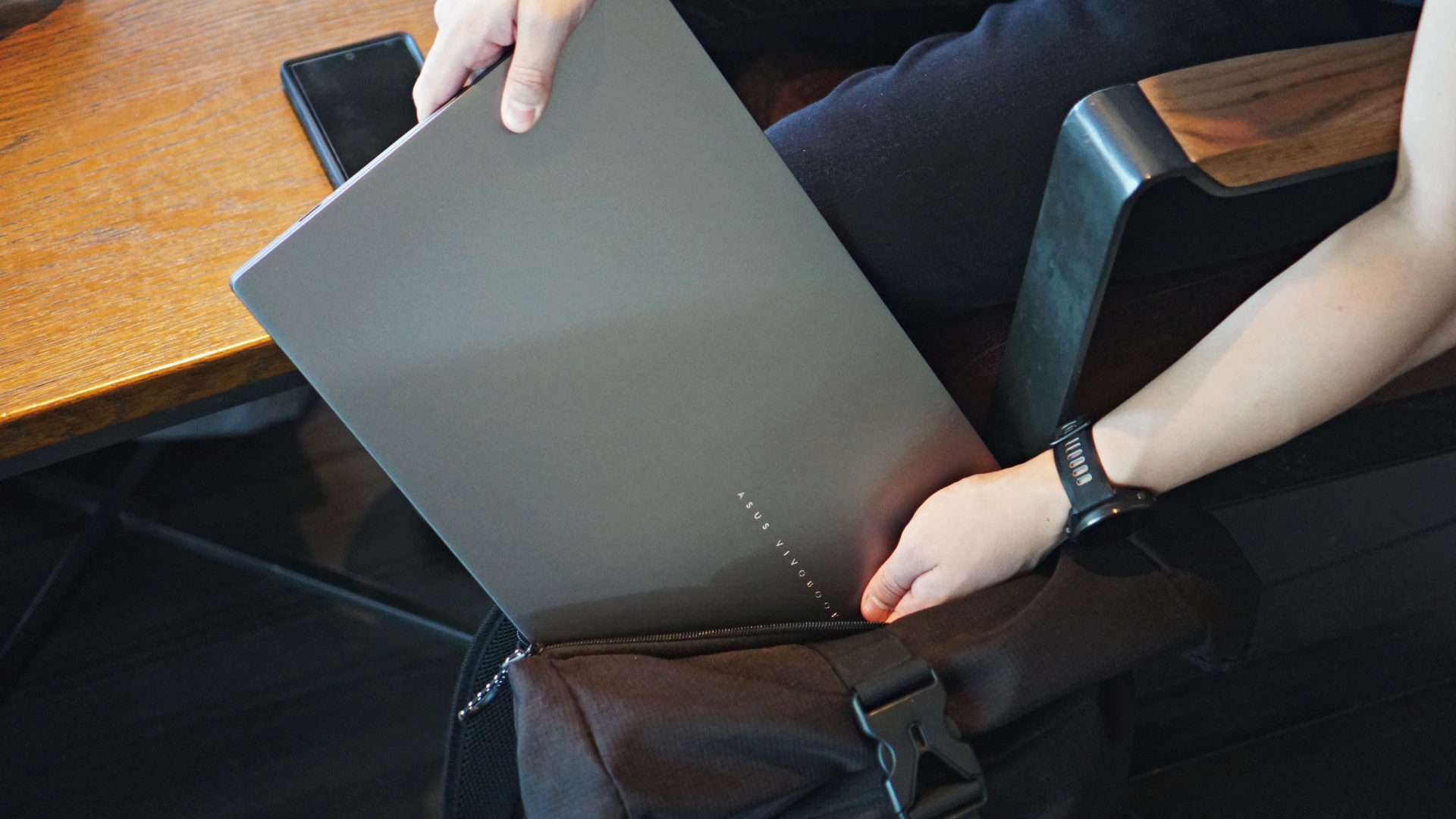
Weighing only 1.70 kilograms, the Vivobook S16 is light enough to carry around inside a backpack for a whole day. Honestly, I thought it could be lighter, especially with a smaller chipset like the Snapdragon X, but it’s not a bad weight for an everyday laptop.

A large screen but lacks an OLED option
As the name on the tin says, the Vivobook S16 has a large 16-inch screen. The sizable screen offers a lot of space for work. However, it does come in the new 16:10 WUXGA ratio, typical of external monitors. If you’re used to the older 16:9 widescreen notebooks, the additional vertical space might be jarring. Prepare for a lot of letterboxing when you watch movies on this thing.
That said, the image quality is decent enough for a quick watch in between meetings. The IPS display works well even in brightly lit environments, so working outdoors shouldn’t be a problem. Color reproduction is good enough, but it lacks the polish you’ll get from an OLED screen. Of course, the IPS display is a good compromise between offering decent quality and a more affordable price. I’d take it.

AI bolsters performance enough for everyday life
The biggest selling point of the new Vivobook S16 is the Snapdragon X chipset underneath. It’s not the first time that a Snapdragon processor made its way to an ASUS notebook. However, the chipset is definitely worth noting for potential buyers.
For the unfamiliar, Snapdragon historically makes chipset for smartphones. They only started branching out to notebooks recently. The brand’s notebook chipsets are capable, though. Though lightweight, the power can carry you through a day.
Each day, I usually have dozens and dozens of tabs running simultaneously, while running a variety of other apps like Microsoft Word and Photoshop. I didn’t experience tangible slowdowns juggling all these tasks, thanks to the NPU included inside. At most, the laptop’s fan roared to noticeable levels when under full loads.
The Vivobook S16 is a handy little tool for day-to-day activities. It was especially useful while I was out and about. I can leave my beefier gaming notebook at home and give my aching back a break.
Now, that said, this isn’t a notebook you can readily use for gaming. If you force it, you can squeeze in lighter games like Balatro or medium-sized ones like League (but at lower settings). However, give this a pass if you’re looking for a machine that can handle modern games.
A beefy battery
The Vivobook S16 comes with a huge 70Whr battery. A single full charge can supposedly last 32 hours.
Honestly, this is an optimistic estimate. A single full-length movie already drains around 20 percent of the battery. Thirty-two hours is a stretch.
Even if this is an optimistic number, taking only 20 percent of battery with a movie is pretty impressive. Meanwhile, a full eight- to nine-hour workday — without a video on repeat — takes only around 60 percent of the battery. Like the movie test, draining the battery by only a little over half the capacity in a single workday is a good showing.
For what the notebook lacks in robust hardware, it more than makes up for the deficiency with its highly durable battery.

Is the Vivobook S16 your GadgetMatch?
The ASUS Vivobook S16 is a jack-of-all-trades. Though it’s not great at one single thing, all the things that it is good at make this a laudable laptop in its own right. Plus, it’s not without its frills. The ginormous battery makes this a worthy purchase.
Swipe right if you want a capable workplace laptop without the bells and whistles of owning a “gaming beast” or an “ultra-thin marvel”. If you’re looking for a notebook for work or for school, this is something you’ll want to check out.
The Vivobook S16 costs PhP65,995. It’s a hefty purchase, for sure, but it’s an investment worth making.






Editors' Choice
GadgetMatch Awards: Best of IFA 2026
Xiaomi 18 Fold, Govee, XGIMI, ARZOPA, Cuktech and more!


We’re back at IFA 2026 in Berlin, checking out some of the coolest and most interesting tech on the show floor.
From smart home lighting and portable displays to projectors, power solutions, foldables, and more, these are some of the products and brands that caught our attention this year.
In this video, we take a look at:
- AI Lighting https://bit.ly/4xmY342
- Z3FC Portable Monitor https://bit.ly/4gRk7wD
- D14 Digital Photo Frame https://bit.ly/4qYlRJ6
- 30 Ultra Desktop Charging Station https://s.whaee.com/tXBornw
- 10 Ultra Charger https://s.whaee.com/UsWT4U2
** Use code CUKTECH09, valid until September 30
XGIMI
ASUS x NVIDIA RTX SPARK
- ProArt P16: https://asus.click/h7607_gm
- ProArt P14: https://asus.click/h7407_gm
- ProArt GR1X
Watch until the end for our favorite finds from IFA 2026!
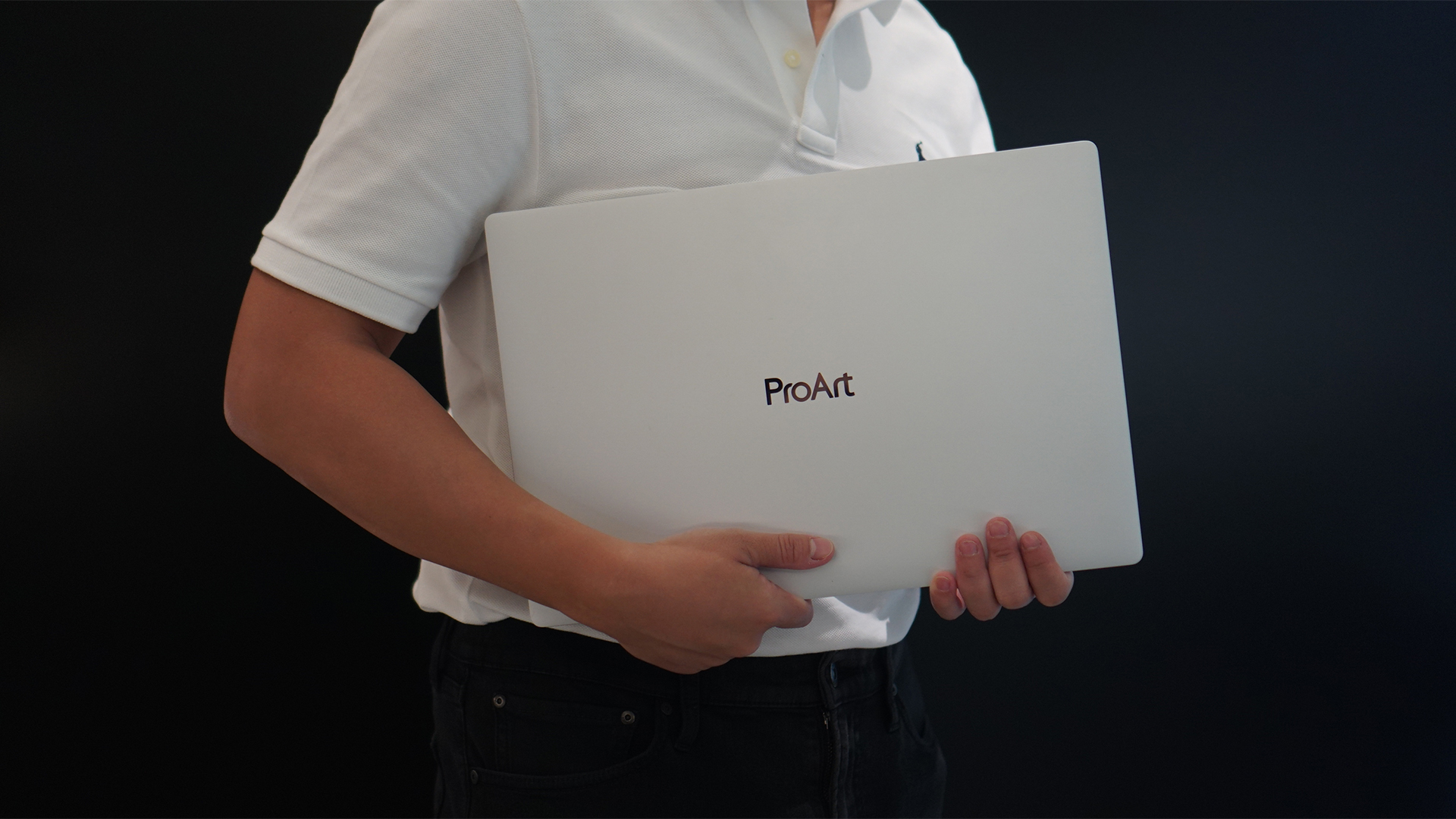
Select ASUS and ROG laptops now come with three months of Google AI Pro or Google AI Plus at no extra cost. The offer starts September 7 and covers eligible models from the 2025, 2026, and upcoming 2027 lineups.
Google AI Pro includes 5TB of cloud storage, while Google AI Plus comes with 400GB. Both plans also provide access to a range of Google’s AI-powered tools and features.
More Google AI on ASUS laptops
Eligible customers can use the Google Gemini app, Deep Research, Google Flow, Gemini in Google apps, and Gemini Notebook, among other features. Availability varies depending on the Google AI plan and supported features.
Google AI Pro offers higher usage limits and expanded access to Google’s more capable Gemini models. It also includes additional developer and agentic tools such as Google Antigravity, Jules, and AI Studio, subject to availability and plan terms.
Google AI Plus provides elevated access to Google’s AI tools alongside features for creative generation and productivity.
The offer covers more than just AI features. Google AI Pro’s 5TB of cloud storage and Google AI Plus’ 400GB give users additional space for documents, photos, videos, research, and other projects.
Available across select ASUS models
The one-year program starts September 7 and applies to selected ASUS and ROG laptops in supported markets. Eligible models span the ROG, TUF Gaming, ProArt, Zenbook, and Vivobook families, including select 2025 and 2026 models and upcoming 2027 devices.
Customers can redeem the offer exclusively through the MyASUS app. ASUS has published the full list of eligible models and the offer’s terms and conditions on its website.
Check the full list of eligible ASUS laptops
ASUS is also running its No. 1 Quality, School-Ready Deals promotion until September 15, 2026. The promo offers additional deals for students, gamers, and professionals buying select ASUS and ROG devices.
The company’s No. 1 Quality and Service package also includes up to three years of international and local warranty, service access across more than 90 countries, and over 100 ASUS Service Centers and Drop-Off Points in the Philippines. Eligible laptops also come with one year of Local Accidental Damage Protection and up to six free device cleaning claims.

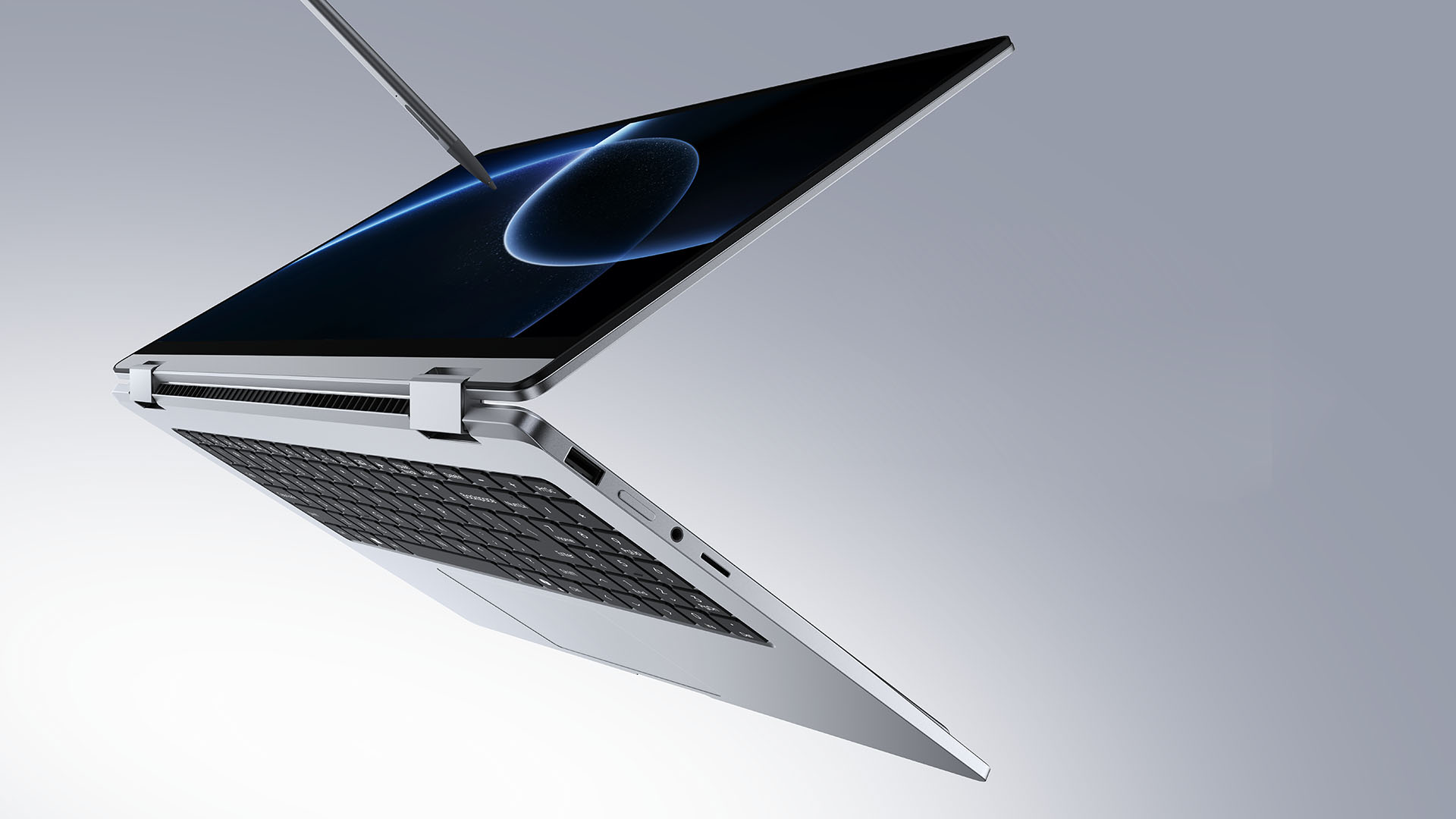
TECNO is making its MEGABOOK lineup a little more flexible.
At IFA ShowStoppers 2026, the uprising tech brand unveils the MEGABOOK T15 360 with two more laptops and three phones tagging along.
One laptop, four modes
The MEGABOOK T15 360 series is the brand’s first laptop lineup with a 360-degree hinge and touchscreen display.
By that, it’s more than just a conventional laptop. It can also be a tablet or a portable display via Tent mode or Stand mode. This added feat makes everything more versatile as TECNO’s existing laptops are only limited to the clamshell form factor.
Both models feature a 15.6-inch screen with the standard 16:9 aspect ratio. As alluded earlier, it’s a touchscreen laptop consisting of 10-point multitouch points. There’s also optional MPP 2.0 active pen support if you want to write or draw directly on the display.
So what’s the difference?
Well, the regular T15 360 gets a Full HD 60Hz panel with 320 nits brightness.
Meanwhile, the Pro version takes it up a notch with a faster 120Hz refresh rate, sharper 2.5K display resolution, full 100% sRGB coverage, and higher 350 nits brightness.
Both laptops come in an all-metal chassis made using CNC machining. The convertible design doesn’t come at the expense of a more conventional laptop build.
Performance uncompromised
TECNO isn’t treating the T15 360 as a lightweight convertible that has to compromise on performance.
You can get up to an Intel Core Ultra 9 185H processor, paired with an LPDDR5X RAM. The storage is based from PCIe M.2 2280 SSD — with select models having a secondary M.2 slot for utmost expansion.
There’s also a 70Wh battery plus support for a speedy 65W PD GaN charger. Connectivity includes up to Wi-Fi 6E and Bluetooth 5.4, alongside seven built-in ports.
Practical stuff were neither forgotten. There’s a backlit keyboard with a dedicated number pad, a fingerprint reader underneath its power button, dual speakers with DTS Ultra, a webcam, and dual digital microphones.
TECNO’s OneLeap feature also rounds things out by letting the MEGABOOK work with other TECNO’s smartphones, tablets, and other PCs for cross-device collaboration.
Two more MEGABOOKs
TECNO also brought two other MEGABOOKs to IFA.
The MEGABOOK K15S WCL is the more straightforward option. It uses Intel’s newer Wildcat Lake platform with a 16:10 display, a 70Wh battery, and 65W GaN charging — all in a premium, all-metal body.
Then there’s the MEGABOOK T17 Ultra. Ultra by its name, it goes big with a massive 17.3-inch 16:9 display. It can be configured with up to an Intel Core Ultra 9 processor and LPDDR5X memory. It also features a massive 99.99Wh battery and speedy 100W GaN PD fast charging.
Wait! There’s even more…
Beyond laptops, TECNO reveals the true form of its Next-Gen Bezelless Concept Phone at IFA 2026.
As announced more than a month ago, this concept uses a redesigned display architecture, internal stacking, structural engineering, and screen packaging to eliminate the physical black border around the display, resulting in what TECNO calls a true 0mm display border.

Beside a phone prototype, there are two consumer-ready products as well.
The POVA 8 Pro 5G Tonino Lamborghini Limited Edition combines the POVA series’ performance-focused approach with Tonino Lamborghini’s design language.
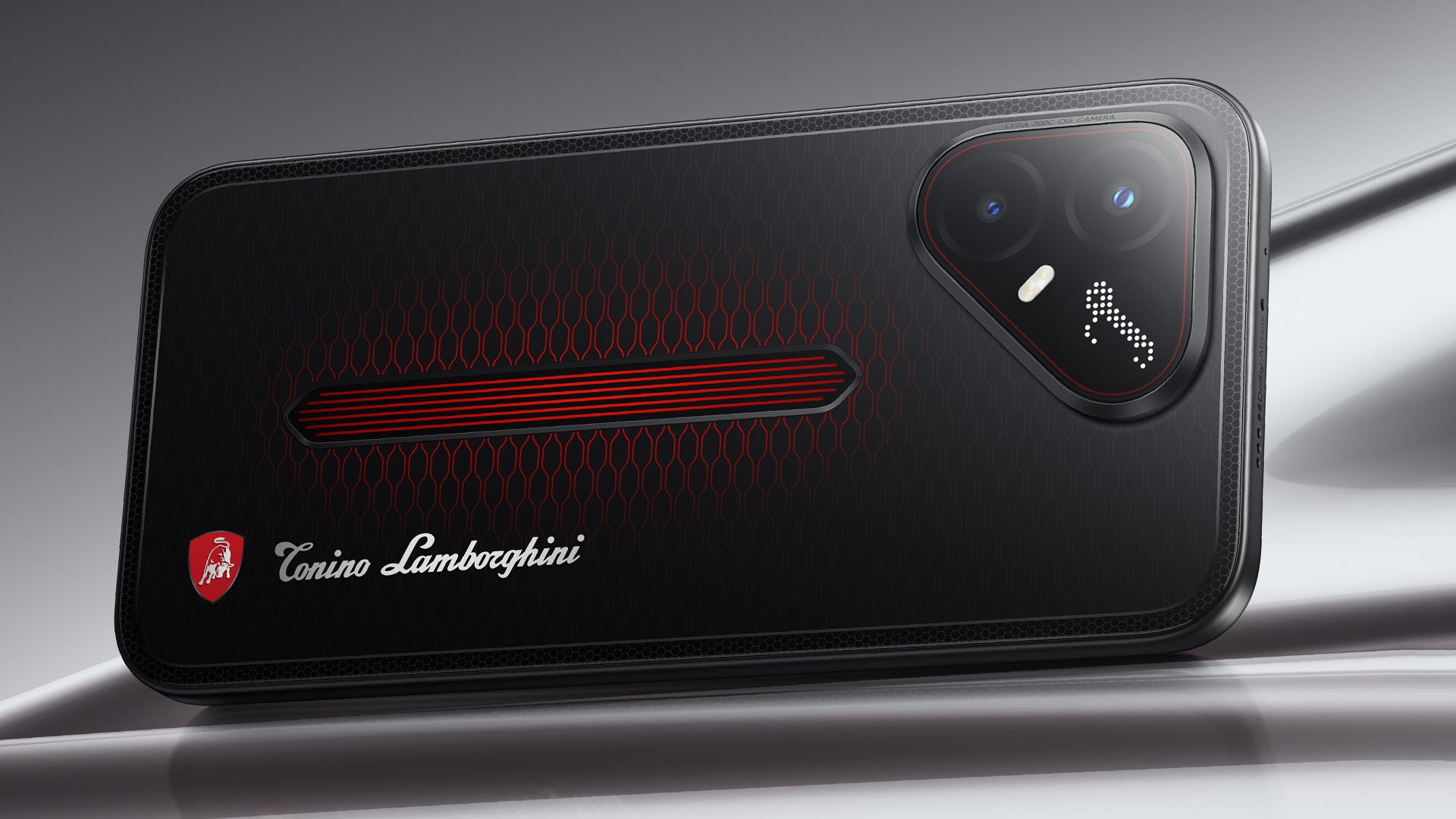
It uses a MediaTek Dimensity 7400 Ultimate 5G chipset alongside TECNO’s custom-made P1 Graphic Chip and a 5K IceShield vapor chamber cooling system. Specific details will be announced on September 4, 2026.
Meanwhile, the CAMON Slim 5G focuses on a thinner form factor, measuring just 6.39mm thick.
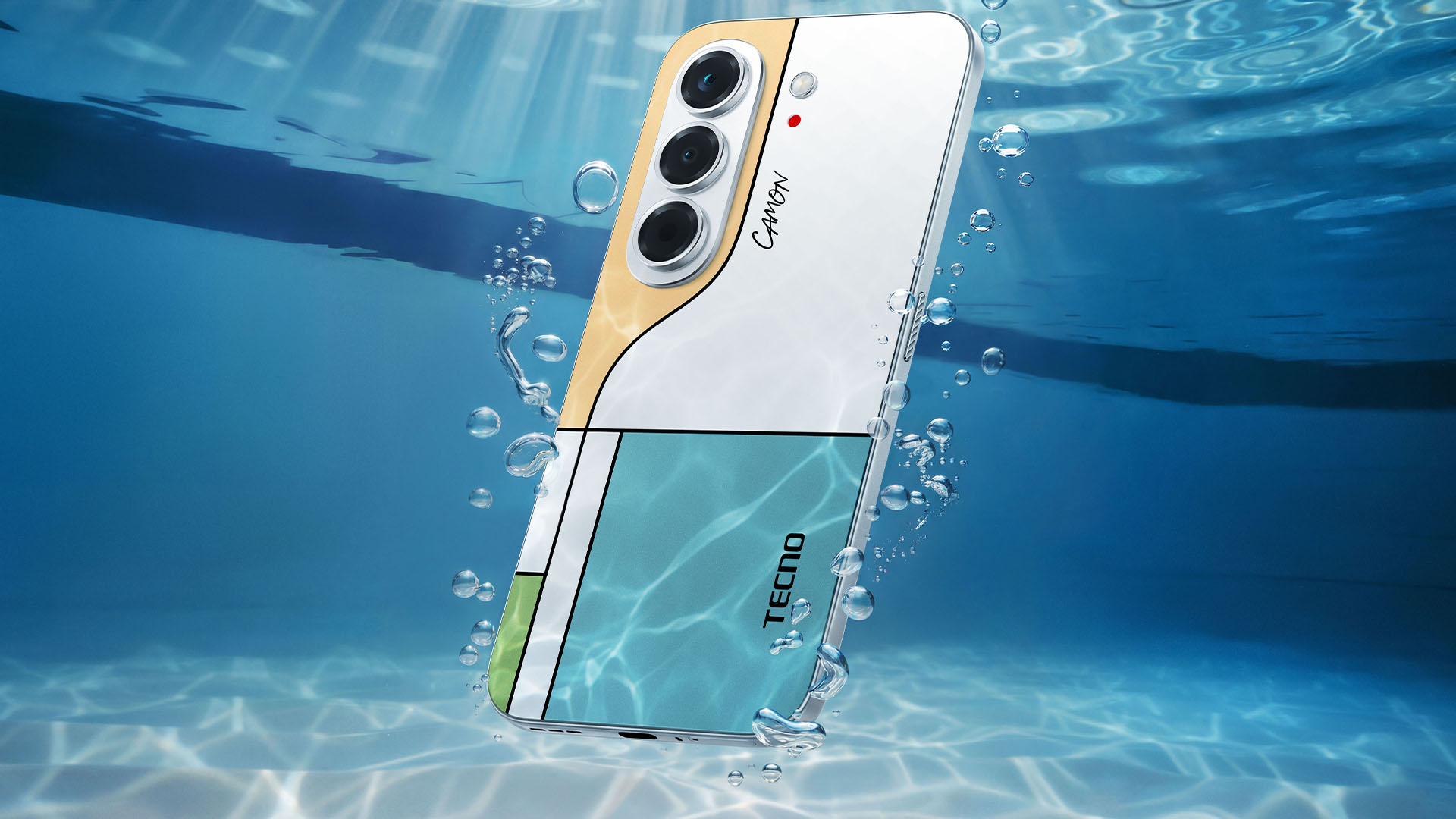
TECNO says it combines the CAMON line’s imaging features with AI capabilities and artistic colorways. More specifications will be revealed on September 7.
Pricing and Availability
The MEGABOOK T15 360 Series is expected to arrive in Europe by Q4 2026.
Depending on the configuration choice, the MEGABOOK T15 360 will start between EUR 899 ~ EUR 999. The MEGABOOK T15 360 Pro will cost as much as EUR 1099.
No pricing info were announced for the other MEGABOOKs and two phones as of writing.


DJI Lito X1 review: Is this the best lightweight drone for creators?
Making a strong case as a travel companion and a capable B-cam!


REDMI Note 17 Pro Max review: A new breed born from AI greed
Welcome to the new normal


Marvel’s Wolverine review: When the claws come out
A brutal, cinematic superhero adventure
DJI Lito X1 review: Is this the best lightweight drone for creators?

Now Playing: Resident Evil

HONOR, Fidesmo partner for contactless payments across Europe, Middle East

Ford revs up Truck Month with extended 5-star care offers
REDMI Note 17 Pro Max review: A new breed born from AI greed

TECNO MEGAPAD 2 review: Eyes on the size

realme 16T 5G with 8000mAh battery, IP69 Pro rating launches in PH

HUAWEI Pura X View is 2026’s first WIDE slab-type smartphone

REDMI reveals the refreshed Note 17 and Note 17 Pro series

REDMI Note 17 Series: Price, availability in Singapore


-
 News1 week ago
HUAWEI Pura X View is 2026’s first WIDE slab-type smartphone
-

 News1 week ago
The CAMON Slim 5G is TECNO’s latest ultra-slim smartphone
-

 IFA 20262 weeks ago
TECNO MEGABOOK T15 360 unveiled at IFA 2026
-

 News1 week ago
iPhone 18 Pro series: Price, availability in the Philippines
-

 Gaming2 weeks ago
NBA 2K27 review: A two-way All-Star
-

 IFA 20262 weeks ago
TECNO’s POVA 8 Pro gets a stealthy makeover
-

 Automotive2 weeks ago
Ford’s new Everest lineup brings V6 engine to the top, tech down the line
-

 Gaming2 weeks ago
Now Playing: Elden Ring Tarnished Edition