

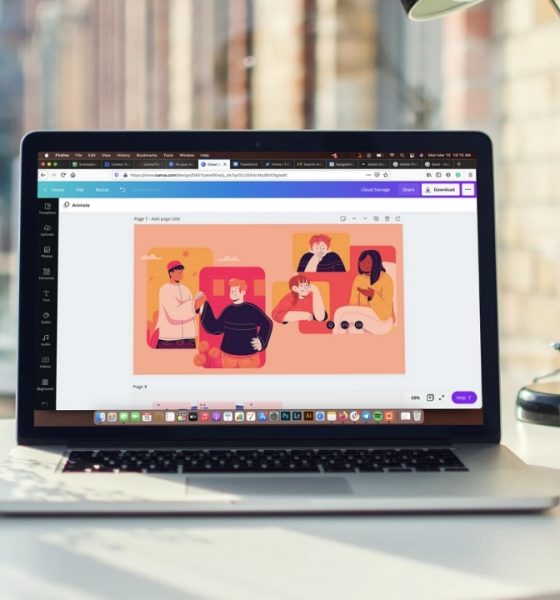
Apps
Canva Pro review: More than just a design platform
The perfect blend between design, collaboration, and stock library

Creating good designs can be intimidating when you’re not a designer. And finding a designer that will execute your vision within your budget, it’s like winning the lottery; the chances are slim.
Thanks to the rapid growth of technology, Canva appeared with a solution: Quality designs made accessible. Hopefully, good designs won’t be daunting to create anymore. But before we tackle designs, let’s get a refresher on what Canva is all about.
Canva: What can it do?
Canva is a design platform accessible through the web, which allows non-designers to create quick designs quickly. It can do what most designers create in Adobe products easily, but with limitations. For instance, you can do the usual basic photo editing like a cropping system, and applying filters and adjustments.
And when you register, you’re automatically signed to the Free Plan. No purchase required. But if you want to expand the possibilities of creation using Canva, then there’s Canva Pro — which is the whole point of this story.
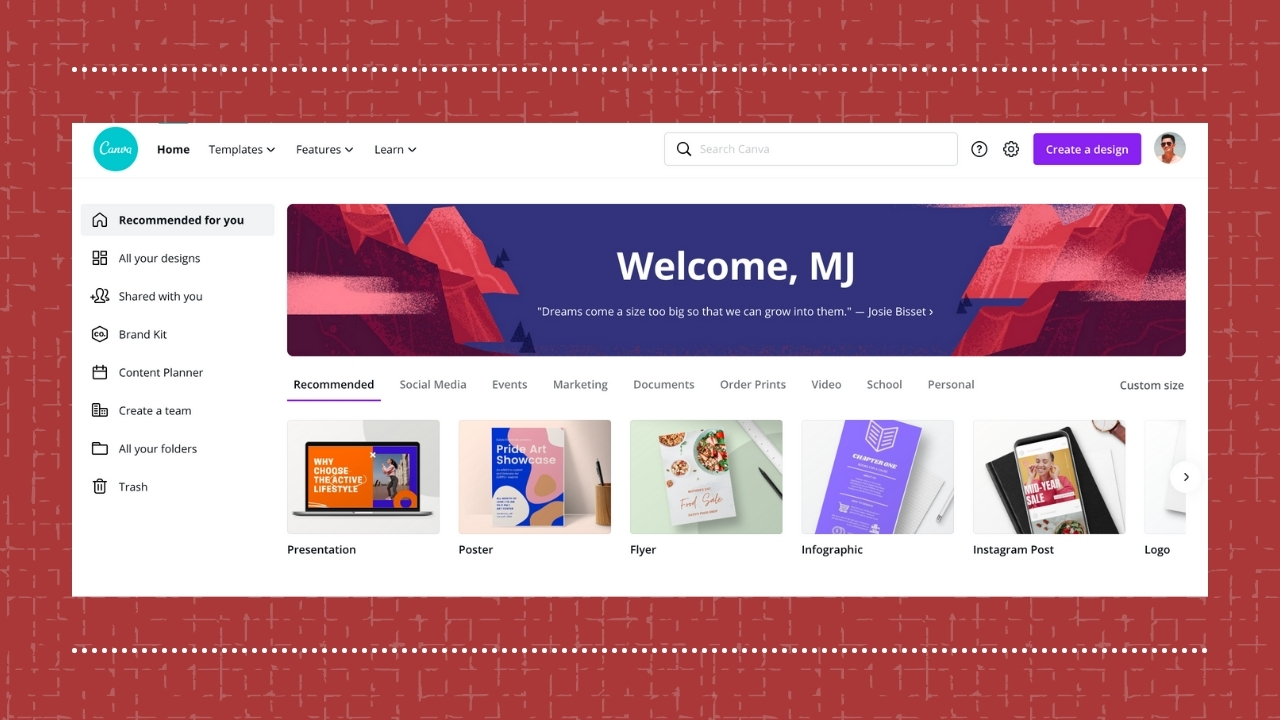
Made on Canva Pro / GADGETMATCH
So, what are you paying for with Canva Pro?
It’s 2021, and by now, you know most free applications, software, and the like always have a premium subscription plan. They host a plethora of features — most of which are something you’d like to have. That’s the case for Canva Pro.
It’s the premium plan that provides premium content such as photos, templates, illustrative elements along with advanced features that help small businesses, startups, and freelancers thrive.
I’ve had the free plan for a while until I got my hands on Pro version. As a designer, I really don’t need it. But using it made me realize the value Canva really brings.
But first, what can you do with Canva Pro?
A lot. I’m not kidding when I say you can do a lot with Canva Pro. It’s like those limited content suddenly opened up a treasure box full of gems and gold that you can benefit from.
For instance, your access to Canva’s usual content expands through its unlimited, licensed resources. Emphasis on licensed — they’re work that you can use not just for personal purposes, but also for commercial projects. You can choose from an array of content: Over 400,000 templates, more than 75 million photos, videos, and elements consisting of pre-made graphics and illustrations, along with over 3000 fonts. All of which can be downloaded at the quality you prefer.
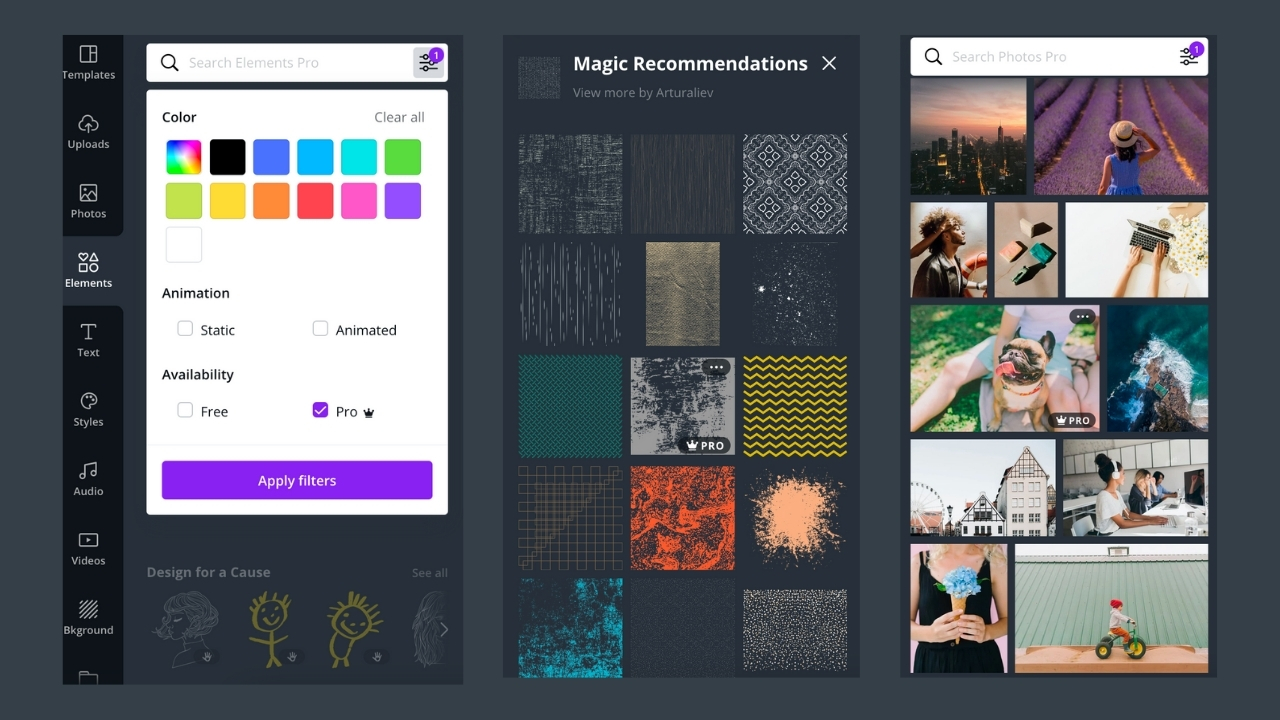
Made on Canva Pro / GADGETMATCH
You can also utilize perks such as unlimited folders, a hundred gig of cloud storage to store all your designs sans souci, and priority support in case you have troubles using the platform.
Other things you thought you can only do with expensive creative software from certain brands are also available in Canva Pro. I was able to remove the background easily, animate and resize their elements without loss of quality no matter what resolution is, and save transparent images — which made my life handling the news desk a lot easier.
On certain days that I don’t have the time to come up with an accompanying image for breaking news and other urgent stories, I used Canva Pro’s resources so I can create a design within minutes.
Here are some of my works that used Canva Pro whether via the platform or using their resources:





A novice’s tool for content planning
As someone working in a start-up company, I’ve been wearing many hats. My daily grind involves managing multiple platforms, arranging campaigns, and building content while creating digital communication materials in written and visual forms.
The content planner in Canva Pro is quite helpful especially when you’re planning content around your schedule, and you aim for it to look coherent and aesthetically pleasing using your designs made from *drum roll* Canva.
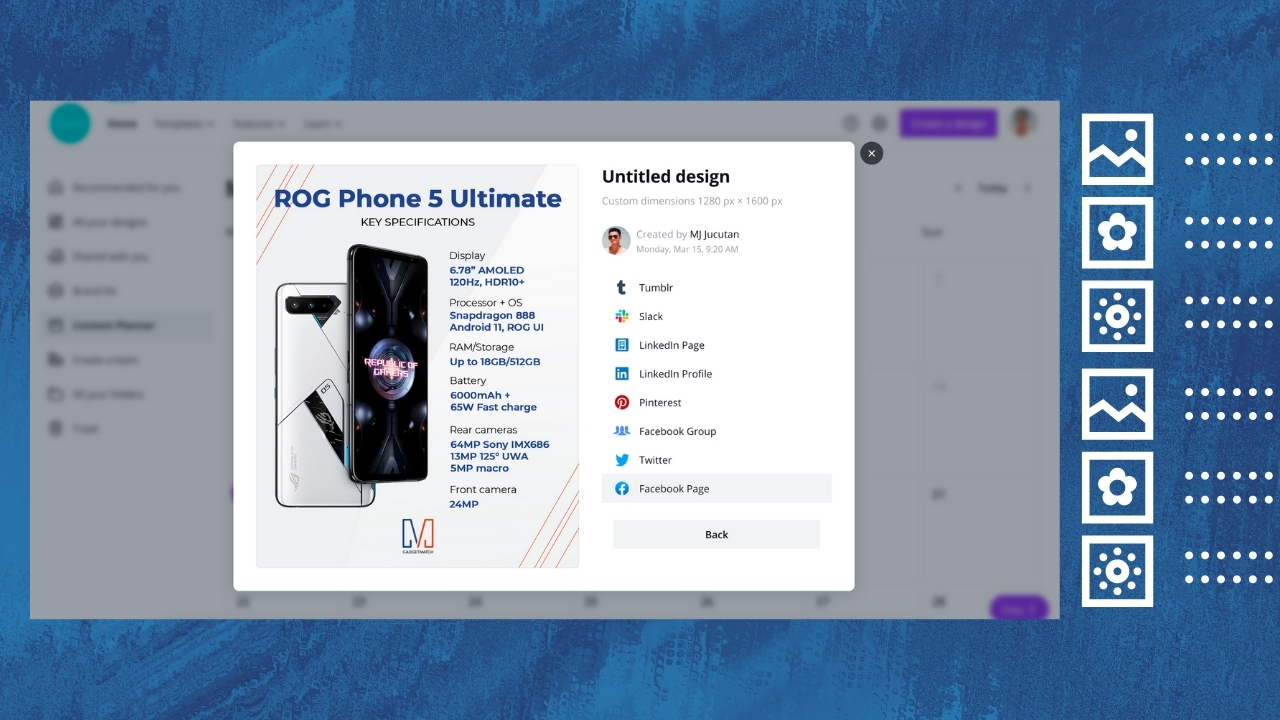
Made on Canva Pro / GADGETMATCH
However, it’s been ages since I started this line of work and I already established my own tools and system; I don’t plan on changing what’s already working. So, no. I’m not going to use the content planner.
But from what I can see, it’s a godsend for those starting with social media management. Especially entrepreneurs flying solo. After all, you can get a preview and even use Canva as a third-party scheduler, so you can publish your content at a specific time.
An easy system between teams
On top of that, I’m also fulfilling the role of Associate Creative Director, leading the team when it comes to branding and visual guidelines. There are only a few designers onboard, and most of them are focused on videos and animations. To make life easier, I created a system for writers and other non-designers.
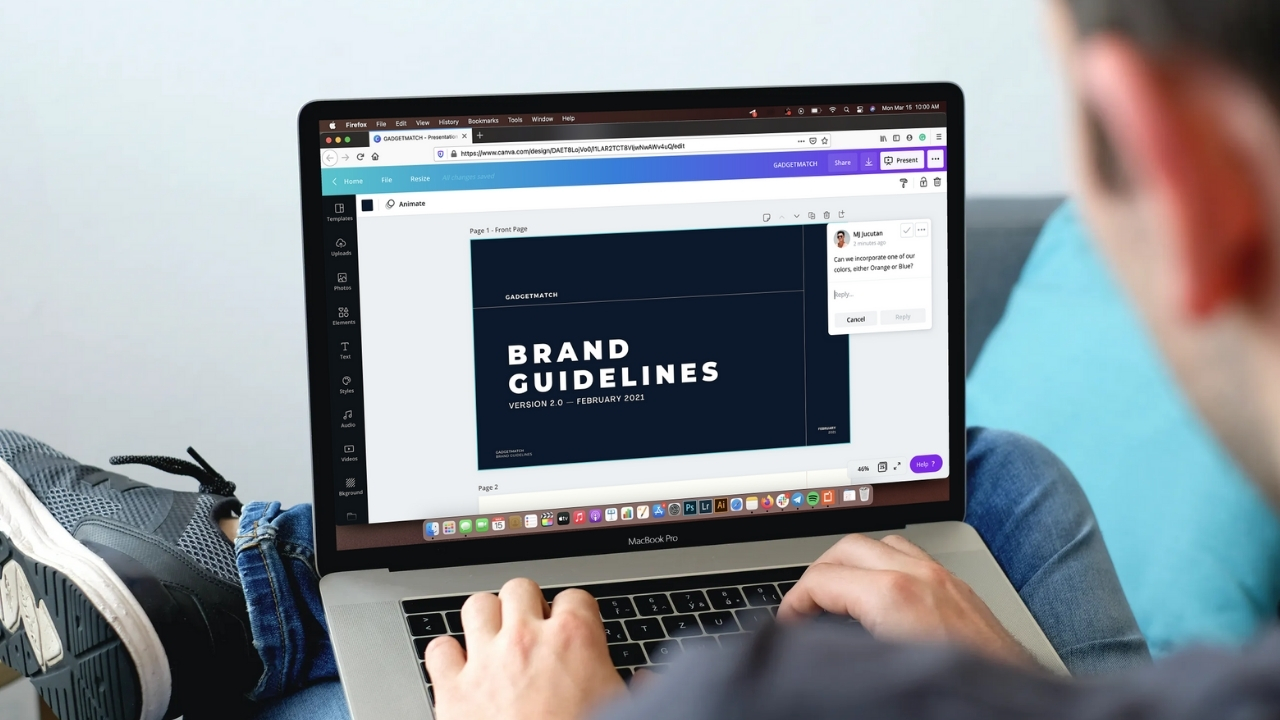
Made on Canva Pro via Smart Mockups / GADGETMATCH
This is where Canva Pro proved to be helpful, and I wish I met them earlier. It lets you share your designs as templates, and it can be navigated and edited easily by non-designers. For years, I spent a lot of time building templates that would make it easy for our writers and account managers.
I remember coming up with a template design meant to be used for proposals and reports, and I had to create mock designs while also designing an editable presentation on Google Slides. Having the Brand Kit Pro made it easy to create essential visual materials while sticking to your brand’s guidelines, themes, and aesthetic. Plus, you can make it coherent and get it adjusted in real-time.
But more than just the design capabilities, Canva Pro helps create a system for easier workflow between teams. You can create a team in Canva and invite your actual teammates using their Canva account, and get the same premium plan you have. With it, you can design and plan things together using the online whiteboard.
Think: Google Suites but a whiteboard for brainstorming and ideation purposes.
How much are you really saving?
Let’s do a little bit of math here. Canva Pro offers cloud storage, unlimited licensed stock content, a third-party scheduler, and an engineered platform so you can design real-time — all in one premium plan.
On the other hand, you can use separate platforms for everything you need, but all of it comes with respective pricing plans. For instance, subscription plans for cloud storage can be an extra 100GB for Google or 1TB on Microsoft’s OneDrive. You can also use Adobe Stock for royalty-free and licensed premium content, which can set you back for PhP 1,495.00/mo for 10 credits or for PhP 9,970.00/mo for up to 750 credits.
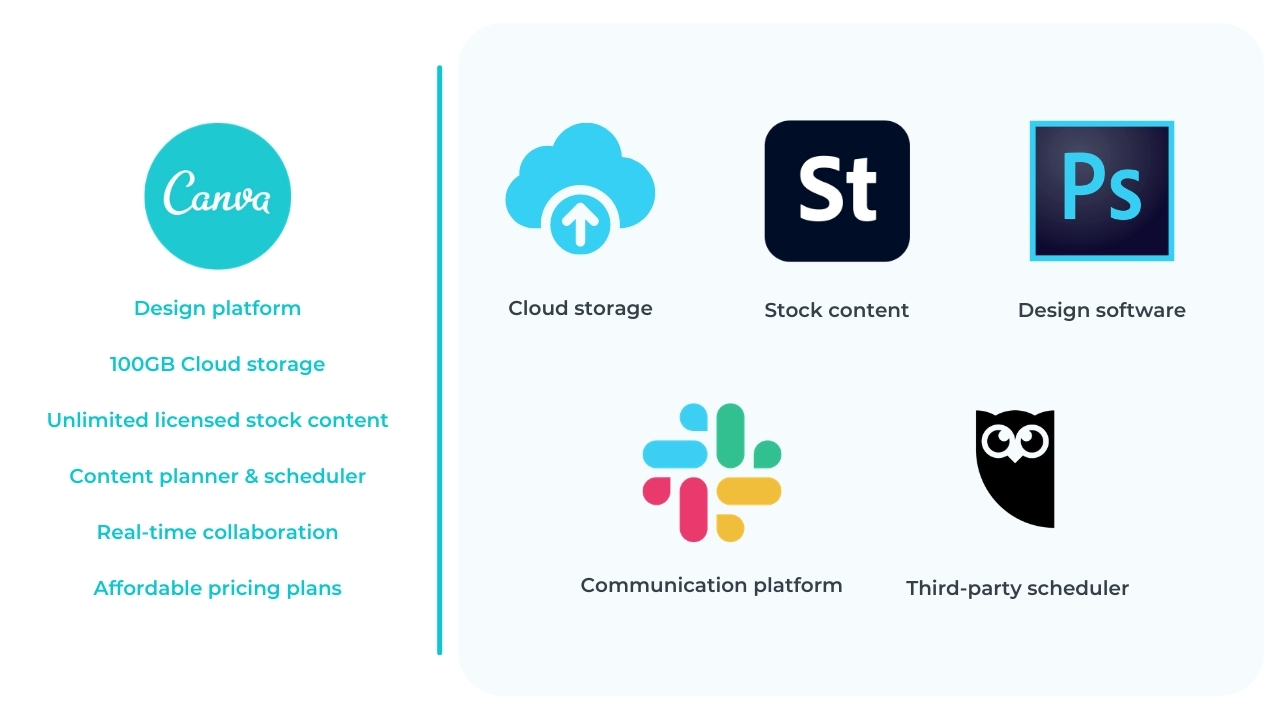
Made on Canva Pro / GADGETMATCH
There’s also dedicated design software such as Adobe Photoshop and Adobe Illustrator, both of which come with their own price unless you can get a bundled offer for two. For real-time collaboration, Google Suites might be free but a professional platform like Slack also comes with a cost. Even third-party schedulers utilize subscription plans as payment for using their services that make your life convenient.
In essence, you are saving so much by just using Canva Pro. Of course, it will still all depend on your workflow and the money you can shell out. But if you have a limited budget, Canva Pro already sounds like a good deal.
Who will benefit the most?
As a designer, I have received prejudice and judgment from fellow designers who take so much pride in their work. But Canva has real value for designers leading a small team (such as my case) or solopreneurs (solo entrepreneurs), small businesses, startups, and freelancers.

Made on Canva Pro / GADGETMATCH
Limited manpower with a leading designer can help create editable templates that don’t require extensive, technical knowledge of Adobe or other creative software products. Solopreneurs, small businesses, and startups can create designs without outsourcing to designers especially for quick, easily digestible content used on social media.
Freelance creatives can also utilize various resources from Canva Pro to ensure a smooth workflow and faster turnaround. Clients will worry less when it comes to copyrighted materials due to the licensed content applicable for commercial use.
Does this affect the design and creative industry?
Frankly, it’s a game-changer. But the insecurity from fellow designers isn’t needed; they’re not going to be replaced. It’s like fearing that one day, a machine will take over your work. Then, you’ll have no other skill set to offer to live and survive.
Honestly, those are only based on fiction. Design is evolving rapidly, and there are new problems emerging that require quick yet creative solution — and Canva provides it.

Made on Canva Pro / GADGETMATCH
In this ever-growing age of technology, designers are still welcome and needed. Brands and companies will still need designers to do in-depth, studied content that went through different stages of conceptualization. The world will still need creatives to lead a group of non-designers to be self-sufficient. Even though they learn how to create a design, they will still need to follow a foundation and guideline that only designers know based on their theoretical backgrounds and experience.
Moreover, Canva hires actual creatives to create commercial resources. The company creates actual jobs. If a designer is worried about competing with Canva, it’s about time to level up the services they can offer. You can’t be doing the same thing forever.
Is Canva Pro worth it?
Yes. I’d give you a thousand yes. That is if it really suits what you need. Because for me, even as a designer myself, I believe that Canva Pro is worth it. It’s more than just a design platform with a licensed stock library; it’s also a real-time collaboration tool that makes our lives and jobs easier when working remotely. Truly, a solution to a modern-age problem that we faced when the global pandemic started.

Made on Canva Pro / GADGETMATCH
So if you’re still wondering whether you should get it, ask yourself: Do you really need what Canva Pro has to offer? If some part of you said yes, then it’s a resounding yes.







Apps
Google Photos can now censor your kid’s face better
The new Redact feature can censor sensitive information.

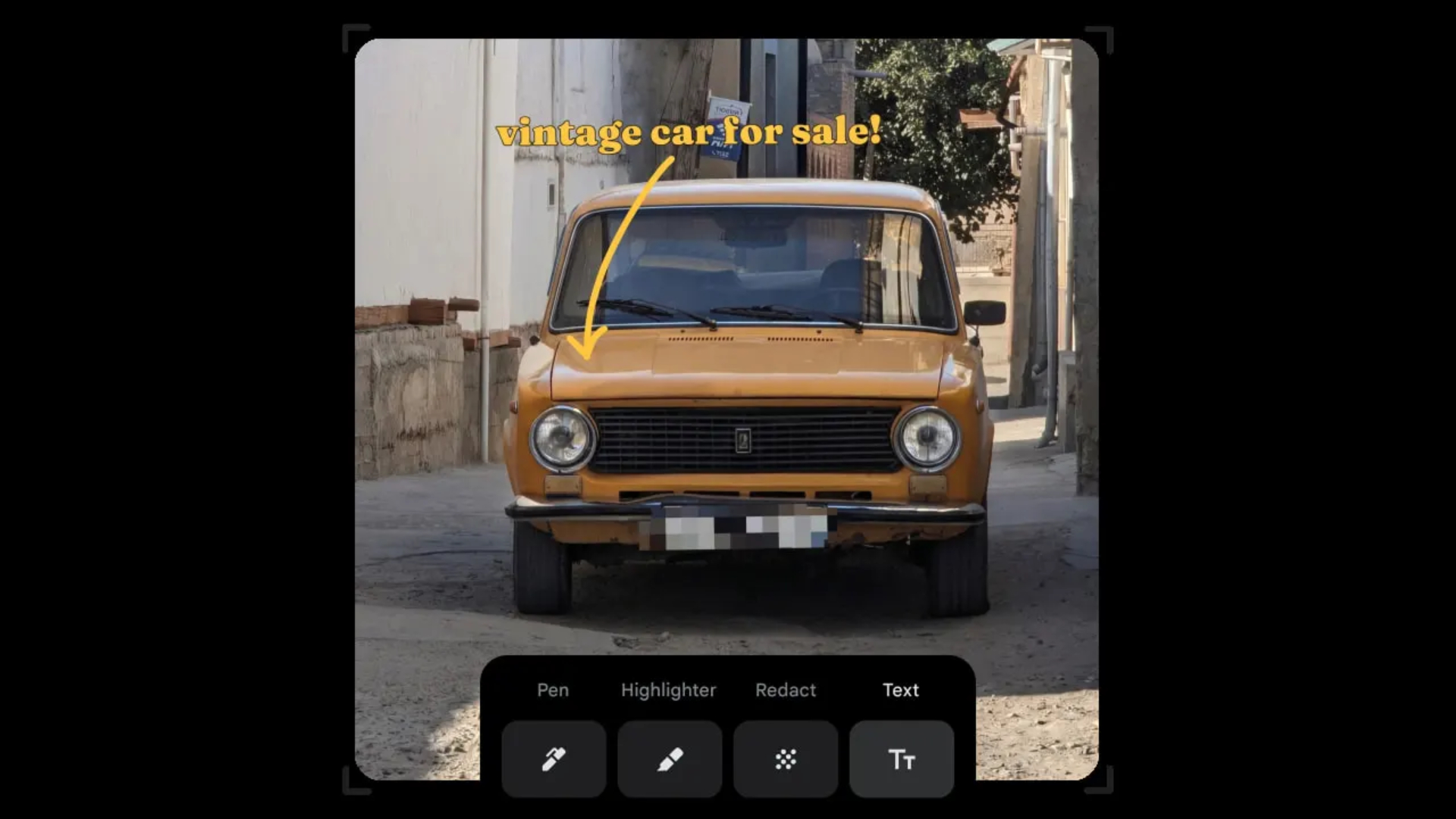
Censoring photos is heavy work. Either you stick on random emojis or draw an indiscriminate splotch of doodles to cover sensitive information. It’s an imperfect art but an essential one to protect privacy. Today, Google Photos is getting a Redact feature which can censor sensitive bits with pixelated blocks.
An addition to the Markup tool, Redact acts like a nifty pen that can hide information that you don’t want seen. Unlike a ghastly emoji or a splotch, the censored bar mixes better with the surrounding elements. In the example that Google used, a censored license plate blends well with the car it’s attached to, making the photo look more cohesive. Besides license plates, it’s the perfect tool for covering other information like phone numbers, addresses, and the faces of your loved ones.
Google Photos is also rolling out Moods, a set of filters that give photos a nostalgic look, including a 2000s night digicam vibe that’s popular today. There are also 15 new Remix templates to add more creation options.
Both the Redact and the Moods features will roll out to Android users starting today. The new Remix templates, however, will be limited to some countries on both Android and iOS.
SEE ALSO: Google will force Android users to use Gemini next month
Apps
Smart launches LiveSmart App for exclusive deals
Exclusive deals, cashback, and bill payments in one app.

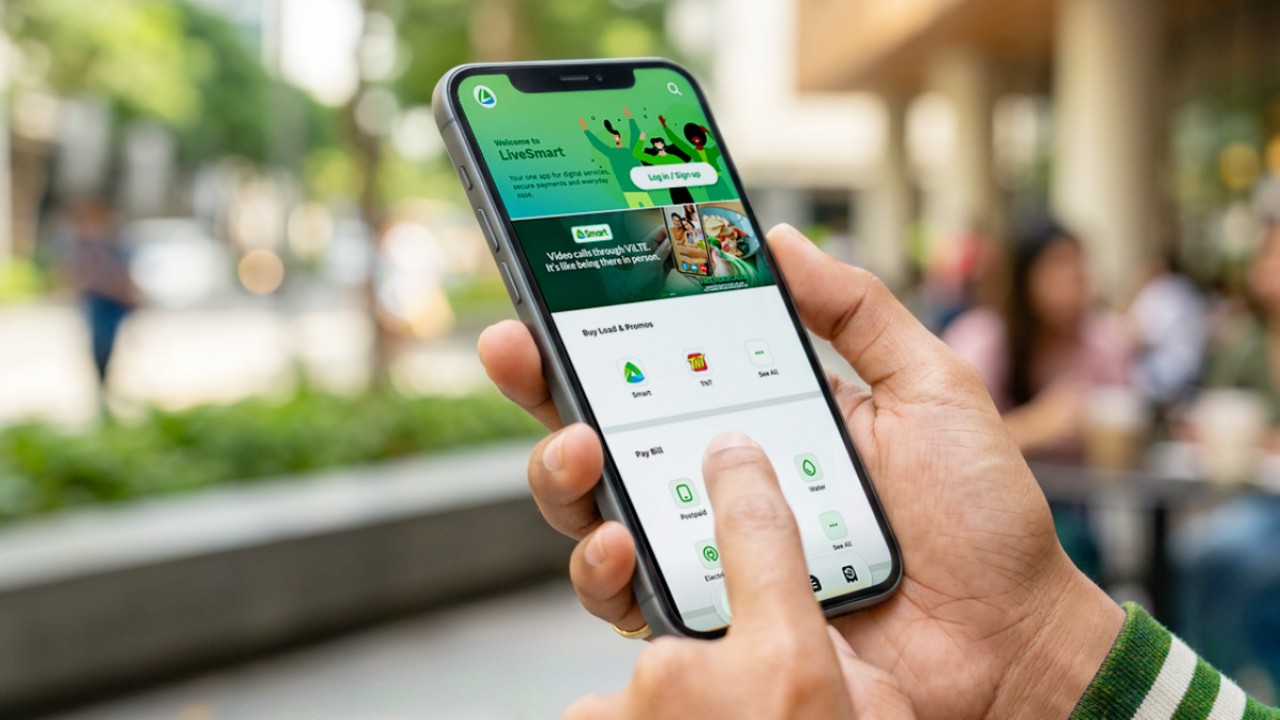
Smart Communications, Inc. (Smart) and TNT have launched the LiveSmart App, a new platform that combines loading, bill payments, exclusive offers, and other everyday transactions in one app.
The app is available on the Google Play Store and Apple App Store. It is open to Smart, TNT, and subscribers of other mobile networks.
The LiveSmart App gives users access to exclusive deals and savings. These include cashback offers, discounted Smart and TNT data packages, and limited-time access to AI.Smart.
“Filipinos are becoming more deliberate about where they spend and how they can get more value from every peso,” said Lloyd R. Manaloto, FVP and OIC for Smart. “The LiveSmart App is designed to help make those everyday decisions a little smarter, by giving users convenient ways to load, pay bills, and access exclusive savings and offers in one place.”
Exclusive deals and perks
Smart and TNT are rolling out several offers on the LiveSmart App starting September 18.
Smart and TNT subscribers can get 5% cashback when they purchase load or pay their Smart Postpaid bill through the app.
The app also offers data packages at exclusive prices. Smart Prepaid subscribers can get Power All 109 for PHP 105, while TNT subscribers can get Saya All 109 for PHP 105.
Users who download the LiveSmart App may also receive limited-time free access to AI.Smart.
AI.Smart combines multiple AI models, including AWS Nova, ChatGPT, Claude, Google Gemini, and Thinking Machines, in one workspace. Users can use it to generate images, create presentations, draft documents and spreadsheets, and get help with schoolwork, content creation, and other projects.
To claim the free AI.Smart credits, users need to tap the AI.Smart banner in the LiveSmart App. They then need to create an AI.Smart account using their Smart or TNT number.
Smart says users can also expect more exclusive deals and perks from lifestyle partners as it expands the LiveSmart App.
Powered by Smart 5G
The LiveSmart App runs on Smart’s network. Smart 5G supports activities such as video streaming, gaming, and real-time social media sharing.
The company said Ookla recently recognized its network for the Best Mobile Video Experience in the Philippines for the first half of 2026. Smart recorded a Video Score of 72.82, which it said was the highest among mobile operators in the country.
The LiveSmart App is now available on the Google Play Store and Apple App Store. Users can learn more about the app through Smart’s website.
Apps
Apple’s best feature to cure motion sickness is finally on Android
Google copies a good page from Apple’s playbook.
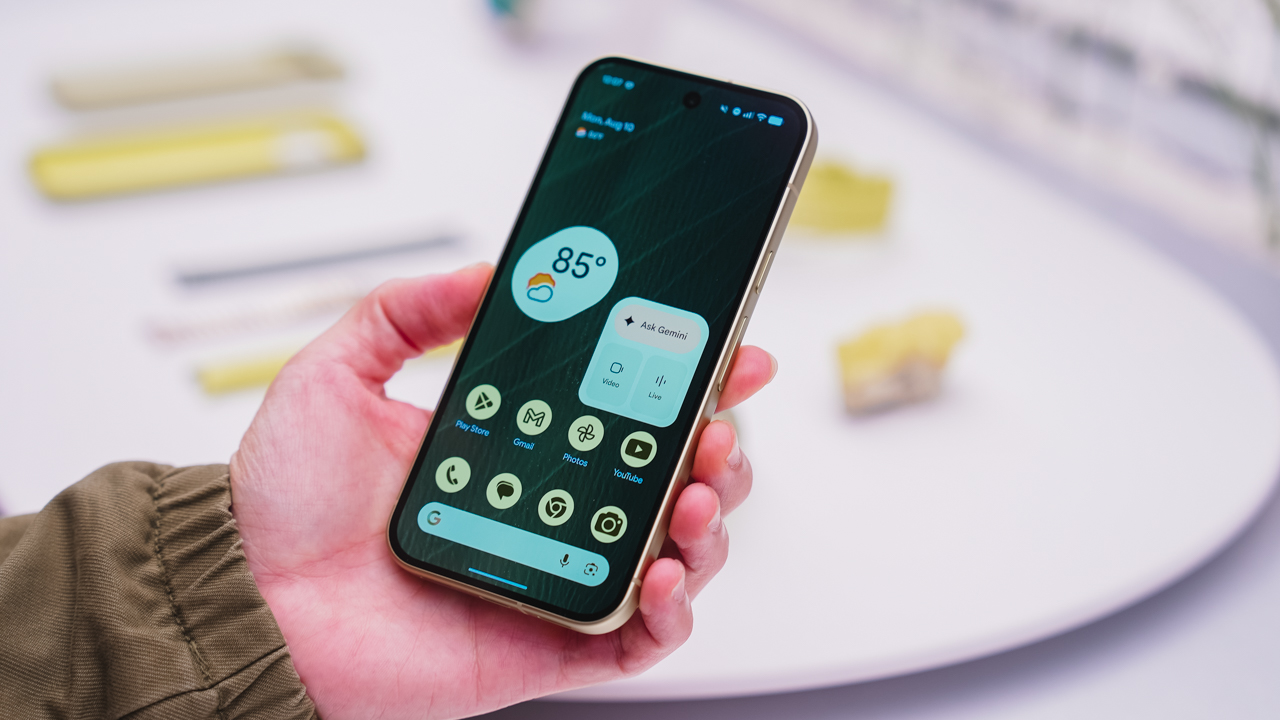
As an Android user, I’ve been jealous of iPhone users for a while now, but it’s not for the reason you might think. See, I’m ridiculously prone to motion sickness when I’m not driving. So, when I discovered that Apple has a software-based cure called Vehicle Motion Cues, I wanted it immediately. Now, Android does have third-party apps that do the same thing, but they’re not as good as a fully native version. Well, those dark, nauseating days are about to come to an end. Android 17 is finally getting a similar tool called Motion assist.
Before that, let’s rewind for a bit. What do these features do? How can they cure motion sickness?
Whenever you open Vehicle Motion Cues or Motion assist, the interface spawns a series of dots on the screen. These dots respond to movement. For example, if the vehicle turns to the left, the dots also go to the left, mimicking the movement. Without cues like this, the stationary nature of the screen clashes with our brain’s perception of movement. The disparity creates that feeling of nausea. Basically, our eyes are desperately trying to focus on the static screen, but our brains are telling us that we should be seeing motion. Having moving dots reorients our brain and places the phone inside our perception of movement.
Now, you can enable the same feature on your Android 17 device through Settings > All services > Motion assist under Personal & device safety. You can also set it so that the feature turns on automatically when the phone detects that you’re in a moving vehicle. Finally, you can also tweak the shape, color, and opacity of these dots.
Android 17’s Motion assist is rolling out now to compatible devices.
SEE ALSO: These are the best Android 17 features (if you hate AI)


TECNO POVA 8 Pro Tonino Lamborghini review
Truly a rare gem in 2026


DJI Lito X1 review: Is this the best lightweight drone for creators?
Making a strong case as a travel companion and a capable B-cam!


REDMI Note 17 Pro Max review: A new breed born from AI greed
Welcome to the new normal
TECNO POVA 8 Pro Tonino Lamborghini review

When TECNO-logy meets Tonino Lamborghini legacy

Spotlight: Amazon Kindle Scribe Colorsoft

Chimelong’s newest attraction might be the robots themselves

Xiaomi 18 Pro series is launching globally, Xiaomi confirms

realme 16T 5G with 8000mAh battery, IP69 Pro rating launches in PH

HUAWEI Pura X View is 2026’s first WIDE slab-type smartphone

The CAMON Slim 5G is TECNO’s latest ultra-slim smartphone

iPhone 18 Pro series: Price, availability in the Philippines

DJI Osmo 360 II review: Going all-in on the ecosystem


-

 News6 days ago
vivo X500 Series launches with major imaging upgrades
-

 News5 days ago
OPPO Find X10 Pro Max is the first phone with a triple 200MP camera system
-

 Gaming2 weeks ago
BlizzCon 2026 announces World of Warcraft: Forever and Diablo V
-
Reviews2 weeks ago
REDMI Note 17 Pro Max review: A new breed born from AI greed
-

 Singapore1 week ago
Epson Lifestudio Grand Plus EH-LS970B with 4K projection, more launches
-

 News6 days ago
vivo introduces OriginOS 7 with smarter multitasking and AI features
-

 Gaming2 weeks ago
Valve unveils price of the Steam Frame
-
Drones1 week ago
DJI Lito X1 review: Is this the best lightweight drone for creators?