


Convenient Smart Home
Formovie Xming Episode One review: Beaming, blazing just like that
Wonderful, powerful, yet portable projector

It’s been almost two years since the 50-inch TV I bought from *redacted* with my hard-earned money got unresponsive — and died eventually. To make it worse, it was already way past its warranty period.
Instead of buying a new unit, I thought I can survive without one. After all, I have several devices I can choose to use — a smartphone slab, hybrid foldable, gargantuan tablet, and even the all-rounder MacBook Pro with its brilliant 14-inch Liquid Retina XDR display™️. 🤧
Yet I was wrong. I still keep searching for big screens when it comes to consuming content.

But maybe the heaven is on my side. Formovie personally reached out and decided to offer the Xming Episode One for an in-depth review. Of course, I didn’t hesitate and grabbed the opportunity right away.
It’s also a fresh take for me as I have never ever used a projector in the entirety of my life.
For whom?
ICYMI, Formovie is an innovative brand from China with smart projectors and laser TVs as their specialty.
To make it even more interesting, the brand was co-founded by Xiaomi and Appotronics — making them a part of the vast Mi ecosystem alongside other brands.

And if that isn’t enough, they have bagged awards from prominent design competitions such as Red Dot Design, iF Design, CES Innovation, Good Design, among others.
Sleek and on fleek
With design awards in mind, Formovie’s Xming Episode One has a quirky design with a straightforward purpose of being a projector on the go.

It might not be the most premium projector ever made, especially with its choice of materials, but its roundedness makes it overall appealing. This goes most especially for first-time projector users like me.

Seeing it for the first time never felt intimidating. And to make it even a lot more inviting, it weighs at just 1.2 kilograms (2.8 pounds).
I also love those intricate details in orange — body edges, logo placeholder, decals, speaker grilles.
Portable whenever, wherever
With the projector’s actual heft already stated, now is the best time to brag about its utmost portability.
Like this projector review, my recent trip to South Korea was also a first. I then thought, why not bring the Xming Episode One with me? After all, Formovie has assured me that the projector is travel-friendly.
✅ Check-in Luggage

*For demonstration purposes only. The projector was packed in a separate storage bag for utmost safety.
Since the projector isn’t equipped with any type of battery, it’s very safe to store it in your check-in luggage wherever you go, whenever you want to.
✅ Backpack
I recently bought Nike’s 37L Utility Elite 2.0 Backpack. For enthusiasts, you might be aware that it has a dedicated shoe compartment.

*For demonstration purposes only. The projector was packed in a separate storage bag for utmost safety.
While the bag has a lot of space for my storage woes, that particular compartment is where the Xming Episode One comfortably sits and fits.
✅ Crossbody Bag
This adidas Y-3 bag has been my go-to for smartphones and other handy essentials I bring out and about.

To my surprise, the product fit like a glove. There’s even an extra space for my smartphone — or pretty much any other item I want to store inside.
✅ Shoulder Bag
Last but definitely not the least, here’s a HK$ 59 (US$ 7) shoulder bag I purchased from GU in my last Hong Kong trip.

Even with its thin strap, the Episode One’s lightweight body simply made it like I’m bringing nothing.
And as the bag has an extra zipped compartment, I was even able to store the power adapter and remote control inside.
Tiny yet mighty
The Xming Episode One may be light in weight, but it’s heavy in terms of the hardware packed inside.

First, its 150 ISO Lumens delivers bright visuals. And with a combination of 1500:1 Contrast Ratio, any type of content will look enticing — more on that later.

As for audio, it features two 3W speakers that are also Dolby Audio certified. And if that would not suffice, there’s also a 3.5mm audio port for you to connect your dedicated surround sound speaker setup.

But, if the very messy wired connection is one of your pet peeves, you can instead pair your wireless speakers thanks to its seamless Bluetooth 5.0 connectivity.
There’s even an HDMI 2.1 port if you wanted to project content straight out of your laptop, PC, or even the gaming console that’s very close to your heart.

Right after I powered on the device, it barely made any sound. The aircon’s hum was even louder.
Smart at heart
Overall aesthetics, utmost portability, and hardware are just parts of the overall story. What truly makes (or breaks) a product is how it can deliver features based on what it has promised to consumers.

Other projectors may already have this feature but I love how the Episode One has a focus sensor. This helped me a lot during my first set-up in a crammed hotel room.

I don’t have a proper location to place it other than the room’s teeny-tiny table. But, after stacking some travel magazines and brochures I’ve collected in the airport, it performed its auto keystone correction as well as auto-focusing function after placing the projector in its awkward, tilted position.

There’s even a handy-dandy smart obstacle avoidance — which avoided that clothes rack beside the bed as well as that small LCD TV mounted at the right side of the room.
But what ultimately enticed me with the Xming Episode One was that, it runs Google TV and Netflix straight out of the box.

This just means I don’t need an additional Chromecast, Android TV box, or any other unnecessary feature like wireless casting just to enjoy the full benefits of Android and its vast app ecosystem.
Other projector brands have serious compatibility issues mainly because they equip their projector units with their proprietary (and bug-infested) OS.

This remote control was very reminiscent of that bundled with my old Android TV. 👀
Setting it up was easy-peasy. It only took me under ten minutes to make everything work. Just make sure you have a fast Wi-Fi connection to make everything buttery smooth.

That aforementioned smart Android TV got updated to Google TV — making the overall look and feel familiar for me
Having Google TV as the primary OS also meant I have all the other necessary apps for entertainment.
Whether that’s YouTube, Disney+, Amazon Prime Video, or Apple TV, they all ran well without hiccups.

Spotify and TikTok weren’t installed right away but are both supported — in case you wanted to use those platforms on a bigger screen.

Wonderful and powerful
Now with everything in place, overall usability and performance come last.

#NewJeansNeverDie!!!
I may not be able to measure the exact size of the screen the Episode One has projected onto the wall but I can assure you it looked crisp and clear.
That’s probably with its 1080p Full HD resolution. Other brands only offer 960p or 540p for the same value.

Gawon’s visuals look more admirable even in such a large, projected screen
And for comparison’s sake, I can tell is how it’s larger than the 50-inch TV I’ve mentioned in the very beginning.

So is Ella Gross’ with her cat-like fierceness…
And with that in the topic, the Xming Episode One can display between as small as 40-inch and up to a max of 120 inches. It will just depend on how near or far you place the product away from the wall.

Finally, I tried the actual audio output with YouTube Music.
As expected, it’s not the best among the rest. But, for such a small form factor, its surprisingly loud with an acceptable level of highs, mids, and lows.

I even minimized it below 20 percent when I played songs before midnight kicked in. Although I still think some type of hum or buzz was heard from the room next to me.
What’s in it for you
Here’s everything you’ll get if you wanted to own the Formovie Xming Episode One.
@gadgetmatch Wonderful, powerful, yet portable projector. Meet the Formovie Xming Episode One! 📽️ #Formovie #Projector #Fyp #fyppppppppppppppppppppppp ♬ original sound – GadgetMatch
Is the Formovie Xming Episode One your GadgetMatch?
The Formovie Xming Episode One retails for US$ 299.99 / EUR 299. Although as of this writing, it has a slashed price tag of just US$ 199.99 / EUR 199.
It’s currently being sold in the United States, Canada, United Kingdom, as well as other major European regions.

As a refresher, we are bringing back GadgetMatch’s dating app-like matching feature where we choose to recommend or refuse a product by swiping.
Swipe Left if you want a more budget-friendly projector without minding the compromises.
Swipe Right if you’ve been wanting a power-packed yet portable projector without spending a premium.
From where I stand, I’m Super Swiping the Formovie Xming Episode One as it was able to exceed my expectations in a projector this portable.
✨ It’s like GOLD 🎶
Obviously not in a literal sense. Figuratively, Formovie’s Xming Episode One is like gold as it’s hard to find one in such a niche market.
Projectors are not as widely available as TVs. There aren’t much choices either no matter which consumer bracket you belong to.

As frustrating as it seems, you either have to pay a lot for a projector that’s rock solid in terms of look and performance or sacrifice overall build and quality for the less-expensive option. There’s barely any in between.
I sound like a broken record for always saying that this was my first ever projector review. But, that doesn’t mean I haven’t seen other projectors prior this.
That said, I can attest that the Xming Episode One delivered a stand-out audiovisual quality even with its small size. Its output can even beat those cheap smart TVs ranging between 32 to 60 inches.

And the fact that you can scale it up twice by 120 inches and still bring it anywhere you want to are just two of the greatest feats this product has. That overall flexibility is something you cannot do in flat screen panels that are already fragile to begin with.
Lastly, the projector’s smart software and set of features make it a very convenient plug-and-play device. Its user-friendliness and overall experience fully complete this large puzzle.

The Formovie Xming Episode One rightfully deserves the GadgetMatch Seal of Approval for everything it offers in such form factor and value. It is a projector that’s wallet-friendly, user-friendly, and travel-friendly altogether ✈️


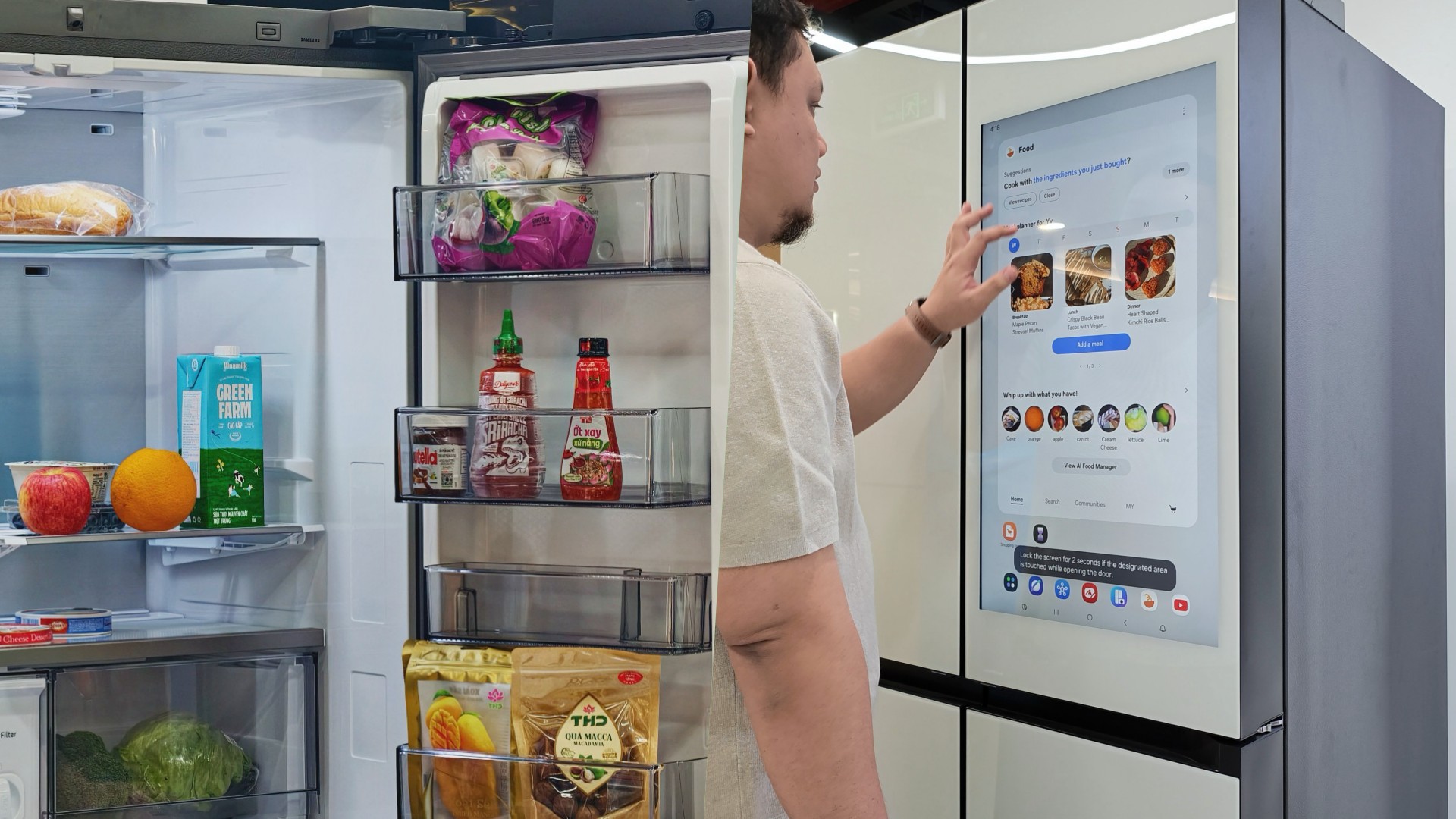
Deciding what to eat can be surprisingly difficult. Sometimes, you have a fridge full of ingredients but no idea what to make. Other times, you’re at the supermarket trying to remember whether you still have eggs at home.
Samsung thinks a little technology can help.
During my recent visit to Samsung’s showcase in Hanoi, Vietnam, its smart refrigerator stood out as one of the more interesting appliances on display. Its built-in screen offered plenty of opportunities for interaction, hinting at how a refrigerator can do more than simply keep food cold.
On supported Samsung models, AI-powered features can help users keep track of ingredients, discover recipes, and manage compatible smart appliances.
And honestly, anything that makes the daily routine a little less tedious deserves a closer look.
A little help deciding what’s for dinner
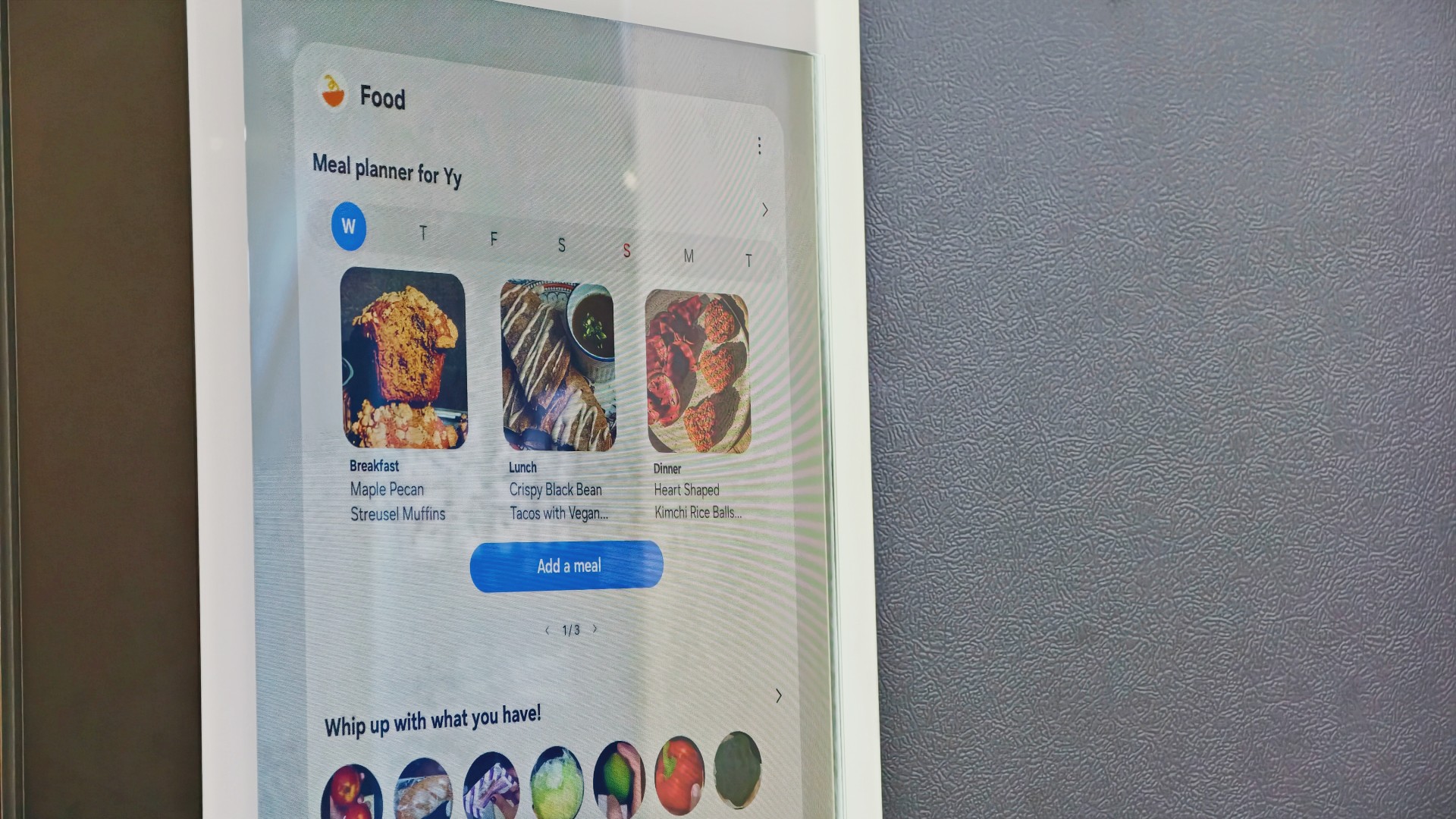
Samsung’s AI Food Manager helps users manage ingredients and discover what they can cook with what’s already available.
On supported Bespoke AI Refrigerator Family Hub models, an internal camera can recognize selected food items as they enter or leave the refrigerator. Users can check their food list through the SmartThings app, making it easier to remember what they have when planning their next grocery run.
The system isn’t infallible. Some items may not be recognized correctly, and users may need to review and adjust the list. Still, it’s a useful starting point for avoiding unnecessary purchases and making better use of ingredients already at home.
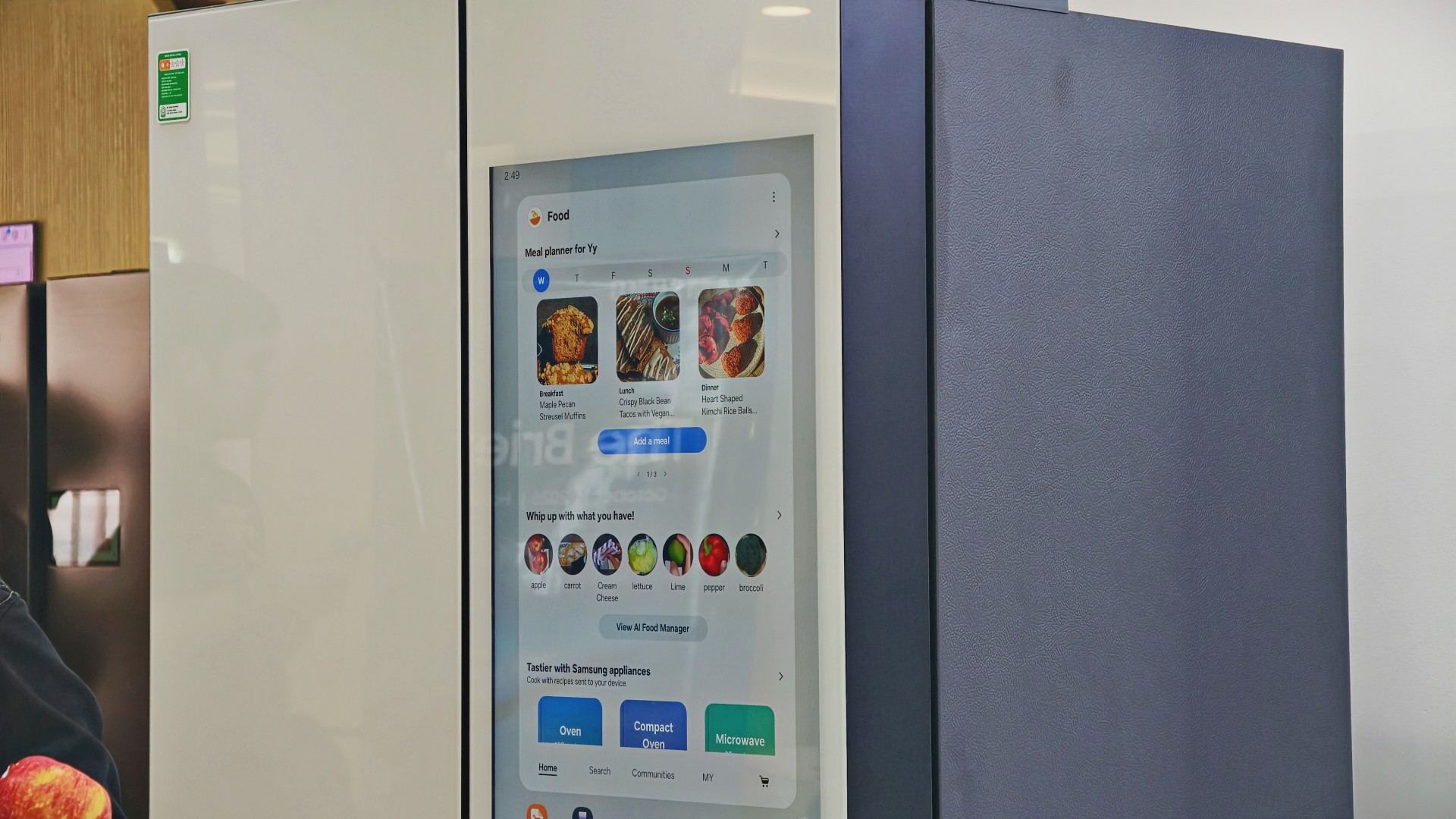
AI Food Manager can also recommend recipes based on available ingredients. Meanwhile, What’s for Today, available on select models, suggests menus based on the user’s chosen options, including available refrigerator contents.
Neither feature will magically turn anyone into a chef. But if you’ve ever stared into your fridge hoping dinner ideas would materialize, a little inspiration might help.
More than a refrigerator with a screen

The display has another practical purpose: controlling compatible connected appliances.
On supported Samsung side-by-side refrigerators with the 9-inch Family Hub display, users can access compatible Samsung smart appliances and supported third-party devices through SmartThings. Bixby also provides voice interaction for supported functions, offering another way to access controls while cooking or preparing meals.
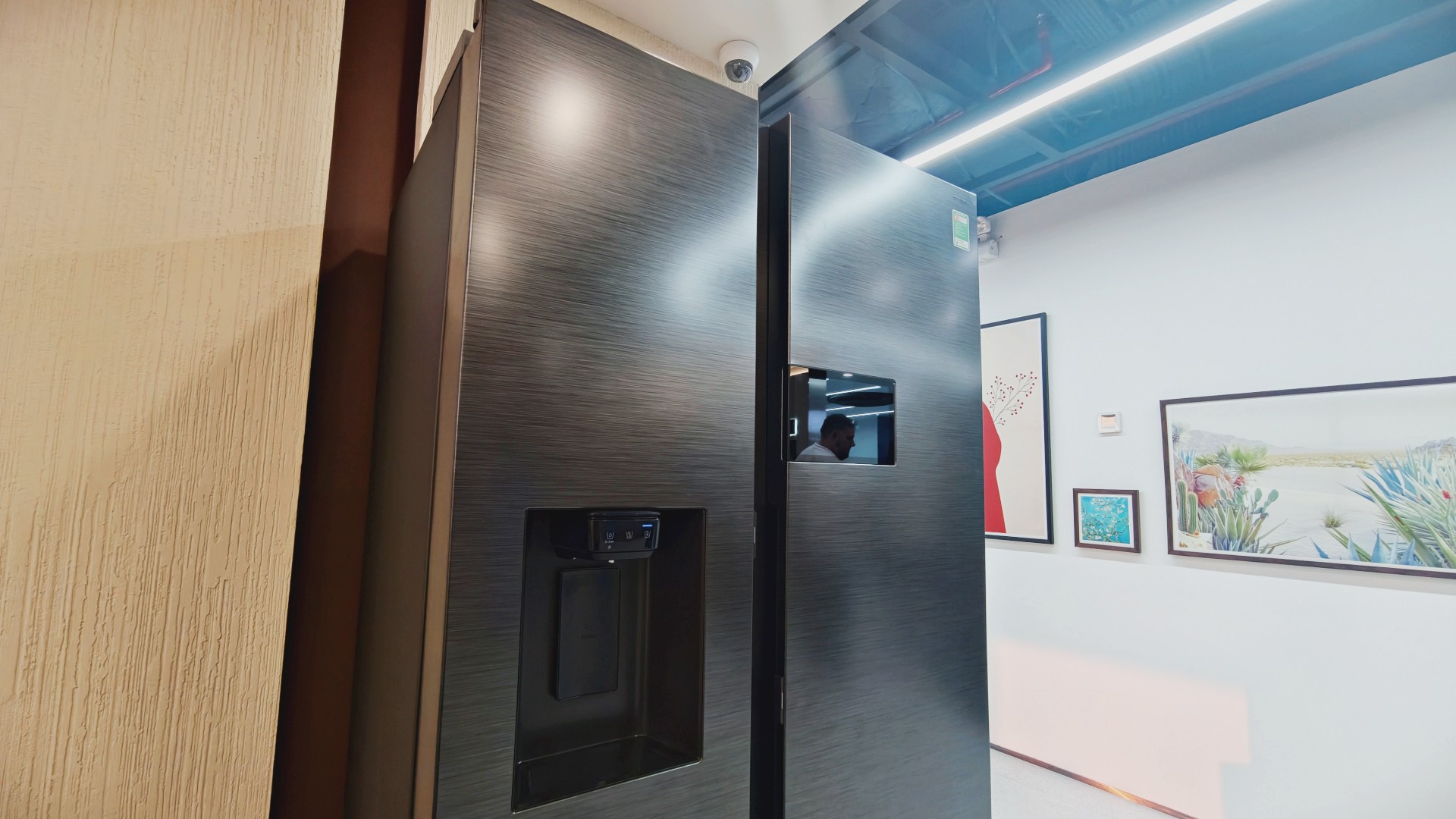
It’s part of Samsung’s broader connected-home approach, where compatible devices work together to simplify everyday routines.
Of course, not everyone needs every appliance in their home connected to one another. A refrigerator that keeps food fresh is already doing its most important job.
But for households that use smart appliances, having ingredient information, recipe ideas, and device controls accessible from one place could be convenient.
And speaking of that screen…
You know me. If there’s a screen, best believe I’ll find a way to put a STAYC Isa fancam on it.
Anyway, back to the bigger question.
Can a smarter fridge help you live better?
Healthier living involves more than diet and exercise. Everyday routines matter, too, including planning meals, keeping track of groceries, and figuring out what to cook.
Samsung’s AI-powered refrigerator features won’t automatically make anyone eat healthier. What they can do is make information easier to access and some everyday decisions less tedious.
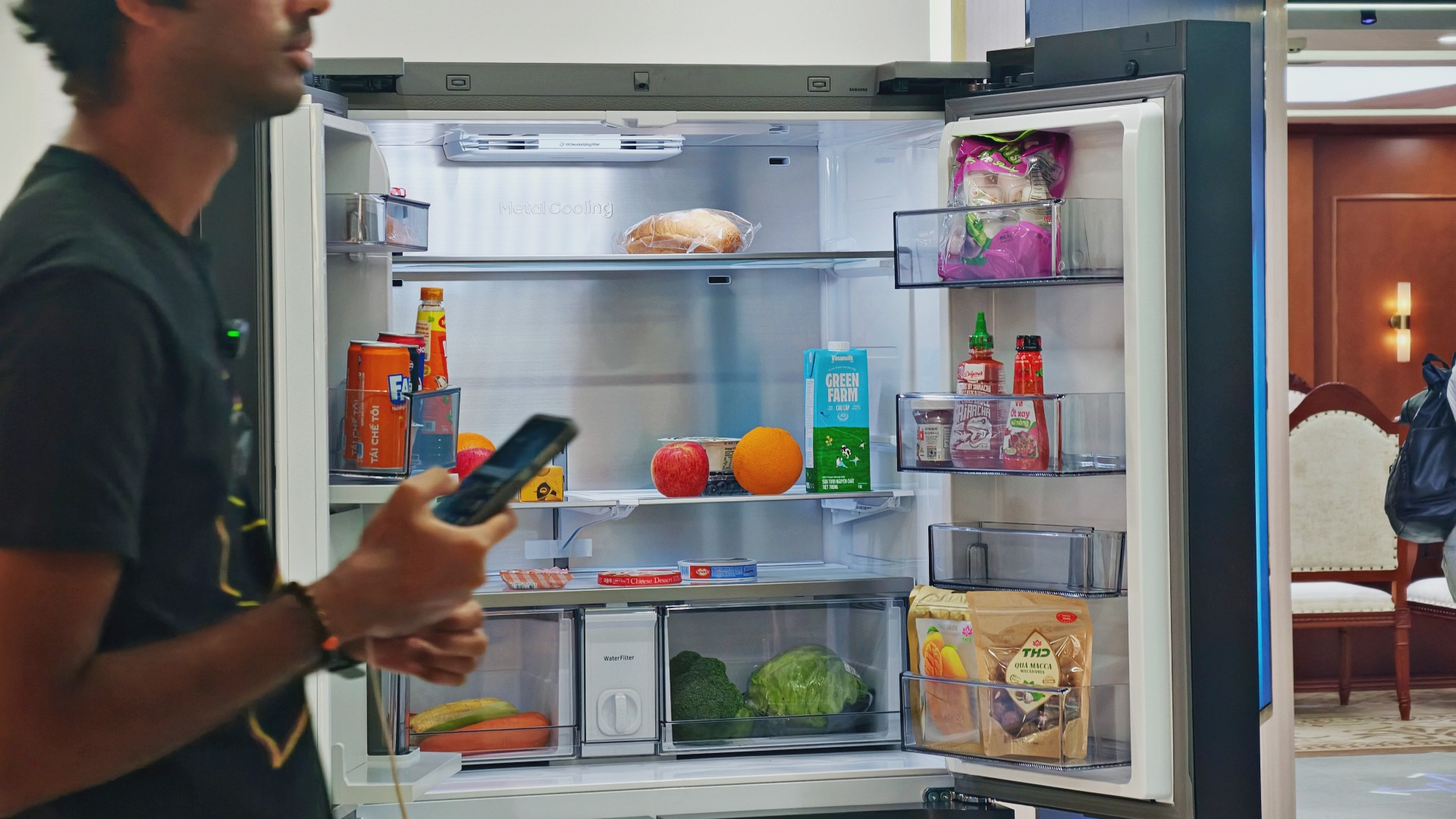
For someone who regularly cooks at home, that could mean making better use of ingredients already in the fridge. For a busy household, it might mean spending less time planning meals or remembering what to buy.
These features remain tools, not guarantees. Their usefulness depends on how accurately they work, which features a particular model supports, and whether they fit into your routine.
Still, I like the idea of technology that takes a little friction out of everyday life. A refrigerator doesn’t need to reinvent cooking to be useful. Sometimes, helping you remember what you bought last weekend or suggesting what to make with it is already a good start.

And if it happens to have a screen where you can watch a STAYC fancam while deciding what’s for dinner? Well, I’m certainly not going to complain.


Living in New York means making every square foot count, so why own multiple gadgets when one can do the job?
In this video, THE Michael Josh takes a look at the Marshall Heston 60. It’s a premium TV soundbar that brings more to the living room than just better sound.
With its sophisticated design, powerful audio, and versatile features, it sits in his living room while doing much more than you might expect from a soundbar.
CHECK IT OUT HERE: https://bit.ly/MarshallHeston

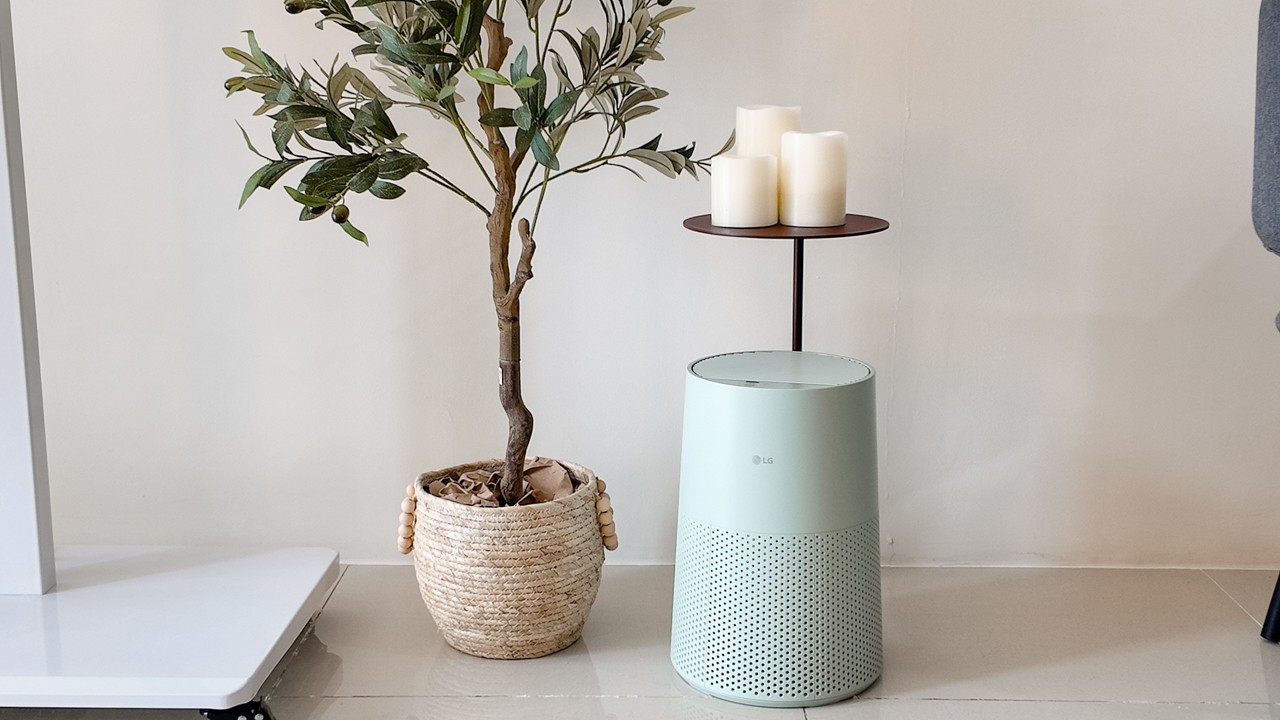
Moving into a new space comes with a long list of things to figure out, and lately, I’ve been paying more attention to something that’s easy to overlook: air quality.
After using the LG AeroMini for about a month, it has become a subtle but welcome addition to my space. It helps make the room feel fresher, while its compact and stylish design fits naturally into my setup. Here are the things that stood out to me most after living with it for a month.
360° purification for a fresher space
One of the things I appreciate about the AeroMini is its 360° air purification, designed to bring purified air in every direction.
For me, this is particularly useful in a new space where I’m spending a lot of time working, relaxing, and just settling in.
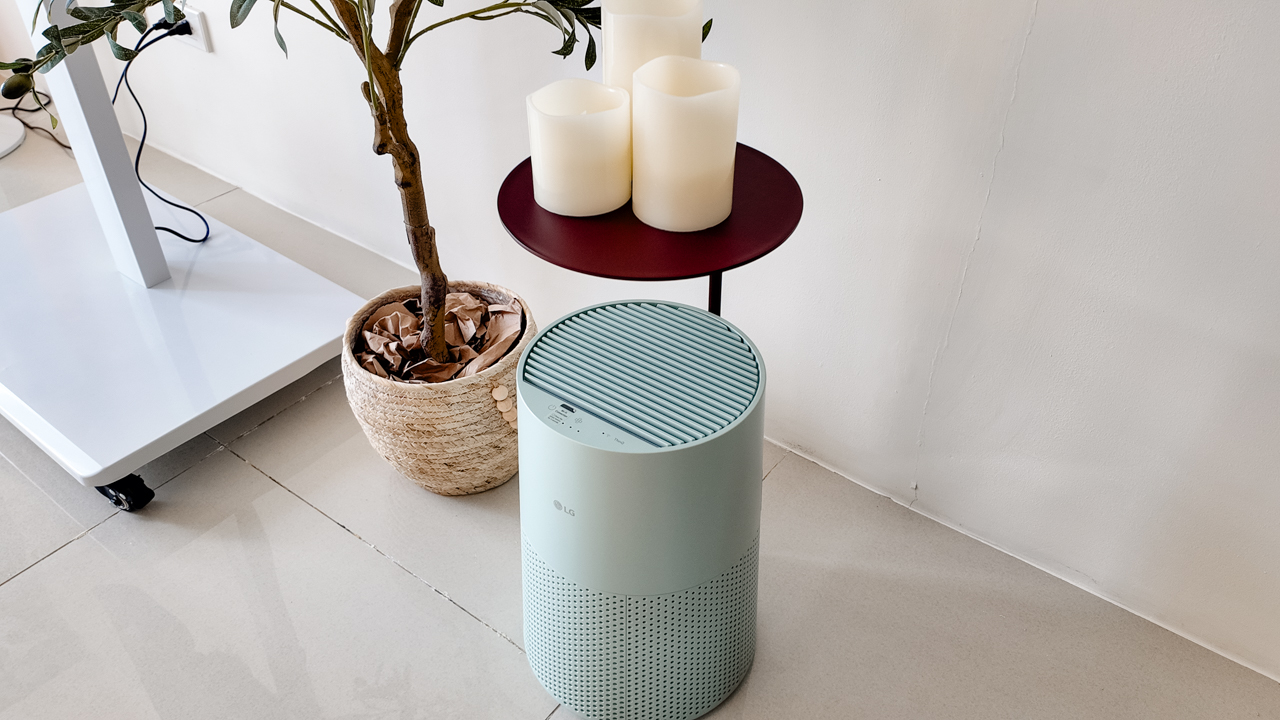
Combined with its True HEPA filter, which is designed to remove 99.999% of 0.01μm fine dust and allergens, it gives me added peace of mind about the air I’m breathing every day.
After a month, I can genuinely say that the space feels fresher with it running.
Surprisingly quiet
This is probably my favorite feature.
The LG AeroMini operates at just 26dB, and after using it for a month, what stands out is how easy it is to forget that it’s even running.

I can have it running while I’m working or sleeping without the noise becoming a distraction. For an appliance that’s designed to continuously improve the air around you, I think that’s a big deal.
Sometimes, the best feature is the one you barely notice.
Design that fits my space
Since I recently moved, I’ve been pretty conscious about what I bring into the space. I want things to be functional, but I also don’t want appliances that feel like they’re taking over the room.
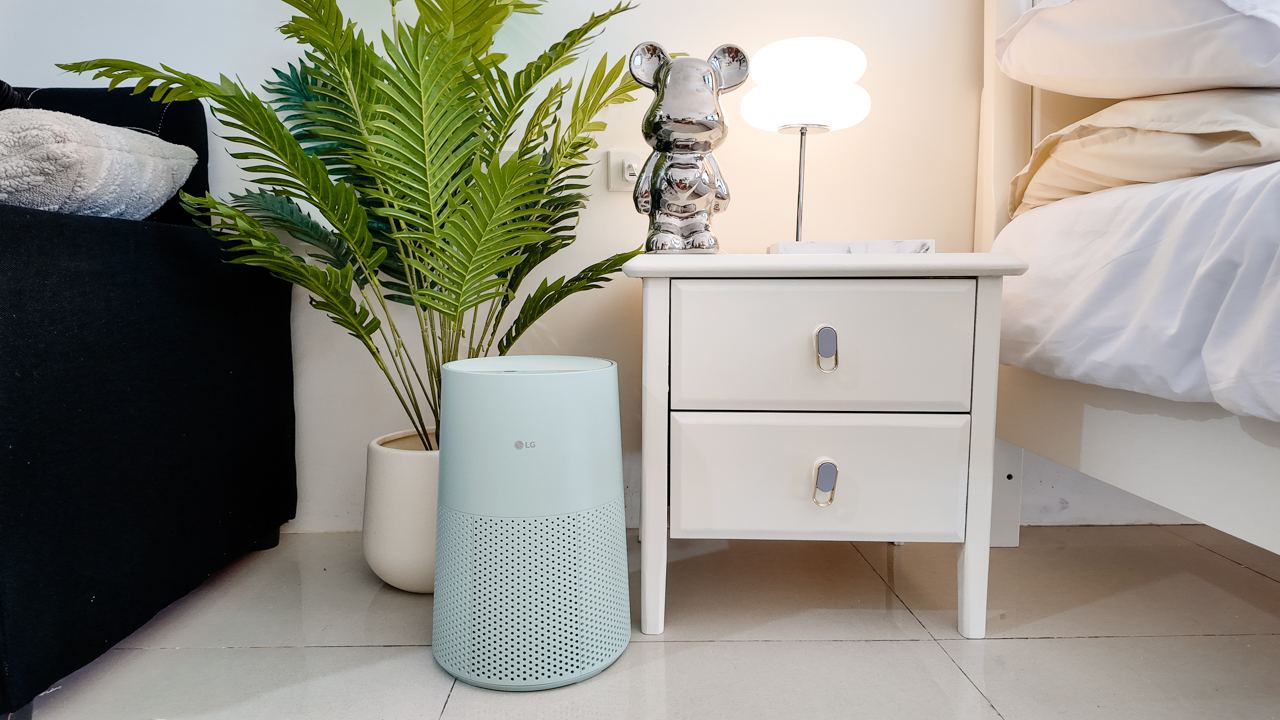
The AeroMini’s slim and compact design makes it easy to incorporate into my setup. It doesn’t feel bulky or industrial, and I like that I can leave it out without feeling like I need to hide it away.
For me, that balance between functionality and aesthetics makes it feel more like part of the space rather than just another appliance.
Air quality at a glance
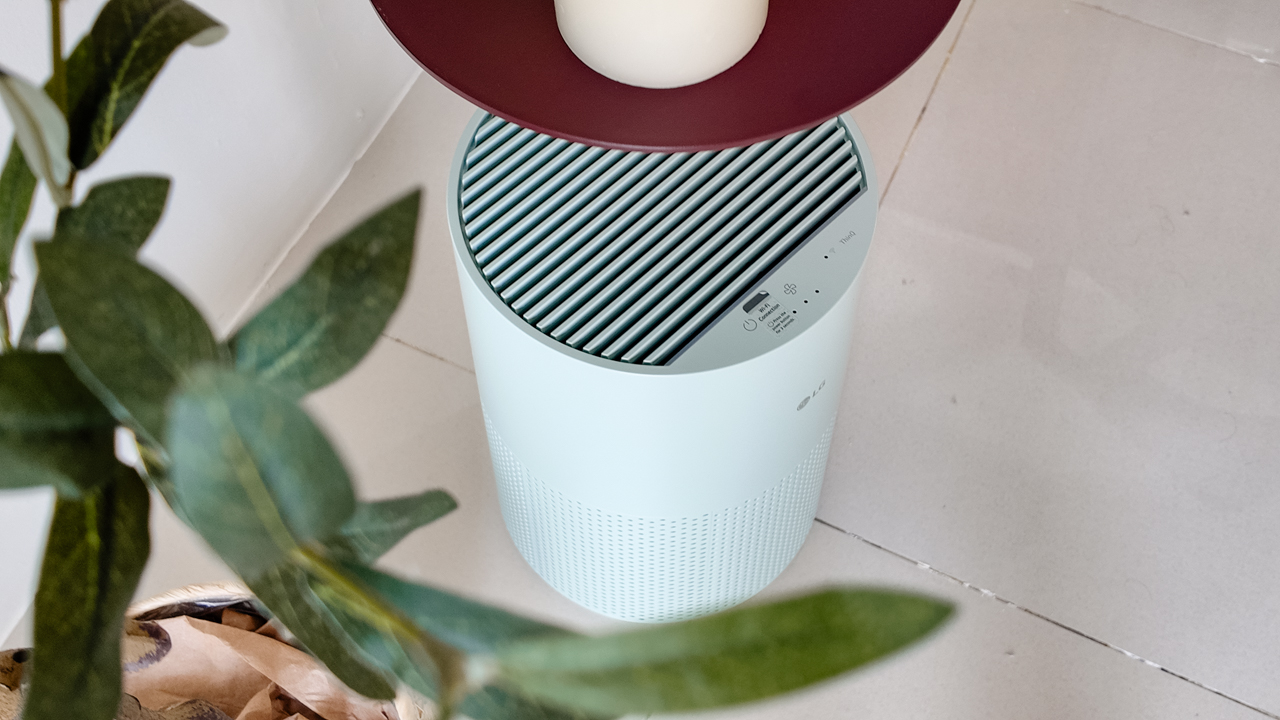
Another feature I’ve found convenient is its Smart Control. Through the app, I can monitor and control the AeroMini while getting real-time updates on the indoor air quality.
It’s a small convenience, but being able to check the air quality without having to interact with the purifier directly makes it easier to keep track of what’s happening in the room.

Easy to maintain
I also appreciate that the AeroMini is designed with an all-in-one dust and deodorization filter that makes replacement and maintenance easier.
That matters to me because the best home gadgets are the ones that don’t create another complicated chore. I want something I can set up, use regularly, and maintain without too much fuss.

After a month, would I keep it?
Yes, and mainly because it quietly fits into my everyday routine.
The LG AeroMini has helped make my new space feel fresher and more comfortable, while its compact design means it doesn’t compromise the look of the room. But if I had to pick just one thing I appreciate most, it’s still how incredibly quiet it is.

It’s one of those upgrades that doesn’t demand your attention. It simply works in the background.
If you’re also looking to make your home a fresher and more comfortable space for yourself and your family, visit https://www.lg.com/ph/ to learn more about the LG AeroMini and how it can fit into your everyday life.


ROG G700 review: The best prebuilt PC you can get off the shelf
This PC will make you stop worrying about specs.

HP OMEN Max 16 review: Gamer-maxxing in deep black
Peripherals deemed necessary to max this out

vivo V80 review: Good phone, tough sell
A capable travel companion

Smart boosts 5G network in Siargao for World Surf League event

The next Elder Scrolls game is called Sentinel

4 new nutribullet kitchen essentials to make holiday hosting easier

Inside Infinix’s first global concept store in Bali

Wild Rift Patch 7.3, celebrates K/DA comeback

OPPO Find X10 Series launches globally October 21

Sony teams up with Hello Kitty for exclusive limited-edition collection

vivo V80 debuts with ZEISS cameras

Garmin Enduro 4 promises up to 320 hours of battery life

Dragon’s Dogma 2: Dark Arisen launches with new Official Pawns


-

 Lifestyle3 days ago
Your coffee nook is getting a makeover with Starbucks’ holiday collections
-
Gaming2 weeks ago
HP OMEN Max 16 review: Gamer-maxxing in deep black
-

 Lifestyle5 days ago
Sticker season is back, and so is the planner your ~friends~ might fill in for you
-

 Apps2 weeks ago
Apple Music is getting a Liquid Glass makeover
-

 Hands-On2 weeks ago
Apple iPhone Duo Unboxing and Hands-on
-

 Gaming2 weeks ago
FINAL FANTASY RESONANCE now available across major platforms
-
Gaming1 week ago
ROG G700 review: The best prebuilt PC you can get off the shelf
-
 Gaming3 days ago
Wild Rift Patch 7.3, celebrates K/DA comeback