
Security
Google: 2FA prevented 50 percent of hacked accounts
Rollout continues this year

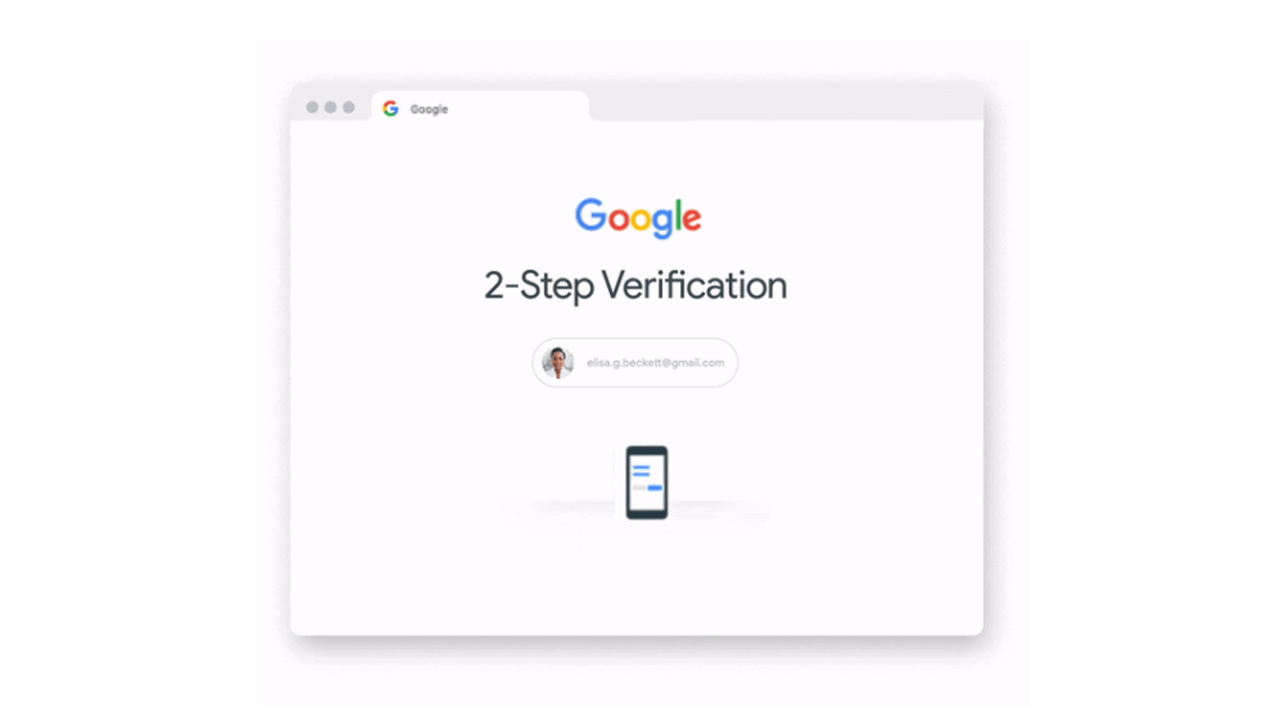
Two-factor authentication (or 2FA) is quickly becoming a must-have for both individual and corporate users. The verification method adds a significant layer of security for any online account. However, though 2FA creates security, one can also see how it adds some extra, potentially hassling steps for anyone who just wants to get into their accounts quickly. If you follow that line of thinking, you might be wondering if the additional security outweighs the hassle of whipping out your phone every single time.
Well, according to Google, it’s totally worth it. Last year, the company automatically applied two-factor authentication to some users, starting a push to eventually get everyone into the security measure. The initiative is reportedly paying off. Google has recently revealed that 2FA has decreased compromised accounts by a whopping 50 percent.
It’s a proof of concept for the company. Google is additionally promising that the authentication measure’s rollout will continue this year. The company will also add more ways to stay secure while browsing online including an account-based way to prevent access to harmful sites.
If you don’t prefer a huge deep dive into what’s coming for Google’s gallery of security features, you can still easily get into two-factor authentication. A lot of sites today already offer the feature to add that extra layer. Users who opt into the feature will receive a time-sensitive key (through Google’s Authenticator app) they need to input every time they log into their account.
While, yes, it does add some time before you get into your account, Google’s latest report does spark some confidence in the measure’s effectiveness.
SEE ALSO: Google: Tablets are the future






Accessories
Thoughtful gift ideas for modern living: 2025 holiday gift guide
Gift ideas that feel intentional and considered


The best gifts aren’t impulse buys nor extravagant. This year’s holiday gift guide is about giving with intention. Each pick was chosen not as a novelty, but as something that adds value to your loved ones’ lives. They support routines, encourage rest, create shared moments, elevate everyday comforts, and provide peace of mind. These are the kind of gifts that feel considered, personal, and truly meant for the person receiving them.
Peace of mind, wherever the day goes
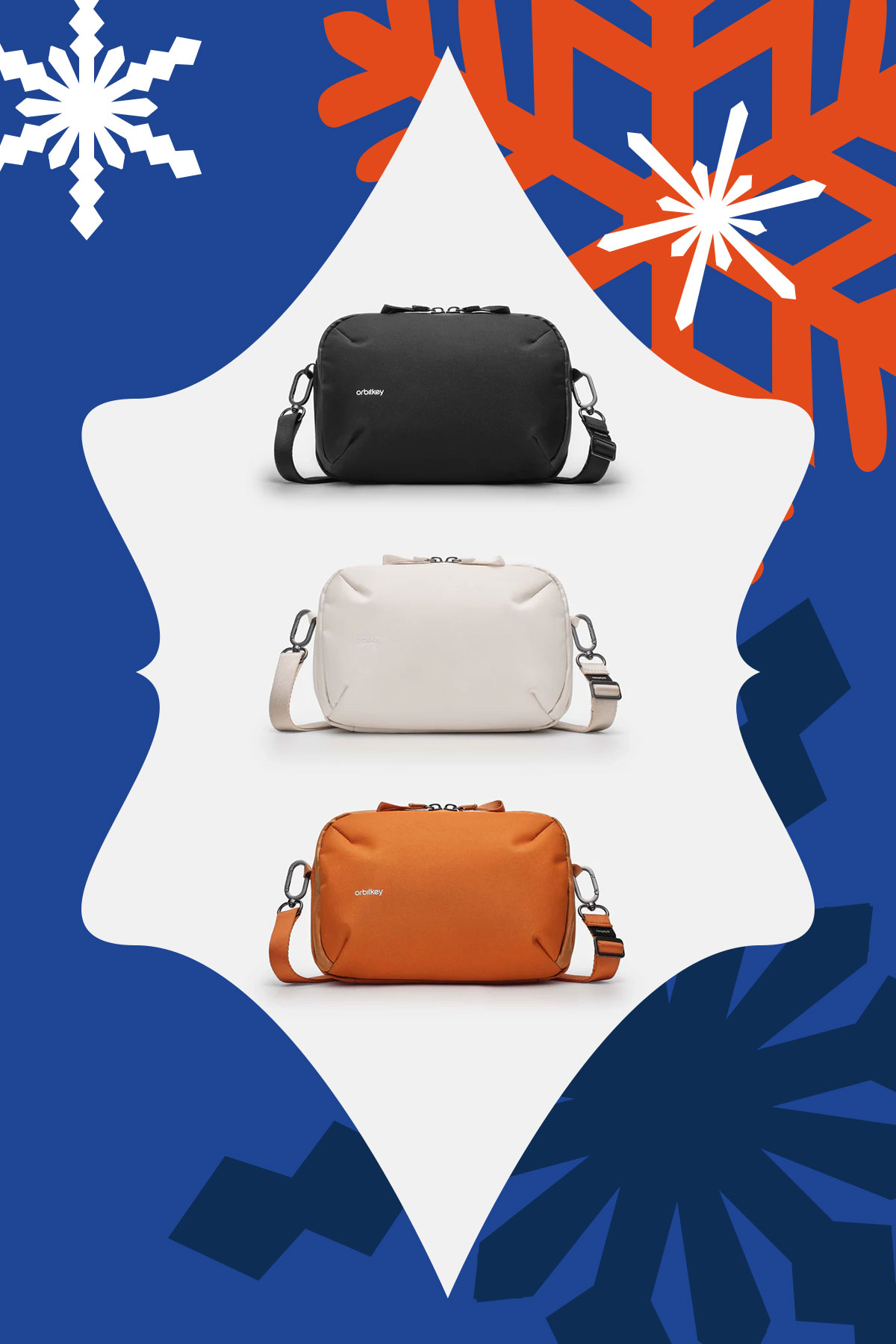
OrbitKey Travel Sling (3L), US$89.90
This sling is designed for moving through the day feeling organized and secure. Along with its compact, structured layout, it includes RFID-protected pockets that help shield cards and personal information from digital theft. It’s ideal for both commuting and traveling and comes in Black, Stone, and Terracotta.
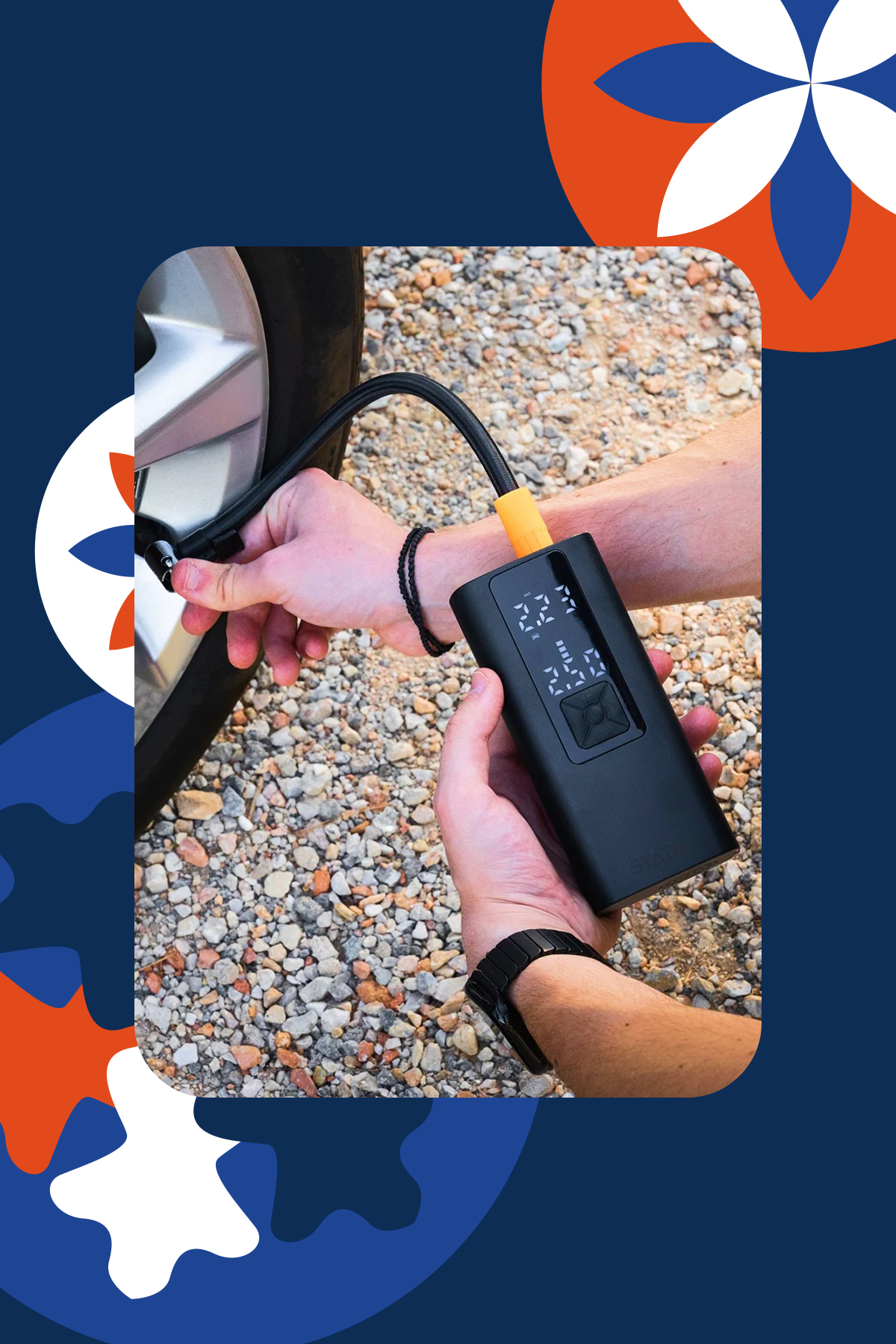
Statik TireHero Smart Tire Pump, US$69.99
This is the kind of gift that helps people feel prepared rather than reactive. Compact and easy to use, it quickly inflates tires at home or on the road. A small tool that offers real reassurance, it’s especially useful for drivers and cyclists alike.
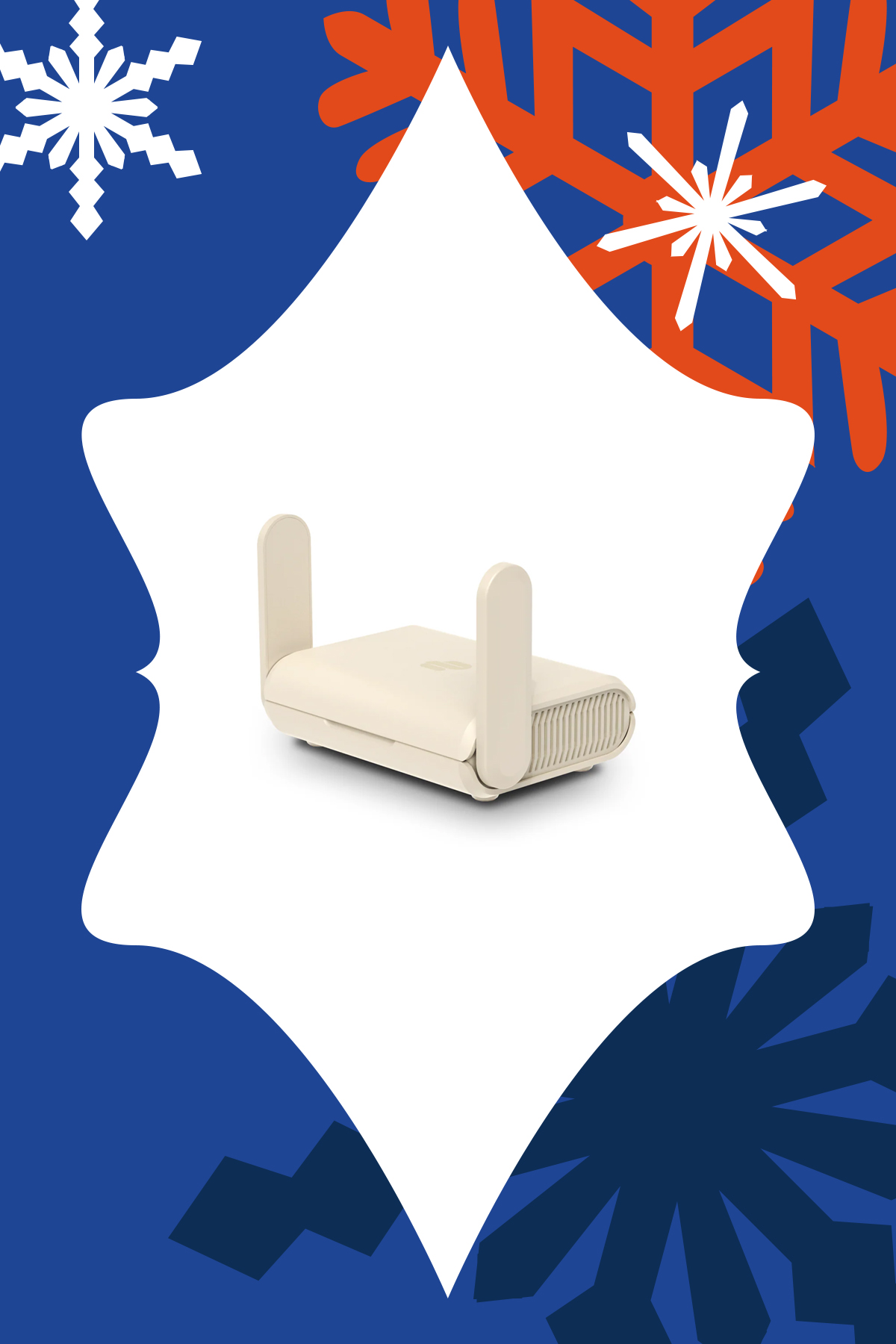
ExpressVPN Aircove Go, US$169.90
This pocket-sized router creates a secure, VPN-protected network anywhere, making public Wi-Fi far safer to use. Ideal for travelers, remote workers, or anyone handling sensitive information on the go. It’s small enough to travel with but powerful enough to protect privacy beyond the home.
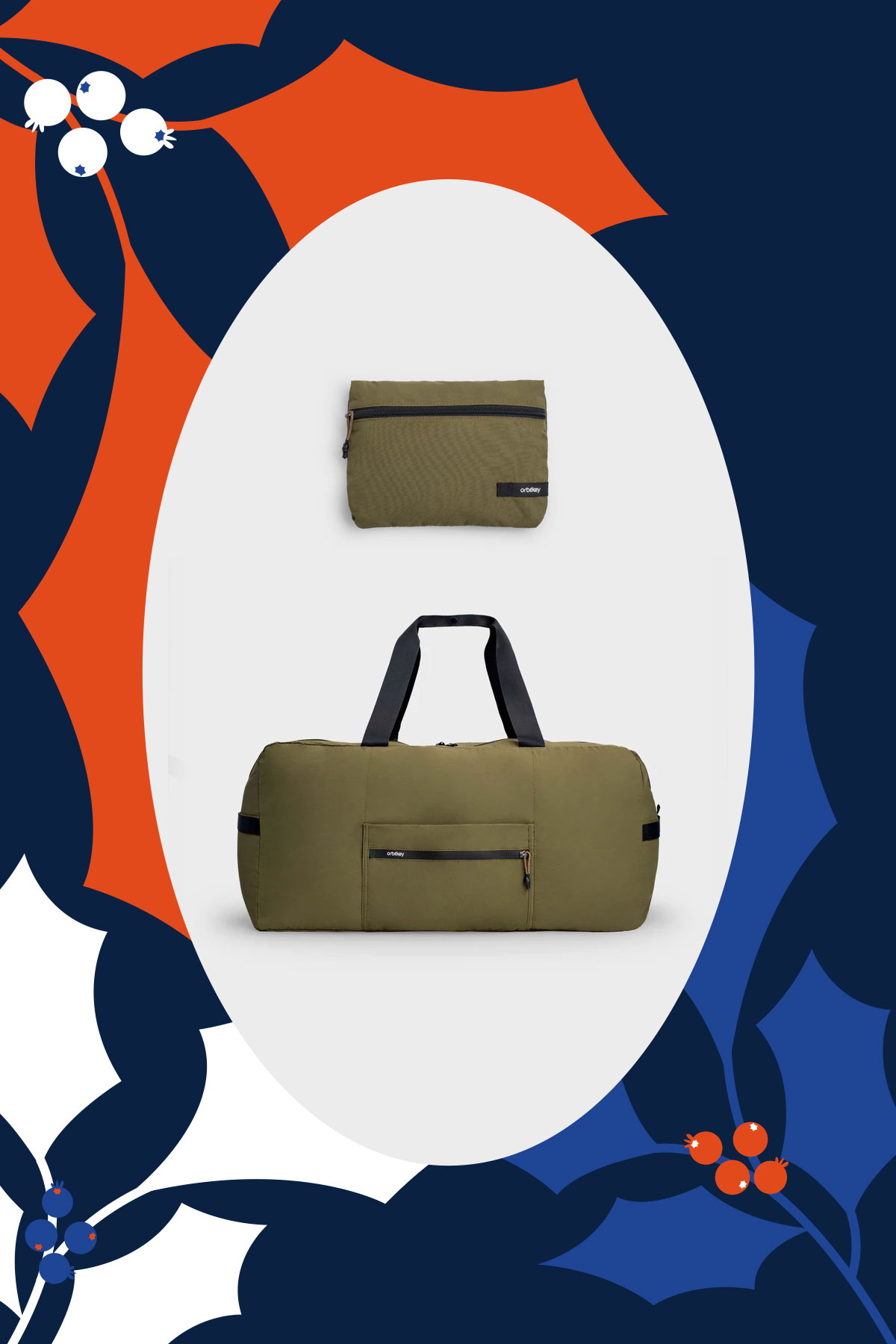
OrbitKey Foldable Duffel, US$49
Having an extra bag when you didn’t know you need one can remove a surprising amount of stress and unnecessary expenses. This duffle folds down flat for easy storage, then opens into a 55L bag when packing gets too ambitious and you’re being charged at the airport for your overweight suitcase. It’s reliable, flexible, and quietly reassuring to have on hand.
Thoughtful tech for home and productivity
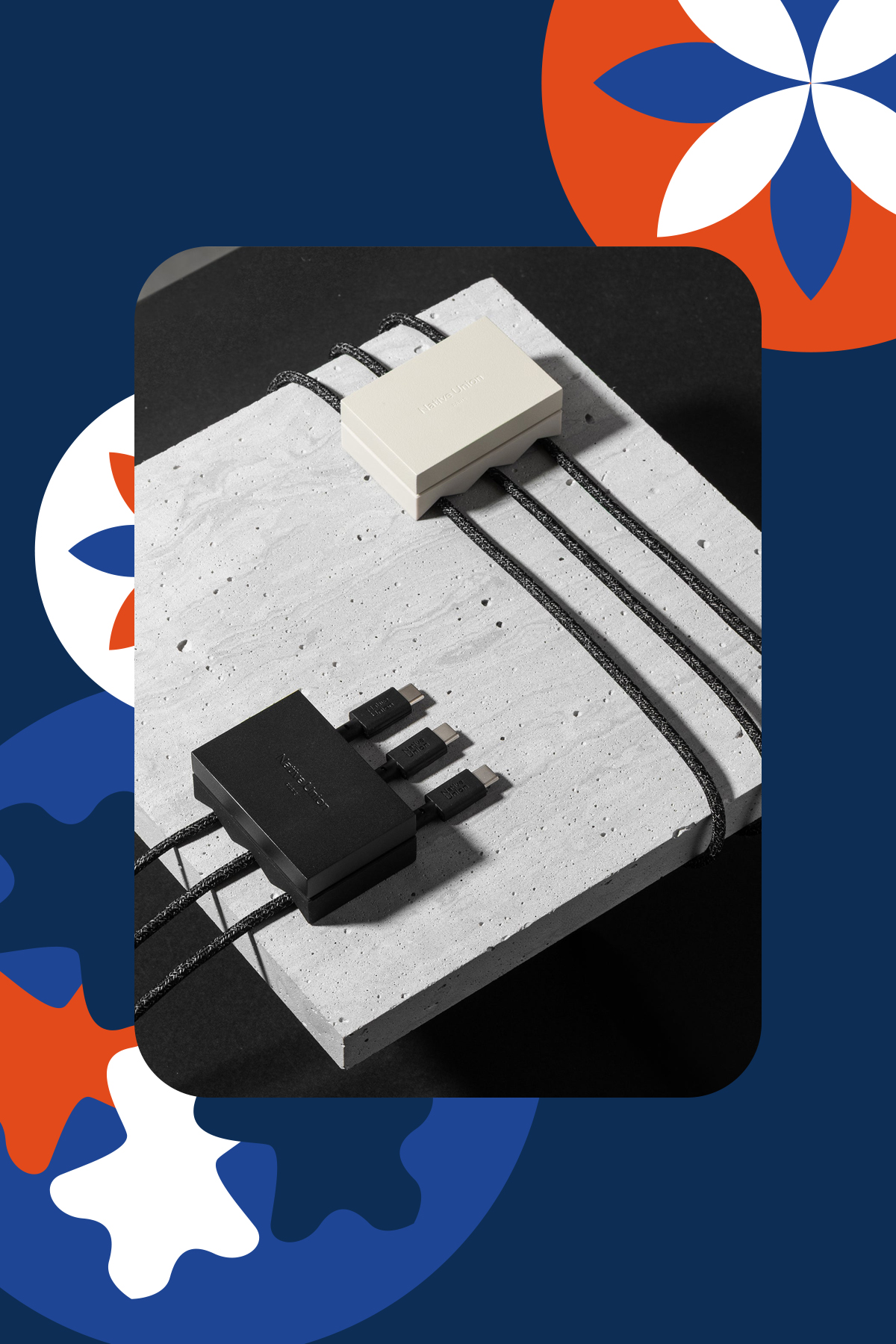
Native Union WEIGHTER, starts at US$19.99
Sometimes the smallest upgrades make the biggest difference. This weighted desk accessory keeps charging cables from slipping out of reach, reducing friction in everyday routines. It’s a subtle but satisfying improvement for someone who works from home or their messy night stand. It comes in Black and Sandstone, and two models: 1 Cable and 3 Cables.
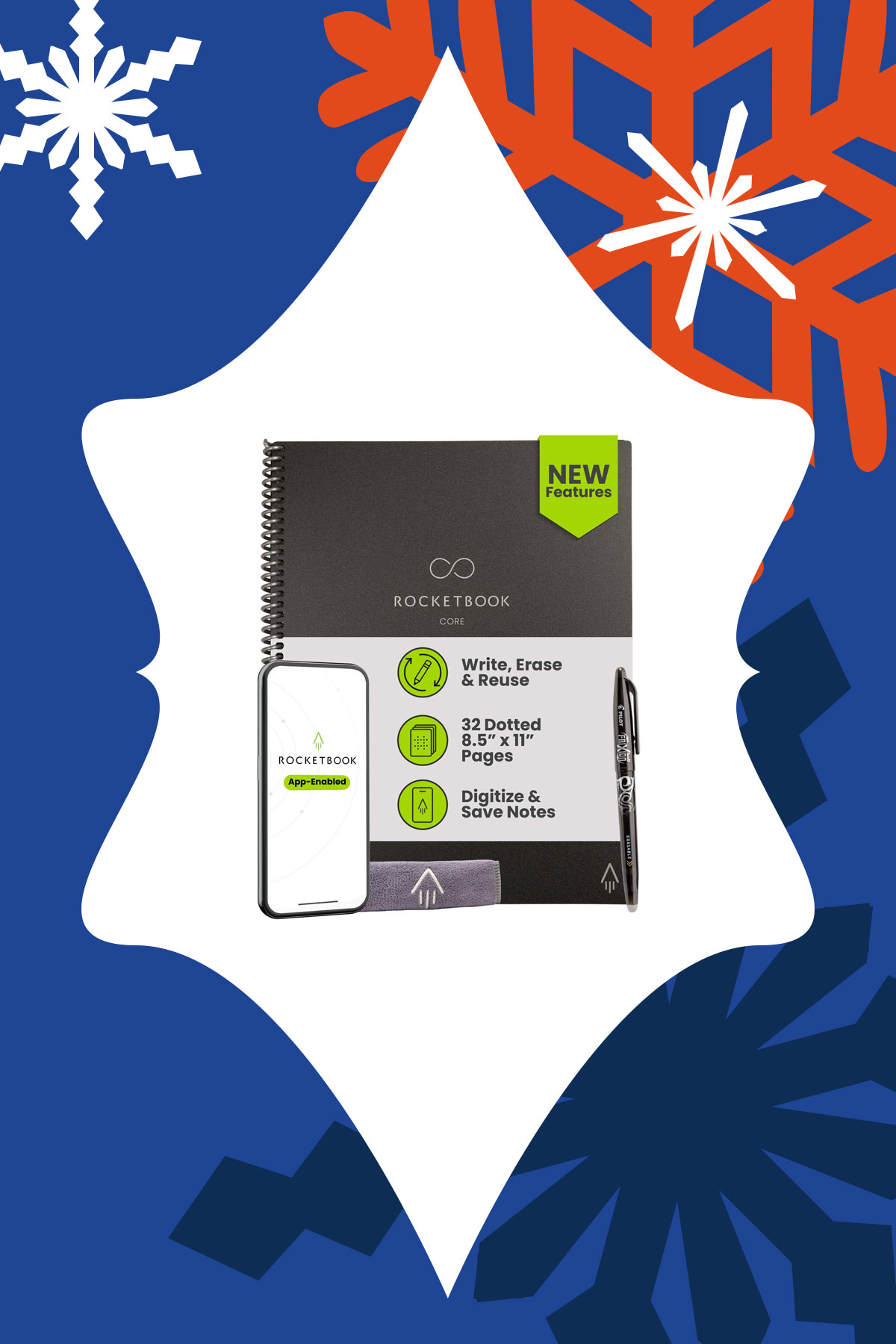
For someone who loves writing by hand but also wants their notes organized digitally, this reusable notebook allows handwritten notes to be stored in the cloud. It’s great for planners, students, even creatives that don’t want clutter. It combines the satisfying tactility of pen and paper and digital convenience.
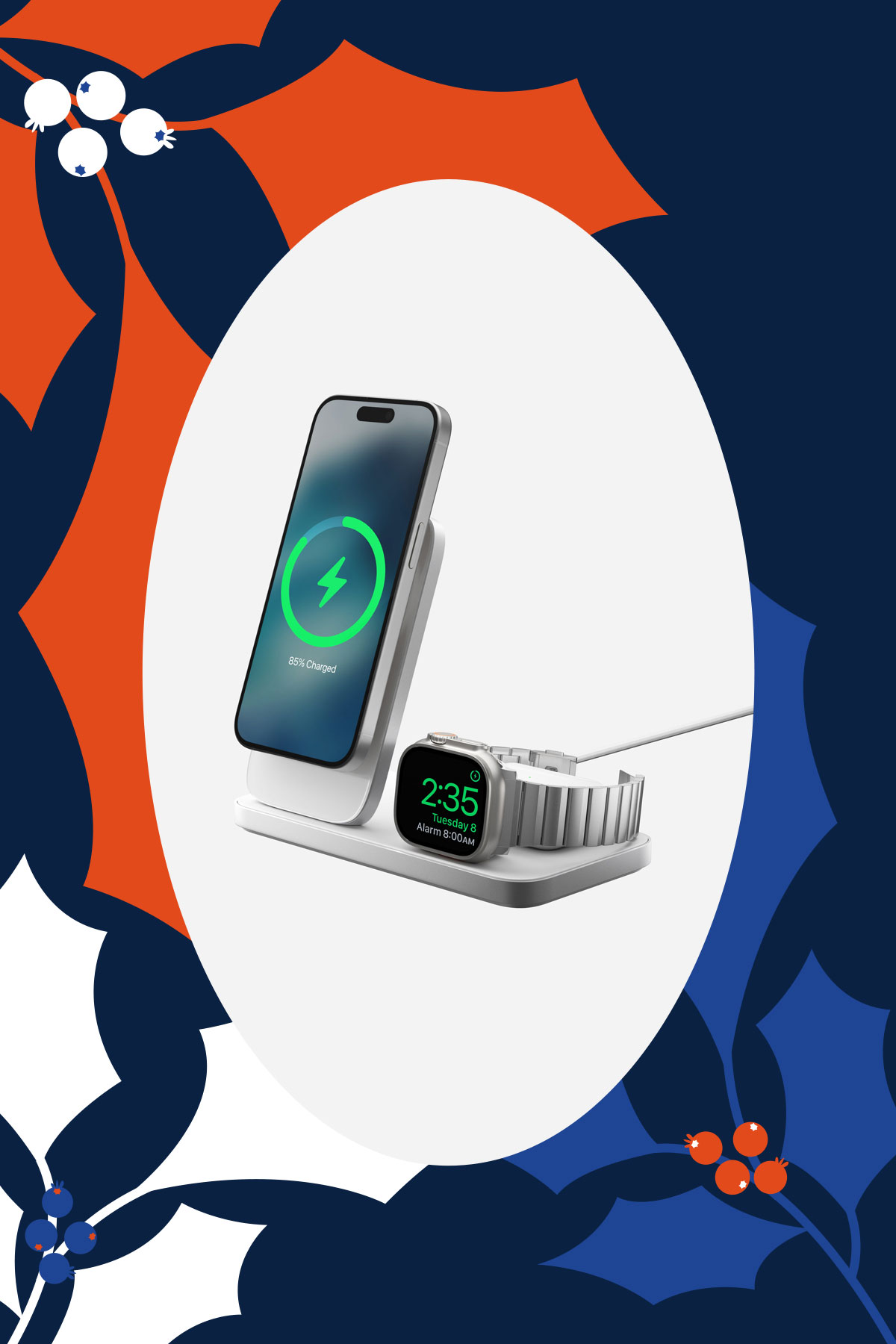
Built with Qi2 25W, this charger brings calm to the end of the day. With one solid, beautifully weighted base, it charges the iPhone, Apple Watch, and AirPods in one place. It reduces clutter and decision-making, turning charging into a simple ritual.
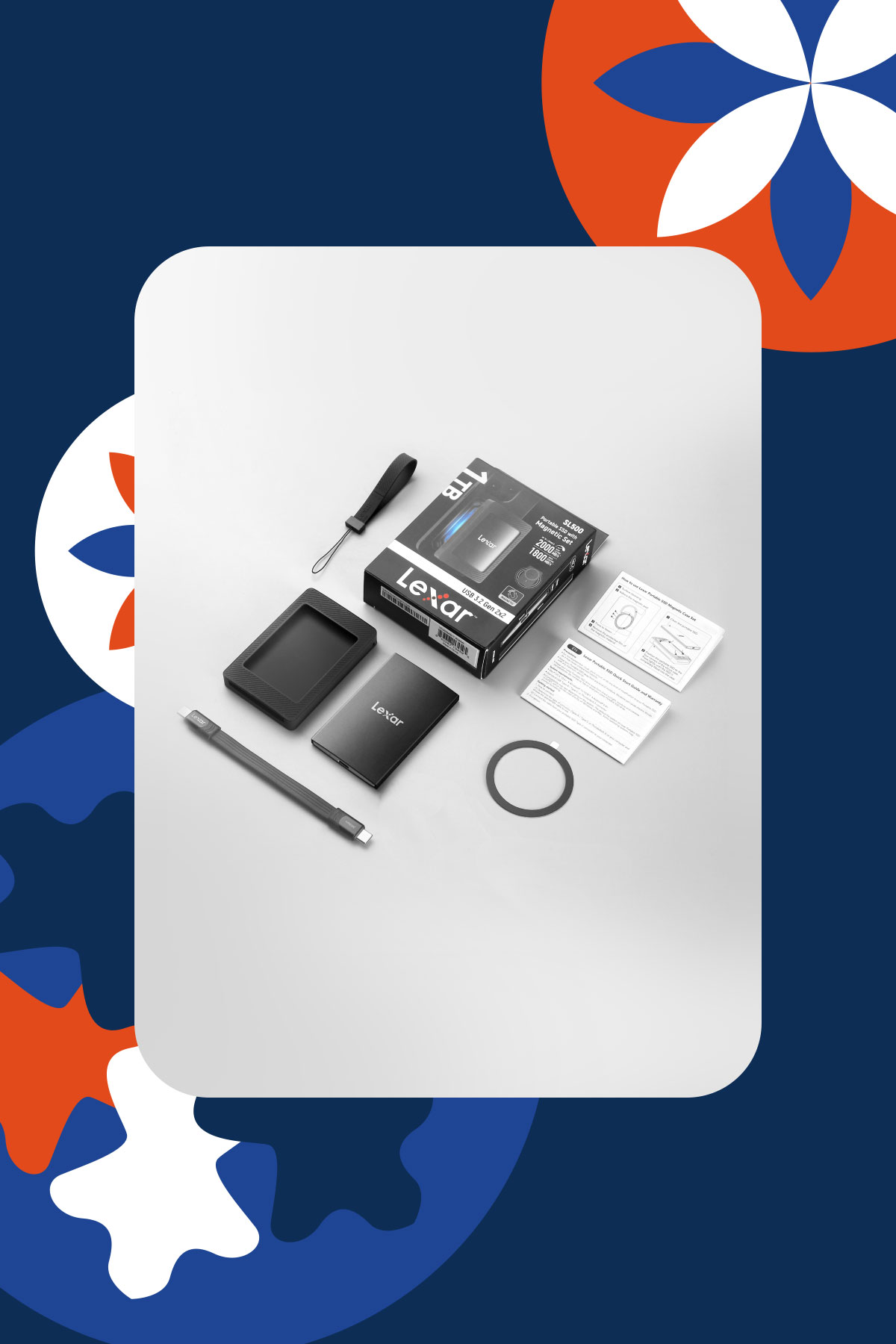
Lexar SL500 Portable SSD with Magnetic Set, starts at US$105
Extra storage becomes invaluable once someone starts creating, traveling, or documenting more of their life. This portable SSD offers fast, reliable storage with a magnetic sleeve that makes it easy to attach and carry. It’s ideal for backing up photos, videos, and important files without fuss. It’s a practical gift to support that creative in your life and help them stay organized.
Rituals, wellness, and slowing down
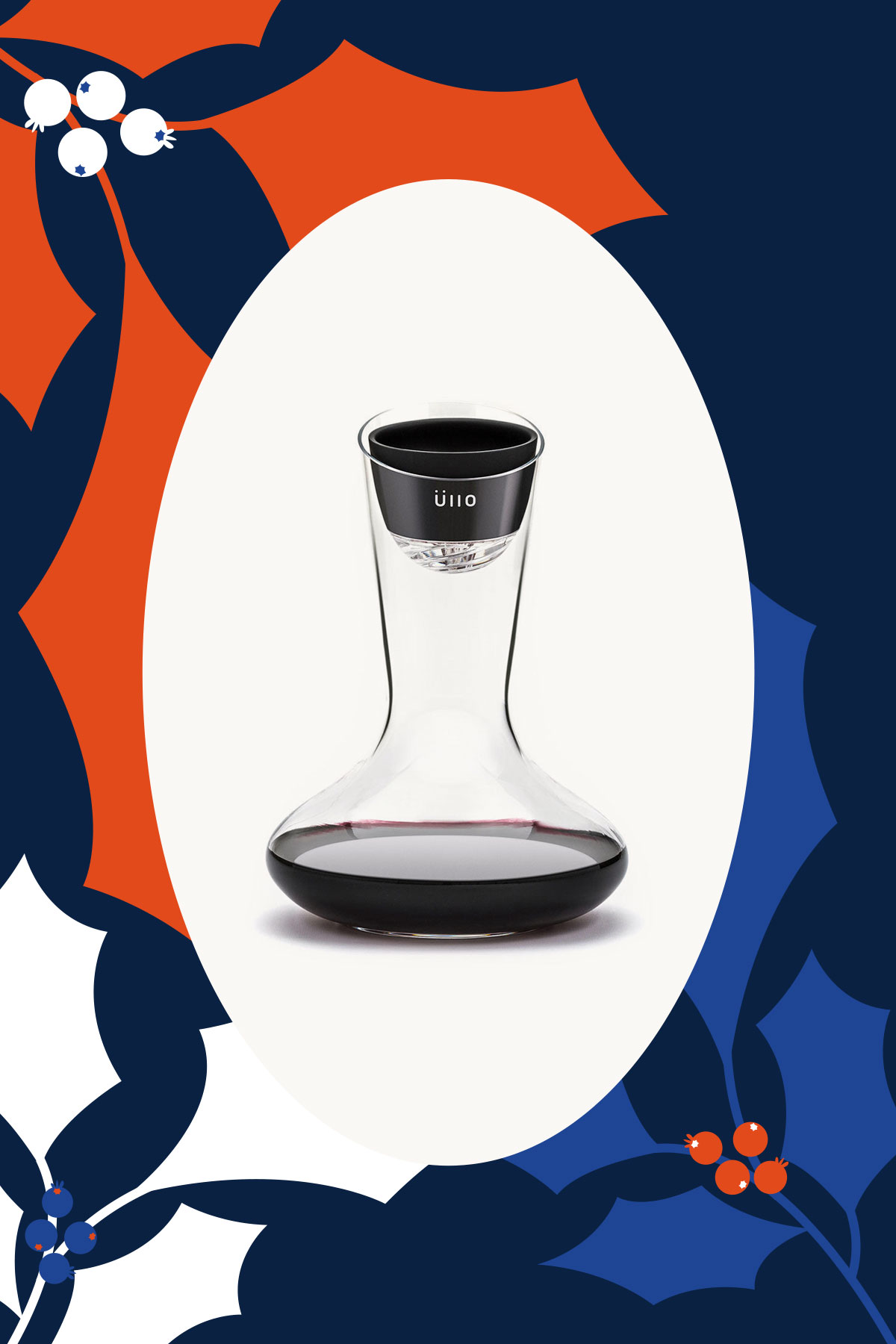
Üllo Original Wine Purifier, US$79.99
For someone who enjoys a glass of wine as part of winding down but hates the headaches that come after: Üllo removes sulfites while aerating the wine. It helps enhance the flavor and aroma of wine while being gentler for those sensitive to additives. Add the hand blown Decanter that’s made from ultra transparent lead-free crystal to make any bottle taste fancier.
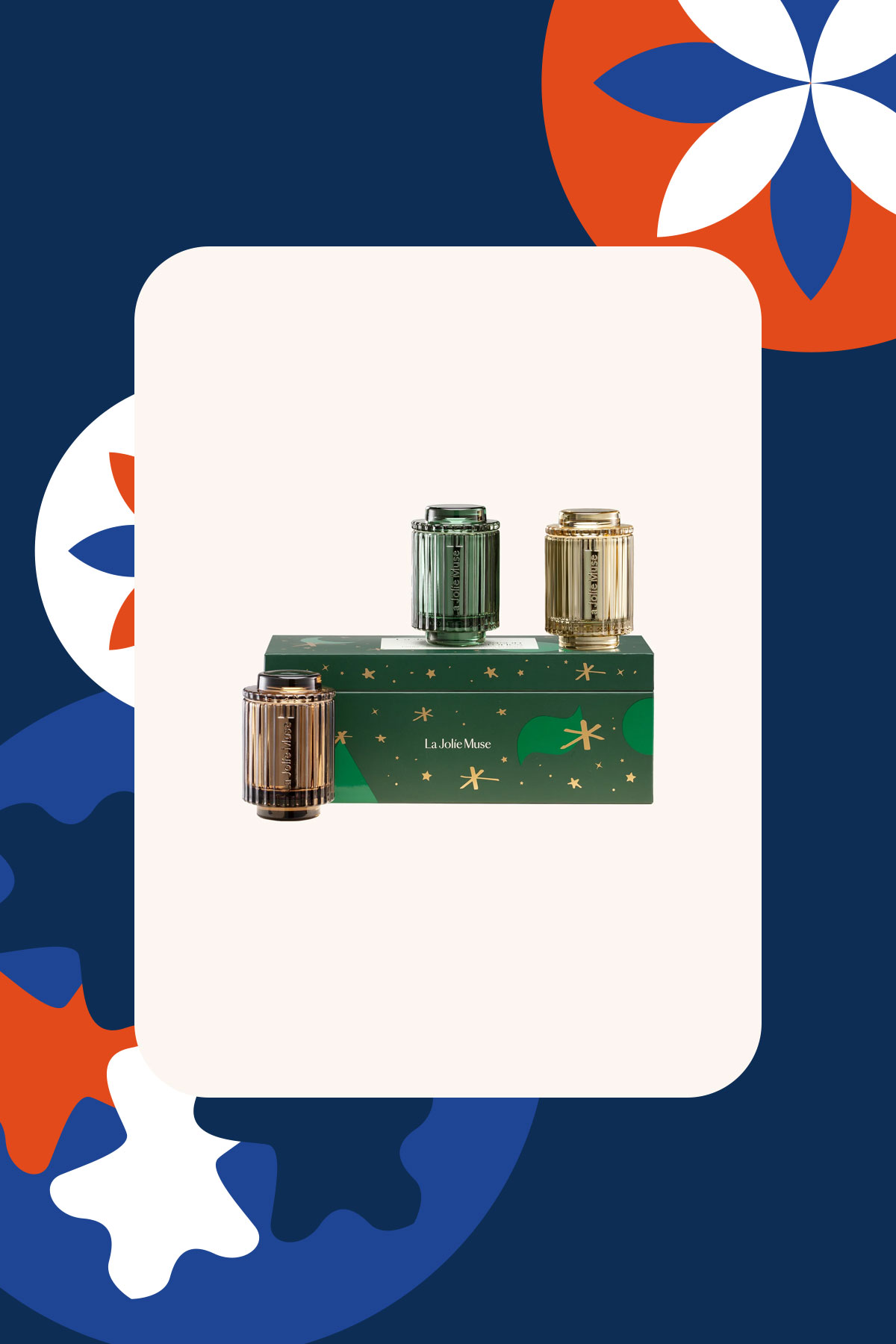
La Jolie Muse Season of Stories Trio Set, US$60
With artful vessels and clean-burning soy wax, these candles feel as much like decor as they do self-care. The scents are cozy and ideal for winding down or hosting. It’s a gift that invites pause.

LEGO Botanicals, starts at US$14.99
A calming, screen-free build that becomes a beautiful piece of home decor, each set invites someone to slow down and enjoy the process. With flower bouquets, bonsais, and plants to choose from, it’s a satisfying project that brings a sense of completion without the upkeep of real plants. As an added bonus, if you can build it together it turns the gift into a shared memory, so every time they see the finished piece, they’re reminded of the time you spent creating it together.
Small joys, big upgrades
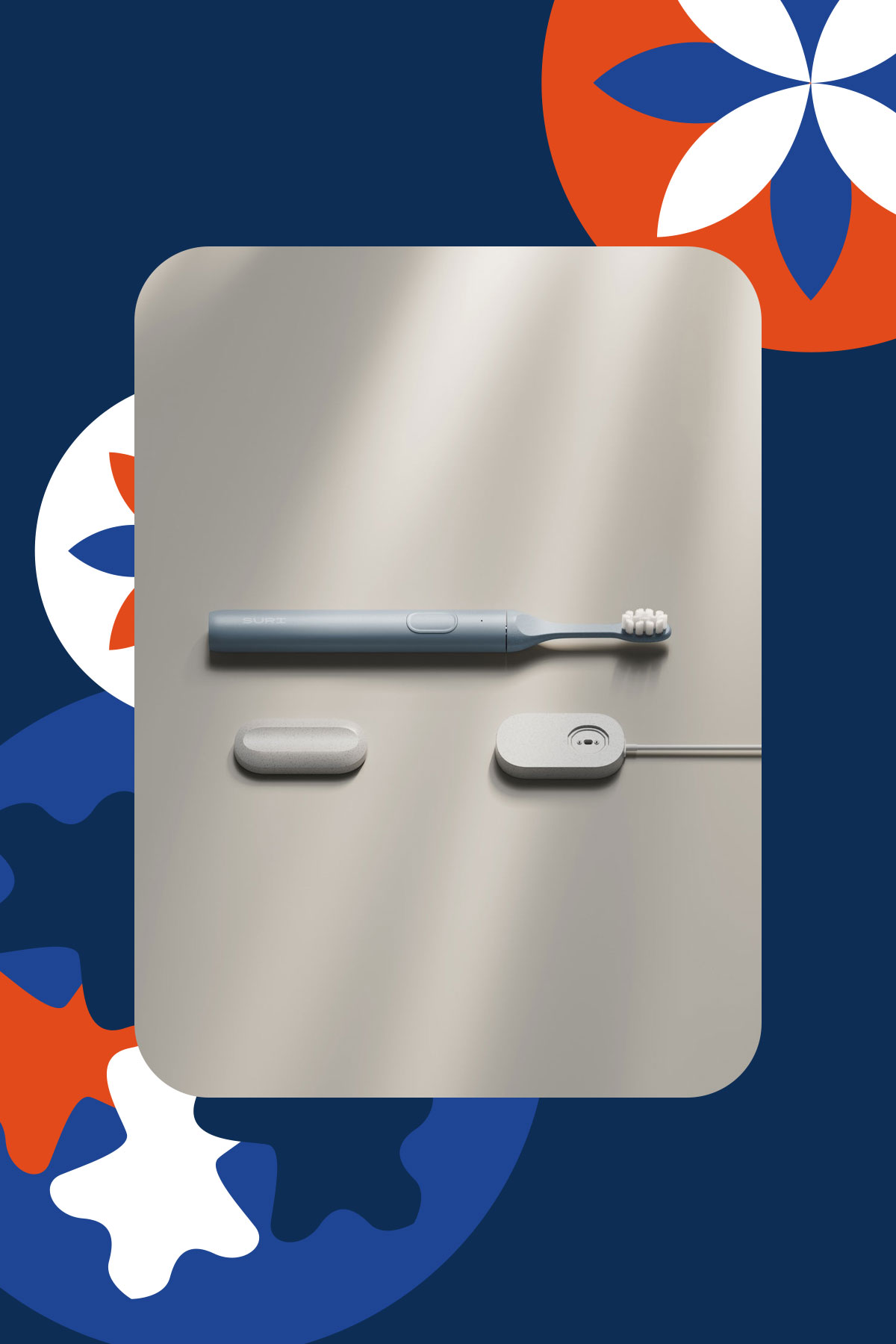
SURI 2.0 Electric Toothbrush, US$135
This device makes an everyday habit feel more intentional. Created with sustainability in mind, it’s a sleek yet practical gift that elevates anyone’s bathroom shelf. It’s got wireless charging and the redesigned travel case powers UV cleaning on the go. It comes in five colors: Winter Fern, Sea Mist, Sunset Bloom, Midnight Black, and Morning Waves.
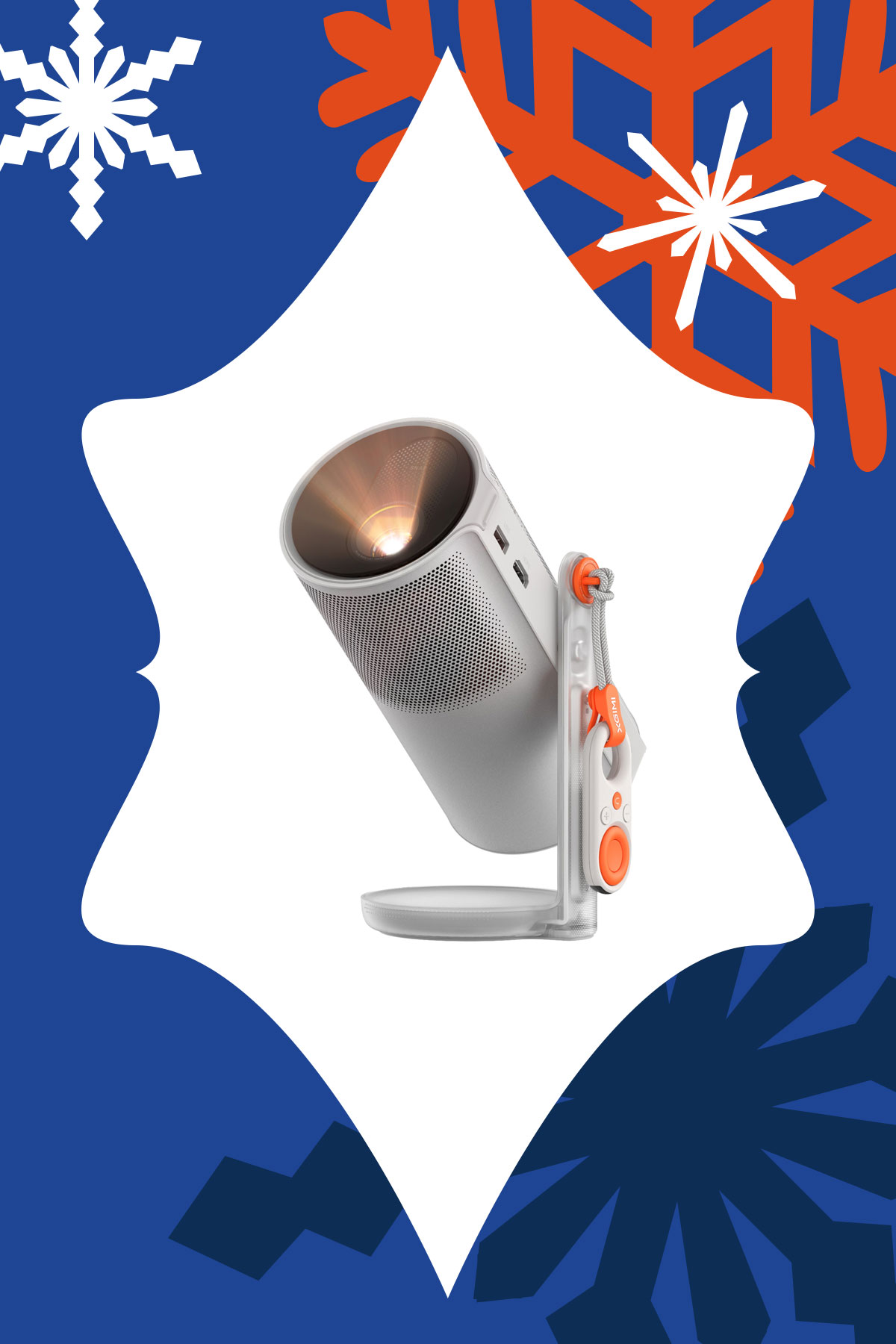
This portable projector makes it easy to turn any wall into a big screen. You can give the gift of a quiet solo night for someone who needs to decompress from work, or movie nights shared with their loved ones. It’s great for a cozy home setup this winter or the outdoors when the weather starts to get warmer.

Lighting is one of the most overlooked features in any space, but is truly transformative. This smart LED lamp creates soft, customizable ambient light that works indoors or outdoors. It’s perfect for someone who just moved into a new apartment, or that person in your life who cares about mood and intentional design.

Liiton American Peaks Whiskey Decanter Set, US$129
This glassware set transforms drinking into a sensory experience, whether on display or in use. It’s a great conversation piece and makes a nightcap more intentional. Place your glass in the freezer and get chilled and aerated whiskey in just 18 seconds thanks to its proprietary X1 Crystalline Chill Charge System. Made from lead-free crystal, the glassware is sculpted with the majestic U.S. mountain peaks: Mount Whitney, Yosemite, Smoky Mountains, Mount Rainier, and The Rockies.
For growing lives and staying connected

With fewer strings and a simplified design, kids can start playing real songs quickly without feeling overwhelmed. It builds confidence and creativity while introducing musical fundamentals. It’s a gift that supports learning through play.
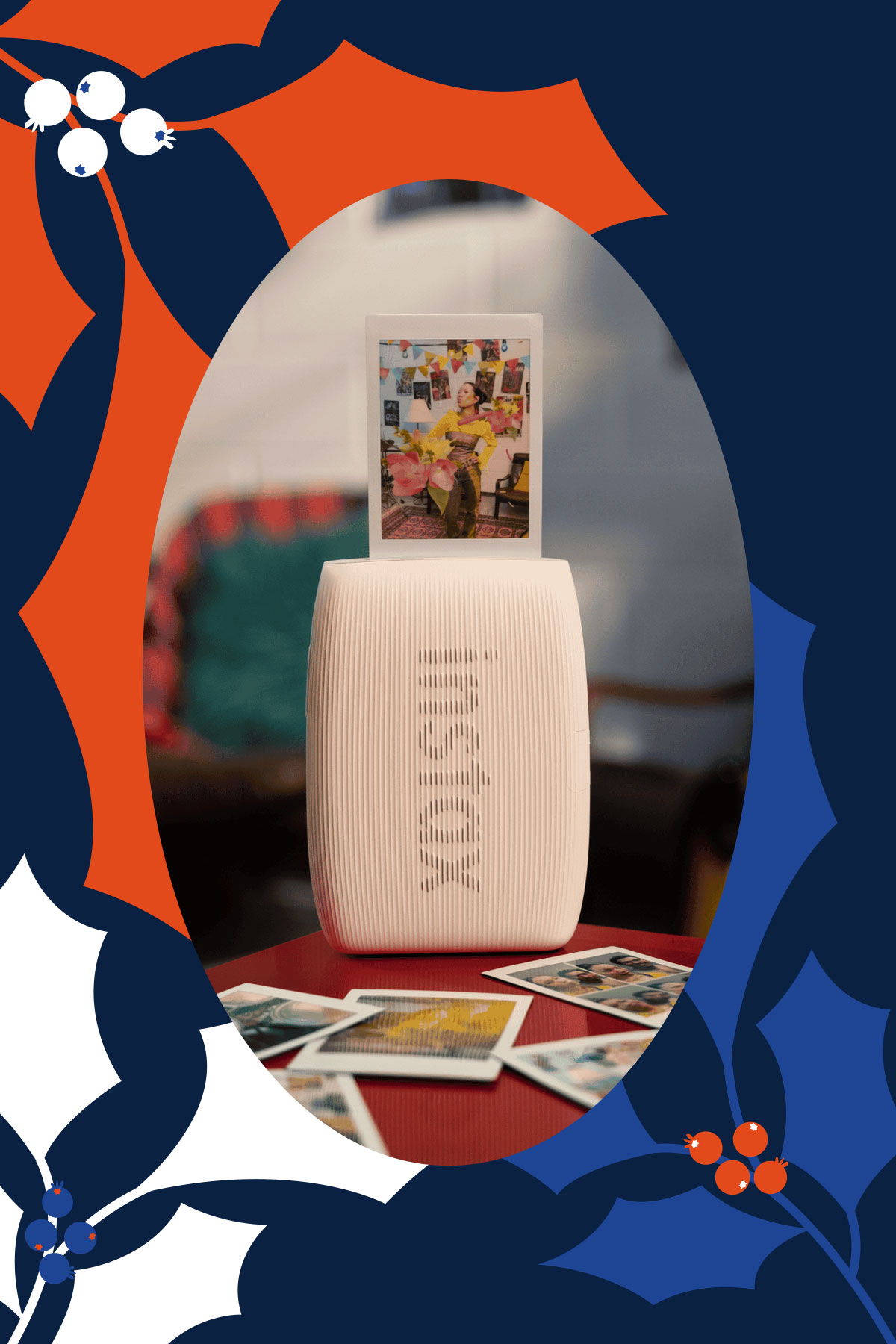
This gift turns fleeting moments into tangible memories. With a few taps, photos on your phone become physical prints that can be shared, saved, and displayed. In an age where taking photos has never been easier, having physical prints encourages reminiscing without increasing screen time. It’s a wonderful gift for families and friends who love documenting life.

Arzopa Digital Photo Frame, starts at US$99.99
Bring warmth to someone’s home without requiring technical effort. This photo frame is great for that loved one who’s moved far away. Photos can be updated remotely, making it easy to feel closer despite the distance. It comes in two sizes: 10″ and 14″, both with a champagne colored bezel.
Apps
Don’t get tricked: Spot these financial monsters before they get you
Ghosts are harmless compared to these real-life threats that prey on your hard-earned money.

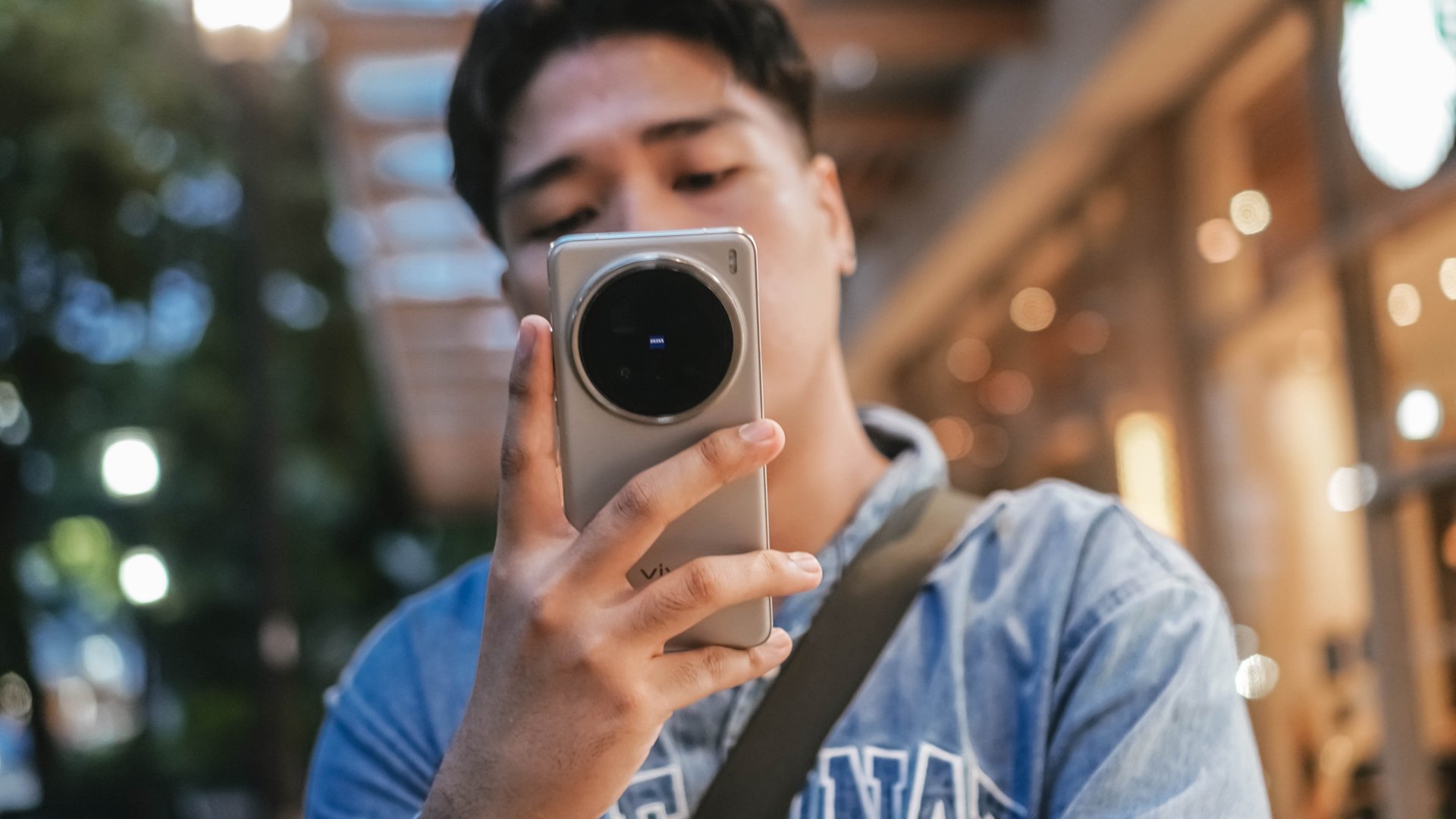
The spooky season has arrived, but not all monsters wear masks. Some hide behind fake links and shady offers designed to trick you into giving up your hard-earned money.
These are the real-life financial monsters: fraudsters, impersonators, and manipulators who turn everyday moments into horror stories.
According to the Cybercrime Investigation and Coordinating Center, 32% of Filipinos have fallen victim to digital fraud in the past year. And while it’s tempting to think you’d never fall for one, scammers are getting smarter and more creative.
Here’s what to watch out for:
Suspicious links and emails.
Those random texts and emails saying “there’s a problem with your account” or “you’ve won a prize”? They’re classic traps.
Scammers disguise themselves as legitimate companies to steal your information or access your accounts. Always double-check the sender’s address. If it looks off, don’t click.
Grammar gone wrong.
If a message is full of weird typos, awkward phrasing, or off punctuation, that’s a red flag.
Reputable companies review every message they send. When in doubt, don’t reply. Report it to authorities like the PNP Anti-Cybercrime Group or the NBI.
Urgent and emotional messages.
Scammers love to pressure you. They’ll make you feel scared or guilty to get you to act fast.
Real companies won’t threaten or rush you into sharing personal info. Take a breath, hang up, and reach out to the official hotline to verify.
Deals that sound too good to be true.
If someone promises instant money or massive discounts, run. These scams often demand “processing fees” or personal info before disappearing. No legitimate prize will ever require payment upfront.
Behind every scam is a story of someone who deserved better. Sometimes, what started as a simple loan application can turn into a nightmare if a rogue online lender decides to harass someone over payments they didn’t even fully receive.
It’s a familiar story for many Filipinos who’ve been preyed on by unregistered or unethical financial services.
Thankfully, more responsible lenders and financial platforms today (Tala, for example) are working to raise awareness and fight back against these threats.
Some even use advanced systems to flag suspicious behavior, partner with authorities for investigations, and educate communities through financial literacy programs.
At the end of the day, awareness is your strongest defense. So this Halloween, stay sharp because protecting your peace (and your money) will always be the sweetest treat.
News
McAfee rolls out an easy way to detect scam texts and emails
Plus, they have a much lighter app.
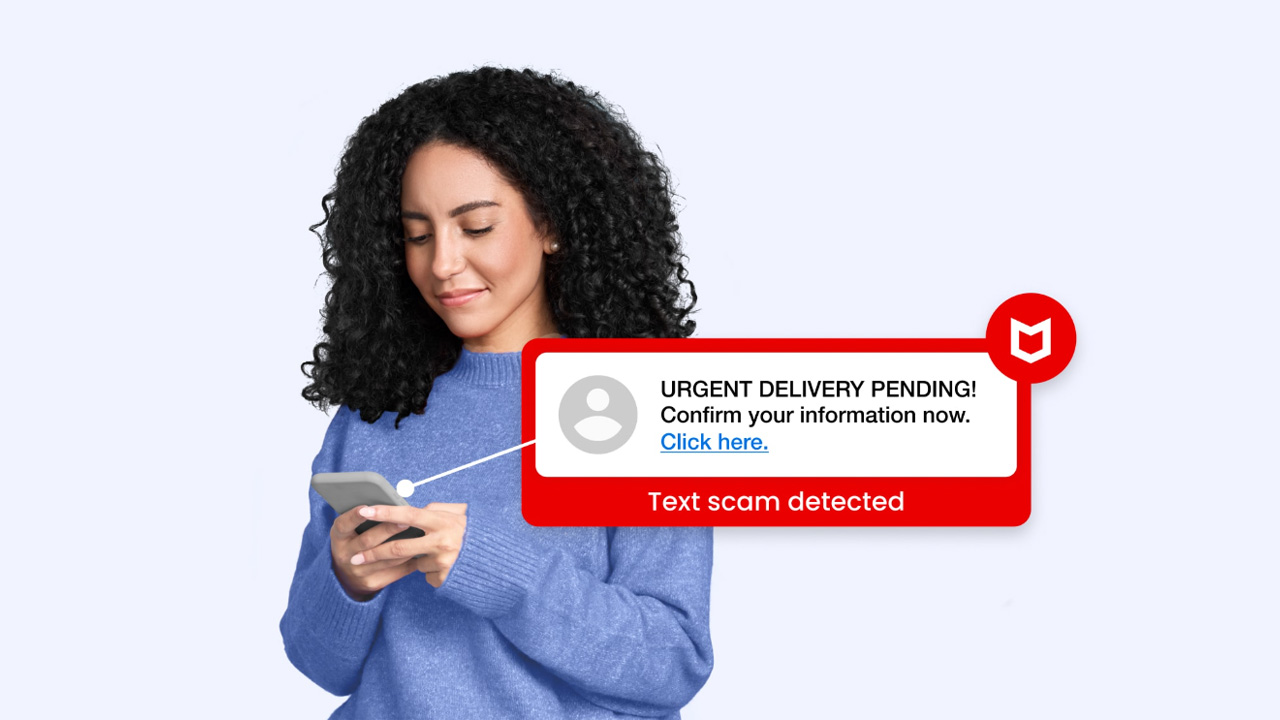
Scammers are getting more brazen these days. Instead of going through the same scripts, malicious actors are now going for more robust schemes to impersonate official accounts. It’s impossible to go through a single week without a warning to never trust suspicious senders or links. To fight the latest wave of malicious parties, McAfee is launching new features to more easily find and eliminate potential threats.
As reported by McAfee, 88 percent of Americans have encountered a scam in the past year. The average person sees about 14 scams on a single day. And it’s not just exclusive to the United States. Everyone all over the world is falling prey to scammers more accurately presenting themselves as legitimate accounts.
Introducing the McAfee scam detector
To fight this, McAfee now has a scam detector. Using the power of AI, the antimalware service can scan both text messages and emails for potential scams. It can also block suspicious links for you.
Now, because the software now uses AI, it can also use the same technology to more easily present why it found a threat. In the past, McAfee just showed users the errant file and called it a day. Now, the software offers readable explanations as to why the detected file might be a threat. It’s the perfect tool for those who aren’t savvy with computers.
Additionally, the same feature can analyze videos to see if they’re deepfakes. Of course, not every deepfake is a scam. But knowing if a video might be generated is a crucial skill these days.
A much lighter app
Despite adding a significant feature against modern scams, McAfee has somehow made its software lighter for modern PCs. According to a performance test from AV-Comparatives, McAfee ranks the lightest compared to other titans in the segment including Avast, AVG, and Kaspersky. Basically, using McAfee takes the least toll on your PC.
More interestingly, this comparison includes Microsoft Defender. There used to be a time when experts said that Microsoft’s built-in antivirus software was much better than most paid services. Now, it seems McAfee is fighting back against the claim by offering a much lighter service that can work in the background without interrupting whatever you’re doing.
Available on all plans
Importantly, McAfee’s new scam detector is available on all plans. It’s also available for mobile, tablet, and PC use.
However, it isn’t available for all territories yet. McAfee is still working to get the feature implemented in other languages.




HUAWEI FreeClip 2 launching on February 19

Apple brings HLS video podcasts to Apple Podcasts

Apple’s March 4 Event signals something BIG is coming

Now Playing: ‘Wuthering Heights’

EU wages war against doomscrolling

Infinix NOTE Edge debuts: High-end features for accessible pricing

HONOR X9d 5G review: Tougher, more long-lasting and optimized

BYD expands PH presence with entry of DENZA luxury EVs

Now playing: Final Fantasy VII Remake INTERGRADE on Switch 2

Breaking up with Adobe Photoshop after 20 years


-

 News1 week ago
TECNO will showcase the CAMON 50 and POVA 8 series at MWC 2026
-

 Laptops1 week ago
TECNO MEGABOOK K16s 13th review: No-frills beneath those grills
-

 Gaming2 weeks ago
My Hero Academia: All’s Justice: A familiar Final War, made playable
-
 Features1 week ago
HUAWEI MatePad 11.5 S 2026: The better-than-ever 4-in-1 productivity tablet
-

 Gaming2 weeks ago
Overwatch reinvents itself with a new story and five new heroes
-

 Gaming2 weeks ago
Valve is delaying the launch of the Steam Machine
-

 Gaming2 weeks ago
The Nintendo Switch is now Nintendo’s best-selling console ever
-

 Gaming1 week ago
Now Playing: Yakuza Kiwami 3 & Dark Ties